Good PowerShell
EXPAND YOUR POWERSHELL SKILLZ
BY KIERAN JACOBSEN
Q. What makes a good piece of
PowerShell code?
Answer: The style of our code, including:
 Function architecture
 Naming Conventions
 Comments
 Use of Pipeline
 Error handling
Style Guides/conventions
 Style guide or coding/programming conventions are a set of rules used
when writing the source code for a computer program [WikiPedia]
 Date back to the 1970s
 Claims to increase readability of and understand-ability of source code,
and this reduce the chances of programming errors.
 Claims to reduce software maintenance costs
 Software developers all work with guides/conventions
 We have server naming conventions, account naming conventions, why
not scripting conventions?
 One of the hardest things for any group to develop, agree upon and to
stick to
Script? Function? CMDLet?
Module?
 Function: Named sections of code
 CMDLet: Advanced reusable functions
 Script: Complex problems solved with functions and CMDLets
 Module: Collections of functions and CMDLets
 Libraries
 Configuration
 Application
 Compiled Code Development and Distribution
Functions and CMDLets First
 “Think functions not scripts”
 “Make CMDLets not scripts”
 Design functions and CMDLets first, then build very simple scripts
 Functions should do just ONE thing
Naming Conventions
 Functions and Cmdlets - Microsoft verbs Vs Defining your down
 Singular Nouns
 Modules
 Scripts
 Variables
 Parameters
 Case
Comment Based Help
 Provides detailed help information on our own CMDLets
 Descriptions
 Examples
 Additional Information Links/References
 get-help about_comment_based_help
Comments
 When and where is appropriate
 Variable declarations
 Complex IF/For/While/Until conditions
 Pipelining
 Input validation
 Error handling
 Anything complex
 Don’t over do comments for simple/obvious lines of code.
Handling Errors
 When to catch errors
 When to throw errors
 When to write-error
 Error Messages
 Exit codes
Bring on the demos!
Demo: Get a web page
Demo: Reusable Get-
WebPage
Demo: Getting a file
Demo: Reusable get-webfile
Demo: Posting Data to a
page in a reusable way
Demo: A tour of a “Web
Functions” module
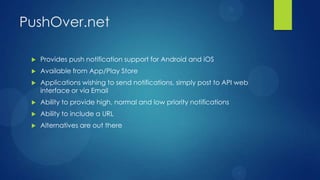
PushOver.net
 Provides push notification support for Android and iOS
 Available from App/Play Store
 Applications wishing to send notifications, simply post to API web
interface or via Email
 Ability to provide high, normal and low priority notifications
 Ability to include a URL
 Alternatives are out there
Demo: PushOver
Notifications
Demo: SysInternals Script
Questions?
 Website: http://aperturescience.su
 Twitter: @kjacobsen
 Email Kieran@thekgb.su
 GitHub Projects
 WebFunctions: http://bit.ly/WebFunctions
 PushOverPS: http://bit.ly/PSPushOver

Advanced PowerShell Automation

  • 1.
    Good PowerShell EXPAND YOURPOWERSHELL SKILLZ BY KIERAN JACOBSEN
  • 2.
    Q. What makesa good piece of PowerShell code? Answer: The style of our code, including:  Function architecture  Naming Conventions  Comments  Use of Pipeline  Error handling
  • 3.
    Style Guides/conventions  Styleguide or coding/programming conventions are a set of rules used when writing the source code for a computer program [WikiPedia]  Date back to the 1970s  Claims to increase readability of and understand-ability of source code, and this reduce the chances of programming errors.  Claims to reduce software maintenance costs  Software developers all work with guides/conventions  We have server naming conventions, account naming conventions, why not scripting conventions?  One of the hardest things for any group to develop, agree upon and to stick to
  • 4.
    Script? Function? CMDLet? Module? Function: Named sections of code  CMDLet: Advanced reusable functions  Script: Complex problems solved with functions and CMDLets  Module: Collections of functions and CMDLets  Libraries  Configuration  Application  Compiled Code Development and Distribution
  • 5.
    Functions and CMDLetsFirst  “Think functions not scripts”  “Make CMDLets not scripts”  Design functions and CMDLets first, then build very simple scripts  Functions should do just ONE thing
  • 6.
    Naming Conventions  Functionsand Cmdlets - Microsoft verbs Vs Defining your down  Singular Nouns  Modules  Scripts  Variables  Parameters  Case
  • 7.
    Comment Based Help Provides detailed help information on our own CMDLets  Descriptions  Examples  Additional Information Links/References  get-help about_comment_based_help
  • 8.
    Comments  When andwhere is appropriate  Variable declarations  Complex IF/For/While/Until conditions  Pipelining  Input validation  Error handling  Anything complex  Don’t over do comments for simple/obvious lines of code.
  • 9.
    Handling Errors  Whento catch errors  When to throw errors  When to write-error  Error Messages  Exit codes
  • 10.
  • 11.
    Demo: Get aweb page
  • 12.
  • 13.
  • 14.
  • 15.
    Demo: Posting Datato a page in a reusable way
  • 16.
    Demo: A tourof a “Web Functions” module
  • 17.
    PushOver.net  Provides pushnotification support for Android and iOS  Available from App/Play Store  Applications wishing to send notifications, simply post to API web interface or via Email  Ability to provide high, normal and low priority notifications  Ability to include a URL  Alternatives are out there
  • 18.
  • 19.
  • 20.
    Questions?  Website: http://aperturescience.su Twitter: @kjacobsen  Email Kieran@thekgb.su  GitHub Projects  WebFunctions: http://bit.ly/WebFunctions  PushOverPS: http://bit.ly/PSPushOver

Editor's Notes

  • #2 Hello everyone, my name is Kieran Jacobsen, I work for HP Enterprise Services as an Application Engineer, I actually started there almost 12 months ago, just a week before the last infrastructure Saturday. Over the last year, my major focus has been automation with PowerShell, with tasks ranging from monitoring, management and deployment automation. I love PowerShell, I have been involved in PowerShell since the days where it was called Monad, and it is something that I not only use for work but also for personal use. If you attend my other session, you will get to see malware I have written in PowerShell.My aim today is start you all down the path of writing and maintaining good PowerShell code, with a focus on simplicity and reuse, and if you also document and comment your code that would be great too.
  • #3 Question, What makes awesome PowerShell code? What makes a piece of PowerShell code easy to understand, reuse and troubleshoot? For that matter, what makes any piece of code or script for any programming language, good code?The answer is, the style in which you write your code. We all have a particular coding style, some of us even follow a particular set of rules or conventions. The style includes how you design your functions, how you name things including functions and variables, commenting of code, and how you handle your errors. In powershell your use of the pipeline is also part of your coding style.The presentation this afternoon will be broken up into two parts. During the first part we will cover off some ideas and concepts we should consider when developing a coding style, and then during the second half we will put some of these into practice.
  • #4 So just some more information on guides or conventions.According to the font of all knowledge, Wikipedia, style guides, code conventions, programming conventions, whatever term you wish to use, are a set of rules used to guide us on how to write our source code. The development and use of guides dates back to the 1970s.The typical claim is they increase the readability of and thus the understand-ability of your source code, which intern allows for better code reviews, can reduce chances of errors in our code and thus reducing your maintenance costs. Its up to you if you believe all of that.All most all software developments will be working to some set of conventions. Almost all formal software developers will be working against a coding convention, and as IT Professionals or as I like to say, PowerShell developers, we should working and writing code to a convection as well. Let’s face it, we work with naming conventions and the like all the time, why not a PowerShell coding convention?The hardest thing when trying to establish a convention in your team will be getting every one to agree, once you get past that, your next challenge will be to ensure that everyone sticks to it. I can’t tell you how to achieve any of this, but the rewards of getting something like this established are well worth the struggle.
  • #5 I am yet to find some definitions of some of the core Powershell terminology, so I decided that I will provide you all with the definitions that I work from. It is annoying that Microsoft uses some of these terms so interchangeably. Firstly we have functions. Functions are named sections of a program which perform a specific task. Functions could include saving data to the disk, or printing information to the screen, or asking for user input or performing some calculation on the data provided to themNext we have the CMDLet. There doesn’t seem to be much to separate a function from a cmdlet to the casual observer. Don’t be fooled, cmdlets are the powerful big brother of the function. CMDLets through the use of the cmdlet bindings, gain super abilities over regular functions. They were originally only the domain of software developers, requiring knowledge of .net programming, however since powershell version 2, they can now be developed natively from powershell code. The other big item to note with cmdlets is that they have s specific structure to their names, that is the verb dash noun format, for example, get-content, set-variable.So how do scripts fit in, well scripts build on top of the functions and cmlets we have written, with a goal of solving complex tasks or problems. Whilst as powershell developers we will probably spend a lot of time writing cmdlets and functions, its our scripts which will allow us to accomplish the activities we wish to achieve. So finally we have modules. Modules are a way to organise, collect and abstract our powershell code into selfcontained reusable units. If you have used a language like perl, you are probably familiar with perl packages, they are a similar concept. So how can we use these modules? Well there are 4 common users.First there is the use of modules as libraries. In this case we are using modules to package and distribute libraries of cmdlets for performing similar tasks, all of which typically share one or more nouns reflecting common tasks. This is similar to the .net framework classes. An example of this could be a library for web cmdlets.The next scenario is configuration, using modules to customer your environment with specific cmdlets, providers functions and variables, similar to the use of a powershell profile. There isn’t a specific common task here, its more about setting up a powershell environment.The next use of modules is using modules to define a specific application. You will design a module to package a set of components providing a interface to perform a specific task or tasks. You could also be abstracting other modules, or re-exporting a subset of other modules.Finally there is the use of modules to assist in the development and distribution of compiled code, without the need for creating snapins. This sort of use is more oriented around the vb.net c# developers.
  • #6 I saw a comment in a technet article the other day, “Think functions not scripts”, one of mine own was “Make cmdlets not scripts”. They are both really eloquent in describing how PowerShell Developers should be thinking.In the past, we would most likely have a single script file, say Vbscript, with hundreds, or thousands of lines of code to achieve what we wanted. This code was typically hard to understand, for some reason always poorly commented. VBScript didn’t encourage us to resuse code, if we did reuse code we probably just copied and pasted a function from one script to the next. I saw a vbscript file called, transfer files. The title sounded innocent enough, what I found was a script not only moving files from point a to point b, but a script ridic long and complicated I think it ran the office dishwasher as well. This script was massive and complex, this isn’t entirely the authoris fault, it is just the way we wrote our scripts back then. Powershell has provided us with a way out of this mess. We now work with individual functions and cmdlets, where we break down our complex tasks into sets of individual tasks. PowerShell encourages us to think about designing and writing our functions and cmdlets first, and then building our scripts. These scripts are simple and easy to understand because they only include a minimial amount of code. This change in the way we write our code is something that the rest of the software development community when through in the move from procedural code to object oriented.The last thing to really encourage is that functions and cmdlets should perform one and only task wherever possible. Get functions should only get data, output functions should only output data. Keeping your functions and cmdlets limited in this way ensures that your code is easier to understand and troubleshoot, not only those functions and cmdlets, but also any code which makes use of these.
  • #7 So what names do we give things?Well, the naming of the cmdlets is controlled by the verb dash noun format specified by Microsoft. This should be the worlds most intuitive structure, but when Microsoft came up with this, they also decided to enforce a authorised list of verbs. The argument is that the authorised verbs are more understandable, however in reality, the enforcement of the authorised verbs has lead to a lot of what should intuitively named cmdlets to end up with very unintuitive names. The reason for this, is the list is just to short to describe a lot of things we want to do with powershell. The list includes get and set, new and remove, but doesn’t include things like upload and download, so we need to make so concessions. If you decided to tell Microsoft to scew their list, then get ready for warning messages! Every time you import a module with cmdlets using verbs that are not in the list, Microsoft will warn you with a nice little warning message. Either way, no really nice options here.The next thing about naming, is always use singular nouns and not plurals for your functions and cmdlets. If you are getting a file from a server, be it one or a million, the function is still get-file!Microsoft didn’t specify any naming structure for modules, scripts variables or parameters. Your aim should be to be descriptive, but brief. Variables and parameter names should provide insight into the data they contain. Care should be taken when selecting parameter names for both cmdlets and scripts as these will be exposed to end users.The last thing is the use of case in your names. PowerShell isn’t as case sensitive as other shells and languages, but if you get your use of case right, your code will have that extra level of professionalism about it. Always capitalise the first letters of verbs and nouns in function names, as to with parameters. The reason to do this is to make your code look just like Microsofts in built cmdlets, making your code look more professional.
  • #8 Comments and documentation are probably the biggest challenge, and they really do separate good code from bad code. I realise that documentation is hard for any IT Professional, and it is so easy to just forget about it, or put it off, but if you follow some simple rules, you can not only get it done quickly, you can make you code look like that of Microsoft’s!We all know the get-help cmdlet, its great way of getting information about a cmdlet. For a Microsoft cmdlet it covers also sorts of information, descriptions of parameters and even examples. Well, what if I said you could get that for your own cmdlets? Believe me? You can by using the commdnet based help syntax. Basically the syntax is a comment block with a special set of key words, they allow you to give a decription of the function and parameters and even examples on using the cmdlet.I totally recommend that you go to your powershell console when you go home and type, get-help about_comment_based_help, it will explain everything. I will also show you these comments during the demo.
  • #9 So, when and where do we add comments? First, whenever you define a variable, add a comment. Any complex if, for, while or until conditions should also have comments. If you use the pipeline, its probably also a good time for a comment, as is any time you are validating user input. Try and put some detailed comments around your error handling, it will save you time in the long run.A simple way to ensure you have good comments, is to put a comment in about any line of code you thing is complex or difficult to understand, but don’t over do this, if a line of code is simple, for example, incrementing a variable or counter and there is no chance for confusion, then please don’t add a comment.Some people overdo comments believe it or not, they will add a comment in for every single line of code. You don’t need this, its just a waste, for a lot of code we know what you are doing and you don’t need to explain it!
  • #10 Error handling is another thing that separates the good code from the bad code. We don’t want code that stops or crashes without any explanation. We also don’t want code that encounters an error and then continues to run in an undefined state. The worst coding disaster I saw was one where someone modified a scripts content, it didn’t have great error handling to begin with, and all he did was change a line which filtered the list of active directory groups from all down to a few. The change to the filter didn’t work, and the script generated an error message at that line, but it kept on running. Now it was removing all users from all groups. It was a bad, bad day, lots of bad stuff happened, and someone almost got fired.Knowing when to catch errors in your code, when to throw errors in your code and when to simply use the write-error statement, can be much like playing a game of poker. Experience is really the only way you will learn the appropriate times, but there are some handy tips I can give you.If your writing cmdlets and functions, its ok to catch errors and then throw them back to what ever is calling, this is something I do all the time. I generally expect my scripts to handle any errors and report them gracefully to the user. Scripts in my eyes are the ones which organise the complexity, cmdlets and functions do the work though.Throwing an error from your function or cmdlet will stop execution of that function and cmdlet, returning execution to whatever called it, if it was a script, then the script will continue. Now this can be overwritten, but you should do so with care. If you need your function or cmdlet to continue execution, then consider the use of write-error instead, but that has some limitations as well.Now your error messages, make them polite and friendly. Make then useful. If using try catch, then $_ has all your error information otherwise your $error variable will. Don’t be afraid to use the information in that variable in your message, or log it to a log file. If you have caught an error that is a failure in connecting to the database server, then say just that. I try to aim for every error message to lead me back to where in the code it was generated.The last thing, use exit codes. Exit codes are very powerfull, and fully supported by powershell. I use exit codes in a lot of my scripts. When I have a error in my script, one I know I need to stop execution because of the error, I do 3 things. First I present the user with a nice error message, then I log the error some place, and finally exit the script with a unique exit code. Be though and always ensure it’s a unique error code. If you use a unique exit code, then you can find the line where you terminated the execution, and hopefully from there what caused your error. If you have other applications calling your script, or system centre or even task scheduler, when they run your code, they can easily test if the return code was 0 or successfully, or something else. Anything but 0 means that something bad happened during execution.
  • #11 So let’s bring together what we have just covered and write some code. First I will show you how to get a web page, then a cmdlet to do the work. We can then look at download files, and of course, a cmdlet to do that. Posting or submitting data to a page is something we can then quickly cover. I will then show you how to write a module containing all of the cmdlets.We will then build on those web functions by building a cmdlet to send push notifications to a mobile.Then finally a script to download the sysinternals tools to c:\downloads, and send a notification to my mobile.
  • #12 So lets look at getting a web page, and returning the html as a string in powershell.Well, its pretty easy, because powershell can access any .net framework object, in this case, the webclient object.Steps:To get say, the *********, we first need an instance of the webclient object, we use new-object cmdlet for that $wc = new-object net.webclientThen to get the page and store it into a variable called page, simply call the webclients download string function, specifying the url$page = $wc.downloadstring(“http://whatismyip.azurewebsites.net/getip.aspx”)And we can see we got the html for that page, which is my external ip address!$pageIt is all very simple!
  • #13 Lets take a look at a cmdlet that I have created to perform the code above:Open get-webpage in primal scriptShow the comment based helpCMDLEt bindingNow you can see that I have specified some parameters, there is an obvious one, called url, that’s the page we want to download, that’s a mandatory parameter, the others all tweak the webclient object, and we don’t need them. They are here because I need them for scripts at home and at work.Then we have the body of the cmdletWe create the webclient objectJust ignore these if statements, they are to do with the optional parametersI enfoce UTF8 as the encoding, this is something I always set whenever I use the webclientA variable to contain the resultWe call downloadstring in a try catch block, any errors, will be sent back to the caller using the throwReturn the resultNow lets see the code:New shellImport function onlyGet-help get-webpageYou can see how we have all of this really useful help informationGet-webpage http://whatismyip.azurewebsites.net/getip.aspx see the cool data returned?Close that shell
  • #14 So how about downloading a file?Well, we use the webclients download file method for that.StepsSwitch to existing shellAll we do is call download file, with the url to the file, and the local filename we wish to use$wc.downloadfile(“http://live.sysinternals.com/ZoomIt64.exe”, “ZoomIt64.exe”)Ls to show file is there
  • #15 So if we made what we just saw as a reusable function, what would it look like?Lets take a look at a cmdlet that I have created to perform the code above:Open get-webpage in primal scriptWell as you can see, the comment based help is thereSimilar looking parameters, but there is 3 new ones.Before we get to the new ones, the url has another tweak, we can accept that variable from the pipeline, this allows us to pipe a url list and download all the files in that listFirst we have filename, this is the destination file name to download the file to, this is optionalDirectory is also optional, this is if we want to specify where to download the file toNote, if neither one or the other is specified, I put some logic into the cmdlets code to fill in those gapsFinally there is a switch called clobber, this is specifying that if the file already exists, that we overwrite the file, else we will throw an errorNow for the body, note we are using the formal cmdlet structure, with a begin, process, and end. This is part of the formal structure for a cmdlet, you don’t actually have to use it though. I only ever use this structure if I am accepting pipeline input.The code in the begin of the cmdlet is only run once at the very start we use this, in this case, we will setup the thewebclient objectThe code in the process will be run for every object sent into the cmdlet form the pipeline, for this cmdlet, it downloads the fileWe are skipping the end code structure, we don’t need to do anything once we have finished, so we will not write that code inThe process is pretty simple, apart from the code where I work out the destination filename, if you want, download the code and take a look as it’s a little hard to show youDemo:New shellImport-module function pathGc files to download | get-webfileAll pretty simple right?
  • #16 Now we can try something a little more difficult, posting data up to a web page!I am just going to show you the code for this one, there will be a demo expanding upon this a little later.Lets take a look at this cmdlet, called send-webpage, this is where the we see that Microsoft’s approved verblist makes for some very oddly named cmdlets. Now a verb like post or upload would be a bit more relevant, but it isn’t on the list, so the best fits are send and set, and send for me makes a little more sense.Notes:Open up primal script and open fileAs you can see, we have the usual lay out with the comment based help, and our cmdletbindings. The parameters are pretty simple too, a mandatory url to post the data to, and a name value collection. The name value collection holds the parameters and their values which we would be posting to the specified url. The body is pretty much like the get-webpage cmdlet, however we are calling the uploadvalues method of the webclient.Now a lot of pages will return some data when you post values to them, so we capture that data, conver it back from UTF8 to a string and return that.As I said, I am not going to demo this code just yet, I just wanted to show this off before we go to the next part of my demos.
  • #17 Right so, now we have a whole bunch of cmdlets that allow us to interact with web pages. Let’s look at a module, or psm1 file which acts as a library combining these and other functions together.Notes:Open primal scriptShow psm1 fileTalk about the function importsTalk about the alias
  • #18 There are a lot of ways you could have your scripts let you know of an issue, email is probably the most common, followed by SMS, but why not straight to your mobile devices using push notifications? This is where PushOver.net comes in, it provides us with an interface for Android and IOS to send push notifications from our own apps to our devices. Applications can send push notifications to users and devices through a wimple web apli.With about 10 minutes worth of work, we can use the send-webpage cmdlet we wrote earlier and write a cmdlet which sends these notifications. We can then use this cmdlet in all of our scripts to let us know when things happen, like if we want to know when that vm has been deployed, that backup script has been finished or, perhaps a monitoring script finds an issue. Lets take a look at the cmdlet!
  • #19 Notes:Show send-pushover scriptSo we have the structure you are use to seeing, with the comment based help and parametersI have written this cmdlet to support almost all of the optional parameters for the pushover API.The body of the script has a check for the send-webpage function, throwing a error if its not foundThen we create a name values collection, and put in the various parameters, mandatory and optional that were suppliedWe then send our values to the pushover api, use write verbose to write the response in fullWe return the just response code we received from the pushover api to the calling code, 1 means successfully, which is a little unintutivieLet’s take a look:$token = 'uxKslAAZFwiGzthqyppf1H9CzkCE0v'$user = 'kTLzChbJlXng59lBpYrHKm24TncfCW'Send-Pushover $token $user “Test Notification" And see my phone just got the notification!
  • #20 So lets use the cmdlets we developed to make a script encompassing all of what we have learnt!Notes:Open in primal script and open demo scriptSo here we have a simple script, there isn’t too much that you have never seen beforeFirst we import the modules we wrote, notice how we have a try catch around this to handly an issues during the import, if there is an issue we are exiting with a code 1Then we have a variable containing the url to the live dot sysinternals siteThen we get that page, with the appropriate error handling. We will display an error and then exit with code 2We then get the executable names out of the pages, and then download each of the executables, again with error handling. The bigg thing here is we are not exiting when we have an error, we ant to continue and download the rest of the filesOnce downloaded we are going to send a push notification, once again handling errors, and then checking we got a response of 1.Let’s run itNew powershellMkdirsysinternals& 'D:\Documents\Presentations - Infrastructure Saturday 2012\PowershellDemoScript.ps1‘I expect 1 error, lets continue and I will let you know when the notification comes through
  • #21 So this is our last demo, a few months ago I discovered a package management system called Chocolatey. Chocolatey is a package management system much like apt or yum is on Linux, and whilst there have been attempts to make something similar or even port those systems across to Windows, chocolatey is a wholly new idea.Firstly chocolatey makes use of nuget, which if you haven’t used it, it’s a plugin for visual studio which greatly assists you in updating 3rd party tools and components. Chocolatey then extends support to its own packages, and then a few other package sources as well.Now you are probably wondering, what does this have to do with powershell? Well it turns out the entire system is written in powershell. Lets go take a look!Notes:Show webpage for chocolateyNow we have it already installed, but its so simple to install, just run the command on the siteSo if you wanted a app installed, say <><>, then lets see if its availableRun clist <><>So the app is available, lets install itRun cinst <><>Now you can also update packages this way, and even remove themI really see this as a great basis for application deployment or maybe as part of an installation process, there are a million ideas!Chocolatey is really quite well written, there are some really
  • #22 So we have reached the end of this presentation.I would like to thank you all for attending, please fill out the feedback forms.I have a number of important links on this slide, my webside, aperture science dot su, my email address, links to the github projects which contain all the cmdlets seen today.