ADOBE PHOTOSHOP
INTERFACE
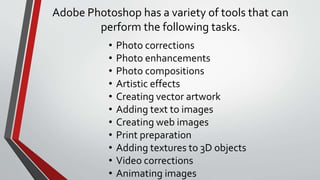
Adobe Photoshop has a variety of tools that can
perform the following tasks.
• Photo corrections
• Photo enhancements
• Photo compositions
• Artistic effects
• Creating vector artwork
• Adding text to images
• Creating web images
• Print preparation
• Adding textures to 3D objects
• Video corrections
• Animating images
Application Icon
• It is located in the left upper corner of the title bar, it contains options in controlling the
windows such as minimize, maximize, restore, move or close.
Title Bar
• It displays the name of the photoshop document and the program
Control Buttons
• It is located at the right upper corner of the title bar.
Minimize - makes the window smaller in size
Maximize - makes the window bigger in size
Restore - reverse action of maximize button
Close - exits the photoshop window
It is located below the title bar and it consist of nine (9) menus that
can opens some commands
Menu Bar
It is located below the menu bar, it changes depending on the selected
tool in the toolbox.
Options Bar
-staked along the right edge of the screen, by default, in four separate
palette groups.
Tool Palettes
It is the working area where you create and edit an images.
Workspace
It is located at the bottom of the windows screen.
Status Bar
3
2
4
5
7
6
8
9
1

ADOBE PHOTOSHOP INTERFACE.pptx

  • 1.
  • 2.
    Adobe Photoshop hasa variety of tools that can perform the following tasks. • Photo corrections • Photo enhancements • Photo compositions • Artistic effects • Creating vector artwork • Adding text to images • Creating web images • Print preparation • Adding textures to 3D objects • Video corrections • Animating images
  • 4.
    Application Icon • Itis located in the left upper corner of the title bar, it contains options in controlling the windows such as minimize, maximize, restore, move or close.
  • 5.
    Title Bar • Itdisplays the name of the photoshop document and the program
  • 6.
    Control Buttons • Itis located at the right upper corner of the title bar. Minimize - makes the window smaller in size Maximize - makes the window bigger in size Restore - reverse action of maximize button Close - exits the photoshop window
  • 7.
    It is locatedbelow the title bar and it consist of nine (9) menus that can opens some commands Menu Bar
  • 8.
    It is locatedbelow the menu bar, it changes depending on the selected tool in the toolbox. Options Bar
  • 9.
    -staked along theright edge of the screen, by default, in four separate palette groups. Tool Palettes
  • 10.
    It is theworking area where you create and edit an images. Workspace
  • 11.
    It is locatedat the bottom of the windows screen. Status Bar
  • 12.