Adding Vanilla to WordPress WordCamp Montreal 2010
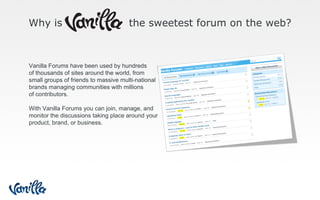
Why is  the sweetest forum on the web? Vanilla Forums have been used by hundreds  of thousands of sites around the world, from  small groups of friends to massive multi-national  brands managing communities with millions  of contributors. With Vanilla Forums you can join, manage, and  monitor the discussions taking place around your  product, brand, or business.
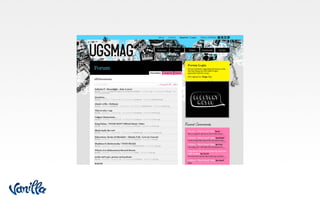
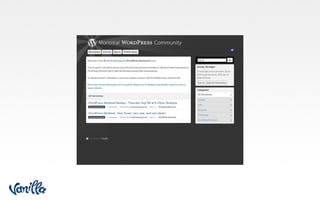
, not just a  forum  anymore
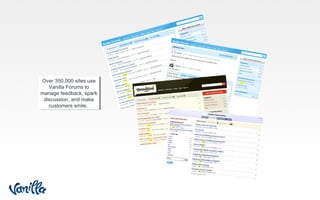
Over 350,000 sites use Vanilla Forums to manage feedback, spark discussion, and make customers smile.


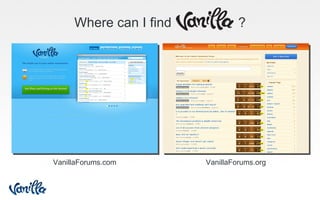
Where can I find  ? VanillaForums.com VanillaForums.org
Why Choose  ? Same model as WordPress Download for free on .org Get hosted on .com Easy theming! or choose from tons of gorgeous themes Custom-Community Plugins Easy Integration (SSO)
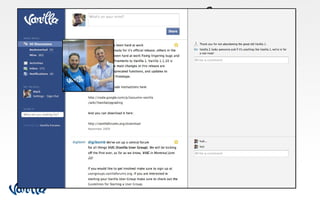
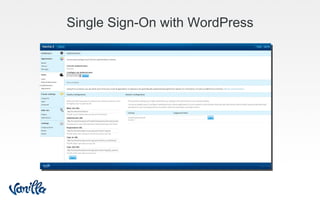
Single Sign-On with WordPress
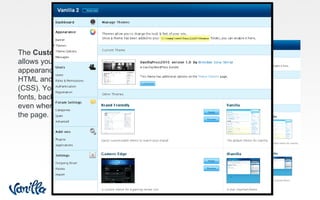
Custom Theme The  Custom Theme Feature  allows you to customize the appearance of your forum using HTML and cascading stylesheets (CSS). You can change colors, fonts, backgrounds, banners, and even where elements appear on the page.
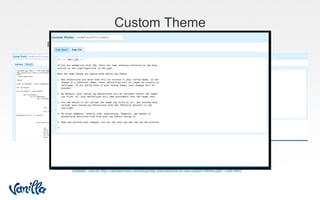
Custom Theme Detailed Tutorial http://vanillaforums.com/blog/help-tutorials/how-to-use-custom-theme-part-1-edit-html/ Inside  Custom Theme  you can choose to ‘Edit Html’ or ‘Edit CSS’ Edit Html Edit CSS
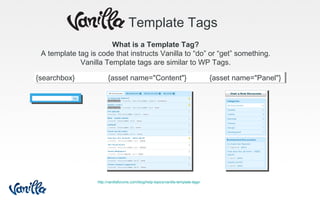
Template Tags What is a Template Tag? A template tag is code that instructs Vanilla to “do” or “get” something. Vanilla Template tags are similar to WP Tags. {searchbox}  {asset name="Content"}  {asset name="Panel"} http://vanillaforums.com/blog/help-topics/vanilla-template-tags/
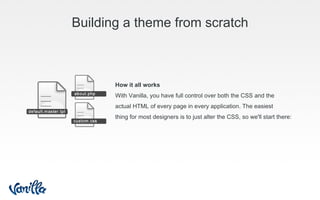
Building a theme from scratch How it all works With Vanilla, you have full control over both the CSS and the  actual HTML of every page in every application. The easiest  thing for most designers is to just alter the CSS, so we'll start there:
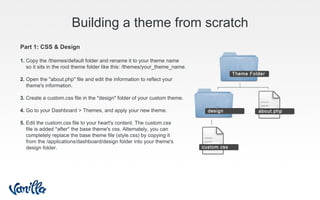
Building a theme from scratch Part 1: CSS & Design 1.  Copy the /themes/default folder and rename it to your theme name  so it sits in the root theme folder like this: /themes/your_theme_name. 2.  Open the "about.php" file and edit the information to reflect your  theme's information. 3.  Create a custom.css file in the "design" folder of your custom theme. 4.  Go to your Dashboard > Themes, and apply your new theme. 5.  Edit the custom.css file to your heart's content. The custom.css  file is added *after* the base theme's css. Alternately, you can  completely replace the base theme file (style.css) by copying it  from the /applications/dashboard/design folder into your theme's  design folder.
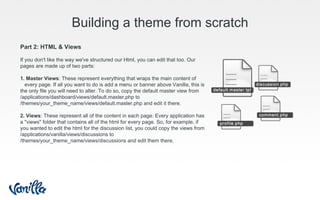
Building a theme from scratch Part 2: HTML & Views If you don't like the way we've structured our Html, you can edit that too. Our pages are made up of two parts: 1. Master Views : These represent everything that wraps the main content of  every page. If all you want to do is add a menu or banner above Vanilla, this is the only file you will need to alter. To do so, copy the default master view from /applications/dashboard/views/default.master.php to /themes/your_theme_name/views/default.master.php and edit it there. 2. Views : These represent all of the content in each page. Every application has a "views" folder that contains all of the html for every page. So, for example, if you wanted to edit the html for the discussion list, you could copy the views from /applications/vanilla/views/discussions to /themes/your_theme_name/views/discussions and edit them there.
Thank you Where to find us… To download all files from this presentation And stay in the Vanilla WordPress developers loop Link to promo page @vanilla @digibomb @navvywavvy

Adding Vanilla to WordPress

  • 1.
    Adding Vanilla toWordPress WordCamp Montreal 2010
  • 2.
    Why is the sweetest forum on the web? Vanilla Forums have been used by hundreds of thousands of sites around the world, from small groups of friends to massive multi-national brands managing communities with millions of contributors. With Vanilla Forums you can join, manage, and monitor the discussions taking place around your product, brand, or business.
  • 3.
    , not justa forum anymore
  • 4.
    Over 350,000 sitesuse Vanilla Forums to manage feedback, spark discussion, and make customers smile.
  • 5.
  • 6.
  • 7.
  • 8.
  • 9.
  • 10.
  • 11.
    Where can Ifind ? VanillaForums.com VanillaForums.org
  • 12.
    Why Choose ? Same model as WordPress Download for free on .org Get hosted on .com Easy theming! or choose from tons of gorgeous themes Custom-Community Plugins Easy Integration (SSO)
  • 13.
  • 14.
    Custom Theme The Custom Theme Feature allows you to customize the appearance of your forum using HTML and cascading stylesheets (CSS). You can change colors, fonts, backgrounds, banners, and even where elements appear on the page.
  • 15.
    Custom Theme DetailedTutorial http://vanillaforums.com/blog/help-tutorials/how-to-use-custom-theme-part-1-edit-html/ Inside Custom Theme you can choose to ‘Edit Html’ or ‘Edit CSS’ Edit Html Edit CSS
  • 16.
    Template Tags Whatis a Template Tag? A template tag is code that instructs Vanilla to “do” or “get” something. Vanilla Template tags are similar to WP Tags. {searchbox} {asset name="Content"} {asset name="Panel"} http://vanillaforums.com/blog/help-topics/vanilla-template-tags/
  • 17.
    Building a themefrom scratch How it all works With Vanilla, you have full control over both the CSS and the actual HTML of every page in every application. The easiest thing for most designers is to just alter the CSS, so we'll start there:
  • 18.
    Building a themefrom scratch Part 1: CSS & Design 1. Copy the /themes/default folder and rename it to your theme name so it sits in the root theme folder like this: /themes/your_theme_name. 2. Open the "about.php" file and edit the information to reflect your theme's information. 3. Create a custom.css file in the "design" folder of your custom theme. 4. Go to your Dashboard > Themes, and apply your new theme. 5. Edit the custom.css file to your heart's content. The custom.css file is added *after* the base theme's css. Alternately, you can completely replace the base theme file (style.css) by copying it from the /applications/dashboard/design folder into your theme's design folder.
  • 19.
    Building a themefrom scratch Part 2: HTML & Views If you don't like the way we've structured our Html, you can edit that too. Our pages are made up of two parts: 1. Master Views : These represent everything that wraps the main content of every page. If all you want to do is add a menu or banner above Vanilla, this is the only file you will need to alter. To do so, copy the default master view from /applications/dashboard/views/default.master.php to /themes/your_theme_name/views/default.master.php and edit it there. 2. Views : These represent all of the content in each page. Every application has a "views" folder that contains all of the html for every page. So, for example, if you wanted to edit the html for the discussion list, you could copy the views from /applications/vanilla/views/discussions to /themes/your_theme_name/views/discussions and edit them there.
  • 20.
    Thank you Whereto find us… To download all files from this presentation And stay in the Vanilla WordPress developers loop Link to promo page @vanilla @digibomb @navvywavvy

Editor's Notes

  • #2 Brendan
  • #3 Mark
  • #4 Brendan
  • #5 Brendan
  • #6 Brendan
  • #7 Brendan
  • #8 Brendan
  • #9 Brendan
  • #10 Brendan
  • #11 Brendan
  • #12 Mark
  • #14 Pre-requisites: Same domain (VC doesn’t require this) WordPress Plugin (included)
  • #16 Will quickly talk about both tabs Will quickly jump to local host to show an example Use Brand Friendly theme as example
  • #21 Contact Questions?