Social media guide for higher
education colleges & training
providers on how to use Flickr
effectively.

What is flickr?
Flickr is an image and video hosting service that lets you manage and share images
and videos. It allows you to give each image a title, add a description and tags which
make it easy for people to search for images by keywords. The popularity of photo
sharing is huge so the potential traffic is very high. You can choose to make images
private or public so anyone can see them, opening up your images to a wide
audience, and providing an opportunity to engage with people.

Flickr allows you to store images in different folders, sets or collections. You might
set up different folders for each course or event. You can also create an open group
which other users can add images to. Sign up for an account at
www.flickr.com/signup/. You can…

    •   Search for images using flickr Creative Commons
    •   Add title, details, change date and tag photos (use an anchor tag to easily
        retrieve photos)
    •   Add notes to a photo
    •   Create a flickr slideshow
    •   Organize photos, i.e., batch organize, sets, etc.
    •   Geotag photos by location
    •   Start discussions
    •   Upload several photos using the flickr Uploader
    •   Send a photo to flickr from a camera phone - flickr Mobile Site
    •   Join groups
    •   Comment on photos

    Benefits                                              Things to consider

        •   It’s free!                                        •   Hard to control what other people
        •   A powerful image and storage site                     post without strong moderation
        •   Reach new audiences                               •   You may be ‘tagged’ in images
        •   Solid community focus                                 you don’t like


web : www.webyogi.co.uk | call : 07412 139341 | email : info@webyogi.co.uk
How can higher education colleges & training providers
use flickr?
Colleges & training providers can widen interest in services by uploading images to
flickr to give prospective students a visual feel for the college. You can use it to:

    •   Search for your institution name in Flickr to find photos
    •   Add photos of events, buildings, college life, college staff and services
    •   You can tag images by keyword and location so that image results appear in
        Google blended searches
    •   Create buzz around upcoming college events & open days
    •   Showcase student excellence
    •   Promote images on other social networks including facebook and twitter
    •   Create a Flickr group (to gather existing users from your college and
        generate interest among Flickr users to post images
    •   Use Flickr to discover great photos for your next publications
    •   Launch a contest and invite users to post their best pics of your college.
        The winners could have their photos published on your website or in your next
        college magazine…

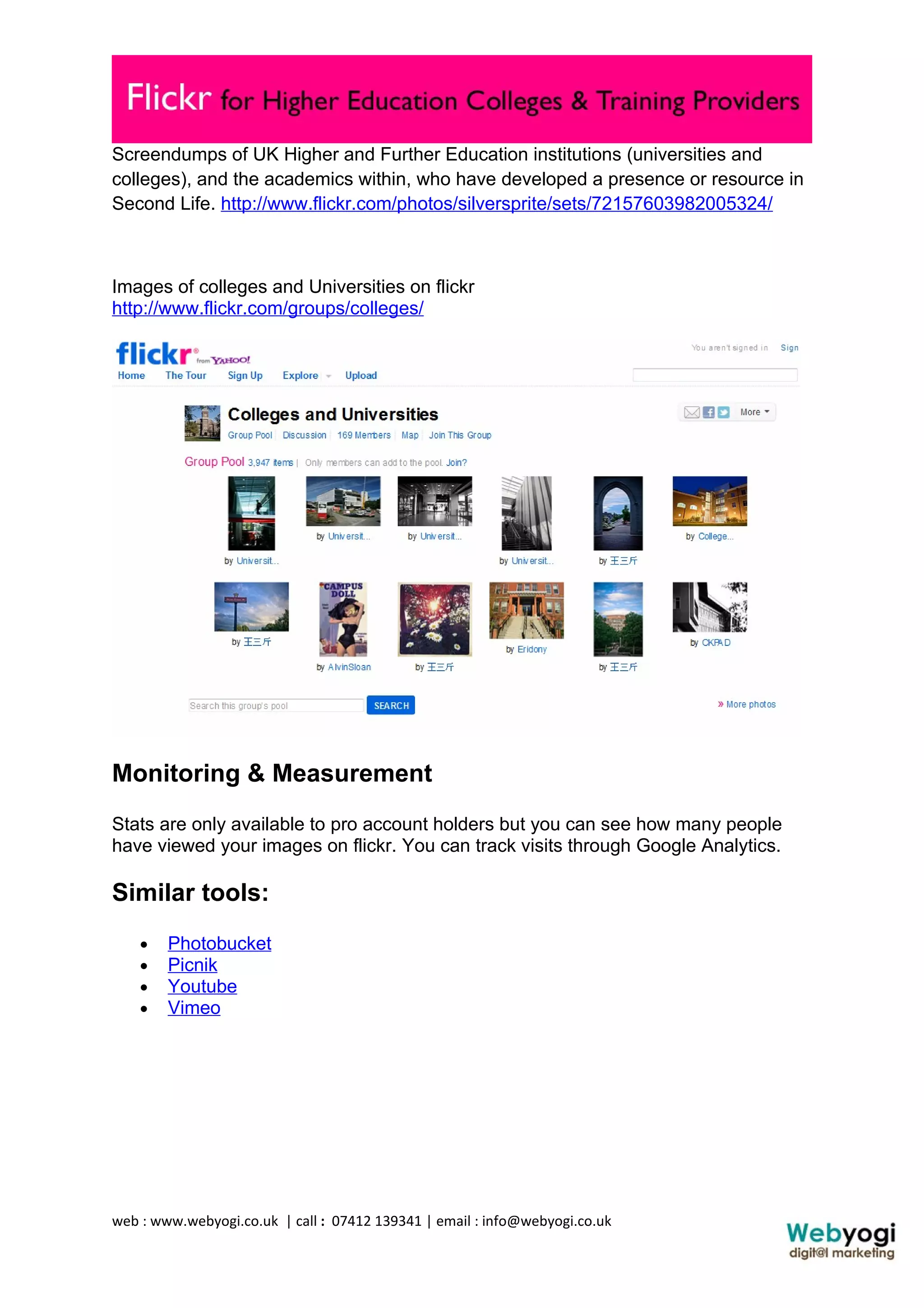
How are Higher Education Providers & Training Providers
using flickr?


web : www.webyogi.co.uk | call : 07412 139341 | email : info@webyogi.co.uk
Screendumps of UK Higher and Further Education institutions (universities and
colleges), and the academics within, who have developed a presence or resource in
Second Life. http://www.flickr.com/photos/silversprite/sets/72157603982005324/


Images of colleges and Universities on flickr
http://www.flickr.com/groups/colleges/


Monitoring & Measurement
Stats are only available to pro account holders but you can see how many people
have viewed your images on flickr. You can track visits through Google Analytics.

Similar tools:
    •   Photobucket
    •   Picnik
    •   Youtube
    •   Vimeo


web : www.webyogi.co.uk | call : 07412 139341 | email : info@webyogi.co.uk
Resources
Flickr in plain English
Tips for flickr beginners
Tips to optimise your flickr profile

Any Questions?
Ready to improve your online marketing? Start now
contact info@webyogi.co.uk. Feel free to get in touch!
We offer in-house training & consultancy for social media
projects.

www: http://www.webyogi.co.uk/
email: info@webyogi.co.uk
twitter: @webyogi
facebook: Webyogidigitalmarketing


Supported by :-


web : www.webyogi.co.uk | call : 07412 139341 | email : info@webyogi.co.uk

Social media guide : Flickr for higher/further education colleges & training providers

  • 1.
    Social media guidefor higher education colleges & training providers on how to use Flickr effectively. What is flickr? Flickr is an image and video hosting service that lets you manage and share images and videos. It allows you to give each image a title, add a description and tags which make it easy for people to search for images by keywords. The popularity of photo sharing is huge so the potential traffic is very high. You can choose to make images private or public so anyone can see them, opening up your images to a wide audience, and providing an opportunity to engage with people. Flickr allows you to store images in different folders, sets or collections. You might set up different folders for each course or event. You can also create an open group which other users can add images to. Sign up for an account at www.flickr.com/signup/. You can… • Search for images using flickr Creative Commons • Add title, details, change date and tag photos (use an anchor tag to easily retrieve photos) • Add notes to a photo • Create a flickr slideshow • Organize photos, i.e., batch organize, sets, etc. • Geotag photos by location • Start discussions • Upload several photos using the flickr Uploader • Send a photo to flickr from a camera phone - flickr Mobile Site • Join groups • Comment on photos Benefits Things to consider • It’s free! • Hard to control what other people • A powerful image and storage site post without strong moderation • Reach new audiences • You may be ‘tagged’ in images • Solid community focus you don’t like web : www.webyogi.co.uk | call : 07412 139341 | email : info@webyogi.co.uk
  • 2.
    How can highereducation colleges & training providers use flickr? Colleges & training providers can widen interest in services by uploading images to flickr to give prospective students a visual feel for the college. You can use it to: • Search for your institution name in Flickr to find photos • Add photos of events, buildings, college life, college staff and services • You can tag images by keyword and location so that image results appear in Google blended searches • Create buzz around upcoming college events & open days • Showcase student excellence • Promote images on other social networks including facebook and twitter • Create a Flickr group (to gather existing users from your college and generate interest among Flickr users to post images • Use Flickr to discover great photos for your next publications • Launch a contest and invite users to post their best pics of your college. The winners could have their photos published on your website or in your next college magazine… How are Higher Education Providers & Training Providers using flickr? web : www.webyogi.co.uk | call : 07412 139341 | email : info@webyogi.co.uk
  • 3.
    Screendumps of UKHigher and Further Education institutions (universities and colleges), and the academics within, who have developed a presence or resource in Second Life. http://www.flickr.com/photos/silversprite/sets/72157603982005324/ Images of colleges and Universities on flickr http://www.flickr.com/groups/colleges/ Monitoring & Measurement Stats are only available to pro account holders but you can see how many people have viewed your images on flickr. You can track visits through Google Analytics. Similar tools: • Photobucket • Picnik • Youtube • Vimeo web : www.webyogi.co.uk | call : 07412 139341 | email : info@webyogi.co.uk
  • 4.
    Resources Flickr in plainEnglish Tips for flickr beginners Tips to optimise your flickr profile Any Questions? Ready to improve your online marketing? Start now contact info@webyogi.co.uk. Feel free to get in touch! We offer in-house training & consultancy for social media projects. www: http://www.webyogi.co.uk/ email: info@webyogi.co.uk twitter: @webyogi facebook: Webyogidigitalmarketing Supported by :- web : www.webyogi.co.uk | call : 07412 139341 | email : info@webyogi.co.uk