Why Use Threat Model For
Applications
 Deliver the scalability needed in large enterprise
environments
 Reduce the involvement of subject matter experts
 Make the application threat modeling process less
time consuming and tedious to implement
 Provide a meaningful output, or allow for real-time
collaboration between stakeholders
CYBER
SECURITY
Made For
Security
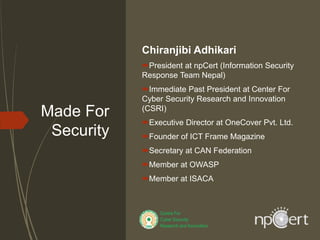
Chiranjibi Adhikari
President at npCert (Information Security
Response Team Nepal)
Immediate Past President at Center For
Cyber Security Research and Innovation
(CSRI)
Executive Director at OneCover Pvt. Ltd.
Founder of ICT Frame Magazine
Secretary at CAN Federation
Member at OWASP
Member at ISACA
Recommended Security Test For National
Library Portal
observe Thoroughly
 Injection Flaws
 Cross site Scripting
 Insecure Direct Object references
 Open URL redirects
 Cross Site Request Forgery
 Command Injection
 Broken Authentication,
 Security Misconfiguration, Sensitive Data Exposure
 API Testing
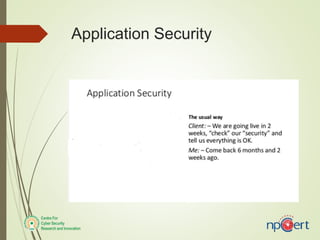
Application Security
 Deliver the scalability needed in large enterprise
environments
 Reduce the involvement of subject matter experts
 Make the application threat modeling process less
time consuming and tedious to implement
 Provide a meaningful output, or allow for real-time
collaboration between stakeholders
Application Threat Modeling
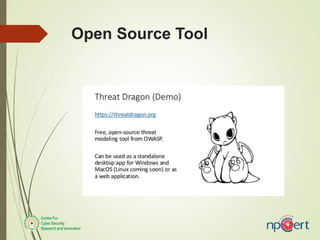
Open Source Tool
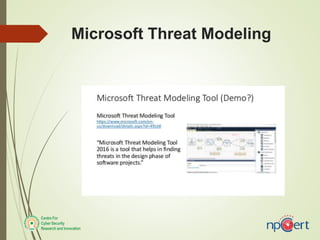
Microsoft Threat Modeling
Cybersecurity best practices for
businesses that every employee
should know and follow
 DO NOT OPEN ANY LINKS OR DOWNLOAD ANY
ATTACHMENTS
 DO NOT CLICK ON POP-UPS
 DO NOT DISABLE FIREWALL
 ENABLE MULTI FACTOR AUTHENTICATION (MFA)
Cybersecurity best practices for
businesses that every employee should
know and follow
 UPDATE to the latest security patches for your
desktop
 Use Enterprise Virtual Private Network
 LOCK your devices before you leave your devices
unsupervised
 Enforce Communication with the USE of End-to-end
(E2E)
 INCREASE PASSWORD COMPLEXITY
 Beware about SHOULDER SURFING as others might
be able to see/listen to some sensitive and confidential
information.
Best security practices that every
business should follow
 Review your Business Continuity Planning (BCP)
and Procedures.
 Update your Organization’s Infrastructures
 Use of Multi-Factor Authentication
 Strictly Monitor user access and user roles:
 Define access right for your Infrastructure
Best security practices that every
business should follow
 Reduce timeout for employees accessing
organization resources remotely
 Backup and store data securely
 Ensure physical security measures are taken by
employees
Incident Response Plan during Work
From Home
 Make a list of critical infrastructures that need
addressing.
 Prioritize the infrastructures accordingly.
 Maintain a detail overview of organizations
network architecture.
 Assign the incident lead task to a relevant person
who will communicate with the team.
 Train all staff to distinguish fake emails from the
real ones and immediately report the suspicious
emails or attachments.
Work From Home Cybersecurity
Basics: Incident Response Planning
 Make a complete backup of the system so that they
can be restored in a timely manner in case of
incident.
Checklists:
1. Who is responsible to react to the incident at first and
take a lead on it?
2. Who is responsible for each process of the Incidence
Response?
3. If the team needs third party expertise. How will be
communication handled?
4. How is legal part of the incident handled?
Do's and Don'ts of Effective Incident
Response Procedure
1) First of all, don’t panic.
2) Don’t shut down any infected systems as it might delete the juicy
data which is very important when performing forensics
investigation.
3) Don’t use any non-forensic tools as they can overwrite the timeline
associated with the attack.
4) Collect logs from different areas.
For windows collect application/security/system logs from event
viewer
For Linux collect /var/log/*
5) Don’t wipe any non-important files/data.
Defense in Depth Planning
Physical control:
Technical control
Administrative control
Technical control
 Firewall
 Intrusion prevention system for Network and host devices.
 Advanced anti-malware
 Anti-spam and anti-phishing at the Web and messaging
gateways
 Web reputation
 Application control
 Content filtering
 Vulnerability shielding
 Mobile app reputation
 Effective cyber security awareness training for all employees
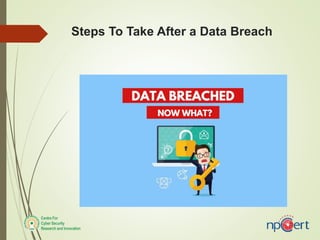
Steps To Take After a Data Breach
1) Notify immediately:
2) Notify what information has been breached
3) Request for Modification
Steps To Take After a Data Breach
4) Investigating the incident
5) Find & Mitigating Vulnerabilities
6) Protection against Future Incidents
<Thank You>

Web application security measures

  • 1.
    Why Use ThreatModel For Applications  Deliver the scalability needed in large enterprise environments  Reduce the involvement of subject matter experts  Make the application threat modeling process less time consuming and tedious to implement  Provide a meaningful output, or allow for real-time collaboration between stakeholders
  • 2.
  • 3.
    Made For Security Chiranjibi Adhikari Presidentat npCert (Information Security Response Team Nepal) Immediate Past President at Center For Cyber Security Research and Innovation (CSRI) Executive Director at OneCover Pvt. Ltd. Founder of ICT Frame Magazine Secretary at CAN Federation Member at OWASP Member at ISACA
  • 4.
    Recommended Security TestFor National Library Portal observe Thoroughly  Injection Flaws  Cross site Scripting  Insecure Direct Object references  Open URL redirects  Cross Site Request Forgery  Command Injection  Broken Authentication,  Security Misconfiguration, Sensitive Data Exposure  API Testing
  • 5.
  • 6.
     Deliver thescalability needed in large enterprise environments  Reduce the involvement of subject matter experts  Make the application threat modeling process less time consuming and tedious to implement  Provide a meaningful output, or allow for real-time collaboration between stakeholders Application Threat Modeling
  • 7.
  • 8.
  • 9.
    Cybersecurity best practicesfor businesses that every employee should know and follow  DO NOT OPEN ANY LINKS OR DOWNLOAD ANY ATTACHMENTS  DO NOT CLICK ON POP-UPS  DO NOT DISABLE FIREWALL  ENABLE MULTI FACTOR AUTHENTICATION (MFA)
  • 10.
    Cybersecurity best practicesfor businesses that every employee should know and follow  UPDATE to the latest security patches for your desktop  Use Enterprise Virtual Private Network  LOCK your devices before you leave your devices unsupervised  Enforce Communication with the USE of End-to-end (E2E)  INCREASE PASSWORD COMPLEXITY  Beware about SHOULDER SURFING as others might be able to see/listen to some sensitive and confidential information.
  • 11.
    Best security practicesthat every business should follow  Review your Business Continuity Planning (BCP) and Procedures.  Update your Organization’s Infrastructures  Use of Multi-Factor Authentication  Strictly Monitor user access and user roles:  Define access right for your Infrastructure
  • 12.
    Best security practicesthat every business should follow  Reduce timeout for employees accessing organization resources remotely  Backup and store data securely  Ensure physical security measures are taken by employees
  • 13.
    Incident Response Planduring Work From Home  Make a list of critical infrastructures that need addressing.  Prioritize the infrastructures accordingly.  Maintain a detail overview of organizations network architecture.  Assign the incident lead task to a relevant person who will communicate with the team.  Train all staff to distinguish fake emails from the real ones and immediately report the suspicious emails or attachments.
  • 14.
    Work From HomeCybersecurity Basics: Incident Response Planning  Make a complete backup of the system so that they can be restored in a timely manner in case of incident. Checklists: 1. Who is responsible to react to the incident at first and take a lead on it? 2. Who is responsible for each process of the Incidence Response? 3. If the team needs third party expertise. How will be communication handled? 4. How is legal part of the incident handled?
  • 15.
    Do's and Don'tsof Effective Incident Response Procedure 1) First of all, don’t panic. 2) Don’t shut down any infected systems as it might delete the juicy data which is very important when performing forensics investigation. 3) Don’t use any non-forensic tools as they can overwrite the timeline associated with the attack. 4) Collect logs from different areas. For windows collect application/security/system logs from event viewer For Linux collect /var/log/* 5) Don’t wipe any non-important files/data.
  • 16.
    Defense in DepthPlanning Physical control: Technical control Administrative control
  • 17.
    Technical control  Firewall Intrusion prevention system for Network and host devices.  Advanced anti-malware  Anti-spam and anti-phishing at the Web and messaging gateways  Web reputation  Application control  Content filtering  Vulnerability shielding  Mobile app reputation  Effective cyber security awareness training for all employees
  • 18.
    Steps To TakeAfter a Data Breach
  • 19.
    Steps To TakeAfter a Data Breach 1) Notify immediately: 2) Notify what information has been breached 3) Request for Modification
  • 20.
    Steps To TakeAfter a Data Breach 4) Investigating the incident 5) Find & Mitigating Vulnerabilities 6) Protection against Future Incidents <Thank You>

Editor's Notes