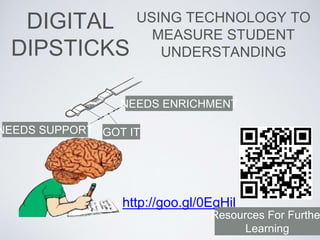
DIGITAL
DIPSTICKS
USING TECHNOLOGY TO
MEASURE STUDENT
UNDERSTANDING
http://goo.gl/0EgHil
GOT IT
NEEDS ENRICHMENT
NEEDS SUPPORT
Resources For Furthe
Learning
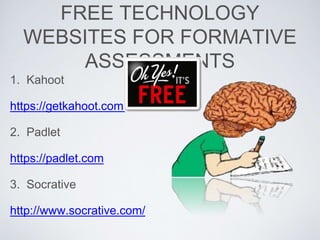
FREE TECHNOLOGY
WEBSITES FOR FORMATIVE
ASSESSMENTS
1. Kahoot
https://getkahoot.com/
2. Padlet
https://padlet.com
3. Socrative
http://www.socrative.com/
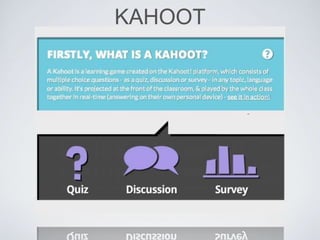
KAHOOT
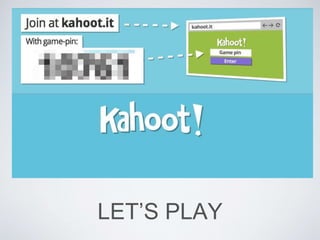
LET’S PLAY
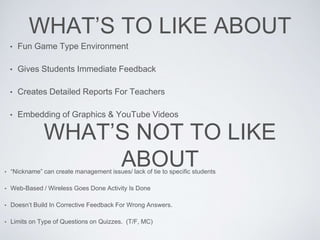
WHAT’S TO LIKE ABOUT
• Fun Game Type Environment
• Gives Students Immediate Feedback
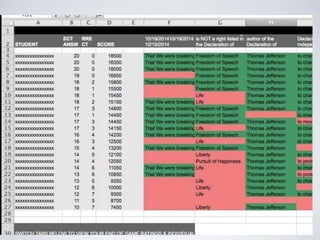
• Creates Detailed Reports For Teachers
• Embedding of Graphics & YouTube Videos
WHAT’S NOT TO LIKE
ABOUT• “Nickname” can create management issues/ lack of tie to specific students
• Web-Based / Wireless Goes Done Activity Is Done
• Doesn’t Build In Corrective Feedback For Wrong Answers.
• Limits on Type of Questions on Quizzes. (T/F, MC)
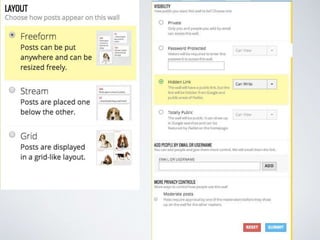
PADLET
FREE AND PAID
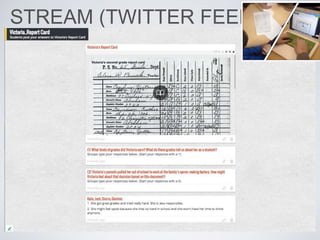
STREAM (TWITTER FEED)
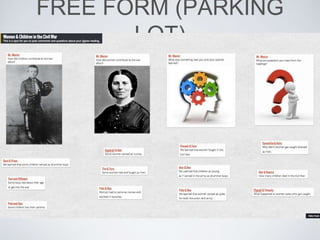
FREE FORM (PARKING
LOT)
WHAT’S TO LIKE ABOUT• Very Easy To Set-Up a Padlet Page
• You Can Embed Links To Pictures, Videos, Websites.
• Create A “Twitter-Like” Feed Without Twitter For Student Discussions.
• You Can Also Make This Public To Bring In Multiple Contributors (Guest Speakers, Experts, Other
Classes, etc..)
• Can Approve Students Posts Before They Become Live. (Moderate Posts)
WHAT’S NOT TO LIKE
ABOUT• Free Form Can Get Messy With Multiple “Posts” That End On Top Of Each Other.
• Web-Based / Wireless Goes Done Activity Is Done
• Time Consuming To Check Posts
• No Private Way To Provide Student Direct Feedback.
SOCRATIVE
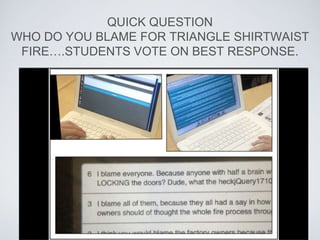
QUICK QUESTION
WHO DO YOU BLAME FOR TRIANGLE SHIRTWAIST
FIRE….STUDENTS VOTE ON BEST RESPONSE.
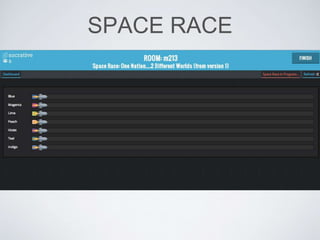
SPACE RACE
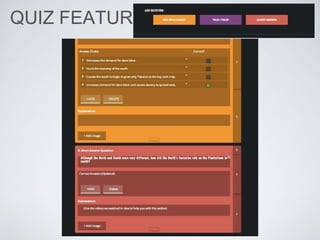
QUIZ FEATURE
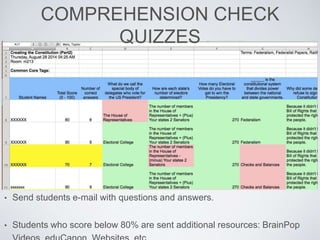
COMPREHENSION CHECK
QUIZZES
• Send students e-mail with questions and answers.
• Students who score below 80% are sent additional resources: BrainPop
WHAT’S TO LIKE ABOUT• Reports Can Be Sent Via E-Mail or Downloaded
• Multiple Formats For Multiple Choice Or Reflective Writing.
• Can Upload Images
• Can Print Off A Blank Paper Copy For Students Without Computers, or To Take
Home.
WHAT’S NOT TO LIKE
ABOUT• Very Basic Interface; Not As “FUN” As Kahoot
• Web-Based / Wireless Goes Done Activity Is Done
• Students Must Be “Honest” When Typing In Their Names
TWO MORE FREE TECHNOLOGY
WEBSITES FOR FORMATIVE
ASSESSMENTS
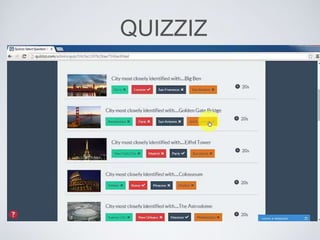
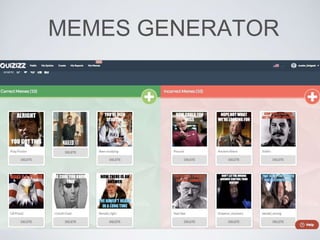
4. Quizizz
http://quizizz.com/
5. Wizer.me
http://app.wizer.me/
QUIZZIZ
MEMES GENERATOR
WHAT’S TO LIKE ABOUT
• Reports Can Be Sent Via E-Mail or Downloaded
• Student Paced, not teacher driven.
• Can Upload Images and create your own Correct/Incorrect Memes.
• If you use Google Classroom, you can assign this as an Assignment for students to complete
outside of class.
WHAT’S NOT TO LIKE
ABOUT• If students type in a nickname it can be difficult to track to students.
• Requires good internet connectivity.
• Students will complete at different times, which needs to be taken in account for classroom
management concerns.
• If you use the Memes for correct/incorrect answers, some students might have feelings hurt.
WIZER.ME
WHAT’S TO LIKE ABOUT
• Gives you lots of different types of responses
• Very easy user interface with lots of different types of templates.
• Easily connects to your Google Classroom as an assignment.
• Allows you to see each student responses.
WHAT’S NOT TO LIKE
ABOUT• You are basically creating a digital worksheet.
• Doesn’t give you a class summary to see areas of concerns.
• You can have it auto-correct most types of response, you would have to individually
score student written responses. (which isn’t a problem, but something to be aware)
Wizer YouTube Channel
Quizizz YouTube Channel
Kahoot YouTube Channel
Socrative YouTube Channel
YOUTUBE VIDEO
TUTORIALS
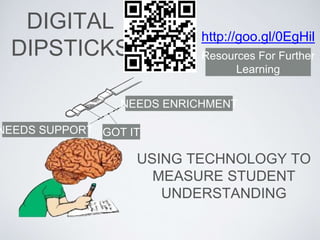
DIGITAL
DIPSTICKS
USING TECHNOLOGY TO
MEASURE STUDENT
UNDERSTANDING
http://goo.gl/0EgHil
GOT IT
NEEDS ENRICHMENT
NEEDS SUPPORT
Resources For Further
Learning

Digital Dipsticks

  • 1.
    DIGITAL DIPSTICKS USING TECHNOLOGY TO MEASURESTUDENT UNDERSTANDING http://goo.gl/0EgHil GOT IT NEEDS ENRICHMENT NEEDS SUPPORT Resources For Furthe Learning
  • 4.
    FREE TECHNOLOGY WEBSITES FORFORMATIVE ASSESSMENTS 1. Kahoot https://getkahoot.com/ 2. Padlet https://padlet.com 3. Socrative http://www.socrative.com/
  • 5.
  • 6.
  • 8.
    WHAT’S TO LIKEABOUT • Fun Game Type Environment • Gives Students Immediate Feedback • Creates Detailed Reports For Teachers • Embedding of Graphics & YouTube Videos WHAT’S NOT TO LIKE ABOUT• “Nickname” can create management issues/ lack of tie to specific students • Web-Based / Wireless Goes Done Activity Is Done • Doesn’t Build In Corrective Feedback For Wrong Answers. • Limits on Type of Questions on Quizzes. (T/F, MC)
  • 9.
  • 11.
  • 12.
  • 13.
    WHAT’S TO LIKEABOUT• Very Easy To Set-Up a Padlet Page • You Can Embed Links To Pictures, Videos, Websites. • Create A “Twitter-Like” Feed Without Twitter For Student Discussions. • You Can Also Make This Public To Bring In Multiple Contributors (Guest Speakers, Experts, Other Classes, etc..) • Can Approve Students Posts Before They Become Live. (Moderate Posts) WHAT’S NOT TO LIKE ABOUT• Free Form Can Get Messy With Multiple “Posts” That End On Top Of Each Other. • Web-Based / Wireless Goes Done Activity Is Done • Time Consuming To Check Posts • No Private Way To Provide Student Direct Feedback.
  • 14.
  • 15.
    QUICK QUESTION WHO DOYOU BLAME FOR TRIANGLE SHIRTWAIST FIRE….STUDENTS VOTE ON BEST RESPONSE.
  • 16.
  • 17.
  • 18.
    COMPREHENSION CHECK QUIZZES • Sendstudents e-mail with questions and answers. • Students who score below 80% are sent additional resources: BrainPop
  • 19.
    WHAT’S TO LIKEABOUT• Reports Can Be Sent Via E-Mail or Downloaded • Multiple Formats For Multiple Choice Or Reflective Writing. • Can Upload Images • Can Print Off A Blank Paper Copy For Students Without Computers, or To Take Home. WHAT’S NOT TO LIKE ABOUT• Very Basic Interface; Not As “FUN” As Kahoot • Web-Based / Wireless Goes Done Activity Is Done • Students Must Be “Honest” When Typing In Their Names
  • 20.
    TWO MORE FREETECHNOLOGY WEBSITES FOR FORMATIVE ASSESSMENTS 4. Quizizz http://quizizz.com/ 5. Wizer.me http://app.wizer.me/
  • 21.
  • 22.
  • 23.
    WHAT’S TO LIKEABOUT • Reports Can Be Sent Via E-Mail or Downloaded • Student Paced, not teacher driven. • Can Upload Images and create your own Correct/Incorrect Memes. • If you use Google Classroom, you can assign this as an Assignment for students to complete outside of class. WHAT’S NOT TO LIKE ABOUT• If students type in a nickname it can be difficult to track to students. • Requires good internet connectivity. • Students will complete at different times, which needs to be taken in account for classroom management concerns. • If you use the Memes for correct/incorrect answers, some students might have feelings hurt.
  • 24.
  • 25.
    WHAT’S TO LIKEABOUT • Gives you lots of different types of responses • Very easy user interface with lots of different types of templates. • Easily connects to your Google Classroom as an assignment. • Allows you to see each student responses. WHAT’S NOT TO LIKE ABOUT• You are basically creating a digital worksheet. • Doesn’t give you a class summary to see areas of concerns. • You can have it auto-correct most types of response, you would have to individually score student written responses. (which isn’t a problem, but something to be aware)
  • 26.
    Wizer YouTube Channel QuizizzYouTube Channel Kahoot YouTube Channel Socrative YouTube Channel YOUTUBE VIDEO TUTORIALS
  • 27.
    DIGITAL DIPSTICKS USING TECHNOLOGY TO MEASURESTUDENT UNDERSTANDING http://goo.gl/0EgHil GOT IT NEEDS ENRICHMENT NEEDS SUPPORT Resources For Further Learning