A better WordPress
workflow with WP-CLI
By Rikesh Ramlochund
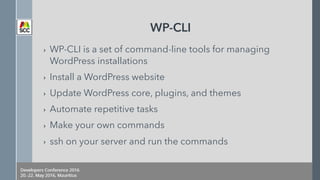
WP-CLI
› WP-CLI is a set of command-line tools for managing
WordPress installations
› Install a WordPress website
› Update WordPress core, plugins, and themes
› Automate repetitive tasks
› Make your own commands
› ssh on your server and run the commands
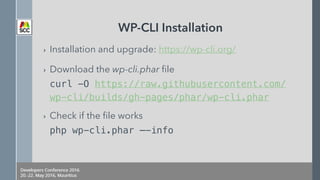
WP-CLI Installation
› Installation and upgrade: https://wp-cli.org/
› Download the wp-cli.phar file

curl -O https://raw.githubusercontent.com/
wp-cli/builds/gh-pages/phar/wp-cli.phar
› Check if the file works

php wp-cli.phar —-info
WP-CLI Installation
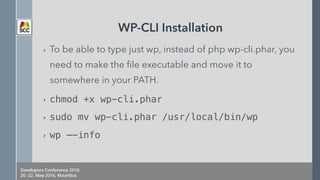
› To be able to type just wp, instead of php wp-cli.phar, you
need to make the file executable and move it to
somewhere in your PATH.
› chmod +x wp-cli.phar
› sudo mv wp-cli.phar /usr/local/bin/wp
› wp —-info
WP-CLI Installation
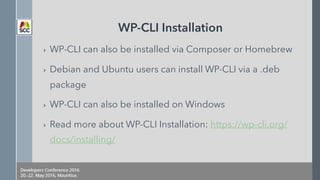
› WP-CLI can also be installed via Composer or Homebrew
› Debian and Ubuntu users can install WP-CLI via a .deb
package
› WP-CLI can also be installed on Windows
› Read more about WP-CLI Installation: https://wp-cli.org/
docs/installing/
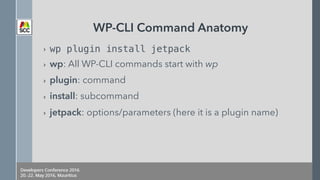
WP-CLI Command Anatomy
› wp plugin install jetpack
› wp: All WP-CLI commands start with wp
› plugin: command
› install: subcommand
› jetpack: options/parameters (here it is a plugin name)
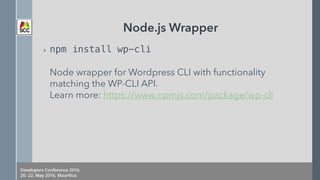
Node.js Wrapper
› npm install wp-cli


Node wrapper for Wordpress CLI with functionality
matching the WP-CLI API.

Learn more: https://www.npmjs.com/package/wp-cli
Installing WordPress using WP-CLI
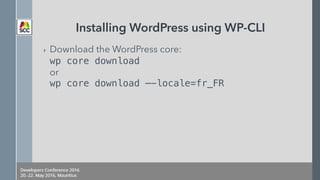
› Download the WordPress core:

wp core download

or

wp core download —-locale=fr_FR
Installing WordPress using WP-CLI
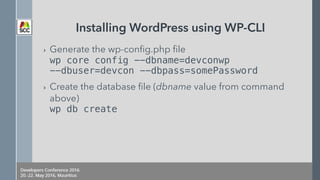
› Generate the wp-config.php file

wp core config --dbname=devconwp 

--dbuser=devcon --dbpass=somePassword
› Create the database file (dbname value from command
above)

wp db create
Installing WordPress using WP-CLI
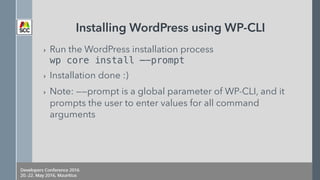
› Run the WordPress installation process

wp core install —-prompt
› Installation done :)
› Note: ——prompt is a global parameter of WP-CLI, and it
prompts the user to enter values for all command
arguments
Installing WordPress using WP-CLI
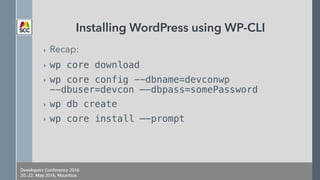
› Recap:
› wp core download
› wp core config --dbname=devconwp 

--dbuser=devcon —-dbpass=somePassword
› wp db create
› wp core install —-prompt
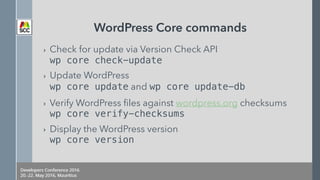
WordPress Core commands
› Check for update via Version Check API

wp core check-update
› Update WordPress

wp core update and wp core update-db
› Verify WordPress files against wordpress.org checksums

wp core verify-checksums
› Display the WordPress version

wp core version
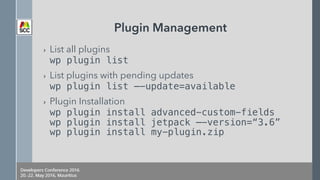
Plugin Management
› List all plugins

wp plugin list
› List plugins with pending updates

wp plugin list —-update=available
› Plugin Installation

wp plugin install advanced-custom-fields

wp plugin install jetpack —-version=“3.6”

wp plugin install my-plugin.zip
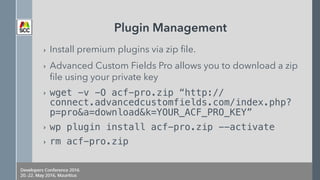
Plugin Management
› Install premium plugins via zip file.
› Advanced Custom Fields Pro allows you to download a zip
file using your private key
› wget -v -O acf-pro.zip “http://
connect.advancedcustomfields.com/index.php?
p=pro&a=download&k=YOUR_ACF_PRO_KEY”
› wp plugin install acf-pro.zip --activate
› rm acf-pro.zip
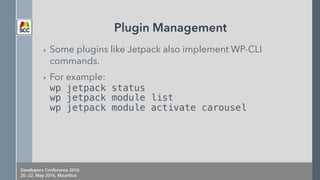
Plugin Management
› Some plugins like Jetpack also implement WP-CLI
commands.
› For example:

wp jetpack status

wp jetpack module list

wp jetpack module activate carousel
Plugin Management
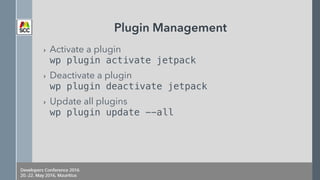
› Activate a plugin

wp plugin activate jetpack
› Deactivate a plugin

wp plugin deactivate jetpack
› Update all plugins

wp plugin update --all
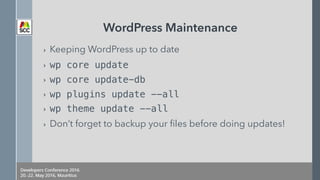
WordPress Maintenance
› Keeping WordPress up to date
› wp core update
› wp core update-db
› wp plugins update --all
› wp theme update --all
› Don’t forget to backup your files before doing updates!
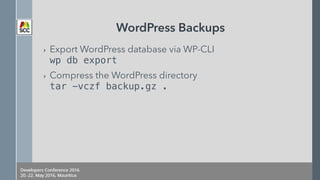
WordPress Backups
› Export WordPress database via WP-CLI

wp db export
› Compress the WordPress directory

tar -vczf backup.gz .
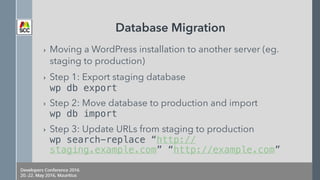
Database Migration
› Moving a WordPress installation to another server (eg.
staging to production)
› Step 1: Export staging database

wp db export
› Step 2: Move database to production and import

wp db import
› Step 3: Update URLs from staging to production

wp search-replace “http://
staging.example.com” “http://example.com”
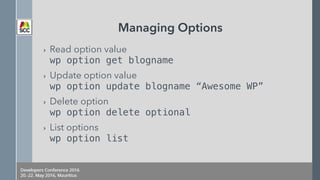
Managing Options
› Read option value

wp option get blogname
› Update option value

wp option update blogname “Awesome WP”
› Delete option

wp option delete optional
› List options

wp option list
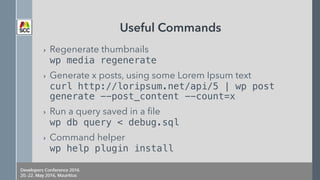
Useful Commands
› Regenerate thumbnails

wp media regenerate
› Generate x posts, using some Lorem Ipsum text

curl http://loripsum.net/api/5 | wp post
generate --post_content --count=x
› Run a query saved in a file

wp db query < debug.sql
› Command helper

wp help plugin install
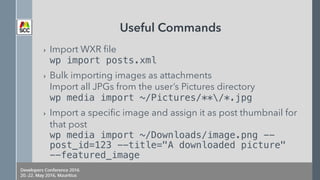
Useful Commands
› Import WXR file

wp import posts.xml
› Bulk importing images as attachments

Import all JPGs from the user’s Pictures directory

wp media import ~/Pictures/**/*.jpg
› Import a specific image and assign it as post thumbnail for
that post

wp media import ~/Downloads/image.png --
post_id=123 --title="A downloaded picture"
--featured_image
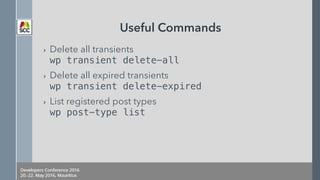
Useful Commands
› Delete all transients

wp transient delete-all
› Delete all expired transients

wp transient delete-expired
› List registered post types

wp post-type list
Useful Commands
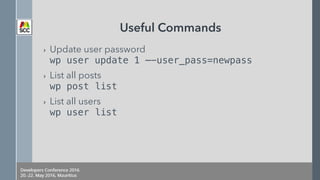
› Update user password

wp user update 1 —-user_pass=newpass
› List all posts

wp post list
› List all users

wp user list
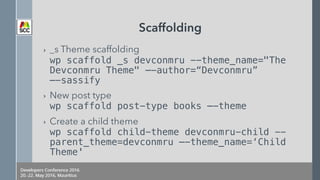
Scaffolding
› _s Theme scaffolding

wp scaffold _s devconmru --theme_name="The
Devconmru Theme" —-author=“Devconmru” 

—-sassify
› New post type

wp scaffold post-type books —-theme
› Create a child theme

wp scaffold child-theme devconmru-child --
parent_theme=devconmru —-theme_name=‘Child
Theme'
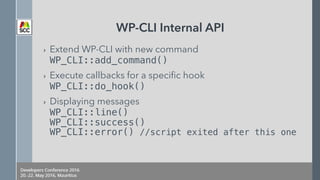
WP-CLI Internal API
› Extend WP-CLI with new command

WP_CLI::add_command()
› Execute callbacks for a specific hook

WP_CLI::do_hook()
› Displaying messages

WP_CLI::line()

WP_CLI::success() 

WP_CLI::error() //script exited after this one
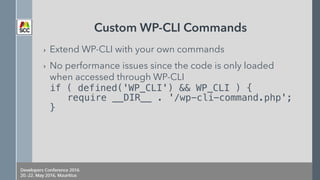
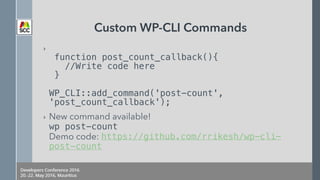
Custom WP-CLI Commands
› Extend WP-CLI with your own commands
› No performance issues since the code is only loaded
when accessed through WP-CLI

if ( defined('WP_CLI') && WP_CLI ) {

require __DIR__ . '/wp-cli-command.php';

}
Custom WP-CLI Commands
› 

function post_count_callback(){

//Write code here

}


WP_CLI::add_command('post-count',
'post_count_callback');
› New command available! 

wp post-count

Demo code: https://github.com/rrikesh/wp-cli-
post-count

Thank you!
› Questions?
› If you have any questions after the presentation:

Tweet me at @rrikesh

Mail me on r@paperboat.io

A Better WordPress Workflow with WP-CLI

  • 1.
    A better WordPress workflowwith WP-CLI By Rikesh Ramlochund
  • 2.
    WP-CLI › WP-CLI isa set of command-line tools for managing WordPress installations › Install a WordPress website › Update WordPress core, plugins, and themes › Automate repetitive tasks › Make your own commands › ssh on your server and run the commands
  • 3.
    WP-CLI Installation › Installationand upgrade: https://wp-cli.org/ › Download the wp-cli.phar file
 curl -O https://raw.githubusercontent.com/ wp-cli/builds/gh-pages/phar/wp-cli.phar › Check if the file works
 php wp-cli.phar —-info
  • 4.
    WP-CLI Installation › Tobe able to type just wp, instead of php wp-cli.phar, you need to make the file executable and move it to somewhere in your PATH. › chmod +x wp-cli.phar › sudo mv wp-cli.phar /usr/local/bin/wp › wp —-info
  • 5.
    WP-CLI Installation › WP-CLIcan also be installed via Composer or Homebrew › Debian and Ubuntu users can install WP-CLI via a .deb package › WP-CLI can also be installed on Windows › Read more about WP-CLI Installation: https://wp-cli.org/ docs/installing/
  • 6.
    WP-CLI Command Anatomy ›wp plugin install jetpack › wp: All WP-CLI commands start with wp › plugin: command › install: subcommand › jetpack: options/parameters (here it is a plugin name)
  • 7.
    Node.js Wrapper › npminstall wp-cli
 
 Node wrapper for Wordpress CLI with functionality matching the WP-CLI API.
 Learn more: https://www.npmjs.com/package/wp-cli
  • 8.
    Installing WordPress usingWP-CLI › Download the WordPress core:
 wp core download
 or
 wp core download —-locale=fr_FR
  • 9.
    Installing WordPress usingWP-CLI › Generate the wp-config.php file
 wp core config --dbname=devconwp 
 --dbuser=devcon --dbpass=somePassword › Create the database file (dbname value from command above)
 wp db create
  • 10.
    Installing WordPress usingWP-CLI › Run the WordPress installation process
 wp core install —-prompt › Installation done :) › Note: ——prompt is a global parameter of WP-CLI, and it prompts the user to enter values for all command arguments
  • 11.
    Installing WordPress usingWP-CLI › Recap: › wp core download › wp core config --dbname=devconwp 
 --dbuser=devcon —-dbpass=somePassword › wp db create › wp core install —-prompt
  • 12.
    WordPress Core commands ›Check for update via Version Check API
 wp core check-update › Update WordPress
 wp core update and wp core update-db › Verify WordPress files against wordpress.org checksums
 wp core verify-checksums › Display the WordPress version
 wp core version
  • 13.
    Plugin Management › Listall plugins
 wp plugin list › List plugins with pending updates
 wp plugin list —-update=available › Plugin Installation
 wp plugin install advanced-custom-fields
 wp plugin install jetpack —-version=“3.6”
 wp plugin install my-plugin.zip
  • 14.
    Plugin Management › Installpremium plugins via zip file. › Advanced Custom Fields Pro allows you to download a zip file using your private key › wget -v -O acf-pro.zip “http:// connect.advancedcustomfields.com/index.php? p=pro&a=download&k=YOUR_ACF_PRO_KEY” › wp plugin install acf-pro.zip --activate › rm acf-pro.zip
  • 15.
    Plugin Management › Someplugins like Jetpack also implement WP-CLI commands. › For example:
 wp jetpack status
 wp jetpack module list
 wp jetpack module activate carousel
  • 16.
    Plugin Management › Activatea plugin
 wp plugin activate jetpack › Deactivate a plugin
 wp plugin deactivate jetpack › Update all plugins
 wp plugin update --all
  • 17.
    WordPress Maintenance › KeepingWordPress up to date › wp core update › wp core update-db › wp plugins update --all › wp theme update --all › Don’t forget to backup your files before doing updates!
  • 18.
    WordPress Backups › ExportWordPress database via WP-CLI
 wp db export › Compress the WordPress directory
 tar -vczf backup.gz .
  • 19.
    Database Migration › Movinga WordPress installation to another server (eg. staging to production) › Step 1: Export staging database
 wp db export › Step 2: Move database to production and import
 wp db import › Step 3: Update URLs from staging to production
 wp search-replace “http:// staging.example.com” “http://example.com”
  • 20.
    Managing Options › Readoption value
 wp option get blogname › Update option value
 wp option update blogname “Awesome WP” › Delete option
 wp option delete optional › List options
 wp option list
  • 21.
    Useful Commands › Regeneratethumbnails
 wp media regenerate › Generate x posts, using some Lorem Ipsum text
 curl http://loripsum.net/api/5 | wp post generate --post_content --count=x › Run a query saved in a file
 wp db query < debug.sql › Command helper
 wp help plugin install
  • 22.
    Useful Commands › ImportWXR file
 wp import posts.xml › Bulk importing images as attachments
 Import all JPGs from the user’s Pictures directory
 wp media import ~/Pictures/**/*.jpg › Import a specific image and assign it as post thumbnail for that post
 wp media import ~/Downloads/image.png -- post_id=123 --title="A downloaded picture" --featured_image
  • 23.
    Useful Commands › Deleteall transients
 wp transient delete-all › Delete all expired transients
 wp transient delete-expired › List registered post types
 wp post-type list
  • 24.
    Useful Commands › Updateuser password
 wp user update 1 —-user_pass=newpass › List all posts
 wp post list › List all users
 wp user list
  • 25.
    Scaffolding › _s Themescaffolding
 wp scaffold _s devconmru --theme_name="The Devconmru Theme" —-author=“Devconmru” 
 —-sassify › New post type
 wp scaffold post-type books —-theme › Create a child theme
 wp scaffold child-theme devconmru-child -- parent_theme=devconmru —-theme_name=‘Child Theme'
  • 26.
    WP-CLI Internal API ›Extend WP-CLI with new command
 WP_CLI::add_command() › Execute callbacks for a specific hook
 WP_CLI::do_hook() › Displaying messages
 WP_CLI::line()
 WP_CLI::success() 
 WP_CLI::error() //script exited after this one
  • 27.
    Custom WP-CLI Commands ›Extend WP-CLI with your own commands › No performance issues since the code is only loaded when accessed through WP-CLI
 if ( defined('WP_CLI') && WP_CLI ) {
 require __DIR__ . '/wp-cli-command.php';
 }
  • 28.
    Custom WP-CLI Commands ›
 function post_count_callback(){
 //Write code here
 }
 
 WP_CLI::add_command('post-count', 'post_count_callback'); › New command available! 
 wp post-count
 Demo code: https://github.com/rrikesh/wp-cli- post-count

  • 29.
    Thank you! › Questions? ›If you have any questions after the presentation:
 Tweet me at @rrikesh
 Mail me on r@paperboat.io