WordPress & 
the command line 
Kelly Dwan 
@ryelle 
NERD Summit • Sept 2014
About Me 
WordPress Developer 
Core Contributor 
Boston WordPress Organizer
“Why should I use the command line, when 
WordPress already has such a fantastic UI?”
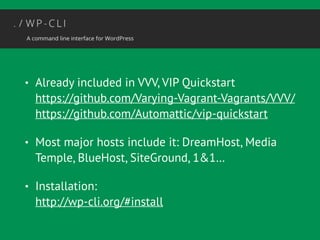
• Already included in VVV, VIP Quickstart 
https://github.com/Varying-Vagrant-Vagrants/VVV/ 
https://github.com/Automattic/vip-quickstart 
• Most major hosts include it: DreamHost, Media 
Temple, BlueHost, SiteGround, 1&1… 
• Installation: 
http://wp-cli.org/#install
Basic Commands
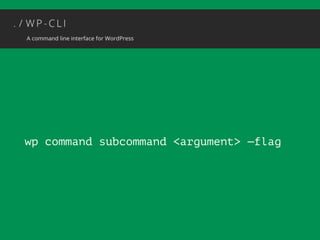
wp command subcommand <argument> —flag
• wp core version 
• wp core update 
• wp plugin list 
• wp plugin install <name> [--activate] 
• wp theme list 
• wp theme activate <name>
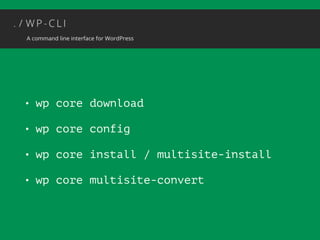
• wp core download 
• wp core config 
• wp core install / multisite-install 
• wp core multisite-convert
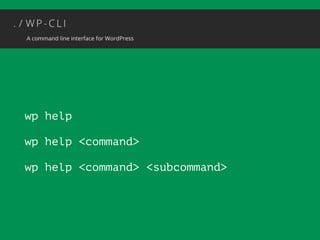
wp help 
wp help <command> 
wp help <command> <subcommand>
Content 
Management
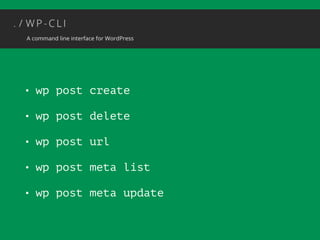
• wp post create 
• wp post delete 
• wp post url 
• wp post meta list 
• wp post meta update
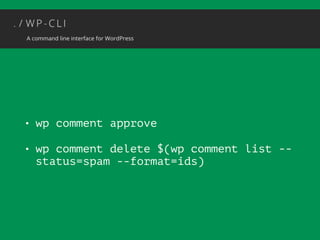
• wp comment approve 
• wp comment delete $(wp comment list -- 
status=spam --format=ids)
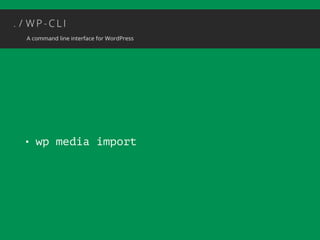
• wp media import
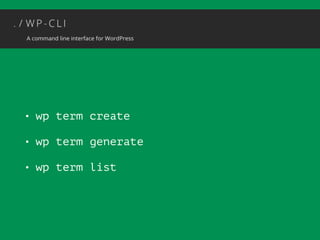
• wp term create 
• wp term generate 
• wp term list
Tools
• wp export [—skip_comments] 
• wp import 
• wp media regenerate
Advanced 
Management
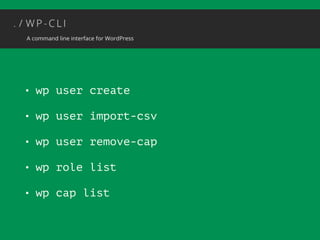
• wp user create 
• wp user import-csv 
• wp user remove-cap 
• wp role list 
• wp cap list
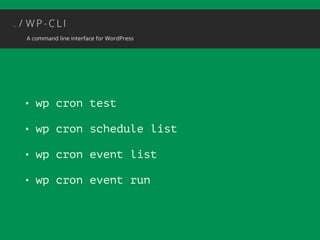
• wp cron test 
• wp cron schedule list 
• wp cron event list 
• wp cron event run
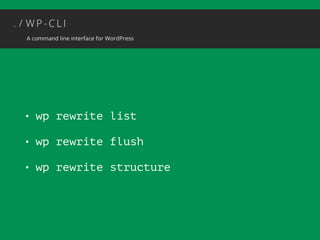
• wp rewrite list 
• wp rewrite flush 
• wp rewrite structure
Custom 
Commands
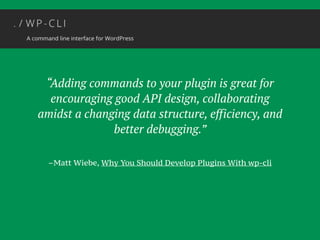
“Adding commands to your plugin is great for 
encouraging good API design, collaborating 
amidst a changing data structure, efficiency, and 
better debugging.” 
–Matt Wiebe, Why You Should Develop Plugins With wp-cli
• Jetpack module control 
• wp jetpack module list 
• wp jetpack module activate 
• BackUpWordPress 
• wp backup [lots of options]
how to write your own
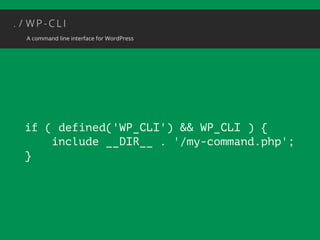
if ( defined('WP_CLI') && WP_CLI ) { 
include __DIR__ . '/my-command.php'; 
}
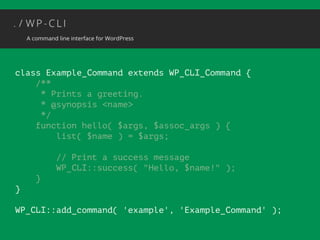
class Example_Command extends WP_CLI_Command { 
/** 
* Prints a greeting. 
* @synopsis <name> 
*/ 
function hello( $args, $assoc_args ) { 
list( $name ) = $args; 
! 
// Print a success message 
WP_CLI::success( "Hello, $name!" ); 
} 
} 
! 
WP_CLI::add_command( 'example', 'Example_Command' );
class Example_Command extends WP_CLI_Command { 
/** 
* Prints a greeting. 
* @synopsis <name> [<last-name>] 
*/ 
function hello( $args, $assoc_args ) { 
list( $name ) = $args; 
! 
// Print a success message 
WP_CLI::success( "Hello, $name!" ); 
} 
} 
! 
WP_CLI::add_command( 'example', 'Example_Command' );
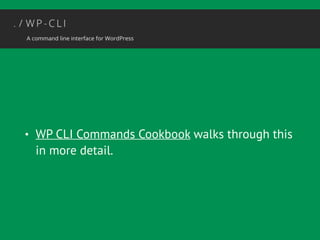
• WP CLI Commands Cookbook walks through this 
in more detail.
Automated 
Migrations
From WordPress
• wp export [on source site] 
• wp import [on destination] 
• wp search-replace <old> <new> 
—skip-columns=guid —dry-run
From Other CMSs
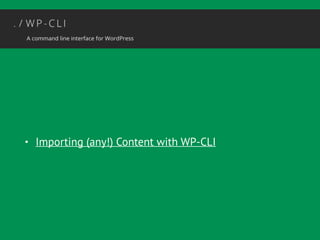
• Importing (any!) Content with WP-CLI
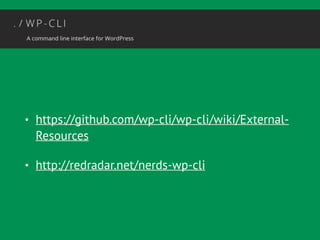
• https://github.com/wp-cli/wp-cli/wiki/External- 
Resources 
• http://redradar.net/nerds-wp-cli

WordPress and The Command Line

  • 1.
    WordPress & thecommand line Kelly Dwan @ryelle NERD Summit • Sept 2014
  • 2.
    About Me WordPressDeveloper Core Contributor Boston WordPress Organizer
  • 3.
    “Why should Iuse the command line, when WordPress already has such a fantastic UI?”
  • 4.
    • Already includedin VVV, VIP Quickstart https://github.com/Varying-Vagrant-Vagrants/VVV/ https://github.com/Automattic/vip-quickstart • Most major hosts include it: DreamHost, Media Temple, BlueHost, SiteGround, 1&1… • Installation: http://wp-cli.org/#install
  • 5.
  • 6.
    wp command subcommand<argument> —flag
  • 7.
    • wp coreversion • wp core update • wp plugin list • wp plugin install <name> [--activate] • wp theme list • wp theme activate <name>
  • 8.
    • wp coredownload • wp core config • wp core install / multisite-install • wp core multisite-convert
  • 9.
    wp help wphelp <command> wp help <command> <subcommand>
  • 10.
  • 11.
    • wp postcreate • wp post delete • wp post url • wp post meta list • wp post meta update
  • 12.
    • wp commentapprove • wp comment delete $(wp comment list -- status=spam --format=ids)
  • 13.
  • 14.
    • wp termcreate • wp term generate • wp term list
  • 15.
  • 16.
    • wp export[—skip_comments] • wp import • wp media regenerate
  • 17.
  • 18.
    • wp usercreate • wp user import-csv • wp user remove-cap • wp role list • wp cap list
  • 19.
    • wp crontest • wp cron schedule list • wp cron event list • wp cron event run
  • 20.
    • wp rewritelist • wp rewrite flush • wp rewrite structure
  • 21.
  • 22.
    “Adding commands toyour plugin is great for encouraging good API design, collaborating amidst a changing data structure, efficiency, and better debugging.” –Matt Wiebe, Why You Should Develop Plugins With wp-cli
  • 23.
    • Jetpack modulecontrol • wp jetpack module list • wp jetpack module activate • BackUpWordPress • wp backup [lots of options]
  • 24.
    how to writeyour own
  • 25.
    if ( defined('WP_CLI')&& WP_CLI ) { include __DIR__ . '/my-command.php'; }
  • 26.
    class Example_Command extendsWP_CLI_Command { /** * Prints a greeting. * @synopsis <name> */ function hello( $args, $assoc_args ) { list( $name ) = $args; ! // Print a success message WP_CLI::success( "Hello, $name!" ); } } ! WP_CLI::add_command( 'example', 'Example_Command' );
  • 27.
    class Example_Command extendsWP_CLI_Command { /** * Prints a greeting. * @synopsis <name> [<last-name>] */ function hello( $args, $assoc_args ) { list( $name ) = $args; ! // Print a success message WP_CLI::success( "Hello, $name!" ); } } ! WP_CLI::add_command( 'example', 'Example_Command' );
  • 28.
    • WP CLICommands Cookbook walks through this in more detail.
  • 29.
  • 30.
  • 31.
    • wp export[on source site] • wp import [on destination] • wp search-replace <old> <new> —skip-columns=guid —dry-run
  • 32.
  • 33.
    • Importing (any!)Content with WP-CLI
  • 34.