Makarand (@teamWPGenius) Karthick
(@karthick84)
Automating WordPress
Maintenance with WP-CLI
Presented by
Makarand Mane
Karthick M
Makarand (@teamWPGenius) Karthick
(@karthick84)
About Speakers
Makarand Mane
Founder & Designated Partner,
WPGenius Solutions LLP
https://wpgenius.in
X : @TeamWPGenius
#Meetup Organiser of Kolhapur
WordPress
Makarand (@teamWPGenius) Karthick
(@karthick84)
About Speakers
Karthick. M
Senior WordPress Engineer,
Multidots Inc
https://multidots.com
X : @karthick84
#Meetup Organiser of Coimbatore
WordPress
Makarand (@teamWPGenius) Karthick
(@karthick84)
Introduction to WP-CLI
What is WP- CLI:
WP-CLI stands for WordPress Command Line Interface.
A set of command-line tools for managing WordPress actions.
https://wp-cli.org
Makarand (@teamWPGenius) Karthick
(@karthick84)
Overview and Benefits
Automates common tasks like updates, backups, and migrations.
Ideal for developers, sysadmins, and anyone managing WordPress
sites.
Makarand (@teamWPGenius) Karthick
(@karthick84)
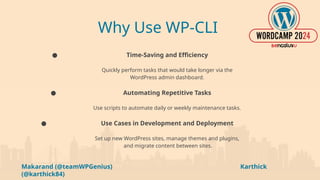
Why Use WP-CLI
● Time-Saving and Efficiency
Quickly perform tasks that would take longer via the
WordPress admin dashboard.
● Automating Repetitive Tasks
Use scripts to automate daily or weekly maintenance tasks.
● Use Cases in Development and Deployment
Set up new WordPress sites, manage themes and plugins,
and migrate content between sites.
Makarand (@teamWPGenius) Karthick
(@karthick84)
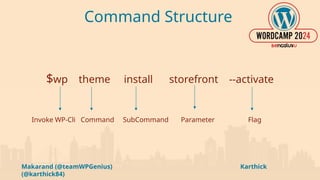
Command Structure
$wp theme install storefront --activate
Invoke WP-Cli Command SubCommand Parameter Flag
Makarand (@teamWPGenius) Karthick
(@karthick84)
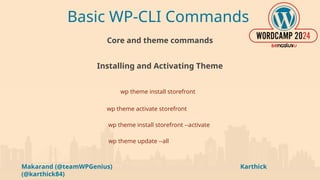
Basic WP-CLI Commands
Core and theme commands
Installing and Activating Theme
wp theme install storefront
wp theme activate storefront
wp theme install storefront --activate
wp theme update --all
Makarand (@teamWPGenius) Karthick
(@karthick84)
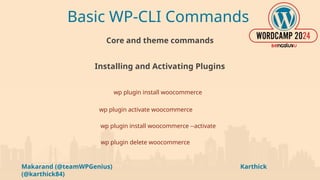
Basic WP-CLI Commands
Core and theme commands
Installing and Activating Plugins
wp plugin install woocommerce
wp plugin activate woocommerce
wp plugin install woocommerce --activate
wp plugin delete woocommerce
Makarand (@teamWPGenius) Karthick
(@karthick84)
Basic WP-CLI Commands
Core and theme commands
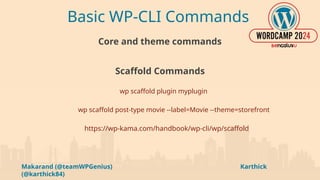
Scaffold Commands
wp scaffold plugin myplugin
wp scaffold post-type movie --label=Movie --theme=storefront
https://wp-kama.com/handbook/wp-cli/wp/scaffold
Makarand (@teamWPGenius) Karthick
(@karthick84)
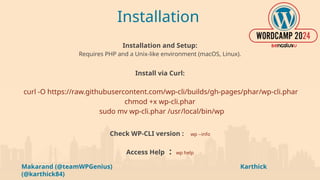
Installation
Installation and Setup:
Requires PHP and a Unix-like environment (macOS, Linux).
Install via Curl:
curl -O https://raw.githubusercontent.com/wp-cli/builds/gh-pages/phar/wp-cli.phar
chmod +x wp-cli.phar
sudo mv wp-cli.phar /usr/local/bin/wp
Check WP-CLI version : wp --info
Access Help : wp help
Makarand (@teamWPGenius) Karthick
(@karthick84)
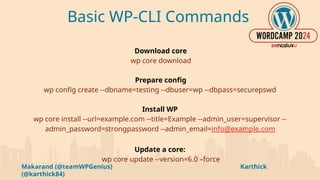
Basic WP-CLI Commands
Download core
wp core download
Prepare config
wp config create --dbname=testing --dbuser=wp --dbpass=securepswd
Install WP
wp core install --url=example.com --title=Example --admin_user=supervisor --
admin_password=strongpassword --admin_email=info@example.com
Update a core:
wp core update --version=6.0 –force
Makarand (@teamWPGenius) Karthick
(@karthick84)
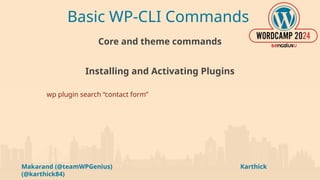
Basic WP-CLI Commands
Core and theme commands
Installing and Activating Plugins
wp plugin search “contact form”
Makarand (@teamWPGenius) Karthick
(@karthick84)
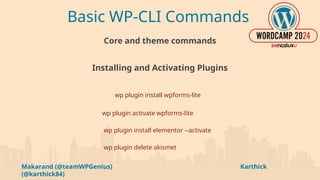
Basic WP-CLI Commands
Core and theme commands
Installing and Activating Plugins
wp plugin install wpforms-lite
wp plugin activate wpforms-lite
wp plugin install elementor --activate
wp plugin delete akismet
Makarand (@teamWPGenius) Karthick
(@karthick84)
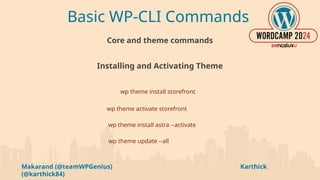
Basic WP-CLI Commands
Core and theme commands
Installing and Activating Theme
wp theme install storefront
wp theme activate storefront
wp theme install astra --activate
wp theme update --all
Makarand (@teamWPGenius) Karthick
(@karthick84)
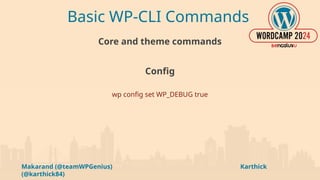
Basic WP-CLI Commands
Core and theme commands
Config
wp config set WP_DEBUG true
Makarand (@teamWPGenius) Karthick
(@karthick84)
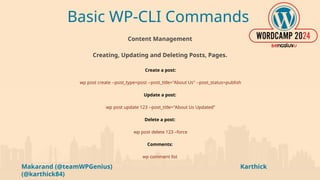
Basic WP-CLI Commands
Content Management
Creating, Updating and Deleting Posts, Pages.
Create a post:
wp post create --post_type=post --post_title="About Us" --post_status=publish
Update a post:
wp post update 123 --post_title="About Us Updated”
Delete a post:
wp post delete 123 –force
Comments:
wp comment list
Makarand (@teamWPGenius) Karthick
(@karthick84)
Basic WP-CLI Commands
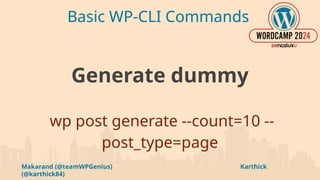
Generate dummy
wp post generate --count=10 --
post_type=page
Makarand (@teamWPGenius) Karthick
(@karthick84)
Basic WP-CLI Commands
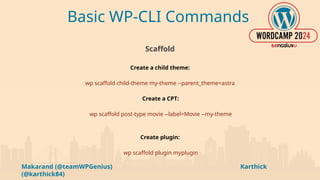
Scaffold
Create a child theme:
wp scaffold child-theme my-theme --parent_theme=astra
Create a CPT:
wp scaffold post-type movie --label=Movie --my-theme
Create plugin:
wp scaffold plugin myplugin
Makarand (@teamWPGenius) Karthick
(@karthick84)
Advanced WP-CLI Commands
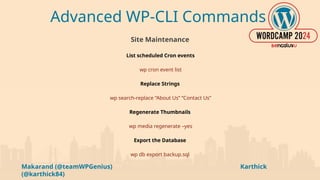
Site Maintenance
List scheduled Cron events
wp cron event list
Replace Strings
wp search-replace “About Us” “Contact Us”
Regenerate Thumbnails
wp media regenerate –yes
Export the Database
wp db export backup.sql
Makarand (@teamWPGenius) Karthick
(@karthick84)
Creating your first Custom Command
if (defined('WP_CLI') && WP_CLI) {
WP_CLI::add_command('myplugin', 'greet_command');
}
function greet_command($args, $assoc_args) {
WP_CLI::success('Hello, ' . $assoc_args['name'])
}
Command:
wp myplugin --name="Multidots"
Makarand (@teamWPGenius) Karthick
(@karthick84)
Test Case
1. Now lets install WooCommerce and activate it.
2. And using custom WPCLI we will add 50 dummy products
to WooCommerce with images and price.
3. Lets see it in action.
Makarand (@teamWPGenius) Karthick
(@karthick84)
Summary
WP-CLI is a powerful tool that makes managing WordPress much easier by automating tasks and speeding up
workflows.
It saves time and effort, especially when dealing with updates, maintenance, and custom tasks.
Using WP-CLI, helps to handle WordPress sites more efficiently, managing one site or many.
Start using WP-CLI today to see how it can simplify your work, and share your custom commands to help the
WordPress community.
Makarand (@teamWPGenius) Karthick
(@karthick84)
Thank You
Any Questions ?

Automating WordPress Maintenance with WP-CLI