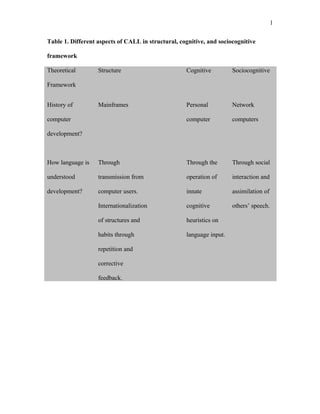


The document discusses the history and key aspects of computer-assisted language learning (CALL) through different theoretical frameworks: structural, cognitive, and sociocognitive. - The structural framework views language learning as habit formation through repetition and feedback from computers. Computers provide drills and tutorials. - The cognitive framework sees language learning as developing understanding through innate cognitive processes operating on input. Computers provide analytic and inferential tasks. - The sociocognitive framework views language as learned through social interaction. Computers provide contexts for interaction and access to discourse communities.


