The International School of Paphos (CY020)
2016-2017 © Provided by Anthi Aristotelous
1
Chapter 1
Data, information, knowledge and processing
Page 1-22
2016-2017 © Provided by Anthi Aristotelous 2
Introduction
• We are part of the information age, especially
with the development of the Internet.
• Through history there is a strong belief by many
philosophers that knowledge is power –
meaning understanding information.
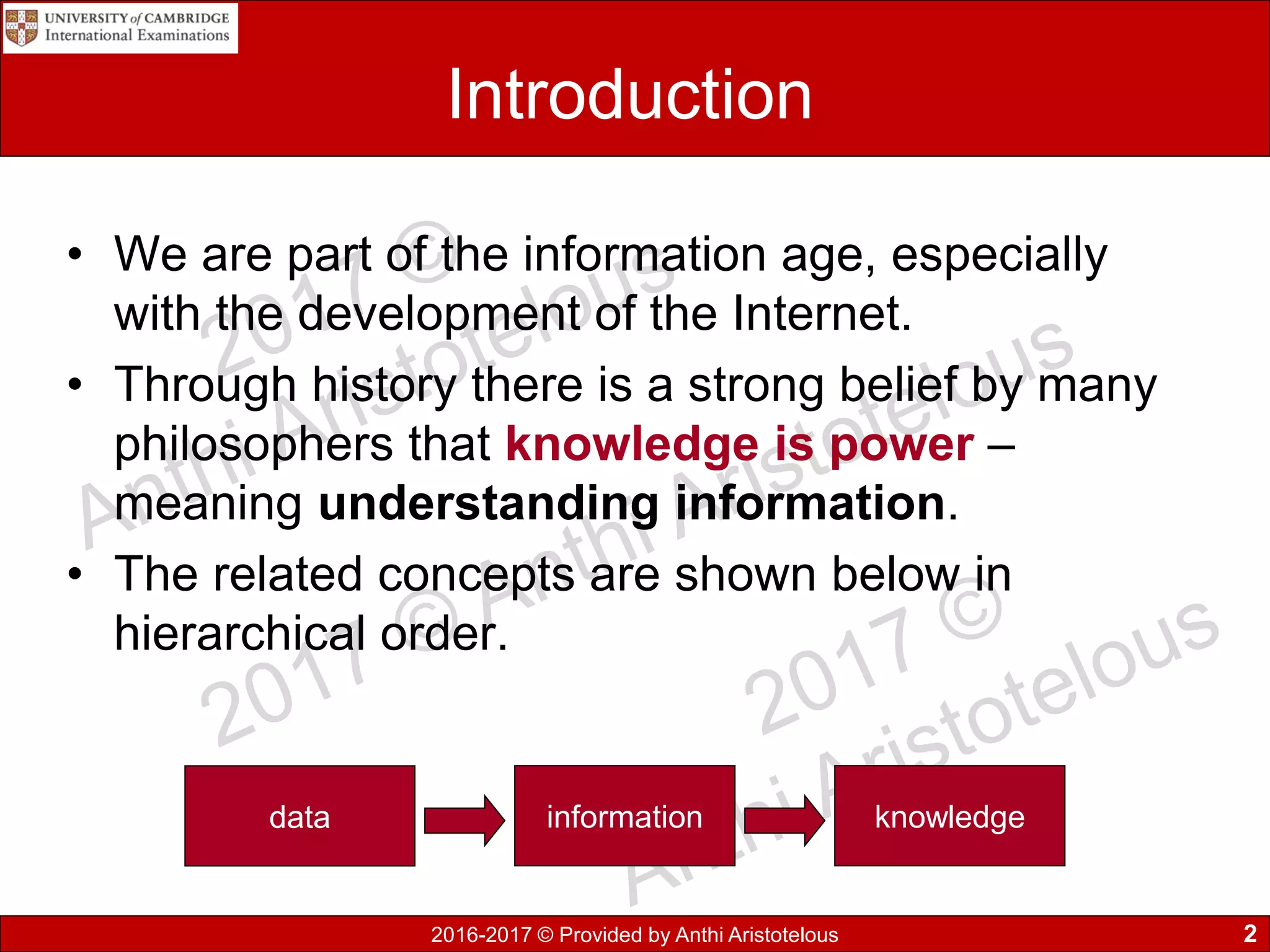
• The related concepts are shown below in
hierarchical order.
data information knowledge
2016-2017 © Provided by Anthi Aristotelous
Data
• Data usually refers to raw data or unprocessed
data which consists of simple facts or figures –
bits of information that have not been processed,
so their meaningless.
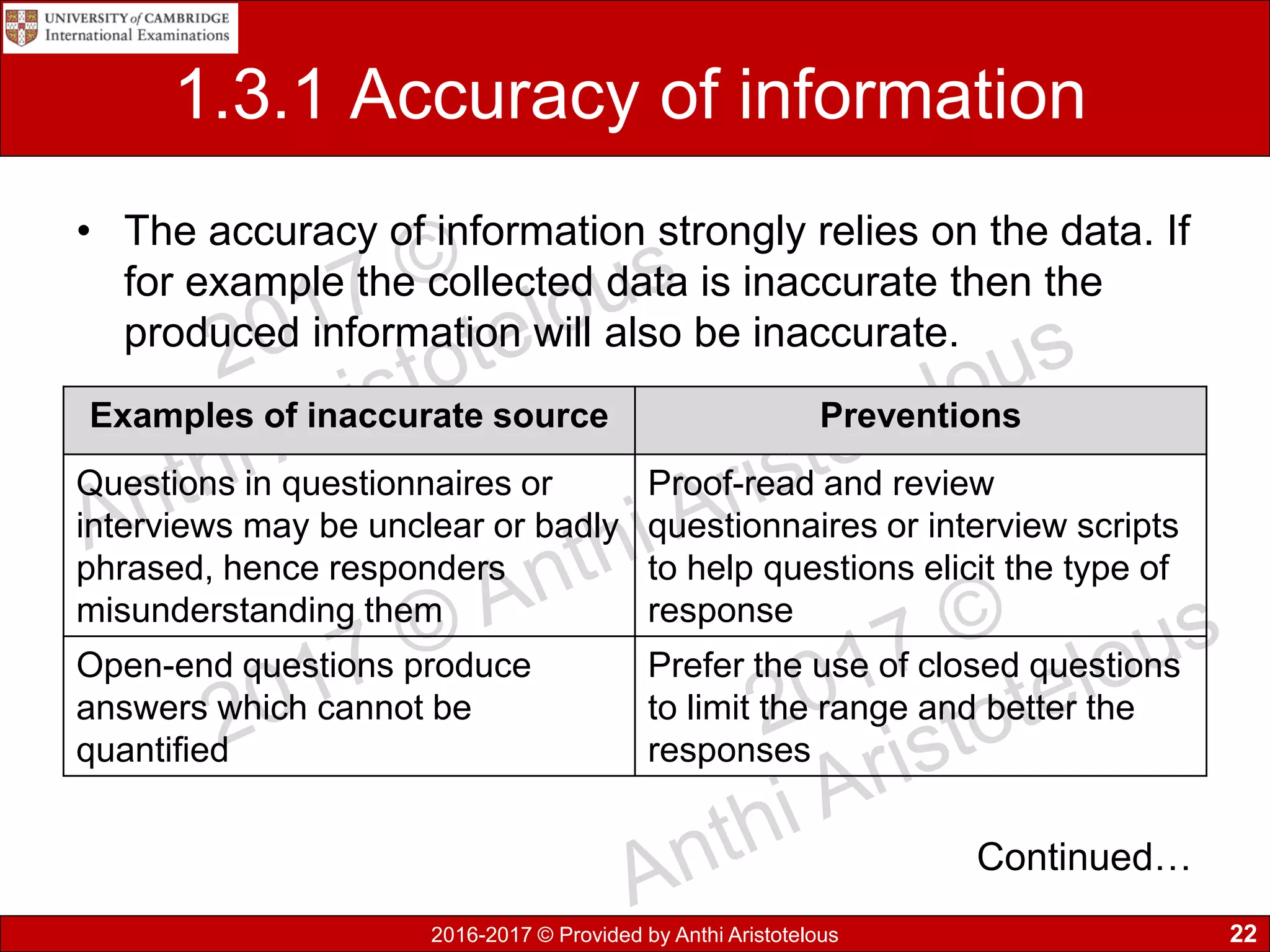
• Examples:
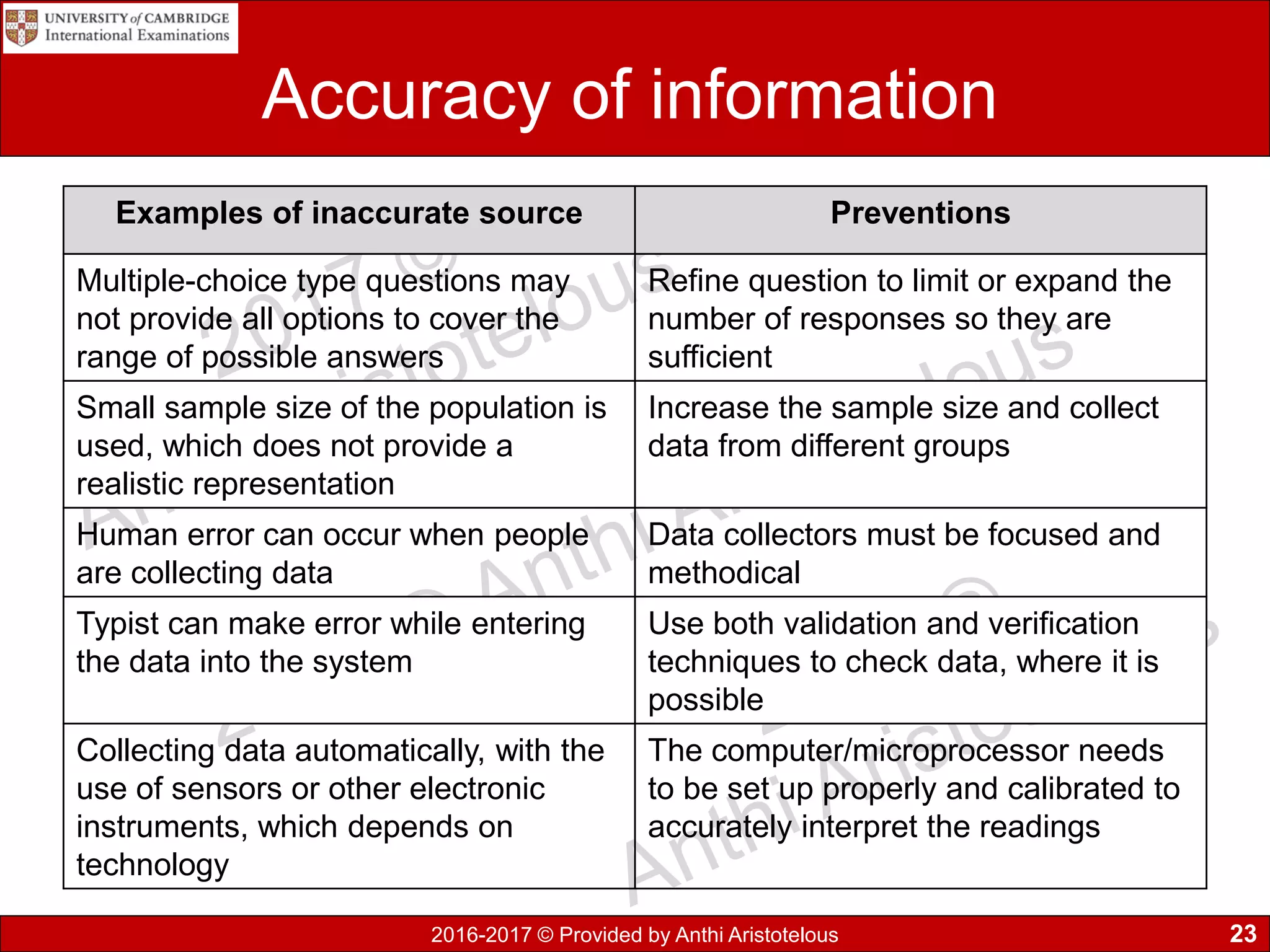
• 35
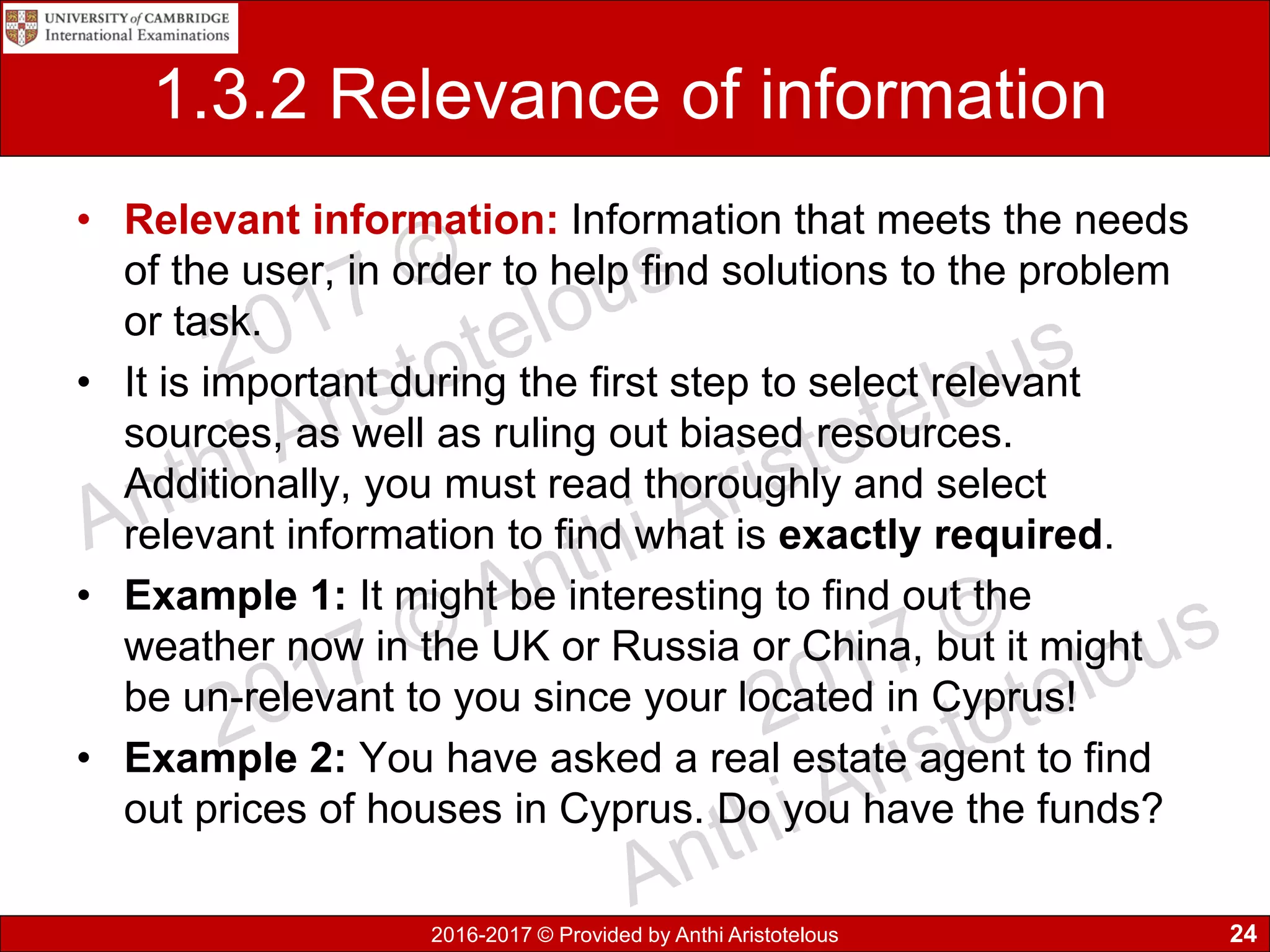
• KYW889
• 25.3
• anthi
3
2016-2017 © Provided by Anthi Aristotelous
Information
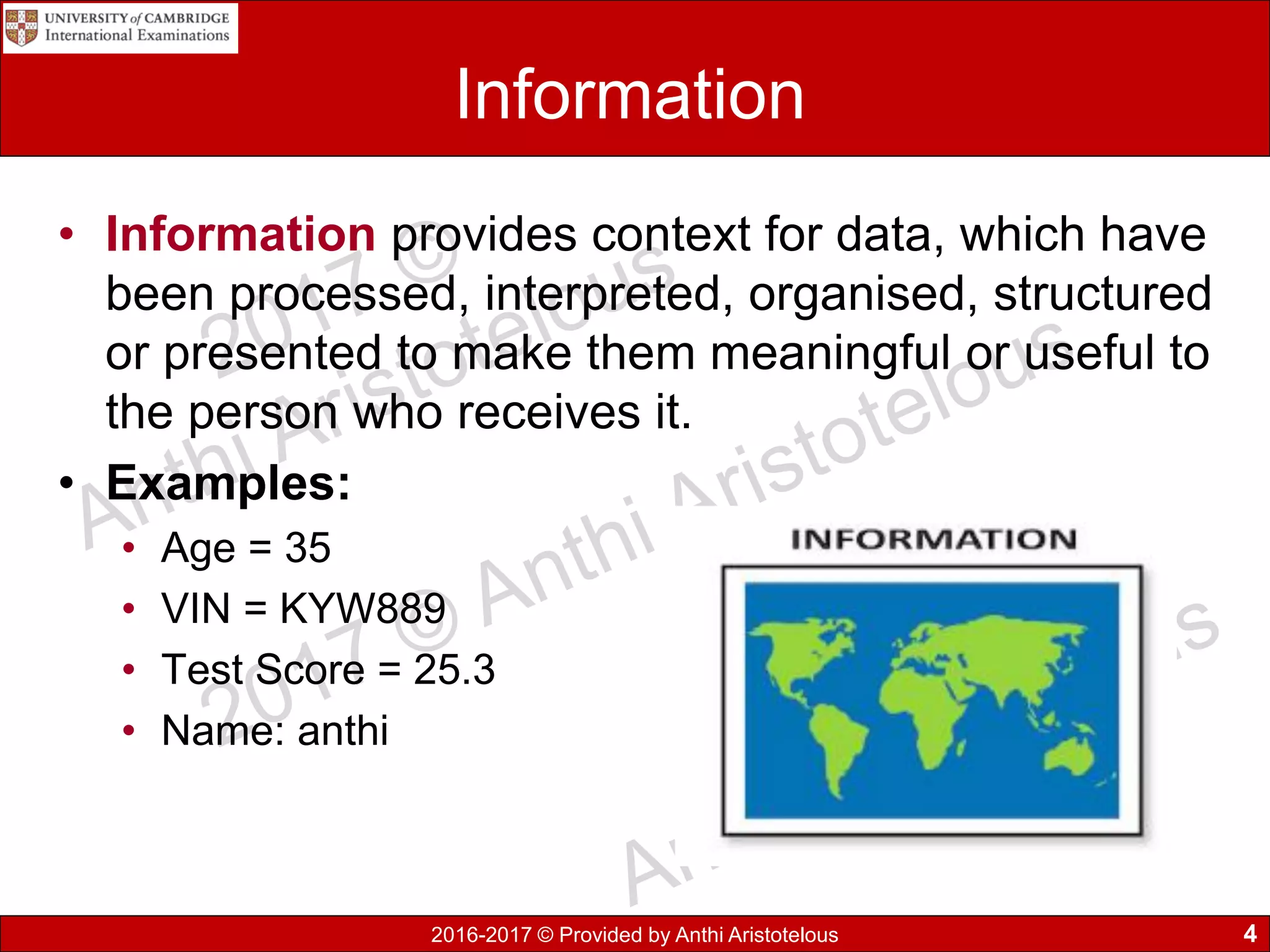
• Information provides context for data, which have
been processed, interpreted, organised, structured
or presented to make them meaningful or useful to
the person who receives it.
• Examples:
• Age = 35
• VIN = KYW889
• Test Score = 25.3
• Name: anthi
4
2016-2017 © Provided by Anthi Aristotelous
Knowledge
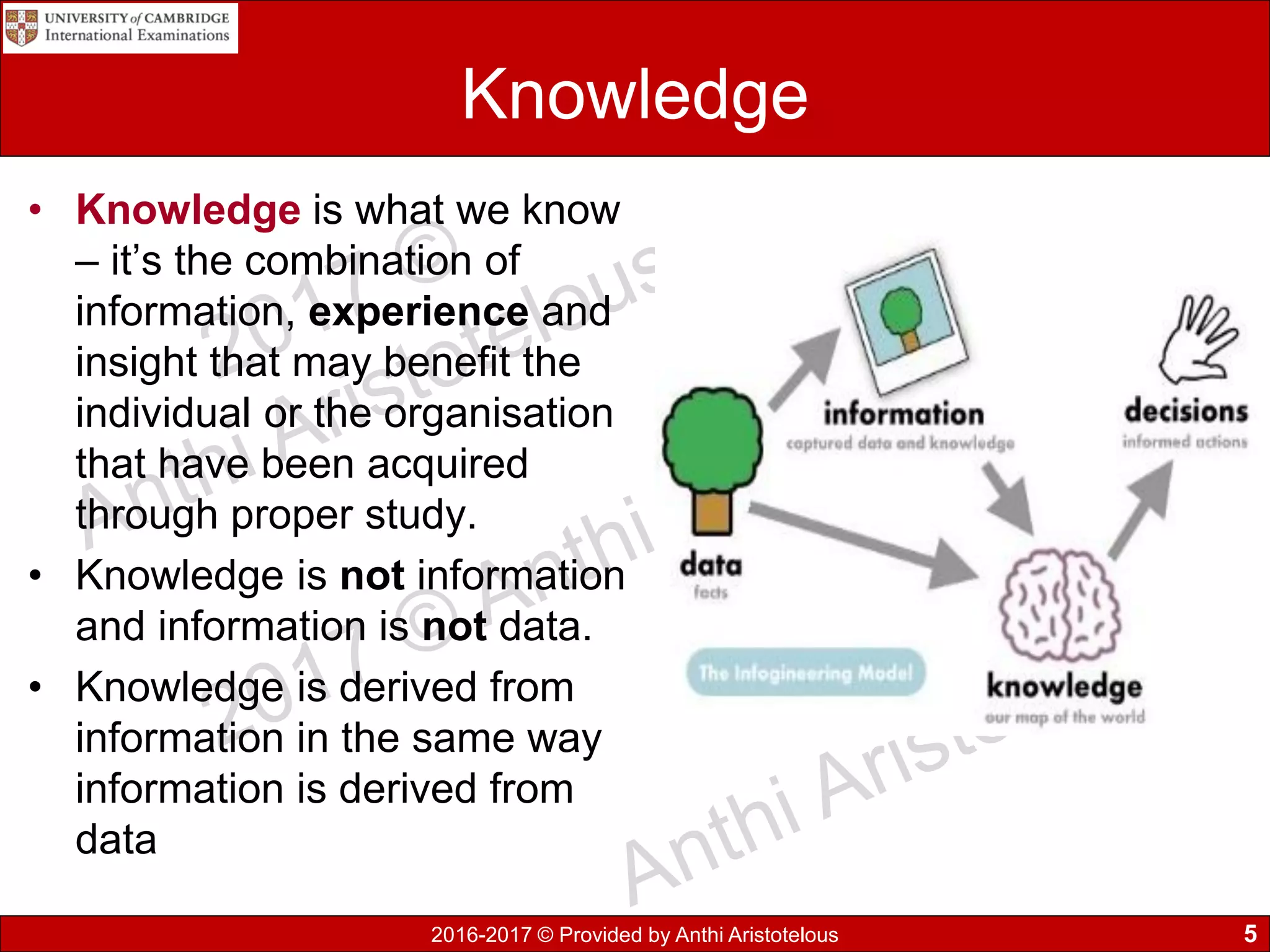
• Knowledge is what we know
– it’s the combination of
information, experience and
insight that may benefit the
individual or the organisation
that have been acquired
through proper study.
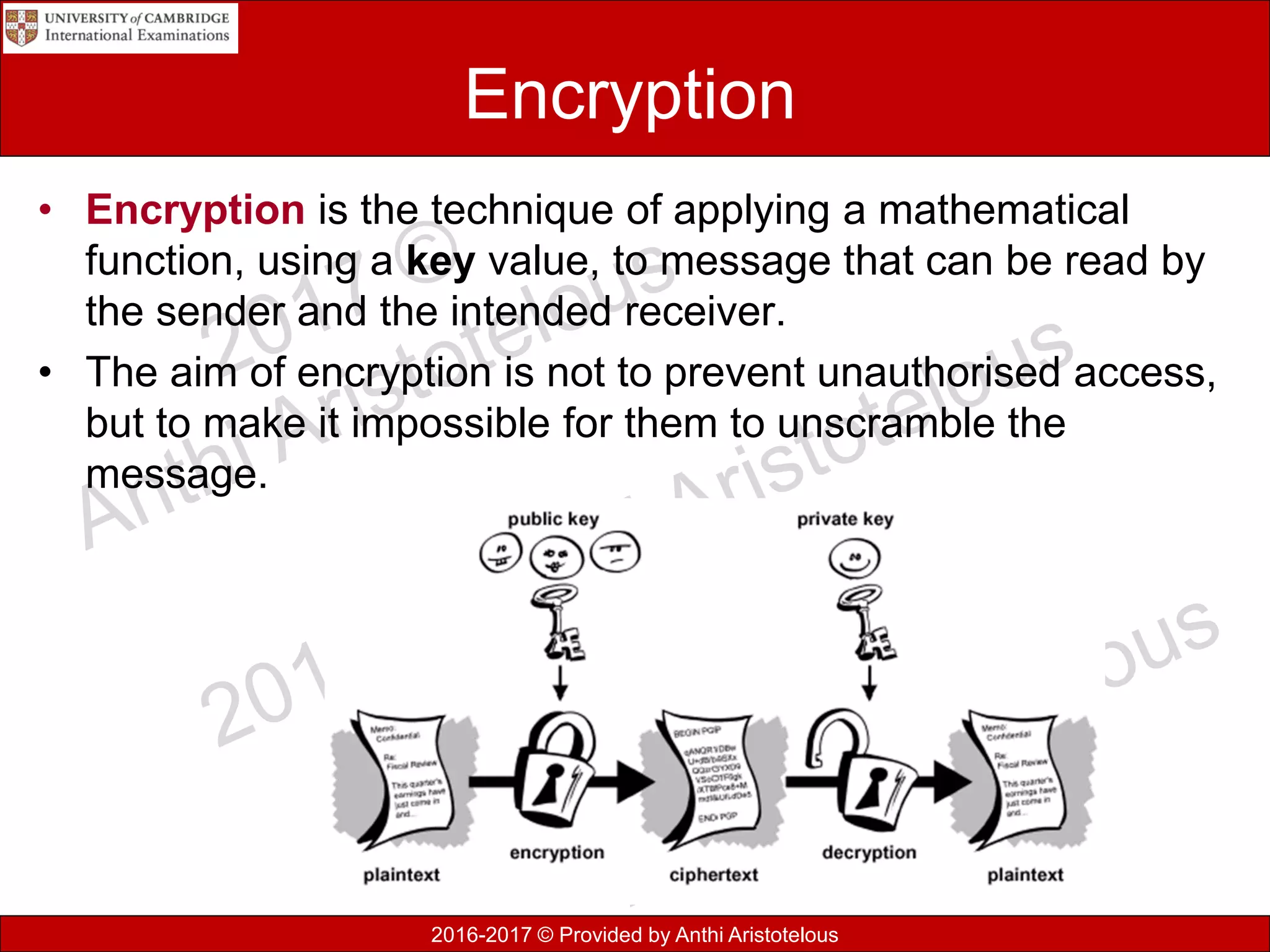
• Knowledge is not information
and information is not data.
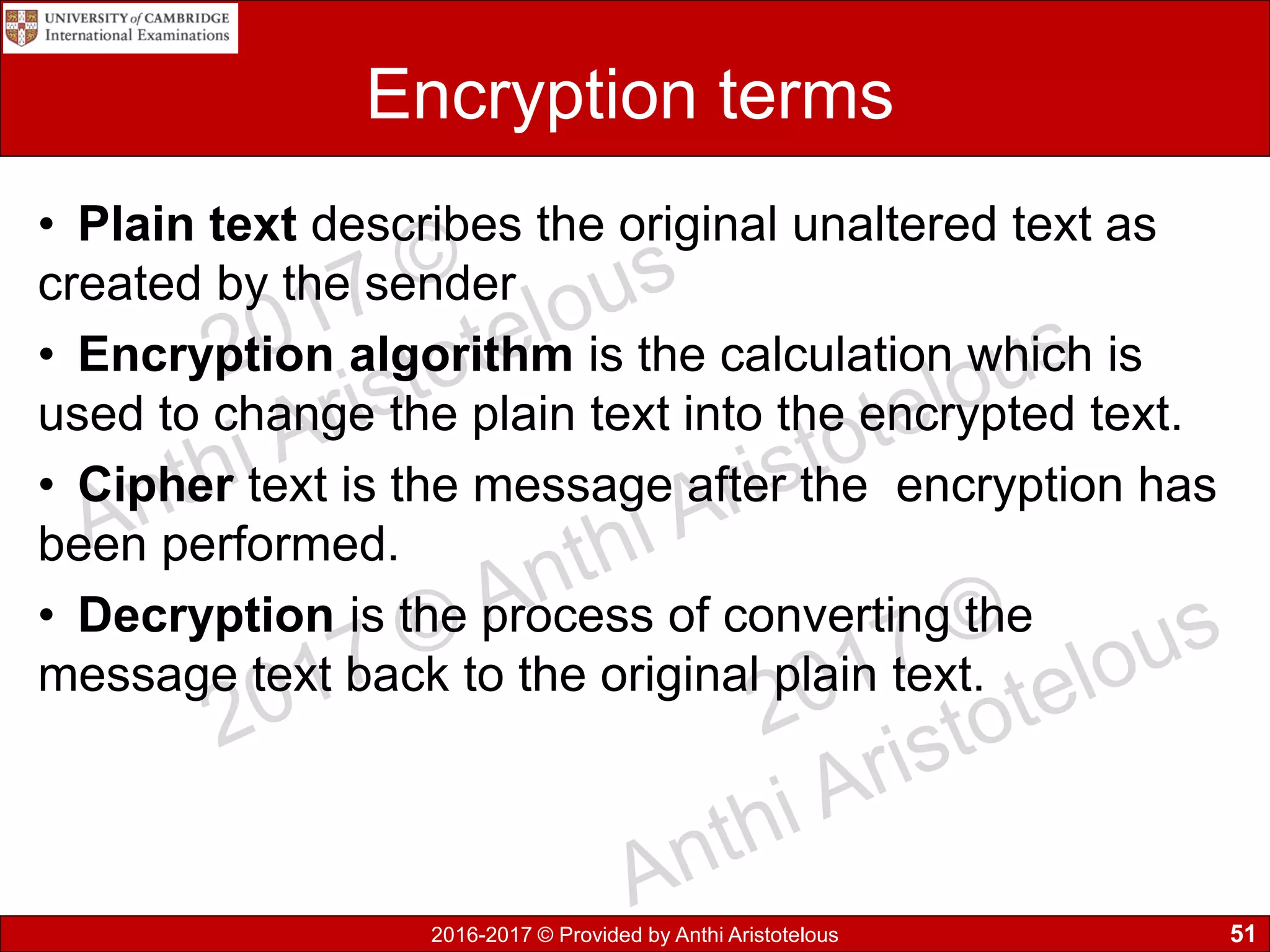
• Knowledge is derived from
information in the same way
information is derived from
data
5
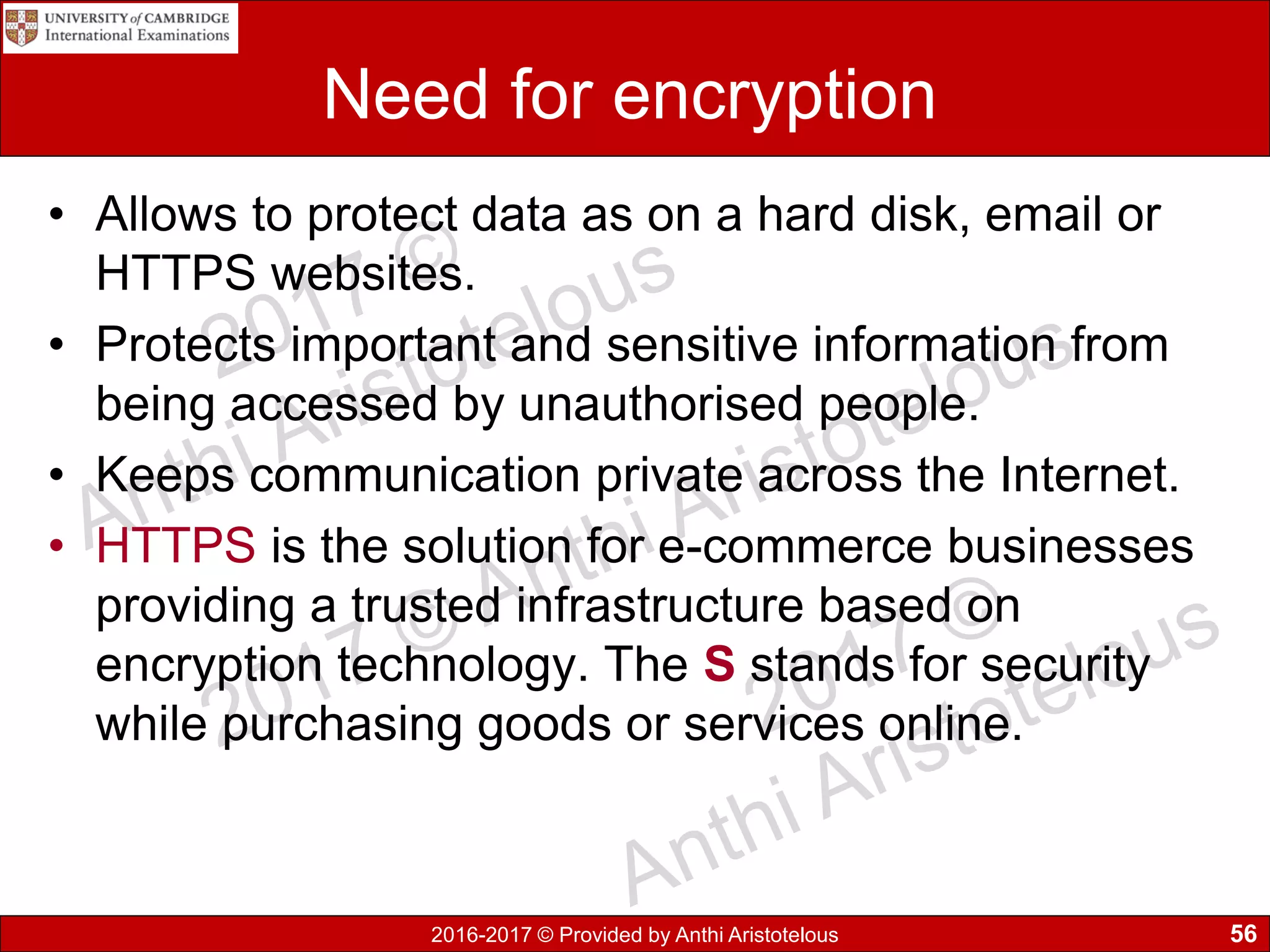
2016-2017 © Provided by Anthi Aristotelous
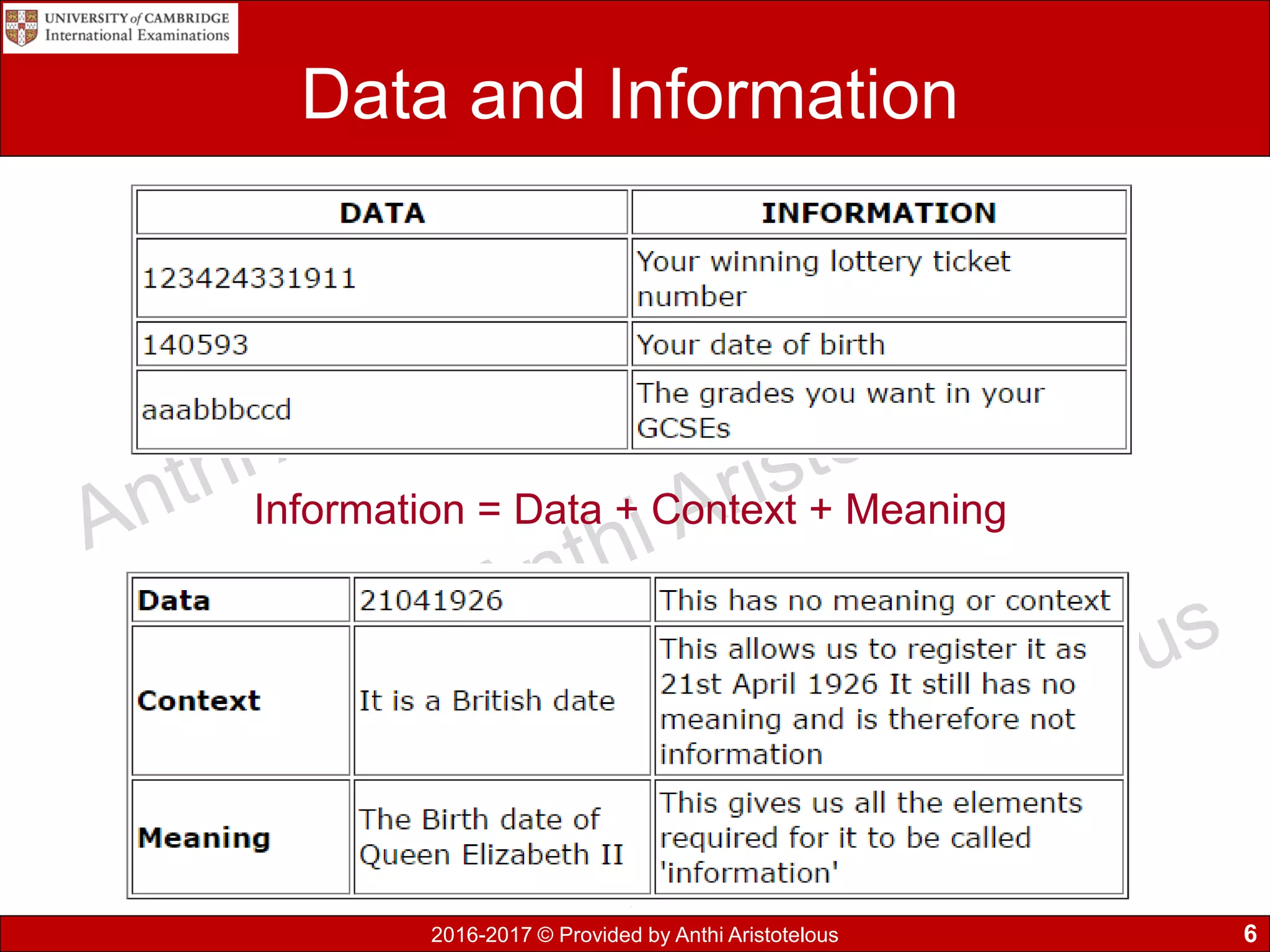
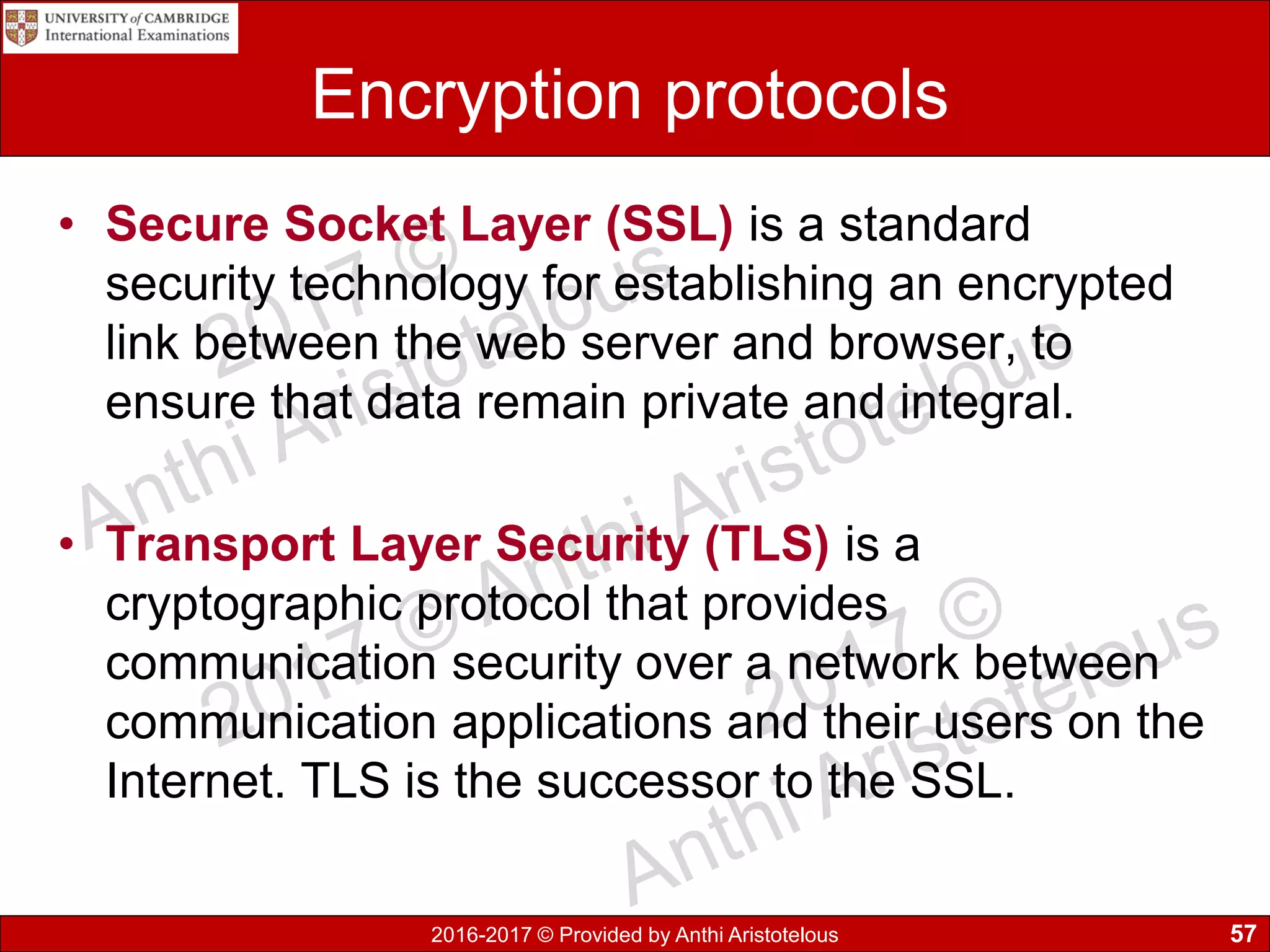
Data and Information
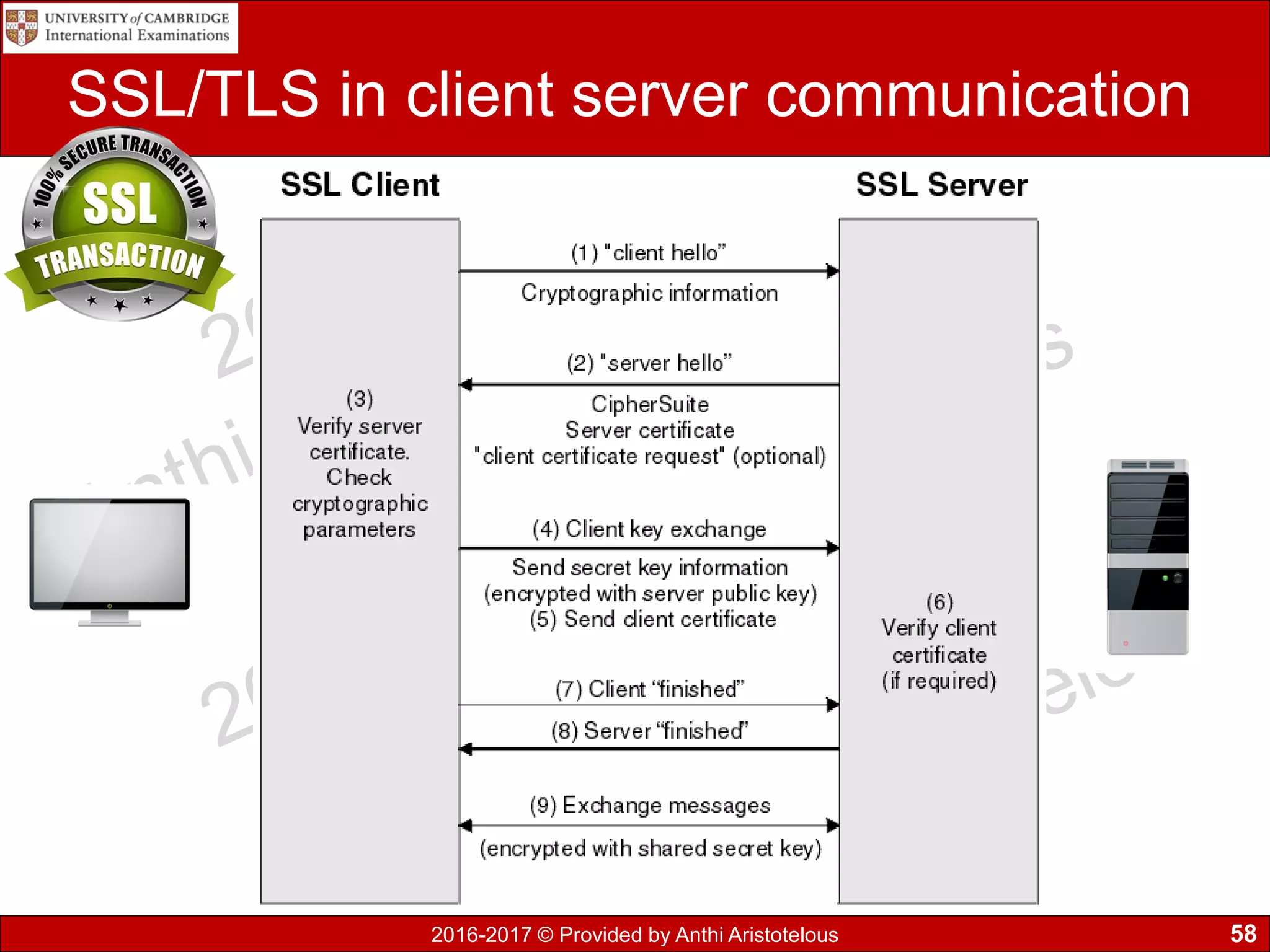
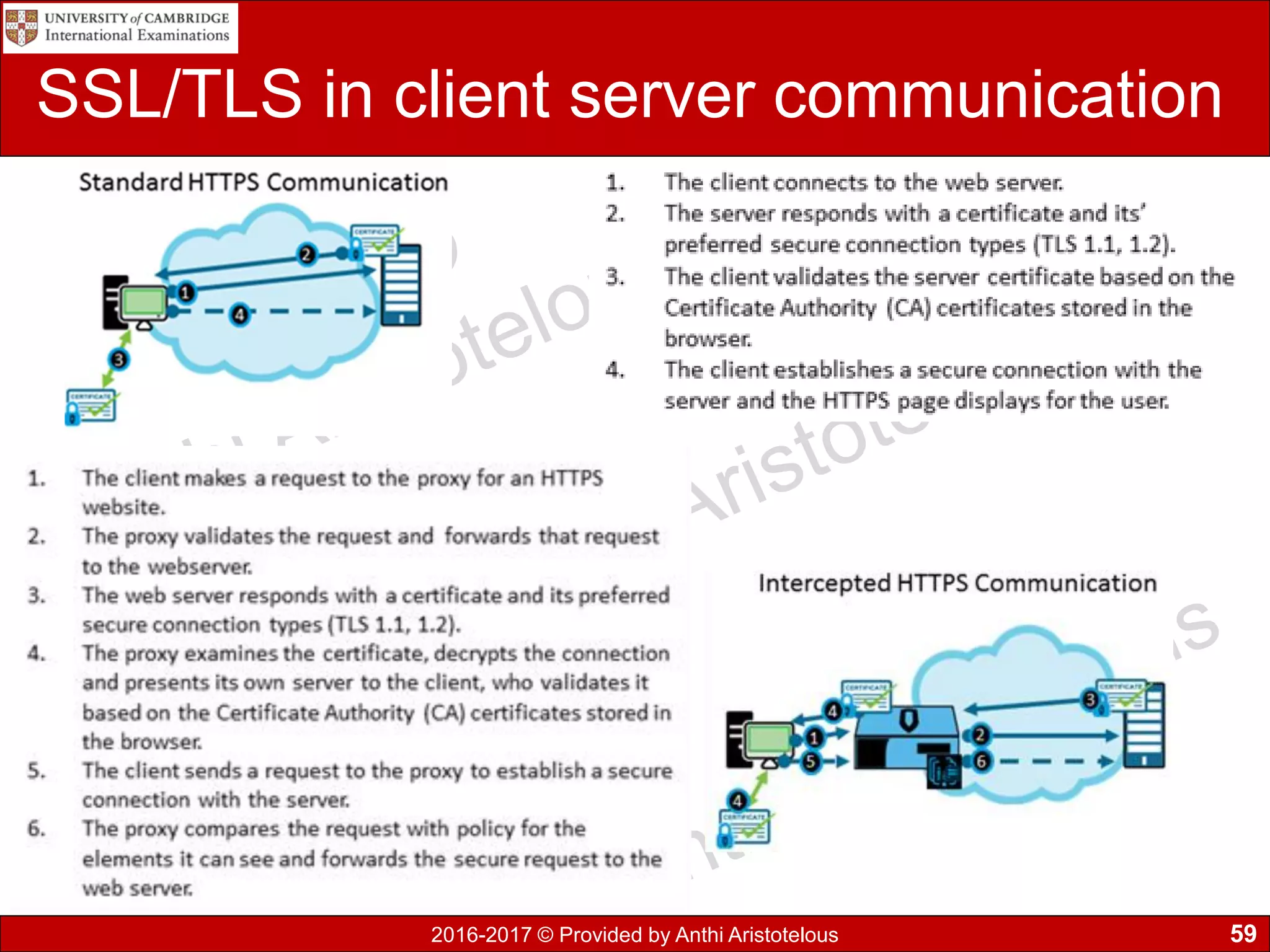
Information = Data + Context + Meaning
6
2016-2017 © Provided by Anthi Aristotelous
Knowledge
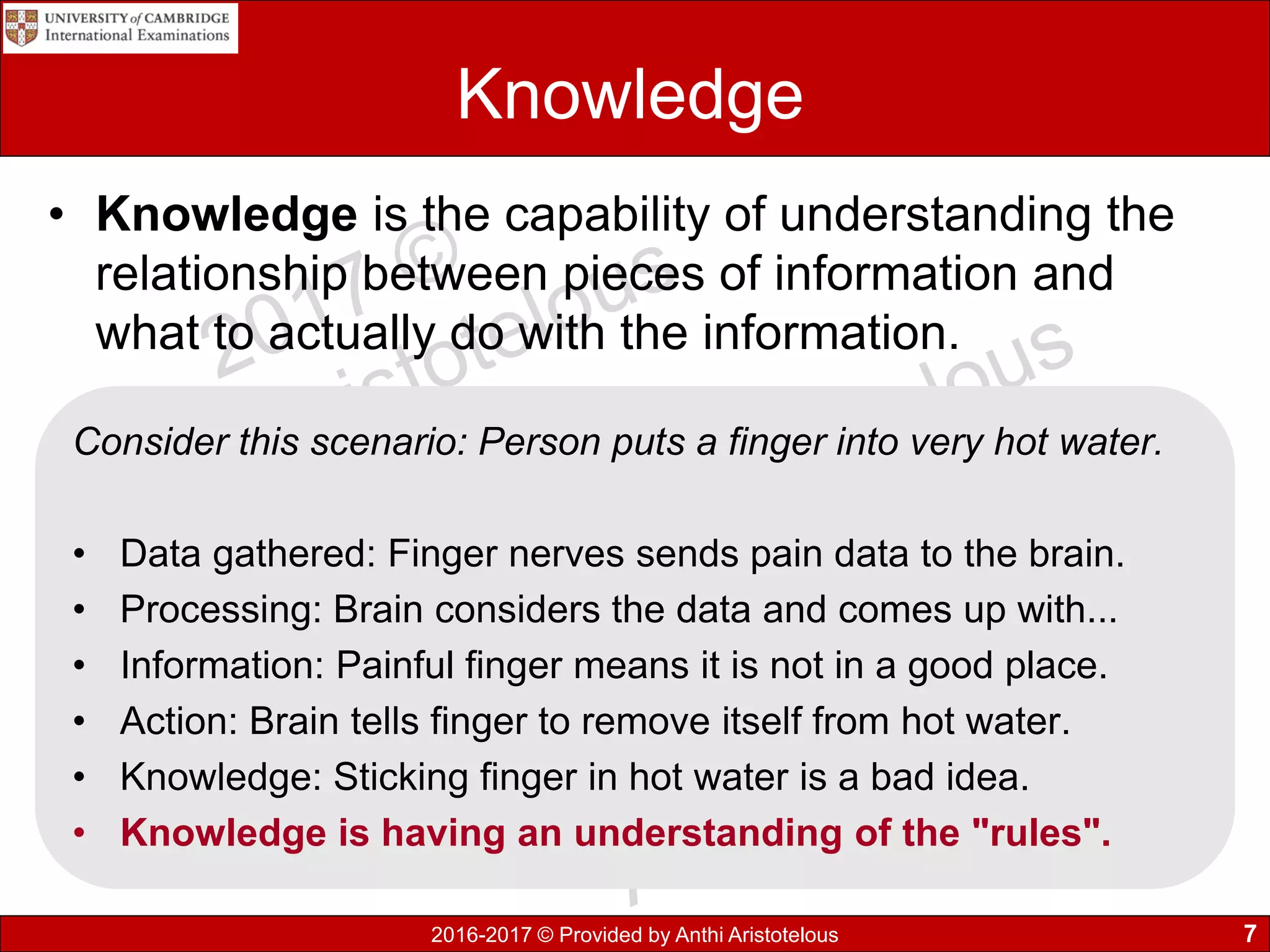
• Knowledge is the capability of understanding the
relationship between pieces of information and
what to actually do with the information.
7
Consider this scenario: Person puts a finger into very hot water.
• Data gathered: Finger nerves sends pain data to the brain.
• Processing: Brain considers the data and comes up with...
• Information: Painful finger means it is not in a good place.
• Action: Brain tells finger to remove itself from hot water.
• Knowledge: Sticking finger in hot water is a bad idea.
• Knowledge is having an understanding of the "rules".
2016-2017 © Provided by Anthi Aristotelous
1.1 Key terms you must learn
• What is data?
• Define information and show how it becomes
information.
• Define knowledge.
• What is the relation between knowledge and
information?
8
2016-2017 © Provided by Anthi Aristotelous
1.2 Sources of data
• Static data structure is a collection of data in
memory that is fixed size. It is important to know in
advance the maximum size, as memory cannot be
reallocated at a later stage. Example of static data
are arrays.
• Dynamic data structure is a collection of data in
memory that has the flexibility to grow or shrink in
size, allowing the programmer to control exactly
how much memory is utilized.
9
2016-2017 © Provided by Anthi Aristotelous
Static information sources
• The word static means that there is no or little
change in the information and once it has been
processed is it unlikely to change or update for a
significant amount of time.
• Examples include:
• DVD encyclopaedias
• printed newspapers
• Magazines
• Column headings for league tables
• Instructions on a data entry screen
10
2016-2017 © Provided by Anthi Aristotelous
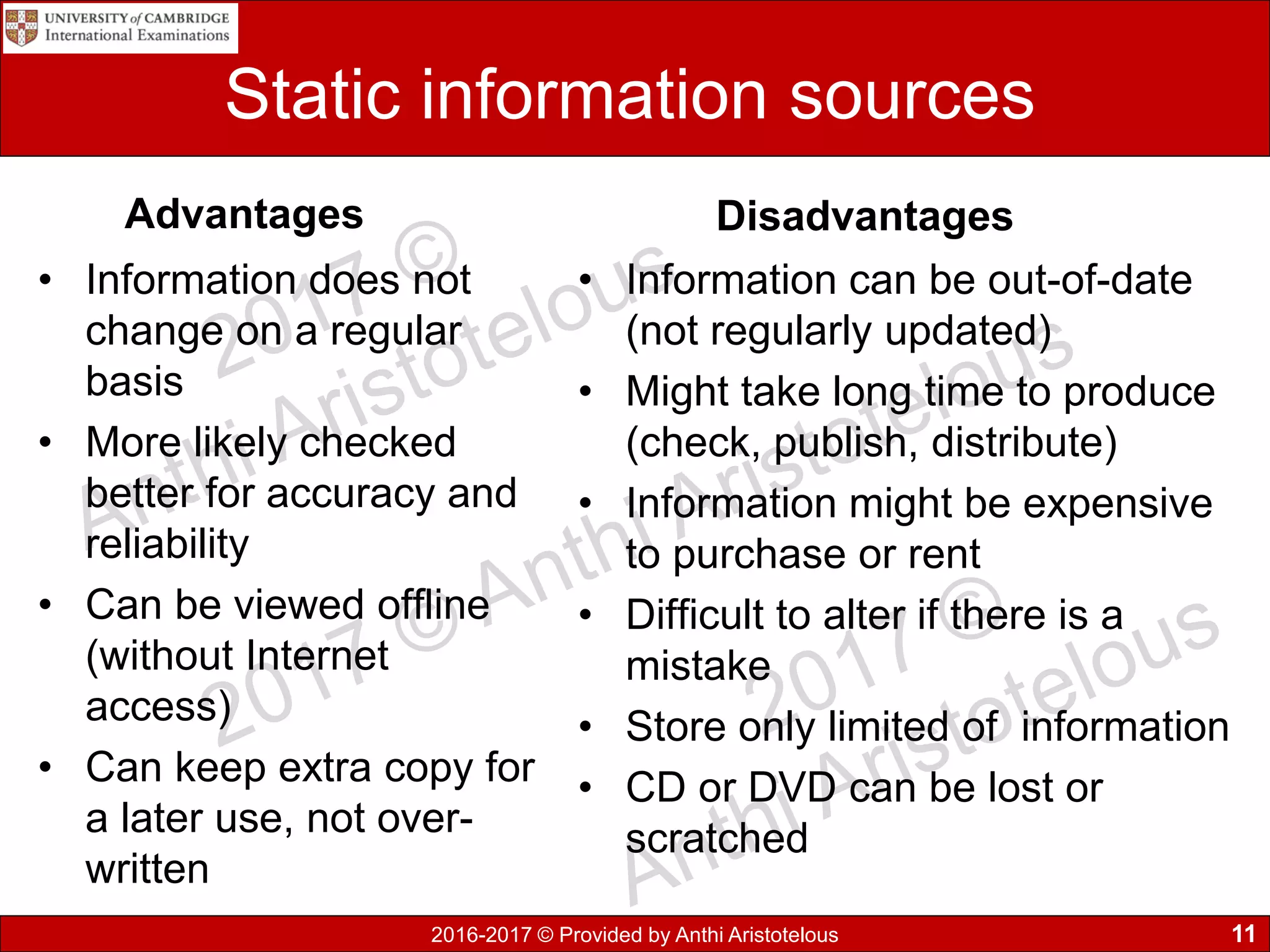
Static information sources
Advantages
• Information does not
change on a regular
basis
• More likely checked
better for accuracy and
reliability
• Can be viewed offline
(without Internet
access)
• Can keep extra copy for
a later use, not over-
written
Disadvantages
• Information can be out-of-date
(not regularly updated)
• Might take long time to produce
(check, publish, distribute)
• Information might be expensive
to purchase or rent
• Difficult to alter if there is a
mistake
• Store only limited of information
• CD or DVD can be lost or
scratched
11
2016-2017 © Provided by Anthi Aristotelous
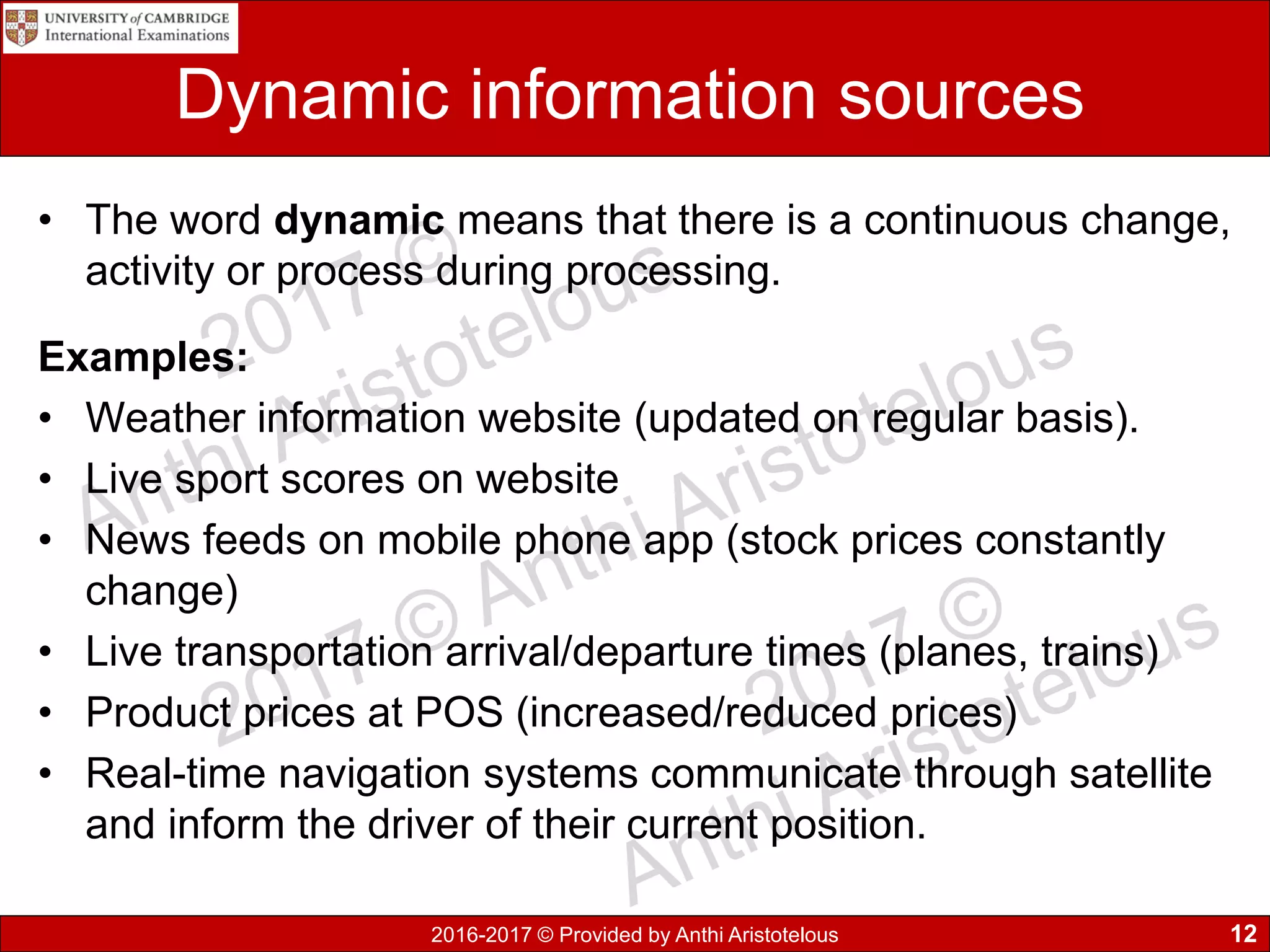
Dynamic information sources
• The word dynamic means that there is a continuous change,
activity or process during processing.
Examples:
• Weather information website (updated on regular basis).
• Live sport scores on website
• News feeds on mobile phone app (stock prices constantly
change)
• Live transportation arrival/departure times (planes, trains)
• Product prices at POS (increased/reduced prices)
• Real-time navigation systems communicate through satellite
and inform the driver of their current position.
12
2016-2017 © Provided by Anthi Aristotelous
Dynamic information sources
• BBC.com is an news company which has an updatable
website and modifies it’s content as news happen around
the world wide. Not all content on their website is
dynamic, some pages on the site will remain static, as no
modifications are required for a long time.
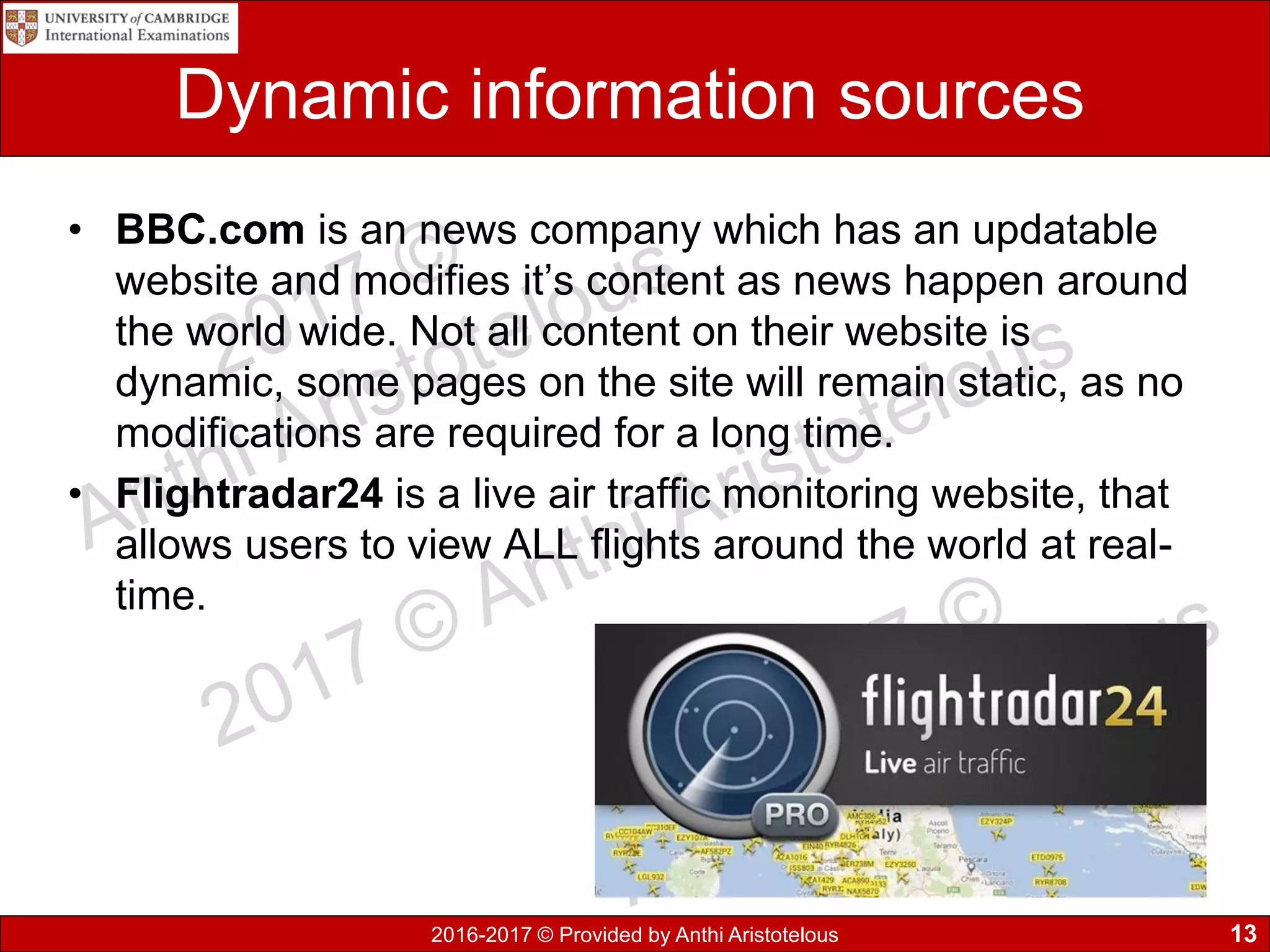
• Flightradar24 is a live air traffic monitoring website, that
allows users to view ALL flights around the world at real-
time.
13
2016-2017 © Provided by Anthi Aristotelous
Dynamic information sources
Advantages
• Update information very
quickly as original data
changes
• Updates as soon as source
data changes
• Allows many people to
access the information at
the same time
• Easy to find similar
information or cross-
reference with the use of a
search engine
Disadvantages
• Must pay for Internet or
network connection
• Can have mistakes, since
information are updated fast
• May require an electronic
device with access on the
Internet
• Invalid, contradicting or bias
information from different sites
• Excessive amount of
information might be difficult to
look through all sources
14
2016-2017 © Provided by Anthi Aristotelous
Methods of collecting direct data
Finding out exactly what data is required using one or more of
the following methods:
1. Observation: look at how the data is gathered during an
activity and analyse the results
2. Interviews: collect more data from a group of people as
feedback is in greater depth
3. Questionnaires: allow data to be collected from
individuals on hard copy or completing online forms.
4. Data logging: use of sensors to collect data and process
by the computer
15
2016-2017 © Provided by Anthi Aristotelous
Direct and indirect data source
• Data obtained directly from the
original source (primary source) used
for the same purpose it is collected for
which it was collected. It is also
known as original source data.
• Indirect sources (secondary source)
means data has been collected for a
another/particular purpose. It is often
collected by a another person or
organisation where the data is been
collected and used for a different
intention.
16
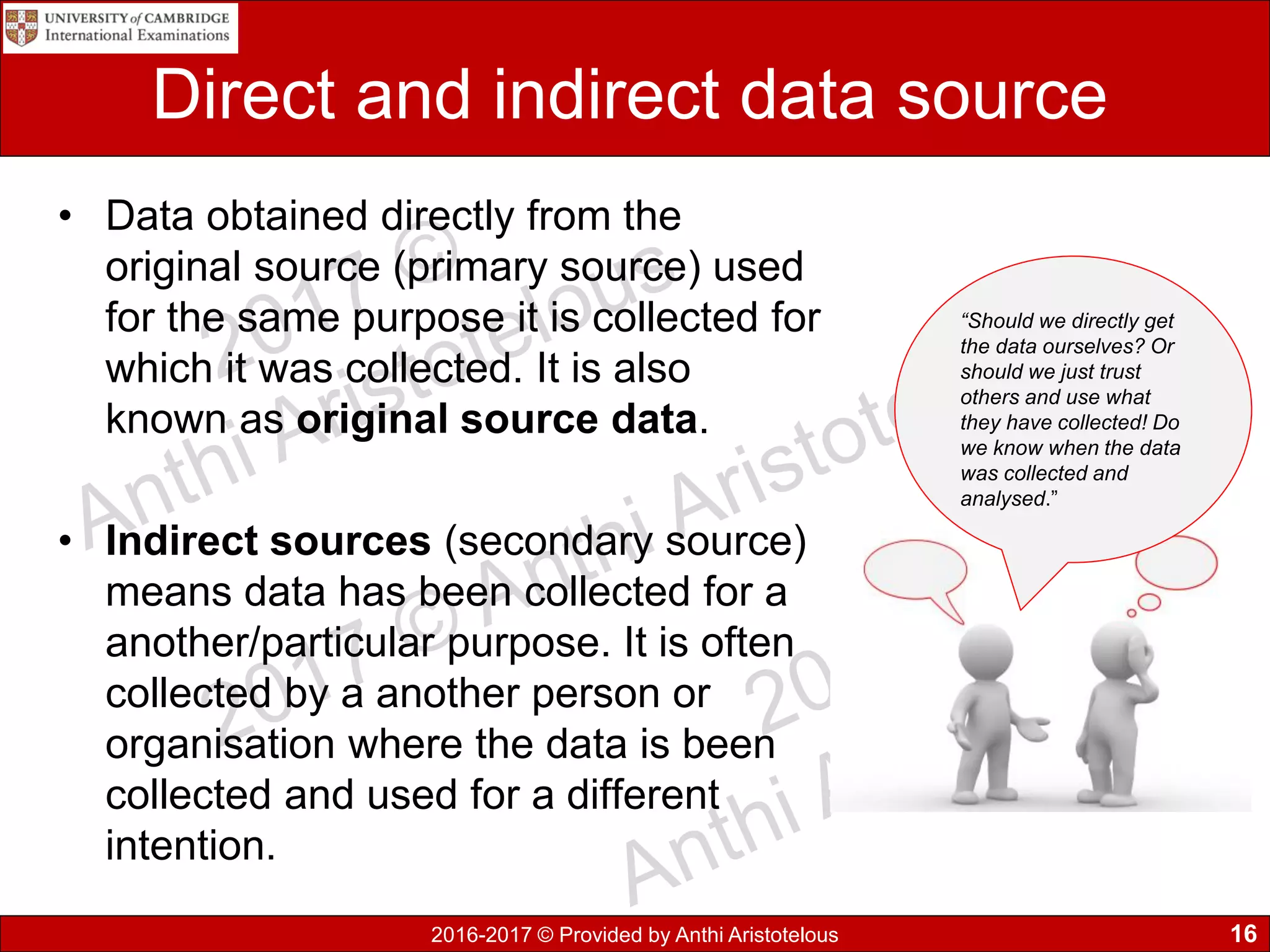
“Should we directly get
the data ourselves? Or
should we just trust
others and use what
they have collected! Do
we know when the data
was collected and
analysed.”
2016-2017 © Provided by Anthi Aristotelous
Direct and indirect data source - Example
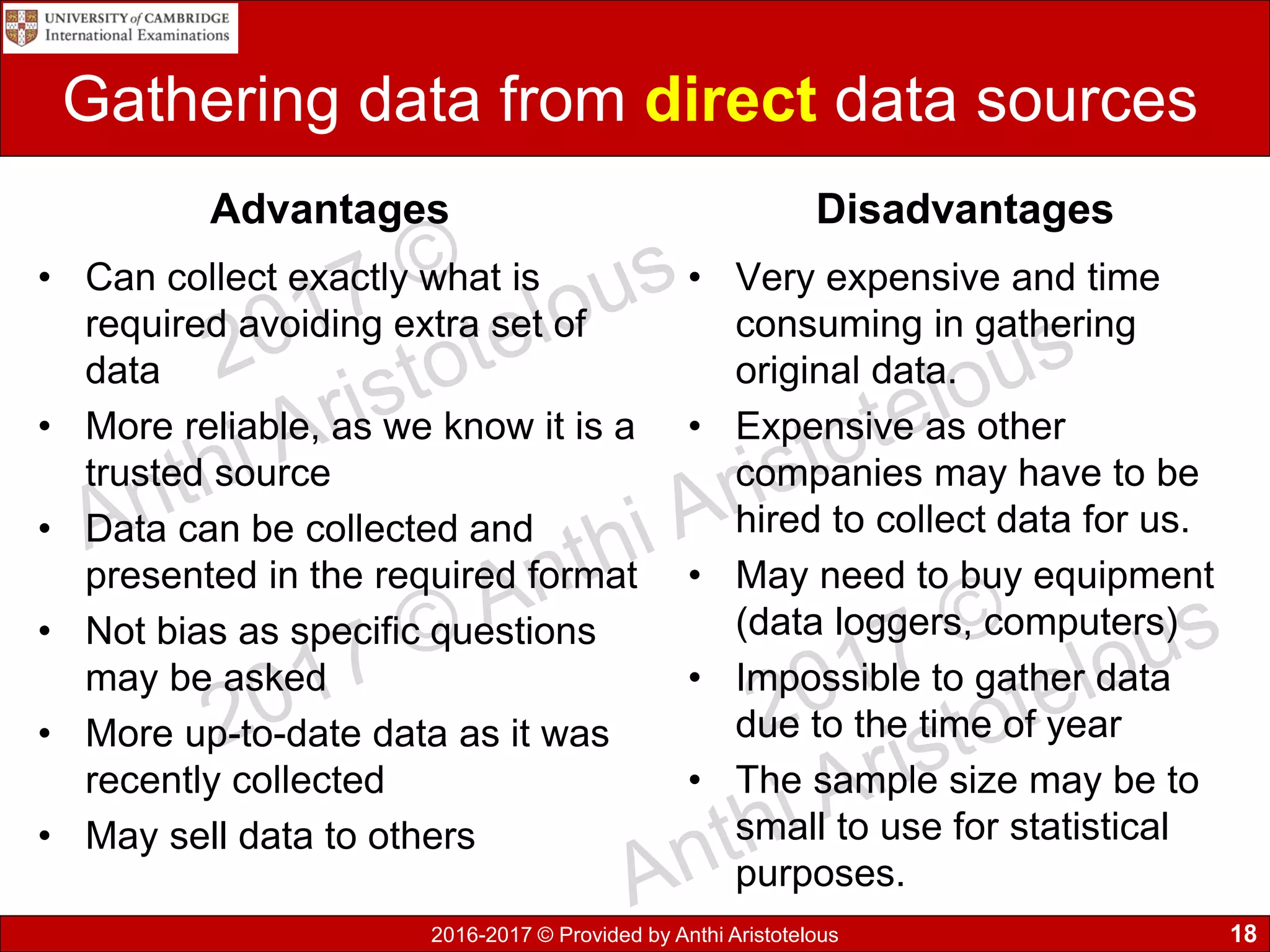
• Example an online store collects
customer details about their
purchases. The store can keep
statistics on product sales made
and re-stocking, this is known as
direct data.
• This company can sale or pass on
customer details, such as email
addresses to another company with
your consent. The data obtained by
the third party company is known as
indirect data.
17
2016-2017 © Provided by Anthi Aristotelous
Gathering data from direct data sources
Advantages
• Can collect exactly what is
required avoiding extra set of
data
• More reliable, as we know it is a
trusted source
• Data can be collected and
presented in the required format
• Not bias as specific questions
may be asked
• More up-to-date data as it was
recently collected
• May sell data to others
Disadvantages
• Very expensive and time
consuming in gathering
original data.
• Expensive as other
companies may have to be
hired to collect data for us.
• May need to buy equipment
(data loggers, computers)
• Impossible to gather data
due to the time of year
• The sample size may be to
small to use for statistical
purposes.
18
2016-2017 © Provided by Anthi Aristotelous
Gathering data from indirect data sources
Advantages
• Collected data may be
purchased from a specialist
company immediately
• Takes less time to study data
• Larger sample size used
• Relatively low cost
• Higher quality of information
Disadvantages
• Original data might have
been collected for a different
purpose (must filter/sort
unnecessary data)
• Don’t know the original
source of data might not be
reliable
• No available data as it has
never been recorded
• Sampling bias, data might
have been collected locally
whereas might have required
a more nation wide scale
19
2016-2017 © Provided by Anthi Aristotelous
1.2 Key terms you must learn
• Define static data and give an example.
• Define dynamic data and give an example.
• Compare the use of static information sources
with dynamic information sources.
• Define direct and indirect data source.
• Advantages and disadvantages of gathering data
from direct and indirect data sources.
20
2016-2017 © Provided by Anthi Aristotelous
1.3 Quality of information
• Working with processed data in the information
age; it is very important to access good quality
of information.
• Many businesses use information to make
decisions on their work and it’s to their best
benefit to operate successfully based on high
quality information.
• Quality of information must be fit for
purpose. Must be adequate to do the job as
intended, means that the information was of
good quality.
21
2016-2017 © Provided by Anthi Aristotelous
1.3.1 Accuracy of information
• The accuracy of information strongly relies on the data. If
for example the collected data is inaccurate then the
produced information will also be inaccurate.
22
Examples of inaccurate source Preventions
Questions in questionnaires or
interviews may be unclear or badly
phrased, hence responders
misunderstanding them
Proof-read and review
questionnaires or interview scripts
to help questions elicit the type of
response
Open-end questions produce
answers which cannot be
quantified
Prefer the use of closed questions
to limit the range and better the
responses
Continued…
2016-2017 © Provided by Anthi Aristotelous
Accuracy of information
23
Examples of inaccurate source Preventions
Multiple-choice type questions may
not provide all options to cover the
range of possible answers
Refine question to limit or expand the
number of responses so they are
sufficient
Small sample size of the population is
used, which does not provide a
realistic representation
Increase the sample size and collect
data from different groups
Human error can occur when people
are collecting data
Data collectors must be focused and
methodical
Typist can make error while entering
the data into the system
Use both validation and verification
techniques to check data, where it is
possible
Collecting data automatically, with the
use of sensors or other electronic
instruments, which depends on
technology
The computer/microprocessor needs
to be set up properly and calibrated to
accurately interpret the readings
2016-2017 © Provided by Anthi Aristotelous
1.3.2 Relevance of information
• Relevant information: Information that meets the needs
of the user, in order to help find solutions to the problem
or task.
• It is important during the first step to select relevant
sources, as well as ruling out biased resources.
Additionally, you must read thoroughly and select
relevant information to find what is exactly required.
• Example 1: It might be interesting to find out the
weather now in the UK or Russia or China, but it might
be un-relevant to you since your located in Cyprus!
• Example 2: You have asked a real estate agent to find
out prices of houses in Cyprus. Do you have the funds?
24
2016-2017 © Provided by Anthi Aristotelous
1.3.3 Age of information
• Its essential that information is always kept up-to-
date, so that it is accurate and relevant. During a
period of time it has been noticeable that
information changes and cannot be used as it will
lead to inaccurate results.
• Businesses health and wealth depends on data in
order to make successful decisions. It could affect
their future profits or share price, so they cannot
risk basing their planning on inaccurate
information.
25
2016-2017 © Provided by Anthi Aristotelous
1.3.4 Level of detail of information
In order for information to be useful in solving a problem, it is
required to have the correct level of detail. Having too much
detail, can also make it difficult to find and extract specific
information required. The same problem can occur if not
enough detail is provided leading to an incomplete detail of
information and not being able to use it.
• Example: Travelling by plane from Paphos to Moscow.
– Too much detail: times of departure/arrival, waiting times
at each stop;
– Not enough detail: not knowing how often the buses
leave and at what time your are being expected to arrive
26
2016-2017 © Provided by Anthi Aristotelous
1.3.5 Completeness of information
• In order for information to be useful it needs to be
complete (everything must be provided). If part of
the information is missing then it will be difficult to
solve the problem or complete the task.
• Example: You have been invited to a house party
and your friend gives you the street details to find
it. While driving there you cannot locate the
building… You have realised you forgot to ask the
house number!
27
2016-2017 © Provided by Anthi Aristotelous
1.3 Key terms you must learn
• How accuracy of information affects quality?
• How relevance of information affects quality?
• How age of information affects quality?
• How level of details affects quality?
• How completeness of information affects quality?
28
2016-2017 © Provided by Anthi Aristotelous
1.4 Coding, encoding and encrypting
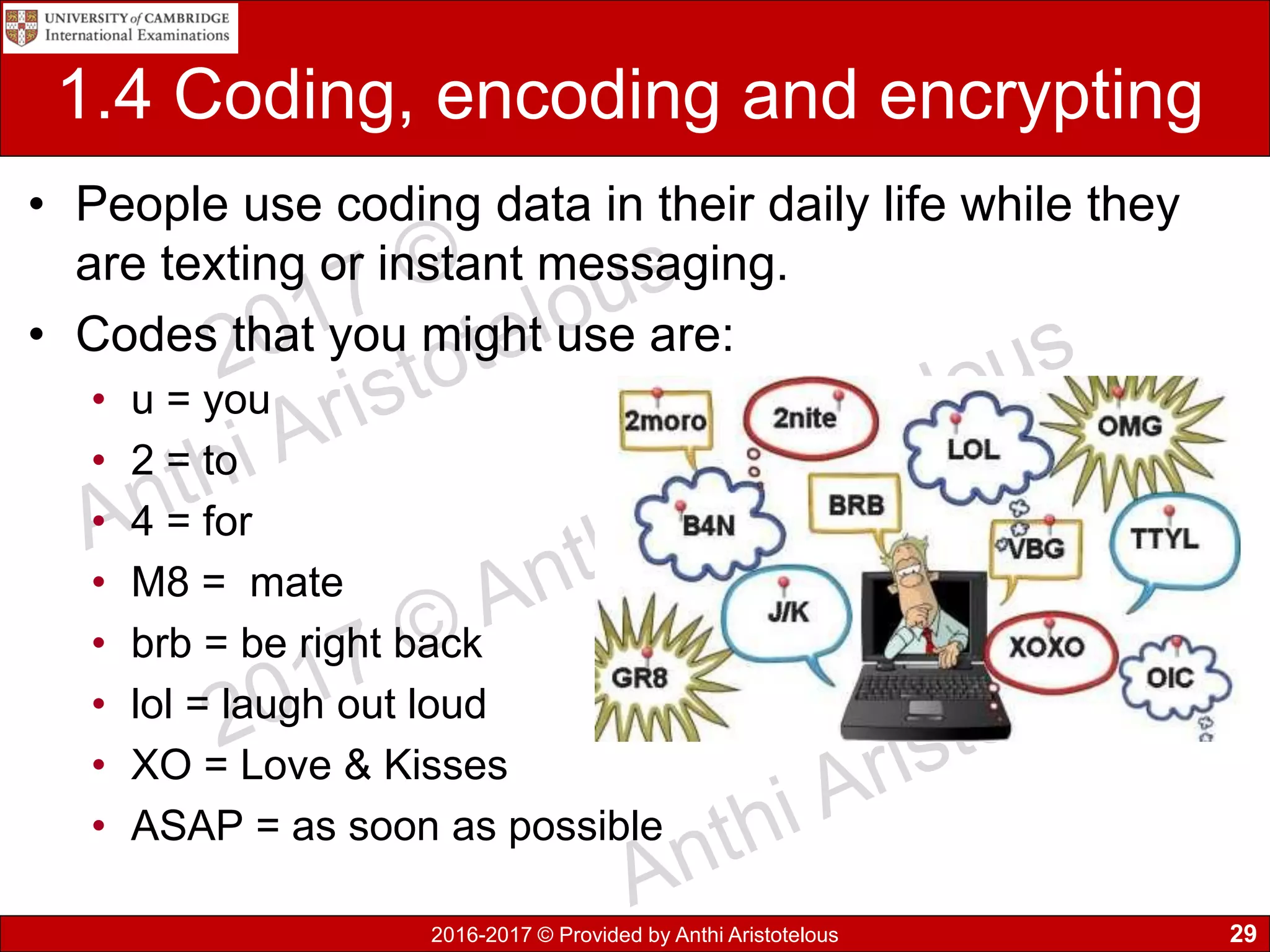
• People use coding data in their daily life while they
are texting or instant messaging.
• Codes that you might use are:
• u = you
• 2 = to
• 4 = for
• M8 = mate
• brb = be right back
• lol = laugh out loud
• XO = Love & Kisses
• ASAP = as soon as possible
29
2016-2017 © Provided by Anthi Aristotelous
Computer Coding
• Similarly the data stored on a computer can be
coded.
• Coding of data usually allows to shorten the original
data and assign codes for classification or
identification, such as in Gender to use “M” or “F” to
represent male and female).
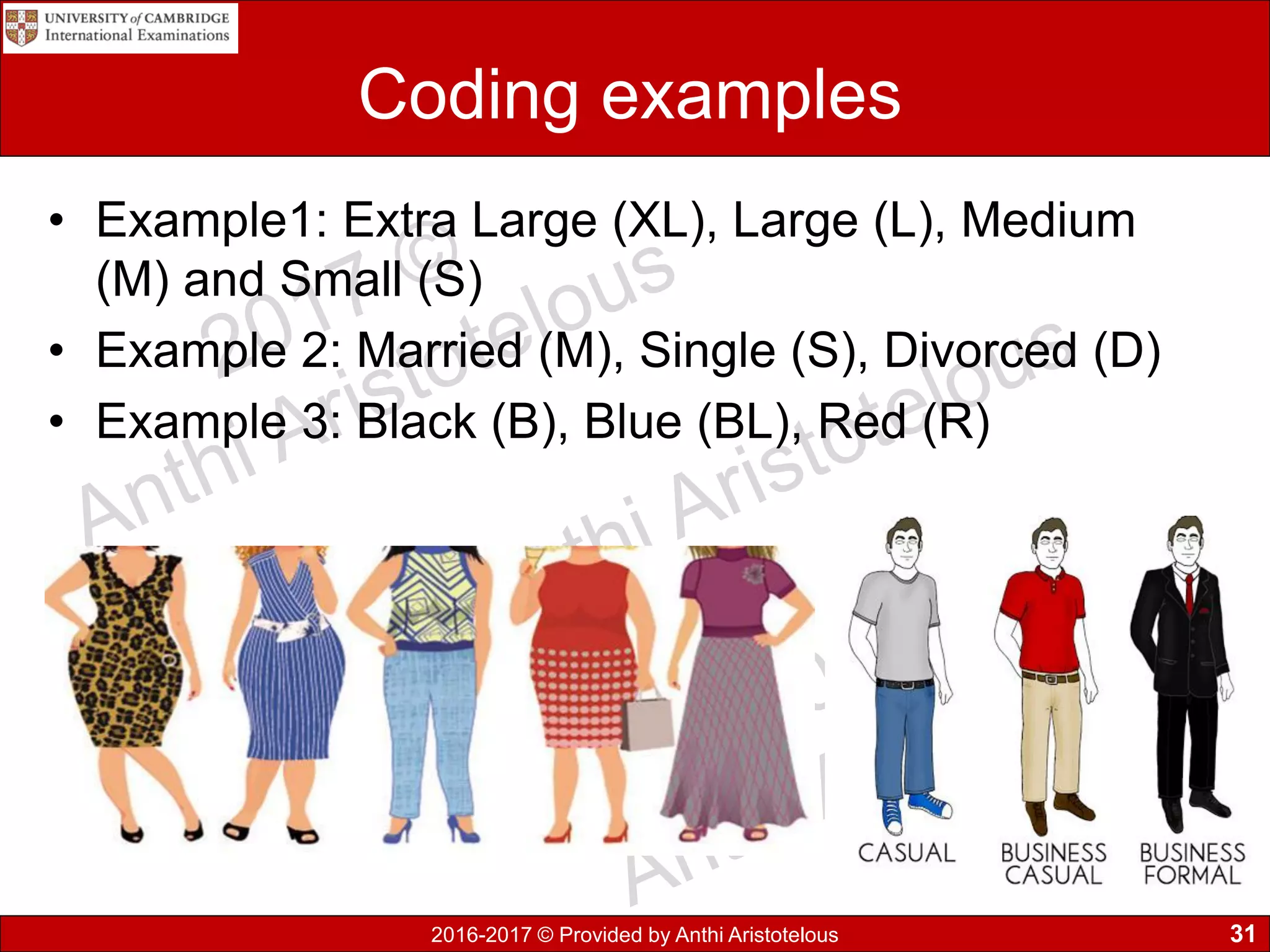
• Additionally we can use more intricate codes (such
as clothing type, sizes and colour of garment
• A form of encoding is converting digital data to
analogue
30
2016-2017 © Provided by Anthi Aristotelous
Coding examples
• Example1: Extra Large (XL), Large (L), Medium
(M) and Small (S)
• Example 2: Married (M), Single (S), Divorced (D)
• Example 3: Black (B), Blue (BL), Red (R)
31
2016-2017 © Provided by Anthi Aristotelous
Coding of data
Advantages
• Faster data entry
• More accurate data entry
• Validation ensures accuracy
of data
• Saves storage space
required
• Faster searching of data
• Higher security of data, as
unauthorised people will not
know their meaning
Disadvantages
• Precision of data can be
lost, also known as
coarsening
• The meaning of data might
not be clear (obscured)
• Value judgements are
difficult to code
• Slower or invalid data entry,
if people don’t know the
codes
• Might run out of code
combinations
32
2016-2017 © Provided by Anthi Aristotelous
Encoding data
• Computers do not recognise text, sound and images.
Computers only understand binary digits of 0s and 1s.
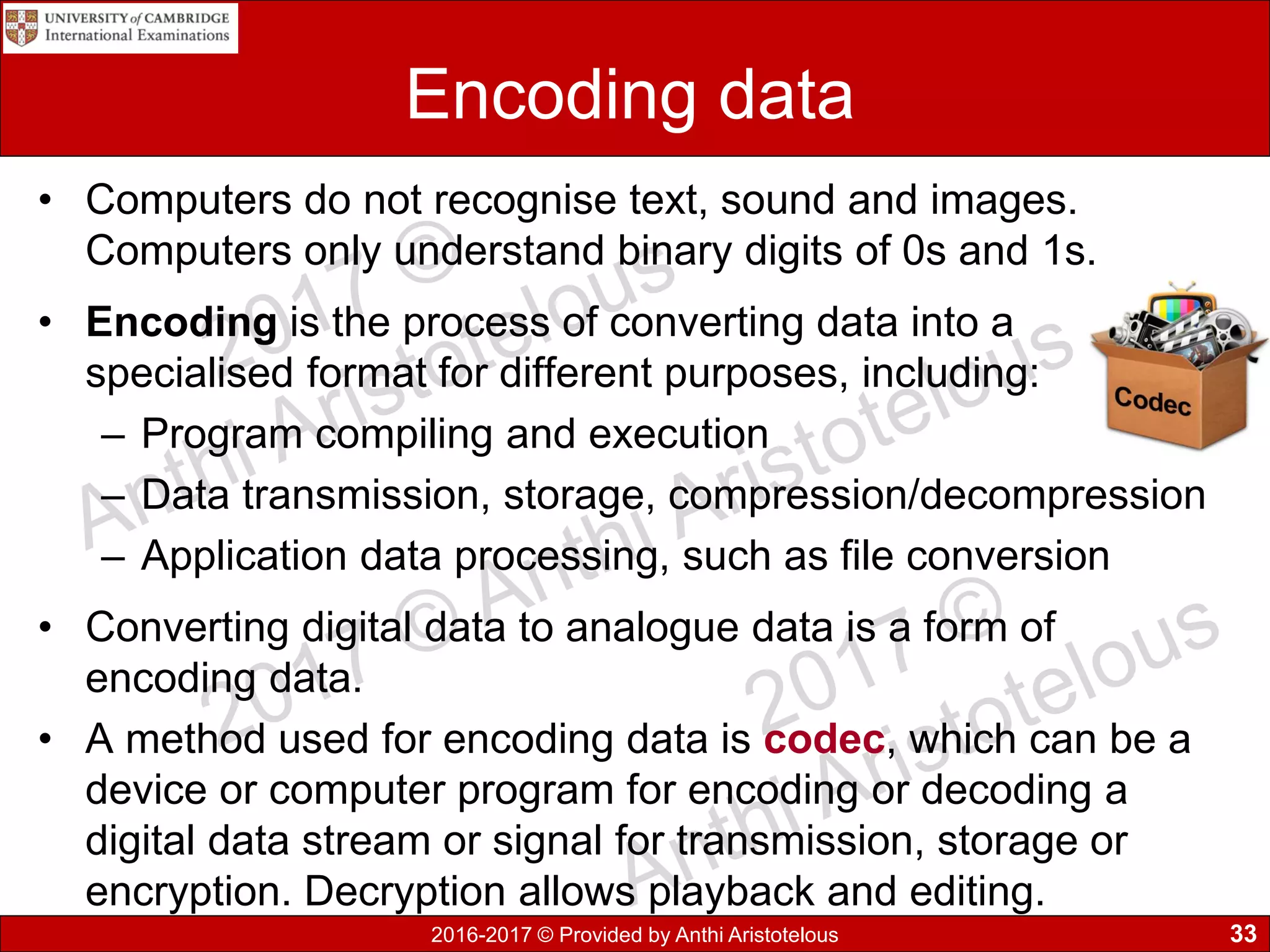
• Encoding is the process of converting data into a
specialised format for different purposes, including:
– Program compiling and execution
– Data transmission, storage, compression/decompression
– Application data processing, such as file conversion
• Converting digital data to analogue data is a form of
encoding data.
• A method used for encoding data is codec, which can be a
device or computer program for encoding or decoding a
digital data stream or signal for transmission, storage or
encryption. Decryption allows playback and editing.
33
2016-2017 © Provided by Anthi Aristotelous
Encoding Characters/Text
• What is a computer character set?
Is the set of symbols recognised by the computer, that are
often equal with the symbols on the keyboard
• How a character set is represented in a computer?
It is unique for each character. It is represented by a set
of bits, which is equal to 1 byte.
• So in other words, text is encoded as a numeric value
and it is represented as a binary number.
• A common encoding system for text is ASCII (American
Standard Code for Information Exchange). It consists of
256 codes, from 0 up to 255.
34
2016-2017 © Provided by Anthi Aristotelous
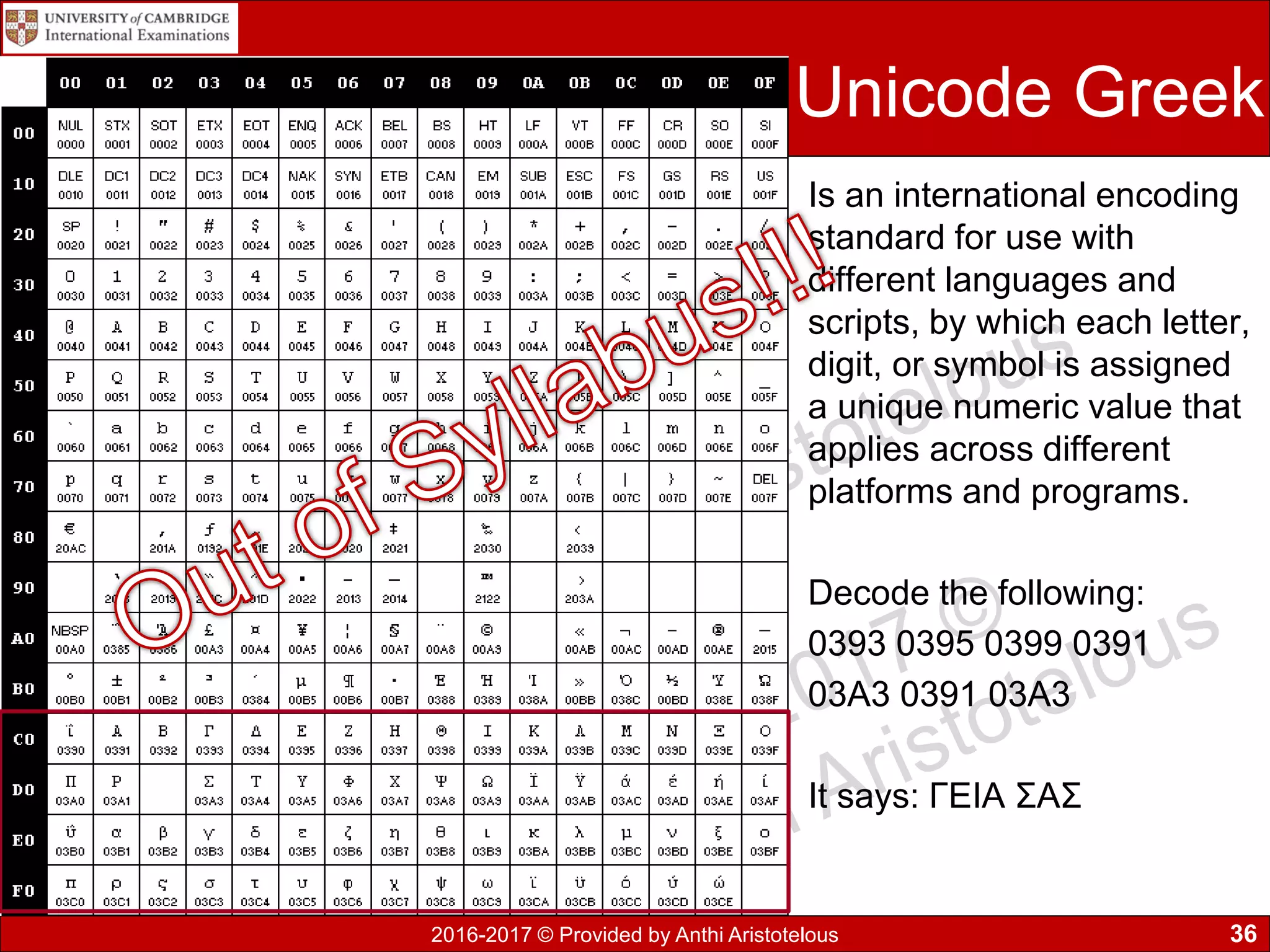
Encoding Characters/Text
• ASCII code table (the figure shown
beside) demonstrates the decimal
value of each character.
• For example A is equal to 65
decimal. If we convert this number to
binary it is represented as 01000001
• There are more encoding methods
such as Extended ASCII, EBCDIC
and Unicode, which allow the
encoding of far more characters
including Greek, Russian or other
language characters.
35
2016-2017 © Provided by Anthi Aristotelous
Unicode Greek
Is an international encoding
standard for use with
different languages and
scripts, by which each letter,
digit, or symbol is assigned
a unique numeric value that
applies across different
platforms and programs.
Decode the following:
0393 0395 0399 0391
03A3 0391 03A3
It says: ΓΕΙΑ ΣΑΣ
36
2016-2017 © Provided by Anthi Aristotelous
Encoding Images
• Images can either be vector or bitmaps.
• The bitmap images are made out of tiny blocks
called pixels. The more pixels are on the screen the
higher the image resolution, hence the better the
quality of the image will be.
• Vector images are scalable shapes such as straight
lines and curves, using coordinates and geometry to
define parts of the image.
37
2016-2017 © Provided by Anthi Aristotelous
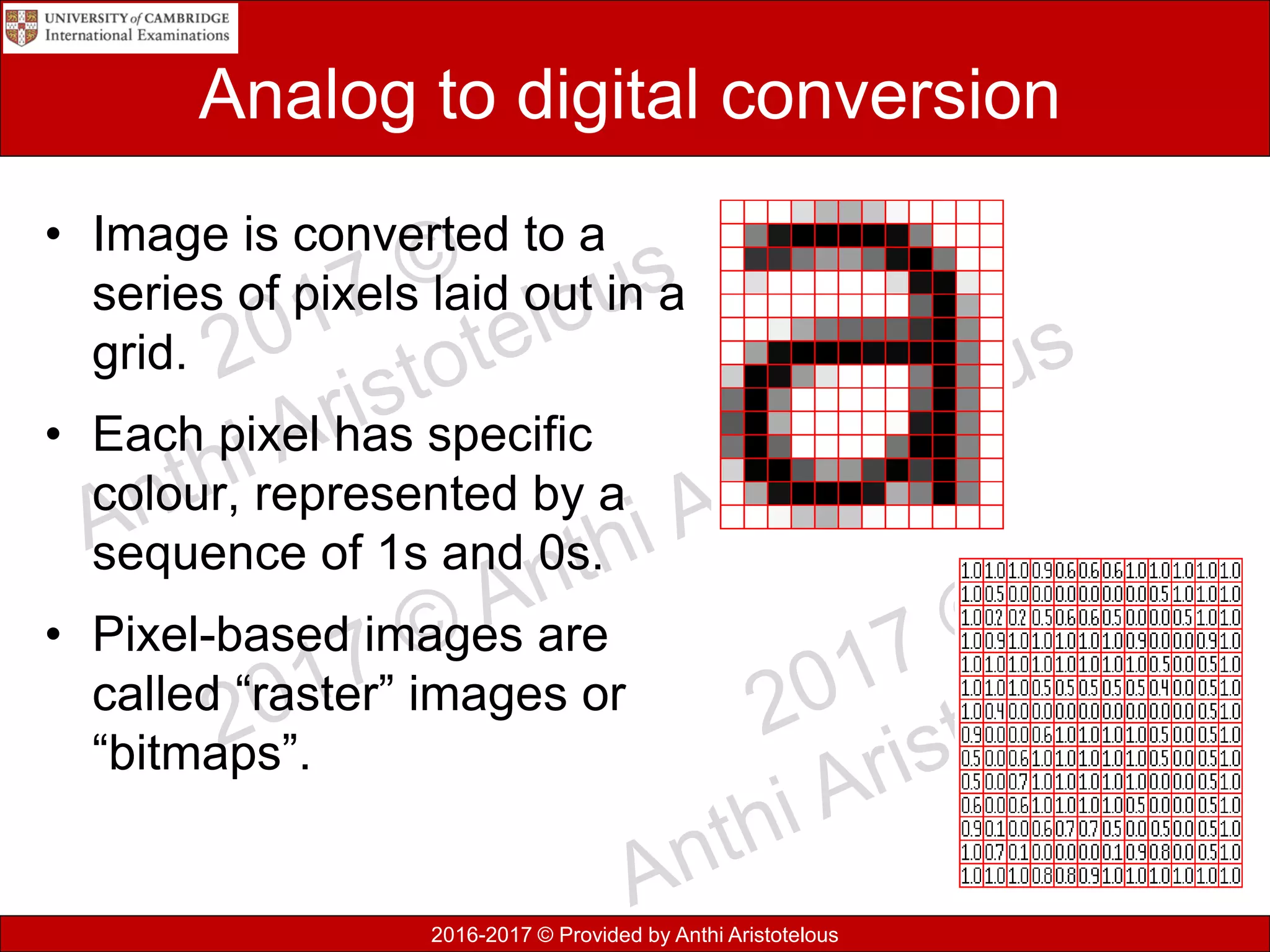
Analog to digital conversion
• Image is converted to a
series of pixels laid out in a
grid.
• Each pixel has specific
colour, represented by a
sequence of 1s and 0s.
• Pixel-based images are
called “raster” images or
“bitmaps”.
2016-2017 © Provided by Anthi Aristotelous
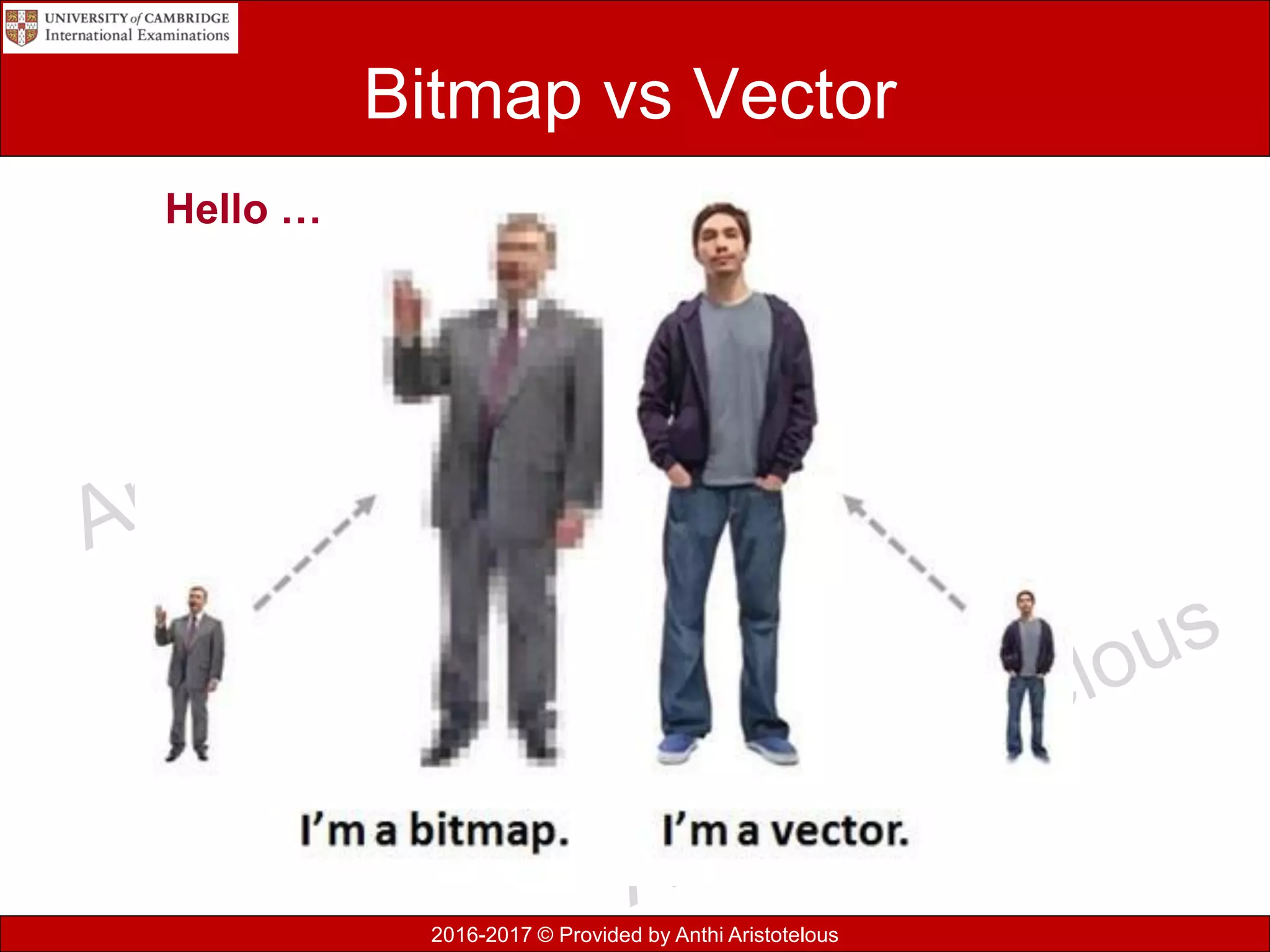
Bitmap vs Vector
Hello …
2016-2017 © Provided by Anthi Aristotelous
Bitmaps
• Bitmap images are widely used on digital cameras, smart
phones and on websites.
• Common file types include JPG (JPEG), GIF and PNG
• Bitmap images are organised as a grid of coloured squares
called pixels (picture element).
• When zooming in or enlarging, the pixels are stretched into
larger blocks, which makes them appear as poor quality.
• Each colour of an image is stored as a binary number. A
binary value is required for each different colour.
2016-2017 © Provided by Anthi Aristotelous
Colour depth
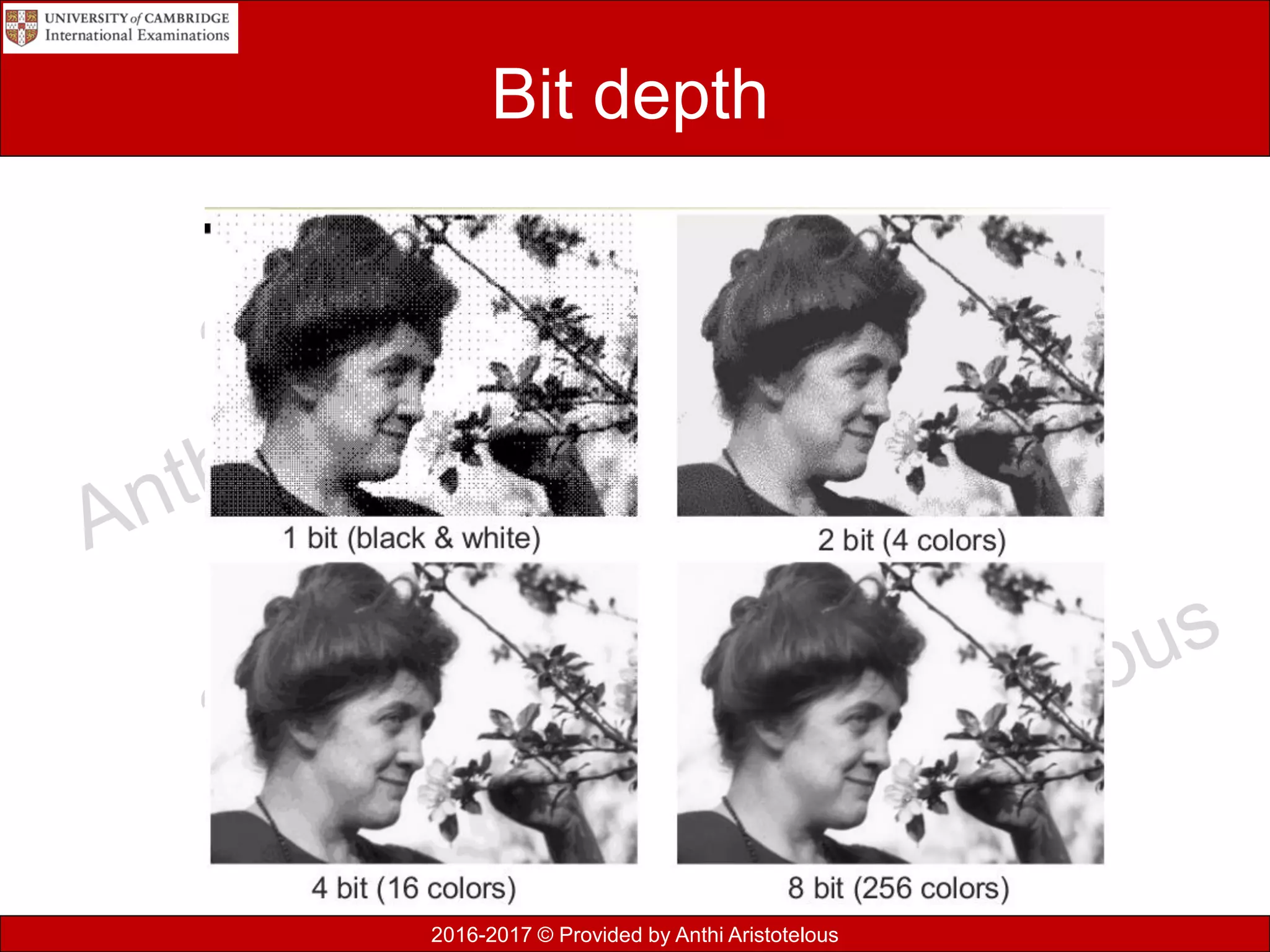
• Bit depth refers to the number of bits (binary digits,
places for zeroes and ones) devoted to storing
colour information about each pixel
• 1 bit (1) = 21 = 2 shades (black & white)
• 2 bit (01) = 22 = 4 shades
• 4 bit (0010) = 24 = 16 shades
• 8 bit (11010001) = 28 = 256 shades
2016-2017 © Provided by Anthi Aristotelous
Bit depth
2016-2017 © Provided by Anthi Aristotelous
Colour depth
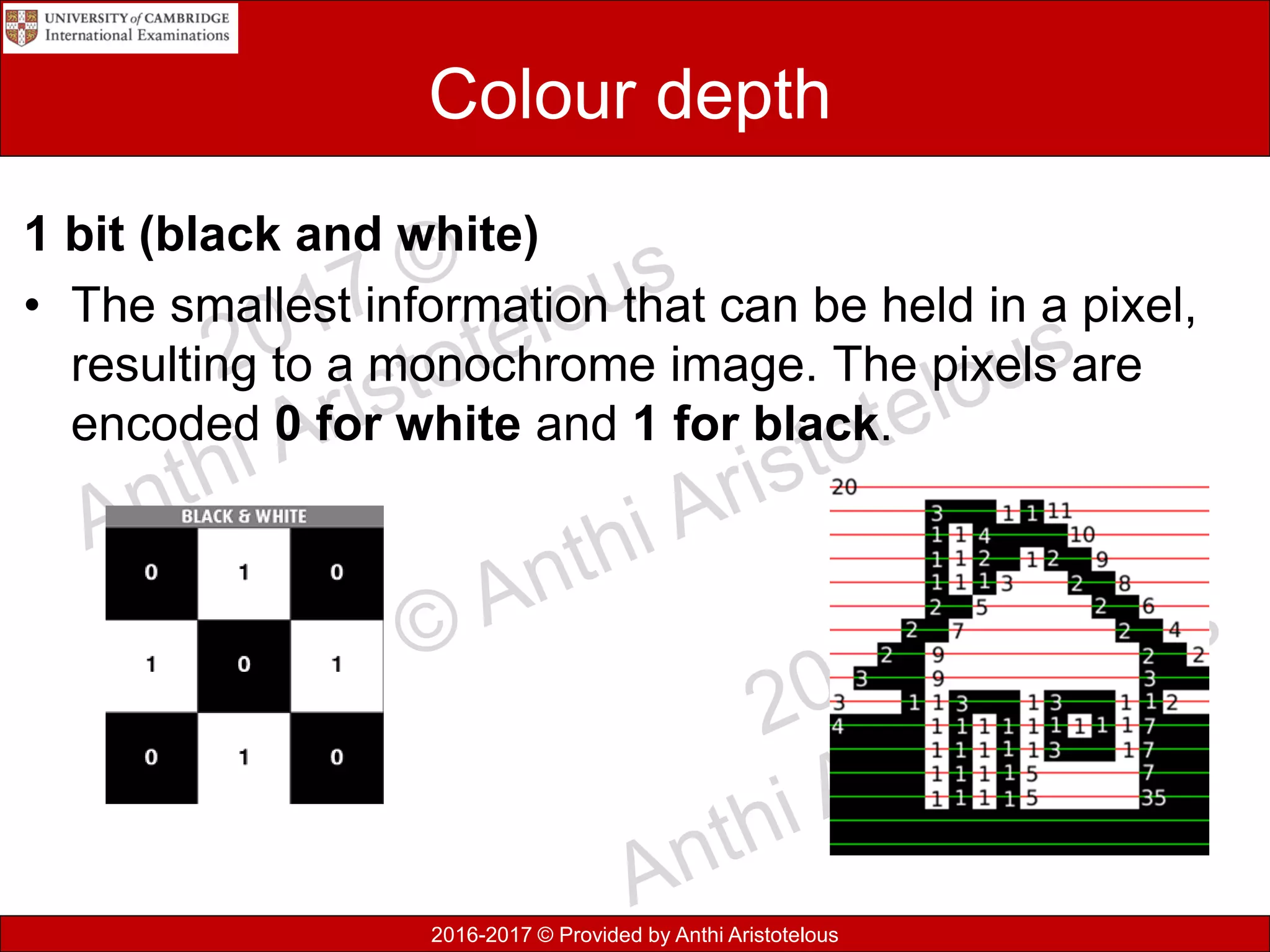
1 bit (black and white)
• The smallest information that can be held in a pixel,
resulting to a monochrome image. The pixels are
encoded 0 for white and 1 for black.
2016-2017 © Provided by Anthi Aristotelous
Colour depth
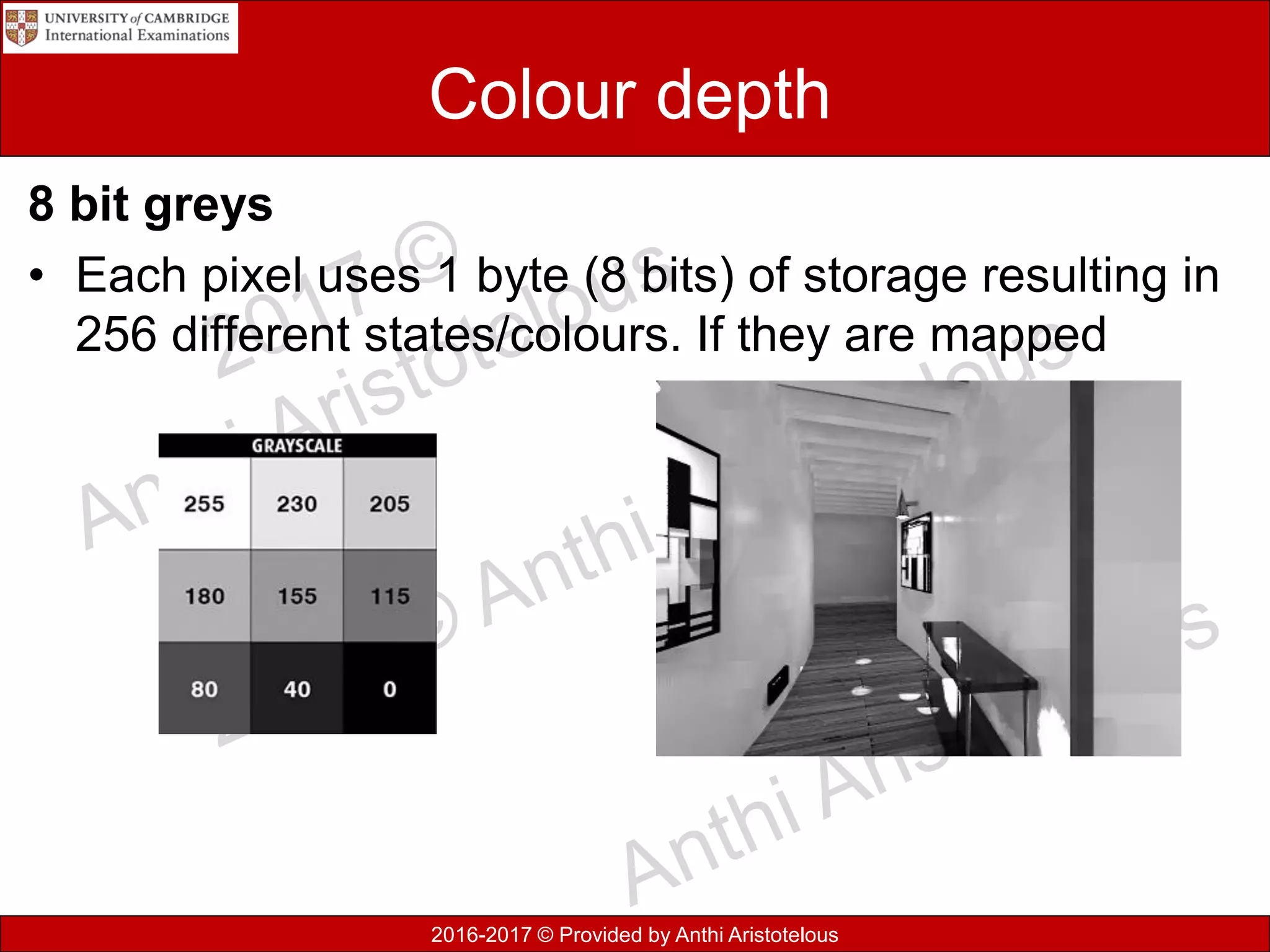
8 bit greys
• Each pixel uses 1 byte (8 bits) of storage resulting in
256 different states/colours. If they are mapped
2016-2017 © Provided by Anthi Aristotelous
Colour
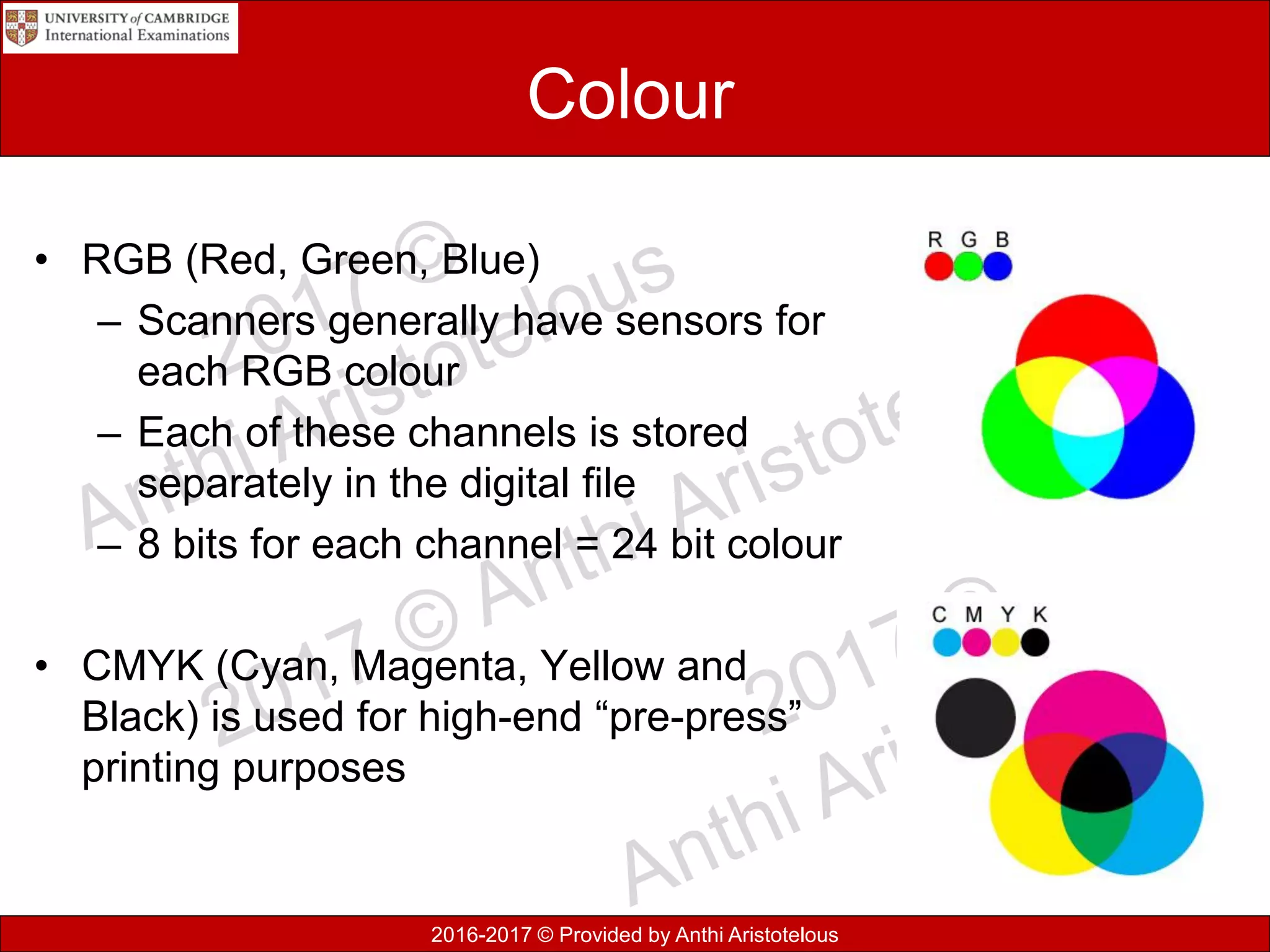
• RGB (Red, Green, Blue)
– Scanners generally have sensors for
each RGB colour
– Each of these channels is stored
separately in the digital file
– 8 bits for each channel = 24 bit colour
• CMYK (Cyan, Magenta, Yellow and
Black) is used for high-end “pre-press”
printing purposes
2016-2017 © Provided by Anthi Aristotelous
Bitmap encoding
• A digital image is composed of pixels arranged in a rectangles
array with certain height and width.
• A bitmap is characterised by the width and height of image in
pixels, the number of bits per pixel, which determined the number
of shades of grey or colours represented.
• A monochrome screen will read just one bit of memory to
represent each pixel; if the bit is 1 – pixel is on and if 0 – pixel is
off.
• On a colour screen each pixel may correspond to one byte in
memory giving possible 256 colours for each pixel.
• Two bytes per pixel give possible 64k different colours.
• A 24-bit bitmap will use one byte for red, blue and green 16
colours – each pixel four bit
• Vector graphics are also known as Raster graphics
2016-2017 © Provided by Anthi Aristotelous
Bitmap image terminology
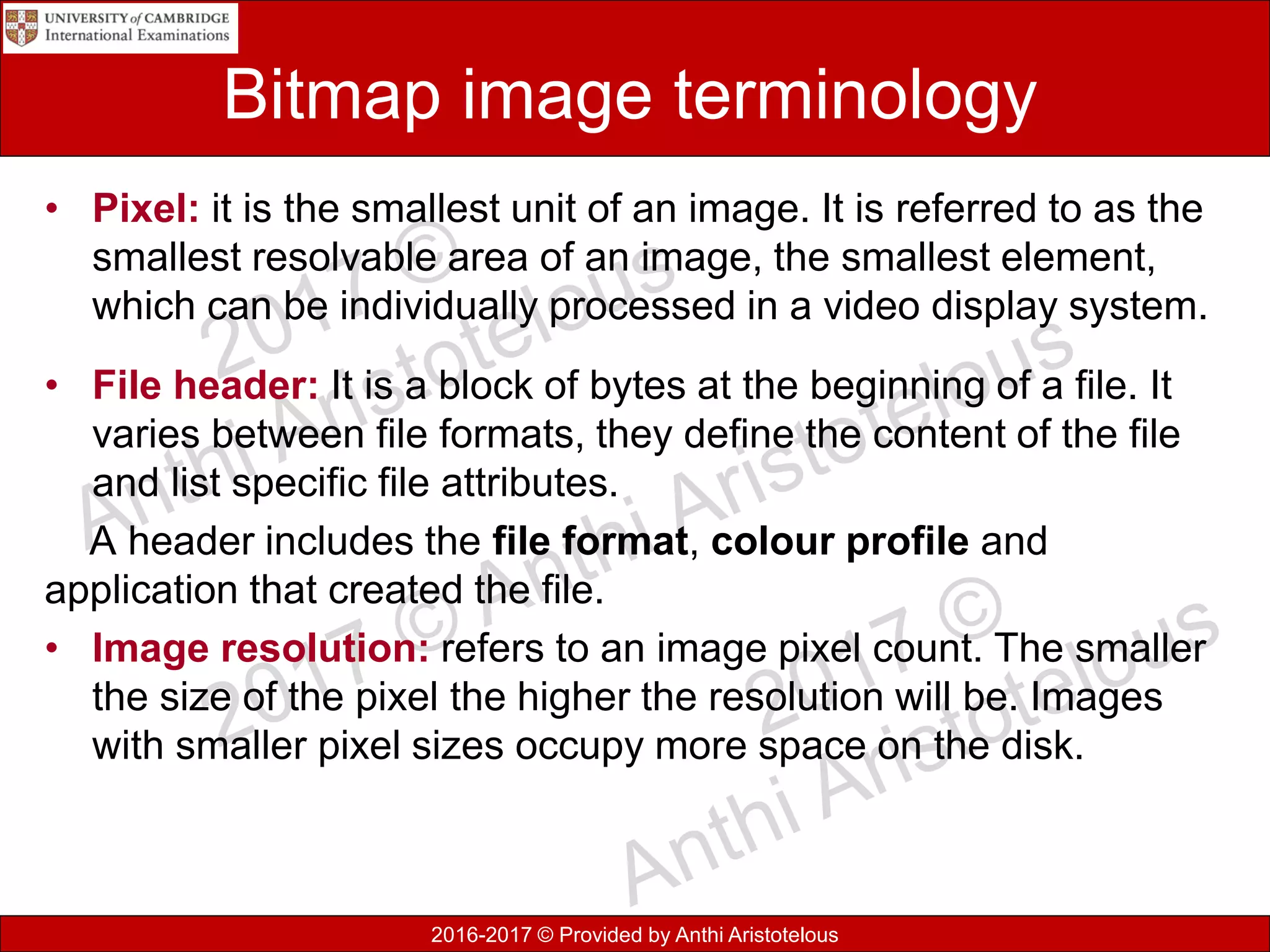
• Pixel: it is the smallest unit of an image. It is referred to as the
smallest resolvable area of an image, the smallest element,
which can be individually processed in a video display system.
• File header: It is a block of bytes at the beginning of a file. It
varies between file formats, they define the content of the file
and list specific file attributes.
A header includes the file format, colour profile and
application that created the file.
• Image resolution: refers to an image pixel count. The smaller
the size of the pixel the higher the resolution will be. Images
with smaller pixel sizes occupy more space on the disk.
2016-2017 © Provided by Anthi Aristotelous
Vector graphics
• Vector graphics store a set of instruction for drawing
geometric sets, like co-ordinate points, shapes, colour, etc.
Characteristics of Vector graphics:
• Can be resized by any amount without losing quality
• It’s resolution in-depended
• It takes up less storage space than bitmap
• Requires more processing power to repeatedly redraw the
image.
2016-2017 © Provided by Anthi Aristotelous
Encryption
• Encryption is the technique of applying a mathematical
function, using a key value, to message that can be read by
the sender and the intended receiver.
• The aim of encryption is not to prevent unauthorised access,
but to make it impossible for them to unscramble the
message.
2016-2017 © Provided by Anthi Aristotelous
Encryption methods
• Different methods of encryption are:
– symmetric
– asymmetric
– public key
– private key
50
2016-2017 © Provided by Anthi Aristotelous
Encryption terms
• Plain text describes the original unaltered text as
created by the sender
• Encryption algorithm is the calculation which is
used to change the plain text into the encrypted text.
• Cipher text is the message after the encryption has
been performed.
• Decryption is the process of converting the
message text back to the original plain text.
51
2016-2017 © Provided by Anthi Aristotelous
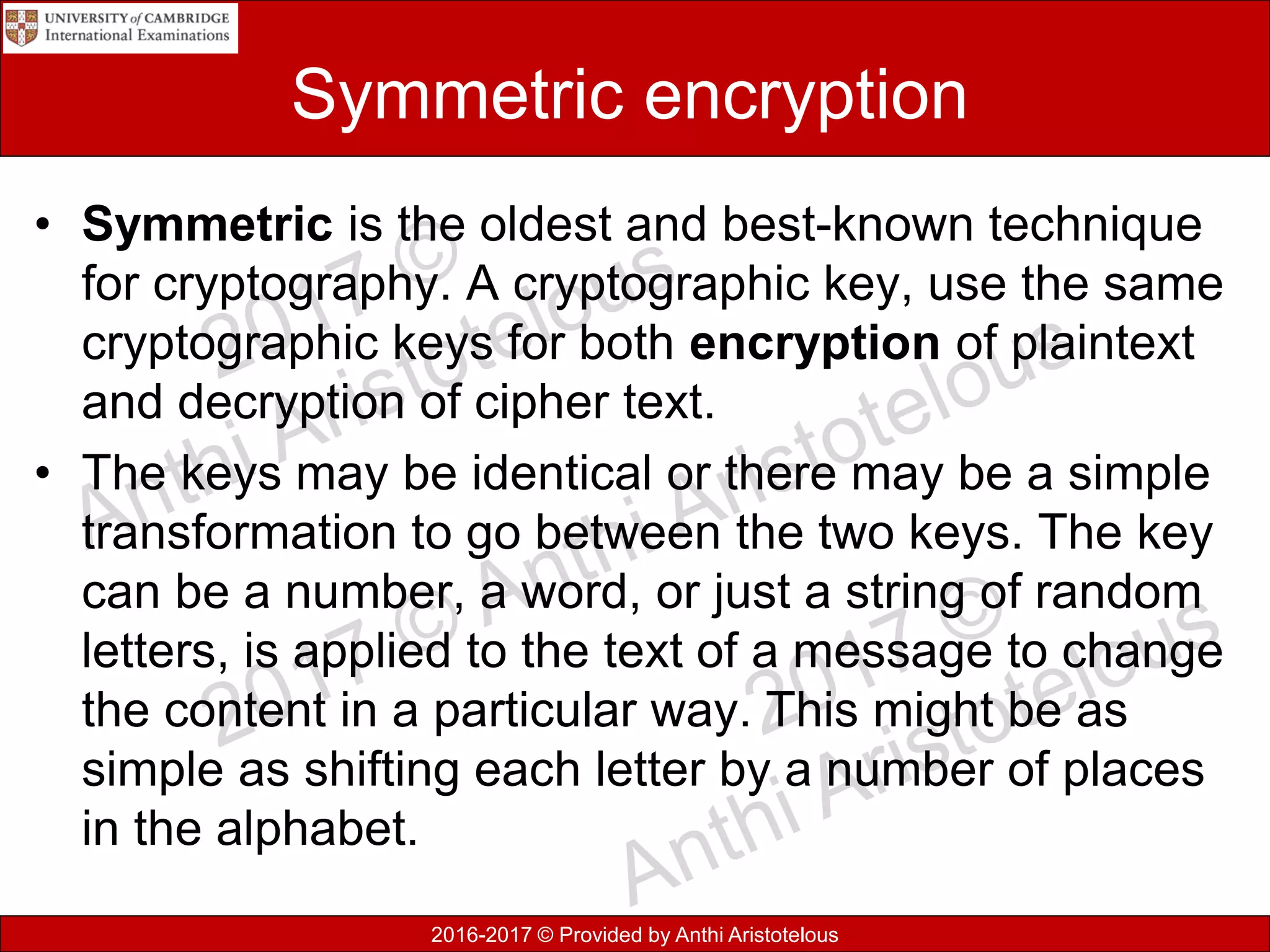
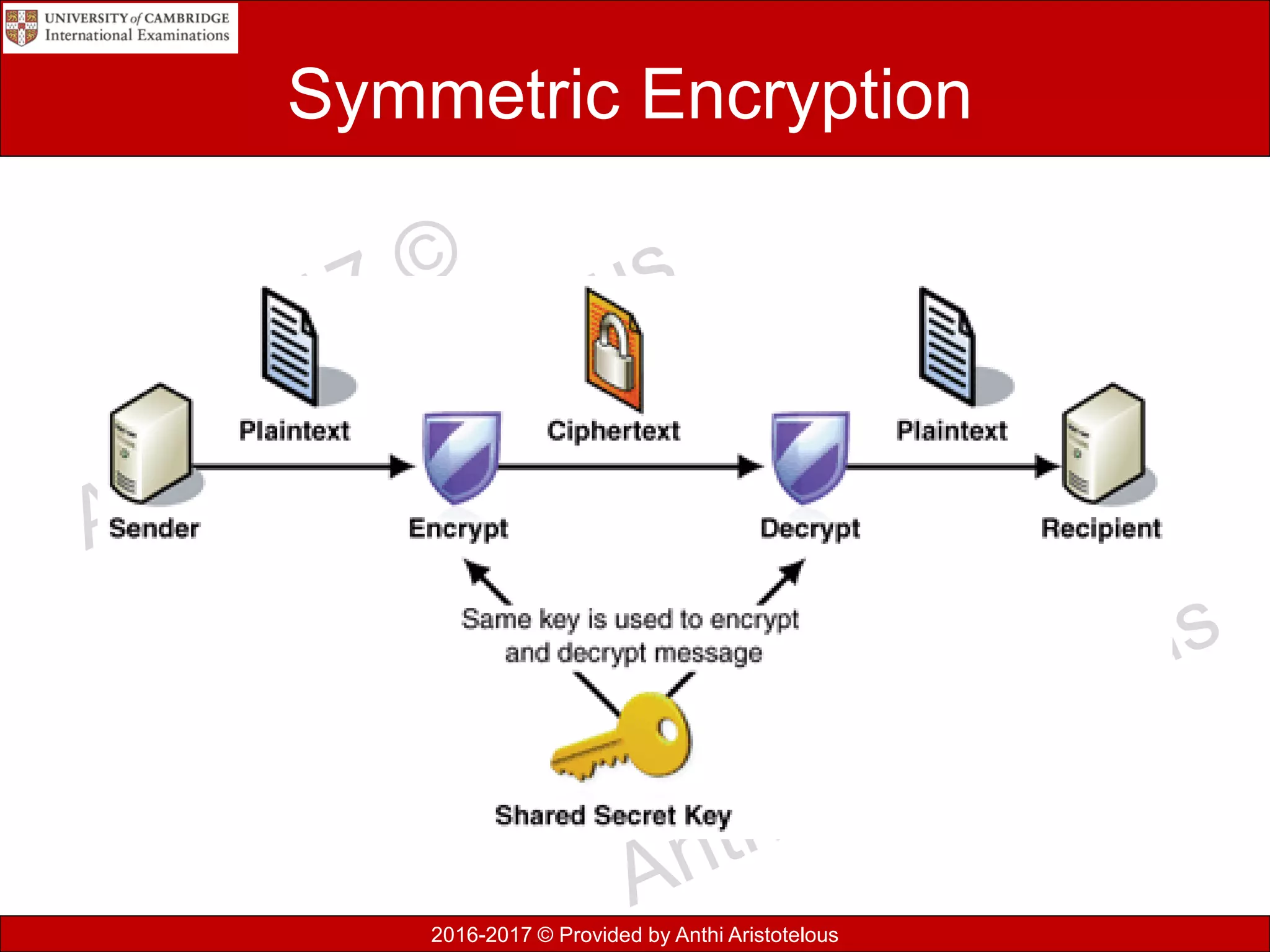
Symmetric encryption
• Symmetric is the oldest and best-known technique
for cryptography. A cryptographic key, use the same
cryptographic keys for both encryption of plaintext
and decryption of cipher text.
• The keys may be identical or there may be a simple
transformation to go between the two keys. The key
can be a number, a word, or just a string of random
letters, is applied to the text of a message to change
the content in a particular way. This might be as
simple as shifting each letter by a number of places
in the alphabet.
2016-2017 © Provided by Anthi Aristotelous
Symmetric Encryption
2016-2017 © Provided by Anthi Aristotelous
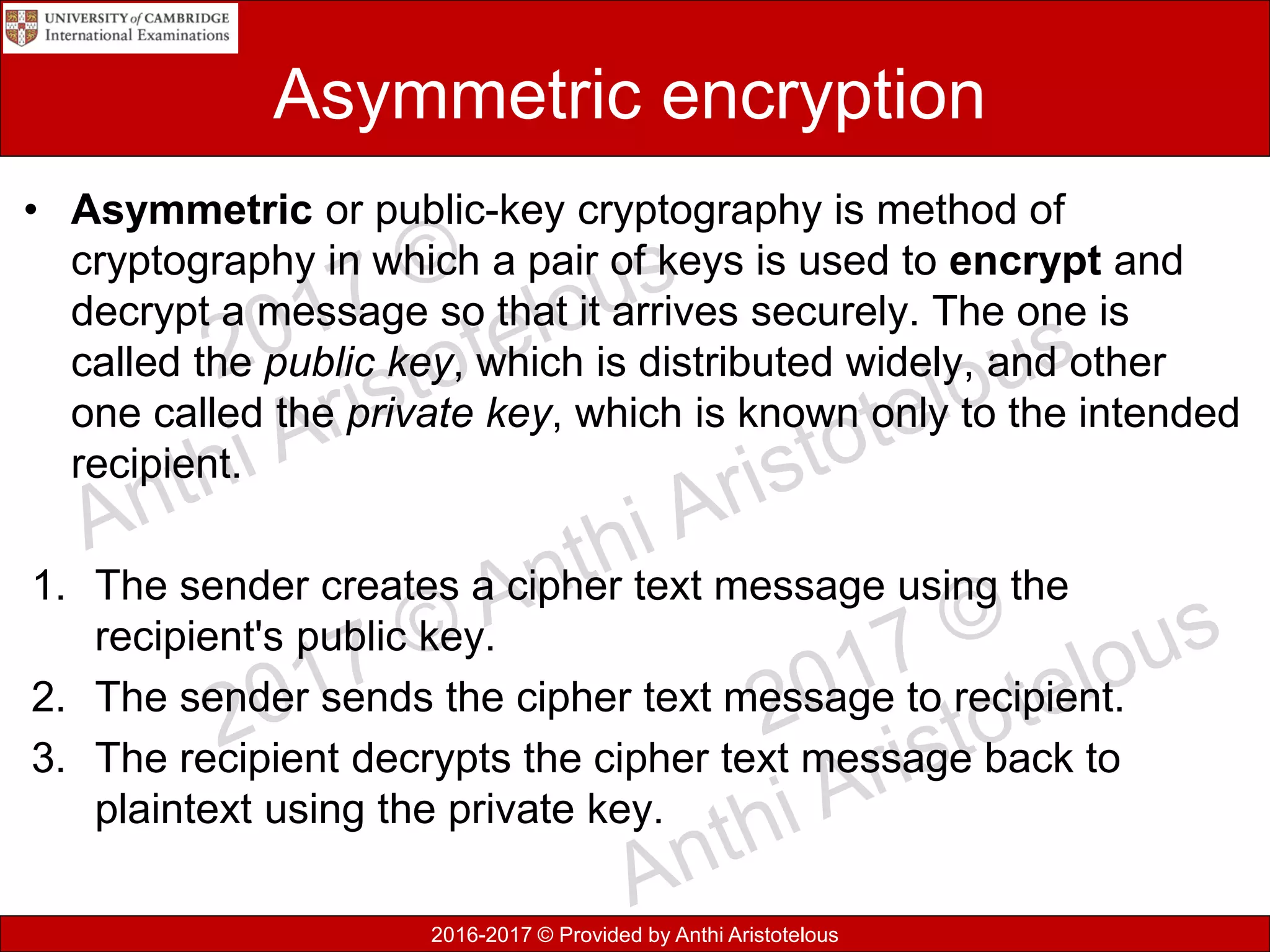
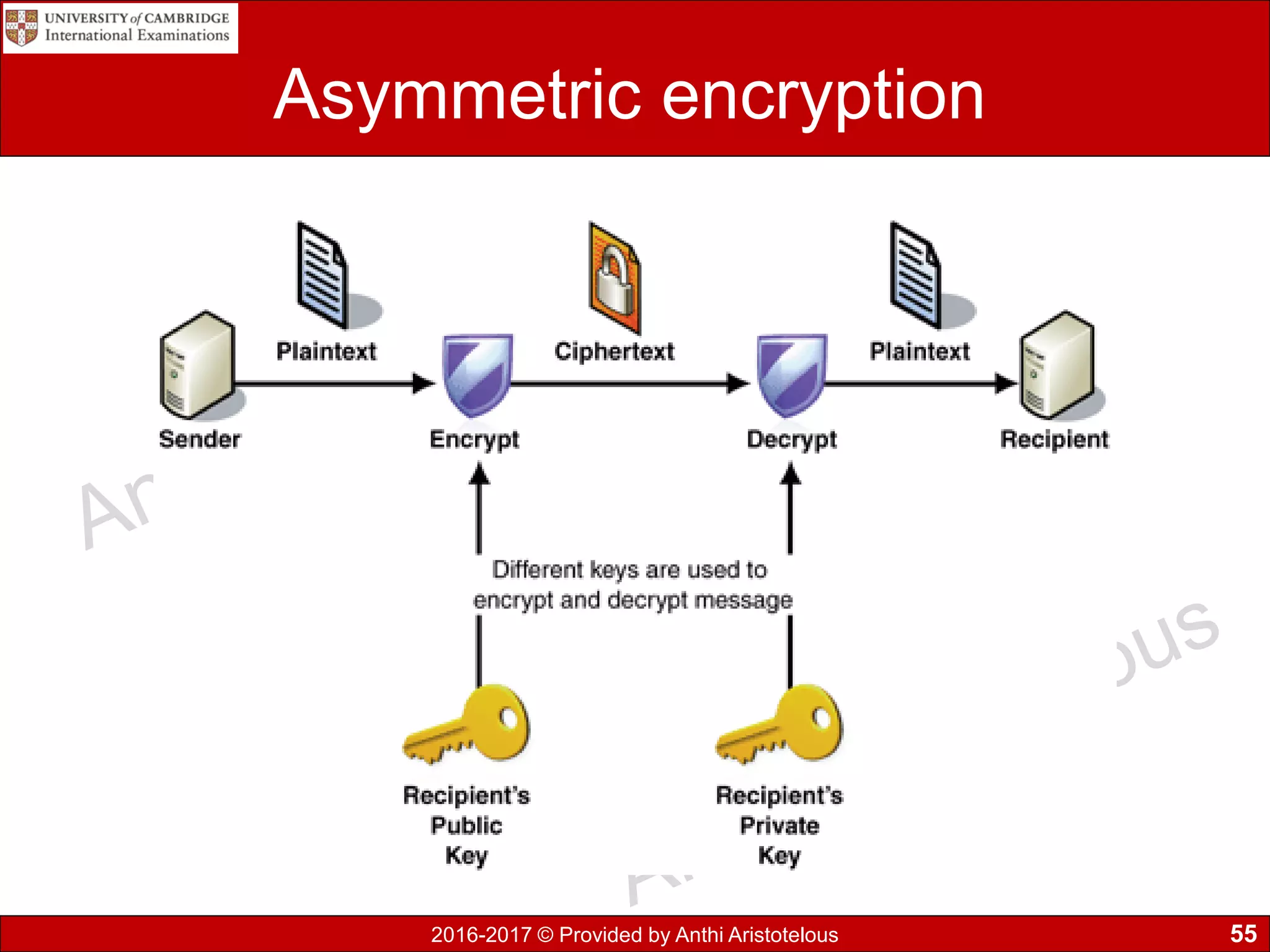
Asymmetric encryption
• Asymmetric or public-key cryptography is method of
cryptography in which a pair of keys is used to encrypt and
decrypt a message so that it arrives securely. The one is
called the public key, which is distributed widely, and other
one called the private key, which is known only to the intended
recipient.
1. The sender creates a cipher text message using the
recipient's public key.
2. The sender sends the cipher text message to recipient.
3. The recipient decrypts the cipher text message back to
plaintext using the private key.
2016-2017 © Provided by Anthi Aristotelous
Asymmetric encryption
55
2016-2017 © Provided by Anthi Aristotelous
Need for encryption
• Allows to protect data as on a hard disk, email or
HTTPS websites.
• Protects important and sensitive information from
being accessed by unauthorised people.
• Keeps communication private across the Internet.
• HTTPS is the solution for e-commerce businesses
providing a trusted infrastructure based on
encryption technology. The S stands for security
while purchasing goods or services online.
56
2016-2017 © Provided by Anthi Aristotelous
Encryption protocols
• Secure Socket Layer (SSL) is a standard
security technology for establishing an encrypted
link between the web server and browser, to
ensure that data remain private and integral.
• Transport Layer Security (TLS) is a
cryptographic protocol that provides
communication security over a network between
communication applications and their users on the
Internet. TLS is the successor to the SSL.
57
2016-2017 © Provided by Anthi Aristotelous
SSL/TLS in client server communication
58
2016-2017 © Provided by Anthi Aristotelous
SSL/TLS in client server communication
59
2016-2017 © Provided by Anthi Aristotelous
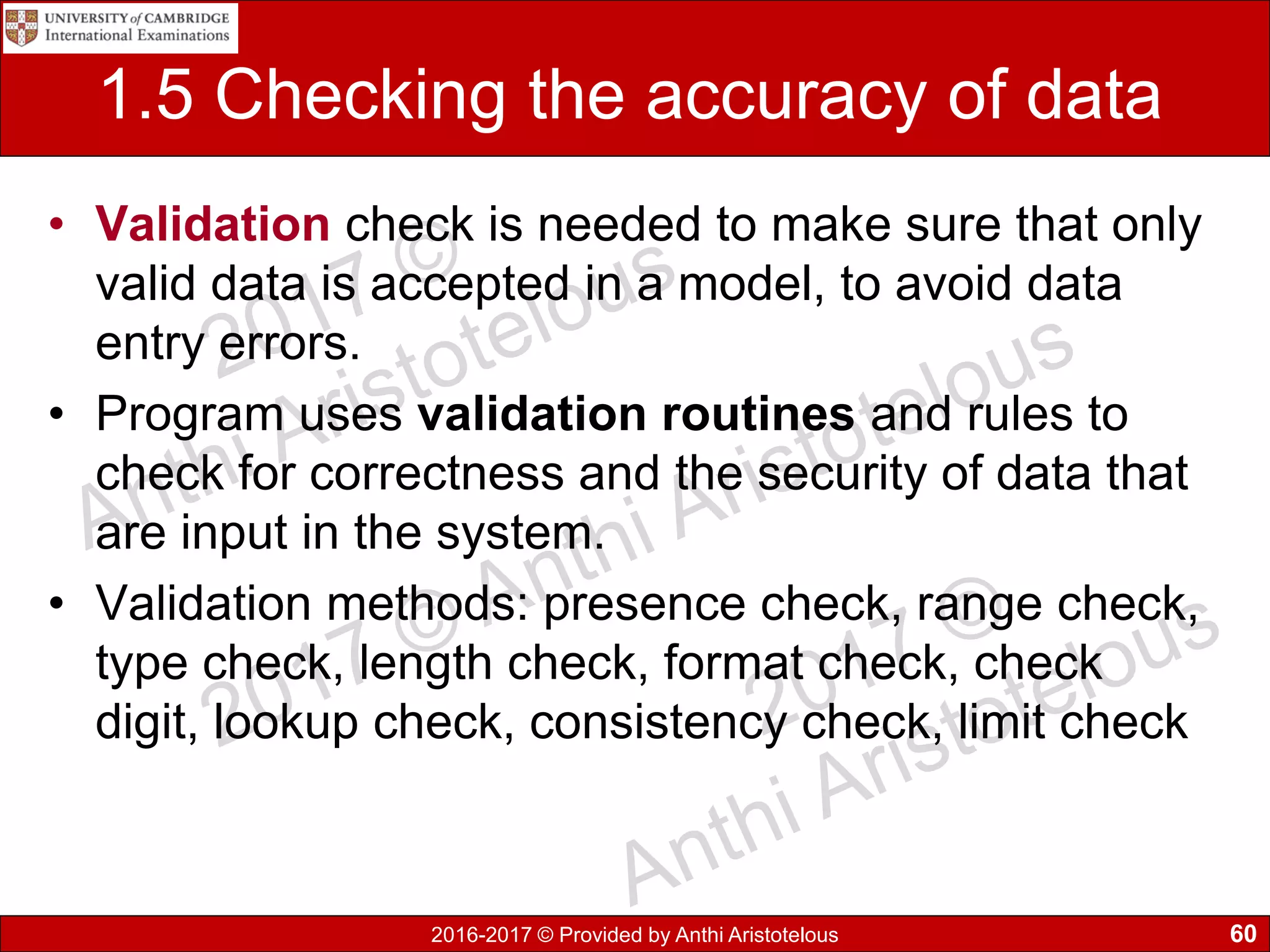
1.5 Checking the accuracy of data
• Validation check is needed to make sure that only
valid data is accepted in a model, to avoid data
entry errors.
• Program uses validation routines and rules to
check for correctness and the security of data that
are input in the system.
• Validation methods: presence check, range check,
type check, length check, format check, check
digit, lookup check, consistency check, limit check
60
2016-2017 © Provided by Anthi Aristotelous
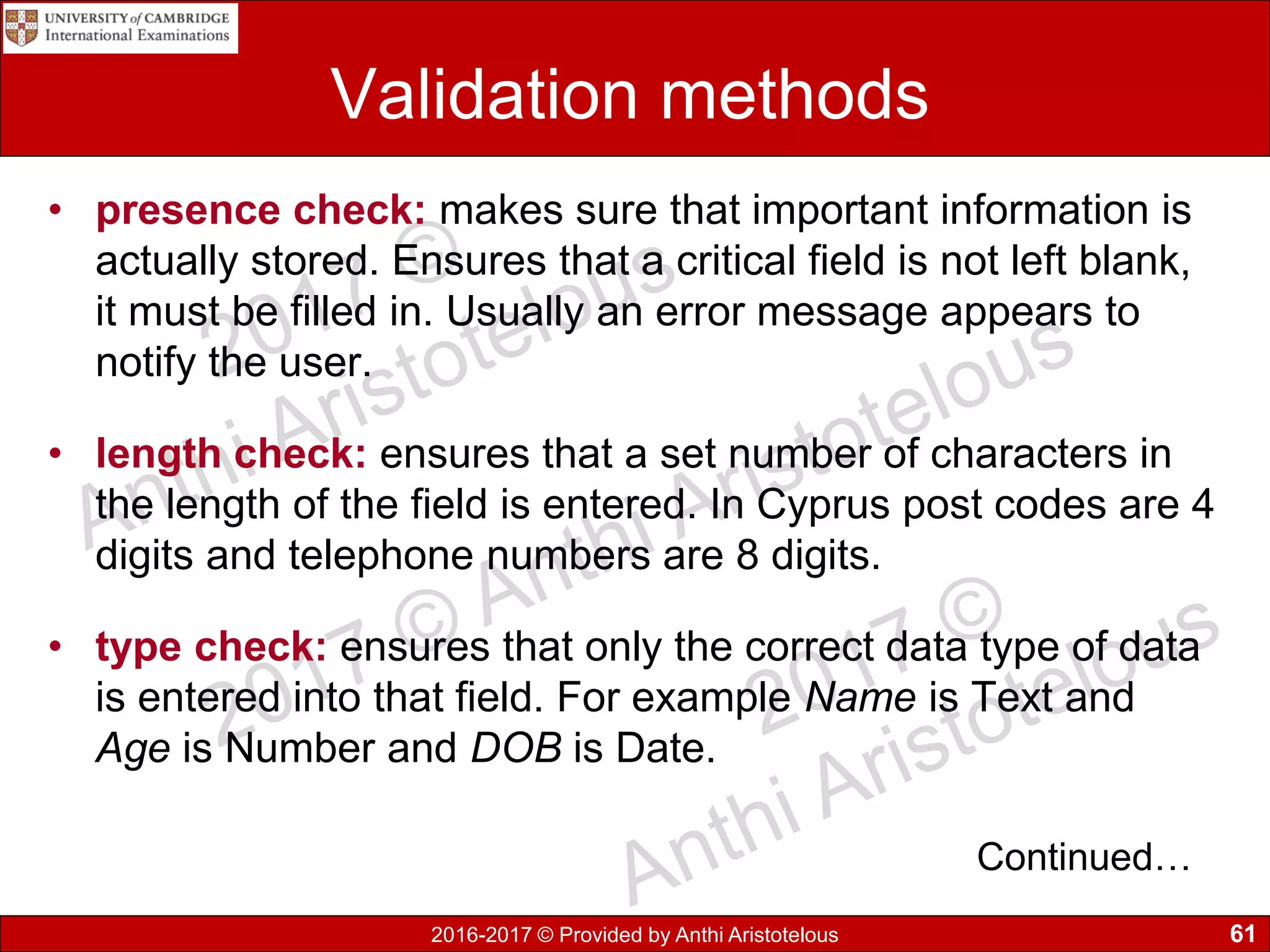
Validation methods
• presence check: makes sure that important information is
actually stored. Ensures that a critical field is not left blank,
it must be filled in. Usually an error message appears to
notify the user.
• length check: ensures that a set number of characters in
the length of the field is entered. In Cyprus post codes are 4
digits and telephone numbers are 8 digits.
• type check: ensures that only the correct data type of data
is entered into that field. For example Name is Text and
Age is Number and DOB is Date.
61
Continued…
2016-2017 © Provided by Anthi Aristotelous
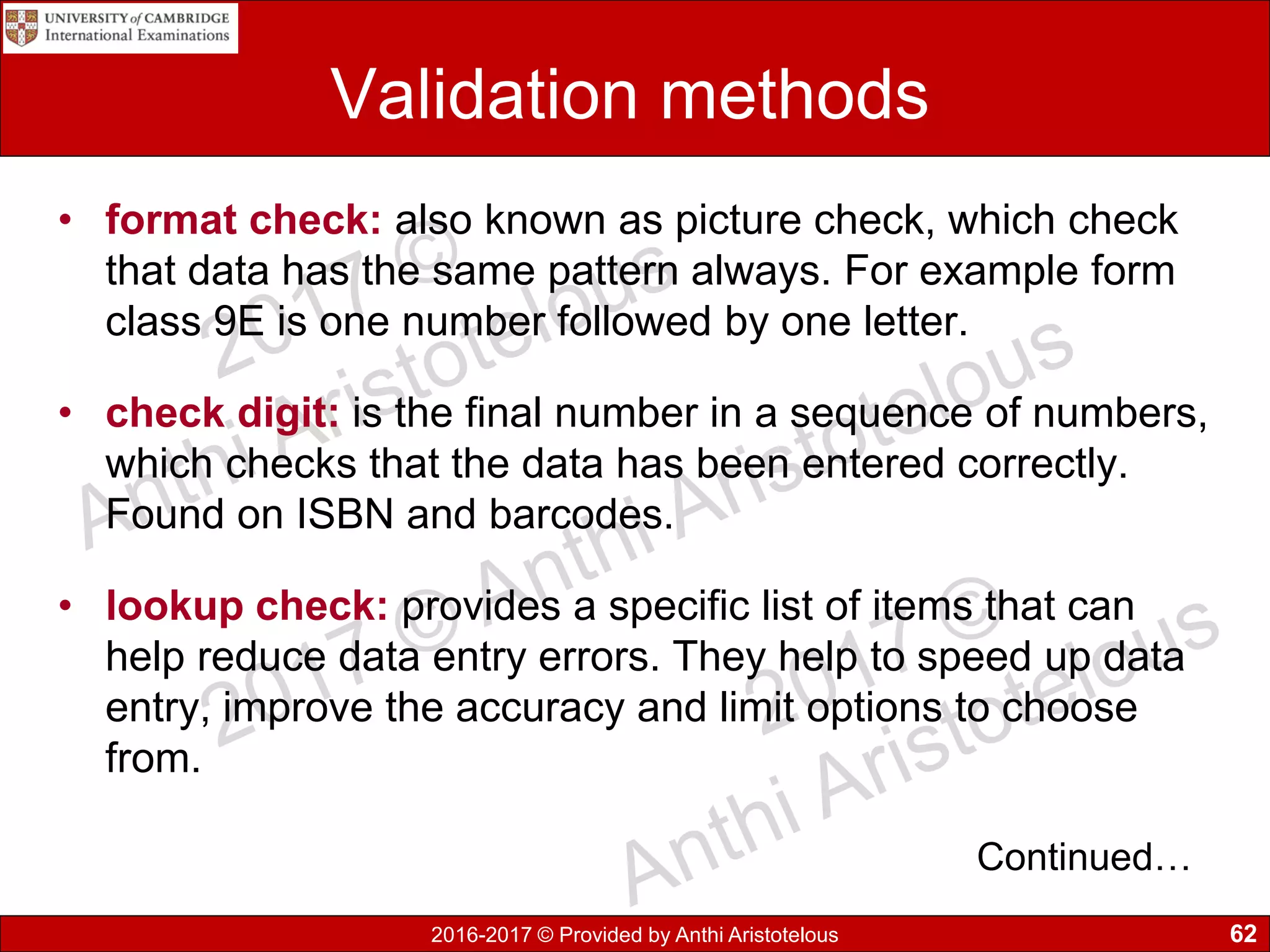
Validation methods
• format check: also known as picture check, which check
that data has the same pattern always. For example form
class 9E is one number followed by one letter.
• check digit: is the final number in a sequence of numbers,
which checks that the data has been entered correctly.
Found on ISBN and barcodes.
• lookup check: provides a specific list of items that can
help reduce data entry errors. They help to speed up data
entry, improve the accuracy and limit options to choose
from.
62
Continued…
2016-2017 © Provided by Anthi Aristotelous
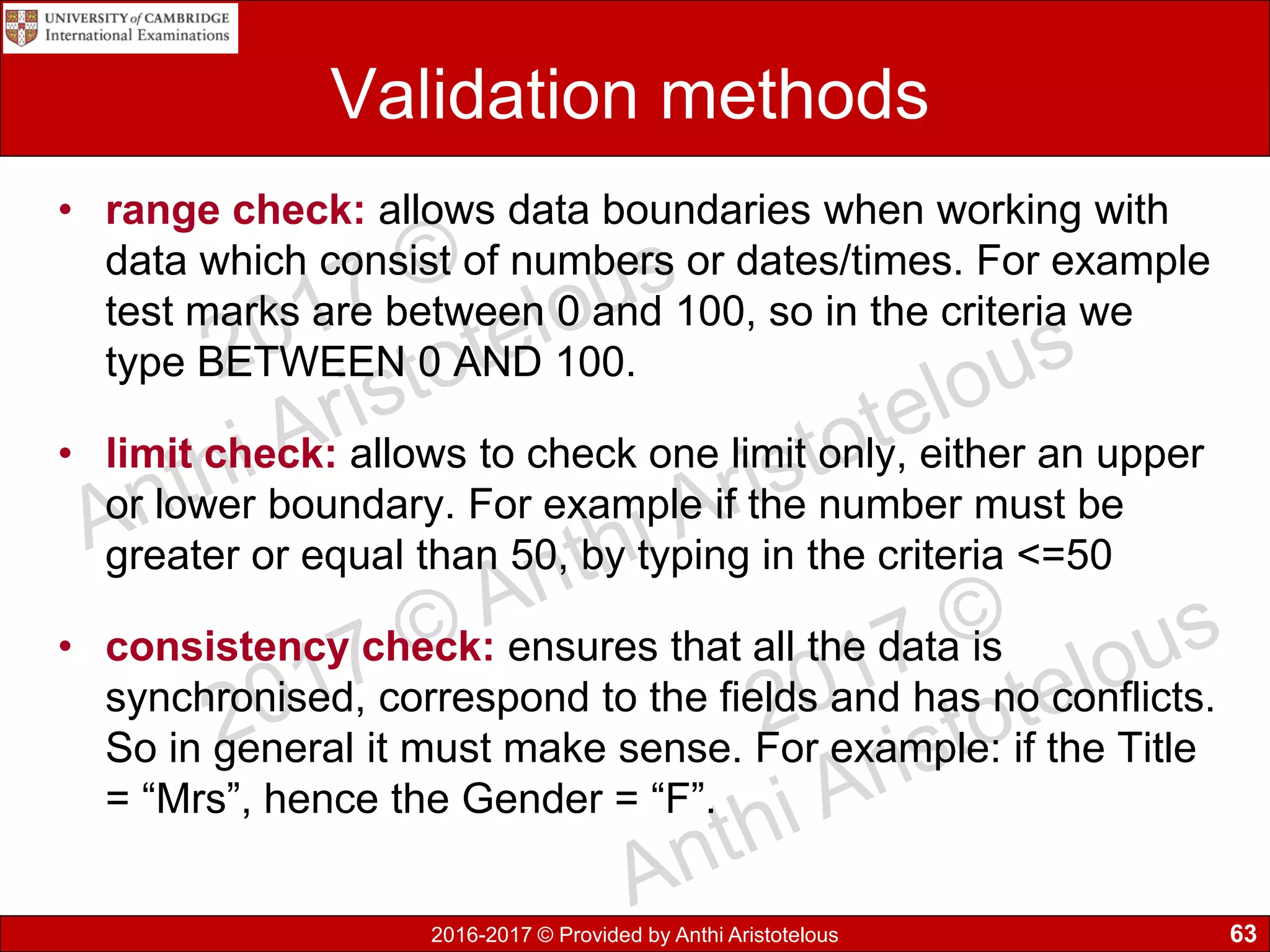
Validation methods
• range check: allows data boundaries when working with
data which consist of numbers or dates/times. For example
test marks are between 0 and 100, so in the criteria we
type BETWEEN 0 AND 100.
• limit check: allows to check one limit only, either an upper
or lower boundary. For example if the number must be
greater or equal than 50, by typing in the criteria <=50
• consistency check: ensures that all the data is
synchronised, correspond to the fields and has no conflicts.
So in general it must make sense. For example: if the Title
= “Mrs”, hence the Gender = “F”.
63
2016-2017 © Provided by Anthi Aristotelous
Verification
• Verification ensures that data is checked for accuracy and
inconsistencies when transferred from one source (data
capture form) to another in a system. In other words the data
must match the original.
• Verification methods/techniques:
– visual checking: is a visual comparison of data entered
with source document and user manually makes
necessary changes
– double data entry: system compares two input for
discrepancies. So data is typed in twice by typist (or by
two operators) and computer compares, if the two
versions differ and then changes must be made by the
typist
64
2016-2017 © Provided by Anthi Aristotelous
Need for validation and verification
• Validation can only check data is entered correctly
in the system by meeting specific rules.
• It cannot prevent data that has no sense, for
example if we type in Name = Aristotelous. This
will pass the validation checks, despite the fact it’s
not a name but a surname.
• Verification checks will allow the user to check and
hopefully spot such mistakes and correct them.
65
2016-2017 © Provided by Anthi Aristotelous
Proof reading
• Proof reading means checking for spelling, grammar
and general readability issues of an electronic
publication.
• It is essential to proofread professional documents,
letters, articles to find error before they are published.
• Companies can employ people specially to proof read
over the work and make alterations.
66

9626 GCE AS Information Technology Chapter 1

  • 1.
    The International Schoolof Paphos (CY020) 2016-2017 © Provided by Anthi Aristotelous 1 Chapter 1 Data, information, knowledge and processing Page 1-22
  • 2.
    2016-2017 © Providedby Anthi Aristotelous 2 Introduction • We are part of the information age, especially with the development of the Internet. • Through history there is a strong belief by many philosophers that knowledge is power – meaning understanding information. • The related concepts are shown below in hierarchical order. data information knowledge
  • 3.
    2016-2017 © Providedby Anthi Aristotelous Data • Data usually refers to raw data or unprocessed data which consists of simple facts or figures – bits of information that have not been processed, so their meaningless. • Examples: • 35 • KYW889 • 25.3 • anthi 3
  • 4.
    2016-2017 © Providedby Anthi Aristotelous Information • Information provides context for data, which have been processed, interpreted, organised, structured or presented to make them meaningful or useful to the person who receives it. • Examples: • Age = 35 • VIN = KYW889 • Test Score = 25.3 • Name: anthi 4
  • 5.
    2016-2017 © Providedby Anthi Aristotelous Knowledge • Knowledge is what we know – it’s the combination of information, experience and insight that may benefit the individual or the organisation that have been acquired through proper study. • Knowledge is not information and information is not data. • Knowledge is derived from information in the same way information is derived from data 5
  • 6.
    2016-2017 © Providedby Anthi Aristotelous Data and Information Information = Data + Context + Meaning 6
  • 7.
    2016-2017 © Providedby Anthi Aristotelous Knowledge • Knowledge is the capability of understanding the relationship between pieces of information and what to actually do with the information. 7 Consider this scenario: Person puts a finger into very hot water. • Data gathered: Finger nerves sends pain data to the brain. • Processing: Brain considers the data and comes up with... • Information: Painful finger means it is not in a good place. • Action: Brain tells finger to remove itself from hot water. • Knowledge: Sticking finger in hot water is a bad idea. • Knowledge is having an understanding of the "rules".
  • 8.
    2016-2017 © Providedby Anthi Aristotelous 1.1 Key terms you must learn • What is data? • Define information and show how it becomes information. • Define knowledge. • What is the relation between knowledge and information? 8
  • 9.
    2016-2017 © Providedby Anthi Aristotelous 1.2 Sources of data • Static data structure is a collection of data in memory that is fixed size. It is important to know in advance the maximum size, as memory cannot be reallocated at a later stage. Example of static data are arrays. • Dynamic data structure is a collection of data in memory that has the flexibility to grow or shrink in size, allowing the programmer to control exactly how much memory is utilized. 9
  • 10.
    2016-2017 © Providedby Anthi Aristotelous Static information sources • The word static means that there is no or little change in the information and once it has been processed is it unlikely to change or update for a significant amount of time. • Examples include: • DVD encyclopaedias • printed newspapers • Magazines • Column headings for league tables • Instructions on a data entry screen 10
  • 11.
    2016-2017 © Providedby Anthi Aristotelous Static information sources Advantages • Information does not change on a regular basis • More likely checked better for accuracy and reliability • Can be viewed offline (without Internet access) • Can keep extra copy for a later use, not over- written Disadvantages • Information can be out-of-date (not regularly updated) • Might take long time to produce (check, publish, distribute) • Information might be expensive to purchase or rent • Difficult to alter if there is a mistake • Store only limited of information • CD or DVD can be lost or scratched 11
  • 12.
    2016-2017 © Providedby Anthi Aristotelous Dynamic information sources • The word dynamic means that there is a continuous change, activity or process during processing. Examples: • Weather information website (updated on regular basis). • Live sport scores on website • News feeds on mobile phone app (stock prices constantly change) • Live transportation arrival/departure times (planes, trains) • Product prices at POS (increased/reduced prices) • Real-time navigation systems communicate through satellite and inform the driver of their current position. 12
  • 13.
    2016-2017 © Providedby Anthi Aristotelous Dynamic information sources • BBC.com is an news company which has an updatable website and modifies it’s content as news happen around the world wide. Not all content on their website is dynamic, some pages on the site will remain static, as no modifications are required for a long time. • Flightradar24 is a live air traffic monitoring website, that allows users to view ALL flights around the world at real- time. 13
  • 14.
    2016-2017 © Providedby Anthi Aristotelous Dynamic information sources Advantages • Update information very quickly as original data changes • Updates as soon as source data changes • Allows many people to access the information at the same time • Easy to find similar information or cross- reference with the use of a search engine Disadvantages • Must pay for Internet or network connection • Can have mistakes, since information are updated fast • May require an electronic device with access on the Internet • Invalid, contradicting or bias information from different sites • Excessive amount of information might be difficult to look through all sources 14
  • 15.
    2016-2017 © Providedby Anthi Aristotelous Methods of collecting direct data Finding out exactly what data is required using one or more of the following methods: 1. Observation: look at how the data is gathered during an activity and analyse the results 2. Interviews: collect more data from a group of people as feedback is in greater depth 3. Questionnaires: allow data to be collected from individuals on hard copy or completing online forms. 4. Data logging: use of sensors to collect data and process by the computer 15
  • 16.
    2016-2017 © Providedby Anthi Aristotelous Direct and indirect data source • Data obtained directly from the original source (primary source) used for the same purpose it is collected for which it was collected. It is also known as original source data. • Indirect sources (secondary source) means data has been collected for a another/particular purpose. It is often collected by a another person or organisation where the data is been collected and used for a different intention. 16 “Should we directly get the data ourselves? Or should we just trust others and use what they have collected! Do we know when the data was collected and analysed.”
  • 17.
    2016-2017 © Providedby Anthi Aristotelous Direct and indirect data source - Example • Example an online store collects customer details about their purchases. The store can keep statistics on product sales made and re-stocking, this is known as direct data. • This company can sale or pass on customer details, such as email addresses to another company with your consent. The data obtained by the third party company is known as indirect data. 17
  • 18.
    2016-2017 © Providedby Anthi Aristotelous Gathering data from direct data sources Advantages • Can collect exactly what is required avoiding extra set of data • More reliable, as we know it is a trusted source • Data can be collected and presented in the required format • Not bias as specific questions may be asked • More up-to-date data as it was recently collected • May sell data to others Disadvantages • Very expensive and time consuming in gathering original data. • Expensive as other companies may have to be hired to collect data for us. • May need to buy equipment (data loggers, computers) • Impossible to gather data due to the time of year • The sample size may be to small to use for statistical purposes. 18
  • 19.
    2016-2017 © Providedby Anthi Aristotelous Gathering data from indirect data sources Advantages • Collected data may be purchased from a specialist company immediately • Takes less time to study data • Larger sample size used • Relatively low cost • Higher quality of information Disadvantages • Original data might have been collected for a different purpose (must filter/sort unnecessary data) • Don’t know the original source of data might not be reliable • No available data as it has never been recorded • Sampling bias, data might have been collected locally whereas might have required a more nation wide scale 19
  • 20.
    2016-2017 © Providedby Anthi Aristotelous 1.2 Key terms you must learn • Define static data and give an example. • Define dynamic data and give an example. • Compare the use of static information sources with dynamic information sources. • Define direct and indirect data source. • Advantages and disadvantages of gathering data from direct and indirect data sources. 20
  • 21.
    2016-2017 © Providedby Anthi Aristotelous 1.3 Quality of information • Working with processed data in the information age; it is very important to access good quality of information. • Many businesses use information to make decisions on their work and it’s to their best benefit to operate successfully based on high quality information. • Quality of information must be fit for purpose. Must be adequate to do the job as intended, means that the information was of good quality. 21
  • 22.
    2016-2017 © Providedby Anthi Aristotelous 1.3.1 Accuracy of information • The accuracy of information strongly relies on the data. If for example the collected data is inaccurate then the produced information will also be inaccurate. 22 Examples of inaccurate source Preventions Questions in questionnaires or interviews may be unclear or badly phrased, hence responders misunderstanding them Proof-read and review questionnaires or interview scripts to help questions elicit the type of response Open-end questions produce answers which cannot be quantified Prefer the use of closed questions to limit the range and better the responses Continued…
  • 23.
    2016-2017 © Providedby Anthi Aristotelous Accuracy of information 23 Examples of inaccurate source Preventions Multiple-choice type questions may not provide all options to cover the range of possible answers Refine question to limit or expand the number of responses so they are sufficient Small sample size of the population is used, which does not provide a realistic representation Increase the sample size and collect data from different groups Human error can occur when people are collecting data Data collectors must be focused and methodical Typist can make error while entering the data into the system Use both validation and verification techniques to check data, where it is possible Collecting data automatically, with the use of sensors or other electronic instruments, which depends on technology The computer/microprocessor needs to be set up properly and calibrated to accurately interpret the readings
  • 24.
    2016-2017 © Providedby Anthi Aristotelous 1.3.2 Relevance of information • Relevant information: Information that meets the needs of the user, in order to help find solutions to the problem or task. • It is important during the first step to select relevant sources, as well as ruling out biased resources. Additionally, you must read thoroughly and select relevant information to find what is exactly required. • Example 1: It might be interesting to find out the weather now in the UK or Russia or China, but it might be un-relevant to you since your located in Cyprus! • Example 2: You have asked a real estate agent to find out prices of houses in Cyprus. Do you have the funds? 24
  • 25.
    2016-2017 © Providedby Anthi Aristotelous 1.3.3 Age of information • Its essential that information is always kept up-to- date, so that it is accurate and relevant. During a period of time it has been noticeable that information changes and cannot be used as it will lead to inaccurate results. • Businesses health and wealth depends on data in order to make successful decisions. It could affect their future profits or share price, so they cannot risk basing their planning on inaccurate information. 25
  • 26.
    2016-2017 © Providedby Anthi Aristotelous 1.3.4 Level of detail of information In order for information to be useful in solving a problem, it is required to have the correct level of detail. Having too much detail, can also make it difficult to find and extract specific information required. The same problem can occur if not enough detail is provided leading to an incomplete detail of information and not being able to use it. • Example: Travelling by plane from Paphos to Moscow. – Too much detail: times of departure/arrival, waiting times at each stop; – Not enough detail: not knowing how often the buses leave and at what time your are being expected to arrive 26
  • 27.
    2016-2017 © Providedby Anthi Aristotelous 1.3.5 Completeness of information • In order for information to be useful it needs to be complete (everything must be provided). If part of the information is missing then it will be difficult to solve the problem or complete the task. • Example: You have been invited to a house party and your friend gives you the street details to find it. While driving there you cannot locate the building… You have realised you forgot to ask the house number! 27
  • 28.
    2016-2017 © Providedby Anthi Aristotelous 1.3 Key terms you must learn • How accuracy of information affects quality? • How relevance of information affects quality? • How age of information affects quality? • How level of details affects quality? • How completeness of information affects quality? 28
  • 29.
    2016-2017 © Providedby Anthi Aristotelous 1.4 Coding, encoding and encrypting • People use coding data in their daily life while they are texting or instant messaging. • Codes that you might use are: • u = you • 2 = to • 4 = for • M8 = mate • brb = be right back • lol = laugh out loud • XO = Love & Kisses • ASAP = as soon as possible 29
  • 30.
    2016-2017 © Providedby Anthi Aristotelous Computer Coding • Similarly the data stored on a computer can be coded. • Coding of data usually allows to shorten the original data and assign codes for classification or identification, such as in Gender to use “M” or “F” to represent male and female). • Additionally we can use more intricate codes (such as clothing type, sizes and colour of garment • A form of encoding is converting digital data to analogue 30
  • 31.
    2016-2017 © Providedby Anthi Aristotelous Coding examples • Example1: Extra Large (XL), Large (L), Medium (M) and Small (S) • Example 2: Married (M), Single (S), Divorced (D) • Example 3: Black (B), Blue (BL), Red (R) 31
  • 32.
    2016-2017 © Providedby Anthi Aristotelous Coding of data Advantages • Faster data entry • More accurate data entry • Validation ensures accuracy of data • Saves storage space required • Faster searching of data • Higher security of data, as unauthorised people will not know their meaning Disadvantages • Precision of data can be lost, also known as coarsening • The meaning of data might not be clear (obscured) • Value judgements are difficult to code • Slower or invalid data entry, if people don’t know the codes • Might run out of code combinations 32
  • 33.
    2016-2017 © Providedby Anthi Aristotelous Encoding data • Computers do not recognise text, sound and images. Computers only understand binary digits of 0s and 1s. • Encoding is the process of converting data into a specialised format for different purposes, including: – Program compiling and execution – Data transmission, storage, compression/decompression – Application data processing, such as file conversion • Converting digital data to analogue data is a form of encoding data. • A method used for encoding data is codec, which can be a device or computer program for encoding or decoding a digital data stream or signal for transmission, storage or encryption. Decryption allows playback and editing. 33
  • 34.
    2016-2017 © Providedby Anthi Aristotelous Encoding Characters/Text • What is a computer character set? Is the set of symbols recognised by the computer, that are often equal with the symbols on the keyboard • How a character set is represented in a computer? It is unique for each character. It is represented by a set of bits, which is equal to 1 byte. • So in other words, text is encoded as a numeric value and it is represented as a binary number. • A common encoding system for text is ASCII (American Standard Code for Information Exchange). It consists of 256 codes, from 0 up to 255. 34
  • 35.
    2016-2017 © Providedby Anthi Aristotelous Encoding Characters/Text • ASCII code table (the figure shown beside) demonstrates the decimal value of each character. • For example A is equal to 65 decimal. If we convert this number to binary it is represented as 01000001 • There are more encoding methods such as Extended ASCII, EBCDIC and Unicode, which allow the encoding of far more characters including Greek, Russian or other language characters. 35
  • 36.
    2016-2017 © Providedby Anthi Aristotelous Unicode Greek Is an international encoding standard for use with different languages and scripts, by which each letter, digit, or symbol is assigned a unique numeric value that applies across different platforms and programs. Decode the following: 0393 0395 0399 0391 03A3 0391 03A3 It says: ΓΕΙΑ ΣΑΣ 36
  • 37.
    2016-2017 © Providedby Anthi Aristotelous Encoding Images • Images can either be vector or bitmaps. • The bitmap images are made out of tiny blocks called pixels. The more pixels are on the screen the higher the image resolution, hence the better the quality of the image will be. • Vector images are scalable shapes such as straight lines and curves, using coordinates and geometry to define parts of the image. 37
  • 38.
    2016-2017 © Providedby Anthi Aristotelous Analog to digital conversion • Image is converted to a series of pixels laid out in a grid. • Each pixel has specific colour, represented by a sequence of 1s and 0s. • Pixel-based images are called “raster” images or “bitmaps”.
  • 39.
    2016-2017 © Providedby Anthi Aristotelous Bitmap vs Vector Hello …
  • 40.
    2016-2017 © Providedby Anthi Aristotelous Bitmaps • Bitmap images are widely used on digital cameras, smart phones and on websites. • Common file types include JPG (JPEG), GIF and PNG • Bitmap images are organised as a grid of coloured squares called pixels (picture element). • When zooming in or enlarging, the pixels are stretched into larger blocks, which makes them appear as poor quality. • Each colour of an image is stored as a binary number. A binary value is required for each different colour.
  • 41.
    2016-2017 © Providedby Anthi Aristotelous Colour depth • Bit depth refers to the number of bits (binary digits, places for zeroes and ones) devoted to storing colour information about each pixel • 1 bit (1) = 21 = 2 shades (black & white) • 2 bit (01) = 22 = 4 shades • 4 bit (0010) = 24 = 16 shades • 8 bit (11010001) = 28 = 256 shades
  • 42.
    2016-2017 © Providedby Anthi Aristotelous Bit depth
  • 43.
    2016-2017 © Providedby Anthi Aristotelous Colour depth 1 bit (black and white) • The smallest information that can be held in a pixel, resulting to a monochrome image. The pixels are encoded 0 for white and 1 for black.
  • 44.
    2016-2017 © Providedby Anthi Aristotelous Colour depth 8 bit greys • Each pixel uses 1 byte (8 bits) of storage resulting in 256 different states/colours. If they are mapped
  • 45.
    2016-2017 © Providedby Anthi Aristotelous Colour • RGB (Red, Green, Blue) – Scanners generally have sensors for each RGB colour – Each of these channels is stored separately in the digital file – 8 bits for each channel = 24 bit colour • CMYK (Cyan, Magenta, Yellow and Black) is used for high-end “pre-press” printing purposes
  • 46.
    2016-2017 © Providedby Anthi Aristotelous Bitmap encoding • A digital image is composed of pixels arranged in a rectangles array with certain height and width. • A bitmap is characterised by the width and height of image in pixels, the number of bits per pixel, which determined the number of shades of grey or colours represented. • A monochrome screen will read just one bit of memory to represent each pixel; if the bit is 1 – pixel is on and if 0 – pixel is off. • On a colour screen each pixel may correspond to one byte in memory giving possible 256 colours for each pixel. • Two bytes per pixel give possible 64k different colours. • A 24-bit bitmap will use one byte for red, blue and green 16 colours – each pixel four bit • Vector graphics are also known as Raster graphics
  • 47.
    2016-2017 © Providedby Anthi Aristotelous Bitmap image terminology • Pixel: it is the smallest unit of an image. It is referred to as the smallest resolvable area of an image, the smallest element, which can be individually processed in a video display system. • File header: It is a block of bytes at the beginning of a file. It varies between file formats, they define the content of the file and list specific file attributes. A header includes the file format, colour profile and application that created the file. • Image resolution: refers to an image pixel count. The smaller the size of the pixel the higher the resolution will be. Images with smaller pixel sizes occupy more space on the disk.
  • 48.
    2016-2017 © Providedby Anthi Aristotelous Vector graphics • Vector graphics store a set of instruction for drawing geometric sets, like co-ordinate points, shapes, colour, etc. Characteristics of Vector graphics: • Can be resized by any amount without losing quality • It’s resolution in-depended • It takes up less storage space than bitmap • Requires more processing power to repeatedly redraw the image.
  • 49.
    2016-2017 © Providedby Anthi Aristotelous Encryption • Encryption is the technique of applying a mathematical function, using a key value, to message that can be read by the sender and the intended receiver. • The aim of encryption is not to prevent unauthorised access, but to make it impossible for them to unscramble the message.
  • 50.
    2016-2017 © Providedby Anthi Aristotelous Encryption methods • Different methods of encryption are: – symmetric – asymmetric – public key – private key 50
  • 51.
    2016-2017 © Providedby Anthi Aristotelous Encryption terms • Plain text describes the original unaltered text as created by the sender • Encryption algorithm is the calculation which is used to change the plain text into the encrypted text. • Cipher text is the message after the encryption has been performed. • Decryption is the process of converting the message text back to the original plain text. 51
  • 52.
    2016-2017 © Providedby Anthi Aristotelous Symmetric encryption • Symmetric is the oldest and best-known technique for cryptography. A cryptographic key, use the same cryptographic keys for both encryption of plaintext and decryption of cipher text. • The keys may be identical or there may be a simple transformation to go between the two keys. The key can be a number, a word, or just a string of random letters, is applied to the text of a message to change the content in a particular way. This might be as simple as shifting each letter by a number of places in the alphabet.
  • 53.
    2016-2017 © Providedby Anthi Aristotelous Symmetric Encryption
  • 54.
    2016-2017 © Providedby Anthi Aristotelous Asymmetric encryption • Asymmetric or public-key cryptography is method of cryptography in which a pair of keys is used to encrypt and decrypt a message so that it arrives securely. The one is called the public key, which is distributed widely, and other one called the private key, which is known only to the intended recipient. 1. The sender creates a cipher text message using the recipient's public key. 2. The sender sends the cipher text message to recipient. 3. The recipient decrypts the cipher text message back to plaintext using the private key.
  • 55.
    2016-2017 © Providedby Anthi Aristotelous Asymmetric encryption 55
  • 56.
    2016-2017 © Providedby Anthi Aristotelous Need for encryption • Allows to protect data as on a hard disk, email or HTTPS websites. • Protects important and sensitive information from being accessed by unauthorised people. • Keeps communication private across the Internet. • HTTPS is the solution for e-commerce businesses providing a trusted infrastructure based on encryption technology. The S stands for security while purchasing goods or services online. 56
  • 57.
    2016-2017 © Providedby Anthi Aristotelous Encryption protocols • Secure Socket Layer (SSL) is a standard security technology for establishing an encrypted link between the web server and browser, to ensure that data remain private and integral. • Transport Layer Security (TLS) is a cryptographic protocol that provides communication security over a network between communication applications and their users on the Internet. TLS is the successor to the SSL. 57
  • 58.
    2016-2017 © Providedby Anthi Aristotelous SSL/TLS in client server communication 58
  • 59.
    2016-2017 © Providedby Anthi Aristotelous SSL/TLS in client server communication 59
  • 60.
    2016-2017 © Providedby Anthi Aristotelous 1.5 Checking the accuracy of data • Validation check is needed to make sure that only valid data is accepted in a model, to avoid data entry errors. • Program uses validation routines and rules to check for correctness and the security of data that are input in the system. • Validation methods: presence check, range check, type check, length check, format check, check digit, lookup check, consistency check, limit check 60
  • 61.
    2016-2017 © Providedby Anthi Aristotelous Validation methods • presence check: makes sure that important information is actually stored. Ensures that a critical field is not left blank, it must be filled in. Usually an error message appears to notify the user. • length check: ensures that a set number of characters in the length of the field is entered. In Cyprus post codes are 4 digits and telephone numbers are 8 digits. • type check: ensures that only the correct data type of data is entered into that field. For example Name is Text and Age is Number and DOB is Date. 61 Continued…
  • 62.
    2016-2017 © Providedby Anthi Aristotelous Validation methods • format check: also known as picture check, which check that data has the same pattern always. For example form class 9E is one number followed by one letter. • check digit: is the final number in a sequence of numbers, which checks that the data has been entered correctly. Found on ISBN and barcodes. • lookup check: provides a specific list of items that can help reduce data entry errors. They help to speed up data entry, improve the accuracy and limit options to choose from. 62 Continued…
  • 63.
    2016-2017 © Providedby Anthi Aristotelous Validation methods • range check: allows data boundaries when working with data which consist of numbers or dates/times. For example test marks are between 0 and 100, so in the criteria we type BETWEEN 0 AND 100. • limit check: allows to check one limit only, either an upper or lower boundary. For example if the number must be greater or equal than 50, by typing in the criteria <=50 • consistency check: ensures that all the data is synchronised, correspond to the fields and has no conflicts. So in general it must make sense. For example: if the Title = “Mrs”, hence the Gender = “F”. 63
  • 64.
    2016-2017 © Providedby Anthi Aristotelous Verification • Verification ensures that data is checked for accuracy and inconsistencies when transferred from one source (data capture form) to another in a system. In other words the data must match the original. • Verification methods/techniques: – visual checking: is a visual comparison of data entered with source document and user manually makes necessary changes – double data entry: system compares two input for discrepancies. So data is typed in twice by typist (or by two operators) and computer compares, if the two versions differ and then changes must be made by the typist 64
  • 65.
    2016-2017 © Providedby Anthi Aristotelous Need for validation and verification • Validation can only check data is entered correctly in the system by meeting specific rules. • It cannot prevent data that has no sense, for example if we type in Name = Aristotelous. This will pass the validation checks, despite the fact it’s not a name but a surname. • Verification checks will allow the user to check and hopefully spot such mistakes and correct them. 65
  • 66.
    2016-2017 © Providedby Anthi Aristotelous Proof reading • Proof reading means checking for spelling, grammar and general readability issues of an electronic publication. • It is essential to proofread professional documents, letters, articles to find error before they are published. • Companies can employ people specially to proof read over the work and make alterations. 66