Observe closely the proper use and
handling of the mouse.
Demonstrate proper use and
handling of the mouse
Prepared by:
PAUL C. GONZALES
Teacher I
ESCES - Midsayap West
District
 The mouse is a hand-held device
that lets you select and move items
on the screen.
 A mouse pad provides a smooth
surface for moving the mouse and
reduces the amount of dirt that
enters the mouse.
 The mouse allows the user to control the
on-screen cursor. By moving the mouse
around, the user decides where to position
the arrow key on the screen. Clicking the
right mouse button while the arrow is
positioned on an area of interest will
instruct the computer to execute the
corresponding command. Some mouse
devices come equipped with track features,
which allow the user to move the wheel to
scroll up and down pages on websites or in
document files
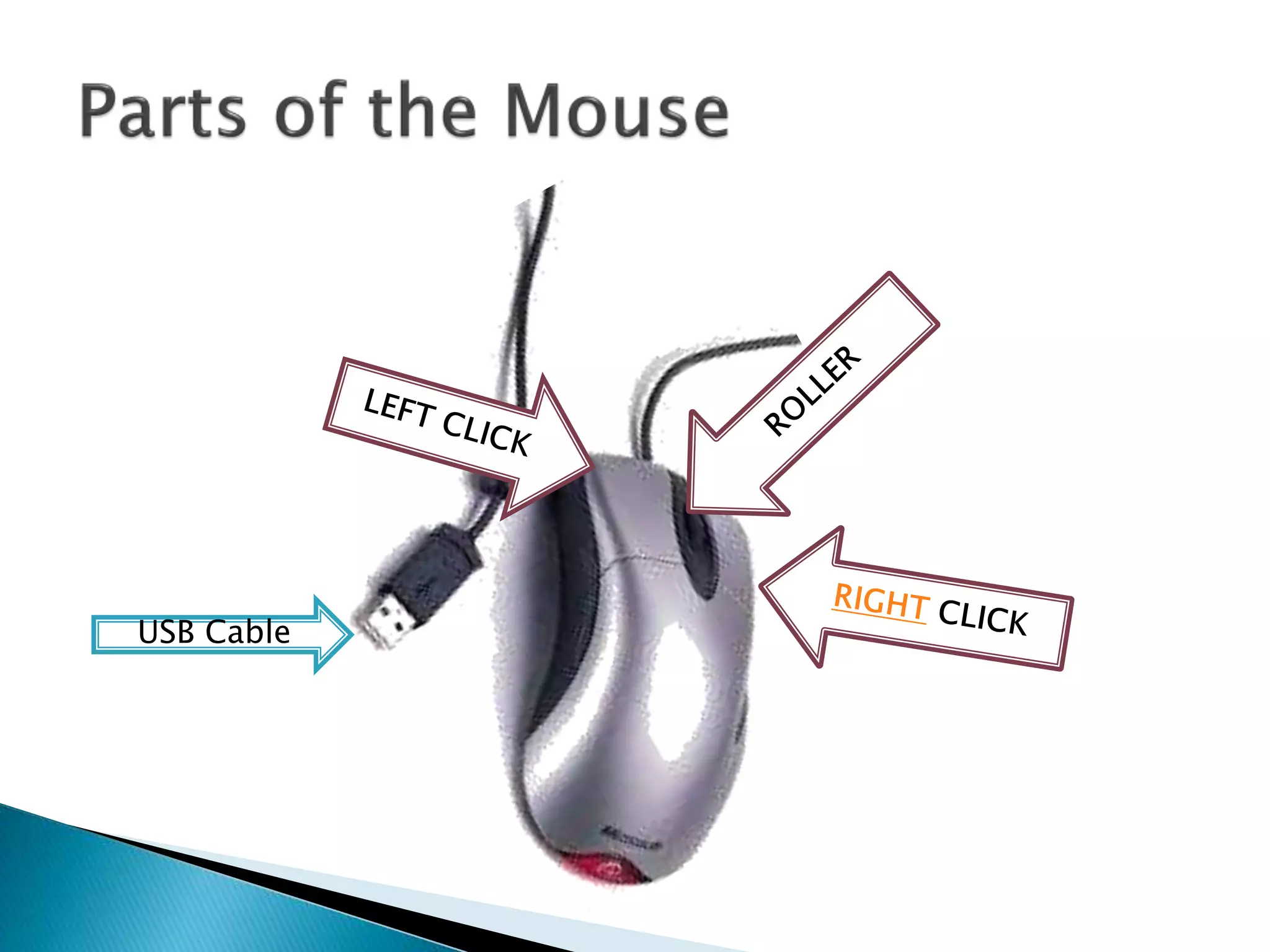
USB Cable
 Allows the user to scroll up and down
in a particular part of a document or a
website.
 It allows the reader to read the lower
part of the page of what he/she is
reading and back to the top again by
simply scrolling the wheel.
back
 Allows the user to point or select an icon or
an item in the desktop.
 It enables the user to highlight the items that
the user wants to select by simply click-
holding then releasing the left click.
 It enable the user to drag and drop any
graphical object on the screen
back
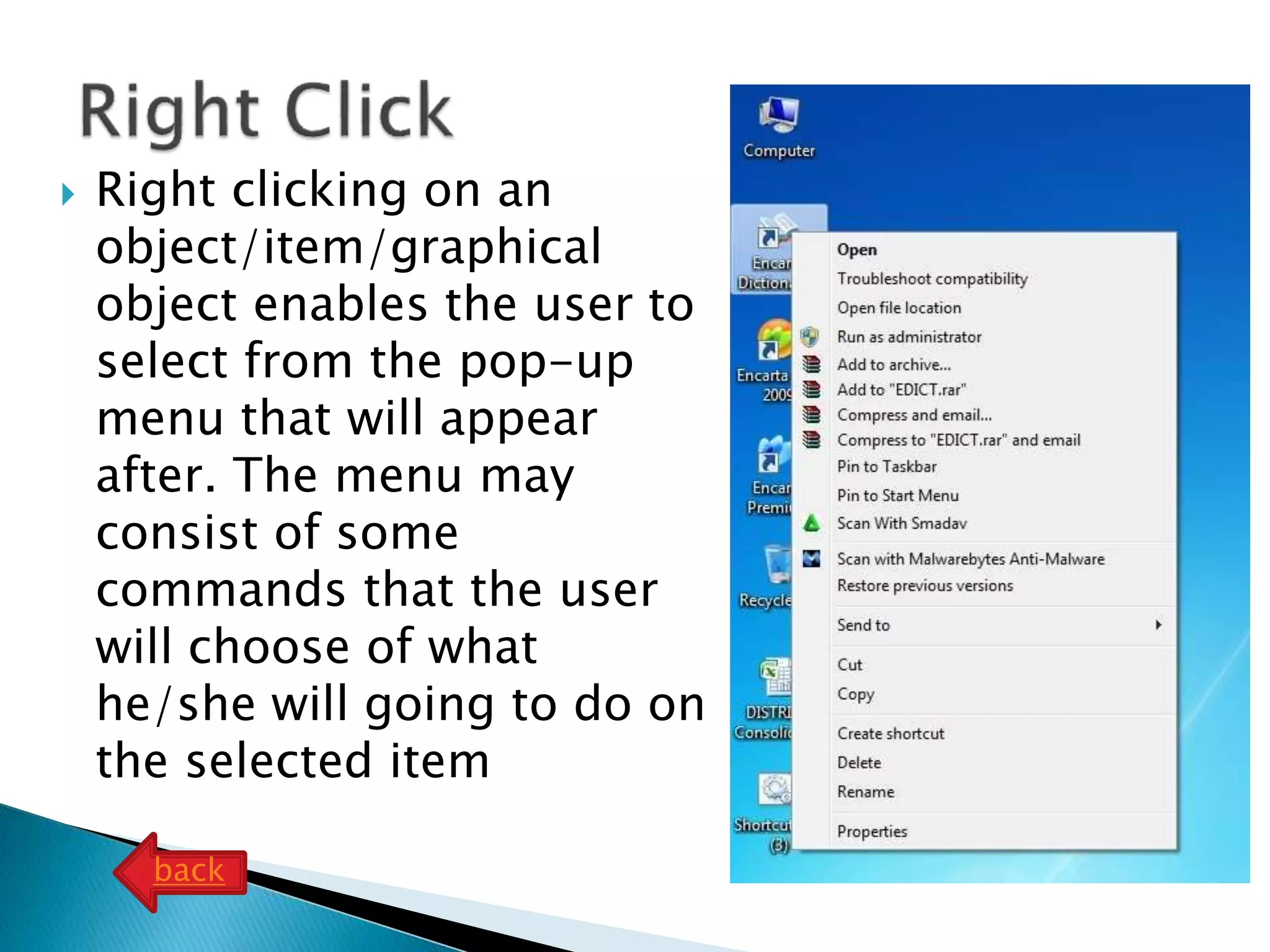
 Right clicking on an
object/item/graphical
object enables the user to
select from the pop-up
menu that will appear
after. The menu may
consist of some
commands that the user
will choose of what
he/she will going to do on
the selected item
back

82 demonstrate proper use and handling of the mouse

  • 1.
    Observe closely theproper use and handling of the mouse. Demonstrate proper use and handling of the mouse Prepared by: PAUL C. GONZALES Teacher I ESCES - Midsayap West District
  • 2.
     The mouseis a hand-held device that lets you select and move items on the screen.  A mouse pad provides a smooth surface for moving the mouse and reduces the amount of dirt that enters the mouse.
  • 3.
     The mouseallows the user to control the on-screen cursor. By moving the mouse around, the user decides where to position the arrow key on the screen. Clicking the right mouse button while the arrow is positioned on an area of interest will instruct the computer to execute the corresponding command. Some mouse devices come equipped with track features, which allow the user to move the wheel to scroll up and down pages on websites or in document files
  • 4.
  • 5.
     Allows theuser to scroll up and down in a particular part of a document or a website.  It allows the reader to read the lower part of the page of what he/she is reading and back to the top again by simply scrolling the wheel. back
  • 6.
     Allows theuser to point or select an icon or an item in the desktop.  It enables the user to highlight the items that the user wants to select by simply click- holding then releasing the left click.  It enable the user to drag and drop any graphical object on the screen back
  • 7.
     Right clickingon an object/item/graphical object enables the user to select from the pop-up menu that will appear after. The menu may consist of some commands that the user will choose of what he/she will going to do on the selected item back