8051

                                     TUTORIAL

                                   Donal Heffernan
                                 University of Limerick
                                      May-2002


8051 Tutorial D.Heffernan © 2000, 2001     1
Blank


8051 Tutorial D.Heffernan © 2000, 2001   2
Some reference material:

Test books

+ MacKenzie Scott. The 8051 Microcontroller, Prentice Hall. 3rd. Ed., 1999

+ Yeralan and Ahluwalia. Programming and Interfacing the 8051 Microcontroller.
  Addison-Wesley. 1995.


U.L. Server (Shared folder)

Go to ‘Network Neighborhood’, then ‘Entire Network’, then pick Domain
‘Intel_Data_Comm’ and choose the server ‘Intel_Comm’. In the folder ‘ET4514’ you
will find the required information


Web Sites

8052 tutorial information by Vault Information Services:
http://www.8052.com

Intel’s site for 8051 based products:
http://developer.intel.com/design/mcs51/

Philips’ site for 8051 based products:
http://www-us.semiconductors.philips.com/microcontrol/

Infineon (formerly Siemens) site for 8051 based products:
http://www.infineon.com/products/micro/micro.htm

Keil development tools:
http://www.keil.com/home.htm

Information on Analog Devices ADuC812 (8051/8052 compatible processor):
www.analog.com/microconverter

.


8051 Tutorial D.Heffernan © 2000, 2001          3
CONTENTS

Chapter 1       8051 Microcomputer Overview                6

Chapter 2       A Simple Design Example                    31

Chapter 3       Software Delay Routines                    36

Chapter 4       Interrupts                                 45

Chapter 5       Timer/Counters                             53

Chapter 6       The 8051 Serial Port                       65

Appendix A      Example Term Assignments                   A1

Appendix B      Sample Exam Questions & Answers            B1

Appendix C      A Brief Introduction to Using Keil Tools   C1


8051 Tutorial D.Heffernan © 2000, 2001     4
8051 Tutorial D.Heffernan © 2000, 2001   5
Chapter 1                          8051 Microcomputer Overview
1.1 INTRODUCTION

Figure 1.1 shows a functional block of the internal operation of an 8051
microcomputer. The internal components of the chip are shown within the broken line
box.
                                       ADDRESS BUS (External) 16 bit


                                                                                  Internal Memory
                                       Memory Address
                                           Register
                                       (Uses P0 and P2)
                                                                                       I-RAM
                                                                                General Registers
                                                                                      STACK
                                DPTR


                                                                                 Bit-addressable
                                       P.C.


                                                                                    SFRs etc.


                                                                                                          DATA BUS (External) 8 bit
                                                              Internal data bus

          Instruction                                        Acc
           Register                           B           Accumulator


          Instruction                                           Temporary                     Temporary
           decoder/                                              register                      register
         control logic

                                                  PSW
                                                  flags
                                                   C
                                                  AC
                                                  F0
                                                  RS1
                                                  RS2                              ALU
                                                  OV                               8-bit
                                                   P
          Control Lines


                          RD/ WR/ PSEN/
                            ALE/ etc.


Figure 1.1 8051 functional block diagram.


8051 Tutorial D.Heffernan © 2000, 2001                                      6
Figure 1.2 shows the external code memory and data memory connected to the 8051
chip.

Note – part of the external code memory can be located within the chip but we will
ignore this feature for now. Also, variants of the chip will allow a lot more memory
devices and I/O devices to be accommodate within the chip but such enhanced
features will not be considered right now.


                          ADDRESS BUS (16-bit)
12MHz


                                  External                      External
      8051                         DATA                          CODE
                                  Memory                        Memory
                                   (RAM)                         (ROM)
                                                control lines
       I-RAM
                                         DATA BUS (8-bit)

                                      I/O ports
                                   e.g. P1, P3 etc.


Figure 1.2 8051 chip with external memory


8051 Tutorial D.Heffernan © 2000, 2001           7
A quick comparison with the well known Pentium processor
A modern PC is powered by a Pentium processor (or equivalent), which is really a
very powerful microprocessor. Where the 8051 microcontroller represents the low
end of the market in terms of processing power, the Pentium processor is one of the
most complex processors in the world. Figure 1.3 shows a simplified block diagram
of the Pentium processor and a simple comparison between the 8051 and the Pentium
is given in the table below.
1,000MHz


                     ADDRESS BUS (32-bit)
 (1 GHz.)


 PENTIUM                                         The Pentium's
                                                   Memory
   Chip                                             Space
         multiple
       32-bit ALUs               control lines
         (Super-
          scalar)
                                        DATA BUS (64-bit)


Figure 1.3 Simplified diagram of a Pentium processor


Simple comparison: Pentium vs. 8051

FEATURE                 8051                       PENTIUM              COMMENT
Clock Speed             12Mhz. typical             1,000 MHz. (1GHz.)   8051 internally divides clock
                        but 60MHz. ICs                                  by 12 so for 12MHz. clock
                        available                                       effective clock rate is just
                                                                        1MHz.
Address bus             16 bits                    32 bits              8051 can address 216, or
                                                                        64Kbytes of memory.
                                                                        Pentium can address 232, or
                                                                        4 GigaBytes of memory.
Data bus                8 bits                     64 bits              Pentium’s wide bus allows
                                                                        very fast data transfers.
ALU width               8 bits                     32 bits              But - Pentium has multiple
                                                                        32 bit ALUs – along with
                                                                        floating-point units.
Applications            Domestic appliances,       Personal Computers
                        Peripherals, automotive    And other high
                        etc.                       performance areas.
Power                   Small fraction of a watt   Tens of watts        Pentium runs hot as power
consumption                                                             consumption increases with
                                                                        frequency.
Cost of chip            About 2 Euros. In          About 200 Euros –
                        volume                     Depending on spec.


8051 Tutorial D.Heffernan © 2000, 2001               8
The basic 8051 chip includes a number of peripheral I/O devices including two t
Timer/Counters, 8-bit I/O ports, and a UART. The inclusion of such devices on the
8051 chip is shown in figure 1.4. These I/O devices will be described later.

                                       ADDRESS BUS (External) 16 bit


                                                                                   Internal Memory
                                       Memory Address
                                           Register                                     I-RAM
                                       (Uses P0 and P2)
                                                                                 General Registers
                                                                                       STACK
                                DPTR


                                                                                  Bit-addressable
                                       P.C.


                                                                                     SFRs etc.


                                                                                                                       DATA BUS (External) 8 bit
                                                               Internal data bus

         Instruction                                          Acc
          Register                            B            Accumulator


         Instruction                                             Temporary                          Temporary
          decoder/                                                register                           register
        control logic

                                                  PSW
                                                  flags
                                                    C
                                                   AC
                                                    F0
                                                   RS1
                                                   RS2                              ALU
                                                   OV                               8-bit
           Control Lines


                                                    P


                                                  Port 1             Timer/          Timer/Couter
                                                  etc...            Counter 0              1
                                                                                                                UART


                           RD/ WR/ PSEN/
                             ALE/ etc.


Figure 1.4 8051 showing the on-chip I/O devices


8051 Tutorial D.Heffernan © 2000, 2001                                       9
1.2 MEMORY AND REGISTER ORGANISATION

The 8051 has a separate memory space for code (programs) and data. We will refer
here to on-chip memory and external memory as shown in figure 1.5. In an actual
implementation the external memory may, in fact, be contained within the
microcomputer chip. However, we will use the definitions of internal and external
memory to be consistent with 8051 instructions which operate on memory. Note, the
separation of the code and data memory in the 8051 architecture is a little unusual.
The separated memory architecture is referred to as Harvard architecture whereas
Von Neumann architecture defines a system where code and data can share common
memory.
                                                  FFFFh
                                                             External
         8051 chip                                            DATA
                                                             Memory
                                                           (up to 64KB)
              Internal                                         RAM
              Memory                              0000h

              Internal
               SFRs
                                                  FFFFh      External
              Internal                                        CODE
               RAM                                           Memory
                                                           (up to 64KB)
                                                               ROM
                                                  0000h

Figure 1.5 8051 Memory representation


External Code Memory
The executable program code is stored in this code memory. The code memory size is
limited to 64KBytes (in a standard 8051). The code memory is read-only in normal
operation and is programmed under special conditions e.g. it is a PROM or a Flash
RAM type of memory.

External RAM Data Memory
This is read-write memory and is available for storage of data. Up to 64KBytes of
external RAM data memory is supported (in a standard 8051).

Internal Memory
The 8051’s on-chip memory consists of 256 memory bytes organised as follows:

First 128 bytes:         00h to 1Fh      Register Banks
                         20h to 2Fh      Bit Addressable RAM
                         30 to 7Fh       General Purpose RAM

Next 128 bytes:          80h to FFh      Special Function Registers


The first 128 bytes of internal memory is organised as shown in figure 1.6, and is
referred to as Internal RAM, or IRAM.


8051 Tutorial D.Heffernan © 2000, 2001       10
Byte
Address         Bit address
           b7 b6 b5 b4 b3 b2 b1 b0
7Fh
             General purpose
               RAM area.
                80 bytes

30h
2Fh        7F                  78
2Eh        77                 70
2Dh        6F                  68
2Ch        67                 60                              Internal Memory
2Bh        5F                  58
                                                                                   FFh
2Ah        57                 50
29h        4F                  48                                     SFRs
28h        47                 40
27h        3F                  38                                                  80h
26h        37                 30                                                   7Fh
25h        2F                  28
24h        27                 20                                  Internal
23h        1F                  18                                  RAM
22h        17                 10
21h        0F                  08                                                  00h
20h        07                 00
1Fh        Regs 0 ..7 (Bank 1)
18h
17h        Regs 0 ..7 (Bank 1)
10h
0Fh        Regs 0 ..7 (Bank 1)                                          Register Bank 0
08h                                                              07h     Reg. 7
07h        Regs 0 ..7 (Bank 0)                                   06h     Reg. 6
00h                                                              05h     Reg. 5
                                                                 04h     Reg. 4
                                                                 03h     Reg. 3
                                                                 02h     Reg. 2
                                                                 01h     Reg. 1
                                                                 00h     Reg. 0

Figure 1.6 Organisation of Internal RAM (IRAM) memory


Register Banks: 00h to 1Fh
The 8051 uses 8 general-purpose registers R0 through R7 (R0, R1, R2, R3, R4, R5,
R6, and R7). These registers are used in instructions such as:

ADD A, R2       ; adds the value contained in R2 to the accumulator

Note since R2 happens to be memory location 02h in the Internal RAM the following
instruction has the same effect as the above instruction.

ADD A, 02h


8051 Tutorial D.Heffernan © 2000, 2001     11
Now, things get more complicated when we see that there are four banks of these
general-purpose registers defined within the Internal RAM. For the moment we will
consider register bank 0 only. Register banks 1 to 3 can be ignored when writing
introductory level assembly language programs.


Bit Addressable RAM: 20h to 2Fh
The 8051 supports a special feature which allows access to bit variables. This is
where individual memory bits in Internal RAM can be set or cleared. In all there are
128 bits numbered 00h to 7Fh. Being bit variables any one variable can have a value 0
or 1. A bit variable can be set with a command such as SETB and cleared with a
command such as CLR. Example instructions are:

SETB 25h ; sets the bit 25h (becomes 1)

CLR 25h ; clears bit 25h (becomes 0)

Note, bit 25h is actually bit b5 of Internal RAM location 24h.

The Bit Addressable area of the RAM is just 16 bytes of Internal RAM located
between 20h and 2Fh. So if a program writes a byte to location 20h, for example, it
writes 8 bit variables, bits 00h to 07h at once.

Note bit addressing can also be performed on some of the SFR registers, which will
be discussed later on.

General Purpose RAM: 30h to 7Fh
These 80 bytes of Internal RAM memory are available for general-purpose data
storage. Access to this area of memory is fast compared to access to the main memory
and special instructions with single byte operands are used. However, these 80 bytes
are used by the system stack and in practice little space is left for general storage. The
general purpose RAM can be accessed using direct or indirect addressing modes.
Examples of direct addressing:

MOV A, 6Ah ; reads contents of address 6Ah to accumulator

Examples for indirect addressing (use registers R0 or R1):

MOV R1, #6Ah            ; move immediate 6Ah to R1
MOV A, @R1              ; move indirect: R1 contains address of Internal RAM which
                          contains data that is moved to A.

These two instructions have the same effect as the direct instruction above.


SFR Registers

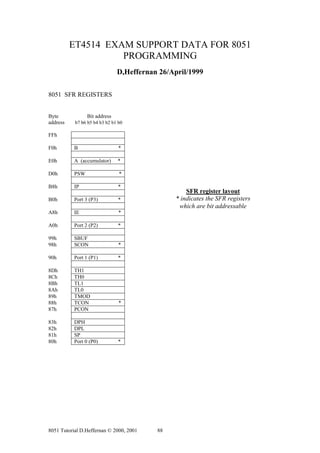
The SFR registers are located within the Internal Memory in the address range 80h to
FFh, as shown in figure 1.7. Not all locations within this range are defined. Each SFR
has a very specific function. Each SFR has an address (within the range 80h to FFh)
and a name which reflects the purpose of the SFR. Although 128 byes of the SFR


8051 Tutorial D.Heffernan © 2000, 2001      12
address space is defined only 21 SFR registers are defined in the standard 8051.
Undefined SFR addresses should not be accessed as this might lead to some
unpredictable results. Note some of the SFR registers are bit addressable. SFRs are
accessed just like normal Internal RAM locations.


Byte             Bit address
address    b7 b6 b5 b4 b3 b2 b1 b0

FFh

F0h        B                    *

E0h        A (accumulator)     *

D0h        PSW                  *

B8h        IP                  *

B0h        Port 3 (P3)         *                                 Internal Memory

                                                                                     FFh
A8h        IE                   *
                                                                     SFRs
A0h        Port 2 (P2)         *
                                                                                     80h
99h        SBUF                                                                      7Fh
98h        SCON                 *
                                                                    Internal
90h        Port 1 (P1)         *                                     RAM

8Dh        TH1                                                                       00h
8Ch        TH0
8Bh        TL1
8Ah        TL0
89h        TMOD
88h        TCON                 *
87h        PCON

83h        DPH
82h        DPL
81h        SP
80h        Port 0 (P0)         *

* indicates the SFR registers which are bit addressable

Figure 1.7 SFR register layout


We will discuss a few specific SFR registers here to help explain the SFR concept.
Other specific SFR will be explained later.

Port Registers SFR
The standard 8051 has four 8 bit I/O ports: P0, P1, P2 and P3.


8051 Tutorial D.Heffernan © 2000, 2001    13
For example Port 0 is a physical 8 bit I/O port on the 8051. Read (input) and write
(output) access to this port is done in software by accessing the SFR P0 register which
is located at address 80h. SFR P0 is also bit addressable. Each bit corresponds to a
physical I/O pin on the 8051. Example access to port 0:

SETB P0.7       ; sets the MSB bit of Port 0
CLR P0.7        ; clears the MSB bit of Port 0

The operand P0.7 uses the dot operator and refers to bit 7 of SFR P0. The same bit
could be addressed by accessing bit location 87h. Thus the following two instructions
have the same meaning:

CLR     P0.7
CLR     87h

PSW Program Status Word
PSW, the Program Status Word is at address D0h and is a bit-addressable register.
The status bits are listed in table 1.1.

Table 1.1. Program status word (PSW) flags
Symbol Bit     Address          Description
C (or CY)      PSW.7 D7h        Carry flag
AC             PSW.6 D6h        Auxiliary carry flag
F0             PSW.5 D5h        Flag 0
RS1            PSW.4 D4h        Register bank select 1
RS0            PSW.3 D3h        Register bank select 0
0V             PSW.2 D2h        Overflow flag
               PSW.1 D1h        Reserved
P              PSW.0 D0h        Even Parity flag


Carry flag. C
This is a conventional carry, or borrow, flag used in arithmetic operations. The carry
flag is also used as the ‘Boolean accumulator’ for Boolean instruction operating at the
bit level. This flag is sometimes referenced as the CY flag.

Auxiliary carry flag. AC
This is a conventional auxiliary carry (half carry) for use in BCD arithmetic.

Flag 0. F0
This is a general-purpose flag for user programming.

Register bank select 0 and register bank select 1. RS0 and RS1
These bits define the active register bank (bank 0 is the default register bank).

Overflow flag. OV
This is a conventional overflow bit for signed arithmetic to determine if the result of a
signed arithmetic operation is out of range.


8051 Tutorial D.Heffernan © 2000, 2001     14
Even Parity flag. P
The parity flag is the accumulator parity flag, set to a value, 1 or 0, such that the
number of ‘1’ bits in the accumulator plus the parity bit add up to an even number.

Stack Pointer
The Stack Pointer, SP, is an 8-bit SFR register at address 81h. The small address field
(8 bits) and the limited space available in the Internal RAM confines the stack size
and this is sometimes a limitation for 8051 programmes. The SP contains the address
of the data byte currently on the top of the stack. The SP pointer in initialised to a
defined address. A new data item is ‘pushed’ on to the stack using a PUSH instruction
which will cause the data item to be written to address SP + 1. Typical instructions,
which cause modification to the stack are: PUSH, POP, LCALL, RET, RETI etc.. The
SP SFR, on start-up, is initialised to 07h so this means the stack will start at 08h and
expand upwards in Internal RAM. If register banks 1 to 3 are to be used the SP SFR
should be initialised to start higher up in Internal RAM. The following instruction is
often used to initialise the stack:

MOV SP, #2Fh

Data Pointer
The Data Pointer, DPTR, is a special 16-bit register used to address the external code
or external data memory. Since the SFR registers are just 8-bits wide the DPTR is
stored in two SFR registers, where DPL (82h) holds the low byte of the DPTR and
DPH (83h) holds the high byte of the DPTR. For example, if you wanted to write the
value 46h to external data memory location 2500h, you might use the following
instructions:

MOV      A, #46h                 ; Move immediate 8 bit data 46h to A (accumulator)

MOV      DPTR, #2504h            ; Move immediate 16 bit address value 2504h to A.
                                 ; Now DPL holds 04h and DPH holds25h.

MOVX @DPTR, A                    ; Move the value in A to external RAM location 2500h.
                                   Uses indirect addressing.

Note the MOVX (Move X) instruction is used to access external memory.


Accumulator
This is the conventional accumulator that one expects to find in any computer, which
is used to the hold result of various arithmetic and logic operations. Since the 8051
microcontroller is just an 8-bit device, the accumulator is, as expected, an 8 bit
register.

The accumulator, referred to as ACC or A, is usually accessed explicitly using
instructions such as:

INC A ; Increment the accumulator


8051 Tutorial D.Heffernan © 2000, 2001      15
However, the accumulator is defined as an SFR register at address E0h. So the
following two instructions have the same effect:

MOV A, #52h             ; Move immediate the value 52h to the accumulator

MOV E0h, #52h           ; Move immediate the value 52h to Internal RAM location E0h,
                          which is, in fact, the accumulator SFR register.

Usually the first method, MOV A, #52h, is used as this is the most conventional (and
happens to use less space, 2 bytes as oppose to 3 bytes!)

B Register
The B register is an SFR register at addresses F0h which is bit-addressable. The B
register is used in two instructions only: i.e. MUL (multiply) and DIV (divide). The B
register can also be used as a general-purpose register.

Program Counter
The PC (Program Counter) is a 2 byte (16 bit) register which always contains the
memory address of the next instruction to be executed. When the 8051 is reset the PC
is always initialised to 0000h. If a 2 byte instruction is executed the PC is incremented
by 2 and if a 3 byte instruction is executed the PC is incremented by three so as to
correctly point to the next instruction to be executed. A jump instruction (e.g. LJMP)
has the effect of causing the program to branch to a newly specified location, so the
jump instruction causes the PC contents to change to the new address value. Jump
instructions cause the program to flow in a non-sequential fashion, as will be
described later.


SFR Registers for the Internal Timer

The set up and operation of the on-chip hardware timers will be described later, but
the associated registers are briefly described here:

TCON, the Timer Control register is an SFR at address 88h, which is bit-addressable.
TCON is used to configure and monitor the 8051 timers. The TCON SFR also
contains some interrupt control bits, described later.

TMOD, the Timer Mode register is an SFR at address 89h and is used to define the
operational modes for the timers, as will be described later.

TL0 (Timer 0 Low) and TH0 (Timer 0 High) are two SFR registers addressed at 8Ah
and 8Bh respectively. The two registers are associated with Timer 0.

TL1 (Timer 1 Low) and TH1 (Timer 1 High) are two SFR registers addressed at 8Ch
and 8Dh respectively. These two registers are associated with Timer 1.


8051 Tutorial D.Heffernan © 2000, 2001     16
Power Control Register
PCON (Power Control) register is an SFR at address 87h. It contains various control
bits including a control bit, which allows the 8051 to go to ‘sleep’ so as to save power
when not in immediate use.

Serial Port Registers
Programming of the on-chip serial communications port will be described later in the
text. The associated SFR registers, SBUF and SCON, are briefly introduced here, as
follows:

The SCON (Serial Control) is an SFR register located at addresses 98h, and it is bit-
addressable. SCON configures the behaviour of the on-chip serial port, setting up
parameters such as the baud rate of the serial port, activating send and/or receive data,
and setting up some specific control flags.

The SBUF (Serial Buffer) is an SFR register located at address 99h. SBUF is just a
single byte deep buffer used for sending and receiving data via the on-chip serial port


Interrupt Registers
Interrupts will be discussed in more detail later. The associated SFR registers are:

IE (Interrupt Enable) is an SFR register at addresses A8h and is used to enable and
disable specific interrupts. The MSB bit (bit 7) is used to disable all interrupts.

IP (Interrupt Priority) is an SFR register at addresses B8h and it is bit addressable.
The IP register specifies the relative priority (high or low priority) of each interrupt.
On the 8051, an interrupt may either be of low (0) priority or high (1) priority. .


1.3 ADDRESSING MODES
There are a number of addressing modes available to the 8051 instruction set, as
follows:

Immediate Addressing             Register Addressing           Direct Addressing
Indirect Addressing              Relative Addressing           Absolute addressing
Long Addressing                  Indexed Addressing


Immediate Addressing
Immediate addressing simply means that the operand (which immediately follows the
instruction op. code) is the data value to be used. For example the instruction:

MOV A, #99d

  Accumulator
                               number 99d


8051 Tutorial D.Heffernan © 2000, 2001      17
Moves the value 99 into the accumulator (note this is 99 decimal since we used 99d).
The # symbol tells the assembler that the immediate addressing mode is to be used.


Register Addressing
One of the eight general-registers, R0 to R7, can be specified as the instruction
operand. The assembly language documentation refers to a register generically as Rn.
An example instruction using register addressing is :

ADD A, R5       ; Adds register R5 to A (accumulator)

  Accumulator                      R5


Here the contents of R5 is added to the accumulator. One advantage of register
addressing is that the instructions tend to be short, single byte instructions.

Direct Addressing
Direct addressing means that the data value is obtained directly from the memory
location specified in the operand. For example consider the instruction:

MOV A, 47h
                                   Internal RAM

  Accumulator
                                                      48h
                                                      47h
                                                      46h


The instruction reads the data from Internal RAM address 47h and stores this in the
accumulator. Direct addressing can be used to access Internal RAM , including the
SFR registers.

Indirect Addressing
Indirect addressing provides a powerful addressing capability, which needs to be
appreciated. An example instruction, which uses indirect addressing, is as follows:

MOV A, @R0
                                Internal RAM

  Accumulator                                                 R0
                                                    55h
                                                    54h       54h
                                                    53h


Note the @ symbol indicated that the indirect addressing mode is used. R0 contains a
value, for example 54h, which is to be used as the address of the internal RAM


8051 Tutorial D.Heffernan © 2000, 2001         18
location, which contains the operand data. Indirect addressing refers to Internal RAM
only and cannot be used to refer to SFR registers.

Note, only R0 or R1 can be used as register data pointers for indirect addressing when
using MOV instructions.

The 8052 (as opposed to the 8051) has an additional 128 bytes of internal RAM.
These 128 bytes of RAM can be accessed only using indirect addressing.

Relative Addressing
This is a special addressing mode used with certain jump instructions. The relative
address, often referred to as an offset, is an 8-bit signed number, which is
automatically added to the PC to make the address of the next instruction. The 8-bit
signed offset value gives an address range of + 127 to –128 locations. Consider the
following example:

SJMP LABEL_X
                 Code
                 Memory
                                                   PC is set to next instruction
                                                   address: 2002h when SJMP
                                                   begins execution. The target
  2006h                                            address is then the sum of the PC
  2005h                                            + relative offset needed to reach
  2004h                                            LABEL_X. Offset is 4 in this
  2003h                                            case. 2002h +4h = 2006h
  2002h
  2001h            04               SJMP
  2000h            80               LABEL_X
  1FFFh


An advantage of relative addressing is that the program code is easy to relocate in
memory in that the addressing is relative to the position in memory.

Absolute addressing
Absolute addressing within the 8051 is used only by the AJMP (Absolute Jump) and
ACALL (Absolute Call) instructions, which will be discussed later.

Long Addressing
The long addressing mode within the 8051 is used with the instructions LJMP and
LCALL. The address specifies a full 16 bit destination address so that a jump or a call
can be made to a location within a 64KByte code memory space (216 = 64K). An
example instruction is:

LJMP 5000h ; full 16 bit address is specified in operand


8051 Tutorial D.Heffernan © 2000, 2001        19
Indexed Addressing
With indexed addressing a separate register, either the program counter, PC, or the
data pointer DTPR, is used as a base address and the accumulator is used as an offset
address. The effective address is formed by adding the value from the base address to
the value from the offset address. Indexed addressing in the 8051 is used with the
JMP or MOVC instructions. Look up tables are easy to implemented with the help of
index addressing. Consider the example instruction:

MOVC A, @A+DPTR

MOVC is a move instruction, which moves data from the external code memory
space. The address operand in this example is formed by adding the content of the
DPTR register to the accumulator value. Here the DPTR value is referred to as the
base address and the accumulator value us referred to as the index address. An
example program using the indexed addressing mode will be shown later.


1.4 ASSEMBLY LANGUAGE PROGRAMMING


Number Representation for Different Bases

The following is an example showing the decimal number 46 represented in different
number bases:

46d             ; 46 decimal
2Eh             ; 2Eh is 46 decimal represented as a hex number
56o             ; 56o is 46 decimal represented as an octal number
101110b         ; 101110b is 46 decimal represented as a binary number.

Note a number digit must be used in the first character of a hexadecimal number. For
example the hexadecimal number A5h is illegally represented and should be
represented as 0A5h.


The Arithmetic Operators
The arithmetic operators are:

+       add
-       subtract
*       multiply
/       divide
MOD     modulo (result is the remainder following division)


The Logical Operators
The logical operators are:


8051 Tutorial D.Heffernan © 2000, 2001    20
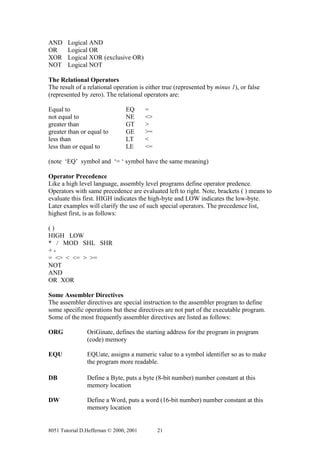
AND     Logical AND
OR      Logical OR
XOR     Logical XOR (exclusive OR)
NOT     Logical NOT

The Relational Operators
The result of a relational operation is either true (represented by minus 1), or false
(represented by zero). The relational operators are:

Equal to                         EQ      =
not equal to                     NE      <>
greater than                     GT      >
greater than or equal to         GE      >=
less than                        LT      <
less than or equal to            LE      <=

(note ‘EQ’ symbol and ‘= ‘ symbol have the same meaning)

Operator Precedence
Like a high level language, assembly level programs define operator predence.
Operators with same precedence are evaluated left to right. Note, brackets ( ) means to
evaluate this first. HIGH indicates the high-byte and LOW indicates the low-byte.
Later examples will clarify the use of such special operators. The precedence list,
highest first, is as follows:

()
HIGH LOW
* / MOD SHL SHR
+-
= <> < <= > >=
NOT
AND
OR XOR

Some Assembler Directives
The assembler directives are special instruction to the assembler program to define
some specific operations but these directives are not part of the executable program.
Some of the most frequently assembler directives are listed as follows:

ORG             OriGinate, defines the starting address for the program in program
                (code) memory

EQU             EQUate, assigns a numeric value to a symbol identifier so as to make
                the program more readable.

DB              Define a Byte, puts a byte (8-bit number) number constant at this
                memory location

DW              Define a Word, puts a word (16-bit number) number constant at this
                memory location


8051 Tutorial D.Heffernan © 2000, 2001        21
DBIT            Define a Bit, defines a bit constant, which is stored in the bit
                addressable section if the Internal RAM.

END             This is the last statement in the source file to advise the assembler to
                stop the assembly process.


Types of Instructions

The assembly level instructions include: data transfer instructions, arithmetic
instructions, logical instructions, program control instructions, and some special
instructions such as the rotate instructions.

Data Transfer
Many computer operations are concerned with moving data from one location to
another. The 8051 uses five different types of instruction to move data:

MOV                     MOVX                           MOVC
PUSH and POP            XCH

MOV
In the 8051 the MOV instruction is concerned with moving data internally, i.e.
between Internal RAM, SFR registers, general registers etc. MOVX and MOVC are
used in accessing external memory data. The MOV instruction has the following
format:

MOV destination <- source

The instruction copies (copy is a more accurate word than move) data from a defined
source location to a destination location. Example MOV instructions are:

MOV R2, #80h                     ; Move immediate data value 80h to register R2
MOV R4, A                        ; Copy data from accumulator to register R4
MOV DPTR, #0F22Ch                ; Move immediate value F22Ch to the DPTR register
MOV R2, 80h                      ; Copy data from 80h (Port 0 SFR) to R2
MOV 52h, #52h                    ; Copy immediate data value 52h to RAM location 52h
MOV 52h, 53h                     ; Copy data from RAM location 53h to RAM 52h
MOV A, @R0                       ; Copy contents of location addressed in R0 to A
                                   (indirect addressing)

MOVX
The 8051 the external memory can be addressed using indirect addressing only. The
DPTR register is used to hold the address of the external data (since DPTR is a 16-bit
register it can address 64KByte locations: 216 = 64K). The 8 bit registers R0 or R1 can
also be used for indirect addressing of external memory but the address range is
limited to the lower 256 bytes of memory (28 = 256 bytes).


8051 Tutorial D.Heffernan © 2000, 2001      22
The MOVX instruction is used to access the external memory (X indicates eXternal
memory access). All external moves must work through the A register (accumulator).
Examples of MOVX instructions are:

MOVX @DPTR, A ; Copy data from A to the address specified in DPTR
MOVX A, @DPTR ; Copy data from address specified in DPTR to A

MOVC
MOVX instructions operate on RAM, which is (normally) a volatile memory.
Program tables often need to be stored in ROM since ROM is non volatile memory.
The MOVC instruction is used to read data from the external code memory (ROM).
Like the MOVX instruction the DPTR register is used as the indirect address register.
The indirect addressing is enhanced to realise an indexed addressing mode where
register A can be used to provide an offset in the address specification. Like the
MOVX instruction all moves must be done through register A. The following
sequence of instructions provides an example:

MOV DPTR, # 2000h                ; Copy the data value 2000h to the DPTR register
MOV A, #80h                      ; Copy the data value 80h to register A
MOVC A, @A+DPTR                  ; Copy the contents of the address 2080h (2000h + 80h)
                                 ; to register A

Note, for the MOVC the program counter, PC, can also be used to form the address.


PUSH and POP
PUSH and POP instructions are used with the stack only. The SFR register SP
contains the current stack address. Direct addressing is used as shown in the following
examples:

PUSH 4Ch        ; Contents of RAM location 4Ch is saved to the stack. SP is
                   incremented.
PUSH 00h        ; The content of R0 (which is at 00h in RAM) is saved to the stack and
                   SP is incremented.
POP 80h         ; The data from current SP address is copied to 80h and SP is
                  decremented.

XCH
The above move instructions copy data from a source location to a destination
location, leaving the source data unaffected. A special XCH (eXCHange) instruction
will actually swap the data between source and destination, effectively changing the
source data. Immediate addressing may not be used with XCH. XCH instructions
must use register A. XCHD is a special case of the exchange instruction where just
the lower nibbles are exchanged. Examples using the XCH instruction are:

XCH A, R3 ; Exchange bytes between A and R3
XCH A, @R0 ; Exchange bytes between A and RAM location whose address is in R0
XCH A, A0h ; Exchange bytes between A and RAM location A0h (SFR port 2)


8051 Tutorial D.Heffernan © 2000, 2001      23
Arithmetic
Some key flags within the PSW, i.e. C, AC, OV, P, are utilised in many of the
arithmetic instructions. The arithmetic instructions can be grouped as follows:

Addition
Subtraction
Increment/decrement
Multiply/divide
Decimal adjust

Addition
Register A (the accumulator) is used to hold the result of any addition operation.
Some simple addition examples are:

ADD A, #25h ; Adds the number 25h to A, putting sum in A
ADD A, R3 ; Adds the register R3 value to A, putting sum in A

The flags in the PSW register are affected by the various addition operations, as
follows:

The C (carry) flag is set to 1 if the addition resulted in a carry out of the accumulator’s
MSB bit, otherwise it is cleared.

The AC (auxiliary) flag is set to 1 if there is a carry out of bit position 3 of the
accumulator, otherwise it is cleared.

For signed numbers the OV flag is set to 1 if there is an arithmetic overflow
(described elsewhere in these notes)

Simple addition is done within the 8051 based on 8 bit numbers, but it is often
required to add 16 bit numbers, or 24 bit numbers etc. This leads to the use of
multiple byte (multi-precision) arithmetic. The least significant bytes are first added,
and if a carry results, this carry is carried over in the addition of the next significant
byte etc. This addition process is done at 8-bit precision steps to achieve multi-
precision arithmetic. The ADDC instruction is used to include the carry bit in the
addition process. Example instructions using ADDC are:

ADDC A, #55h            ; Add contents of A, the number 55h, the carry bit; and put the
                          sum in A

ADDC A, R4              ; Add the contents of A, the register R4, the carry bit; and put
                          the sum in A.


Subtraction
Computer subtraction can be achieved using 2’s complement arithmetic. Most
computers also provide instructions to directly subtract signed or unsigned numbers.
The accumulator, register A, will contain the result (difference) of the subtraction
operation. The C (carry) flag is treated as a borrow flag, which is always subtracted


8051 Tutorial D.Heffernan © 2000, 2001       24
from the minuend during a subtraction operation. Some examples of subtraction
instructions are:

SUBB A, #55d            ; Subtract the number 55 (decimal) and the C flag from A; and
                          put the result in A.

SUBB A, R6              ; Subtract R6 the C flag from A; and put the result in A.

SUBB A, 58h             ; Subtract the number in RAM location 58h and the C flag
                          From A; and put the result in A.


Increment/Decrement
The increment (INC) instruction has the effect of simply adding a binary 1 to a
number while a decrement (DEC) instruction has the effect of subtracting a binary 1
from a number. The increment and decrement instructions can use the addressing
modes: direct, indirect and register. The flags C, AC, and OV are not affected by the
increment or decrement instructions. If a value of FFh is increment it overflows to
00h. If a value of 00h is decrement it underflows to FFh. The DPTR can overflow
from FFFFh to 0000h. The DPTR register cannot be decremented using a DEC
instruction (unfortunately!). Some example INC and DEC instructions are as follows:

INC R7          ; Increment register R7
INC A           ; Increment A
INC @R1         ; Increment the number which is the content of the address in R1
DEC A           ; Decrement register A
DEC 43h         ; Decrement the number in RAM address 43h
INC DPTR        ; Increment the DPTR register


Multiply / Divide

The 8051 supports 8-bit multiplication and division. This is low precision (8 bit)
arithmetic but is useful for many simple control applications. The arithmetic is
relatively fast since multiplication and division are implemented as single
instructions. If better precision, or indeed, if floating point arithmetic is required then
special software routines need to be written. For the MUL or DIV instructions the A
and B registers must be used and only unsigned numbers are supported.

Multiplication
The MUL instruction is used as follows (note absence of a comma between the A and
B operands):

MUL AB          ; Multiply A by B.

The resulting product resides in registers A and B, the low-order byte is in A and the
high order byte is in B.

Division
The DIV instruction is used as follows:


8051 Tutorial D.Heffernan © 2000, 2001       25
DIV AB          ; A is divided by B.

The remainder is put in register B and the integer part of the quotient is put in register
A.


Decimal Adjust (Special)

The 8051 performs all arithmetic in binary numbers (i.e. it does not support BCD
arithmetic). If two BCD numbers are added then the result can be adjusted by using
the DA, decimal adjust, instruction:

DA A ; Decimal adjust A following the addition of two BCD numbers.


Logical

Boolean Operations
Most control applications implement control logic using Boolean operators to act on
the data. Most microcomputers provide a set of Boolean instructions that act on byte
level data. However, the 8051 (somewhat uniquely) additionally provides Boolean
instruction which can operate on bit level data.

The following Boolean operations can operate on byte level or bit level data:

ANL     Logical AND
ORL     Logical OR
CPL     Complement (logical NOT)
XRL     Logical XOR (exclusive OR)

Logical operations at the BYTE level
The destination address of the operartion can be the accumulator (register A), a
general register, or a direct address. Status flags are not affected by these logical
operations (unless PSW is directly manipulated). Example instructions are:

ANL A, #55h ; AND each bit in A with corresponding bit in number 55h, leaving
              the result in A.

ANL 42h, R4 ; AND each bit in RAM location 42h with corresponding bit in R4,
              leaving the result in RAM location 42h.

ORL A,@R1 ; OR each bit in A with corresponding bit in the number whose address
            is contained in R1 leaving the result in A.

XRL R4, 80h ; XOR each bit in R4 with corresponding bit in RAM location 80h
             (port 0), leaving result in A.

CPL R0          ; Complement each bit in R0


8051 Tutorial D.Heffernan © 2000, 2001      26
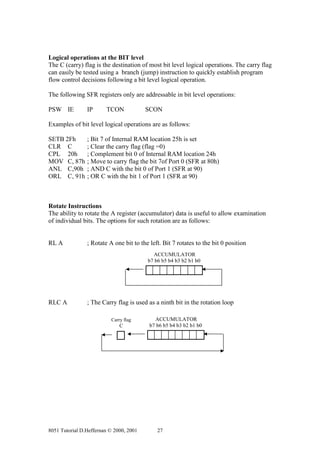
Logical operations at the BIT level
The C (carry) flag is the destination of most bit level logical operations. The carry flag
can easily be tested using a branch (jump) instruction to quickly establish program
flow control decisions following a bit level logical operation.

The following SFR registers only are addressable in bit level operations:

PSW IE          IP      TCON             SCON

Examples of bit level logical operations are as follows:

SETB 2Fh        ; Bit 7 of Internal RAM location 25h is set
CLR C           ; Clear the carry flag (flag =0)
CPL 20h         ; Complement bit 0 of Internal RAM location 24h
MOV C, 87h      ; Move to carry flag the bit 7of Port 0 (SFR at 80h)
ANL C,90h       ; AND C with the bit 0 of Port 1 (SFR at 90)
ORL C, 91h      ; OR C with the bit 1 of Port 1 (SFR at 90)


Rotate Instructions
The ability to rotate the A register (accumulator) data is useful to allow examination
of individual bits. The options for such rotation are as follows:


RL A            ; Rotate A one bit to the left. Bit 7 rotates to the bit 0 position
                                           ACCUMULATOR
                                         b7 b6 b5 b4 b3 b2 b1 b0


RLC A           ; The Carry flag is used as a ninth bit in the rotation loop

                          Carry flag        ACCUMULATOR
                              C           b7 b6 b5 b4 b3 b2 b1 b0


8051 Tutorial D.Heffernan © 2000, 2001       27
RR A            ; Rotates A to the right (clockwise)

                                            ACCUMULATOR
                                          b7 b6 b5 b4 b3 b2 b1 b0


RRC A           ; Rotates to the right and includes the carry bit as the 9th bit.

                                             ACCUMULATOR                 Carry flag
                                           b7 b6 b5 b4 b3 b2 b1 b0           C


Swap = special
The Swap instruction swaps the accumulator’s high order nibble with the low-order
nibble using the instruction:

SWAP A                                        ACCUMULATOR
                                            b7 b6 b5 b4 b3 b2 b1 b0


                                             high nibble low nibble


Program Control Instructions
The 8051 supports three kind of jump instructions:

LJMP            SJMP             AJMP


LJMP
LJMP (long jump) causes the program to branch to a destination address defined by
the 16-bit operand in the jump instruction. Because a 16-bit address is used the
instruction can cause a jump to any location within the 64KByte program space (216 =
64K). Some example instructions are:

LJMP LABEL_X            ; Jump to the specified label
LJMP 0F200h             ; Jump to address 0F200h
LJMP @A+DPTR            ; Jump to address which is the sum of DPTR and Reg. A


SJMP
SJMP (short jump) uses a singe byte address. This address is a signed 8-bit number
and allows the program to branch to a distance –128 bytes back from the current PC


8051 Tutorial D.Heffernan © 2000, 2001       28
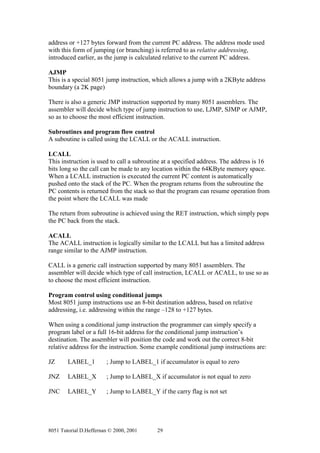
address or +127 bytes forward from the current PC address. The address mode used
with this form of jumping (or branching) is referred to as relative addressing,
introduced earlier, as the jump is calculated relative to the current PC address.

AJMP
This is a special 8051 jump instruction, which allows a jump with a 2KByte address
boundary (a 2K page)

There is also a generic JMP instruction supported by many 8051 assemblers. The
assembler will decide which type of jump instruction to use, LJMP, SJMP or AJMP,
so as to choose the most efficient instruction.

Subroutines and program flow control
A suboutine is called using the LCALL or the ACALL instruction.

LCALL
This instruction is used to call a subroutine at a specified address. The address is 16
bits long so the call can be made to any location within the 64KByte memory space.
When a LCALL instruction is executed the current PC content is automatically
pushed onto the stack of the PC. When the program returns from the subroutine the
PC contents is returned from the stack so that the program can resume operation from
the point where the LCALL was made

The return from subroutine is achieved using the RET instruction, which simply pops
the PC back from the stack.

ACALL
The ACALL instruction is logically similar to the LCALL but has a limited address
range similar to the AJMP instruction.

CALL is a generic call instruction supported by many 8051 assemblers. The
assembler will decide which type of call instruction, LCALL or ACALL, to use so as
to choose the most efficient instruction.

Program control using conditional jumps
Most 8051 jump instructions use an 8-bit destination address, based on relative
addressing, i.e. addressing within the range –128 to +127 bytes.

When using a conditional jump instruction the programmer can simply specify a
program label or a full 16-bit address for the conditional jump instruction’s
destination. The assembler will position the code and work out the correct 8-bit
relative address for the instruction. Some example conditional jump instructions are:

JZ      LABEL_1         ; Jump to LABEL_1 if accumulator is equal to zero

JNZ     LABEL_X         ; Jump to LABEL_X if accumulator is not equal to zero

JNC     LABEL_Y         ; Jump to LABEL_Y if the carry flag is not set


8051 Tutorial D.Heffernan © 2000, 2001     29
DJNZ R2, LABEL          ; Decrement R2 and jump to LABEL if the resulting value of
                          R2 is not zero.

CJNE R1, #55h , LABEL_2
; Compare the magnitude of R1 and the number 55h and jump to LABEL_2 if the
  magnitudes are not equal.


Note, jump instructions such as DJNZ and CJNE are very powerful as they carry out a
particular operation (e.g.: decrement, compare) and then make a decision based on the
result of this operation. Some example code later will help to explain the context in
which such instructions might be used.


8051 Tutorial D.Heffernan © 2000, 2001    30
Chapter 2          A Simple Design Example
A simple burglar alarm project is described to demonstrate an 8051 based control
application. A four zone burglar system is realised. The design makes use of the input
and output ports of the 8051 processor.

2.1 HARDWARE DESCRIPTION
Figure 2.1 shows a hardware diagram for the burglar alarm system. Port 3 (P3) is used
as an input port. The four input pins, P3.0 to P3.3, are connected to separate alarm
zones. A single zone consists of a series of normally close switches. When any one of
these switches is opened the corresponding input pin transitions to a logic high level
and the processor becomes aware of an alarm situation for the corresponding zone.
Pins P3.4 to P3.7 are not used and are tied to ground, logic low. This is a crude alarm
system design and the zone wiring could not operated over any long distances.
However, the example will suffice to demonstrate the concept.

The burglar alarm’s output consists of a seven-segment display device and an alarm
bell. The alarm bell is connected to Port 1, bit 7, and the bell is sounded when this
output pin is set to a logic high level by the software. The seven-segment display
device is connected to Port 1, bits 0 to 6. Each output pin is fed to the relevant display
segment via a non-inverting buffer device. The seven-segment display device is a
common-cathode device so writing a logic high level to any segment will cause that
segment to light.


2.2 SOFTWARE DESCRIPTION
The first example program, ALARM_1, is a simple program which continuously
polls the four input zones. If any zone input goes to logic high then the alarm bell is
sounded by writing a logic high level to Port 1, bit 7. The flow chart for this program
is shown in figure 2.2 and the actual program source code is shown in listing 2.1. Port
3 is put into an initial state by writing all ones to this port, so that the port does not
pull down any of the input lines. Port 1 is put into an initial state of all zeros. This has
the effect of blanking the display and the alarm bell is off. The display device is not
used in the ALARM_1 program example.

Note how the program reads the P3 SFR register (Internal memory location B0h) to
read the physical Port 3 and how it writes to the P1 SFR register (Internal memory
location 90h) to write to the Port 1. Figure 2.1 shows the relationship between the
physical ports and the SFR registers. Thus the programmer can simply access internal
registers to achieve real input/output port access.

A second example program, ALARM_2, is an enhanced program which displays the
active alarm zone number on the display. If more than one zone is activated a ‘C’ is
displayed to indicate a combination of activated zones. The flowchart for this program
is shown in figure 2.3 and the actual source code for the program is shown in listing
2.2. The truth table for the Port 1 bit patterns to drive the seven-segment display
device and the alarm bell is shown in table 2.1.


8051 Tutorial D.Heffernan © 2000, 2001       31
Figure 2.1 Burglar alarm system hardware

   + 5 volts
                                                             8051 Chip


                  10 kOhms

                     P3.0                                                                             P1.0       a                           a
                     P3.1                                                                             P1.1           b
                                                                                                                                        f             b
                     P3.2                                                                             P1.2       c


                                                                                        PORT 1 (P1)
                                                                                                                                             g
                     P3.3                PORT 3 (P3)                                                  P1.3           d
                                                                                                                                        e             c
                     P3.4                                                                             P1.4       e
                       .5                                                                             P1.5           f
                                                                                                                                             d
                      .6                                                                              P1.6       g

                      .7                                                                              P1.7
                                                                                                                                            + volts

                                                               Internal Memory


                                                             7 6 5 4 3 2 1 0


                                                                                 SFRs
   Zone 1
   Zone 2
   Zone 3
   Zone 4


                                                       B0h


                                                       90h


                                                                 I-RAM


                + 5 volts                                                                                                 a

                                                                                                                 f                  b
                                                                                                                         g

                                        input x                                                                  e              c
                      normally closed
                       Switches are


                                                                                                                          d

                                                                                                                     e.g. 200 Ohm
                                                                                                             a


                                                                                                          Internal circuit within 7-segment
               If any switch is opened                                                                  display device. (Common cathode
           Input x goes high to indicate an                                                             i.e. +5v input causes LED to light)
                   alarm condition


8051 Tutorial D.Heffernan © 2000, 2001                                32
Initialise I/O
                 ports P1 and P3


                   Read port P3


     YES
                       Are all
                   P3 inputs at 0


                              NO


                    Sound alarm
                        Bell


Figure 2.2 ALARM_1 Program flow chart


; ALARM_1.A51
; Simple program to poll 4 input zones. If any zone input, P3.0
; to P3.3 goes to 1 (logic 1) then the BELL is activated by writing
; a 1 (logic high) to P1.7
;
; Rev. 0.0          D.Heffernan       25-Feb-99
;==============================================================


           ORG 0000h                     ; define memory start address 0000h

; Initialise the I/O ports

           MOV P3, #0ffh                 ; write all ones to P3 to use as an input port
           MOV P1, #00                   ; all zeros to put P1 in a known output state

POLL:
           MOV A, P3                     ; read P3 to accumulator
           CJNE A, #00h, ALARM           ; if not all zeros then jump to ALARM
           LJMP POLL                     ; else loop back to POLL

ALARM:
     SETB P1.7                           ; enable the BELL by setting P1.7 high

END_LOOP:
      LJMP END_LOOP                      ; program just loops around here

END                                      ; end of program


Listing 2.1 ALARM_1 Program source code


8051 Tutorial D.Heffernan © 2000, 2001        33
Initialise I/O
                       ports P1 and P3


                           Read port P3


                YES                            NO
                            Are all
                         P3 inputs at 0


                                                                    YES
                                                Is Zone One                      Display ‘1’
                                                 Activated?


                                                         NO
                                                                    YES
                                                Is Zone Two                      Display ‘2’
                                                 Activated?

                                                        NO

                                                                       YES
                                               Is Zone Three                     Display ‘3’
                                                 Activated?

                                                           NO

                                                                    YES
                                                Is Zone Four                     Display ‘4’
                                                 Activated?


                                                           NO
                                                                                 Display ‘C’


                                                Sound alarm
                                                   Bell


Figure 2.3 ALARM_2 Program flow chart


                                          PORT 1
                P1.7   P1.6       P1.5      P1.4 P1.3           P1.2      P1.1         P1.0

Display     Bell       g         f         e        d           c            b       a
Value       1=on

0           0          0         1         1        1           1            1       1
1           0          0         0         0        0           1            1       0
2           0          1         0         1        1           0            1       1
3           0          1         0         0        1           1            1       1
4           0          1         1         0        0           1            1       0
C           0          0         1         1        1           0            0       1

Table 2.1 Truth table for Port 1


8051 Tutorial D.Heffernan © 2000, 2001                34
; ALARM_2.A51
; Simple program to poll 4 input zones. If any zone input, P3.0 to P3.3 goes to 1 (logic 1) then the zone
; number is displayed and the BELL is activated by writing a 1 (logic high) to P1.7. If more than one
; zone is activated, display C (C for Combination)
; Rev. 0.0         D.Heffernan        25-Feb-99
;==============================================================
; Equates
NUM_0 EQU          00111111B                          ; code to display 0 on 7 segment
NUM_1 EQU          00000110B                          ; code to display 1 on 7 segment
NUM_2 EQU          01011011B                          ; code to display 2 on 7 segment
NUM_3 EQU          01001111B                          ; code to display 3 on 7 segment
NUM_4 EQU          01100110B                          ; code to display 4 on 7 segment
LET_C EQU          00111001B                          ; code to display C on 7 segment

           ORG 0000h                                    ; define memory start address 0000h
; Initialise the I/O ports
           MOV P3,#0ffh                                 ; write all ones to P3 to use as an input port
           MOV P1,#NUM_0                                ; P1 displays zero and alarm is off
POLL:
           MOV A, P3                                    ; read P3 to accumulator
           CJNE A, #00h, ALARM                          ; if not all zeros then jump to ALARM
           LJMP POLL                                    ; else loop back to POLL

ALARM:
TEST_ZONE_1:
      CJNE A, #00000001B, TEST_ZONE_2                   ; if not zone 1 then jump to zone 2
      MOV P1, #NUM_1                                    ; display number 1
      LJMP BELL_ON                                      ; jump to BELL_ON

TEST_ZONE_2:
      CJNE A, #00000010B, TEST_ZONE_3                   ; if not zone 1 then jump to zone 3
      MOV P1, #NUM_2                                    ; display number 2
      LJMP BELL_ON                                      ; jump to BELL_ON

TEST_ZONE_3:
      CJNE A, #00000100B, TEST_ZONE_4                   ; if not zone 1 then jump to zone 4
      MOV P1, #NUM_3                                    ; display number 3
      LJMP BELL_ON                                      ; jump to BELL_ON

TEST_ZONE_4:
      CJNE A, #00001000B, DISPLAY_C                     ; if not zone 1 then jump to display C
      MOV P1, #NUM_4                                    ; display number 4
      LJMP BELL_ON                                      ; jump to BELL_ON

DISPLAY_C:
      MOV P1, #LET_C                                    ; display letter C
      LJMP BELL_ON                                      ; jump to BELL_ON

BELL_ON:
      SETB P1.7                                         ; enable the BELL by setting P1.7 high

END_LOOP:
      LJMP END_LOOP                                     ; program just loops around here

END                                                     ; end of program


Listing 2.2 ALARM_2 Program source code


8051 Tutorial D.Heffernan © 2000, 2001             35
Chapter 3             Software Delay Routines

This chapter introduces software based timing delay routines. The examples introduce
the useful programming concept of sub-routines.

For an 8051 microcomputer a single instruction cycle is executed for every 12 clock cycles of the
processor clock. Thus, for an 8051 clocked at 12MHz. the instruction cycle time is one
microsecond, as follows:

                             12 clock cycles
Instruction cycle time = ------------------------------- = 10-6 seconds, or 1 µsec.
                         12 x 106 cycles/sec.

The shortest instructions will execute in one instruction cycle, i.e. 1 µsec. Other instructions may
take two or more instruction cycle times to execute.

A given instruction will take
one or more instruction cycles                     12MHz                              8051
to execute (e.g. 1, 2 or 3 µsecs.)


3.1 SOME EXAMPLE ROUTINES

Sample routine to delay 1 millisecond: ONE_MILLI_SUB
Consider a software routine called ‘ONE_MILLI_SUB’,written as a subroutine
program, which takes a known 1000 instructions cycles (approx.) to execute. Thus it
takes 1000 µsecs, or 1 millisecond, to execute. The program is written as a subroutine
since it may be called on frequently as part of some longer timing delay routines. The
flow chart for the routine is shown in figure 3.1 and the source code for the subroutine
is shown in listing 3.1. Note, register R7 is used as a loop counter. It is good practice
in writing subroutines to save to the stack (PUSH) any registers used in the subroutine
and to restore (POP) such registers when finished. See how R7 is saved and retrieved
in the program. We say that R7 is ‘preserved’. This is important as the program which
called the subroutine may be using R7 for another purpose and a subroutine should
not be allowed to ‘accidentally’ change the value of a register used elsewhere.

When calling a subroutine the Program Counter (PC) is automatically pushed onto the
stack, so the SP (Stack Pointer) is incremented by 2 when a subroutine is entered. The
PC is automatically retrieved when returning from the subroutine, decrementing the
SP by 2.

In the ONE_MILLI_SUB subroutine a tight loop is executed 250 times. The number of
instruction cycles per instruction is known, as published by the 8051 manufacturer.
The tight loop is as follows:


8051 Tutorial D.Heffernan © 2000, 2001              36
NOP                                                  takes 1 instruction cycle to execute
DJNZ R7, LOOP_1_MILLI                                takes 2 instruction cycle to execute
Total instruction cycles =                            4

So, it takes 4 instruction cycles, or 4 µsecs, to execute the loop. Thus, if we execute
the loop 250 times it will take a 1000 µsecs (250 x 4), i.e. 1 millisecond, to complete
the loops.

                               E n ter


                              S av e R 7


                        L o o p -co u n ter (R 7 )
                                 = 250


                             D ecrem en t
        O ne            L o o p -co u n ter (R 7 )
        m illi-
        sec.
        d ela y
                                                         NO
                                  Is                              N O P d elay s
                             R 7 = zero ?                         fo r tu n in g


                                           YES

                             R esto re R 7


                             R etu rn fro m
                             su b ro u tin e


Figure 3.1 ONE_MILLI_SUB flow chart
;============================================================
; ONE_MILLI_SUB:
; Subroutine to delay ONE millisecond
; Uses register R7 but preserves this register
;============================================================
ONE_MILLI_SUB:

        PUSH 07h                                     ; save R7 to stack
        MOV R7, #250d                                 ; 250 decimal to R7 to count 250 loops

LOOP_1_MILLI:                                        ; loops 250 times
      NOP                                            ; inserted NOPs to cause delay
      NOP                                            ;
      DJNZ R7, LOOP_1_MILLI                          ; decrement R7, if not zero loop back

        POP 07h                                      ; restore R7 to original value

        RET                                          ; return from subroutine


Listing 3.1 Source code for: ONE_MILLI_SUB


8051 Tutorial D.Heffernan © 2000, 2001                    37
Sample routine to delay 1 second: ONE_SEC_SUB
The ONE_SEC_SUB subroutine, when called, causes a delay of ONE second. This
subroutine calls the ONE_MILLI_SUB subroutine and is structured so that the
ONE_MILLI_SUB subroutine is called exactly 1000 times, thus causing a total delay
of 1000 milli. seconds, i.e. ONE second. (There are some small inaccuracies, which
will be ignored for now). Note, R7 is used again as the loop counter (we could have
used another register). Since R7 is preserved in the ONE_SEC_SUB subroutine, its
value is not corrupted within the ONE_SEC_SUB subroutine. This example shows
how one subroutine can call another subroutine, demonstrating the concept of
subroutine nesting. It is interesting to track the value of the Stack Pointer (SP) during
program operation. The flow chart for the ONE_SEC_SUB routine is shown in figure
3.2 and the source code is shown in listing 3.2.


                                  E n te r


                                Save R 7


                         L o o p - c o u n te r ( R 7 )
                                   = 250

                   C a ll O n e _ m illi_ s u b r o u tin e


                    C a ll O n e _ m illi_ s u b r o u tin e


                    C a ll O n e _ m illi_ s u b r o u tin e
   O ne
   seco n d
   d e la y
                   C a ll O n e _ m illi_ s u b r o u tin e


                               D ecrem en t
                         L o o p - c o u n te r ( R 7 )


                                                               NO
                                   Is
                              R 7 = z e ro ?


                                              YES

                              R e s to r e R 7


                             R e tu r n f r o m
                             s u b r o u tin e


Figure 3.2 ONE_SEC_SUB flow chart


8051 Tutorial D.Heffernan © 2000, 2001                         38
;============================================================
; ONE_SEC_SUB
; Subroutine to delay ONE second
; Uses register R7 but preserves this register
;============================================================

ONE_SEC_SUB:

        PUSH 07h                         ; save R7 to stack

        MOV R7, #250d                    ; 250 decimal to R7 to count 250 loops

LOOP_SEC:                                ; Calls 4 one millisec. delays, 250 times

        LCALL     ONE_MILLI_SUB          ; call subroutine to delay 1 millisecond
        LCALL     ONE_MILLI_SUB          ; call subroutine to delay 1 millisecond
        LCALL     ONE_MILLI_SUB          ; call subroutine to delay 1 millisecond
        LCALL     ONE_MILLI_SUB          ; call subroutine to delay 1 millisecond

        DJNZ R7, LOOP_SEC                ; decrement R7, if not zero loop back

        POP 07h                          ; restore R7 to original value

        RET                              ; return from subroutine


Listing 3.2 Source code for: ONE_SEC_SUB


Sample routine to delay N seconds: PROG_DELAY_SUB
PROG_DELAY_SUB is a subroutine, which will cause a delay for a specified
number of seconds. The subroutine is called with the required number, N, of delay
seconds specified in the accumulator. The subroutine calls the ONE_SEC_SUB
subroutine, which in turn calls the ONE_MILLI_SUB subroutine. Here is a further
example of nesting subroutines. The PROG_DELAY_SUB subroutine preserves the
accumulator value. The subroutine also checks to see if it has been called with a zero
value in the accumulator. If this is the case the subroutine returns immediately without
causing further delay. A maximum delay of 255 seconds can be specified, i.e.
accumulator can have a maximum value of 0FFh (255 decimal). The program
provides a simple example of passing a parameter to a subroutine where the
accumulator is used to pass a number N into the subroutine. The flow chart for the
PROG_DELAY_SUB routine is given in figure 3.3 and the assembly language source
code is given in listing 3.3.


8051 Tutorial D.Heffernan © 2000, 2001        39
E n te r


                                                                   YES
                                            Is
                                     A c c = z e ro ?


                                                      NO

                                       Save A cc


                                   C a ll O n e S e c o n d
                                        s u b ro u tin e


                                        D e c re m e n t
                  N              L o o p -c o u n te r ( A c c )
              secon d s
               d e la y
                                                                    NO
                                             Is
                                      A c c = z e ro ?


                                                       YES

                                     R e s to re A c c


                                      R e tu rn fro m
                                      s u b ro u tin e


Figure 3.3 PROG_DELAY_SUB flow chart


;========================================================================
; PROG_DELAY_SUB             Programmable Delay Subroutine
; Subroutine to delay N number of seconds. N is defined in A (accumulator)
; and passed to the subroutine. A is preserved.
; If N=0 the subroutine returns immediately. N max. value is FFh (255d)
;========================================================================

PROG_DELAY_SUB:

        CJNE A, #00h, OK                       ; if A=0 then exit
        LJMP DONE                              ; exit

OK:     PUSH Acc                               ; save A to stack

LOOP_N:                                        ; calls one second delay, no. of times in A

        LCALL ONE_SEC_SUB                      ; call subroutine to delay 1 second

        DJNZ Acc, LOOP_N                       ; decrement A, if not zero loop back

        POP Acc                                ; restore Acc to original value
DONE:
        RET                                    ; return from subroutine

Listing 3.3 Source code for: PROG_DELAY_SUB


8051 Tutorial D.Heffernan © 2000, 2001                   40
Example application using a time delay
In this example an 8051 microcomputer, clocked at 12MHz., will be connected to a
loudspeaker and a program will be written to sound the loudspeaker at a frequency of
500Hz. Figure 3.4 shows the hardware interface where the loudspeaker is connected
to Port 1 at pin P1.0. A simple transistor is used as an amplifier as the 8051 output
port does not have enough current drive capability to drive the loudspeaker directly.
Figure 3.4 also shows a simple timing diagram to explain how the 500Hz. square
wave is generated by the software. The ONE_MILLI_SUB subroutine is used to
provide the basic time delay for each half cycle. Listing 3.4 shows the source code for
the program.


                                         + volts
          Clock
         12 MHz.
                                             Loudspeaker


                                P1.0
                       Port 1


          8051                           SETB P1.0                 SETB P1.0              SETB P1.0

                                P1.7                    CLR P1.0               CLR P1.0               CLR P1.0

                                               delay          delay      delay       delay      delay
                                               1 ms.          1 ms.      1 ms.       1 ms.      1 ms.


          RESET                                                T = 2 msecs.

                                                            f = 1/T = 1 / 0.002
                                                                 = 500 Hz.


Figure 3.4 Hardware circuit with timing diagram


8051 Tutorial D.Heffernan © 2000, 2001             41
;=========================================
; SOUND.A51
; This program sounds a 500Hz. tone at Port 1, pin 0
; Rev. 0.0 D.Heffernan 19-December-2000
;==========================================

        ORG 0000h                        ; start address is 0000h

        MOV P1, #00                      ; clear all bits on P1

LOOP:
        SETB P1.0                        ; set P1.0 high
        LCALL ONE_MILLI_SUB              ; delay one millisecond
        CLR P1.0                         ; set P1.0 low
        LCALL ONE_MILLI_SUB              ; delay one millisecond

        LJMP LOOP                        ; loop around!

;================================================
; ONE_MILLI_SUB:
; Subroutine to delay ONE millisecond
; Uses register R7 but preserves this register
;=================================================
ONE_MILLI_SUB:

        PUSH 07h                         ; save R7 to stack
        MOV R7, #250d                     ; 250 decimal to R7 to count 250 loops

LOOP_1_MILLI:                            ; loops 250 times
      NOP                                ; inserted NOPs to cause delay
      NOP                                ;
      DJNZ R7, LOOP_1_MILLI              ; decrement R7, if not zero loop back

        POP 07h                          ; restore R7 to original value

        RET                              ; return from subroutine

END                                      ; end of program


Listing 3.4 Source code for example program to sound 500Hz. note


8051 Tutorial D.Heffernan © 2000, 2001         42
3.2 A NOTE ON THE OPERATION OF THE STACK POINTER

When a subroutine is called the current content of the Program Counter (PC) is save
to the stack, the low byte of the PC is save first, followed by the high byte. Thus the
Stack Pointer (SP) in incremented by 2. When a RET (return from subroutine)
instruction is executed the stored PC value on the stack is restored to the PC, thus
decrementing the SP by 2.

When a byte is PUSHed to the stack, the SP in incremented by one so as to point to
the next available stack location. Conversely, when a byte is POP’ed from the stack
the SP is decremented by one.

Figure 3.5 shows the organisation of the stack area within the I-RAM memory space.

The stack values during the operation of the nested subroutine example are shown in
figure 3.6. Here it is assumed that the SP is initialised to 07h. This is possible where
the alternative register banks are not used in a program. The stack then has a ceiling
value of 20h, if we want to preserve the ‘bit addressable’ RAM area. It is probably
more common to initialise the SP higher up in the internal RAM at location 2Fh. The
diagram shows how data is saved to the stack.
                                                                  I-RAM


                                                            Saved Acc value
Following PUSH of Acc to stack, SP = 0Ah………………… 0Ah
Following LCALL to PROG_DELAY_SUB, SP = 09h…….. 09h            Saved PC high byte
                                                               Saved PC low byte
SP is initialised to 07h.   …………………………………… 07h
                                                              Registers R0 ..R7
                                                                  (not to scale)


         Figure 3.5 The stack operation


8051 Tutorial D.Heffernan © 2000, 2001     43
Some main program                  07h        box indicates current value of SP. Assume SP
                                               is initialised to 07h in the main program
             07h

LCALL
PROG_DELAY_SUB

                        PROG_DELAY_SUB
                                    09h
                           PUSH Acc

                                     0Ah

                          LCALL
                          ONE_SEC_SUB


                                                        ONE_SEC_SUB
                                                                   0Ch
                                                         PUSH R7

                                                                   0Dh

                                                        CALL
                                                        ONE_MILLI_SUB
                                                                                 ONE_MILLI_SUB
                                                                                              0Fh
                                                                                   PUSH R7
                                                                                              10h
                                                                                   POP R7

                                                                                              0Fh

                                                                                     RET

                                                                   0Dh

                                                          POP R7

                                                                    0C
                                                           RET

                                         0A

                             POP Acc
                                         09h
                              RET

                07h

  Main program                   Figure 3.6 Example showing values of the Stack
                                 Pointer during nested subroutine operation.


8051 Tutorial D.Heffernan © 2000, 2001             44
Chapter 4 Interrupts

An interrupt causes a temporary diversion of program execution in a similar sense to
a program subroutine call, but an interrupt is triggered by some event, external to the
currently operating program. We say the interrupt event occurs asynchronously to the
currently operating program as it is not necessary to know in advance when the
interrupt event is going to occur.

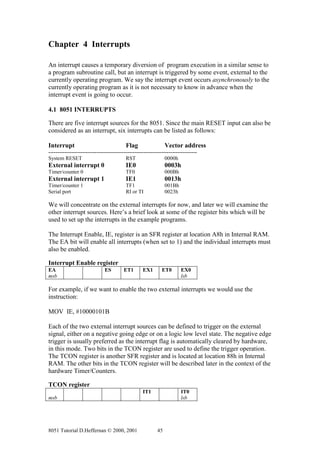
4.1 8051 INTERRUPTS

There are five interrupt sources for the 8051. Since the main RESET input can also be
considered as an interrupt, six interrupts can be listed as follows:

Interrupt                                  Flag                  Vector address
-----------------------------------------------------------------------------------
System RESET                               RST                   0000h
External interrupt 0                       IE0                   0003h
Timer/counter 0                            TF0                   000Bh
External interrupt 1                       IE1                   0013h
Timer/counter 1                            TF1                   001Bh
Serial port                                RI or TI              0023h

We will concentrate on the external interrupts for now, and later we will examine the
other interrupt sources. Here’s a brief look at some of the register bits which will be
used to set up the interrupts in the example programs.

The Interrupt Enable, IE, register is an SFR register at location A8h in Internal RAM.
The EA bit will enable all interrupts (when set to 1) and the individual interrupts must
also be enabled.

Interrupt Enable register
EA                             ES         ET1       EX1        ET0        EX0
msb                                                                       lsb

For example, if we want to enable the two external interrupts we would use the
instruction:

MOV IE, #10000101B

Each of the two external interrupt sources can be defined to trigger on the external
signal, either on a negative going edge or on a logic low level state. The negative edge
trigger is usually preferred as the interrupt flag is automatically cleared by hardware,
in this mode. Two bits in the TCON register are used to define the trigger operation.
The TCON register is another SFR register and is located at location 88h in Internal
RAM. The other bits in the TCON register will be described later in the context of the
hardware Timer/Counters.

TCON register
                                                    IT1                   IT0
msb                                                                       lsb


8051 Tutorial D.Heffernan © 2000, 2001                      45
To define negative edge triggering for the two external interrupts use instructions as
follows:
       SETB IT0               ; negative edge trigger for interrupt 0
       SETB IT1               ; negative edge trigger for interrupt 1

Figure 4.1 shows the flow of operation when a system is interrupted. In the example it
is assumed that some program, say the main program, is executing when the external
interrupt INT0 occurs. The 8051 hardware will automatically complete the current
machine level (assembler level) instruction and save the Program Counter to the
stack. The IE register is also saved to the stack. The IE0 flag is disabled (cleared) so
that another INT0 interrupt will be inhibited while the current interrupt is being
serviced. The Program Counter is now loaded with the vector location 0003h. This
vector address is a predefined address for interrupt INT0 so that program execution
will always trap to this address when an INT0 interrupt occurs. Other interrupt
sources have uniquely defined vector addresses for this purpose. The set of these
vector addresses is referred to as the interrupt vector table.

Program execution is now transferred to address location 0003h. In the example a
LJMP instruction is programmed at this address to cause the program to jump to a
predefined start address location for the relevant ISR (Interrupt Service Routine)
routine. The ISR routine is a user written routine, which defines what action is to
occur following the interrupt event. It is good practice to save (PUSH) to the stack
any registers used during the ISR routine and to restore (POP) these registers at the
end of the ISR routine, thus preserving the registers’ contents, just like a register is
preserved within a subroutine program. The last instruction in the ISR routine is a
RETI (RETurn from Interrupt) instruction and this instruction causes the 8051 to
restore the IE register values, enable the INT0 flag, and restore the Program Counter
contents from the stack.

Since the Program Counter now contains the address of the next instruction which
was to be executed before the INT0 interrupt occurred, the main program continues as
if it had never being interrupted. Thus only the temporal behaviour of the interrupted
program has been affected by the interrupt; the logic of the program has not been
otherwise affected.


4.2 EXAMPLE INTERRUPT DRIVEN PROGRAM
Figure 4.2 shows and oven control system where a heating oven, as part of a
manufacturing process, is to be controlled within the temperature range, between
190oC and 200 oC . An 8051 microcomputer based system is used to control the
temperature. The oven has two built-in temperature sensors. The low threshold sensor
outputs a logic 0 if the temperature is below 190 oC, otherwise it outputs a logic high
level (say 5 volts). The high threshold sensor outputs a logic low level if the
temperature exceeds 200 oC, otherwise it outputs a logic high level. The temperature
sensors are connected to the 8051’s interrupt inputs, INT0 and INT1, as shown in the
diagram. Both of these interrupt inputs are set to trigger at negative voltage
transitions. The microcomputer outputs a logic 1 on the P1.0 output pin to turn on the
heater element and it outputs a logic 0 to turn off the heating element. Assume the
necessary hardware driver circuitry, to switch power to the oven, is included in the
oven.


8051 Tutorial D.Heffernan © 2000, 2001     46
Code

                                                         Interrupt
                                                          TF0 vector
                                                                       000Bh


                                                                                                       8 bytes

         Main program
         in execution                                    Interrupt
                                                         1E0 vector                    LJMP ISR_0
                                                                       0003h
                                                         RESET
INT0 occurs
                                                         vector                         LJMP Main
                                                                       0000h
                         Done in 8051 hardware

                         -complete current
                          instruction
                         -save PC to stack
                         -IE flags are saved.
                         -This interrupt flag is
                          cleared (disabled)
                         -PC is loaded with
                          ISR vector address
                         (0003h)                        USER WRITTEN ISR ROUTINE

                                                                               ISR0


                                                                         PUSH to stack any registers
                                                                         used in this ISR


                                                                         Execution of body
                                                                         of the ISR


                                                                         POP any saved registers


                        Done in 8051 hardware                                  RETI

                         -IE flags are
                         restored, enabling this
                         interrupt
                         -PC is restored from
                         stack


         Main program
         continues


Figure 4.1 Interrupt operation example


8051 Tutorial D.Heffernan © 2000, 2001             47
The microcomputer’s program is written so that an interrupt from the low threshold
sensor will cause the heating element to turn on and interrupt from the high threshold
sensor will cause the heating element to turn off. Figure 4.3 shows a timing diagram
for the oven’s operation.

                                              HEAT_OFF
                                                                                         oC
                                                                    Sensor logic 0 if > 200
                                              HEAT_ON
                                                                                         oC
                                                                    Sensor logic 0 if < 190


                                               0 turn OFF

                                 INT0
                                               1 turn ON            OVEN
                                                                          Heating element
                                 INT1          P1.0


                                                           Power
                                       8051                switch
             Reset
                                 RST


Figure 4.2 Temperature controlled heating oven


                         TEMP

                         200oC

                         190oC


             HEAT_OFF


             HEAT_ON


Figure 4.3 Timing diagram for the oven control


8051 Tutorial D.Heffernan © 2000, 2001                48
The assembler language source program to control the oven is shown in listing 4.1.
Since the ISR routines (Interrupt Service Routines) are very short they could have
been positioned within the 8 bytes of memory available at the respective vector
locations. However, the ISR routines are located higher up in memory to show the
memory positioning structure which would be used for larger ISR routines. Three
vector locations are defined at the beginning of the program. The RESET vector, at
address 0000h, contains a jump instruction to the MAIN program. Location 0003h is
the vector location for external interrupt 0, and this contains a jump instruction to the
relevant ISR routine, ISR0. External interrupt 1uses the vector location 0013h which
contains a jump instruction to the ISR routine, ISR1. In this oven control program
example the main program just loops around doing nothing. When an interrupt occurs,
the required action is carried out by the relevant ISR routine. However, in a more
sophisticated program the main program could be doing something very useful and
would be interrupted only when the oven temperature needs to be adjusted, on or off.
Thus the main program does not have to waste time polling the sensor inputs.

The resulting allocation of space in code memory for the OVEN.A51 program is
shown in figure 4.4


                                   CODE
                                   MEMORY


                                         ISR1
ISR1
                                         ISR0
ISR0
                                         MAIN

Main                       0100h


Serial port RI or TI       0023h
Timer/counter 1 TF1        001Bh
External interrupt 1 IE1   0013h
                                                        Vector
Timer/counter 0 TF0        000Bh                        table
External interrupt 0 IE0   0003h
System RESET RST           0000h


Figure 4.4 Code positioning in code memory space


8051 Tutorial D.Heffernan © 2000, 2001          49
;==================================================
; OVEN.A51
; Simple interrupt driven program to control oven temperature. If 200C
; sensor goes low INT1 interrupts causing ISR1 to turn off heater. If
; 190C sensor goes low INT0 interrupts causing ISR0 to turn on heater.
; Port 1, bit0, i.e. P1.0 connects to the heater.
;
; Rev. 0.0           D.Heffernan        12-Mar-99
;==============================================================

         ORG 0000h               ; entry address for 8051 RESET
         LJMP MAIN               ; MAIN starts beyond interrupt vector space

         ORG 0003h               ; vector address for interrupt 0
         LJMP ISR0               ; jump to start of ISR0

         ORG 0013h               ; vector address for interrupt 1
         LJMP ISR1               ; jump to start of ISR1

;=================================================================
; MAIN enables the interrupts and defines negative trigger operation.
; Heater is turned on and program just loops letting the ISRs do the work.
;=================================================================
          ORG 0100h                 ; defines where MAIN starts..
MAIN:
          MOV IE, #10000101B        ; enable external interrupts IE0, IE1
          SETB IT0                  ; negative edge trigger for interrupt 0
          SETB IT1                  ; negative edge trigger for interrupt 1

; Initialise heater ON
           SETB P1.0             ; heater is ON

LOOP:
         LJMP LOOP               ; loop around doing nothing!

;==================================================================
; ISR0 simply turns ON the heater
;==================================================================
ISR0:
         SETB P1.0                ; turn ON heater
         RETI                     ; return from interrupt


;==================================================================
; ISR1 simply turns OFF the heater
;==================================================================
ISR1:
         CLR P1.0                  ; turn OFF heater
         RETI                      ; return from interrupt


END                              ; end of program


Listing 4.1 Program for interrupt driven oven control


8051 Tutorial D.Heffernan © 2000, 2001            50
4.3 OTHER SOURCES OF INTERRUPTS

Figure 4.5 shows the set of 8051 interrupt sources. If we follow the external interrupt
INT0, for example, we see that this external interrupt connects to the processor at the
P3.2 pin. Note Port 3 can be used as a standard input/output port as shown earlier –
but various Port 3 pins have alternative functionality. When INT0 is activated
(negative edge usually), internally within the 8051 the EX0 request is raised. This
flags an interrupt request but the relevant interrupt bit within the IE register must be
set, along with the EA bit if this interrupt request is to raise an interrupt flag. The
interrupt flag IE0 is then raised and causes the program counter (PC) to vector to
vector location 0003h, as discussed earlier. Note, the Timer/Counter interrupt flags
can be software polled even if the ETx bits are not enabled. Interrupts can also be
software generated by setting the interrupt flags in software. The interrupt flags are
accessible as flags on the TCON and SCON registers as follows:

TCON register
TF1                      TF0               IE1       IT1       IE0       IT0
msb                                                                      lsb

SCON register
                                                               TI        RI
msb                                                                      lsb


                                                           Interrupt       Interrupt
                                                           Requests        FLAGS
                                                           Enables         in TCON
                                                           Via             and
                                                           IE register     SCON
           8051                 8051                                       registers
           external             internal                                               Vector
                                                                                       Table
                                                              EA
                   Tx                 UART                    ES               RI               0023h
                   Rx                                                          or TI

                               P3.5                                                             001Bh
           T1                              Timer 1            ET1              TF1
        Timer/counter 1
                               P3.3
         INT1                                                 EX1              IE1              0013h
       External int. 1
                               P3.4
          T0                                                                   TF0              000Bh
                                       Timer 0                ET0
      Timer/counter 0
                               P3.2                                                             0003h
         INT0                                                 EX0
        External int. 0                                                        IE0


Figure 4.5 Interrupt sources


8051 Tutorial D.Heffernan © 2000, 2001                      51
4.4 INTERRUPT PRIORITY LEVEL STRUCTURE

An individual interrupt source can be assigned one of two priority levels. The
Interrupt Priority, IP, register is an SFR register used to program the priority level for
each interrupt source. A logic 1 specifies the high priority level while a logic 0
specifies the low priority level.

IP register
x      x       PT2      PS       PT1     PX1    PT1   PX0
msb                                                   lsb


IP.7    x       reserved
IP.6    x       reserved
IP.5    PT2     Timer/counter-2 interrupt priority (8052 only, not 8051)
IP.4    PS      Serial port interrupt priority
IP.3    PT1     Timer/Counter-1 interrupt priority
IP.2    PX1     External interrupt-1 priority
IP.1    PT0     Timer/Counter-0 interrupt priority
IP.0    PX0     External interrupt-0 priority

An ISR routine for a high priority interrupt cannot be interrupted. An ISR routine for
a low priority interrupt can be interrupted by a high priority interrupt, but not by a low
priority interrupt.

If two interrupt requests, at different priority levels, arrive at the same time then the
high priority interrupt is serviced first. If two, or more, interrupt requests at the same
priority level arrive at the same time then the interrupt to be serviced is selected based
on the order shown below. Note, this order is used only to resolve simultaneous
requests. Once an interrupt service begins it cannot be interrupted by another interrupt
at the same priority level.


Interrupt               Priority within
source                  a given level

IE0                          highest
TF0
IE1
TF1
RI, TI
TF2 (8052, not 8051)         lowest


8051 Tutorial D.Heffernan © 2000, 2001         52
Chapter 5 Timer/Counters

The 8051 has two internal sixteen bit hardware Timer/Counters. Each Timer/Counter
can be configured in various modes, typically based on 8-bit or 16-bit operation. The
8052 product has an additional (third) Timer/Counter.

Figure 5.1 provides us with a brief refresher on what a hardware counter looks like.
This is a circuit for a simple 3-bit counter which counts from 0 to 7 and then
overflows, setting the overflow flag. A 3-bit counter would not be very useful in a
microcomputer so it is more typical to find 8-bit and 16-bit counter circuits.
                             Q0                      Q1                        Q2       Logic 1                 Overflow FLAG
                                                                                                                   1 = set


                                                                                            D       Q

                 D   Q               D       Q                D        Q
  Clock in
                                                                                                    Q

                     Q                   Q                             Q                            Clear


      Clock in


        Q0               0       1       0       1        0                1        0           1           0

        Q1               0       0       1           1        0            0        1           1           0


        Q2               0       0       0       0        1                1        1           1           0

    Overflow Flag


                     0       1       2           3        4            5        6            7          0

                                                                                                    Overflow
                                                                                                    Condition


Figure 5.1 3-bit counter circuit


5.1 8-bit COUNTER OPERATION
First let us consider a simple 8-bit counter. Since this is a modulo-8 set up we are
concerned with 256 numbers in the range 0 to 255 (28 =256). The counter will count
in a continuous sequence as follows:

Hex                  Binary                  Decimal
00h                  00000000                0
01h                  00000001                1
02h                  00000010                2
.                    .                       .
.                    .                       .
FEh                  11111110                254


8051 Tutorial D.Heffernan © 2000, 2001                            53
FFh               11111111        255
00h               00000000        0                     here the counter overflows to zero1
01h               00000001        1
etc.
etc.

We will use Timer/Counter 1 in our examples below.


                                                                 TF1
          event                                            Overflows after
                             Timer/Counter 8-bit           255 events, i.e.
                                                           on the 256th.
                                   TL1                     event.


Supposing we were to initialise this Timer/Counter with a number, say 252, then the
counter would overflow after just four event pulses, i.e.:

FCh               11111100        252       counter is initialised at 252
FDh               11111101        253
FEh               11111110        254
FFh               11111111        255
00h               00000000        0                     here the counter overflows


An 8-bit counter can count 255 events before overflow, and overflows on the 256th.
event. When initialised with a predefined value of say 252 it overflows after counting
just four events. Thus the number of events to be counted can be programmed by pre-
loading the counter with a given number value.


5.2 8-bit TIMER OPERATION
The 8051 internally divides the processor clock by 12. If a 12 MHz. processor clock is
used then a 1 MHz. instruction rate clock, or a pulse once every microsecond, is
realised internally within the chip. If this 1 microsecond pulse is connected to a
Timer/Counter input, in place of an event input, then the Timer/Counter becomes a
timer which can delay by up to 255 microseconds. There is a clear difference between
a timer and a counter. The counter will count events, up to 255 events before
overflow, and the timer will count time pulses, thus creating delays up to 255
microseconds in our example.

To be precise we would refer to the counter as an event counter and we would refer to
the timer as an interval timer.


8051 Tutorial D.Heffernan © 2000, 2001             54
1 MHz. i.e. pulse
                              every 1 micro. Sec.
                                                                               TF1
                                                                          Overflows at
                                                    Timer/Counter 8-bit   256 micro secs.
     12MHz.
     clock           ÷ 12
                                                           TL1


If the timer is initialised to zero it will count 256 microseconds before overflow. If the
timer is initialised to a value of 252, for example, it will count just 4 microseconds
before overflow. Thus this timer is programmable between 1 microsecond and 256
microseconds.


5.2.1 HOW DO WE PROGRAM THE 8-BIT TIMER/COUNTER?

Let’s look at how to do the following:

o Configure the Timer/Counter as a TIMER or as a COUNTER
o Program the Timer/Counter with a value between 0 and 255
o Enable and disable the Timer/Counter
o How to know when the timer has overflowed – interrupt vs. polling.

The TMOD register (Timer Mode Control) is an SFR register at location 89h in
internal RAM and is used to define the Timer/Counter mode of operation.

TMOD register
Gate    C/T     M1       M0        Gate       C/T        M1       M0
msb                                                               Lsb
--------- timer 1 --------------|-----------timer 0 --------------

Consider Timer/Counter 1 only. The Gate bit will be ignored for now and will be set
to 0 in the examples. The C/T bit is set to 1 for COUNTER operation and it is set to 0
for TIMER operation. MI and M2 bits define different modes, where mode 2 is the 8
bit mode, i.e.:

M1      M0
0       0        mode 0:      13 bit mode (seldom used).
0       1        mode 1:      16-bit mode
1       0        mode 2:      8-bit mode (with auto reload feature)
1       1        mode 3:      ignore for now

To run in TIMER mode using 8-bit operation, the TMOD register is initialised as
follows:

MOV TMOD, #00100000b                  ; assume timer 0 is not considered


8051 Tutorial D.Heffernan © 2000, 2001                55
Program the Timer/Counter value
The 8-bit Timer/Counter is pre-programmed with a value in the range 0..255. This is
achieved by writing this value into the TH1 register for the Timer/Counter. TH1 is an
SFR register (located at 8Dh in Internal RAM). An example is as follows:

MOV TH1, #129d          ; Timer/Counter 1 is programmed for 129 counts


How to know when the timer has overflowed?
The TCON register (Timer Control) has some bits which represent Timer/Counter
status flags as well as some bits which can be set or cleared to control the
Timer/Counter operation. The relevant bits for Timer/Counter 1 are bolded in the
diagram. TR1 is set to 1 to enable Timer/Counter 1. Clearing TR1 turns the
Timer/Counter off. TF1 is the Timer/Counter overflow flag. When the Timer/Counter
overflows TF1 goes to a logic 1. Under interrupt operation TF1 is automatically
cleared by hardware when the processor vectors to the associated ISR routine.


TCON register
TF1    TR1     TF0      TR0     IE1      IT1    IE0   IT0
msb                                                   lsb


Auto reloading of the 8-bit Timer/Counter
The TL1 SFR register (located at 8Bh in Internal RAM) represents the current value
in the 8-bit Timer/Counter. The Timer/Counter can be programmed by initialising this
register with a number between 0 and 255. However, there is an interesting automatic
reload feature in mode 2, where, when TL1 overflows (its value reaches 0), the
Timer/Counter is automatically reloaded with the 8-bit value stored in SFR register
TH1 ( The pre-programmed value in TH1 does not change during this operation).


5.3 THE 16 BIT TIMER/CONTER
When the Timer/Counter is configured for mode 1 operation it operates in 16 bit
mode. Since this is a modulo-16 set up we are concerned with 65,536 numbers in the
range 0 to 65,535 (216 = 65,536). Consider a 16 bit Timer/Counter as shown below,
which will count in the sequence as follows:


Hex             Binary           Decimal
0000h           0000000000000000      0
0001h           0000000000000001      1
0010h           0000000000000010      2
.               .           .
.               .           .
FFFEh           1111111111111110 65,534
FFFFh           1111111111111111 65,535
00000h          0000000000000000      0                     here it overflows to zero.


8051 Tutorial D.Heffernan © 2000, 2001         56
TF1
                                                                   Overflows after
                                                                   65,536 events
                                    Timer/Counter 16-bit

                                   TL1           TH1
    Event or time pulse
    depending on
    C/T bit setting


Now we have a 16-bit Timer/Counter and we can preload it with a sixteen bit number
so as to cause a delay from bewteen 1 to 65,535 microseconds (65.535 millisecs.), or
in counter mode it can count between 1 and 65,535 events. To preload the
Timer/Counter value simply write the most significant byte into the TH1 register and
the least significant byte into the TL1 register. The 16-bit counter is not automatically
reloaded following an overflow and such reloading must be explicitly programmed.
We will see this in some examples below.

Interrupt vs. polling operation
When a Timer/Counter overflow occurs it can be arranged to automatically cause an
interrupt. Alternatively the Timer/Counter interrupt can be disabled and the software
can test the TF1 (Timer 1 flag) bit in the TCON register to check that the overflow
has occurred.

It is also possible to read the Timer/Conter value (TH1, TL1) so as to assertain the
current value. (Beware, care must be exercised in reading the 16 bit values in this
manner as the low byte might overflow into the high byte between the successive read
operations).


5.4 EXAMPLE PROGRAMS
Here we will look at some short example programs to illustrate the following:

o TIMER1.A51              8-bit TIMER, polled overflow flag. See listing 5.1.
o TIMER2.A51              16-bit TIMER, polled overflow flag. See listing 5.2.
o TIMER3.A51              16-bit TIMER, interrupt driven. See listing 5.3.
o TIMER4.A51              16 bit COUNTER, interrupt driven. See listing 5.4.


TIMER1.A51 program example
The TIMER1.A51 program preloads the timer with value of minus 250 decimal. This
means that the TIMER will have to count 250 microseconds to reach overflow. Port 1
bit 7, P1.7, is complemented every time the TIMER overflows hence a square wave
with a period of 500 microseconds (2 x 250) is produced at P1.7, realising a frequency
of 2kHz. The software simply polls the overflow bit, TF1, and acts on TF1 being set.
Note, the TIMER is automatically reloaded (with –250d) each time it overflows so
there is no need to explicitly reload the TIMER initialisation value. Note the line
where the TIMER value is initialised, as follows:


8051 Tutorial D.Heffernan © 2000, 2001         57
MOV TH1, #-250d

Since ( 256-250 ) = 6 , this could have been written as:

MOV TH1, #6d

Figure 5.3 (a) shows a programmer’s view of the 8-bit Timer/Counter showing how
the Timer/Counter is accessed via the SFR registers.


TIMER2.A51 program example
The TIMER2.A51 program uses Timer/Counter 1 in 16 bit mode (mode 1). This
example program delays for 10 milliseconds. By complementing P1.7 at every
TIMER overflow a square wave with a period of 20 milliseconds, or a 50Hz. square
wave, is achieved. Note how the 16-bit timer is not automatically reloaded and this
must be explicitly done within the program. Since the timer is stopped for short
periods during the program operation this will introduce some inaccuracies into the
timing loop. Figure 5.3 (b) shows a programmer’s view of the 16-bit Timer/Counter
showing how the Timer/Counter is accessed via the SFR registers.

Note the Timer/Counter in the standard 8052 product (Timer/Counter 2) does have
additional features such as 16-bit mode auto reload facility.

TIMER3.A51 program example
The TIMER3.A51 program shows a 16-bit TIMER operation where the overflow flag
TF1 causes an interrupt. Like the TIMER2.A51 program, this program generates a
50Hz. Square wave; but because it is an interrupt driven program it does not need to
use valuable processing time for polling purposes. The loop where it sits ‘doing
nothing’ could be used for more productive processing, doing other tasks. Every time
the TIMER overflows the interrupt can be serviced and then the program can return to
the more productive work.

TIMER4.A51 program example
The TIMER4.A51 program shows an example where the 16-bit Timer/Counter is used
as an event counter. The counter counts 20,000 events and then sets P1.7 to a logic
high. The program is interrupt driven so when TF1 is set the program vectors to
location 001Bh (Timer/Counter 1). A real application example for this sort of
program might be to count n devices pasing down a manufacturing assembly line and
then to take some action once n devices have passed through. Figure 5.2 illustrates the
example.


8051 Tutorial D.Heffernan © 2000, 2001    58
8051

                                         Device
                                         sensor        T1          P1.7


           Motor
          1 = stop
          0 = go


Figure 5.2 Counting items on a conveyor line.


8051 Tutorial D.Heffernan © 2000, 2001            59
SFR
                                                              registers
                                        mode 2
                                         8-bit
         e.g. 12MHz.
                                                              C/T,M1,M0    TMOD MOV TMOD, #00100000B
          Osc
                  e.g. 1
                micro sec.                                    TF1,TR1      TCON             SETB TR1
          /12                                                                              JNB TF1, Label

                                TL1               TF1
                                8-bit
                C/T=0:timer
    External C/T=1:counter
   pin T1 for
     events
                                                                           TL1 This is the 8-bit counter content

                                 loads                                     TH1            MOV TH1, #06
                              and re-loads


a) Programmer’s view of Timer/Counter 1, Mode 2, 8-bit

                                                                 SFR
                                                               registers
                                        mode 1
                                         16-bit
          e.g. 12MHz.
                                                              C/T,M1,M0    TMOD MOV TMOD, #00010000B
          Osc
                  e.g. 1
                micro sec.                                    TF1,TR1      TCON              SETB TR1
          /12                                                                               JNB TF1, Label

                              TL1, TH1                  TF1
                               16-bit
                C/T=0:timer
    External C/T=1:counter
   pin T1 for
     events
                                                                           TL1           MOV TL1, #0F0h
                       loads TL1
                     low byte (0..7)                                       TH1           MOV TH1, #0D8h
                   does NOT re-load
                                       loads TH1
                                    high byte (8..15)
                                   does NOT re-load


b) Programmers view of Timer/Counter 1, Mode 1, 16-bit


                 Figure 5.3 Programmer’s view of Timer/Counter


8051 Tutorial D.Heffernan © 2000, 2001                        60
;=============================================================
; TIMER1.A51
; Example program to generate a 2KHz. square wave at P1.7 using
; Timer/counter 1 in 8-bit TIMER mode. Polled , NOT interrupt driven.
;
; Rev. 0.0        D.Heffernan     17-Mar-99
;==============================================================


        ORG 0000h       ; entry address for 8051 RESET
        LJMP MAIN       ; MAIN starts beyond interrupt vector space


;===============================================================
; MAIN initialises Timer/counter 1 and loops polling Timer overflow flag TF1
; and toggles Port 1 bit 7 each time Timer overflows (every 250 micro secs.)
;===============================================================
         ORG 0100h                           ; entry address for main
MAIN:

        MOV TH1, #-250d                  ; timer is initialised with -250 to count 250 usecs.
        MOV TMOD, #00100000b             ; timer 1 is set for mode 2, TIMER operation
        SETB TR1                         ; start Timer 1


LOOP:
        JNB TF1, LOOP                    ; loop around until Timer 1 overflows
        CLR TF1                          ; clear overflow flag
        CPL P1.7                         ; complement P1 bit 7
        LJMP LOOP                        ; jump back for polling

END


Listing 5.1 TIMER1.A51


8051 Tutorial D.Heffernan © 2000, 2001         61
;=============================================================
; TIMER2.A51
; Example program to generate a 50Hz. square wave at P1.7 using
; Timer/counter 1 in 16-bit mode. Polled, NOT interrupt driven.
;
; Rev. 0.0        D.Heffernan      17-Mar-99
;==============================================================

        ORG 0000h         ; entry address for 8051 RESET
        LJMP MAIN         ; MAIN starts beyond interrupt vector space


;==============================================================
; MAIN initialises Timer 1 and loops polling Timer overflow flag TF1
; and toggles port 1 bit 7 each time Timer overflows (every 10 milli.secs.)
; 65536 - 10000 = 55536,or D8F0h
;==============================================================
         ORG 0100h                           ; entry address for main
MAIN:
         MOV TMOD, #00010000b                ; Timer 1 is set for mode 1, TIMER operation

LOOP: MOV TH1, #0D8h                        ; Timer 1 high byte is loaded
      MOV TL1, #0F0h                        ; Timer 1 low byte is loaded
      SETB TR1                              ; start Timer 1


POLL:
        JNB TF1, POLL                       ; loop around until Timer 1 overflows
        CLR TR1                             ; stop Timer 1
        CLR TF1                             ; clear overflow flag
        CPL P1.7                            ; complement P1 bit 7
        LJMP LOOP                           ; jump back for polling

END


Listing 5.2 TIMER2.A51


8051 Tutorial D.Heffernan © 2000, 2001           62
;=============================================================
; TIMER3.A51
; Example program to generate a 50Hz. square wave at P1.7 using
; Timer/counter 1 in 16-bit mode. INTERRUPT driven.
;
; Rev. 0.0        D.Heffernan       17-Mar-99
;==============================================================


         ORG 0000h                  ; entry address for 8051 RESET
         LJMP MAIN                  ; MAIN starts beyond interrupt vector space

         ORG 001Bh                  ; vector address for interrupt
         LJMP ISR_TIMER1            ; jump to start of ISR_TIMER1


;================================================================
; MAIN initialises Timer 1 and enables Timer 1 interrupt, then
; it just waits around letting the interrupt routine ISR_TIMER1 do the work.
; The Timer 1 is loaded with a value (65536 - 10000 = 55536,
; or D8F0h) so that it interrupts every 10 milliseconds.
;================================================================
           ORG 0100h                             ; entry address for main
MAIN:
           MOV TMOD, #00010000b                  ; Timer 1 is set for mode 1, TIMER operation

         MOV TH1, #0D8h                       ; Timer 1 high byte is loaded
         MOV TL1, #0F0h                       ; Timer 1 low byte is loaded
         MOV IE, #10001000b                   ; enable Timer 1 interrupt
         SETB TR1                             ; start Timer 1

LOOP: LJMP LOOP                               ; just loop around doing nothing


;=================================================================
; ISR_TIMER1
; In Timer 16 bit operation the Timer 1 must be reloaded each
; time it overflows. The overflow flag is cleared automatically.
;=================================================================
ISR_TIMER1:


         CLR TR1                              ; stop Timer 1
         MOV TH1, #0D8h                       ; reloads Timer 1 values in TH1
         MOV TL1, #0F0h                       ; and in TL1

         CPL P1.7                             ; complement P1 bit 7
         SETB TR1                             ; start Timer 1

         RETI                                 ; return from interrupt


END


Listing 5.3 TIMER3.A51


8051 Tutorial D.Heffernan © 2000, 2001             63
;=============================================================
; TIMER4.A51
; Example program to count 20,000 events and to generate an interrupt
; following the 20,000 events, and then set bit P1.7 high. This
; example shows Timer/counter 1 being used as a COUNTER. The program is
; INTERRUPT driven.
;
; Rev. 0.0        D.Heffernan       17-Mar-99
;==============================================================


         ORG 0000h                  ; entry address for 8051 RESET
         LJMP MAIN                  ; MAIN starts beyond interrupt vector space

         ORG 001Bh                  ; vector address for interrupt
         LJMP ISR_TIMER1            ; jump to start of ISR_TIMER1

;===============================================================
; MAIN initialises Timer 1 as a COUNTER and enables Timer 1
; interrupt, then
; it just waits around letting the interrupt routine do the work.
; The Timer 1 is loaded with a value (65,536 - 20,000 = 45,536,
; or B1E0h) so that it interrupts after 20,000 events.
;================================================================
           ORG 0100h                             ; entry address for main
MAIN:
           MOV TMOD, #01010000b                  ; Timer 1 is set for mode 1, COUNTER operation

         MOV TH1, #0B1h                      ; Timer 1 high byte is loaded
         MOV TL1, #0E0h                      ; Timer 1 low byte is loaded
         MOV IE, #10001000b                  ; enable Timer/counter 1 interrupt
         SETB TR1                            ; start Timer/counter 1

         LOOP: LJMP LOOP                     ; just loop around doing nothing


;==================================================================
; ISR_TIMER1
; P1.7 is set to logic 1 to flag that 20,000 counts have occurred
;==================================================================
ISR_TIMER1:


         CLR TR1                    ; stop Timer 1 to be safe


         SETB P1.7                  ; set high P1 bit 7


         RETI                       ; return from interrupt


END


Listing 5.4 TIMER4.A51


8051 Tutorial D.Heffernan © 2000, 2001             64
Chapter 6 The 8051 Serial Port


6.1 OVERVIEW OF ASYNCHRONOUS SERIAL COMMUNICATIONS

RS-232 Serial Communications
The EIA RS-232 serial communication standard is a universal standard, originally
used to connect teletype terminals to modem devices. Figure 6.1(a) shows a PC
connected to a device such as a modem or a serial printer using the RS-232
connection. In a modern PC the RS-232 interface is referred to as a COM port. The
COM port uses a 9-pin D-type connector to attach to the RS-232 cable. The RS-232
standard defines a 25-pin D-type connector but IBM reduced this connector to a 9-pin
device so as to reduce cost and size. Figure 6.1(b) shows a simple simplex serial
communication link where data is being transmitted serially from left to right. A
single Tx (transmit) wire is used for transmission and the return (Gnd) wire is
required to complete the electrical circuit. Figure 6.1(c) shows the inclusion of
another physical wire to support full-duplex (or half-duplex) serial communication.
The RS-232 (COM port) standard includes additional signal wires for “hand-shake”
purposes, but the fundamental serial communication can be achieved with just two or
three wires as shown.


                                  RS-232 Serial Comms.
                   PC                 Connection             Device
                                                           e.g. Modem
                                                            or Printer


                                    0010011010
a) Serial communication link


                            Tx


                        Gnd

                  9-pin                                      9-pin
                 D-type                                     D-type
                connector                                  connector

b) Simple transmission using two wires

                             Tx
                            Rx
                         Gnd

                   9-pin                                      9-pin
                  D-type                                     D-type
                 connector                                  connector

c) Two way communication using three wires

                Figure 6.1 Serial communications


8051 Tutorial D.Heffernan © 2000, 2001      65
The serial data is transmitted at a predefined rate, referred to as the baud rate. The
term baud rate refers to the number of state changes per second which is the same as
the bit rate for this particular communication scheme. Typical baud rates are: 9600
bps; 19,200 bps; 56kbps etc.

Asynchronous Serial Communications
Since data is sent is a serial fashion, without any reference to a timing clock to help
synchronise the receiver clock in terms of frequency and phase, the system is said to
be non-synchronous, or asynchronous. The baud rate clocks at each end of the RS-232
link are set to the same frequency values but there is no mechanism to synchronise
these clocks. Figure 6.2(a) shows three bytes transmitted by the PC. Assume the bytes
are ascii coded to represent the characters A, B and C. The receiver needs to know
exactly where each character starts and finishes. To achieve this the data character is
framed with a start bit at the beginning of each character and a stop bit at the end of
each character. Figure 6.2(b) shows the start bit as a low logic level and the stop bit as
a high logic level. Thus the receiver can detect the start bit and it then clocks in the

                                      RS-232 Serial Comms.
                    PC                    Connection                                  Device
                                                                                    e.g. Modem
                                                                                     or Printer


                                        'A'         'B'         'C'

                              'A'                   'B'                          'C'
                                       D7 D6 D5 D4 D3 D2 D1 D0
next eight
        a) Sequence without framing

                        'A'                       'B'                               'C'
                                    D7 D6 D5 D4 D3 D2 D1 D0
                               Stop                                      Start
                                bit                                       bit
                                      Character frame,10 bits in total

        b) Framed data


                      'A'                               'B'                               'C'
                                     P D7 D6 D5 D4 D3 D2 D1 D0
                              Stop       Parity                             Start
                               bit        bit                                bit
                                         Character frame,11 bits in total


        c) Framed data including a parity bit

                         Figure 6.2 Asynchronous transmission

character bits. The receiver then expects to find the stop bit, existing as a logic high
bit. This is a crude form of synchronisation applied to a system which is inherently


8051 Tutorial D.Heffernan © 2000, 2001               66
non-synchronous. A high price is paid for this form of synchronisation in terms of
bandwidth, as for every eight bits of data transmitted two bits are required to support
the framing. Ten bits are transmitted to support eight bits of data thus the scheme is, at
best, just eighty percent efficient. Figure 6.2(c) shows the inclusion of an additional
parity bit for error control purposes.

Single Bit Parity for Error Checking
All communication systems are prone to errors. An RS-232 communication system is
susceptible to bit errors as data bits can become corrupted (bit changes from 1 to 0 or
from 0 to 1). Such corruption is often caused by unwanted electrical noise coupled
into the wiring. Figure 6.3(a) shows an example where an 8-bit data character is
transmitted and a single bit becomes corrupted during transmission. The receiver gets
the wrong data. The receiver cannot known that the received data contains an error.
Figure 6.2(b) show a single bit parity scheme where the parity bit is calculated at the
transmitter and this parity bit is sent along with the eight data bits. The receiver can
apply a test on the received data to establish whether or not an error exists in the
                           A bit gets corrupted during transmission
                            and an incorrect data byte is received
               Transmitter                                          Receiver
                01000001                                           01000101

a) Undetected error
                         A bit gets corrupted during transmission and an
                        incorrect data byte is received; but the receiver is
                          now aware of an error due to the parity check!

                Transmitter                                                    Receiver
              0 01000001                                              0       01000101
            Even                                                     Even
            parity                                                   parity
             bit                                                      bit
b) Presence of error is detected

                 Figure 6.3 Single bit parity error detection

received data. In this example even parity is used. The parity bit is calculated at the
transmitter so that all of the bits, including the parity bit add up to an even number of
ones. Thus, in the example, the parity bit is set to 0 so that an even number of ones
(two ones) exists across the 9 bits. The receiver checks the received data for even
parity and in this case finds that the parity test fails. The receiver now knows that an
error exists and it is up to a higher layer protocol to act on the error. Note, the receiver
does not know which bit is in error, it is simply aware than an error exist in the
received data. If the parity bit itself had been corrupted the same parity test would
detect this error also. If any odd number of bits (1, 3, 5, 7 or 9 bits) are in error the
simple parity test will detect the error. However, if an even number of bits are in error
(2, 4, 6 or 8 bits) then such errors will go unnoticed in the parity test. Since the
majority of errors in communication systems are single bit errors then the simple
single bit parity scheme is worthwhile. There are more complex techniques used to
provide more rigorous error checking and error correction.


8051 Tutorial D.Heffernan © 2000, 2001           67
6.2 THE 8051 UART

The 8051 includes a hardware UART to support serial asynchronous communications
so that, typically, the product can support RS-232 standard communication. The
UART (Universal Asynchronous Reveiver and Transmitter) block diagram is shown
in figure 6.4. In our examples the BAUD clocks are, in fact, a single clock source
provided by Timer/Counter 1.


                             BAUD Clk.
                             e.g. 9600
                                              TRANSMITTER HALF

                                                Stop bit


             Send               SBUF                                10 bit
             8-bit                                                  parallel
                                                 8 data             to serial
             data                 8                                 conversion


                                                 Start bit
              Transmitter
                Buffer is                               Serial data transmit               Tx
                                  TI
                 empty
                                                                  8 data bits
                                                      stop                         start
                                                       bit                          bit


                                               RECEIVER HALF

                                                 Start bit


             Receive             SBUF                               10 bit
              8-bit                                                 serial to
                                                   8 data
              data                                                  parallel
                                   8                                conversion


                                                 Stop bit
                Receive                                      Serial data receive           Rx
                 data is           RI
                available                                          8 data bits
                                                       start                        stop
                                                        bit                          bit


Figure 6.4 UART block diagram


8051 Tutorial D.Heffernan © 2000, 2001   68
The UART can be configured for 9-bit data transmission and reception. Here 8 bits
represent the data byte (or character) and the ninth bit is the parity bit. Figure 6.5
shows a block diagram for the UART transmitter, where the ninth bit is used as the
parity bit.


    Put parity bit here
        (ninth bit!)      TB8                   Stop bit
                                                9th. bit


    Send                  SBUF                                        11 bit
    8-bit                                        8 data               parallel
    data                                                              to serial
                           8                                          conversion


                                                Start bit
      Transmitter
        Buffer is                                        Serial data transmit               Tx
                           TI
         empty
                                                         p          8 data bits
                                                  stop                              start
                                                   bit                               bit
                                                              parity bit

Figure 6.5 Block diagram of UART transmitter, using the 9th. bit


Figure 6.6 shows a block diagram for the UART receiver, where the ninth bit is used
as the parity bit.

                                                Start bit


   Receive                SBUF                                        11 bit
    8-bit                                                             serial to
    data                                         8 data               parallel
                           8                                          conversion


                                                 9th. bit
       Receive                                  Stop bit
        data is            RI                                                               Rx
       available                                            Serial data receive

   Read parity bit here                                             8 data bits      p
       (ninth bit!)       RB8                         start                           stop
                                                       bit                             bit
                                                                       parity bit


Figure 6.6 Block diagram of UART receiver, using the 9th. bit


8051 Tutorial D.Heffernan © 2000, 2001     69
SBUF is an SFR register which can be written to, so as to hold the next data byte to be
transmitted. Also it can be read from to get the latest data byte received by the serial
port. SBUF is thus effectively two registers: one for transmitting and one for
receiving.

The SCON (Serial Control) register is an SFR register, used for configuring and
monitoring the serial port status.

SCON register
SM0    SM1     SM2      REN     TB8      RB8     TI     RI
msb                                                     lsb


SM0, SM1 bits define the mode of operation, such as the number of data bits (8 or
9), the clock source etc. Our examples will use mode 3, which specifies 9 data bits (8
data plus a parity bit) with the clock source being Timer/Counter 1.

SM2 is set to 0 for normal operation

REN is set to 1 to enable reception, 0 to disable reception

TB8 is the ninth bit (parity bit) to be transmitted

RB8 is the ninth bit received (parity bit)

TI Transmit Interrupt flag. A logic 1 indicates that transmit buffer (SBUF) is empty.
This flag must be cleared by software.

RI Receive Interrupt flag. A logic 1 indicates that data has been received in the
receive buffer (SBUF). This flag must be cleared by software.

In the example programs the serial port is initialised for mode 3 operation with the
receiver enabled using the following instruction:

        MOV SCON, #11010000B


SETTING THE BAUD RATE
Timer/Counter 1 (in SCON mode 3) provides the serial port baud rate clock. Usually
the 8-bit auto reload operation (Timer/Counter mode 2) is used. The table shows some
values defined for the TH1 register to achieve some of the more common baud rates.
The values shown assume a processor clock rate of 11.059MHz. This is a common
crystal value for 8051 based designs as it divides down to provide accurate baud rates.

Baud rate          Timer/Counter1              PCON.7         8051clock
                   TH1 value                   SMOD           frequency
       300                A0h                     0            11.059MHz.
      1,200               D0h                     0            11.059MHz.
      2,400               FAh                     0            11.059MHz.
      9,600               FDh                     0            11.059MHz.


8051 Tutorial D.Heffernan © 2000, 2001         70
Note. The most significant bit of the PCON register is assumed to be at 0. If this were set to 1
the baud rate value would be doubled.

Based on the above we could set up the timer for 9,600 baud operation using the
following code:

MOV TMOD, #00100000B ; timer/counter 1 set for mode 2, 8-bit TIMER operation
MOV TH1, #0FDh       ; timer/counter 1 is timed for 9600 baud
SETB TR1             ; timer/counter 1 is enabled and will just free run now


Some sample programs using the serial port are listed below as follows:

SEND_1.A51
This program continuously transmits the ascii ‘A’ character. The 9th. bit exists but is
ignored. Listing 6.1 shows the source code listing.

SEND_2.A51
This program example is similar to SEND_1.A51 above but puts an even parity bit
into the ninth bit. Listing 6.2 shows the source code listing.

READ_1.A51
This program reads a character from the serial port and stores the character in R7. The
parity bit is ignored. Listing 6.3 shows the source code listing.

READ_2.A51
This program is an interrupt driven version of the READ_1.A51 program. Listing 6.4
shows the source code listing.

SEND_3.A51
This program sends a block of 100 characters from external memory out through the
serial port. Listing 6.5 shows the source code listing.


8051 Tutorial D.Heffernan © 2000, 2001         71
;================================================================
; SEND_1.A51
; Transmits the ascii 'A' character continuously using the 8051 serial port.
; Uses 9 bit data at 9600 baud. Parity bit exists but is not calculated.
; Uses POLLED operation, not interrupt driven
; Rev. 0.0       D.Heffernan      19-April-99
;=================================================================

ORG     0000h                     ; entry address for 8051 RESET
        LJMP MAIN                 ; MAIN starts beyond interrupt vector space


        ORG 0100h
MAIN:

; set up timer/counter 1 to drive 9600 baudrate
         MOV TMOD, #00100000B             ; timer/counter 1 is set for mode 2 8-bit TIMER
         MOV TH1, #0FDh                   ; timer/counter 1 is timed for 9600 baud
         SETB TR1                         ; timer/counter 1 is enabled and will free run

; Initialise serial port for mode 3: operation
          MOV SCON, #11010000B

SEND:
        MOV SBUF, #41h                     ; acsii 'A' to SBUF

LOOP:
        JNB TI, LOOP              ; loop testing TI to know when data is sent
        CLR TI                    ; clear TI
        LJMP SEND                 ; back to send 'A' again


END


Listing 6.1 SEND_1.A51


8051 Tutorial D.Heffernan © 2000, 2001           72
;=======================================================
;SEND_2.A51
;
; Like SEND_1.A51 above but parity bit is calculated and used. EVEN parity.
; The program transmits the ascii 'A' character continuously, using the 8051
; serial port. It uses 9 bit data at 9600 baud. Uses POLLED operation,
; Not interrupt driven
;
; Rev 0.0          D.Heffernan        19-April-1999
;=======================================================

        ORG 0000h                 ; entry address for 8051 RESET
        LJMP MAIN                 ; MAIN starts beyond interrupt vector space

        ORG 0100h
MAIN:

;set up timer/counter 1 to drive 9600 baudrate
         MOV TMOD, #00100000B            ; timer/counter 1 is set for mode 2, 8-bit TIMER
         MOV TH1, #0FDh                  ; timer/counter 1 is timed for 9600 baud
         SETB TR1                        ; timer/counter 1 is enabled and will free run

; Initialise serial port for mode 3: operation
          MOV SCON, #11010000B


; Move Ascii ‘A’ to SBUF via the accumulator so that parity bit is calculated

SEND: MOV A, #41h
      MOV SBUF, A                          ; acsii 'A' to SBUF

        MOV C, P                           ; the parity flag in the PSW is moved to carry flag
        MOV TB8, C                         ; the carry flag is move to TB8

        LOOP:
        JNB TI, LOOP                       ; loop testing TI to know when data is sent
        CLR TI                             ; clear TI
        LJMP SEND                          ; back to send 'A' again

END


Listing 6.2 SEND_2.A51


8051 Tutorial D.Heffernan © 2000, 2001           73
;================================================================
; READ_1.A51
; Program to receive a character from serial port and save this character
; in R7. Uses 9 bit data at 9600 baud. Parity bit exists but is ignored.
; Uses POLLED operation, not interrupt driven.
;
; Rev. 0.0       D.Heffernan      19-April-1999
;=================================================================

        ORG 0000h                 ; entry address for 8051 RESET
        LJMP MAIN                 ; MAIN starts beyond interrupt vector space

        ORG 0100h
MAIN:

;set up timer/counter 1 to drive 9600 baudrate
         MOV TMOD, #00100000B            ; timer/counter 1 is set for mode 2 8-bit TIMER
         MOV TH1, #0FDh                  ; timer/counter 1 is timed for 9600 baud
         SETB TR1                        ; timer/counter 1 is enabled and will free run

; initialise serial port for mode 3: operation
          MOV SCON, #11010000B

INCHAR:

LOOP: JNB RI, LOOP                ; loop testing RI to know when data is received
      CLR RI                      ; clear RI
      MOV R7, SBUF                ; read data to R7

END


Listing 6.3 READ_1.A51


8051 Tutorial D.Heffernan © 2000, 2001           74
;=================================================================
; READ_2.A51
; Like READ_1.A51 program but this is an interrupt program. When a character is
; received from serial port RI interrupt ISR saves the received character in R7.
; Uses 9 bit data at 9600 baud. Parity bit exists but is ignored.
;
; Rev. 0.0       D.Heffernan      19-April-1999
;=================================================================

        ORG 0000h                    ; entry address for 8051 RESET
        LJMP MAIN                    ; MAIN starts beyond interrupt vector space

        ORG 23h                      ; vector address serial port interrupt
        LJMP ISR_SERIAL

        ORG 0100h
MAIN:

;set up timer/counter 1 to drive 9600 baudrate
         MOV TMOD, #00100000B            ; timer/counter 1 is set for mode 2 8-bit TIMER
         MOV TH1, #0FDh                  ; timer/counter 1 is timed for 9600 baud
         SETB TR1                        ; timer/counter 1 is enabled and will free run

; initialise serial port for mode 3: operation
          MOV SCON, #11010000B

; enable the serial port interrupt
         MOV IE, #10010000B


LOOP: LJMP LOOP                      ; Main just loops around doing nothing!


;==============================================================
; ISR_SERIAL
; TI or RI will cause a serial port interrupt. This routine ignores TI
; but on RI it reads the received character to R7
;===============================================================
ISR_SERIAL:

        JNB RI, RETURN               ; return if RI is not set (TI caused int.)
        MOV R7, SBUF                 ; read data to R7
        CLR RI                       ; clear RI


RETURN:
     RETI                            ; return from interrupt
END


Listing 6.4 READ_2.A51


8051 Tutorial D.Heffernan © 2000, 2001             75
;=================================================================
; SEND_3.A51
; Program sends block of 100 characters to serial port from XDATA RAM
; starting at location 2000h.
; Uses 9 bit data at 9600 baud. Parity bit exist but is ignored.
; Uses POLLED operation, not interrupt driven.
;
; Rev. 0.0        D.Heffernan    23-April-1999
;=================================================================

        ORG 0000h                 ; entry address for 8051 RESET
        LJMP MAIN                 ; MAIN starts beyond interrupt vector space

        ORG 0100h
MAIN:

;set up timer/counter 1 to drive 9600 baudrate
         MOV TMOD, #00100000B            ; timer/counter 1 is set for mode 2 8-bit TIMER
         MOV TH1, #0FDh                  ; timer/counter 1 is timed for 9600 baud
         SETB TR1                        ; timer/counter 1 is enabled and will free run

; initialise serial port for mode 3: operation
          MOV SCON, #11010000B

;Initialise DPTR as memory pointer, starting at 2000
;and initialise R6 as send character counter with value 100d
          MOV DPTR, #2000h
          MOV R6, #100d


SEND_BLOCK:
     LCALL SEND_CHAR                       ;send a character
     INC DPTR                              ;increment DPTR memory pointer
     DJNZ R6, SEND_BLOCK                   ; decrement R6 and loop back if not zero

STOP: LJMP STOP                            ; program is finished and stops


SEND_CHAR:
     MOVX A, @ DPTR                        ; Memory data to SBUF, via Acc
     MOV SBUF, A

LOOP:
        JNB TI, LOOP                       ; loop testing TI to know when data is sent
        CLR TI                             ; clear TI
        RET


END


Listing 6.5 SEND_3.A51


8051 Tutorial D.Heffernan © 2000, 2001           76
APPENDIX A


                          Example term assignments


8051 Tutorial D.Heffernan © 2000, 2001   77
EXAMPLE TERM ASSIGNMENT

     Module: ET4514 Digital Systems 2                                   Term: Example


                                   D. Heffernan 15/Oct/1999


OBJECTIVES:

1) Learn how to use the Keil development environment for 8051 based assembly language
   programming

2)   Design an electronic organ product as an exercise in 8051 assembly language
     programming and system design.


METHODOLOGY:
The Keil development environment provides an Editor, an Assembler, Debugger and
Simulator. Students will learn the Keil development environment in a ‘hands-on’ fashion in
the lab. Further information on Keil tools can be found at :

                                           http://www.keil.com


TIME-SCALE, ASSESSMENT AND OTHER RULES

Due Date: The completed report must be submitted no later than 17:00 on xxxx.. LATE
REPORTS WILL NOT BE ACCEPTED!

Working rules:
- Students can work alone or in pairs. A student pair will submit a single report
  with both names on the front cover.

-    It is each student’s responsibility to sign the Lab. Attendance sheet.

Assessment:
- Proficiency in the use of the Keil tools will be assessed in the Lab., on a PASS/FAIL
   basis

-    The grading will be based on the submitted report.


8051 Tutorial D.Heffernan © 2000, 2001          78
SPECIFIC REQUIREMENTS FOR ELECTRONIC ORGAN PRODUCT

Objective: Design a simple microcomputer based toy electronic organ, as described below.
Note, this is a paper design only with program code tested in the Simulator environment. You
are not required to build the real system. The design is to be presented in a quality standard
report showing:

- Product requirements specification
- Hardware diagram along with description etc.
- Flow charts along with description of program behaviour, table values etc.
- Assembler language source code program.
- Include an Appendix explaining how an interrupt driven 8-bit timer/counter
   can be used to generate a single musical note.

Product requirements specification. The product is to be based on a low-cost 8051
microcomputer. A simple keyboard consisting of 8 keys (push switches) are to represent the
eight keys for the musical scale of C, starting at the note Middle C. A simple speaker will be
connected to an output pin, through a simple amplifier circuit. On pressing a key the
corresponding frequency is to be sounded for 500 milliseconds. These are the basic
requirements. The student will list these requirements and any other relevant detail in a more
formal product requirements specification section of the report.

Hardware design. Design the hardware circuit based on the 8051 microcontroller. Show a
circuit diagram, which is as complete as possible showing the actual pin connections etc. used
on the chip. State how much memory will be used and show (if possible) that a single-chip
8051 is sufficient, without resorting to the use of external memory. State the power supply
requirements in terms of voltage and current etc. Include an estimated cost for the product by
showing a costed parts list. Assume PCB level only; no need to consider enclosure etc.
(packaging).

Software. The software will be written so that the keys (switches) are polled and the
frequency and timing for the different notes will be generated using software loops. Do not
use the 8051 hardware timers and do not use hardware interrupts. The input keys will be
polled continuously and the note will be sounded at the correct frequency for the correct
duration i.e. 500 m.secs. Use a flow chart to show your software design. Write your program
in 8051 assembler language source code. Document your program to a professional standard.

HINT: The ONE_MILLI_SUB subroutine covered in the lectures could be re-written as a
programmable delay subroutine which could be called using two arguments, one which
specifies the frequency and the other specifying the delay duration.


Appendix on Timer/Counter. Instead of using software delay loops this project could have
been based on the use of hardware Timer/Counters. The appendix needs to include only one
program example showing how a Timer/Counter with interrupt support can be used to
generate a single musical note. Your example code needs to be tested in the Simulator.


8051 Tutorial D.Heffernan © 2000, 2001        79
SOME BACKGROUND ON MUSICAL NOTES

                               C# D#            F#       G# A#


                 A    B    C     D    E     F        G    A      B   C   D   E


                      Middle C

Each musical note has a defined frequency. If Middle C is represented by a frequency of 262
Hz., then the higher C is one octave higher, or twice the Middle C frequency: 524 Hz. There
are 12 notes, including sharps, within the range of a single octave, where 8 notes represent a
scale for a given musical key. For example the key of C (C_Major to be precise) uses the
notes C, D, E, F, G, A, B, C’ and does not include any sharps. The frequency increases on a
log. scale where any one of 12 notes is n times the frequency of the lower adjacent key (white
or black) on the keyboard. Now n is the twelfth root of 2, calculated to be 1.059463094 as
follows:

Frequency of piano (key i) = ( frequency of (key i-1) ) x 2 1/12
12
  √2 or 21/12 = 1.059463094 which is 1.059 to 3 decimal places. Integer numbers for
frequency values will be sufficiently accurate in this project, so round frequency to integer
numbers.

So, if Middle C = 262 Hz.                                            262 Hz.
C# = 262 * 1.059 = 277.458 Hz.                                       277 Hz.
D = 277.458 * 1.059 = 293.828                                        294 Hz.
--
C’                                                                   524 Hz.
-------------------------------------------------------------------------------------
Another hint: How would we sound a 500Hz. note for a 500 ms. duration?

LOOP 250 TIMES                       {           Delay ONE millisecond
                                                 Set port bit
                                                 Delay ONE millisecond
                                                 Clear port bit    }


8051 Tutorial D.Heffernan © 2000, 2001                   80
EXAMPLE TERM ASSIGNMENT

   Module: ET4514 Digital Systems 2                                   Term: Example

                                   D. Heffernan 21/12/1999


Objective: Use the 8051 Timer/Counters to play musical notes. The program will be interrupt
driven, based on two ISR routines. The purpose of the exercise is to give the student
experience of writing an interrupt driven real-time program based on timer/counters.

Due Date: The completed report must be submitted no later than xxxx. Reports may be
handed in during the lecture, or they can be posted under the office door, E2011, no later than
17:00 on that day. LATE REPORTS WILL NOT BE ACCEPTED!

Assessment: Each student can provide an individual report, or students may work in the pairs
chosen for assignment #1. Names and I.D. numbers are to be shown clearly on the front
cover. The report will represent x % of the module assessment.

Program requirements:
Write a program which will simply play the scale of C Major: C, D, E, F, G, A, B, C’. Each
note is to sounded for 500 ms. The program can halt once the scale is played. The program
will use two separate timer/counters as follows:

- Frequency generation
A timer/counter is to be used to generate the individual frequencies. This timer/counter is to
be written as an interrupt driven program. HINT: you could base this on the TIMER3.A51
example program.

- 500 ms Timer duration
A separate timer/counter is to be used to generate the 500ms duration for sounding each note.
This timer/counter is also to be used in an interrupt driven mode. This ISR routine will set up
the frequency generation timer/counter for the next note, until the full scale has been played.

What needs to be presented in the report
The report does not need to be a long detailed report as was presented in assignment #1. A
well commented program, which is easy to read and understand, can be provided in just a few
pages.


8051 Tutorial D.Heffernan © 2000, 2001         81
APPENDIX B


              Some sample exam questions and answers


8051 Tutorial D.Heffernan © 2000, 2001   82
ET4514 Digital Systems 2                 Sample Questions                  10/12/1999

Q1 A simple 8-bit analog-to-digital converter device, as shown, is to be interfaced to an
8051 microcomputer. The READY line goes low when conversion data is available. The
READY line should be used to interrupt the 8051 microcontroller.

                           A/D
               Vin         Converter                  8-bit
                                                      digital data


                                          Ready

a) With the aid of a block diagram show how this device can be interfaced to the 8051. 10

b) Write an assembly language program which will capture 250 data samples from the 23
A/D converter and store this data in XDATA memory. The program is to be interrupt
driven.


Q2 [33 marks]

Write an 8051 assembly language program which will cause a timed program delay of n seconds,
where n can have a value between 1 and 255. The program design is to be based on the use of
nested subroutines which will include a one milli-second delay subroutine and a one second delay
subroutine. The program is to be based on software timing loops and it will not employ hardware
timers. Show all timing calculations and assumptions. Assume that the basic instruction cycle time
for the 8051 is 1 microsecond.


Q3 A simple burglar alarm system has 4 zone inputs connected to an 8051 I/O port. If any
one of these inputs is activated a bell will sound for 5 minutes and the corresponding zone
LED, or LEDS, will be activated.

a) With the aid of a diagram describe the hardware circuit for this alarm device.             10

b) Design an 8051 assembly language program to implement the required functionality           23
   for this system.


8051 Tutorial D.Heffernan © 2000, 2001        83
Q4 A single digit 7-segment display device, as shown, is to be interfaced to Port 1 of an
8051 microcomputer. The 8051 will produce the correct 7-bit codes for the desired display
outputs.
                                      a

                          f
                                              b
                                  g
                                  g
                      e                   c
                              d


a) With the aid of a simple hardware diagram, explain how this device can be
   connected 10
    to the 8051. Assume that the 7-segment display is a common-cathode device.
    Show connections to the power supply source and state the estimated current
    consumption for your circuit.

b) Write an 8051 assembly language program which can output any number (0..9)
          23
     to the display. As part of your program show a table which defines the bit
patterns
     for each number.


Q5 Write an 8051 assembly language program which will output a musical note, at a
         33
defined frequency, to an I/O pin. The program is to be written as a sub-routine which
will accept two arguments: a number representing the frequency of the desired note
and
a number which will cause the note duration to be 500 millisecs. For this question
show the argument values used to produce the correct frequency for the note ‘Middle
C’ (262 Hz.) only. The program is to be based on software timing loops and it will not
employ hardware timers. Show all calculations. Assume that the basic instruction
cycle time is 1 microsecond.


Q6 A heating oven in a manufacturing process is to be maintained at a temperature level
between 210oC and 215oC. The controller device is to be based on an 8051 microcomputer.
Two temperature sensor devices are fitted to the oven as follows:

    (i)     Sensor_A outputs a logic 0 if temperature exceeds 215oC
    (ii)    Sensor_B outputs a logic 0 if temperature falls below 210oC

a) With the aid of a block diagram show the design of the 8051 microcontroller based        10
   system used to control this oven, where each sensor device is used to cause an
   real-time interrupt to the system.

b) For your design in a) above, write an assembly level program to implement the            23
   control of the oven temperature. Use interrupt driven routines in your solution.


8051 Tutorial D.Heffernan © 2000, 2001            84
8051 Tutorial D.Heffernan © 2000, 2001   85
Q7
a) Draw a simple block diagram for the transmitter section of an 8051 UART which            10
   supports 9-bit data transmission. Briefly explain the function of each block in your
   diagram.

b) Write an 8051 assembly language program to send a block of 256 bytes from the            23
   external memory (XDATA) out through the serial port UART. You can choose to
   ignore the parity bit if you wish. Include the necessary code to configure the UART,
     baudrate timer etc.


Q8
a) With the aid of a block diagram explain the operation of an 8051 UART device.            10

b) Write an 8051 assembly language subroutine which will transmit an 8-bit data             23
   character via the serial port. A ninth bit is to be used as an even parity bit. Your
   program must insert the correct parity bit.

     Write an 8051 assembly language subroutine which will receive an 8-bit data
     character via the serial port. The subroutine is to be interrupt driven but it can
     ignore receive parity if you choose.


Q9 As part of a industrial automation system two wheels are driven by two separate       33
motors, motor A and motor B. The rotation sensors give a logic low level as the wheel
magnet passes the sensor. Each motor can be turned on of off by providing a logic signal
as indicated in the diagram. An 8051 is to be used to control these motors where a
motor can be turned on and allowed run for N rotations and then turned off. The sensor
signals will cause timer/counter interrupts.

                                 Motor A                                     Motor B
                                 1= on                                       1= on
             Belt drive          0 =off                  Belt drive          0 =off


                                                                             B
                                A


                          Magnetic                                    Magnetic
                          Rotation                                    Rotation
                          Sensor A                                    Sensor B


a) With the aid of a block diagram describe the 8051 based hardware circuit for this        10
   system.

b) Write an 8051 assembly language program which will turn on the two motors at the         23
   same time. Motor A will do 200 rotations and will then be stopped. Motor B will do
   20,000 rotations and will then be stopped. A separate timer/counter interrupt is to be
   used for the control of each motor.


8051 Tutorial D.Heffernan © 2000, 2001           86
Q10 Assume that the 8051 hardware timers have a 1 microsecond clock input.
a) Write an 8051 assembly language program which will generate a 50 Hz square wave            16
   at an output pin. The program is to use a 16 bit timer/counter. The timer is to be
   interrupt driven.


b) Write an 8051 assembly language program which will generate a 5 KHz square vave            17
   at an output pin. The program is to use an 8 bit timer/counter. The timer is to be
   interrupt driven.


Q11                                                                                       33
The figure shows a D/A (digital to analog) converter which drives a dc motor. Assume
the power stage is included in the D/A converter so that the motor can be driven directly
by Vout.

                         D/A
    8-bit                                 Vout
                         Converter
    digital data
    in
                                                          DC Motor


An 8051 microcomputer has this D/A converter connected to an I/O port. The 8051 is
connected to a PC via the serial port. When a 8 bit data character is received from the PC it
interrupts the 8051 through the 8051’s serial port interrupt and the received 8-bit data value is
passed to the D/A converter so that the PC is effectively controlling the motor speed. Write an
8051 assembly language program to implement this system. Assume a serial data baud rate of
9,600 baud. Show all configuration of the UART etc.


Q12                                                                                          33
An 8051 based system constantly outputs a square wave at some frequency through an I/O
port bit. The frequency is timed based on an 8-bit timer (assume a 1 microsecond timer input).
The 8051 is connected to a PC via the serial port. When an 8-bit data character is received
from the PC it interrupts the 8051 through the 8051’s serial port interrupt and the received 8-
bit data value is passed to the timer so as to respecify the frequency. Thus a PC programmable
frequency generator is achieved. Write an 8051 assembly language program to implement this
system. Assume a serial data baud rate of 9,600 baud. Show all configuration of the UART,
timer etc. etc. Calculate the programmable frequency range for your system, showing all
calculations.


8051 Tutorial D.Heffernan © 2000, 2001           87
ET4514 EXAM SUPPORT DATA FOR 8051
                    PROGRAMMING
                               D,Heffernan 26/April/1999

8051 SFR REGISTERS


Byte             Bit address
address    b7 b6 b5 b4 b3 b2 b1 b0

FFh

F0h        B                    *

E0h        A (accumulator)     *

D0h        PSW                  *

B8h        IP                  *
                                                    SFR register layout
B0h        Port 3 (P3)         *                * indicates the SFR registers
                                                 which are bit addressable
A8h        IE                   *

A0h        Port 2 (P2)         *

99h        SBUF
98h        SCON                 *

90h        Port 1 (P1)         *

8Dh        TH1
8Ch        TH0
8Bh        TL1
8Ah        TL0
89h        TMOD
88h        TCON                 *
87h        PCON

83h        DPH
82h        DPL
81h        SP
80h        Port 0 (P0)         *


8051 Tutorial D.Heffernan © 2000, 2001    88
8051 INTERRUPT PROGRAMMING SUPPORT DATA


THE INTERRUPT VECTOR TABLE


                                     CODE MEMORY


                                           ISR1
ISR1
                                           ISR0
ISR0
                                           MAIN

Main (example start addr.)   0100h


Serial port RI or TI         0023h
Timer/counter 1 TF1          001Bh
External interrupt 1 IE1     0013h
                                                                    Vector
Timer/counter 0 TF0          000Bh                                  table
External interrupt 0 IE0     0003h
System RESET RST             0000h


IE Interrupt Enable register
EA                            ES     ET1    EX1     ET0       EX0
ms                                                            lsb
b
EA         Enable all                        ES         Enable serial port
ET1        Enable Timer/counter 1            EX1        Enable external interrupt 1
ET0        Enable Timer/counter 0            EX0        Enable external interrupt 0


8051 Tutorial D.Heffernan © 2000, 2001             89
8051 TIMER/COUNTER PROGRAMMING SUPPORT DATA
The TMOD register (Timer Mode Control) is an SFR and is used to define the
Timer/Counter mode of operation.

TMOD register
Gate    C/T     M1       M0       Gate    C/T      M1      M0
ms                                                         lsb

b
--------- timer 1 --------------|-----------timer 0 --------------


The Gate bit can be set to 0 for these examples.
 The C/T bit is set to 1 for COUNTER operation and it is set to 0 for TIMER
operation.

MI and M2 bits define different modes i.e.:

M1      M0
1       0        mode 0:      13 bit mode seldom used these days. Ignore.
2       1        mode 1:      16-bit mode
3       0        mode 2:      8-bit mode (with auto reload feature)
1       1        mode 3:      ignore for now


TCON Timer Control Register


TCON register
TF1     TR1     TF0      TR0      IE1     IT1      IE0     IT0
ms                                                         lsb
b
TF1     Timer 1 overflow flag. Set when timer overflows. Clear by software
TR1     Set to enable Timer 1
TF0     Timer 0 overflow flag. Set when timer overflows. Clear by software
TR0     Set to enable Timer 0
IEI     Interrupt flag for interrupt 1
ITI     Set for negative edge trigger for interrupt 1, clear for level trigger
IE0     Interrupt flag for interrupt 0
IT0     Set for negative edge trigger for interrupt 0, clear for level trigger


8051 Tutorial D.Heffernan © 2000, 2001           90
8051 SERIAL PORT PROGRAMMING SUPPORT DATA
The SCON is an SFR register, used for configuring and monitoring the serial port.

SCON register
SM0    SM1      SM2     REN      TB8     RB8     TI      RI
ms                                                       lsb
b

SM0, SM1 bits define the mode of operation, such as the number of data bits (8 or 9), the
clock source etc. Our examples will use mode 3, which specifies 9 data bits (8 data plus a
parity bit) with the clock source being Timer/Counter 1.

SM2 is set to 0 for normal operation

REN is set to 1 to enable reception, 0 to disable reception

TB8 is the ninth bit (parity bit) to be transmitted

RB8 is the ninth bit received (parity bit)

TI Transmit Interrupt flag. 1 indicates that transmit buffer (SBUF) is empty. This flag must
be cleared by software.

RI Receive Interrupt flag. 1 indicates that data has been received in the receive buffer
(SBUF). This flag must be cleared by software.


Serial port baud rate configuration.
For exam purposes assume that the following values for TH1 to achieve the listed baud rates.

Baud rate          Timer/Counter1
                   TH1 value
       300                A0h
      1,200               D0h
      2,400               FAh
      9,600               FDh


8051 Tutorial D.Heffernan © 2000, 2001         91
8051 INSTRUCTION SET

ARITHMETIC OPERATORS
  MNEMONIC                    DESCRIPTION               BYTES   CYCLES   C   OV AC
ADD A, Rn         Add register to ACC                     1        1     x    x  x
ADD A, direct     Add direct byte to ACC                  2        1     x    x  x
ADD A, @Ri        Add indirect RAM to ACC                 1        1     x    x  x
ADD A, #data      Add immediate data to ACC               2        1     x    x  x
ADDC A, Rn        Add register to ACC with Carry          1        1     x    x  x
ADDC A, direct    Add direct byte to ACC with Carry       2        1     x    x  x
ADDC A, @Ri       Add indirect RAM to ACC with Carry      1        1     x    x  x
                  Add immediate data to ACC with
ADDC A, #data                                             2       1      x   x   x
                  Carry
                  Subtract Register from ACC with
SUBB A, Rn                                                1       1      x   x   x
                  borrow
                  Subtract indirect RAM from ACC with
SUBB A, direct                                            2       1      x   x   x
                  borrow
                  Subtract indirect RAM from ACC with
SUBB A, @Ri                                               1       1      x   x   x
                  borrow
                  Subtract immediate data from ACC
SUBB A, #data                                             2       1      x   x   x
                  with borrow
INC A             Increment ACC                           1       1
INC Rn            Increment register                      1       1
INC direct        Increment direct byte                   2       1
INC @Ri           Increment direct RAM                    1       1
DEC A             Decrement ACC                           1       1
DEC Rn            Decrement Register                      1       1
DEC direct        Decrement direct byte                   2       1
DEC @Ri           Decrement indirect RAM                  1       1
INC DPTR          Increment Data Pointer                  1       2
MUL AB            Multiply A and B                        1       4      0   x
DIV AB            Divide A by B                           1       4      0   x
DAA               Decimal Adjust ACC                      1       1      x

BOOLEAN OPERATORS
  MNEMONIC                    DESCRIPTION               BYTES   CYCLES   C   OV AC
CLR C             Clear carry flag                        1        1     0
CLR bit           Clear direct bit                        2        1
SETB C            Set carry flag                          1        1     1
SETB bit          Set direct bit                          2        1
CPL C             Complement carry flag                   1        1     x
CPL bit           Complement direct bit                   2        1
ANL C,bit         AND direct bit to carry                 2        2     x
                  AND complement of direct bit to
ANL C,/bit                                                2       2      x
                  carry
ORL C,bit         OR direct bit to carry                  2       2      x
                  OR complement of direct bit to
ORL C,/bit                                                2       2      x
                  carry
MOV C,bit         Move direct bit to carry                2       1      x
MOV bit,C         Move carry to direct bit                2       2
JC rel            Jump if carry is set                    2       2


8051 Tutorial D.Heffernan © 2000, 2001   92
JNC rel           Jump   if carry is NOT set              2   2
JB bit,rel        Jump   if direct bit is set             3   2
JNB bit,rel       Jump   if direct bit is NOT set         3   2
                  Jump   if direct bit is set and clear
JBC bit,rel                                               3   2
                  that   bit


8051 Tutorial D.Heffernan © 2000, 2001   93
LOGICAL OPERATIONS
  MNEMONIC                     DESCRIPTION              BYTES    CYCLES       C    OV AC
ANL A,Rn           AND register to ACC                    1         1
ANL A,direct       AND direct byte to ACC                 2         1
ANL A,@Ri          AND indirect RAM to ACC                1         1
ANL A,#data        AND immediate data to ACC              2         1
ANL direct,A       AND ACC to direct byte                 2         1
ANL direct,#data   AND immediate data to direct byte      3         2
ORL A,Rn           OR register to ACC                     1         1
ORL A,direct       OR direct byte to ACC                  2         1
ORL A,@Ri          OR indirect RAM to ACC                 1         1
ORL A,#data        OR immediate data to ACC               2         1
ORL direct,A       OR ACC to direct byte                  2         1
ORL direct,#data   OR immediate data to direct byte       3         2
XRL A,Rn           XOR register to ACC                    1         1
XRL A,direct       XOR direct byte to ACC                 2         1
XRL A,@Ri          XOR indirect RAM to ACC                1         1
XRL A,#data        XOR immediate data to ACC              2         1
XRL direct,A       XOR ACC to direct byte                 2         1
XRL direct,#data   XOR immediate data to direct byte      3         2
CLR A              Clear the ACC                          1         1
CPL A              Complement the ACC                     1         1
RL A               Rotate the ACC left                    1         1
RLC A              Rotate the ACC left through Carry      1         1         x
RR A               Rotate the ACC right                   1         1
RRC A              Rotate the ACC right through Carry     1         1         x
SWAP A             Swap nibbles in the ACC                1         1


JUMPS AND BRANCHES
    MNEMONIC                   DESCRIPTION              BYTES   CYCLES    C       OV AC
ACALL addr11        Absolute call within 2K page          2        2
LCALL addr16        Absolute call (Long call)             3        2
RET                 Return from subroutine                1        2
RETI                Return from interrupt                 1        2
AJMP addr11         Absolute jump within 2K page          2        2
LJMP addr16         Absolute jump (Long jump)             3        2
                    Relative jump within +/- 127
SJMP rel8                                                 2       2
                    bytes (Short jump)
JMP @A+DPTR         Jump direct relative to DPTR          1       2
JZ rel8             Jump if ACC is zero                   2       2
JNZ rel8            Jump if ACC is NOT zero               2       2
                    Compare direct byte to ACC, jump
CJNE A,direct,rel8                                        3       2       x
                    if NOT equal
                    Compare immediate to ACC, jump
CJNE A,#data,rel8                                         3       2       x
                    if NOT equal
                    Compare immediate to register,
CJNE Rn,#data,rel8                                        3       2       x
                    jump if NOT equal
                    Compare immediate to indirect,
CJNE @Ri,#data,rel8                                       3       2       x
                    jump if NOT equal
DJNZ Rn,rel8        Decrement register, jump if NOT      2        2


8051 Tutorial D.Heffernan © 2000, 2001   94
zero
                     Decrement direct byte, jump if
DJNZ direct,rel8                                      3   2
                     NOT zero
                     No operation (Skip to next
NOP                                                   1   1
                     instruction)


8051 Tutorial D.Heffernan © 2000, 2001   95
DATA TRANSFER
   MNEMONIC                 DESCRIPTION            BYTES   CYCLES   C   OV AC
MOV A,Rn         Move Register to ACC                1        1
MOV A,direct     Move Direct byte to ACC             2        1
MOV A,@Ri        Move Indirect byte to ACC           1        1
MOV A,#data      Move Immediate data to ACC          2        1
MOV Rn,A         Mov ACC to Register                 1        1
MOV Rn,direct    Move Direct byte to Register        2        2
MOV Rn,#data     Move Immediate data to Register     2        1
MOV direct,A     Move ACC to Direct byte             2        1
MOV direct,Rn    Move Register to Direct byte        2        2
MOV direct,directMove Direct byte to Direct byte     3        2
MOV direct,@Ri   Mov Indirect RAM to Direct byte     3        2
                 Move Immediate data to Direct
MOV direct,#data                                     3       2
                 byte
MOV @Ri,A        Move ACC to Indirect RAM            1       1
                 Move direct byte to indirect
MOV @Ri,direct                                       2       2
                 RAM.
                 Move Immediate data to Indirect
MOV @Ri,#data                                        2       1
                 RAM
                 Load datapointer with 16 bit
MOV DPTR,#data16                                     3       2
                 constant
                 Move code byte at ACC+DPTR to
MOVC A,@A+DPTR                                       1       2
                 ACC
MOVC A,@A+PC     Move code byte at ACC+PC to ACC     1       2
MOVX A,@Ri       Move external RAM to ACC            1       2
MOVX @Ri,A       Move ACC to external RAM            1       2
MOVX A,@DPTR Move external RAM to ACC                1       2
MOVX @DPTR,A Move ACC to external RAM                1       2
PUSH direct      Push direct byte to stack           2       2
POP direct       Pop direct byte from stack          2       2
XCH A,Rn         Exchange register with ACC          1       1
XCH A,direct     Exchange direct byte with ACC       2       1
XCH A,@Ri        Exchange indirect RAM with ACC      1       1
                 Exchange low order digit
XCHD A,@Ri                                           1       1
                 indirect RAM with ACC


8051 Tutorial D.Heffernan © 2000, 2001   96
SAMPLE ANSWERS TO SOME OF THE QUESTIONS


Q1 A simple 8-bit analog-to-digital converter device, as shown, is to be interfaced to an
8051 microcomputer. The READY line goes low when conversion data is available. The
READY line should be used to interrupt the 8051 microcontroller.

                              A/D
               Vin            Converter                        8-bit
                                                               digital data


                                                 Ready

a) With the aid of a block diagram show how this device can be interfaced to the 8051.      10

c) Write an assembly language program which will capture 250 data samples from the          23
A/D converter and store this data in XDATA memory. The program is to be interrupt
driven.


Q1 Sample Answer

a) Block diagram. Student will also provide a brief explanation.

                                     12 MHz.


                                                   Addr (16)

                                                   Data (8)        XDATA
                                 Port 1


  Analog in     8-bit
                                                                    RAM
               A to D
                                                   Control
              Converter                   8051
                                INT0


                      Reset


8051 Tutorial D.Heffernan © 2000, 2001               97
b)
;============================================================
; CAPTURE.A51
; Capture 250 samples from ADC. When a sample is ready the 8051 is interrupted.
; Uses External interrupt 0. ADC is connected to Port 1.
;
; Rev. 0.0       D.Heffernan    7-Dec-99
;==============================================================

        ORG 0000h       ; define memory start address 0000h
        LJMP MAIN       ; jump to MAIN program

        ORG 0003h       ; define vector location for INT0
        LJMP ISR0       ; jump to ISR0

MAIN:

        MOV P1, #0FFh                             ; initialise Port 1 for use as input

        MOV DPTR, #2000h                          ; set up memory pointer
        MOV R6 , #250d                            ; use R6 to count

        SETB IT0                                  ; define negative edge trigger for int 0
        MOV IE, #10000001b                        ; enable Interrupt 0

LOOP:
        LJMP LOOP                                 ; just loop around!


ISR0:
        MOV A, P1                                 ; read the ADC

        MOVX @DPTR, A                             ; save to memory location
        INC DPTR                                  ; increment memory pointer
        DJNZ R6, AGAIN                            ; decrement R6 count: if not 0 go again
        MOV IE, #00000000b                        ; else disable interrupt!

AGAIN:
     RETI                                         ; return from interrupt


8051 Tutorial D.Heffernan © 2000, 2001       98
Q2 [33 marks]

Write an 8051 assembly language program which will cause a timed program delay of n seconds,
where n can have a value between 1 and 255. The program design is to be based on the use of
nested subroutines which will include a one milli-second delay subroutine and a one second delay
subroutine. The program is to be based on software timing loops and it will not employ hardware
timers. Show all timing calculations and assumptions. Assume that the basic instruction cycle time
for the 8051 is 1 microsecond.


Q2 Sample Answer

Simple calculations for timing loops
No attempt is made to tune out minor inaccuracies due to code overhead

Inner loop
There is an inner loop in the ONE_MILLI_SUB subroutine which will cause a 4 microsecond
delay. Instruction execution times are taken from instruction set data which is given in the back of
the exam paper.

NOP                           1
DJNZ R7, LOOP_1_MILLI         2
________________________________
                              4


ONE_MILLI_SUB
The ONE_MILLI_SUB subroutine simply executes the inner loop 250 times.

250 x 4 = 1000 microseconds = 1 milliseconds

ONE_SEC_SUB
The ONE_SEC_SUB subroutine has an inner loop which calls the ONE_MILLI_SUB
four times; giving an inner delay of 4 milliseconds. This 4 millisecond delay is called 250
times.

250 x 4 milliseconds = 1 second.

PROG_DELAY_SUB
The PROG_DELAY_SUB subroutine is called with a value 1..255 in the accumulator; to
cause the corresponding delay in seconds. If the accumulator has a value of zero the
subroutine immediately returns.


8051 Tutorial D.Heffernan © 2000, 2001          99
;============================================================
; SOFTIME1.A51
; SUBROUTINES FOR GENERATING SOFTWARE ; TIME DELAYS.
;
; Rev. 0.0 D.Heffernan 2-Nov-99
;==============================================================

        ORG 0000h       ; define memory start address 0000h

MOV A, #10d       ; example value to delay 10 seconds
LCALL PROG_DELAY_SUB

LOOP: LJMP LOOP

;=================================================================
; PROG_DELAY_SUB
; Subroutine to delay n number of seconds. n is defined in A (acc)
; and passed to the subroutine (call-by-ref). A is preserved.
; If n=0 the subroutine returns immediately. n max. value is FFh ;(256d)
;================================================================

PROG_DELAY_SUB:

           PUSH Acc                             ; save A to stack
           CJNE A, #00h, OK                     ; If Acc is zero exit
           LJMP DONE                            ; exit

OK:

LOOP_N:                          ; Calls one sec delay, no. of times in A


        LCALL ONE_SEC_SUB ; call subroutine to delay 1 second

        DJNZ Acc, LOOP_N         ; decrement A, if not zero loop back


DONE: POP Acc                    ; restore R7 to original value

        RET                      ; return from subroutine


8051 Tutorial D.Heffernan © 2000, 2001    100
Q2 Continued………

;============================================================
; ONE_SEC_SUB
; Subroutine to delay ONE second
; Uses Register R7 but preserves this register
;============================================================

ONE_SEC_SUB:

        PUSH 07h                 ; save R7 to stack
;
        MOV R7, #250d            ; 250 decimal to R7 to count 250 loops

LOOP_SEC:                        ; Calls the one millisec. delay, 250 times

        LCALL   ONE_MILLI_SUB            ;   call   subroutine   to   delay   1   m.sec
        LCALL   ONE_MILLI_SUB            ;   call   subroutine   to   delay   1   m.sec
        LCALL   ONE_MILLI_SUB            ;   call   subroutine   to   delay   1   m.sec
        LCALL   ONE_MILLI_SUB            ;   call   subroutine   to   delay   1   m.sec

        DJNZ R7, LOOP_SEC                ; decrement R7, if not zero go back

        POP 07h                  ; restore R7 to original value

        RET                      ; return from subroutine


;============================================================
; ONE_MILLI_SUB:
; Subroutine to delay ONE millisecond
; Uses Register R7 but preserves this register
;============================================================
 ONE_MILLI_SUB:

        PUSH 07h                 ; save R7 to stack
        MOV R7, #250d            ; 250 decimal to R7 to count 250 loops

LOOP_1_MILLI:                    ; loops around 250 times

        NOP               ; inserted NOPs to cause delay
        NOP               ;
        DJNZ R7, LOOP_1_MILLI ; decrement R7, if not zero loop back

        POP 07h                  ; restore R7 to original value

        RET                      ; return from subroutine


END                              ; End of program


8051 Tutorial D.Heffernan © 2000, 2001        101
Q3 A simple burglar alarm system has 4 zone inputs connected to an 8051 I/O port. If any
one of these inputs is activated a bell will sound for 5 minutes and the corresponding zone
LED, or LEDS, will be activated.

a) With the aid of a diagram describe the hardware circuit for this alarm device.             10

b) Design an 8051 assembly language program to implement the required functionality           23
   for this system.


Q3 Sample Answer

a) A brief description will accompany the diagram.
                                                                         +5V
  +5V                                     12 MHz.
                          01234567


                                                     Port 1   01234567
        As P3.0


                                     Port 3


                                                                               +
                                              8051


                  Reset


8051 Tutorial D.Heffernan © 2000, 2001                                         102
b)
;============================================================
; SIMPLE_ALARM.A51
; Alarm system demonstration program
;
; Rev. 0.0     D.Heffernan     2-Nov-99
;==============================================================

        ORG 0000h                ; define memory start address 0000h

        MOV P3, # 0FFh           ; initialise Port 3 for input
        MOV P1, # 00h            ; initialise Port 1: LEDs off and bell off

POLL:
        MOV A, P3         ; read P3 to accumuator
        CJNE A, 00h, ALARM ;If not all zeros them ALARM
        LPMP POLL         ; else back to POLL

ALARM:
     MOV P1 , A                  ; Output code for LEDs
     SETB P1.7                   ; Turn on Bell

        MOV A, #150d         ; set up for 150 sec (2.5 min) delay
        LCALL PROG_DELAY_SUB ; delay 2.5 mins
        LCALL PROG_DELAY_SUB ; delay 2.5 mins

        CLR P1.7                 ; turn off the Bell

LOOP: LJMP LOOP                  ; just looping around!

END


NB: The student will show the code for the PROG_DELAY_SUB as found elsewhere in these notes.


8051 Tutorial D.Heffernan © 2000, 2001        103
Q4 A single digit 7-segment display device, as shown, is to be interfaced to Port 1 of an
8051 microcomputer. The 8051 will produce the correct 7-bit codes for the desired display
outputs.
                                                         a

                              f                                  b
                                                     g
                                                     g
                      e                                      c
                                                 d


a) With the aid of a simple hardware diagram, explain how this device can be
   connected to the 8051. Assume that the 7-segment display is a common-cathode
   device. Show connections to the power supply source and state the estimated
   current consumption for your circuit.

b) Write an 8051 assembly language program which can output any number (0..9) to
   the display. As part of your program show a table which defines the bit patterns
    for each number.


Q4 Sample Answer
a) Diagram is shown. Each segment will consume 10 ma current approx. The buffers are powered from a
5v supply. The 7-segment display device is not separately powered, each segment effectively sinks current
to ground to light the relevant LED. 8051 will be shown to connect to 5v etc.

                                                 300 ohm

                                                                     a
                              a b c d e f g
                               0 1 2 3 4 5 6 7


                                                             f
                     Port 1


                                                                         b
                                                                     g

              8051                                           e           c
                                                                     d


    Reset


8051 Tutorial D.Heffernan © 2000, 2001                                       104
b)

A table can be devised to show the truth table for decoding the 7-segment display, as follows:

For Port 1:
              P1.7   P1.6    P1.5   P1.4    P1.3   P1.2   P1.1   P1.0
Number        x      g       f      e       d      c      b      a
   0          0      0       1      1       1      1      1      1
   1          0      0       0      0       0      1      1      0
   2          0      1       0      1       1      0      1      1
   3          0      1       0      0       1      1      1      1
   4          0      1       1      0       0      1      1      0
   5          0      1       1      0       1      1      0      1
   6          0      1       1      1       1      1      0      0
   7          0      0       0      0       0      1      1      1
   8          0      1       1      1       1      1      1      1
   9          0      1       1      0       0      1      1      1


Now, this table is built into the program using equates (EQU) as shown in the example below:


;============================================================
; DISPLAY.A51
; Demonstrates 7-sement decode
; Actual program just demonstrates a display of number zero!
;
; Rev. 0.0 D.Heffernan 9-Dec-99
;==============================================================

; Build the truth table using equates…

NUM_0      EQU     00111111b
NUM_1      EQU     00000110b
NUM_2      EQU     01011011b
NUM_3      EQU     01001111b
NUM_4      EQU     01100110b
NUM_5      EQU     01101101b
NUM_6      EQU     01111100b
NUM_7      EQU     00000111b
NUM_8      EQU     01111111b
NUM_9      EQU     01100111b

ORG 0000h               ; start at memory location zero

MOV P1, #NUM_0          ; displays a zero

Etc……….


8051 Tutorial D.Heffernan © 2000, 2001         105
Q9 As part of a industrial automation system two wheels are driven by two separate       33
motors, motor A and motor B. The rotation sensors give a logic low level as the wheel
magnet passes the sensor. Each motor can be turned on of off by providing a logic signal
as indicated in the diagram. An 8051 is to be used to control these motors where a
motor can be turned on and allowed run for N rotations and then turned off. The sensor
signals will cause timer/counter interrupts.

                                 Motor A                                  Motor B
                                 1= on                                    1= on
             Belt drive          0 =off               Belt drive          0 =off


                                                                          B
                                A


                          Magnetic                                 Magnetic
                          Rotation                                 Rotation
                          Sensor A                                 Sensor B


c) With the aid of a block diagram describe the 8051 based hardware circuit for this        10
   system.

d) Write an 8051 assembly language program which will turn on the two motors at the         23
   same time. Motor A will do 200 rotations and will then be stopped. Motor B will do
   20,000 rotations and will then be stopped. A separate timer/counter interrupt is to be
   used for the control of each motor.


Q9 Sample Answer

a) BLOCK DIAGRAM TO BE DONE !!


8051 Tutorial D.Heffernan © 2000, 2001       106
b) Sample program.


;=================================================================
; Motors.A51
; Example control program to start two motors; generate an interrupt
; following 200 motor A rotation events, and then stop motor A.
; Generate an interrupt following 20,000 rotation events of motor B,
; and then stop motor B. Timer/counter 0, 8-bit, is used for motor A,
; Timer/Counter 1, 16-bit, is used for motor B. The program is
; INTERRUPT driven.
;
; Rev. 0.0        D.Heffernan        2-Nov-99
;==============================================================


        ORG 0000h        ; entry address for 8051 RESET
        LJMP MAIN        ; MAIN starts beyond interrupt vector space

        ORG 000Bh    ; vector address for interrupt
        LJMP ISR_TIMER0        ; jump to start of ISR_TIMER0

   ORG 001Bh ; vector address for interrupt
      LJMP ISR_TIMER1           ; jump to start of ISR_TIMER1

;====================================================================
; MAIN initialise Timer/Counter 0 and Timer/Counter 1 as COUNTERs
; and enable these Counter interrupts.
; Timer/Counter 0 is 8-bit and Timer/Counter 1 is 16-bit.
; it just waits around letting the interrupt routine do the work.
; The Timer/Counter 1 is loaded with a value
;(65,536 - 20,000 = 45,536,
; or B1E0h) so that it interrupts after 20,000 events.
;===================================================================
MAIN:
           MOV TMOD, #01010110b                  ; Timer/Counter 1 :mode 1, COUNTER – 16 bit
                                                 ; Timer/Counter 0 :mode 2, COUNTER – 8 bit
           MOV TH0, #-200d                       ; Timer/Counter 0 value is loaded

        MOV TH1, #0B1h                     ; Timer/Counter 1 high byte is loaded
        MOV TL1, #0E0h                     ; Timer/Counter 1 low byte is loaded

        MOV IE, #10001010b        ; enable both Timer/counter interrupts
        SETB TR0                  ; Start Timer/Counter 0
        SETB TR1                            ; Start Timer/Counter 1

        SETB P1.6                          ; Turn on motor A
        SETB P1.7                          ; Turn on motor B

LOOP: LJMP LOOP                   ; just loop around doing nothing!


8051 Tutorial D.Heffernan © 2000, 2001          107
Motors.A51 continued...................


;====================================================================
; ISR_TIMER0
; P1.6 is set to logic 0 to turn off motor A as 200 counts have
; occurred
;====================================================================
ISR_TIMER1:

         CLR TR0             ; stop Timer 0 to be safe

         CLR P1.6            ; clear P1 bit 6 to turn off motor A


         RETI                ; return from interrupt


;====================================================================
; ISR_TIMER1
; P1.7 is set to logic 0 to turn off motor B as 20,000 counts have
; occurred
;====================================================================
ISR_TIMER1:

         CLR TR1             ; stop Timer 1 to be safe

         CLR P1.7            ; clear P1 bit 7 to turn off motor B


         RETI                ; return from interrupt


END


8051 Tutorial D.Heffernan © 2000, 2001                 108
Some Sample Mini-Questions
Typically one of these mini-questions would be worth about 10% of a full exam question.


PROGRAM DEVELOPMENT

a) Briefly describe the steps involved in the development and debugging of a microcomputer
   based assembly language programme. Draw a simple block for the flow of the
   development process.

b) What is the function of the assembler in microcontroller program development?

c) What is the function of the editor in microcontroller program development?

d) What is the function of the linker in microcontroller program development?

e) What is the function of the simulator in microcontroller program development?

f) What is the function of the downloader in microcontroller program development?

g) What is the function of the debugger in microcontroller program development?


HARDWARE RELATED MINI-QUESTIONS

a) Draw a simple block diagram of an 8051 processor connected to external CODE memory
   and external DATA memory.

b) The 8051 address bus is 16 bits wide and the data bus is 8-bits wide – what is the
   maximum size for the external CODE memory or DATA memory. Show your
   calculation.

c) What is a typical clock speed for an 8051 processor?

d) What is the function of the PC register i.e. the Program Counter?

e) What is the function of the SP register i.e, the Stack Pointer?

f) Explain how the hardware RESET signal works and what memory location (reset vector)
   is used by the RESET scheme in the 8051 microcomputer?

g) Explain what is meant by an on-chip I/O port on the 8051 microcomputer.


8051 Tutorial D.Heffernan © 2000, 2001        109
PROGRAMMING RELATED MINI-QUESTIONS

a) What is meant by the term: immediate addressing?

b) What is meant by the term: direct addressing?

c) What is meant by the term: indirect addressing?

d) Explain what the CJNE instruction does and show an example program line using CJNE
   instruction.

e) What is an 8051 SFR register and describe an example SFR register

g) There is no STOP instruction in the 8051 instruction. Describe a method for
   implementing program stop.

h) If the instruction cycle time in a 8051 microcomputer is 1 microsecond, suggest a simple
   programming method of delaying for, say, six microseconds.


8051 Tutorial D.Heffernan © 2000, 2001       110
APPENDIX C


              A brief introduction to using the Keil tools

             This is for uVision –1 .. not the latest product!


8051 Tutorial D.Heffernan © 2000, 2001   111
This information will help to get the student started on the use of the Keil development tools.
The Keil tools include two components of immediate interest:

a) µVision: A project editor with 8051 assembler, linker etc.

b) dScope:      A simulator environment for testing and debugging 8051 programs.


                      STEP BY STEP GUIDE TO USING KEIL TOOLS

N.B. The Alarm1.A51 program will need to be modified as described in last page of this note.

The following is a step by step guide on how to create, build and debug an 8051 assembly
language program using µVision and the dScope Debugger.

The Alarm1.A51 program from the module notes is the example program.


Editing and Assembling a Program in µVision:
Make a folder to hold your source files and other project files. Create a folder called, say,
D:MY_PROGS. Copy the Alarm1.A51 source file in here. Be careful to copy all your saved
files to a floppy disk when you finish the Lab. as your system’s disk may be wiped clean at
regular intervals during the week.

•   Run µVision from C:C51EvalBin (or use short-cut if available!)
•   From the Project menu click New Project.
•   In Create New Project window enter a file name for your project (use ALARM1.PRJ),
    specify your folder D:MY_PROGS, and click OK.
•   In the Project dialog box click Add and browse through your source files to get
    Alarm1.A51. Note: choose List files of type: (assembly Source(*.A51).
•   Click Save to save your project.
•   Go to the Project menu and click Edit Project. Just click on your source file to open it.
    THIS WOULD BE A GOOD TIME TO MODIFY Alarm1.A51 AS DETAILED ON
    THE FINAL PAGE OF THIS NOTE.
•   Go to the Project menu and click Make: Build Project. Your project is now assembled
    and linked. Click OK on successful completion.

You now have successfully created your program as a project. You can now proceed to
executing your program using dScope. Here is a sample µVision window:


8051 Tutorial D.Heffernan © 2000, 2001        112
Debug and Run the Program Using dScope Debugger:

•   Within µVision go to the Run menu and click dScope Debugger. This launches the
    dScope program.

Before you can debug you have to set up dScope:
• Go to File menu and click Load CPU Driver, and select 8051.DLL
• Go to View menu and ensure the following are selected:
       Toolbar
               Status Bar
       Register Window
       Debug Window
               Command Window
               Toolbox
• Go to Peripherals menu, select I/O.Ports -Port 1, then I/O.Ports - Port 3
• Go to File menu and click Load object file... Browse your project files and select Alarm1
   (note – no extension!). Your program source code is now shown in
   the Debug window. (If comments and labels are not shown then in µVision
   from Options menu choose A51 Assembler and tick Include symbols in Listings and
   Include debug information in Object ).


Now you can execute your program:
•   In the Toolbox window click Reset.


8051 Tutorial D.Heffernan © 2000, 2001      113
•   In the Debug window click Go. You program should now be running. If you activate an
    alarm zone, by clicking on Port 3, bit 0, for example, the alarm bell is activated. Click
    P3’s upper row P3:, not the Pins.You will see Port 1, bit 7, become enabled.

Now you can single-step through your program:

•   Press Stop in the Debug window. Press Reset in the Toolbox window. Clear the Port pins
    again. Now you can single-step through your program by clicking
    StepInto in the Debug Window. This is useful to watch register values etc.
•   You can click Stop and do a Toolbox - Reset at any time and then run the program again.

Try setting a single break-point:
Sometimes it is useful to allow the program to run until it hits a pre-defined beak-point.

•   Press Stop in the Debug window. Press Reset in the Toolbox window. Clear the Port pins
    again.
•   Double click on a line, say line number 18. The line turns yellow so indicate a break-
    point. Now run the program and it will stop at the break-point.


8051 Tutorial D.Heffernan © 2000, 2001        114
Example dScope Debugger window:


HINT: To switch between µVision and dScope click on the Task bar on the bottom of the
screen. Do not start multiple µVision and dScope sessions as this can lead to problems.


          NB: MODIFICATION TO ALARM1.A51 PROGRAM
In the Alarm1.A51 program Port 3 is initialised by writing all ones to it. In a real 8051 this
has the effect of disabling the output drive and allows the external pins to act as inputs.
However in the dScope Debugger, since we do not have any real circuitry connected to Port 3
the output pins stay high and hamper our experiment. This problem is overcome by writing all
zeros to Port 3 and clicking on the P3: bits, instead of the Pins to simulate an input. So, in
your Alarm1.A51 program initialise Port 3 as follows:

MOV P3, #00h            ; Write all zeros to P3 for dScope purposes

The same modification will apply to Alarm2.A51 etc.


8051 Tutorial D.Heffernan © 2000, 2001       115
8051 Tutorial D.Heffernan © 2000, 2001   116

8051 tutorial

  • 1.
    8051 TUTORIAL Donal Heffernan University of Limerick May-2002 8051 Tutorial D.Heffernan © 2000, 2001 1
  • 2.
  • 3.
    Some reference material: Testbooks + MacKenzie Scott. The 8051 Microcontroller, Prentice Hall. 3rd. Ed., 1999 + Yeralan and Ahluwalia. Programming and Interfacing the 8051 Microcontroller. Addison-Wesley. 1995. U.L. Server (Shared folder) Go to ‘Network Neighborhood’, then ‘Entire Network’, then pick Domain ‘Intel_Data_Comm’ and choose the server ‘Intel_Comm’. In the folder ‘ET4514’ you will find the required information Web Sites 8052 tutorial information by Vault Information Services: http://www.8052.com Intel’s site for 8051 based products: http://developer.intel.com/design/mcs51/ Philips’ site for 8051 based products: http://www-us.semiconductors.philips.com/microcontrol/ Infineon (formerly Siemens) site for 8051 based products: http://www.infineon.com/products/micro/micro.htm Keil development tools: http://www.keil.com/home.htm Information on Analog Devices ADuC812 (8051/8052 compatible processor): www.analog.com/microconverter . 8051 Tutorial D.Heffernan © 2000, 2001 3
  • 4.
    CONTENTS Chapter 1 8051 Microcomputer Overview 6 Chapter 2 A Simple Design Example 31 Chapter 3 Software Delay Routines 36 Chapter 4 Interrupts 45 Chapter 5 Timer/Counters 53 Chapter 6 The 8051 Serial Port 65 Appendix A Example Term Assignments A1 Appendix B Sample Exam Questions & Answers B1 Appendix C A Brief Introduction to Using Keil Tools C1 8051 Tutorial D.Heffernan © 2000, 2001 4
  • 5.
  • 6.
    Chapter 1 8051 Microcomputer Overview 1.1 INTRODUCTION Figure 1.1 shows a functional block of the internal operation of an 8051 microcomputer. The internal components of the chip are shown within the broken line box. ADDRESS BUS (External) 16 bit Internal Memory Memory Address Register (Uses P0 and P2) I-RAM General Registers STACK DPTR Bit-addressable P.C. SFRs etc. DATA BUS (External) 8 bit Internal data bus Instruction Acc Register B Accumulator Instruction Temporary Temporary decoder/ register register control logic PSW flags C AC F0 RS1 RS2 ALU OV 8-bit P Control Lines RD/ WR/ PSEN/ ALE/ etc. Figure 1.1 8051 functional block diagram. 8051 Tutorial D.Heffernan © 2000, 2001 6
  • 7.
    Figure 1.2 showsthe external code memory and data memory connected to the 8051 chip. Note – part of the external code memory can be located within the chip but we will ignore this feature for now. Also, variants of the chip will allow a lot more memory devices and I/O devices to be accommodate within the chip but such enhanced features will not be considered right now. ADDRESS BUS (16-bit) 12MHz External External 8051 DATA CODE Memory Memory (RAM) (ROM) control lines I-RAM DATA BUS (8-bit) I/O ports e.g. P1, P3 etc. Figure 1.2 8051 chip with external memory 8051 Tutorial D.Heffernan © 2000, 2001 7
  • 8.
    A quick comparisonwith the well known Pentium processor A modern PC is powered by a Pentium processor (or equivalent), which is really a very powerful microprocessor. Where the 8051 microcontroller represents the low end of the market in terms of processing power, the Pentium processor is one of the most complex processors in the world. Figure 1.3 shows a simplified block diagram of the Pentium processor and a simple comparison between the 8051 and the Pentium is given in the table below. 1,000MHz ADDRESS BUS (32-bit) (1 GHz.) PENTIUM The Pentium's Memory Chip Space multiple 32-bit ALUs control lines (Super- scalar) DATA BUS (64-bit) Figure 1.3 Simplified diagram of a Pentium processor Simple comparison: Pentium vs. 8051 FEATURE 8051 PENTIUM COMMENT Clock Speed 12Mhz. typical 1,000 MHz. (1GHz.) 8051 internally divides clock but 60MHz. ICs by 12 so for 12MHz. clock available effective clock rate is just 1MHz. Address bus 16 bits 32 bits 8051 can address 216, or 64Kbytes of memory. Pentium can address 232, or 4 GigaBytes of memory. Data bus 8 bits 64 bits Pentium’s wide bus allows very fast data transfers. ALU width 8 bits 32 bits But - Pentium has multiple 32 bit ALUs – along with floating-point units. Applications Domestic appliances, Personal Computers Peripherals, automotive And other high etc. performance areas. Power Small fraction of a watt Tens of watts Pentium runs hot as power consumption consumption increases with frequency. Cost of chip About 2 Euros. In About 200 Euros – volume Depending on spec. 8051 Tutorial D.Heffernan © 2000, 2001 8
  • 9.
    The basic 8051chip includes a number of peripheral I/O devices including two t Timer/Counters, 8-bit I/O ports, and a UART. The inclusion of such devices on the 8051 chip is shown in figure 1.4. These I/O devices will be described later. ADDRESS BUS (External) 16 bit Internal Memory Memory Address Register I-RAM (Uses P0 and P2) General Registers STACK DPTR Bit-addressable P.C. SFRs etc. DATA BUS (External) 8 bit Internal data bus Instruction Acc Register B Accumulator Instruction Temporary Temporary decoder/ register register control logic PSW flags C AC F0 RS1 RS2 ALU OV 8-bit Control Lines P Port 1 Timer/ Timer/Couter etc... Counter 0 1 UART RD/ WR/ PSEN/ ALE/ etc. Figure 1.4 8051 showing the on-chip I/O devices 8051 Tutorial D.Heffernan © 2000, 2001 9
  • 10.
    1.2 MEMORY ANDREGISTER ORGANISATION The 8051 has a separate memory space for code (programs) and data. We will refer here to on-chip memory and external memory as shown in figure 1.5. In an actual implementation the external memory may, in fact, be contained within the microcomputer chip. However, we will use the definitions of internal and external memory to be consistent with 8051 instructions which operate on memory. Note, the separation of the code and data memory in the 8051 architecture is a little unusual. The separated memory architecture is referred to as Harvard architecture whereas Von Neumann architecture defines a system where code and data can share common memory. FFFFh External 8051 chip DATA Memory (up to 64KB) Internal RAM Memory 0000h Internal SFRs FFFFh External Internal CODE RAM Memory (up to 64KB) ROM 0000h Figure 1.5 8051 Memory representation External Code Memory The executable program code is stored in this code memory. The code memory size is limited to 64KBytes (in a standard 8051). The code memory is read-only in normal operation and is programmed under special conditions e.g. it is a PROM or a Flash RAM type of memory. External RAM Data Memory This is read-write memory and is available for storage of data. Up to 64KBytes of external RAM data memory is supported (in a standard 8051). Internal Memory The 8051’s on-chip memory consists of 256 memory bytes organised as follows: First 128 bytes: 00h to 1Fh Register Banks 20h to 2Fh Bit Addressable RAM 30 to 7Fh General Purpose RAM Next 128 bytes: 80h to FFh Special Function Registers The first 128 bytes of internal memory is organised as shown in figure 1.6, and is referred to as Internal RAM, or IRAM. 8051 Tutorial D.Heffernan © 2000, 2001 10
  • 11.
    Byte Address Bit address b7 b6 b5 b4 b3 b2 b1 b0 7Fh General purpose RAM area. 80 bytes 30h 2Fh 7F 78 2Eh 77 70 2Dh 6F 68 2Ch 67 60 Internal Memory 2Bh 5F 58 FFh 2Ah 57 50 29h 4F 48 SFRs 28h 47 40 27h 3F 38 80h 26h 37 30 7Fh 25h 2F 28 24h 27 20 Internal 23h 1F 18 RAM 22h 17 10 21h 0F 08 00h 20h 07 00 1Fh Regs 0 ..7 (Bank 1) 18h 17h Regs 0 ..7 (Bank 1) 10h 0Fh Regs 0 ..7 (Bank 1) Register Bank 0 08h 07h Reg. 7 07h Regs 0 ..7 (Bank 0) 06h Reg. 6 00h 05h Reg. 5 04h Reg. 4 03h Reg. 3 02h Reg. 2 01h Reg. 1 00h Reg. 0 Figure 1.6 Organisation of Internal RAM (IRAM) memory Register Banks: 00h to 1Fh The 8051 uses 8 general-purpose registers R0 through R7 (R0, R1, R2, R3, R4, R5, R6, and R7). These registers are used in instructions such as: ADD A, R2 ; adds the value contained in R2 to the accumulator Note since R2 happens to be memory location 02h in the Internal RAM the following instruction has the same effect as the above instruction. ADD A, 02h 8051 Tutorial D.Heffernan © 2000, 2001 11
  • 12.
    Now, things getmore complicated when we see that there are four banks of these general-purpose registers defined within the Internal RAM. For the moment we will consider register bank 0 only. Register banks 1 to 3 can be ignored when writing introductory level assembly language programs. Bit Addressable RAM: 20h to 2Fh The 8051 supports a special feature which allows access to bit variables. This is where individual memory bits in Internal RAM can be set or cleared. In all there are 128 bits numbered 00h to 7Fh. Being bit variables any one variable can have a value 0 or 1. A bit variable can be set with a command such as SETB and cleared with a command such as CLR. Example instructions are: SETB 25h ; sets the bit 25h (becomes 1) CLR 25h ; clears bit 25h (becomes 0) Note, bit 25h is actually bit b5 of Internal RAM location 24h. The Bit Addressable area of the RAM is just 16 bytes of Internal RAM located between 20h and 2Fh. So if a program writes a byte to location 20h, for example, it writes 8 bit variables, bits 00h to 07h at once. Note bit addressing can also be performed on some of the SFR registers, which will be discussed later on. General Purpose RAM: 30h to 7Fh These 80 bytes of Internal RAM memory are available for general-purpose data storage. Access to this area of memory is fast compared to access to the main memory and special instructions with single byte operands are used. However, these 80 bytes are used by the system stack and in practice little space is left for general storage. The general purpose RAM can be accessed using direct or indirect addressing modes. Examples of direct addressing: MOV A, 6Ah ; reads contents of address 6Ah to accumulator Examples for indirect addressing (use registers R0 or R1): MOV R1, #6Ah ; move immediate 6Ah to R1 MOV A, @R1 ; move indirect: R1 contains address of Internal RAM which contains data that is moved to A. These two instructions have the same effect as the direct instruction above. SFR Registers The SFR registers are located within the Internal Memory in the address range 80h to FFh, as shown in figure 1.7. Not all locations within this range are defined. Each SFR has a very specific function. Each SFR has an address (within the range 80h to FFh) and a name which reflects the purpose of the SFR. Although 128 byes of the SFR 8051 Tutorial D.Heffernan © 2000, 2001 12
  • 13.
    address space isdefined only 21 SFR registers are defined in the standard 8051. Undefined SFR addresses should not be accessed as this might lead to some unpredictable results. Note some of the SFR registers are bit addressable. SFRs are accessed just like normal Internal RAM locations. Byte Bit address address b7 b6 b5 b4 b3 b2 b1 b0 FFh F0h B * E0h A (accumulator) * D0h PSW * B8h IP * B0h Port 3 (P3) * Internal Memory FFh A8h IE * SFRs A0h Port 2 (P2) * 80h 99h SBUF 7Fh 98h SCON * Internal 90h Port 1 (P1) * RAM 8Dh TH1 00h 8Ch TH0 8Bh TL1 8Ah TL0 89h TMOD 88h TCON * 87h PCON 83h DPH 82h DPL 81h SP 80h Port 0 (P0) * * indicates the SFR registers which are bit addressable Figure 1.7 SFR register layout We will discuss a few specific SFR registers here to help explain the SFR concept. Other specific SFR will be explained later. Port Registers SFR The standard 8051 has four 8 bit I/O ports: P0, P1, P2 and P3. 8051 Tutorial D.Heffernan © 2000, 2001 13
  • 14.
    For example Port0 is a physical 8 bit I/O port on the 8051. Read (input) and write (output) access to this port is done in software by accessing the SFR P0 register which is located at address 80h. SFR P0 is also bit addressable. Each bit corresponds to a physical I/O pin on the 8051. Example access to port 0: SETB P0.7 ; sets the MSB bit of Port 0 CLR P0.7 ; clears the MSB bit of Port 0 The operand P0.7 uses the dot operator and refers to bit 7 of SFR P0. The same bit could be addressed by accessing bit location 87h. Thus the following two instructions have the same meaning: CLR P0.7 CLR 87h PSW Program Status Word PSW, the Program Status Word is at address D0h and is a bit-addressable register. The status bits are listed in table 1.1. Table 1.1. Program status word (PSW) flags Symbol Bit Address Description C (or CY) PSW.7 D7h Carry flag AC PSW.6 D6h Auxiliary carry flag F0 PSW.5 D5h Flag 0 RS1 PSW.4 D4h Register bank select 1 RS0 PSW.3 D3h Register bank select 0 0V PSW.2 D2h Overflow flag PSW.1 D1h Reserved P PSW.0 D0h Even Parity flag Carry flag. C This is a conventional carry, or borrow, flag used in arithmetic operations. The carry flag is also used as the ‘Boolean accumulator’ for Boolean instruction operating at the bit level. This flag is sometimes referenced as the CY flag. Auxiliary carry flag. AC This is a conventional auxiliary carry (half carry) for use in BCD arithmetic. Flag 0. F0 This is a general-purpose flag for user programming. Register bank select 0 and register bank select 1. RS0 and RS1 These bits define the active register bank (bank 0 is the default register bank). Overflow flag. OV This is a conventional overflow bit for signed arithmetic to determine if the result of a signed arithmetic operation is out of range. 8051 Tutorial D.Heffernan © 2000, 2001 14
  • 15.
    Even Parity flag.P The parity flag is the accumulator parity flag, set to a value, 1 or 0, such that the number of ‘1’ bits in the accumulator plus the parity bit add up to an even number. Stack Pointer The Stack Pointer, SP, is an 8-bit SFR register at address 81h. The small address field (8 bits) and the limited space available in the Internal RAM confines the stack size and this is sometimes a limitation for 8051 programmes. The SP contains the address of the data byte currently on the top of the stack. The SP pointer in initialised to a defined address. A new data item is ‘pushed’ on to the stack using a PUSH instruction which will cause the data item to be written to address SP + 1. Typical instructions, which cause modification to the stack are: PUSH, POP, LCALL, RET, RETI etc.. The SP SFR, on start-up, is initialised to 07h so this means the stack will start at 08h and expand upwards in Internal RAM. If register banks 1 to 3 are to be used the SP SFR should be initialised to start higher up in Internal RAM. The following instruction is often used to initialise the stack: MOV SP, #2Fh Data Pointer The Data Pointer, DPTR, is a special 16-bit register used to address the external code or external data memory. Since the SFR registers are just 8-bits wide the DPTR is stored in two SFR registers, where DPL (82h) holds the low byte of the DPTR and DPH (83h) holds the high byte of the DPTR. For example, if you wanted to write the value 46h to external data memory location 2500h, you might use the following instructions: MOV A, #46h ; Move immediate 8 bit data 46h to A (accumulator) MOV DPTR, #2504h ; Move immediate 16 bit address value 2504h to A. ; Now DPL holds 04h and DPH holds25h. MOVX @DPTR, A ; Move the value in A to external RAM location 2500h. Uses indirect addressing. Note the MOVX (Move X) instruction is used to access external memory. Accumulator This is the conventional accumulator that one expects to find in any computer, which is used to the hold result of various arithmetic and logic operations. Since the 8051 microcontroller is just an 8-bit device, the accumulator is, as expected, an 8 bit register. The accumulator, referred to as ACC or A, is usually accessed explicitly using instructions such as: INC A ; Increment the accumulator 8051 Tutorial D.Heffernan © 2000, 2001 15
  • 16.
    However, the accumulatoris defined as an SFR register at address E0h. So the following two instructions have the same effect: MOV A, #52h ; Move immediate the value 52h to the accumulator MOV E0h, #52h ; Move immediate the value 52h to Internal RAM location E0h, which is, in fact, the accumulator SFR register. Usually the first method, MOV A, #52h, is used as this is the most conventional (and happens to use less space, 2 bytes as oppose to 3 bytes!) B Register The B register is an SFR register at addresses F0h which is bit-addressable. The B register is used in two instructions only: i.e. MUL (multiply) and DIV (divide). The B register can also be used as a general-purpose register. Program Counter The PC (Program Counter) is a 2 byte (16 bit) register which always contains the memory address of the next instruction to be executed. When the 8051 is reset the PC is always initialised to 0000h. If a 2 byte instruction is executed the PC is incremented by 2 and if a 3 byte instruction is executed the PC is incremented by three so as to correctly point to the next instruction to be executed. A jump instruction (e.g. LJMP) has the effect of causing the program to branch to a newly specified location, so the jump instruction causes the PC contents to change to the new address value. Jump instructions cause the program to flow in a non-sequential fashion, as will be described later. SFR Registers for the Internal Timer The set up and operation of the on-chip hardware timers will be described later, but the associated registers are briefly described here: TCON, the Timer Control register is an SFR at address 88h, which is bit-addressable. TCON is used to configure and monitor the 8051 timers. The TCON SFR also contains some interrupt control bits, described later. TMOD, the Timer Mode register is an SFR at address 89h and is used to define the operational modes for the timers, as will be described later. TL0 (Timer 0 Low) and TH0 (Timer 0 High) are two SFR registers addressed at 8Ah and 8Bh respectively. The two registers are associated with Timer 0. TL1 (Timer 1 Low) and TH1 (Timer 1 High) are two SFR registers addressed at 8Ch and 8Dh respectively. These two registers are associated with Timer 1. 8051 Tutorial D.Heffernan © 2000, 2001 16
  • 17.
    Power Control Register PCON(Power Control) register is an SFR at address 87h. It contains various control bits including a control bit, which allows the 8051 to go to ‘sleep’ so as to save power when not in immediate use. Serial Port Registers Programming of the on-chip serial communications port will be described later in the text. The associated SFR registers, SBUF and SCON, are briefly introduced here, as follows: The SCON (Serial Control) is an SFR register located at addresses 98h, and it is bit- addressable. SCON configures the behaviour of the on-chip serial port, setting up parameters such as the baud rate of the serial port, activating send and/or receive data, and setting up some specific control flags. The SBUF (Serial Buffer) is an SFR register located at address 99h. SBUF is just a single byte deep buffer used for sending and receiving data via the on-chip serial port Interrupt Registers Interrupts will be discussed in more detail later. The associated SFR registers are: IE (Interrupt Enable) is an SFR register at addresses A8h and is used to enable and disable specific interrupts. The MSB bit (bit 7) is used to disable all interrupts. IP (Interrupt Priority) is an SFR register at addresses B8h and it is bit addressable. The IP register specifies the relative priority (high or low priority) of each interrupt. On the 8051, an interrupt may either be of low (0) priority or high (1) priority. . 1.3 ADDRESSING MODES There are a number of addressing modes available to the 8051 instruction set, as follows: Immediate Addressing Register Addressing Direct Addressing Indirect Addressing Relative Addressing Absolute addressing Long Addressing Indexed Addressing Immediate Addressing Immediate addressing simply means that the operand (which immediately follows the instruction op. code) is the data value to be used. For example the instruction: MOV A, #99d Accumulator number 99d 8051 Tutorial D.Heffernan © 2000, 2001 17
  • 18.
    Moves the value99 into the accumulator (note this is 99 decimal since we used 99d). The # symbol tells the assembler that the immediate addressing mode is to be used. Register Addressing One of the eight general-registers, R0 to R7, can be specified as the instruction operand. The assembly language documentation refers to a register generically as Rn. An example instruction using register addressing is : ADD A, R5 ; Adds register R5 to A (accumulator) Accumulator R5 Here the contents of R5 is added to the accumulator. One advantage of register addressing is that the instructions tend to be short, single byte instructions. Direct Addressing Direct addressing means that the data value is obtained directly from the memory location specified in the operand. For example consider the instruction: MOV A, 47h Internal RAM Accumulator 48h 47h 46h The instruction reads the data from Internal RAM address 47h and stores this in the accumulator. Direct addressing can be used to access Internal RAM , including the SFR registers. Indirect Addressing Indirect addressing provides a powerful addressing capability, which needs to be appreciated. An example instruction, which uses indirect addressing, is as follows: MOV A, @R0 Internal RAM Accumulator R0 55h 54h 54h 53h Note the @ symbol indicated that the indirect addressing mode is used. R0 contains a value, for example 54h, which is to be used as the address of the internal RAM 8051 Tutorial D.Heffernan © 2000, 2001 18
  • 19.
    location, which containsthe operand data. Indirect addressing refers to Internal RAM only and cannot be used to refer to SFR registers. Note, only R0 or R1 can be used as register data pointers for indirect addressing when using MOV instructions. The 8052 (as opposed to the 8051) has an additional 128 bytes of internal RAM. These 128 bytes of RAM can be accessed only using indirect addressing. Relative Addressing This is a special addressing mode used with certain jump instructions. The relative address, often referred to as an offset, is an 8-bit signed number, which is automatically added to the PC to make the address of the next instruction. The 8-bit signed offset value gives an address range of + 127 to –128 locations. Consider the following example: SJMP LABEL_X Code Memory PC is set to next instruction address: 2002h when SJMP begins execution. The target 2006h address is then the sum of the PC 2005h + relative offset needed to reach 2004h LABEL_X. Offset is 4 in this 2003h case. 2002h +4h = 2006h 2002h 2001h 04 SJMP 2000h 80 LABEL_X 1FFFh An advantage of relative addressing is that the program code is easy to relocate in memory in that the addressing is relative to the position in memory. Absolute addressing Absolute addressing within the 8051 is used only by the AJMP (Absolute Jump) and ACALL (Absolute Call) instructions, which will be discussed later. Long Addressing The long addressing mode within the 8051 is used with the instructions LJMP and LCALL. The address specifies a full 16 bit destination address so that a jump or a call can be made to a location within a 64KByte code memory space (216 = 64K). An example instruction is: LJMP 5000h ; full 16 bit address is specified in operand 8051 Tutorial D.Heffernan © 2000, 2001 19
  • 20.
    Indexed Addressing With indexedaddressing a separate register, either the program counter, PC, or the data pointer DTPR, is used as a base address and the accumulator is used as an offset address. The effective address is formed by adding the value from the base address to the value from the offset address. Indexed addressing in the 8051 is used with the JMP or MOVC instructions. Look up tables are easy to implemented with the help of index addressing. Consider the example instruction: MOVC A, @A+DPTR MOVC is a move instruction, which moves data from the external code memory space. The address operand in this example is formed by adding the content of the DPTR register to the accumulator value. Here the DPTR value is referred to as the base address and the accumulator value us referred to as the index address. An example program using the indexed addressing mode will be shown later. 1.4 ASSEMBLY LANGUAGE PROGRAMMING Number Representation for Different Bases The following is an example showing the decimal number 46 represented in different number bases: 46d ; 46 decimal 2Eh ; 2Eh is 46 decimal represented as a hex number 56o ; 56o is 46 decimal represented as an octal number 101110b ; 101110b is 46 decimal represented as a binary number. Note a number digit must be used in the first character of a hexadecimal number. For example the hexadecimal number A5h is illegally represented and should be represented as 0A5h. The Arithmetic Operators The arithmetic operators are: + add - subtract * multiply / divide MOD modulo (result is the remainder following division) The Logical Operators The logical operators are: 8051 Tutorial D.Heffernan © 2000, 2001 20
  • 21.
    AND Logical AND OR Logical OR XOR Logical XOR (exclusive OR) NOT Logical NOT The Relational Operators The result of a relational operation is either true (represented by minus 1), or false (represented by zero). The relational operators are: Equal to EQ = not equal to NE <> greater than GT > greater than or equal to GE >= less than LT < less than or equal to LE <= (note ‘EQ’ symbol and ‘= ‘ symbol have the same meaning) Operator Precedence Like a high level language, assembly level programs define operator predence. Operators with same precedence are evaluated left to right. Note, brackets ( ) means to evaluate this first. HIGH indicates the high-byte and LOW indicates the low-byte. Later examples will clarify the use of such special operators. The precedence list, highest first, is as follows: () HIGH LOW * / MOD SHL SHR +- = <> < <= > >= NOT AND OR XOR Some Assembler Directives The assembler directives are special instruction to the assembler program to define some specific operations but these directives are not part of the executable program. Some of the most frequently assembler directives are listed as follows: ORG OriGinate, defines the starting address for the program in program (code) memory EQU EQUate, assigns a numeric value to a symbol identifier so as to make the program more readable. DB Define a Byte, puts a byte (8-bit number) number constant at this memory location DW Define a Word, puts a word (16-bit number) number constant at this memory location 8051 Tutorial D.Heffernan © 2000, 2001 21
  • 22.
    DBIT Define a Bit, defines a bit constant, which is stored in the bit addressable section if the Internal RAM. END This is the last statement in the source file to advise the assembler to stop the assembly process. Types of Instructions The assembly level instructions include: data transfer instructions, arithmetic instructions, logical instructions, program control instructions, and some special instructions such as the rotate instructions. Data Transfer Many computer operations are concerned with moving data from one location to another. The 8051 uses five different types of instruction to move data: MOV MOVX MOVC PUSH and POP XCH MOV In the 8051 the MOV instruction is concerned with moving data internally, i.e. between Internal RAM, SFR registers, general registers etc. MOVX and MOVC are used in accessing external memory data. The MOV instruction has the following format: MOV destination <- source The instruction copies (copy is a more accurate word than move) data from a defined source location to a destination location. Example MOV instructions are: MOV R2, #80h ; Move immediate data value 80h to register R2 MOV R4, A ; Copy data from accumulator to register R4 MOV DPTR, #0F22Ch ; Move immediate value F22Ch to the DPTR register MOV R2, 80h ; Copy data from 80h (Port 0 SFR) to R2 MOV 52h, #52h ; Copy immediate data value 52h to RAM location 52h MOV 52h, 53h ; Copy data from RAM location 53h to RAM 52h MOV A, @R0 ; Copy contents of location addressed in R0 to A (indirect addressing) MOVX The 8051 the external memory can be addressed using indirect addressing only. The DPTR register is used to hold the address of the external data (since DPTR is a 16-bit register it can address 64KByte locations: 216 = 64K). The 8 bit registers R0 or R1 can also be used for indirect addressing of external memory but the address range is limited to the lower 256 bytes of memory (28 = 256 bytes). 8051 Tutorial D.Heffernan © 2000, 2001 22
  • 23.
    The MOVX instructionis used to access the external memory (X indicates eXternal memory access). All external moves must work through the A register (accumulator). Examples of MOVX instructions are: MOVX @DPTR, A ; Copy data from A to the address specified in DPTR MOVX A, @DPTR ; Copy data from address specified in DPTR to A MOVC MOVX instructions operate on RAM, which is (normally) a volatile memory. Program tables often need to be stored in ROM since ROM is non volatile memory. The MOVC instruction is used to read data from the external code memory (ROM). Like the MOVX instruction the DPTR register is used as the indirect address register. The indirect addressing is enhanced to realise an indexed addressing mode where register A can be used to provide an offset in the address specification. Like the MOVX instruction all moves must be done through register A. The following sequence of instructions provides an example: MOV DPTR, # 2000h ; Copy the data value 2000h to the DPTR register MOV A, #80h ; Copy the data value 80h to register A MOVC A, @A+DPTR ; Copy the contents of the address 2080h (2000h + 80h) ; to register A Note, for the MOVC the program counter, PC, can also be used to form the address. PUSH and POP PUSH and POP instructions are used with the stack only. The SFR register SP contains the current stack address. Direct addressing is used as shown in the following examples: PUSH 4Ch ; Contents of RAM location 4Ch is saved to the stack. SP is incremented. PUSH 00h ; The content of R0 (which is at 00h in RAM) is saved to the stack and SP is incremented. POP 80h ; The data from current SP address is copied to 80h and SP is decremented. XCH The above move instructions copy data from a source location to a destination location, leaving the source data unaffected. A special XCH (eXCHange) instruction will actually swap the data between source and destination, effectively changing the source data. Immediate addressing may not be used with XCH. XCH instructions must use register A. XCHD is a special case of the exchange instruction where just the lower nibbles are exchanged. Examples using the XCH instruction are: XCH A, R3 ; Exchange bytes between A and R3 XCH A, @R0 ; Exchange bytes between A and RAM location whose address is in R0 XCH A, A0h ; Exchange bytes between A and RAM location A0h (SFR port 2) 8051 Tutorial D.Heffernan © 2000, 2001 23
  • 24.
    Arithmetic Some key flagswithin the PSW, i.e. C, AC, OV, P, are utilised in many of the arithmetic instructions. The arithmetic instructions can be grouped as follows: Addition Subtraction Increment/decrement Multiply/divide Decimal adjust Addition Register A (the accumulator) is used to hold the result of any addition operation. Some simple addition examples are: ADD A, #25h ; Adds the number 25h to A, putting sum in A ADD A, R3 ; Adds the register R3 value to A, putting sum in A The flags in the PSW register are affected by the various addition operations, as follows: The C (carry) flag is set to 1 if the addition resulted in a carry out of the accumulator’s MSB bit, otherwise it is cleared. The AC (auxiliary) flag is set to 1 if there is a carry out of bit position 3 of the accumulator, otherwise it is cleared. For signed numbers the OV flag is set to 1 if there is an arithmetic overflow (described elsewhere in these notes) Simple addition is done within the 8051 based on 8 bit numbers, but it is often required to add 16 bit numbers, or 24 bit numbers etc. This leads to the use of multiple byte (multi-precision) arithmetic. The least significant bytes are first added, and if a carry results, this carry is carried over in the addition of the next significant byte etc. This addition process is done at 8-bit precision steps to achieve multi- precision arithmetic. The ADDC instruction is used to include the carry bit in the addition process. Example instructions using ADDC are: ADDC A, #55h ; Add contents of A, the number 55h, the carry bit; and put the sum in A ADDC A, R4 ; Add the contents of A, the register R4, the carry bit; and put the sum in A. Subtraction Computer subtraction can be achieved using 2’s complement arithmetic. Most computers also provide instructions to directly subtract signed or unsigned numbers. The accumulator, register A, will contain the result (difference) of the subtraction operation. The C (carry) flag is treated as a borrow flag, which is always subtracted 8051 Tutorial D.Heffernan © 2000, 2001 24
  • 25.
    from the minuendduring a subtraction operation. Some examples of subtraction instructions are: SUBB A, #55d ; Subtract the number 55 (decimal) and the C flag from A; and put the result in A. SUBB A, R6 ; Subtract R6 the C flag from A; and put the result in A. SUBB A, 58h ; Subtract the number in RAM location 58h and the C flag From A; and put the result in A. Increment/Decrement The increment (INC) instruction has the effect of simply adding a binary 1 to a number while a decrement (DEC) instruction has the effect of subtracting a binary 1 from a number. The increment and decrement instructions can use the addressing modes: direct, indirect and register. The flags C, AC, and OV are not affected by the increment or decrement instructions. If a value of FFh is increment it overflows to 00h. If a value of 00h is decrement it underflows to FFh. The DPTR can overflow from FFFFh to 0000h. The DPTR register cannot be decremented using a DEC instruction (unfortunately!). Some example INC and DEC instructions are as follows: INC R7 ; Increment register R7 INC A ; Increment A INC @R1 ; Increment the number which is the content of the address in R1 DEC A ; Decrement register A DEC 43h ; Decrement the number in RAM address 43h INC DPTR ; Increment the DPTR register Multiply / Divide The 8051 supports 8-bit multiplication and division. This is low precision (8 bit) arithmetic but is useful for many simple control applications. The arithmetic is relatively fast since multiplication and division are implemented as single instructions. If better precision, or indeed, if floating point arithmetic is required then special software routines need to be written. For the MUL or DIV instructions the A and B registers must be used and only unsigned numbers are supported. Multiplication The MUL instruction is used as follows (note absence of a comma between the A and B operands): MUL AB ; Multiply A by B. The resulting product resides in registers A and B, the low-order byte is in A and the high order byte is in B. Division The DIV instruction is used as follows: 8051 Tutorial D.Heffernan © 2000, 2001 25
  • 26.
    DIV AB ; A is divided by B. The remainder is put in register B and the integer part of the quotient is put in register A. Decimal Adjust (Special) The 8051 performs all arithmetic in binary numbers (i.e. it does not support BCD arithmetic). If two BCD numbers are added then the result can be adjusted by using the DA, decimal adjust, instruction: DA A ; Decimal adjust A following the addition of two BCD numbers. Logical Boolean Operations Most control applications implement control logic using Boolean operators to act on the data. Most microcomputers provide a set of Boolean instructions that act on byte level data. However, the 8051 (somewhat uniquely) additionally provides Boolean instruction which can operate on bit level data. The following Boolean operations can operate on byte level or bit level data: ANL Logical AND ORL Logical OR CPL Complement (logical NOT) XRL Logical XOR (exclusive OR) Logical operations at the BYTE level The destination address of the operartion can be the accumulator (register A), a general register, or a direct address. Status flags are not affected by these logical operations (unless PSW is directly manipulated). Example instructions are: ANL A, #55h ; AND each bit in A with corresponding bit in number 55h, leaving the result in A. ANL 42h, R4 ; AND each bit in RAM location 42h with corresponding bit in R4, leaving the result in RAM location 42h. ORL A,@R1 ; OR each bit in A with corresponding bit in the number whose address is contained in R1 leaving the result in A. XRL R4, 80h ; XOR each bit in R4 with corresponding bit in RAM location 80h (port 0), leaving result in A. CPL R0 ; Complement each bit in R0 8051 Tutorial D.Heffernan © 2000, 2001 26
  • 27.
    Logical operations atthe BIT level The C (carry) flag is the destination of most bit level logical operations. The carry flag can easily be tested using a branch (jump) instruction to quickly establish program flow control decisions following a bit level logical operation. The following SFR registers only are addressable in bit level operations: PSW IE IP TCON SCON Examples of bit level logical operations are as follows: SETB 2Fh ; Bit 7 of Internal RAM location 25h is set CLR C ; Clear the carry flag (flag =0) CPL 20h ; Complement bit 0 of Internal RAM location 24h MOV C, 87h ; Move to carry flag the bit 7of Port 0 (SFR at 80h) ANL C,90h ; AND C with the bit 0 of Port 1 (SFR at 90) ORL C, 91h ; OR C with the bit 1 of Port 1 (SFR at 90) Rotate Instructions The ability to rotate the A register (accumulator) data is useful to allow examination of individual bits. The options for such rotation are as follows: RL A ; Rotate A one bit to the left. Bit 7 rotates to the bit 0 position ACCUMULATOR b7 b6 b5 b4 b3 b2 b1 b0 RLC A ; The Carry flag is used as a ninth bit in the rotation loop Carry flag ACCUMULATOR C b7 b6 b5 b4 b3 b2 b1 b0 8051 Tutorial D.Heffernan © 2000, 2001 27
  • 28.
    RR A ; Rotates A to the right (clockwise) ACCUMULATOR b7 b6 b5 b4 b3 b2 b1 b0 RRC A ; Rotates to the right and includes the carry bit as the 9th bit. ACCUMULATOR Carry flag b7 b6 b5 b4 b3 b2 b1 b0 C Swap = special The Swap instruction swaps the accumulator’s high order nibble with the low-order nibble using the instruction: SWAP A ACCUMULATOR b7 b6 b5 b4 b3 b2 b1 b0 high nibble low nibble Program Control Instructions The 8051 supports three kind of jump instructions: LJMP SJMP AJMP LJMP LJMP (long jump) causes the program to branch to a destination address defined by the 16-bit operand in the jump instruction. Because a 16-bit address is used the instruction can cause a jump to any location within the 64KByte program space (216 = 64K). Some example instructions are: LJMP LABEL_X ; Jump to the specified label LJMP 0F200h ; Jump to address 0F200h LJMP @A+DPTR ; Jump to address which is the sum of DPTR and Reg. A SJMP SJMP (short jump) uses a singe byte address. This address is a signed 8-bit number and allows the program to branch to a distance –128 bytes back from the current PC 8051 Tutorial D.Heffernan © 2000, 2001 28
  • 29.
    address or +127bytes forward from the current PC address. The address mode used with this form of jumping (or branching) is referred to as relative addressing, introduced earlier, as the jump is calculated relative to the current PC address. AJMP This is a special 8051 jump instruction, which allows a jump with a 2KByte address boundary (a 2K page) There is also a generic JMP instruction supported by many 8051 assemblers. The assembler will decide which type of jump instruction to use, LJMP, SJMP or AJMP, so as to choose the most efficient instruction. Subroutines and program flow control A suboutine is called using the LCALL or the ACALL instruction. LCALL This instruction is used to call a subroutine at a specified address. The address is 16 bits long so the call can be made to any location within the 64KByte memory space. When a LCALL instruction is executed the current PC content is automatically pushed onto the stack of the PC. When the program returns from the subroutine the PC contents is returned from the stack so that the program can resume operation from the point where the LCALL was made The return from subroutine is achieved using the RET instruction, which simply pops the PC back from the stack. ACALL The ACALL instruction is logically similar to the LCALL but has a limited address range similar to the AJMP instruction. CALL is a generic call instruction supported by many 8051 assemblers. The assembler will decide which type of call instruction, LCALL or ACALL, to use so as to choose the most efficient instruction. Program control using conditional jumps Most 8051 jump instructions use an 8-bit destination address, based on relative addressing, i.e. addressing within the range –128 to +127 bytes. When using a conditional jump instruction the programmer can simply specify a program label or a full 16-bit address for the conditional jump instruction’s destination. The assembler will position the code and work out the correct 8-bit relative address for the instruction. Some example conditional jump instructions are: JZ LABEL_1 ; Jump to LABEL_1 if accumulator is equal to zero JNZ LABEL_X ; Jump to LABEL_X if accumulator is not equal to zero JNC LABEL_Y ; Jump to LABEL_Y if the carry flag is not set 8051 Tutorial D.Heffernan © 2000, 2001 29
  • 30.
    DJNZ R2, LABEL ; Decrement R2 and jump to LABEL if the resulting value of R2 is not zero. CJNE R1, #55h , LABEL_2 ; Compare the magnitude of R1 and the number 55h and jump to LABEL_2 if the magnitudes are not equal. Note, jump instructions such as DJNZ and CJNE are very powerful as they carry out a particular operation (e.g.: decrement, compare) and then make a decision based on the result of this operation. Some example code later will help to explain the context in which such instructions might be used. 8051 Tutorial D.Heffernan © 2000, 2001 30
  • 31.
    Chapter 2 A Simple Design Example A simple burglar alarm project is described to demonstrate an 8051 based control application. A four zone burglar system is realised. The design makes use of the input and output ports of the 8051 processor. 2.1 HARDWARE DESCRIPTION Figure 2.1 shows a hardware diagram for the burglar alarm system. Port 3 (P3) is used as an input port. The four input pins, P3.0 to P3.3, are connected to separate alarm zones. A single zone consists of a series of normally close switches. When any one of these switches is opened the corresponding input pin transitions to a logic high level and the processor becomes aware of an alarm situation for the corresponding zone. Pins P3.4 to P3.7 are not used and are tied to ground, logic low. This is a crude alarm system design and the zone wiring could not operated over any long distances. However, the example will suffice to demonstrate the concept. The burglar alarm’s output consists of a seven-segment display device and an alarm bell. The alarm bell is connected to Port 1, bit 7, and the bell is sounded when this output pin is set to a logic high level by the software. The seven-segment display device is connected to Port 1, bits 0 to 6. Each output pin is fed to the relevant display segment via a non-inverting buffer device. The seven-segment display device is a common-cathode device so writing a logic high level to any segment will cause that segment to light. 2.2 SOFTWARE DESCRIPTION The first example program, ALARM_1, is a simple program which continuously polls the four input zones. If any zone input goes to logic high then the alarm bell is sounded by writing a logic high level to Port 1, bit 7. The flow chart for this program is shown in figure 2.2 and the actual program source code is shown in listing 2.1. Port 3 is put into an initial state by writing all ones to this port, so that the port does not pull down any of the input lines. Port 1 is put into an initial state of all zeros. This has the effect of blanking the display and the alarm bell is off. The display device is not used in the ALARM_1 program example. Note how the program reads the P3 SFR register (Internal memory location B0h) to read the physical Port 3 and how it writes to the P1 SFR register (Internal memory location 90h) to write to the Port 1. Figure 2.1 shows the relationship between the physical ports and the SFR registers. Thus the programmer can simply access internal registers to achieve real input/output port access. A second example program, ALARM_2, is an enhanced program which displays the active alarm zone number on the display. If more than one zone is activated a ‘C’ is displayed to indicate a combination of activated zones. The flowchart for this program is shown in figure 2.3 and the actual source code for the program is shown in listing 2.2. The truth table for the Port 1 bit patterns to drive the seven-segment display device and the alarm bell is shown in table 2.1. 8051 Tutorial D.Heffernan © 2000, 2001 31
  • 32.
    Figure 2.1 Burglaralarm system hardware + 5 volts 8051 Chip 10 kOhms P3.0 P1.0 a a P3.1 P1.1 b f b P3.2 P1.2 c PORT 1 (P1) g P3.3 PORT 3 (P3) P1.3 d e c P3.4 P1.4 e .5 P1.5 f d .6 P1.6 g .7 P1.7 + volts Internal Memory 7 6 5 4 3 2 1 0 SFRs Zone 1 Zone 2 Zone 3 Zone 4 B0h 90h I-RAM + 5 volts a f b g input x e c normally closed Switches are d e.g. 200 Ohm a Internal circuit within 7-segment If any switch is opened display device. (Common cathode Input x goes high to indicate an i.e. +5v input causes LED to light) alarm condition 8051 Tutorial D.Heffernan © 2000, 2001 32
  • 33.
    Initialise I/O ports P1 and P3 Read port P3 YES Are all P3 inputs at 0 NO Sound alarm Bell Figure 2.2 ALARM_1 Program flow chart ; ALARM_1.A51 ; Simple program to poll 4 input zones. If any zone input, P3.0 ; to P3.3 goes to 1 (logic 1) then the BELL is activated by writing ; a 1 (logic high) to P1.7 ; ; Rev. 0.0 D.Heffernan 25-Feb-99 ;============================================================== ORG 0000h ; define memory start address 0000h ; Initialise the I/O ports MOV P3, #0ffh ; write all ones to P3 to use as an input port MOV P1, #00 ; all zeros to put P1 in a known output state POLL: MOV A, P3 ; read P3 to accumulator CJNE A, #00h, ALARM ; if not all zeros then jump to ALARM LJMP POLL ; else loop back to POLL ALARM: SETB P1.7 ; enable the BELL by setting P1.7 high END_LOOP: LJMP END_LOOP ; program just loops around here END ; end of program Listing 2.1 ALARM_1 Program source code 8051 Tutorial D.Heffernan © 2000, 2001 33
  • 34.
    Initialise I/O ports P1 and P3 Read port P3 YES NO Are all P3 inputs at 0 YES Is Zone One Display ‘1’ Activated? NO YES Is Zone Two Display ‘2’ Activated? NO YES Is Zone Three Display ‘3’ Activated? NO YES Is Zone Four Display ‘4’ Activated? NO Display ‘C’ Sound alarm Bell Figure 2.3 ALARM_2 Program flow chart PORT 1 P1.7 P1.6 P1.5 P1.4 P1.3 P1.2 P1.1 P1.0 Display Bell g f e d c b a Value 1=on 0 0 0 1 1 1 1 1 1 1 0 0 0 0 0 1 1 0 2 0 1 0 1 1 0 1 1 3 0 1 0 0 1 1 1 1 4 0 1 1 0 0 1 1 0 C 0 0 1 1 1 0 0 1 Table 2.1 Truth table for Port 1 8051 Tutorial D.Heffernan © 2000, 2001 34
  • 35.
    ; ALARM_2.A51 ; Simpleprogram to poll 4 input zones. If any zone input, P3.0 to P3.3 goes to 1 (logic 1) then the zone ; number is displayed and the BELL is activated by writing a 1 (logic high) to P1.7. If more than one ; zone is activated, display C (C for Combination) ; Rev. 0.0 D.Heffernan 25-Feb-99 ;============================================================== ; Equates NUM_0 EQU 00111111B ; code to display 0 on 7 segment NUM_1 EQU 00000110B ; code to display 1 on 7 segment NUM_2 EQU 01011011B ; code to display 2 on 7 segment NUM_3 EQU 01001111B ; code to display 3 on 7 segment NUM_4 EQU 01100110B ; code to display 4 on 7 segment LET_C EQU 00111001B ; code to display C on 7 segment ORG 0000h ; define memory start address 0000h ; Initialise the I/O ports MOV P3,#0ffh ; write all ones to P3 to use as an input port MOV P1,#NUM_0 ; P1 displays zero and alarm is off POLL: MOV A, P3 ; read P3 to accumulator CJNE A, #00h, ALARM ; if not all zeros then jump to ALARM LJMP POLL ; else loop back to POLL ALARM: TEST_ZONE_1: CJNE A, #00000001B, TEST_ZONE_2 ; if not zone 1 then jump to zone 2 MOV P1, #NUM_1 ; display number 1 LJMP BELL_ON ; jump to BELL_ON TEST_ZONE_2: CJNE A, #00000010B, TEST_ZONE_3 ; if not zone 1 then jump to zone 3 MOV P1, #NUM_2 ; display number 2 LJMP BELL_ON ; jump to BELL_ON TEST_ZONE_3: CJNE A, #00000100B, TEST_ZONE_4 ; if not zone 1 then jump to zone 4 MOV P1, #NUM_3 ; display number 3 LJMP BELL_ON ; jump to BELL_ON TEST_ZONE_4: CJNE A, #00001000B, DISPLAY_C ; if not zone 1 then jump to display C MOV P1, #NUM_4 ; display number 4 LJMP BELL_ON ; jump to BELL_ON DISPLAY_C: MOV P1, #LET_C ; display letter C LJMP BELL_ON ; jump to BELL_ON BELL_ON: SETB P1.7 ; enable the BELL by setting P1.7 high END_LOOP: LJMP END_LOOP ; program just loops around here END ; end of program Listing 2.2 ALARM_2 Program source code 8051 Tutorial D.Heffernan © 2000, 2001 35
  • 36.
    Chapter 3 Software Delay Routines This chapter introduces software based timing delay routines. The examples introduce the useful programming concept of sub-routines. For an 8051 microcomputer a single instruction cycle is executed for every 12 clock cycles of the processor clock. Thus, for an 8051 clocked at 12MHz. the instruction cycle time is one microsecond, as follows: 12 clock cycles Instruction cycle time = ------------------------------- = 10-6 seconds, or 1 µsec. 12 x 106 cycles/sec. The shortest instructions will execute in one instruction cycle, i.e. 1 µsec. Other instructions may take two or more instruction cycle times to execute. A given instruction will take one or more instruction cycles 12MHz 8051 to execute (e.g. 1, 2 or 3 µsecs.) 3.1 SOME EXAMPLE ROUTINES Sample routine to delay 1 millisecond: ONE_MILLI_SUB Consider a software routine called ‘ONE_MILLI_SUB’,written as a subroutine program, which takes a known 1000 instructions cycles (approx.) to execute. Thus it takes 1000 µsecs, or 1 millisecond, to execute. The program is written as a subroutine since it may be called on frequently as part of some longer timing delay routines. The flow chart for the routine is shown in figure 3.1 and the source code for the subroutine is shown in listing 3.1. Note, register R7 is used as a loop counter. It is good practice in writing subroutines to save to the stack (PUSH) any registers used in the subroutine and to restore (POP) such registers when finished. See how R7 is saved and retrieved in the program. We say that R7 is ‘preserved’. This is important as the program which called the subroutine may be using R7 for another purpose and a subroutine should not be allowed to ‘accidentally’ change the value of a register used elsewhere. When calling a subroutine the Program Counter (PC) is automatically pushed onto the stack, so the SP (Stack Pointer) is incremented by 2 when a subroutine is entered. The PC is automatically retrieved when returning from the subroutine, decrementing the SP by 2. In the ONE_MILLI_SUB subroutine a tight loop is executed 250 times. The number of instruction cycles per instruction is known, as published by the 8051 manufacturer. The tight loop is as follows: 8051 Tutorial D.Heffernan © 2000, 2001 36
  • 37.
    NOP takes 1 instruction cycle to execute NOP takes 1 instruction cycle to execute DJNZ R7, LOOP_1_MILLI takes 2 instruction cycle to execute Total instruction cycles = 4 So, it takes 4 instruction cycles, or 4 µsecs, to execute the loop. Thus, if we execute the loop 250 times it will take a 1000 µsecs (250 x 4), i.e. 1 millisecond, to complete the loops. E n ter S av e R 7 L o o p -co u n ter (R 7 ) = 250 D ecrem en t O ne L o o p -co u n ter (R 7 ) m illi- sec. d ela y NO Is N O P d elay s R 7 = zero ? fo r tu n in g YES R esto re R 7 R etu rn fro m su b ro u tin e Figure 3.1 ONE_MILLI_SUB flow chart ;============================================================ ; ONE_MILLI_SUB: ; Subroutine to delay ONE millisecond ; Uses register R7 but preserves this register ;============================================================ ONE_MILLI_SUB: PUSH 07h ; save R7 to stack MOV R7, #250d ; 250 decimal to R7 to count 250 loops LOOP_1_MILLI: ; loops 250 times NOP ; inserted NOPs to cause delay NOP ; DJNZ R7, LOOP_1_MILLI ; decrement R7, if not zero loop back POP 07h ; restore R7 to original value RET ; return from subroutine Listing 3.1 Source code for: ONE_MILLI_SUB 8051 Tutorial D.Heffernan © 2000, 2001 37
  • 38.
    Sample routine todelay 1 second: ONE_SEC_SUB The ONE_SEC_SUB subroutine, when called, causes a delay of ONE second. This subroutine calls the ONE_MILLI_SUB subroutine and is structured so that the ONE_MILLI_SUB subroutine is called exactly 1000 times, thus causing a total delay of 1000 milli. seconds, i.e. ONE second. (There are some small inaccuracies, which will be ignored for now). Note, R7 is used again as the loop counter (we could have used another register). Since R7 is preserved in the ONE_SEC_SUB subroutine, its value is not corrupted within the ONE_SEC_SUB subroutine. This example shows how one subroutine can call another subroutine, demonstrating the concept of subroutine nesting. It is interesting to track the value of the Stack Pointer (SP) during program operation. The flow chart for the ONE_SEC_SUB routine is shown in figure 3.2 and the source code is shown in listing 3.2. E n te r Save R 7 L o o p - c o u n te r ( R 7 ) = 250 C a ll O n e _ m illi_ s u b r o u tin e C a ll O n e _ m illi_ s u b r o u tin e C a ll O n e _ m illi_ s u b r o u tin e O ne seco n d d e la y C a ll O n e _ m illi_ s u b r o u tin e D ecrem en t L o o p - c o u n te r ( R 7 ) NO Is R 7 = z e ro ? YES R e s to r e R 7 R e tu r n f r o m s u b r o u tin e Figure 3.2 ONE_SEC_SUB flow chart 8051 Tutorial D.Heffernan © 2000, 2001 38
  • 39.
    ;============================================================ ; ONE_SEC_SUB ; Subroutineto delay ONE second ; Uses register R7 but preserves this register ;============================================================ ONE_SEC_SUB: PUSH 07h ; save R7 to stack MOV R7, #250d ; 250 decimal to R7 to count 250 loops LOOP_SEC: ; Calls 4 one millisec. delays, 250 times LCALL ONE_MILLI_SUB ; call subroutine to delay 1 millisecond LCALL ONE_MILLI_SUB ; call subroutine to delay 1 millisecond LCALL ONE_MILLI_SUB ; call subroutine to delay 1 millisecond LCALL ONE_MILLI_SUB ; call subroutine to delay 1 millisecond DJNZ R7, LOOP_SEC ; decrement R7, if not zero loop back POP 07h ; restore R7 to original value RET ; return from subroutine Listing 3.2 Source code for: ONE_SEC_SUB Sample routine to delay N seconds: PROG_DELAY_SUB PROG_DELAY_SUB is a subroutine, which will cause a delay for a specified number of seconds. The subroutine is called with the required number, N, of delay seconds specified in the accumulator. The subroutine calls the ONE_SEC_SUB subroutine, which in turn calls the ONE_MILLI_SUB subroutine. Here is a further example of nesting subroutines. The PROG_DELAY_SUB subroutine preserves the accumulator value. The subroutine also checks to see if it has been called with a zero value in the accumulator. If this is the case the subroutine returns immediately without causing further delay. A maximum delay of 255 seconds can be specified, i.e. accumulator can have a maximum value of 0FFh (255 decimal). The program provides a simple example of passing a parameter to a subroutine where the accumulator is used to pass a number N into the subroutine. The flow chart for the PROG_DELAY_SUB routine is given in figure 3.3 and the assembly language source code is given in listing 3.3. 8051 Tutorial D.Heffernan © 2000, 2001 39
  • 40.
    E n ter YES Is A c c = z e ro ? NO Save A cc C a ll O n e S e c o n d s u b ro u tin e D e c re m e n t N L o o p -c o u n te r ( A c c ) secon d s d e la y NO Is A c c = z e ro ? YES R e s to re A c c R e tu rn fro m s u b ro u tin e Figure 3.3 PROG_DELAY_SUB flow chart ;======================================================================== ; PROG_DELAY_SUB Programmable Delay Subroutine ; Subroutine to delay N number of seconds. N is defined in A (accumulator) ; and passed to the subroutine. A is preserved. ; If N=0 the subroutine returns immediately. N max. value is FFh (255d) ;======================================================================== PROG_DELAY_SUB: CJNE A, #00h, OK ; if A=0 then exit LJMP DONE ; exit OK: PUSH Acc ; save A to stack LOOP_N: ; calls one second delay, no. of times in A LCALL ONE_SEC_SUB ; call subroutine to delay 1 second DJNZ Acc, LOOP_N ; decrement A, if not zero loop back POP Acc ; restore Acc to original value DONE: RET ; return from subroutine Listing 3.3 Source code for: PROG_DELAY_SUB 8051 Tutorial D.Heffernan © 2000, 2001 40
  • 41.
    Example application usinga time delay In this example an 8051 microcomputer, clocked at 12MHz., will be connected to a loudspeaker and a program will be written to sound the loudspeaker at a frequency of 500Hz. Figure 3.4 shows the hardware interface where the loudspeaker is connected to Port 1 at pin P1.0. A simple transistor is used as an amplifier as the 8051 output port does not have enough current drive capability to drive the loudspeaker directly. Figure 3.4 also shows a simple timing diagram to explain how the 500Hz. square wave is generated by the software. The ONE_MILLI_SUB subroutine is used to provide the basic time delay for each half cycle. Listing 3.4 shows the source code for the program. + volts Clock 12 MHz. Loudspeaker P1.0 Port 1 8051 SETB P1.0 SETB P1.0 SETB P1.0 P1.7 CLR P1.0 CLR P1.0 CLR P1.0 delay delay delay delay delay 1 ms. 1 ms. 1 ms. 1 ms. 1 ms. RESET T = 2 msecs. f = 1/T = 1 / 0.002 = 500 Hz. Figure 3.4 Hardware circuit with timing diagram 8051 Tutorial D.Heffernan © 2000, 2001 41
  • 42.
    ;========================================= ; SOUND.A51 ; Thisprogram sounds a 500Hz. tone at Port 1, pin 0 ; Rev. 0.0 D.Heffernan 19-December-2000 ;========================================== ORG 0000h ; start address is 0000h MOV P1, #00 ; clear all bits on P1 LOOP: SETB P1.0 ; set P1.0 high LCALL ONE_MILLI_SUB ; delay one millisecond CLR P1.0 ; set P1.0 low LCALL ONE_MILLI_SUB ; delay one millisecond LJMP LOOP ; loop around! ;================================================ ; ONE_MILLI_SUB: ; Subroutine to delay ONE millisecond ; Uses register R7 but preserves this register ;================================================= ONE_MILLI_SUB: PUSH 07h ; save R7 to stack MOV R7, #250d ; 250 decimal to R7 to count 250 loops LOOP_1_MILLI: ; loops 250 times NOP ; inserted NOPs to cause delay NOP ; DJNZ R7, LOOP_1_MILLI ; decrement R7, if not zero loop back POP 07h ; restore R7 to original value RET ; return from subroutine END ; end of program Listing 3.4 Source code for example program to sound 500Hz. note 8051 Tutorial D.Heffernan © 2000, 2001 42
  • 43.
    3.2 A NOTEON THE OPERATION OF THE STACK POINTER When a subroutine is called the current content of the Program Counter (PC) is save to the stack, the low byte of the PC is save first, followed by the high byte. Thus the Stack Pointer (SP) in incremented by 2. When a RET (return from subroutine) instruction is executed the stored PC value on the stack is restored to the PC, thus decrementing the SP by 2. When a byte is PUSHed to the stack, the SP in incremented by one so as to point to the next available stack location. Conversely, when a byte is POP’ed from the stack the SP is decremented by one. Figure 3.5 shows the organisation of the stack area within the I-RAM memory space. The stack values during the operation of the nested subroutine example are shown in figure 3.6. Here it is assumed that the SP is initialised to 07h. This is possible where the alternative register banks are not used in a program. The stack then has a ceiling value of 20h, if we want to preserve the ‘bit addressable’ RAM area. It is probably more common to initialise the SP higher up in the internal RAM at location 2Fh. The diagram shows how data is saved to the stack. I-RAM Saved Acc value Following PUSH of Acc to stack, SP = 0Ah………………… 0Ah Following LCALL to PROG_DELAY_SUB, SP = 09h…….. 09h Saved PC high byte Saved PC low byte SP is initialised to 07h. …………………………………… 07h Registers R0 ..R7 (not to scale) Figure 3.5 The stack operation 8051 Tutorial D.Heffernan © 2000, 2001 43
  • 44.
    Some main program 07h box indicates current value of SP. Assume SP is initialised to 07h in the main program 07h LCALL PROG_DELAY_SUB PROG_DELAY_SUB 09h PUSH Acc 0Ah LCALL ONE_SEC_SUB ONE_SEC_SUB 0Ch PUSH R7 0Dh CALL ONE_MILLI_SUB ONE_MILLI_SUB 0Fh PUSH R7 10h POP R7 0Fh RET 0Dh POP R7 0C RET 0A POP Acc 09h RET 07h Main program Figure 3.6 Example showing values of the Stack Pointer during nested subroutine operation. 8051 Tutorial D.Heffernan © 2000, 2001 44
  • 45.
    Chapter 4 Interrupts Aninterrupt causes a temporary diversion of program execution in a similar sense to a program subroutine call, but an interrupt is triggered by some event, external to the currently operating program. We say the interrupt event occurs asynchronously to the currently operating program as it is not necessary to know in advance when the interrupt event is going to occur. 4.1 8051 INTERRUPTS There are five interrupt sources for the 8051. Since the main RESET input can also be considered as an interrupt, six interrupts can be listed as follows: Interrupt Flag Vector address ----------------------------------------------------------------------------------- System RESET RST 0000h External interrupt 0 IE0 0003h Timer/counter 0 TF0 000Bh External interrupt 1 IE1 0013h Timer/counter 1 TF1 001Bh Serial port RI or TI 0023h We will concentrate on the external interrupts for now, and later we will examine the other interrupt sources. Here’s a brief look at some of the register bits which will be used to set up the interrupts in the example programs. The Interrupt Enable, IE, register is an SFR register at location A8h in Internal RAM. The EA bit will enable all interrupts (when set to 1) and the individual interrupts must also be enabled. Interrupt Enable register EA ES ET1 EX1 ET0 EX0 msb lsb For example, if we want to enable the two external interrupts we would use the instruction: MOV IE, #10000101B Each of the two external interrupt sources can be defined to trigger on the external signal, either on a negative going edge or on a logic low level state. The negative edge trigger is usually preferred as the interrupt flag is automatically cleared by hardware, in this mode. Two bits in the TCON register are used to define the trigger operation. The TCON register is another SFR register and is located at location 88h in Internal RAM. The other bits in the TCON register will be described later in the context of the hardware Timer/Counters. TCON register IT1 IT0 msb lsb 8051 Tutorial D.Heffernan © 2000, 2001 45
  • 46.
    To define negativeedge triggering for the two external interrupts use instructions as follows: SETB IT0 ; negative edge trigger for interrupt 0 SETB IT1 ; negative edge trigger for interrupt 1 Figure 4.1 shows the flow of operation when a system is interrupted. In the example it is assumed that some program, say the main program, is executing when the external interrupt INT0 occurs. The 8051 hardware will automatically complete the current machine level (assembler level) instruction and save the Program Counter to the stack. The IE register is also saved to the stack. The IE0 flag is disabled (cleared) so that another INT0 interrupt will be inhibited while the current interrupt is being serviced. The Program Counter is now loaded with the vector location 0003h. This vector address is a predefined address for interrupt INT0 so that program execution will always trap to this address when an INT0 interrupt occurs. Other interrupt sources have uniquely defined vector addresses for this purpose. The set of these vector addresses is referred to as the interrupt vector table. Program execution is now transferred to address location 0003h. In the example a LJMP instruction is programmed at this address to cause the program to jump to a predefined start address location for the relevant ISR (Interrupt Service Routine) routine. The ISR routine is a user written routine, which defines what action is to occur following the interrupt event. It is good practice to save (PUSH) to the stack any registers used during the ISR routine and to restore (POP) these registers at the end of the ISR routine, thus preserving the registers’ contents, just like a register is preserved within a subroutine program. The last instruction in the ISR routine is a RETI (RETurn from Interrupt) instruction and this instruction causes the 8051 to restore the IE register values, enable the INT0 flag, and restore the Program Counter contents from the stack. Since the Program Counter now contains the address of the next instruction which was to be executed before the INT0 interrupt occurred, the main program continues as if it had never being interrupted. Thus only the temporal behaviour of the interrupted program has been affected by the interrupt; the logic of the program has not been otherwise affected. 4.2 EXAMPLE INTERRUPT DRIVEN PROGRAM Figure 4.2 shows and oven control system where a heating oven, as part of a manufacturing process, is to be controlled within the temperature range, between 190oC and 200 oC . An 8051 microcomputer based system is used to control the temperature. The oven has two built-in temperature sensors. The low threshold sensor outputs a logic 0 if the temperature is below 190 oC, otherwise it outputs a logic high level (say 5 volts). The high threshold sensor outputs a logic low level if the temperature exceeds 200 oC, otherwise it outputs a logic high level. The temperature sensors are connected to the 8051’s interrupt inputs, INT0 and INT1, as shown in the diagram. Both of these interrupt inputs are set to trigger at negative voltage transitions. The microcomputer outputs a logic 1 on the P1.0 output pin to turn on the heater element and it outputs a logic 0 to turn off the heating element. Assume the necessary hardware driver circuitry, to switch power to the oven, is included in the oven. 8051 Tutorial D.Heffernan © 2000, 2001 46
  • 47.
    Code Interrupt TF0 vector 000Bh 8 bytes Main program in execution Interrupt 1E0 vector LJMP ISR_0 0003h RESET INT0 occurs vector LJMP Main 0000h Done in 8051 hardware -complete current instruction -save PC to stack -IE flags are saved. -This interrupt flag is cleared (disabled) -PC is loaded with ISR vector address (0003h) USER WRITTEN ISR ROUTINE ISR0 PUSH to stack any registers used in this ISR Execution of body of the ISR POP any saved registers Done in 8051 hardware RETI -IE flags are restored, enabling this interrupt -PC is restored from stack Main program continues Figure 4.1 Interrupt operation example 8051 Tutorial D.Heffernan © 2000, 2001 47
  • 48.
    The microcomputer’s programis written so that an interrupt from the low threshold sensor will cause the heating element to turn on and interrupt from the high threshold sensor will cause the heating element to turn off. Figure 4.3 shows a timing diagram for the oven’s operation. HEAT_OFF oC Sensor logic 0 if > 200 HEAT_ON oC Sensor logic 0 if < 190 0 turn OFF INT0 1 turn ON OVEN Heating element INT1 P1.0 Power 8051 switch Reset RST Figure 4.2 Temperature controlled heating oven TEMP 200oC 190oC HEAT_OFF HEAT_ON Figure 4.3 Timing diagram for the oven control 8051 Tutorial D.Heffernan © 2000, 2001 48
  • 49.
    The assembler languagesource program to control the oven is shown in listing 4.1. Since the ISR routines (Interrupt Service Routines) are very short they could have been positioned within the 8 bytes of memory available at the respective vector locations. However, the ISR routines are located higher up in memory to show the memory positioning structure which would be used for larger ISR routines. Three vector locations are defined at the beginning of the program. The RESET vector, at address 0000h, contains a jump instruction to the MAIN program. Location 0003h is the vector location for external interrupt 0, and this contains a jump instruction to the relevant ISR routine, ISR0. External interrupt 1uses the vector location 0013h which contains a jump instruction to the ISR routine, ISR1. In this oven control program example the main program just loops around doing nothing. When an interrupt occurs, the required action is carried out by the relevant ISR routine. However, in a more sophisticated program the main program could be doing something very useful and would be interrupted only when the oven temperature needs to be adjusted, on or off. Thus the main program does not have to waste time polling the sensor inputs. The resulting allocation of space in code memory for the OVEN.A51 program is shown in figure 4.4 CODE MEMORY ISR1 ISR1 ISR0 ISR0 MAIN Main 0100h Serial port RI or TI 0023h Timer/counter 1 TF1 001Bh External interrupt 1 IE1 0013h Vector Timer/counter 0 TF0 000Bh table External interrupt 0 IE0 0003h System RESET RST 0000h Figure 4.4 Code positioning in code memory space 8051 Tutorial D.Heffernan © 2000, 2001 49
  • 50.
    ;================================================== ; OVEN.A51 ; Simpleinterrupt driven program to control oven temperature. If 200C ; sensor goes low INT1 interrupts causing ISR1 to turn off heater. If ; 190C sensor goes low INT0 interrupts causing ISR0 to turn on heater. ; Port 1, bit0, i.e. P1.0 connects to the heater. ; ; Rev. 0.0 D.Heffernan 12-Mar-99 ;============================================================== ORG 0000h ; entry address for 8051 RESET LJMP MAIN ; MAIN starts beyond interrupt vector space ORG 0003h ; vector address for interrupt 0 LJMP ISR0 ; jump to start of ISR0 ORG 0013h ; vector address for interrupt 1 LJMP ISR1 ; jump to start of ISR1 ;================================================================= ; MAIN enables the interrupts and defines negative trigger operation. ; Heater is turned on and program just loops letting the ISRs do the work. ;================================================================= ORG 0100h ; defines where MAIN starts.. MAIN: MOV IE, #10000101B ; enable external interrupts IE0, IE1 SETB IT0 ; negative edge trigger for interrupt 0 SETB IT1 ; negative edge trigger for interrupt 1 ; Initialise heater ON SETB P1.0 ; heater is ON LOOP: LJMP LOOP ; loop around doing nothing! ;================================================================== ; ISR0 simply turns ON the heater ;================================================================== ISR0: SETB P1.0 ; turn ON heater RETI ; return from interrupt ;================================================================== ; ISR1 simply turns OFF the heater ;================================================================== ISR1: CLR P1.0 ; turn OFF heater RETI ; return from interrupt END ; end of program Listing 4.1 Program for interrupt driven oven control 8051 Tutorial D.Heffernan © 2000, 2001 50
  • 51.
    4.3 OTHER SOURCESOF INTERRUPTS Figure 4.5 shows the set of 8051 interrupt sources. If we follow the external interrupt INT0, for example, we see that this external interrupt connects to the processor at the P3.2 pin. Note Port 3 can be used as a standard input/output port as shown earlier – but various Port 3 pins have alternative functionality. When INT0 is activated (negative edge usually), internally within the 8051 the EX0 request is raised. This flags an interrupt request but the relevant interrupt bit within the IE register must be set, along with the EA bit if this interrupt request is to raise an interrupt flag. The interrupt flag IE0 is then raised and causes the program counter (PC) to vector to vector location 0003h, as discussed earlier. Note, the Timer/Counter interrupt flags can be software polled even if the ETx bits are not enabled. Interrupts can also be software generated by setting the interrupt flags in software. The interrupt flags are accessible as flags on the TCON and SCON registers as follows: TCON register TF1 TF0 IE1 IT1 IE0 IT0 msb lsb SCON register TI RI msb lsb Interrupt Interrupt Requests FLAGS Enables in TCON Via and IE register SCON 8051 8051 registers external internal Vector Table EA Tx UART ES RI 0023h Rx or TI P3.5 001Bh T1 Timer 1 ET1 TF1 Timer/counter 1 P3.3 INT1 EX1 IE1 0013h External int. 1 P3.4 T0 TF0 000Bh Timer 0 ET0 Timer/counter 0 P3.2 0003h INT0 EX0 External int. 0 IE0 Figure 4.5 Interrupt sources 8051 Tutorial D.Heffernan © 2000, 2001 51
  • 52.
    4.4 INTERRUPT PRIORITYLEVEL STRUCTURE An individual interrupt source can be assigned one of two priority levels. The Interrupt Priority, IP, register is an SFR register used to program the priority level for each interrupt source. A logic 1 specifies the high priority level while a logic 0 specifies the low priority level. IP register x x PT2 PS PT1 PX1 PT1 PX0 msb lsb IP.7 x reserved IP.6 x reserved IP.5 PT2 Timer/counter-2 interrupt priority (8052 only, not 8051) IP.4 PS Serial port interrupt priority IP.3 PT1 Timer/Counter-1 interrupt priority IP.2 PX1 External interrupt-1 priority IP.1 PT0 Timer/Counter-0 interrupt priority IP.0 PX0 External interrupt-0 priority An ISR routine for a high priority interrupt cannot be interrupted. An ISR routine for a low priority interrupt can be interrupted by a high priority interrupt, but not by a low priority interrupt. If two interrupt requests, at different priority levels, arrive at the same time then the high priority interrupt is serviced first. If two, or more, interrupt requests at the same priority level arrive at the same time then the interrupt to be serviced is selected based on the order shown below. Note, this order is used only to resolve simultaneous requests. Once an interrupt service begins it cannot be interrupted by another interrupt at the same priority level. Interrupt Priority within source a given level IE0 highest TF0 IE1 TF1 RI, TI TF2 (8052, not 8051) lowest 8051 Tutorial D.Heffernan © 2000, 2001 52
  • 53.
    Chapter 5 Timer/Counters The8051 has two internal sixteen bit hardware Timer/Counters. Each Timer/Counter can be configured in various modes, typically based on 8-bit or 16-bit operation. The 8052 product has an additional (third) Timer/Counter. Figure 5.1 provides us with a brief refresher on what a hardware counter looks like. This is a circuit for a simple 3-bit counter which counts from 0 to 7 and then overflows, setting the overflow flag. A 3-bit counter would not be very useful in a microcomputer so it is more typical to find 8-bit and 16-bit counter circuits. Q0 Q1 Q2 Logic 1 Overflow FLAG 1 = set D Q D Q D Q D Q Clock in Q Q Q Q Clear Clock in Q0 0 1 0 1 0 1 0 1 0 Q1 0 0 1 1 0 0 1 1 0 Q2 0 0 0 0 1 1 1 1 0 Overflow Flag 0 1 2 3 4 5 6 7 0 Overflow Condition Figure 5.1 3-bit counter circuit 5.1 8-bit COUNTER OPERATION First let us consider a simple 8-bit counter. Since this is a modulo-8 set up we are concerned with 256 numbers in the range 0 to 255 (28 =256). The counter will count in a continuous sequence as follows: Hex Binary Decimal 00h 00000000 0 01h 00000001 1 02h 00000010 2 . . . . . . FEh 11111110 254 8051 Tutorial D.Heffernan © 2000, 2001 53
  • 54.
    FFh 11111111 255 00h 00000000 0 here the counter overflows to zero1 01h 00000001 1 etc. etc. We will use Timer/Counter 1 in our examples below. TF1 event Overflows after Timer/Counter 8-bit 255 events, i.e. on the 256th. TL1 event. Supposing we were to initialise this Timer/Counter with a number, say 252, then the counter would overflow after just four event pulses, i.e.: FCh 11111100 252 counter is initialised at 252 FDh 11111101 253 FEh 11111110 254 FFh 11111111 255 00h 00000000 0 here the counter overflows An 8-bit counter can count 255 events before overflow, and overflows on the 256th. event. When initialised with a predefined value of say 252 it overflows after counting just four events. Thus the number of events to be counted can be programmed by pre- loading the counter with a given number value. 5.2 8-bit TIMER OPERATION The 8051 internally divides the processor clock by 12. If a 12 MHz. processor clock is used then a 1 MHz. instruction rate clock, or a pulse once every microsecond, is realised internally within the chip. If this 1 microsecond pulse is connected to a Timer/Counter input, in place of an event input, then the Timer/Counter becomes a timer which can delay by up to 255 microseconds. There is a clear difference between a timer and a counter. The counter will count events, up to 255 events before overflow, and the timer will count time pulses, thus creating delays up to 255 microseconds in our example. To be precise we would refer to the counter as an event counter and we would refer to the timer as an interval timer. 8051 Tutorial D.Heffernan © 2000, 2001 54
  • 55.
    1 MHz. i.e.pulse every 1 micro. Sec. TF1 Overflows at Timer/Counter 8-bit 256 micro secs. 12MHz. clock ÷ 12 TL1 If the timer is initialised to zero it will count 256 microseconds before overflow. If the timer is initialised to a value of 252, for example, it will count just 4 microseconds before overflow. Thus this timer is programmable between 1 microsecond and 256 microseconds. 5.2.1 HOW DO WE PROGRAM THE 8-BIT TIMER/COUNTER? Let’s look at how to do the following: o Configure the Timer/Counter as a TIMER or as a COUNTER o Program the Timer/Counter with a value between 0 and 255 o Enable and disable the Timer/Counter o How to know when the timer has overflowed – interrupt vs. polling. The TMOD register (Timer Mode Control) is an SFR register at location 89h in internal RAM and is used to define the Timer/Counter mode of operation. TMOD register Gate C/T M1 M0 Gate C/T M1 M0 msb Lsb --------- timer 1 --------------|-----------timer 0 -------------- Consider Timer/Counter 1 only. The Gate bit will be ignored for now and will be set to 0 in the examples. The C/T bit is set to 1 for COUNTER operation and it is set to 0 for TIMER operation. MI and M2 bits define different modes, where mode 2 is the 8 bit mode, i.e.: M1 M0 0 0 mode 0: 13 bit mode (seldom used). 0 1 mode 1: 16-bit mode 1 0 mode 2: 8-bit mode (with auto reload feature) 1 1 mode 3: ignore for now To run in TIMER mode using 8-bit operation, the TMOD register is initialised as follows: MOV TMOD, #00100000b ; assume timer 0 is not considered 8051 Tutorial D.Heffernan © 2000, 2001 55
  • 56.
    Program the Timer/Countervalue The 8-bit Timer/Counter is pre-programmed with a value in the range 0..255. This is achieved by writing this value into the TH1 register for the Timer/Counter. TH1 is an SFR register (located at 8Dh in Internal RAM). An example is as follows: MOV TH1, #129d ; Timer/Counter 1 is programmed for 129 counts How to know when the timer has overflowed? The TCON register (Timer Control) has some bits which represent Timer/Counter status flags as well as some bits which can be set or cleared to control the Timer/Counter operation. The relevant bits for Timer/Counter 1 are bolded in the diagram. TR1 is set to 1 to enable Timer/Counter 1. Clearing TR1 turns the Timer/Counter off. TF1 is the Timer/Counter overflow flag. When the Timer/Counter overflows TF1 goes to a logic 1. Under interrupt operation TF1 is automatically cleared by hardware when the processor vectors to the associated ISR routine. TCON register TF1 TR1 TF0 TR0 IE1 IT1 IE0 IT0 msb lsb Auto reloading of the 8-bit Timer/Counter The TL1 SFR register (located at 8Bh in Internal RAM) represents the current value in the 8-bit Timer/Counter. The Timer/Counter can be programmed by initialising this register with a number between 0 and 255. However, there is an interesting automatic reload feature in mode 2, where, when TL1 overflows (its value reaches 0), the Timer/Counter is automatically reloaded with the 8-bit value stored in SFR register TH1 ( The pre-programmed value in TH1 does not change during this operation). 5.3 THE 16 BIT TIMER/CONTER When the Timer/Counter is configured for mode 1 operation it operates in 16 bit mode. Since this is a modulo-16 set up we are concerned with 65,536 numbers in the range 0 to 65,535 (216 = 65,536). Consider a 16 bit Timer/Counter as shown below, which will count in the sequence as follows: Hex Binary Decimal 0000h 0000000000000000 0 0001h 0000000000000001 1 0010h 0000000000000010 2 . . . . . . FFFEh 1111111111111110 65,534 FFFFh 1111111111111111 65,535 00000h 0000000000000000 0 here it overflows to zero. 8051 Tutorial D.Heffernan © 2000, 2001 56
  • 57.
    TF1 Overflows after 65,536 events Timer/Counter 16-bit TL1 TH1 Event or time pulse depending on C/T bit setting Now we have a 16-bit Timer/Counter and we can preload it with a sixteen bit number so as to cause a delay from bewteen 1 to 65,535 microseconds (65.535 millisecs.), or in counter mode it can count between 1 and 65,535 events. To preload the Timer/Counter value simply write the most significant byte into the TH1 register and the least significant byte into the TL1 register. The 16-bit counter is not automatically reloaded following an overflow and such reloading must be explicitly programmed. We will see this in some examples below. Interrupt vs. polling operation When a Timer/Counter overflow occurs it can be arranged to automatically cause an interrupt. Alternatively the Timer/Counter interrupt can be disabled and the software can test the TF1 (Timer 1 flag) bit in the TCON register to check that the overflow has occurred. It is also possible to read the Timer/Conter value (TH1, TL1) so as to assertain the current value. (Beware, care must be exercised in reading the 16 bit values in this manner as the low byte might overflow into the high byte between the successive read operations). 5.4 EXAMPLE PROGRAMS Here we will look at some short example programs to illustrate the following: o TIMER1.A51 8-bit TIMER, polled overflow flag. See listing 5.1. o TIMER2.A51 16-bit TIMER, polled overflow flag. See listing 5.2. o TIMER3.A51 16-bit TIMER, interrupt driven. See listing 5.3. o TIMER4.A51 16 bit COUNTER, interrupt driven. See listing 5.4. TIMER1.A51 program example The TIMER1.A51 program preloads the timer with value of minus 250 decimal. This means that the TIMER will have to count 250 microseconds to reach overflow. Port 1 bit 7, P1.7, is complemented every time the TIMER overflows hence a square wave with a period of 500 microseconds (2 x 250) is produced at P1.7, realising a frequency of 2kHz. The software simply polls the overflow bit, TF1, and acts on TF1 being set. Note, the TIMER is automatically reloaded (with –250d) each time it overflows so there is no need to explicitly reload the TIMER initialisation value. Note the line where the TIMER value is initialised, as follows: 8051 Tutorial D.Heffernan © 2000, 2001 57
  • 58.
    MOV TH1, #-250d Since( 256-250 ) = 6 , this could have been written as: MOV TH1, #6d Figure 5.3 (a) shows a programmer’s view of the 8-bit Timer/Counter showing how the Timer/Counter is accessed via the SFR registers. TIMER2.A51 program example The TIMER2.A51 program uses Timer/Counter 1 in 16 bit mode (mode 1). This example program delays for 10 milliseconds. By complementing P1.7 at every TIMER overflow a square wave with a period of 20 milliseconds, or a 50Hz. square wave, is achieved. Note how the 16-bit timer is not automatically reloaded and this must be explicitly done within the program. Since the timer is stopped for short periods during the program operation this will introduce some inaccuracies into the timing loop. Figure 5.3 (b) shows a programmer’s view of the 16-bit Timer/Counter showing how the Timer/Counter is accessed via the SFR registers. Note the Timer/Counter in the standard 8052 product (Timer/Counter 2) does have additional features such as 16-bit mode auto reload facility. TIMER3.A51 program example The TIMER3.A51 program shows a 16-bit TIMER operation where the overflow flag TF1 causes an interrupt. Like the TIMER2.A51 program, this program generates a 50Hz. Square wave; but because it is an interrupt driven program it does not need to use valuable processing time for polling purposes. The loop where it sits ‘doing nothing’ could be used for more productive processing, doing other tasks. Every time the TIMER overflows the interrupt can be serviced and then the program can return to the more productive work. TIMER4.A51 program example The TIMER4.A51 program shows an example where the 16-bit Timer/Counter is used as an event counter. The counter counts 20,000 events and then sets P1.7 to a logic high. The program is interrupt driven so when TF1 is set the program vectors to location 001Bh (Timer/Counter 1). A real application example for this sort of program might be to count n devices pasing down a manufacturing assembly line and then to take some action once n devices have passed through. Figure 5.2 illustrates the example. 8051 Tutorial D.Heffernan © 2000, 2001 58
  • 59.
    8051 Device sensor T1 P1.7 Motor 1 = stop 0 = go Figure 5.2 Counting items on a conveyor line. 8051 Tutorial D.Heffernan © 2000, 2001 59
  • 60.
    SFR registers mode 2 8-bit e.g. 12MHz. C/T,M1,M0 TMOD MOV TMOD, #00100000B Osc e.g. 1 micro sec. TF1,TR1 TCON SETB TR1 /12 JNB TF1, Label TL1 TF1 8-bit C/T=0:timer External C/T=1:counter pin T1 for events TL1 This is the 8-bit counter content loads TH1 MOV TH1, #06 and re-loads a) Programmer’s view of Timer/Counter 1, Mode 2, 8-bit SFR registers mode 1 16-bit e.g. 12MHz. C/T,M1,M0 TMOD MOV TMOD, #00010000B Osc e.g. 1 micro sec. TF1,TR1 TCON SETB TR1 /12 JNB TF1, Label TL1, TH1 TF1 16-bit C/T=0:timer External C/T=1:counter pin T1 for events TL1 MOV TL1, #0F0h loads TL1 low byte (0..7) TH1 MOV TH1, #0D8h does NOT re-load loads TH1 high byte (8..15) does NOT re-load b) Programmers view of Timer/Counter 1, Mode 1, 16-bit Figure 5.3 Programmer’s view of Timer/Counter 8051 Tutorial D.Heffernan © 2000, 2001 60
  • 61.
    ;============================================================= ; TIMER1.A51 ; Exampleprogram to generate a 2KHz. square wave at P1.7 using ; Timer/counter 1 in 8-bit TIMER mode. Polled , NOT interrupt driven. ; ; Rev. 0.0 D.Heffernan 17-Mar-99 ;============================================================== ORG 0000h ; entry address for 8051 RESET LJMP MAIN ; MAIN starts beyond interrupt vector space ;=============================================================== ; MAIN initialises Timer/counter 1 and loops polling Timer overflow flag TF1 ; and toggles Port 1 bit 7 each time Timer overflows (every 250 micro secs.) ;=============================================================== ORG 0100h ; entry address for main MAIN: MOV TH1, #-250d ; timer is initialised with -250 to count 250 usecs. MOV TMOD, #00100000b ; timer 1 is set for mode 2, TIMER operation SETB TR1 ; start Timer 1 LOOP: JNB TF1, LOOP ; loop around until Timer 1 overflows CLR TF1 ; clear overflow flag CPL P1.7 ; complement P1 bit 7 LJMP LOOP ; jump back for polling END Listing 5.1 TIMER1.A51 8051 Tutorial D.Heffernan © 2000, 2001 61
  • 62.
    ;============================================================= ; TIMER2.A51 ; Exampleprogram to generate a 50Hz. square wave at P1.7 using ; Timer/counter 1 in 16-bit mode. Polled, NOT interrupt driven. ; ; Rev. 0.0 D.Heffernan 17-Mar-99 ;============================================================== ORG 0000h ; entry address for 8051 RESET LJMP MAIN ; MAIN starts beyond interrupt vector space ;============================================================== ; MAIN initialises Timer 1 and loops polling Timer overflow flag TF1 ; and toggles port 1 bit 7 each time Timer overflows (every 10 milli.secs.) ; 65536 - 10000 = 55536,or D8F0h ;============================================================== ORG 0100h ; entry address for main MAIN: MOV TMOD, #00010000b ; Timer 1 is set for mode 1, TIMER operation LOOP: MOV TH1, #0D8h ; Timer 1 high byte is loaded MOV TL1, #0F0h ; Timer 1 low byte is loaded SETB TR1 ; start Timer 1 POLL: JNB TF1, POLL ; loop around until Timer 1 overflows CLR TR1 ; stop Timer 1 CLR TF1 ; clear overflow flag CPL P1.7 ; complement P1 bit 7 LJMP LOOP ; jump back for polling END Listing 5.2 TIMER2.A51 8051 Tutorial D.Heffernan © 2000, 2001 62
  • 63.
    ;============================================================= ; TIMER3.A51 ; Exampleprogram to generate a 50Hz. square wave at P1.7 using ; Timer/counter 1 in 16-bit mode. INTERRUPT driven. ; ; Rev. 0.0 D.Heffernan 17-Mar-99 ;============================================================== ORG 0000h ; entry address for 8051 RESET LJMP MAIN ; MAIN starts beyond interrupt vector space ORG 001Bh ; vector address for interrupt LJMP ISR_TIMER1 ; jump to start of ISR_TIMER1 ;================================================================ ; MAIN initialises Timer 1 and enables Timer 1 interrupt, then ; it just waits around letting the interrupt routine ISR_TIMER1 do the work. ; The Timer 1 is loaded with a value (65536 - 10000 = 55536, ; or D8F0h) so that it interrupts every 10 milliseconds. ;================================================================ ORG 0100h ; entry address for main MAIN: MOV TMOD, #00010000b ; Timer 1 is set for mode 1, TIMER operation MOV TH1, #0D8h ; Timer 1 high byte is loaded MOV TL1, #0F0h ; Timer 1 low byte is loaded MOV IE, #10001000b ; enable Timer 1 interrupt SETB TR1 ; start Timer 1 LOOP: LJMP LOOP ; just loop around doing nothing ;================================================================= ; ISR_TIMER1 ; In Timer 16 bit operation the Timer 1 must be reloaded each ; time it overflows. The overflow flag is cleared automatically. ;================================================================= ISR_TIMER1: CLR TR1 ; stop Timer 1 MOV TH1, #0D8h ; reloads Timer 1 values in TH1 MOV TL1, #0F0h ; and in TL1 CPL P1.7 ; complement P1 bit 7 SETB TR1 ; start Timer 1 RETI ; return from interrupt END Listing 5.3 TIMER3.A51 8051 Tutorial D.Heffernan © 2000, 2001 63
  • 64.
    ;============================================================= ; TIMER4.A51 ; Exampleprogram to count 20,000 events and to generate an interrupt ; following the 20,000 events, and then set bit P1.7 high. This ; example shows Timer/counter 1 being used as a COUNTER. The program is ; INTERRUPT driven. ; ; Rev. 0.0 D.Heffernan 17-Mar-99 ;============================================================== ORG 0000h ; entry address for 8051 RESET LJMP MAIN ; MAIN starts beyond interrupt vector space ORG 001Bh ; vector address for interrupt LJMP ISR_TIMER1 ; jump to start of ISR_TIMER1 ;=============================================================== ; MAIN initialises Timer 1 as a COUNTER and enables Timer 1 ; interrupt, then ; it just waits around letting the interrupt routine do the work. ; The Timer 1 is loaded with a value (65,536 - 20,000 = 45,536, ; or B1E0h) so that it interrupts after 20,000 events. ;================================================================ ORG 0100h ; entry address for main MAIN: MOV TMOD, #01010000b ; Timer 1 is set for mode 1, COUNTER operation MOV TH1, #0B1h ; Timer 1 high byte is loaded MOV TL1, #0E0h ; Timer 1 low byte is loaded MOV IE, #10001000b ; enable Timer/counter 1 interrupt SETB TR1 ; start Timer/counter 1 LOOP: LJMP LOOP ; just loop around doing nothing ;================================================================== ; ISR_TIMER1 ; P1.7 is set to logic 1 to flag that 20,000 counts have occurred ;================================================================== ISR_TIMER1: CLR TR1 ; stop Timer 1 to be safe SETB P1.7 ; set high P1 bit 7 RETI ; return from interrupt END Listing 5.4 TIMER4.A51 8051 Tutorial D.Heffernan © 2000, 2001 64
  • 65.
    Chapter 6 The8051 Serial Port 6.1 OVERVIEW OF ASYNCHRONOUS SERIAL COMMUNICATIONS RS-232 Serial Communications The EIA RS-232 serial communication standard is a universal standard, originally used to connect teletype terminals to modem devices. Figure 6.1(a) shows a PC connected to a device such as a modem or a serial printer using the RS-232 connection. In a modern PC the RS-232 interface is referred to as a COM port. The COM port uses a 9-pin D-type connector to attach to the RS-232 cable. The RS-232 standard defines a 25-pin D-type connector but IBM reduced this connector to a 9-pin device so as to reduce cost and size. Figure 6.1(b) shows a simple simplex serial communication link where data is being transmitted serially from left to right. A single Tx (transmit) wire is used for transmission and the return (Gnd) wire is required to complete the electrical circuit. Figure 6.1(c) shows the inclusion of another physical wire to support full-duplex (or half-duplex) serial communication. The RS-232 (COM port) standard includes additional signal wires for “hand-shake” purposes, but the fundamental serial communication can be achieved with just two or three wires as shown. RS-232 Serial Comms. PC Connection Device e.g. Modem or Printer 0010011010 a) Serial communication link Tx Gnd 9-pin 9-pin D-type D-type connector connector b) Simple transmission using two wires Tx Rx Gnd 9-pin 9-pin D-type D-type connector connector c) Two way communication using three wires Figure 6.1 Serial communications 8051 Tutorial D.Heffernan © 2000, 2001 65
  • 66.
    The serial datais transmitted at a predefined rate, referred to as the baud rate. The term baud rate refers to the number of state changes per second which is the same as the bit rate for this particular communication scheme. Typical baud rates are: 9600 bps; 19,200 bps; 56kbps etc. Asynchronous Serial Communications Since data is sent is a serial fashion, without any reference to a timing clock to help synchronise the receiver clock in terms of frequency and phase, the system is said to be non-synchronous, or asynchronous. The baud rate clocks at each end of the RS-232 link are set to the same frequency values but there is no mechanism to synchronise these clocks. Figure 6.2(a) shows three bytes transmitted by the PC. Assume the bytes are ascii coded to represent the characters A, B and C. The receiver needs to know exactly where each character starts and finishes. To achieve this the data character is framed with a start bit at the beginning of each character and a stop bit at the end of each character. Figure 6.2(b) shows the start bit as a low logic level and the stop bit as a high logic level. Thus the receiver can detect the start bit and it then clocks in the RS-232 Serial Comms. PC Connection Device e.g. Modem or Printer 'A' 'B' 'C' 'A' 'B' 'C' D7 D6 D5 D4 D3 D2 D1 D0 next eight a) Sequence without framing 'A' 'B' 'C' D7 D6 D5 D4 D3 D2 D1 D0 Stop Start bit bit Character frame,10 bits in total b) Framed data 'A' 'B' 'C' P D7 D6 D5 D4 D3 D2 D1 D0 Stop Parity Start bit bit bit Character frame,11 bits in total c) Framed data including a parity bit Figure 6.2 Asynchronous transmission character bits. The receiver then expects to find the stop bit, existing as a logic high bit. This is a crude form of synchronisation applied to a system which is inherently 8051 Tutorial D.Heffernan © 2000, 2001 66
  • 67.
    non-synchronous. A highprice is paid for this form of synchronisation in terms of bandwidth, as for every eight bits of data transmitted two bits are required to support the framing. Ten bits are transmitted to support eight bits of data thus the scheme is, at best, just eighty percent efficient. Figure 6.2(c) shows the inclusion of an additional parity bit for error control purposes. Single Bit Parity for Error Checking All communication systems are prone to errors. An RS-232 communication system is susceptible to bit errors as data bits can become corrupted (bit changes from 1 to 0 or from 0 to 1). Such corruption is often caused by unwanted electrical noise coupled into the wiring. Figure 6.3(a) shows an example where an 8-bit data character is transmitted and a single bit becomes corrupted during transmission. The receiver gets the wrong data. The receiver cannot known that the received data contains an error. Figure 6.2(b) show a single bit parity scheme where the parity bit is calculated at the transmitter and this parity bit is sent along with the eight data bits. The receiver can apply a test on the received data to establish whether or not an error exists in the A bit gets corrupted during transmission and an incorrect data byte is received Transmitter Receiver 01000001 01000101 a) Undetected error A bit gets corrupted during transmission and an incorrect data byte is received; but the receiver is now aware of an error due to the parity check! Transmitter Receiver 0 01000001 0 01000101 Even Even parity parity bit bit b) Presence of error is detected Figure 6.3 Single bit parity error detection received data. In this example even parity is used. The parity bit is calculated at the transmitter so that all of the bits, including the parity bit add up to an even number of ones. Thus, in the example, the parity bit is set to 0 so that an even number of ones (two ones) exists across the 9 bits. The receiver checks the received data for even parity and in this case finds that the parity test fails. The receiver now knows that an error exists and it is up to a higher layer protocol to act on the error. Note, the receiver does not know which bit is in error, it is simply aware than an error exist in the received data. If the parity bit itself had been corrupted the same parity test would detect this error also. If any odd number of bits (1, 3, 5, 7 or 9 bits) are in error the simple parity test will detect the error. However, if an even number of bits are in error (2, 4, 6 or 8 bits) then such errors will go unnoticed in the parity test. Since the majority of errors in communication systems are single bit errors then the simple single bit parity scheme is worthwhile. There are more complex techniques used to provide more rigorous error checking and error correction. 8051 Tutorial D.Heffernan © 2000, 2001 67
  • 68.
    6.2 THE 8051UART The 8051 includes a hardware UART to support serial asynchronous communications so that, typically, the product can support RS-232 standard communication. The UART (Universal Asynchronous Reveiver and Transmitter) block diagram is shown in figure 6.4. In our examples the BAUD clocks are, in fact, a single clock source provided by Timer/Counter 1. BAUD Clk. e.g. 9600 TRANSMITTER HALF Stop bit Send SBUF 10 bit 8-bit parallel 8 data to serial data 8 conversion Start bit Transmitter Buffer is Serial data transmit Tx TI empty 8 data bits stop start bit bit RECEIVER HALF Start bit Receive SBUF 10 bit 8-bit serial to 8 data data parallel 8 conversion Stop bit Receive Serial data receive Rx data is RI available 8 data bits start stop bit bit Figure 6.4 UART block diagram 8051 Tutorial D.Heffernan © 2000, 2001 68
  • 69.
    The UART canbe configured for 9-bit data transmission and reception. Here 8 bits represent the data byte (or character) and the ninth bit is the parity bit. Figure 6.5 shows a block diagram for the UART transmitter, where the ninth bit is used as the parity bit. Put parity bit here (ninth bit!) TB8 Stop bit 9th. bit Send SBUF 11 bit 8-bit 8 data parallel data to serial 8 conversion Start bit Transmitter Buffer is Serial data transmit Tx TI empty p 8 data bits stop start bit bit parity bit Figure 6.5 Block diagram of UART transmitter, using the 9th. bit Figure 6.6 shows a block diagram for the UART receiver, where the ninth bit is used as the parity bit. Start bit Receive SBUF 11 bit 8-bit serial to data 8 data parallel 8 conversion 9th. bit Receive Stop bit data is RI Rx available Serial data receive Read parity bit here 8 data bits p (ninth bit!) RB8 start stop bit bit parity bit Figure 6.6 Block diagram of UART receiver, using the 9th. bit 8051 Tutorial D.Heffernan © 2000, 2001 69
  • 70.
    SBUF is anSFR register which can be written to, so as to hold the next data byte to be transmitted. Also it can be read from to get the latest data byte received by the serial port. SBUF is thus effectively two registers: one for transmitting and one for receiving. The SCON (Serial Control) register is an SFR register, used for configuring and monitoring the serial port status. SCON register SM0 SM1 SM2 REN TB8 RB8 TI RI msb lsb SM0, SM1 bits define the mode of operation, such as the number of data bits (8 or 9), the clock source etc. Our examples will use mode 3, which specifies 9 data bits (8 data plus a parity bit) with the clock source being Timer/Counter 1. SM2 is set to 0 for normal operation REN is set to 1 to enable reception, 0 to disable reception TB8 is the ninth bit (parity bit) to be transmitted RB8 is the ninth bit received (parity bit) TI Transmit Interrupt flag. A logic 1 indicates that transmit buffer (SBUF) is empty. This flag must be cleared by software. RI Receive Interrupt flag. A logic 1 indicates that data has been received in the receive buffer (SBUF). This flag must be cleared by software. In the example programs the serial port is initialised for mode 3 operation with the receiver enabled using the following instruction: MOV SCON, #11010000B SETTING THE BAUD RATE Timer/Counter 1 (in SCON mode 3) provides the serial port baud rate clock. Usually the 8-bit auto reload operation (Timer/Counter mode 2) is used. The table shows some values defined for the TH1 register to achieve some of the more common baud rates. The values shown assume a processor clock rate of 11.059MHz. This is a common crystal value for 8051 based designs as it divides down to provide accurate baud rates. Baud rate Timer/Counter1 PCON.7 8051clock TH1 value SMOD frequency 300 A0h 0 11.059MHz. 1,200 D0h 0 11.059MHz. 2,400 FAh 0 11.059MHz. 9,600 FDh 0 11.059MHz. 8051 Tutorial D.Heffernan © 2000, 2001 70
  • 71.
    Note. The mostsignificant bit of the PCON register is assumed to be at 0. If this were set to 1 the baud rate value would be doubled. Based on the above we could set up the timer for 9,600 baud operation using the following code: MOV TMOD, #00100000B ; timer/counter 1 set for mode 2, 8-bit TIMER operation MOV TH1, #0FDh ; timer/counter 1 is timed for 9600 baud SETB TR1 ; timer/counter 1 is enabled and will just free run now Some sample programs using the serial port are listed below as follows: SEND_1.A51 This program continuously transmits the ascii ‘A’ character. The 9th. bit exists but is ignored. Listing 6.1 shows the source code listing. SEND_2.A51 This program example is similar to SEND_1.A51 above but puts an even parity bit into the ninth bit. Listing 6.2 shows the source code listing. READ_1.A51 This program reads a character from the serial port and stores the character in R7. The parity bit is ignored. Listing 6.3 shows the source code listing. READ_2.A51 This program is an interrupt driven version of the READ_1.A51 program. Listing 6.4 shows the source code listing. SEND_3.A51 This program sends a block of 100 characters from external memory out through the serial port. Listing 6.5 shows the source code listing. 8051 Tutorial D.Heffernan © 2000, 2001 71
  • 72.
    ;================================================================ ; SEND_1.A51 ; Transmitsthe ascii 'A' character continuously using the 8051 serial port. ; Uses 9 bit data at 9600 baud. Parity bit exists but is not calculated. ; Uses POLLED operation, not interrupt driven ; Rev. 0.0 D.Heffernan 19-April-99 ;================================================================= ORG 0000h ; entry address for 8051 RESET LJMP MAIN ; MAIN starts beyond interrupt vector space ORG 0100h MAIN: ; set up timer/counter 1 to drive 9600 baudrate MOV TMOD, #00100000B ; timer/counter 1 is set for mode 2 8-bit TIMER MOV TH1, #0FDh ; timer/counter 1 is timed for 9600 baud SETB TR1 ; timer/counter 1 is enabled and will free run ; Initialise serial port for mode 3: operation MOV SCON, #11010000B SEND: MOV SBUF, #41h ; acsii 'A' to SBUF LOOP: JNB TI, LOOP ; loop testing TI to know when data is sent CLR TI ; clear TI LJMP SEND ; back to send 'A' again END Listing 6.1 SEND_1.A51 8051 Tutorial D.Heffernan © 2000, 2001 72
  • 73.
    ;======================================================= ;SEND_2.A51 ; ; Like SEND_1.A51above but parity bit is calculated and used. EVEN parity. ; The program transmits the ascii 'A' character continuously, using the 8051 ; serial port. It uses 9 bit data at 9600 baud. Uses POLLED operation, ; Not interrupt driven ; ; Rev 0.0 D.Heffernan 19-April-1999 ;======================================================= ORG 0000h ; entry address for 8051 RESET LJMP MAIN ; MAIN starts beyond interrupt vector space ORG 0100h MAIN: ;set up timer/counter 1 to drive 9600 baudrate MOV TMOD, #00100000B ; timer/counter 1 is set for mode 2, 8-bit TIMER MOV TH1, #0FDh ; timer/counter 1 is timed for 9600 baud SETB TR1 ; timer/counter 1 is enabled and will free run ; Initialise serial port for mode 3: operation MOV SCON, #11010000B ; Move Ascii ‘A’ to SBUF via the accumulator so that parity bit is calculated SEND: MOV A, #41h MOV SBUF, A ; acsii 'A' to SBUF MOV C, P ; the parity flag in the PSW is moved to carry flag MOV TB8, C ; the carry flag is move to TB8 LOOP: JNB TI, LOOP ; loop testing TI to know when data is sent CLR TI ; clear TI LJMP SEND ; back to send 'A' again END Listing 6.2 SEND_2.A51 8051 Tutorial D.Heffernan © 2000, 2001 73
  • 74.
    ;================================================================ ; READ_1.A51 ; Programto receive a character from serial port and save this character ; in R7. Uses 9 bit data at 9600 baud. Parity bit exists but is ignored. ; Uses POLLED operation, not interrupt driven. ; ; Rev. 0.0 D.Heffernan 19-April-1999 ;================================================================= ORG 0000h ; entry address for 8051 RESET LJMP MAIN ; MAIN starts beyond interrupt vector space ORG 0100h MAIN: ;set up timer/counter 1 to drive 9600 baudrate MOV TMOD, #00100000B ; timer/counter 1 is set for mode 2 8-bit TIMER MOV TH1, #0FDh ; timer/counter 1 is timed for 9600 baud SETB TR1 ; timer/counter 1 is enabled and will free run ; initialise serial port for mode 3: operation MOV SCON, #11010000B INCHAR: LOOP: JNB RI, LOOP ; loop testing RI to know when data is received CLR RI ; clear RI MOV R7, SBUF ; read data to R7 END Listing 6.3 READ_1.A51 8051 Tutorial D.Heffernan © 2000, 2001 74
  • 75.
    ;================================================================= ; READ_2.A51 ; LikeREAD_1.A51 program but this is an interrupt program. When a character is ; received from serial port RI interrupt ISR saves the received character in R7. ; Uses 9 bit data at 9600 baud. Parity bit exists but is ignored. ; ; Rev. 0.0 D.Heffernan 19-April-1999 ;================================================================= ORG 0000h ; entry address for 8051 RESET LJMP MAIN ; MAIN starts beyond interrupt vector space ORG 23h ; vector address serial port interrupt LJMP ISR_SERIAL ORG 0100h MAIN: ;set up timer/counter 1 to drive 9600 baudrate MOV TMOD, #00100000B ; timer/counter 1 is set for mode 2 8-bit TIMER MOV TH1, #0FDh ; timer/counter 1 is timed for 9600 baud SETB TR1 ; timer/counter 1 is enabled and will free run ; initialise serial port for mode 3: operation MOV SCON, #11010000B ; enable the serial port interrupt MOV IE, #10010000B LOOP: LJMP LOOP ; Main just loops around doing nothing! ;============================================================== ; ISR_SERIAL ; TI or RI will cause a serial port interrupt. This routine ignores TI ; but on RI it reads the received character to R7 ;=============================================================== ISR_SERIAL: JNB RI, RETURN ; return if RI is not set (TI caused int.) MOV R7, SBUF ; read data to R7 CLR RI ; clear RI RETURN: RETI ; return from interrupt END Listing 6.4 READ_2.A51 8051 Tutorial D.Heffernan © 2000, 2001 75
  • 76.
    ;================================================================= ; SEND_3.A51 ; Programsends block of 100 characters to serial port from XDATA RAM ; starting at location 2000h. ; Uses 9 bit data at 9600 baud. Parity bit exist but is ignored. ; Uses POLLED operation, not interrupt driven. ; ; Rev. 0.0 D.Heffernan 23-April-1999 ;================================================================= ORG 0000h ; entry address for 8051 RESET LJMP MAIN ; MAIN starts beyond interrupt vector space ORG 0100h MAIN: ;set up timer/counter 1 to drive 9600 baudrate MOV TMOD, #00100000B ; timer/counter 1 is set for mode 2 8-bit TIMER MOV TH1, #0FDh ; timer/counter 1 is timed for 9600 baud SETB TR1 ; timer/counter 1 is enabled and will free run ; initialise serial port for mode 3: operation MOV SCON, #11010000B ;Initialise DPTR as memory pointer, starting at 2000 ;and initialise R6 as send character counter with value 100d MOV DPTR, #2000h MOV R6, #100d SEND_BLOCK: LCALL SEND_CHAR ;send a character INC DPTR ;increment DPTR memory pointer DJNZ R6, SEND_BLOCK ; decrement R6 and loop back if not zero STOP: LJMP STOP ; program is finished and stops SEND_CHAR: MOVX A, @ DPTR ; Memory data to SBUF, via Acc MOV SBUF, A LOOP: JNB TI, LOOP ; loop testing TI to know when data is sent CLR TI ; clear TI RET END Listing 6.5 SEND_3.A51 8051 Tutorial D.Heffernan © 2000, 2001 76
  • 77.
    APPENDIX A Example term assignments 8051 Tutorial D.Heffernan © 2000, 2001 77
  • 78.
    EXAMPLE TERM ASSIGNMENT Module: ET4514 Digital Systems 2 Term: Example D. Heffernan 15/Oct/1999 OBJECTIVES: 1) Learn how to use the Keil development environment for 8051 based assembly language programming 2) Design an electronic organ product as an exercise in 8051 assembly language programming and system design. METHODOLOGY: The Keil development environment provides an Editor, an Assembler, Debugger and Simulator. Students will learn the Keil development environment in a ‘hands-on’ fashion in the lab. Further information on Keil tools can be found at : http://www.keil.com TIME-SCALE, ASSESSMENT AND OTHER RULES Due Date: The completed report must be submitted no later than 17:00 on xxxx.. LATE REPORTS WILL NOT BE ACCEPTED! Working rules: - Students can work alone or in pairs. A student pair will submit a single report with both names on the front cover. - It is each student’s responsibility to sign the Lab. Attendance sheet. Assessment: - Proficiency in the use of the Keil tools will be assessed in the Lab., on a PASS/FAIL basis - The grading will be based on the submitted report. 8051 Tutorial D.Heffernan © 2000, 2001 78
  • 79.
    SPECIFIC REQUIREMENTS FORELECTRONIC ORGAN PRODUCT Objective: Design a simple microcomputer based toy electronic organ, as described below. Note, this is a paper design only with program code tested in the Simulator environment. You are not required to build the real system. The design is to be presented in a quality standard report showing: - Product requirements specification - Hardware diagram along with description etc. - Flow charts along with description of program behaviour, table values etc. - Assembler language source code program. - Include an Appendix explaining how an interrupt driven 8-bit timer/counter can be used to generate a single musical note. Product requirements specification. The product is to be based on a low-cost 8051 microcomputer. A simple keyboard consisting of 8 keys (push switches) are to represent the eight keys for the musical scale of C, starting at the note Middle C. A simple speaker will be connected to an output pin, through a simple amplifier circuit. On pressing a key the corresponding frequency is to be sounded for 500 milliseconds. These are the basic requirements. The student will list these requirements and any other relevant detail in a more formal product requirements specification section of the report. Hardware design. Design the hardware circuit based on the 8051 microcontroller. Show a circuit diagram, which is as complete as possible showing the actual pin connections etc. used on the chip. State how much memory will be used and show (if possible) that a single-chip 8051 is sufficient, without resorting to the use of external memory. State the power supply requirements in terms of voltage and current etc. Include an estimated cost for the product by showing a costed parts list. Assume PCB level only; no need to consider enclosure etc. (packaging). Software. The software will be written so that the keys (switches) are polled and the frequency and timing for the different notes will be generated using software loops. Do not use the 8051 hardware timers and do not use hardware interrupts. The input keys will be polled continuously and the note will be sounded at the correct frequency for the correct duration i.e. 500 m.secs. Use a flow chart to show your software design. Write your program in 8051 assembler language source code. Document your program to a professional standard. HINT: The ONE_MILLI_SUB subroutine covered in the lectures could be re-written as a programmable delay subroutine which could be called using two arguments, one which specifies the frequency and the other specifying the delay duration. Appendix on Timer/Counter. Instead of using software delay loops this project could have been based on the use of hardware Timer/Counters. The appendix needs to include only one program example showing how a Timer/Counter with interrupt support can be used to generate a single musical note. Your example code needs to be tested in the Simulator. 8051 Tutorial D.Heffernan © 2000, 2001 79
  • 80.
    SOME BACKGROUND ONMUSICAL NOTES C# D# F# G# A# A B C D E F G A B C D E Middle C Each musical note has a defined frequency. If Middle C is represented by a frequency of 262 Hz., then the higher C is one octave higher, or twice the Middle C frequency: 524 Hz. There are 12 notes, including sharps, within the range of a single octave, where 8 notes represent a scale for a given musical key. For example the key of C (C_Major to be precise) uses the notes C, D, E, F, G, A, B, C’ and does not include any sharps. The frequency increases on a log. scale where any one of 12 notes is n times the frequency of the lower adjacent key (white or black) on the keyboard. Now n is the twelfth root of 2, calculated to be 1.059463094 as follows: Frequency of piano (key i) = ( frequency of (key i-1) ) x 2 1/12 12 √2 or 21/12 = 1.059463094 which is 1.059 to 3 decimal places. Integer numbers for frequency values will be sufficiently accurate in this project, so round frequency to integer numbers. So, if Middle C = 262 Hz. 262 Hz. C# = 262 * 1.059 = 277.458 Hz. 277 Hz. D = 277.458 * 1.059 = 293.828 294 Hz. -- C’ 524 Hz. ------------------------------------------------------------------------------------- Another hint: How would we sound a 500Hz. note for a 500 ms. duration? LOOP 250 TIMES { Delay ONE millisecond Set port bit Delay ONE millisecond Clear port bit } 8051 Tutorial D.Heffernan © 2000, 2001 80
  • 81.
    EXAMPLE TERM ASSIGNMENT Module: ET4514 Digital Systems 2 Term: Example D. Heffernan 21/12/1999 Objective: Use the 8051 Timer/Counters to play musical notes. The program will be interrupt driven, based on two ISR routines. The purpose of the exercise is to give the student experience of writing an interrupt driven real-time program based on timer/counters. Due Date: The completed report must be submitted no later than xxxx. Reports may be handed in during the lecture, or they can be posted under the office door, E2011, no later than 17:00 on that day. LATE REPORTS WILL NOT BE ACCEPTED! Assessment: Each student can provide an individual report, or students may work in the pairs chosen for assignment #1. Names and I.D. numbers are to be shown clearly on the front cover. The report will represent x % of the module assessment. Program requirements: Write a program which will simply play the scale of C Major: C, D, E, F, G, A, B, C’. Each note is to sounded for 500 ms. The program can halt once the scale is played. The program will use two separate timer/counters as follows: - Frequency generation A timer/counter is to be used to generate the individual frequencies. This timer/counter is to be written as an interrupt driven program. HINT: you could base this on the TIMER3.A51 example program. - 500 ms Timer duration A separate timer/counter is to be used to generate the 500ms duration for sounding each note. This timer/counter is also to be used in an interrupt driven mode. This ISR routine will set up the frequency generation timer/counter for the next note, until the full scale has been played. What needs to be presented in the report The report does not need to be a long detailed report as was presented in assignment #1. A well commented program, which is easy to read and understand, can be provided in just a few pages. 8051 Tutorial D.Heffernan © 2000, 2001 81
  • 82.
    APPENDIX B Some sample exam questions and answers 8051 Tutorial D.Heffernan © 2000, 2001 82
  • 83.
    ET4514 Digital Systems2 Sample Questions 10/12/1999 Q1 A simple 8-bit analog-to-digital converter device, as shown, is to be interfaced to an 8051 microcomputer. The READY line goes low when conversion data is available. The READY line should be used to interrupt the 8051 microcontroller. A/D Vin Converter 8-bit digital data Ready a) With the aid of a block diagram show how this device can be interfaced to the 8051. 10 b) Write an assembly language program which will capture 250 data samples from the 23 A/D converter and store this data in XDATA memory. The program is to be interrupt driven. Q2 [33 marks] Write an 8051 assembly language program which will cause a timed program delay of n seconds, where n can have a value between 1 and 255. The program design is to be based on the use of nested subroutines which will include a one milli-second delay subroutine and a one second delay subroutine. The program is to be based on software timing loops and it will not employ hardware timers. Show all timing calculations and assumptions. Assume that the basic instruction cycle time for the 8051 is 1 microsecond. Q3 A simple burglar alarm system has 4 zone inputs connected to an 8051 I/O port. If any one of these inputs is activated a bell will sound for 5 minutes and the corresponding zone LED, or LEDS, will be activated. a) With the aid of a diagram describe the hardware circuit for this alarm device. 10 b) Design an 8051 assembly language program to implement the required functionality 23 for this system. 8051 Tutorial D.Heffernan © 2000, 2001 83
  • 84.
    Q4 A singledigit 7-segment display device, as shown, is to be interfaced to Port 1 of an 8051 microcomputer. The 8051 will produce the correct 7-bit codes for the desired display outputs. a f b g g e c d a) With the aid of a simple hardware diagram, explain how this device can be connected 10 to the 8051. Assume that the 7-segment display is a common-cathode device. Show connections to the power supply source and state the estimated current consumption for your circuit. b) Write an 8051 assembly language program which can output any number (0..9) 23 to the display. As part of your program show a table which defines the bit patterns for each number. Q5 Write an 8051 assembly language program which will output a musical note, at a 33 defined frequency, to an I/O pin. The program is to be written as a sub-routine which will accept two arguments: a number representing the frequency of the desired note and a number which will cause the note duration to be 500 millisecs. For this question show the argument values used to produce the correct frequency for the note ‘Middle C’ (262 Hz.) only. The program is to be based on software timing loops and it will not employ hardware timers. Show all calculations. Assume that the basic instruction cycle time is 1 microsecond. Q6 A heating oven in a manufacturing process is to be maintained at a temperature level between 210oC and 215oC. The controller device is to be based on an 8051 microcomputer. Two temperature sensor devices are fitted to the oven as follows: (i) Sensor_A outputs a logic 0 if temperature exceeds 215oC (ii) Sensor_B outputs a logic 0 if temperature falls below 210oC a) With the aid of a block diagram show the design of the 8051 microcontroller based 10 system used to control this oven, where each sensor device is used to cause an real-time interrupt to the system. b) For your design in a) above, write an assembly level program to implement the 23 control of the oven temperature. Use interrupt driven routines in your solution. 8051 Tutorial D.Heffernan © 2000, 2001 84
  • 85.
    8051 Tutorial D.Heffernan© 2000, 2001 85
  • 86.
    Q7 a) Draw asimple block diagram for the transmitter section of an 8051 UART which 10 supports 9-bit data transmission. Briefly explain the function of each block in your diagram. b) Write an 8051 assembly language program to send a block of 256 bytes from the 23 external memory (XDATA) out through the serial port UART. You can choose to ignore the parity bit if you wish. Include the necessary code to configure the UART, baudrate timer etc. Q8 a) With the aid of a block diagram explain the operation of an 8051 UART device. 10 b) Write an 8051 assembly language subroutine which will transmit an 8-bit data 23 character via the serial port. A ninth bit is to be used as an even parity bit. Your program must insert the correct parity bit. Write an 8051 assembly language subroutine which will receive an 8-bit data character via the serial port. The subroutine is to be interrupt driven but it can ignore receive parity if you choose. Q9 As part of a industrial automation system two wheels are driven by two separate 33 motors, motor A and motor B. The rotation sensors give a logic low level as the wheel magnet passes the sensor. Each motor can be turned on of off by providing a logic signal as indicated in the diagram. An 8051 is to be used to control these motors where a motor can be turned on and allowed run for N rotations and then turned off. The sensor signals will cause timer/counter interrupts. Motor A Motor B 1= on 1= on Belt drive 0 =off Belt drive 0 =off B A Magnetic Magnetic Rotation Rotation Sensor A Sensor B a) With the aid of a block diagram describe the 8051 based hardware circuit for this 10 system. b) Write an 8051 assembly language program which will turn on the two motors at the 23 same time. Motor A will do 200 rotations and will then be stopped. Motor B will do 20,000 rotations and will then be stopped. A separate timer/counter interrupt is to be used for the control of each motor. 8051 Tutorial D.Heffernan © 2000, 2001 86
  • 87.
    Q10 Assume thatthe 8051 hardware timers have a 1 microsecond clock input. a) Write an 8051 assembly language program which will generate a 50 Hz square wave 16 at an output pin. The program is to use a 16 bit timer/counter. The timer is to be interrupt driven. b) Write an 8051 assembly language program which will generate a 5 KHz square vave 17 at an output pin. The program is to use an 8 bit timer/counter. The timer is to be interrupt driven. Q11 33 The figure shows a D/A (digital to analog) converter which drives a dc motor. Assume the power stage is included in the D/A converter so that the motor can be driven directly by Vout. D/A 8-bit Vout Converter digital data in DC Motor An 8051 microcomputer has this D/A converter connected to an I/O port. The 8051 is connected to a PC via the serial port. When a 8 bit data character is received from the PC it interrupts the 8051 through the 8051’s serial port interrupt and the received 8-bit data value is passed to the D/A converter so that the PC is effectively controlling the motor speed. Write an 8051 assembly language program to implement this system. Assume a serial data baud rate of 9,600 baud. Show all configuration of the UART etc. Q12 33 An 8051 based system constantly outputs a square wave at some frequency through an I/O port bit. The frequency is timed based on an 8-bit timer (assume a 1 microsecond timer input). The 8051 is connected to a PC via the serial port. When an 8-bit data character is received from the PC it interrupts the 8051 through the 8051’s serial port interrupt and the received 8- bit data value is passed to the timer so as to respecify the frequency. Thus a PC programmable frequency generator is achieved. Write an 8051 assembly language program to implement this system. Assume a serial data baud rate of 9,600 baud. Show all configuration of the UART, timer etc. etc. Calculate the programmable frequency range for your system, showing all calculations. 8051 Tutorial D.Heffernan © 2000, 2001 87
  • 88.
    ET4514 EXAM SUPPORTDATA FOR 8051 PROGRAMMING D,Heffernan 26/April/1999 8051 SFR REGISTERS Byte Bit address address b7 b6 b5 b4 b3 b2 b1 b0 FFh F0h B * E0h A (accumulator) * D0h PSW * B8h IP * SFR register layout B0h Port 3 (P3) * * indicates the SFR registers which are bit addressable A8h IE * A0h Port 2 (P2) * 99h SBUF 98h SCON * 90h Port 1 (P1) * 8Dh TH1 8Ch TH0 8Bh TL1 8Ah TL0 89h TMOD 88h TCON * 87h PCON 83h DPH 82h DPL 81h SP 80h Port 0 (P0) * 8051 Tutorial D.Heffernan © 2000, 2001 88
  • 89.
    8051 INTERRUPT PROGRAMMINGSUPPORT DATA THE INTERRUPT VECTOR TABLE CODE MEMORY ISR1 ISR1 ISR0 ISR0 MAIN Main (example start addr.) 0100h Serial port RI or TI 0023h Timer/counter 1 TF1 001Bh External interrupt 1 IE1 0013h Vector Timer/counter 0 TF0 000Bh table External interrupt 0 IE0 0003h System RESET RST 0000h IE Interrupt Enable register EA ES ET1 EX1 ET0 EX0 ms lsb b EA Enable all ES Enable serial port ET1 Enable Timer/counter 1 EX1 Enable external interrupt 1 ET0 Enable Timer/counter 0 EX0 Enable external interrupt 0 8051 Tutorial D.Heffernan © 2000, 2001 89
  • 90.
    8051 TIMER/COUNTER PROGRAMMINGSUPPORT DATA The TMOD register (Timer Mode Control) is an SFR and is used to define the Timer/Counter mode of operation. TMOD register Gate C/T M1 M0 Gate C/T M1 M0 ms lsb b --------- timer 1 --------------|-----------timer 0 -------------- The Gate bit can be set to 0 for these examples. The C/T bit is set to 1 for COUNTER operation and it is set to 0 for TIMER operation. MI and M2 bits define different modes i.e.: M1 M0 1 0 mode 0: 13 bit mode seldom used these days. Ignore. 2 1 mode 1: 16-bit mode 3 0 mode 2: 8-bit mode (with auto reload feature) 1 1 mode 3: ignore for now TCON Timer Control Register TCON register TF1 TR1 TF0 TR0 IE1 IT1 IE0 IT0 ms lsb b TF1 Timer 1 overflow flag. Set when timer overflows. Clear by software TR1 Set to enable Timer 1 TF0 Timer 0 overflow flag. Set when timer overflows. Clear by software TR0 Set to enable Timer 0 IEI Interrupt flag for interrupt 1 ITI Set for negative edge trigger for interrupt 1, clear for level trigger IE0 Interrupt flag for interrupt 0 IT0 Set for negative edge trigger for interrupt 0, clear for level trigger 8051 Tutorial D.Heffernan © 2000, 2001 90
  • 91.
    8051 SERIAL PORTPROGRAMMING SUPPORT DATA The SCON is an SFR register, used for configuring and monitoring the serial port. SCON register SM0 SM1 SM2 REN TB8 RB8 TI RI ms lsb b SM0, SM1 bits define the mode of operation, such as the number of data bits (8 or 9), the clock source etc. Our examples will use mode 3, which specifies 9 data bits (8 data plus a parity bit) with the clock source being Timer/Counter 1. SM2 is set to 0 for normal operation REN is set to 1 to enable reception, 0 to disable reception TB8 is the ninth bit (parity bit) to be transmitted RB8 is the ninth bit received (parity bit) TI Transmit Interrupt flag. 1 indicates that transmit buffer (SBUF) is empty. This flag must be cleared by software. RI Receive Interrupt flag. 1 indicates that data has been received in the receive buffer (SBUF). This flag must be cleared by software. Serial port baud rate configuration. For exam purposes assume that the following values for TH1 to achieve the listed baud rates. Baud rate Timer/Counter1 TH1 value 300 A0h 1,200 D0h 2,400 FAh 9,600 FDh 8051 Tutorial D.Heffernan © 2000, 2001 91
  • 92.
    8051 INSTRUCTION SET ARITHMETICOPERATORS MNEMONIC DESCRIPTION BYTES CYCLES C OV AC ADD A, Rn Add register to ACC 1 1 x x x ADD A, direct Add direct byte to ACC 2 1 x x x ADD A, @Ri Add indirect RAM to ACC 1 1 x x x ADD A, #data Add immediate data to ACC 2 1 x x x ADDC A, Rn Add register to ACC with Carry 1 1 x x x ADDC A, direct Add direct byte to ACC with Carry 2 1 x x x ADDC A, @Ri Add indirect RAM to ACC with Carry 1 1 x x x Add immediate data to ACC with ADDC A, #data 2 1 x x x Carry Subtract Register from ACC with SUBB A, Rn 1 1 x x x borrow Subtract indirect RAM from ACC with SUBB A, direct 2 1 x x x borrow Subtract indirect RAM from ACC with SUBB A, @Ri 1 1 x x x borrow Subtract immediate data from ACC SUBB A, #data 2 1 x x x with borrow INC A Increment ACC 1 1 INC Rn Increment register 1 1 INC direct Increment direct byte 2 1 INC @Ri Increment direct RAM 1 1 DEC A Decrement ACC 1 1 DEC Rn Decrement Register 1 1 DEC direct Decrement direct byte 2 1 DEC @Ri Decrement indirect RAM 1 1 INC DPTR Increment Data Pointer 1 2 MUL AB Multiply A and B 1 4 0 x DIV AB Divide A by B 1 4 0 x DAA Decimal Adjust ACC 1 1 x BOOLEAN OPERATORS MNEMONIC DESCRIPTION BYTES CYCLES C OV AC CLR C Clear carry flag 1 1 0 CLR bit Clear direct bit 2 1 SETB C Set carry flag 1 1 1 SETB bit Set direct bit 2 1 CPL C Complement carry flag 1 1 x CPL bit Complement direct bit 2 1 ANL C,bit AND direct bit to carry 2 2 x AND complement of direct bit to ANL C,/bit 2 2 x carry ORL C,bit OR direct bit to carry 2 2 x OR complement of direct bit to ORL C,/bit 2 2 x carry MOV C,bit Move direct bit to carry 2 1 x MOV bit,C Move carry to direct bit 2 2 JC rel Jump if carry is set 2 2 8051 Tutorial D.Heffernan © 2000, 2001 92
  • 93.
    JNC rel Jump if carry is NOT set 2 2 JB bit,rel Jump if direct bit is set 3 2 JNB bit,rel Jump if direct bit is NOT set 3 2 Jump if direct bit is set and clear JBC bit,rel 3 2 that bit 8051 Tutorial D.Heffernan © 2000, 2001 93
  • 94.
    LOGICAL OPERATIONS MNEMONIC DESCRIPTION BYTES CYCLES C OV AC ANL A,Rn AND register to ACC 1 1 ANL A,direct AND direct byte to ACC 2 1 ANL A,@Ri AND indirect RAM to ACC 1 1 ANL A,#data AND immediate data to ACC 2 1 ANL direct,A AND ACC to direct byte 2 1 ANL direct,#data AND immediate data to direct byte 3 2 ORL A,Rn OR register to ACC 1 1 ORL A,direct OR direct byte to ACC 2 1 ORL A,@Ri OR indirect RAM to ACC 1 1 ORL A,#data OR immediate data to ACC 2 1 ORL direct,A OR ACC to direct byte 2 1 ORL direct,#data OR immediate data to direct byte 3 2 XRL A,Rn XOR register to ACC 1 1 XRL A,direct XOR direct byte to ACC 2 1 XRL A,@Ri XOR indirect RAM to ACC 1 1 XRL A,#data XOR immediate data to ACC 2 1 XRL direct,A XOR ACC to direct byte 2 1 XRL direct,#data XOR immediate data to direct byte 3 2 CLR A Clear the ACC 1 1 CPL A Complement the ACC 1 1 RL A Rotate the ACC left 1 1 RLC A Rotate the ACC left through Carry 1 1 x RR A Rotate the ACC right 1 1 RRC A Rotate the ACC right through Carry 1 1 x SWAP A Swap nibbles in the ACC 1 1 JUMPS AND BRANCHES MNEMONIC DESCRIPTION BYTES CYCLES C OV AC ACALL addr11 Absolute call within 2K page 2 2 LCALL addr16 Absolute call (Long call) 3 2 RET Return from subroutine 1 2 RETI Return from interrupt 1 2 AJMP addr11 Absolute jump within 2K page 2 2 LJMP addr16 Absolute jump (Long jump) 3 2 Relative jump within +/- 127 SJMP rel8 2 2 bytes (Short jump) JMP @A+DPTR Jump direct relative to DPTR 1 2 JZ rel8 Jump if ACC is zero 2 2 JNZ rel8 Jump if ACC is NOT zero 2 2 Compare direct byte to ACC, jump CJNE A,direct,rel8 3 2 x if NOT equal Compare immediate to ACC, jump CJNE A,#data,rel8 3 2 x if NOT equal Compare immediate to register, CJNE Rn,#data,rel8 3 2 x jump if NOT equal Compare immediate to indirect, CJNE @Ri,#data,rel8 3 2 x jump if NOT equal DJNZ Rn,rel8 Decrement register, jump if NOT 2 2 8051 Tutorial D.Heffernan © 2000, 2001 94
  • 95.
    zero Decrement direct byte, jump if DJNZ direct,rel8 3 2 NOT zero No operation (Skip to next NOP 1 1 instruction) 8051 Tutorial D.Heffernan © 2000, 2001 95
  • 96.
    DATA TRANSFER MNEMONIC DESCRIPTION BYTES CYCLES C OV AC MOV A,Rn Move Register to ACC 1 1 MOV A,direct Move Direct byte to ACC 2 1 MOV A,@Ri Move Indirect byte to ACC 1 1 MOV A,#data Move Immediate data to ACC 2 1 MOV Rn,A Mov ACC to Register 1 1 MOV Rn,direct Move Direct byte to Register 2 2 MOV Rn,#data Move Immediate data to Register 2 1 MOV direct,A Move ACC to Direct byte 2 1 MOV direct,Rn Move Register to Direct byte 2 2 MOV direct,directMove Direct byte to Direct byte 3 2 MOV direct,@Ri Mov Indirect RAM to Direct byte 3 2 Move Immediate data to Direct MOV direct,#data 3 2 byte MOV @Ri,A Move ACC to Indirect RAM 1 1 Move direct byte to indirect MOV @Ri,direct 2 2 RAM. Move Immediate data to Indirect MOV @Ri,#data 2 1 RAM Load datapointer with 16 bit MOV DPTR,#data16 3 2 constant Move code byte at ACC+DPTR to MOVC A,@A+DPTR 1 2 ACC MOVC A,@A+PC Move code byte at ACC+PC to ACC 1 2 MOVX A,@Ri Move external RAM to ACC 1 2 MOVX @Ri,A Move ACC to external RAM 1 2 MOVX A,@DPTR Move external RAM to ACC 1 2 MOVX @DPTR,A Move ACC to external RAM 1 2 PUSH direct Push direct byte to stack 2 2 POP direct Pop direct byte from stack 2 2 XCH A,Rn Exchange register with ACC 1 1 XCH A,direct Exchange direct byte with ACC 2 1 XCH A,@Ri Exchange indirect RAM with ACC 1 1 Exchange low order digit XCHD A,@Ri 1 1 indirect RAM with ACC 8051 Tutorial D.Heffernan © 2000, 2001 96
  • 97.
    SAMPLE ANSWERS TOSOME OF THE QUESTIONS Q1 A simple 8-bit analog-to-digital converter device, as shown, is to be interfaced to an 8051 microcomputer. The READY line goes low when conversion data is available. The READY line should be used to interrupt the 8051 microcontroller. A/D Vin Converter 8-bit digital data Ready a) With the aid of a block diagram show how this device can be interfaced to the 8051. 10 c) Write an assembly language program which will capture 250 data samples from the 23 A/D converter and store this data in XDATA memory. The program is to be interrupt driven. Q1 Sample Answer a) Block diagram. Student will also provide a brief explanation. 12 MHz. Addr (16) Data (8) XDATA Port 1 Analog in 8-bit RAM A to D Control Converter 8051 INT0 Reset 8051 Tutorial D.Heffernan © 2000, 2001 97
  • 98.
    b) ;============================================================ ; CAPTURE.A51 ; Capture250 samples from ADC. When a sample is ready the 8051 is interrupted. ; Uses External interrupt 0. ADC is connected to Port 1. ; ; Rev. 0.0 D.Heffernan 7-Dec-99 ;============================================================== ORG 0000h ; define memory start address 0000h LJMP MAIN ; jump to MAIN program ORG 0003h ; define vector location for INT0 LJMP ISR0 ; jump to ISR0 MAIN: MOV P1, #0FFh ; initialise Port 1 for use as input MOV DPTR, #2000h ; set up memory pointer MOV R6 , #250d ; use R6 to count SETB IT0 ; define negative edge trigger for int 0 MOV IE, #10000001b ; enable Interrupt 0 LOOP: LJMP LOOP ; just loop around! ISR0: MOV A, P1 ; read the ADC MOVX @DPTR, A ; save to memory location INC DPTR ; increment memory pointer DJNZ R6, AGAIN ; decrement R6 count: if not 0 go again MOV IE, #00000000b ; else disable interrupt! AGAIN: RETI ; return from interrupt 8051 Tutorial D.Heffernan © 2000, 2001 98
  • 99.
    Q2 [33 marks] Writean 8051 assembly language program which will cause a timed program delay of n seconds, where n can have a value between 1 and 255. The program design is to be based on the use of nested subroutines which will include a one milli-second delay subroutine and a one second delay subroutine. The program is to be based on software timing loops and it will not employ hardware timers. Show all timing calculations and assumptions. Assume that the basic instruction cycle time for the 8051 is 1 microsecond. Q2 Sample Answer Simple calculations for timing loops No attempt is made to tune out minor inaccuracies due to code overhead Inner loop There is an inner loop in the ONE_MILLI_SUB subroutine which will cause a 4 microsecond delay. Instruction execution times are taken from instruction set data which is given in the back of the exam paper. NOP 1 NOP 1 DJNZ R7, LOOP_1_MILLI 2 ________________________________ 4 ONE_MILLI_SUB The ONE_MILLI_SUB subroutine simply executes the inner loop 250 times. 250 x 4 = 1000 microseconds = 1 milliseconds ONE_SEC_SUB The ONE_SEC_SUB subroutine has an inner loop which calls the ONE_MILLI_SUB four times; giving an inner delay of 4 milliseconds. This 4 millisecond delay is called 250 times. 250 x 4 milliseconds = 1 second. PROG_DELAY_SUB The PROG_DELAY_SUB subroutine is called with a value 1..255 in the accumulator; to cause the corresponding delay in seconds. If the accumulator has a value of zero the subroutine immediately returns. 8051 Tutorial D.Heffernan © 2000, 2001 99
  • 100.
    ;============================================================ ; SOFTIME1.A51 ; SUBROUTINESFOR GENERATING SOFTWARE ; TIME DELAYS. ; ; Rev. 0.0 D.Heffernan 2-Nov-99 ;============================================================== ORG 0000h ; define memory start address 0000h MOV A, #10d ; example value to delay 10 seconds LCALL PROG_DELAY_SUB LOOP: LJMP LOOP ;================================================================= ; PROG_DELAY_SUB ; Subroutine to delay n number of seconds. n is defined in A (acc) ; and passed to the subroutine (call-by-ref). A is preserved. ; If n=0 the subroutine returns immediately. n max. value is FFh ;(256d) ;================================================================ PROG_DELAY_SUB: PUSH Acc ; save A to stack CJNE A, #00h, OK ; If Acc is zero exit LJMP DONE ; exit OK: LOOP_N: ; Calls one sec delay, no. of times in A LCALL ONE_SEC_SUB ; call subroutine to delay 1 second DJNZ Acc, LOOP_N ; decrement A, if not zero loop back DONE: POP Acc ; restore R7 to original value RET ; return from subroutine 8051 Tutorial D.Heffernan © 2000, 2001 100
  • 101.
    Q2 Continued……… ;============================================================ ; ONE_SEC_SUB ;Subroutine to delay ONE second ; Uses Register R7 but preserves this register ;============================================================ ONE_SEC_SUB: PUSH 07h ; save R7 to stack ; MOV R7, #250d ; 250 decimal to R7 to count 250 loops LOOP_SEC: ; Calls the one millisec. delay, 250 times LCALL ONE_MILLI_SUB ; call subroutine to delay 1 m.sec LCALL ONE_MILLI_SUB ; call subroutine to delay 1 m.sec LCALL ONE_MILLI_SUB ; call subroutine to delay 1 m.sec LCALL ONE_MILLI_SUB ; call subroutine to delay 1 m.sec DJNZ R7, LOOP_SEC ; decrement R7, if not zero go back POP 07h ; restore R7 to original value RET ; return from subroutine ;============================================================ ; ONE_MILLI_SUB: ; Subroutine to delay ONE millisecond ; Uses Register R7 but preserves this register ;============================================================ ONE_MILLI_SUB: PUSH 07h ; save R7 to stack MOV R7, #250d ; 250 decimal to R7 to count 250 loops LOOP_1_MILLI: ; loops around 250 times NOP ; inserted NOPs to cause delay NOP ; DJNZ R7, LOOP_1_MILLI ; decrement R7, if not zero loop back POP 07h ; restore R7 to original value RET ; return from subroutine END ; End of program 8051 Tutorial D.Heffernan © 2000, 2001 101
  • 102.
    Q3 A simpleburglar alarm system has 4 zone inputs connected to an 8051 I/O port. If any one of these inputs is activated a bell will sound for 5 minutes and the corresponding zone LED, or LEDS, will be activated. a) With the aid of a diagram describe the hardware circuit for this alarm device. 10 b) Design an 8051 assembly language program to implement the required functionality 23 for this system. Q3 Sample Answer a) A brief description will accompany the diagram. +5V +5V 12 MHz. 01234567 Port 1 01234567 As P3.0 Port 3 + 8051 Reset 8051 Tutorial D.Heffernan © 2000, 2001 102
  • 103.
    b) ;============================================================ ; SIMPLE_ALARM.A51 ; Alarmsystem demonstration program ; ; Rev. 0.0 D.Heffernan 2-Nov-99 ;============================================================== ORG 0000h ; define memory start address 0000h MOV P3, # 0FFh ; initialise Port 3 for input MOV P1, # 00h ; initialise Port 1: LEDs off and bell off POLL: MOV A, P3 ; read P3 to accumuator CJNE A, 00h, ALARM ;If not all zeros them ALARM LPMP POLL ; else back to POLL ALARM: MOV P1 , A ; Output code for LEDs SETB P1.7 ; Turn on Bell MOV A, #150d ; set up for 150 sec (2.5 min) delay LCALL PROG_DELAY_SUB ; delay 2.5 mins LCALL PROG_DELAY_SUB ; delay 2.5 mins CLR P1.7 ; turn off the Bell LOOP: LJMP LOOP ; just looping around! END NB: The student will show the code for the PROG_DELAY_SUB as found elsewhere in these notes. 8051 Tutorial D.Heffernan © 2000, 2001 103
  • 104.
    Q4 A singledigit 7-segment display device, as shown, is to be interfaced to Port 1 of an 8051 microcomputer. The 8051 will produce the correct 7-bit codes for the desired display outputs. a f b g g e c d a) With the aid of a simple hardware diagram, explain how this device can be connected to the 8051. Assume that the 7-segment display is a common-cathode device. Show connections to the power supply source and state the estimated current consumption for your circuit. b) Write an 8051 assembly language program which can output any number (0..9) to the display. As part of your program show a table which defines the bit patterns for each number. Q4 Sample Answer a) Diagram is shown. Each segment will consume 10 ma current approx. The buffers are powered from a 5v supply. The 7-segment display device is not separately powered, each segment effectively sinks current to ground to light the relevant LED. 8051 will be shown to connect to 5v etc. 300 ohm a a b c d e f g 0 1 2 3 4 5 6 7 f Port 1 b g 8051 e c d Reset 8051 Tutorial D.Heffernan © 2000, 2001 104
  • 105.
    b) A table canbe devised to show the truth table for decoding the 7-segment display, as follows: For Port 1: P1.7 P1.6 P1.5 P1.4 P1.3 P1.2 P1.1 P1.0 Number x g f e d c b a 0 0 0 1 1 1 1 1 1 1 0 0 0 0 0 1 1 0 2 0 1 0 1 1 0 1 1 3 0 1 0 0 1 1 1 1 4 0 1 1 0 0 1 1 0 5 0 1 1 0 1 1 0 1 6 0 1 1 1 1 1 0 0 7 0 0 0 0 0 1 1 1 8 0 1 1 1 1 1 1 1 9 0 1 1 0 0 1 1 1 Now, this table is built into the program using equates (EQU) as shown in the example below: ;============================================================ ; DISPLAY.A51 ; Demonstrates 7-sement decode ; Actual program just demonstrates a display of number zero! ; ; Rev. 0.0 D.Heffernan 9-Dec-99 ;============================================================== ; Build the truth table using equates… NUM_0 EQU 00111111b NUM_1 EQU 00000110b NUM_2 EQU 01011011b NUM_3 EQU 01001111b NUM_4 EQU 01100110b NUM_5 EQU 01101101b NUM_6 EQU 01111100b NUM_7 EQU 00000111b NUM_8 EQU 01111111b NUM_9 EQU 01100111b ORG 0000h ; start at memory location zero MOV P1, #NUM_0 ; displays a zero Etc………. 8051 Tutorial D.Heffernan © 2000, 2001 105
  • 106.
    Q9 As partof a industrial automation system two wheels are driven by two separate 33 motors, motor A and motor B. The rotation sensors give a logic low level as the wheel magnet passes the sensor. Each motor can be turned on of off by providing a logic signal as indicated in the diagram. An 8051 is to be used to control these motors where a motor can be turned on and allowed run for N rotations and then turned off. The sensor signals will cause timer/counter interrupts. Motor A Motor B 1= on 1= on Belt drive 0 =off Belt drive 0 =off B A Magnetic Magnetic Rotation Rotation Sensor A Sensor B c) With the aid of a block diagram describe the 8051 based hardware circuit for this 10 system. d) Write an 8051 assembly language program which will turn on the two motors at the 23 same time. Motor A will do 200 rotations and will then be stopped. Motor B will do 20,000 rotations and will then be stopped. A separate timer/counter interrupt is to be used for the control of each motor. Q9 Sample Answer a) BLOCK DIAGRAM TO BE DONE !! 8051 Tutorial D.Heffernan © 2000, 2001 106
  • 107.
    b) Sample program. ;================================================================= ;Motors.A51 ; Example control program to start two motors; generate an interrupt ; following 200 motor A rotation events, and then stop motor A. ; Generate an interrupt following 20,000 rotation events of motor B, ; and then stop motor B. Timer/counter 0, 8-bit, is used for motor A, ; Timer/Counter 1, 16-bit, is used for motor B. The program is ; INTERRUPT driven. ; ; Rev. 0.0 D.Heffernan 2-Nov-99 ;============================================================== ORG 0000h ; entry address for 8051 RESET LJMP MAIN ; MAIN starts beyond interrupt vector space ORG 000Bh ; vector address for interrupt LJMP ISR_TIMER0 ; jump to start of ISR_TIMER0 ORG 001Bh ; vector address for interrupt LJMP ISR_TIMER1 ; jump to start of ISR_TIMER1 ;==================================================================== ; MAIN initialise Timer/Counter 0 and Timer/Counter 1 as COUNTERs ; and enable these Counter interrupts. ; Timer/Counter 0 is 8-bit and Timer/Counter 1 is 16-bit. ; it just waits around letting the interrupt routine do the work. ; The Timer/Counter 1 is loaded with a value ;(65,536 - 20,000 = 45,536, ; or B1E0h) so that it interrupts after 20,000 events. ;=================================================================== MAIN: MOV TMOD, #01010110b ; Timer/Counter 1 :mode 1, COUNTER – 16 bit ; Timer/Counter 0 :mode 2, COUNTER – 8 bit MOV TH0, #-200d ; Timer/Counter 0 value is loaded MOV TH1, #0B1h ; Timer/Counter 1 high byte is loaded MOV TL1, #0E0h ; Timer/Counter 1 low byte is loaded MOV IE, #10001010b ; enable both Timer/counter interrupts SETB TR0 ; Start Timer/Counter 0 SETB TR1 ; Start Timer/Counter 1 SETB P1.6 ; Turn on motor A SETB P1.7 ; Turn on motor B LOOP: LJMP LOOP ; just loop around doing nothing! 8051 Tutorial D.Heffernan © 2000, 2001 107
  • 108.
    Motors.A51 continued................... ;==================================================================== ; ISR_TIMER0 ;P1.6 is set to logic 0 to turn off motor A as 200 counts have ; occurred ;==================================================================== ISR_TIMER1: CLR TR0 ; stop Timer 0 to be safe CLR P1.6 ; clear P1 bit 6 to turn off motor A RETI ; return from interrupt ;==================================================================== ; ISR_TIMER1 ; P1.7 is set to logic 0 to turn off motor B as 20,000 counts have ; occurred ;==================================================================== ISR_TIMER1: CLR TR1 ; stop Timer 1 to be safe CLR P1.7 ; clear P1 bit 7 to turn off motor B RETI ; return from interrupt END 8051 Tutorial D.Heffernan © 2000, 2001 108
  • 109.
    Some Sample Mini-Questions Typicallyone of these mini-questions would be worth about 10% of a full exam question. PROGRAM DEVELOPMENT a) Briefly describe the steps involved in the development and debugging of a microcomputer based assembly language programme. Draw a simple block for the flow of the development process. b) What is the function of the assembler in microcontroller program development? c) What is the function of the editor in microcontroller program development? d) What is the function of the linker in microcontroller program development? e) What is the function of the simulator in microcontroller program development? f) What is the function of the downloader in microcontroller program development? g) What is the function of the debugger in microcontroller program development? HARDWARE RELATED MINI-QUESTIONS a) Draw a simple block diagram of an 8051 processor connected to external CODE memory and external DATA memory. b) The 8051 address bus is 16 bits wide and the data bus is 8-bits wide – what is the maximum size for the external CODE memory or DATA memory. Show your calculation. c) What is a typical clock speed for an 8051 processor? d) What is the function of the PC register i.e. the Program Counter? e) What is the function of the SP register i.e, the Stack Pointer? f) Explain how the hardware RESET signal works and what memory location (reset vector) is used by the RESET scheme in the 8051 microcomputer? g) Explain what is meant by an on-chip I/O port on the 8051 microcomputer. 8051 Tutorial D.Heffernan © 2000, 2001 109
  • 110.
    PROGRAMMING RELATED MINI-QUESTIONS a)What is meant by the term: immediate addressing? b) What is meant by the term: direct addressing? c) What is meant by the term: indirect addressing? d) Explain what the CJNE instruction does and show an example program line using CJNE instruction. e) What is an 8051 SFR register and describe an example SFR register g) There is no STOP instruction in the 8051 instruction. Describe a method for implementing program stop. h) If the instruction cycle time in a 8051 microcomputer is 1 microsecond, suggest a simple programming method of delaying for, say, six microseconds. 8051 Tutorial D.Heffernan © 2000, 2001 110
  • 111.
    APPENDIX C A brief introduction to using the Keil tools This is for uVision –1 .. not the latest product! 8051 Tutorial D.Heffernan © 2000, 2001 111
  • 112.
    This information willhelp to get the student started on the use of the Keil development tools. The Keil tools include two components of immediate interest: a) µVision: A project editor with 8051 assembler, linker etc. b) dScope: A simulator environment for testing and debugging 8051 programs. STEP BY STEP GUIDE TO USING KEIL TOOLS N.B. The Alarm1.A51 program will need to be modified as described in last page of this note. The following is a step by step guide on how to create, build and debug an 8051 assembly language program using µVision and the dScope Debugger. The Alarm1.A51 program from the module notes is the example program. Editing and Assembling a Program in µVision: Make a folder to hold your source files and other project files. Create a folder called, say, D:MY_PROGS. Copy the Alarm1.A51 source file in here. Be careful to copy all your saved files to a floppy disk when you finish the Lab. as your system’s disk may be wiped clean at regular intervals during the week. • Run µVision from C:C51EvalBin (or use short-cut if available!) • From the Project menu click New Project. • In Create New Project window enter a file name for your project (use ALARM1.PRJ), specify your folder D:MY_PROGS, and click OK. • In the Project dialog box click Add and browse through your source files to get Alarm1.A51. Note: choose List files of type: (assembly Source(*.A51). • Click Save to save your project. • Go to the Project menu and click Edit Project. Just click on your source file to open it. THIS WOULD BE A GOOD TIME TO MODIFY Alarm1.A51 AS DETAILED ON THE FINAL PAGE OF THIS NOTE. • Go to the Project menu and click Make: Build Project. Your project is now assembled and linked. Click OK on successful completion. You now have successfully created your program as a project. You can now proceed to executing your program using dScope. Here is a sample µVision window: 8051 Tutorial D.Heffernan © 2000, 2001 112
  • 113.
    Debug and Runthe Program Using dScope Debugger: • Within µVision go to the Run menu and click dScope Debugger. This launches the dScope program. Before you can debug you have to set up dScope: • Go to File menu and click Load CPU Driver, and select 8051.DLL • Go to View menu and ensure the following are selected: Toolbar Status Bar Register Window Debug Window Command Window Toolbox • Go to Peripherals menu, select I/O.Ports -Port 1, then I/O.Ports - Port 3 • Go to File menu and click Load object file... Browse your project files and select Alarm1 (note – no extension!). Your program source code is now shown in the Debug window. (If comments and labels are not shown then in µVision from Options menu choose A51 Assembler and tick Include symbols in Listings and Include debug information in Object ). Now you can execute your program: • In the Toolbox window click Reset. 8051 Tutorial D.Heffernan © 2000, 2001 113
  • 114.
    In the Debug window click Go. You program should now be running. If you activate an alarm zone, by clicking on Port 3, bit 0, for example, the alarm bell is activated. Click P3’s upper row P3:, not the Pins.You will see Port 1, bit 7, become enabled. Now you can single-step through your program: • Press Stop in the Debug window. Press Reset in the Toolbox window. Clear the Port pins again. Now you can single-step through your program by clicking StepInto in the Debug Window. This is useful to watch register values etc. • You can click Stop and do a Toolbox - Reset at any time and then run the program again. Try setting a single break-point: Sometimes it is useful to allow the program to run until it hits a pre-defined beak-point. • Press Stop in the Debug window. Press Reset in the Toolbox window. Clear the Port pins again. • Double click on a line, say line number 18. The line turns yellow so indicate a break- point. Now run the program and it will stop at the break-point. 8051 Tutorial D.Heffernan © 2000, 2001 114
  • 115.
    Example dScope Debuggerwindow: HINT: To switch between µVision and dScope click on the Task bar on the bottom of the screen. Do not start multiple µVision and dScope sessions as this can lead to problems. NB: MODIFICATION TO ALARM1.A51 PROGRAM In the Alarm1.A51 program Port 3 is initialised by writing all ones to it. In a real 8051 this has the effect of disabling the output drive and allows the external pins to act as inputs. However in the dScope Debugger, since we do not have any real circuitry connected to Port 3 the output pins stay high and hamper our experiment. This problem is overcome by writing all zeros to Port 3 and clicking on the P3: bits, instead of the Pins to simulate an input. So, in your Alarm1.A51 program initialise Port 3 as follows: MOV P3, #00h ; Write all zeros to P3 for dScope purposes The same modification will apply to Alarm2.A51 etc. 8051 Tutorial D.Heffernan © 2000, 2001 115
  • 116.
    8051 Tutorial D.Heffernan© 2000, 2001 116