Networking/Hardware ProjectJanice BezansonEDTECH 541 Spring 2011
Virtual Field TripOperating Systems
Computer Basics
File Management
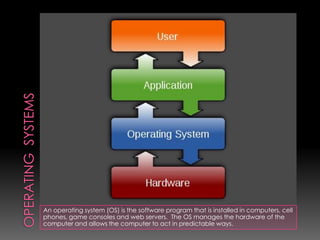
NetworksOperating  SystemsAn operating system (OS) is the software program that is installed in computers, cell phones, game consoles and web servers.  The OS manages the hardware of the computer and allows the computer to act in predictable ways.
Types of Operating SystemsThis list represents some of the more common operating systems.  This list can be separated into categories based on their design.  Some OS can be placed in more than one category. Linux / VariantsMacOSMS-DOSIBM OS/2 WarpUnix / VariantsWindows CEWindows 3.xWindows 95Windows 98Windows 98 SEWindows MEWindows NTWindows 2000Windows XPWindows VistaWindows 7
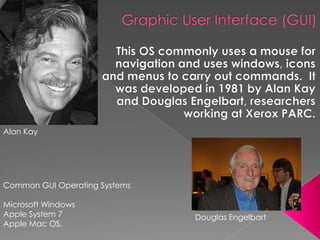
Graphic User Interface (GUI)This OS commonly uses a mouse for navigation and uses windows, icons and menus to carry out commands.  It was developed in 1981 by Alan Kay and Douglas Engelbart, researchers working at Xerox PARC.  Alan KayCommon GUI Operating SystemsMicrosoft Windows Apple System 7Apple Mac OS.Douglas Engelbart
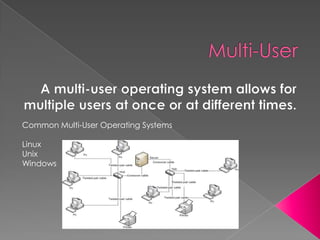
Multi-UserA multi-user operating system allows for multiple users at once or at different times.Common Multi-User Operating SystemsLinuxUnixWindows
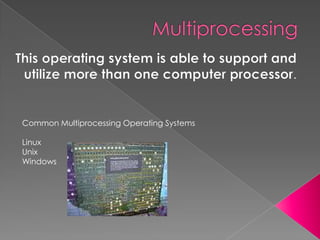
MultiprocessingThis operating system is able to support and utilize more than one computer processor.Common Multiprocessing Operating SystemsLinuxUnixWindows
MultitaskingMultitasking is the ability to run several software programs simultaneously.Common Multitasking Operating SystemsUnixWindows Link to YouTube
MutithreadingThis operating system allows different parts of a software program to run concurrentlyCommon Multithreading Operating SystemsLinuxUnixWindows Link to YouTube
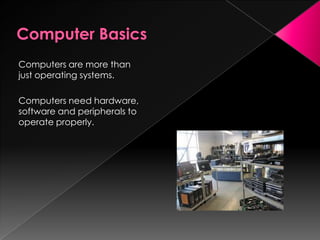
Computer BasicsComputers are more than just operating systems. Computers need hardware, software and peripherals to operate properly.
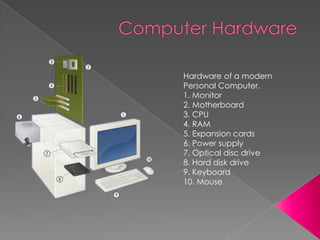
Computer HardwareHardware of a modern Personal Computer.1. Monitor2. Motherboard3. CPU4. RAM5. Expansion cards6. Power supply7. Optical disc drive8. Hard disk drive9. Keyboard10. Mouse
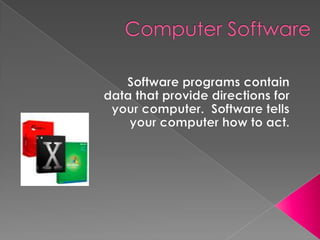
Computer SoftwareSoftware programs contain data that provide directions for your computer.  Software tells your computer how to act.
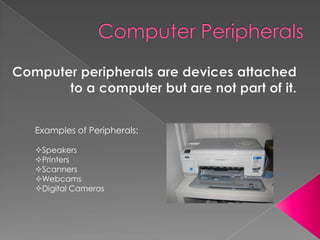
Computer PeripheralsComputer peripherals are devices attached to a computer but are not part of it.Examples of Peripherals:Speakers
Printers
Scanners
Webcams
Digital CamerasFile Management SystemThe internet is an endless flow of information.  There is a constant inflow and outflow of data.  It is important to stay organized to stay productive.Microsoft offers five tips for effective file management:Organize foldersClean up your hard diskUse System RestoreKeep Windows and Microsoft Office up to date.Run antivirus software.
NetworksA computer network consists of three parts:Clients
Infrastructure

541networking

  • 1.
  • 2.
  • 3.
  • 4.
  • 5.
    NetworksOperating SystemsAnoperating system (OS) is the software program that is installed in computers, cell phones, game consoles and web servers. The OS manages the hardware of the computer and allows the computer to act in predictable ways.
  • 6.
    Types of OperatingSystemsThis list represents some of the more common operating systems. This list can be separated into categories based on their design. Some OS can be placed in more than one category. Linux / VariantsMacOSMS-DOSIBM OS/2 WarpUnix / VariantsWindows CEWindows 3.xWindows 95Windows 98Windows 98 SEWindows MEWindows NTWindows 2000Windows XPWindows VistaWindows 7
  • 7.
    Graphic User Interface(GUI)This OS commonly uses a mouse for navigation and uses windows, icons and menus to carry out commands. It was developed in 1981 by Alan Kay and Douglas Engelbart, researchers working at Xerox PARC. Alan KayCommon GUI Operating SystemsMicrosoft Windows Apple System 7Apple Mac OS.Douglas Engelbart
  • 8.
    Multi-UserA multi-user operatingsystem allows for multiple users at once or at different times.Common Multi-User Operating SystemsLinuxUnixWindows
  • 9.
    MultiprocessingThis operating systemis able to support and utilize more than one computer processor.Common Multiprocessing Operating SystemsLinuxUnixWindows
  • 10.
    MultitaskingMultitasking is theability to run several software programs simultaneously.Common Multitasking Operating SystemsUnixWindows Link to YouTube
  • 11.
    MutithreadingThis operating systemallows different parts of a software program to run concurrentlyCommon Multithreading Operating SystemsLinuxUnixWindows Link to YouTube
  • 12.
    Computer BasicsComputers aremore than just operating systems. Computers need hardware, software and peripherals to operate properly.
  • 13.
    Computer HardwareHardware ofa modern Personal Computer.1. Monitor2. Motherboard3. CPU4. RAM5. Expansion cards6. Power supply7. Optical disc drive8. Hard disk drive9. Keyboard10. Mouse
  • 14.
    Computer SoftwareSoftware programscontain data that provide directions for your computer. Software tells your computer how to act.
  • 15.
    Computer PeripheralsComputer peripheralsare devices attached to a computer but are not part of it.Examples of Peripherals:Speakers
  • 16.
  • 17.
  • 18.
  • 19.
    Digital CamerasFile ManagementSystemThe internet is an endless flow of information. There is a constant inflow and outflow of data. It is important to stay organized to stay productive.Microsoft offers five tips for effective file management:Organize foldersClean up your hard diskUse System RestoreKeep Windows and Microsoft Office up to date.Run antivirus software.
  • 20.
    NetworksA computer networkconsists of three parts:Clients
  • 21.