© 2016 EDB. All rights reserved. 1
5 Postgres DBA Tips
• Dave Page | 2016-10-20
© 2016 EDB. All rights reserved. 2
• EnterpriseDB:
− Vice President & Chief Architect, Tools & Installers
− EDB Postgres Enterprise Manager
− EDB Failover Manager
− Cloud Products (EDB Ark, OpenShift containers)
− Packaging and distribution (installers, RPMs, StackBuilder etc)
− Configuration Management
• PostgreSQL:
− Core Team Member
− pgAdmin Project Lead
− Secretary of the board, PostgreSQL Europe
− Chairman of the board, PostgreSQL Community Association of Canada
− Webmaster and Sysadmin teams
Introduction – Dave Page
© 2016 EDB. All rights reserved. 3
• The leading Open Source management and administration application for
Postgres:

• Browse the database structure
• Create, edit and drop Postgres objects such as databases, tables and functions
• View current system activity in real time
• View and edit table data
• Execute arbitrary SQL queries and view the results
pgAdmin
© 2016 EDB. All rights reserved. 4
• Includes all features of pgAdmin, and adds:

• A powerful SQL profiler for examining server workload
• 24x7 monitoring and alerting
• Dashboards for visualising monitoring data
• Ad-hoc reporting with trend analysis for capacity management
• Tools for en-masse management:
• Configuration
• Software and upgrade deployment
• Static analysis
• Log analysis
Postgres Enterprise Manager (PEM)
© 2016 EDB. All rights reserved. 5
• pgAdmin 4 released with PostgreSQL 9.6
• PEM 7 will include an updated UI based on pgAdmin 4, and is due for
release in Q1 2017

• This presentation is based on pgAdmin III and PEM 6 for ease of
comparison
• All features shown will also be available in pgAdmin 4 and PEM 7
Roadmap
© 2016 EDB. All rights reserved. 6
• Standard functionality for ad-hoc use in pgAdmin
• Integrated into the SQL Profiler in PEM
• Allows quick and easy visualisation of plans when developing SQL:
• Renders each node in the plan as an icon depicting the type of operation (e.g.
sequential scan, hash join, aggregate etc)
• Popup panels show node info (e.g. objects, filter data, row estimates and
estimated costs)
• Variable-thickness arrows show the flow of data from one node into the next,
giving visual cues to the volume of data
Visual Query Plans
© 2016 EDB. All rights reserved. 7
Demo #1
Visual Query Plans
© 2016 EDB. All rights reserved. 8
• Included with the PEM fat client
• Can optionally be used with a PEM server in order to schedule profiling of
workloads, for example, to examine the execution of a nightly batch job
• Requires a plugin on the database server:
• Lightweight
• No locking
• Profiles only the required combination of databases and/or users
• Safety features prevent storage space exhaustion when profiling busy
systems
SQL Profiler (1)
© 2016 EDB. All rights reserved. 9
• Records 20+ statistics as well as the query plan and query text for all
appropriate queries executed during the profiling run
• Browse the captured data, with powerful filtering capabilities to help
discover expensive queries
• View the query text executed, and text and graphical plans
• View aggregate statistics, e.g:
• This query executed 27 times during the run
• This query was responsible for 58% of cache misses during the run
• Integrates with the Index Advisor when used with EDB Postgres Advanced
Server
SQL Profiler (2)
© 2016 EDB. All rights reserved. 10
Demo #2
SQL Profiler
© 2016 EDB. All rights reserved. 11
• Probes execute on schedules, collecting one or more metrics about the
system
• Each probe operates at a specific level of the logical object hierarchy:
• Host/OS
• Database Server
• Database
• Schema
• Each individual instance of a probe may be tuned:
• Enabled/disabled
• Execution frequency
• Data retention
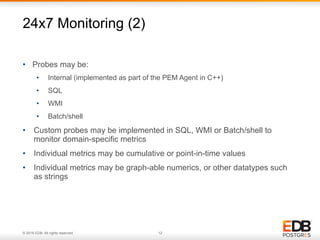
24x7 Monitoring (1)
© 2016 EDB. All rights reserved. 12
• Probes may be:
• Internal (implemented as part of the PEM Agent in C++)
• SQL
• WMI
• Batch/shell
• Custom probes may be implemented in SQL, WMI or Batch/shell to
monitor domain-specific metrics
• Individual metrics may be cumulative or point-in-time values
• Individual metrics may be graph-able numerics, or other datatypes such
as strings
24x7 Monitoring (2)
© 2016 EDB. All rights reserved. 13
Demo #3
Probe Configuration
& Dashboards
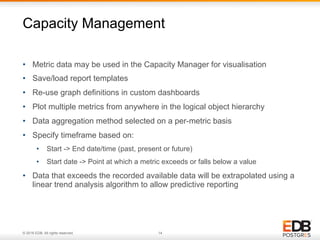
© 2016 EDB. All rights reserved. 14
• Metric data may be used in the Capacity Manager for visualisation
• Save/load report templates
• Re-use graph definitions in custom dashboards
• Plot multiple metrics from anywhere in the logical object hierarchy
• Data aggregation method selected on a per-metric basis
• Specify timeframe based on:
• Start -> End date/time (past, present or future)
• Start date -> Point at which a metric exceeds or falls below a value
• Data that exceeds the recorded available data will be extrapolated using a
linear trend analysis algorithm to allow predictive reporting
Capacity Management
© 2016 EDB. All rights reserved. 15
Demo #4
Capacity Manager
© 2016 EDB. All rights reserved. 16
• An alerting engine constantly monitors collected metrics for values that fall
outside acceptable minimum or maximum levels
• Templates are used to define alerts on each object type, tailored to the
needs of each instance of the object
• Threshold values may be specified for low, medium and high level alerts,
along with an operator to denote whether low or high values are to be
detected
• Some templates allow additional parameters to be defined, for example,
“Number of ERRORs in the Postgres Log in the last N minutes
• Users can create custom alert templates from any data collected for which
a scalar numeric value can be calculated
Alerting (1)
© 2016 EDB. All rights reserved. 17
• Alerts can be sent to users:
• Visually, through the PEM dashboards
• Via SNMP Traps to an upstream monitoring system (a database function is
included to generate a MIB file)
• Via SMTP to email recipients, grouped as needed to cover different alert levels
or hours of the day
• Via Nagios passive service checks to a Nagios installation (database functions
are included to generate host and service definitions)
• Scripts may be executed in response to alert level changes:
• Either on the affected host, for example, to restart a service
• or on the PEM server, for example, to call the RESTful API of an SMS service
provider or chat bot in a sysadmin channel/chatroom
Alerting (2)
© 2016 EDB. All rights reserved. 18
Demo #5
Alerting
© 2016 EDB. All rights reserved. 19
Questions?
© 2016 EDB. All rights reserved. 20

5 Postgres DBA Tips

  • 1.
    © 2016 EDB.All rights reserved. 1 5 Postgres DBA Tips • Dave Page | 2016-10-20
  • 2.
    © 2016 EDB.All rights reserved. 2 • EnterpriseDB: − Vice President & Chief Architect, Tools & Installers − EDB Postgres Enterprise Manager − EDB Failover Manager − Cloud Products (EDB Ark, OpenShift containers) − Packaging and distribution (installers, RPMs, StackBuilder etc) − Configuration Management • PostgreSQL: − Core Team Member − pgAdmin Project Lead − Secretary of the board, PostgreSQL Europe − Chairman of the board, PostgreSQL Community Association of Canada − Webmaster and Sysadmin teams Introduction – Dave Page
  • 3.
    © 2016 EDB.All rights reserved. 3 • The leading Open Source management and administration application for Postgres:
 • Browse the database structure • Create, edit and drop Postgres objects such as databases, tables and functions • View current system activity in real time • View and edit table data • Execute arbitrary SQL queries and view the results pgAdmin
  • 4.
    © 2016 EDB.All rights reserved. 4 • Includes all features of pgAdmin, and adds:
 • A powerful SQL profiler for examining server workload • 24x7 monitoring and alerting • Dashboards for visualising monitoring data • Ad-hoc reporting with trend analysis for capacity management • Tools for en-masse management: • Configuration • Software and upgrade deployment • Static analysis • Log analysis Postgres Enterprise Manager (PEM)
  • 5.
    © 2016 EDB.All rights reserved. 5 • pgAdmin 4 released with PostgreSQL 9.6 • PEM 7 will include an updated UI based on pgAdmin 4, and is due for release in Q1 2017
 • This presentation is based on pgAdmin III and PEM 6 for ease of comparison • All features shown will also be available in pgAdmin 4 and PEM 7 Roadmap
  • 6.
    © 2016 EDB.All rights reserved. 6 • Standard functionality for ad-hoc use in pgAdmin • Integrated into the SQL Profiler in PEM • Allows quick and easy visualisation of plans when developing SQL: • Renders each node in the plan as an icon depicting the type of operation (e.g. sequential scan, hash join, aggregate etc) • Popup panels show node info (e.g. objects, filter data, row estimates and estimated costs) • Variable-thickness arrows show the flow of data from one node into the next, giving visual cues to the volume of data Visual Query Plans
  • 7.
    © 2016 EDB.All rights reserved. 7 Demo #1 Visual Query Plans
  • 8.
    © 2016 EDB.All rights reserved. 8 • Included with the PEM fat client • Can optionally be used with a PEM server in order to schedule profiling of workloads, for example, to examine the execution of a nightly batch job • Requires a plugin on the database server: • Lightweight • No locking • Profiles only the required combination of databases and/or users • Safety features prevent storage space exhaustion when profiling busy systems SQL Profiler (1)
  • 9.
    © 2016 EDB.All rights reserved. 9 • Records 20+ statistics as well as the query plan and query text for all appropriate queries executed during the profiling run • Browse the captured data, with powerful filtering capabilities to help discover expensive queries • View the query text executed, and text and graphical plans • View aggregate statistics, e.g: • This query executed 27 times during the run • This query was responsible for 58% of cache misses during the run • Integrates with the Index Advisor when used with EDB Postgres Advanced Server SQL Profiler (2)
  • 10.
    © 2016 EDB.All rights reserved. 10 Demo #2 SQL Profiler
  • 11.
    © 2016 EDB.All rights reserved. 11 • Probes execute on schedules, collecting one or more metrics about the system • Each probe operates at a specific level of the logical object hierarchy: • Host/OS • Database Server • Database • Schema • Each individual instance of a probe may be tuned: • Enabled/disabled • Execution frequency • Data retention 24x7 Monitoring (1)
  • 12.
    © 2016 EDB.All rights reserved. 12 • Probes may be: • Internal (implemented as part of the PEM Agent in C++) • SQL • WMI • Batch/shell • Custom probes may be implemented in SQL, WMI or Batch/shell to monitor domain-specific metrics • Individual metrics may be cumulative or point-in-time values • Individual metrics may be graph-able numerics, or other datatypes such as strings 24x7 Monitoring (2)
  • 13.
    © 2016 EDB.All rights reserved. 13 Demo #3 Probe Configuration & Dashboards
  • 14.
    © 2016 EDB.All rights reserved. 14 • Metric data may be used in the Capacity Manager for visualisation • Save/load report templates • Re-use graph definitions in custom dashboards • Plot multiple metrics from anywhere in the logical object hierarchy • Data aggregation method selected on a per-metric basis • Specify timeframe based on: • Start -> End date/time (past, present or future) • Start date -> Point at which a metric exceeds or falls below a value • Data that exceeds the recorded available data will be extrapolated using a linear trend analysis algorithm to allow predictive reporting Capacity Management
  • 15.
    © 2016 EDB.All rights reserved. 15 Demo #4 Capacity Manager
  • 16.
    © 2016 EDB.All rights reserved. 16 • An alerting engine constantly monitors collected metrics for values that fall outside acceptable minimum or maximum levels • Templates are used to define alerts on each object type, tailored to the needs of each instance of the object • Threshold values may be specified for low, medium and high level alerts, along with an operator to denote whether low or high values are to be detected • Some templates allow additional parameters to be defined, for example, “Number of ERRORs in the Postgres Log in the last N minutes • Users can create custom alert templates from any data collected for which a scalar numeric value can be calculated Alerting (1)
  • 17.
    © 2016 EDB.All rights reserved. 17 • Alerts can be sent to users: • Visually, through the PEM dashboards • Via SNMP Traps to an upstream monitoring system (a database function is included to generate a MIB file) • Via SMTP to email recipients, grouped as needed to cover different alert levels or hours of the day • Via Nagios passive service checks to a Nagios installation (database functions are included to generate host and service definitions) • Scripts may be executed in response to alert level changes: • Either on the affected host, for example, to restart a service • or on the PEM server, for example, to call the RESTful API of an SMS service provider or chat bot in a sysadmin channel/chatroom Alerting (2)
  • 18.
    © 2016 EDB.All rights reserved. 18 Demo #5 Alerting
  • 19.
    © 2016 EDB.All rights reserved. 19 Questions?
  • 20.
    © 2016 EDB.All rights reserved. 20