EFM
Amandeep Singh
July 2021
© Copyright EnterpriseDB Corporation, 2021. All rights reserved.
2
Agenda
➢ Failover Manager overview
➢ Installation Demo
➢ Configuration Demo
➢ Q&A
Failover
Manager
overview
© Copyright EnterpriseDB Corporation, 2021. All rights reserved.
4
Ensure business
continuity
Maintain high
availability
Upgrade with
minimal downtime
Why EFM
Monitor health databases and
identify failures quickly
Meet your SLAs by switching
over to the most recent standby
Switchover on demand to move
the primary to standby for
maintenance
Pre-Requisites
➢ Install Java 1.8 (or later)
➢ SMTP Server
➢ Streaming Replication
➢ Modify the pg_hba.conf File
➢ Ensure that the Database user
has Sufficient Privileges
➢ Ensure Communication
Through Firewalls
Supported
platforms
➢ RHEL 8.x / 7.x
➢ CentOS 8.x / 7.x
➢ OL 8.x / 7.x
➢ SLES 12
➢ Ubuntu 20.04, 18.04 LTS
➢ Debian 9
➢ RHEL 7 on IBM Power8/9 (LE)
© Copyright EnterpriseDB Corporation, 2021. All rights reserved.
7
EFM Architecture
EPAS/PG EPAS/PG
Primary Standby Witness
initialize
EFM
EFM EFM
JGroups
Virtual IP
Switch-over
© Copyright EnterpriseDB Corporation, 2021. All rights reserved.
9
Switch over
EPAS/PG EPAS/PG
Primary Standby Witness
EFM
EFM EFM
JGroups
Virtual IP
Failover
© Copyright EnterpriseDB Corporation, 2021. All rights reserved.
11
Failover
EPAS/PG EPAS/PG
Primary Standby Witness
EFM
EFM EFM
JGroups
Virtual IP
© Copyright EnterpriseDB Corporation, 2021. All rights reserved.
12
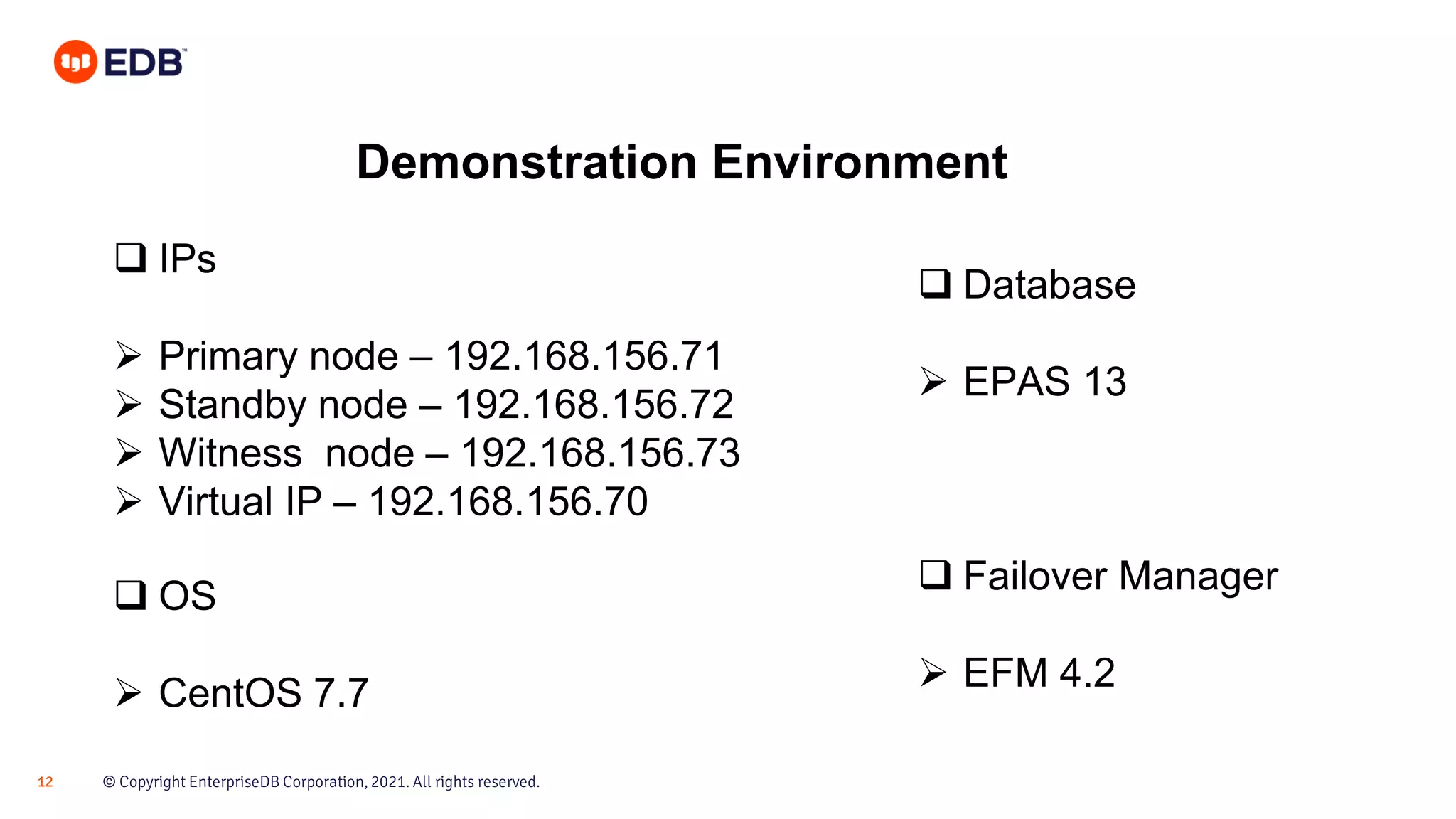
Demonstration Environment
❑ IPs
➢ Primary node – 192.168.156.71
➢ Standby node – 192.168.156.72
➢ Witness node – 192.168.156.73
➢ Virtual IP – 192.168.156.70
❑ OS
➢ CentOS 7.7
❑ Database
➢ EPAS 13
❑ Failover Manager
➢ EFM 4.2
Live demo
Q & A
Thank you!

EFM Office Hours - APJ - July 29, 2021

  • 1.
  • 2.
    © Copyright EnterpriseDBCorporation, 2021. All rights reserved. 2 Agenda ➢ Failover Manager overview ➢ Installation Demo ➢ Configuration Demo ➢ Q&A
  • 3.
  • 4.
    © Copyright EnterpriseDBCorporation, 2021. All rights reserved. 4 Ensure business continuity Maintain high availability Upgrade with minimal downtime Why EFM Monitor health databases and identify failures quickly Meet your SLAs by switching over to the most recent standby Switchover on demand to move the primary to standby for maintenance
  • 5.
    Pre-Requisites ➢ Install Java1.8 (or later) ➢ SMTP Server ➢ Streaming Replication ➢ Modify the pg_hba.conf File ➢ Ensure that the Database user has Sufficient Privileges ➢ Ensure Communication Through Firewalls
  • 6.
    Supported platforms ➢ RHEL 8.x/ 7.x ➢ CentOS 8.x / 7.x ➢ OL 8.x / 7.x ➢ SLES 12 ➢ Ubuntu 20.04, 18.04 LTS ➢ Debian 9 ➢ RHEL 7 on IBM Power8/9 (LE)
  • 7.
    © Copyright EnterpriseDBCorporation, 2021. All rights reserved. 7 EFM Architecture EPAS/PG EPAS/PG Primary Standby Witness initialize EFM EFM EFM JGroups Virtual IP
  • 8.
  • 9.
    © Copyright EnterpriseDBCorporation, 2021. All rights reserved. 9 Switch over EPAS/PG EPAS/PG Primary Standby Witness EFM EFM EFM JGroups Virtual IP
  • 10.
  • 11.
    © Copyright EnterpriseDBCorporation, 2021. All rights reserved. 11 Failover EPAS/PG EPAS/PG Primary Standby Witness EFM EFM EFM JGroups Virtual IP
  • 12.
    © Copyright EnterpriseDBCorporation, 2021. All rights reserved. 12 Demonstration Environment ❑ IPs ➢ Primary node – 192.168.156.71 ➢ Standby node – 192.168.156.72 ➢ Witness node – 192.168.156.73 ➢ Virtual IP – 192.168.156.70 ❑ OS ➢ CentOS 7.7 ❑ Database ➢ EPAS 13 ❑ Failover Manager ➢ EFM 4.2
  • 13.
  • 14.
  • 15.