5

data

visualization

pitfalls

(and how to avoid them)
We’ve been using charts to help us
understand business data for decades.
But even when the data was different,
the charts were basically the same.
Now, everything is changing.
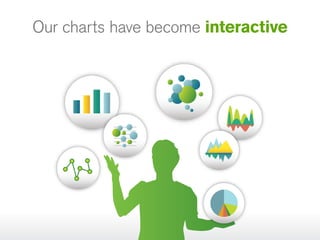
Our charts have become interactive
You can work directly with the
data you see.
You can interact with the visuals
to dig deeper.
And you can navigate through all
your information like never before.
You can interact as quickly as you think...

…and that leads to insight.
All at once, complex data
becomes clearer.
 You can see outliers, patterns,
trends, and correlations that just
aren’t visible in simple rows
and columns.
And pictures are suddenly
worth more than a
words.
But, to experience the benefits of data
visualization, you must avoid the pitfalls.
So, let’s get to it…
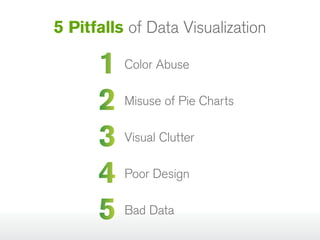
5 Pitfalls of Data Visualization

1 Color Abuse
2 Misuse of Pie Charts
3 Visual Clutter
4 Poor Design
5 Bad Data
Pitfall
Color Abuse
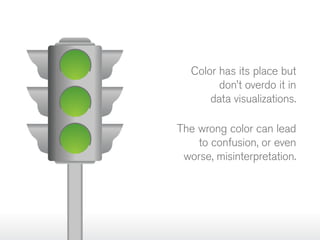
Color has its place but
don’t overdo it in
data visualizations.
The wrong color can lead
to confusion, or even
worse, misinterpretation.
Tip

Always choose your
colors carefully

Analysis always comes first.
So, despite what your branding
department might say, brand
colors are often not the best
choice for visualizations.
Consider the color blind, and
use shapes and colors that are
easiest for the most people
to see.

Don’t rely on color alone to
convey meaning.
Pitfall
Misuse of
Pie Charts
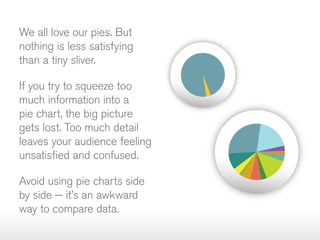
We all love our pies. But
nothing is less satisfying
than a tiny sliver.
If you try to squeeze too
much information into a
pie chart, the big picture
gets lost. Too much detail
leaves your audience feeling
unsatisfied and confused.
Avoid using pie charts side
by side — it’s an awkward
way to compare data.
Tip

Pie charts work best for limited
data sets that let you easily
distinguish each slice of pie.

Use pie charts to compare parts
of a whole. Don’t use them to
compare different sets of data.

Use pie charts for
the right data
Order your slices from largest to
smallest for easier comparison.
Pitfall
Visual Clutter
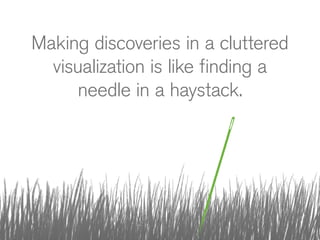
Making discoveries in a cluttered
visualization is like finding a
needle in a haystack.
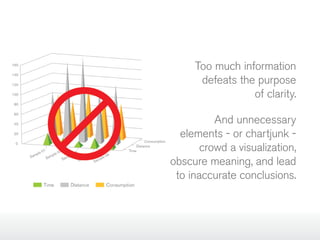
Too much information
defeats the purpose
of clarity.
And unnecessary
elements - or chartjunk crowd a visualization,
obscure meaning, and lead
to inaccurate conclusions.
Tip

Limit the number of KPIs in a
dashboard to 9 or less. Too many
indicators are distracting.

Keep the visualization simple. The
less there is to interpret, the
easier it is to understand.

Keep it simple
If your visual looks cluttered, try
a different format. The cleanest
format is usually the best.
Pitfall
Poor Design
Design is not just what it
looks like and feels like.
Design is how it works.
– Steve Jobs
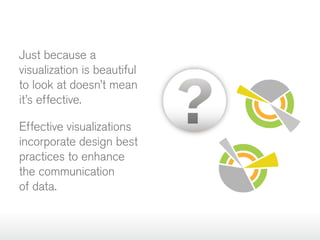
Just because a
visualization is beautiful
to look at doesn’t mean
it’s effective.
Effective visualizations
incorporate design best
practices to enhance
the communication
of data.
Tip

Enlist professional
designers

Don’t just create visuals and
dashboards; design them.

Work with designers to ensure
that the visualization is as
effective as possible.
Pitfall
Bad data
Great visualizations start
with great data.
If your visualization reveals
unexpected results, you may
be the victim of bad data.
Don’t let your visualization
become the scapegoat for
bad data.
Tip

Spot and correct
data issues early

Use your charts to spot issues
with your data.

Address the issues before
presenting your data. Don’t let
your visualization take the blame
for bad information.

Understand the difference
between an unexpected
discovery and a data issue.
Now you know the secrets to
creating effective visualizations.
So what’s stopping you?
Go. Design. Discover.
Want more creative ideas and
examples for top‑notch visualizations?
Start Here:
Infosthetics.com: Explore the relationship between creative design and
information visualization.
Flowingdata.com: Learn how designers, statisticians, and computer
scientists use data to better understand the world.
Visual.ly: Create, share, and explore great visual content online.
Perceptualedge.com: Get fresh visual BI insights from the blog of
leading expert Stephen Few.
Data Visualization: Use the QlikView demo and video to choose the
best chart for any kind of data.
qlikview.com
© 2013 QlikTech International AB. All rights reserved. QlikTech, QlikView, Qlik, Q, and other QlikTech products and services as well as their
respective logos are trademarks or registered trademarks of QlikTech International AB. All other company names, products and services used
herein are trademarks or registered trademarks of their respective owners. The information published herein is subject to change without notice.
This publication is for informational purposes only, without representation or warranty of any kind, and QlikTech shall not be liable for errors or
omissions with respect to this publication. The only warranties for QlikTech products and services are those that are set forth in the express
warranty statements accompanying such products and services, if any. Nothing herein should be construed as constituting any additional warranty.

5 Data Visualization Pitfalls

  • 1.
  • 2.
    We’ve been usingcharts to help us understand business data for decades. But even when the data was different, the charts were basically the same. Now, everything is changing.
  • 3.
    Our charts havebecome interactive
  • 4.
    You can workdirectly with the data you see. You can interact with the visuals to dig deeper. And you can navigate through all your information like never before.
  • 5.
    You can interactas quickly as you think... …and that leads to insight.
  • 6.
    All at once,complex data becomes clearer.  You can see outliers, patterns, trends, and correlations that just aren’t visible in simple rows and columns.
  • 7.
    And pictures aresuddenly worth more than a words.
  • 8.
    But, to experiencethe benefits of data visualization, you must avoid the pitfalls. So, let’s get to it…
  • 9.
    5 Pitfalls ofData Visualization 1 Color Abuse 2 Misuse of Pie Charts 3 Visual Clutter 4 Poor Design 5 Bad Data
  • 10.
  • 11.
    Color has itsplace but don’t overdo it in data visualizations. The wrong color can lead to confusion, or even worse, misinterpretation.
  • 12.
    Tip Always choose your colorscarefully Analysis always comes first. So, despite what your branding department might say, brand colors are often not the best choice for visualizations. Consider the color blind, and use shapes and colors that are easiest for the most people to see. Don’t rely on color alone to convey meaning.
  • 13.
  • 14.
    We all loveour pies. But nothing is less satisfying than a tiny sliver. If you try to squeeze too much information into a pie chart, the big picture gets lost. Too much detail leaves your audience feeling unsatisfied and confused. Avoid using pie charts side by side — it’s an awkward way to compare data.
  • 15.
    Tip Pie charts workbest for limited data sets that let you easily distinguish each slice of pie. Use pie charts to compare parts of a whole. Don’t use them to compare different sets of data. Use pie charts for the right data Order your slices from largest to smallest for easier comparison.
  • 16.
  • 17.
    Making discoveries ina cluttered visualization is like finding a needle in a haystack.
  • 18.
    Too much information defeatsthe purpose of clarity. And unnecessary elements - or chartjunk crowd a visualization, obscure meaning, and lead to inaccurate conclusions.
  • 19.
    Tip Limit the numberof KPIs in a dashboard to 9 or less. Too many indicators are distracting. Keep the visualization simple. The less there is to interpret, the easier it is to understand. Keep it simple If your visual looks cluttered, try a different format. The cleanest format is usually the best.
  • 20.
  • 21.
    Design is notjust what it looks like and feels like. Design is how it works. – Steve Jobs
  • 22.
    Just because a visualizationis beautiful to look at doesn’t mean it’s effective. Effective visualizations incorporate design best practices to enhance the communication of data.
  • 23.
    Tip Enlist professional designers Don’t justcreate visuals and dashboards; design them. Work with designers to ensure that the visualization is as effective as possible.
  • 24.
  • 25.
    Great visualizations start withgreat data. If your visualization reveals unexpected results, you may be the victim of bad data. Don’t let your visualization become the scapegoat for bad data.
  • 26.
    Tip Spot and correct dataissues early Use your charts to spot issues with your data. Address the issues before presenting your data. Don’t let your visualization take the blame for bad information. Understand the difference between an unexpected discovery and a data issue.
  • 27.
    Now you knowthe secrets to creating effective visualizations. So what’s stopping you?
  • 28.
  • 29.
    Want more creativeideas and examples for top‑notch visualizations? Start Here: Infosthetics.com: Explore the relationship between creative design and information visualization. Flowingdata.com: Learn how designers, statisticians, and computer scientists use data to better understand the world. Visual.ly: Create, share, and explore great visual content online. Perceptualedge.com: Get fresh visual BI insights from the blog of leading expert Stephen Few. Data Visualization: Use the QlikView demo and video to choose the best chart for any kind of data.
  • 30.
    qlikview.com © 2013 QlikTechInternational AB. All rights reserved. QlikTech, QlikView, Qlik, Q, and other QlikTech products and services as well as their respective logos are trademarks or registered trademarks of QlikTech International AB. All other company names, products and services used herein are trademarks or registered trademarks of their respective owners. The information published herein is subject to change without notice. This publication is for informational purposes only, without representation or warranty of any kind, and QlikTech shall not be liable for errors or omissions with respect to this publication. The only warranties for QlikTech products and services are those that are set forth in the express warranty statements accompanying such products and services, if any. Nothing herein should be construed as constituting any additional warranty.