








1 Copyright © 2011, Oracle and/or its affiliates. All rights
reserved.
Insert Information Protection Policy Classification from Slide 8
2 Copyright © 2011, Oracle and/or its affiliates. All rights
reserved.
Insert Information Protection Policy Classification from Slide 8
Five things you probably
didn’t know about SQL
Thomas Kyte
http://asktom.oracle.com/
3 Copyright © 2011, Oracle and/or its affiliates. All rights
reserved.
Insert Information Protection Policy Classification from Slide 8
4
The following is intended to outline our general product
direction. It is intended for information purposes only,
and may not be incorporated into any contract. It is not a
commitment to deliver any material, code, or functionality,
and should not be relied upon in making purchasing
decisions.
The development, release, and timing of any features or
functionality described for Oracle’s products remains at the
sole discretion of Oracle.
5
Who am I
• Been with Oracle since 1993
• User of Oracle since 1987
• The “Tom” behind AskTom in
Oracle Magazine
www.oracle.com/oramag
• Expert Oracle Database
Architecture
• Effective Oracle by Design
• Expert One on One Oracle
• Beginning Oracle
6
<Insert Picture Here>
Five things you probably didn’t know about
SQL
• SQLNet Compression
• NULLS and Indexes and Cardinality
• You are being watched!
• Scalar Subquery Caching
• Calling statement level non-deterministic
functions
7
SQLNet
Compression
8
SQLNet Compression
• How you retrieve the data matters
• Not all result sets are the same – even if they have the same data
9
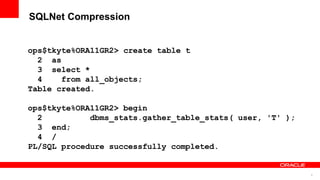
SQLNet Compression
ops$tkyte%ORA11GR2> create table t
2 as
3 select *
4 from all_objects;
Table created.
ops$tkyte%ORA11GR2> begin
2 dbms_stats.gather_table_stats( user, 'T' );
3 end;
4 /
PL/SQL procedure successfully completed.
10
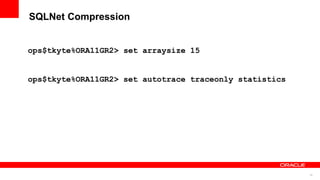
SQLNet Compression
ops$tkyte%ORA11GR2> set arraysize 15
ops$tkyte%ORA11GR2> set autotrace traceonly statistics
11
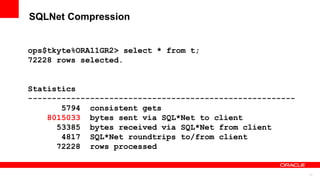
SQLNet Compression
ops$tkyte%ORA11GR2> select * from t;
72228 rows selected.
Statistics
--------------------------------------------------------
5794 consistent gets
8015033 bytes sent via SQL*Net to client
53385 bytes received via SQL*Net from client
4817 SQL*Net roundtrips to/from client
72228 rows processed
12
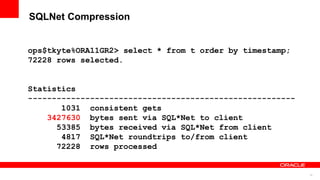
SQLNet Compression
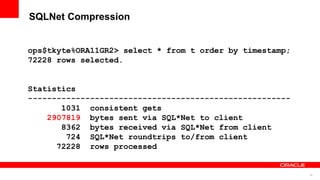
ops$tkyte%ORA11GR2> select * from t order by timestamp;
72228 rows selected.
Statistics
--------------------------------------------------------
1031 consistent gets
3427630 bytes sent via SQL*Net to client
53385 bytes received via SQL*Net from client
4817 SQL*Net roundtrips to/from client
72228 rows processed
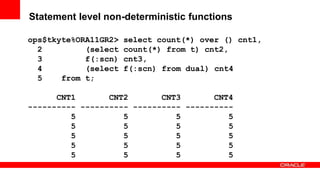
13
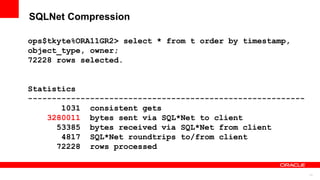
SQLNet Compression
ops$tkyte%ORA11GR2> select * from t order by timestamp,
object_type, owner;
72228 rows selected.
Statistics
----------------------------------------------------------
1031 consistent gets
3280011 bytes sent via SQL*Net to client
53385 bytes received via SQL*Net from client
4817 SQL*Net roundtrips to/from client
72228 rows processed
14
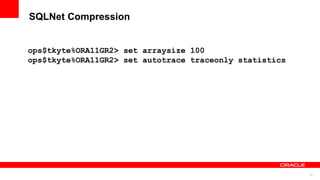
SQLNet Compression
ops$tkyte%ORA11GR2> set arraysize 100
ops$tkyte%ORA11GR2> set autotrace traceonly statistics
15
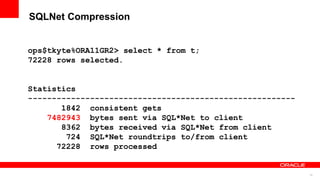
SQLNet Compression
ops$tkyte%ORA11GR2> select * from t;
72228 rows selected.
Statistics
--------------------------------------------------------
1842 consistent gets
7482943 bytes sent via SQL*Net to client
8362 bytes received via SQL*Net from client
724 SQL*Net roundtrips to/from client
72228 rows processed
16
SQLNet Compression
ops$tkyte%ORA11GR2> select * from t order by timestamp;
72228 rows selected.
Statistics
-------------------------------------------------------
1031 consistent gets
2907819 bytes sent via SQL*Net to client
8362 bytes received via SQL*Net from client
724 SQL*Net roundtrips to/from client
72228 rows processed
17
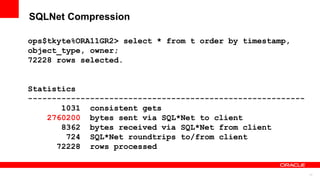
SQLNet Compression
ops$tkyte%ORA11GR2> select * from t order by timestamp,
object_type, owner;
72228 rows selected.
Statistics
----------------------------------------------------------
1031 consistent gets
2760200 bytes sent via SQL*Net to client
8362 bytes received via SQL*Net from client
724 SQL*Net roundtrips to/from client
72228 rows processed
18
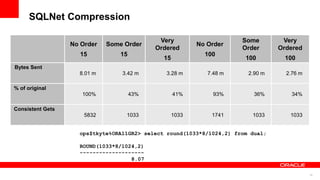
SQLNet Compression
No Order
15
Some Order
15
Very
Ordered
15
No Order
100
Some
Order
100
Very
Ordered
100
Bytes Sent
8.01 m 3.42 m 3.28 m 7.48 m 2.90 m 2.76 m
% of original
100% 43% 41% 93% 36% 34%
Consistent Gets
5832 1033 1033 1741 1033 1033
ops$tkyte%ORA11GR2> select round(1033*8/1024,2) from dual;
ROUND(1033*8/1024,2)
--------------------
8.07
19
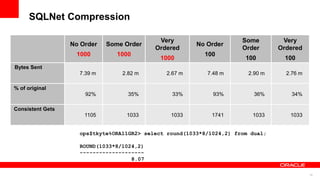
SQLNet Compression
No Order
1000
Some Order
1000
Very
Ordered
1000
No Order
100
Some
Order
100
Very
Ordered
100
Bytes Sent
7.39 m 2.82 m 2.67 m 7.48 m 2.90 m 2.76 m
% of original
92% 35% 33% 93% 36% 34%
Consistent Gets
1105 1033 1033 1741 1033 1033
ops$tkyte%ORA11GR2> select round(1033*8/1024,2) from dual;
ROUND(1033*8/1024,2)
--------------------
8.07
20
NULLS and
Indexes and
Cardinality
21
“Wrong cardinality = Wrong Plan”
22
NULLs and Cardinality
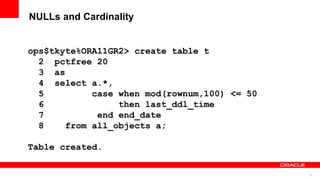
ops$tkyte%ORA11GR2> create table t
2 pctfree 20
3 as
4 select a.*,
5 case when mod(rownum,100) <= 50
6 then last_ddl_time
7 end end_date
8 from all_objects a;
Table created.
23
NULLs and Cardinality
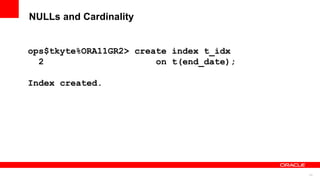
ops$tkyte%ORA11GR2> create index t_idx
2 on t(end_date);
Index created.
24
NULLs and Cardinality
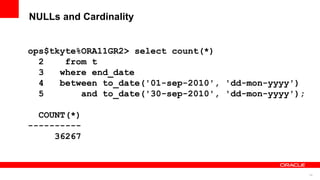
ops$tkyte%ORA11GR2> select count(*)
2 from t
3 where end_date
4 between to_date('01-sep-2010', 'dd-mon-yyyy')
5 and to_date('30-sep-2010', 'dd-mon-yyyy');
COUNT(*)
----------
36267
25
NULLs and Cardinality
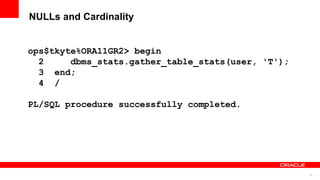
ops$tkyte%ORA11GR2> begin
2 dbms_stats.gather_table_stats(user, 'T');
3 end;
4 /
PL/SQL procedure successfully completed.
26
NULLs and Cardinality
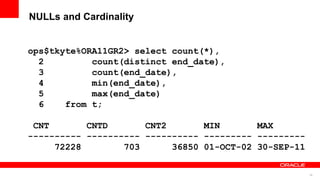
ops$tkyte%ORA11GR2> select count(*),
2 count(distinct end_date),
3 count(end_date),
4 min(end_date),
5 max(end_date)
6 from t;
CNT CNTD CNT2 MIN MAX
---------- ---------- ---------- --------- ---------
72228 703 36850 01-OCT-02 30-SEP-11
27
NULLs and Cardinality
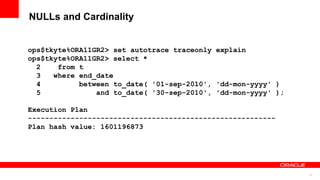
ops$tkyte%ORA11GR2> set autotrace traceonly explain
ops$tkyte%ORA11GR2> select *
2 from t
3 where end_date
4 between to_date( '01-sep-2010', 'dd-mon-yyyy' )
5 and to_date( '30-sep-2010', 'dd-mon-yyyy' );
Execution Plan
----------------------------------------------------------
Plan hash value: 1601196873
28
NULLs and Cardinality
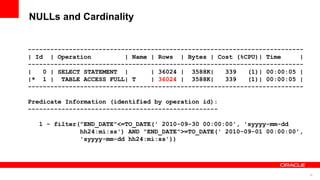
--------------------------------------------------------------------------
| Id | Operation | Name | Rows | Bytes | Cost (%CPU)| Time |
--------------------------------------------------------------------------
| 0 | SELECT STATEMENT | | 36024 | 3588K| 339 (1)| 00:00:05 |
|* 1 | TABLE ACCESS FULL| T | 36024 | 3588K| 339 (1)| 00:00:05 |
--------------------------------------------------------------------------
Predicate Information (identified by operation id):
---------------------------------------------------
1 - filter("END_DATE"<=TO_DATE(' 2010-09-30 00:00:00', 'syyyy-mm-dd
hh24:mi:ss') AND "END_DATE">=TO_DATE(' 2010-09-01 00:00:00',
'syyyy-mm-dd hh24:mi:ss'))
29
NULLs and Cardinality
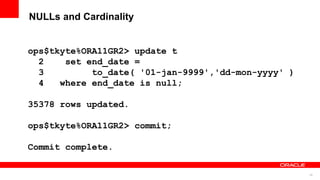
ops$tkyte%ORA11GR2> update t
2 set end_date =
3 to_date( '01-jan-9999','dd-mon-yyyy' )
4 where end_date is null;
35378 rows updated.
ops$tkyte%ORA11GR2> commit;
Commit complete.
30
NULLs and Cardinality
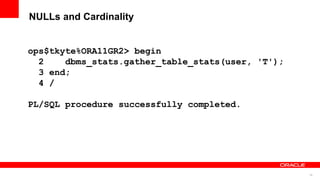
ops$tkyte%ORA11GR2> begin
2 dbms_stats.gather_table_stats(user, 'T');
3 end;
4 /
PL/SQL procedure successfully completed.
31
NULLs and Cardinality
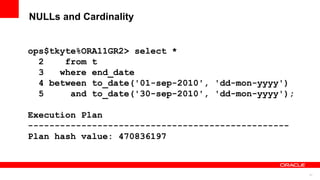
ops$tkyte%ORA11GR2> select *
2 from t
3 where end_date
4 between to_date('01-sep-2010', 'dd-mon-yyyy')
5 and to_date('30-sep-2010', 'dd-mon-yyyy');
Execution Plan
-------------------------------------------------
Plan hash value: 470836197
32
NULLs and Cardinality
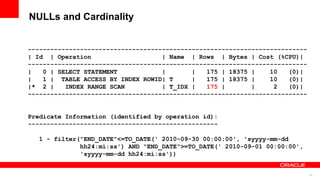
---------------------------------------------------------------------------
| Id | Operation | Name | Rows | Bytes | Cost (%CPU)|
---------------------------------------------------------------------------
| 0 | SELECT STATEMENT | | 175 | 18375 | 10 (0)|
| 1 | TABLE ACCESS BY INDEX ROWID| T | 175 | 18375 | 10 (0)|
|* 2 | INDEX RANGE SCAN | T_IDX | 175 | | 2 (0)|
---------------------------------------------------------------------------
Predicate Information (identified by operation id):
---------------------------------------------------
1 - filter("END_DATE"<=TO_DATE(' 2010-09-30 00:00:00', 'syyyy-mm-dd
hh24:mi:ss') AND "END_DATE">=TO_DATE(' 2010-09-01 00:00:00',
'syyyy-mm-dd hh24:mi:ss'))
33
“Wrong cardinality = Wrong Plan”
34
<Insert Picture Here>
Nulls and Indexes
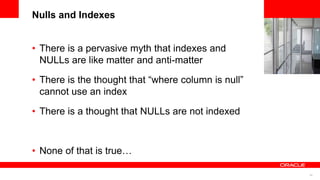
• There is a pervasive myth that indexes and
NULLs are like matter and anti-matter
• There is the thought that “where column is null”
cannot use an index
• There is a thought that NULLs are not indexed
• None of that is true…
35
NULLs and Indexes
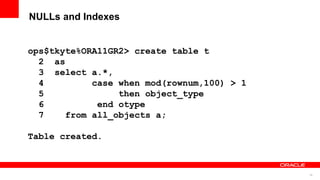
ops$tkyte%ORA11GR2> create table t
2 as
3 select a.*,
4 case when mod(rownum,100) > 1
5 then object_type
6 end otype
7 from all_objects a;
Table created.
36
NULLs and Indexes
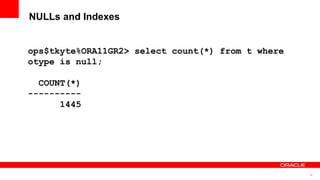
ops$tkyte%ORA11GR2> select count(*) from t where
otype is null;
COUNT(*)
----------
1445
37
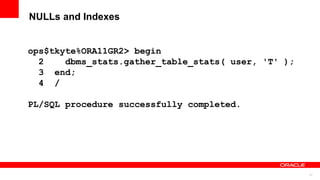
NULLs and Indexes
ops$tkyte%ORA11GR2> begin
2 dbms_stats.gather_table_stats( user, 'T' );
3 end;
4 /
PL/SQL procedure successfully completed.
38
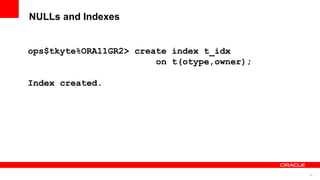
NULLs and Indexes
ops$tkyte%ORA11GR2> create index t_idx
on t(otype,owner);
Index created.
39
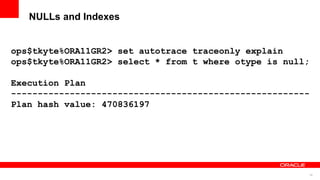
NULLs and Indexes
ops$tkyte%ORA11GR2> set autotrace traceonly explain
ops$tkyte%ORA11GR2> select * from t where otype is null;
Execution Plan
--------------------------------------------------------
Plan hash value: 470836197
40
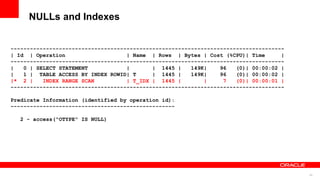
NULLs and Indexes
-------------------------------------------------------------------------------------
| Id | Operation | Name | Rows | Bytes | Cost (%CPU)| Time |
-------------------------------------------------------------------------------------
| 0 | SELECT STATEMENT | | 1445 | 149K| 96 (0)| 00:00:02 |
| 1 | TABLE ACCESS BY INDEX ROWID| T | 1445 | 149K| 96 (0)| 00:00:02 |
|* 2 | INDEX RANGE SCAN | T_IDX | 1445 | | 7 (0)| 00:00:01 |
-------------------------------------------------------------------------------------
Predicate Information (identified by operation id):
---------------------------------------------------
2 - access("OTYPE" IS NULL)
41
NULLs and Indexes
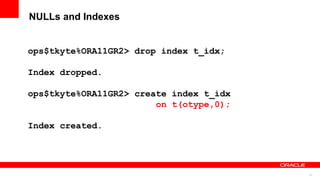
ops$tkyte%ORA11GR2> drop index t_idx;
Index dropped.
ops$tkyte%ORA11GR2> create index t_idx
on t(otype,0);
Index created.
42
NULLs and Indexes
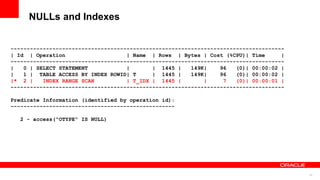
-------------------------------------------------------------------------------------
| Id | Operation | Name | Rows | Bytes | Cost (%CPU)| Time |
-------------------------------------------------------------------------------------
| 0 | SELECT STATEMENT | | 1445 | 149K| 96 (0)| 00:00:02 |
| 1 | TABLE ACCESS BY INDEX ROWID| T | 1445 | 149K| 96 (0)| 00:00:02 |
|* 2 | INDEX RANGE SCAN | T_IDX | 1445 | | 7 (0)| 00:00:01 |
-------------------------------------------------------------------------------------
Predicate Information (identified by operation id):
---------------------------------------------------
2 - access("OTYPE" IS NULL)
43
<Insert Picture Here>
Nulls and Indexes
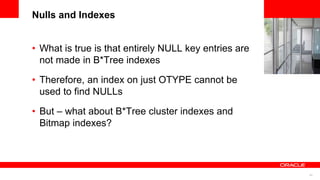
• What is true is that entirely NULL key entries are
not made in B*Tree indexes
• Therefore, an index on just OTYPE cannot be
used to find NULLs
• But – what about B*Tree cluster indexes and
Bitmap indexes?
44
You are being
WATCHED!
45
<Insert Picture Here>
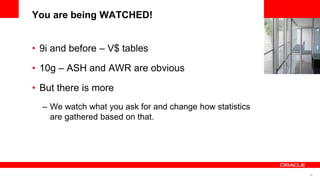
You are being WATCHED!
• 9i and before – V$ tables
• 10g – ASH and AWR are obvious
• But there is more
– We watch what you ask for and change how statistics
are gathered based on that.
46
You are being WATCHED!
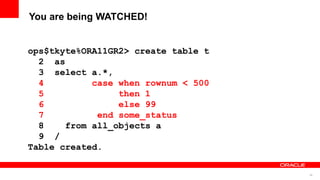
ops$tkyte%ORA11GR2> create table t
2 as
3 select a.*,
4 case when rownum < 500
5 then 1
6 else 99
7 end some_status
8 from all_objects a
9 /
Table created.
47
You are being WATCHED!
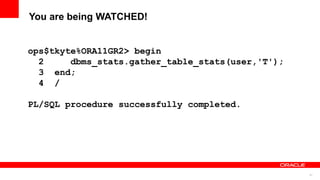
ops$tkyte%ORA11GR2> begin
2 dbms_stats.gather_table_stats(user,'T');
3 end;
4 /
PL/SQL procedure successfully completed.
48
You are being WATCHED!
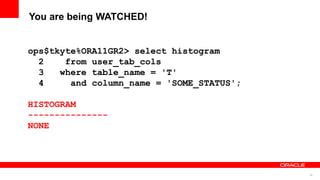
ops$tkyte%ORA11GR2> select histogram
2 from user_tab_cols
3 where table_name = 'T'
4 and column_name = 'SOME_STATUS';
HISTOGRAM
---------------
NONE
49
You are being WATCHED!
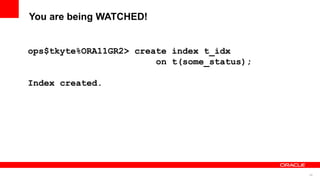
ops$tkyte%ORA11GR2> create index t_idx
on t(some_status);
Index created.
50
You are being WATCHED!
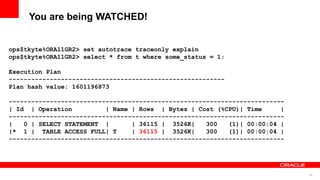
ops$tkyte%ORA11GR2> set autotrace traceonly explain
ops$tkyte%ORA11GR2> select * from t where some_status = 1;
Execution Plan
----------------------------------------------------------
Plan hash value: 1601196873
--------------------------------------------------------------------------
| Id | Operation | Name | Rows | Bytes | Cost (%CPU)| Time |
--------------------------------------------------------------------------
| 0 | SELECT STATEMENT | | 36115 | 3526K| 300 (1)| 00:00:04 |
|* 1 | TABLE ACCESS FULL| T | 36115 | 3526K| 300 (1)| 00:00:04 |
--------------------------------------------------------------------------
51
You are being WATCHED!
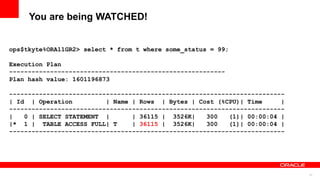
ops$tkyte%ORA11GR2> select * from t where some_status = 99;
Execution Plan
----------------------------------------------------------
Plan hash value: 1601196873
--------------------------------------------------------------------------
| Id | Operation | Name | Rows | Bytes | Cost (%CPU)| Time |
--------------------------------------------------------------------------
| 0 | SELECT STATEMENT | | 36115 | 3526K| 300 (1)| 00:00:04 |
|* 1 | TABLE ACCESS FULL| T | 36115 | 3526K| 300 (1)| 00:00:04 |
--------------------------------------------------------------------------
52
You are being WATCHED!
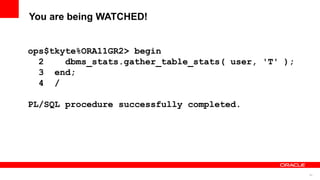
ops$tkyte%ORA11GR2> begin
2 dbms_stats.gather_table_stats( user, 'T' );
3 end;
4 /
PL/SQL procedure successfully completed.
53
You are being WATCHED!
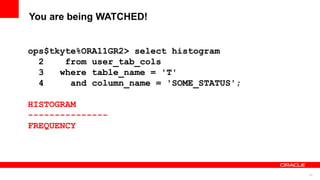
ops$tkyte%ORA11GR2> select histogram
2 from user_tab_cols
3 where table_name = 'T'
4 and column_name = 'SOME_STATUS';
HISTOGRAM
---------------
FREQUENCY
54
You are being WATCHED!
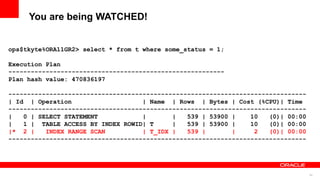
ops$tkyte%ORA11GR2> select * from t where some_status = 1;
Execution Plan
----------------------------------------------------------
Plan hash value: 470836197
--------------------------------------------------------------------------------
| Id | Operation | Name | Rows | Bytes | Cost (%CPU)| Time
--------------------------------------------------------------------------------
| 0 | SELECT STATEMENT | | 539 | 53900 | 10 (0)| 00:00
| 1 | TABLE ACCESS BY INDEX ROWID| T | 539 | 53900 | 10 (0)| 00:00
|* 2 | INDEX RANGE SCAN | T_IDX | 539 | | 2 (0)| 00:00
--------------------------------------------------------------------------------
55
You are being WATCHED!
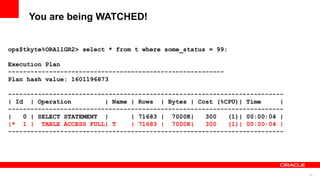
ops$tkyte%ORA11GR2> select * from t where some_status = 99;
Execution Plan
----------------------------------------------------------
Plan hash value: 1601196873
--------------------------------------------------------------------------
| Id | Operation | Name | Rows | Bytes | Cost (%CPU)| Time |
--------------------------------------------------------------------------
| 0 | SELECT STATEMENT | | 71683 | 7000K| 300 (1)| 00:00:04 |
|* 1 | TABLE ACCESS FULL| T | 71683 | 7000K| 300 (1)| 00:00:04 |
--------------------------------------------------------------------------
56
You are being WATCHED!
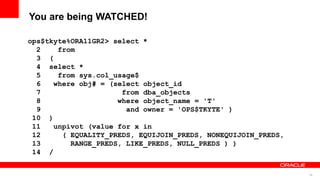
ops$tkyte%ORA11GR2> select *
2 from
3 (
4 select *
5 from sys.col_usage$
6 where obj# = (select object_id
7 from dba_objects
8 where object_name = 'T'
9 and owner = 'OPS$TKYTE' )
10 )
11 unpivot (value for x in
12 ( EQUALITY_PREDS, EQUIJOIN_PREDS, NONEQUIJOIN_PREDS,
13 RANGE_PREDS, LIKE_PREDS, NULL_PREDS ) )
14 /
57
You are being WATCHED!
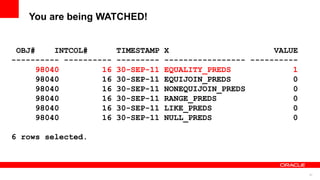
OBJ# INTCOL# TIMESTAMP X VALUE
---------- ---------- --------- ----------------- ----------
98040 16 30-SEP-11 EQUALITY_PREDS 1
98040 16 30-SEP-11 EQUIJOIN_PREDS 0
98040 16 30-SEP-11 NONEQUIJOIN_PREDS 0
98040 16 30-SEP-11 RANGE_PREDS 0
98040 16 30-SEP-11 LIKE_PREDS 0
98040 16 30-SEP-11 NULL_PREDS 0
6 rows selected.
58
You are being WATCHED!
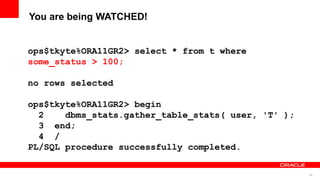
ops$tkyte%ORA11GR2> select * from t where
some_status > 100;
no rows selected
ops$tkyte%ORA11GR2> begin
2 dbms_stats.gather_table_stats( user, 'T' );
3 end;
4 /
PL/SQL procedure successfully completed.
59
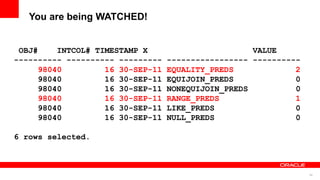
You are being WATCHED!
OBJ# INTCOL# TIMESTAMP X VALUE
---------- ---------- --------- ----------------- ----------
98040 16 30-SEP-11 EQUALITY_PREDS 2
98040 16 30-SEP-11 EQUIJOIN_PREDS 0
98040 16 30-SEP-11 NONEQUIJOIN_PREDS 0
98040 16 30-SEP-11 RANGE_PREDS 1
98040 16 30-SEP-11 LIKE_PREDS 0
98040 16 30-SEP-11 NULL_PREDS 0
6 rows selected.
60
<Insert Picture Here>
You are being WATCHED!
• You can ‘seed’ column stats pre-emptively
• Adds more “watching”
• Suggests possible extended statistics as well
61
You are being WATCHED!
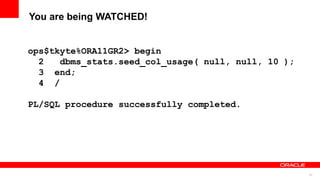
ops$tkyte%ORA11GR2> begin
2 dbms_stats.seed_col_usage( null, null, 10 );
3 end;
4 /
PL/SQL procedure successfully completed.
62
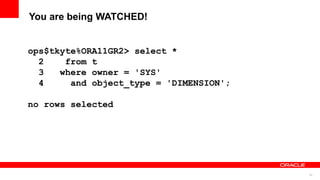
You are being WATCHED!
ops$tkyte%ORA11GR2> select *
2 from t
3 where owner = 'SYS'
4 and object_type = 'DIMENSION';
no rows selected
63
You are being WATCHED!
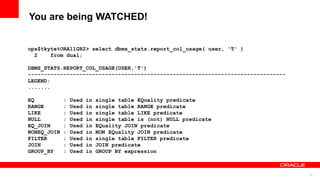
ops$tkyte%ORA11GR2> select dbms_stats.report_col_usage( user, 'T' )
2 from dual;
DBMS_STATS.REPORT_COL_USAGE(USER,'T')
--------------------------------------------------------------------------------
LEGEND:
.......
EQ : Used in single table EQuality predicate
RANGE : Used in single table RANGE predicate
LIKE : Used in single table LIKE predicate
NULL : Used in single table is (not) NULL predicate
EQ_JOIN : Used in EQuality JOIN predicate
NONEQ_JOIN : Used in NON EQuality JOIN predicate
FILTER : Used in single table FILTER predicate
JOIN : Used in JOIN predicate
GROUP_BY : Used in GROUP BY expression
64
You are being WATCHED!
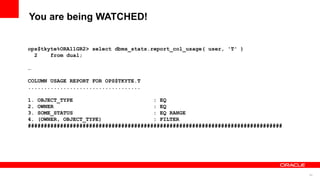
ops$tkyte%ORA11GR2> select dbms_stats.report_col_usage( user, 'T' )
2 from dual;
…
COLUMN USAGE REPORT FOR OPS$TKYTE.T
...................................
1. OBJECT_TYPE : EQ
2. OWNER : EQ
3. SOME_STATUS : EQ RANGE
4. (OWNER, OBJECT_TYPE) : FILTER
###############################################################################
65
Scalar Subquery
Caching
66
<Insert Picture Here>
Scalar Subquery Caching
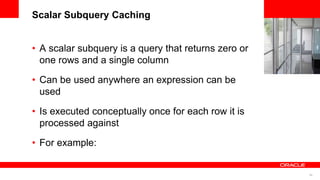
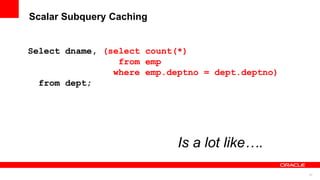
• A scalar subquery is a query that returns zero or
one rows and a single column
• Can be used anywhere an expression can be
used
• Is executed conceptually once for each row it is
processed against
• For example:
67
Scalar Subquery Caching
Select dname, (select count(*)
from emp
where emp.deptno = dept.deptno)
from dept;
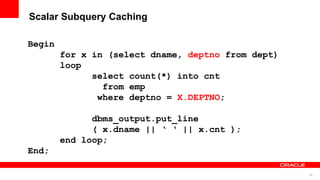
Is a lot like….
68
Scalar Subquery Caching
Begin
for x in (select dname, deptno from dept)
loop
select count(*) into cnt
from emp
where deptno = X.DEPTNO;
dbms_output.put_line
( x.dname || ‘ ‘ || x.cnt );
end loop;
End;
69
<Insert Picture Here>
Scalar Subquery Caching
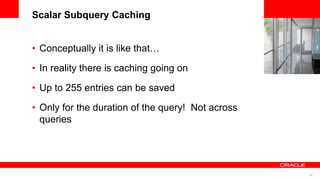
• Conceptually it is like that…
• In reality there is caching going on
• Up to 255 entries can be saved
• Only for the duration of the query! Not across
queries
70
Scalar Subquery Caching
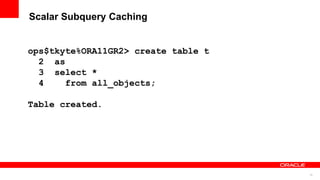
ops$tkyte%ORA11GR2> create table t
2 as
3 select *
4 from all_objects;
Table created.
71
Scalar Subquery Caching
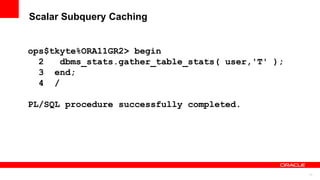
ops$tkyte%ORA11GR2> begin
2 dbms_stats.gather_table_stats( user,'T' );
3 end;
4 /
PL/SQL procedure successfully completed.
72
Scalar Subquery Caching
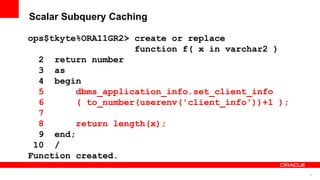
ops$tkyte%ORA11GR2> create or replace
function f( x in varchar2 )
2 return number
3 as
4 begin
5 dbms_application_info.set_client_info
6 ( to_number(userenv('client_info'))+1 );
7
8 return length(x);
9 end;
10 /
Function created.
73
Scalar Subquery Caching
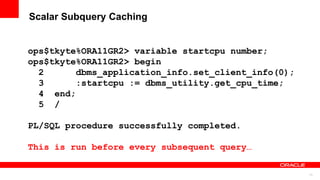
ops$tkyte%ORA11GR2> variable startcpu number;
ops$tkyte%ORA11GR2> begin
2 dbms_application_info.set_client_info(0);
3 :startcpu := dbms_utility.get_cpu_time;
4 end;
5 /
PL/SQL procedure successfully completed.
This is run before every subsequent query…
74
Scalar Subquery Caching
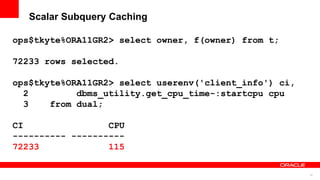
ops$tkyte%ORA11GR2> select owner, f(owner) from t;
72233 rows selected.
ops$tkyte%ORA11GR2> select userenv('client_info') ci,
2 dbms_utility.get_cpu_time-:startcpu cpu
3 from dual;
CI CPU
---------- ----------
72233 115
75
Scalar Subquery Caching
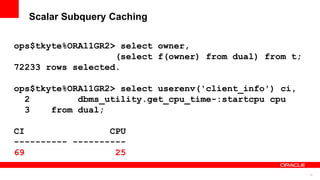
ops$tkyte%ORA11GR2> select owner,
(select f(owner) from dual) from t;
72233 rows selected.
ops$tkyte%ORA11GR2> select userenv('client_info') ci,
2 dbms_utility.get_cpu_time-:startcpu cpu
3 from dual;
CI CPU
---------- ----------
69 25
76
Scalar Subquery Caching
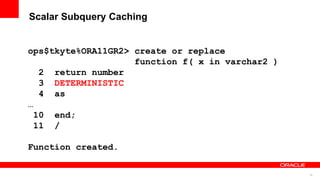
ops$tkyte%ORA11GR2> create or replace
function f( x in varchar2 )
2 return number
3 DETERMINISTIC
4 as
…
10 end;
11 /
Function created.
77
Scalar Subquery Caching
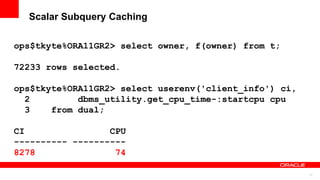
ops$tkyte%ORA11GR2> select owner, f(owner) from t;
72233 rows selected.
ops$tkyte%ORA11GR2> select userenv('client_info') ci,
2 dbms_utility.get_cpu_time-:startcpu cpu
3 from dual;
CI CPU
---------- ----------
8278 74
78
Scalar Subquery Caching
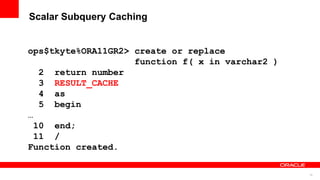
ops$tkyte%ORA11GR2> create or replace
function f( x in varchar2 )
2 return number
3 RESULT_CACHE
4 as
5 begin
…
10 end;
11 /
Function created.
79
Scalar Subquery Caching
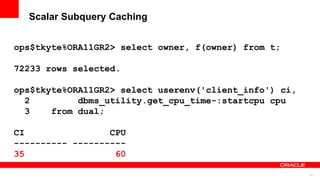
ops$tkyte%ORA11GR2> select owner, f(owner) from t;
72233 rows selected.
ops$tkyte%ORA11GR2> select userenv('client_info') ci,
2 dbms_utility.get_cpu_time-:startcpu cpu
3 from dual;
CI CPU
---------- ----------
35 60
80
Scalar Subquery Caching
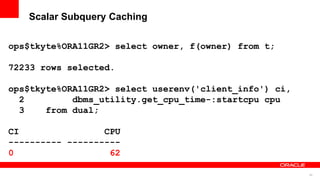
ops$tkyte%ORA11GR2> select owner, f(owner) from t;
72233 rows selected.
ops$tkyte%ORA11GR2> select userenv('client_info') ci,
2 dbms_utility.get_cpu_time-:startcpu cpu
3 from dual;
CI CPU
---------- ----------
0 62
81
Scalar Subquery Caching
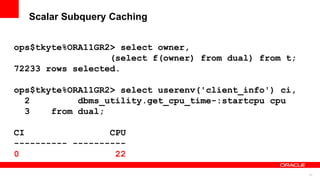
ops$tkyte%ORA11GR2> select owner,
(select f(owner) from dual) from t;
72233 rows selected.
ops$tkyte%ORA11GR2> select userenv('client_info') ci,
2 dbms_utility.get_cpu_time-:startcpu cpu
3 from dual;
CI CPU
---------- ----------
0 22
82
Scalar Subquery Caching
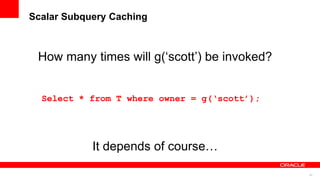
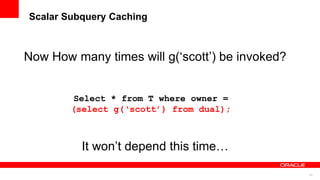
Select * from T where owner = g(‘scott’);
How many times will g(‘scott’) be invoked?
It depends of course…
83
Scalar Subquery Caching
Select * from T where owner =
(select g(‘scott’) from dual);
Now How many times will g(‘scott’) be invoked?
It won’t depend this time…
84
Statement Level
non-Deterministic
Functions
85
<Insert Picture Here>
Statement level non-deterministic functions
• What is a deterministic function?
• What is a statement level deterministic function?
• Why do we care?
86 Copyright © 2011, Oracle and/or its affiliates. All rights
reserved.
Insert Information Protection Policy Classification from Slide 8
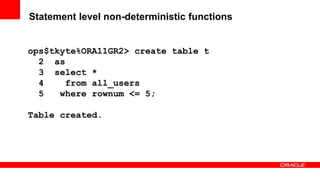
Statement level non-deterministic functions
ops$tkyte%ORA11GR2> create table t
2 as
3 select *
4 from all_users
5 where rownum <= 5;
Table created.
87 Copyright © 2011, Oracle and/or its affiliates. All rights
reserved.
Insert Information Protection Policy Classification from Slide 8
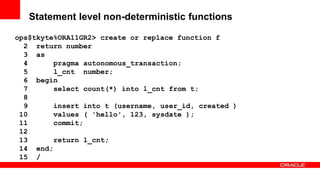
Statement level non-deterministic functions
ops$tkyte%ORA11GR2> create or replace function f
2 return number
3 as
4 pragma autonomous_transaction;
5 l_cnt number;
6 begin
7 select count(*) into l_cnt from t;
8
9 insert into t (username, user_id, created )
10 values ( 'hello', 123, sysdate );
11 commit;
12
13 return l_cnt;
14 end;
15 /
88 Copyright © 2011, Oracle and/or its affiliates. All rights
reserved.
Insert Information Protection Policy Classification from Slide 8
Statement level non-deterministic functions
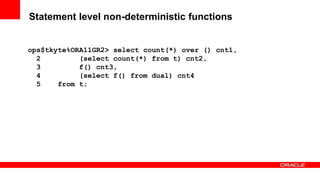
ops$tkyte%ORA11GR2> select count(*) over () cnt1,
2 (select count(*) from t) cnt2,
3 f() cnt3,
4 (select f() from dual) cnt4
5 from t;
89 Copyright © 2011, Oracle and/or its affiliates. All rights
reserved.
Insert Information Protection Policy Classification from Slide 8
Statement level non-deterministic functions
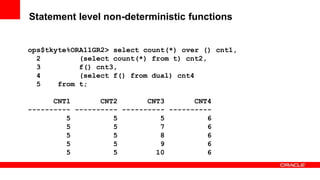
ops$tkyte%ORA11GR2> select count(*) over () cnt1,
2 (select count(*) from t) cnt2,
3 f() cnt3,
4 (select f() from dual) cnt4
5 from t;
CNT1 CNT2 CNT3 CNT4
---------- ---------- ---------- ----------
5 5 5 6
5 5 7 6
5 5 8 6
5 5 9 6
5 5 10 6
90 Copyright © 2011, Oracle and/or its affiliates. All rights
reserved.
Insert Information Protection Policy Classification from Slide 8
Statement level non-deterministic functions
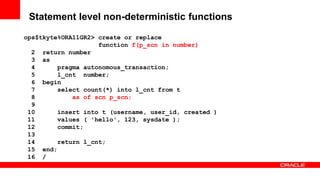
ops$tkyte%ORA11GR2> create or replace
function f(p_scn in number)
2 return number
3 as
4 pragma autonomous_transaction;
5 l_cnt number;
6 begin
7 select count(*) into l_cnt from t
8 as of scn p_scn;
9
10 insert into t (username, user_id, created )
11 values ( 'hello', 123, sysdate );
12 commit;
13
14 return l_cnt;
15 end;
16 /
91 Copyright © 2011, Oracle and/or its affiliates. All rights
reserved.
Insert Information Protection Policy Classification from Slide 8
Statement level non-deterministic functions
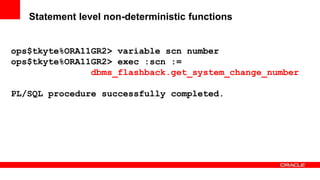
ops$tkyte%ORA11GR2> variable scn number
ops$tkyte%ORA11GR2> exec :scn :=
dbms_flashback.get_system_change_number
PL/SQL procedure successfully completed.
92 Copyright © 2011, Oracle and/or its affiliates. All rights
reserved.
Insert Information Protection Policy Classification from Slide 8
Statement level non-deterministic functions
ops$tkyte%ORA11GR2> select count(*) over () cnt1,
2 (select count(*) from t) cnt2,
3 f(:scn) cnt3,
4 (select f(:scn) from dual) cnt4
5 from t;
CNT1 CNT2 CNT3 CNT4
---------- ---------- ---------- ----------
5 5 5 5
5 5 5 5
5 5 5 5
5 5 5 5
5 5 5 5
93
<Insert Picture Here>
Five things you probably didn’t know about
SQL
• SQLNet Compression
• NULLS and Indexes and Cardinality
• You are being watched!
• Scalar Subquery Caching
• Calling statement level non-deterministic
functions
94 Copyright © 2011, Oracle and/or its affiliates. All rights
reserved.
Insert Information Protection Policy Classification from Slide 8
Q&A
95 Copyright © 2011, Oracle and/or its affiliates. All rights
reserved.
Insert Information Protection Policy Classification from Slide 8
96 Copyright © 2011, Oracle and/or its affiliates. All rights
reserved.
Insert Information Protection Policy Classification from Slide 8

5 Cool Things About SQL

  • 1.
    1 Copyright ©2011, Oracle and/or its affiliates. All rights reserved. Insert Information Protection Policy Classification from Slide 8
  • 2.
    2 Copyright ©2011, Oracle and/or its affiliates. All rights reserved. Insert Information Protection Policy Classification from Slide 8 Five things you probably didn’t know about SQL Thomas Kyte http://asktom.oracle.com/
  • 3.
    3 Copyright ©2011, Oracle and/or its affiliates. All rights reserved. Insert Information Protection Policy Classification from Slide 8
  • 4.
    4 The following isintended to outline our general product direction. It is intended for information purposes only, and may not be incorporated into any contract. It is not a commitment to deliver any material, code, or functionality, and should not be relied upon in making purchasing decisions. The development, release, and timing of any features or functionality described for Oracle’s products remains at the sole discretion of Oracle.
  • 5.
    5 Who am I •Been with Oracle since 1993 • User of Oracle since 1987 • The “Tom” behind AskTom in Oracle Magazine www.oracle.com/oramag • Expert Oracle Database Architecture • Effective Oracle by Design • Expert One on One Oracle • Beginning Oracle
  • 6.
    6 <Insert Picture Here> Fivethings you probably didn’t know about SQL • SQLNet Compression • NULLS and Indexes and Cardinality • You are being watched! • Scalar Subquery Caching • Calling statement level non-deterministic functions
  • 7.
  • 8.
    8 SQLNet Compression • Howyou retrieve the data matters • Not all result sets are the same – even if they have the same data
  • 9.
    9 SQLNet Compression ops$tkyte%ORA11GR2> createtable t 2 as 3 select * 4 from all_objects; Table created. ops$tkyte%ORA11GR2> begin 2 dbms_stats.gather_table_stats( user, 'T' ); 3 end; 4 / PL/SQL procedure successfully completed.
  • 10.
    10 SQLNet Compression ops$tkyte%ORA11GR2> setarraysize 15 ops$tkyte%ORA11GR2> set autotrace traceonly statistics
  • 11.
    11 SQLNet Compression ops$tkyte%ORA11GR2> select* from t; 72228 rows selected. Statistics -------------------------------------------------------- 5794 consistent gets 8015033 bytes sent via SQL*Net to client 53385 bytes received via SQL*Net from client 4817 SQL*Net roundtrips to/from client 72228 rows processed
  • 12.
    12 SQLNet Compression ops$tkyte%ORA11GR2> select* from t order by timestamp; 72228 rows selected. Statistics -------------------------------------------------------- 1031 consistent gets 3427630 bytes sent via SQL*Net to client 53385 bytes received via SQL*Net from client 4817 SQL*Net roundtrips to/from client 72228 rows processed
  • 13.
    13 SQLNet Compression ops$tkyte%ORA11GR2> select* from t order by timestamp, object_type, owner; 72228 rows selected. Statistics ---------------------------------------------------------- 1031 consistent gets 3280011 bytes sent via SQL*Net to client 53385 bytes received via SQL*Net from client 4817 SQL*Net roundtrips to/from client 72228 rows processed
  • 14.
    14 SQLNet Compression ops$tkyte%ORA11GR2> setarraysize 100 ops$tkyte%ORA11GR2> set autotrace traceonly statistics
  • 15.
    15 SQLNet Compression ops$tkyte%ORA11GR2> select* from t; 72228 rows selected. Statistics -------------------------------------------------------- 1842 consistent gets 7482943 bytes sent via SQL*Net to client 8362 bytes received via SQL*Net from client 724 SQL*Net roundtrips to/from client 72228 rows processed
  • 16.
    16 SQLNet Compression ops$tkyte%ORA11GR2> select* from t order by timestamp; 72228 rows selected. Statistics ------------------------------------------------------- 1031 consistent gets 2907819 bytes sent via SQL*Net to client 8362 bytes received via SQL*Net from client 724 SQL*Net roundtrips to/from client 72228 rows processed
  • 17.
    17 SQLNet Compression ops$tkyte%ORA11GR2> select* from t order by timestamp, object_type, owner; 72228 rows selected. Statistics ---------------------------------------------------------- 1031 consistent gets 2760200 bytes sent via SQL*Net to client 8362 bytes received via SQL*Net from client 724 SQL*Net roundtrips to/from client 72228 rows processed
  • 18.
    18 SQLNet Compression No Order 15 SomeOrder 15 Very Ordered 15 No Order 100 Some Order 100 Very Ordered 100 Bytes Sent 8.01 m 3.42 m 3.28 m 7.48 m 2.90 m 2.76 m % of original 100% 43% 41% 93% 36% 34% Consistent Gets 5832 1033 1033 1741 1033 1033 ops$tkyte%ORA11GR2> select round(1033*8/1024,2) from dual; ROUND(1033*8/1024,2) -------------------- 8.07
  • 19.
    19 SQLNet Compression No Order 1000 SomeOrder 1000 Very Ordered 1000 No Order 100 Some Order 100 Very Ordered 100 Bytes Sent 7.39 m 2.82 m 2.67 m 7.48 m 2.90 m 2.76 m % of original 92% 35% 33% 93% 36% 34% Consistent Gets 1105 1033 1033 1741 1033 1033 ops$tkyte%ORA11GR2> select round(1033*8/1024,2) from dual; ROUND(1033*8/1024,2) -------------------- 8.07
  • 20.
  • 21.
  • 22.
    22 NULLs and Cardinality ops$tkyte%ORA11GR2>create table t 2 pctfree 20 3 as 4 select a.*, 5 case when mod(rownum,100) <= 50 6 then last_ddl_time 7 end end_date 8 from all_objects a; Table created.
  • 23.
    23 NULLs and Cardinality ops$tkyte%ORA11GR2>create index t_idx 2 on t(end_date); Index created.
  • 24.
    24 NULLs and Cardinality ops$tkyte%ORA11GR2>select count(*) 2 from t 3 where end_date 4 between to_date('01-sep-2010', 'dd-mon-yyyy') 5 and to_date('30-sep-2010', 'dd-mon-yyyy'); COUNT(*) ---------- 36267
  • 25.
    25 NULLs and Cardinality ops$tkyte%ORA11GR2>begin 2 dbms_stats.gather_table_stats(user, 'T'); 3 end; 4 / PL/SQL procedure successfully completed.
  • 26.
    26 NULLs and Cardinality ops$tkyte%ORA11GR2>select count(*), 2 count(distinct end_date), 3 count(end_date), 4 min(end_date), 5 max(end_date) 6 from t; CNT CNTD CNT2 MIN MAX ---------- ---------- ---------- --------- --------- 72228 703 36850 01-OCT-02 30-SEP-11
  • 27.
    27 NULLs and Cardinality ops$tkyte%ORA11GR2>set autotrace traceonly explain ops$tkyte%ORA11GR2> select * 2 from t 3 where end_date 4 between to_date( '01-sep-2010', 'dd-mon-yyyy' ) 5 and to_date( '30-sep-2010', 'dd-mon-yyyy' ); Execution Plan ---------------------------------------------------------- Plan hash value: 1601196873
  • 28.
    28 NULLs and Cardinality -------------------------------------------------------------------------- |Id | Operation | Name | Rows | Bytes | Cost (%CPU)| Time | -------------------------------------------------------------------------- | 0 | SELECT STATEMENT | | 36024 | 3588K| 339 (1)| 00:00:05 | |* 1 | TABLE ACCESS FULL| T | 36024 | 3588K| 339 (1)| 00:00:05 | -------------------------------------------------------------------------- Predicate Information (identified by operation id): --------------------------------------------------- 1 - filter("END_DATE"<=TO_DATE(' 2010-09-30 00:00:00', 'syyyy-mm-dd hh24:mi:ss') AND "END_DATE">=TO_DATE(' 2010-09-01 00:00:00', 'syyyy-mm-dd hh24:mi:ss'))
  • 29.
    29 NULLs and Cardinality ops$tkyte%ORA11GR2>update t 2 set end_date = 3 to_date( '01-jan-9999','dd-mon-yyyy' ) 4 where end_date is null; 35378 rows updated. ops$tkyte%ORA11GR2> commit; Commit complete.
  • 30.
    30 NULLs and Cardinality ops$tkyte%ORA11GR2>begin 2 dbms_stats.gather_table_stats(user, 'T'); 3 end; 4 / PL/SQL procedure successfully completed.
  • 31.
    31 NULLs and Cardinality ops$tkyte%ORA11GR2>select * 2 from t 3 where end_date 4 between to_date('01-sep-2010', 'dd-mon-yyyy') 5 and to_date('30-sep-2010', 'dd-mon-yyyy'); Execution Plan ------------------------------------------------- Plan hash value: 470836197
  • 32.
    32 NULLs and Cardinality --------------------------------------------------------------------------- |Id | Operation | Name | Rows | Bytes | Cost (%CPU)| --------------------------------------------------------------------------- | 0 | SELECT STATEMENT | | 175 | 18375 | 10 (0)| | 1 | TABLE ACCESS BY INDEX ROWID| T | 175 | 18375 | 10 (0)| |* 2 | INDEX RANGE SCAN | T_IDX | 175 | | 2 (0)| --------------------------------------------------------------------------- Predicate Information (identified by operation id): --------------------------------------------------- 1 - filter("END_DATE"<=TO_DATE(' 2010-09-30 00:00:00', 'syyyy-mm-dd hh24:mi:ss') AND "END_DATE">=TO_DATE(' 2010-09-01 00:00:00', 'syyyy-mm-dd hh24:mi:ss'))
  • 33.
  • 34.
    34 <Insert Picture Here> Nullsand Indexes • There is a pervasive myth that indexes and NULLs are like matter and anti-matter • There is the thought that “where column is null” cannot use an index • There is a thought that NULLs are not indexed • None of that is true…
  • 35.
    35 NULLs and Indexes ops$tkyte%ORA11GR2>create table t 2 as 3 select a.*, 4 case when mod(rownum,100) > 1 5 then object_type 6 end otype 7 from all_objects a; Table created.
  • 36.
    36 NULLs and Indexes ops$tkyte%ORA11GR2>select count(*) from t where otype is null; COUNT(*) ---------- 1445
  • 37.
    37 NULLs and Indexes ops$tkyte%ORA11GR2>begin 2 dbms_stats.gather_table_stats( user, 'T' ); 3 end; 4 / PL/SQL procedure successfully completed.
  • 38.
    38 NULLs and Indexes ops$tkyte%ORA11GR2>create index t_idx on t(otype,owner); Index created.
  • 39.
    39 NULLs and Indexes ops$tkyte%ORA11GR2>set autotrace traceonly explain ops$tkyte%ORA11GR2> select * from t where otype is null; Execution Plan -------------------------------------------------------- Plan hash value: 470836197
  • 40.
    40 NULLs and Indexes ------------------------------------------------------------------------------------- |Id | Operation | Name | Rows | Bytes | Cost (%CPU)| Time | ------------------------------------------------------------------------------------- | 0 | SELECT STATEMENT | | 1445 | 149K| 96 (0)| 00:00:02 | | 1 | TABLE ACCESS BY INDEX ROWID| T | 1445 | 149K| 96 (0)| 00:00:02 | |* 2 | INDEX RANGE SCAN | T_IDX | 1445 | | 7 (0)| 00:00:01 | ------------------------------------------------------------------------------------- Predicate Information (identified by operation id): --------------------------------------------------- 2 - access("OTYPE" IS NULL)
  • 41.
    41 NULLs and Indexes ops$tkyte%ORA11GR2>drop index t_idx; Index dropped. ops$tkyte%ORA11GR2> create index t_idx on t(otype,0); Index created.
  • 42.
    42 NULLs and Indexes ------------------------------------------------------------------------------------- |Id | Operation | Name | Rows | Bytes | Cost (%CPU)| Time | ------------------------------------------------------------------------------------- | 0 | SELECT STATEMENT | | 1445 | 149K| 96 (0)| 00:00:02 | | 1 | TABLE ACCESS BY INDEX ROWID| T | 1445 | 149K| 96 (0)| 00:00:02 | |* 2 | INDEX RANGE SCAN | T_IDX | 1445 | | 7 (0)| 00:00:01 | ------------------------------------------------------------------------------------- Predicate Information (identified by operation id): --------------------------------------------------- 2 - access("OTYPE" IS NULL)
  • 43.
    43 <Insert Picture Here> Nullsand Indexes • What is true is that entirely NULL key entries are not made in B*Tree indexes • Therefore, an index on just OTYPE cannot be used to find NULLs • But – what about B*Tree cluster indexes and Bitmap indexes?
  • 44.
  • 45.
    45 <Insert Picture Here> Youare being WATCHED! • 9i and before – V$ tables • 10g – ASH and AWR are obvious • But there is more – We watch what you ask for and change how statistics are gathered based on that.
  • 46.
    46 You are beingWATCHED! ops$tkyte%ORA11GR2> create table t 2 as 3 select a.*, 4 case when rownum < 500 5 then 1 6 else 99 7 end some_status 8 from all_objects a 9 / Table created.
  • 47.
    47 You are beingWATCHED! ops$tkyte%ORA11GR2> begin 2 dbms_stats.gather_table_stats(user,'T'); 3 end; 4 / PL/SQL procedure successfully completed.
  • 48.
    48 You are beingWATCHED! ops$tkyte%ORA11GR2> select histogram 2 from user_tab_cols 3 where table_name = 'T' 4 and column_name = 'SOME_STATUS'; HISTOGRAM --------------- NONE
  • 49.
    49 You are beingWATCHED! ops$tkyte%ORA11GR2> create index t_idx on t(some_status); Index created.
  • 50.
    50 You are beingWATCHED! ops$tkyte%ORA11GR2> set autotrace traceonly explain ops$tkyte%ORA11GR2> select * from t where some_status = 1; Execution Plan ---------------------------------------------------------- Plan hash value: 1601196873 -------------------------------------------------------------------------- | Id | Operation | Name | Rows | Bytes | Cost (%CPU)| Time | -------------------------------------------------------------------------- | 0 | SELECT STATEMENT | | 36115 | 3526K| 300 (1)| 00:00:04 | |* 1 | TABLE ACCESS FULL| T | 36115 | 3526K| 300 (1)| 00:00:04 | --------------------------------------------------------------------------
  • 51.
    51 You are beingWATCHED! ops$tkyte%ORA11GR2> select * from t where some_status = 99; Execution Plan ---------------------------------------------------------- Plan hash value: 1601196873 -------------------------------------------------------------------------- | Id | Operation | Name | Rows | Bytes | Cost (%CPU)| Time | -------------------------------------------------------------------------- | 0 | SELECT STATEMENT | | 36115 | 3526K| 300 (1)| 00:00:04 | |* 1 | TABLE ACCESS FULL| T | 36115 | 3526K| 300 (1)| 00:00:04 | --------------------------------------------------------------------------
  • 52.
    52 You are beingWATCHED! ops$tkyte%ORA11GR2> begin 2 dbms_stats.gather_table_stats( user, 'T' ); 3 end; 4 / PL/SQL procedure successfully completed.
  • 53.
    53 You are beingWATCHED! ops$tkyte%ORA11GR2> select histogram 2 from user_tab_cols 3 where table_name = 'T' 4 and column_name = 'SOME_STATUS'; HISTOGRAM --------------- FREQUENCY
  • 54.
    54 You are beingWATCHED! ops$tkyte%ORA11GR2> select * from t where some_status = 1; Execution Plan ---------------------------------------------------------- Plan hash value: 470836197 -------------------------------------------------------------------------------- | Id | Operation | Name | Rows | Bytes | Cost (%CPU)| Time -------------------------------------------------------------------------------- | 0 | SELECT STATEMENT | | 539 | 53900 | 10 (0)| 00:00 | 1 | TABLE ACCESS BY INDEX ROWID| T | 539 | 53900 | 10 (0)| 00:00 |* 2 | INDEX RANGE SCAN | T_IDX | 539 | | 2 (0)| 00:00 --------------------------------------------------------------------------------
  • 55.
    55 You are beingWATCHED! ops$tkyte%ORA11GR2> select * from t where some_status = 99; Execution Plan ---------------------------------------------------------- Plan hash value: 1601196873 -------------------------------------------------------------------------- | Id | Operation | Name | Rows | Bytes | Cost (%CPU)| Time | -------------------------------------------------------------------------- | 0 | SELECT STATEMENT | | 71683 | 7000K| 300 (1)| 00:00:04 | |* 1 | TABLE ACCESS FULL| T | 71683 | 7000K| 300 (1)| 00:00:04 | --------------------------------------------------------------------------
  • 56.
    56 You are beingWATCHED! ops$tkyte%ORA11GR2> select * 2 from 3 ( 4 select * 5 from sys.col_usage$ 6 where obj# = (select object_id 7 from dba_objects 8 where object_name = 'T' 9 and owner = 'OPS$TKYTE' ) 10 ) 11 unpivot (value for x in 12 ( EQUALITY_PREDS, EQUIJOIN_PREDS, NONEQUIJOIN_PREDS, 13 RANGE_PREDS, LIKE_PREDS, NULL_PREDS ) ) 14 /
  • 57.
    57 You are beingWATCHED! OBJ# INTCOL# TIMESTAMP X VALUE ---------- ---------- --------- ----------------- ---------- 98040 16 30-SEP-11 EQUALITY_PREDS 1 98040 16 30-SEP-11 EQUIJOIN_PREDS 0 98040 16 30-SEP-11 NONEQUIJOIN_PREDS 0 98040 16 30-SEP-11 RANGE_PREDS 0 98040 16 30-SEP-11 LIKE_PREDS 0 98040 16 30-SEP-11 NULL_PREDS 0 6 rows selected.
  • 58.
    58 You are beingWATCHED! ops$tkyte%ORA11GR2> select * from t where some_status > 100; no rows selected ops$tkyte%ORA11GR2> begin 2 dbms_stats.gather_table_stats( user, 'T' ); 3 end; 4 / PL/SQL procedure successfully completed.
  • 59.
    59 You are beingWATCHED! OBJ# INTCOL# TIMESTAMP X VALUE ---------- ---------- --------- ----------------- ---------- 98040 16 30-SEP-11 EQUALITY_PREDS 2 98040 16 30-SEP-11 EQUIJOIN_PREDS 0 98040 16 30-SEP-11 NONEQUIJOIN_PREDS 0 98040 16 30-SEP-11 RANGE_PREDS 1 98040 16 30-SEP-11 LIKE_PREDS 0 98040 16 30-SEP-11 NULL_PREDS 0 6 rows selected.
  • 60.
    60 <Insert Picture Here> Youare being WATCHED! • You can ‘seed’ column stats pre-emptively • Adds more “watching” • Suggests possible extended statistics as well
  • 61.
    61 You are beingWATCHED! ops$tkyte%ORA11GR2> begin 2 dbms_stats.seed_col_usage( null, null, 10 ); 3 end; 4 / PL/SQL procedure successfully completed.
  • 62.
    62 You are beingWATCHED! ops$tkyte%ORA11GR2> select * 2 from t 3 where owner = 'SYS' 4 and object_type = 'DIMENSION'; no rows selected
  • 63.
    63 You are beingWATCHED! ops$tkyte%ORA11GR2> select dbms_stats.report_col_usage( user, 'T' ) 2 from dual; DBMS_STATS.REPORT_COL_USAGE(USER,'T') -------------------------------------------------------------------------------- LEGEND: ....... EQ : Used in single table EQuality predicate RANGE : Used in single table RANGE predicate LIKE : Used in single table LIKE predicate NULL : Used in single table is (not) NULL predicate EQ_JOIN : Used in EQuality JOIN predicate NONEQ_JOIN : Used in NON EQuality JOIN predicate FILTER : Used in single table FILTER predicate JOIN : Used in JOIN predicate GROUP_BY : Used in GROUP BY expression
  • 64.
    64 You are beingWATCHED! ops$tkyte%ORA11GR2> select dbms_stats.report_col_usage( user, 'T' ) 2 from dual; … COLUMN USAGE REPORT FOR OPS$TKYTE.T ................................... 1. OBJECT_TYPE : EQ 2. OWNER : EQ 3. SOME_STATUS : EQ RANGE 4. (OWNER, OBJECT_TYPE) : FILTER ###############################################################################
  • 65.
  • 66.
    66 <Insert Picture Here> ScalarSubquery Caching • A scalar subquery is a query that returns zero or one rows and a single column • Can be used anywhere an expression can be used • Is executed conceptually once for each row it is processed against • For example:
  • 67.
    67 Scalar Subquery Caching Selectdname, (select count(*) from emp where emp.deptno = dept.deptno) from dept; Is a lot like….
  • 68.
    68 Scalar Subquery Caching Begin forx in (select dname, deptno from dept) loop select count(*) into cnt from emp where deptno = X.DEPTNO; dbms_output.put_line ( x.dname || ‘ ‘ || x.cnt ); end loop; End;
  • 69.
    69 <Insert Picture Here> ScalarSubquery Caching • Conceptually it is like that… • In reality there is caching going on • Up to 255 entries can be saved • Only for the duration of the query! Not across queries
  • 70.
    70 Scalar Subquery Caching ops$tkyte%ORA11GR2>create table t 2 as 3 select * 4 from all_objects; Table created.
  • 71.
    71 Scalar Subquery Caching ops$tkyte%ORA11GR2>begin 2 dbms_stats.gather_table_stats( user,'T' ); 3 end; 4 / PL/SQL procedure successfully completed.
  • 72.
    72 Scalar Subquery Caching ops$tkyte%ORA11GR2>create or replace function f( x in varchar2 ) 2 return number 3 as 4 begin 5 dbms_application_info.set_client_info 6 ( to_number(userenv('client_info'))+1 ); 7 8 return length(x); 9 end; 10 / Function created.
  • 73.
    73 Scalar Subquery Caching ops$tkyte%ORA11GR2>variable startcpu number; ops$tkyte%ORA11GR2> begin 2 dbms_application_info.set_client_info(0); 3 :startcpu := dbms_utility.get_cpu_time; 4 end; 5 / PL/SQL procedure successfully completed. This is run before every subsequent query…
  • 74.
    74 Scalar Subquery Caching ops$tkyte%ORA11GR2>select owner, f(owner) from t; 72233 rows selected. ops$tkyte%ORA11GR2> select userenv('client_info') ci, 2 dbms_utility.get_cpu_time-:startcpu cpu 3 from dual; CI CPU ---------- ---------- 72233 115
  • 75.
    75 Scalar Subquery Caching ops$tkyte%ORA11GR2>select owner, (select f(owner) from dual) from t; 72233 rows selected. ops$tkyte%ORA11GR2> select userenv('client_info') ci, 2 dbms_utility.get_cpu_time-:startcpu cpu 3 from dual; CI CPU ---------- ---------- 69 25
  • 76.
    76 Scalar Subquery Caching ops$tkyte%ORA11GR2>create or replace function f( x in varchar2 ) 2 return number 3 DETERMINISTIC 4 as … 10 end; 11 / Function created.
  • 77.
    77 Scalar Subquery Caching ops$tkyte%ORA11GR2>select owner, f(owner) from t; 72233 rows selected. ops$tkyte%ORA11GR2> select userenv('client_info') ci, 2 dbms_utility.get_cpu_time-:startcpu cpu 3 from dual; CI CPU ---------- ---------- 8278 74
  • 78.
    78 Scalar Subquery Caching ops$tkyte%ORA11GR2>create or replace function f( x in varchar2 ) 2 return number 3 RESULT_CACHE 4 as 5 begin … 10 end; 11 / Function created.
  • 79.
    79 Scalar Subquery Caching ops$tkyte%ORA11GR2>select owner, f(owner) from t; 72233 rows selected. ops$tkyte%ORA11GR2> select userenv('client_info') ci, 2 dbms_utility.get_cpu_time-:startcpu cpu 3 from dual; CI CPU ---------- ---------- 35 60
  • 80.
    80 Scalar Subquery Caching ops$tkyte%ORA11GR2>select owner, f(owner) from t; 72233 rows selected. ops$tkyte%ORA11GR2> select userenv('client_info') ci, 2 dbms_utility.get_cpu_time-:startcpu cpu 3 from dual; CI CPU ---------- ---------- 0 62
  • 81.
    81 Scalar Subquery Caching ops$tkyte%ORA11GR2>select owner, (select f(owner) from dual) from t; 72233 rows selected. ops$tkyte%ORA11GR2> select userenv('client_info') ci, 2 dbms_utility.get_cpu_time-:startcpu cpu 3 from dual; CI CPU ---------- ---------- 0 22
  • 82.
    82 Scalar Subquery Caching Select* from T where owner = g(‘scott’); How many times will g(‘scott’) be invoked? It depends of course…
  • 83.
    83 Scalar Subquery Caching Select* from T where owner = (select g(‘scott’) from dual); Now How many times will g(‘scott’) be invoked? It won’t depend this time…
  • 84.
  • 85.
    85 <Insert Picture Here> Statementlevel non-deterministic functions • What is a deterministic function? • What is a statement level deterministic function? • Why do we care?
  • 86.
    86 Copyright ©2011, Oracle and/or its affiliates. All rights reserved. Insert Information Protection Policy Classification from Slide 8 Statement level non-deterministic functions ops$tkyte%ORA11GR2> create table t 2 as 3 select * 4 from all_users 5 where rownum <= 5; Table created.
  • 87.
    87 Copyright ©2011, Oracle and/or its affiliates. All rights reserved. Insert Information Protection Policy Classification from Slide 8 Statement level non-deterministic functions ops$tkyte%ORA11GR2> create or replace function f 2 return number 3 as 4 pragma autonomous_transaction; 5 l_cnt number; 6 begin 7 select count(*) into l_cnt from t; 8 9 insert into t (username, user_id, created ) 10 values ( 'hello', 123, sysdate ); 11 commit; 12 13 return l_cnt; 14 end; 15 /
  • 88.
    88 Copyright ©2011, Oracle and/or its affiliates. All rights reserved. Insert Information Protection Policy Classification from Slide 8 Statement level non-deterministic functions ops$tkyte%ORA11GR2> select count(*) over () cnt1, 2 (select count(*) from t) cnt2, 3 f() cnt3, 4 (select f() from dual) cnt4 5 from t;
  • 89.
    89 Copyright ©2011, Oracle and/or its affiliates. All rights reserved. Insert Information Protection Policy Classification from Slide 8 Statement level non-deterministic functions ops$tkyte%ORA11GR2> select count(*) over () cnt1, 2 (select count(*) from t) cnt2, 3 f() cnt3, 4 (select f() from dual) cnt4 5 from t; CNT1 CNT2 CNT3 CNT4 ---------- ---------- ---------- ---------- 5 5 5 6 5 5 7 6 5 5 8 6 5 5 9 6 5 5 10 6
  • 90.
    90 Copyright ©2011, Oracle and/or its affiliates. All rights reserved. Insert Information Protection Policy Classification from Slide 8 Statement level non-deterministic functions ops$tkyte%ORA11GR2> create or replace function f(p_scn in number) 2 return number 3 as 4 pragma autonomous_transaction; 5 l_cnt number; 6 begin 7 select count(*) into l_cnt from t 8 as of scn p_scn; 9 10 insert into t (username, user_id, created ) 11 values ( 'hello', 123, sysdate ); 12 commit; 13 14 return l_cnt; 15 end; 16 /
  • 91.
    91 Copyright ©2011, Oracle and/or its affiliates. All rights reserved. Insert Information Protection Policy Classification from Slide 8 Statement level non-deterministic functions ops$tkyte%ORA11GR2> variable scn number ops$tkyte%ORA11GR2> exec :scn := dbms_flashback.get_system_change_number PL/SQL procedure successfully completed.
  • 92.
    92 Copyright ©2011, Oracle and/or its affiliates. All rights reserved. Insert Information Protection Policy Classification from Slide 8 Statement level non-deterministic functions ops$tkyte%ORA11GR2> select count(*) over () cnt1, 2 (select count(*) from t) cnt2, 3 f(:scn) cnt3, 4 (select f(:scn) from dual) cnt4 5 from t; CNT1 CNT2 CNT3 CNT4 ---------- ---------- ---------- ---------- 5 5 5 5 5 5 5 5 5 5 5 5 5 5 5 5 5 5 5 5
  • 93.
    93 <Insert Picture Here> Fivethings you probably didn’t know about SQL • SQLNet Compression • NULLS and Indexes and Cardinality • You are being watched! • Scalar Subquery Caching • Calling statement level non-deterministic functions
  • 94.
    94 Copyright ©2011, Oracle and/or its affiliates. All rights reserved. Insert Information Protection Policy Classification from Slide 8 Q&A
  • 95.
    95 Copyright ©2011, Oracle and/or its affiliates. All rights reserved. Insert Information Protection Policy Classification from Slide 8
  • 96.
    96 Copyright ©2011, Oracle and/or its affiliates. All rights reserved. Insert Information Protection Policy Classification from Slide 8