How Foundation Phase
teachers around the world are
   using technology in their
         classrooms’

        by Fiona Beal
     fiona@schoolnet.org.za
Let’s introduce social networking
Since the theme of social networking in
education runs through my presentation, I’d
like to introduce a video here called ‘Gotta
Share’:
http://www.youtube.com/watch?v=soAk3F0wX9s)
(see the next slide)
Outcomes for today
I would like to:
• show that times are changing for teachers
   in South Africa
• find out what teachers in the Foundation
   Phase around the world are doing with
   regard to using technology
• draw a conclusion about technology and
   teaching
1. So what is changing for
teachers in South Africa?
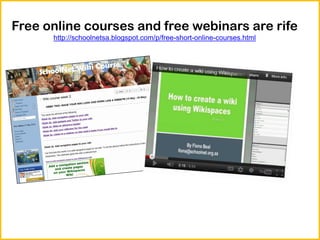
Free online courses and free webinars are rife
      http://schoolnetsa.blogspot.com/p/free-short-online-courses.html
Twitter and Tweetchats for teachers
         http://www.edchatsa.co.za/

                                      @schoolnetsa
Pinterest boards
TeachMeets
http://teachmeet-southafrica.wikispaces.com/
Tablets and BYOD (Bring your own
     device) in the classroom
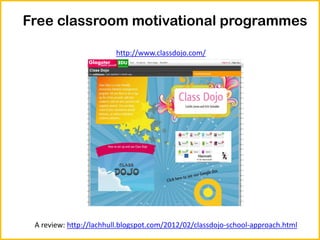
Free classroom motivational programmes

                        http://www.classdojo.com/


 A review: http://lachhull.blogspot.com/2012/02/classdojo-school-approach.html
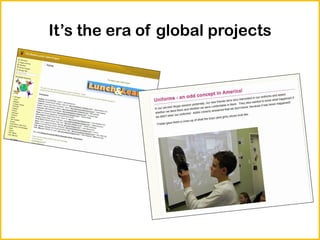
It’s the era of global projects
Tons of amazing free tools on the
        Internet (http://www.pil-network.com/)
 Microsoft’s Songsmith       Microsoft’s Autocollage


Windows Movie Maker           Photostory 3 for Windows
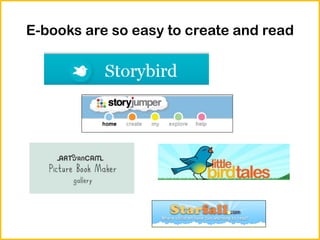
E-books are so easy to create and read
Skype and mystery Skype conversations
        with global classrooms
e-classroom
 http://e-classroom.co.za/
2. How are Foundation Phase
teachers around the world using
technology in their classrooms?
Flickr photo ‘Kindgergarten
kids ‘by Jeffrey Kehrig
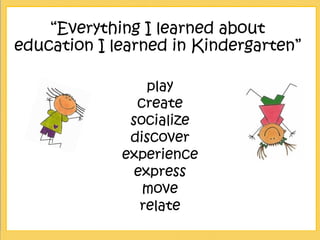
“Everything I learned about
education I learned in Kindergarten”

                 play
               create
              socialize
              discover
             experience
               express
                move
                relate
Starting young
Preschool teachers will be the first to tell you
that children today start young with technology.
Take a look at this video about Abby ‘What
digital natives want from their library’:
http://www.youtube.com/watch?v=7_zzPBbXjWs
(see the next slide)
Matt Gomez
          Kindergarten teacher
        http://mattbgomez.com/
            ‘My hullabaloo’

‘Kindergarten have only ever known the
         technological world.’
Take a look around Matt Gomez blog

The screencast I used in the presentation can’t
be included in Slideshare so I would urge you to
note:
• Matt’s Twitter global project
• Matt’s use of Symbaloo to keep his
  compilations of videos and songs together
• Matt’s Research Centre
• Matt’s approach to Maths
Kindergarten around the world Twitter project
http://kindergartenaroundtheworld.blogspot.ca/p/sign-ups-project-description-faq.html
Grade R Gleanings…
From Matt Gomez…
• Instead of just writing…Get the class writing
  short sentences on the class Twitter account
• Learn about the world in real-life terms with
  classes across the globe
• A blog can hold everything together for a
  teacher
• Participate in a Twitterchat called #kinderchat
  to learn more from others
Kathy Cassidy
      Grade 1 teacher, Canada
http://mscassidysclass.edublogs.org
‘Mrs Cassidy’s classroom blog’
Take a look at Cathy Cassidy’s
presentation called ‘A day in the life of a
    student in Mrs Cassidy’s class’
http://www.slideshare.net/kathycassidy/a-day-in-the-life-of-a-grade-one-
                        student-presentation
Take a look around Cathy Cassidy’s
             classroom blog

The screencast I used in the presentation can’t
be included in Slideshare so I would urge you to
note:
• Cathy’s use of Twitter in her class
• Cathy’s use of blogs and Skype in her class
• The way Cathy includes her students blog
  addresses on the right of her blog
• The way Cathy gets her students to explain
  what they do
Using Twitter in Mrs Cassidy’s
            class
Take a look at this video where one of Mrs
Cassidy’s Grade 1 students explains how they
use Twitter in class:
http://www.youtube.com/watch?v=7_zzPBbXjWs
(see the next slide)
Using Skype in Mrs Cassidy’s
            class
Take a look at this video where one of Mrs
Cassidy’s Grade 1 students explains how they
use Skype in class ‘Skype in our classroom’
http://www.youtube.com/watch?feature=player_embedded&v=
3BH2r6tk1MM
(see the next slide)
Using blogs in Mrs Cassidy’s
            class
Take a look at this video where one of Mrs
Cassidy’s Grade 1 students explains how they
use blogs in class ‘Our blog’:
http://www.youtube.com/watch?v=01Wav6WdGeY&feature=pla
yer_embedded
(see the next slide)
Mrs Cassidy and digital
             portfolios
• Take a look at this video where Mrs Cassidy
  and her students explain their use of digital
  portfolios ‘Primary Digital Portfolios’
(http://www.youtube.com/watch?v=h0f6E-
DfiUM&list=UUW3ARFUZbF3d9dY3nM2RfRw&index=1 )

  (see the next slide)

• Mrs Cassidy has created a wiki about this
  http://primaryportfolios.wikispaces.com/
Other Grade 1 examples
Pam Roberts from Somerset House, Somerset West creates ebooks
uing Youblisher.com

http://www.youblisher.com/p/550920-Our-Love-Book-by-Grade-1-
Roberts/

http://www.youblisher.com/p/465168-Christmas-Cheer/

http://www.youblisher.com/p/451668-Kleure/
Other Grade 1 examples
Carrie Sorenson from the USA uses Learnist Boards to
collect and display resources on a topic.

• First Grade writing sites (http://learni.st/users/52903/boards/12860-1st-
   grade-writing-sites)


• Write numbers from 1-20
  http://learni.st/users/52903/boards/12871-write-numbers-from-0-to-20-represent-a-
number-of-objects-with-a-written-numeral-0-20-common-core-k-cc-3
Other Grade 1 examples

Orge Karaoglu from Turkey gets her 6 year olds
students to draw pictures which are then
animated. See this video ‘Daisy and Dragon and
the magic wand’
http://vimeo.com/5109036
Gleanings from Grade 1 teachers

   • Previous to the Internet, classrooms were
       more isolated. Now, those classes can all be
Before interconnected classrooms linking with
       the advent of the Internet, easily were forced to be isolated learning
hives. other classrooms and experts to ask
        Now, those hives can all be interconnected as classrooms can easily link with
other classrooms and experts to ask questions, compare experience and learn together.
Tools suchas Skype, Twitter and blogs make connecting and collaboratinglearn
       questions, compare experiences and with classrooms
from anywhere a possibility.
       together.
   • Tools suchas Skype, Twitter and blogs make
       connecting and collaborating with classrooms
       from anywhere a possibility.
• Instead of just writing in a book…get the class
        writing short sentences on the class Twitter
        account, and create blogs
    • Use Skype to enhance the classroom
Before the advent of the Internet, classrooms were forced to be isolated learning
        experience
hives. Now, those hives can all be interconnected as classrooms can easily link with
    • Start learning about digital footprints while
other classrooms and experts to ask questions, compare experience and learn together.
Tools suchas Skype, Twitter and blogs make connecting and collaborating with classrooms
        they are young. Digital portfolios
from anywhere a possibility.

    • Keep your resources online so that you can
        share with others
Grade 2 examples

See this Grade 2 Dinosaur Research iPad project
from Parklands College ‘Dinodile’
http://www.youtube.com/watch?v=LVOENJfztfo
Grade 3 examples

Linda Yollis Grade 3 blog, USA
http://yollisclassblog.blogspot.com/

Note how Mrs Yollis linked with a high school
chemistry class who taught her Grade 3 class
Science via a Google Hangout
Ready-Made PowerPoint presentations
   can be useful to a busy teacher
           http://www.pppst.com/
Gleanings…
From Grade 2 and 3 teachers
• Develop storytelling in a fun way which can
  then develop into good writing skills
• Learn information in innovative ways
• There are many ready made Powerpint
  templates, video clips and songs for teachers
  to use.
3. Conclusions about using
technology in the Foudation
     Phase classroom
The all-important question…

 “Is technology essential or
  even necessary for good
  teaching to take place?”
“If children do not learn
the way we teach then we
 must teach the way they
           learn.”
Before you go…important links
 • Don’t forget to follow e-classroom on
   Twitter @eclassroomsa
 • ‘Like’ e-classroom Facebook page
 • Visit the SchoolNet blog for teacher tips
   with technology:
   http://schoolnetsa.blogspot.com/
Technology in the Foundation Phase

Technology in the Foundation Phase

  • 1.
    How Foundation Phase teachersaround the world are using technology in their classrooms’ by Fiona Beal fiona@schoolnet.org.za
  • 2.
    Let’s introduce socialnetworking Since the theme of social networking in education runs through my presentation, I’d like to introduce a video here called ‘Gotta Share’: http://www.youtube.com/watch?v=soAk3F0wX9s) (see the next slide)
  • 3.
    Outcomes for today Iwould like to: • show that times are changing for teachers in South Africa • find out what teachers in the Foundation Phase around the world are doing with regard to using technology • draw a conclusion about technology and teaching
  • 4.
    1. So whatis changing for teachers in South Africa?
  • 6.
    Free online coursesand free webinars are rife http://schoolnetsa.blogspot.com/p/free-short-online-courses.html
  • 7.
    Twitter and Tweetchatsfor teachers http://www.edchatsa.co.za/ @schoolnetsa
  • 8.
  • 9.
  • 10.
    Tablets and BYOD(Bring your own device) in the classroom
  • 11.
    Free classroom motivationalprogrammes http://www.classdojo.com/ A review: http://lachhull.blogspot.com/2012/02/classdojo-school-approach.html
  • 12.
    It’s the eraof global projects
  • 13.
    Tons of amazingfree tools on the Internet (http://www.pil-network.com/) Microsoft’s Songsmith Microsoft’s Autocollage Windows Movie Maker Photostory 3 for Windows
  • 14.
    E-books are soeasy to create and read
  • 15.
    Skype and mysterySkype conversations with global classrooms
  • 16.
  • 17.
    2. How areFoundation Phase teachers around the world using technology in their classrooms?
  • 18.
  • 19.
    “Everything I learnedabout education I learned in Kindergarten” play create socialize discover experience express move relate
  • 20.
    Starting young Preschool teacherswill be the first to tell you that children today start young with technology. Take a look at this video about Abby ‘What digital natives want from their library’: http://www.youtube.com/watch?v=7_zzPBbXjWs (see the next slide)
  • 21.
    Matt Gomez Kindergarten teacher http://mattbgomez.com/ ‘My hullabaloo’ ‘Kindergarten have only ever known the technological world.’
  • 22.
    Take a lookaround Matt Gomez blog The screencast I used in the presentation can’t be included in Slideshare so I would urge you to note: • Matt’s Twitter global project • Matt’s use of Symbaloo to keep his compilations of videos and songs together • Matt’s Research Centre • Matt’s approach to Maths
  • 23.
    Kindergarten around theworld Twitter project http://kindergartenaroundtheworld.blogspot.ca/p/sign-ups-project-description-faq.html
  • 24.
    Grade R Gleanings… FromMatt Gomez… • Instead of just writing…Get the class writing short sentences on the class Twitter account • Learn about the world in real-life terms with classes across the globe • A blog can hold everything together for a teacher • Participate in a Twitterchat called #kinderchat to learn more from others
  • 25.
    Kathy Cassidy Grade 1 teacher, Canada http://mscassidysclass.edublogs.org ‘Mrs Cassidy’s classroom blog’
  • 26.
    Take a lookat Cathy Cassidy’s presentation called ‘A day in the life of a student in Mrs Cassidy’s class’ http://www.slideshare.net/kathycassidy/a-day-in-the-life-of-a-grade-one- student-presentation
  • 27.
    Take a lookaround Cathy Cassidy’s classroom blog The screencast I used in the presentation can’t be included in Slideshare so I would urge you to note: • Cathy’s use of Twitter in her class • Cathy’s use of blogs and Skype in her class • The way Cathy includes her students blog addresses on the right of her blog • The way Cathy gets her students to explain what they do
  • 28.
    Using Twitter inMrs Cassidy’s class Take a look at this video where one of Mrs Cassidy’s Grade 1 students explains how they use Twitter in class: http://www.youtube.com/watch?v=7_zzPBbXjWs (see the next slide)
  • 29.
    Using Skype inMrs Cassidy’s class Take a look at this video where one of Mrs Cassidy’s Grade 1 students explains how they use Skype in class ‘Skype in our classroom’ http://www.youtube.com/watch?feature=player_embedded&v= 3BH2r6tk1MM (see the next slide)
  • 30.
    Using blogs inMrs Cassidy’s class Take a look at this video where one of Mrs Cassidy’s Grade 1 students explains how they use blogs in class ‘Our blog’: http://www.youtube.com/watch?v=01Wav6WdGeY&feature=pla yer_embedded (see the next slide)
  • 31.
    Mrs Cassidy anddigital portfolios • Take a look at this video where Mrs Cassidy and her students explain their use of digital portfolios ‘Primary Digital Portfolios’ (http://www.youtube.com/watch?v=h0f6E- DfiUM&list=UUW3ARFUZbF3d9dY3nM2RfRw&index=1 ) (see the next slide) • Mrs Cassidy has created a wiki about this http://primaryportfolios.wikispaces.com/
  • 32.
    Other Grade 1examples Pam Roberts from Somerset House, Somerset West creates ebooks uing Youblisher.com http://www.youblisher.com/p/550920-Our-Love-Book-by-Grade-1- Roberts/ http://www.youblisher.com/p/465168-Christmas-Cheer/ http://www.youblisher.com/p/451668-Kleure/
  • 33.
    Other Grade 1examples Carrie Sorenson from the USA uses Learnist Boards to collect and display resources on a topic. • First Grade writing sites (http://learni.st/users/52903/boards/12860-1st- grade-writing-sites) • Write numbers from 1-20 http://learni.st/users/52903/boards/12871-write-numbers-from-0-to-20-represent-a- number-of-objects-with-a-written-numeral-0-20-common-core-k-cc-3
  • 34.
    Other Grade 1examples Orge Karaoglu from Turkey gets her 6 year olds students to draw pictures which are then animated. See this video ‘Daisy and Dragon and the magic wand’ http://vimeo.com/5109036
  • 35.
    Gleanings from Grade1 teachers • Previous to the Internet, classrooms were more isolated. Now, those classes can all be Before interconnected classrooms linking with the advent of the Internet, easily were forced to be isolated learning hives. other classrooms and experts to ask Now, those hives can all be interconnected as classrooms can easily link with other classrooms and experts to ask questions, compare experience and learn together. Tools suchas Skype, Twitter and blogs make connecting and collaboratinglearn questions, compare experiences and with classrooms from anywhere a possibility. together. • Tools suchas Skype, Twitter and blogs make connecting and collaborating with classrooms from anywhere a possibility.
  • 36.
    • Instead ofjust writing in a book…get the class writing short sentences on the class Twitter account, and create blogs • Use Skype to enhance the classroom Before the advent of the Internet, classrooms were forced to be isolated learning experience hives. Now, those hives can all be interconnected as classrooms can easily link with • Start learning about digital footprints while other classrooms and experts to ask questions, compare experience and learn together. Tools suchas Skype, Twitter and blogs make connecting and collaborating with classrooms they are young. Digital portfolios from anywhere a possibility. • Keep your resources online so that you can share with others
  • 37.
    Grade 2 examples Seethis Grade 2 Dinosaur Research iPad project from Parklands College ‘Dinodile’ http://www.youtube.com/watch?v=LVOENJfztfo
  • 38.
    Grade 3 examples LindaYollis Grade 3 blog, USA http://yollisclassblog.blogspot.com/ Note how Mrs Yollis linked with a high school chemistry class who taught her Grade 3 class Science via a Google Hangout
  • 39.
    Ready-Made PowerPoint presentations can be useful to a busy teacher http://www.pppst.com/
  • 40.
    Gleanings… From Grade 2and 3 teachers • Develop storytelling in a fun way which can then develop into good writing skills • Learn information in innovative ways • There are many ready made Powerpint templates, video clips and songs for teachers to use.
  • 41.
    3. Conclusions aboutusing technology in the Foudation Phase classroom
  • 42.
    The all-important question… “Is technology essential or even necessary for good teaching to take place?”
  • 43.
    “If children donot learn the way we teach then we must teach the way they learn.”
  • 46.
    Before you go…importantlinks • Don’t forget to follow e-classroom on Twitter @eclassroomsa • ‘Like’ e-classroom Facebook page • Visit the SchoolNet blog for teacher tips with technology: http://schoolnetsa.blogspot.com/