Our Blogging
 journeys
Our blogs
Put simply by the people at Commoncraft:

          Blogs in plain English
Rachel Boyd, a teacher from Nelson, NZ,
 sums it up in this video

       Why let our students blog?
•   Students from our classes
•   Parents & family members
•   Students’ extended family
•   Colleagues at school
•   Students from other schools
•   Educators from around the globe
•   Sharing news & events
•   Sharing work
•   Students’ ideas/opinions
•   Accessing information, e.g. spelling lists,
    homework
•   Linking to other student/class blogs
•   Links for projects via our diigo site 
•   Feedback on what’s happening at school
•   Parent information
•   Sharing/reviewing tools
• Authentic audience
• Familiar form of communication
• Student voice
• Multimedia capabilities – sharing of digital
  work
• Global communication –collaborative work
  with other classes in Australia & overseas,
  comments from all over world, networking
  with classes in NZ, UK & USA
• Feedback from others
• New skills
• Consider new ways of doing things, e.g.
  podcasts, videos, web2.0 tools - Picturetrail,
  slideshare, voicethread, audioboo
• Contact with other educators, both in
  Australia & overseas
• Opportunity for shared, collaborative
  learning experiences with others
• Student engagement
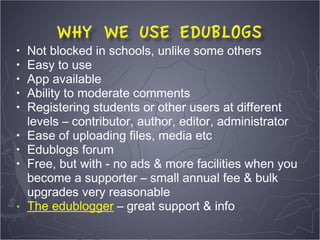
•   Not blocked in schools, unlike some others
•   Easy to use
•   App available
•   Ability to moderate comments
•   Registering students or other users at different
    levels – contributor, author, editor, administrator
•   Ease of uploading files, media etc
•   Edublogs forum
•   Free, but with - no ads & more facilities when you
    become a supporter – small annual fee & bulk
    upgrades very reasonable
•   The edublogger – great support & info
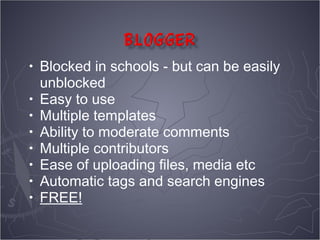
•   Blocked in schools - but can be easily
    unblocked
•   Easy to use
•   Multiple templates
•   Ability to moderate comments
•   Multiple contributors
•   Ease of uploading files, media etc
•   Automatic tags and search engines
•   FREE!
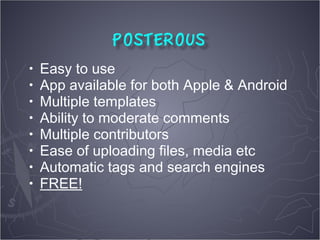
•   Easy to use
•   App available for both Apple & Android
•   Multiple templates
•   Ability to moderate comments
•   Multiple contributors
•   Ease of uploading files, media etc
•   Automatic tags and search engines
•   FREE!
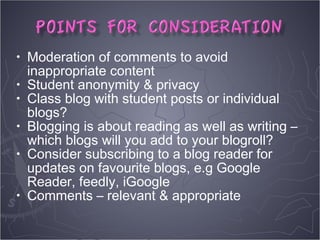
•   Moderation of comments to avoid
    inappropriate content
•   Student anonymity & privacy
•   Class blog with student posts or individual
    blogs?
•   Blogging is about reading as well as writing –
    which blogs will you add to your blogroll?
•   Consider subscribing to a blog reader for
    updates on favourite blogs, e.g Google
    Reader, feedly, iGoogle
•   Comments – relevant & appropriate
• Interviewing parents about a particular topic
  – can be written report or recorded as mp3
• PMI about school or a school event – can
  use wallwisher or linoit
• Recounts of activities, e.g. buddy classes
• Reflections on learning
• Videos of talks, drama, assemblies, visitors
• Podcasts
• Book reviews
Great opportunity to connect & network
with others when new to blogging

Quadblogging set up and managed by
David Mitchell in UK
•   Clairvaux Connects
•   Room 6 Cyberkids – Year 3
•   Little Voices Little Scholars – Year 2
•   Room 2 All Stars – Reception & Year 1 
•   Mr Webb (NZ)
•   Mr C's Class (USA)
•   Allstars – Library
•   Room 102 – 1st grade
•   Room 6 St Mary’s (NZ)
•   4KM & 4KJ
•   What Ed Said
•   Blogging through the Fourth Dimension
•   Spencer’s Scratch Pad
•   For the love of learning
•   The Wejr Board
•   On an e-journey with Generation Y
•   Cool Tools for 21st century learning
•   The Principal of Change
•   A view from the middle
•   Life is not a race to be finished first
•   Clustrmaps – see where your visitors are coming
    from
•   Widgetbox – lots of widgets, e.g. clocks, games
•   Counters – how many visitors are you getting?
•   Vokis – record a welcome message for your
    visitors
•   Avatars – use an avatar instead of a photo – great
    for students to have identity but stay anonymous
•   More avatars
•   Promote your blog
•   Keep it up to date
•   The blogging community 
•   Comments work both ways!
•   Start simple

•   Pam Thompson @pam_thompson
      thompsonpam@gmail.com
•   Jarrod Lamshed @jlamshed
      jglamshed@gmail.com

Establishing a class blog

  • 1.
  • 2.
  • 3.
    Put simply bythe people at Commoncraft: Blogs in plain English
  • 5.
    Rachel Boyd, ateacher from Nelson, NZ, sums it up in this video Why let our students blog?
  • 7.
    Students from our classes • Students from our classes • Parents & family members • Students’ extended family • Colleagues at school • Students from other schools • Educators from around the globe
  • 8.
    Sharing news & events • Sharing work • Students’ ideas/opinions • Accessing information, e.g. spelling lists, homework • Linking to other student/class blogs • Links for projects via our diigo site  • Feedback on what’s happening at school • Parent information • Sharing/reviewing tools
  • 9.
    • Authentic audience •Familiar form of communication • Student voice • Multimedia capabilities – sharing of digital work • Global communication –collaborative work with other classes in Australia & overseas, comments from all over world, networking with classes in NZ, UK & USA • Feedback from others
  • 10.
    • New skills •Consider new ways of doing things, e.g. podcasts, videos, web2.0 tools - Picturetrail, slideshare, voicethread, audioboo • Contact with other educators, both in Australia & overseas • Opportunity for shared, collaborative learning experiences with others • Student engagement
  • 11.
    Not blocked in schools, unlike some others • Easy to use • App available • Ability to moderate comments • Registering students or other users at different levels – contributor, author, editor, administrator • Ease of uploading files, media etc • Edublogs forum • Free, but with - no ads & more facilities when you become a supporter – small annual fee & bulk upgrades very reasonable • The edublogger – great support & info
  • 12.
    Blocked in schools - but can be easily unblocked • Easy to use • Multiple templates • Ability to moderate comments • Multiple contributors • Ease of uploading files, media etc • Automatic tags and search engines • FREE!
  • 13.
    Easy to use • App available for both Apple & Android • Multiple templates • Ability to moderate comments • Multiple contributors • Ease of uploading files, media etc • Automatic tags and search engines • FREE!
  • 14.
    Moderation of comments to avoid inappropriate content • Student anonymity & privacy • Class blog with student posts or individual blogs? • Blogging is about reading as well as writing – which blogs will you add to your blogroll? • Consider subscribing to a blog reader for updates on favourite blogs, e.g Google Reader, feedly, iGoogle • Comments – relevant & appropriate
  • 15.
    • Interviewing parentsabout a particular topic – can be written report or recorded as mp3 • PMI about school or a school event – can use wallwisher or linoit • Recounts of activities, e.g. buddy classes • Reflections on learning • Videos of talks, drama, assemblies, visitors • Podcasts • Book reviews
  • 16.
    Great opportunity toconnect & network with others when new to blogging Quadblogging set up and managed by David Mitchell in UK
  • 17.
    Clairvaux Connects • Room 6 Cyberkids – Year 3 • Little Voices Little Scholars – Year 2 • Room 2 All Stars – Reception & Year 1  • Mr Webb (NZ) • Mr C's Class (USA) • Allstars – Library • Room 102 – 1st grade • Room 6 St Mary’s (NZ) • 4KM & 4KJ
  • 18.
    What Ed Said • Blogging through the Fourth Dimension • Spencer’s Scratch Pad • For the love of learning • The Wejr Board • On an e-journey with Generation Y • Cool Tools for 21st century learning • The Principal of Change • A view from the middle • Life is not a race to be finished first
  • 19.
    Clustrmaps – see where your visitors are coming from • Widgetbox – lots of widgets, e.g. clocks, games • Counters – how many visitors are you getting? • Vokis – record a welcome message for your visitors • Avatars – use an avatar instead of a photo – great for students to have identity but stay anonymous • More avatars
  • 20.
    Promote your blog • Keep it up to date • The blogging community  • Comments work both ways! • Start simple • Pam Thompson @pam_thompson thompsonpam@gmail.com • Jarrod Lamshed @jlamshed jglamshed@gmail.com