Operating System
Process Management
Dr. Manish Bansal
Processes
 Process Concept
 Process Scheduling
 Operation on Processes
 Cooperating Processes
 Inter process communication
Process Concept
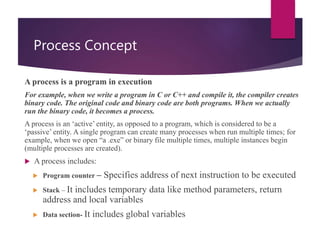
A process is a program in execution
For example, when we write a program in C or C++ and compile it, the compiler creates
binary code. The original code and binary code are both programs. When we actually
run the binary code, it becomes a process.
A process is an ‘active’ entity, as opposed to a program, which is considered to be a
‘passive’ entity. A single program can create many processes when run multiple times; for
example, when we open “a .exe” or binary file multiple times, multiple instances begin
(multiple processes are created).
 A process includes:
 Program counter – Specifies address of next instruction to be executed
 Stack – It includes temporary data like method parameters, return
address and local variables
 Data section- It includes global variables
Process State
As a process executes, it changes state
 New: The process is being created.
 Running: Instructions are being executed.
 Waiting: The process is waiting for some event to occur.
 Ready: The process is waiting to be assigned to a processor.
 Terminated: The process has finished execution.
Diagram of Process State
Process Control Block (PCB)
Information associated with each process.
 Process state
 Program counter
 CPU registers
 CPU scheduling information
 Memory-management information
 Accounting information
 I/O status information
PCB Cont…
 Process State: new, ready, running, waiting, halted
 Program Counter: It stores address of next instruction to be executed
 CPU registers: accumulators, index register, stack pointer and condition code
information
 CPU scheduling information: it includes process priority, pointers to scheduling
queues etc.
 Memory-Management Information: it includes value of base register and limit
registers, info of page table and segmentation tables etc.
 Accounting information: it includes CPU time used, process number (PID).
 I/O status information: The information includes the list of I/O devices allocated to
this process, list of open files and so on.
Process Control Block (PCB)
Thread
• Thread is a Single Process which a program executes at one time
• Most of the Program can execute only one thread at a time
• In Latest technologies a multithreaded based system has been evolved
• In Multi thread system Operating system can execute multiple threads on time
sharing basis.
Operating System
Process Management
Dr. Manish Bansal
Processes
 Process Scheduling
 Operation on Processes
 Cooperating Processes
 Inter process communication
Process Scheduling Queues
 Job Queue – set of all processes in the system.
 Ready Queue – set of all processes residing in main memory,
ready and waiting to execute.
 Device Queues – set of processes waiting for an I/O device.
 Process migration between the various queues.
Ready Queue And Various I/O Device Queues
Representation of Process Scheduling
Schedulers
 Long-term Scheduler (or job scheduler) – It is also called a
job scheduler. A long-term scheduler determines which
programs are admitted to the system for processing. It selects
processes from the queue and loads them into memory for
execution. Process loads into the memory for CPU scheduling..
 Short-term Scheduler (or CPU scheduler) The short-term
scheduler (also known as the CPU scheduler) decides which of
the ready, in-memory processes is to be executed (allocated a
CPU) after a clock interrupt, an I/O interrupt, an operating
system call or another form of signal
Addition of Medium Term Scheduling
Schedulers (Cont.)
 Short-term scheduler is invoked very frequently (milliseconds)
 (must be fast).
 Long-term scheduler is invoked very infrequently (seconds,
minutes)  (may be slow).
 The long-term scheduler controls the degree of
multiprogramming.
 Processes can be described as either:
 I/O-bound process – spends more time doing I/O than
computations, many short CPU bursts.
 CPU-bound process – spends more time doing computations; few
very long CPU bursts.
Context Switch
 When CPU switches to
another process, the
system must save the
state of the old process
and load the saved
state for the new
process.
 Context-switch time is
overhead; the system
does no useful work
while switching.
 Time dependent on
hardware support.
Operating System
Process Management
Dr. Manish Bansal
Processes
 Operation on Processes
 Cooperating Processes
 Inter process communication
Operation on process
Process Creation
 Parent process creates children processes, which, in turn
create other processes, forming a tree of processes.
 There is Unique Identifier for each Process (PID)
 Resource sharing
 Parent and children share all resources.
 Children share subset of parent’s resources.
 Execution
 Parent and children execute concurrently.
 Parent waits until children terminate.
 Address space
 Child duplicate of parent.
 Child has a program loaded into it.
A Tree of Processes On A Typical UNIX System
Process Termination
 Process executes last statement and asks the operating
system to decide it (exit).
 Output data from child to parent (via wait).
 Process’ resources are deallocated by operating system.
 Parent may terminate execution of children processes
(abort).
 Child has exceeded allocated resources.
 Task assigned to child is no longer required.
 Parent is exiting.
 Operating system does not allow child to continue if its parent
terminates. This is called cascading termination.
Producer Consumer problem
To illustrate the concept of cooperating
processes, let us consider the producer-
consumer problem.
 The producer process produces information that is
consumed by the consumer process. E.g. a printer
program produces characters that are consumed by
printer
 To allow processor and consumer processes to run
concurrently, we must have available a buffer of items
that can be filled by producer and emptied by consumer.
Producer Consumer problem
 To synchronies producer and consumer, consumer should
consume item only if it is produced by producer.
Buffer Types
 Unbounded Buffer:- Producer consumer problem places
no practical limit on the size of the buffer.
 Bounded Buffer:- Producer consumer problem assume a
fixed size buffer. In this case, the consumer must wait if
the buffer is empty, and the producer must wait if the
buffer is full
Producer Consumer problem
Lets discuss shared memory solution to the bounder-buffer problem
 The shared buffer will be implemented as a circular array with two logical pointers: in (points
to the next free position in buffer) and out (points to the first position in the buffer).
 The buffer is empty when in == out; and buffer is full when ((in+1) % BUFFER_SIZE)==out
Producer Consumer problem
Code for Producer process
Producer consumer problem
Producer Consumer problem
Code for Consumer Process
Producer consumer problem
Interprocess Communication
The concurrent processes executing in the operating
system may be either independent processes or
cooperating processes.
Independent:- A process is independent means that does not
share any data with any other process is independent.
Cooperating:- The process is cooperating if any process shares data
with other processes is a cooperating process.
Cooperating Processes
The system should provide an environment that allows
process cooperating for several reasons.
Information Sharing:- Several users may be interested to share same
information so the system must provide an environment to allow concurrent
access to these types of recourses.
Computation speedup:- A task should be broken into subtasks, each of which
will be executing in parallel with the others. Such a speed up can be achieved
only if the computer has multiple processing elements.
Modularity:- System should be constructed in modular (processes or threads)
fashion.
Convenience:- System should be such that individual user can work on
multiple tasks like editing, printing and compiling etc.
Inter-process communication (IPC)
There are two models of Inter Process Communication
1. Direct Communication or Message Passing
2. Indirect Communication or Shared Memory
 INSERT IMAGE PAGE 117
Message Passing
 Message passing is useful when small amount of data is required to be
exchanged
 It is easier to implement as compared to Share Memory
 It require system call through Kernal intervention
 Processes must name each other explicitly:
 send (P, message) – send a message to process P
 receive(Q, message) – receive a message from process Q
 Properties of communication link
 Links are established automatically.
 A link is associated with exactly one pair of communicating processes.
 Between each pair there exists exactly one link.
 The link may be unidirectional, but is usually bi-directional
Shared Memory
 Shared memory allows maximum speed
 Shared memory is faster than message passing
 In this all the process establish a region of common shared memory
 A shared memory is generally is part of address space of e parent process
which is creating the shared memory space.
 All other cooperating process share the same address space
 Any process which requires to share the information between cooperating
process shares the information in shared memory.
Indirect communication
 Operations
 create a new mailbox
 send and receive messages through mailbox
 destroy a mailbox
 Primitives are defined as:
 send(A, message) – send a message to mailbox A
 receive(A, message) – receive a message from mailbox A
Indirect Communication
 Mailbox sharing
 P1, P2, and P3 share mailbox A.
 P1, sends; P2 and P3 receive.
 Who gets the message?
 Solutions
 Allow a link to be associated with at most two processes.
 Allow only one process at a time to execute a receive
operation.
 Allow the system to select arbitrarily the receiver. Sender is
notified who the receiver was.
Synchronization
 Message passing may be either blocking or non-blocking.
Blocking is considered synchronous . Non-blocking is
considered asynchronous
 Blocking Send: The sending process is blocked until the
msg is received by the receiving process
 Nonblocking send: The sending process sends the msg
and resumes operation.
 Blocking receive: The receiver blocks until a msg is
available
 Nonblocking receive: The receiver retrieves either a valid
msg or a null.
Buffering
Queue of messages attached to the link; implemented in one
of three ways.
 Zero capacity – 0 messages
Sender must wait for receiver (rendezvous).
 2. Bounded capacity – finite length of n messages
Sender must wait if link full.
 3. Unbounded capacity – infinite length. Sender never waits.

3. Process Concept in operating system.pptx

  • 1.
  • 2.
    Processes  Process Concept Process Scheduling  Operation on Processes  Cooperating Processes  Inter process communication
  • 3.
    Process Concept A processis a program in execution For example, when we write a program in C or C++ and compile it, the compiler creates binary code. The original code and binary code are both programs. When we actually run the binary code, it becomes a process. A process is an ‘active’ entity, as opposed to a program, which is considered to be a ‘passive’ entity. A single program can create many processes when run multiple times; for example, when we open “a .exe” or binary file multiple times, multiple instances begin (multiple processes are created).  A process includes:  Program counter – Specifies address of next instruction to be executed  Stack – It includes temporary data like method parameters, return address and local variables  Data section- It includes global variables
  • 4.
    Process State As aprocess executes, it changes state  New: The process is being created.  Running: Instructions are being executed.  Waiting: The process is waiting for some event to occur.  Ready: The process is waiting to be assigned to a processor.  Terminated: The process has finished execution.
  • 5.
  • 6.
    Process Control Block(PCB) Information associated with each process.  Process state  Program counter  CPU registers  CPU scheduling information  Memory-management information  Accounting information  I/O status information
  • 7.
    PCB Cont…  ProcessState: new, ready, running, waiting, halted  Program Counter: It stores address of next instruction to be executed  CPU registers: accumulators, index register, stack pointer and condition code information  CPU scheduling information: it includes process priority, pointers to scheduling queues etc.  Memory-Management Information: it includes value of base register and limit registers, info of page table and segmentation tables etc.  Accounting information: it includes CPU time used, process number (PID).  I/O status information: The information includes the list of I/O devices allocated to this process, list of open files and so on.
  • 8.
  • 9.
    Thread • Thread isa Single Process which a program executes at one time • Most of the Program can execute only one thread at a time • In Latest technologies a multithreaded based system has been evolved • In Multi thread system Operating system can execute multiple threads on time sharing basis.
  • 10.
  • 11.
    Processes  Process Scheduling Operation on Processes  Cooperating Processes  Inter process communication
  • 12.
    Process Scheduling Queues Job Queue – set of all processes in the system.  Ready Queue – set of all processes residing in main memory, ready and waiting to execute.  Device Queues – set of processes waiting for an I/O device.  Process migration between the various queues.
  • 13.
    Ready Queue AndVarious I/O Device Queues
  • 14.
  • 15.
    Schedulers  Long-term Scheduler(or job scheduler) – It is also called a job scheduler. A long-term scheduler determines which programs are admitted to the system for processing. It selects processes from the queue and loads them into memory for execution. Process loads into the memory for CPU scheduling..  Short-term Scheduler (or CPU scheduler) The short-term scheduler (also known as the CPU scheduler) decides which of the ready, in-memory processes is to be executed (allocated a CPU) after a clock interrupt, an I/O interrupt, an operating system call or another form of signal
  • 16.
    Addition of MediumTerm Scheduling
  • 17.
    Schedulers (Cont.)  Short-termscheduler is invoked very frequently (milliseconds)  (must be fast).  Long-term scheduler is invoked very infrequently (seconds, minutes)  (may be slow).  The long-term scheduler controls the degree of multiprogramming.  Processes can be described as either:  I/O-bound process – spends more time doing I/O than computations, many short CPU bursts.  CPU-bound process – spends more time doing computations; few very long CPU bursts.
  • 18.
    Context Switch  WhenCPU switches to another process, the system must save the state of the old process and load the saved state for the new process.  Context-switch time is overhead; the system does no useful work while switching.  Time dependent on hardware support.
  • 19.
  • 20.
    Processes  Operation onProcesses  Cooperating Processes  Inter process communication
  • 21.
    Operation on process ProcessCreation  Parent process creates children processes, which, in turn create other processes, forming a tree of processes.  There is Unique Identifier for each Process (PID)  Resource sharing  Parent and children share all resources.  Children share subset of parent’s resources.  Execution  Parent and children execute concurrently.  Parent waits until children terminate.
  • 22.
     Address space Child duplicate of parent.  Child has a program loaded into it.
  • 23.
    A Tree ofProcesses On A Typical UNIX System
  • 25.
    Process Termination  Processexecutes last statement and asks the operating system to decide it (exit).  Output data from child to parent (via wait).  Process’ resources are deallocated by operating system.  Parent may terminate execution of children processes (abort).  Child has exceeded allocated resources.  Task assigned to child is no longer required.  Parent is exiting.  Operating system does not allow child to continue if its parent terminates. This is called cascading termination.
  • 26.
    Producer Consumer problem Toillustrate the concept of cooperating processes, let us consider the producer- consumer problem.  The producer process produces information that is consumed by the consumer process. E.g. a printer program produces characters that are consumed by printer  To allow processor and consumer processes to run concurrently, we must have available a buffer of items that can be filled by producer and emptied by consumer.
  • 27.
    Producer Consumer problem To synchronies producer and consumer, consumer should consume item only if it is produced by producer. Buffer Types  Unbounded Buffer:- Producer consumer problem places no practical limit on the size of the buffer.  Bounded Buffer:- Producer consumer problem assume a fixed size buffer. In this case, the consumer must wait if the buffer is empty, and the producer must wait if the buffer is full
  • 28.
    Producer Consumer problem Letsdiscuss shared memory solution to the bounder-buffer problem  The shared buffer will be implemented as a circular array with two logical pointers: in (points to the next free position in buffer) and out (points to the first position in the buffer).  The buffer is empty when in == out; and buffer is full when ((in+1) % BUFFER_SIZE)==out
  • 29.
    Producer Consumer problem Codefor Producer process
  • 30.
  • 31.
    Producer Consumer problem Codefor Consumer Process
  • 32.
  • 33.
    Interprocess Communication The concurrentprocesses executing in the operating system may be either independent processes or cooperating processes. Independent:- A process is independent means that does not share any data with any other process is independent. Cooperating:- The process is cooperating if any process shares data with other processes is a cooperating process.
  • 34.
    Cooperating Processes The systemshould provide an environment that allows process cooperating for several reasons. Information Sharing:- Several users may be interested to share same information so the system must provide an environment to allow concurrent access to these types of recourses. Computation speedup:- A task should be broken into subtasks, each of which will be executing in parallel with the others. Such a speed up can be achieved only if the computer has multiple processing elements. Modularity:- System should be constructed in modular (processes or threads) fashion. Convenience:- System should be such that individual user can work on multiple tasks like editing, printing and compiling etc.
  • 35.
    Inter-process communication (IPC) Thereare two models of Inter Process Communication 1. Direct Communication or Message Passing 2. Indirect Communication or Shared Memory
  • 36.
  • 37.
    Message Passing  Messagepassing is useful when small amount of data is required to be exchanged  It is easier to implement as compared to Share Memory  It require system call through Kernal intervention  Processes must name each other explicitly:  send (P, message) – send a message to process P  receive(Q, message) – receive a message from process Q  Properties of communication link  Links are established automatically.  A link is associated with exactly one pair of communicating processes.  Between each pair there exists exactly one link.  The link may be unidirectional, but is usually bi-directional
  • 38.
    Shared Memory  Sharedmemory allows maximum speed  Shared memory is faster than message passing  In this all the process establish a region of common shared memory  A shared memory is generally is part of address space of e parent process which is creating the shared memory space.  All other cooperating process share the same address space  Any process which requires to share the information between cooperating process shares the information in shared memory.
  • 39.
    Indirect communication  Operations create a new mailbox  send and receive messages through mailbox  destroy a mailbox  Primitives are defined as:  send(A, message) – send a message to mailbox A  receive(A, message) – receive a message from mailbox A
  • 40.
    Indirect Communication  Mailboxsharing  P1, P2, and P3 share mailbox A.  P1, sends; P2 and P3 receive.  Who gets the message?  Solutions  Allow a link to be associated with at most two processes.  Allow only one process at a time to execute a receive operation.  Allow the system to select arbitrarily the receiver. Sender is notified who the receiver was.
  • 41.
    Synchronization  Message passingmay be either blocking or non-blocking. Blocking is considered synchronous . Non-blocking is considered asynchronous  Blocking Send: The sending process is blocked until the msg is received by the receiving process  Nonblocking send: The sending process sends the msg and resumes operation.  Blocking receive: The receiver blocks until a msg is available  Nonblocking receive: The receiver retrieves either a valid msg or a null.
  • 42.
    Buffering Queue of messagesattached to the link; implemented in one of three ways.  Zero capacity – 0 messages Sender must wait for receiver (rendezvous).  2. Bounded capacity – finite length of n messages Sender must wait if link full.  3. Unbounded capacity – infinite length. Sender never waits.