Processes
 Process Concept
 Process Scheduling
 Operations on Processes
 Cooperating Processes
 Interprocess Communication
 Communication in Client-Server Systems
Process Concept
 An operating system executes a variety of programs:
 Batch system – jobs
 Time-shared systems – user programs or tasks
 Process – a program in execution; process execution must
progress in sequential fashion.
 A process includes:
 program counter
 stack
 data section
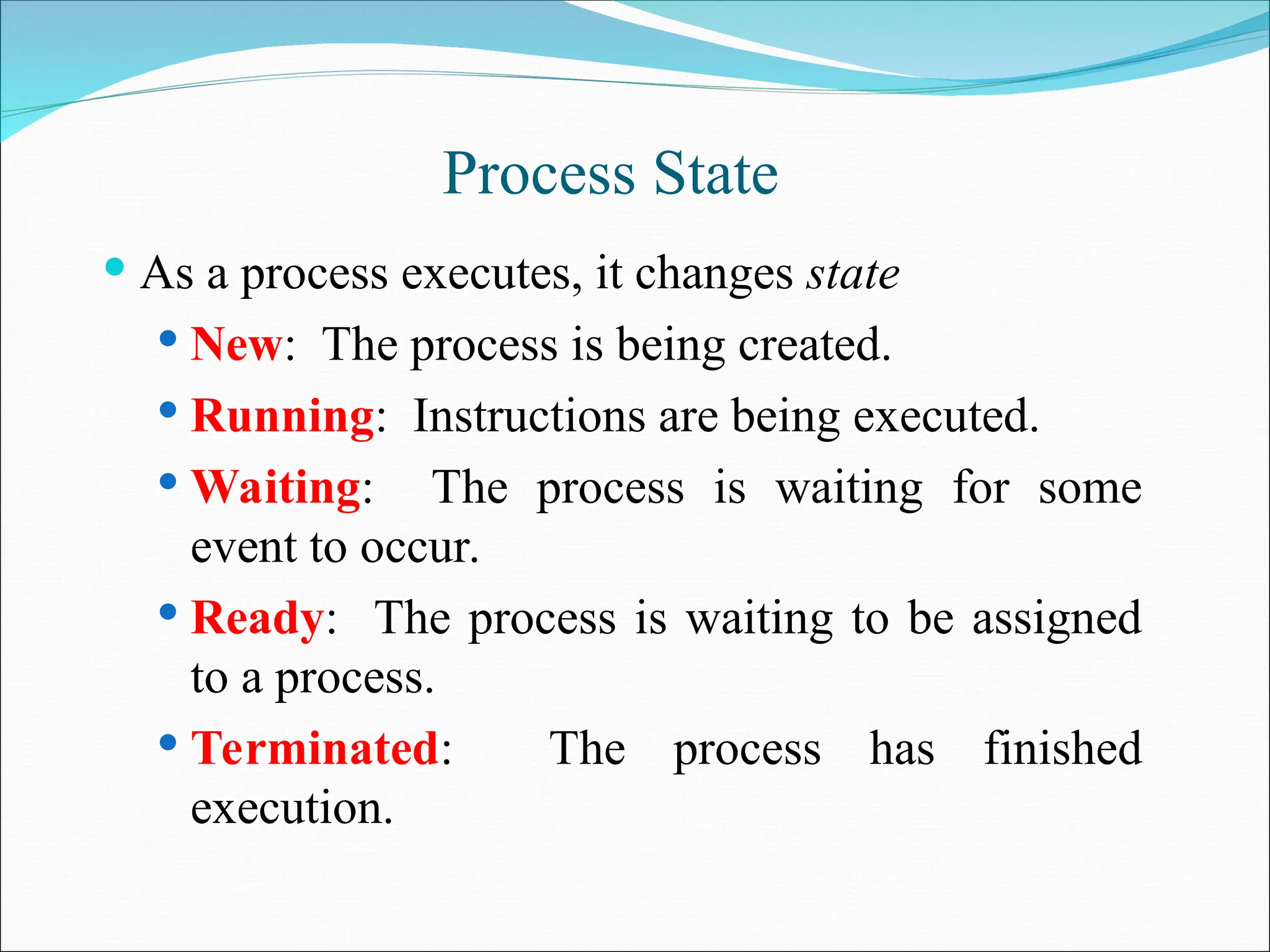
Process State
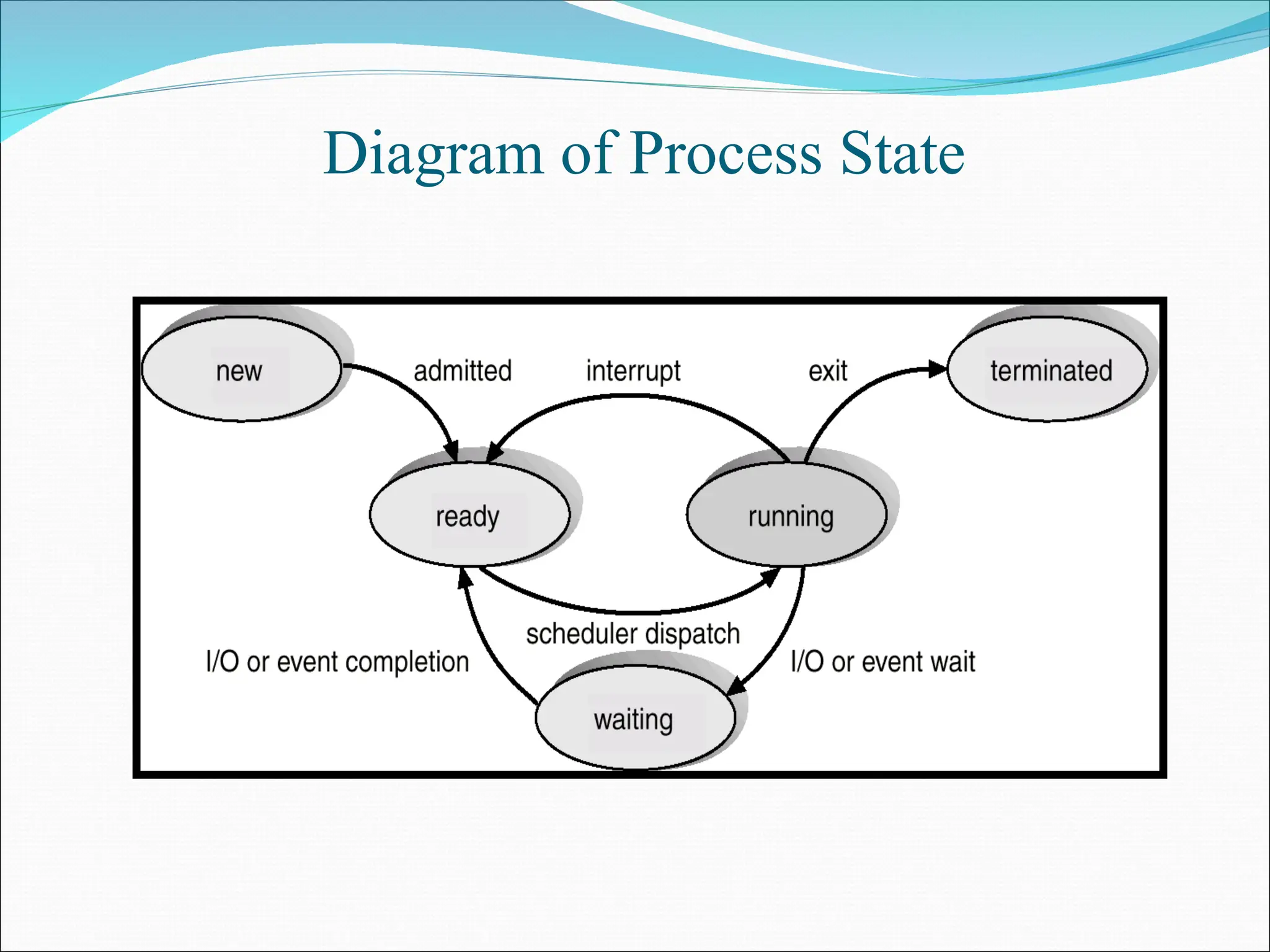
 As a process executes, it changes state
 New: The process is being created.
 Running: Instructions are being executed.
 Waiting: The process is waiting for some
event to occur.
 Ready: The process is waiting to be assigned
to a process.
 Terminated: The process has finished
execution.
Diagram of Process State
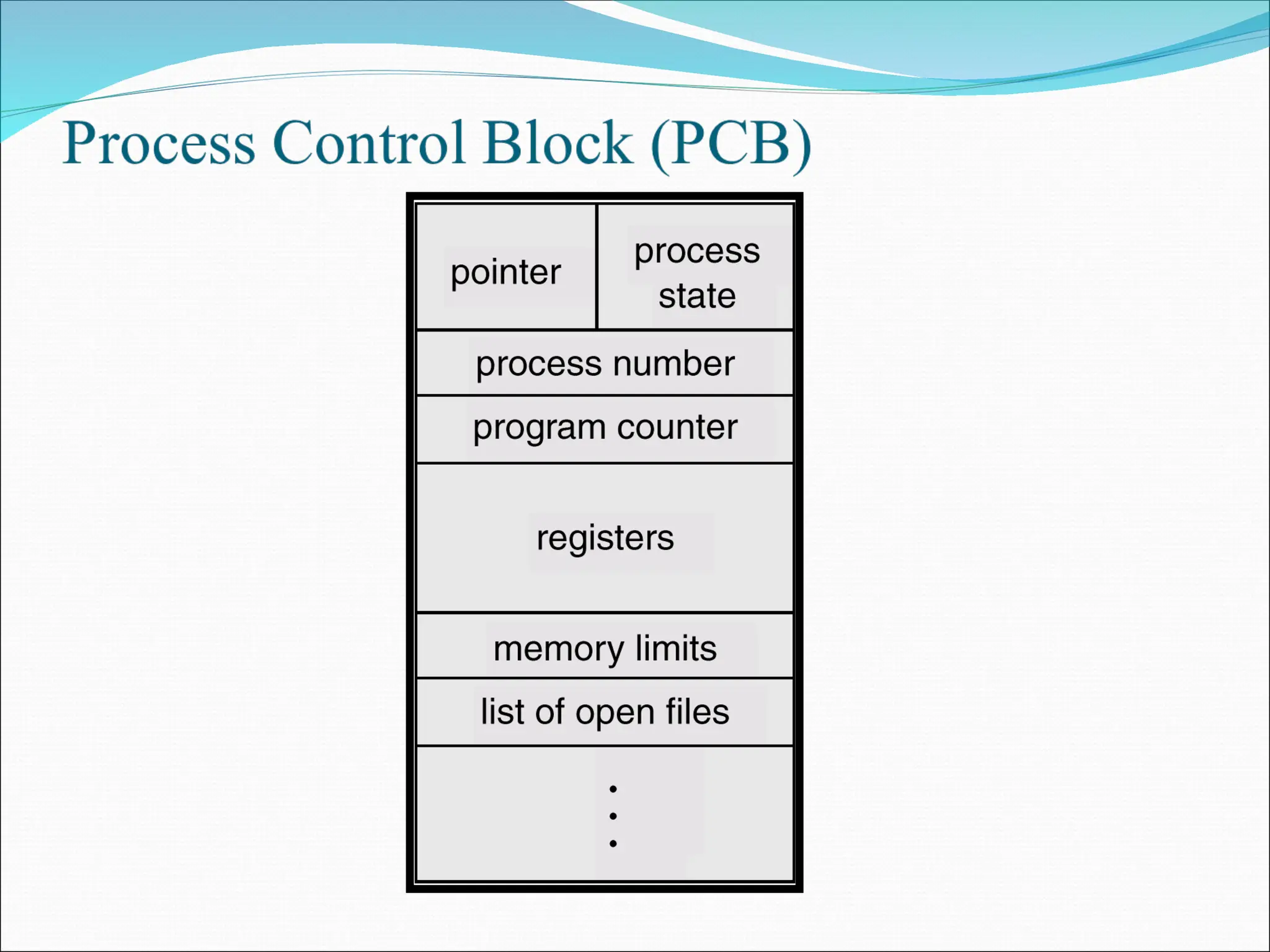
Process Control Block (PCB)
Information associated with each process.
 Process state
 Program counter
 CPU registers
 CPU scheduling information
 Memory-management information
 Accounting information
 I/O status information
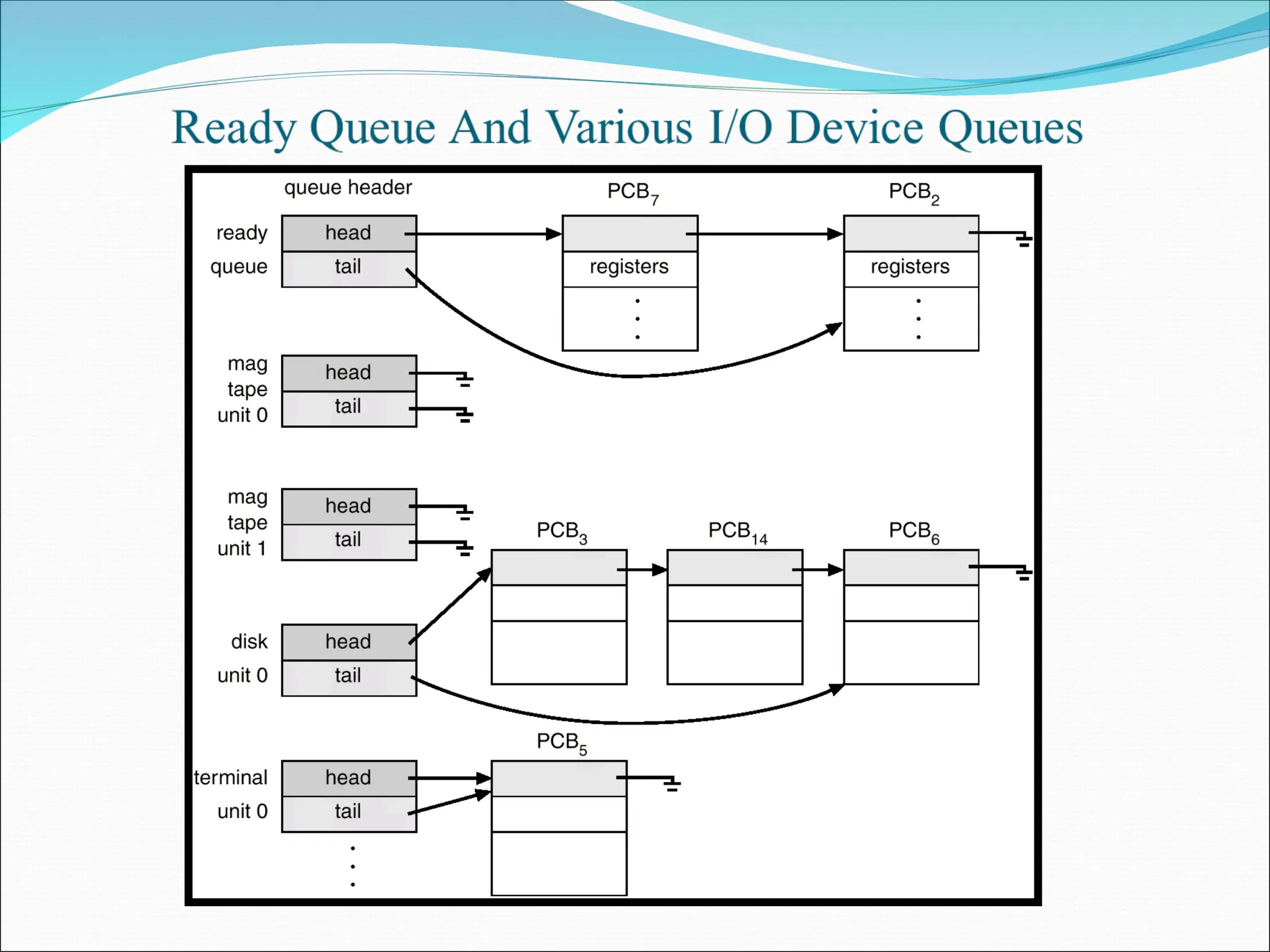
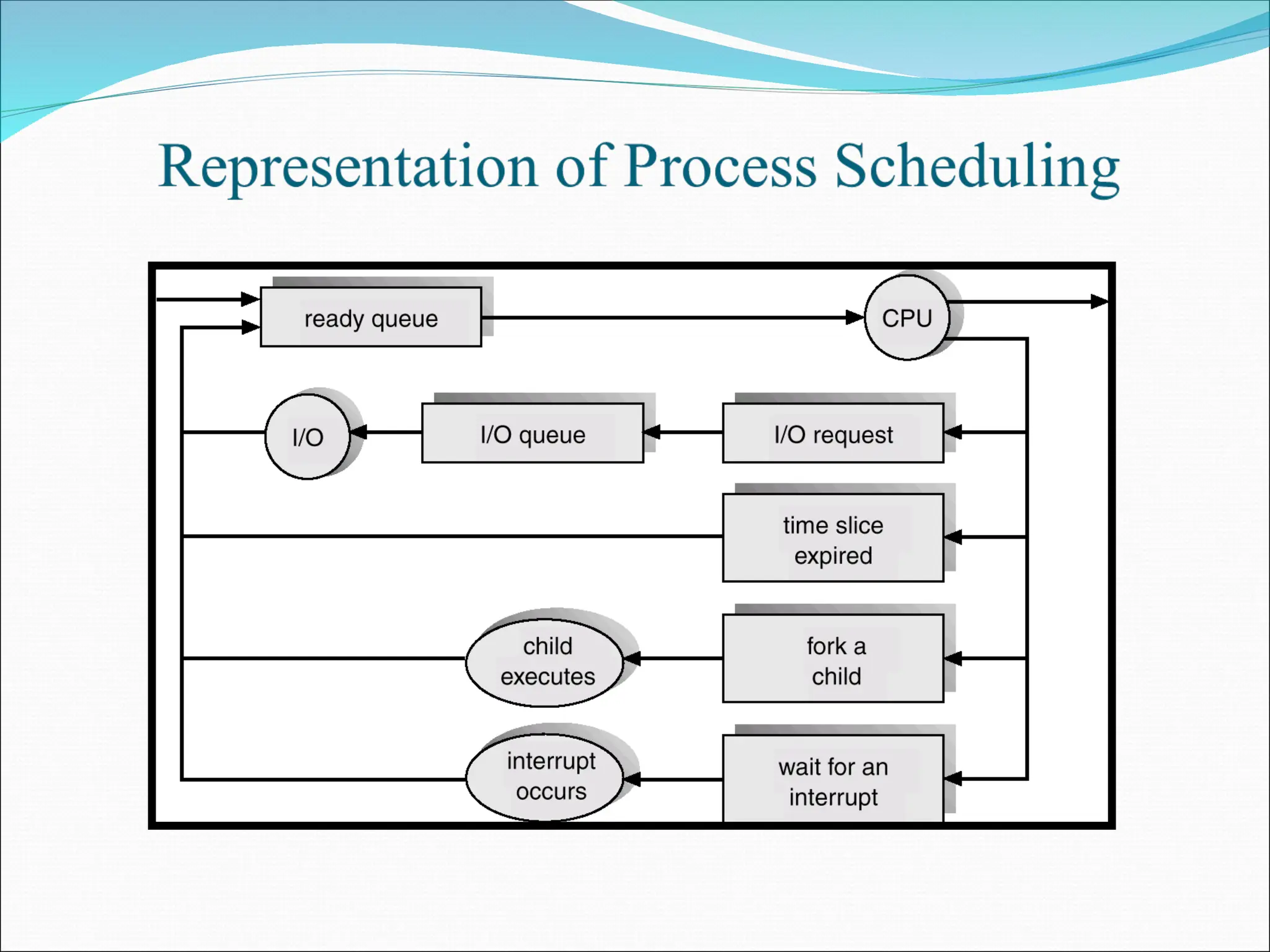
Process Scheduling Queues
 Job queue – set of all processes in the system.
 Ready queue – set of all processes residing in main memory,
ready and waiting to execute.
 Device queues – set of processes waiting for an I/O device.
 Process migration between the various queues.
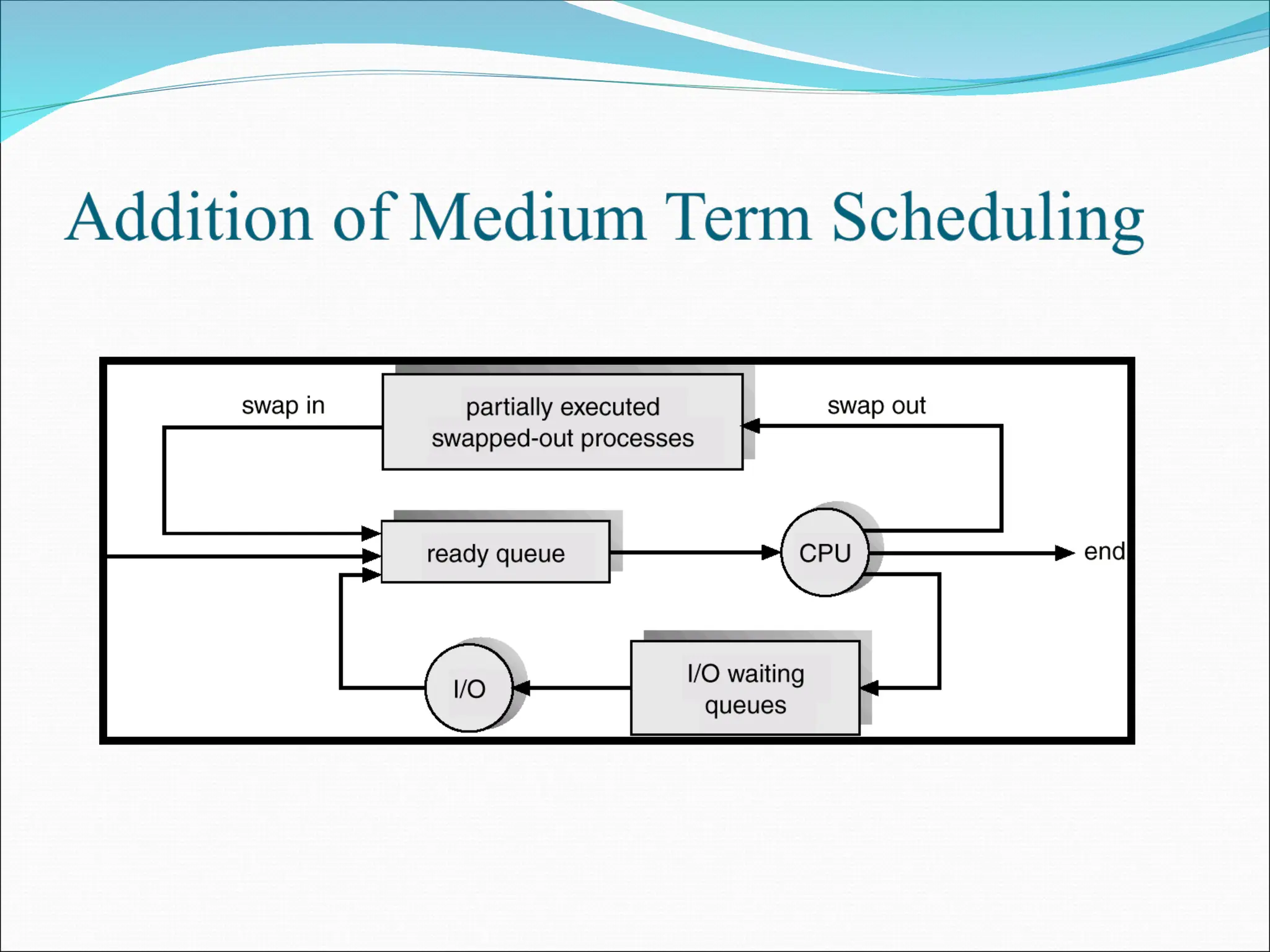
Schedulers
 Long-term scheduler (or job scheduler) – selects
which processes should be brought into the ready
queue.
 Short-term scheduler (or CPU scheduler) – selects
which process should be executed next and allocates
CPU.
Schedulers
 Short-term scheduler is invoked very frequently (milliseconds)
 (must be fast).
 Long-term scheduler is invoked very infrequently (seconds,
minutes)  (may be slow).
 The long-term scheduler controls the degree of
multiprogramming.
 Processes can be described as either:
 I/O-bound process – spends more time doing I/O than
computations, many short CPU bursts.
 CPU-bound process – spends more time doing
computations; few very long CPU bursts.
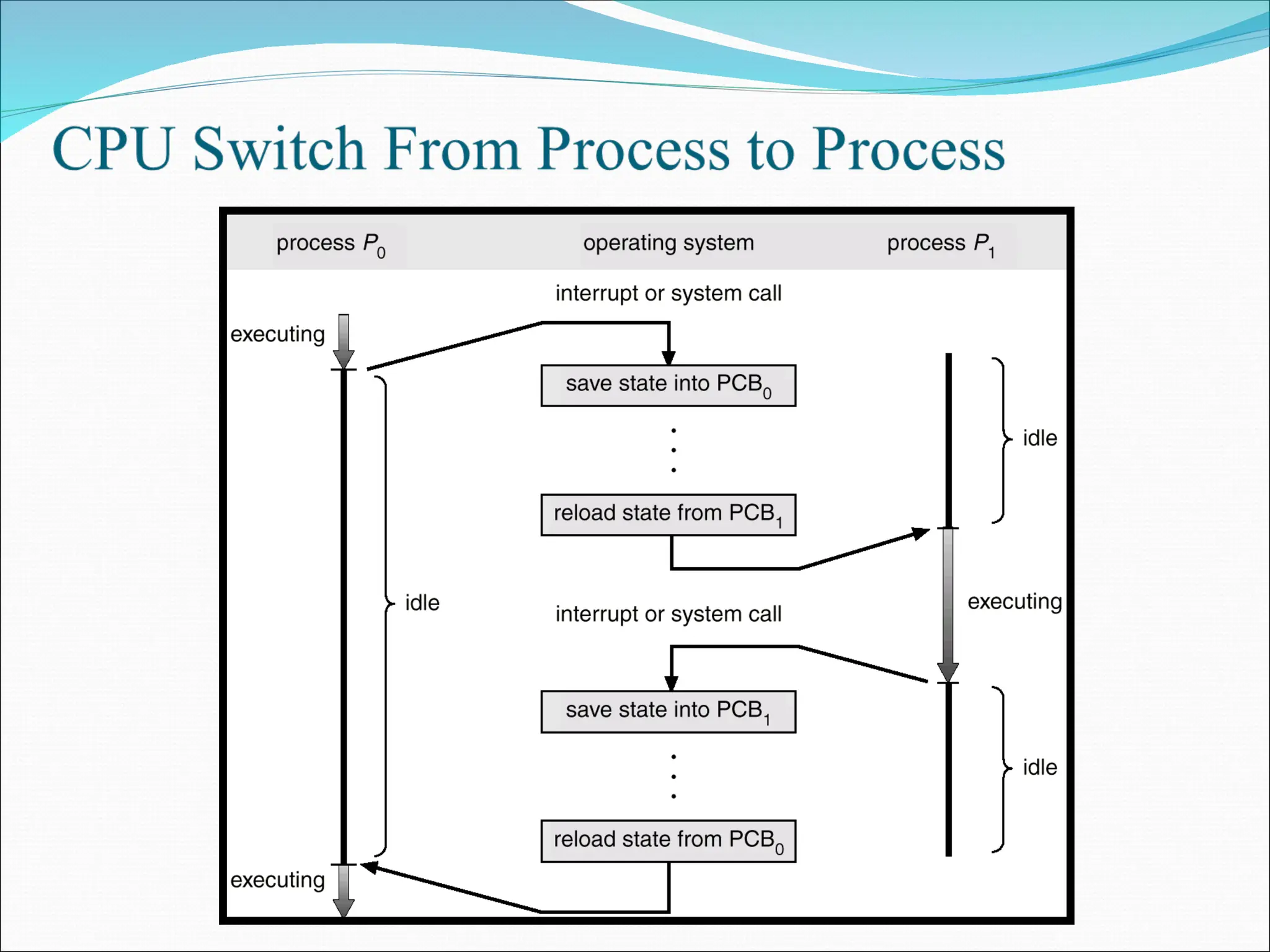
Context Switch
 When CPU switches to another process, the system
must save the state of the old process and load the
saved state for the new process.
 Context-switch time is overhead; the system does no
useful work while switching.
 Time dependent on hardware support.
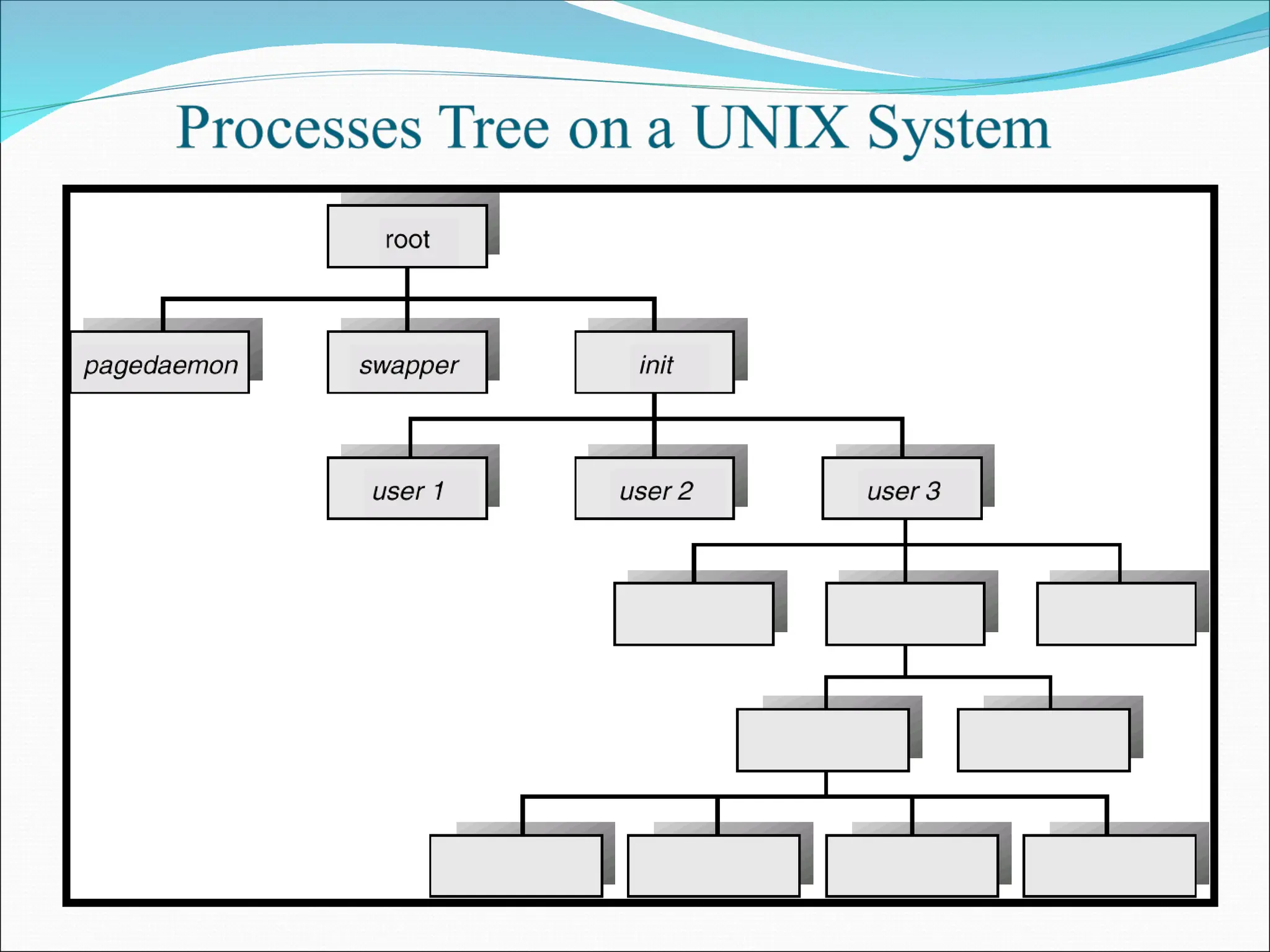
Process Creation
 Parent process create children processes, which, in
turn create other processes, forming a tree of
processes.
 Resource sharing
 Parent and children share all resources.
 Children share subset of parent’s resources.
 Parent and child share no resources.
 Execution
 Parent and children execute concurrently.
 Parent waits until children terminate.
Process Creation
 Address space
 Child duplicate of parent.
 Child has a program loaded into it.
 UNIX examples
 fork system call creates new process
 exec system call used after a fork to replace the
process’ memory space with a new program.
Process Termination
 Process executes last statement and asks the operating system
to decide it (exit).
 Output data from child to parent (via wait).
 Process’ resources are deallocated by operating system.
 Parent may terminate execution of children processes (abort).
 Child has exceeded allocated resources.
 Task assigned to child is no longer required.
 Parent is exiting.
 Operating system does not allow child to continue if its
parent terminates.
 Cascading termination.
Cooperating Processes
 Independent process cannot affect or be affected by the
execution of another process.
 Cooperating process can affect or be affected by the
execution of another process
 Advantages of process cooperation
 Information sharing
 Computation speed-up
 Modularity
 Convenience
Producer-Consumer Problem
 Paradigm for cooperating processes, producer process
produces information that is consumed by a consumer
process.
 unbounded-buffer places no practical limit on the
size of the buffer.
 bounded-buffer assumes that there is a fixed buffer
size.
Bounded-Buffer – Shared-Memory Solution
 Shared data
#define BUFFER_SIZE 10
Typedef struct {
. . .
} item;
item buffer[BUFFER_SIZE];
int in = 0;
int out = 0;
 Solution is correct, but can only use
BUFFER_SIZE-1 elements
Bounded-Buffer – Producer Process
item nextProduced;
while (1) {
while (((in + 1) % BUFFER_SIZE) == out)
; /* do nothing */
buffer[in] = nextProduced;
in = (in + 1) % BUFFER_SIZE;
}
Bounded-Buffer – Consumer Process
item nextConsumed;
while (1) {
while (in == out)
; /* do nothing */
nextConsumed = buffer[out];
out = (out + 1) % BUFFER_SIZE;
}
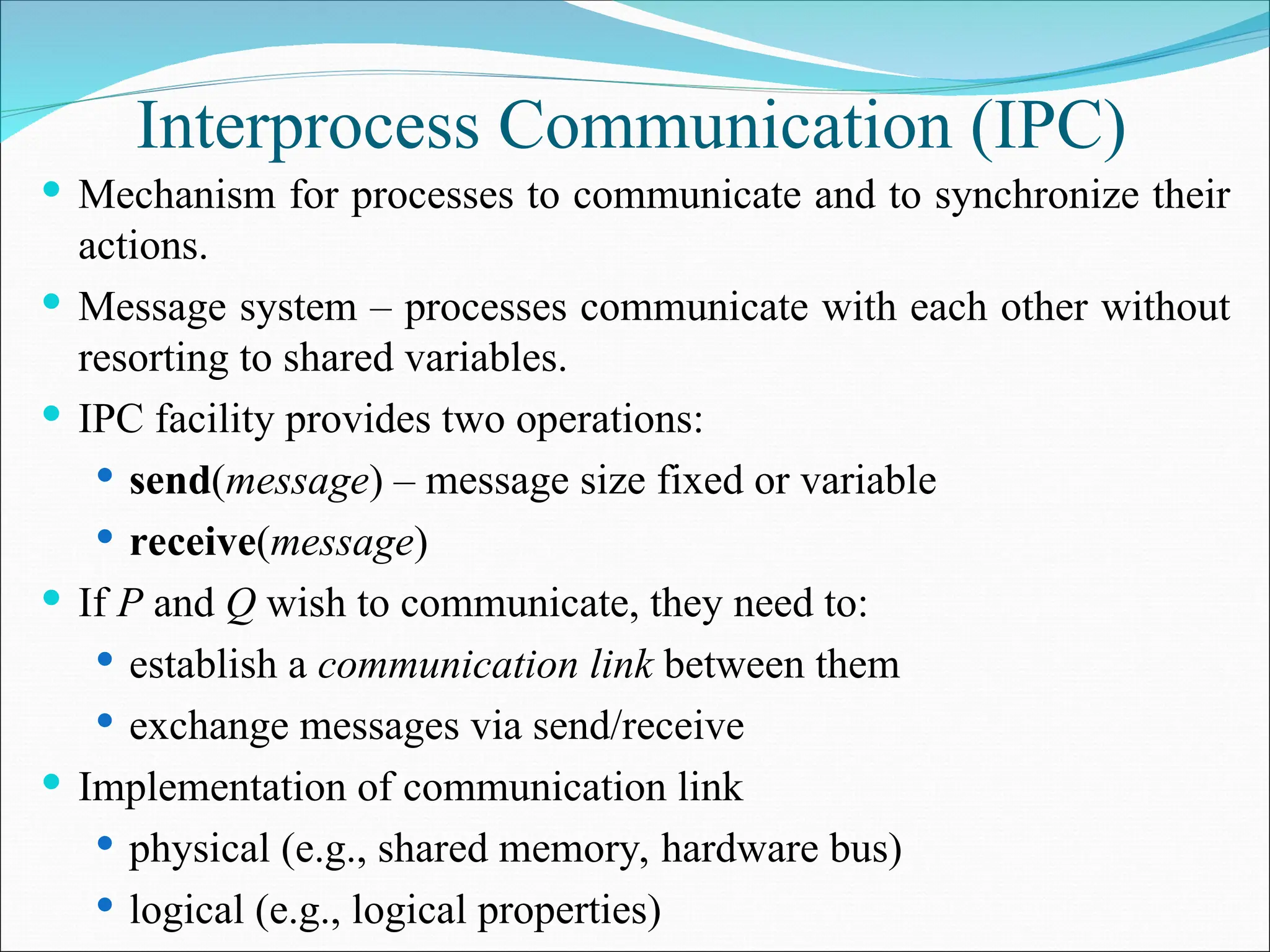
Interprocess Communication (IPC)
 Mechanism for processes to communicate and to synchronize their
actions.
 Message system – processes communicate with each other without
resorting to shared variables.
 IPC facility provides two operations:
 send(message) – message size fixed or variable
 receive(message)
 If P and Q wish to communicate, they need to:
 establish a communication link between them
 exchange messages via send/receive
 Implementation of communication link
 physical (e.g., shared memory, hardware bus)
 logical (e.g., logical properties)
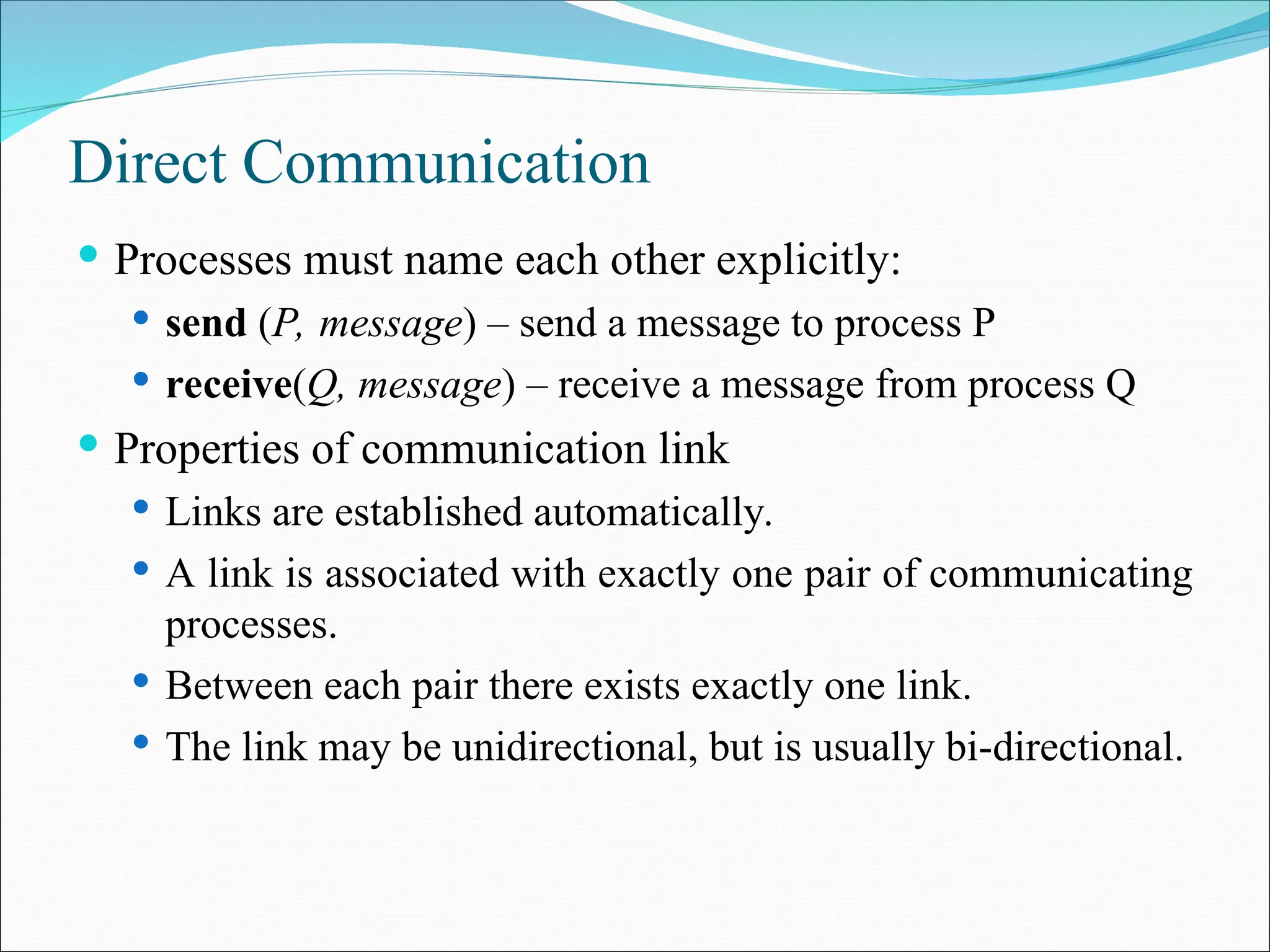
Direct Communication
 Processes must name each other explicitly:
 send (P, message) – send a message to process P
 receive(Q, message) – receive a message from process Q
 Properties of communication link
 Links are established automatically.
 A link is associated with exactly one pair of communicating
processes.
 Between each pair there exists exactly one link.
 The link may be unidirectional, but is usually bi-directional.
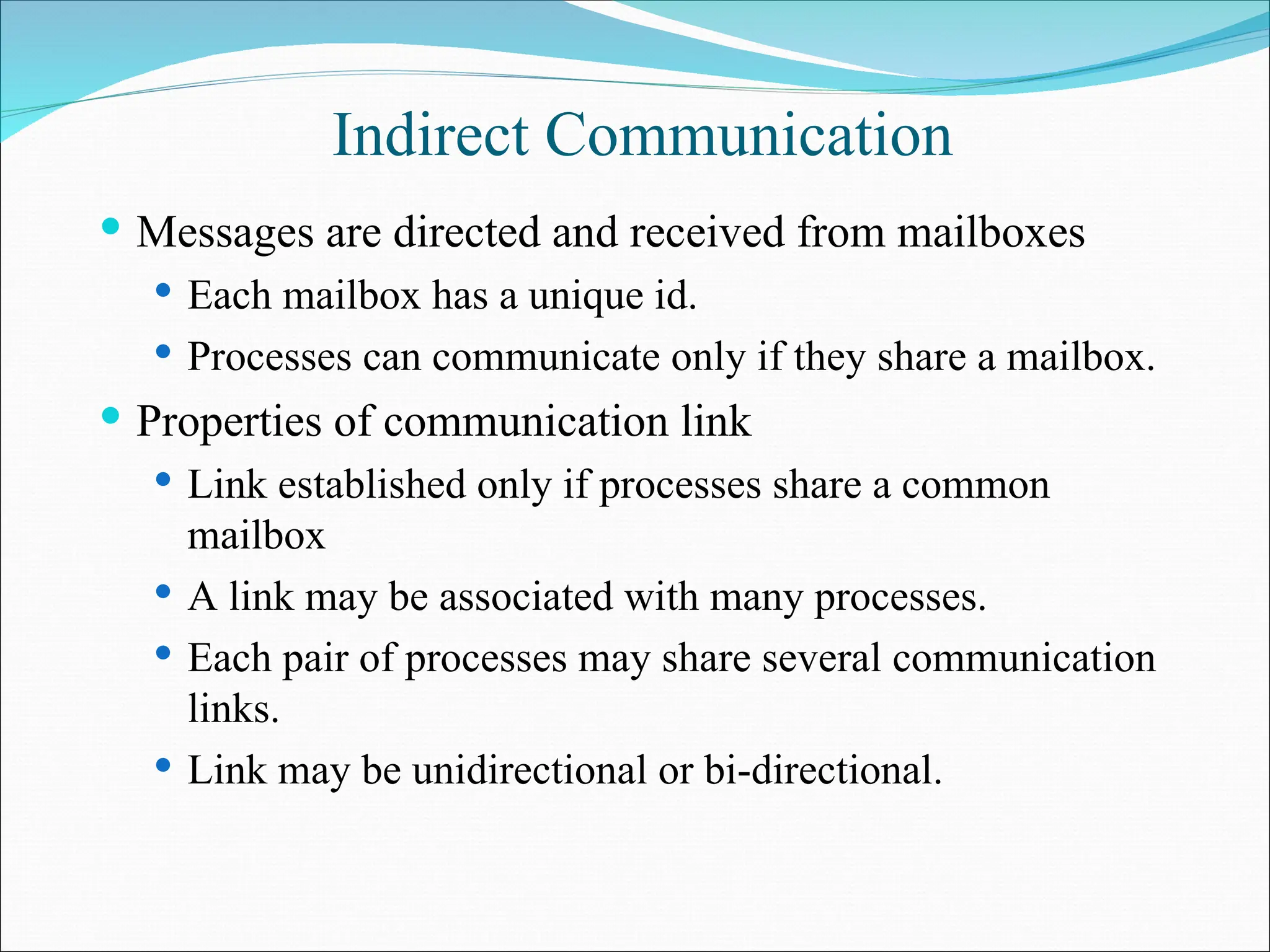
Indirect Communication
 Messages are directed and received from mailboxes
 Each mailbox has a unique id.
 Processes can communicate only if they share a mailbox.
 Properties of communication link
 Link established only if processes share a common
mailbox
 A link may be associated with many processes.
 Each pair of processes may share several communication
links.
 Link may be unidirectional or bi-directional.
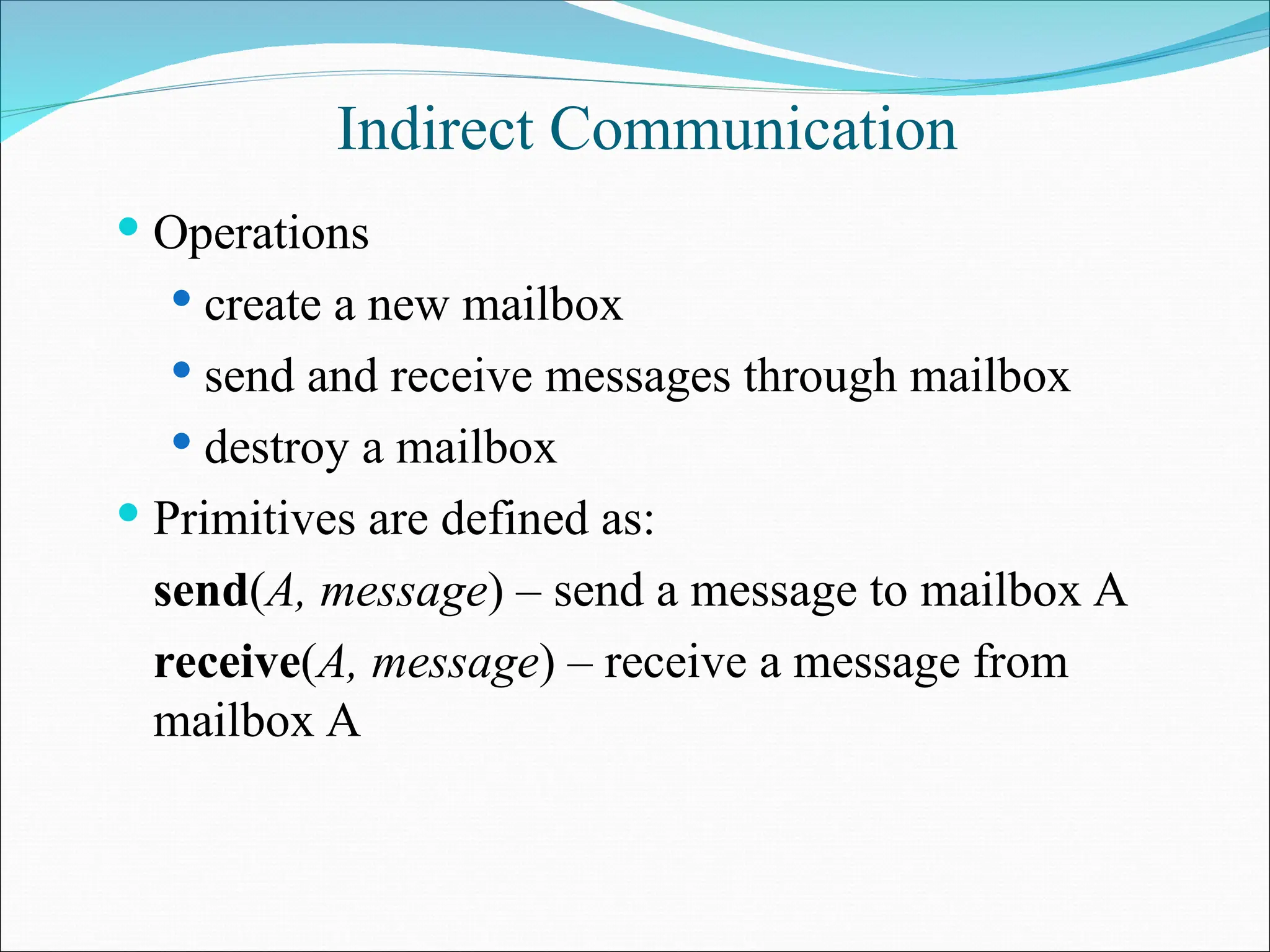
Indirect Communication
 Operations
 create a new mailbox
 send and receive messages through mailbox
 destroy a mailbox
 Primitives are defined as:
send(A, message) – send a message to mailbox A
receive(A, message) – receive a message from
mailbox A
Indirect Communication
 Mailbox sharing
 P1, P2, and P3 share mailbox A.
 P1, sends; P2 and P3 receive.
 Who gets the message?
 Solutions
 Allow a link to be associated with at most two processes.
 Allow only one process at a time to execute a receive
operation.
 Allow the system to select arbitrarily the receiver. Sender is
notified who the receiver was.
Synchronization
 Message passing may be either blocking or non-blocking.
 Blocking is considered synchronous
 Non-blocking is considered asynchronous
 send and receive primitives may be either blocking or
non-blocking.
Buffering
 Queue of messages attached to the link; implemented
in one of three ways.
1. Zero capacity – 0 messages
Sender must wait for receiver (rendezvous).
2. Bounded capacity – finite length of n
messages
Sender must wait if link full.
3. Unbounded capacity – infinite length
Sender never waits.
Client-Server Communication
 Sockets
 Remote Procedure Calls
 Remote Method Invocation (Java)

UNIT I Process management main concept.ppt

  • 1.
    Processes  Process Concept Process Scheduling  Operations on Processes  Cooperating Processes  Interprocess Communication  Communication in Client-Server Systems
  • 2.
    Process Concept  Anoperating system executes a variety of programs:  Batch system – jobs  Time-shared systems – user programs or tasks  Process – a program in execution; process execution must progress in sequential fashion.  A process includes:  program counter  stack  data section
  • 3.
    Process State  Asa process executes, it changes state  New: The process is being created.  Running: Instructions are being executed.  Waiting: The process is waiting for some event to occur.  Ready: The process is waiting to be assigned to a process.  Terminated: The process has finished execution.
  • 4.
  • 5.
    Process Control Block(PCB) Information associated with each process.  Process state  Program counter  CPU registers  CPU scheduling information  Memory-management information  Accounting information  I/O status information
  • 8.
    Process Scheduling Queues Job queue – set of all processes in the system.  Ready queue – set of all processes residing in main memory, ready and waiting to execute.  Device queues – set of processes waiting for an I/O device.  Process migration between the various queues.
  • 11.
    Schedulers  Long-term scheduler(or job scheduler) – selects which processes should be brought into the ready queue.  Short-term scheduler (or CPU scheduler) – selects which process should be executed next and allocates CPU.
  • 13.
    Schedulers  Short-term scheduleris invoked very frequently (milliseconds)  (must be fast).  Long-term scheduler is invoked very infrequently (seconds, minutes)  (may be slow).  The long-term scheduler controls the degree of multiprogramming.  Processes can be described as either:  I/O-bound process – spends more time doing I/O than computations, many short CPU bursts.  CPU-bound process – spends more time doing computations; few very long CPU bursts.
  • 14.
    Context Switch  WhenCPU switches to another process, the system must save the state of the old process and load the saved state for the new process.  Context-switch time is overhead; the system does no useful work while switching.  Time dependent on hardware support.
  • 15.
    Process Creation  Parentprocess create children processes, which, in turn create other processes, forming a tree of processes.  Resource sharing  Parent and children share all resources.  Children share subset of parent’s resources.  Parent and child share no resources.  Execution  Parent and children execute concurrently.  Parent waits until children terminate.
  • 16.
    Process Creation  Addressspace  Child duplicate of parent.  Child has a program loaded into it.  UNIX examples  fork system call creates new process  exec system call used after a fork to replace the process’ memory space with a new program.
  • 18.
    Process Termination  Processexecutes last statement and asks the operating system to decide it (exit).  Output data from child to parent (via wait).  Process’ resources are deallocated by operating system.  Parent may terminate execution of children processes (abort).  Child has exceeded allocated resources.  Task assigned to child is no longer required.  Parent is exiting.  Operating system does not allow child to continue if its parent terminates.  Cascading termination.
  • 19.
    Cooperating Processes  Independentprocess cannot affect or be affected by the execution of another process.  Cooperating process can affect or be affected by the execution of another process  Advantages of process cooperation  Information sharing  Computation speed-up  Modularity  Convenience
  • 20.
    Producer-Consumer Problem  Paradigmfor cooperating processes, producer process produces information that is consumed by a consumer process.  unbounded-buffer places no practical limit on the size of the buffer.  bounded-buffer assumes that there is a fixed buffer size.
  • 21.
    Bounded-Buffer – Shared-MemorySolution  Shared data #define BUFFER_SIZE 10 Typedef struct { . . . } item; item buffer[BUFFER_SIZE]; int in = 0; int out = 0;  Solution is correct, but can only use BUFFER_SIZE-1 elements
  • 22.
    Bounded-Buffer – ProducerProcess item nextProduced; while (1) { while (((in + 1) % BUFFER_SIZE) == out) ; /* do nothing */ buffer[in] = nextProduced; in = (in + 1) % BUFFER_SIZE; }
  • 23.
    Bounded-Buffer – ConsumerProcess item nextConsumed; while (1) { while (in == out) ; /* do nothing */ nextConsumed = buffer[out]; out = (out + 1) % BUFFER_SIZE; }
  • 24.
    Interprocess Communication (IPC) Mechanism for processes to communicate and to synchronize their actions.  Message system – processes communicate with each other without resorting to shared variables.  IPC facility provides two operations:  send(message) – message size fixed or variable  receive(message)  If P and Q wish to communicate, they need to:  establish a communication link between them  exchange messages via send/receive  Implementation of communication link  physical (e.g., shared memory, hardware bus)  logical (e.g., logical properties)
  • 25.
    Direct Communication  Processesmust name each other explicitly:  send (P, message) – send a message to process P  receive(Q, message) – receive a message from process Q  Properties of communication link  Links are established automatically.  A link is associated with exactly one pair of communicating processes.  Between each pair there exists exactly one link.  The link may be unidirectional, but is usually bi-directional.
  • 26.
    Indirect Communication  Messagesare directed and received from mailboxes  Each mailbox has a unique id.  Processes can communicate only if they share a mailbox.  Properties of communication link  Link established only if processes share a common mailbox  A link may be associated with many processes.  Each pair of processes may share several communication links.  Link may be unidirectional or bi-directional.
  • 27.
    Indirect Communication  Operations create a new mailbox  send and receive messages through mailbox  destroy a mailbox  Primitives are defined as: send(A, message) – send a message to mailbox A receive(A, message) – receive a message from mailbox A
  • 28.
    Indirect Communication  Mailboxsharing  P1, P2, and P3 share mailbox A.  P1, sends; P2 and P3 receive.  Who gets the message?  Solutions  Allow a link to be associated with at most two processes.  Allow only one process at a time to execute a receive operation.  Allow the system to select arbitrarily the receiver. Sender is notified who the receiver was.
  • 29.
    Synchronization  Message passingmay be either blocking or non-blocking.  Blocking is considered synchronous  Non-blocking is considered asynchronous  send and receive primitives may be either blocking or non-blocking.
  • 30.
    Buffering  Queue ofmessages attached to the link; implemented in one of three ways. 1. Zero capacity – 0 messages Sender must wait for receiver (rendezvous). 2. Bounded capacity – finite length of n messages Sender must wait if link full. 3. Unbounded capacity – infinite length Sender never waits.
  • 31.
    Client-Server Communication  Sockets Remote Procedure Calls  Remote Method Invocation (Java)