Unity 3D
Scripting
binary-studio.com
Contents
1. Intro
2. Creating and using
3. Controlling GameObjects
4. Attributes
5. Event functions
6. Coroutines
7. Execution order
Intro
1. Respond to input
2. Arrange for events in the gameplay
3. Create graphical effects
4. Control physical behaviour of objects
5. Create custom AI
Creating and using
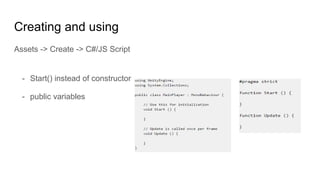
Assets -> Create -> C#/JS Script
- Start() instead of constructor
- public variables
Creating and using
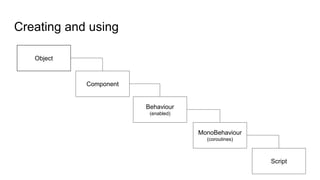
Object
Component
Behaviour
(enabled)
MonoBehaviour
(coroutines)
Script
Controlling game objects
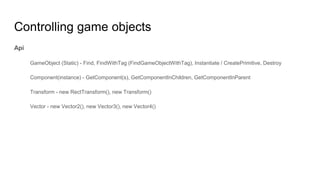
Api
GameObject (Static) - Find, FindWithTag (FindGameObjectWithTag), Instantiate / CreatePrimitive, Destroy
Component(instance) - GetComponent(s), GetComponentInChildren, GetComponentInParent
Transform - new RectTransform(), new Transform()
Vector - new Vector2(), new Vector3(), new Vector4()
Controlling game objects
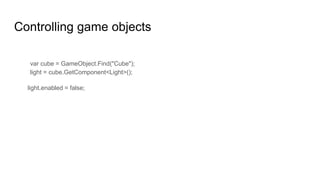
var cube = GameObject.Find("Cube");
light = cube.GetComponent<Light>();
light.enabled = false;
Attributes
C#: [HideInInspector]
JS: @HideInInspector
- Header
- Range
- RequireComponent
- SerializeField
- Tooltip
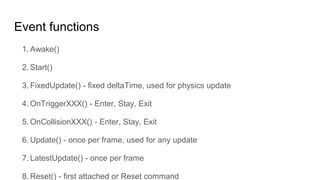
Event functions
1. Awake()
2. Start()
3. FixedUpdate() - fixed deltaTime, used for physics update
4. OnTriggerXXX() - Enter, Stay, Exit
5. OnCollisionXXX() - Enter, Stay, Exit
6. Update() - once per frame, used for any update
7. LatestUpdate() - once per frame
8. Reset() - first attached or Reset command
Coroutines
- Fire and Forget
a) Working independently
b) return null
- WaitForSeconds, WaitForFixedUpdate
a) Wait for completion through chaining
b) Synchronize activities
Coroutines
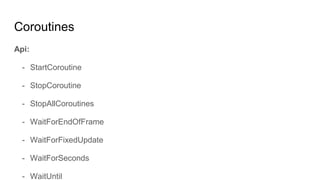
Api:
- StartCoroutine
- StopCoroutine
- StopAllCoroutines
- WaitForEndOfFrame
- WaitForFixedUpdate
- WaitForSeconds
- WaitUntil
Coroutines
Fire and Forget
void Update() {
if (Input.GetKeyDown("f")) {
StartCoroutine("Fade");
}
}
IEnumerator Fade() {
for (float f = 1f; f >= 0; f -= 0.1f) {
Color c = renderer.material.color;
c.a = f;
renderer.material.color = c;
yield return null;
}
}
Wait for completion
IEnumerator Start() {
print("Starting " + Time.time); =
yield return StartCoroutine("WaitAndPrint");
print("Done " + Time.time);
}
IEnumerator WaitAndPrint() {
yield return new WaitForSeconds(5);
print("WaitAndPrint " + Time.time);
}
Demo
Execution order
Events order
Useful links
1. Manual
2. API
3. Answers
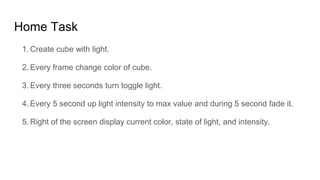
Home Task
1. Create cube with light.
2. Every frame change color of cube.
3. Every three seconds turn toggle light.
4. Every 5 second up light intensity to max value and during 5 second fade it.
5. Right of the screen display current color, state of light, and intensity.

Academy PRO: Unity 3D. Scripting