Backchannel RulesBe NiceBe ClearBe Open
21 Things About 21 Things: Lessons Learned fromStaff Development Presented by:Karen Streeter, Dr. A. Ruth Okoye, and Nancy ButlerPortsmouth Public SchoolsPortsmouth, Virginiahttp://iste2010pps.pbworks.com/
Session Goal: Upon completion of this session, the educator willrecognize that a “21 Things” initiative provides flexible, cost effective, high quality, self-paced staff development for a range of stakeholders.
Portsmouth Public SchoolsSoutheast VirginiaUrban Setting 14,000 students1100 educators2 pre-school centers, 14 elementary schools, 3 middle schools, 3 high schoolsEvery building unique
Challenged with introducing 21st Century Skills and Web 2.0 technologies in the classroom?
The Original 23 ThingsHelene Blowershttp://plcmcl2-things.blogspot.com/
Inspired by:http://findarticles.com/p/articles/mi_m0FWE/is_2_10/ai_n16133338/?tag=content;col1
Cost Effective, Powerful, Alternate Form of Delivery , Do-able, Customizable
Basic Premiseof 21 ThingsWeb 2.0Experiment & learn about web 2.0 technologies with bite-sized, web-based activities.
23 Things for LibrariansIntroduce to web 2.0Continue to develop skills asmedia specialists vs. librariansReflect on classroom applicationsReflect on professional development practices
21 Things for TRTsBegin building a PLN  - Use Web 2.0 in the classroom
21 Things for TeachersIntroduce Web 2.0Reflect on classroom applicationReflect on personal productivity and professional development
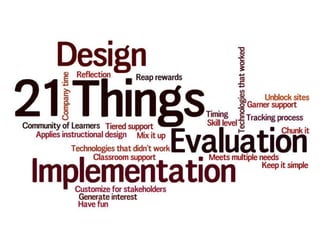
21 ThingsDesignImplementationEvaluation
Design
1. Meets Multiple NeedsCustomizableOnline learningCost effectiveHigh qualityPajama compatibleSelf-pacedFlexibleDo-able
2.  Apply Instructional DesignStart with the end in mind: Plan, Design, Develop. ID target groups, focus, nature of training, end products. What will have changed in terms of the participants skills, knowledge and attitudes?
3.  Chunk ItChunks- Quick & Easy. Quantity and Quality built-in.
4.  Mix It UpFreebies: web 2.0 appsPaid resources/subscriptions
5.  Keep It SimpleNINGWIKI
6. Customize for StakeholdersRoleGrade or content
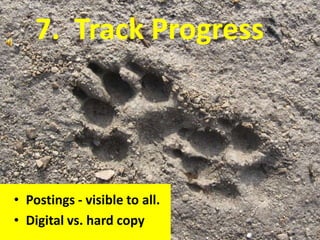
7.  Track Progress  Postings - visible to all.Digital vs. hard copy
Track with posts to NING (example)
8.  Form a Community of Learners
Community of Learners
9. Unblock SitesTest under separate profilesRecheck after web filtering updates
Implementation
10.  Garner SupportAdministratorsTeachersTRTsInformation Technology
11.  Find a Way to Generate InterestStrategies…Marketing
Incentives12. Provide Tiered SupportIndividual need for helpProdding teachers
13. Provide Classroom SupportUsing tools learnedIn classroom
14.  Remind them to…Have fun!
Evaluation (Lessons Learned)
15. Technologies that WorkedSupport curriculaEnhance learning
Wordlehttp://www.wordle.net/
AnimotoPlant products: http://animoto.com/play/ScOUMqeiLh3F6GQXxPdqyw?utm_source=&utm_medium=player&utm_campaign=player
BlabberizePlease Don’t Litter:  http://blabberize.com/view?id=235395
Fodey Newspaper clip generatorhttp://www.fodey.com/generators/newspaper/snippet.asp
Big Huge Labs
DE Streaming Writing Prompt
16.  Technologies that Didn’t WorkBlogsPodcasts
17.  Basic Skills 	We found that there was a basic skill set necessary to complete the initiative independently.ForumsTime to complete items
18.  Reap RewardsImmediateDelayed
19. On “Company Time”?
20. Timing for Rollout
21. Use of reflections to “own” the process.
Attribution	All photos used were found using http://compfight.com/ to search Flickr for creative commons photos.

21 thingsabout21thingsv0628