Recommended
PPTX
OverlayFS を使って Raspberry Pi を Network Bootする
PDF
PPTX
KEY
PDF
import dpkt したよ #ssmjp 2014/02/28
PDF
PDF
Scapy presentation Remake(訂正)
PDF
PPTX
Arduino tank meets bluetooth
PDF
PPTX
[15分勉強会] Bluetooth 4.2 → 5 でなにが変わったか?
PDF
iOSアプリ開発者のための Bluetooth Low Energy体験講座
PPTX
PDF
Bluetooth LE +スマートフォン勉強会@関西(2013年11月2日)
PDF
Bluetoothl-Low-Energy入門講座-part1
PDF
20130601 btleハンズオンワークショップ
PDF
Kavya racharla ndh-naropanth_fin_jp-final
PDF
PPTX
WebBluetoothなど - JSで制御するBluetoothと基板の勉強会 -
PDF
Bluetooth LEとiBeaconを使った、すれ違い通信
PDF
deep dive distributed tracing
PPTX
202202 open telemetry .net handson
PPTX
202109-New_Relic-for-csharp-engineers
PDF
20210129 azure webapplogging
PDF
PPTX
PPTX
PDF
SRENEXT 2020 [B5] New RelicのSREに学ぶ�SREのためのNew Relic活用法
PDF
20191024 Get Start gRPC with ASP.NET
PDF
New Relicで始める、.NET Applications on AWSのObservability
More Related Content
PPTX
OverlayFS を使って Raspberry Pi を Network Bootする
PDF
PPTX
KEY
PDF
import dpkt したよ #ssmjp 2014/02/28
PDF
PDF
Scapy presentation Remake(訂正)
PDF
Similar to 20140802 Bluetooth を使って Universall App で大連携
PPTX
Arduino tank meets bluetooth
PDF
PPTX
[15分勉強会] Bluetooth 4.2 → 5 でなにが変わったか?
PDF
iOSアプリ開発者のための Bluetooth Low Energy体験講座
PPTX
PDF
Bluetooth LE +スマートフォン勉強会@関西(2013年11月2日)
PDF
Bluetoothl-Low-Energy入門講座-part1
PDF
20130601 btleハンズオンワークショップ
PDF
Kavya racharla ndh-naropanth_fin_jp-final
PDF
PPTX
WebBluetoothなど - JSで制御するBluetoothと基板の勉強会 -
PDF
Bluetooth LEとiBeaconを使った、すれ違い通信
More from Takayoshi Tanaka
PDF
deep dive distributed tracing
PPTX
202202 open telemetry .net handson
PPTX
202109-New_Relic-for-csharp-engineers
PDF
20210129 azure webapplogging
PDF
PPTX
PPTX
PDF
SRENEXT 2020 [B5] New RelicのSREに学ぶ�SREのためのNew Relic活用法
PDF
20191024 Get Start gRPC with ASP.NET
PDF
New Relicで始める、.NET Applications on AWSのObservability
PPTX
C#エンジニアのためのdocker kubernetesハンズオン (再)
PPTX
PPTX
C#エンジニアのためのdocker kubernetesハンズオン
PDF
20190604 Containerized MagicOnion on kubernetes with Observability with New R...
PDF
.NET Core向けコンテナおよびデバッグ関連のVisual Studio 2019の機能
PDF
.NET Core向けコンテナおよびデバッグ関連のVisual Studioの新機能
PDF
Try! Visual Studio 209 git feature
PDF
PDF
PDF
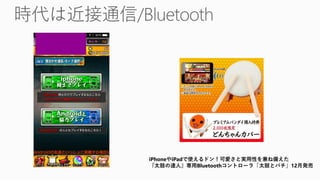
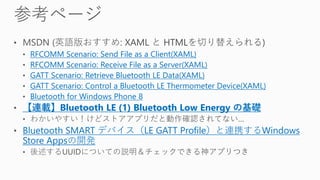
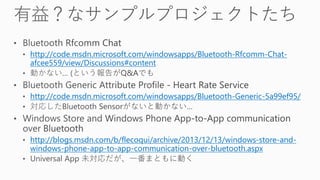
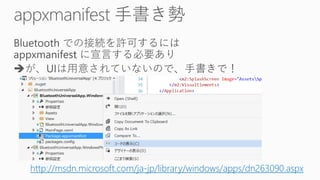
20140802 Bluetooth を使って Universall App で大連携 2. 3. 5. 6. 8. 9. 12. 14. 16. RFCOMM Scenario: Send File as a Client(XAML)
RFCOMM Scenario: Receive File as a Server(XAML)
GATT Scenario: Retrieve Bluetooth LE Data(XAML)
GATT Scenario: Control a Bluetooth LE Thermometer Device(XAML)
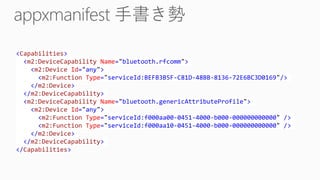
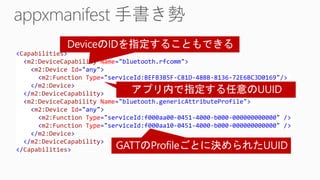
Bluetooth for Windows Phone 8
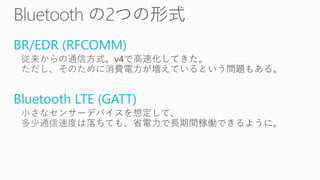
【連載】Bluetooth LE (1) Bluetooth Low Energy の基礎
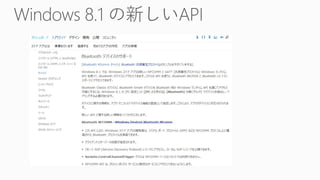
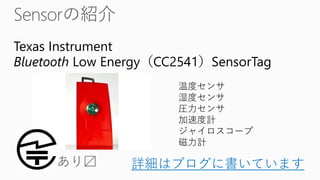
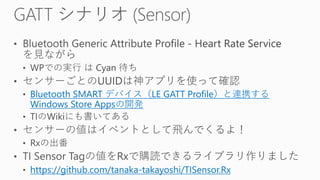
Bluetooth SMART デバイス(LE GATT Profile)と連携するWindows
Store Appsの開発
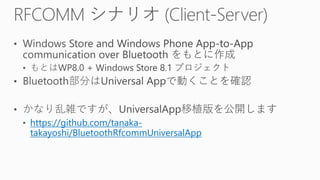
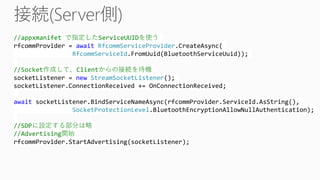
17. 19. 20. 21. 22. 23. //appxmanifet で指定したServiceUUIDを使う
rfcommProvider = await RfcommServiceProvider.CreateAsync(
RfcommServiceId.FromUuid(BluetoothServiceUuid));
//Socket作成して、Clientからの接続を待機
socketListener = new StreamSocketListener();
socketListener.ConnectionReceived += OnConnectionReceived;
await socketListener.BindServiceNameAsync(rfcommProvider.ServiceId.AsString(),
SocketProtectionLevel.BluetoothEncryptionAllowNullAuthentication);
//SDPに設定する部分は略
//Advertising開始
rfcommProvider.StartAdvertising(socketListener);
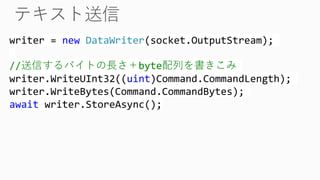
24. 25. writer = new DataWriter(socket.OutputStream);
//送信するバイトの長さ+byte配列を書きこみ
writer.WriteUInt32((uint)Command.CommandLength);
writer.WriteBytes(Command.CommandBytes);
await writer.StoreAsync();
26. 27. //SensorごとのUUIDを指定して端末を検出する
var selector = GattDeviceService.GetDeviceSelectorFromUuid(
new Guid(sensorServiceUuid));
var devices = await DeviceInformation.FindAllAsync(selector);
var device = devices.First();
//ID指定でサービスを作成
deviceService = await GattDeviceService.FromIdAsync(deviceInfo.Id);
//センサーを有効化 (センサーによっては書きこむ値が違う)
var configCharacteristic = deviceService.GetCharacteristics(
new Guid(sensorConfigUuid)).First();
await configCharacteristic.WriteValueAsync(new byte[] {1}.AsBuffer());
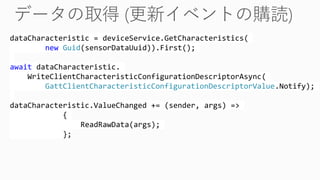
30. dataCharacteristic = deviceService.GetCharacteristics(
new Guid(sensorDataUuid)).First();
await dataCharacteristic.
WriteClientCharacteristicConfigurationDescriptorAsync(
GattClientCharacteristicConfigurationDescriptorValue.Notify);
dataCharacteristic.ValueChanged += (sender, args) =>
{
ReadRawData(args);
};
31. 32.





![//ペアリングされている端末を検出
PeerFinder.AlternateIdentities["Bluetooth:Paired"] = "";
var Peers = await PeerFinder.FindAllPeersAsync();
//検出した端末から1台選択
var device =
(await BluetoothRfcommClient.GetListPairedDevices()).First();
socket = new StreamSocket();
await socket.ConnectAsync(
new HostName(device.HostName), BluetoothServiceName);
//Advertising停止
PeerFinder.Stop();](https://image.slidesharecdn.com/20140802bluetooth-140802033147-phpapp01/85/20140802-Bluetooth-Universall-App-24-320.jpg)
![//SensorごとのUUIDを指定して端末を検出する
var selector = GattDeviceService.GetDeviceSelectorFromUuid(
new Guid(sensorServiceUuid));
var devices = await DeviceInformation.FindAllAsync(selector);
var device = devices.First();
//ID指定でサービスを作成
deviceService = await GattDeviceService.FromIdAsync(deviceInfo.Id);
//センサーを有効化 (センサーによっては書きこむ値が違う)
var configCharacteristic = deviceService.GetCharacteristics(
new Guid(sensorConfigUuid)).First();
await configCharacteristic.WriteValueAsync(new byte[] {1}.AsBuffer());](https://image.slidesharecdn.com/20140802bluetooth-140802033147-phpapp01/85/20140802-Bluetooth-Universall-App-27-320.jpg)



![[15分勉強会] Bluetooth 4.2 → 5 でなにが変わったか?](https://cdn.slidesharecdn.com/ss_thumbnails/bluetooth4-171222021428-thumbnail.jpg?width=640&height=640&fit=bounds)


