Python &  Drive Time Analyses Python 2.6 ArcCatalog 9.3.1 ArcMap 9.3.1 Project technologies Programming language: Software products: Janice Poehlman Division of Forestry, Dept. Natural Resources [email_address]
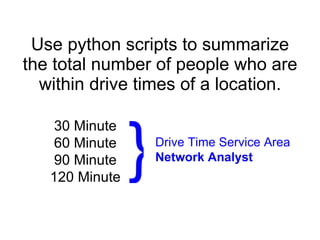
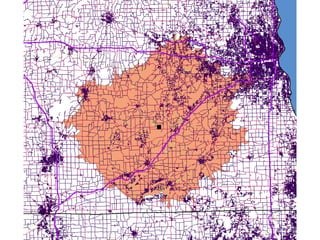
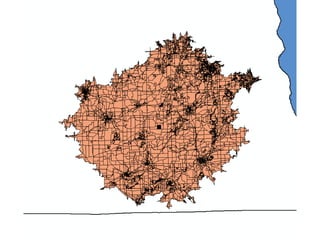
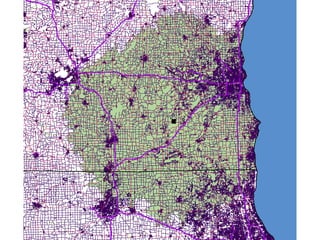
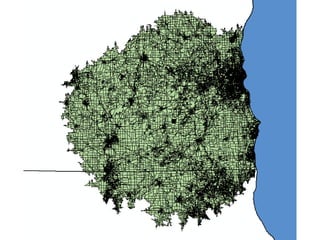
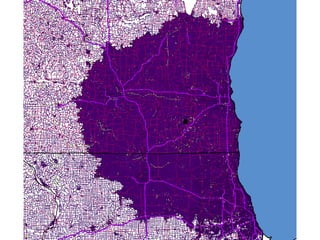
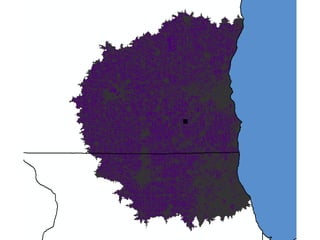
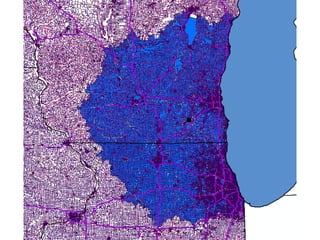
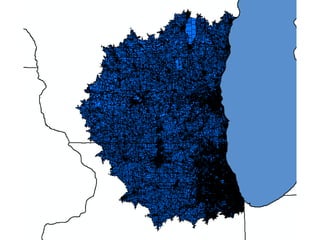
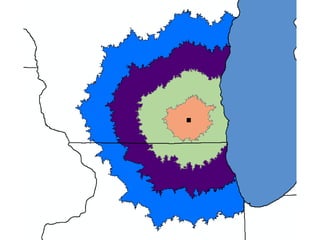
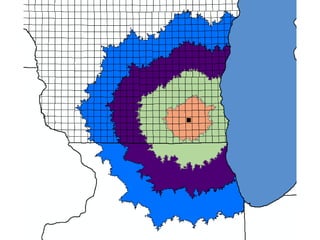
Use python scripts to summarize the total number of people who are within drive times of a location. 30 Minute 60 Minute 90 Minute 120 Minute Drive Time Service Area Network Analyst }
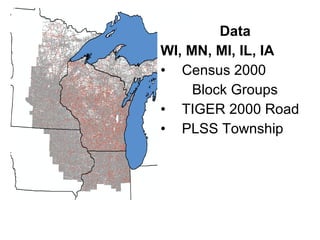
Data WI, MN, MI, IL, IA Census 2000  Block Groups TIGER 2000 Road PLSS Township


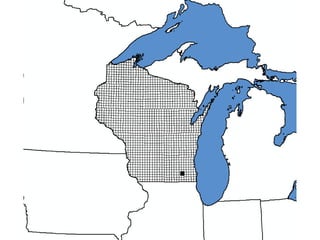
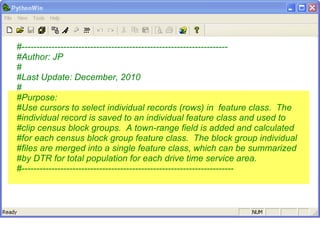
#--------------------------------------------------------------------- #Author: JP  # #Last Update: December, 2010 # #Purpose:  #Use cursors to select individual records (rows) in  feature class.  The #individual record is saved to an individual feature class and used to #clip census block groups.  A town-range field is added and calculated #for each census block group feature class.  The block group individual #files are merged into a single feature class, which can be summarized #by DTR for total population for each drive time service area. #-----------------------------------------------------------------------
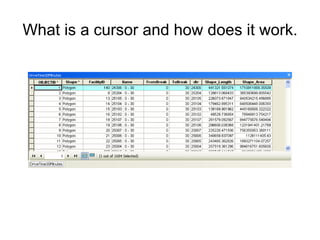
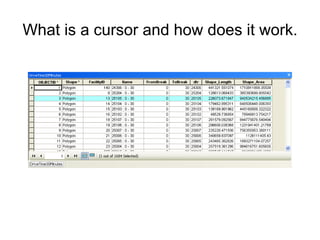
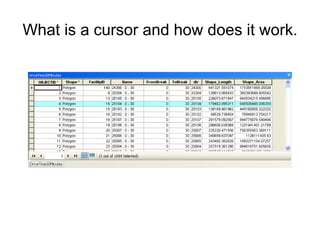
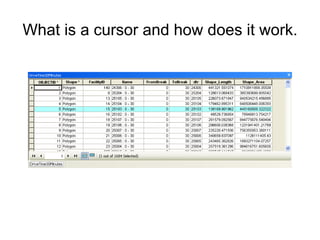
What is a cursor and how does it work.
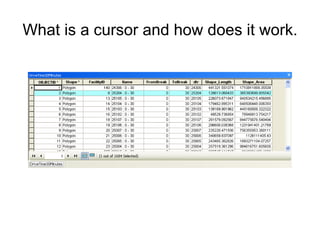
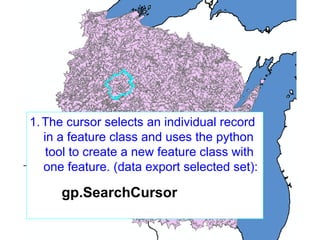
The cursor selects an individual record  in a feature class and uses the python    tool to create a new feature class with one feature. (data export selected set):   gp.SearchCursor
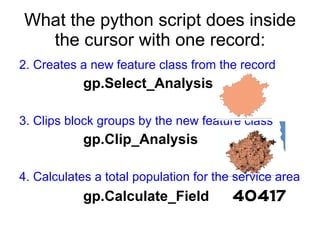
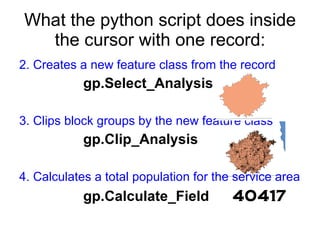
What the python script does inside the cursor with one record: 2. Creates a new feature class from the record gp.Select_Analysis   3. Clips block groups by the new feature class gp.Clip_Analysis 4. Calculates a total population for the service area gp.Calculate_Field  40417
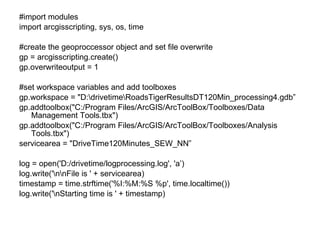
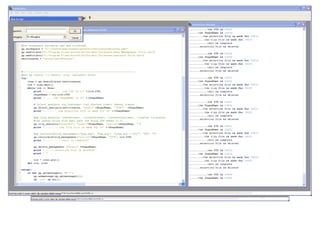
#import modules import arcgisscripting, sys, os, time #create the geoproccessor object and set file overwrite gp = arcgisscripting.create() gp.overwriteoutput = 1 #set workspace variables and add toolboxes gp.workspace = "D:\drivetime\RoadsTigerResultsDT120Min_processing4.gdb” gp.addtoolbox("C:/Program Files/ArcGIS/ArcToolBox/Toolboxes/Data Management Tools.tbx") gp.addtoolbox("C:/Program Files/ArcGIS/ArcToolBox/Toolboxes/Analysis Tools.tbx") servicearea = "DriveTime120Minutes_SEW_NN” log = open('D:/drivetime/logprocessing.log', 'a’) log.write('\n\nFile is ' + servicearea) timestamp = time.strftime('%I:%M:%S %p', time.localtime()) log.write('\nStarting time is ' + timestamp)
What the python script does inside the cursor with one record: 2. Creates a new feature class from the record gp.Select_Analysis   3. Clips block groups by the new feature class gp.Clip_Analysis 4. Calculates a total population for the service area gp.Calculate_Field  40417
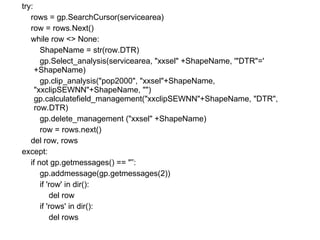
try: rows = gp.SearchCursor(servicearea) row = rows.Next() while row <> None: ShapeName = str(row.DTR) gp.Select_analysis(servicearea, &quot;xxsel&quot; +ShapeName, '&quot;DTR&quot;=' +ShapeName) gp.clip_analysis(&quot;pop2000&quot;, &quot;xxsel&quot;+ShapeName, &quot;xxclipSEWNN&quot;+ShapeName, &quot;&quot;)  gp.calculatefield_management(&quot;xxclipSEWNN&quot;+ShapeName, &quot;DTR&quot;, row.DTR) gp.delete_management (&quot;xxsel&quot; +ShapeName)  row = rows.next() del row, rows except: if not gp.getmessages() == &quot;”: gp.addmessage(gp.getmessages(2)) if 'row' in dir(): del row if 'rows' in dir(): del rows
After the cursor is used for geoprocessing every record, the individual feature classes containing block groups for each service area are merged together using a value table.  gp.merge_management  vTab = gp.createobject(&quot;ValueTable”) fcList = gp.listfeatureclasses(&quot;xxclipSEWNN*”) fc = fcList.Next() while fc: fcpath = gp.workspace + &quot;\\&quot; + fc vTab.Addrow(fcpath) fc = fcList.Next() gp.merge_management(vTab, &quot;AMergedDriveTime120MinutesSEWNN&quot;, &quot;”) print &quot;Completed merged file for features of %s&quot; %(servicearea) timestamp = time.strftime('%I:%M:%S %p', time.localtime()) log.write('\nFinishing time is ' + timestamp) print&quot;Done.” del vTab del fc del fcpath del servicearea del timestamp log.close()
 
 
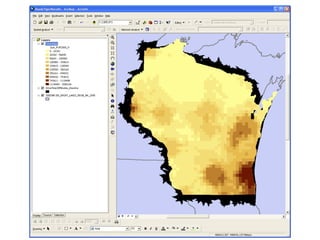
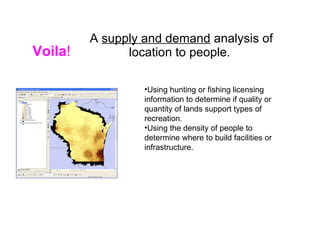
A  supply and demand  analysis of location to people.  Using hunting or fishing licensing information to determine if quality or quantity of lands support types of recreation. Using the density of people to determine where to build facilities or infrastructure. Voila !
Thank you for your attention.

Python Coding Examples for Drive Time Analysis

  • 1.
    Python & Drive Time Analyses Python 2.6 ArcCatalog 9.3.1 ArcMap 9.3.1 Project technologies Programming language: Software products: Janice Poehlman Division of Forestry, Dept. Natural Resources [email_address]
  • 2.
    Use python scriptsto summarize the total number of people who are within drive times of a location. 30 Minute 60 Minute 90 Minute 120 Minute Drive Time Service Area Network Analyst }
  • 3.
    Data WI, MN,MI, IL, IA Census 2000 Block Groups TIGER 2000 Road PLSS Township
  • 4.
  • 5.
  • 6.
  • 7.
  • 8.
  • 9.
  • 10.
  • 11.
  • 12.
  • 13.
  • 14.
  • 15.
    #--------------------------------------------------------------------- #Author: JP # #Last Update: December, 2010 # #Purpose: #Use cursors to select individual records (rows) in feature class. The #individual record is saved to an individual feature class and used to #clip census block groups. A town-range field is added and calculated #for each census block group feature class. The block group individual #files are merged into a single feature class, which can be summarized #by DTR for total population for each drive time service area. #-----------------------------------------------------------------------
  • 16.
    What is acursor and how does it work.
  • 17.
    What is acursor and how does it work.
  • 18.
    What is acursor and how does it work.
  • 19.
    What is acursor and how does it work.
  • 20.
    What is acursor and how does it work.
  • 21.
    The cursor selectsan individual record in a feature class and uses the python tool to create a new feature class with one feature. (data export selected set): gp.SearchCursor
  • 22.
    What the pythonscript does inside the cursor with one record: 2. Creates a new feature class from the record gp.Select_Analysis 3. Clips block groups by the new feature class gp.Clip_Analysis 4. Calculates a total population for the service area gp.Calculate_Field 40417
  • 23.
    #import modules importarcgisscripting, sys, os, time #create the geoproccessor object and set file overwrite gp = arcgisscripting.create() gp.overwriteoutput = 1 #set workspace variables and add toolboxes gp.workspace = &quot;D:\drivetime\RoadsTigerResultsDT120Min_processing4.gdb” gp.addtoolbox(&quot;C:/Program Files/ArcGIS/ArcToolBox/Toolboxes/Data Management Tools.tbx&quot;) gp.addtoolbox(&quot;C:/Program Files/ArcGIS/ArcToolBox/Toolboxes/Analysis Tools.tbx&quot;) servicearea = &quot;DriveTime120Minutes_SEW_NN” log = open('D:/drivetime/logprocessing.log', 'a’) log.write('\n\nFile is ' + servicearea) timestamp = time.strftime('%I:%M:%S %p', time.localtime()) log.write('\nStarting time is ' + timestamp)
  • 24.
    What the pythonscript does inside the cursor with one record: 2. Creates a new feature class from the record gp.Select_Analysis 3. Clips block groups by the new feature class gp.Clip_Analysis 4. Calculates a total population for the service area gp.Calculate_Field 40417
  • 25.
    try: rows =gp.SearchCursor(servicearea) row = rows.Next() while row <> None: ShapeName = str(row.DTR) gp.Select_analysis(servicearea, &quot;xxsel&quot; +ShapeName, '&quot;DTR&quot;=' +ShapeName) gp.clip_analysis(&quot;pop2000&quot;, &quot;xxsel&quot;+ShapeName, &quot;xxclipSEWNN&quot;+ShapeName, &quot;&quot;) gp.calculatefield_management(&quot;xxclipSEWNN&quot;+ShapeName, &quot;DTR&quot;, row.DTR) gp.delete_management (&quot;xxsel&quot; +ShapeName) row = rows.next() del row, rows except: if not gp.getmessages() == &quot;”: gp.addmessage(gp.getmessages(2)) if 'row' in dir(): del row if 'rows' in dir(): del rows
  • 26.
    After the cursoris used for geoprocessing every record, the individual feature classes containing block groups for each service area are merged together using a value table. gp.merge_management vTab = gp.createobject(&quot;ValueTable”) fcList = gp.listfeatureclasses(&quot;xxclipSEWNN*”) fc = fcList.Next() while fc: fcpath = gp.workspace + &quot;\\&quot; + fc vTab.Addrow(fcpath) fc = fcList.Next() gp.merge_management(vTab, &quot;AMergedDriveTime120MinutesSEWNN&quot;, &quot;”) print &quot;Completed merged file for features of %s&quot; %(servicearea) timestamp = time.strftime('%I:%M:%S %p', time.localtime()) log.write('\nFinishing time is ' + timestamp) print&quot;Done.” del vTab del fc del fcpath del servicearea del timestamp log.close()
  • 27.
  • 28.
  • 29.
    A supplyand demand analysis of location to people. Using hunting or fishing licensing information to determine if quality or quantity of lands support types of recreation. Using the density of people to determine where to build facilities or infrastructure. Voila !
  • 30.
    Thank you foryour attention.