
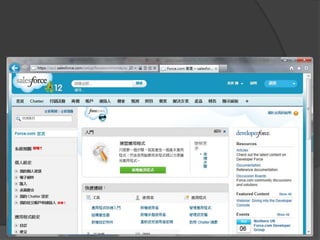
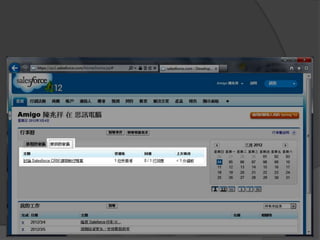
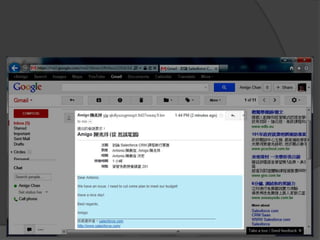
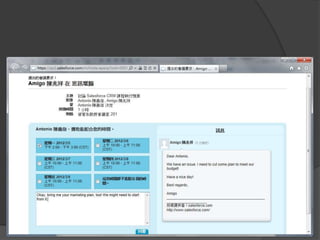
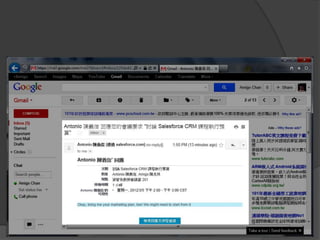

Cloud Computing CRM
  – based on Salesforce.com
Contents
 CRM, SaaS, and PaaS
 Data Management and Collaboration
 Sales and Marketing
 Service and Knowledge Management
 Report and Dashboard
CRM, SaaS, and PaaS
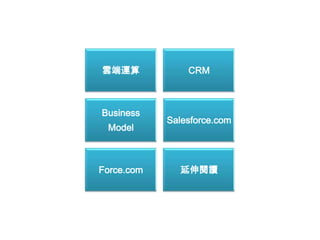
雲端運算            CRM


Business
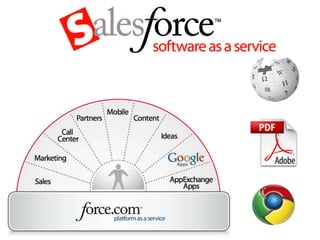
            Salesforce.com
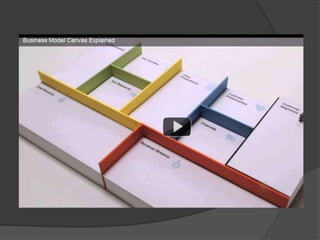
 Model


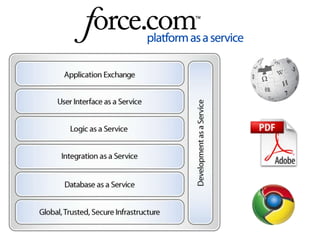
Force.com     延伸閱讀
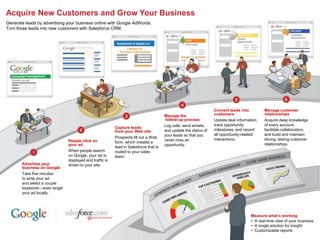
Acquire New Customers and Grow Your Business
Generate leads by advertising your business online with Google AdWords.
Turn those leads into new customers with Salesforce CRM.


                                                                                                                 Convert leads into         Manage customer
                                                                                      Manage the                 customers                  relationships
                                                                                       follow-up process         Update deal information,   Acquire deep knowledge
                                                                                      Log calls, send emails,    track opportunity          of every account,
                                                         Capture leads
                                                         from your Web site           and update the status of   milestones, and record     facilitate collaboration,
                                                                                      your leads so that you     all opportunity-related    and build and maintain
                                                         Prospects fill out a Web                                interactions.              strong, lasting customer
                              People click on                                         never miss an
                                                         form, which creates a                                                              relationships.
                              your ad                                                 opportunity.
                                                         lead in Salesforce that is
                              When people search         routed to your sales
                              on Google, your ad is      team.
                              displayed and traffic is
       Advertise your         driven to your site.
       business on Google
       Take five minutes
       to write your ad
       and select a couple
       keywords—even target
       your ad locally.


                                                                                                                                     Measure what’s working
                                                                                                                                     • A real-time view of your business
                                                                                                                                     • A single solution for insight
                                                                                                                                     • Customizable reports
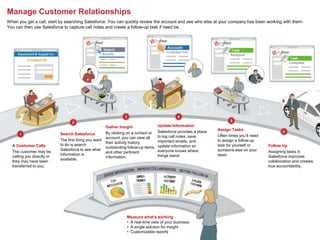
Manage Customer Relationships
When you get a call, start by searching Salesforce. You can quickly review the account and see who else at your company has been working with them.
You can then use Salesforce to capture call notes and create a follow-up task if need be.


                                                       Gather Insight                 Update Information
                                                                                      Salesforce provides a place   Assign Tasks
                            Search Salesforce          By clicking on a contact or
                                                                                      to log call notes, save       Often times you’ll need
                                                       account, you can view all
                            The first thing you want                                  important emails, and         to assign a follow-up
                                                       their activity history,
  A Customer Calls          to do is search                                           update information so         task for yourself or      Follow Up
                                                       outstanding follow-up items,
                            Salesforce to see what                                    everyone knows where          someone else on your
  The customer may be                                  and other pertinent                                                                    Assigning tasks in
                            information is                                            things stand.                 team.
  calling you directly or                              information.                                                                           Salesforce improves
                            available.
  they may have been                                                                                                                          collaboration and creates
  transferred to you.                                                                                                                         true accountability.


                                                                   Measure what’s working
                                                                   • A real-time view of your business
                                                                   • A single solution for insight
                                                                   • Customizable reports
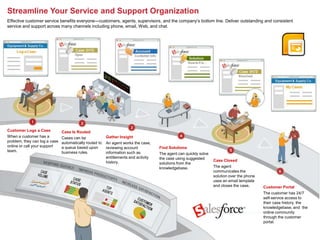
Streamline Your Service and Support Organization
Effective customer service benefits everyone—customers, agents, supervisors, and the company’s bottom line. Deliver outstanding and consistent


                    Click to edit Master title style
service and support across many channels including phone, email, Web, and chat.


      • Click to edit Master text styles
               – Second level
                        • Third level
                                 – Fourth level
Customer Logs a Case                      » Fifth level
                               Case Is Routed
When a customer has a          Cases can be              Gather Insight
problem, they can log a case   automatically routed to   An agent works the case,
online or call your support    a queue based upon        reviewing account           Find Solutions
team.                          business rules.           information such as         The agent can quickly solve
                                                         entitlements and activity   the case using suggested
                                                         history.                                                  Case Closed
                                                                                     solutions from the
                                                                                     knowledgebase.                The agent
                                                                                                                   communicates the
                                                                                                                   solution over the phone
                                                                                                                   uses an email template
                                                                                                                   and closes the case.      Customer Portal
                                                                                                                                             The customer has 24/7
                                                                                                                                             self-service access to
                                                                                                                                             their case history, the
                                                                                                                                             knowledgebase, and the
                                                                                                                                             online community
                                                                                                                                             through the customer
                                                                                                                                             portal.
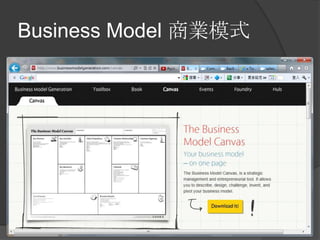
Business Model 商業模式
Data Management and
    Collaboration
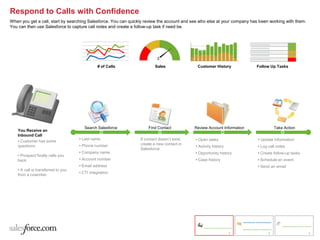
Respond to Calls with Confidence
When you get a call, start by searching Salesforce. You can quickly review the account and see who else at your company has been working with them.
You can then use Salesforce to capture call notes and create a follow-up task if need be.


                                              # of Calls                Sales                Customer History             Follow Up Tasks


                                       Search Salesforce            Find Contact            Review Account Information               Take Action
   You Receive an
   Inbound Call
                                    • Last name                 If contact doesn’t exist,   • Open tasks                   • Update information
   • Customer has some
                                    • Phone number              create a new contact in
   questions                                                                                • Activity history             • Log call notes
                                                                Salesforce
                                    • Company name                                          • Opportunity history          • Create follow-up tasks
   • Prospect finally calls you
   back                             • Account number                                        • Case history                 • Schedule an event
                                    • Email address                                                                        • Send an email
   • A call is transferred to you
                                    • CTI integration
   from a coworker


                                                                                                                 1               2                    3
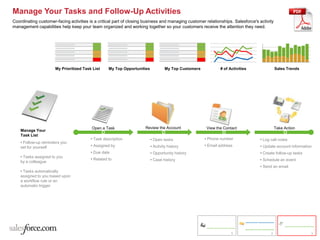
Manage Your Tasks and Follow-Up Activities
Coordinating customer-facing activities is a critical part of closing business and managing customer relationships. Salesforce's activity
management capabilities help keep your team organized and working together so your customers receive the attention they need.


                      My Prioritized Task List     My Top Opportunities            My Top Customers           # of Activities               Sales Trends


                                         Open a Task                 Review the Account                View the Contact                     Take Action
    Manage Your
    Task List
                                         • Task description               • Open tasks                • Phone number             • Log call notes
    • Follow-up reminders you
    set for yourself                     • Assigned by                    • Activity history          • Email address            • Update account information
                                         • Due date                       • Opportunity history                                  • Create follow-up tasks
    • Tasks assigned to you
                                         • Related to                     • Case history                                         • Schedule an event
    by a colleague
                                                                                                                                 • Send an email
    • Tasks automatically
    assigned to you based upon
    a workflow rule or an
    automatic trigger


                                                                                                                    1                  2                    3
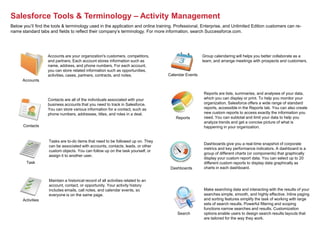
Salesforce Tools & Terminology – Activity Management
Below you’ll find the tools & terminology used in the application and online training. Professional, Enterprise, and Unlimited Edition customers can re-
name standard tabs and fields to reflect their company’s terminology. For more information, search Successforce.com.


                   Accounts are your organization's customers, competitors,                          Group calendaring will helps you better collaborate as a
                   and partners. Each account stores information such as                             team, and arrange meetings with prospects and customers.
                   name, address, and phone numbers. For each account,
                   you can store related information such as opportunities,
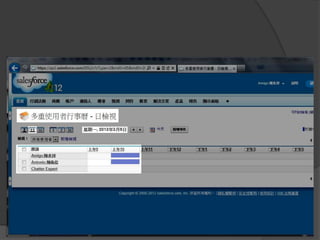
                   activities, cases, partners, contracts, and notes.              Calendar Events
      Accounts


                                                                                                     Reports are lists, summaries, and analyses of your data,
                   Contacts are all of the individuals associated with your                          which you can display or print. To help you monitor your
                   business accounts that you need to track in Salesforce.                           organization, Salesforce offers a wide range of standard
                   You can store various information for a contact, such as                          reports, accessible in the Reports tab. You can also create
                   phone numbers, addresses, titles, and roles in a deal.                            new custom reports to access exactly the information you
                                                                                      Reports        need. You can subtotal and limit your data to help you
                                                                                                     analyze trends and get a concise picture of what is
      Contacts                                                                                       happening in your organization.


                    Tasks are to-do items that need to be followed up on. They
                                                                                                     Dashboards give you a real-time snapshot of corporate
                    can be associated with accounts, contacts, leads, or other
                                                                                                     metrics and key performance indicators. A dashboard is a
                    custom objects. You can follow up on the task yourself, or
                                                                                                     group of different charts (or components) that graphically
                    assign it to another user.
                                                                                                     display your custom report data. You can select up to 20
        Task                                                                                         different custom reports to display data graphically as
                                                                                    Dashboards       charts in each dashboard.


                    Maintain a historical record of all activities related to an
                    account, contact, or opportunity. Your activity history
                    includes emails, call notes, and calendar events, so                             Make searching data and interacting with the results of your
                    everyone is on the same page.                                                    searches simple, smooth, and highly effective. Inline paging
      Activities                                                                                     and sorting features simplify the task of working with large
                                                                                                     sets of search results. Powerful filtering and scoping
                                                                                                     functions narrow searches and results. Customization
                                                                                       Search        options enable users to design search results layouts that
                                                                                                     are tailored for the way they work.
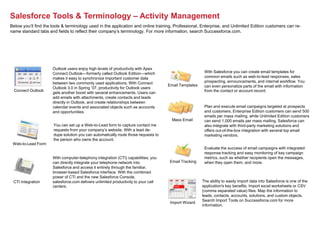
Salesforce Tools & Terminology – Activity Management
Below you’ll find the tools & terminology used in the application and online training. Professional, Enterprise, and Unlimited Edition customers can re-
name standard tabs and fields to reflect their company’s terminology. For more information, search Successforce.com.


                      Outlook users enjoy high levels of productivity with Apex
                      Connect Outlook—formerly called Outlook Edition—which                            With Salesforce you can create email templates for
                      makes it easy to synchronize important customer data                             common emails such as web-to-lead responses, sales
                      between two commonly used applications. With Connect                             prospecting, announcements, and internal workflow. You
                      Outlook 3.0 in Spring ’07, productivity for Outlook users
                                                                                    Email Templates    can even personalize parts of the email with information
 Connect Outlook
                      gets another boost with several enhancements. Users can                          from the contact or account record.
                      add emails with attachments, create contacts and leads
                      directly in Outlook, and create relationships between
                      calendar events and associated objects such as accounts                          Plan and execute email campaigns targeted at prospects
                      and opportunities.                                                               and customers. Enterprise Edition customers can send 500
                                                                                                       emails per mass mailing, while Unlimited Edition customers
                                                                                      Mass Email       can send 1,000 emails per mass mailing. Salesforce can
                      You can set up a Web-to-Lead form to capture contact me                          also integrate with third-party marketing solutions and
                      requests from your company’s website. With a lead de-                            offers out-of-the-box integration with several top email
                      dupe solution you can automatically route those requests to                      marketing vendors.
                      the person who owns the account.
 Web-to-Lead Form
                                                                                                      Evaluate the success of email campaigns with integrated
                                                                                                       response tracking and easy monitoring of key campaign
                      With computer-telephony integration (CTI) capabilities, you                      metrics, such as whether recipients open the messages,
                      can directly integrate your telephone network into             Email Tracking    when they open them, and more.
                      Salesforce and access it entirely through the familiar,
                      browser-based Salesforce interface. With the combined
                      power of CTI and the new Salesforce Console,
 CTI Integration      salesforce.com delivers unlimited productivity to your call                     The ability to easily import data into Salesforce is one of the
                      centers.                                                                        application's key benefits. Import excel worksheets or CSV
                                                                                                      (comma separated value) files. Map the information to
                                                                                                      leads, contacts, accounts, solutions, and custom objects.
                                                                                                      Search Import Tools on Successforce.com for more
                                                                                     Import Wizard
                                                                                                      information.
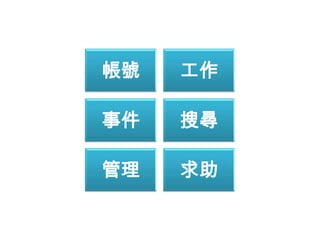
帳號   工作

事件   搜尋

管理   求助
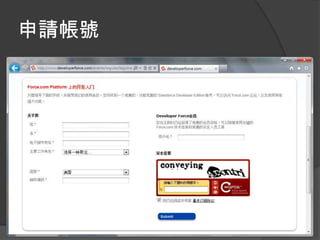
帳號
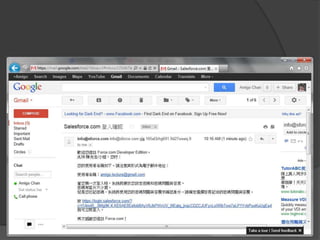
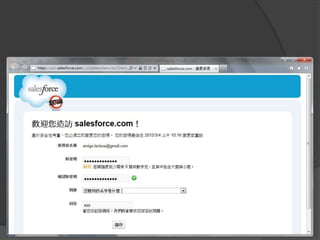
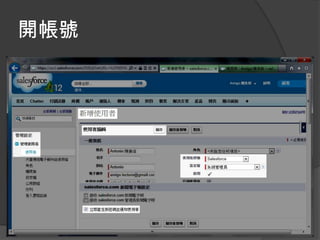
申請帳號
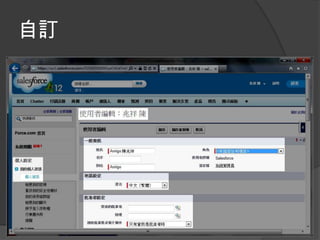
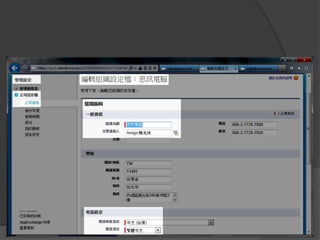
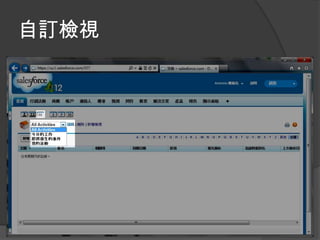
自訂
開帳號
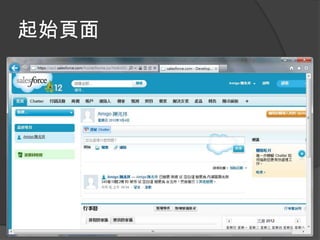
起始頁面
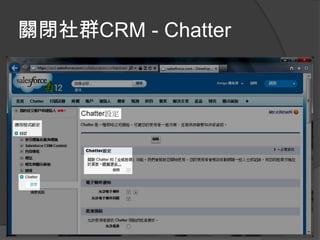
關閉社群CRM - Chatter
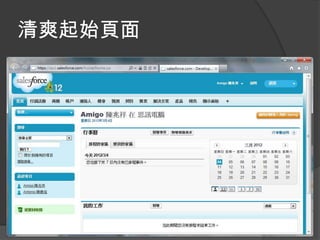
清爽起始頁面
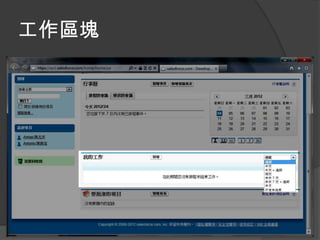
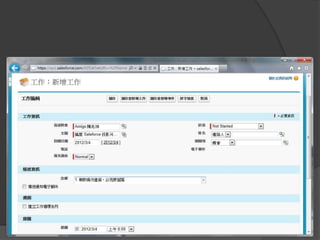
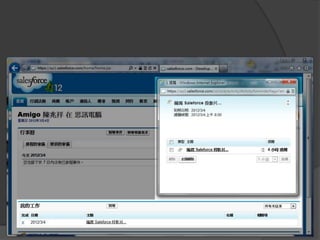
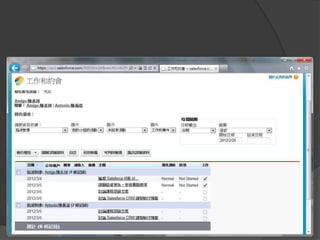
工作
工作區塊
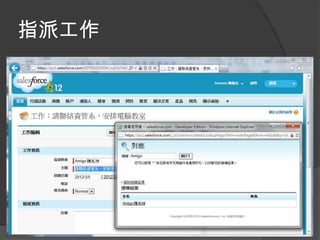
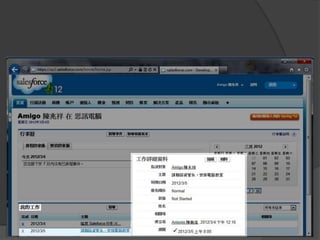
指派工作
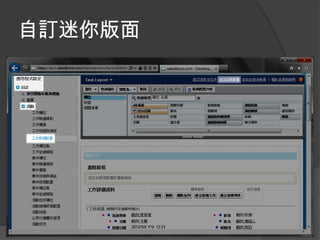
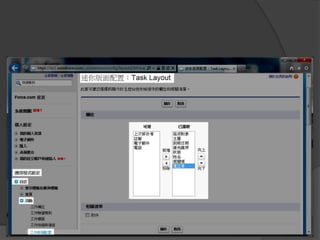
自訂迷你版面
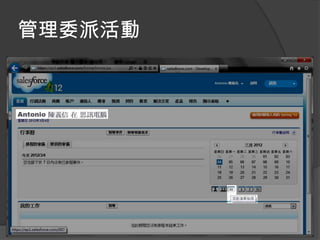
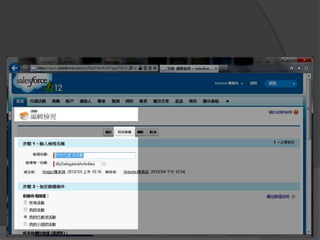
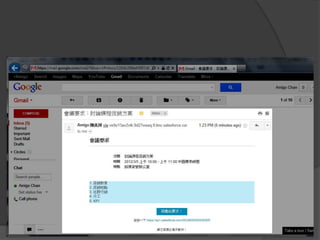
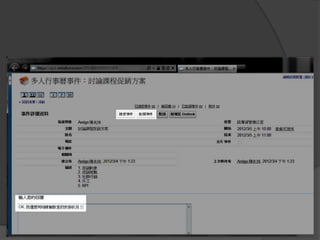
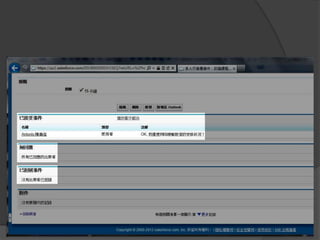
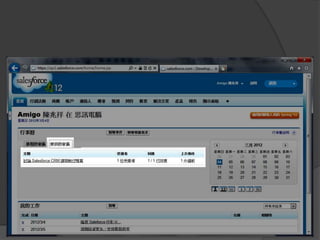
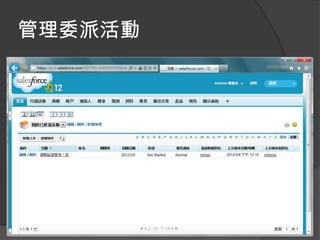
管理委派活動
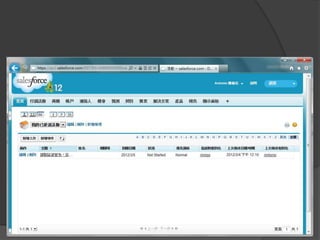
自訂檢視
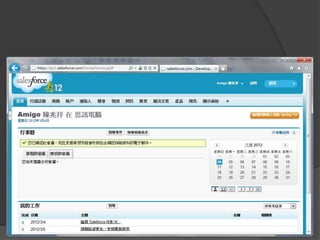
事件
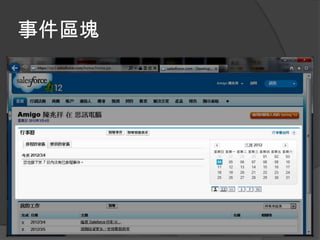
事件區塊
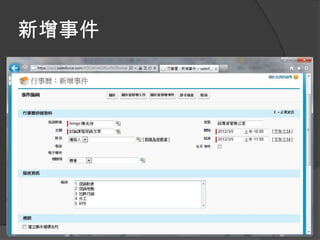
新增事件
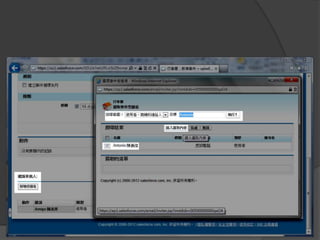
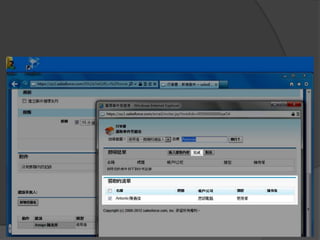
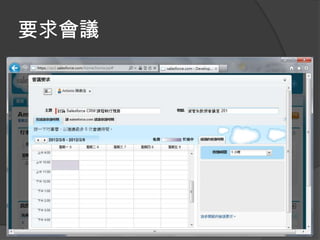
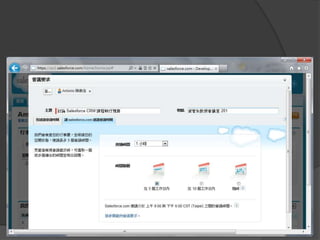
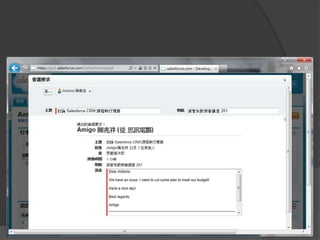
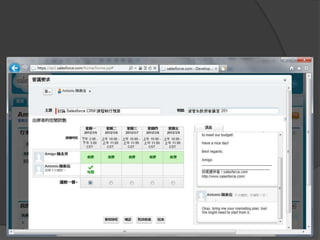
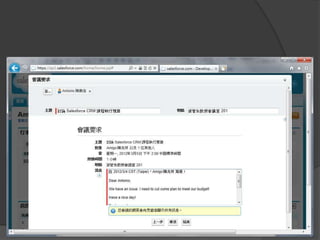
要求會議
搜尋
快速搜尋
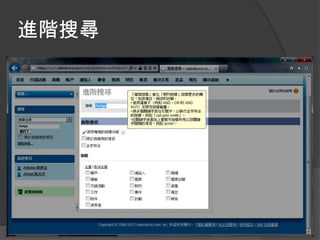
進階搜尋
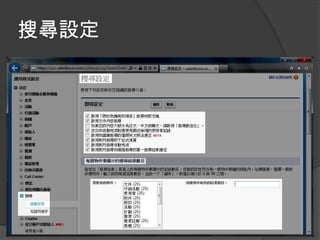
搜尋設定
管理
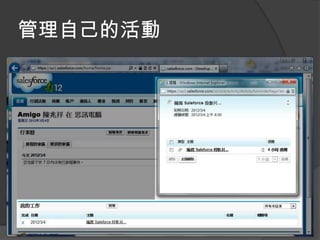
管理自己的活動
管理委派活動
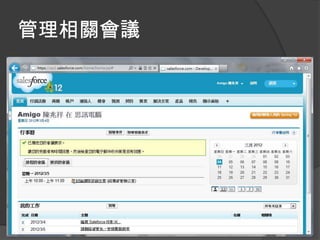
管理相關會議
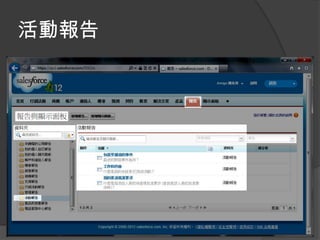
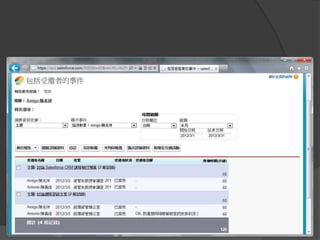
活動報告
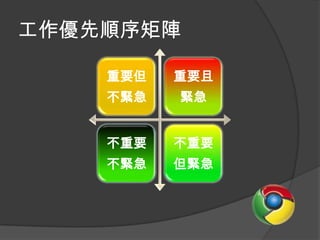
工作優先順序矩陣

    重要但   重要且
    不緊急   緊急


    不重要   不重要
    不緊急   但緊急
求助
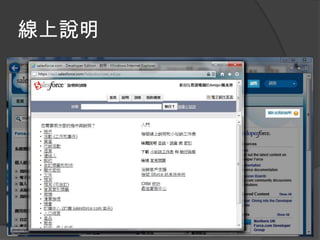
線上說明
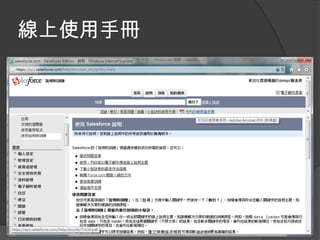
線上使用手冊
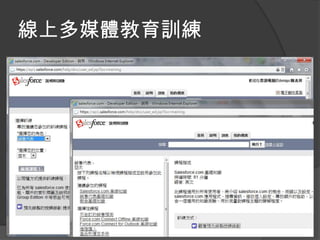
線上多媒體教育訓練
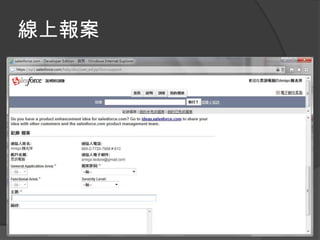
線上報案
第一天課程結束~

[201] salesforce for power user day 1

  • 1.
    Cloud Computing CRM – based on Salesforce.com
  • 2.
    Contents  CRM, SaaS,and PaaS  Data Management and Collaboration  Sales and Marketing  Service and Knowledge Management  Report and Dashboard
  • 3.
  • 4.
    雲端運算 CRM Business Salesforce.com Model Force.com 延伸閱讀
  • 6.
    Acquire New Customersand Grow Your Business Generate leads by advertising your business online with Google AdWords. Turn those leads into new customers with Salesforce CRM. Convert leads into Manage customer Manage the customers relationships follow-up process Update deal information, Acquire deep knowledge Log calls, send emails, track opportunity of every account, Capture leads from your Web site and update the status of milestones, and record facilitate collaboration, your leads so that you all opportunity-related and build and maintain Prospects fill out a Web interactions. strong, lasting customer People click on never miss an form, which creates a relationships. your ad opportunity. lead in Salesforce that is When people search routed to your sales on Google, your ad is team. displayed and traffic is Advertise your driven to your site. business on Google Take five minutes to write your ad and select a couple keywords—even target your ad locally. Measure what’s working • A real-time view of your business • A single solution for insight • Customizable reports
  • 7.
    Manage Customer Relationships Whenyou get a call, start by searching Salesforce. You can quickly review the account and see who else at your company has been working with them. You can then use Salesforce to capture call notes and create a follow-up task if need be. Gather Insight Update Information Salesforce provides a place Assign Tasks Search Salesforce By clicking on a contact or to log call notes, save Often times you’ll need account, you can view all The first thing you want important emails, and to assign a follow-up their activity history, A Customer Calls to do is search update information so task for yourself or Follow Up outstanding follow-up items, Salesforce to see what everyone knows where someone else on your The customer may be and other pertinent Assigning tasks in information is things stand. team. calling you directly or information. Salesforce improves available. they may have been collaboration and creates transferred to you. true accountability. Measure what’s working • A real-time view of your business • A single solution for insight • Customizable reports
  • 8.
    Streamline Your Serviceand Support Organization Effective customer service benefits everyone—customers, agents, supervisors, and the company’s bottom line. Deliver outstanding and consistent Click to edit Master title style service and support across many channels including phone, email, Web, and chat. • Click to edit Master text styles – Second level • Third level – Fourth level Customer Logs a Case » Fifth level Case Is Routed When a customer has a Cases can be Gather Insight problem, they can log a case automatically routed to An agent works the case, online or call your support a queue based upon reviewing account Find Solutions team. business rules. information such as The agent can quickly solve entitlements and activity the case using suggested history. Case Closed solutions from the knowledgebase. The agent communicates the solution over the phone uses an email template and closes the case. Customer Portal The customer has 24/7 self-service access to their case history, the knowledgebase, and the online community through the customer portal.
  • 9.
  • 16.
    Data Management and Collaboration
  • 17.
    Respond to Callswith Confidence When you get a call, start by searching Salesforce. You can quickly review the account and see who else at your company has been working with them. You can then use Salesforce to capture call notes and create a follow-up task if need be. # of Calls Sales Customer History Follow Up Tasks Search Salesforce Find Contact Review Account Information Take Action You Receive an Inbound Call • Last name If contact doesn’t exist, • Open tasks • Update information • Customer has some • Phone number create a new contact in questions • Activity history • Log call notes Salesforce • Company name • Opportunity history • Create follow-up tasks • Prospect finally calls you back • Account number • Case history • Schedule an event • Email address • Send an email • A call is transferred to you • CTI integration from a coworker 1 2 3
  • 18.
    Manage Your Tasksand Follow-Up Activities Coordinating customer-facing activities is a critical part of closing business and managing customer relationships. Salesforce's activity management capabilities help keep your team organized and working together so your customers receive the attention they need. My Prioritized Task List My Top Opportunities My Top Customers # of Activities Sales Trends Open a Task Review the Account View the Contact Take Action Manage Your Task List • Task description • Open tasks • Phone number • Log call notes • Follow-up reminders you set for yourself • Assigned by • Activity history • Email address • Update account information • Due date • Opportunity history • Create follow-up tasks • Tasks assigned to you • Related to • Case history • Schedule an event by a colleague • Send an email • Tasks automatically assigned to you based upon a workflow rule or an automatic trigger 1 2 3
  • 19.
    Salesforce Tools &Terminology – Activity Management Below you’ll find the tools & terminology used in the application and online training. Professional, Enterprise, and Unlimited Edition customers can re- name standard tabs and fields to reflect their company’s terminology. For more information, search Successforce.com. Accounts are your organization's customers, competitors, Group calendaring will helps you better collaborate as a and partners. Each account stores information such as team, and arrange meetings with prospects and customers. name, address, and phone numbers. For each account, you can store related information such as opportunities, activities, cases, partners, contracts, and notes. Calendar Events Accounts Reports are lists, summaries, and analyses of your data, Contacts are all of the individuals associated with your which you can display or print. To help you monitor your business accounts that you need to track in Salesforce. organization, Salesforce offers a wide range of standard You can store various information for a contact, such as reports, accessible in the Reports tab. You can also create phone numbers, addresses, titles, and roles in a deal. new custom reports to access exactly the information you Reports need. You can subtotal and limit your data to help you analyze trends and get a concise picture of what is Contacts happening in your organization. Tasks are to-do items that need to be followed up on. They Dashboards give you a real-time snapshot of corporate can be associated with accounts, contacts, leads, or other metrics and key performance indicators. A dashboard is a custom objects. You can follow up on the task yourself, or group of different charts (or components) that graphically assign it to another user. display your custom report data. You can select up to 20 Task different custom reports to display data graphically as Dashboards charts in each dashboard. Maintain a historical record of all activities related to an account, contact, or opportunity. Your activity history includes emails, call notes, and calendar events, so Make searching data and interacting with the results of your everyone is on the same page. searches simple, smooth, and highly effective. Inline paging Activities and sorting features simplify the task of working with large sets of search results. Powerful filtering and scoping functions narrow searches and results. Customization Search options enable users to design search results layouts that are tailored for the way they work.
  • 20.
    Salesforce Tools &Terminology – Activity Management Below you’ll find the tools & terminology used in the application and online training. Professional, Enterprise, and Unlimited Edition customers can re- name standard tabs and fields to reflect their company’s terminology. For more information, search Successforce.com. Outlook users enjoy high levels of productivity with Apex Connect Outlook—formerly called Outlook Edition—which With Salesforce you can create email templates for makes it easy to synchronize important customer data common emails such as web-to-lead responses, sales between two commonly used applications. With Connect prospecting, announcements, and internal workflow. You Outlook 3.0 in Spring ’07, productivity for Outlook users Email Templates can even personalize parts of the email with information Connect Outlook gets another boost with several enhancements. Users can from the contact or account record. add emails with attachments, create contacts and leads directly in Outlook, and create relationships between calendar events and associated objects such as accounts Plan and execute email campaigns targeted at prospects and opportunities. and customers. Enterprise Edition customers can send 500 emails per mass mailing, while Unlimited Edition customers Mass Email can send 1,000 emails per mass mailing. Salesforce can You can set up a Web-to-Lead form to capture contact me also integrate with third-party marketing solutions and requests from your company’s website. With a lead de- offers out-of-the-box integration with several top email dupe solution you can automatically route those requests to marketing vendors. the person who owns the account. Web-to-Lead Form  Evaluate the success of email campaigns with integrated response tracking and easy monitoring of key campaign With computer-telephony integration (CTI) capabilities, you metrics, such as whether recipients open the messages, can directly integrate your telephone network into Email Tracking when they open them, and more. Salesforce and access it entirely through the familiar, browser-based Salesforce interface. With the combined power of CTI and the new Salesforce Console, CTI Integration salesforce.com delivers unlimited productivity to your call The ability to easily import data into Salesforce is one of the centers. application's key benefits. Import excel worksheets or CSV (comma separated value) files. Map the information to leads, contacts, accounts, solutions, and custom objects. Search Import Tools on Successforce.com for more Import Wizard information.
  • 21.
    帳號 工作 事件 搜尋 管理 求助
  • 22.
  • 23.
  • 27.
  • 29.
  • 30.
  • 31.
  • 32.
  • 33.
  • 34.
  • 37.
  • 38.
  • 41.
  • 42.
  • 45.
  • 46.
  • 47.
  • 58.
  • 71.
  • 72.
  • 74.
  • 75.
  • 76.
  • 77.
  • 78.
  • 79.
  • 80.
  • 83.
    工作優先順序矩陣 重要但 重要且 不緊急 緊急 不重要 不重要 不緊急 但緊急
  • 84.
  • 85.
  • 86.
  • 87.
  • 88.
  • 89.