











Cloud Computing CRM
  – based on Salesforce.com
Contents
 CRM, SaaS, and PaaS
 Data Management and Collaboration
 Sales and Marketing
 Service and Knowledge Management
 Report and Dashboard
Service and
Knowledge Management
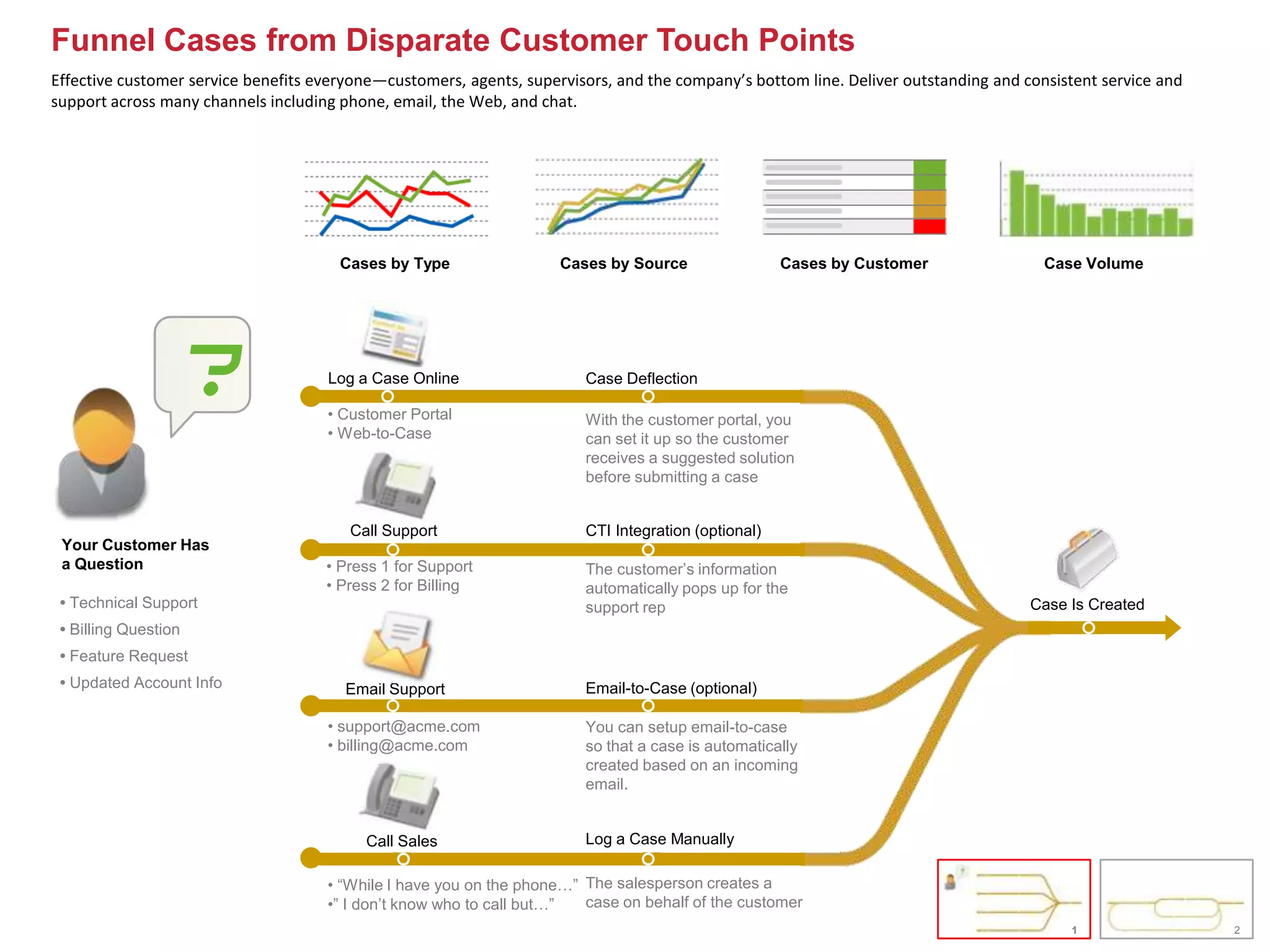
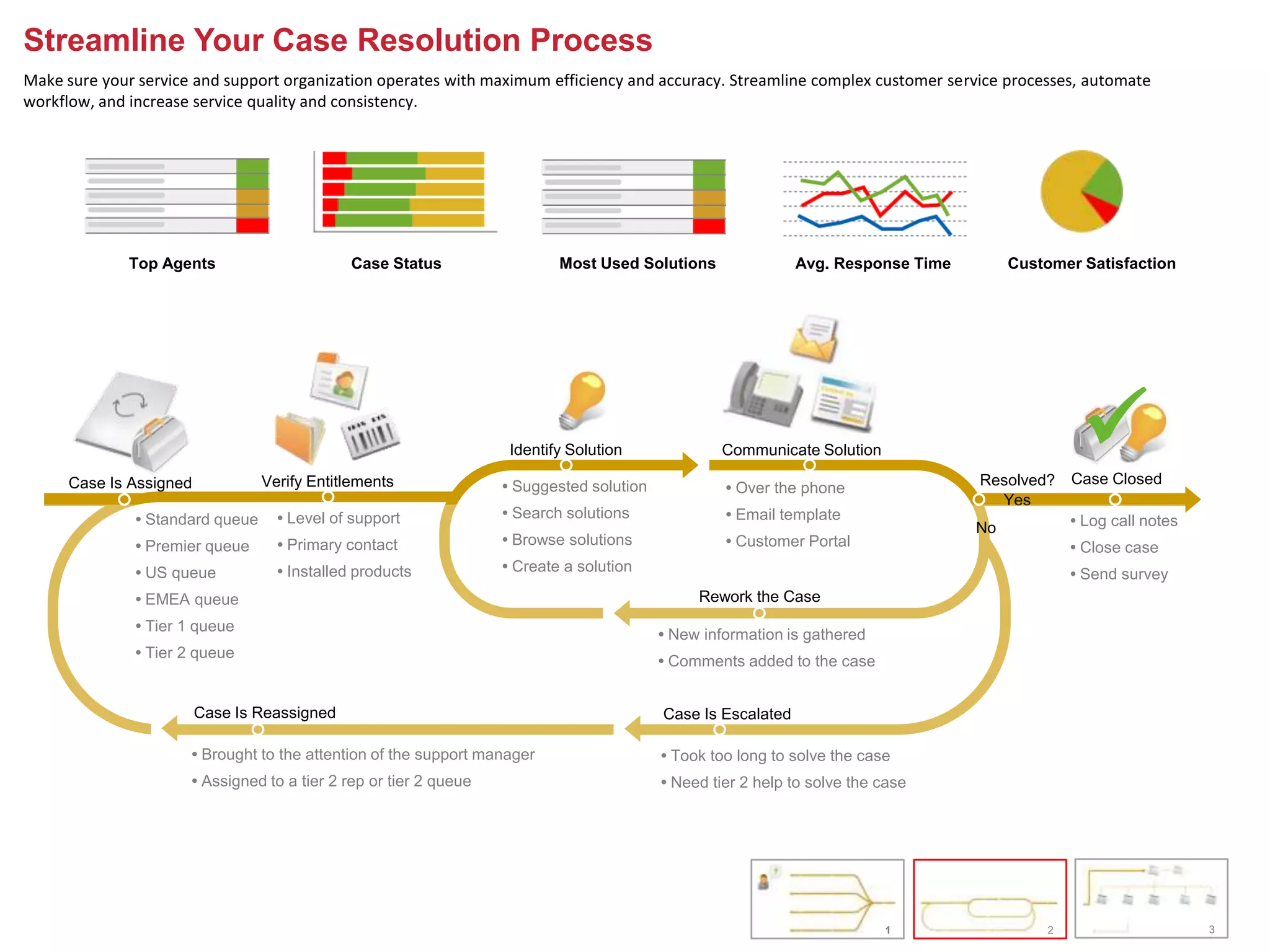
Funnel Cases from Disparate Customer Touch Points
Effective customer service benefits everyone—customers, agents, supervisors, and the company’s bottom line. Deliver outstanding and consistent service and
support across many channels including phone, email, the Web, and chat.


                                       Cases by Type                 Cases by Source                 Cases by Customer                 Case Volume


                      ?              Log a Case Online

                                     • Customer Portal
                                                                        Case Deflection

                                                                        With the customer portal, you
                                     • Web-to-Case                      can set it up so the customer
                                                                        receives a suggested solution
                                                                        before submitting a case


                                        Call Support                    CTI Integration (optional)
 Your Customer Has
 a Question                          • Press 1 for Support              The customer’s information
                                     • Press 2 for Billing              automatically pops up for the
 • Technical Support                                                    support rep                                                  Case Is Created
 • Billing Question
 • Feature Request
 • Updated Account Info                 Email Support                   Email-to-Case (optional)

                                     • support@acme.com                 You can setup email-to-case
                                     • billing@acme.com                 so that a case is automatically
                                                                        created based on an incoming
                                                                        email.


                                          Call Sales                    Log a Case Manually

                                     • “While I have you on the phone…” The salesperson creates a
                                     •” I don’t know who to call but…”  case on behalf of the customer
                                                                                                                                          1                  2
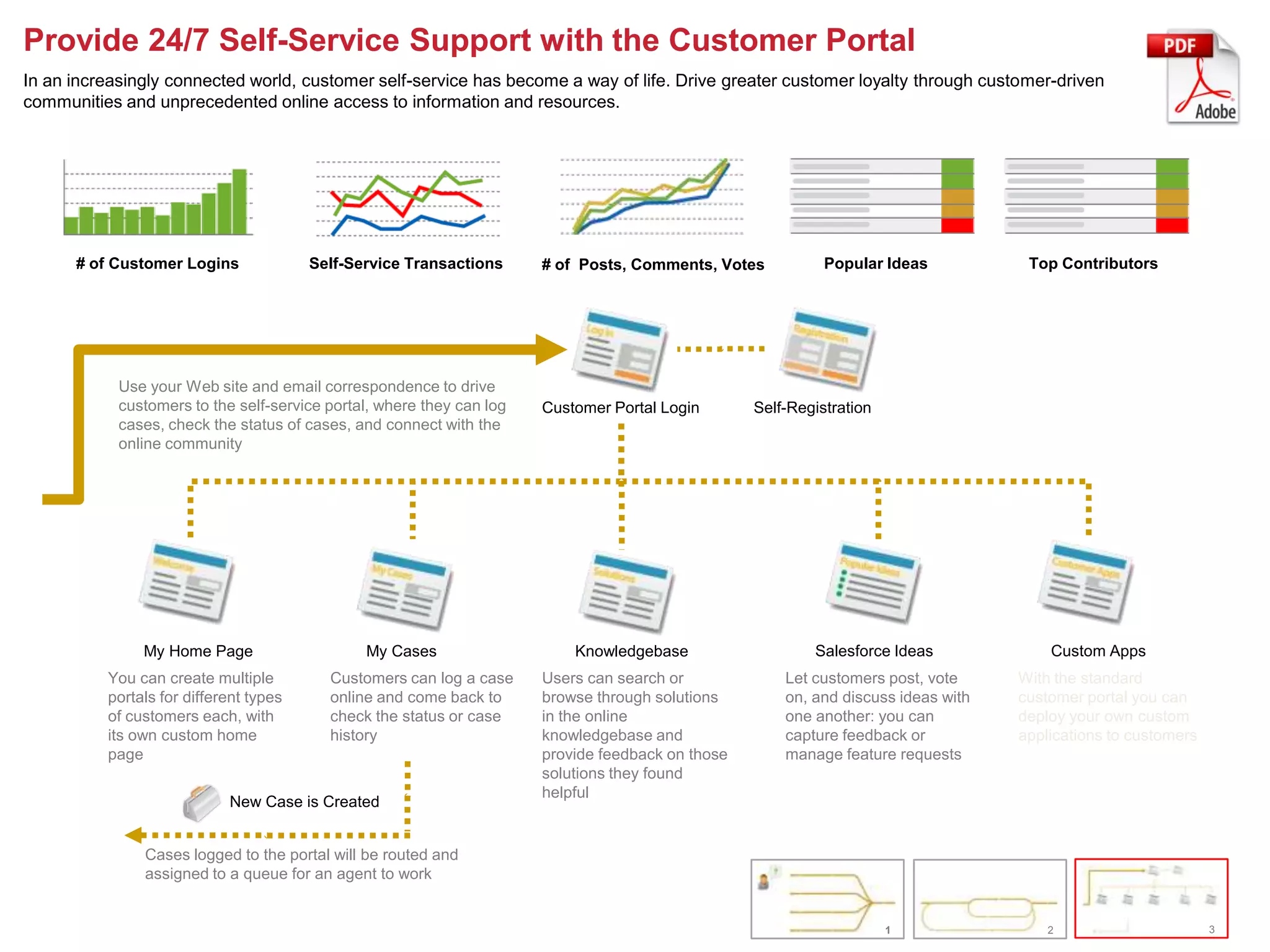
Streamline Your Case Resolution Process
Make sure your service and support organization operates with maximum efficiency and accuracy. Streamline complex customer service processes, automate
workflow, and increase service quality and consistency.


              Top Agents                      Case Status                  Most Used Solutions                Avg. Response Time        Customer Satisfaction


      Case Is Assigned           Verify Entitlements
                                                                    Identify Solution

                                                                   • Suggested solution
                                                                                                  Communicate Solution

                                                                                                   • Over the phone                Resolved?
                                                                                                                                                 
                                                                                                                                                Case Closed
                                                                                                                                     Yes
              • Standard queue     • Level of support              • Search solutions              • Email template                             • Log call notes
                                                                                                                                   No
              • Premier queue      • Primary contact               • Browse solutions              • Customer Portal                            • Close case
              • US queue           • Installed products            • Create a solution                                                          • Send survey
              • EMEA queue                                                                     Rework the Case
              • Tier 1 queue
                                                                                          • New information is gathered
              • Tier 2 queue
                                                                                          • Comments added to the case


                         Case Is Reassigned                                               Case Is Escalated

                      • Brought to the attention of the support manager                   • Took too long to solve the case
                      • Assigned to a tier 2 rep or tier 2 queue                          • Need tier 2 help to solve the case


                                                                                                                          1                 2                      3
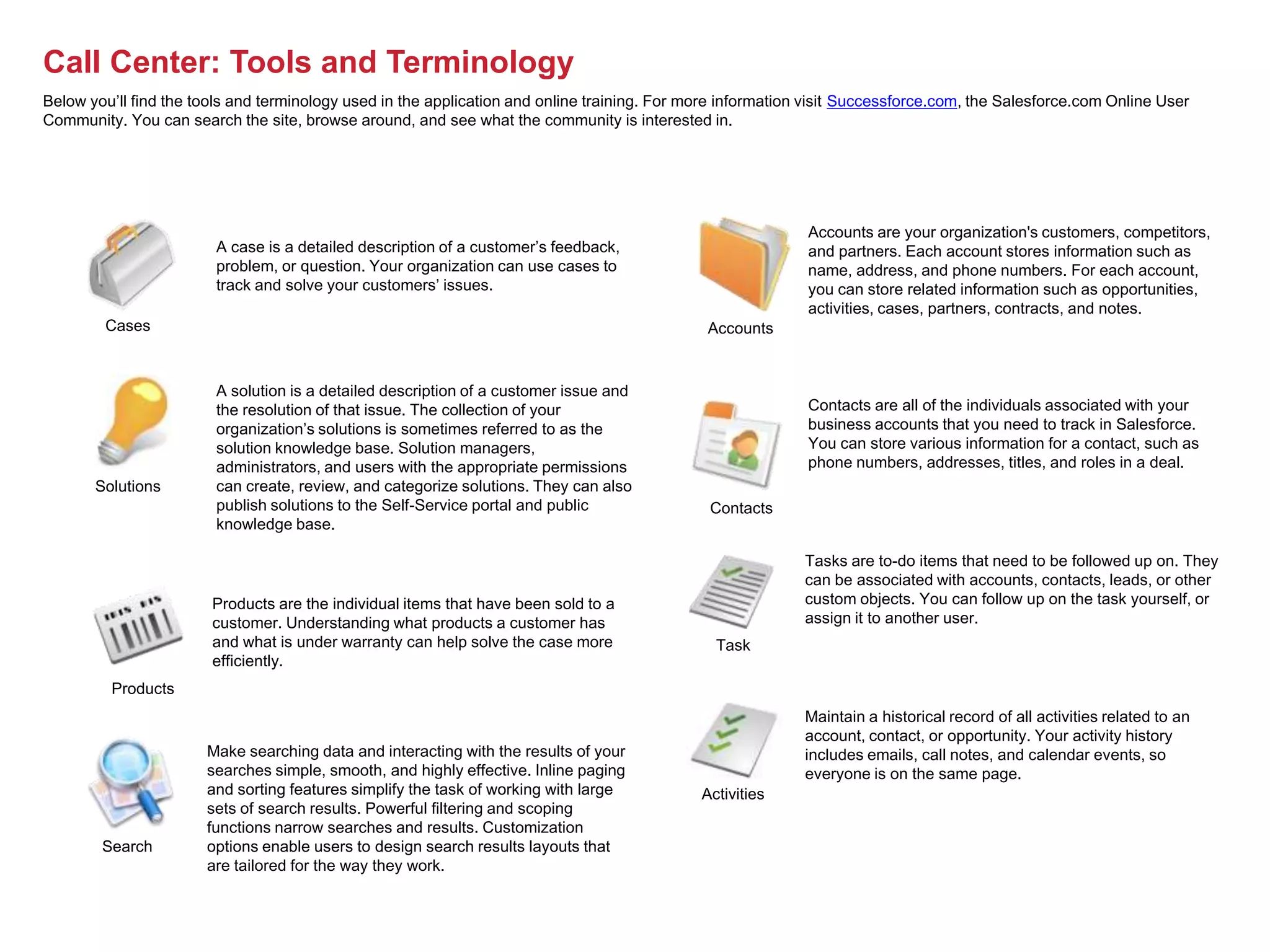
Provide 24/7 Self-Service Support with the Customer Portal
In an increasingly connected world, customer self-service has become a way of life. Drive greater customer loyalty through customer-driven
communities and unprecedented online access to information and resources.


      # of Customer Logins              Self-Service Transactions      # of Posts, Comments, Votes           Popular Ideas           Top Contributors


            Use your Web site and email correspondence to drive
            customers to the self-service portal, where they can log   Customer Portal Login       Self-Registration
            cases, check the status of cases, and connect with the
            online community


               My Home Page                    My Cases                    Knowledgebase                   Salesforce Ideas             Custom Apps
          You can create multiple         Customers can log a case     Users can search or             Let customers post, vote     With the standard
          portals for different types     online and come back to      browse through solutions        on, and discuss ideas with   customer portal you can
          of customers each, with         check the status or case     in the online                   one another: you can         deploy your own custom
          its own custom home             history                      knowledgebase and               capture feedback or          applications to customers
          page                                                         provide feedback on those       manage feature requests
                                                                       solutions they found
                                                                       helpful
                            New Case is Created


               Cases logged to the portal will be routed and
               assigned to a queue for an agent to work


                                                                                                                       1                2                       3
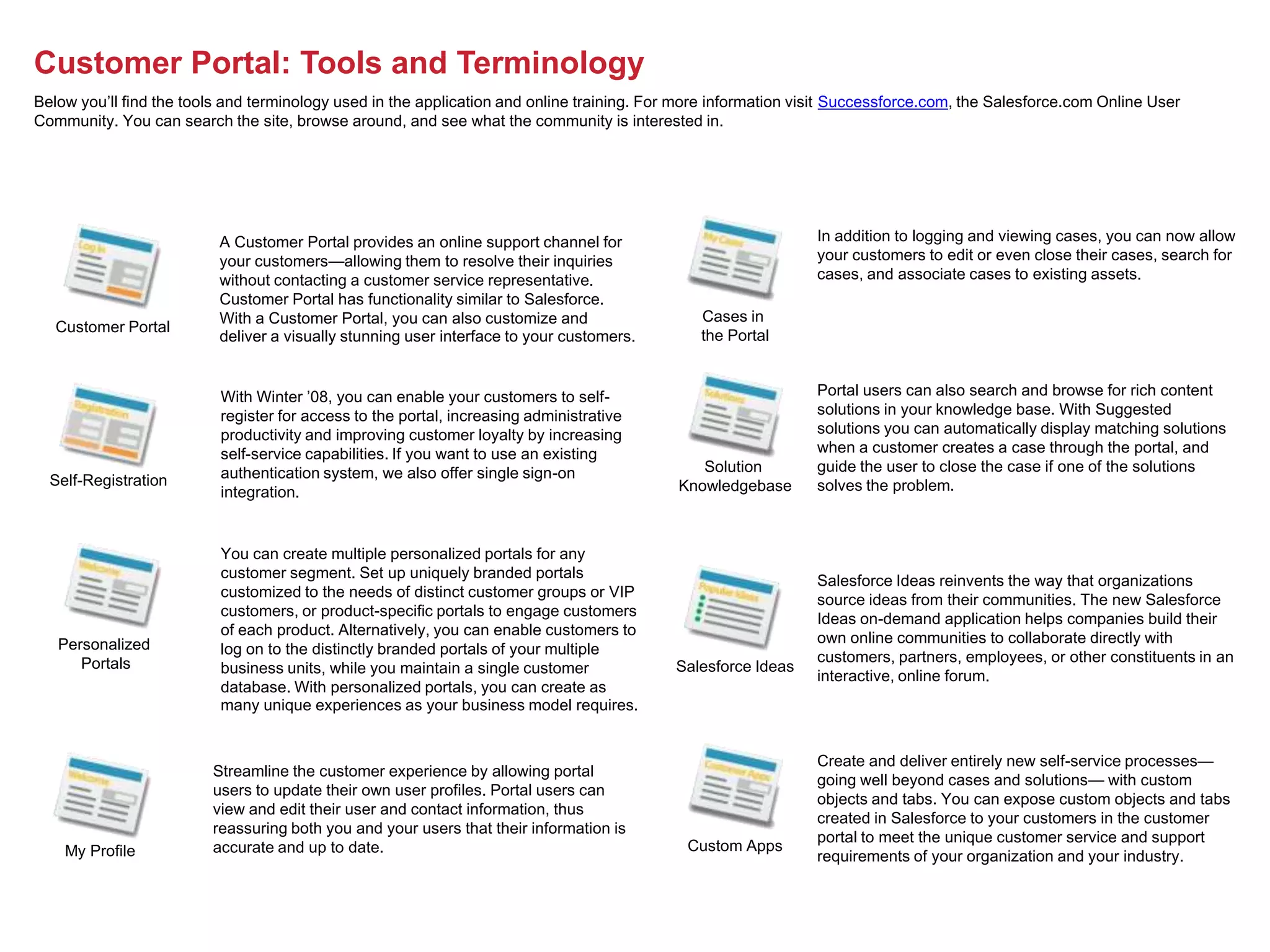
Call Center: Tools and Terminology
Below you’ll find the tools and terminology used in the application and online training. For more information visit Successforce.com, the Salesforce.com Online User
Community. You can search the site, browse around, and see what the community is interested in.


                                                                                                             Accounts are your organization's customers, competitors,
                        A case is a detailed description of a customer’s feedback,                           and partners. Each account stores information such as
                        problem, or question. Your organization can use cases to                             name, address, and phone numbers. For each account,
                        track and solve your customers’ issues.                                              you can store related information such as opportunities,
                                                                                                             activities, cases, partners, contracts, and notes.
        Cases                                                                                  Accounts


                        A solution is a detailed description of a customer issue and
                        the resolution of that issue. The collection of your                                 Contacts are all of the individuals associated with your
                        organization’s solutions is sometimes referred to as the                             business accounts that you need to track in Salesforce.
                        solution knowledge base. Solution managers,                                          You can store various information for a contact, such as
                        administrators, and users with the appropriate permissions                           phone numbers, addresses, titles, and roles in a deal.
       Solutions        can create, review, and categorize solutions. They can also
                        publish solutions to the Self-Service portal and public                Contacts
                        knowledge base.

                                                                                                             Tasks are to-do items that need to be followed up on. They
                                                                                                             can be associated with accounts, contacts, leads, or other
                        Products are the individual items that have been sold to a                           custom objects. You can follow up on the task yourself, or
                        customer. Understanding what products a customer has                                 assign it to another user.
                        and what is under warranty can help solve the case more                 Task
                        efficiently.
         Products
                                                                                                             Maintain a historical record of all activities related to an
                                                                                                             account, contact, or opportunity. Your activity history
                       Make searching data and interacting with the results of your                          includes emails, call notes, and calendar events, so
                       searches simple, smooth, and highly effective. Inline paging                          everyone is on the same page.
                       and sorting features simplify the task of working with large           Activities
                       sets of search results. Powerful filtering and scoping
                       functions narrow searches and results. Customization
        Search         options enable users to design search results layouts that
                       are tailored for the way they work.
Customer Portal: Tools and Terminology
Below you’ll find the tools and terminology used in the application and online training. For more information visit Successforce.com, the Salesforce.com Online User
Community. You can search the site, browse around, and see what the community is interested in.


                          A Customer Portal provides an online support channel for                              In addition to logging and viewing cases, you can now allow
                          your customers—allowing them to resolve their inquiries                               your customers to edit or even close their cases, search for
                          without contacting a customer service representative.                                 cases, and associate cases to existing assets.
                          Customer Portal has functionality similar to Salesforce.
                          With a Customer Portal, you can also customize and                   Cases in
   Customer Portal
                          deliver a visually stunning user interface to your customers.        the Portal


                          With Winter ’08, you can enable your customers to self-                               Portal users can also search and browse for rich content
                          register for access to the portal, increasing administrative                          solutions in your knowledge base. With Suggested
                          productivity and improving customer loyalty by increasing                             solutions you can automatically display matching solutions
                          self-service capabilities. If you want to use an existing                             when a customer creates a case through the portal, and
                          authentication system, we also offer single sign-on                  Solution         guide the user to close the case if one of the solutions
  Self-Registration
                          integration.                                                      Knowledgebase       solves the problem.


                          You can create multiple personalized portals for any
                          customer segment. Set up uniquely branded portals                                     Salesforce Ideas reinvents the way that organizations
                          customized to the needs of distinct customer groups or VIP                            source ideas from their communities. The new Salesforce
                          customers, or product-specific portals to engage customers                            Ideas on-demand application helps companies build their
                          of each product. Alternatively, you can enable customers to                           own online communities to collaborate directly with
   Personalized           log on to the distinctly branded portals of your multiple                             customers, partners, employees, or other constituents in an
      Portals             business units, while you maintain a single customer             Salesforce Ideas
                                                                                                                interactive, online forum.
                          database. With personalized portals, you can create as
                          many unique experiences as your business model requires.


                                                                                                                Create and deliver entirely new self-service processes—
                         Streamline the customer experience by allowing portal
                                                                                                                going well beyond cases and solutions— with custom
                         users to update their own user profiles. Portal users can
                                                                                                                objects and tabs. You can expose custom objects and tabs
                         view and edit their user and contact information, thus
                                                                                                                created in Salesforce to your customers in the customer
                         reassuring both you and your users that their information is
                                                                                                                portal to meet the unique customer service and support
                         accurate and up to date.                                            Custom Apps
    My Profile                                                                                                  requirements of your organization and your industry.
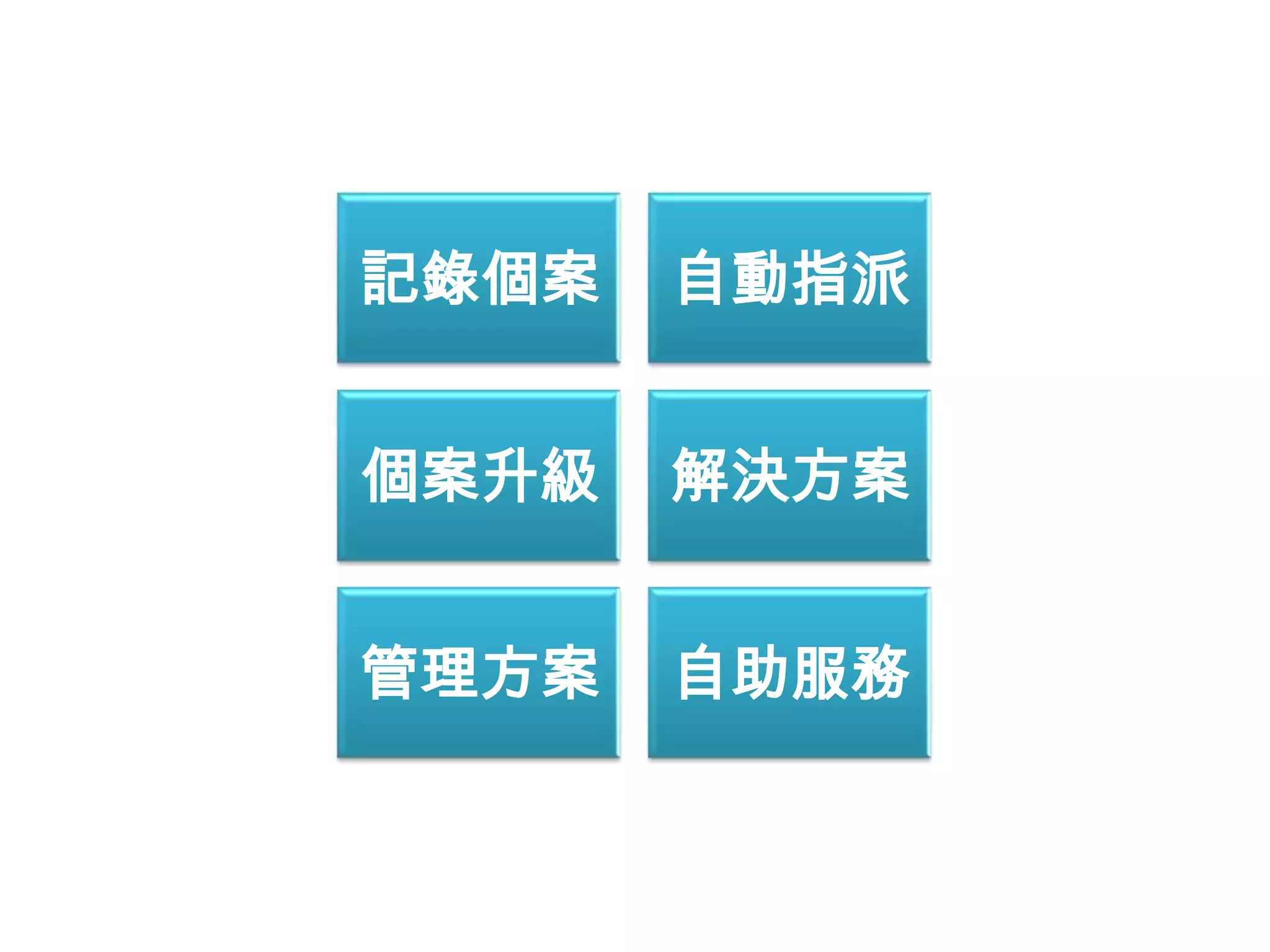
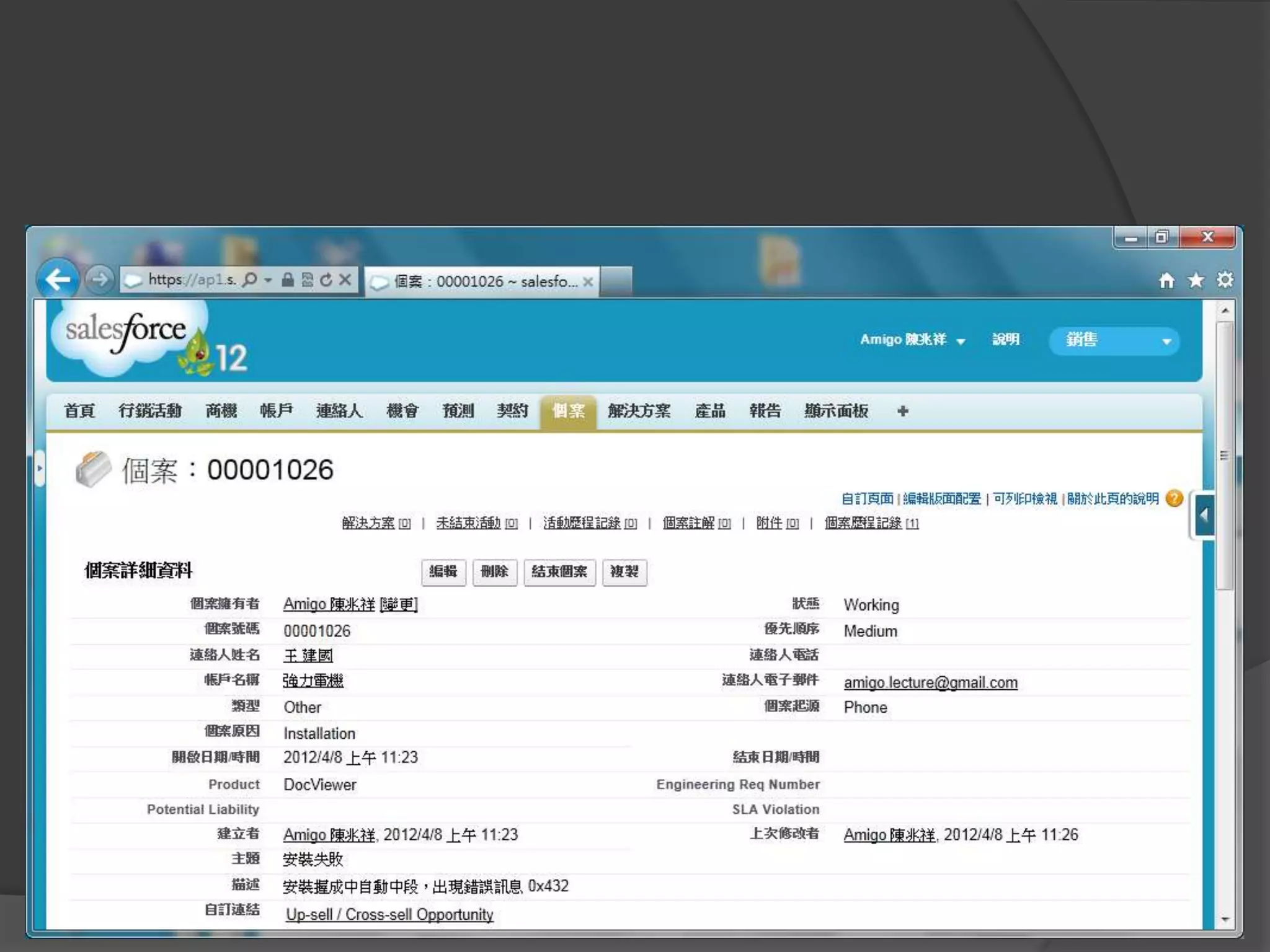
記錄個案   自動指派


個案升級   解決方案


管理方案   自助服務
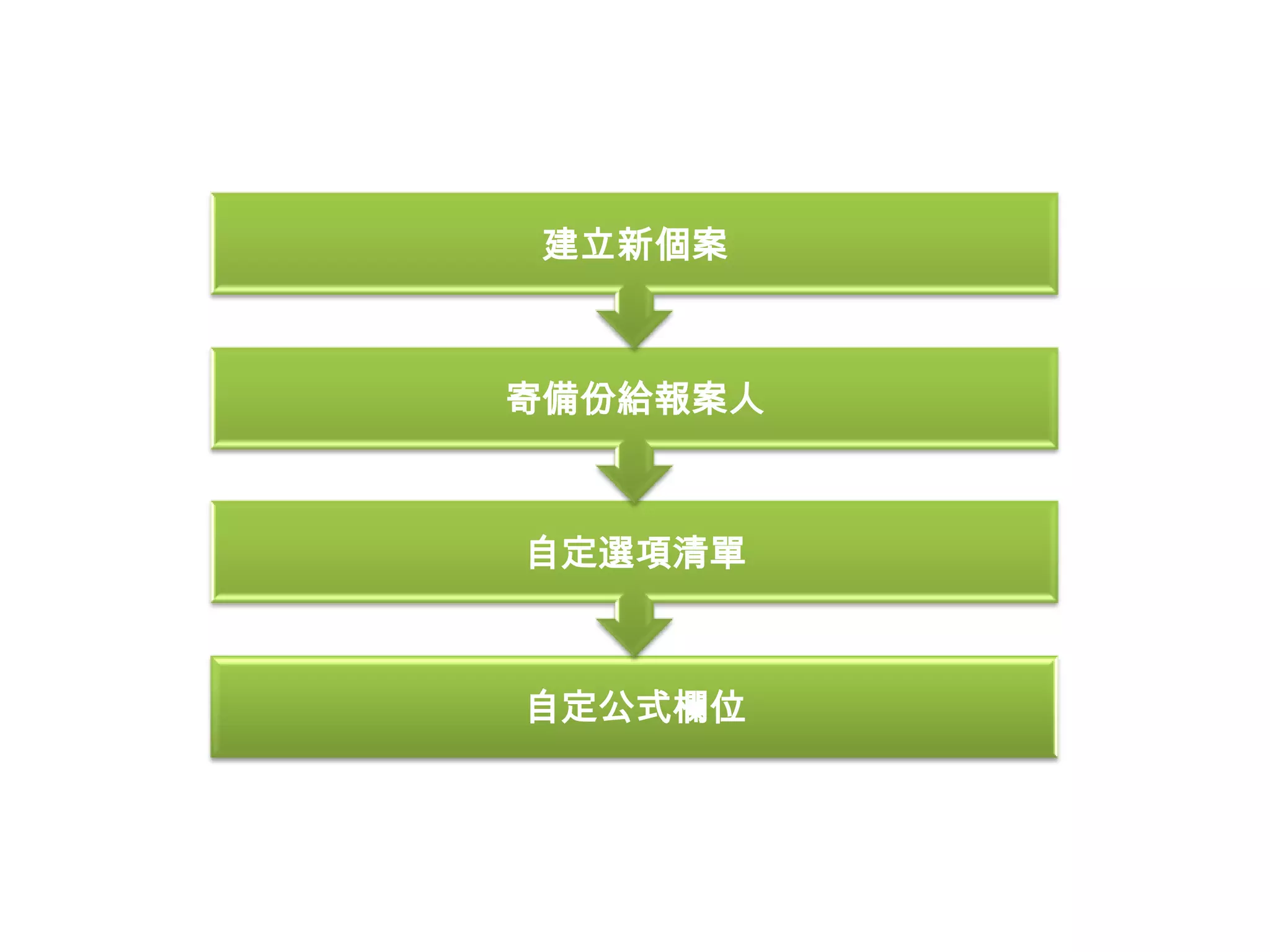
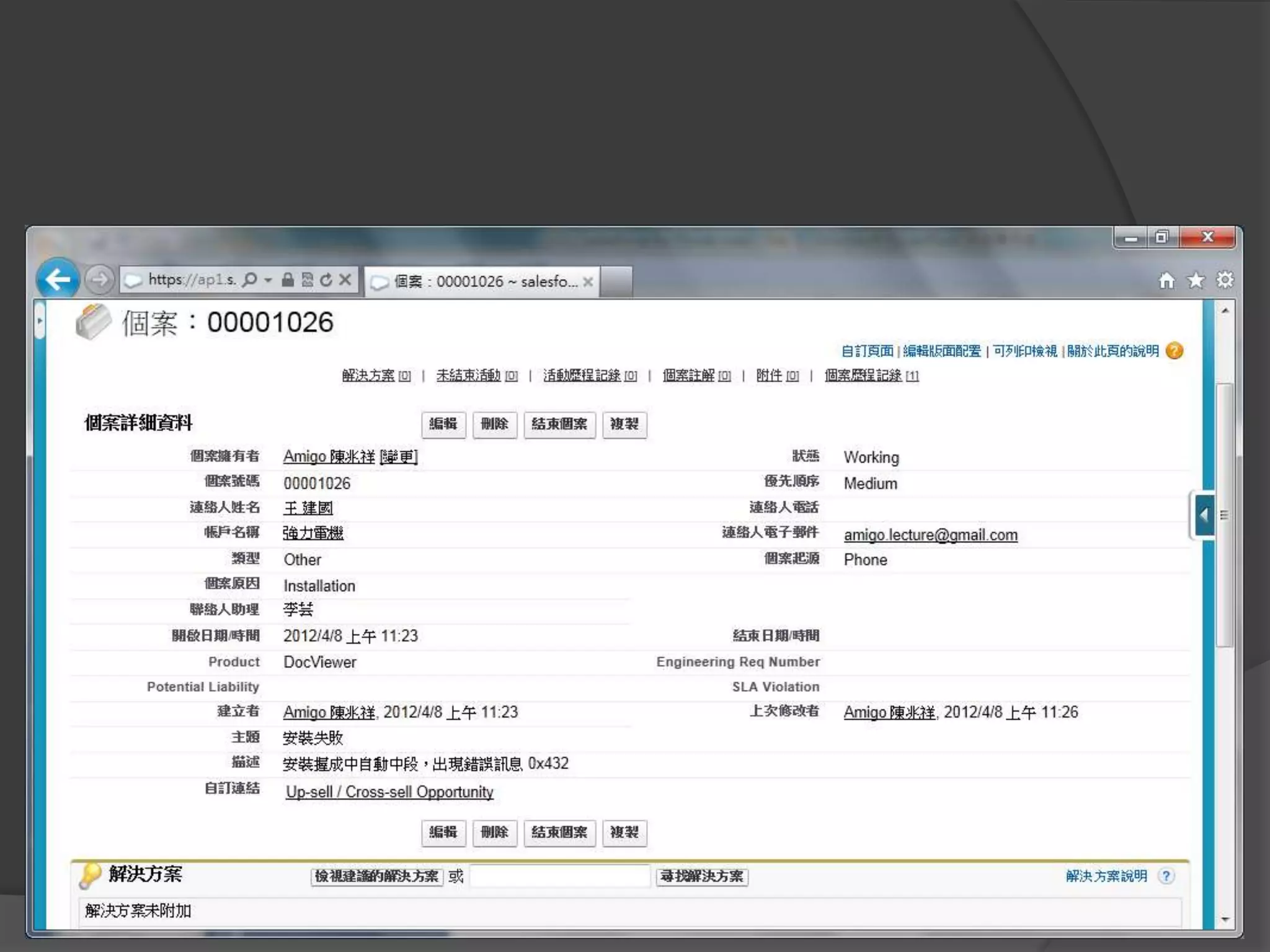
記錄個案
建立新個案


寄備份給報案人


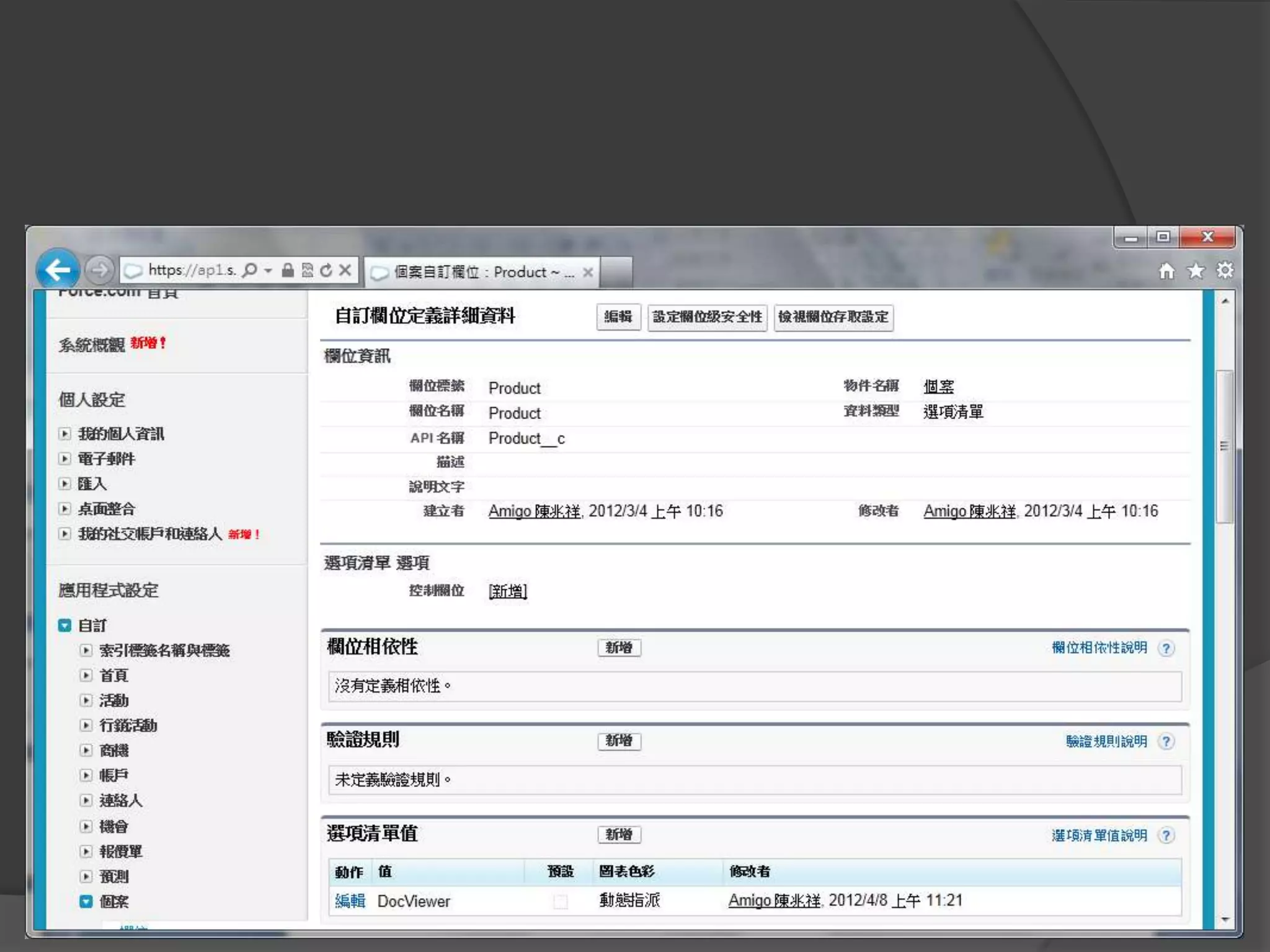
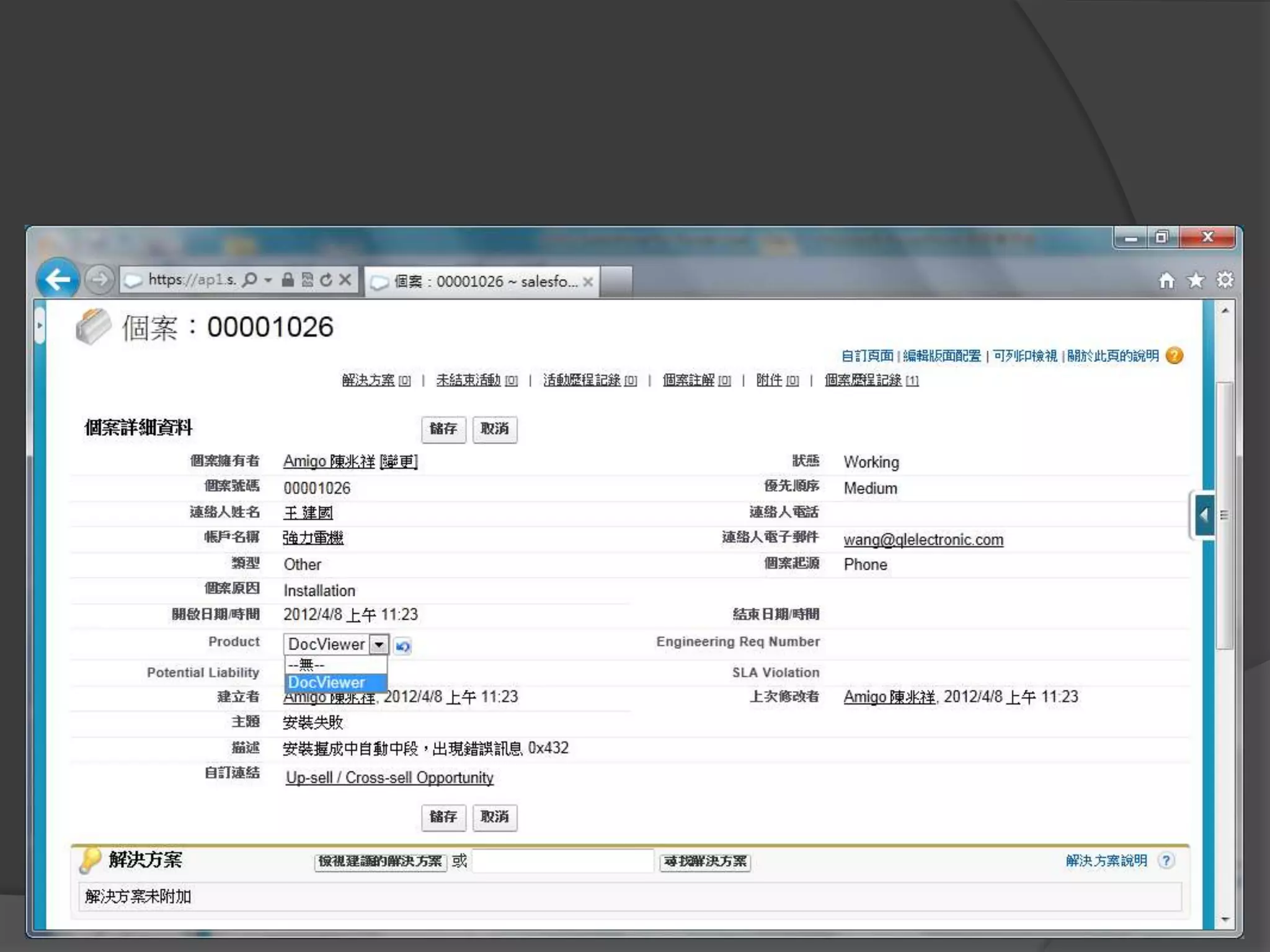
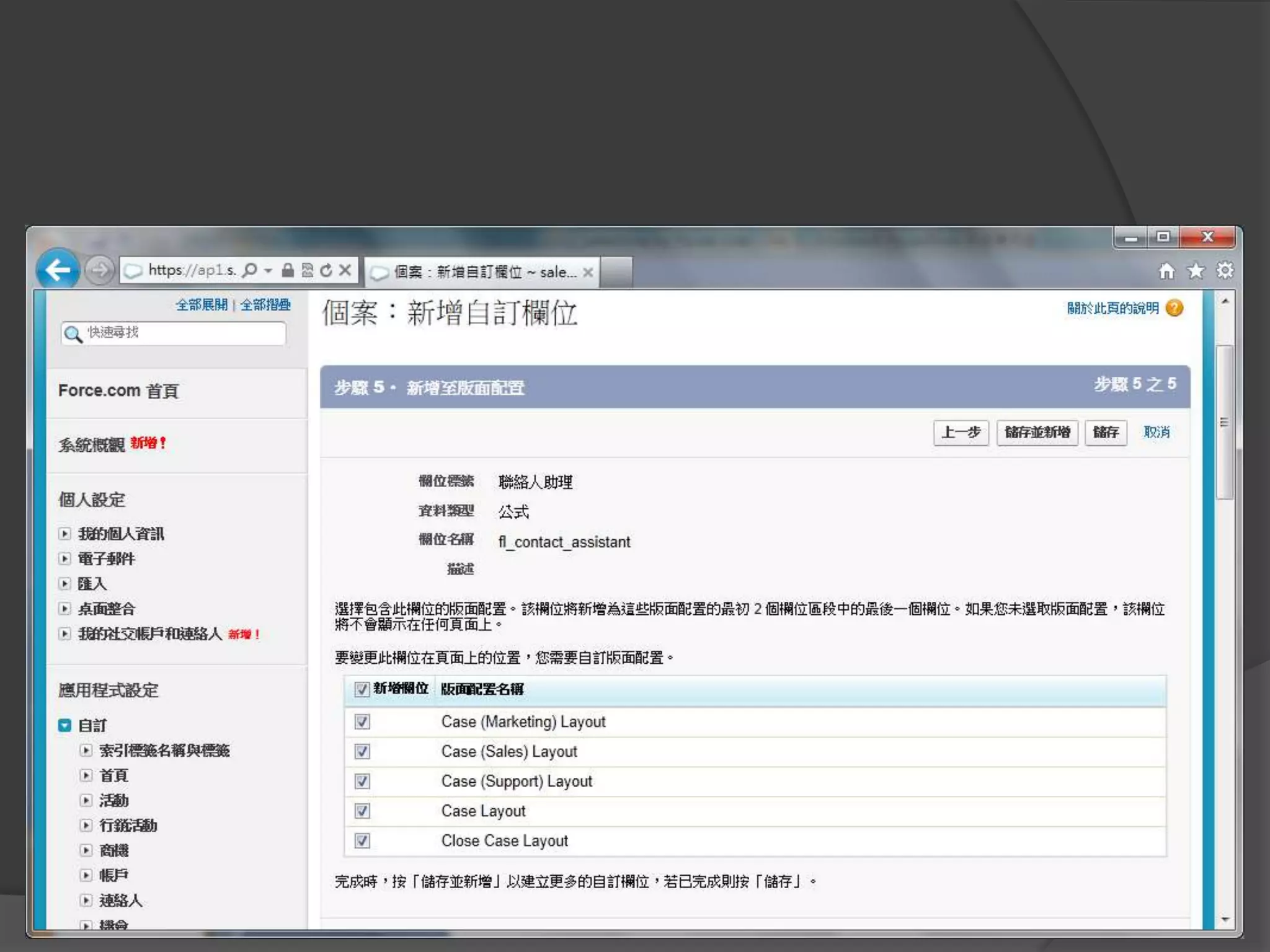
自定選項清單


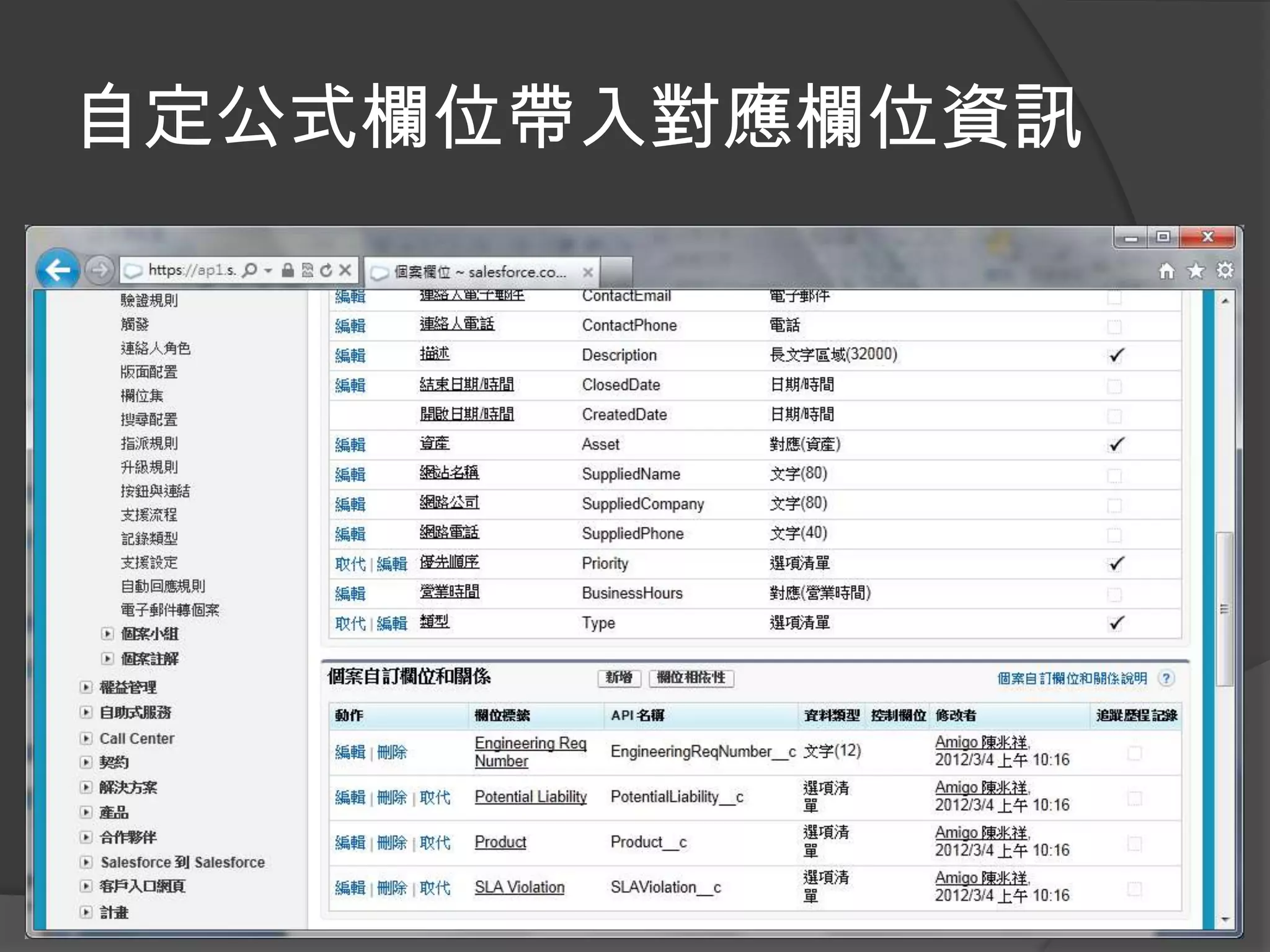
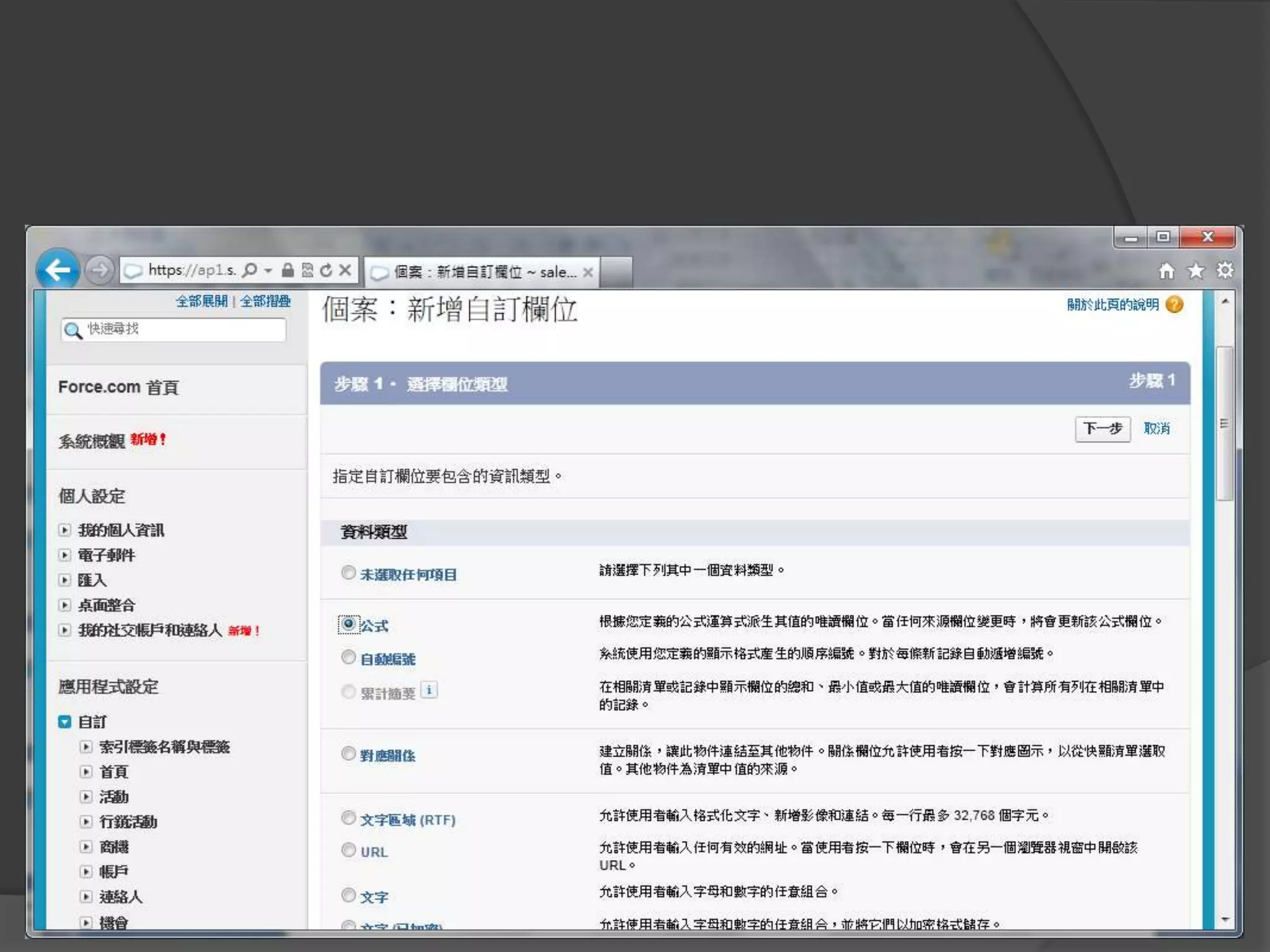
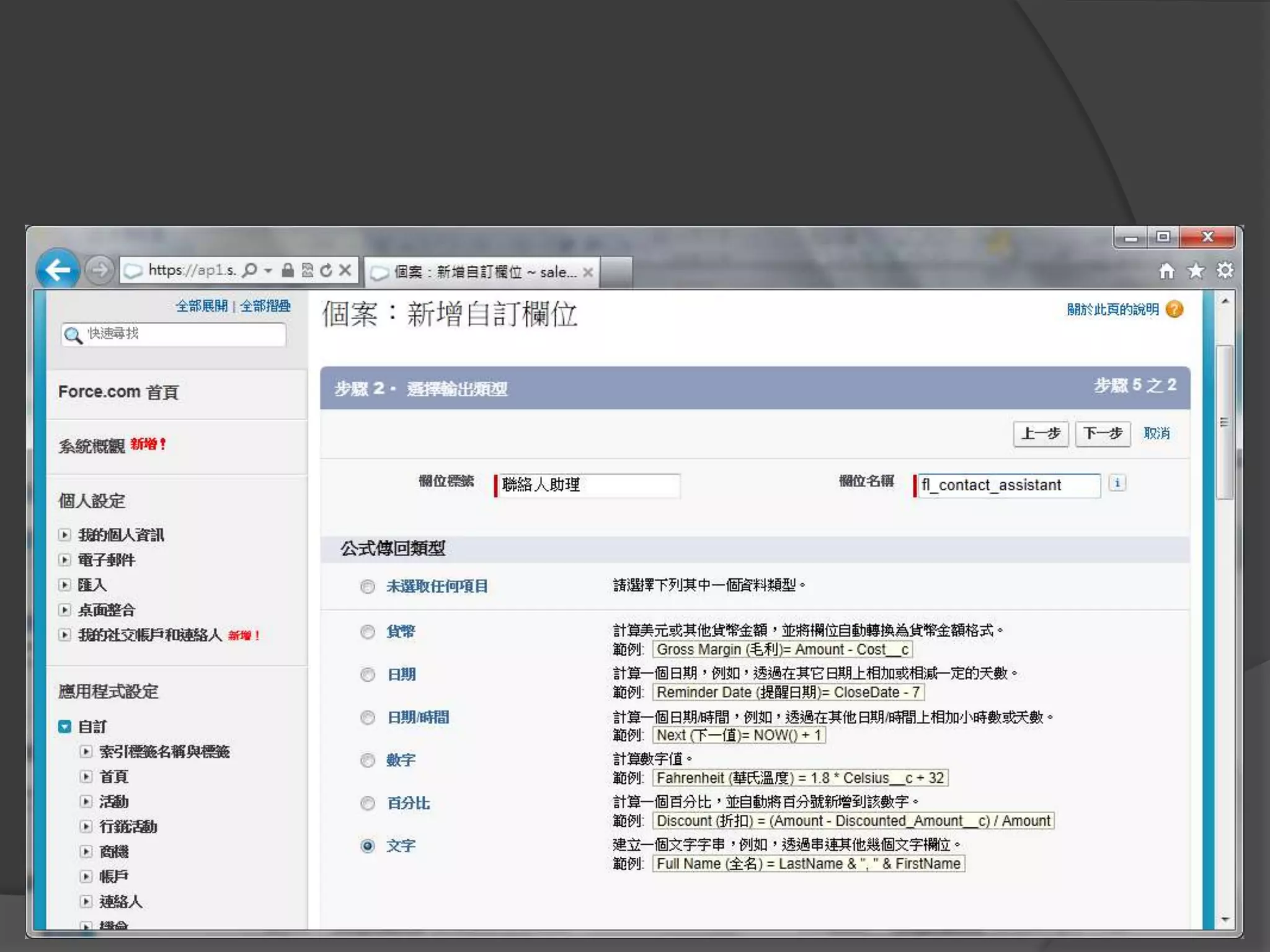
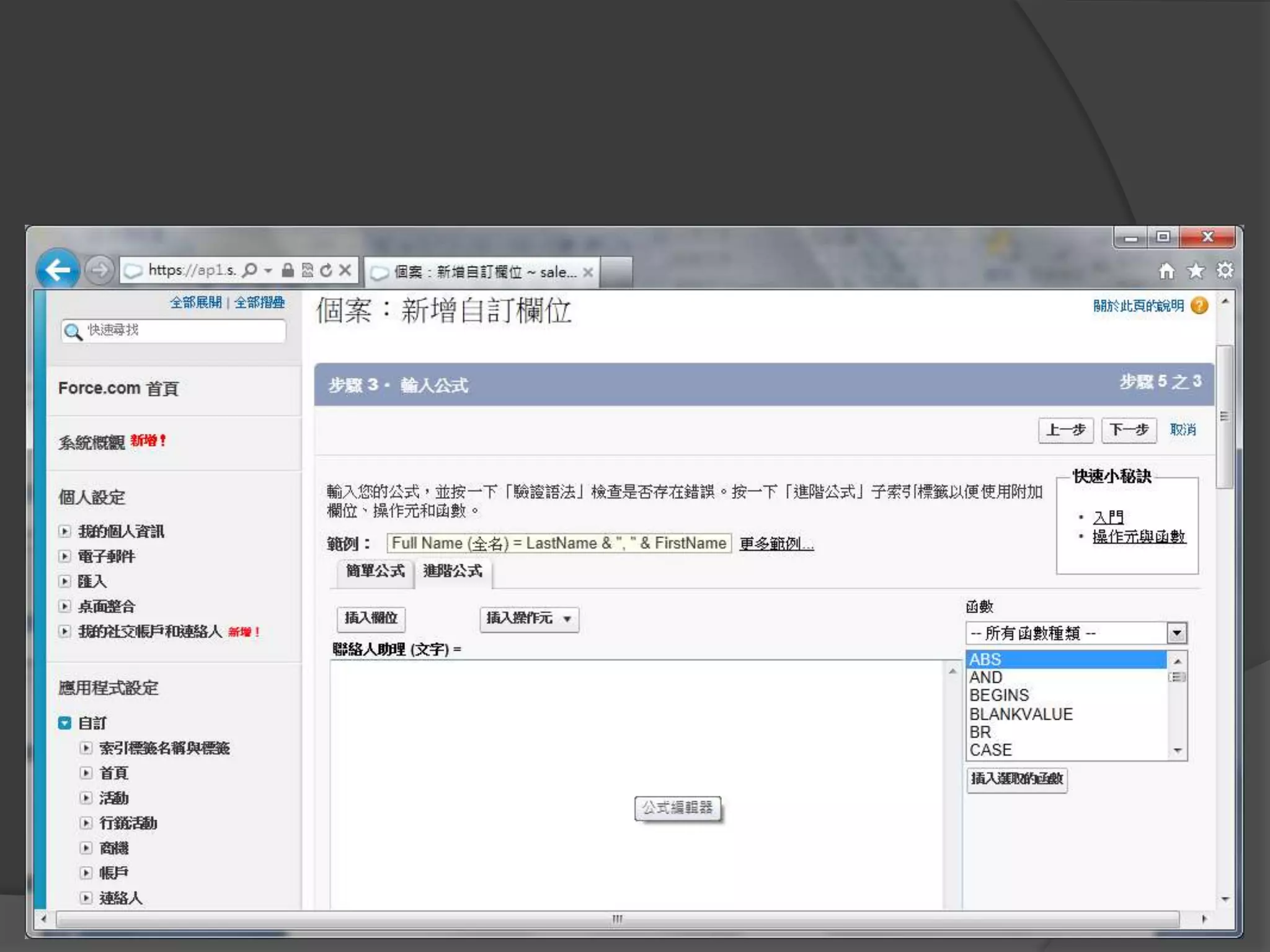
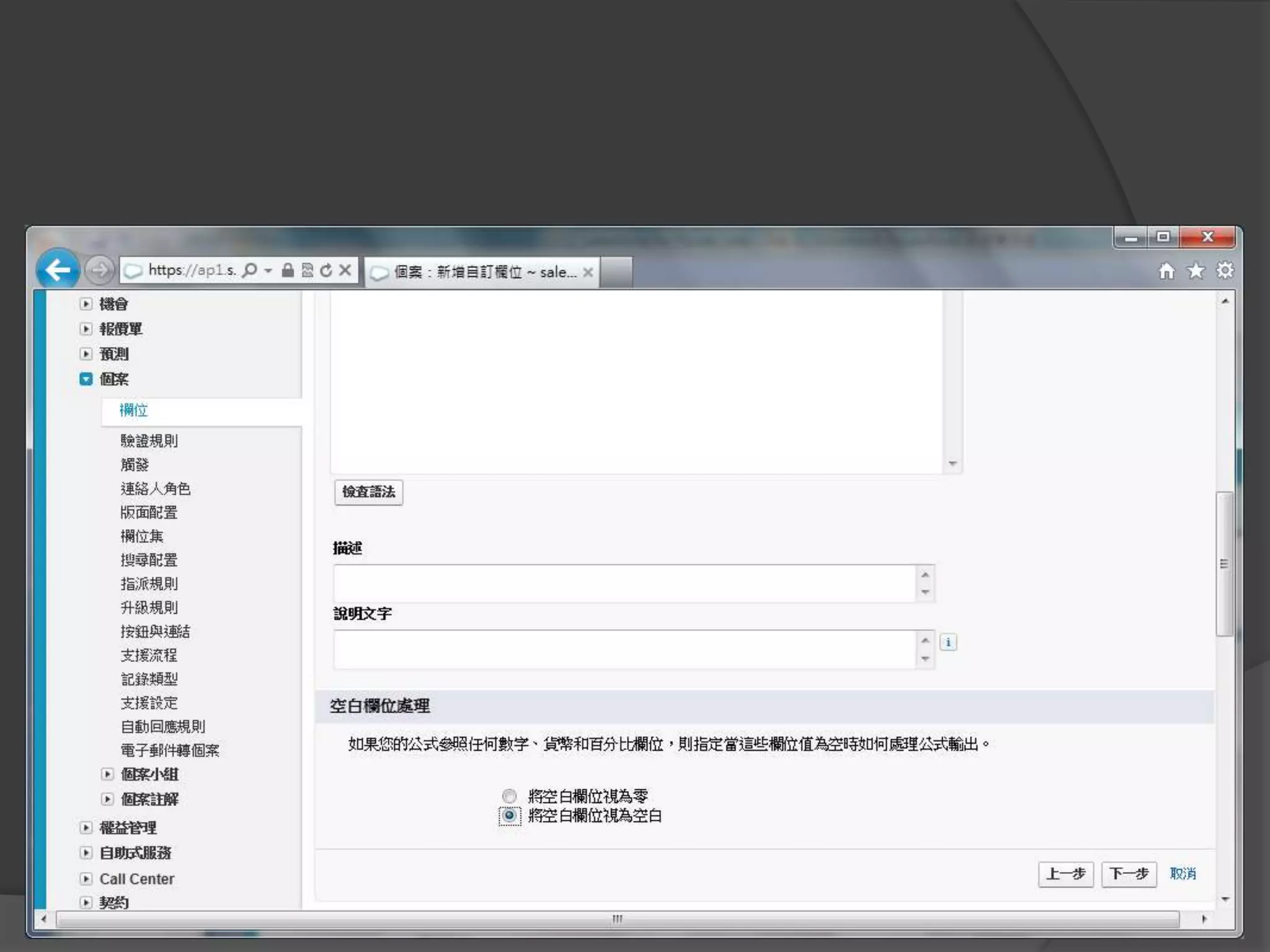
自定公式欄位
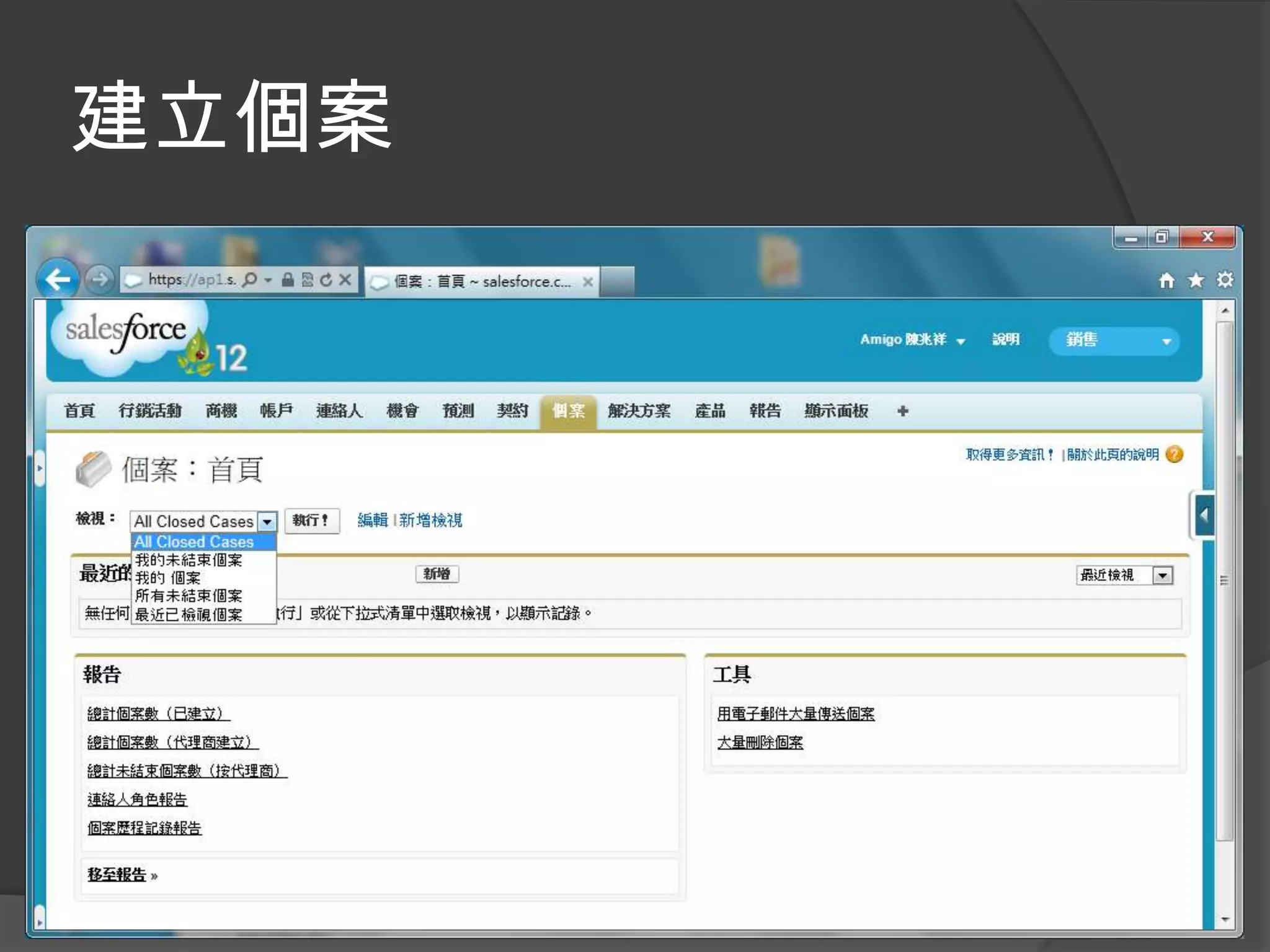
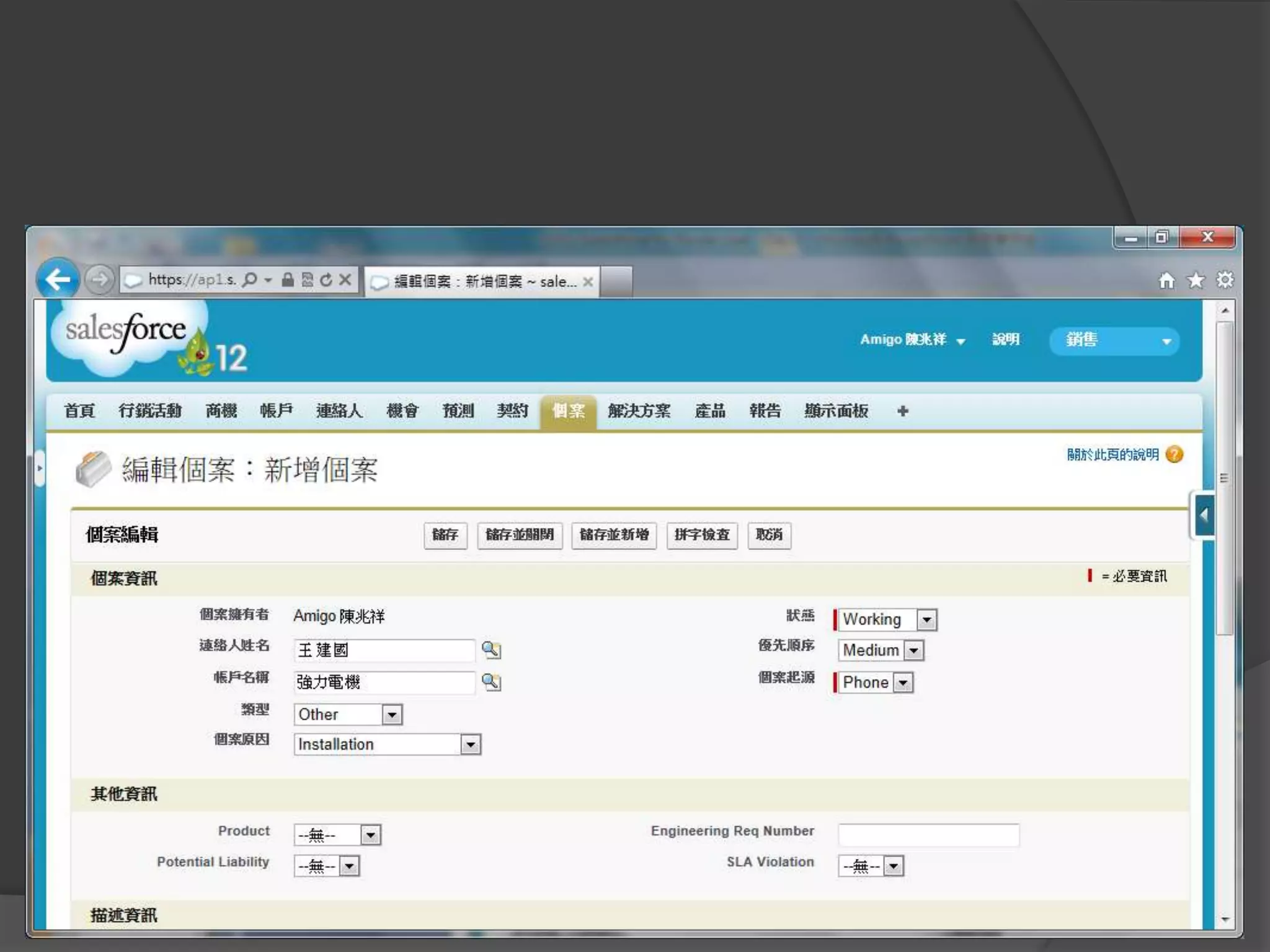
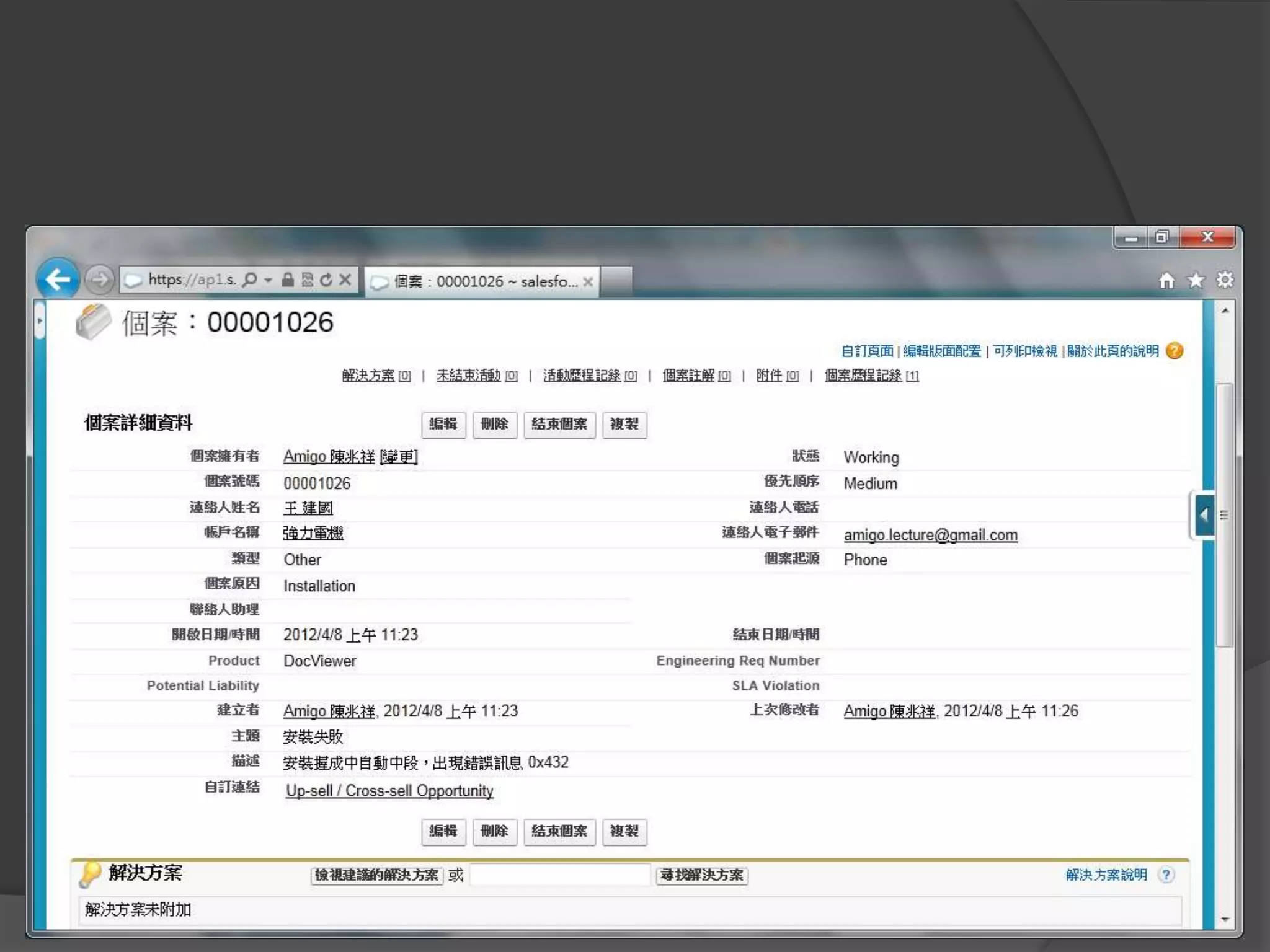
建立個案
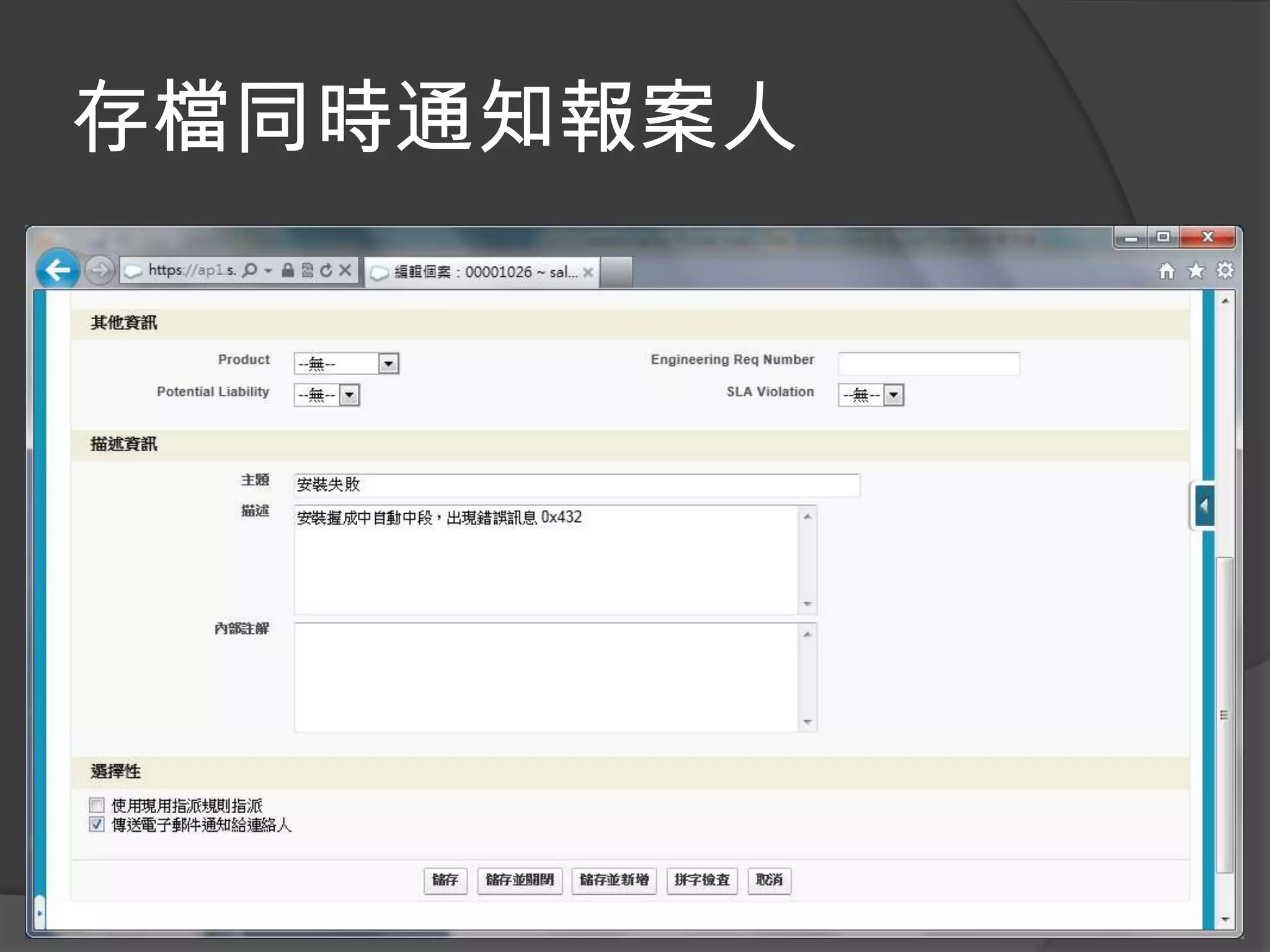
存檔同時通知報案人
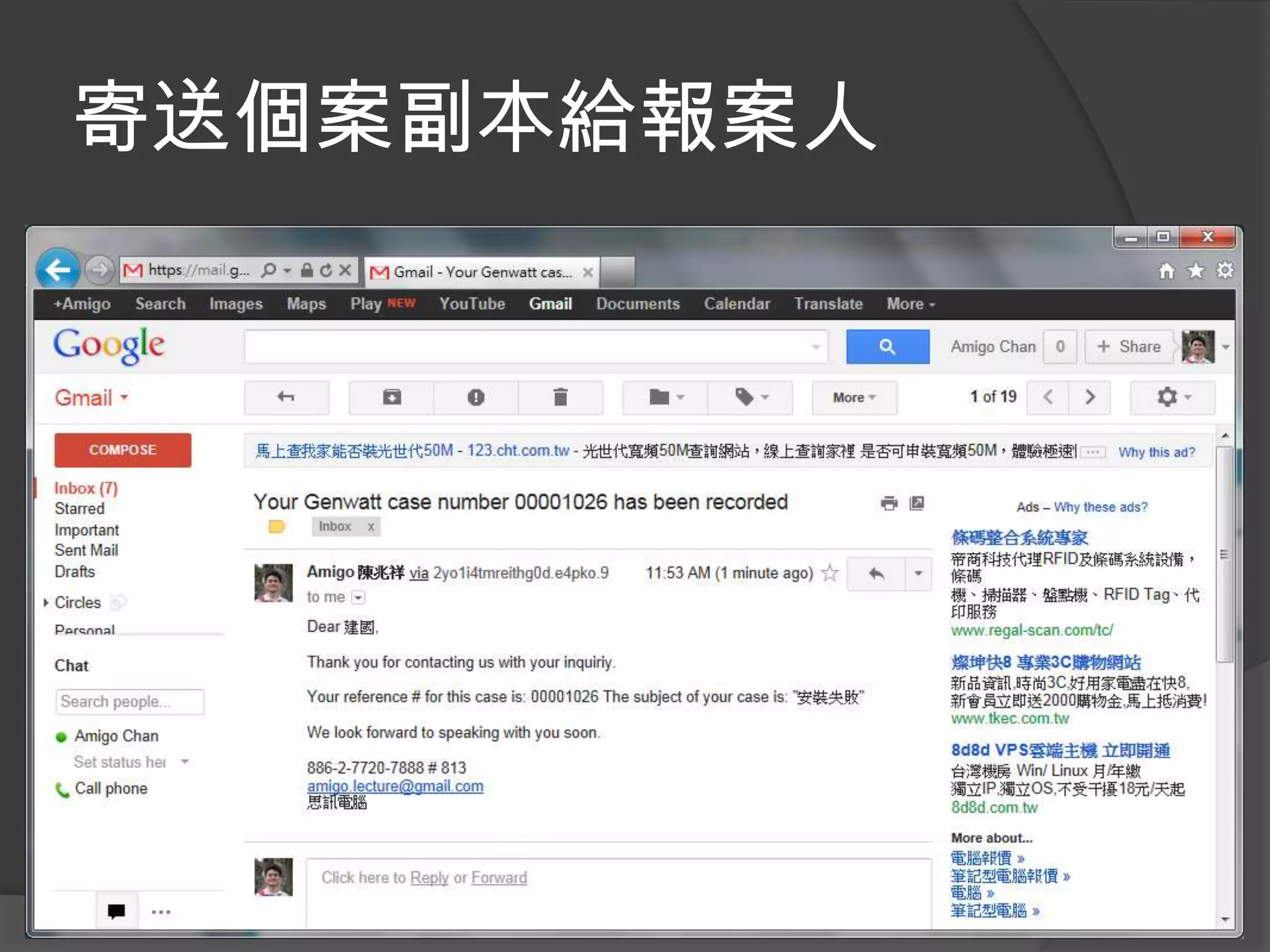
寄送個案副本給報案人
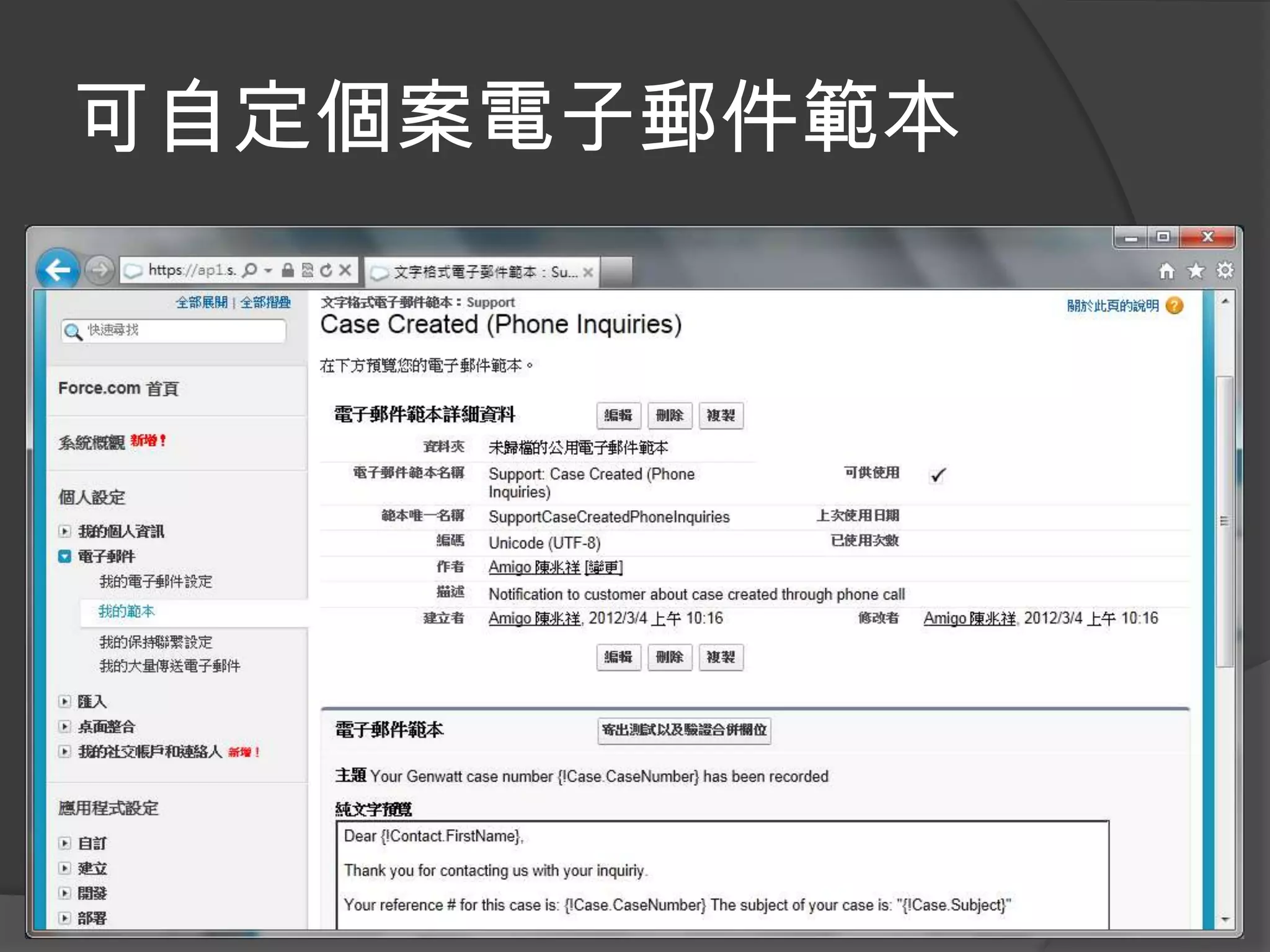
可自定個案電子郵件範本
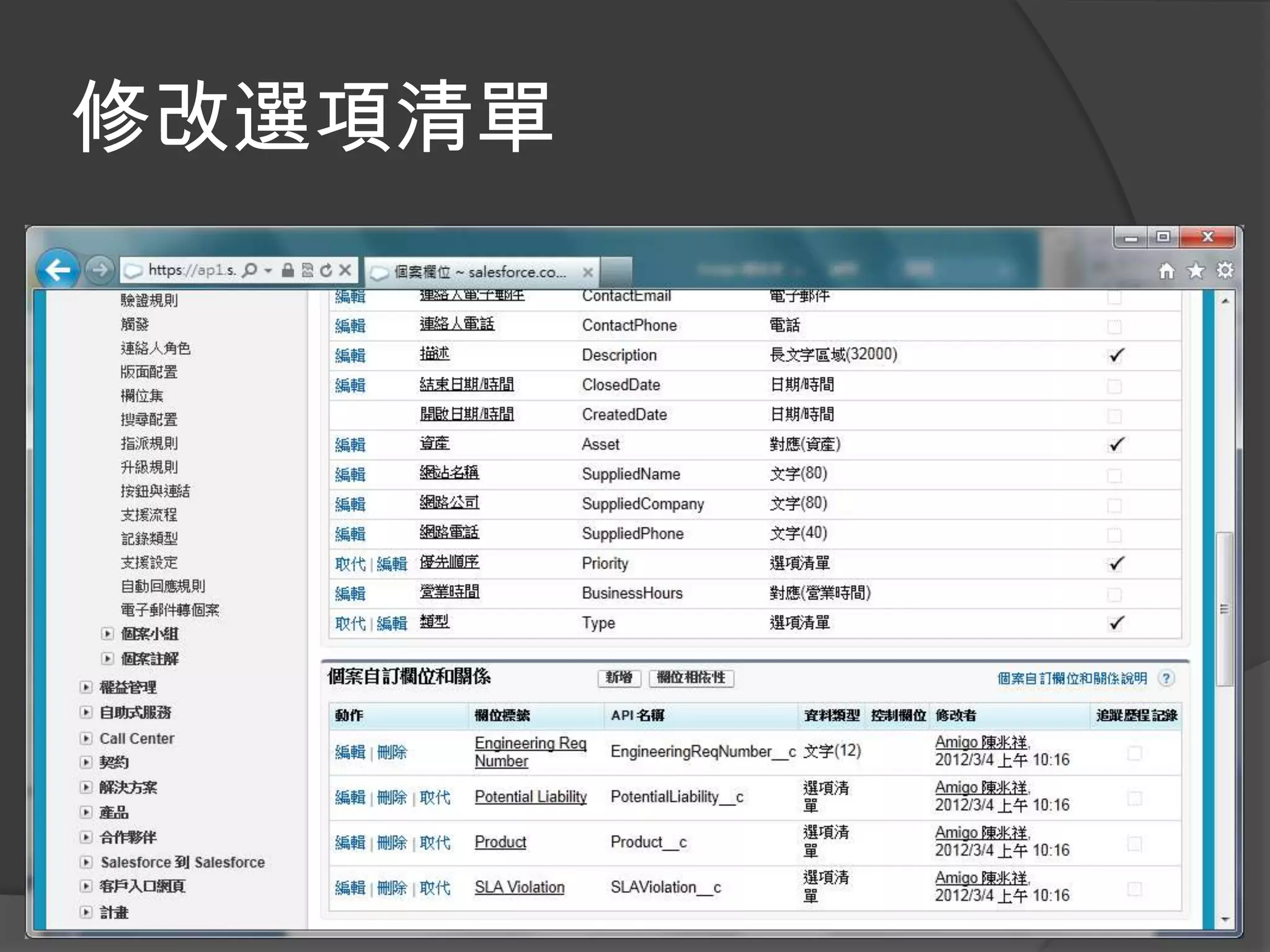
修改選項清單
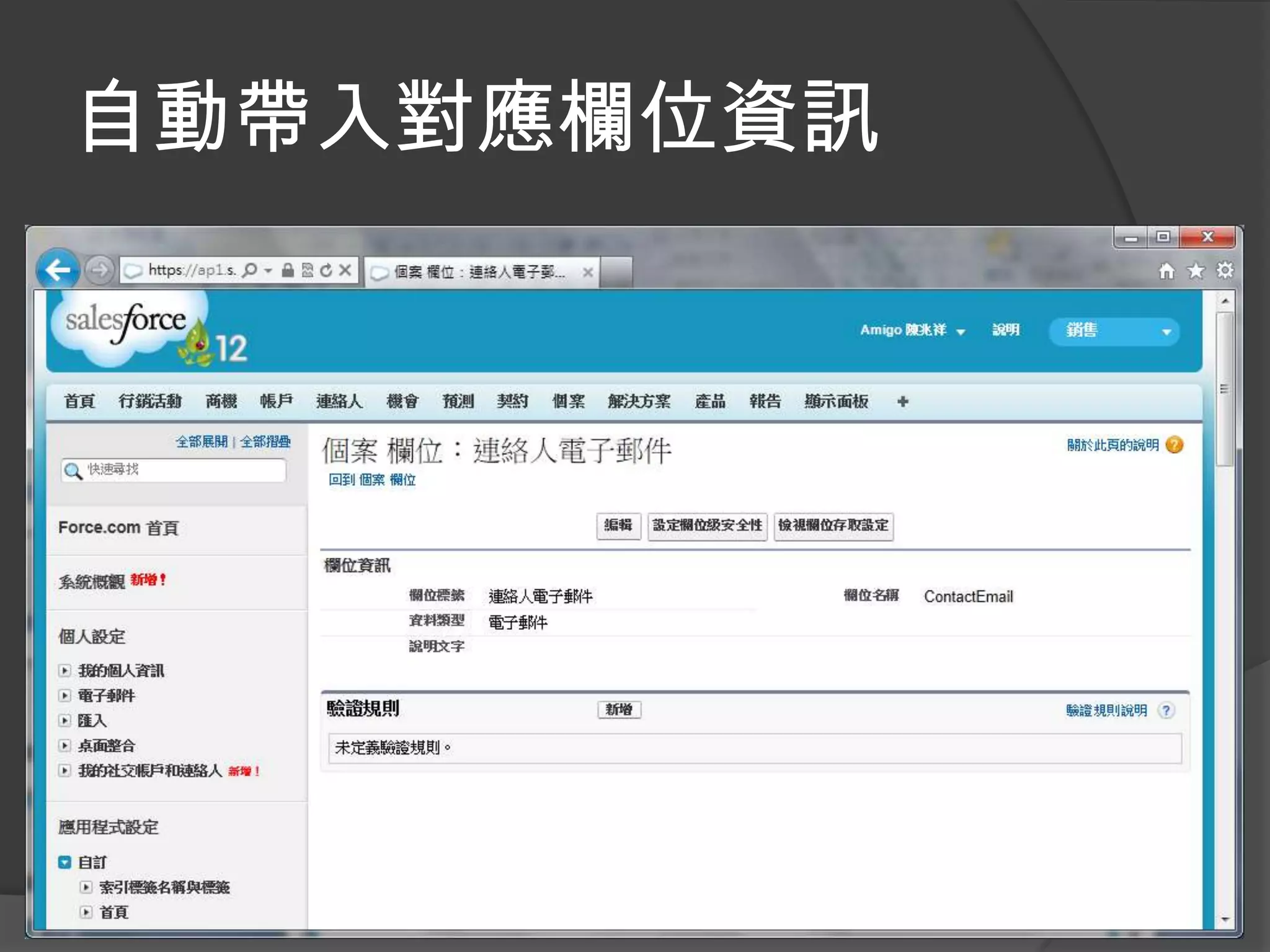
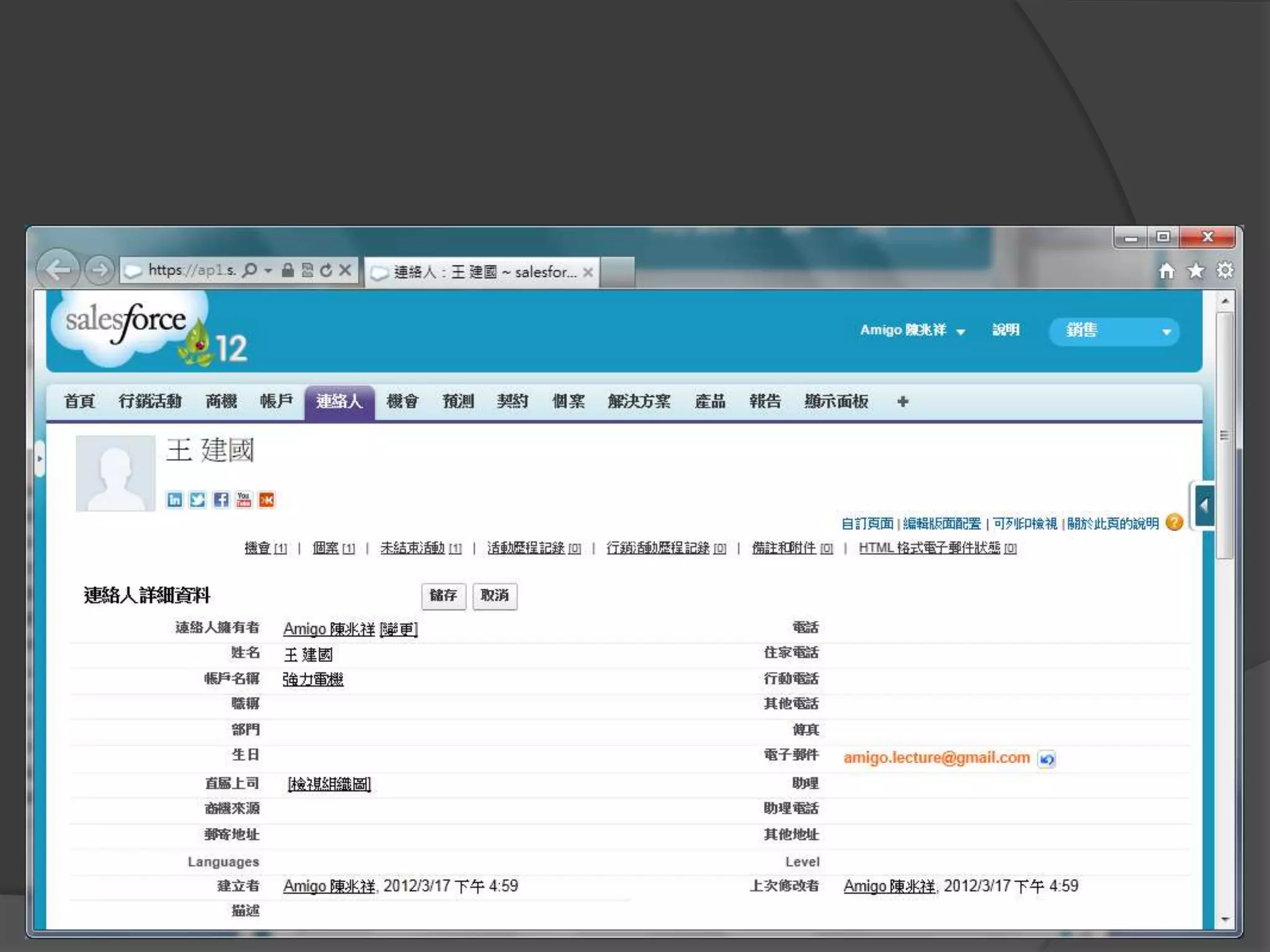
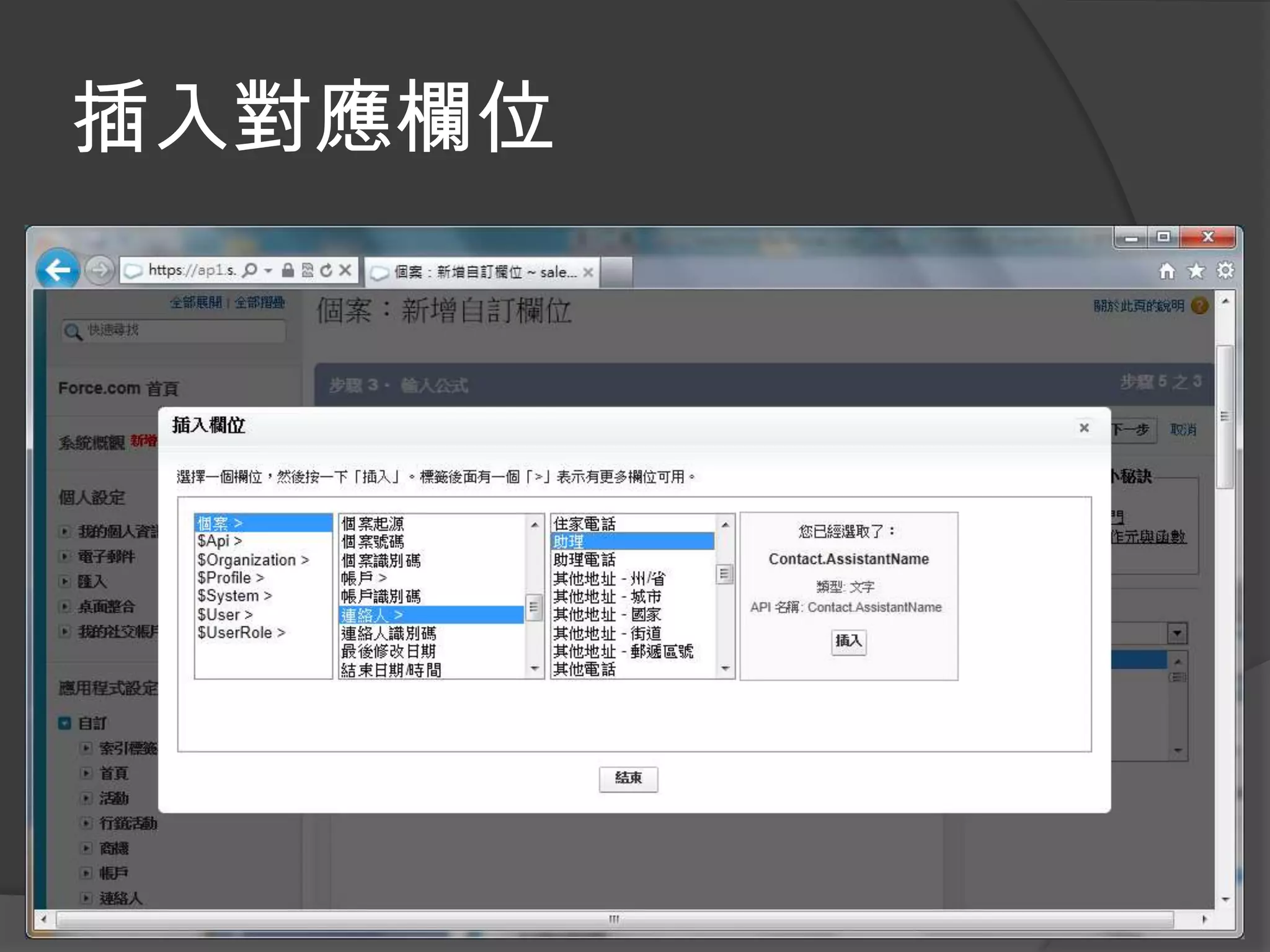
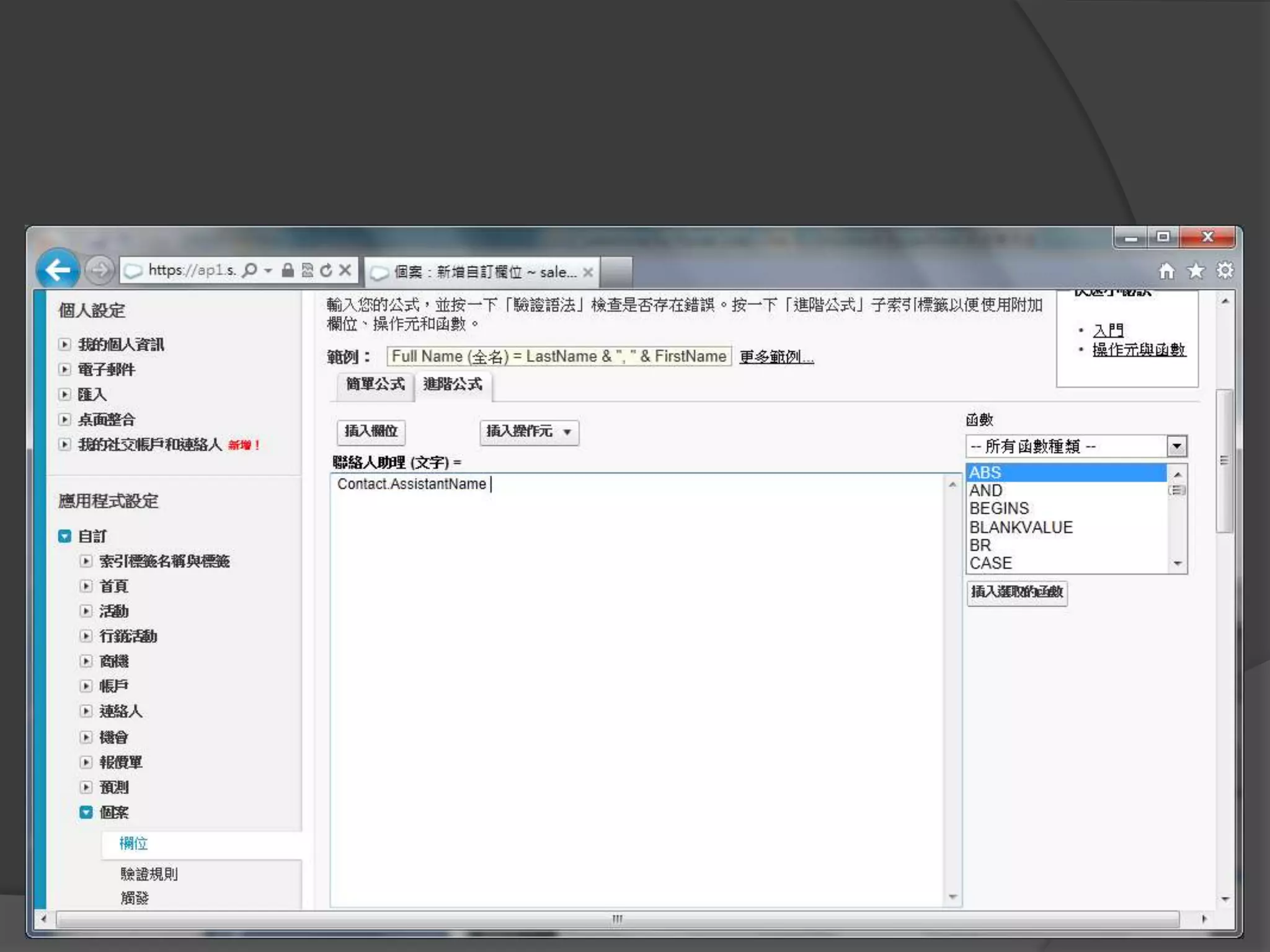
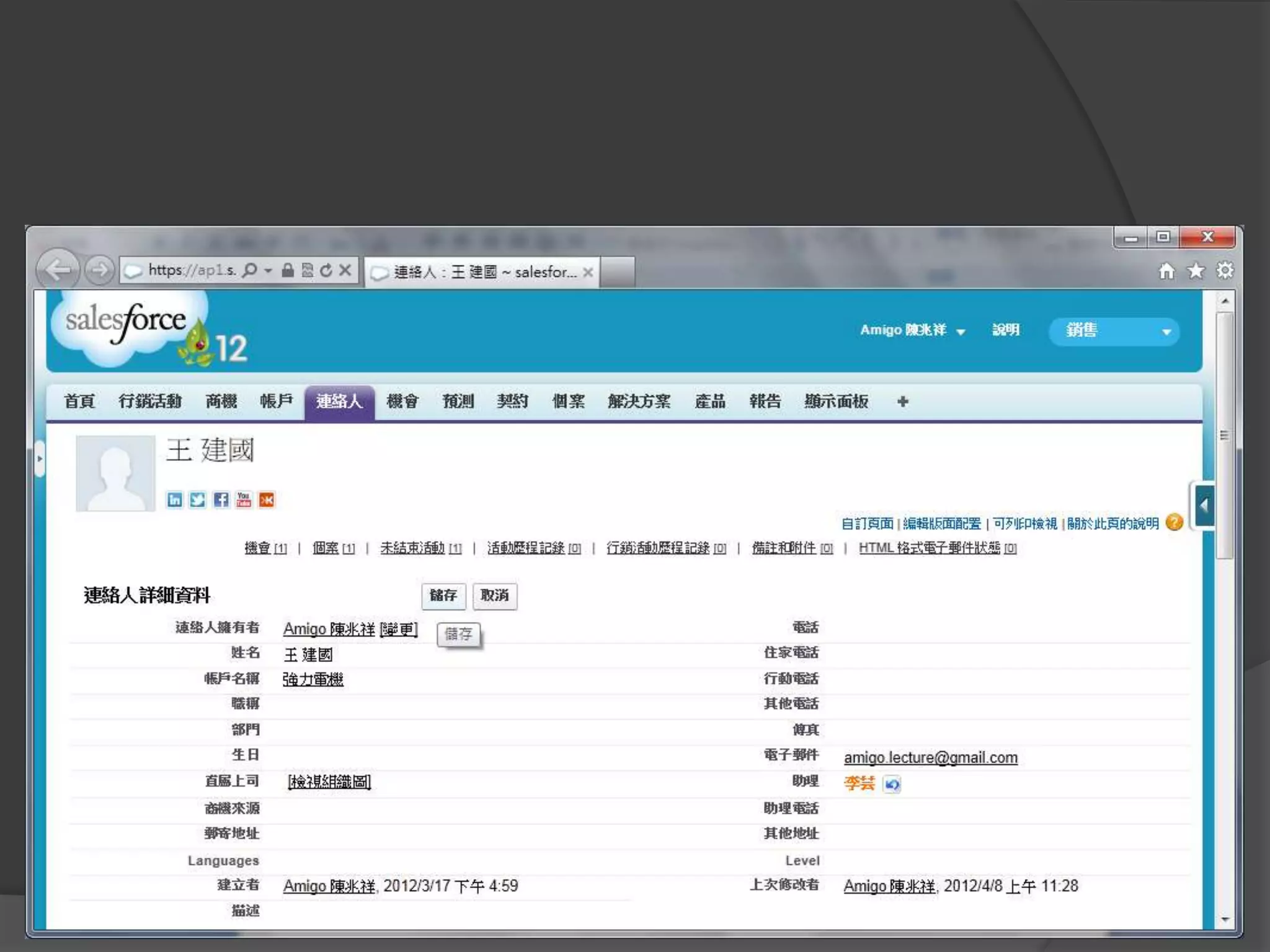
自動帶入對應欄位資訊
自定公式欄位帶入對應欄位資訊
插入對應欄位
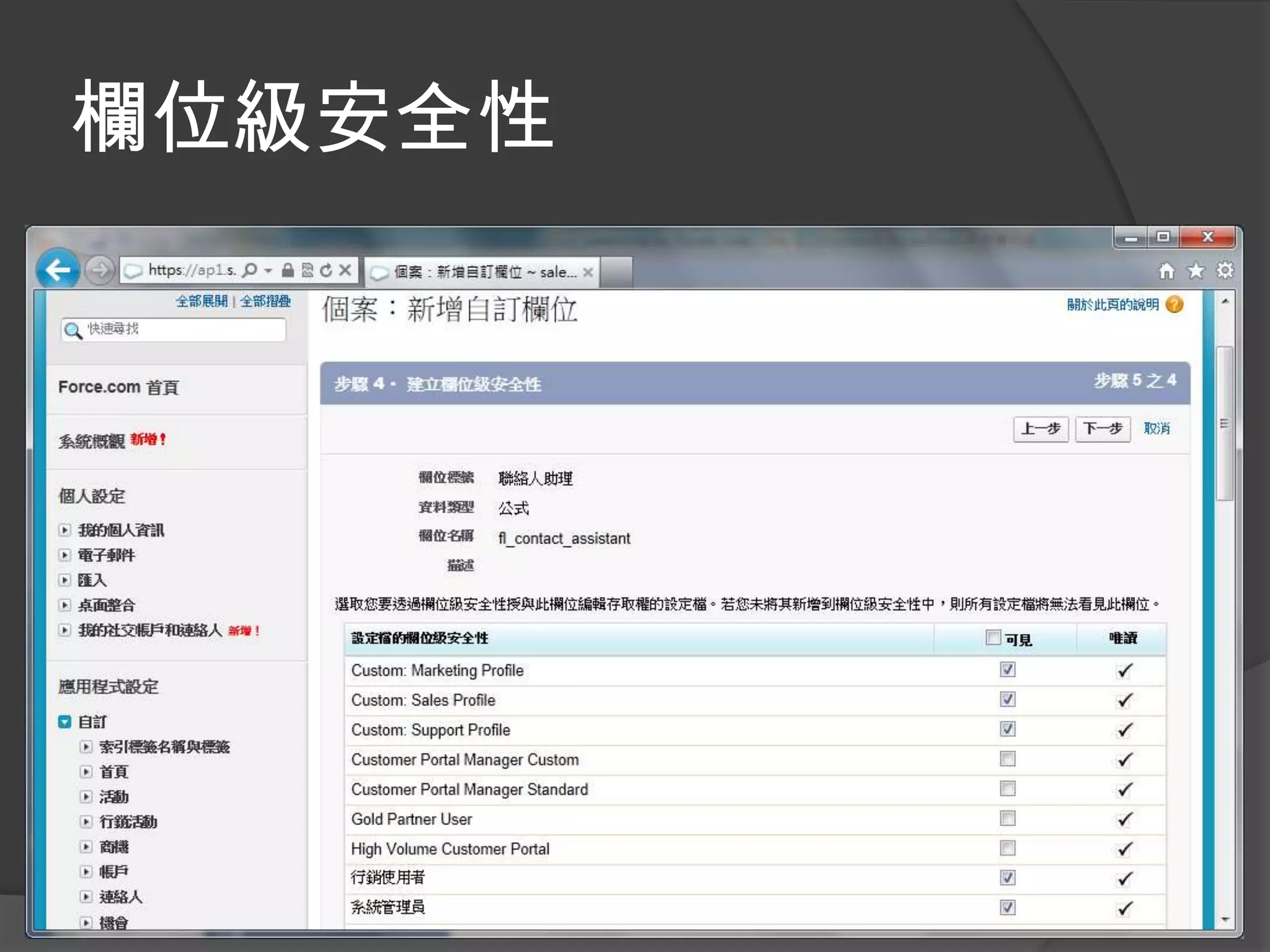
欄位級安全性
自動指派
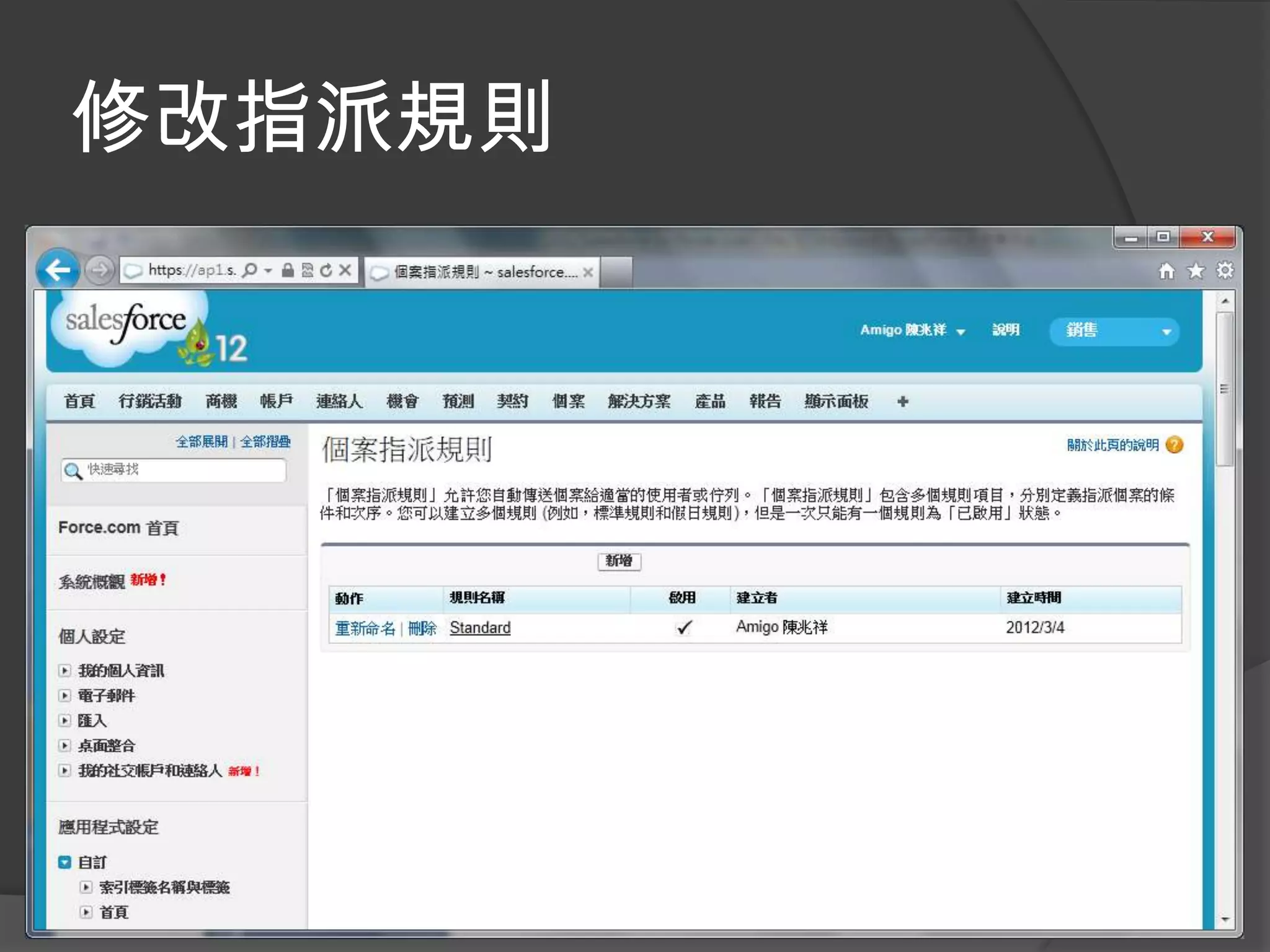
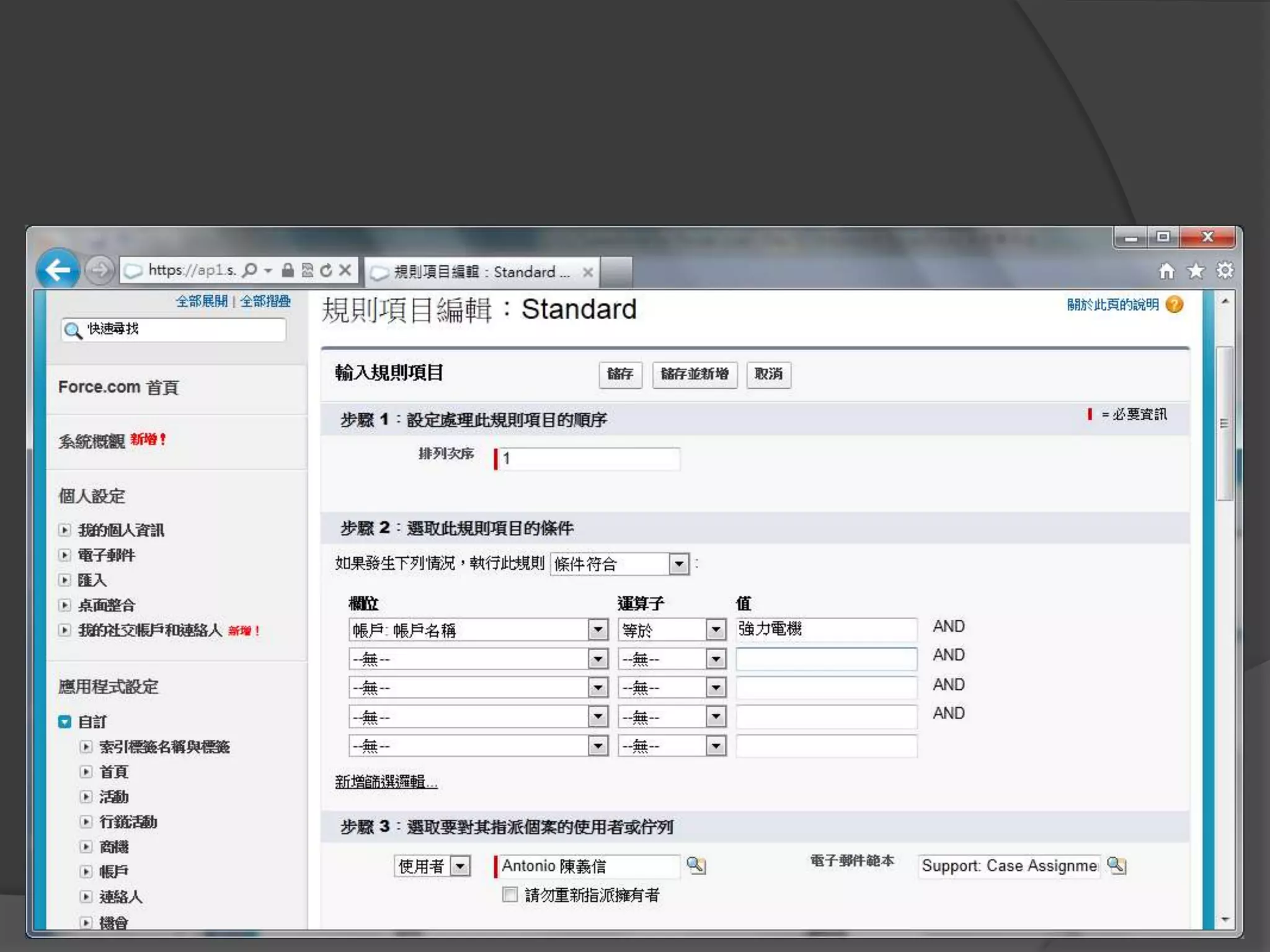
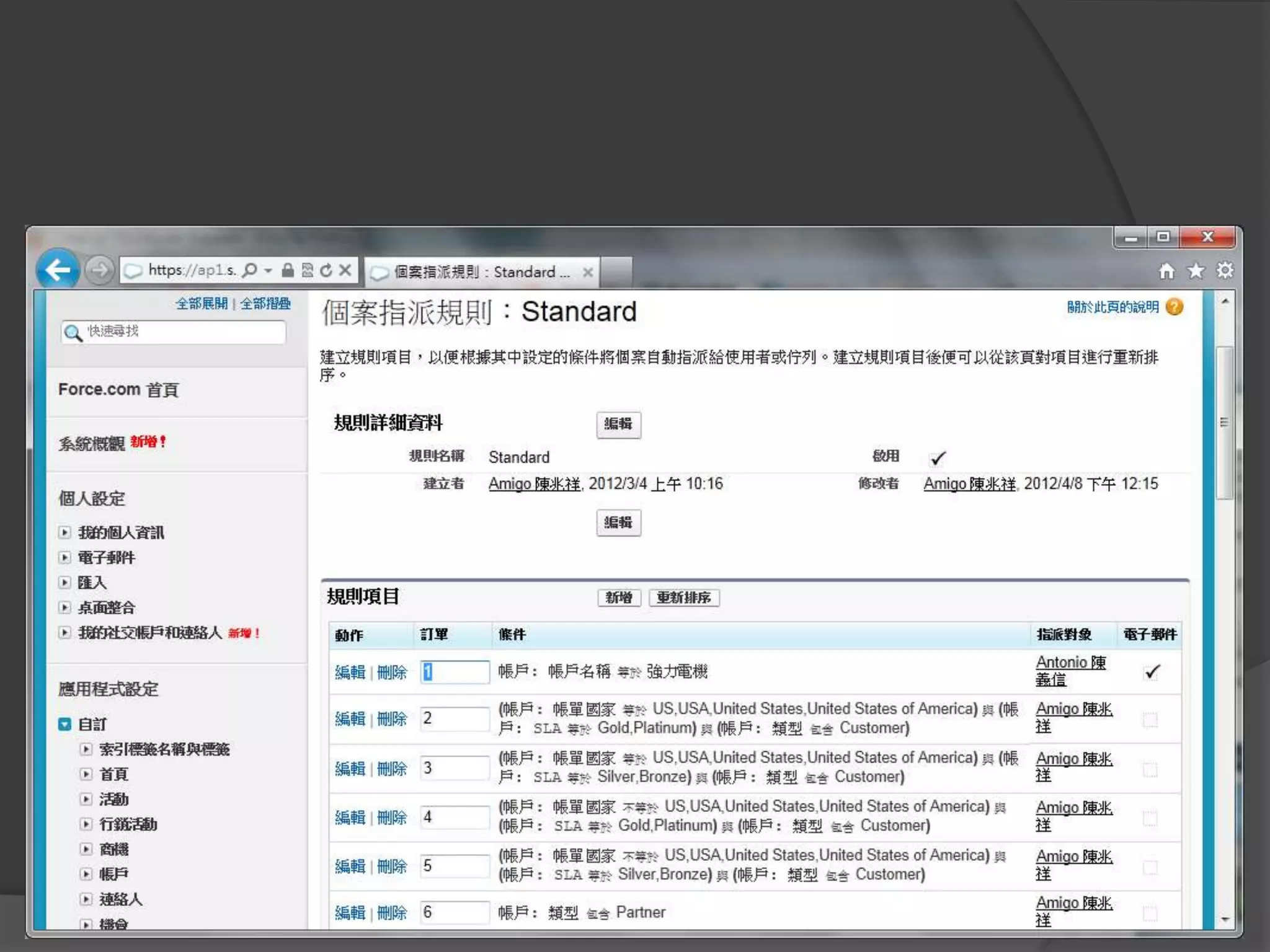
修改指派規則
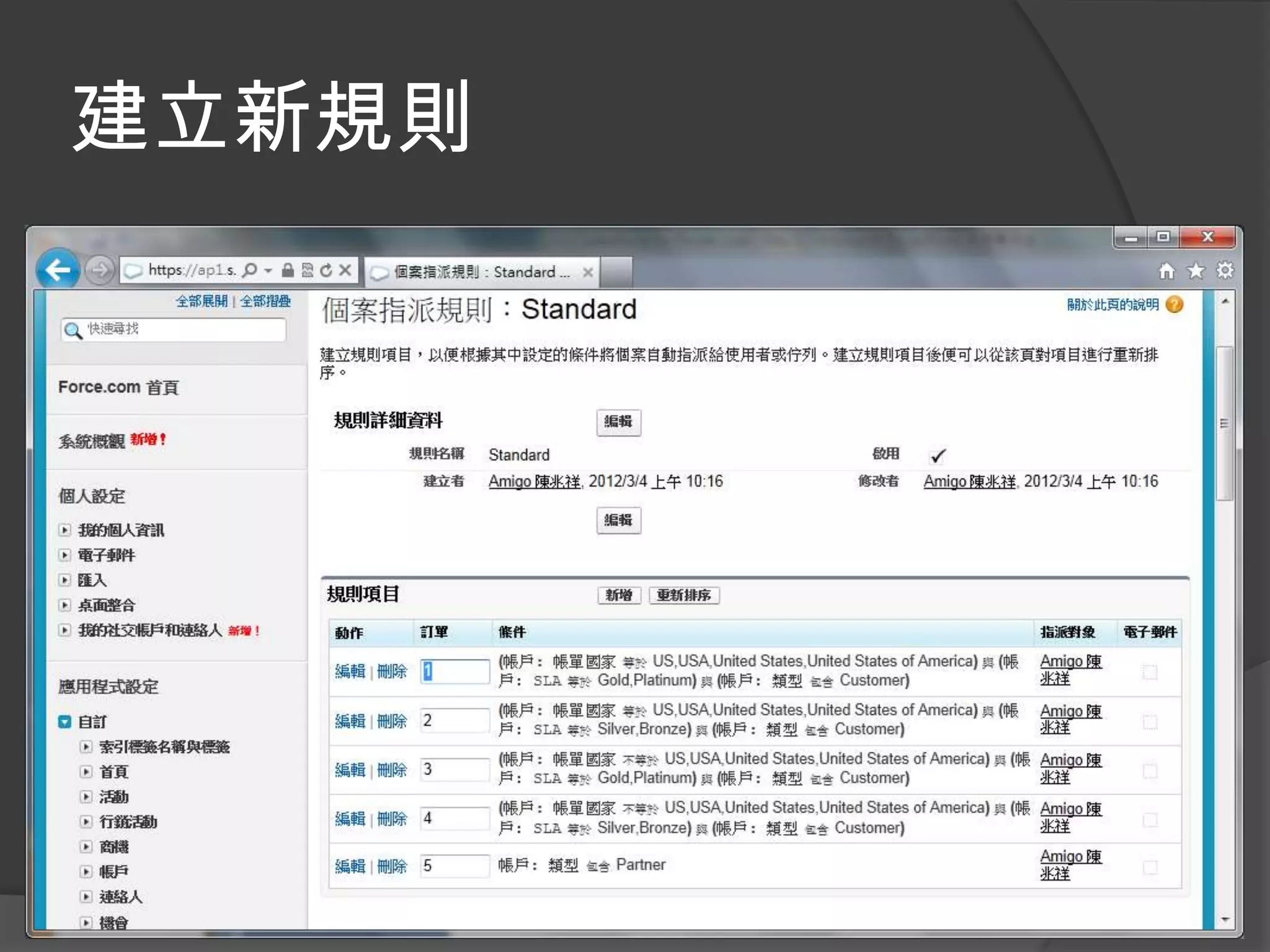
建立新規則
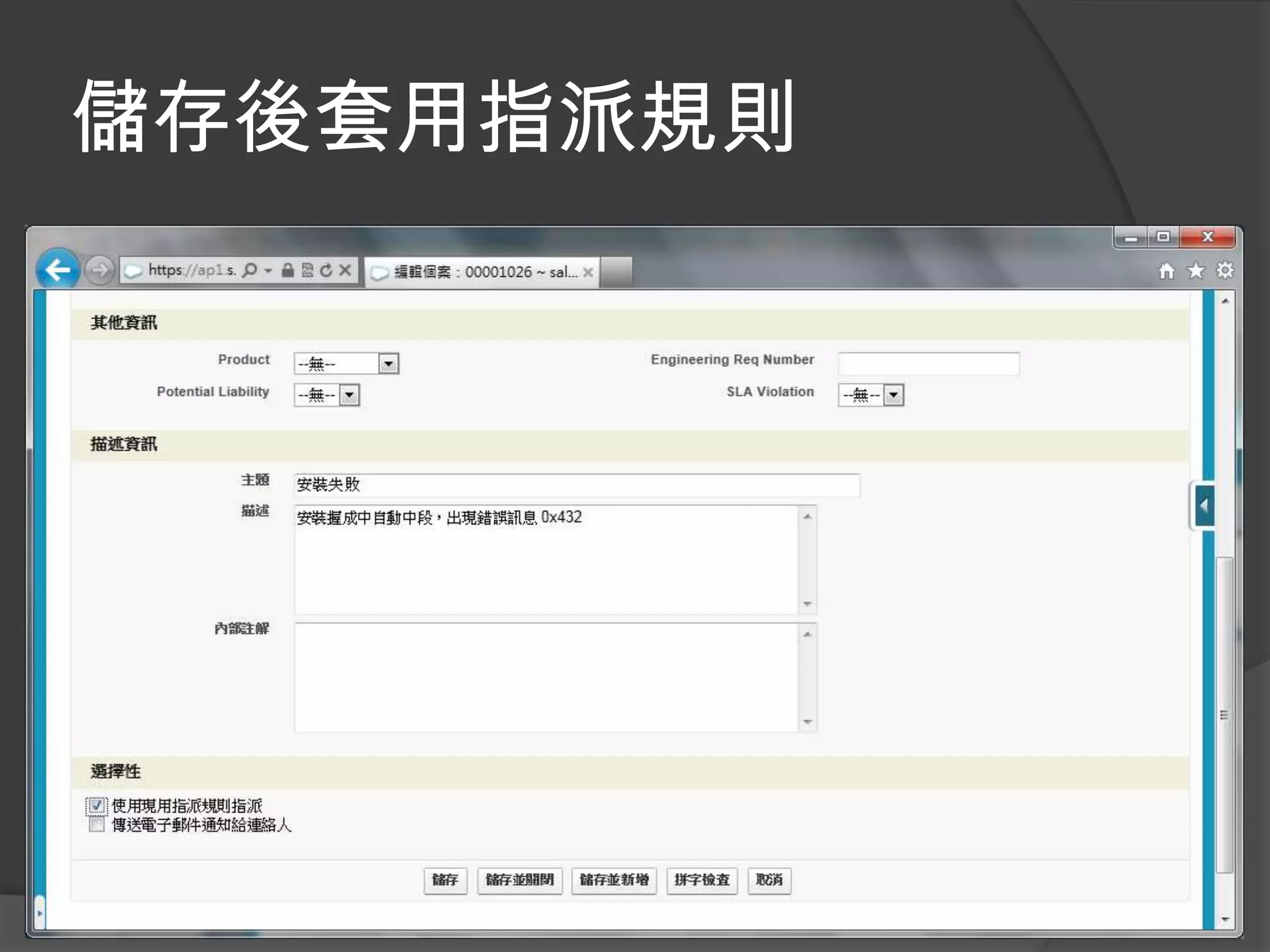
儲存後套用指派規則
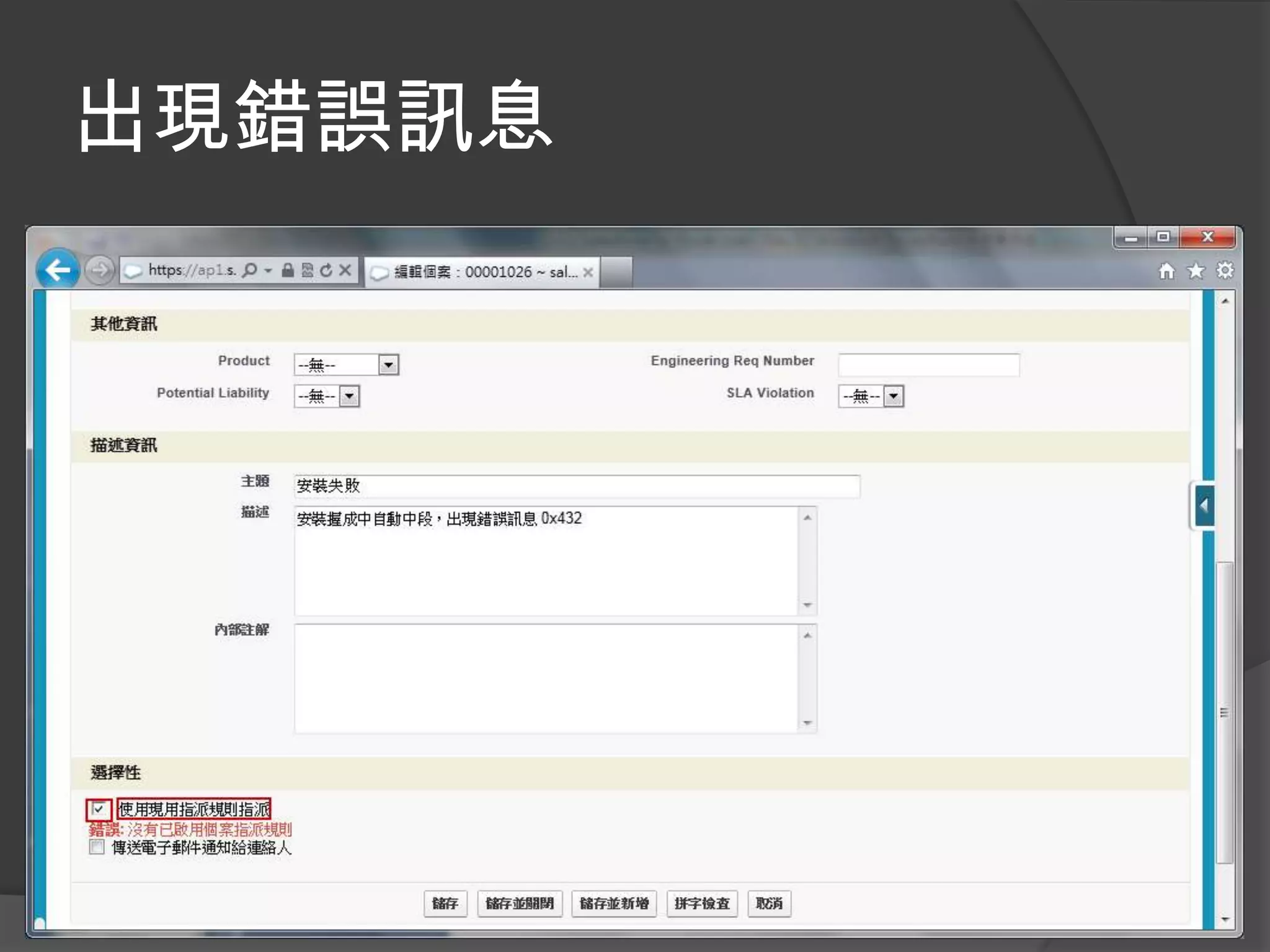
出現錯誤訊息
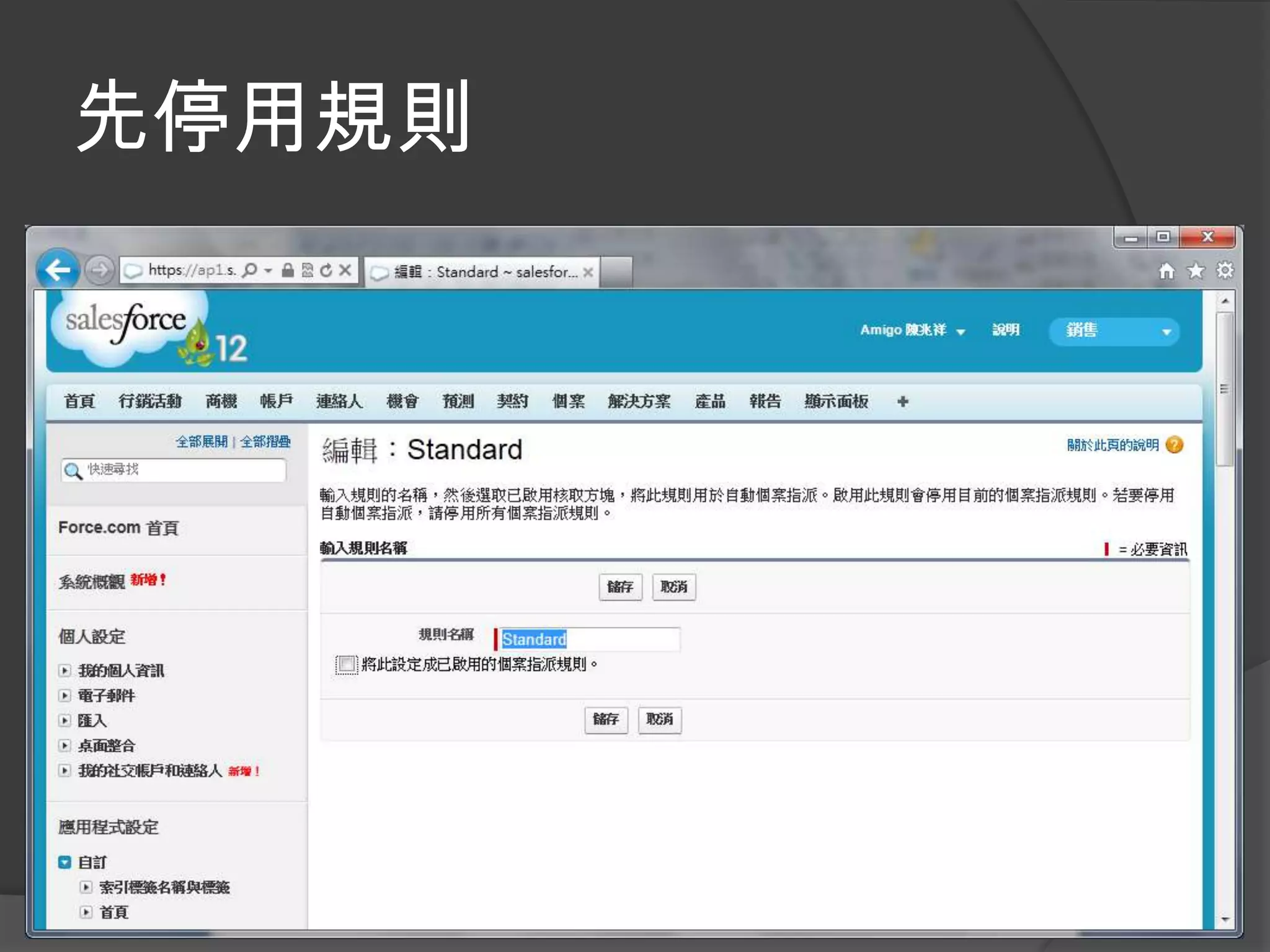
先停用規則
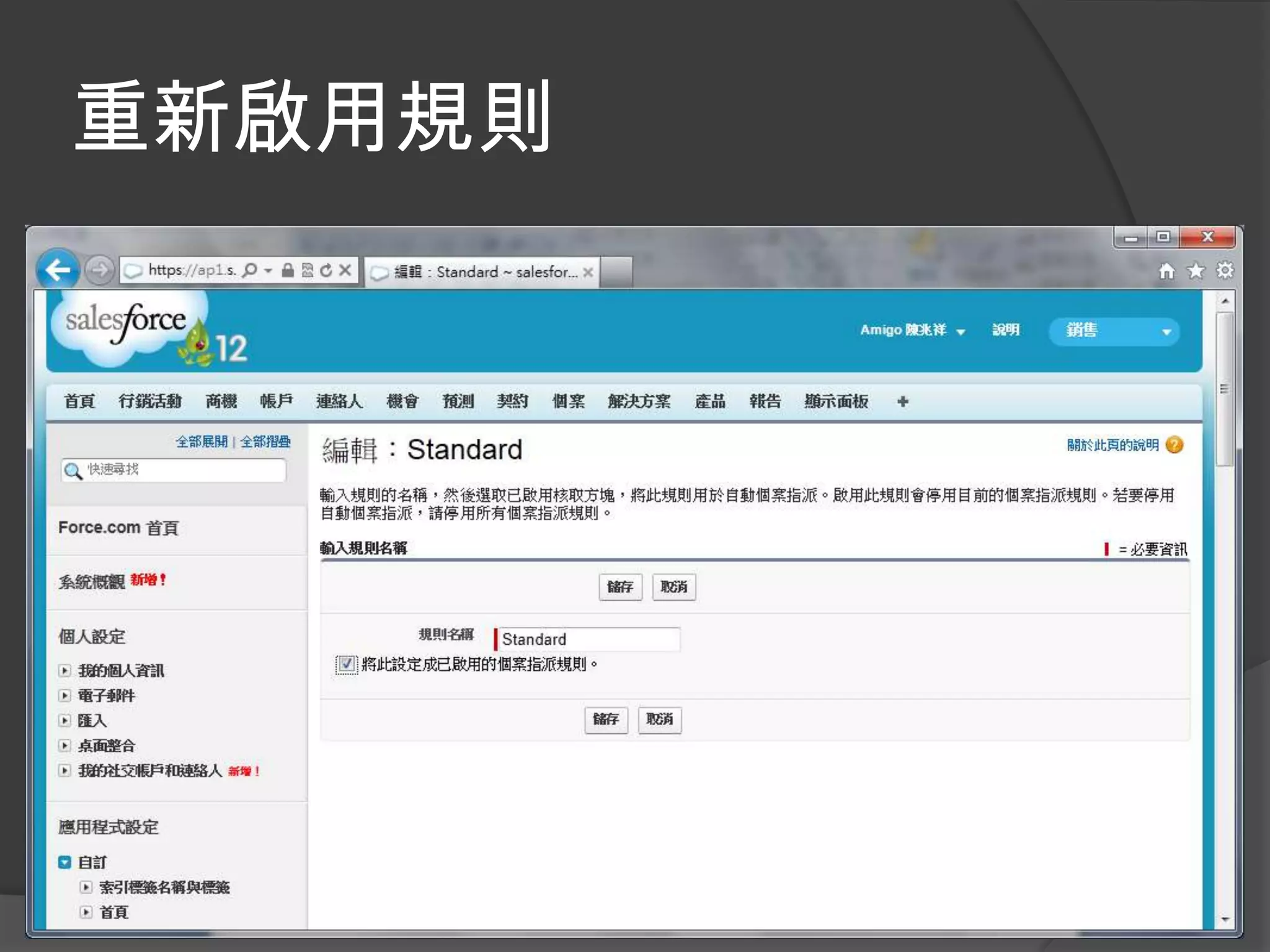
重新啟用規則
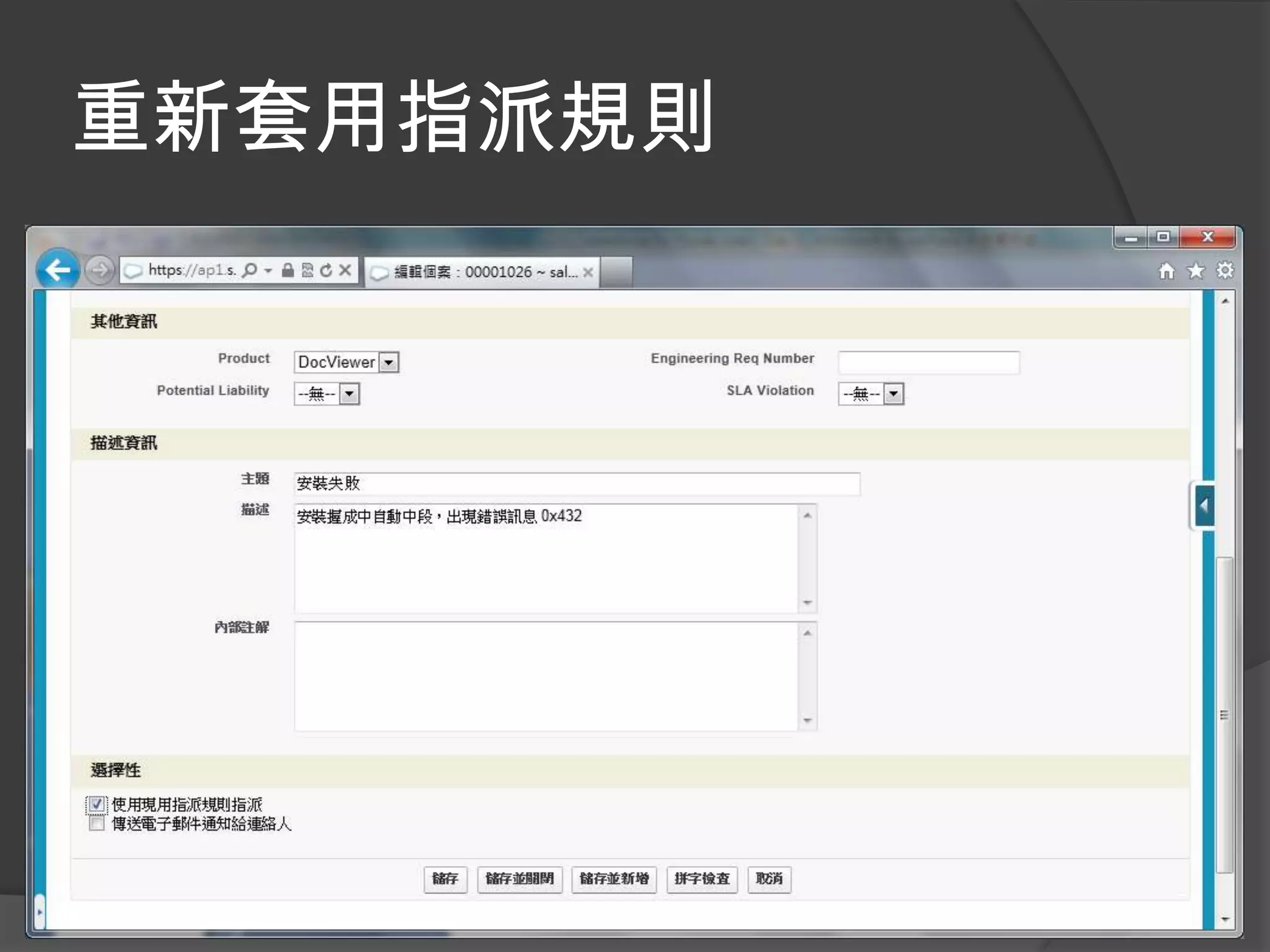
重新套用指派規則
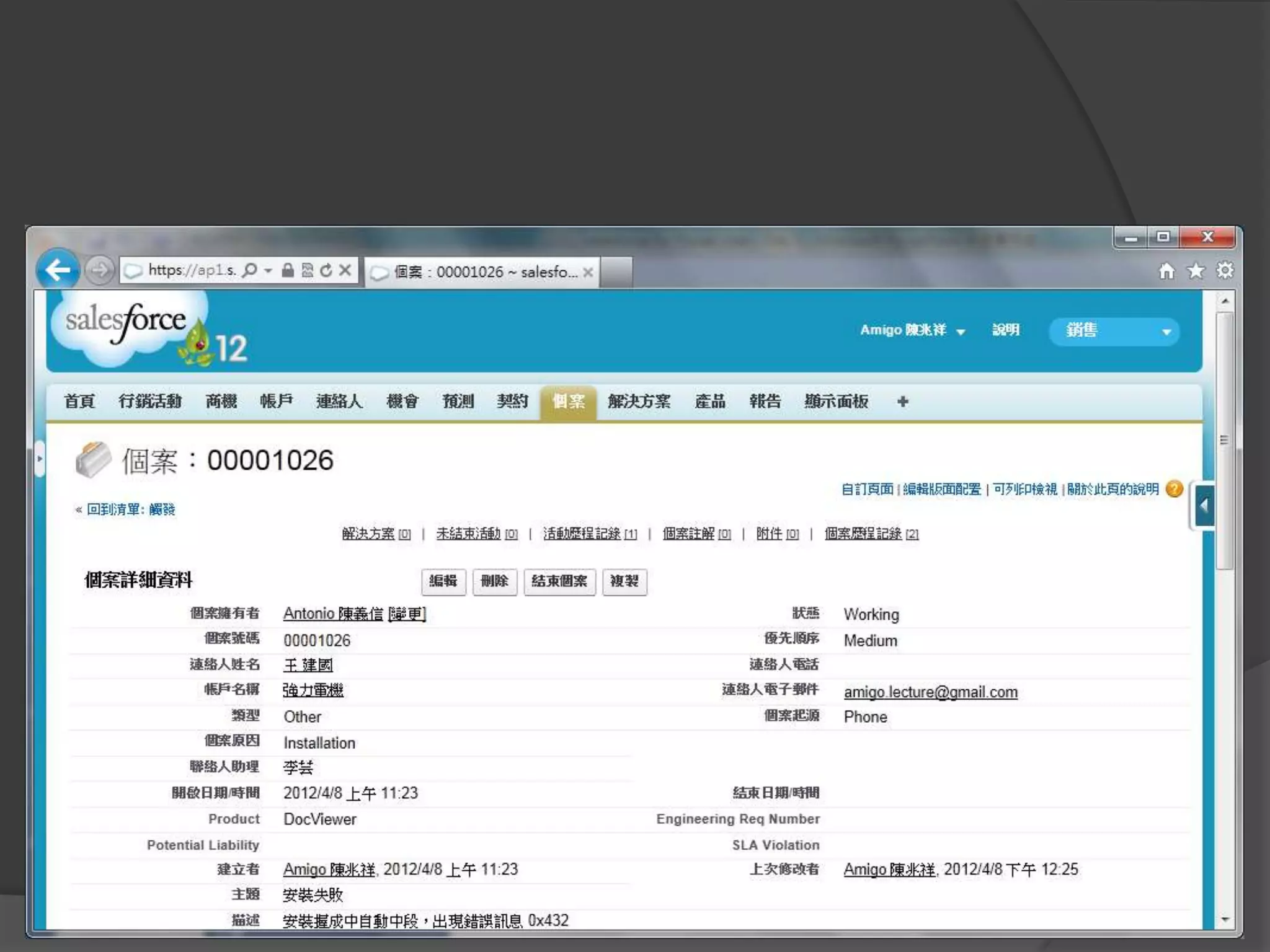
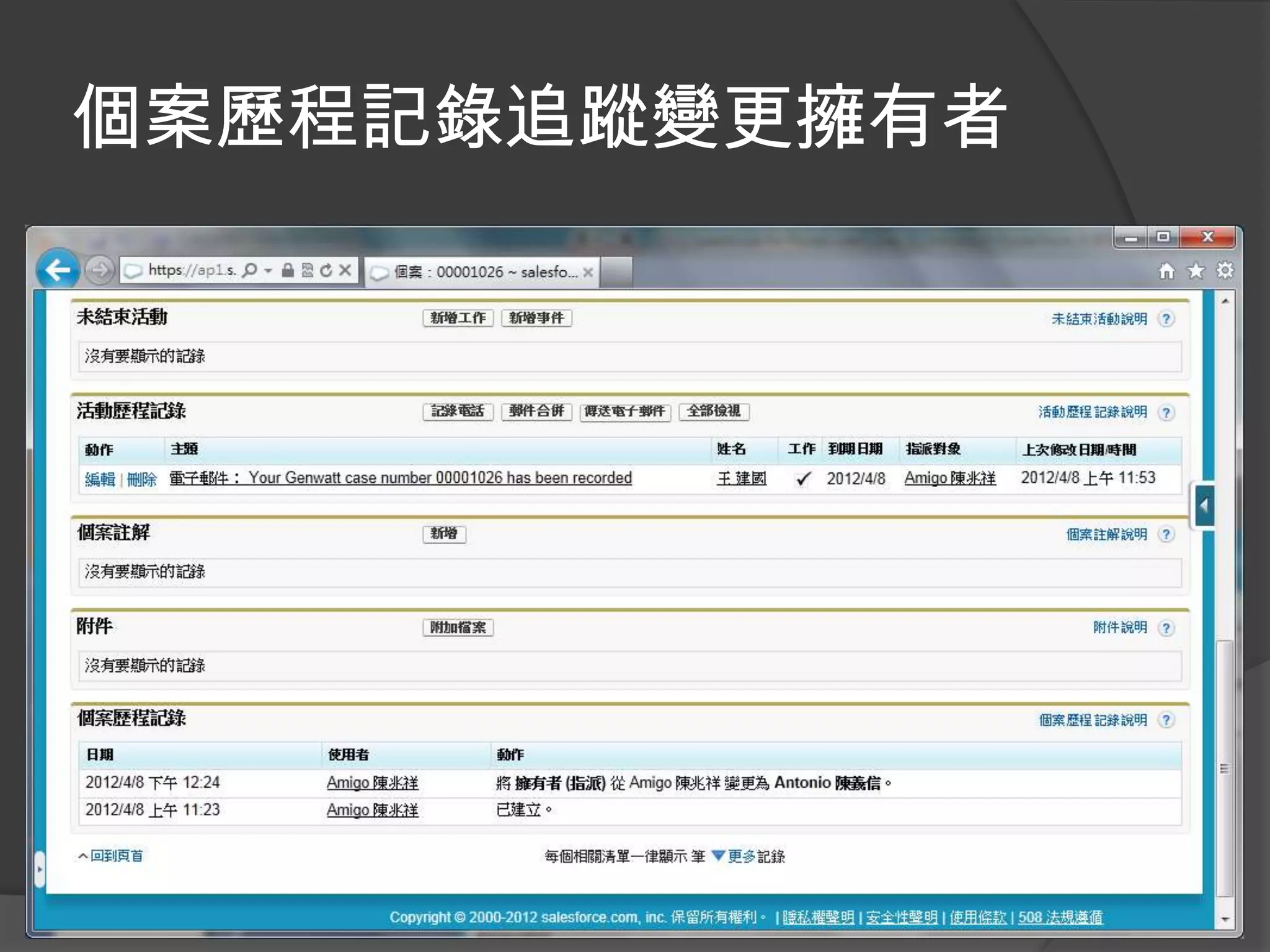
個案歷程記錄追蹤變更擁有者
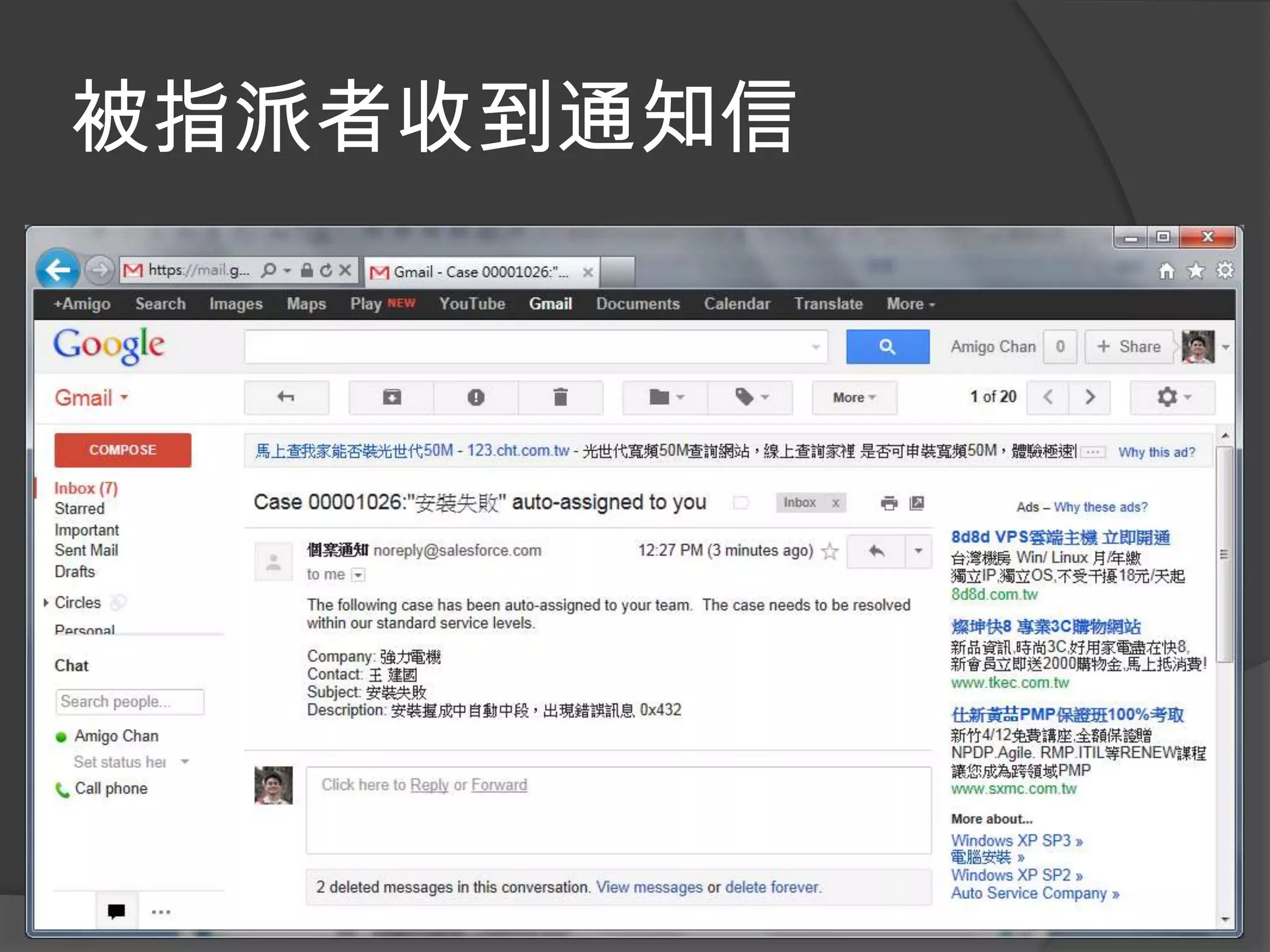
被指派者收到通知信
個案升級
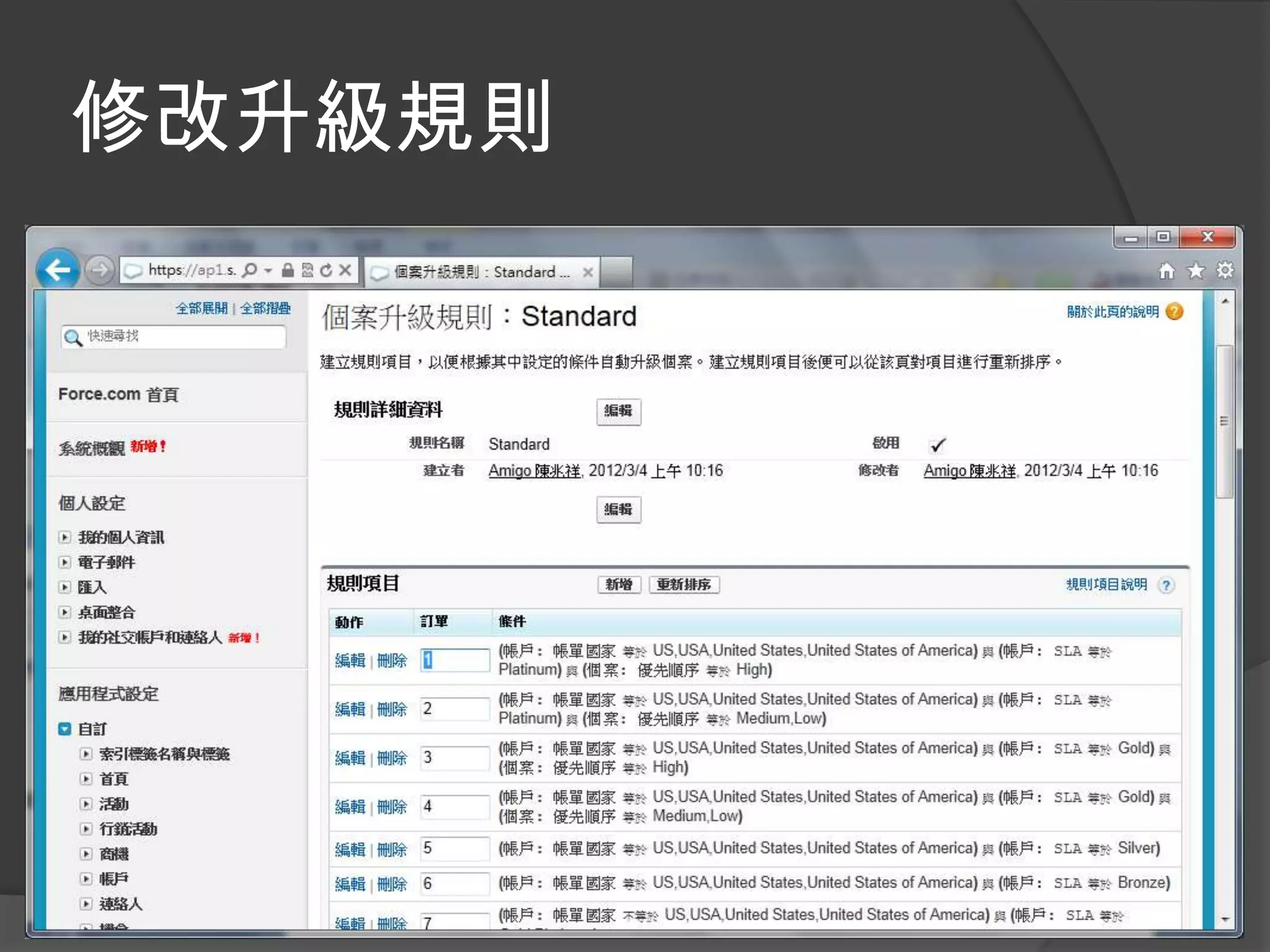
修改升級規則
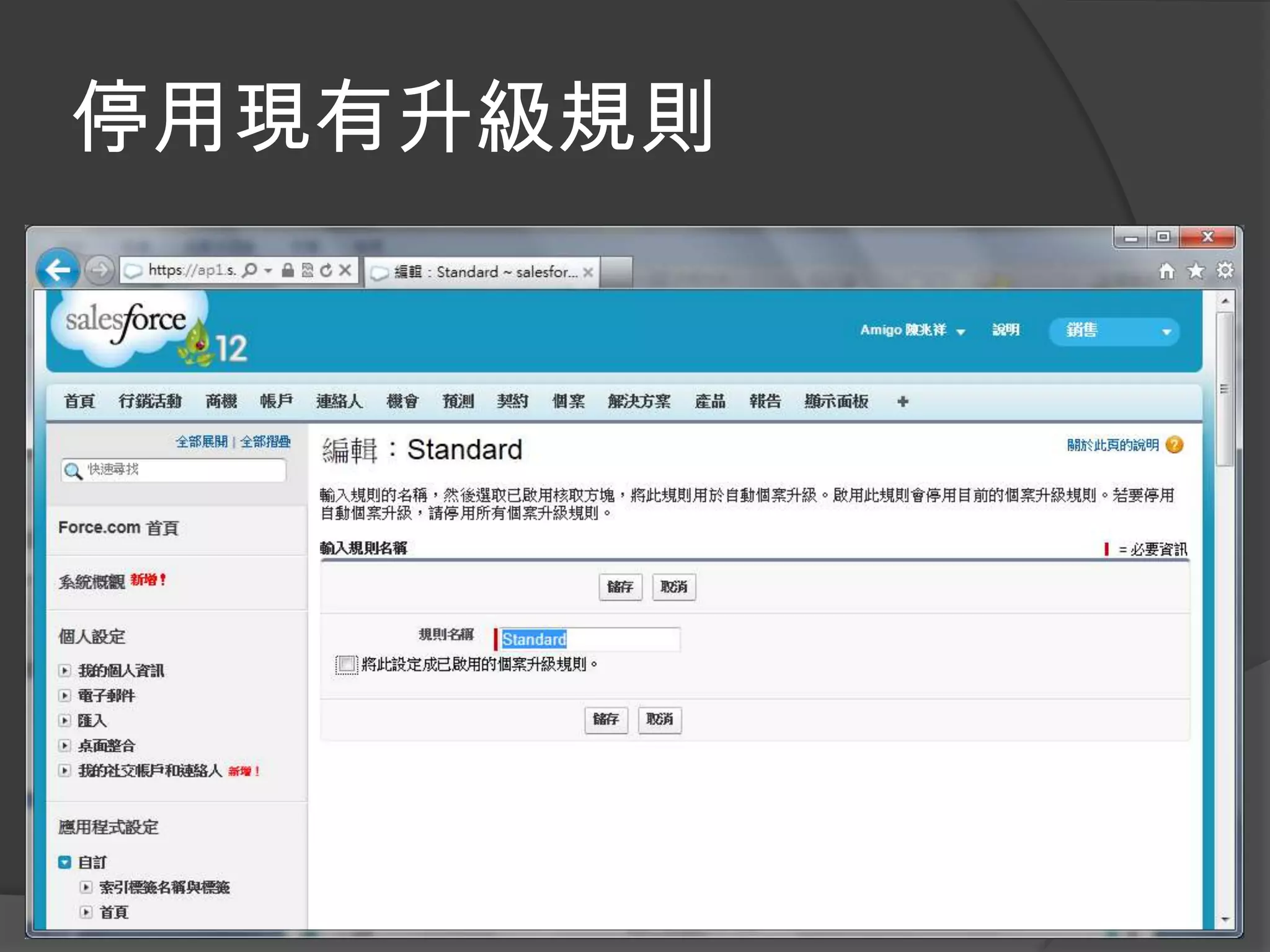
停用現有升級規則
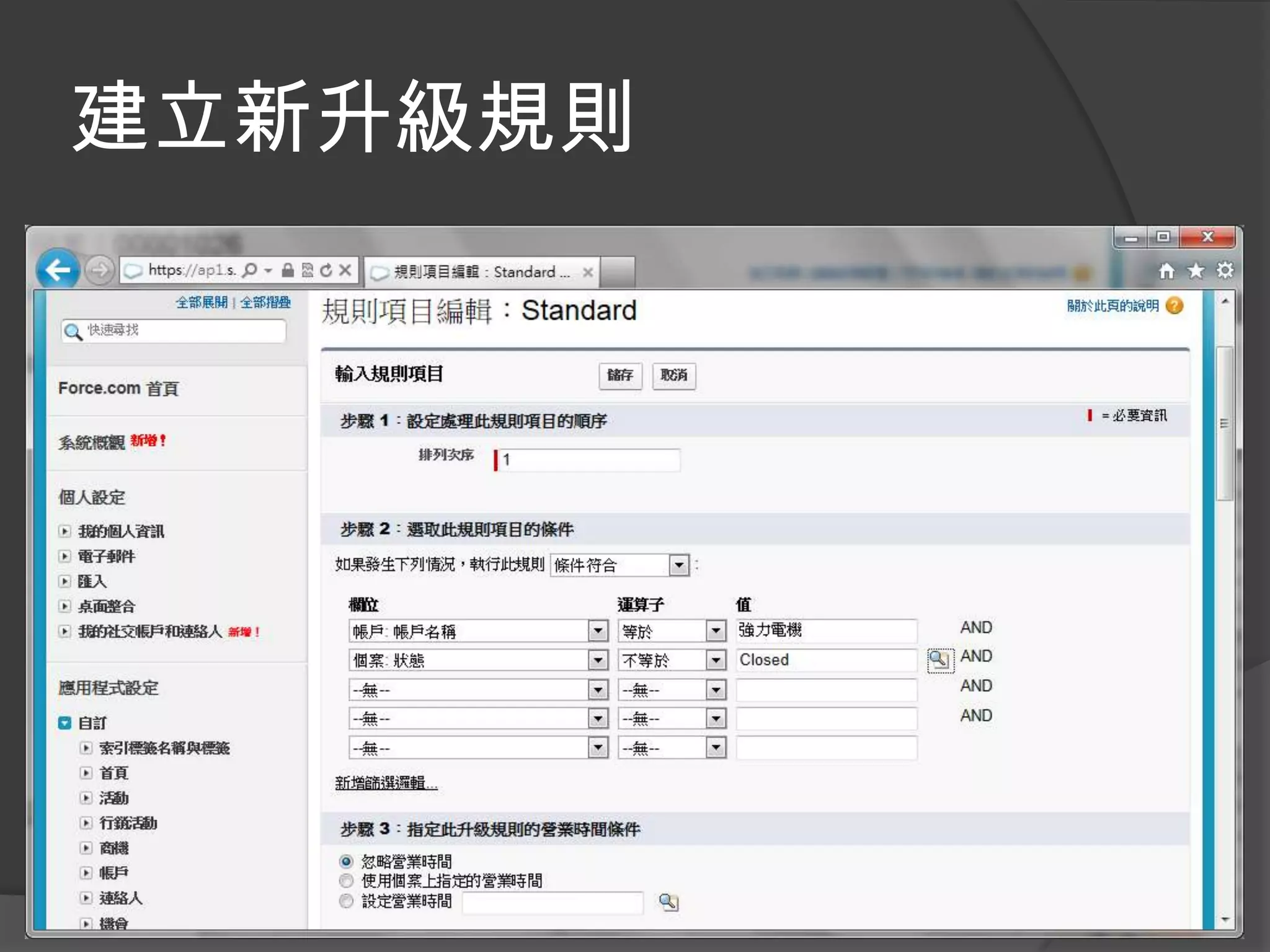
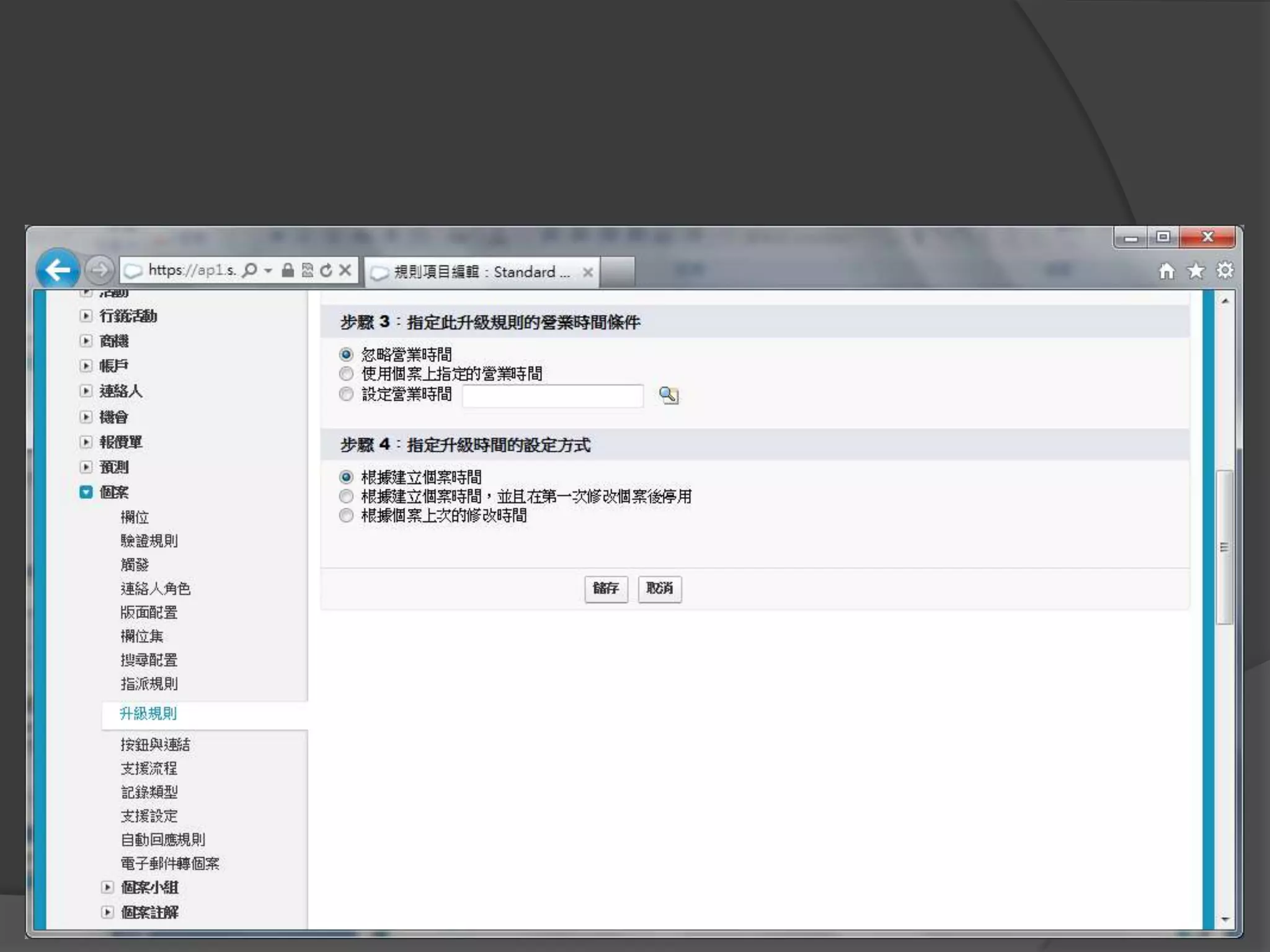
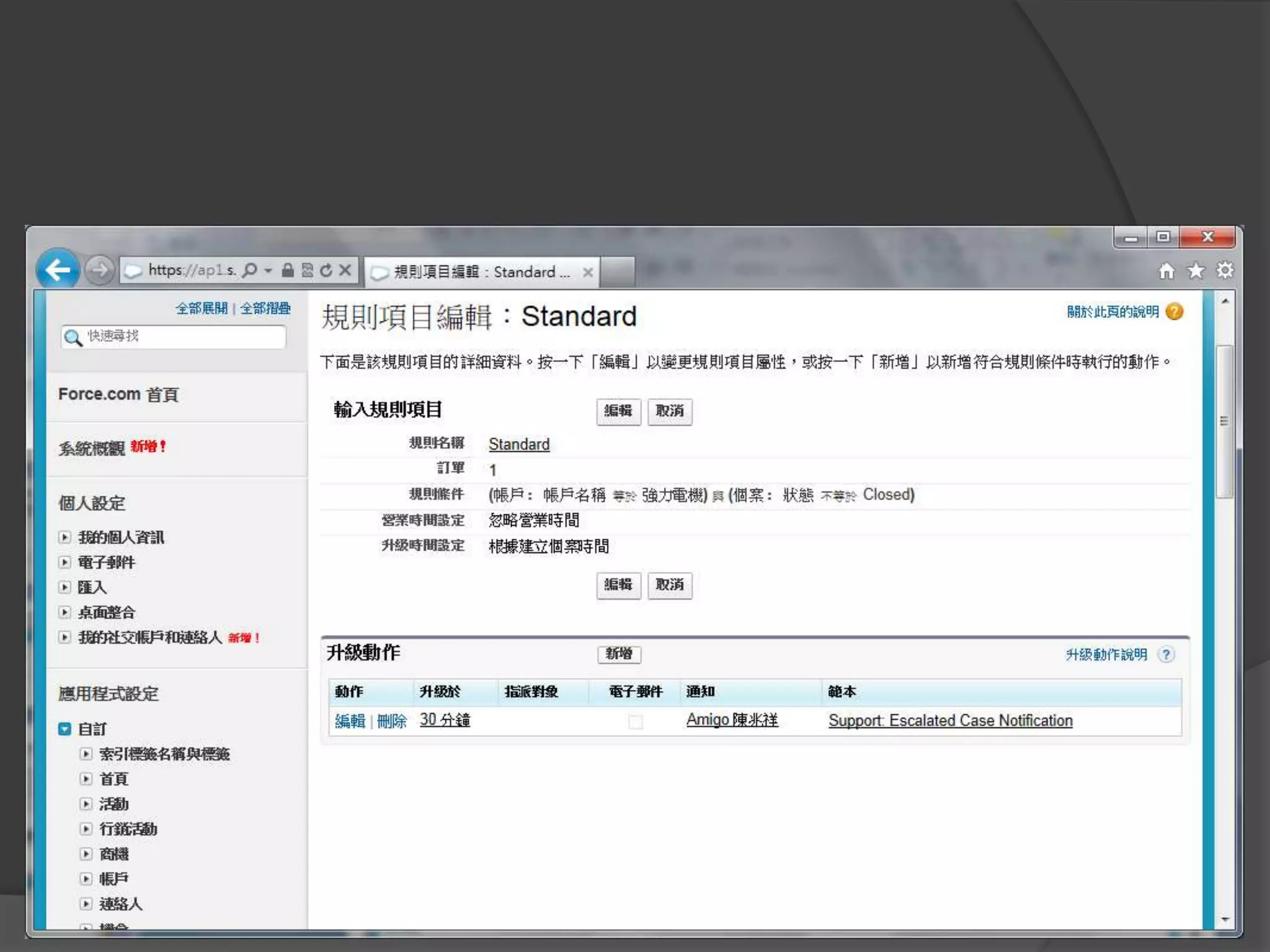
建立新升級規則
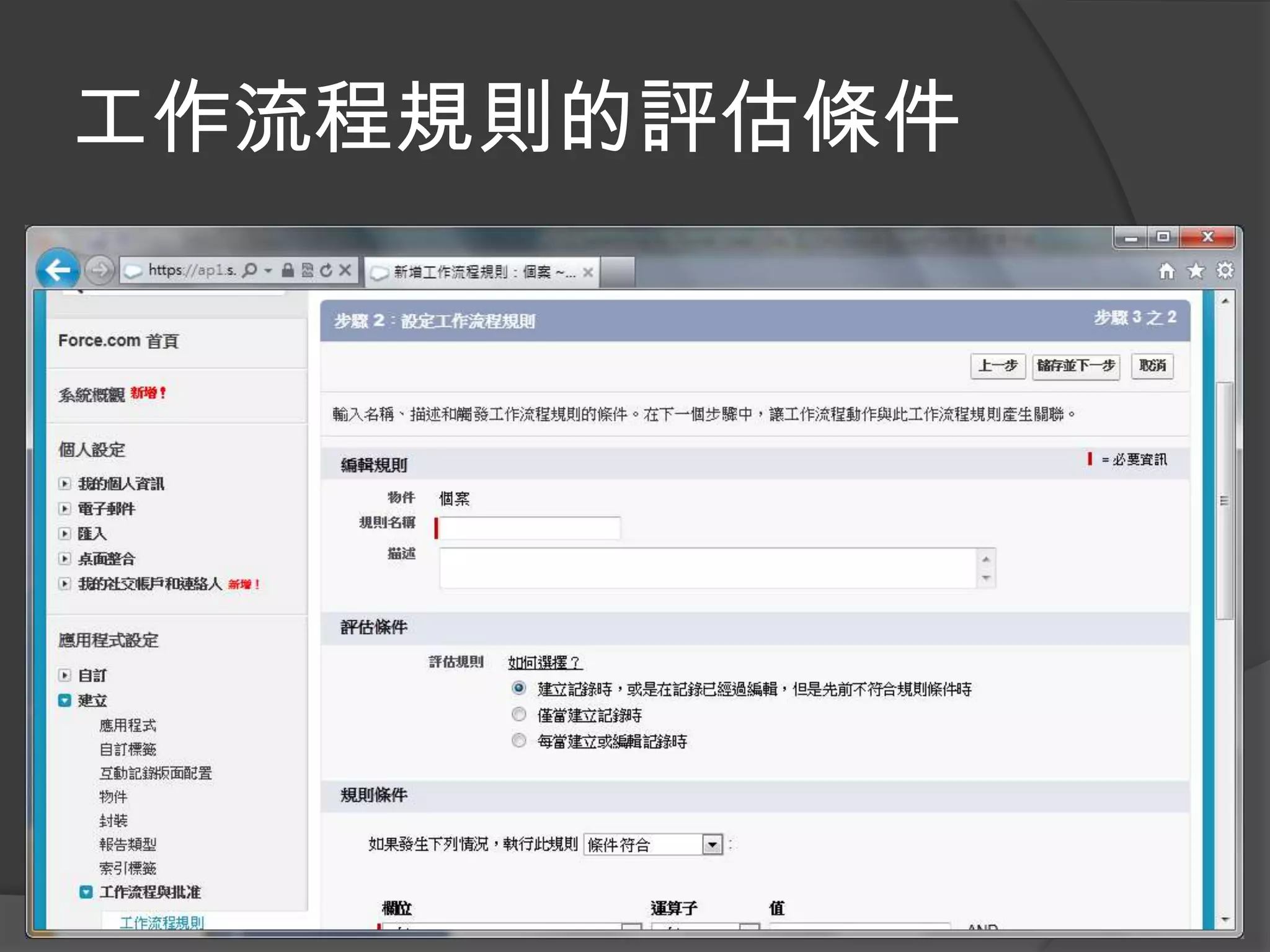
工作流程規則的評估條件
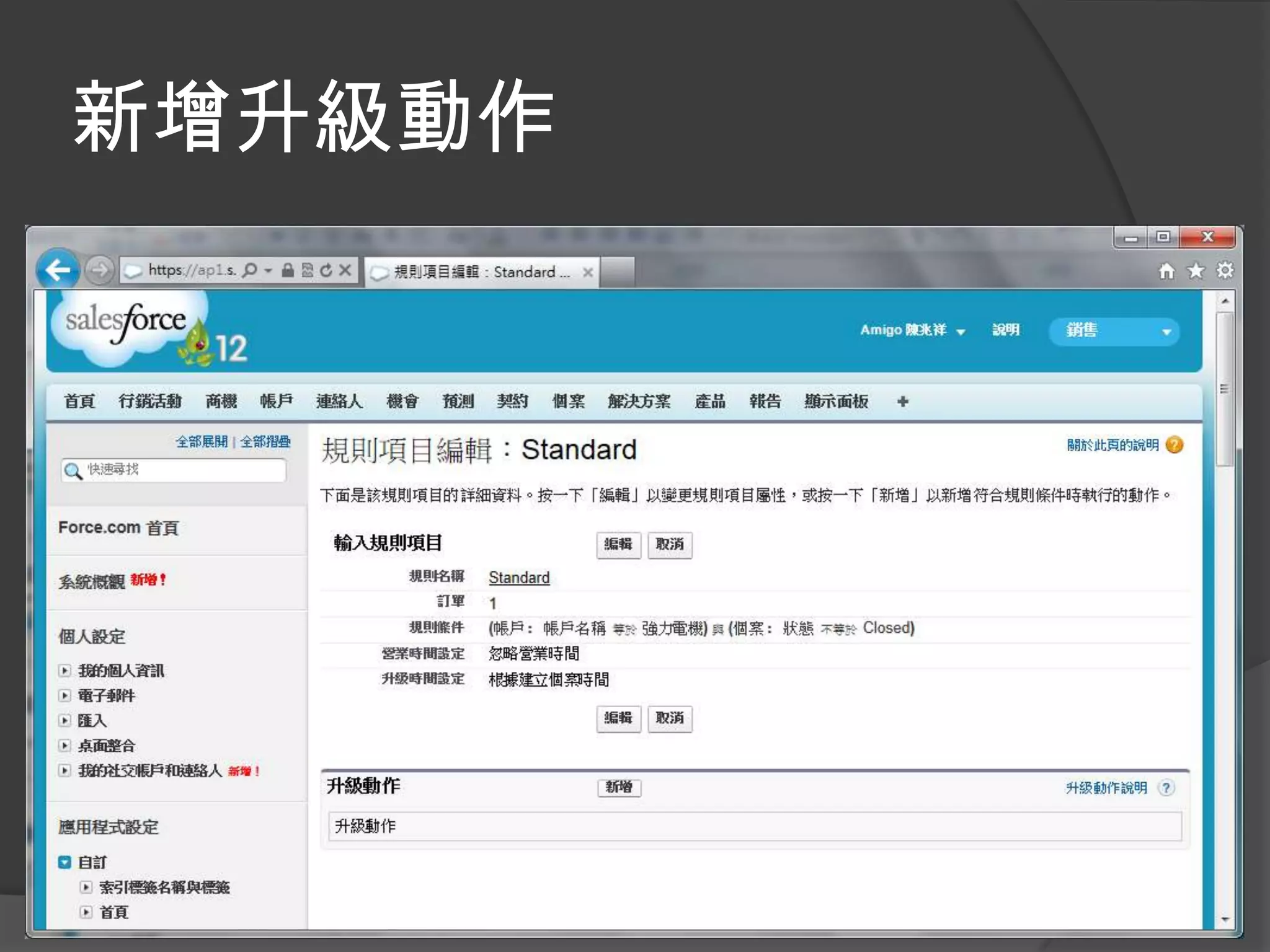
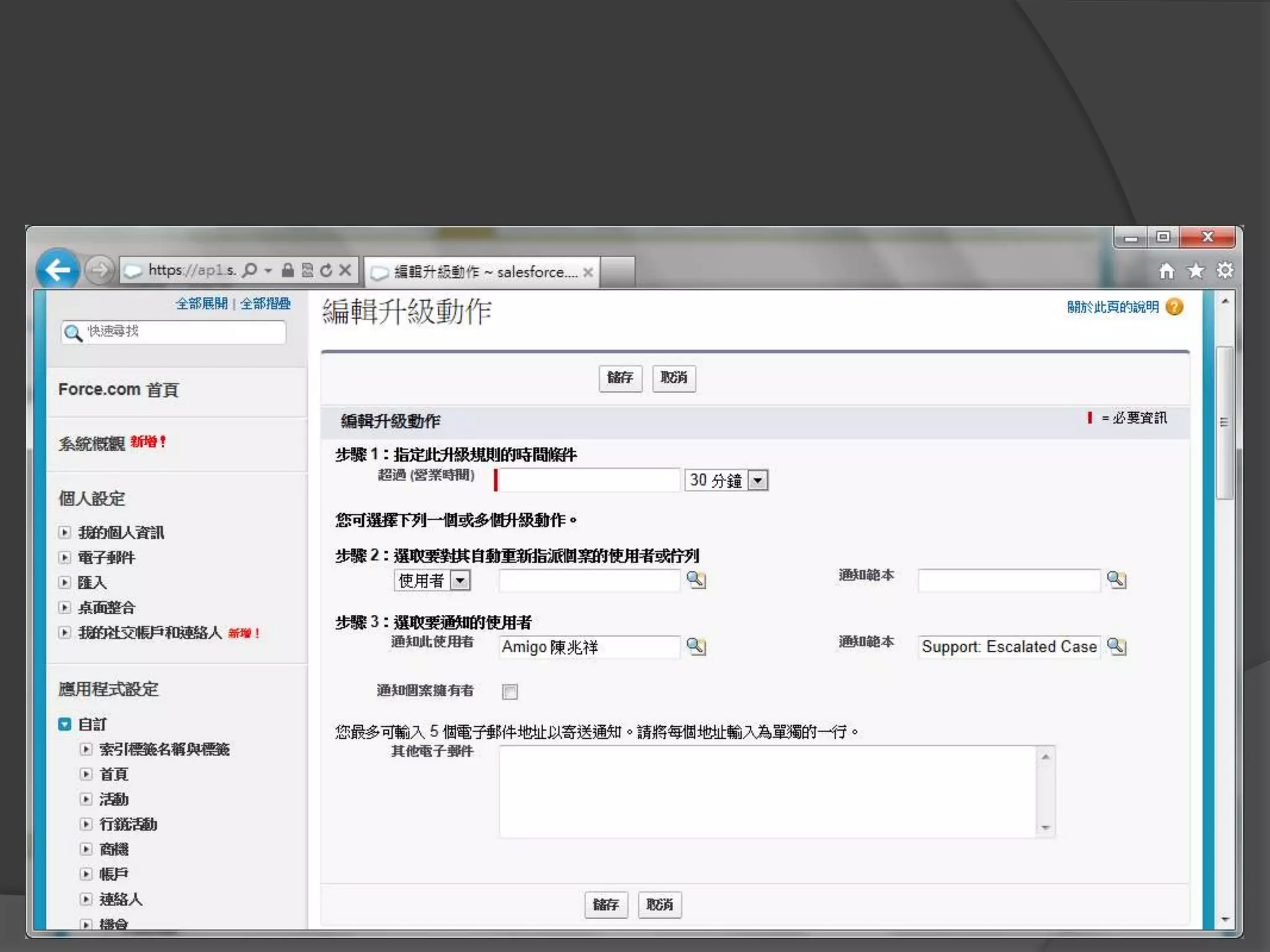
新增升級動作
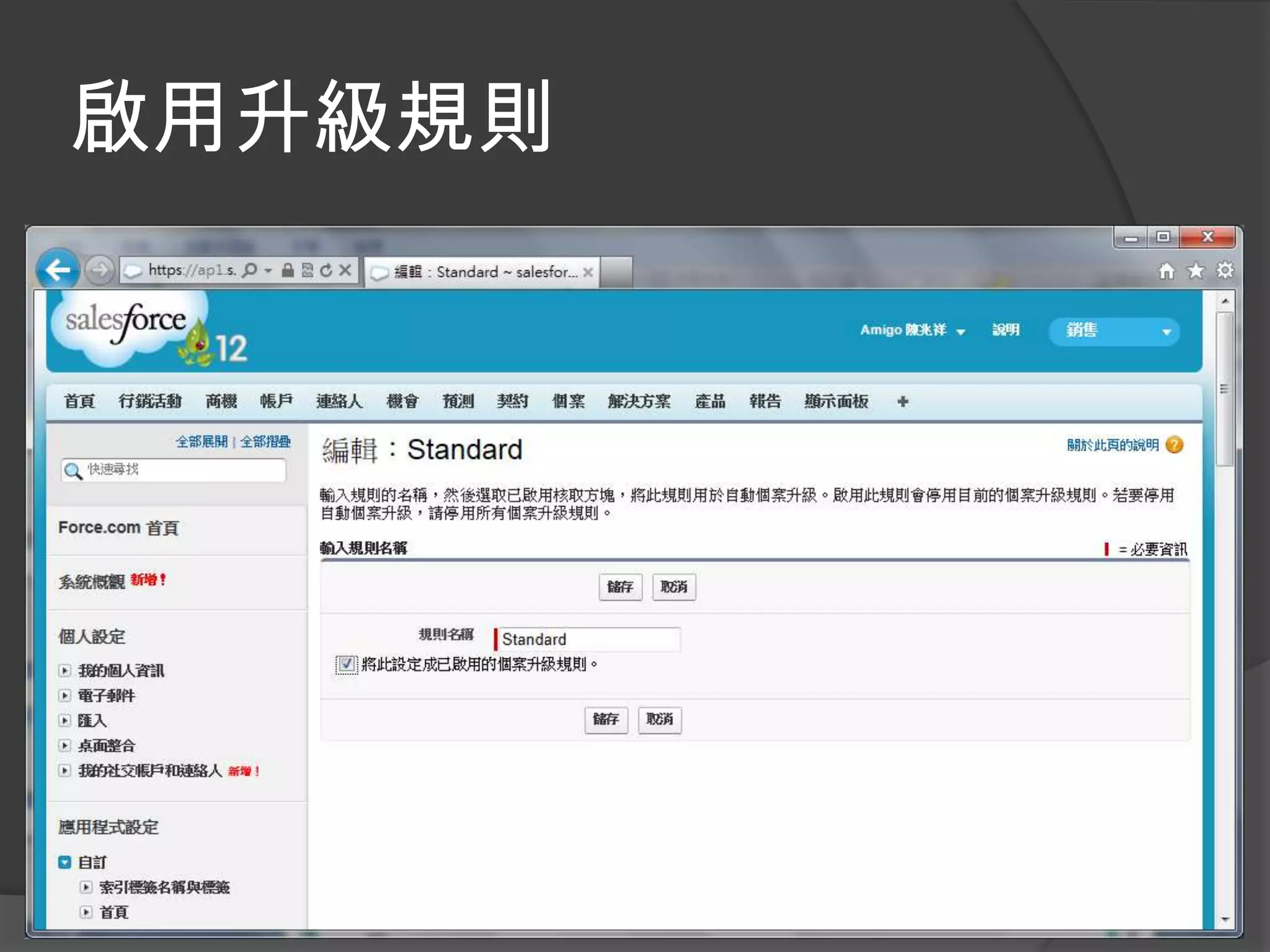
啟用升級規則
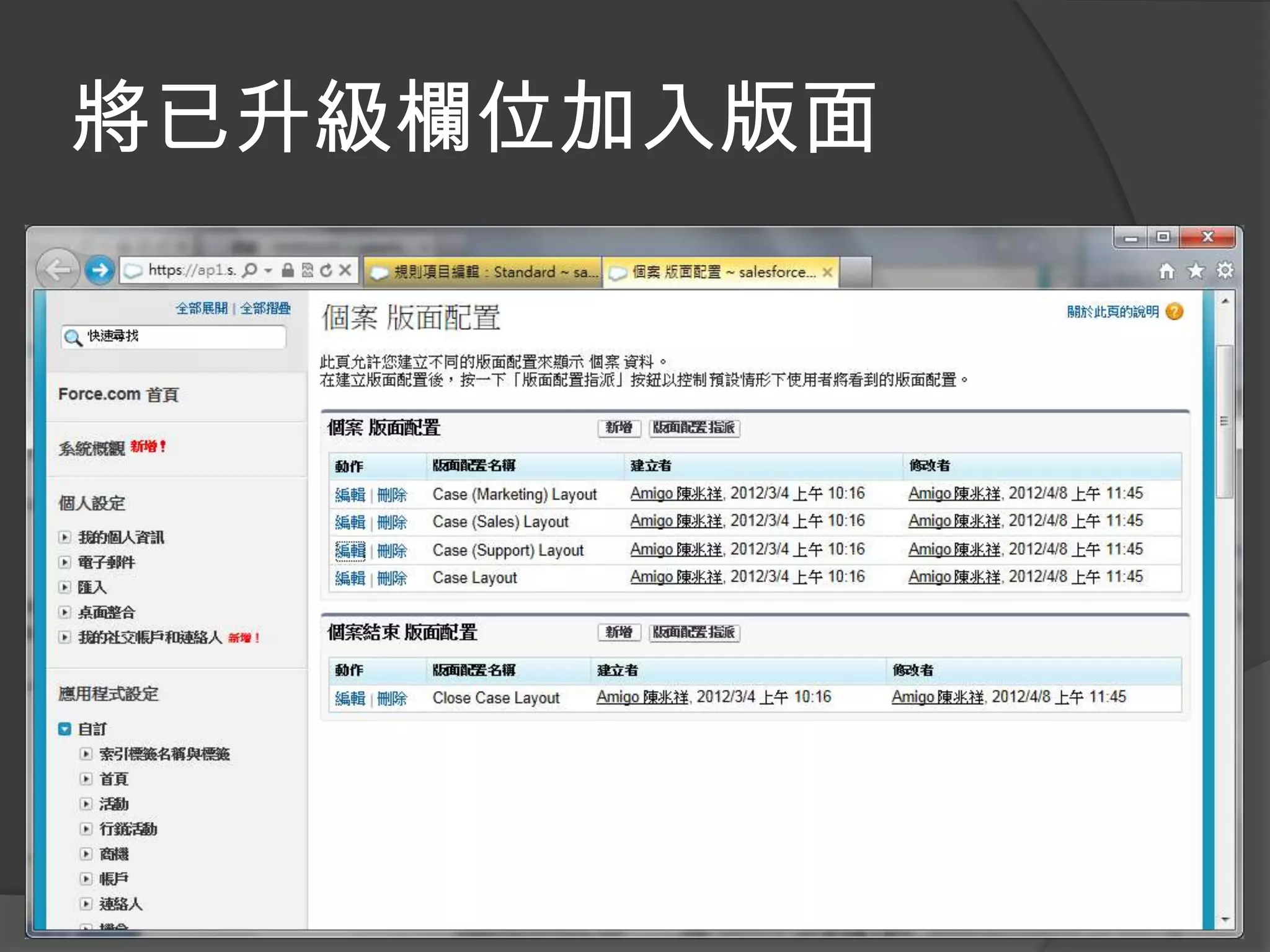
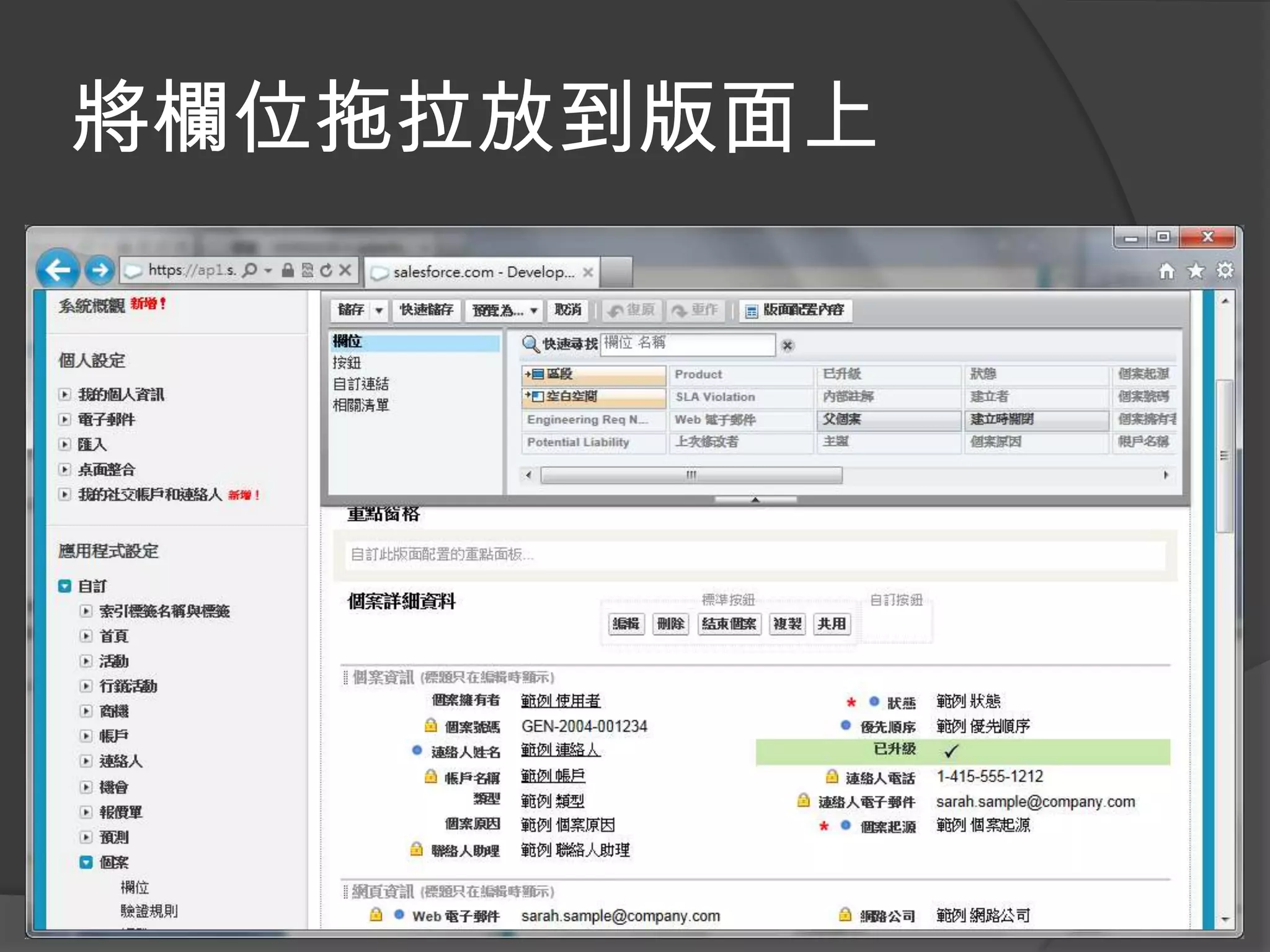
將已升級欄位加入版面
將欄位拖拉放到版面上
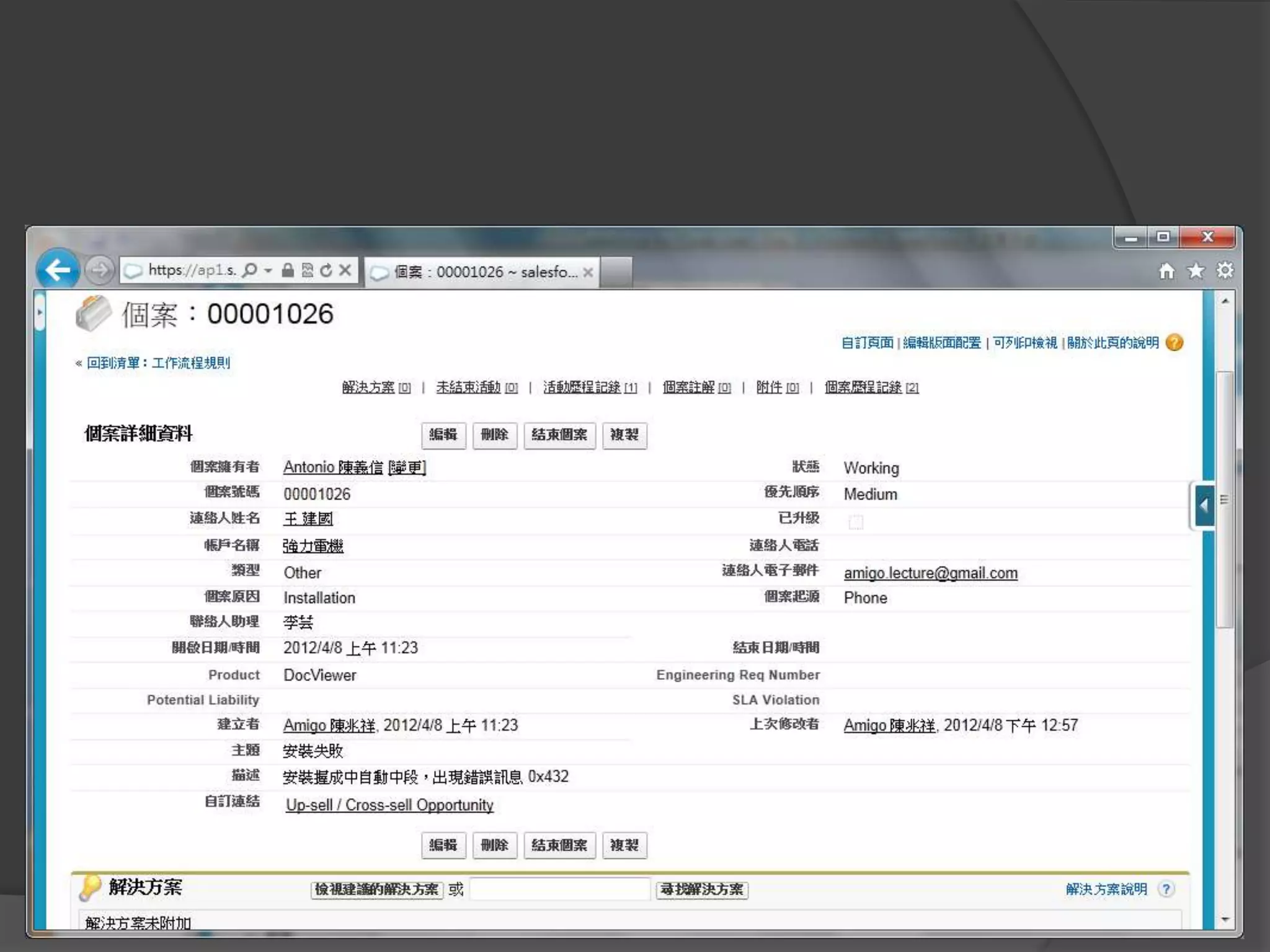
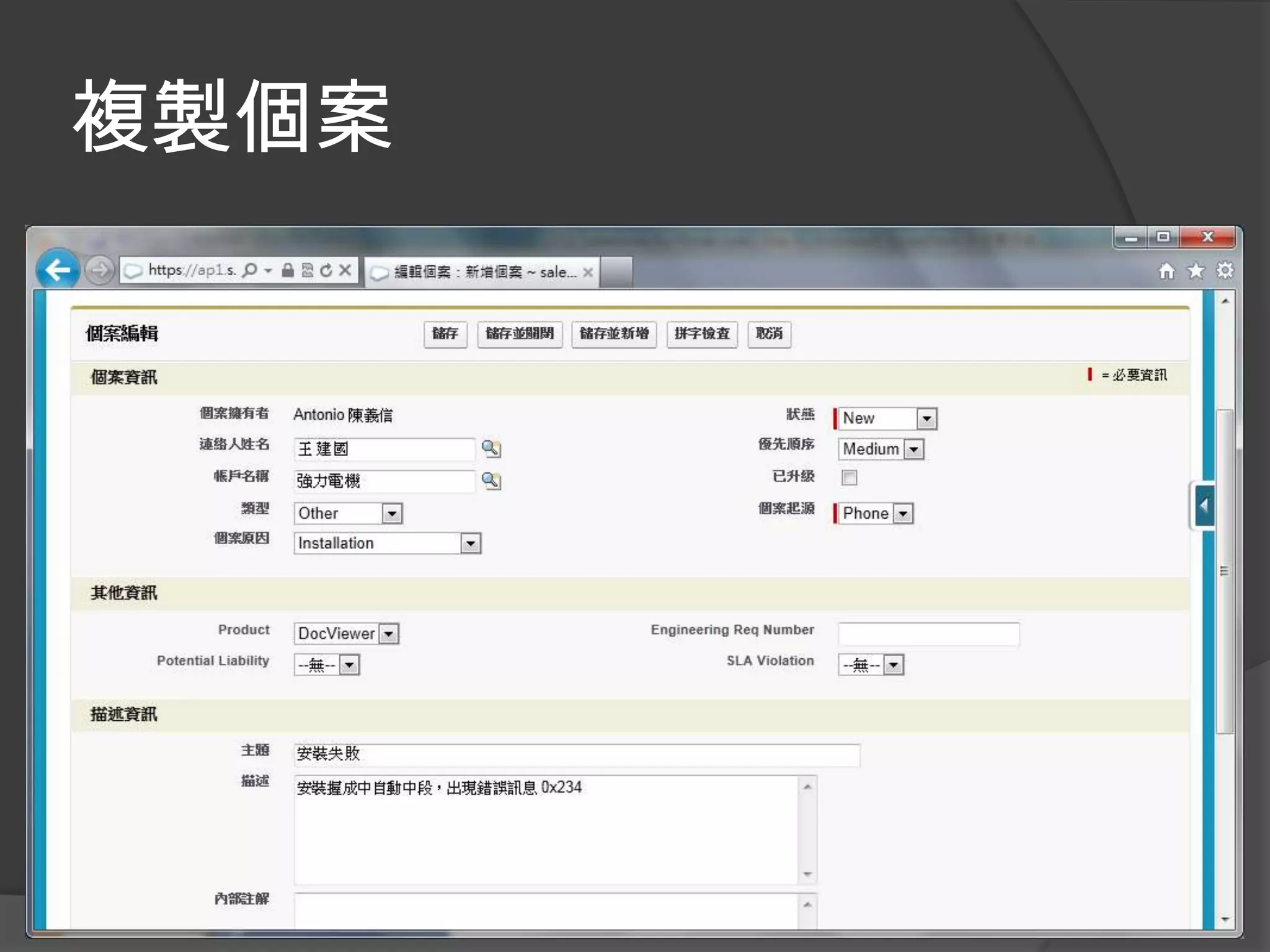
複製個案
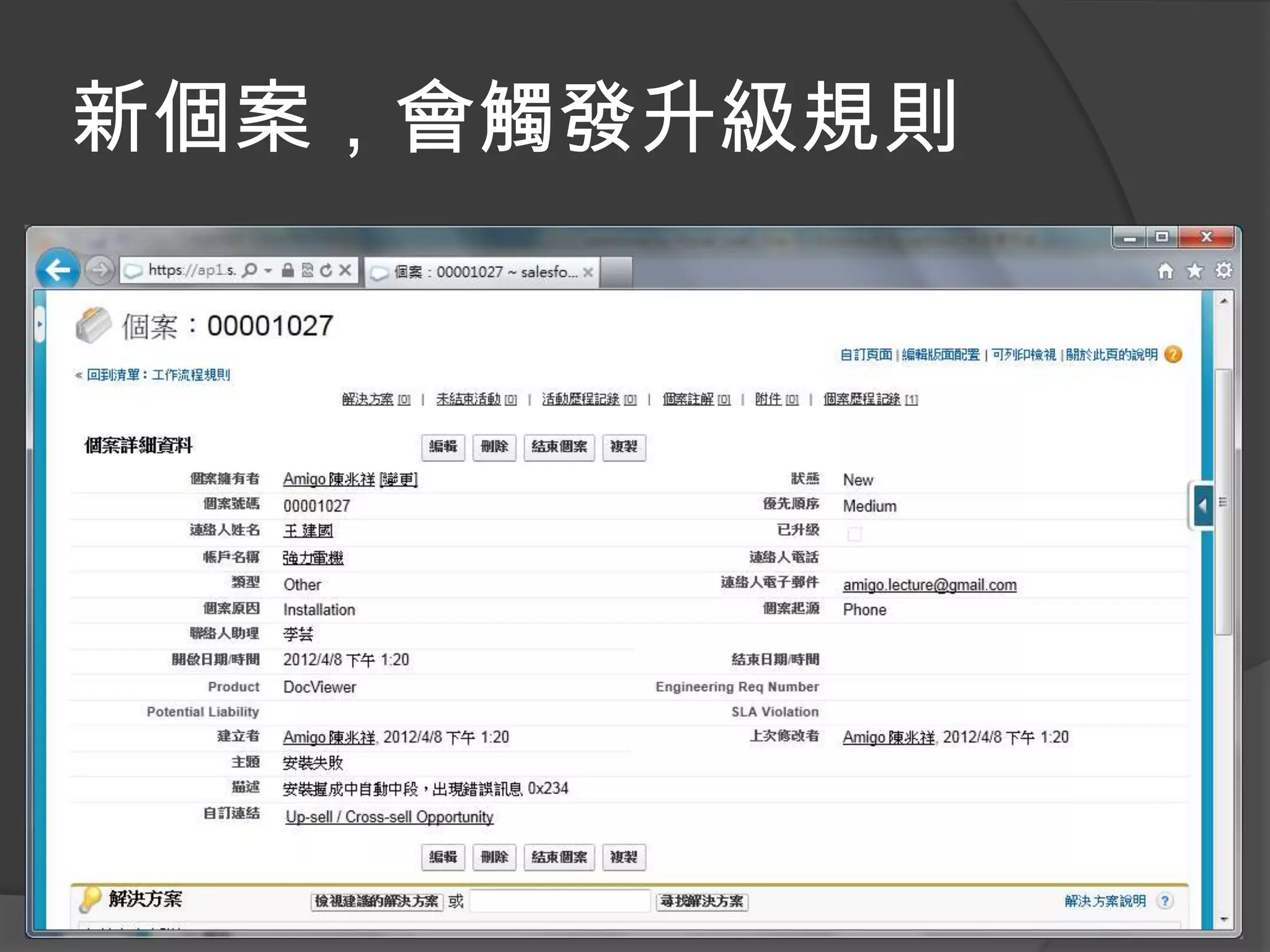
新個案,會觸發升級規則
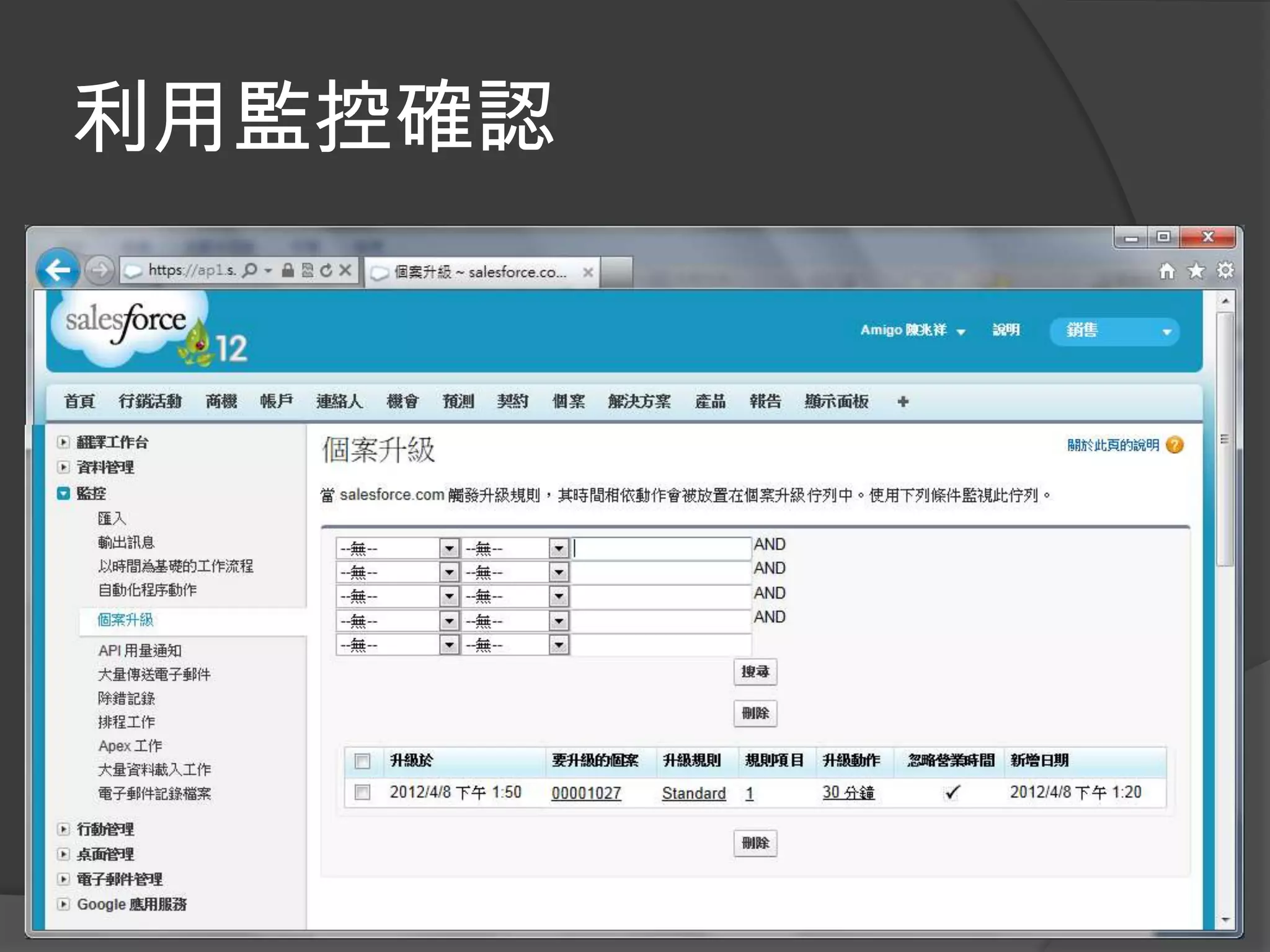
利用監控確認
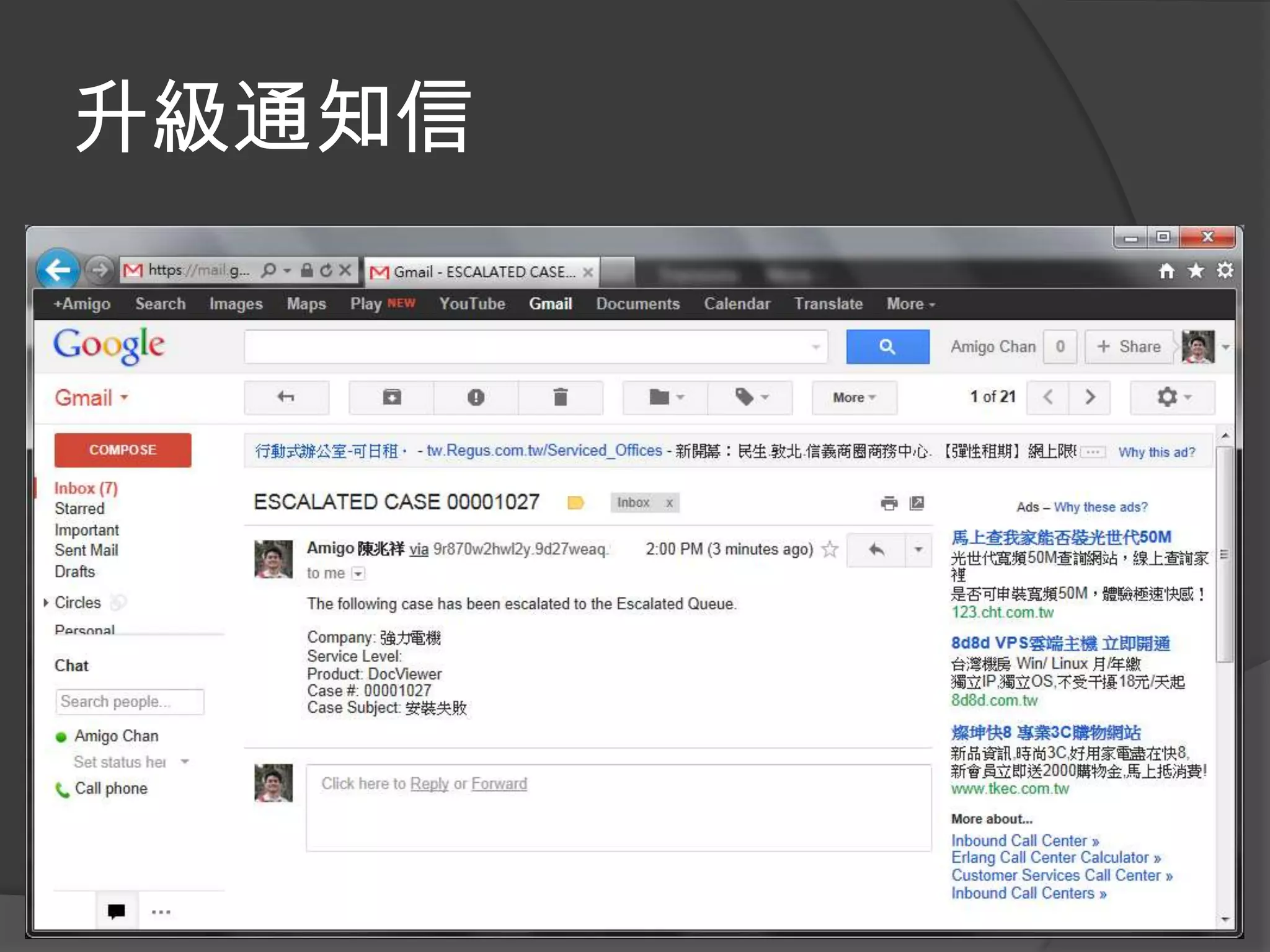
升級通知信
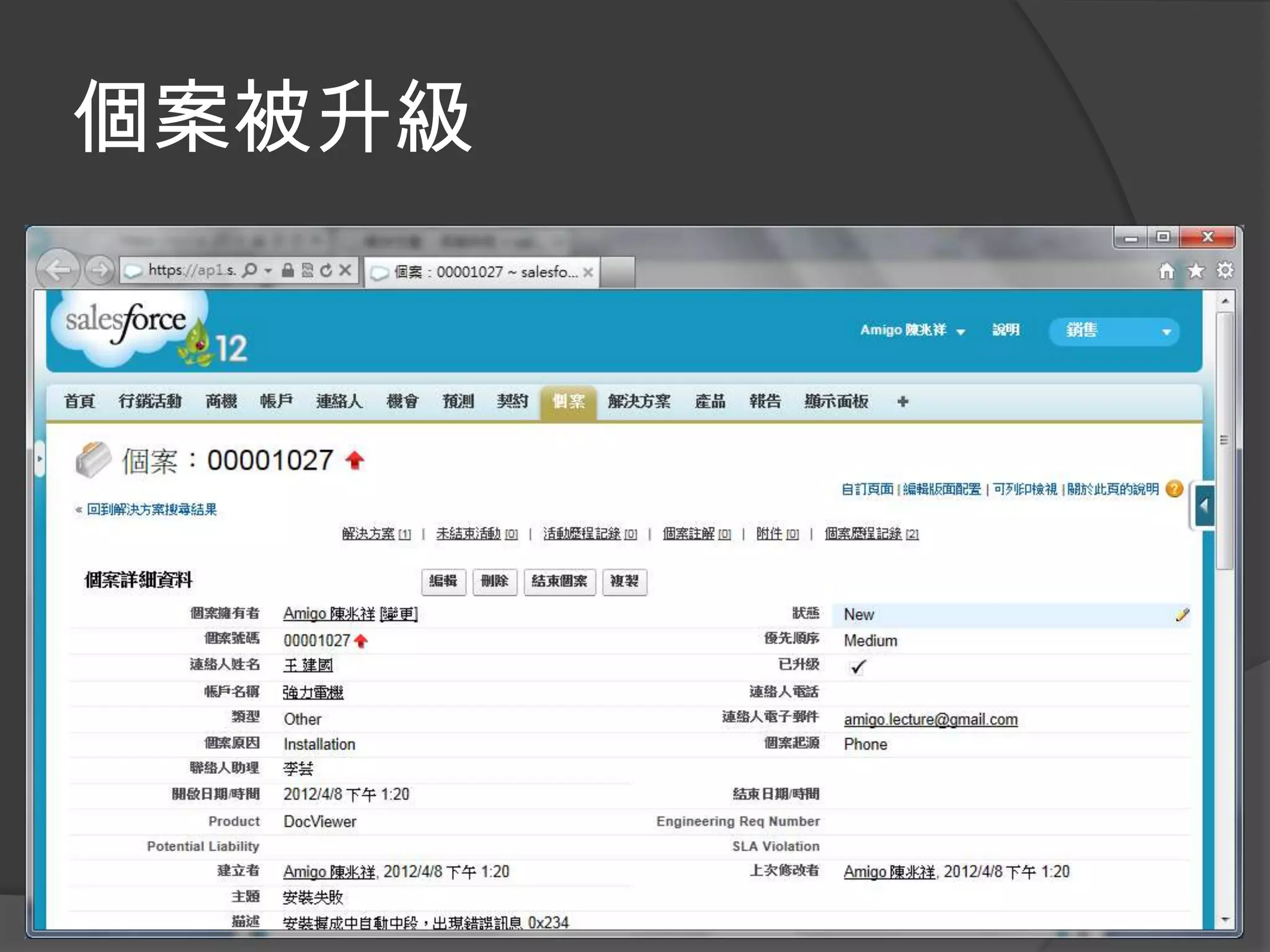
個案被升級
解決方案
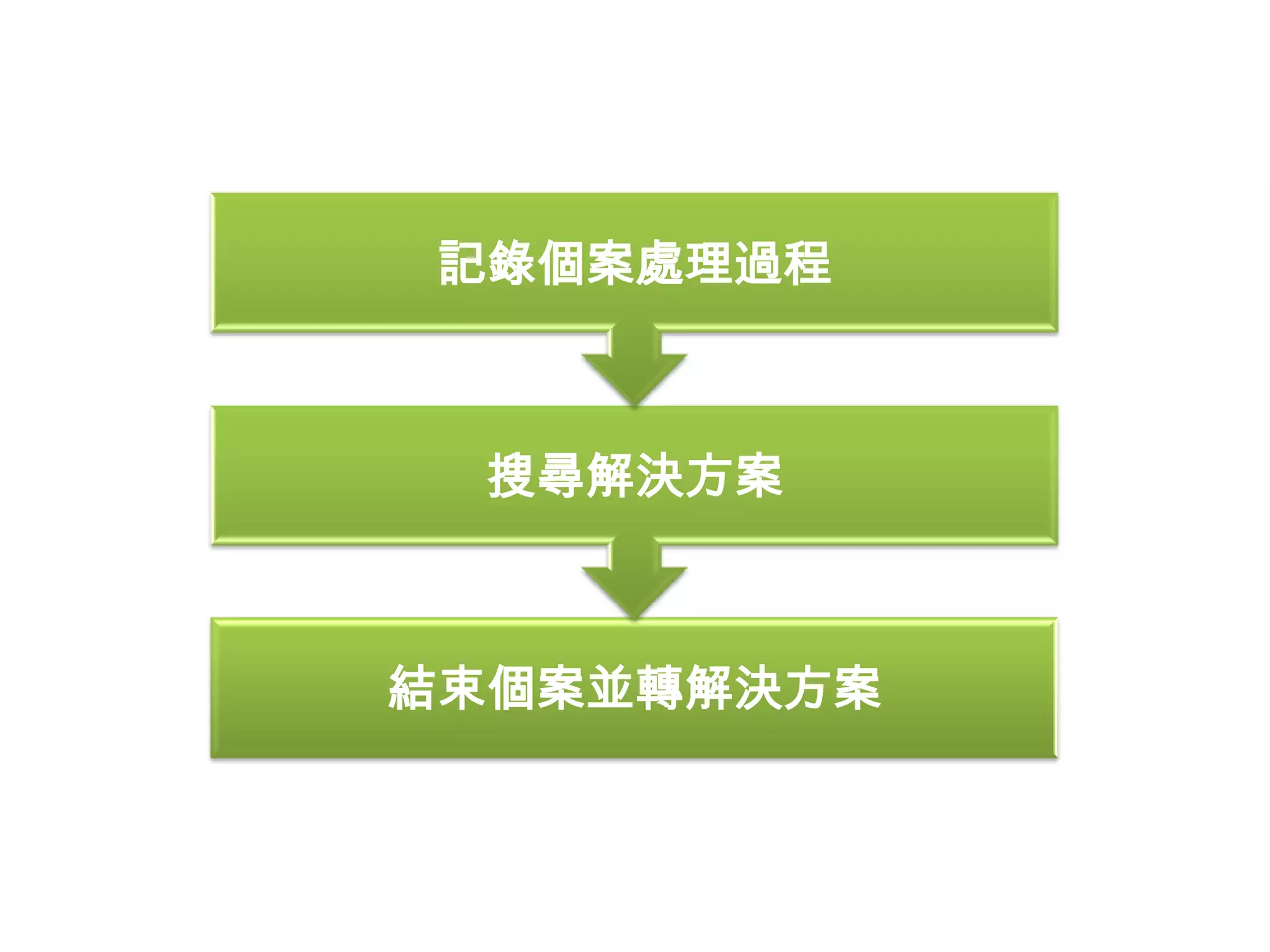
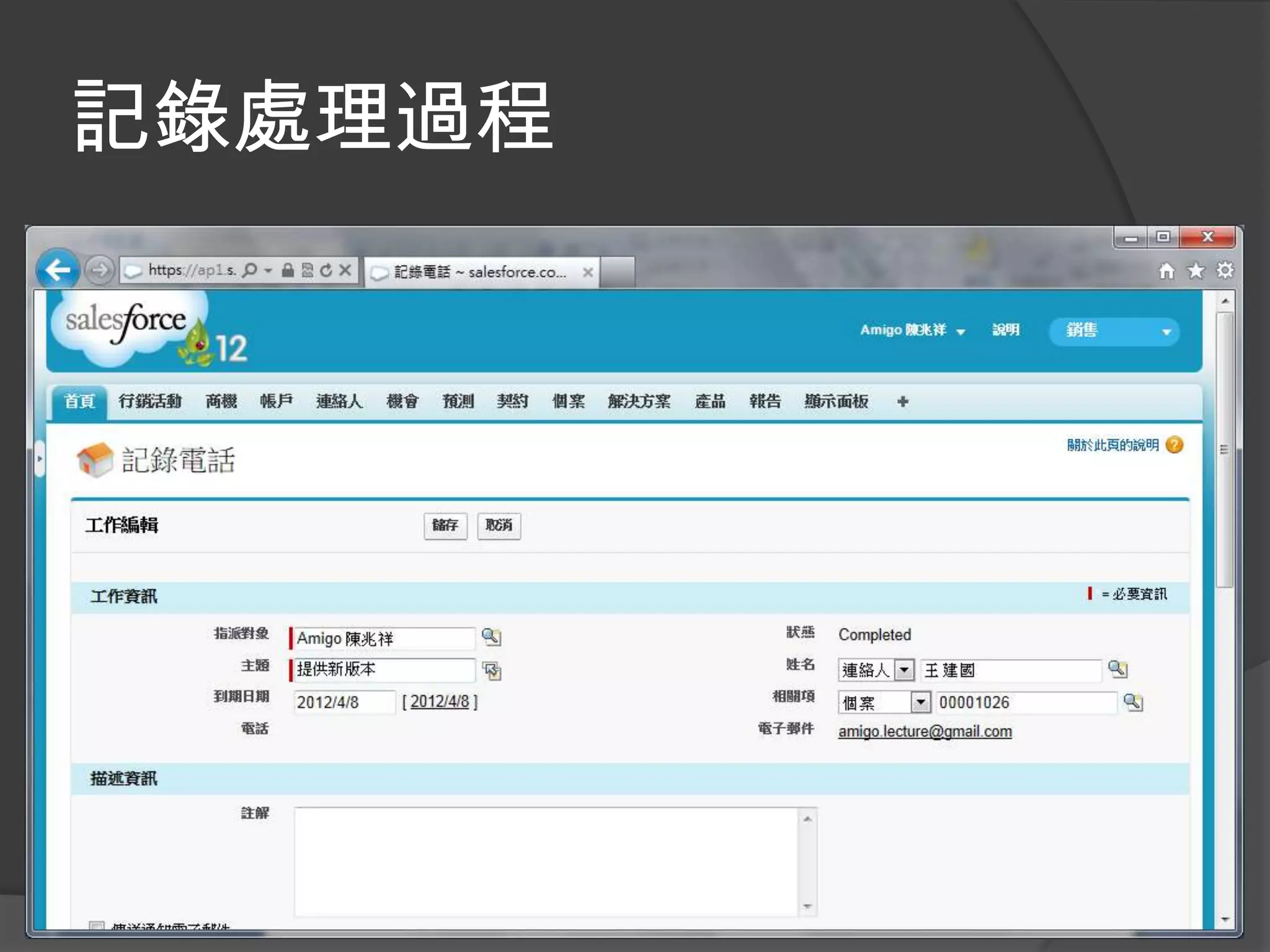
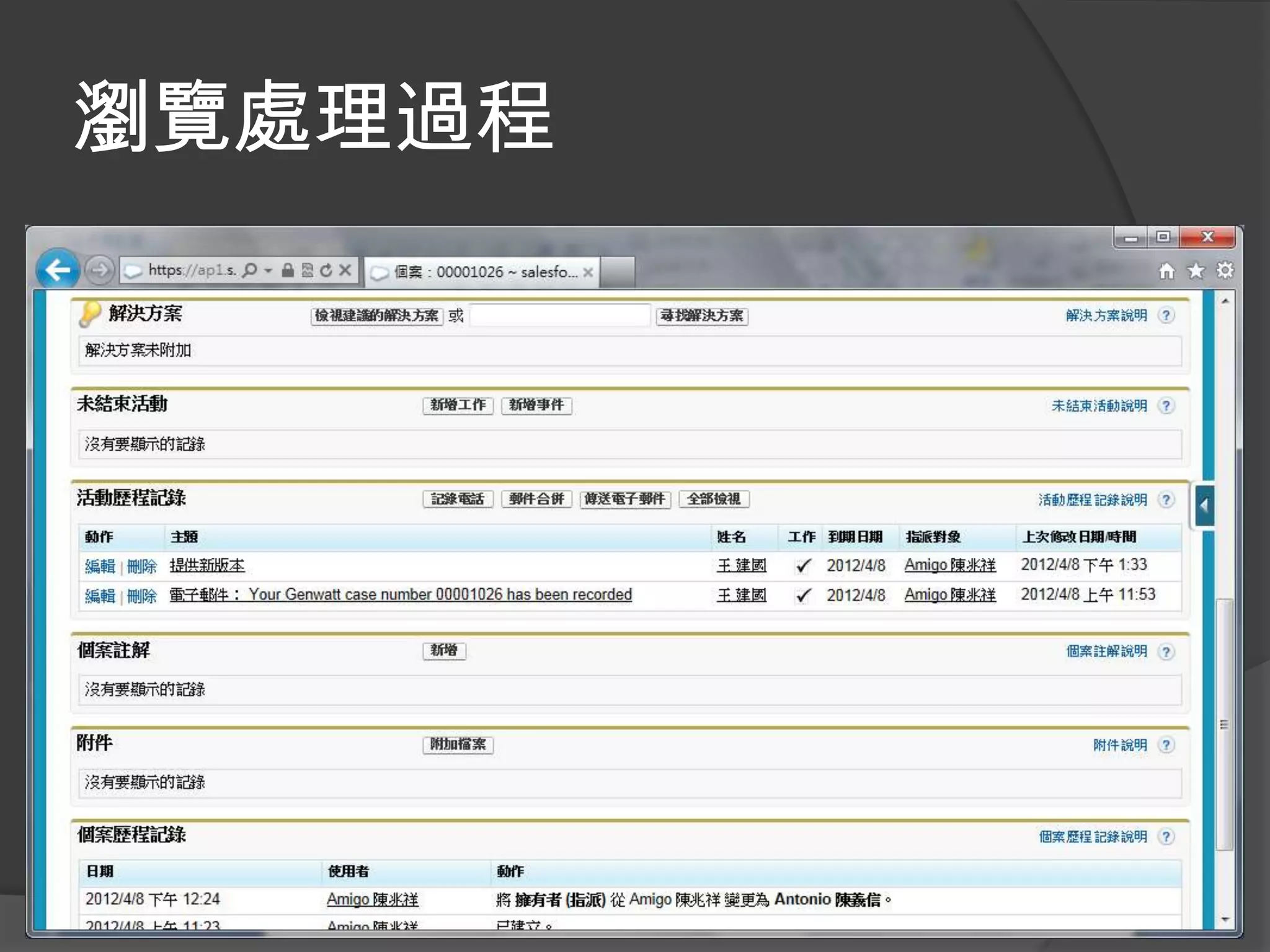
記錄個案處理過程


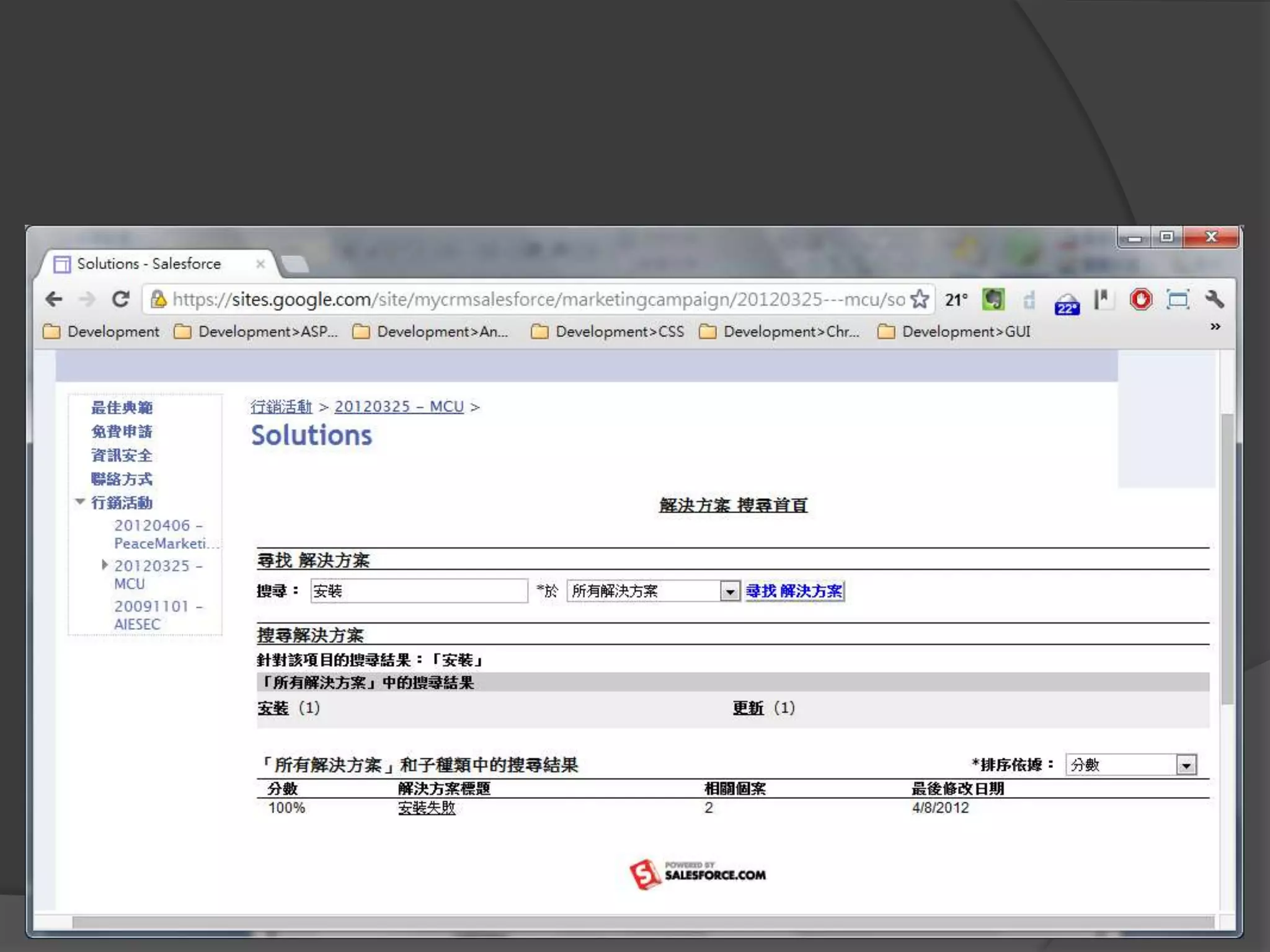
  搜尋解決方案


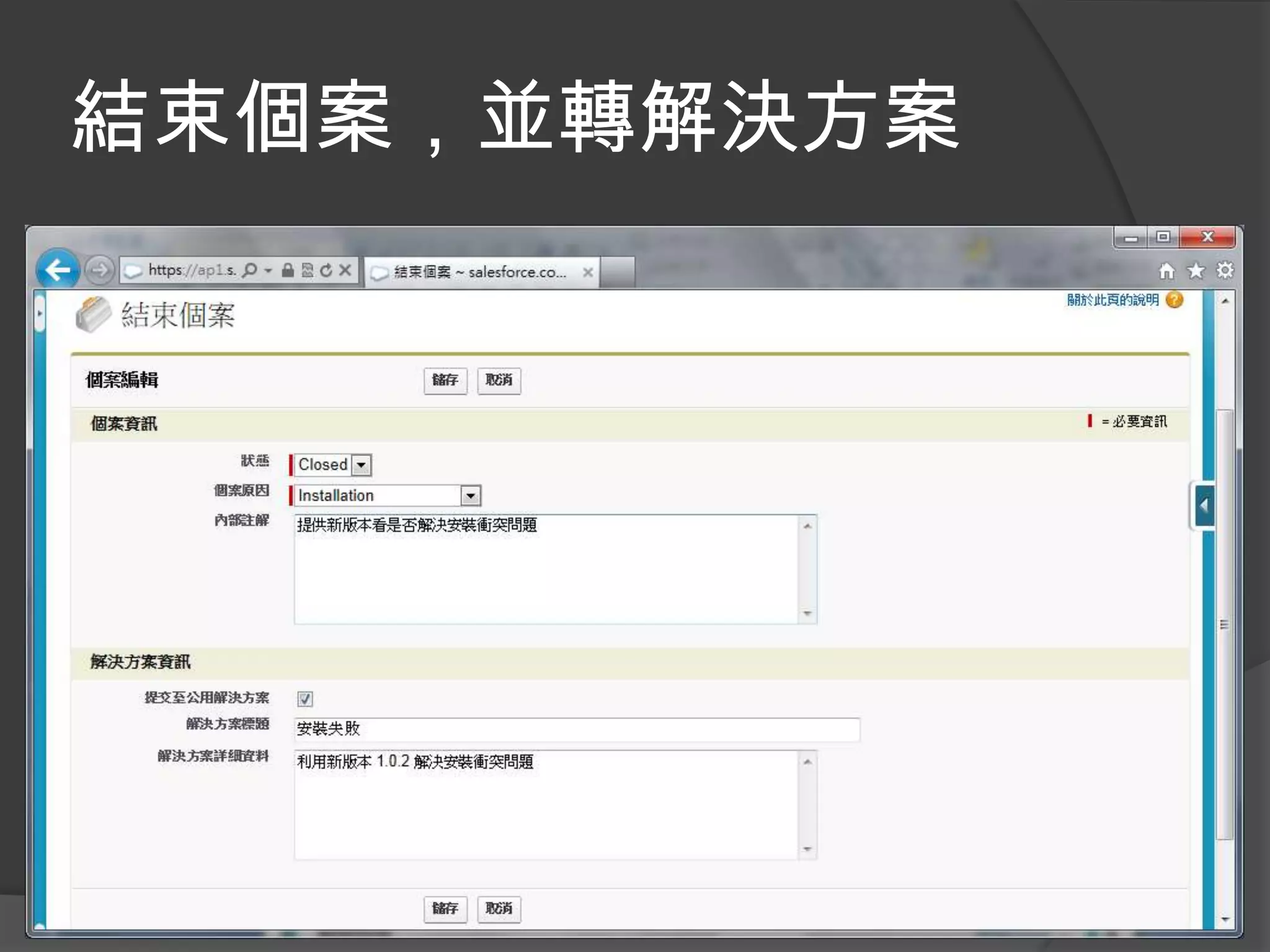
結束個案並轉解決方案
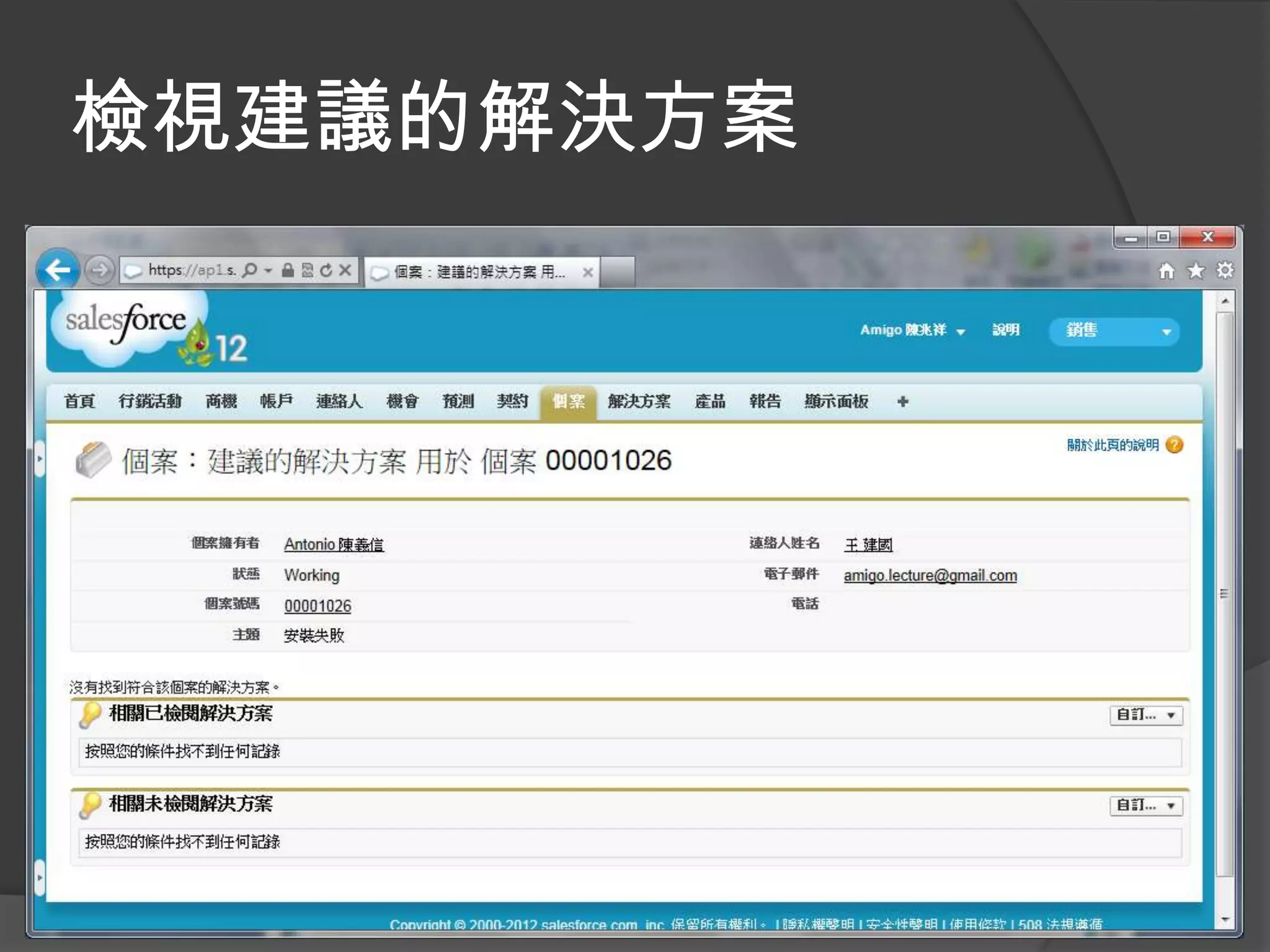
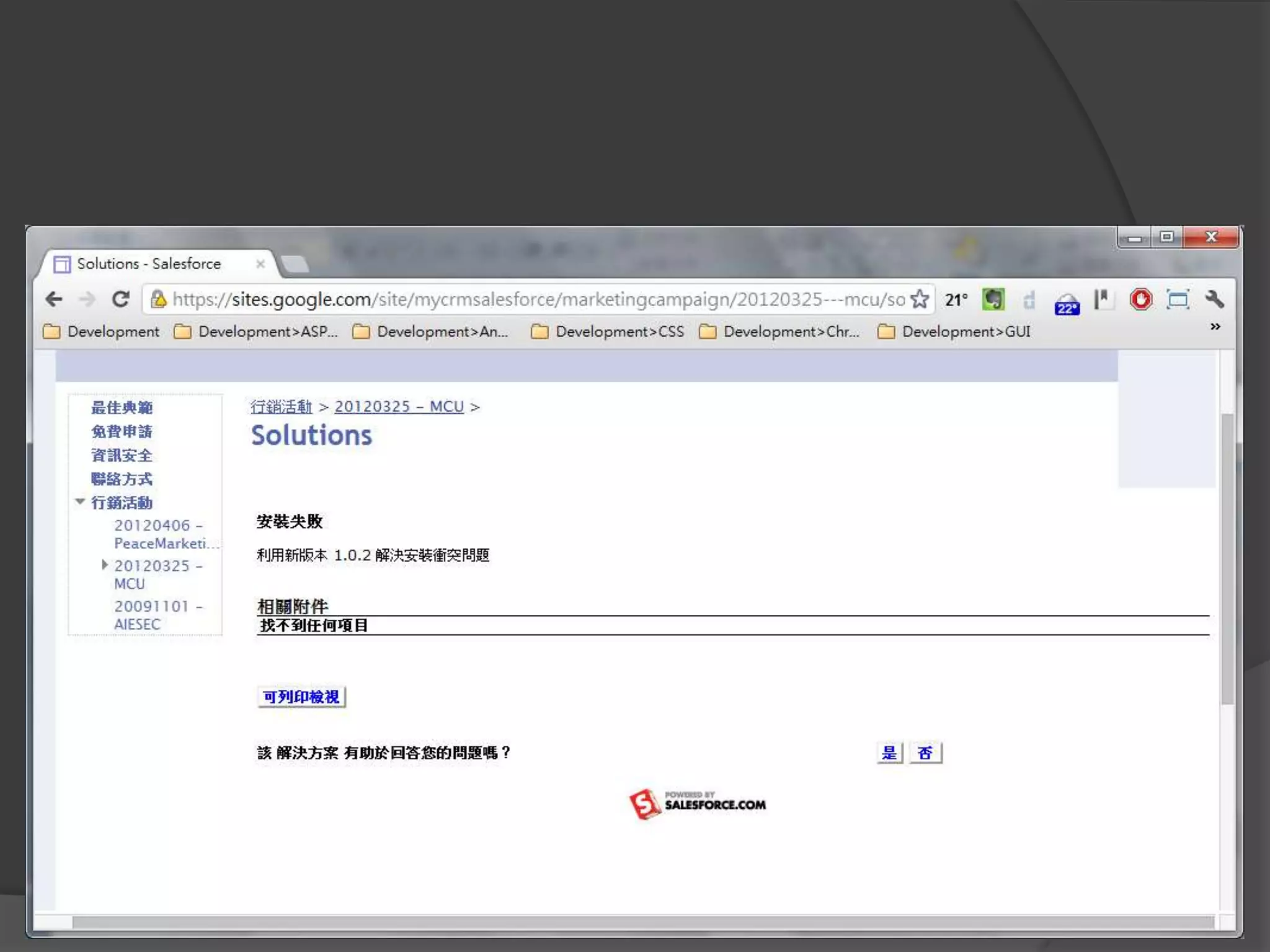
檢視建議的解決方案
記錄處理過程
瀏覽處理過程
結束個案,並轉解決方案
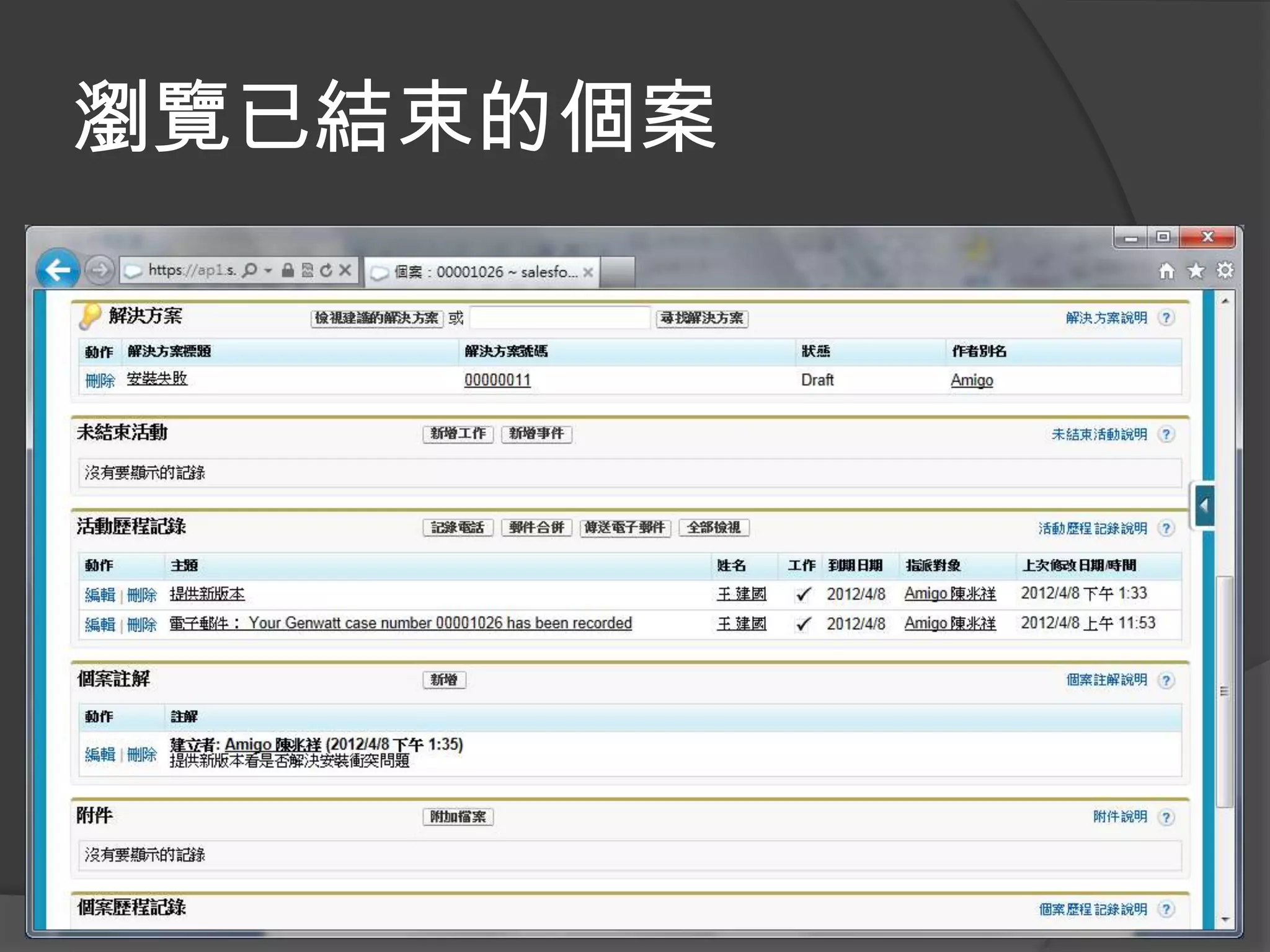
瀏覽已結束的個案
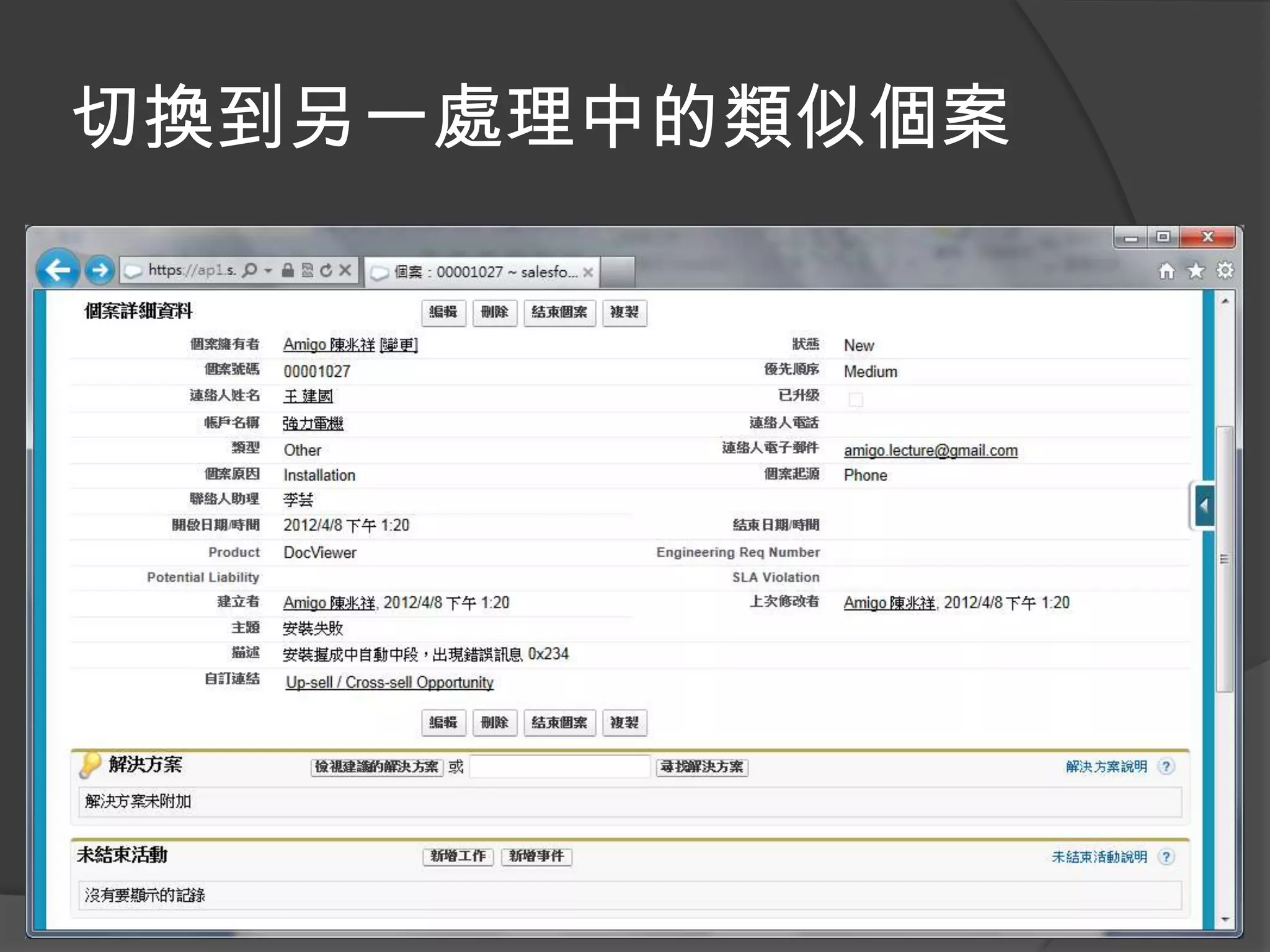
切換到另一處理中的類似個案
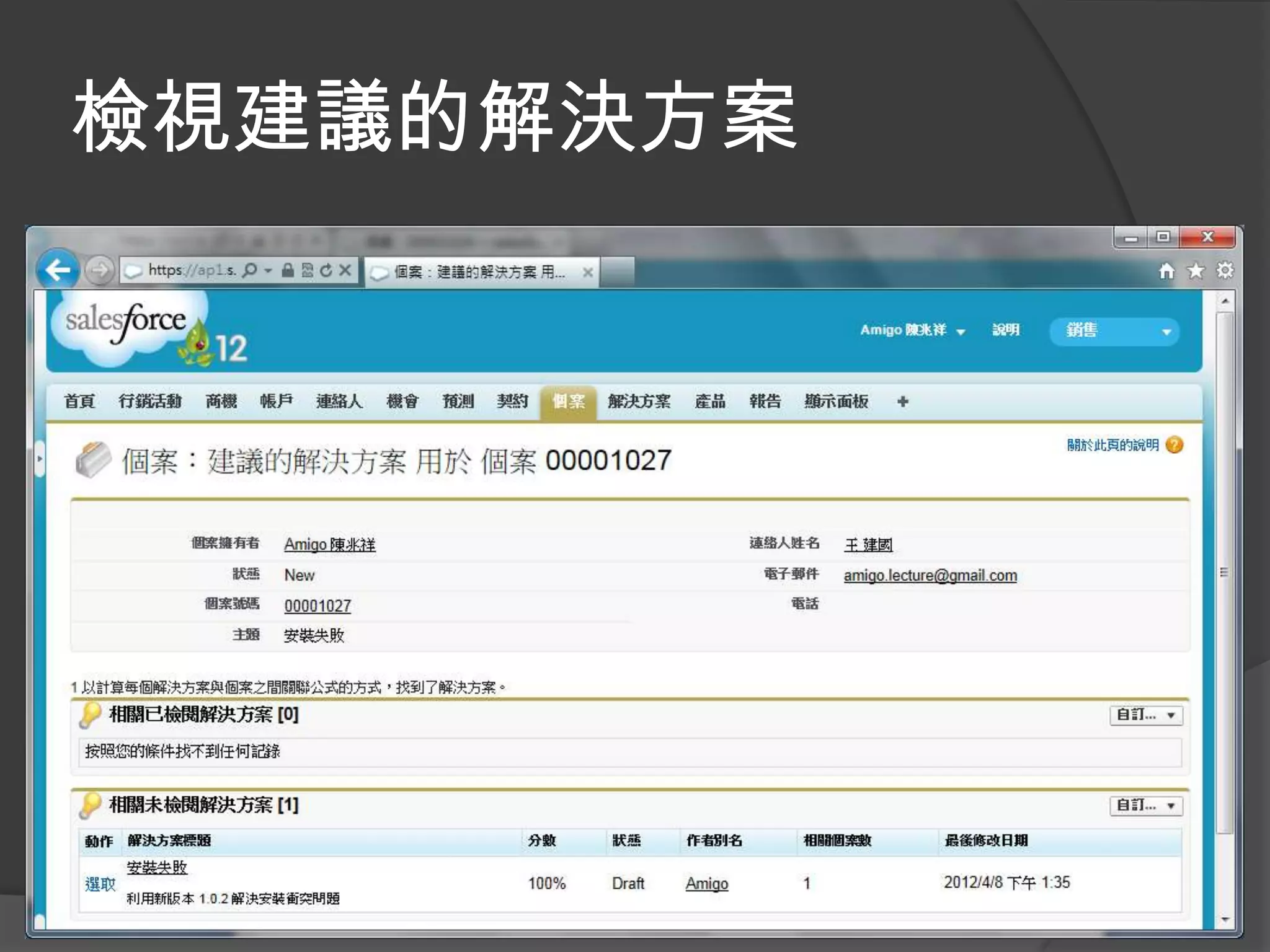
檢視建議的解決方案
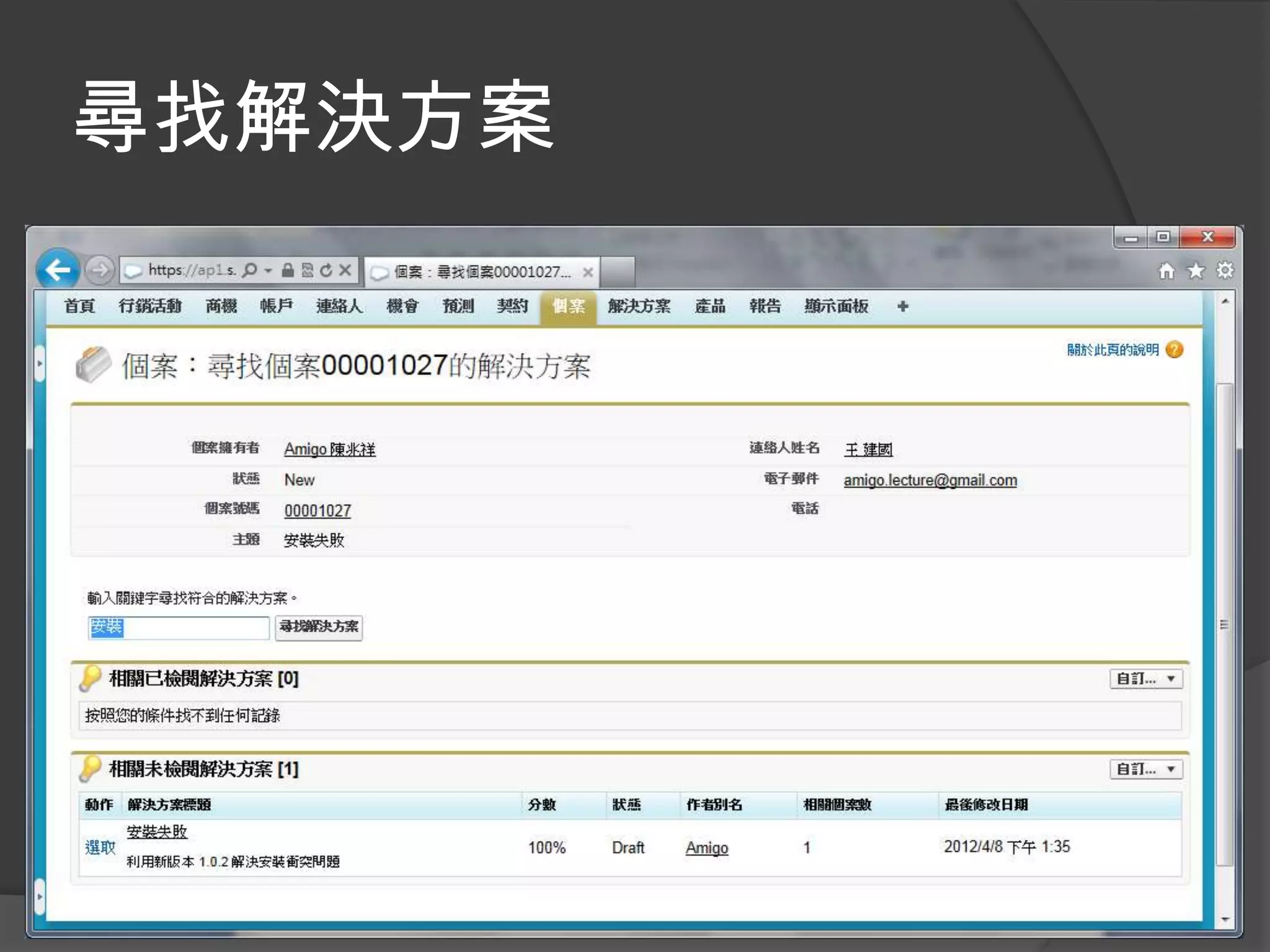
尋找解決方案
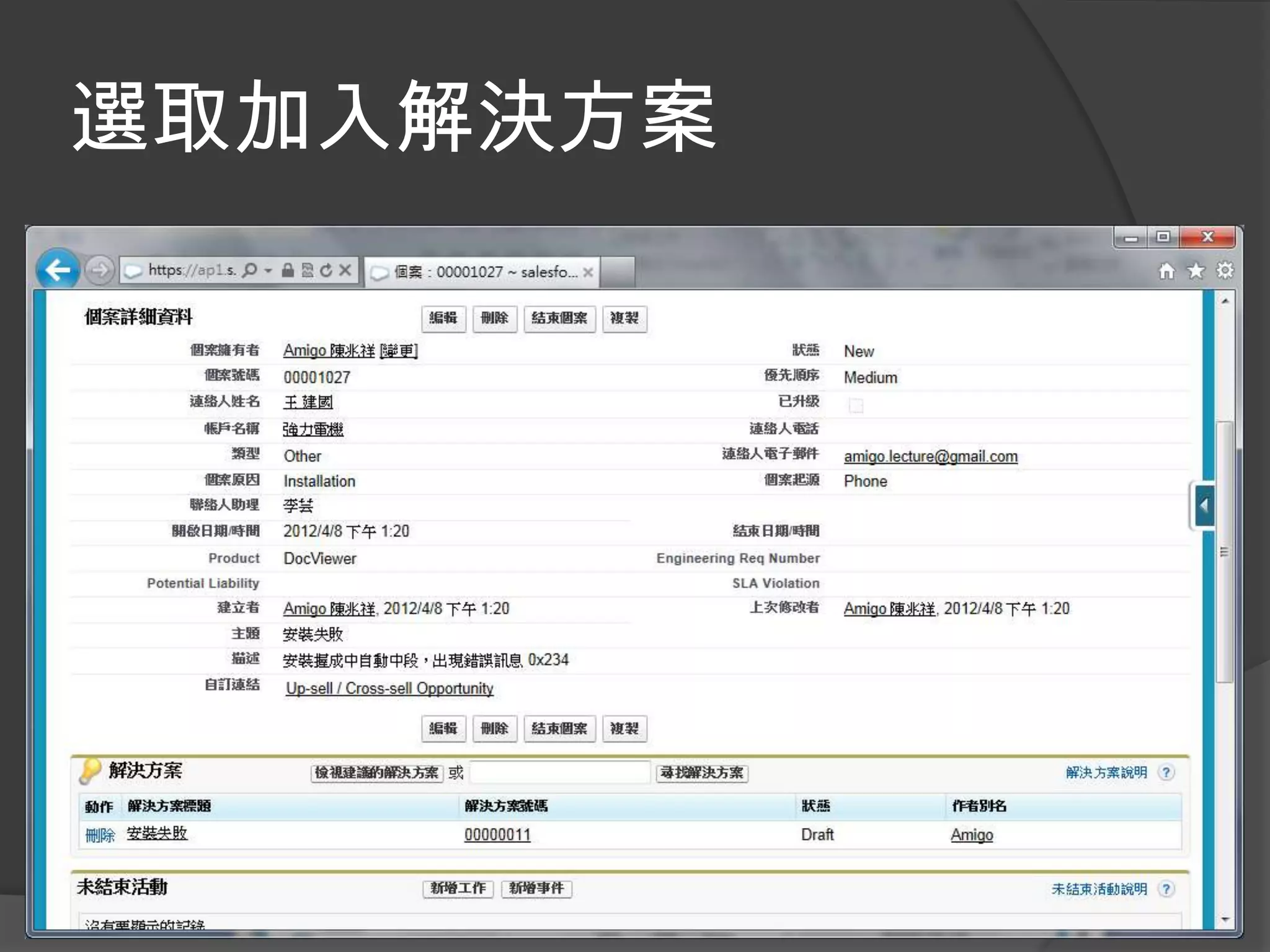
選取加入解決方案
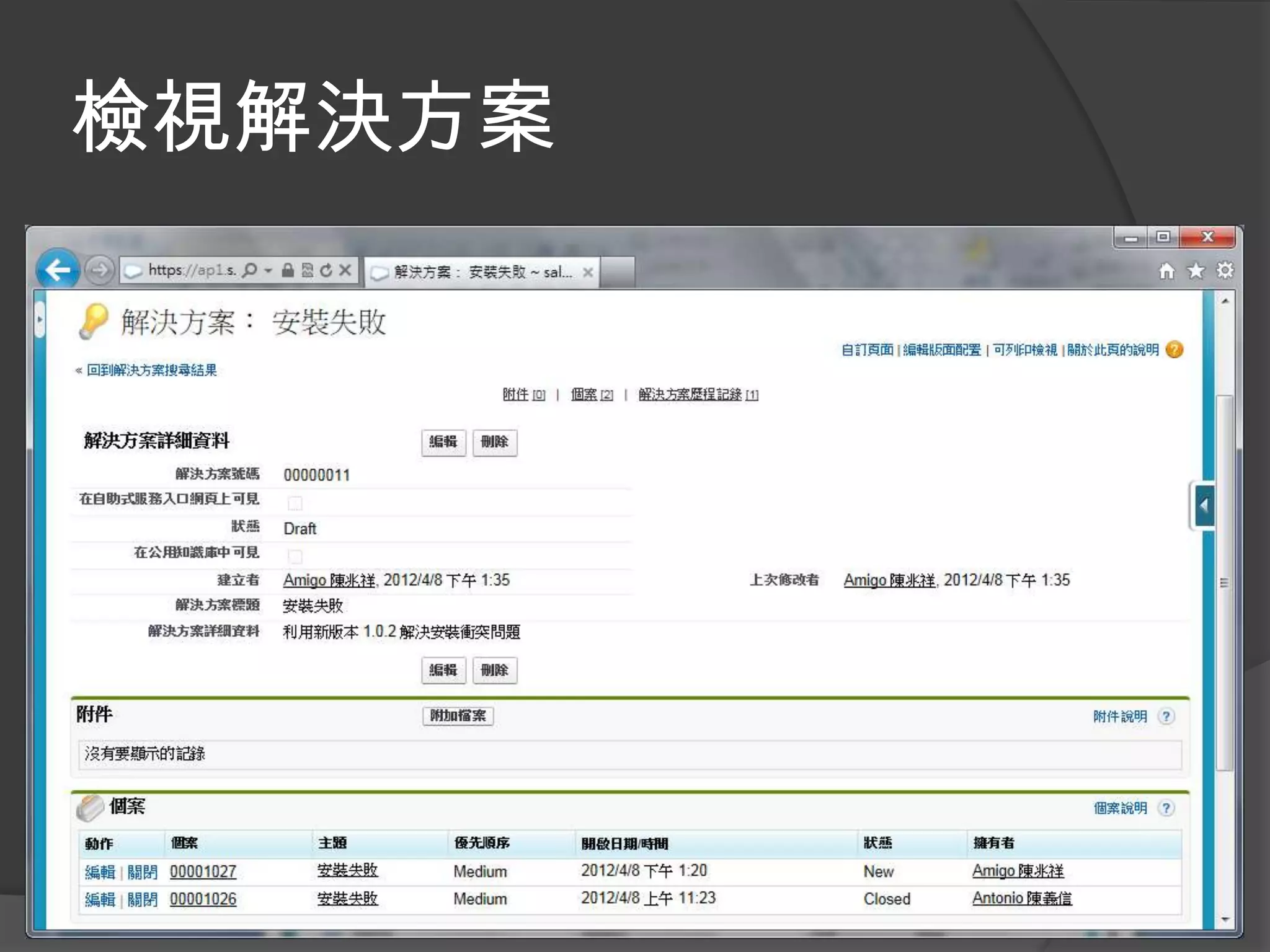
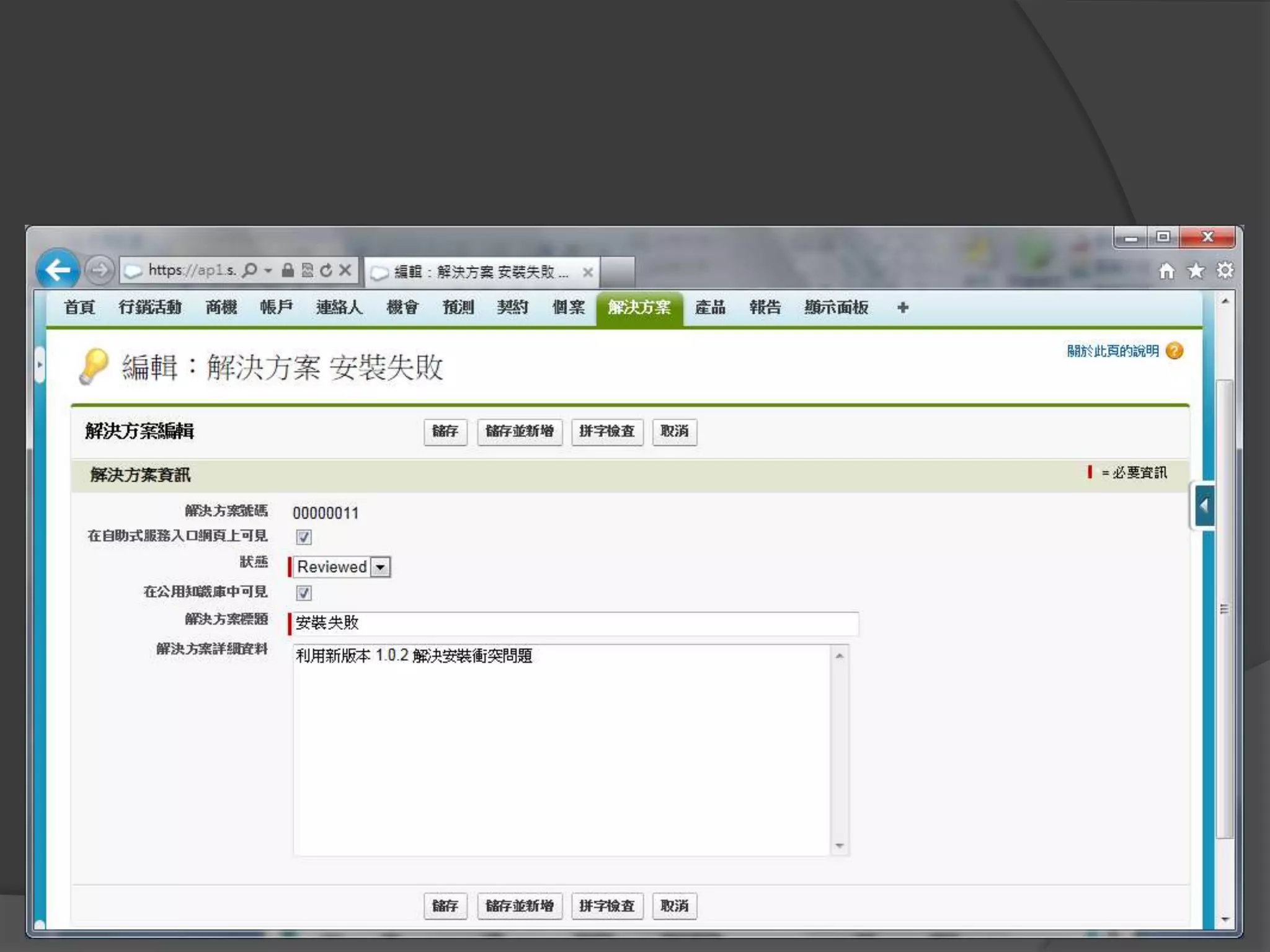
檢視解決方案
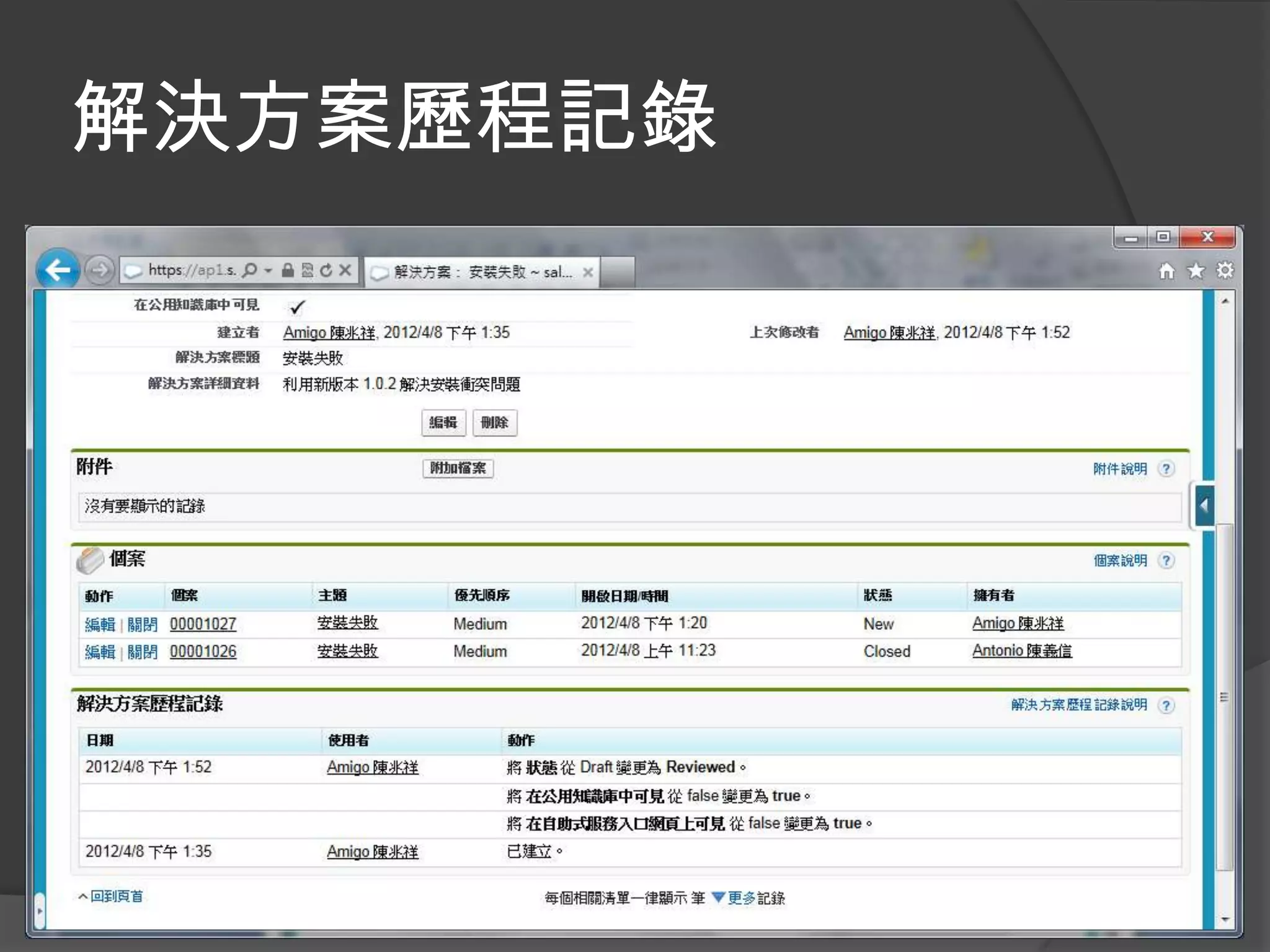
解決方案歷程記錄
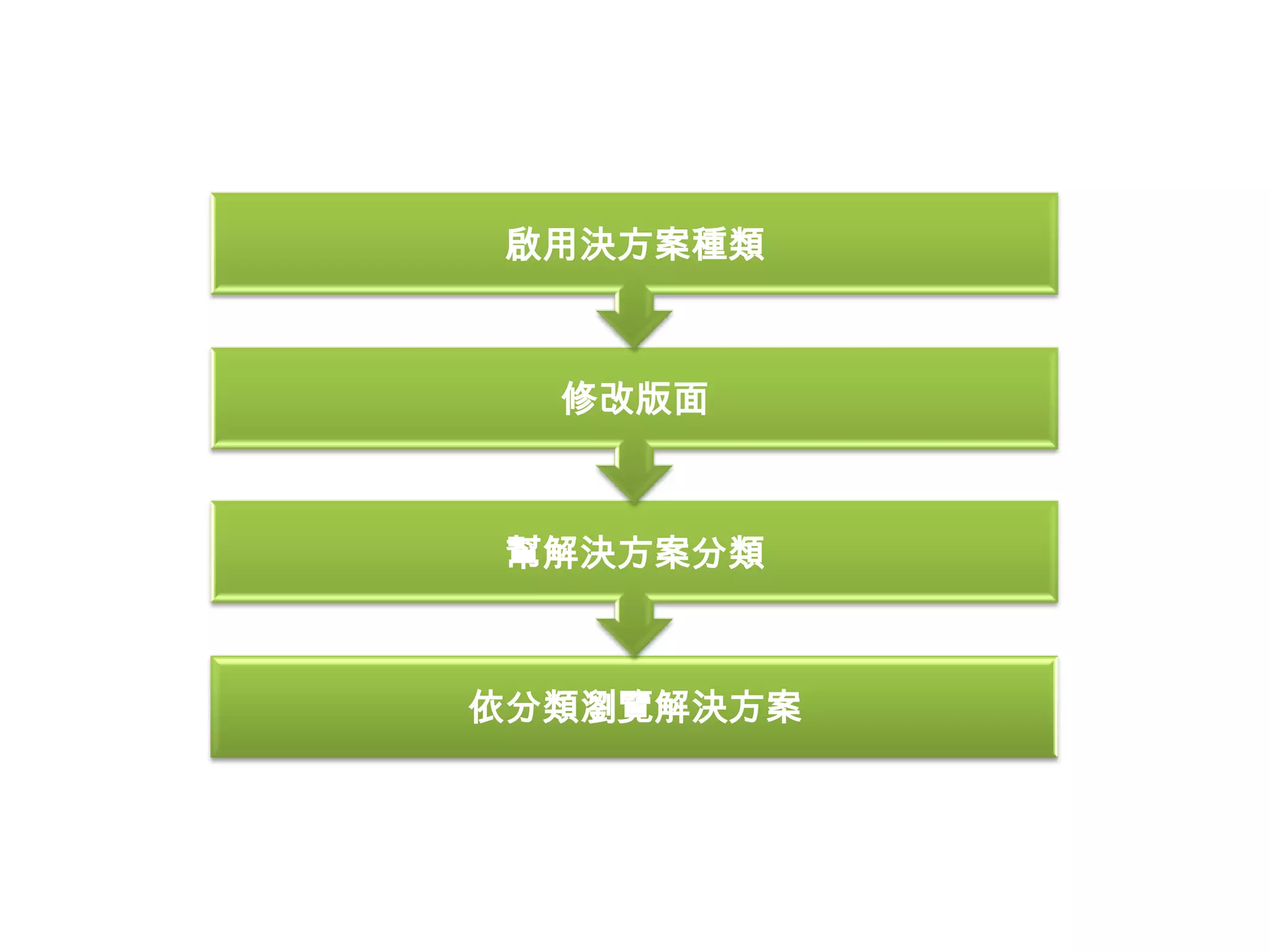
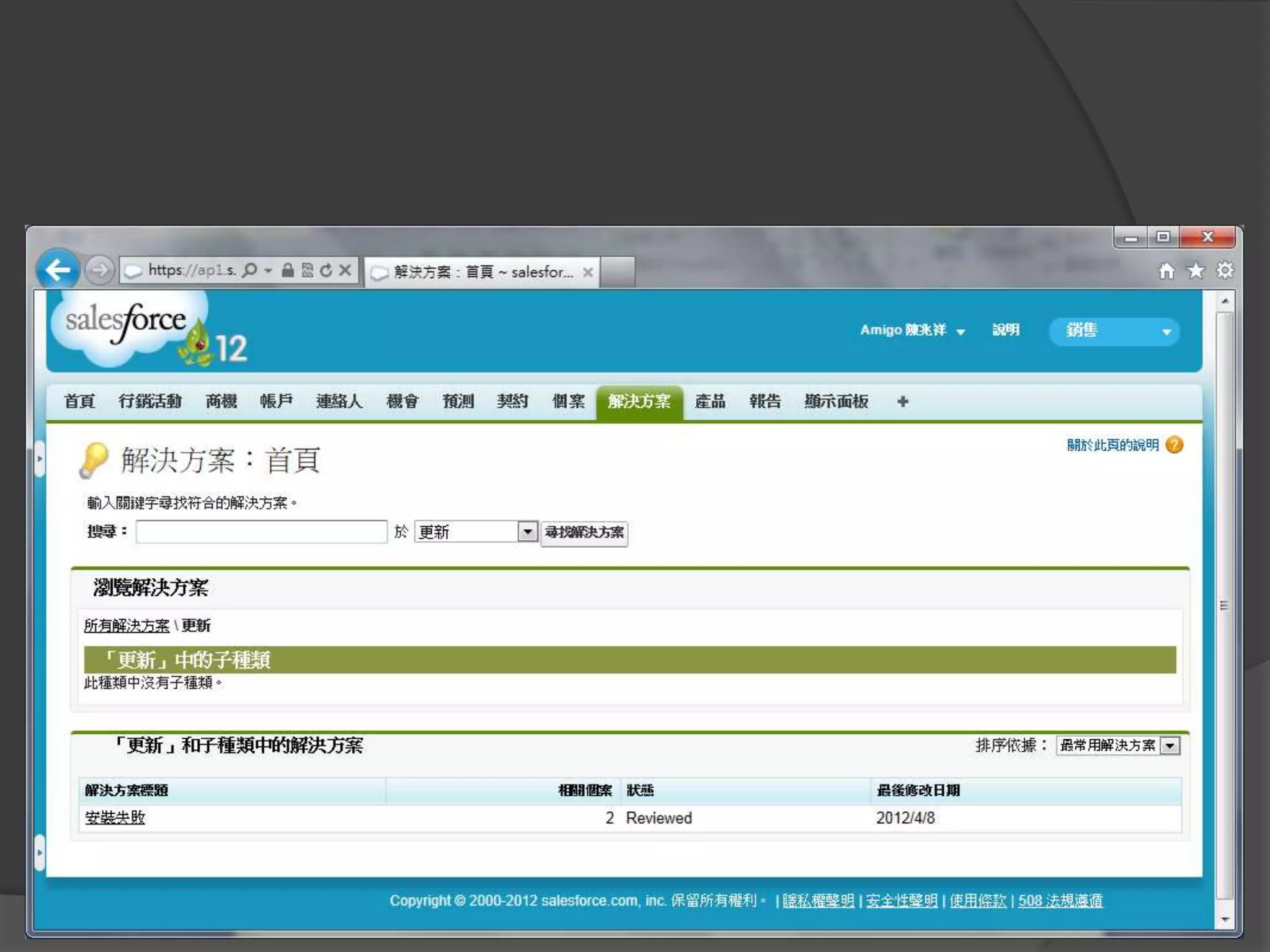
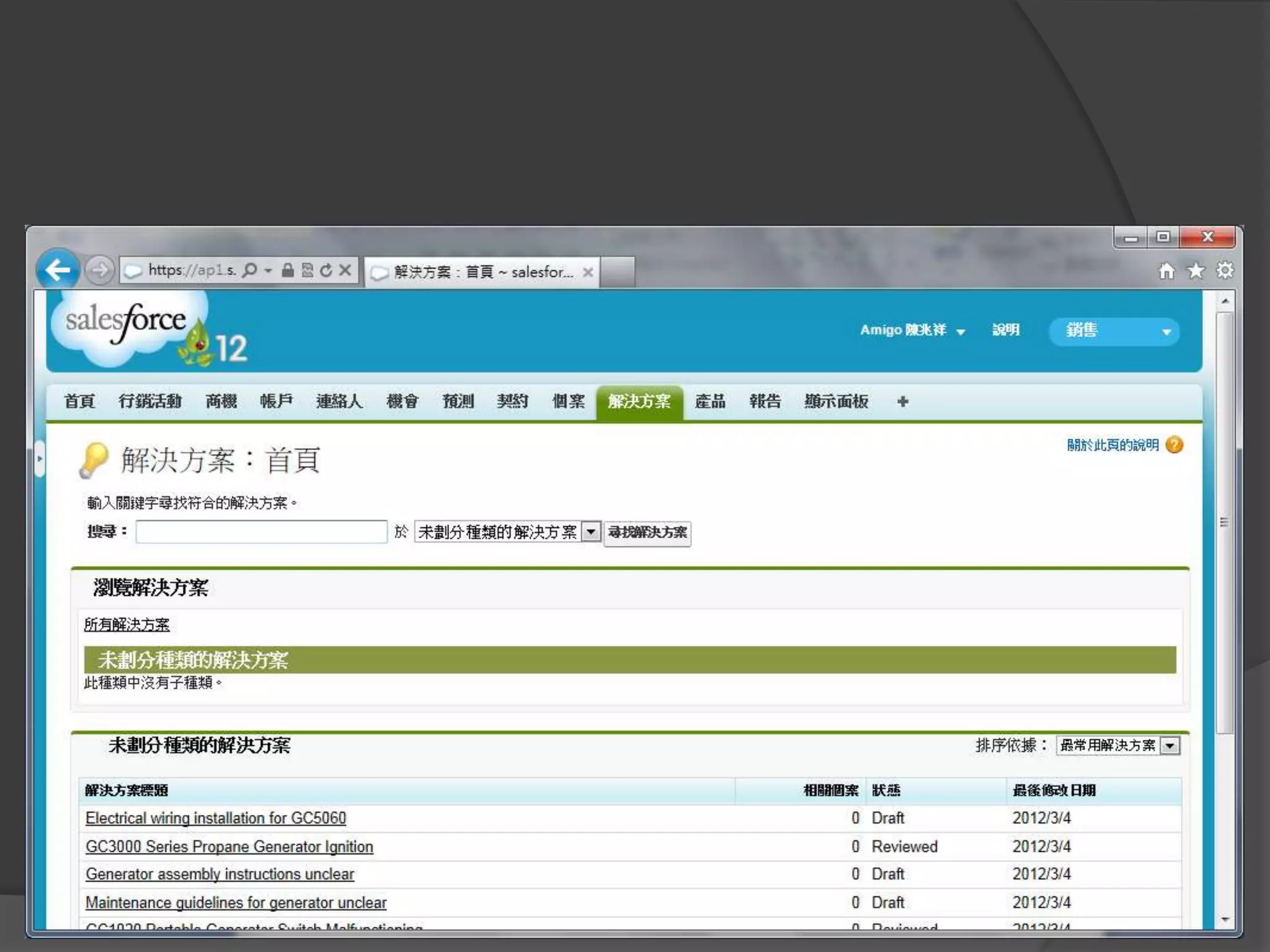
管理方案
啟用決方案種類


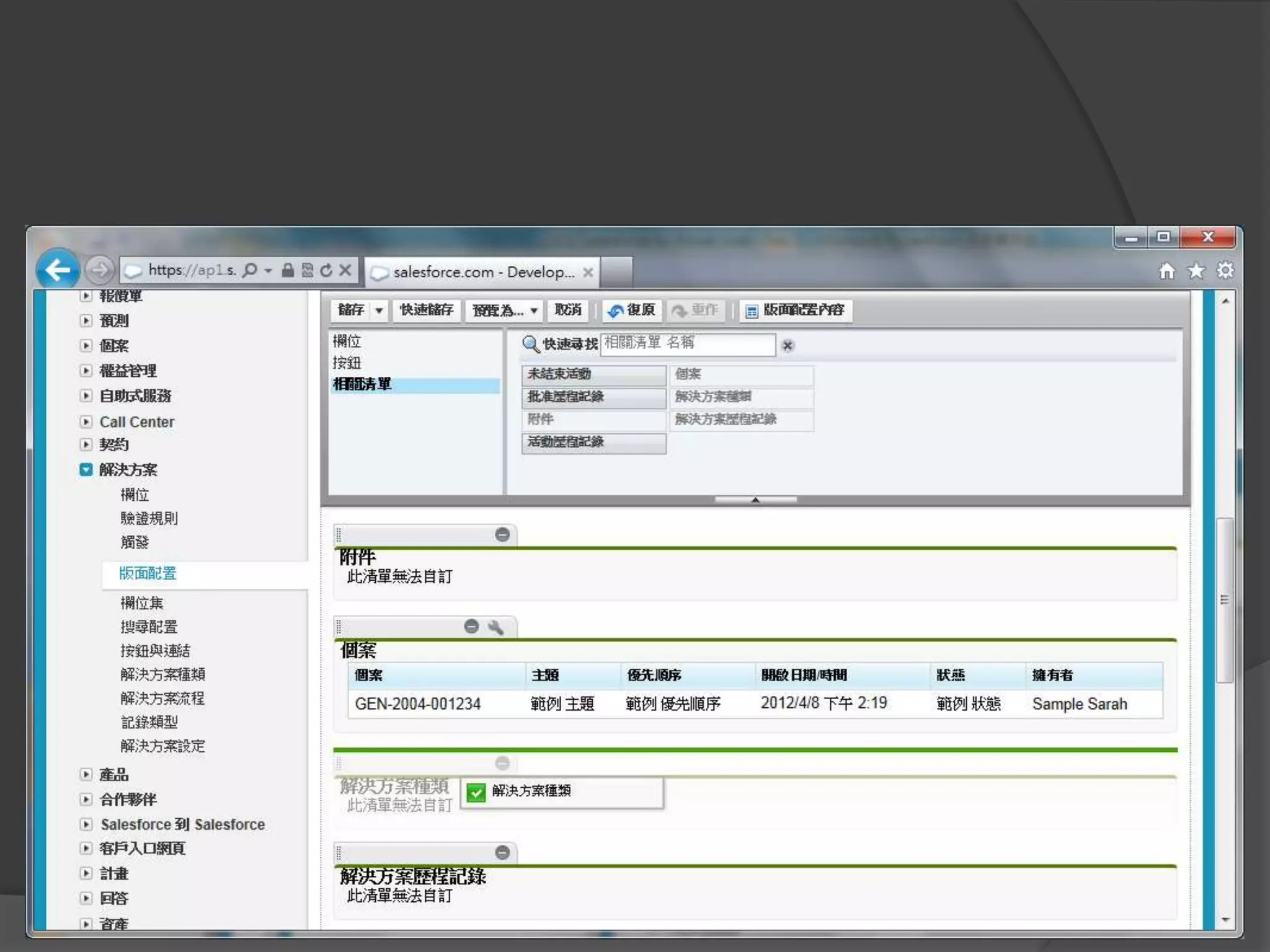
  修改版面


幫解決方案分類


依分類瀏覽解決方案
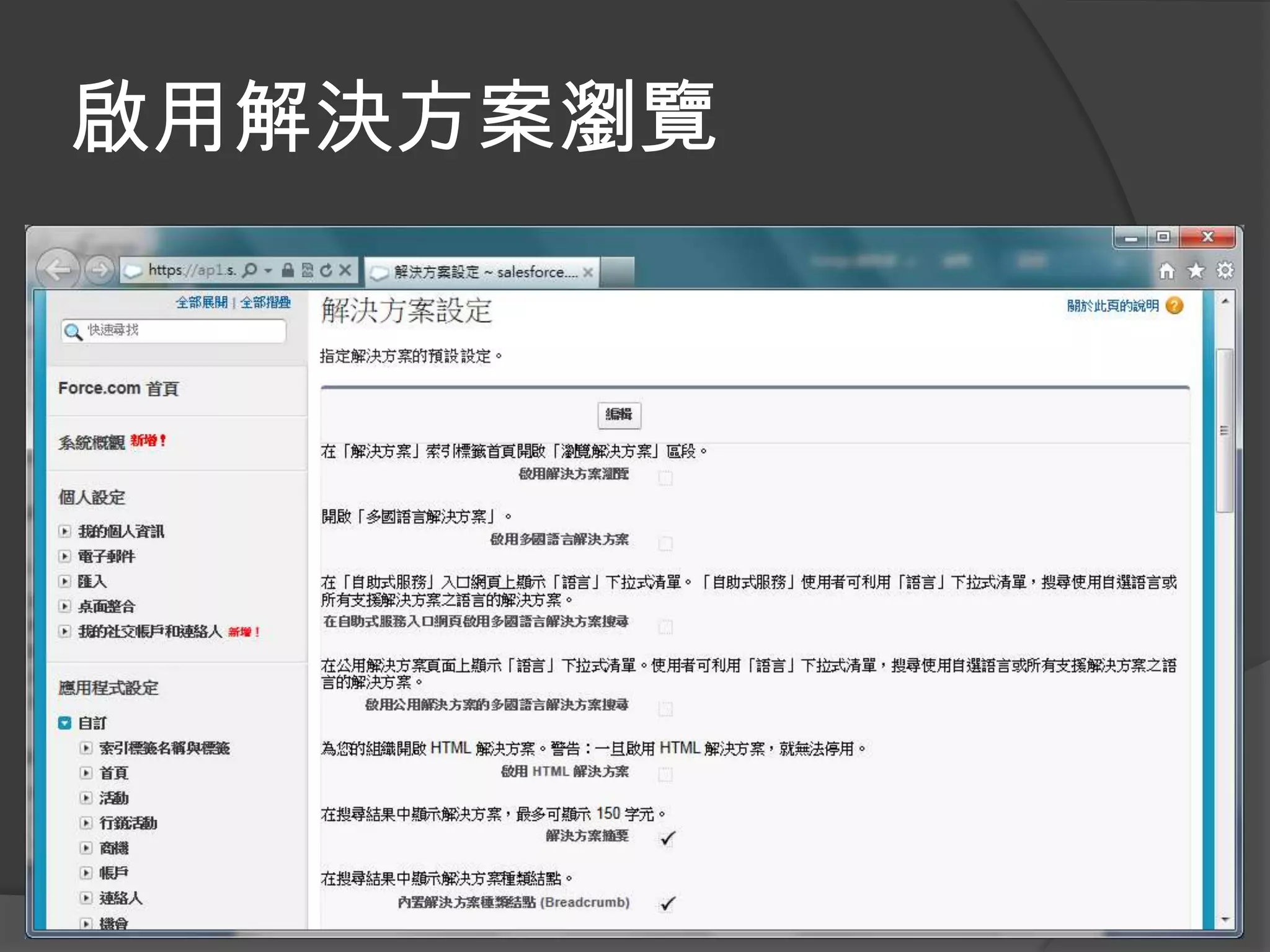
啟用解決方案瀏覽
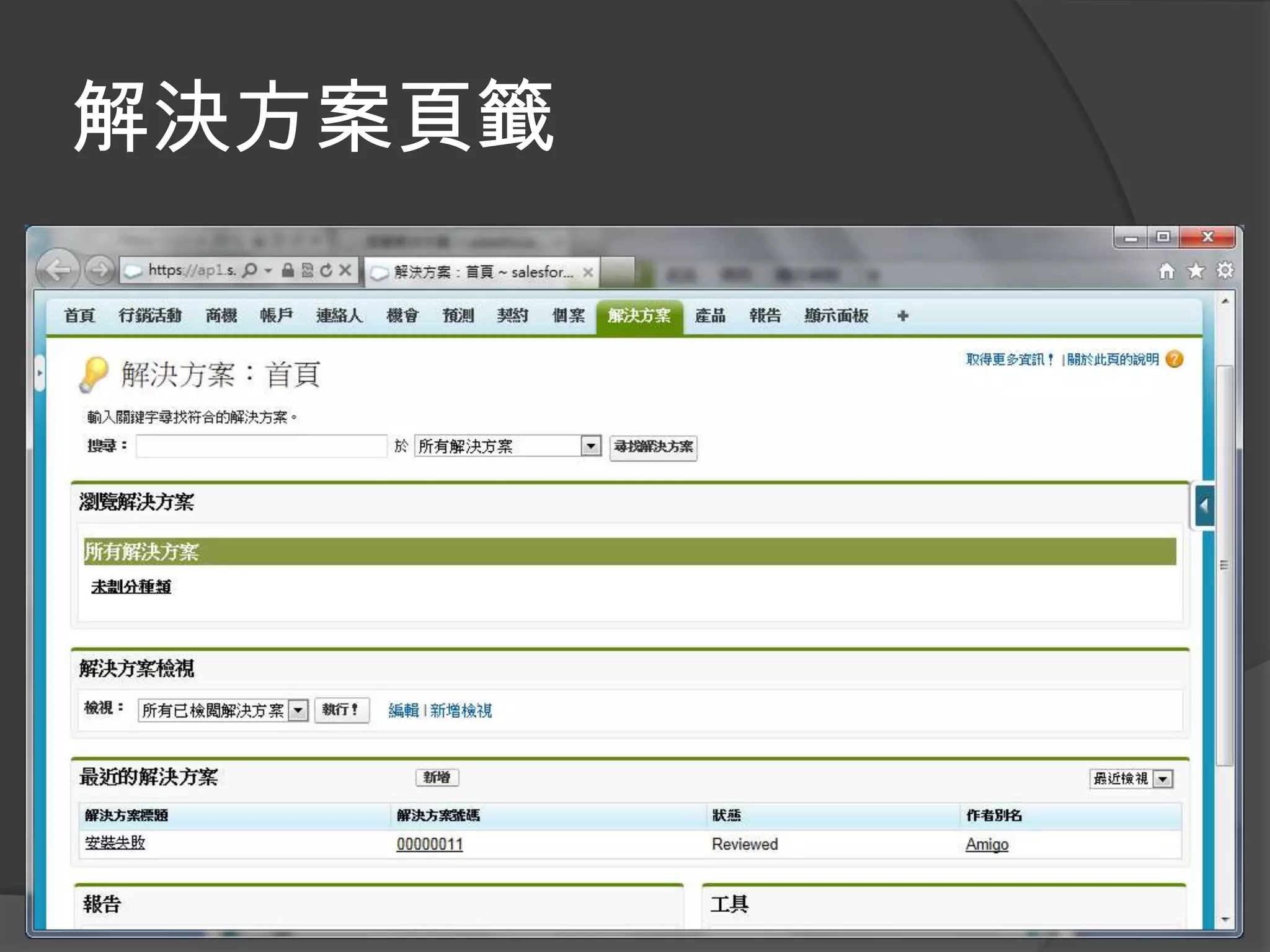
解決方案頁籤
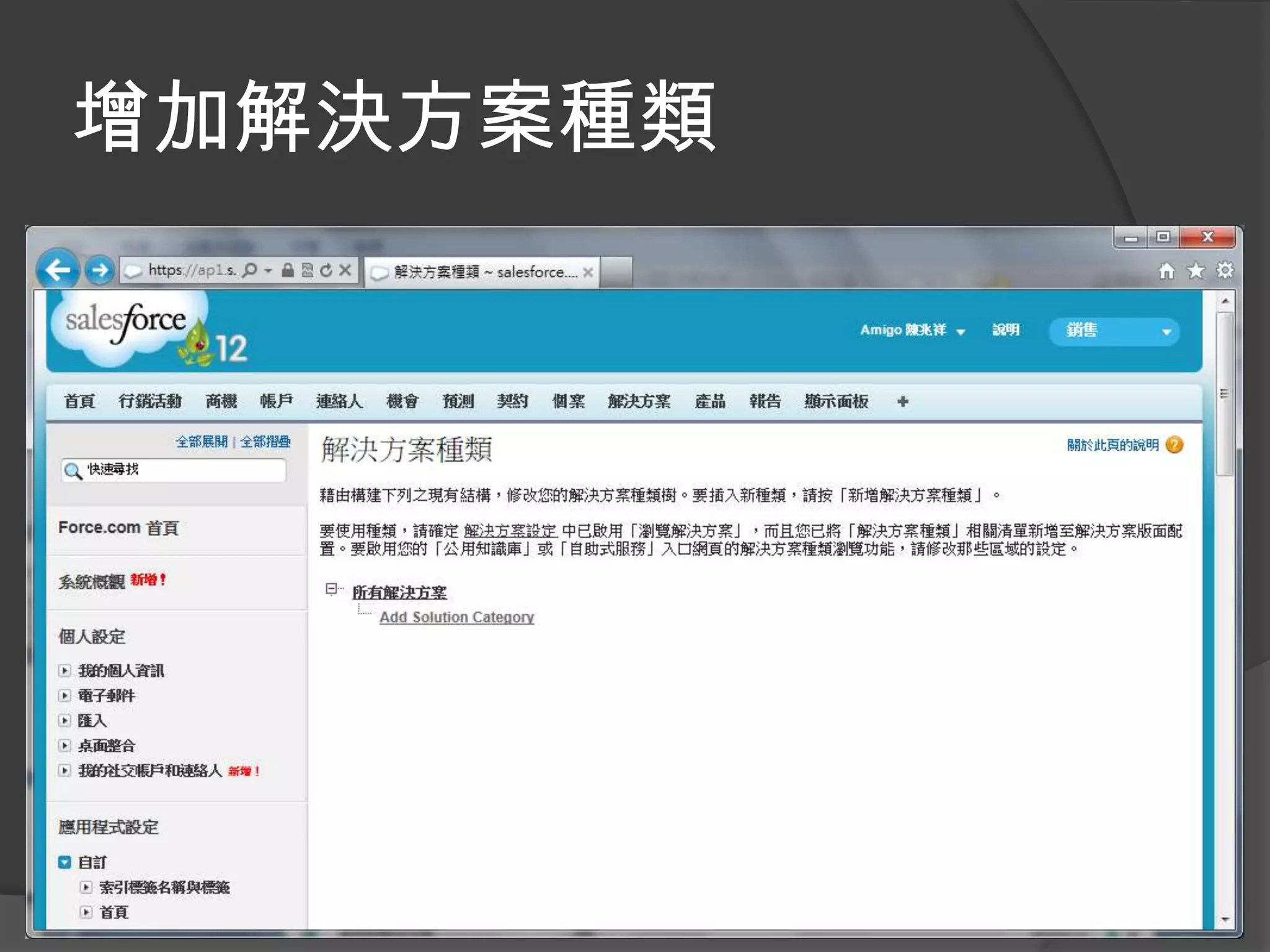
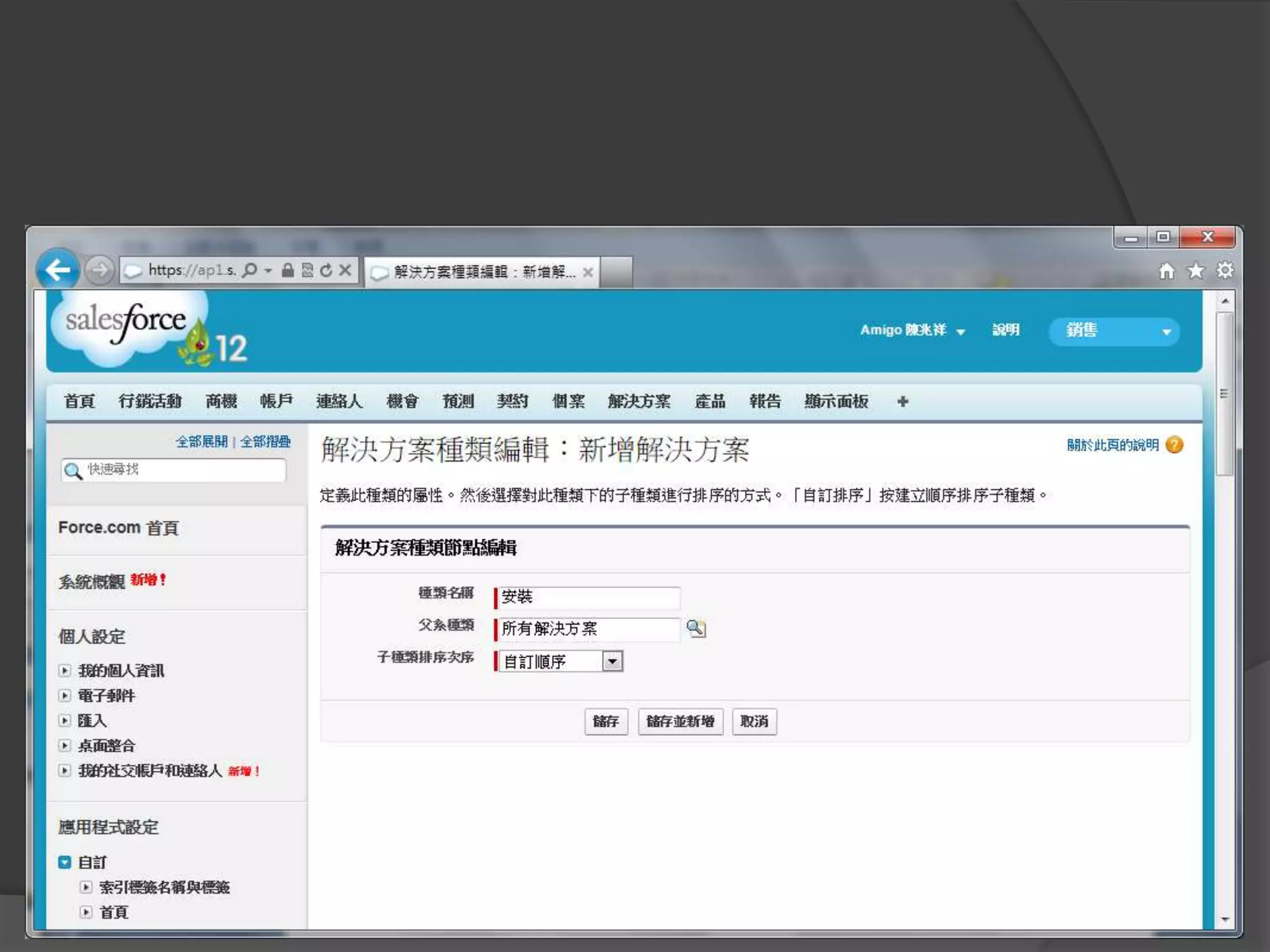
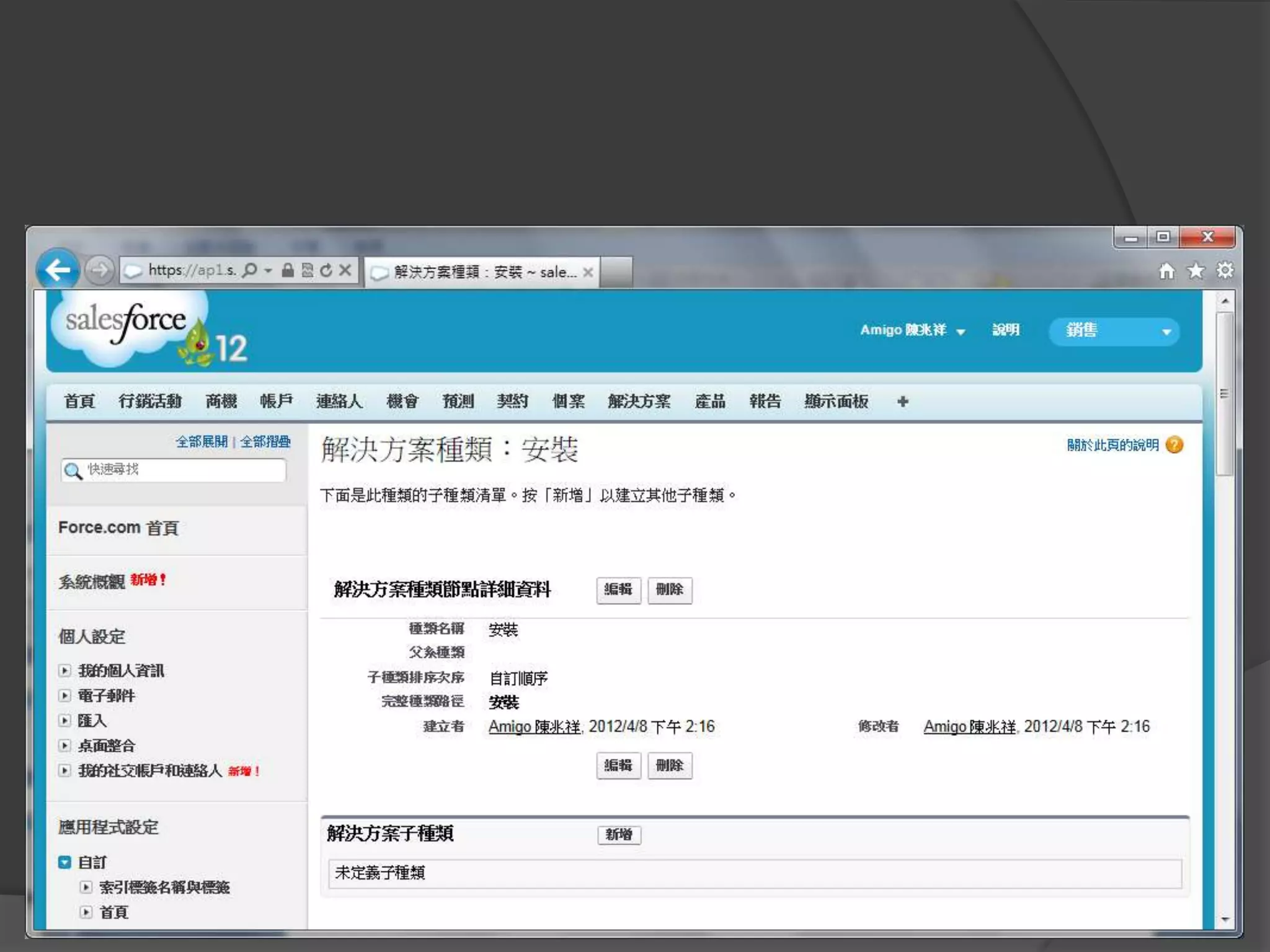
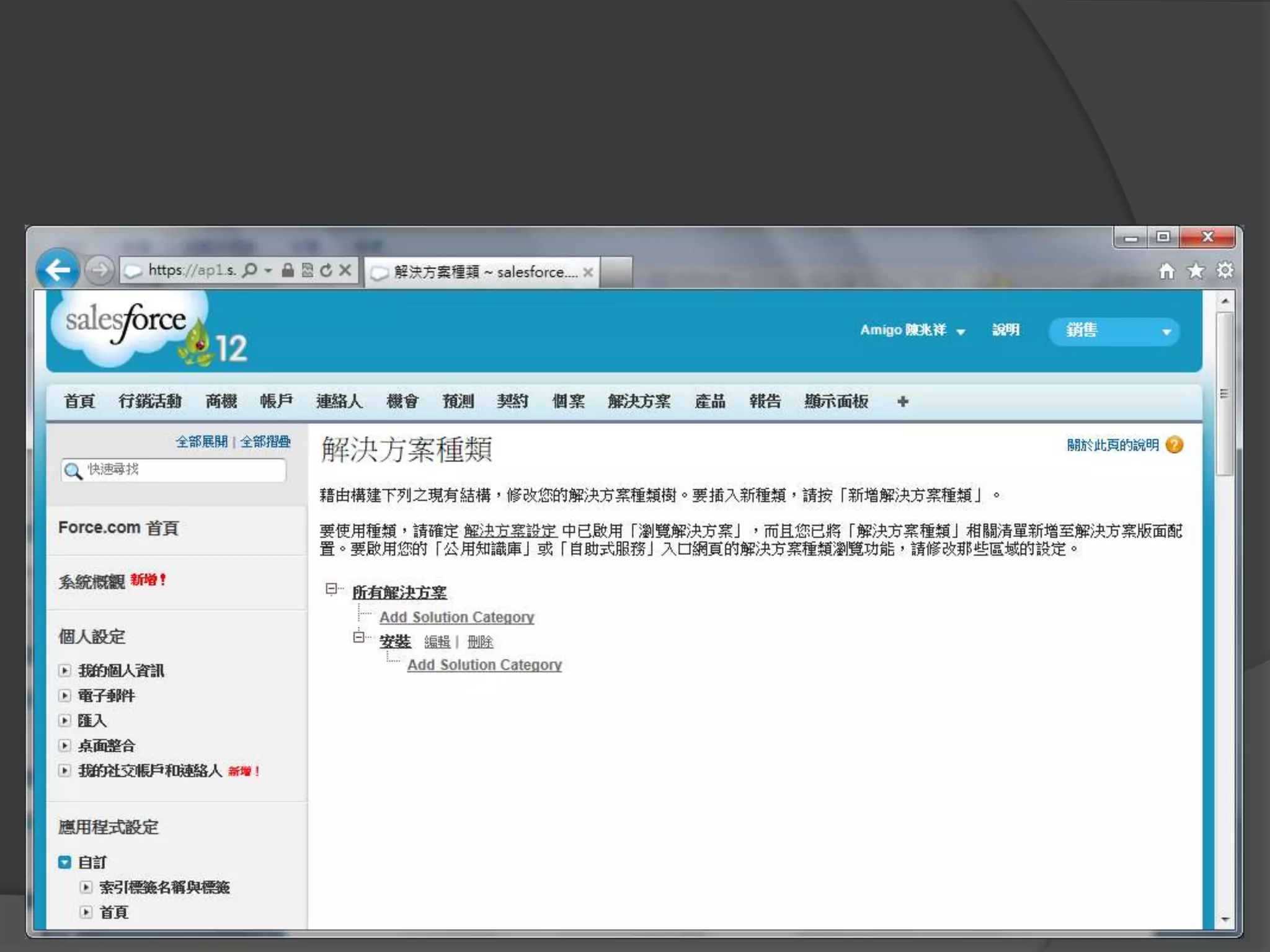
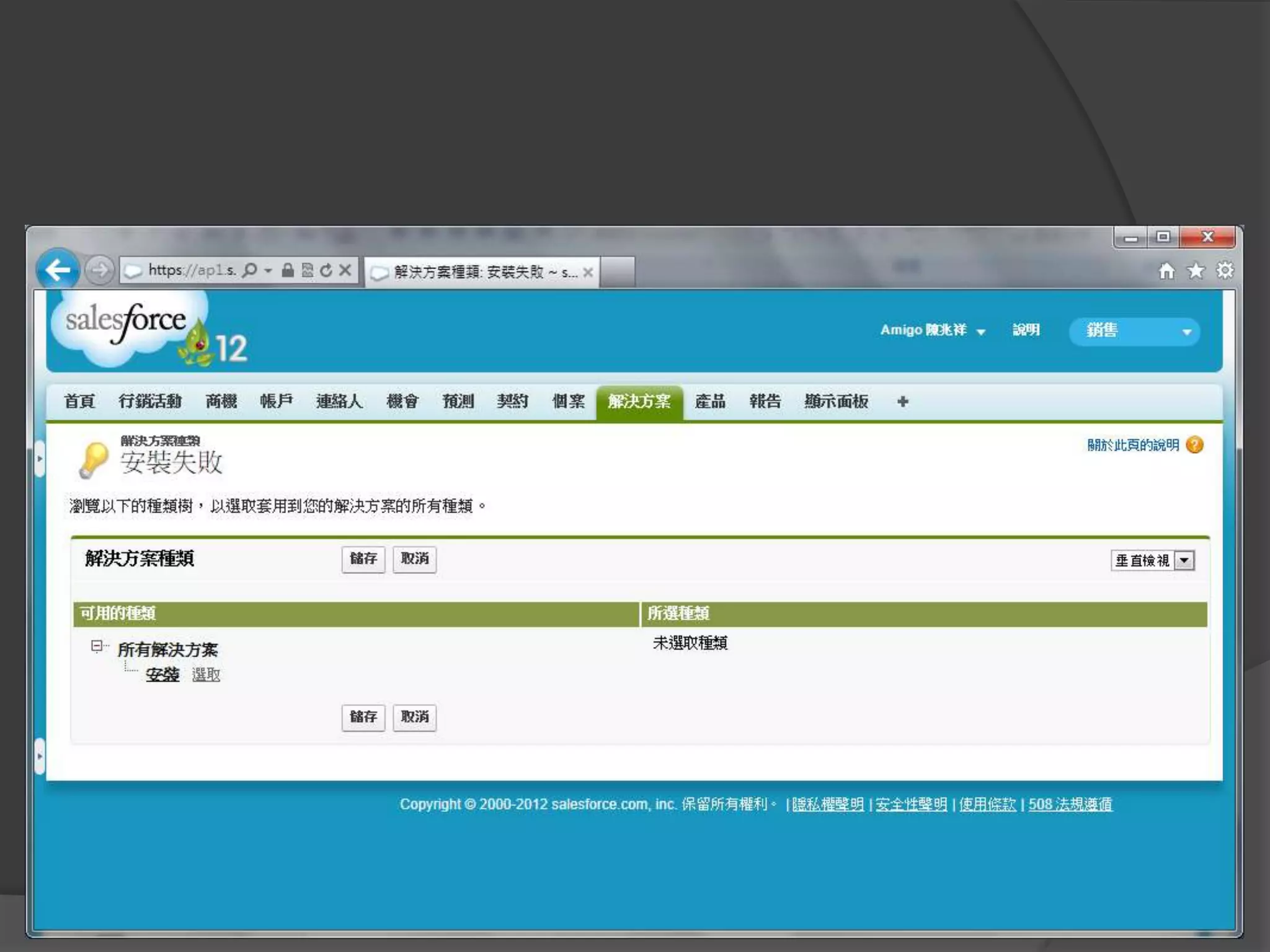
增加解決方案種類
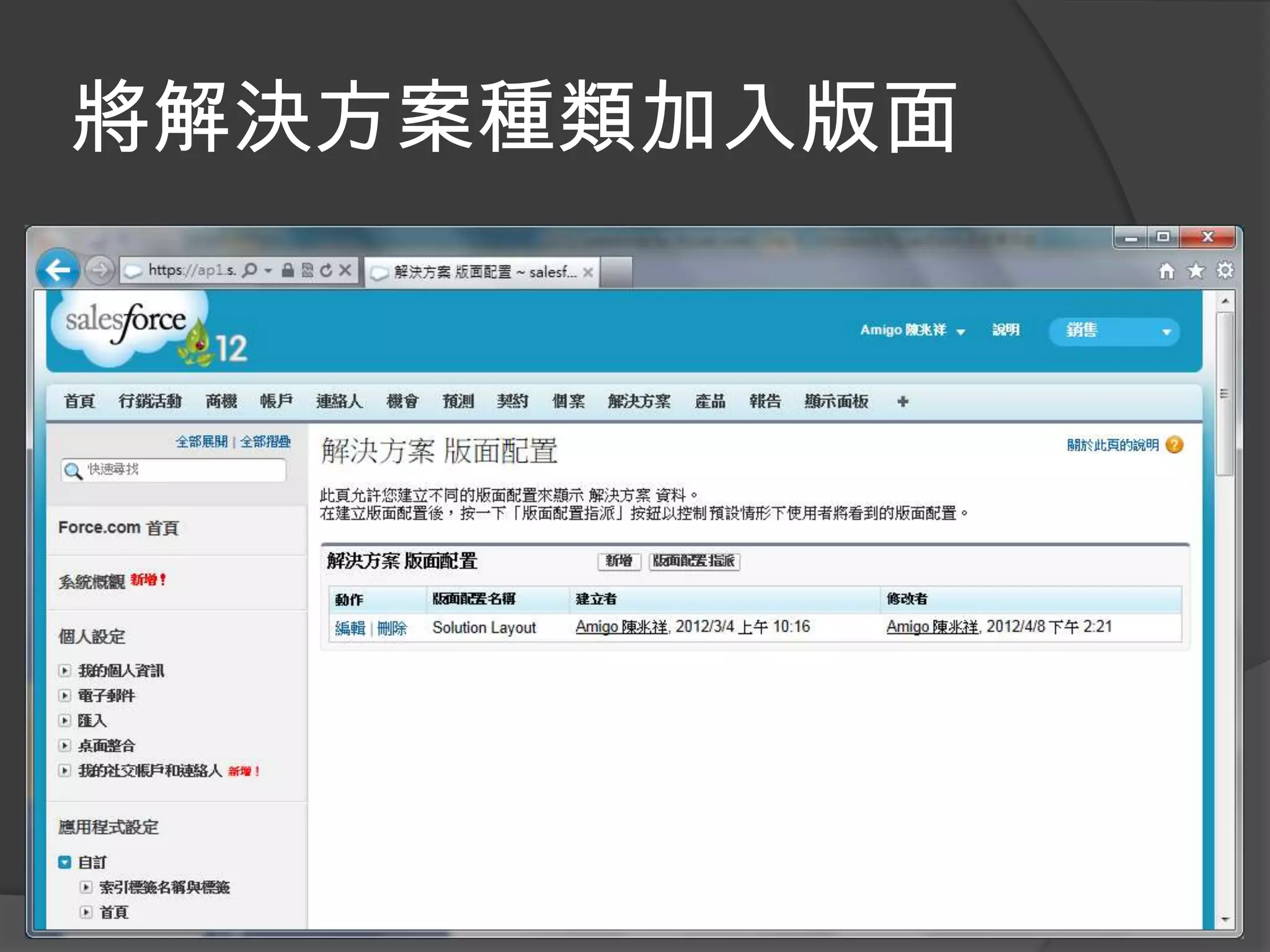
將解決方案種類加入版面
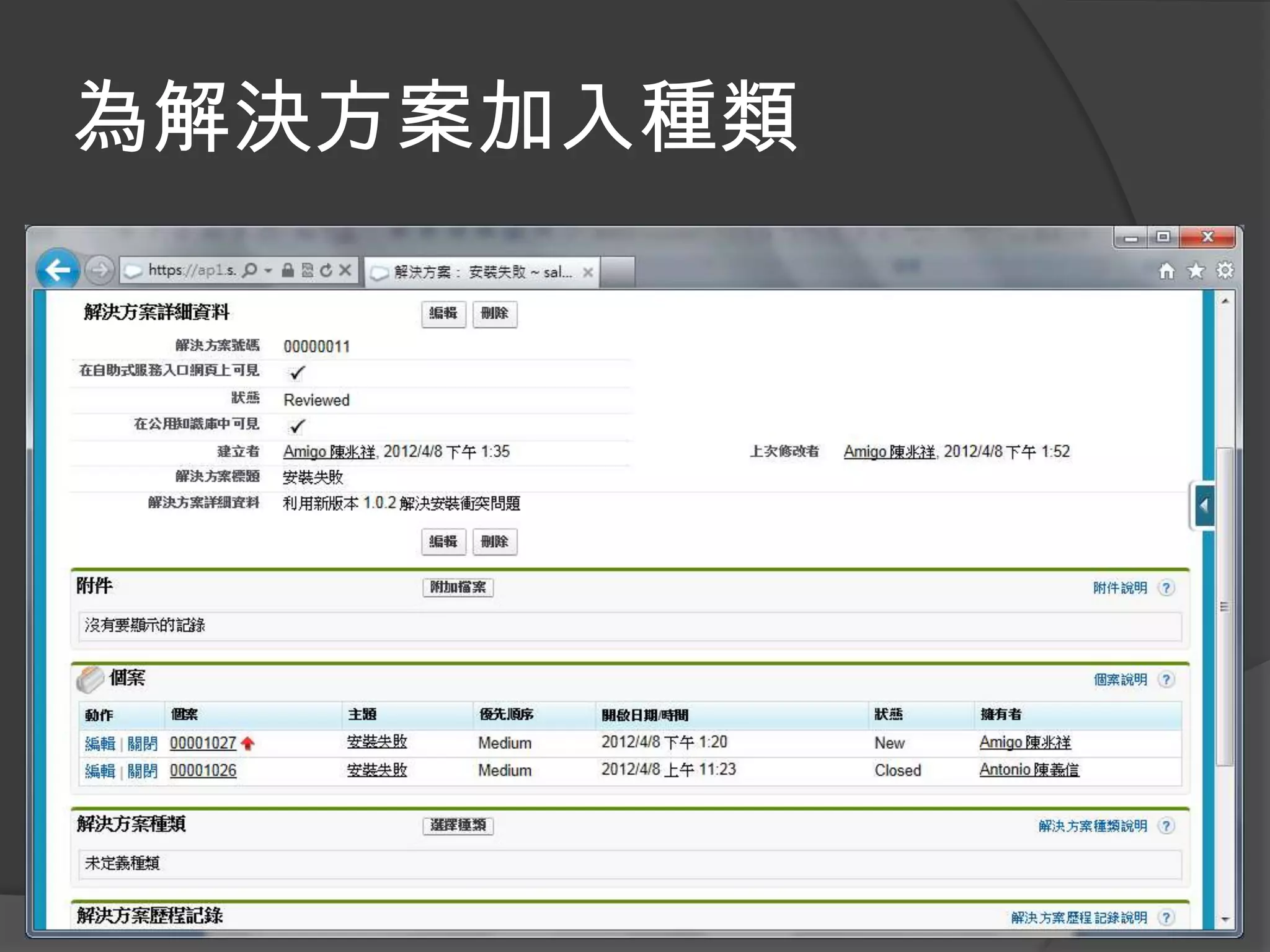
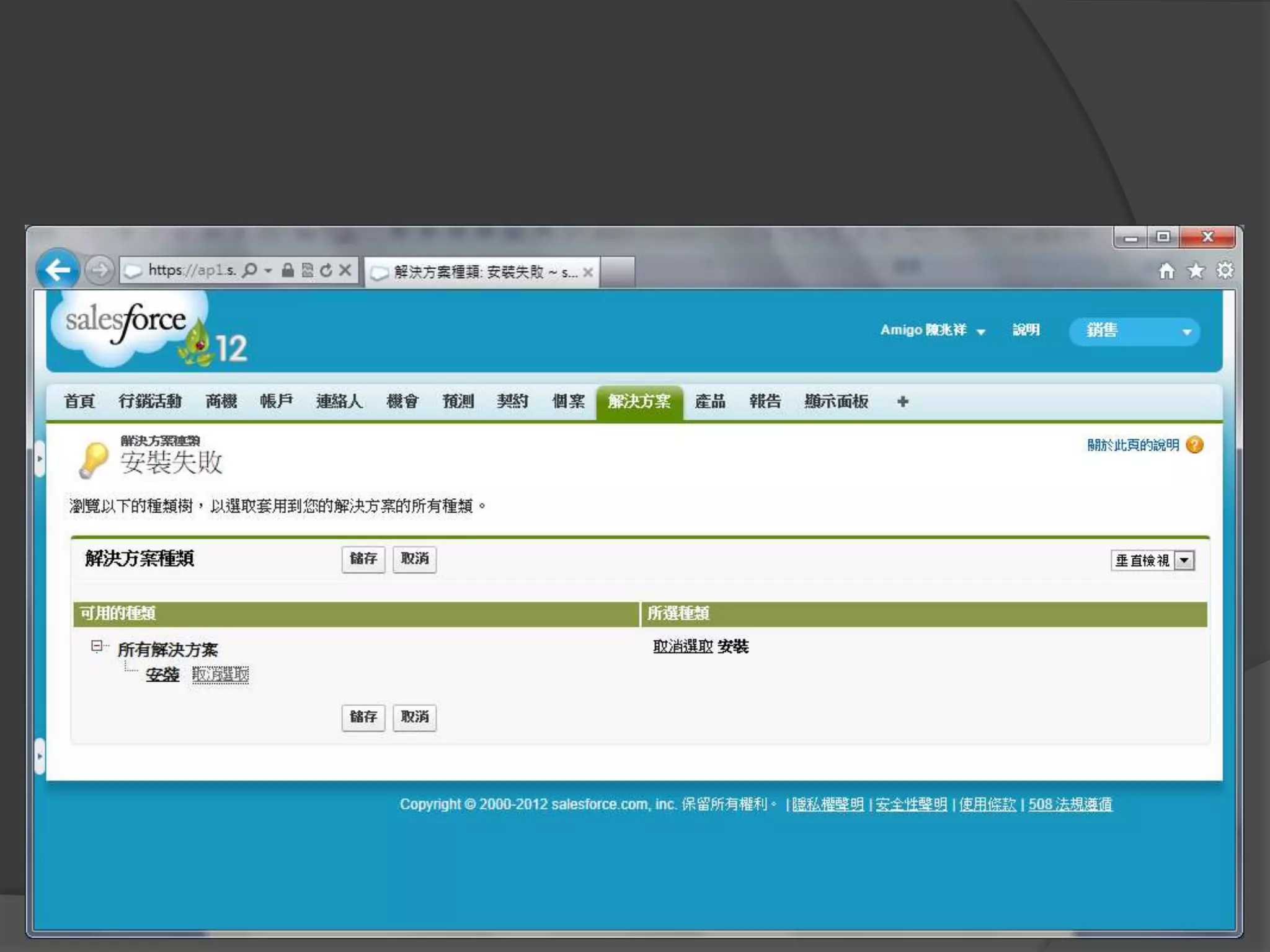
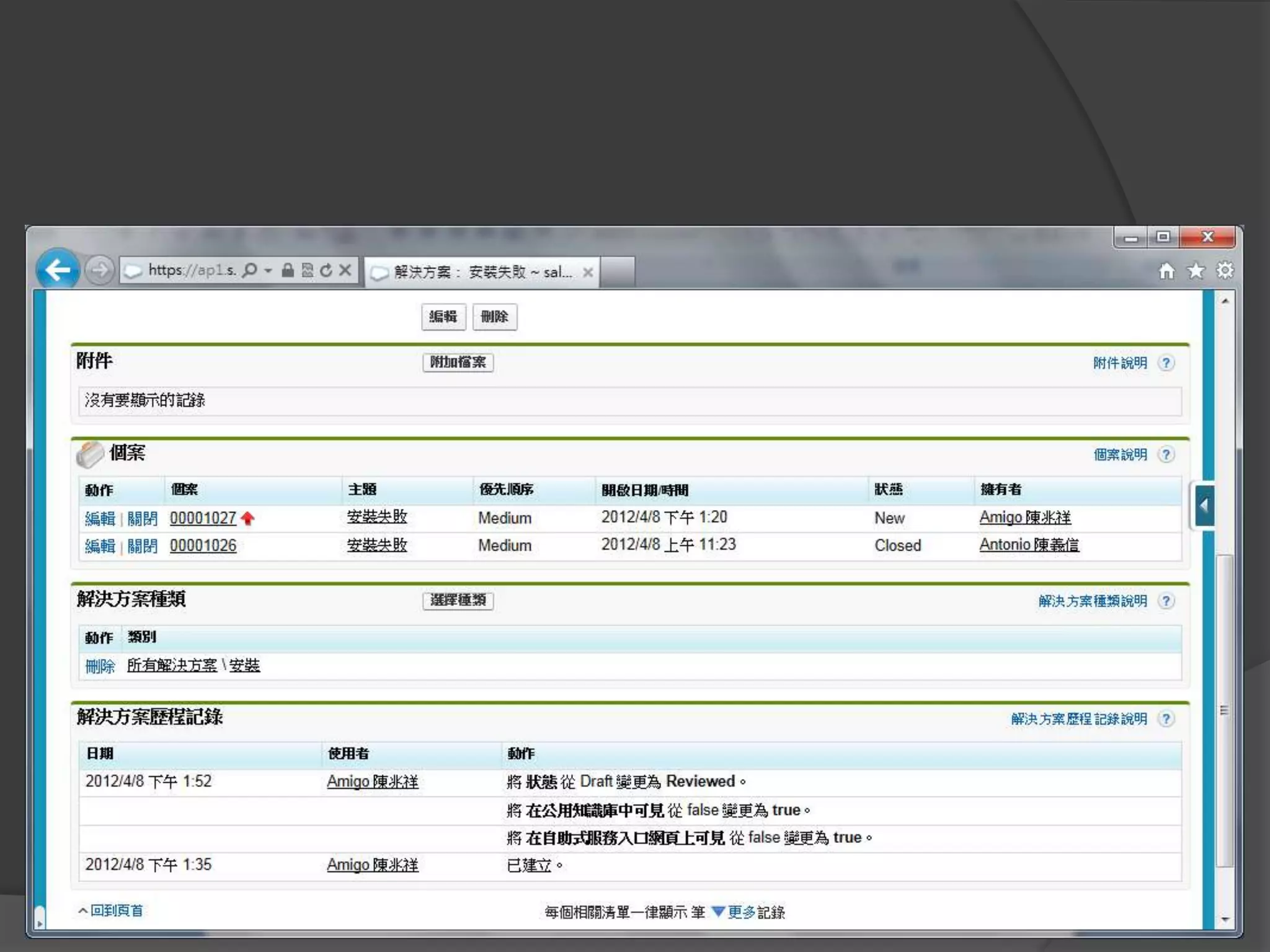
為解決方案加入種類
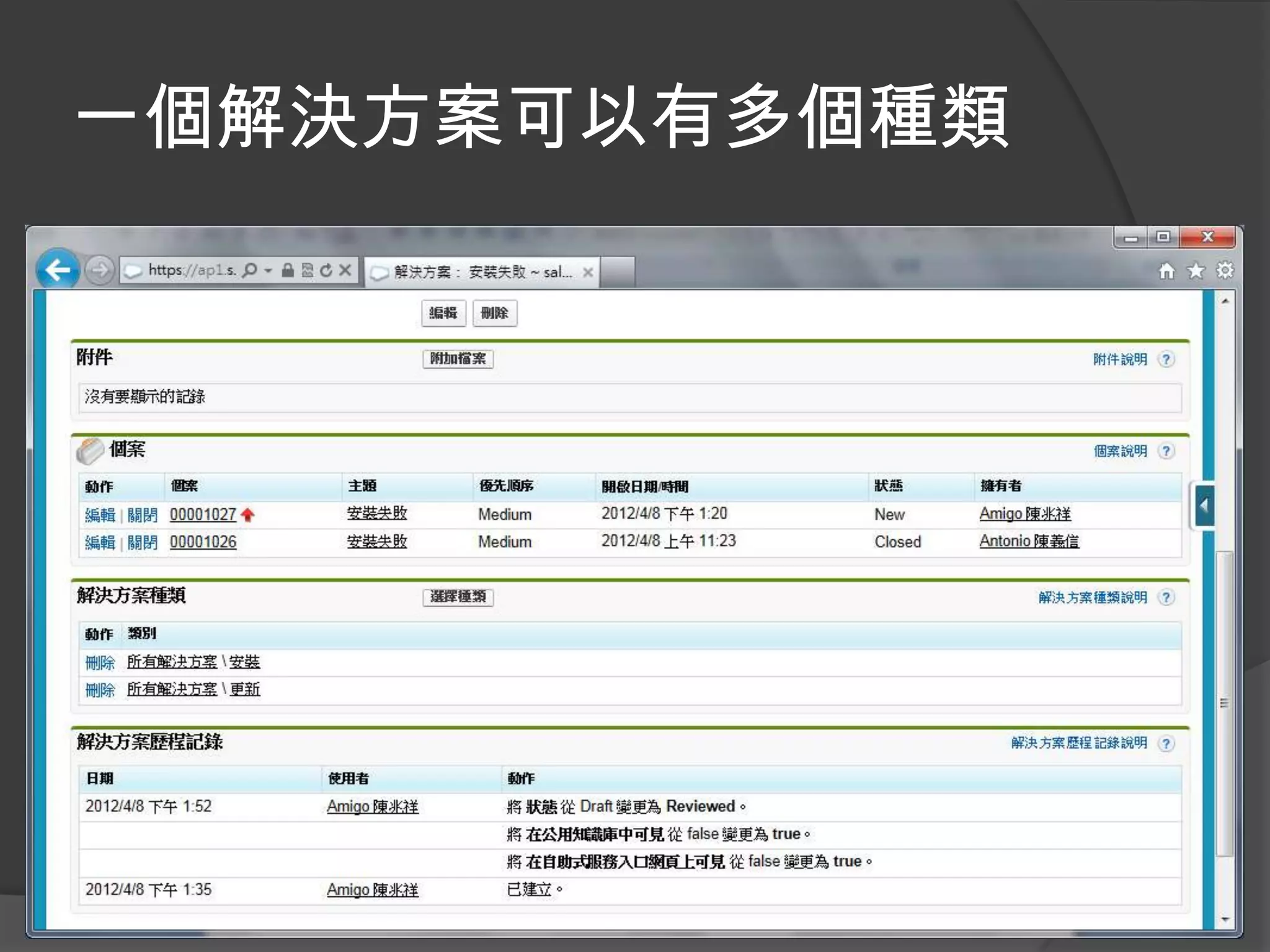
一個解決方案可以有多個種類
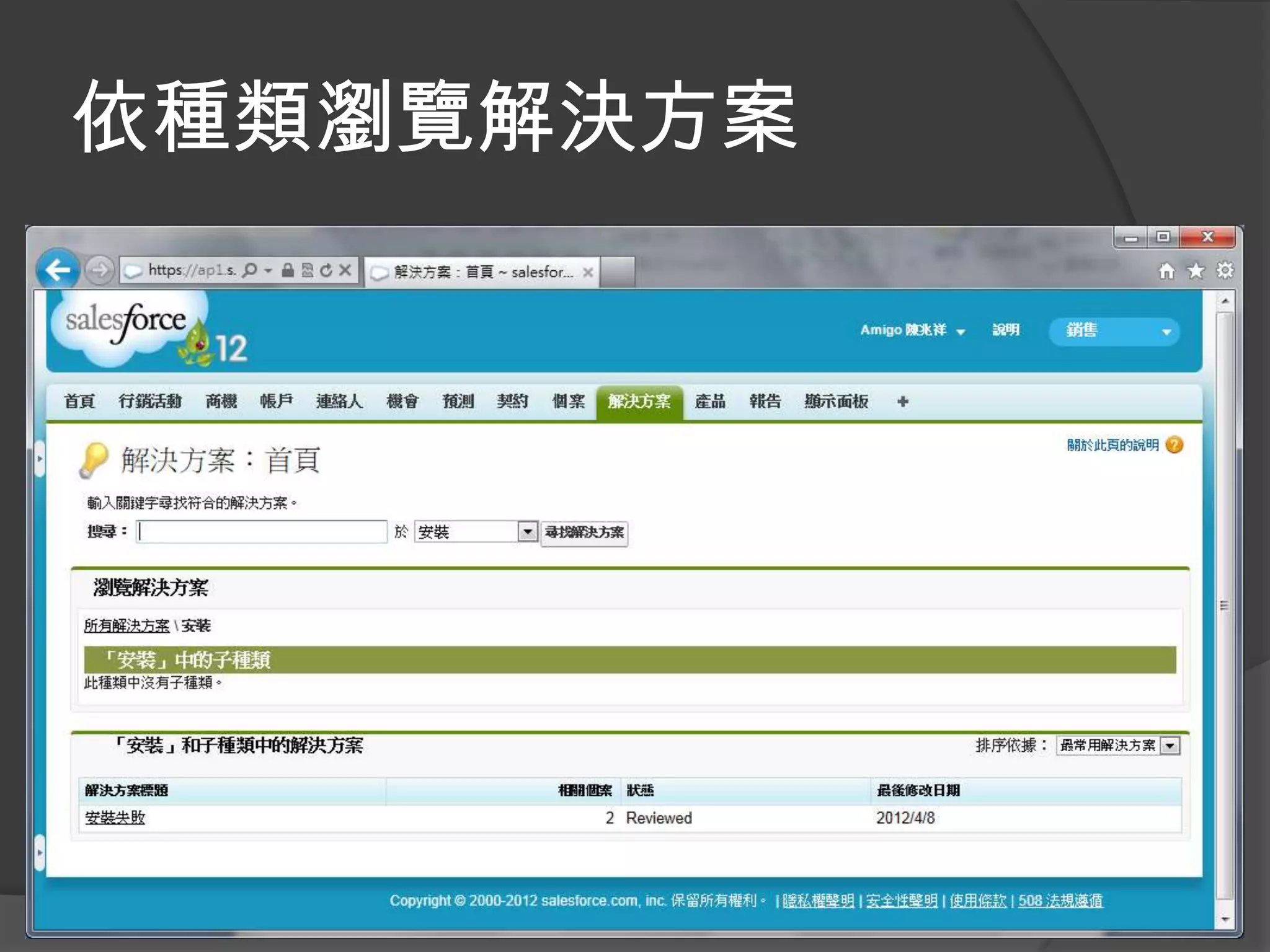
依種類瀏覽解決方案
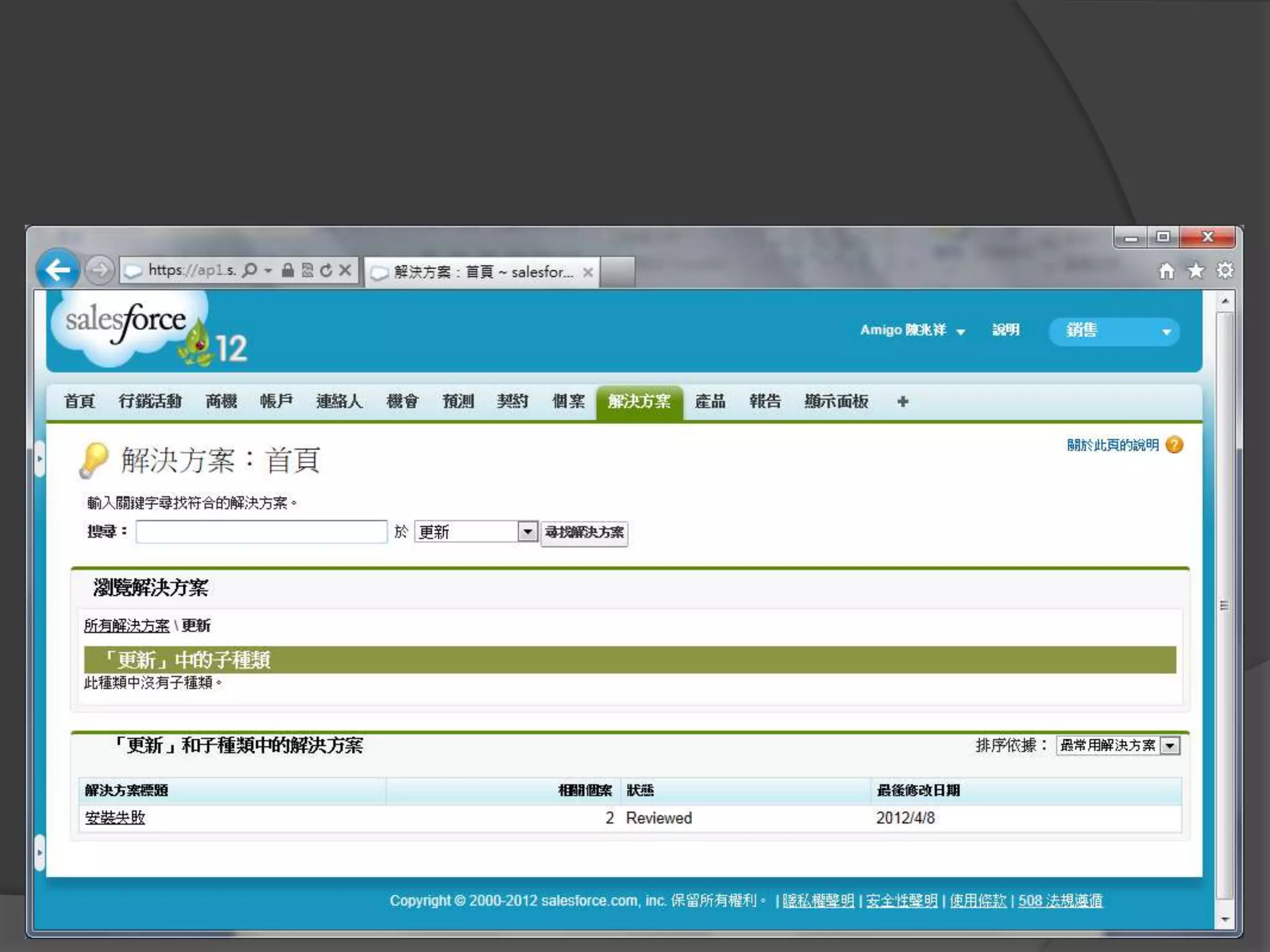
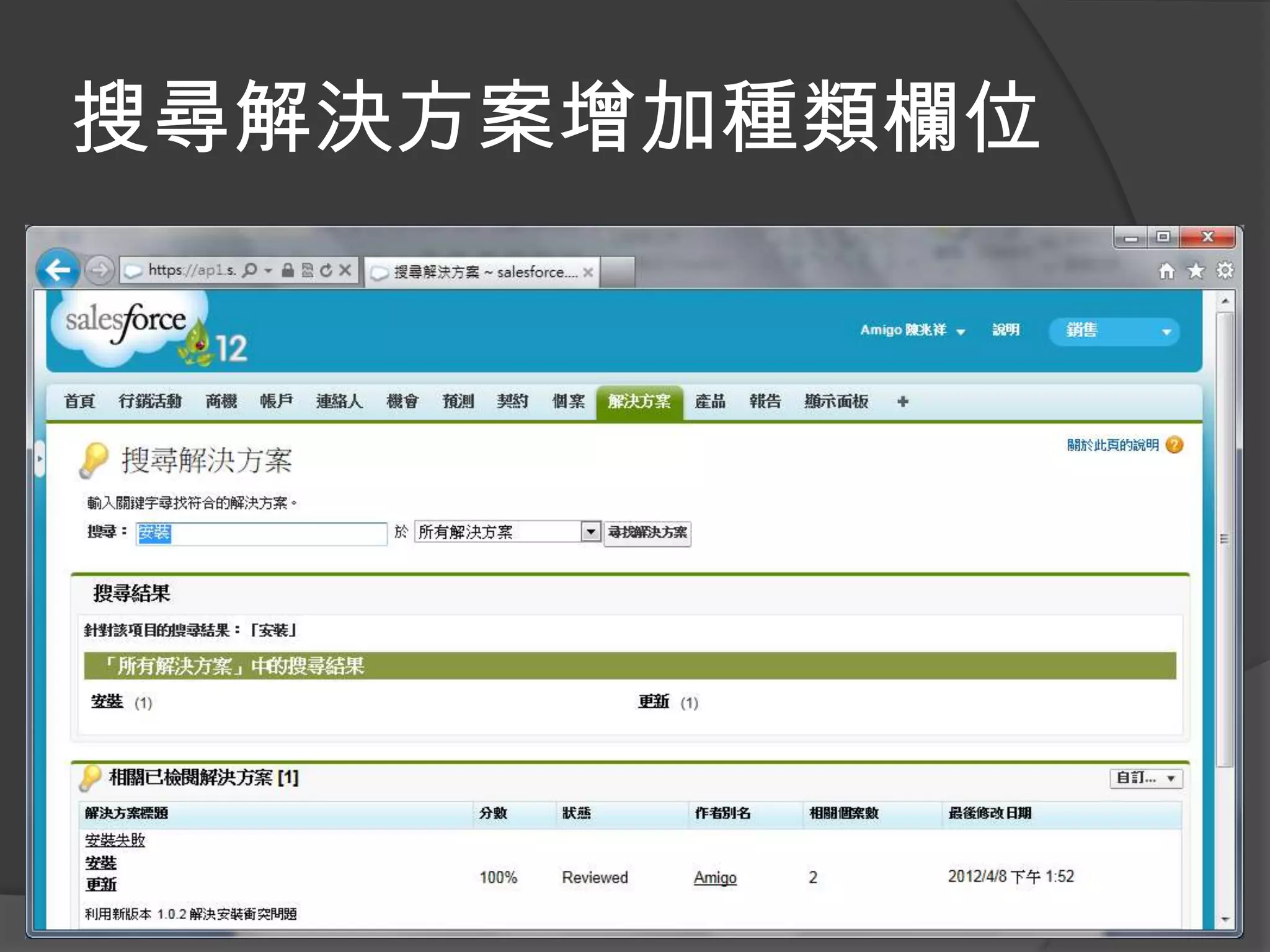
搜尋解決方案增加種類欄位
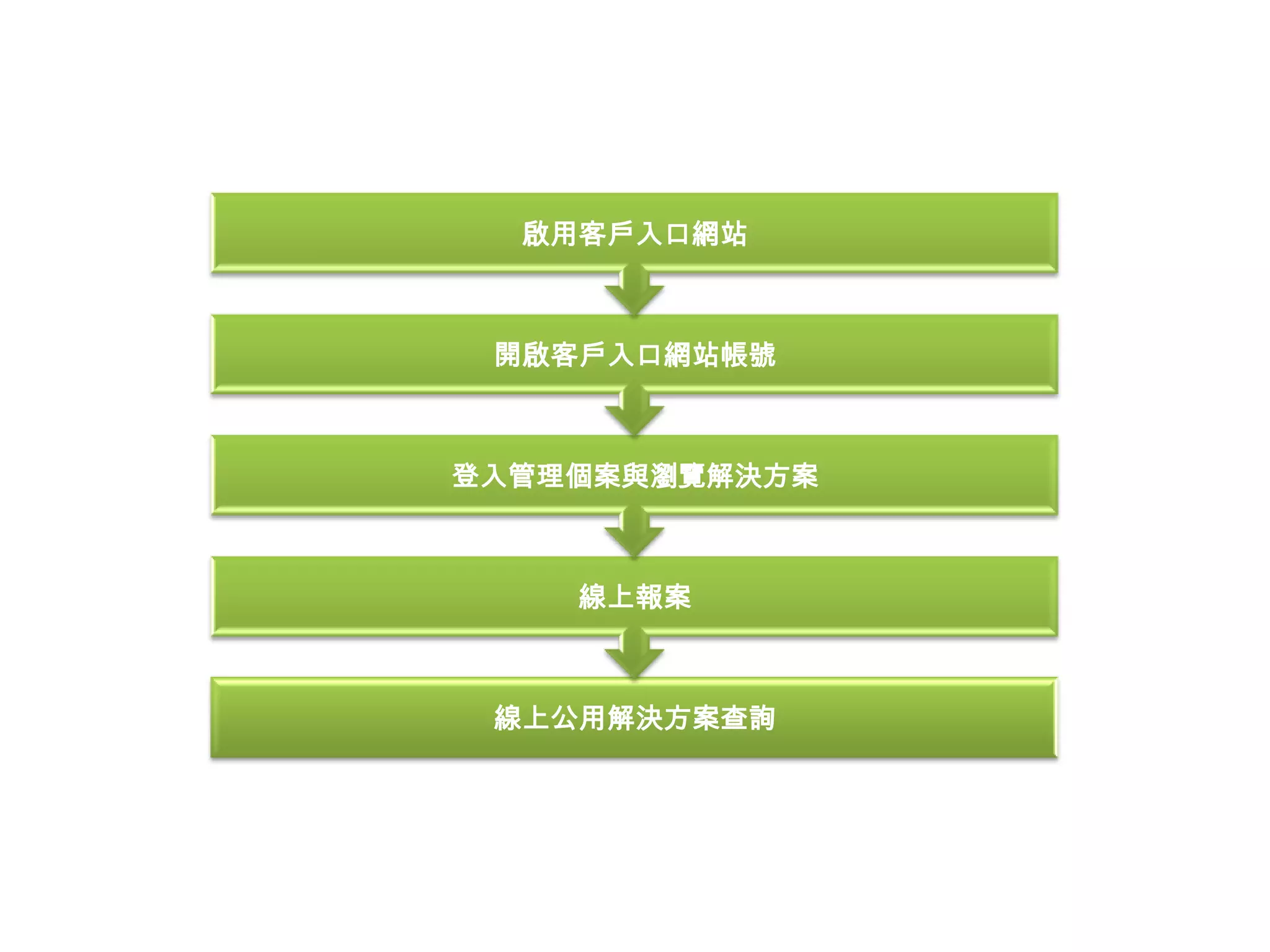
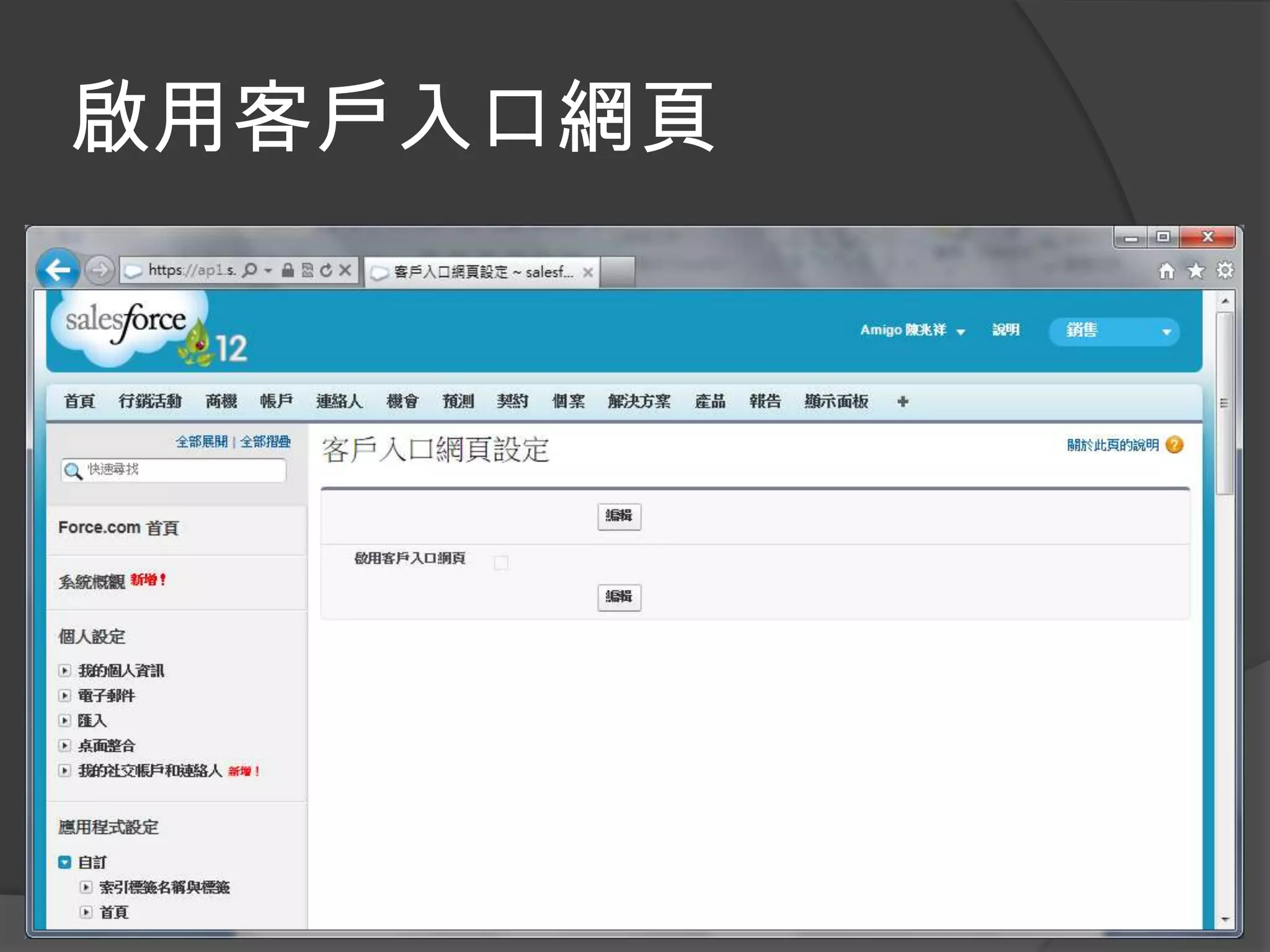
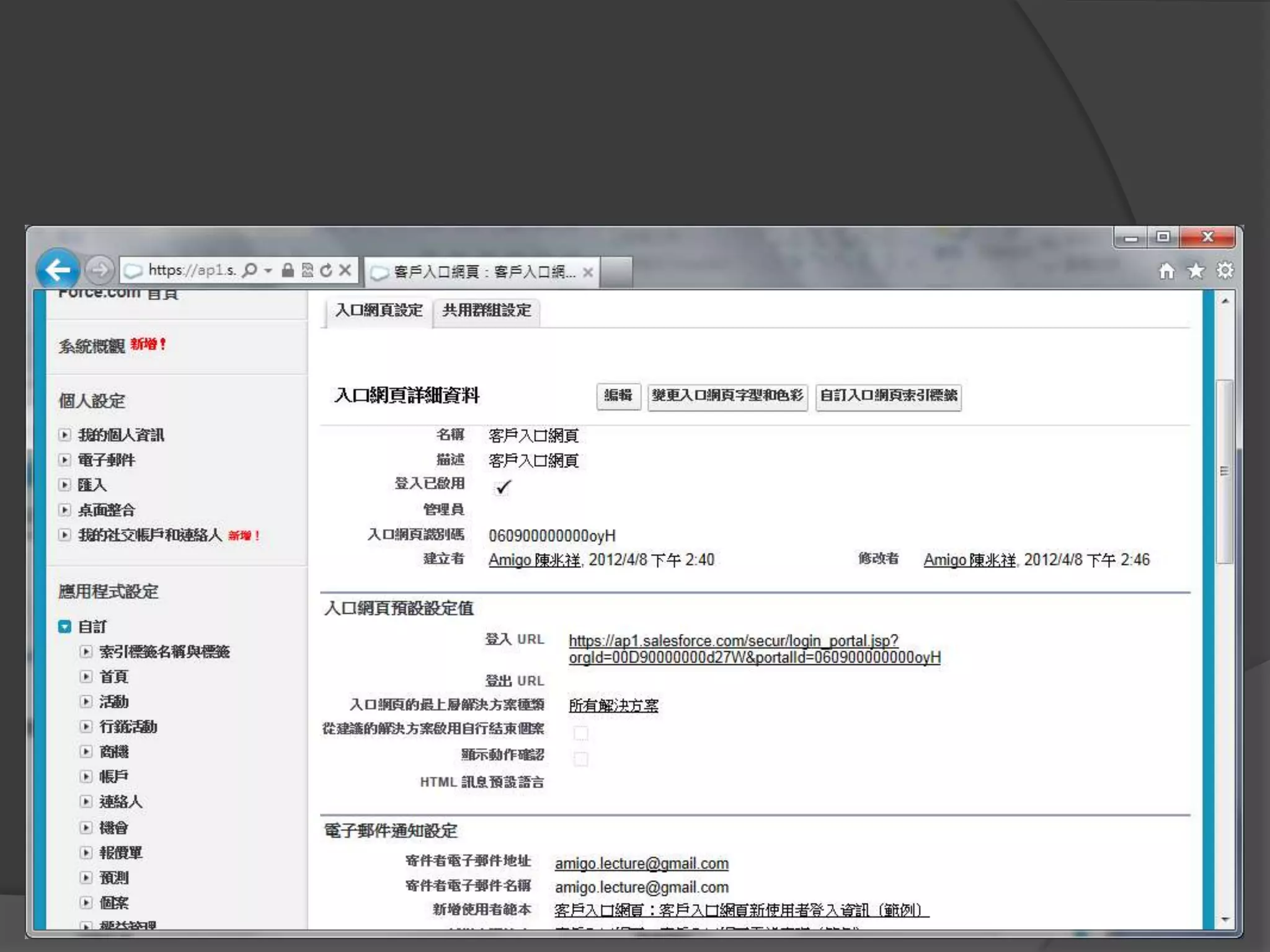
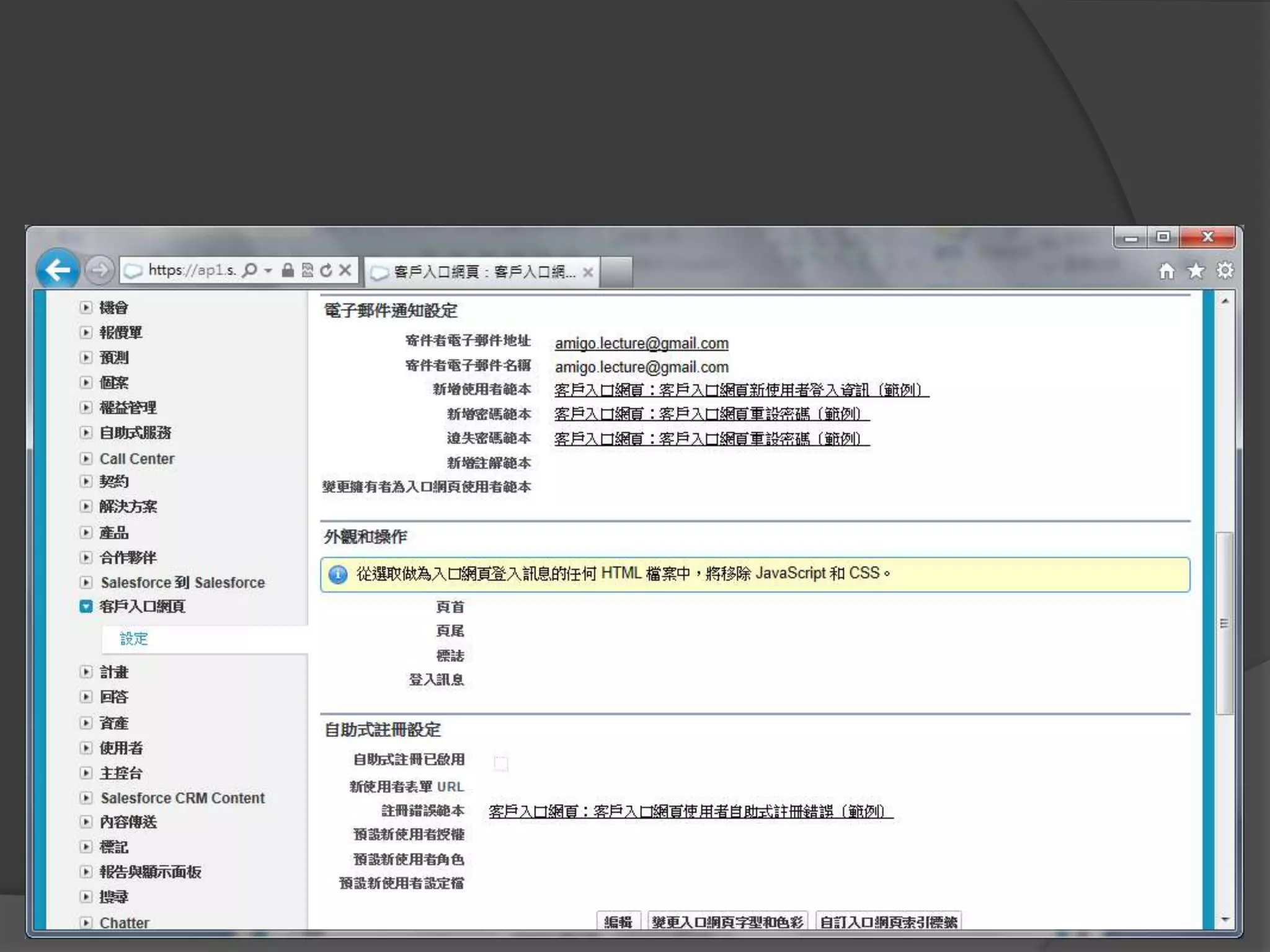
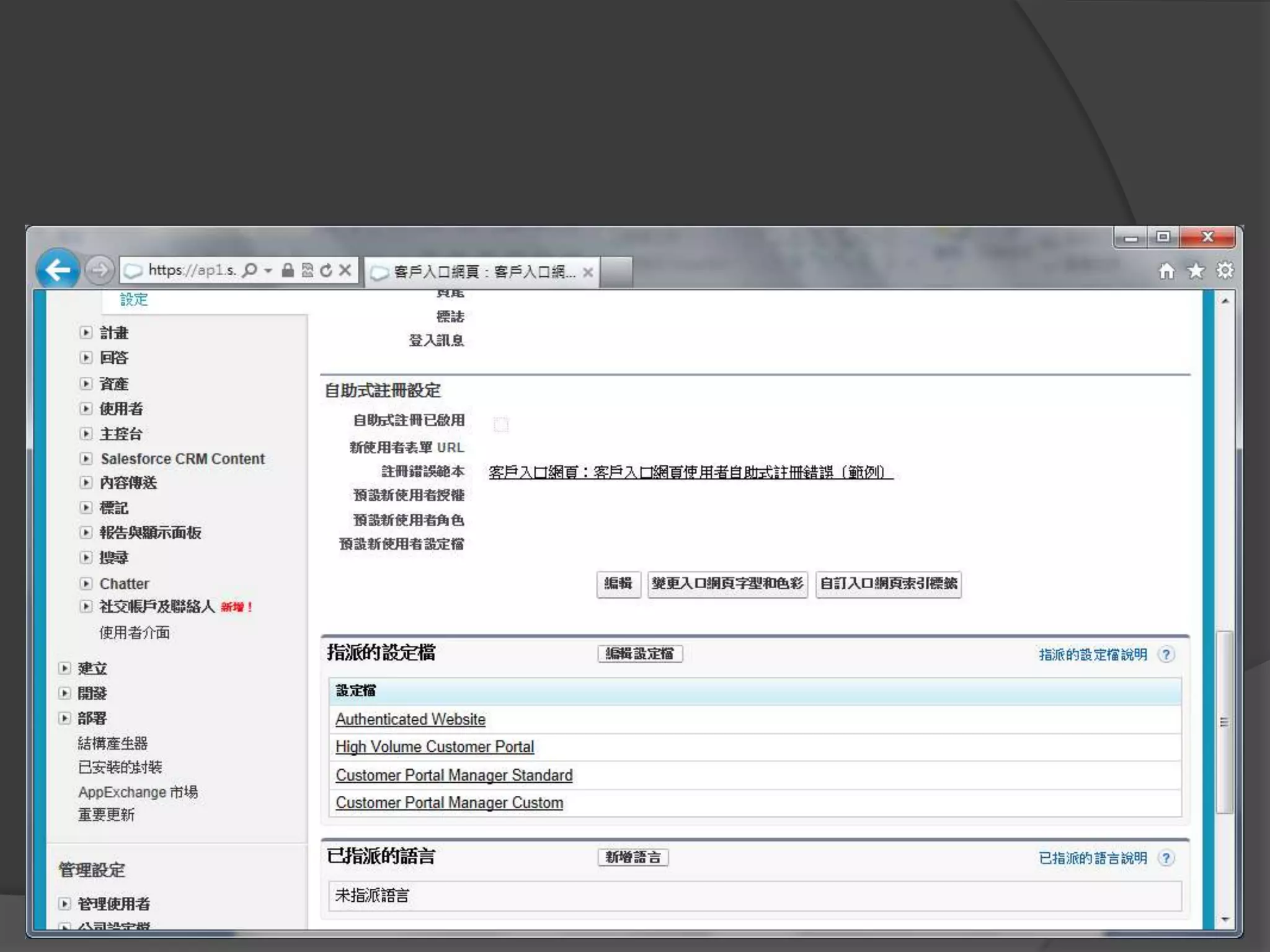
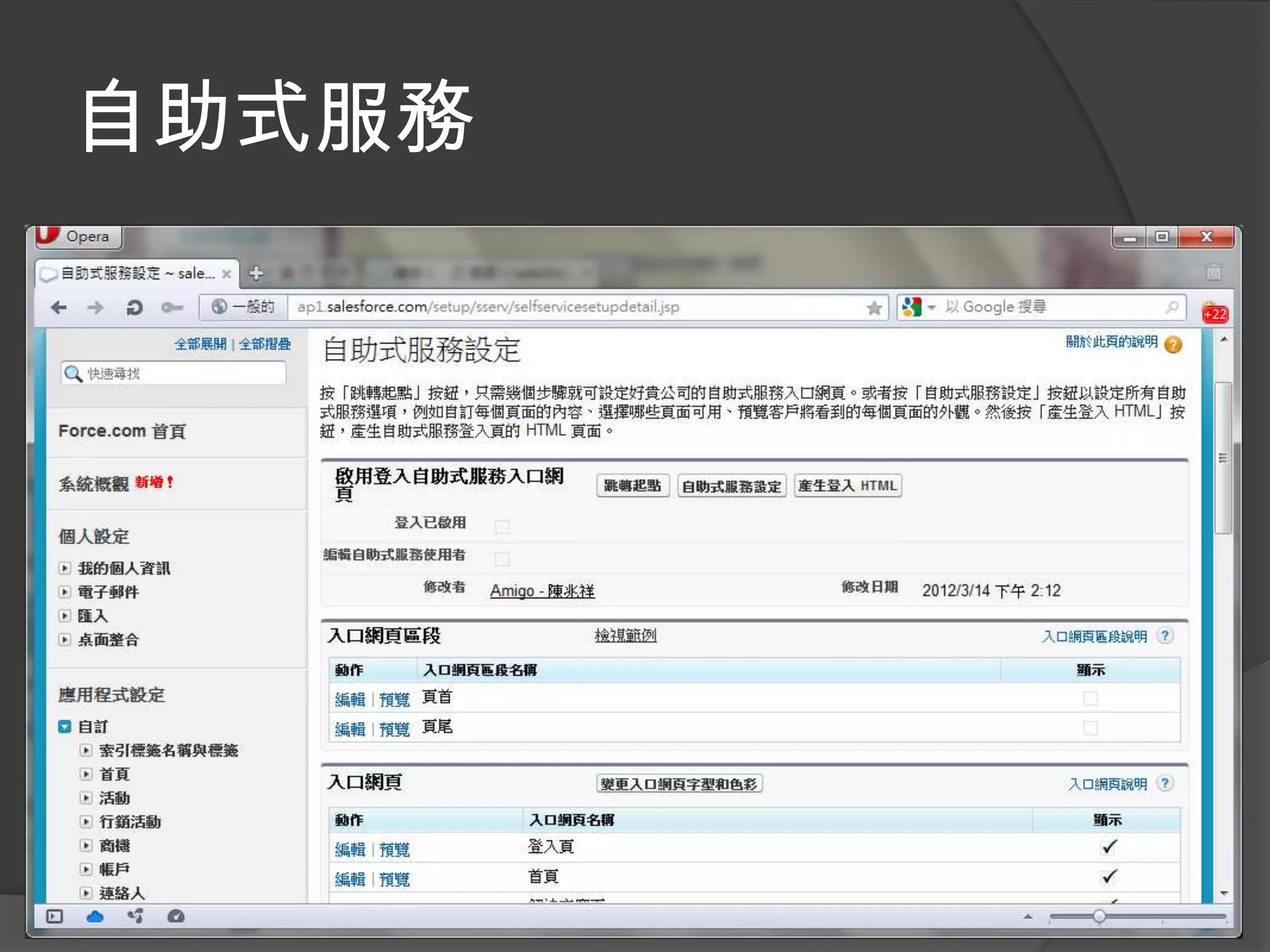
自助服務
啟用客戶入口網站


 開啟客戶入口網站帳號


登入管理個案與瀏覽解決方案


    線上報案


 線上公用解決方案查詢
啟用客戶入口網頁
自助式服務
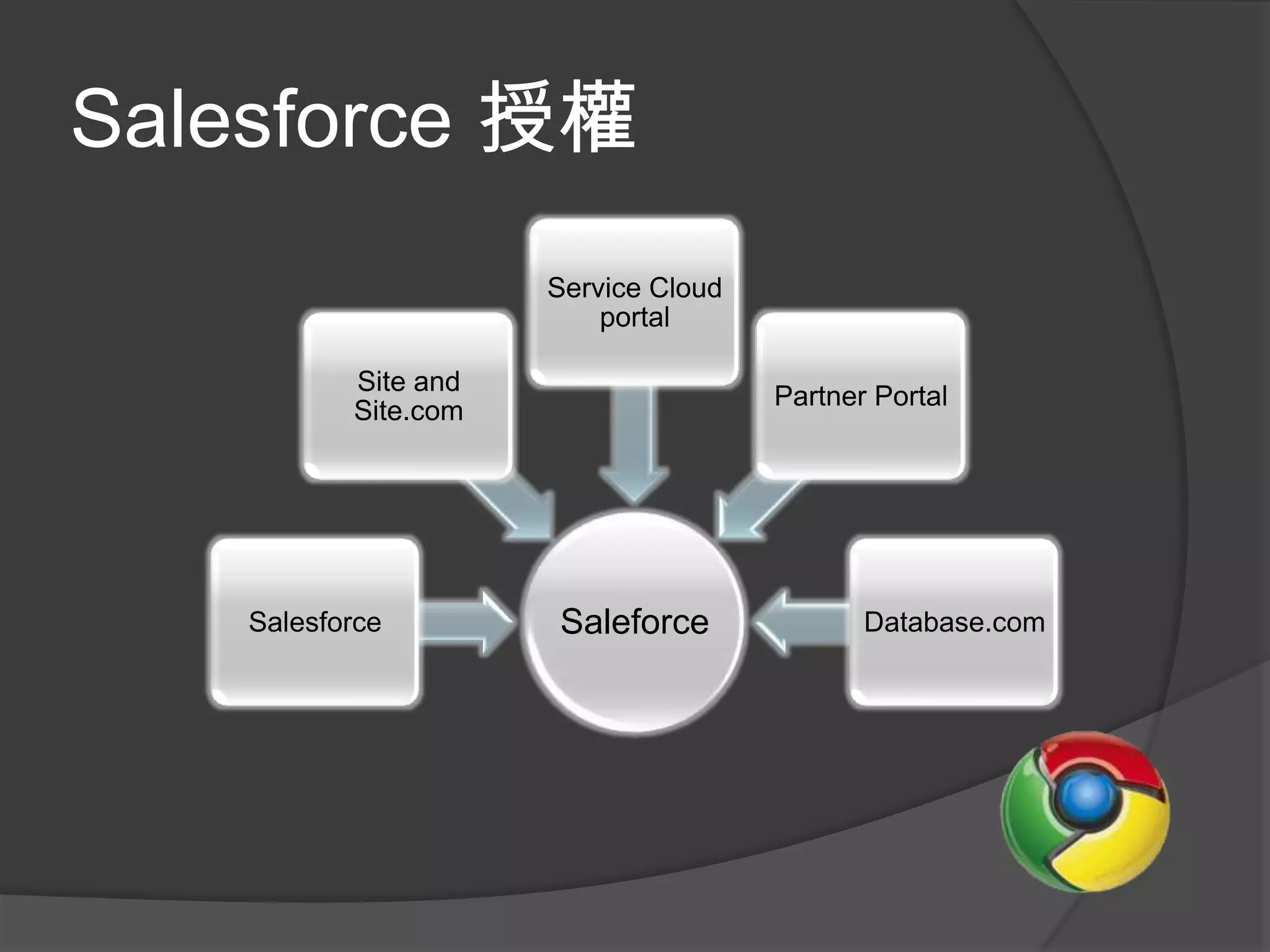
Salesforce 授權
                      Service Cloud
                          portal

           Site and
                                      Partner Portal
           Site.com


    Salesforce        Saleforce              Database.com
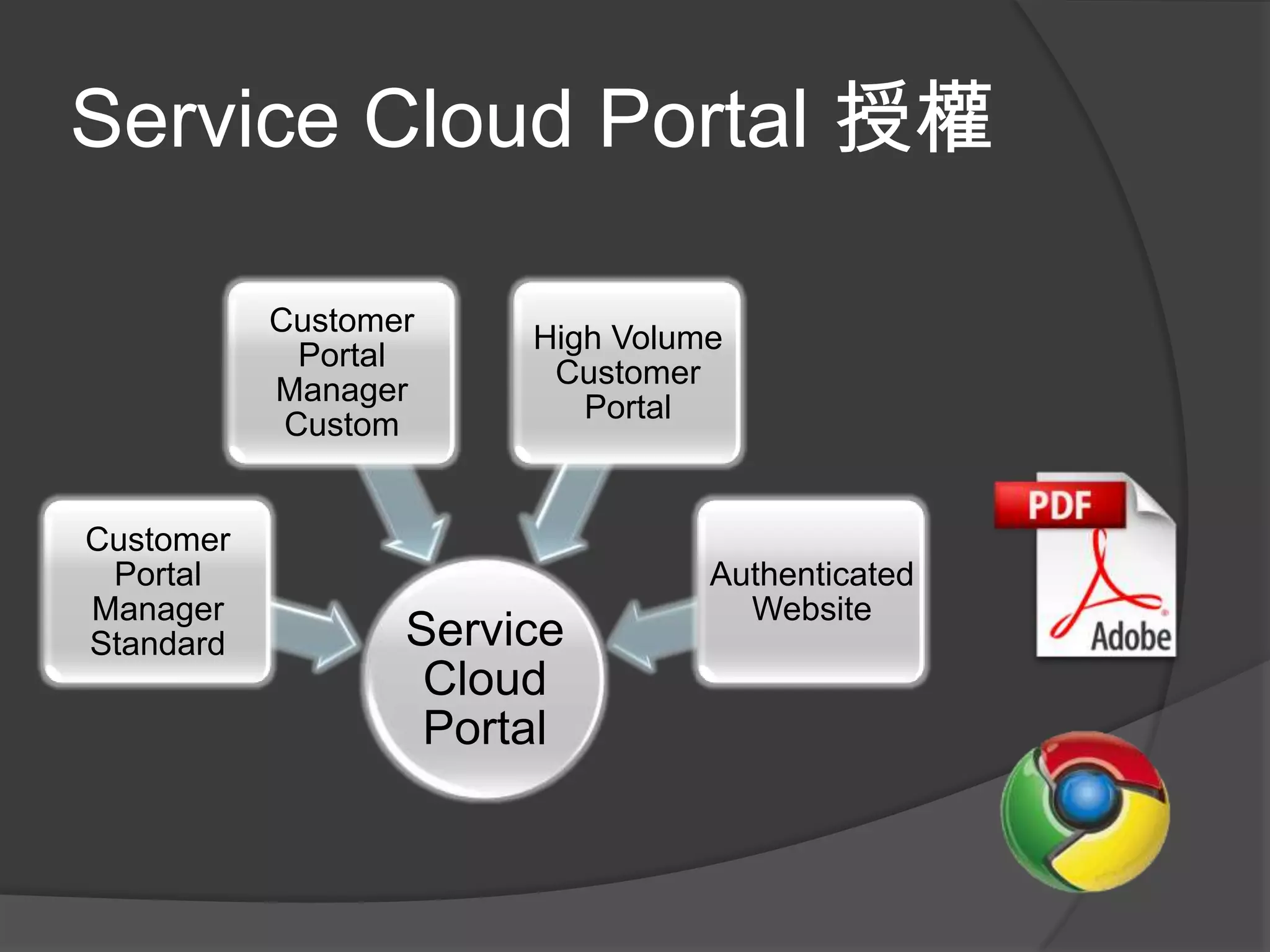
Service Cloud Portal 授權

           Customer
                       High Volume
             Portal
                        Customer
           Manager
                          Portal
            Custom


Customer
 Portal                          Authenticated
Manager                            Website
Standard          Service
                   Cloud
                   Portal
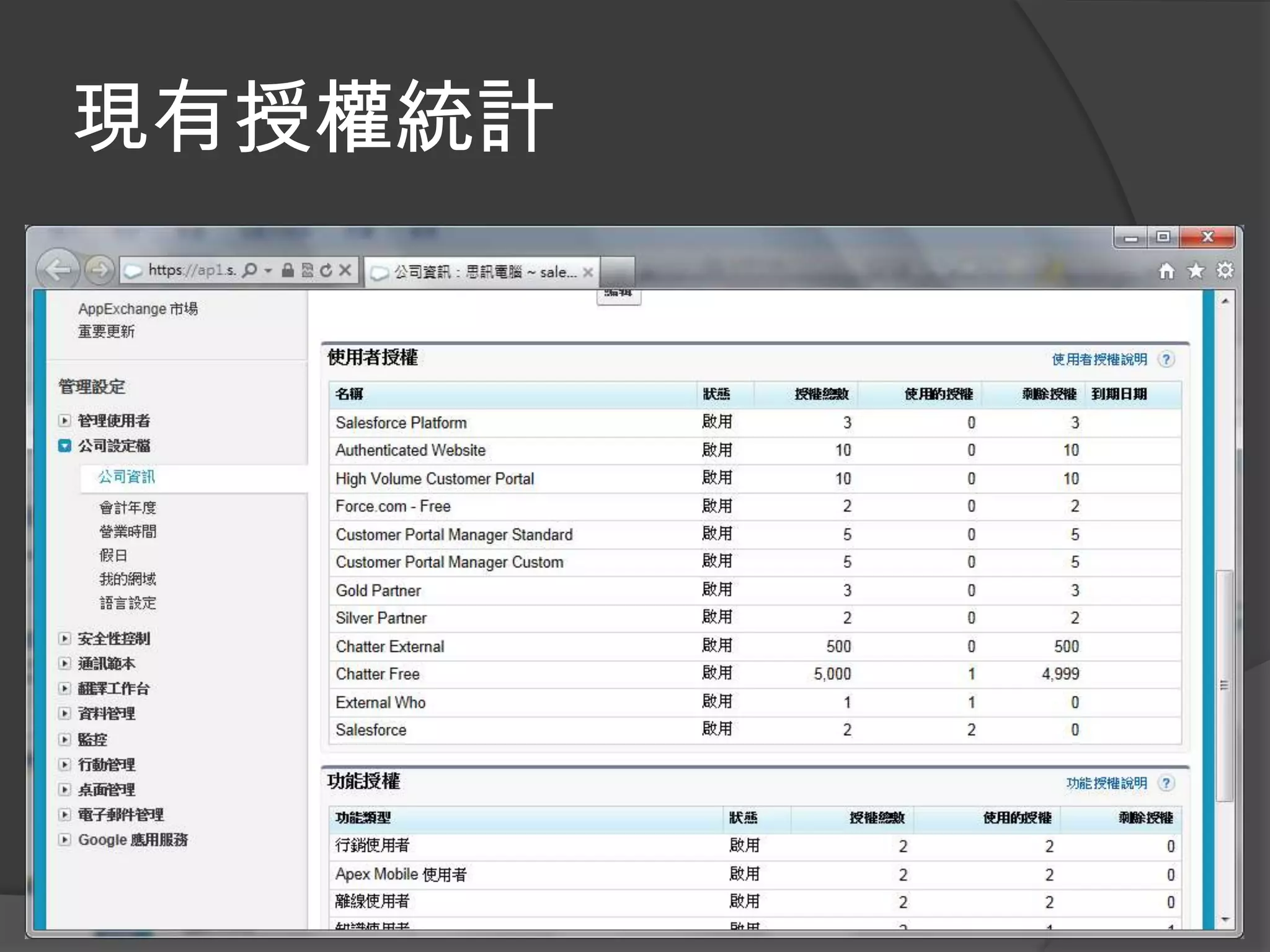
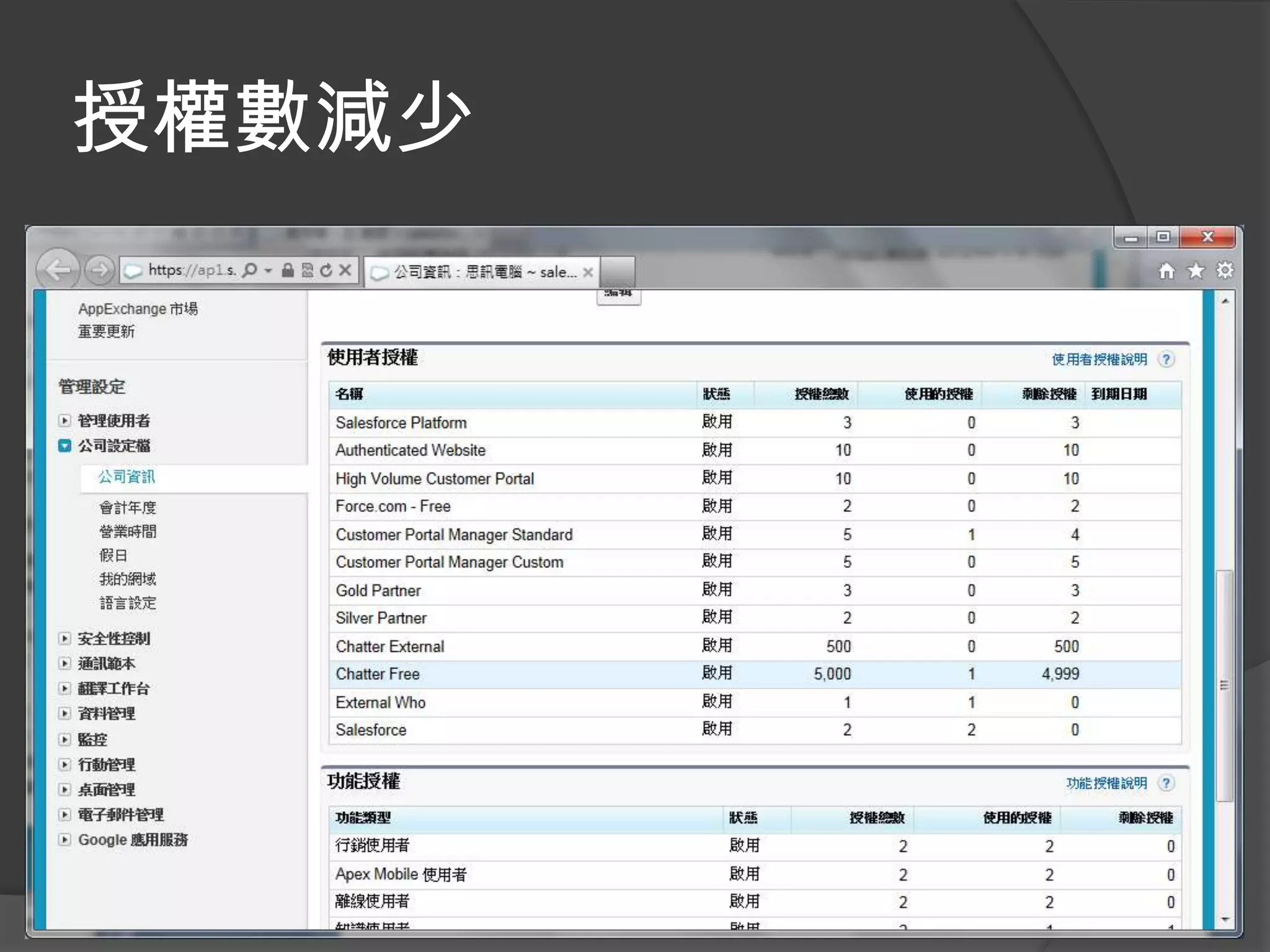
現有授權統計
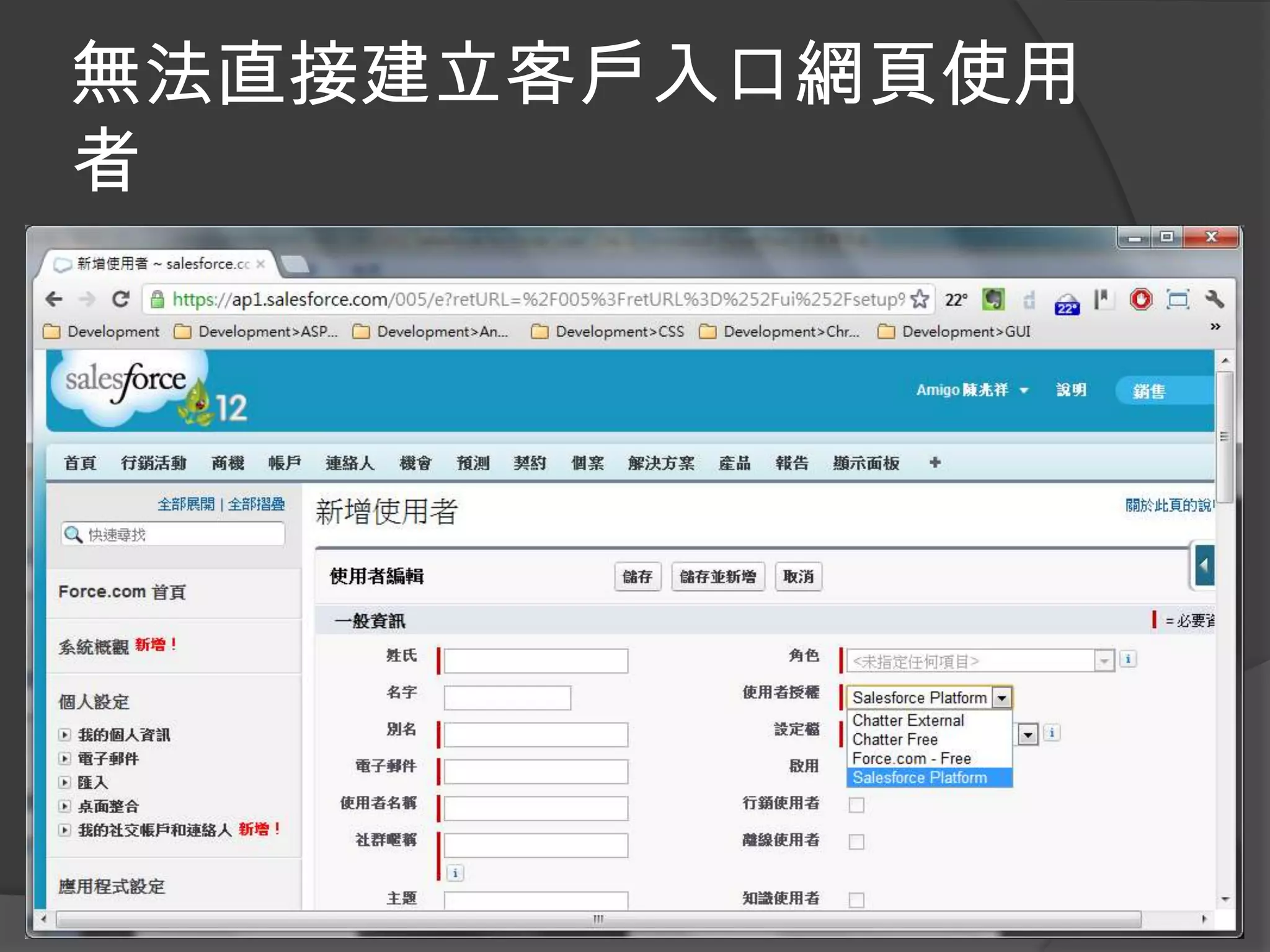
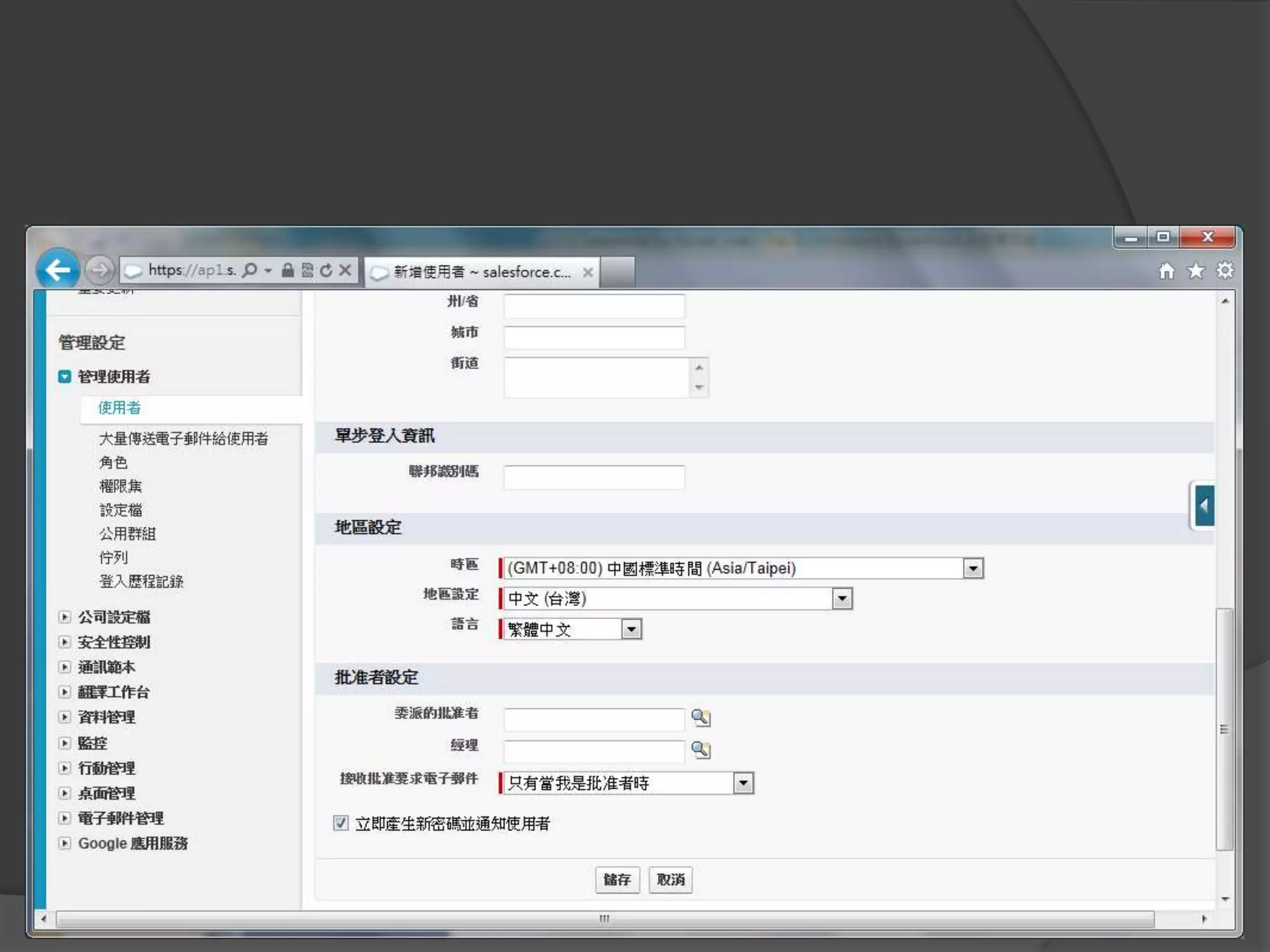
無法直接建立客戶入口網頁使用
者
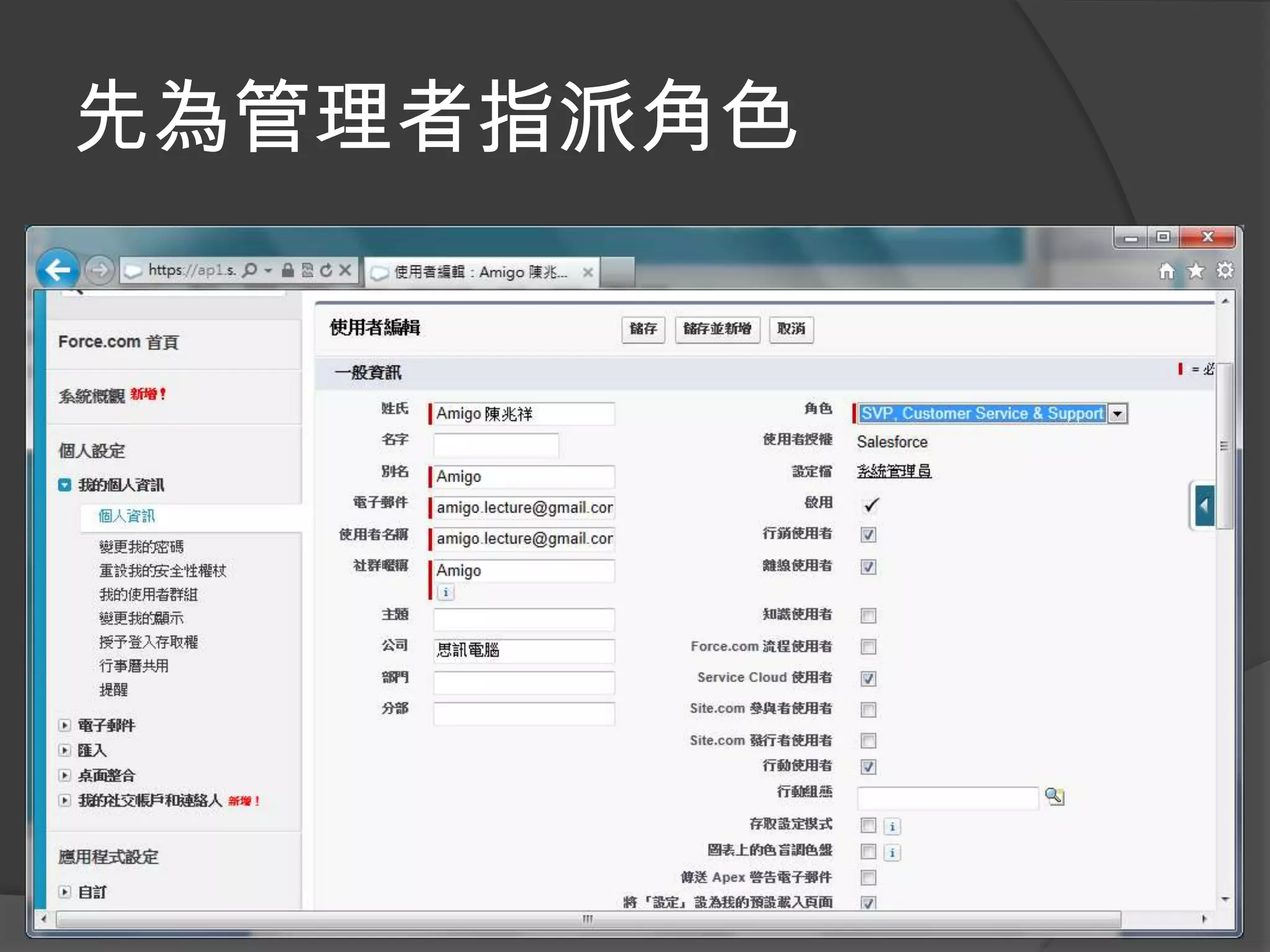
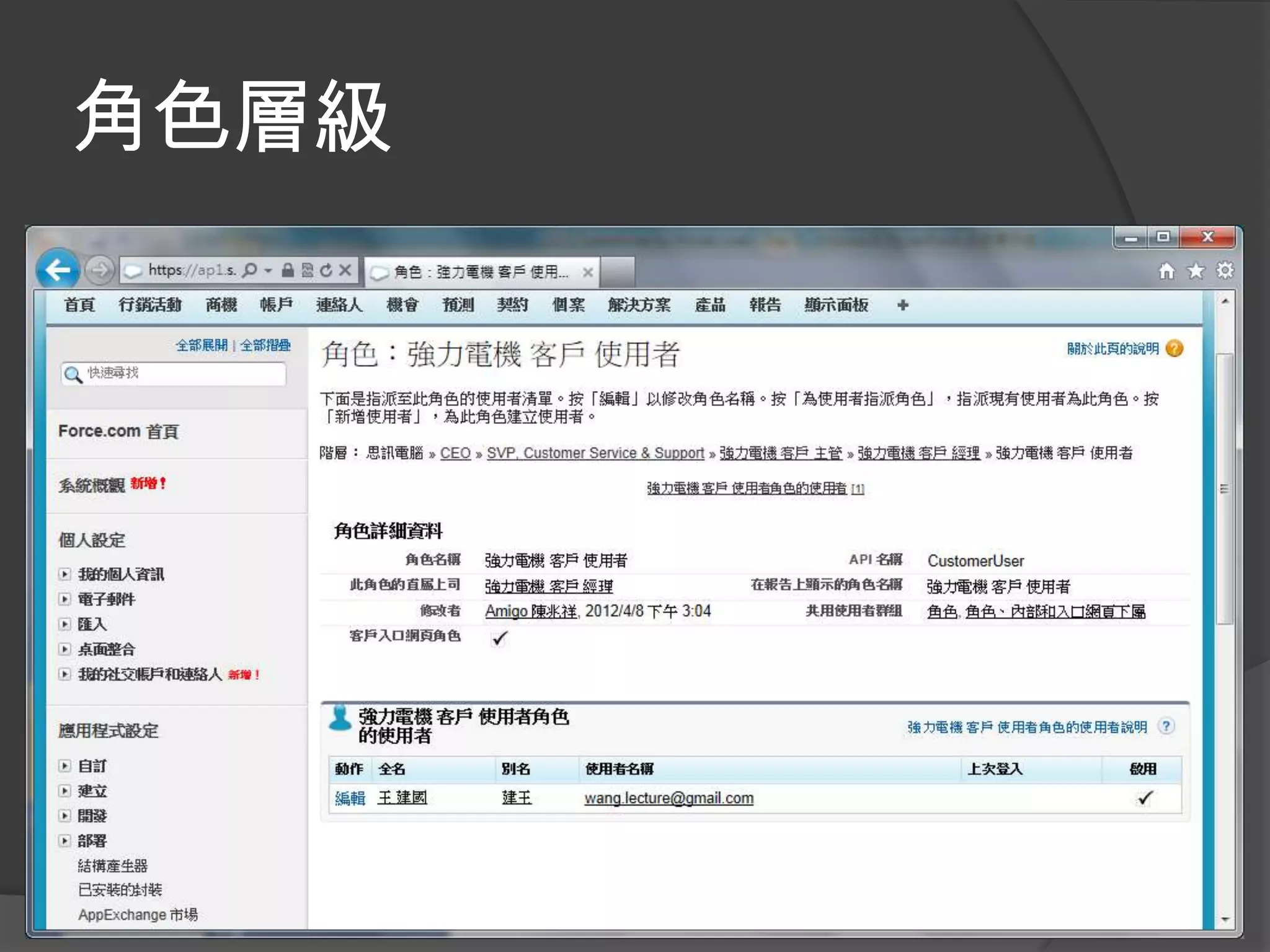
先為管理者指派角色
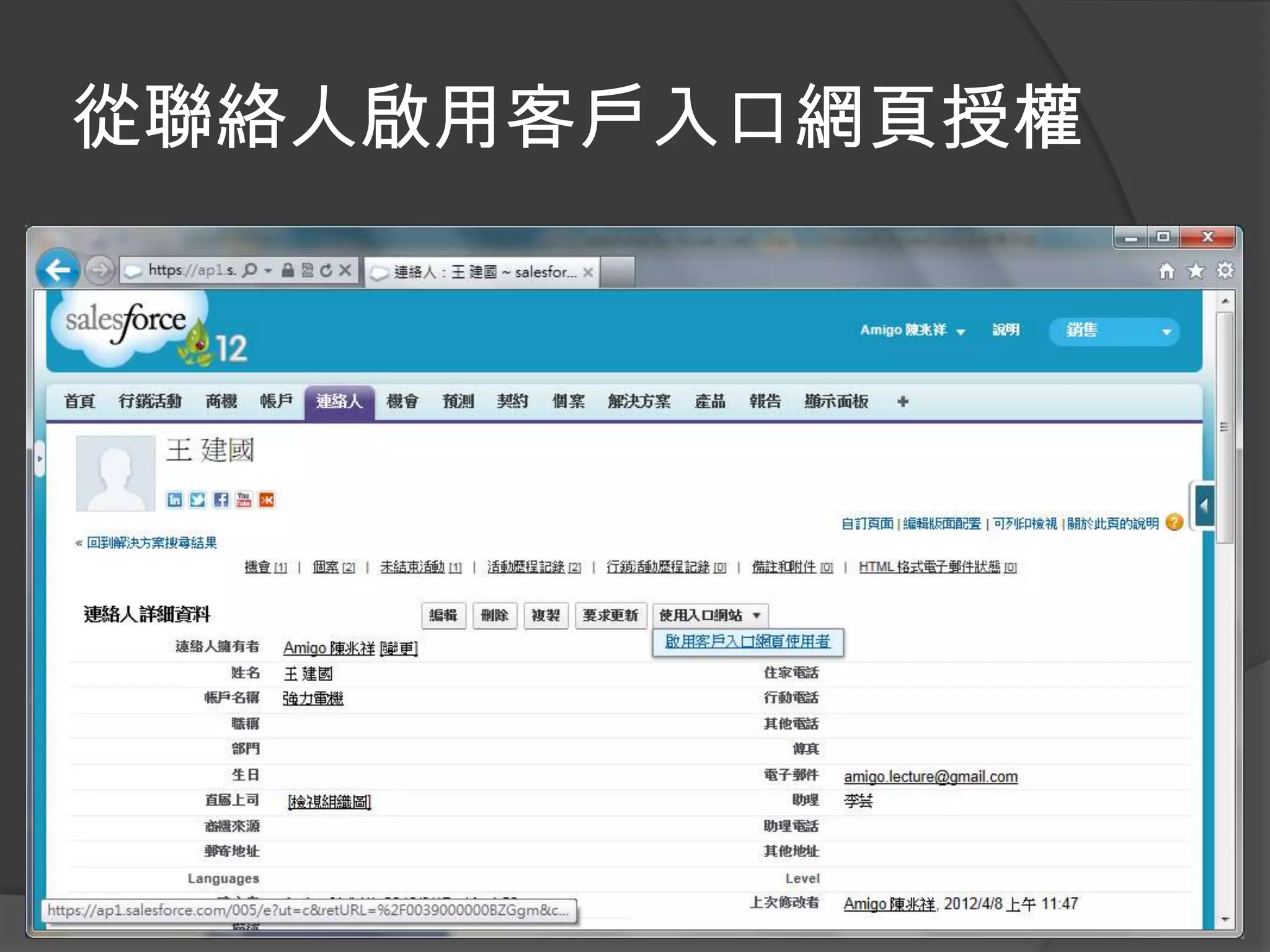
從聯絡人啟用客戶入口網頁授權
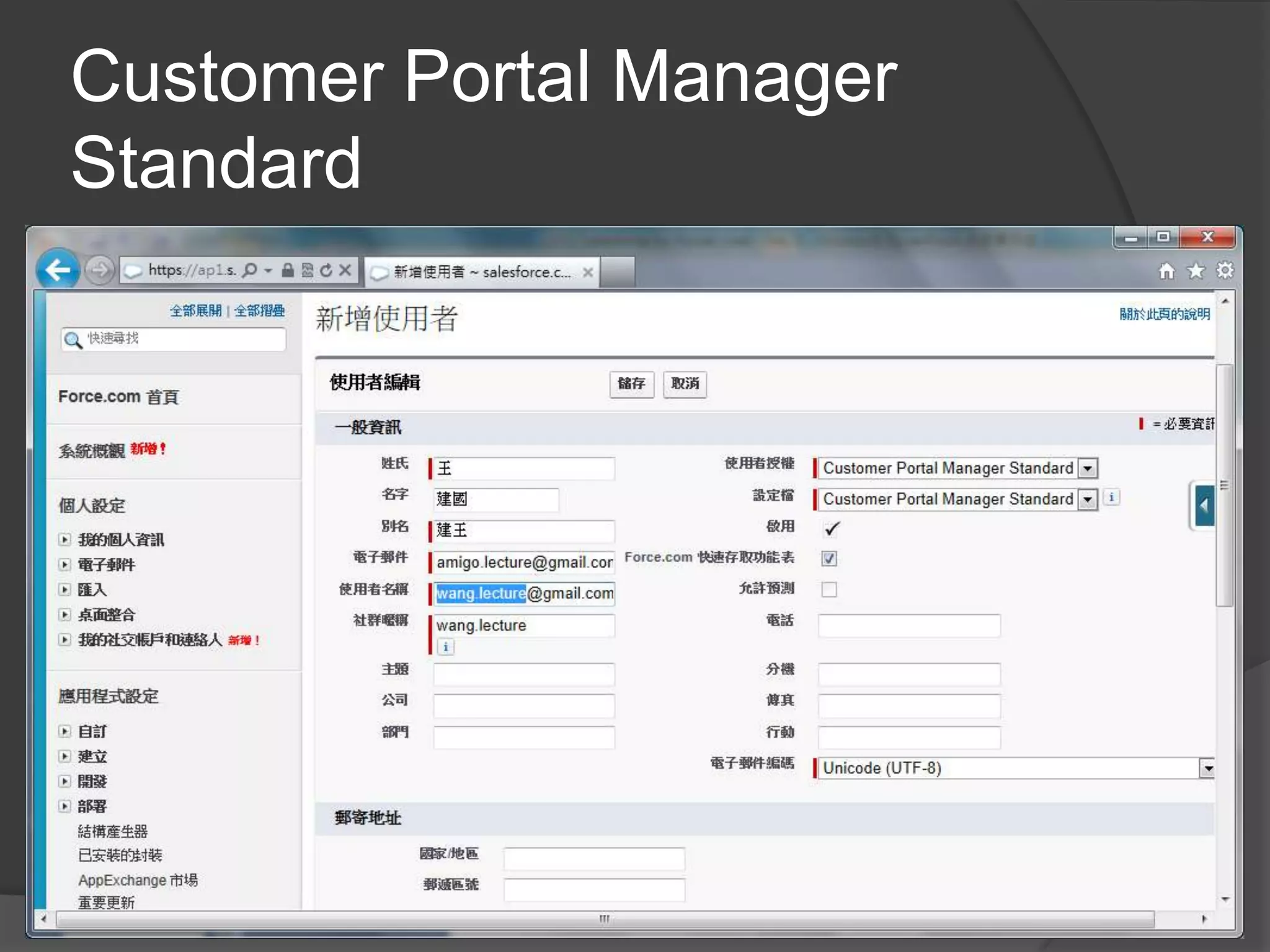
Customer Portal Manager
Standard
授權數減少
角色層級
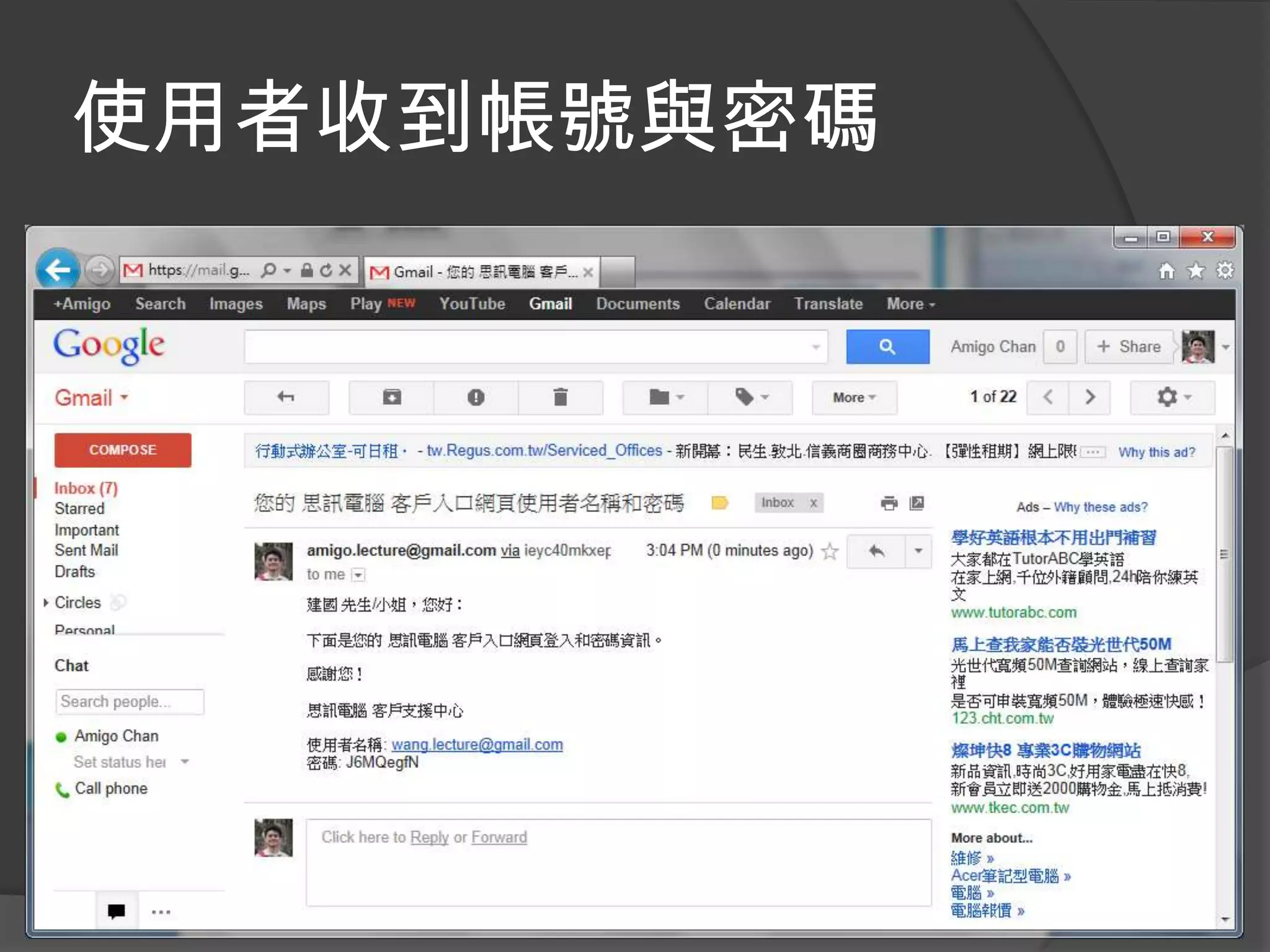
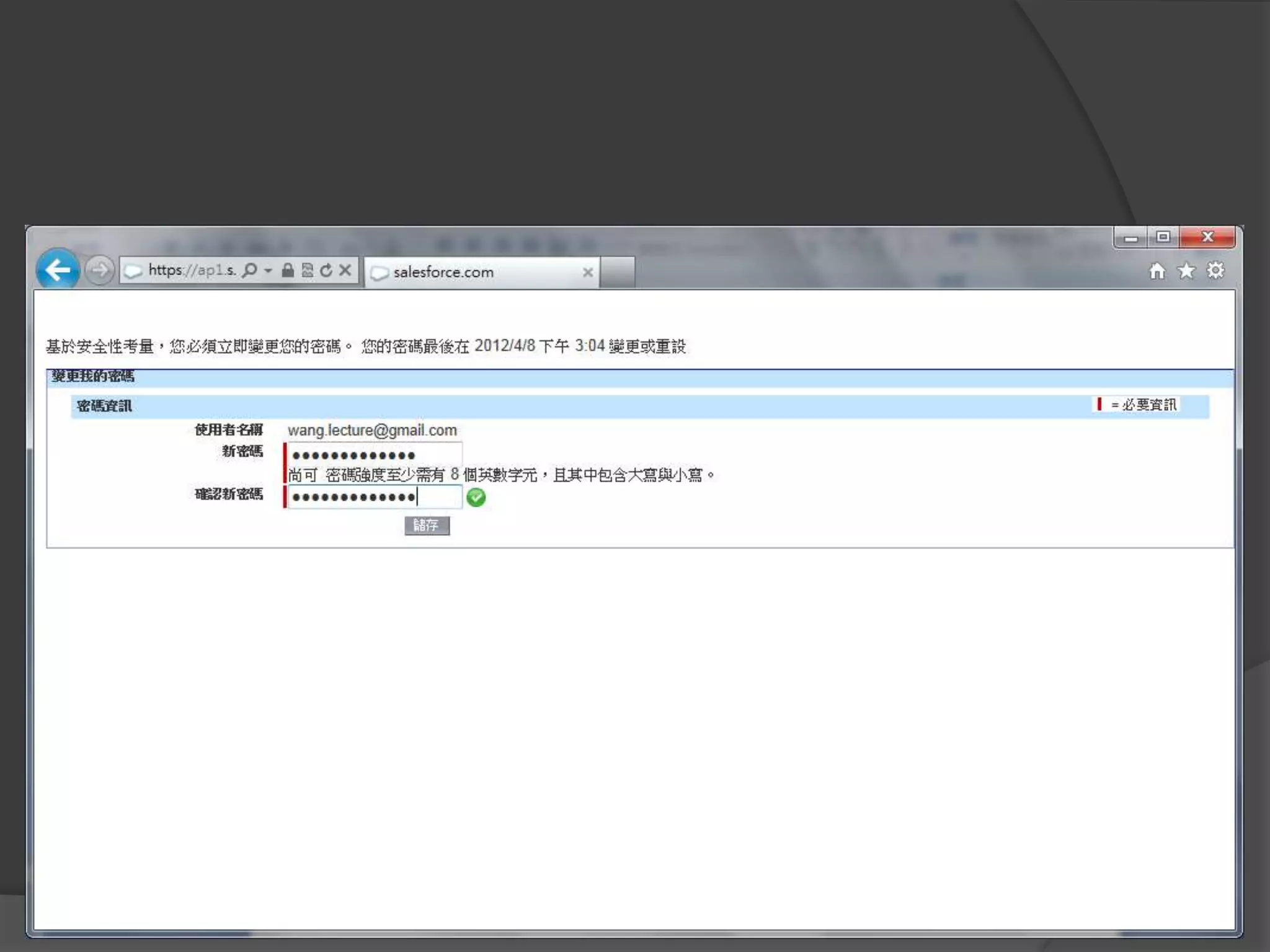
使用者收到帳號與密碼
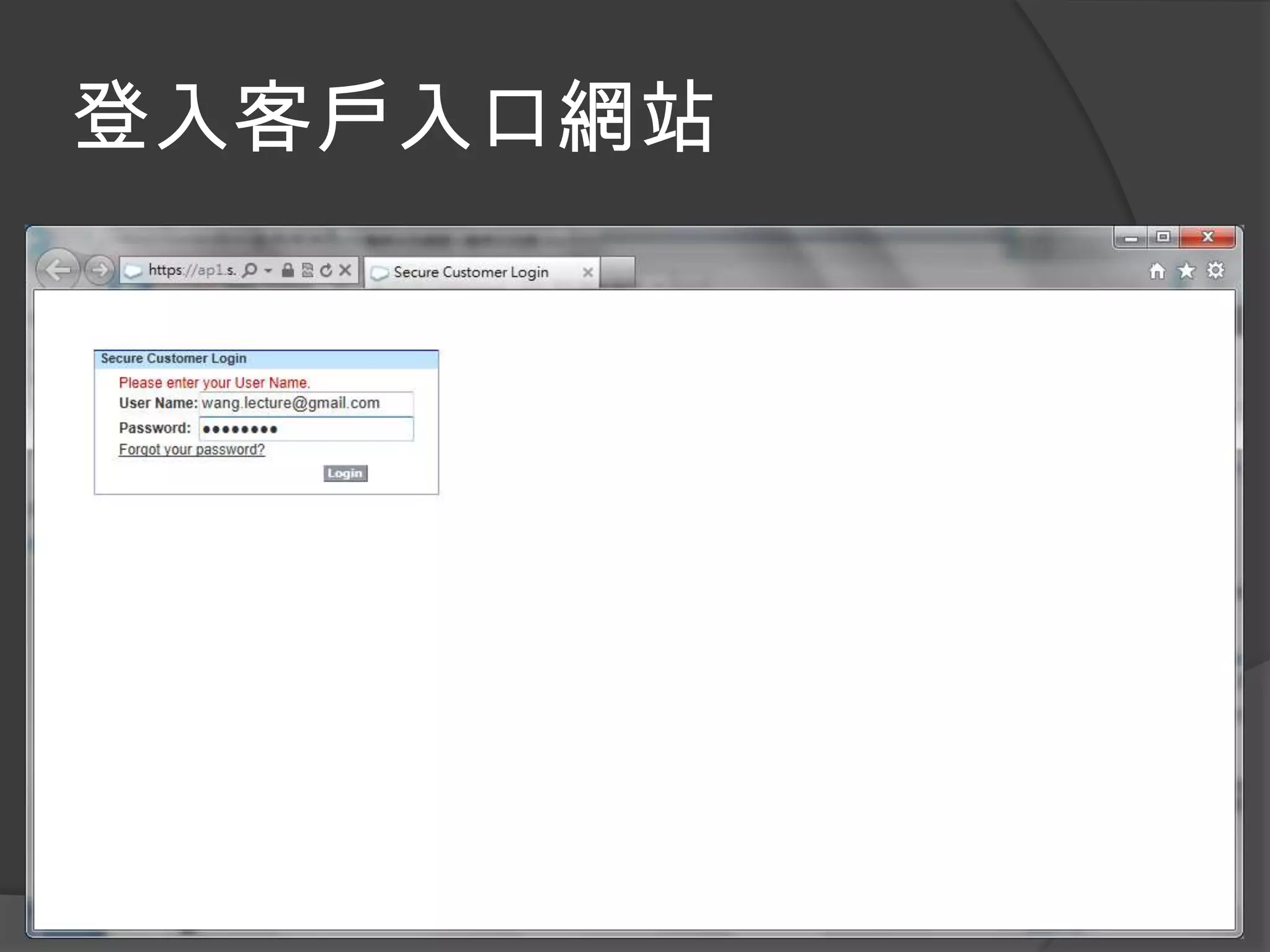
登入客戶入口網站
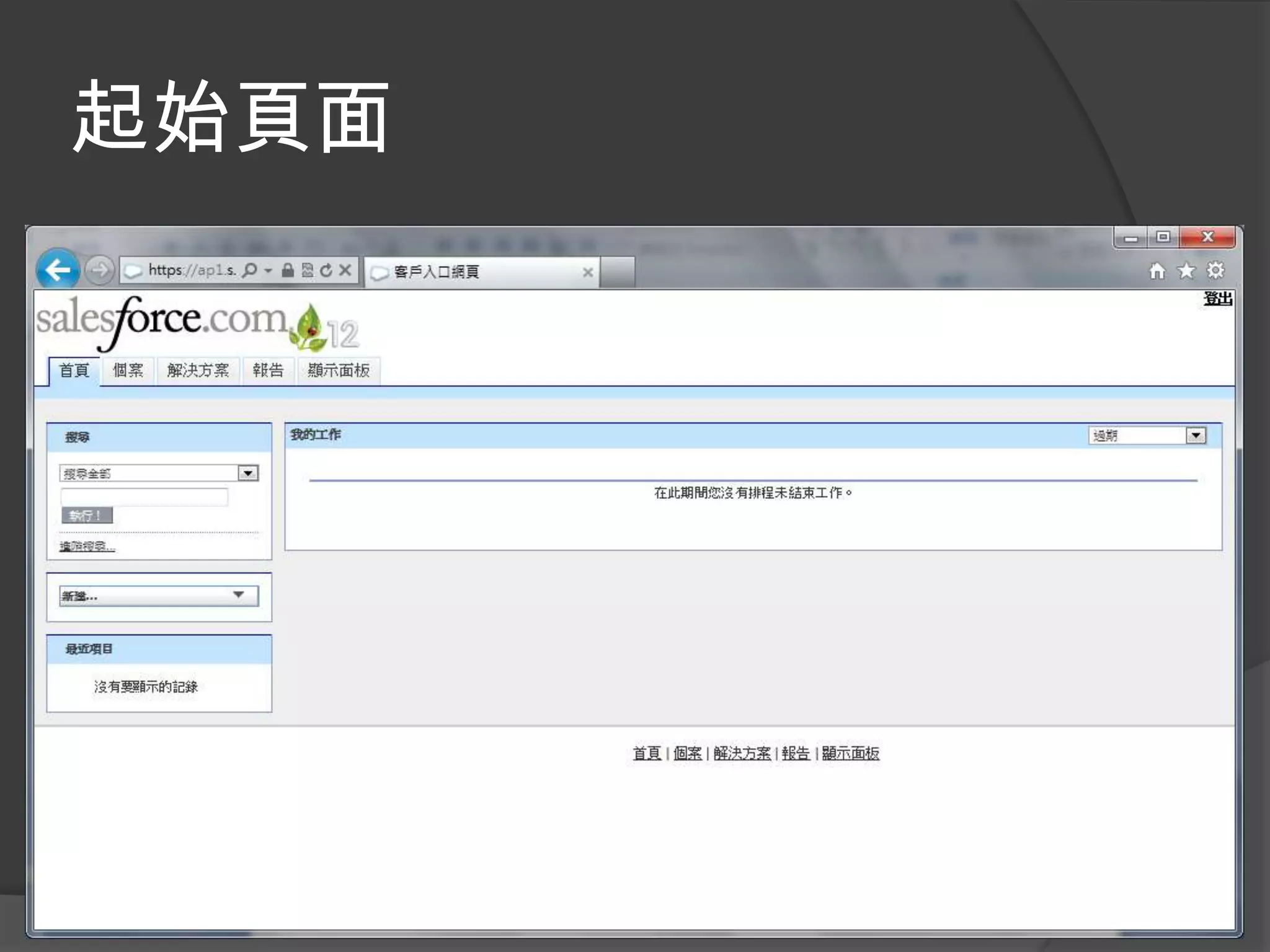
起始頁面
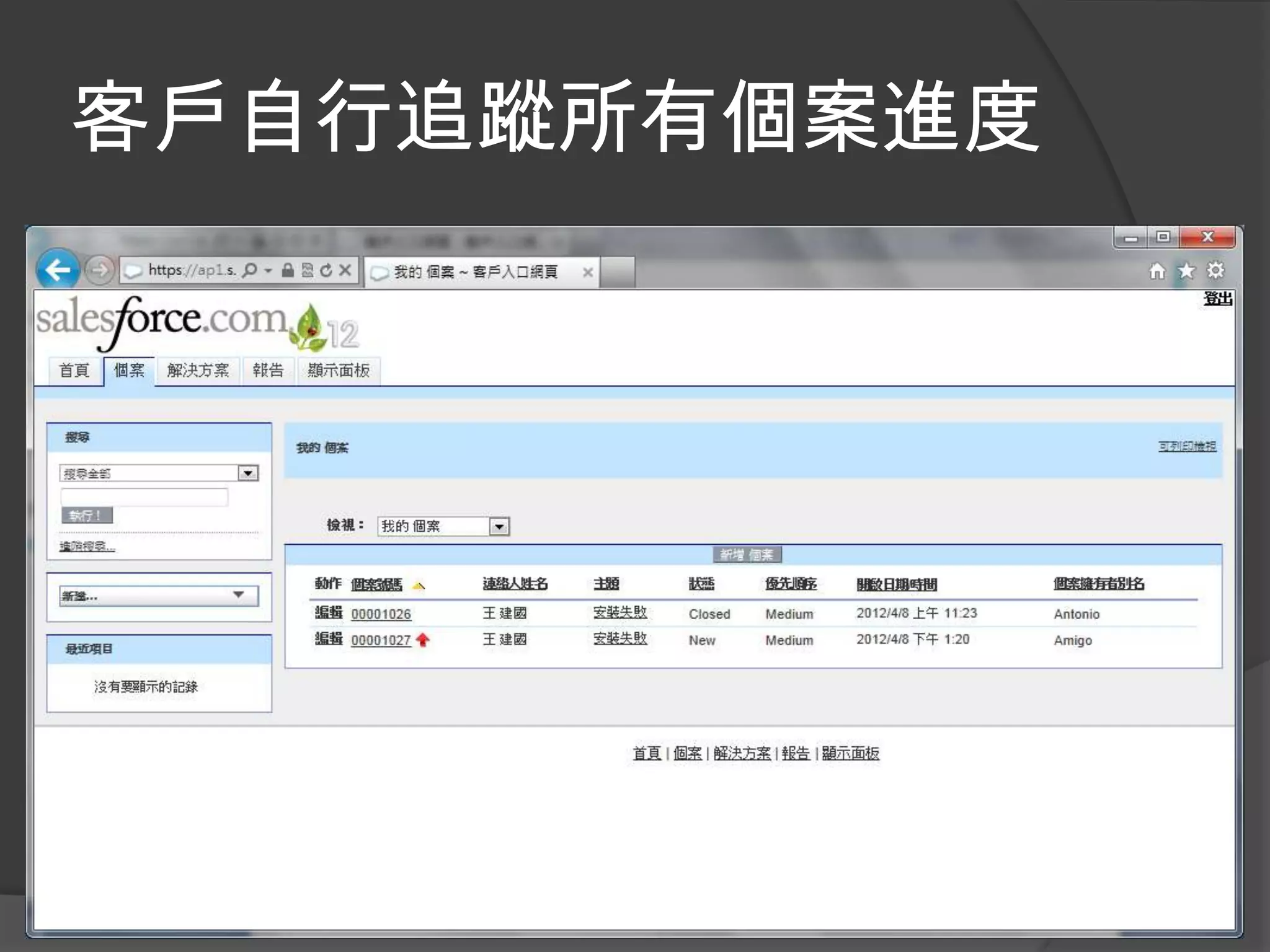
客戶自行追蹤所有個案進度
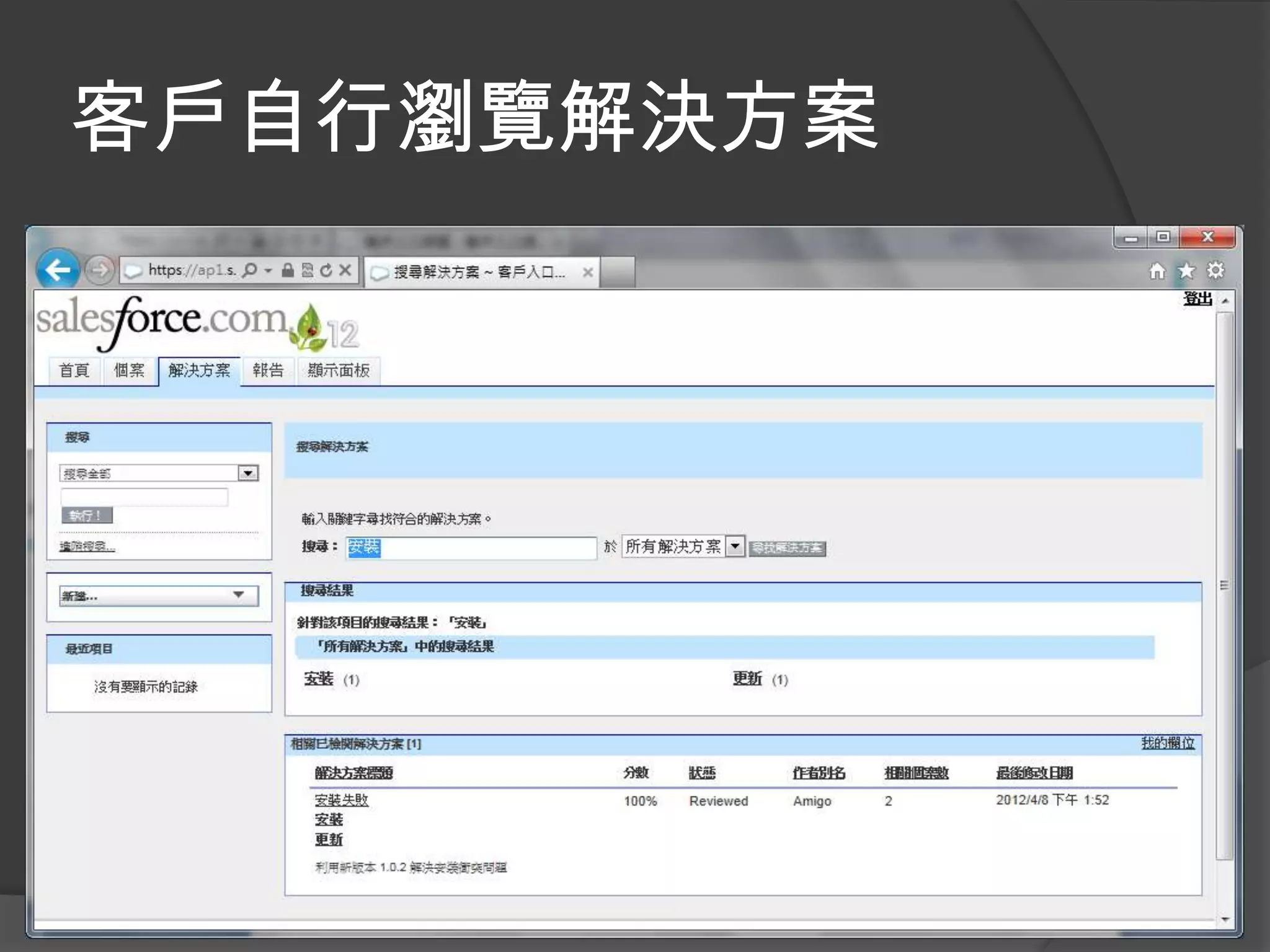
客戶自行瀏覽解決方案
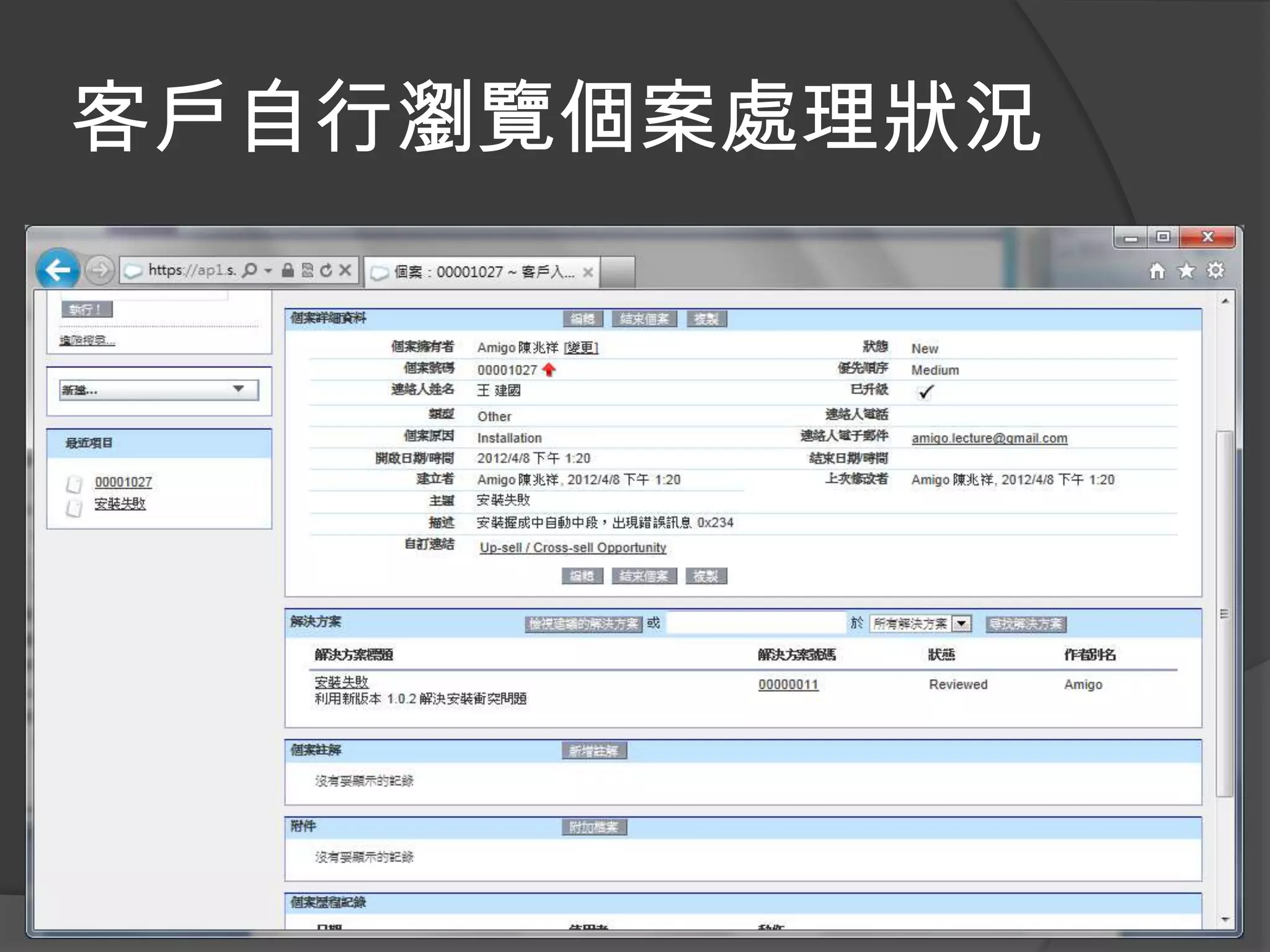
客戶自行瀏覽個案處理狀況
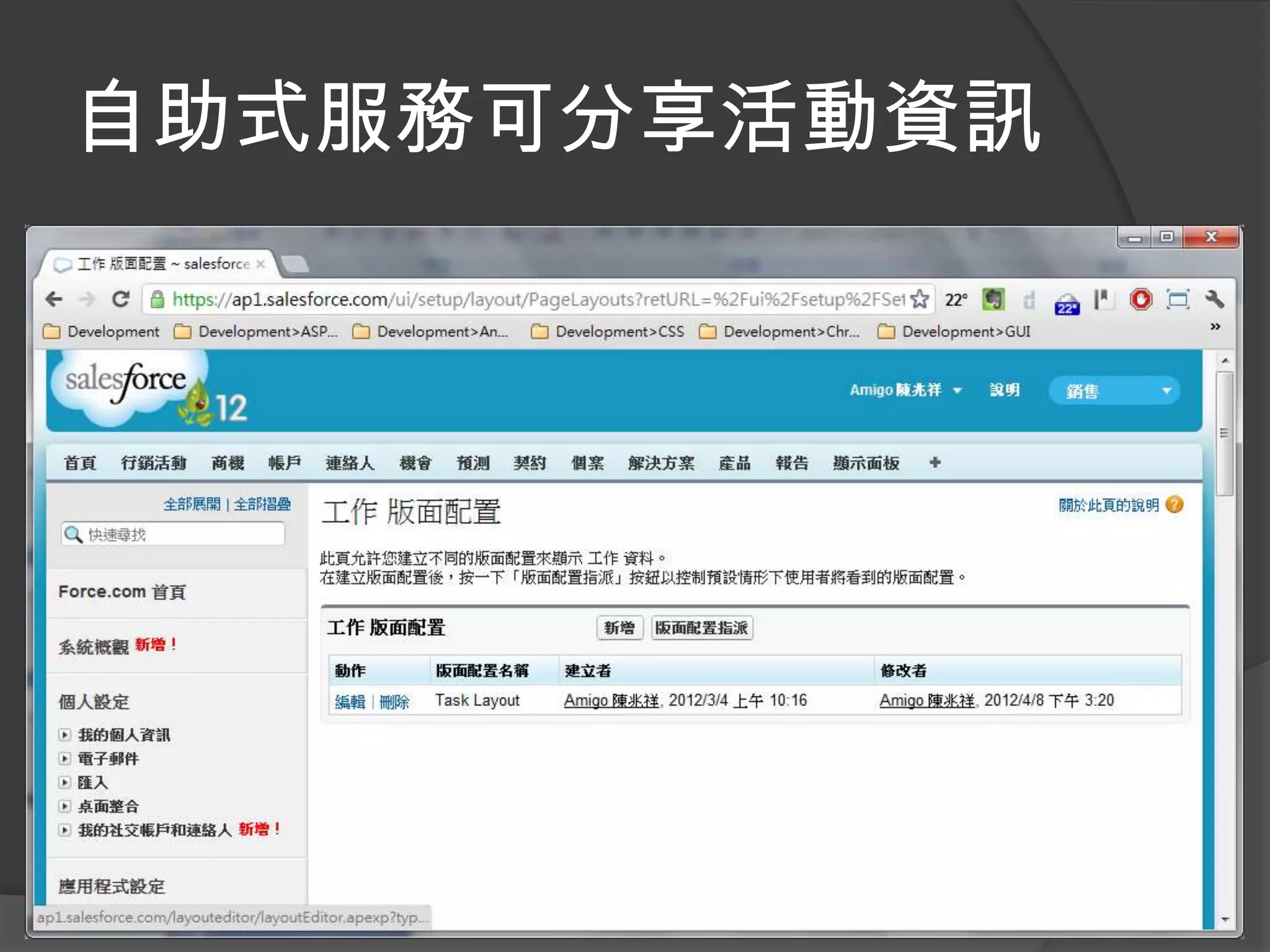
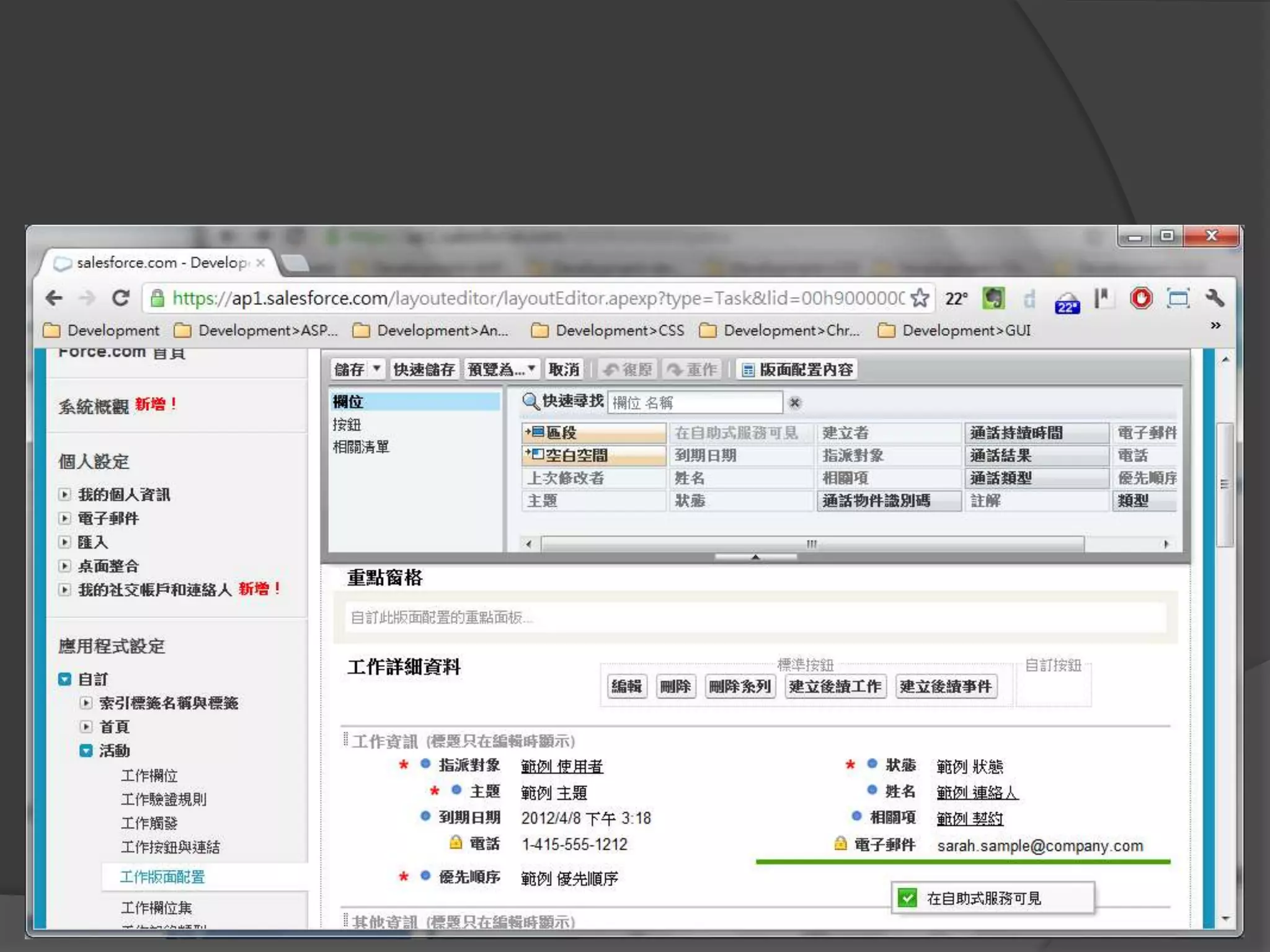
自助式服務可分享活動資訊
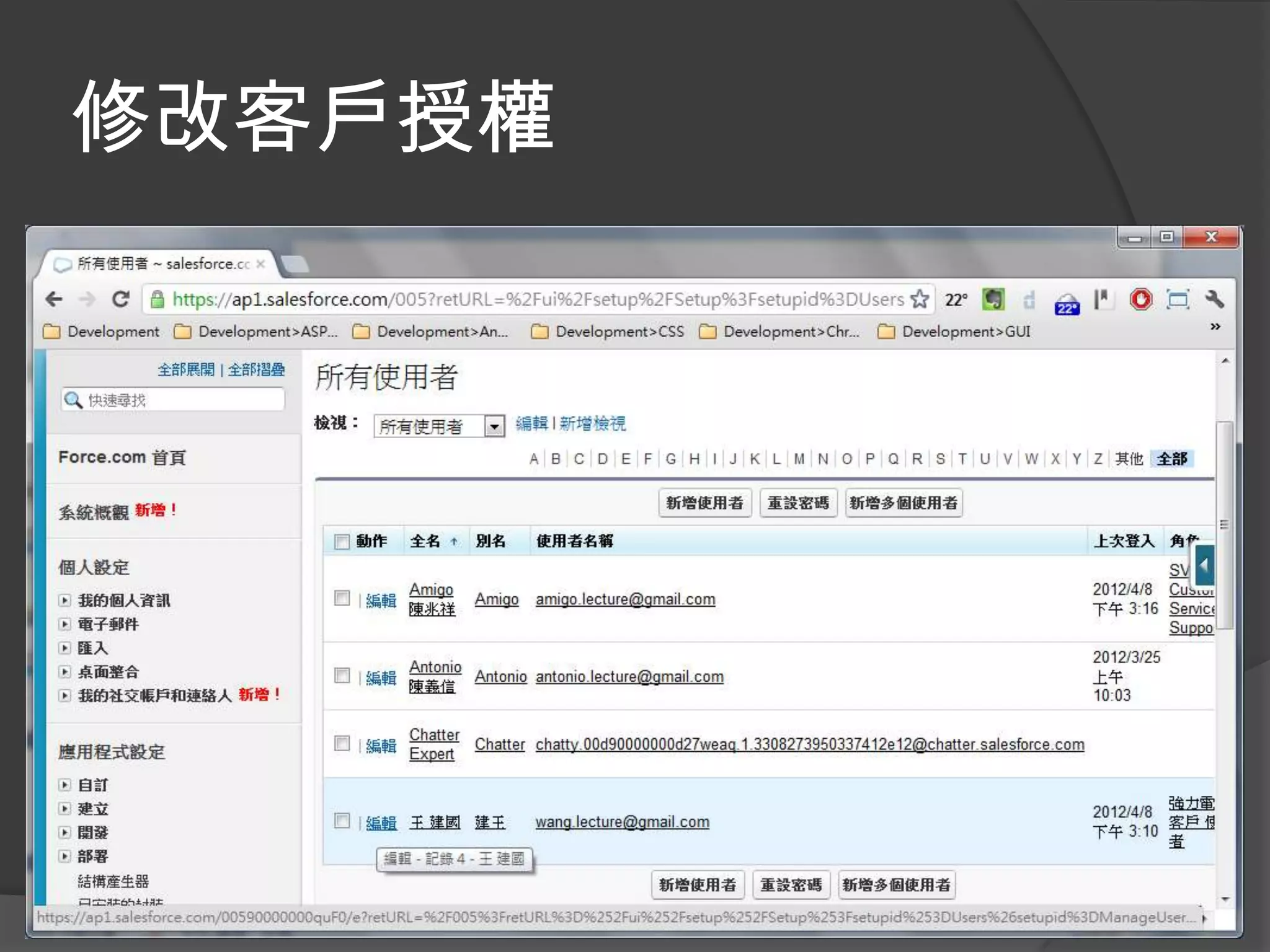
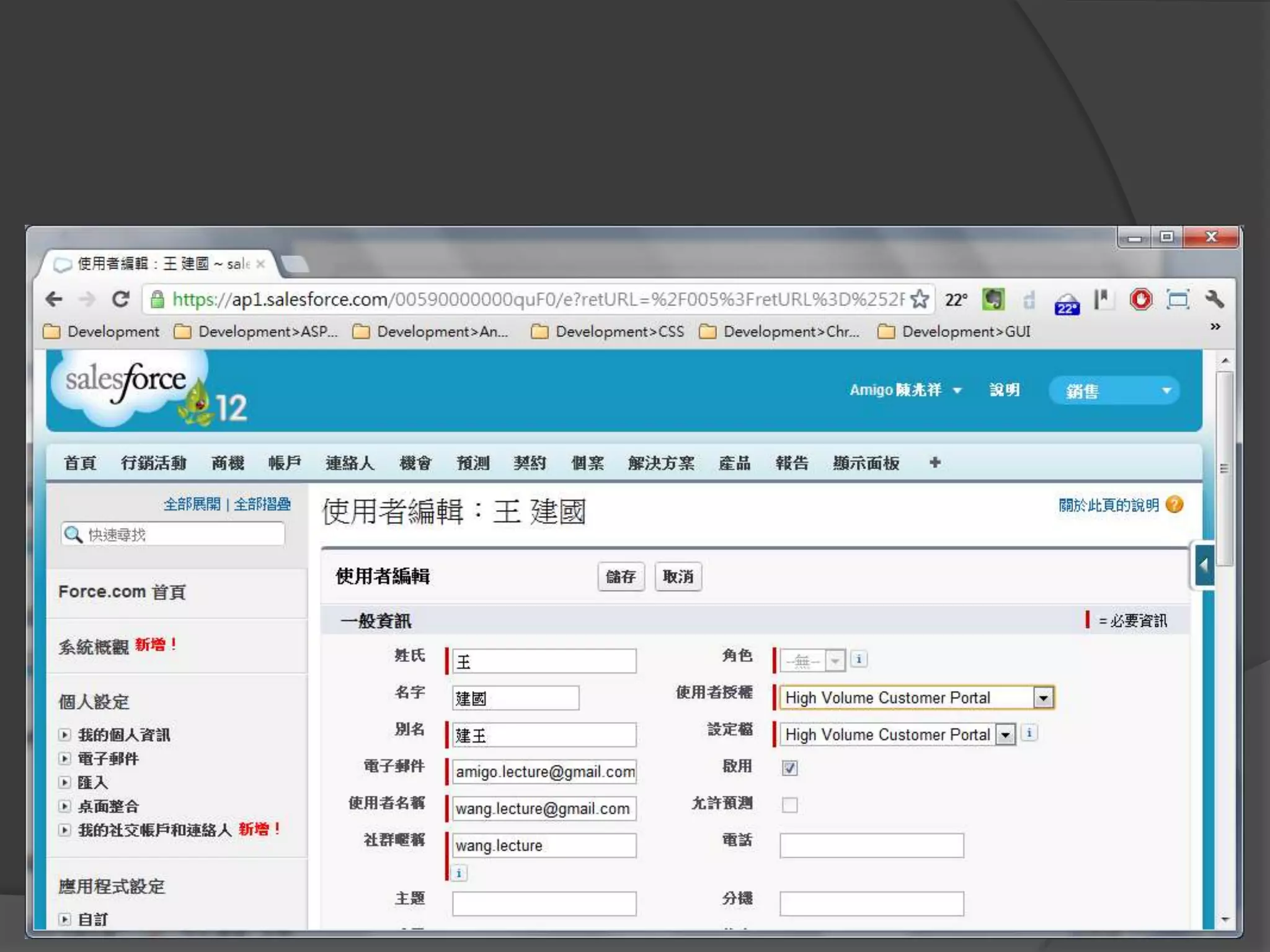
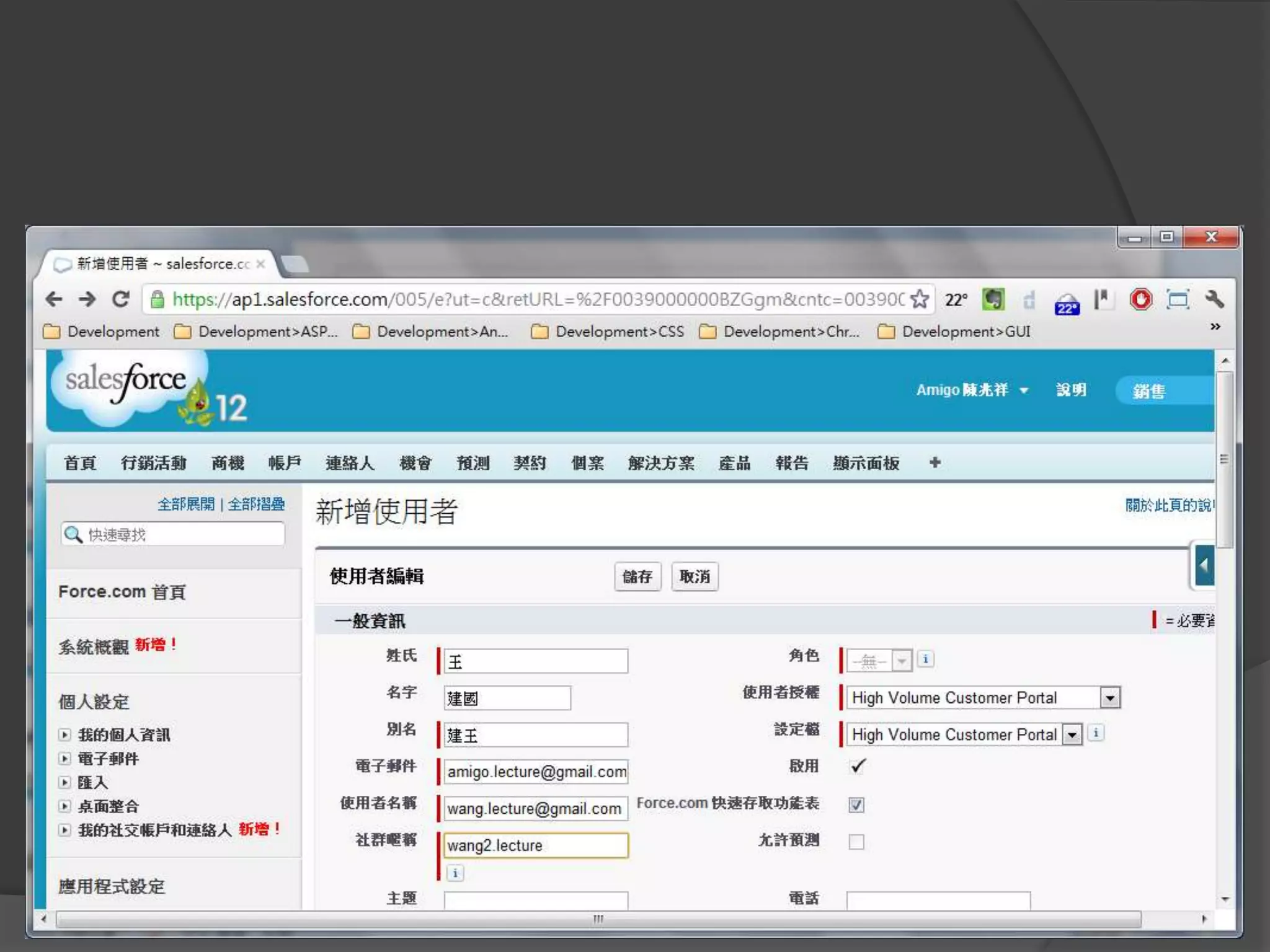
修改客戶授權
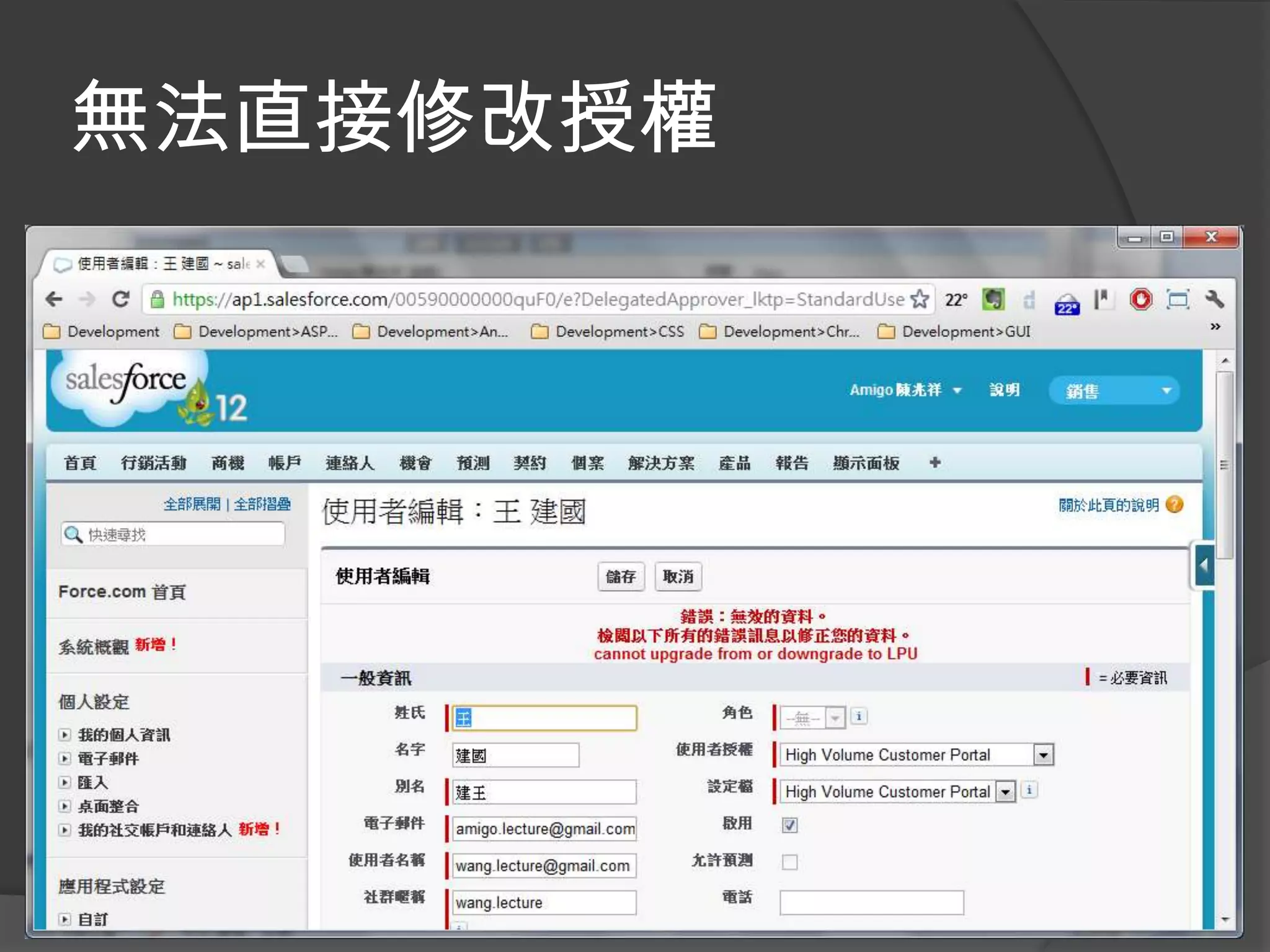
無法直接修改授權
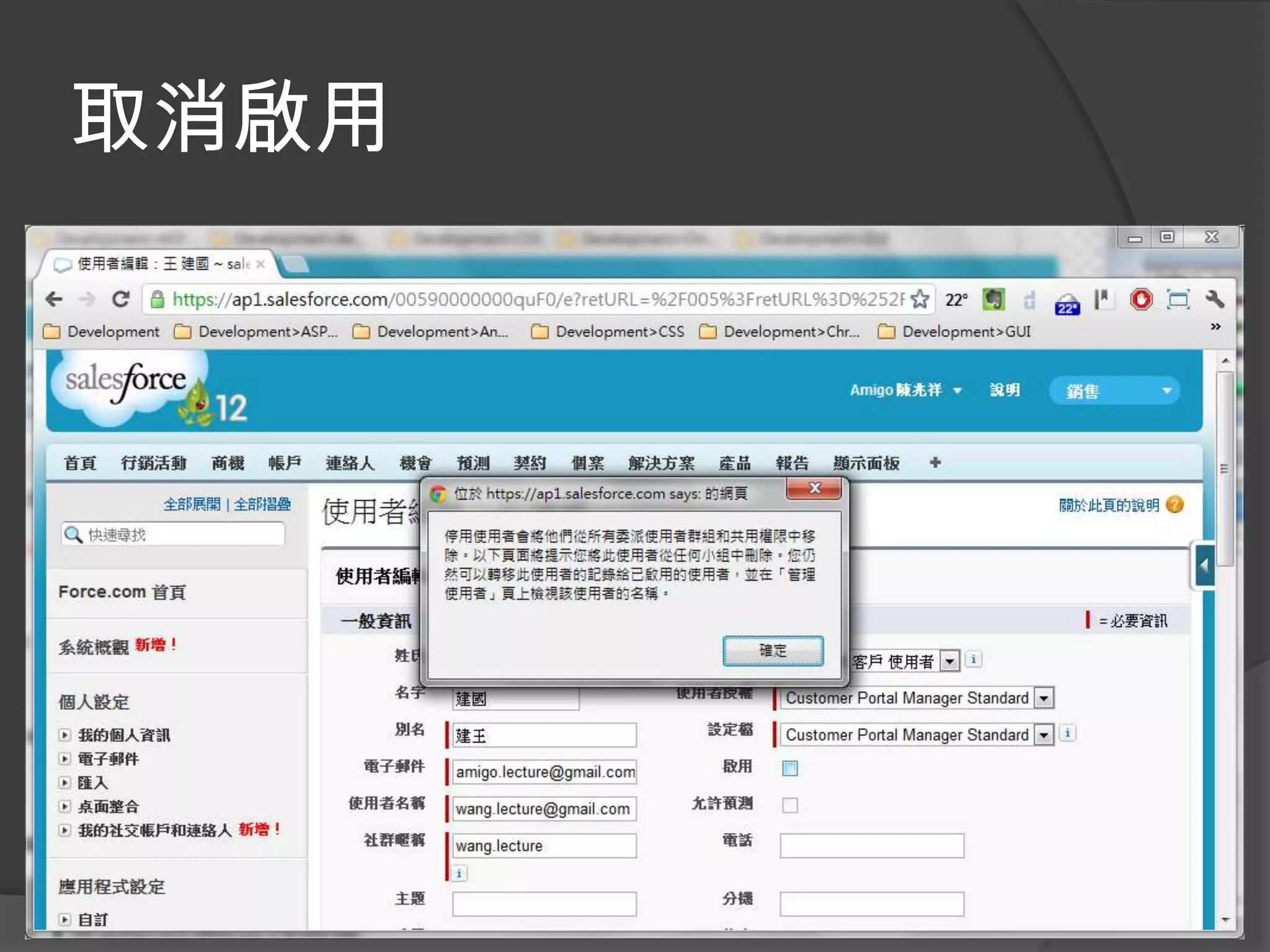
取消啟用
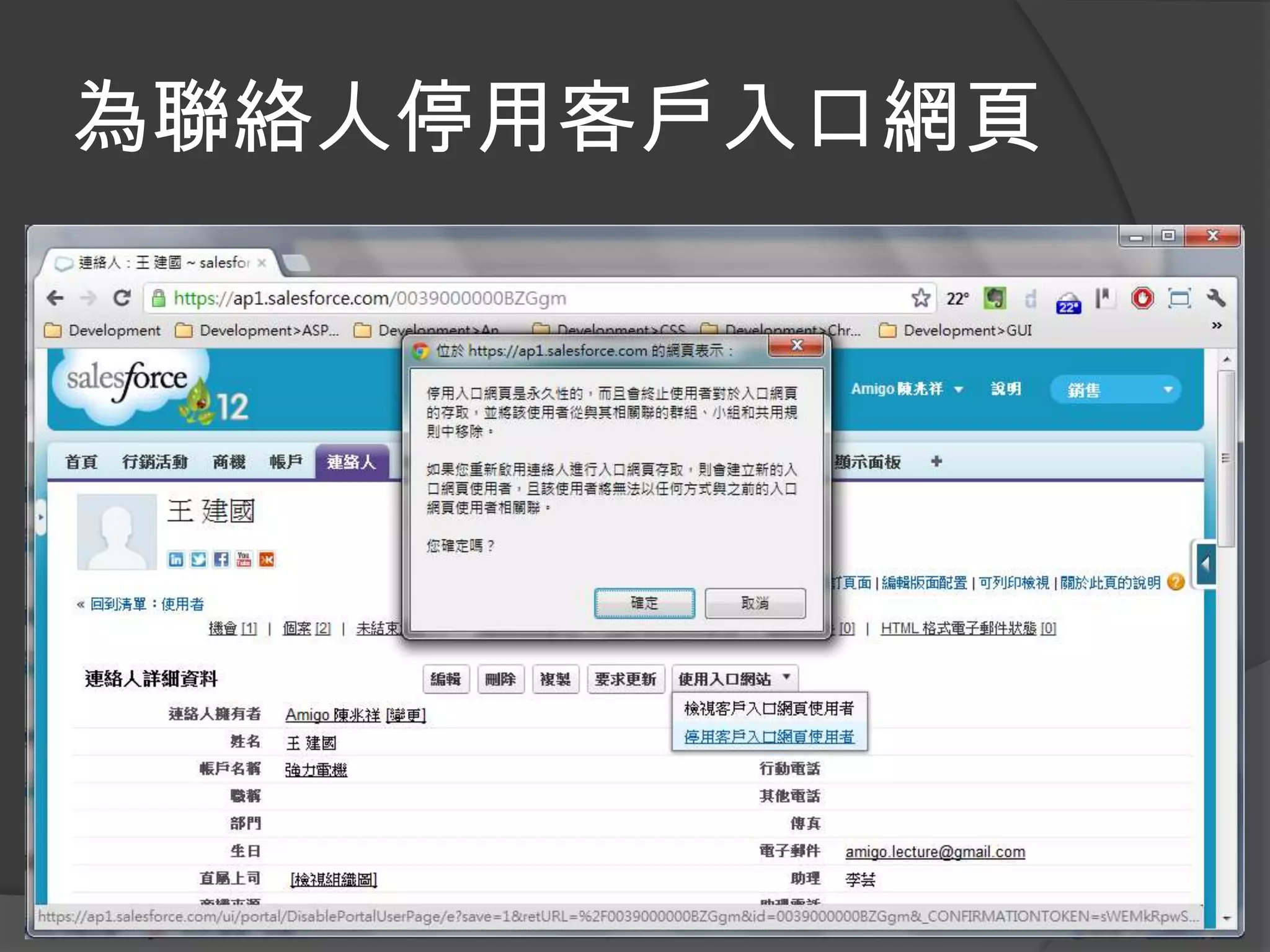
為聯絡人停用客戶入口網頁
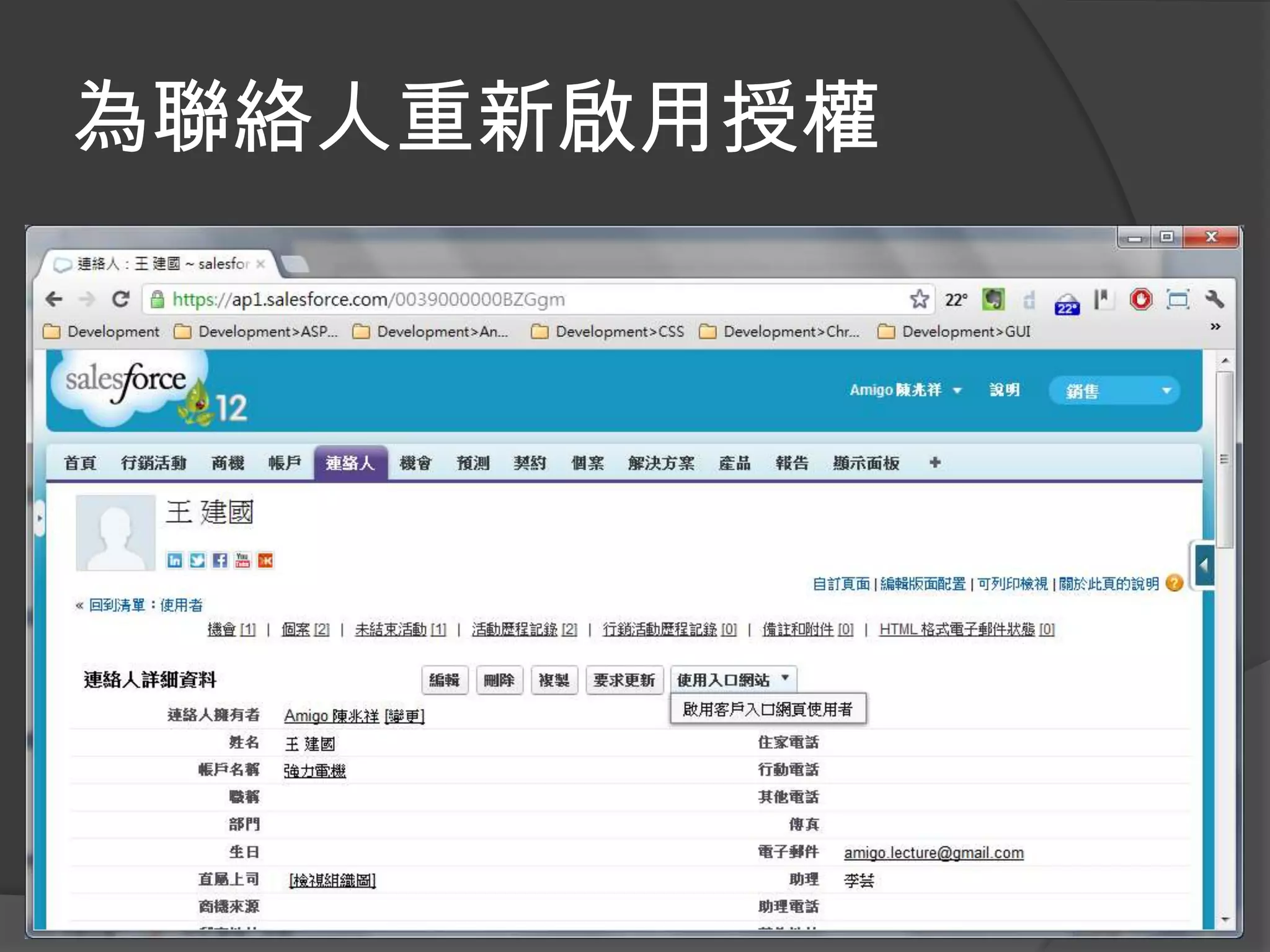
為聯絡人重新啟用授權
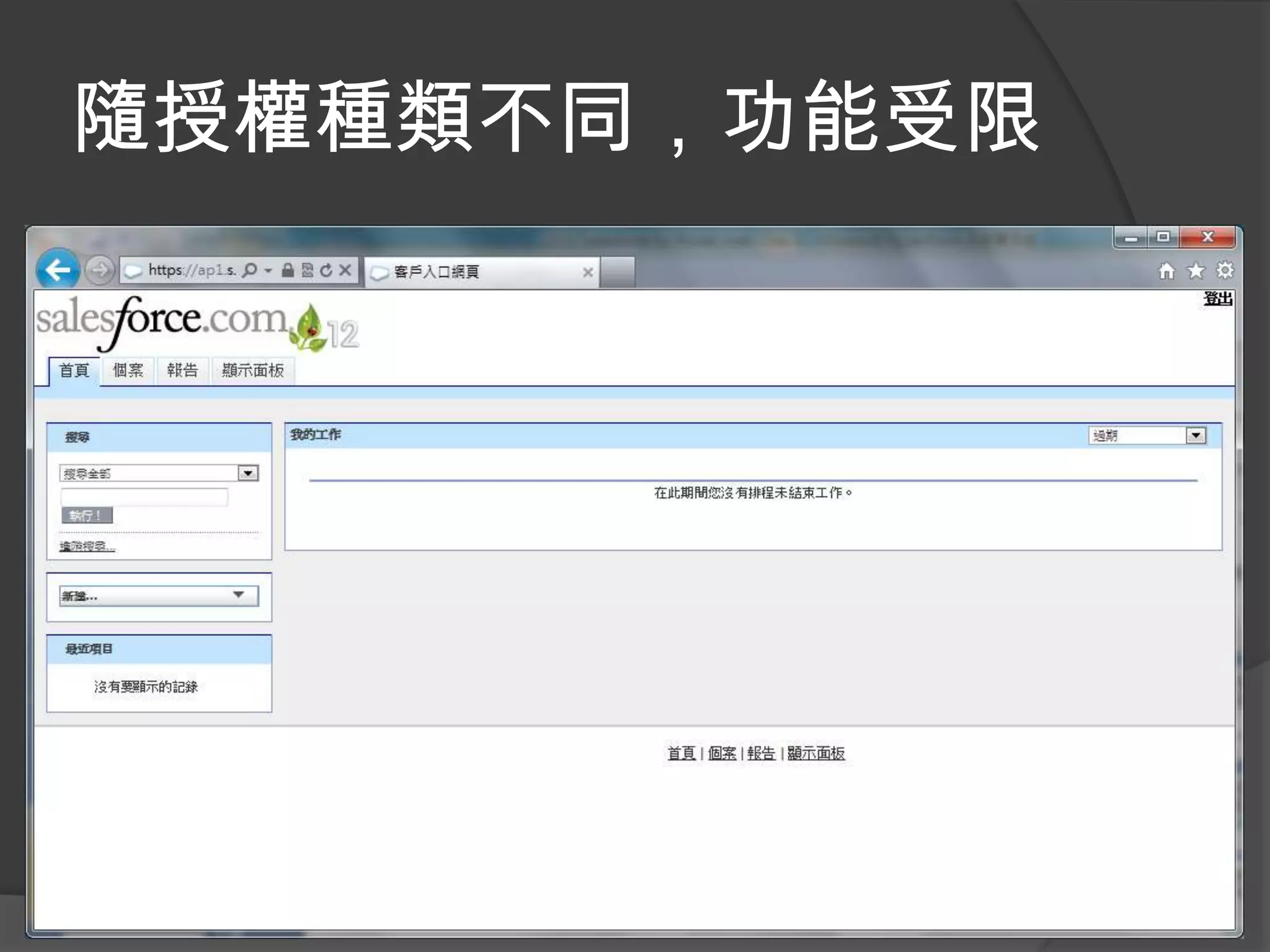
隨授權種類不同,功能受限
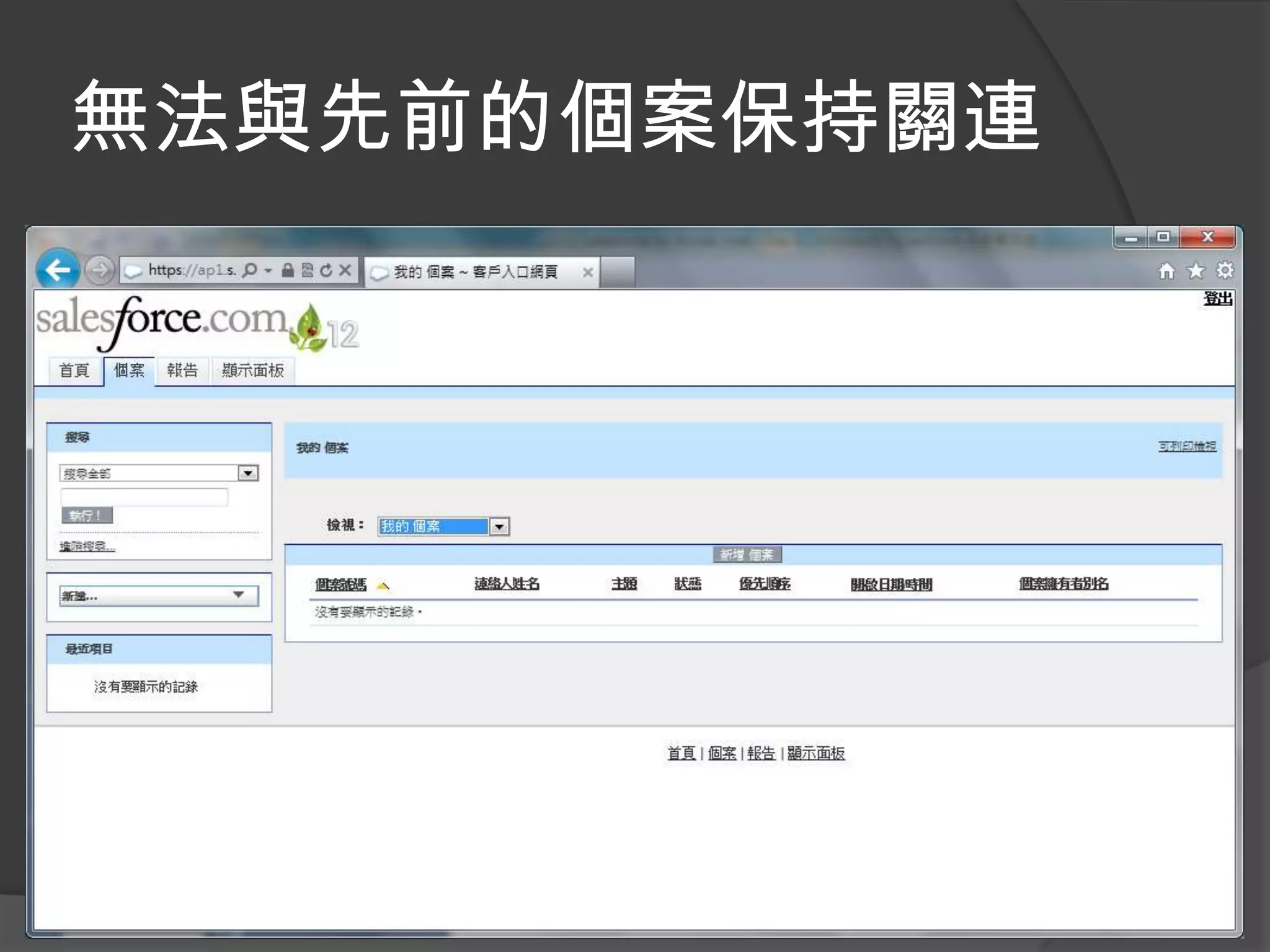
無法與先前的個案保持關連
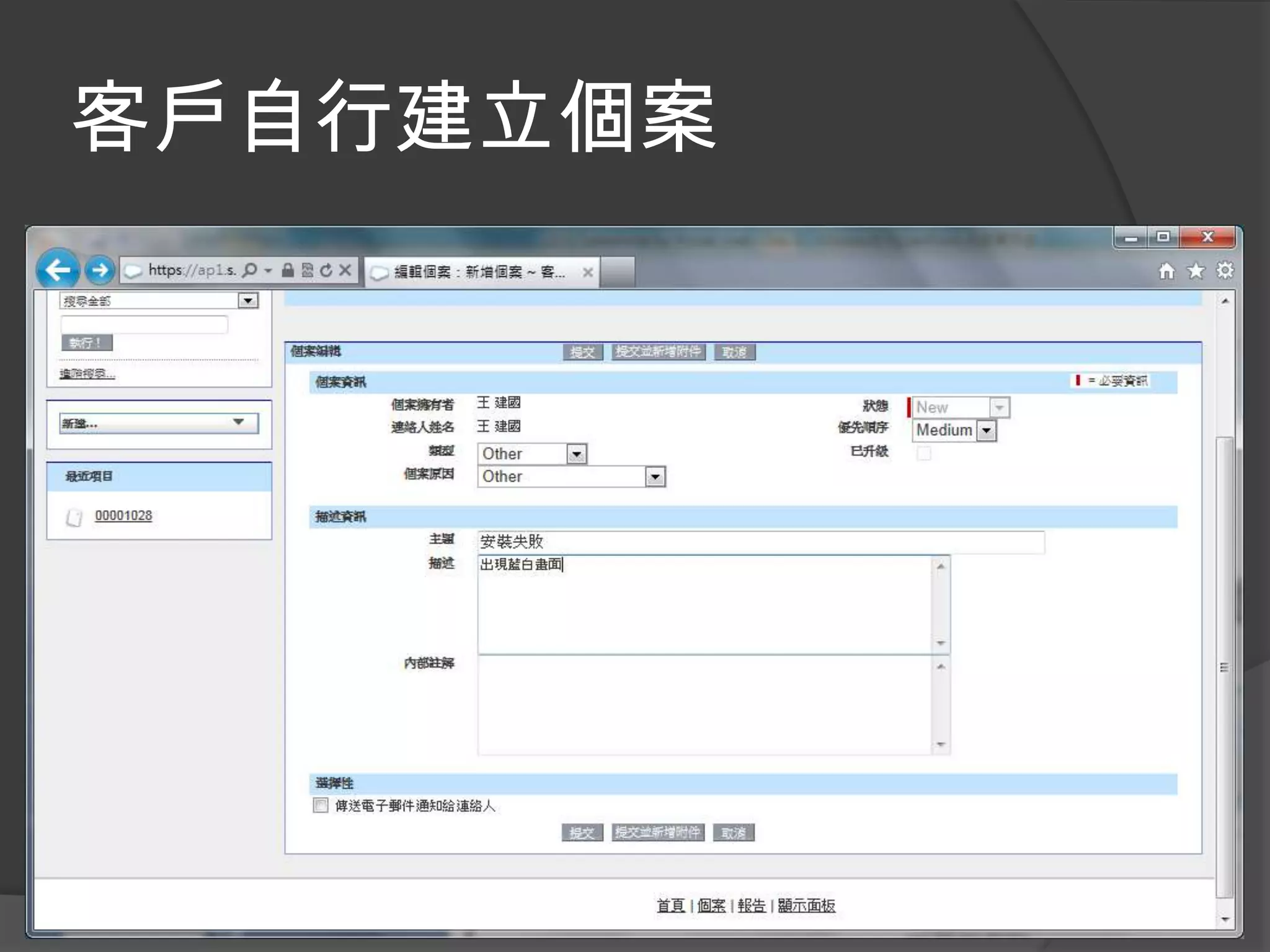
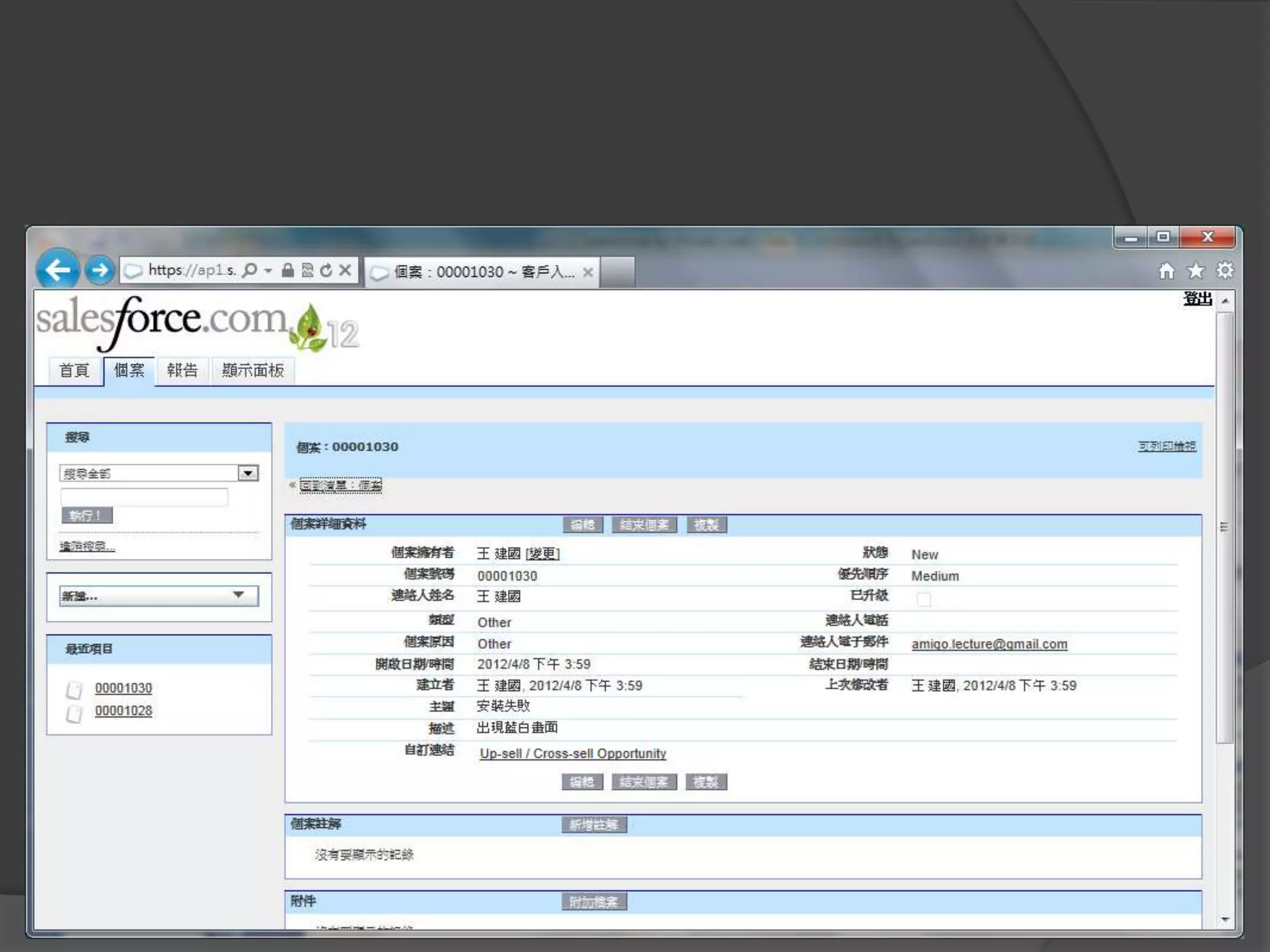
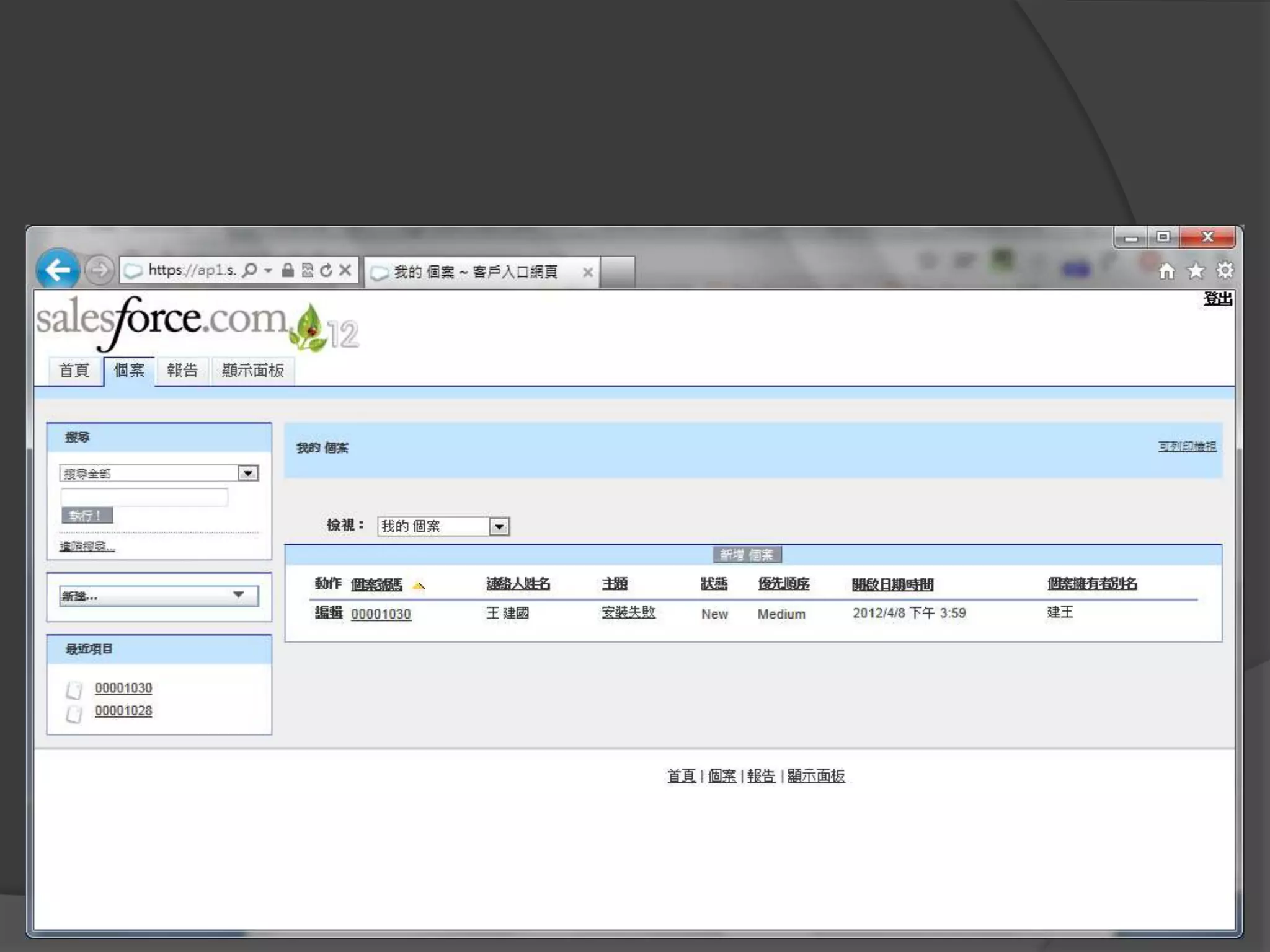
客戶自行建立個案
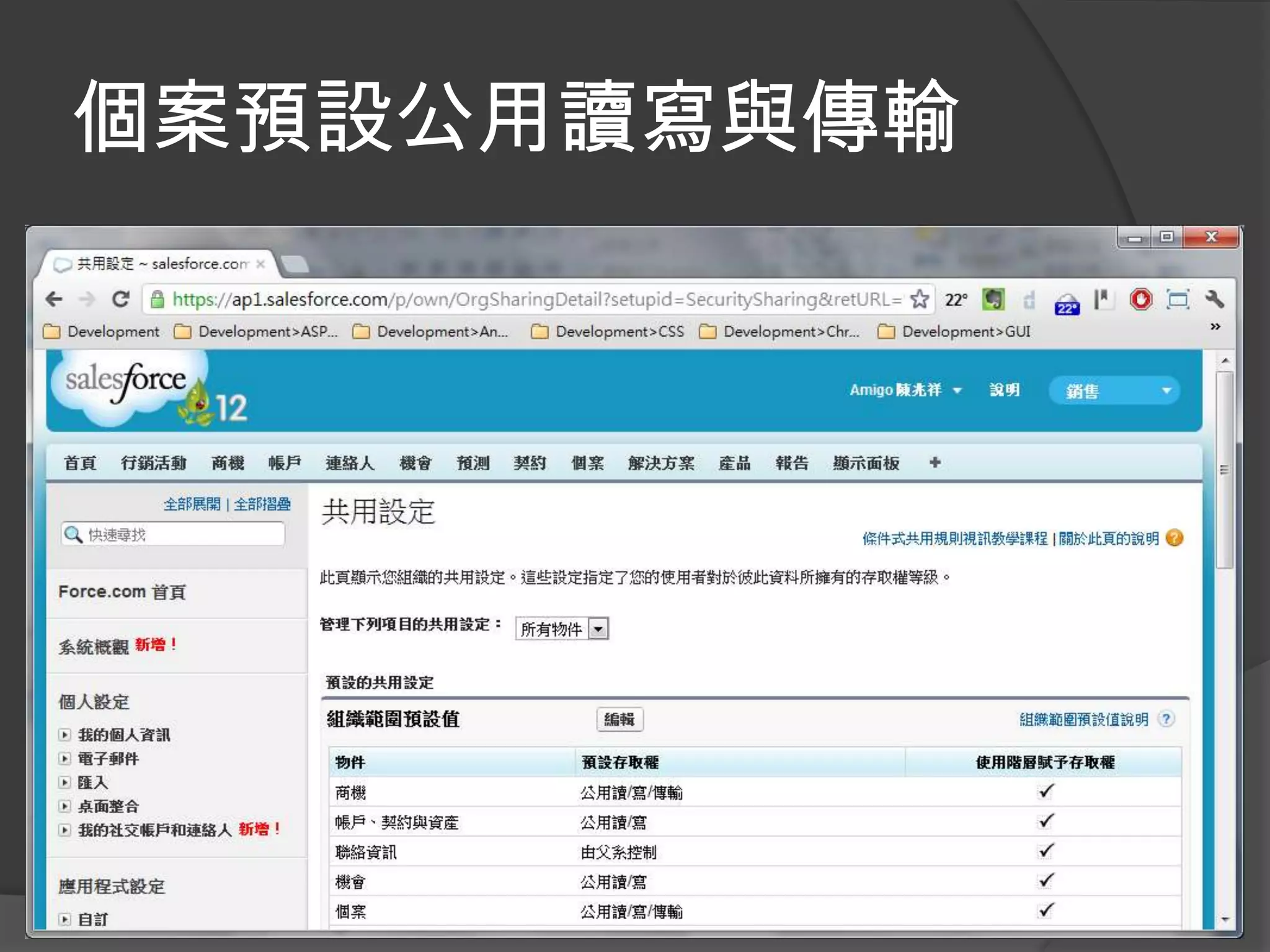
個案預設公用讀寫與傳輸
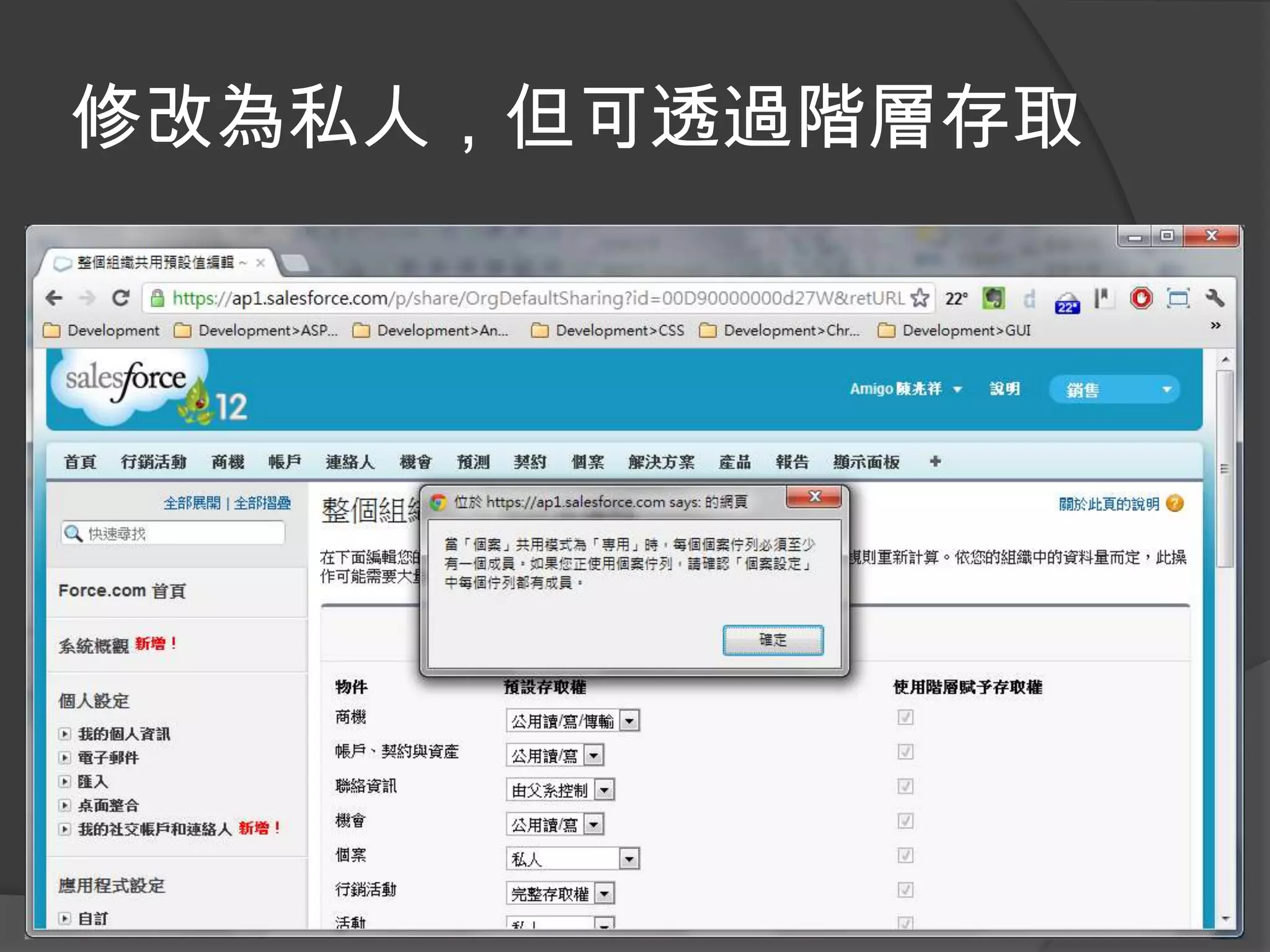
修改為私人,但可透過階層存取
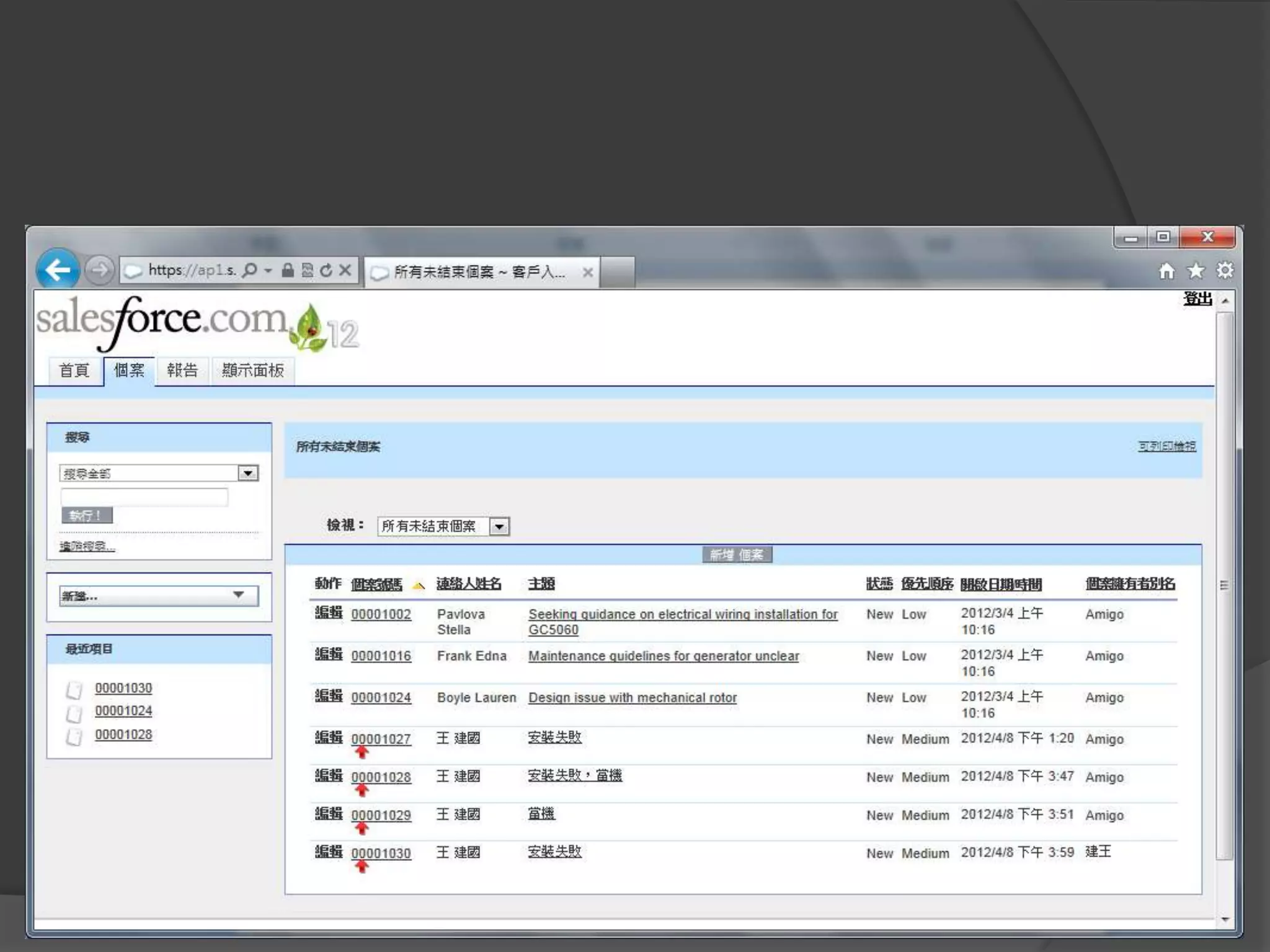
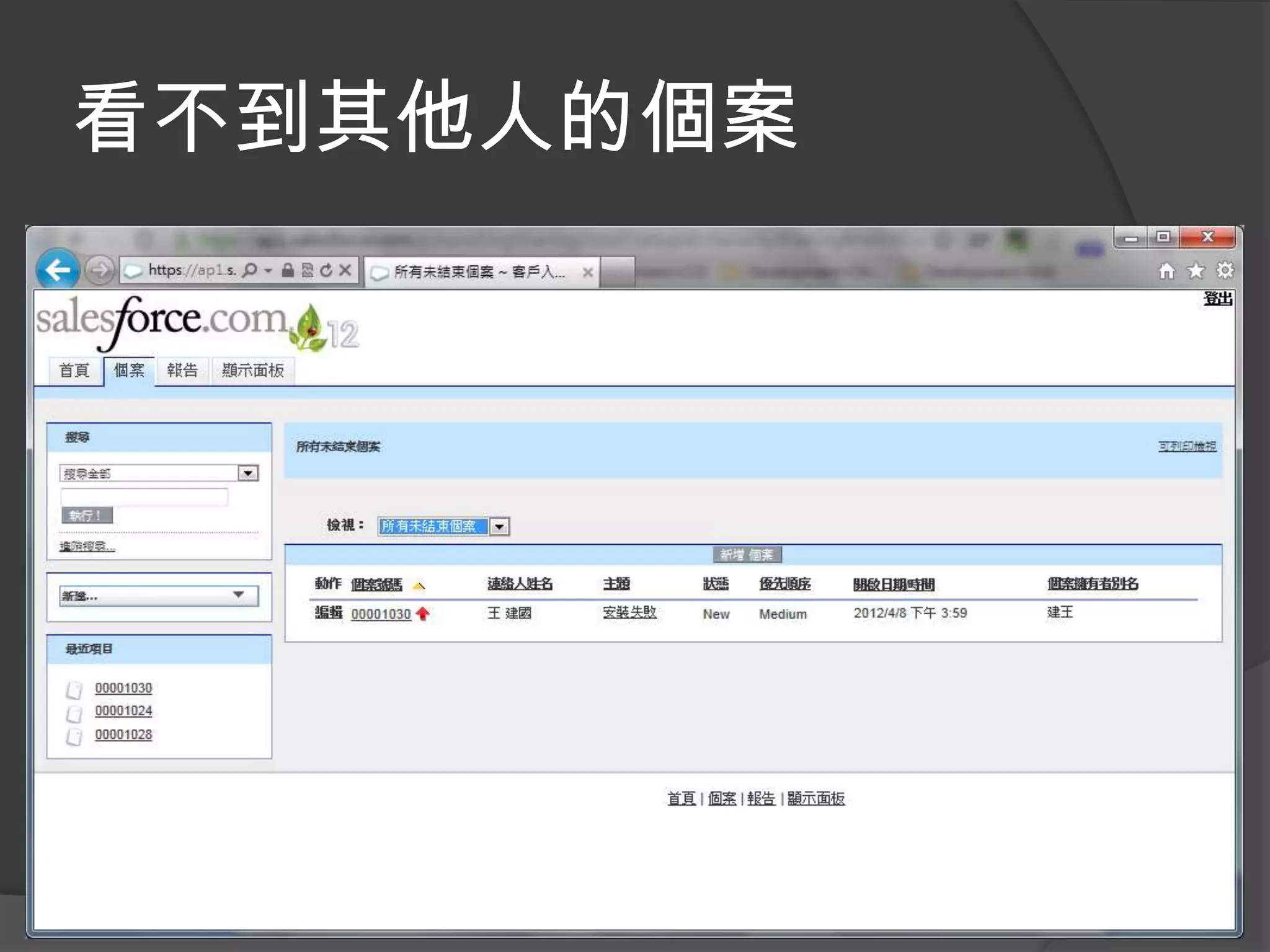
看不到其他人的個案
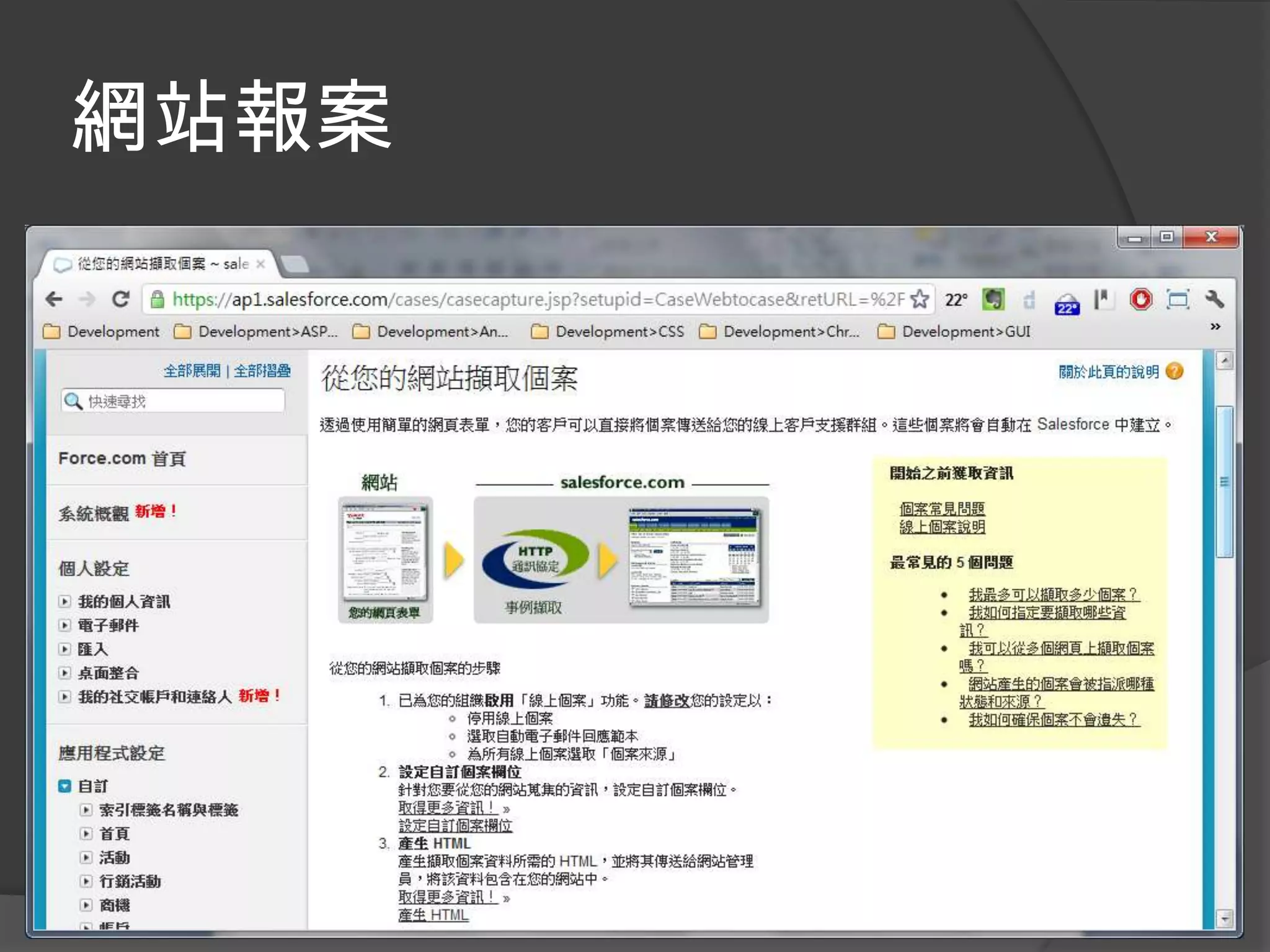
網站報案
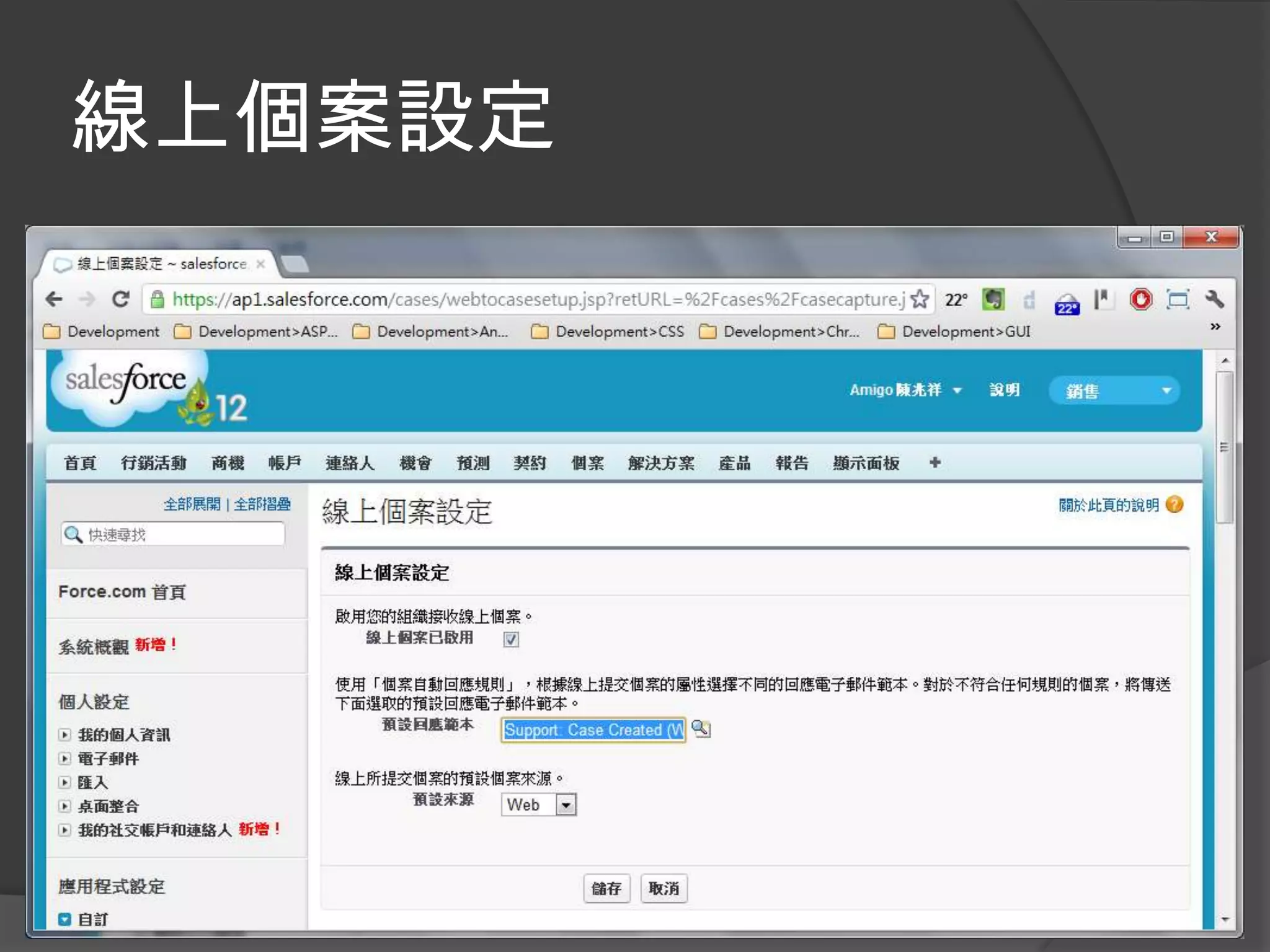
線上個案設定
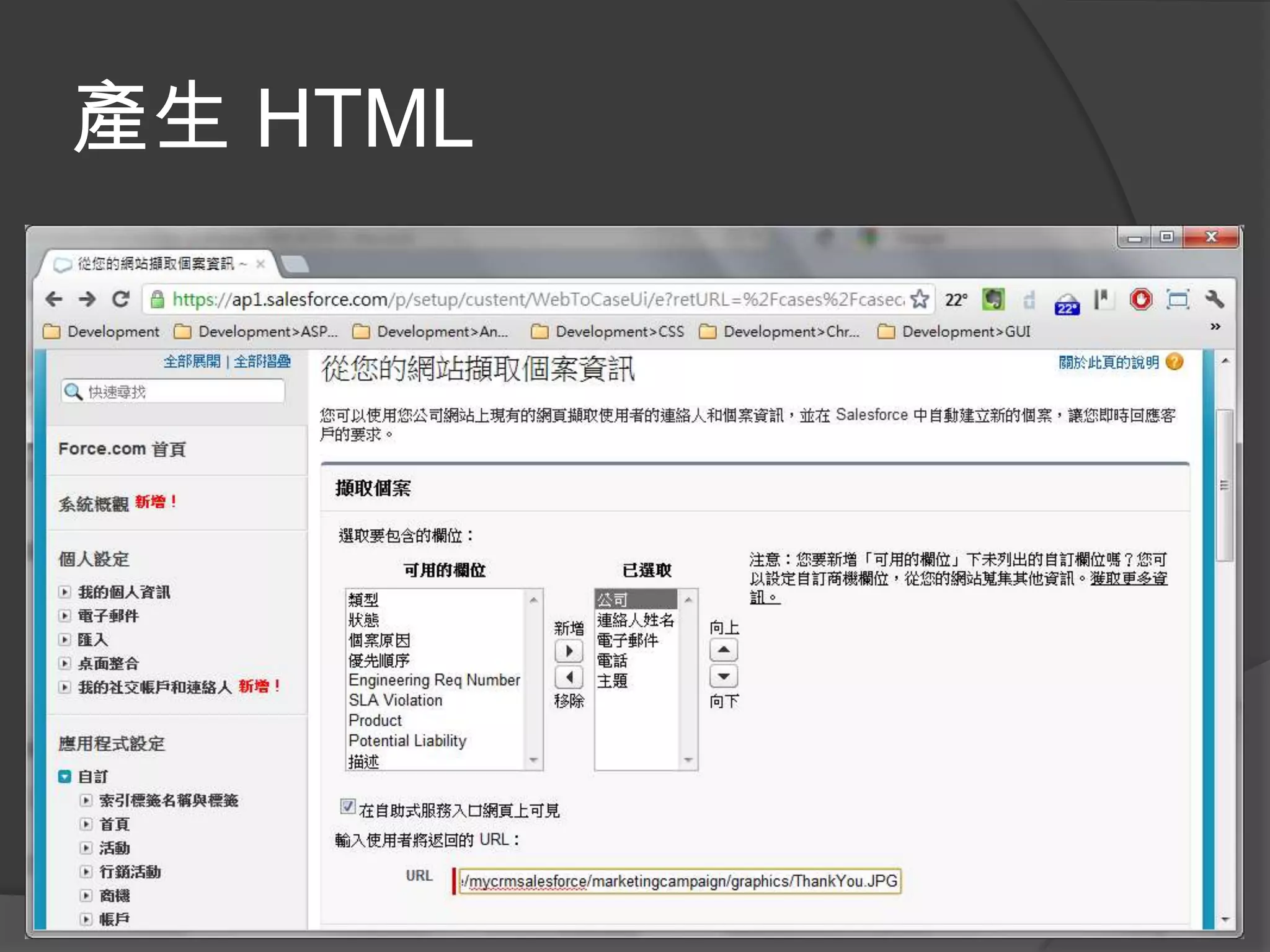
產生 HTML
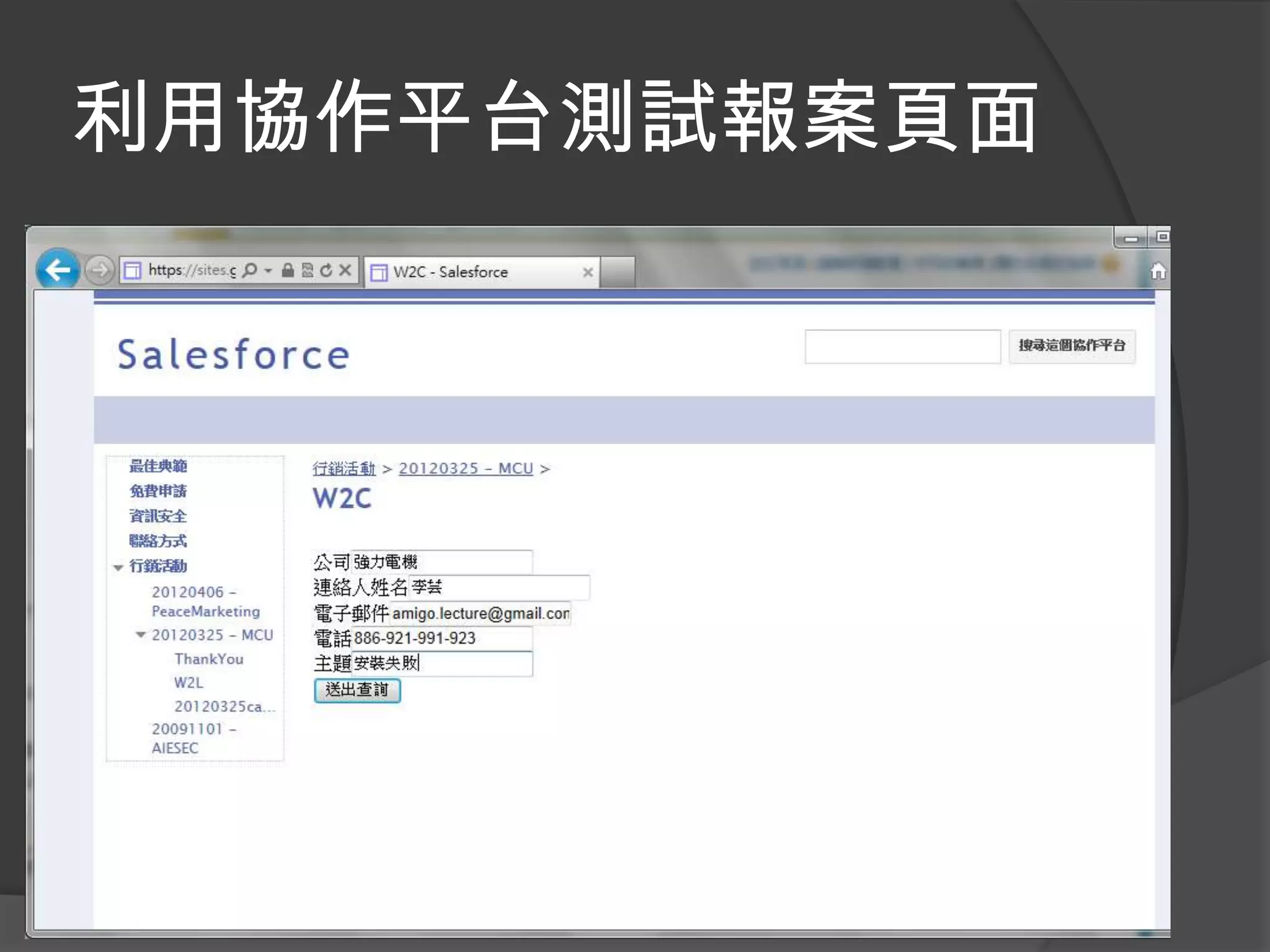
利用協作平台測試報案頁面
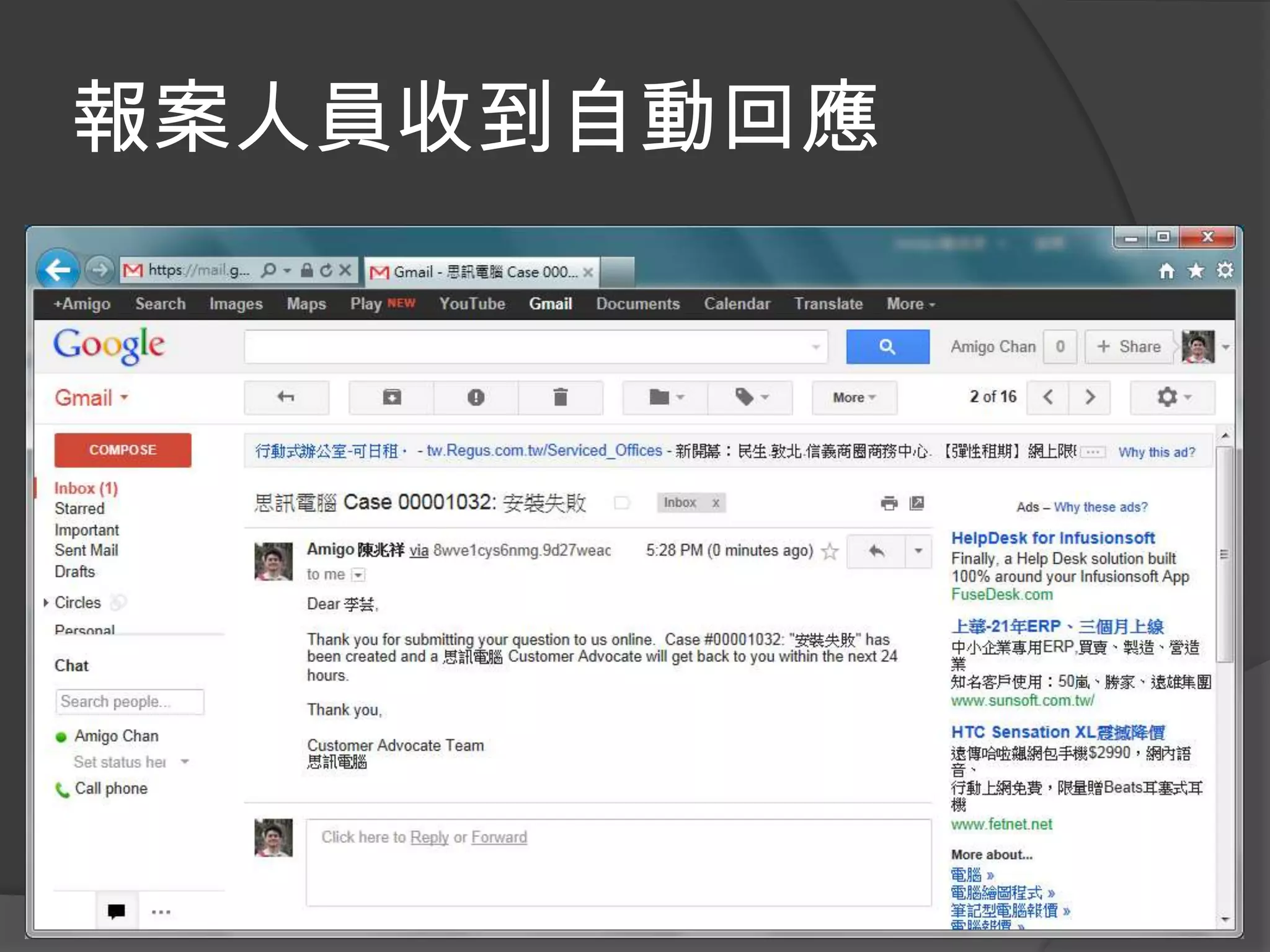
報案人員收到自動回應
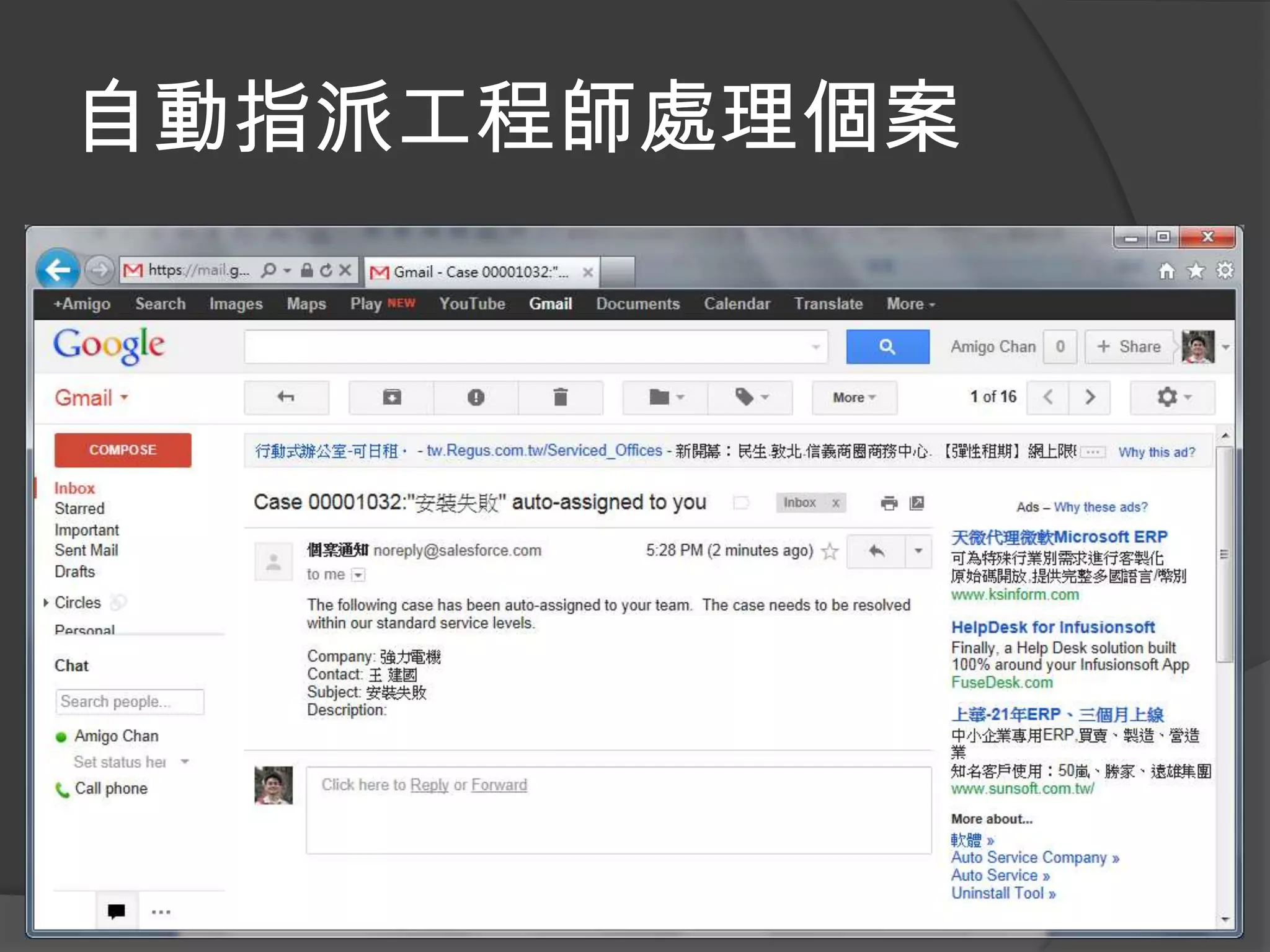
自動指派工程師處理個案
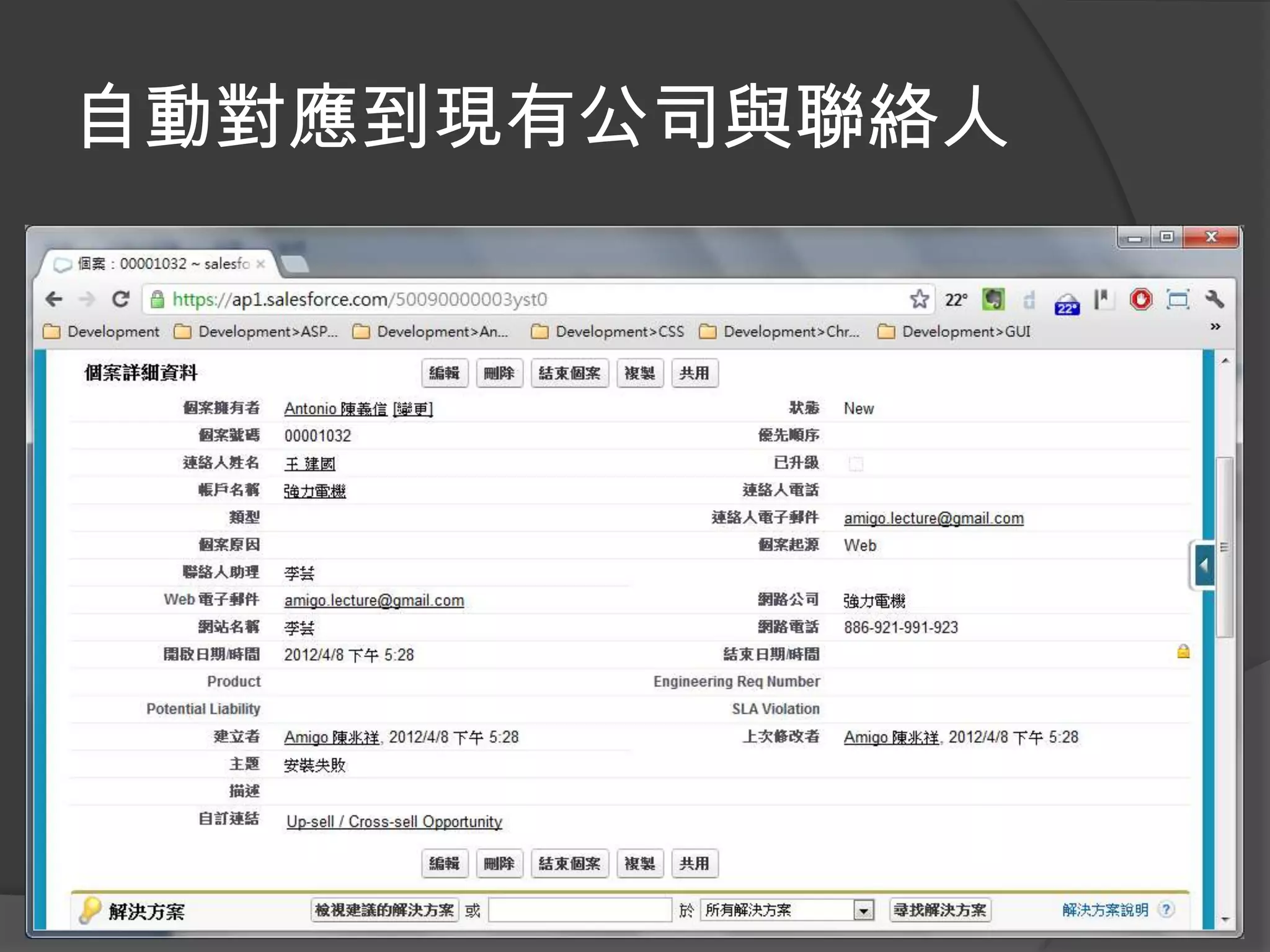
自動對應到現有公司與聯絡人
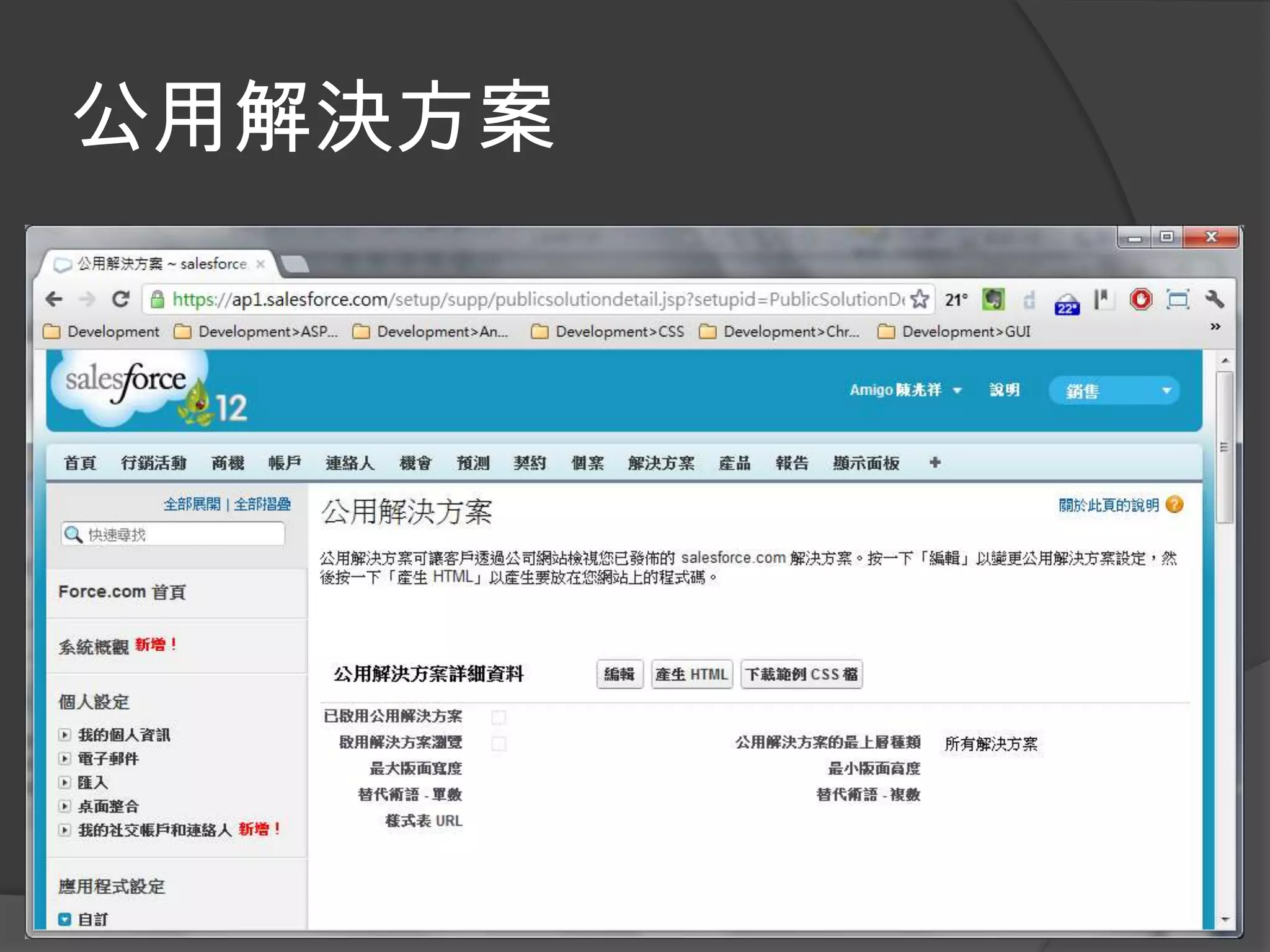
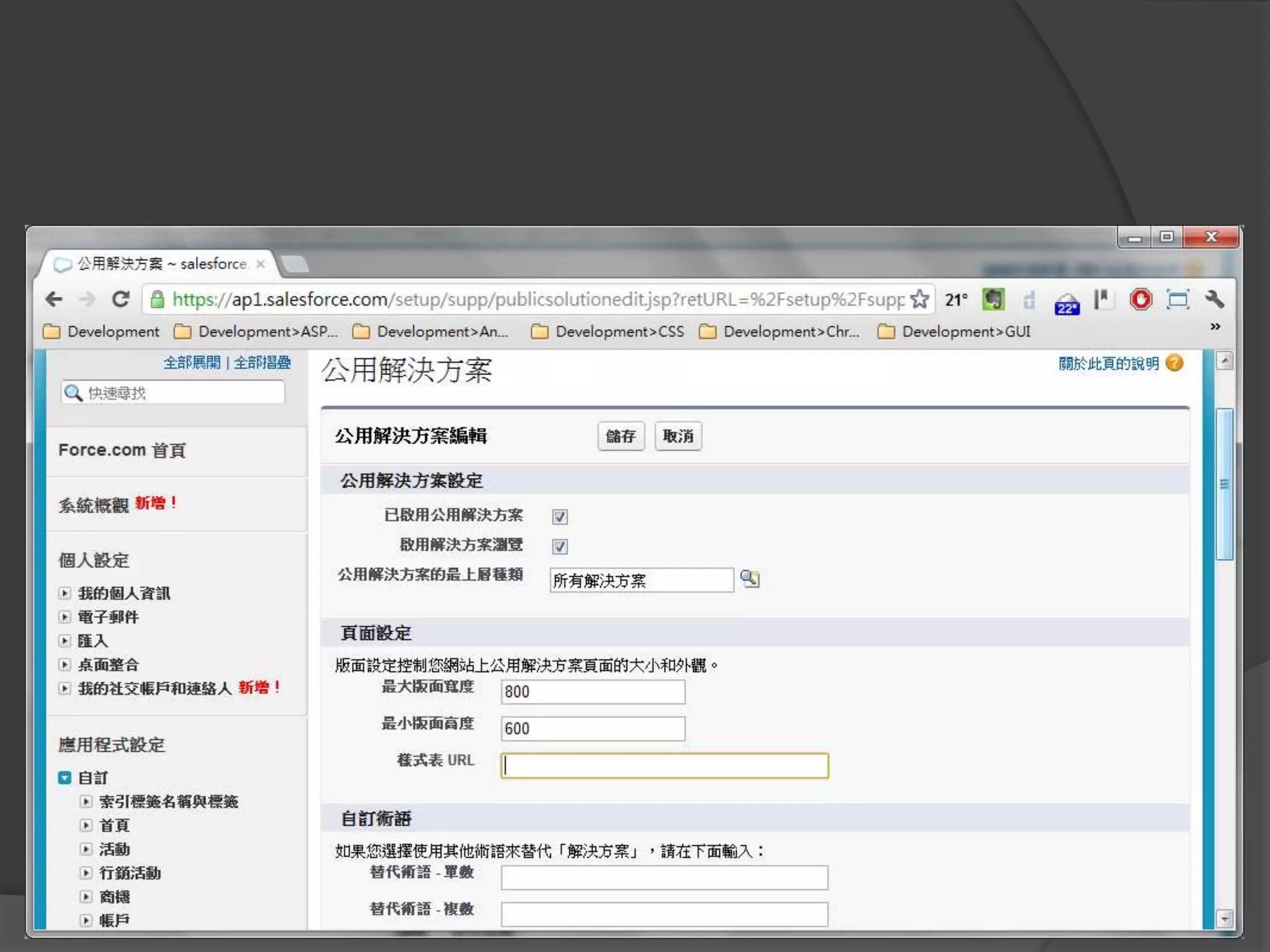
公用解決方案
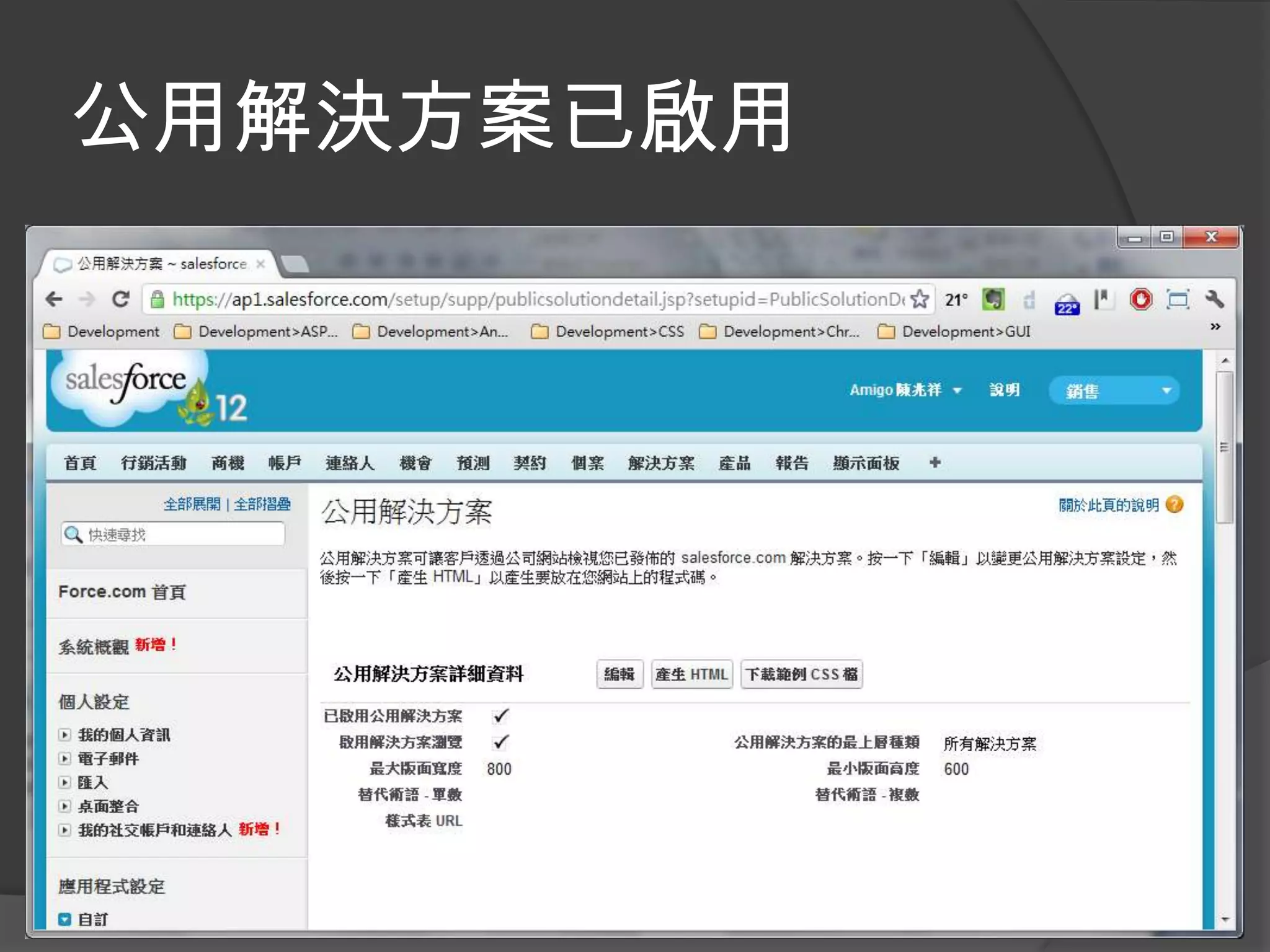
公用解決方案已啟用
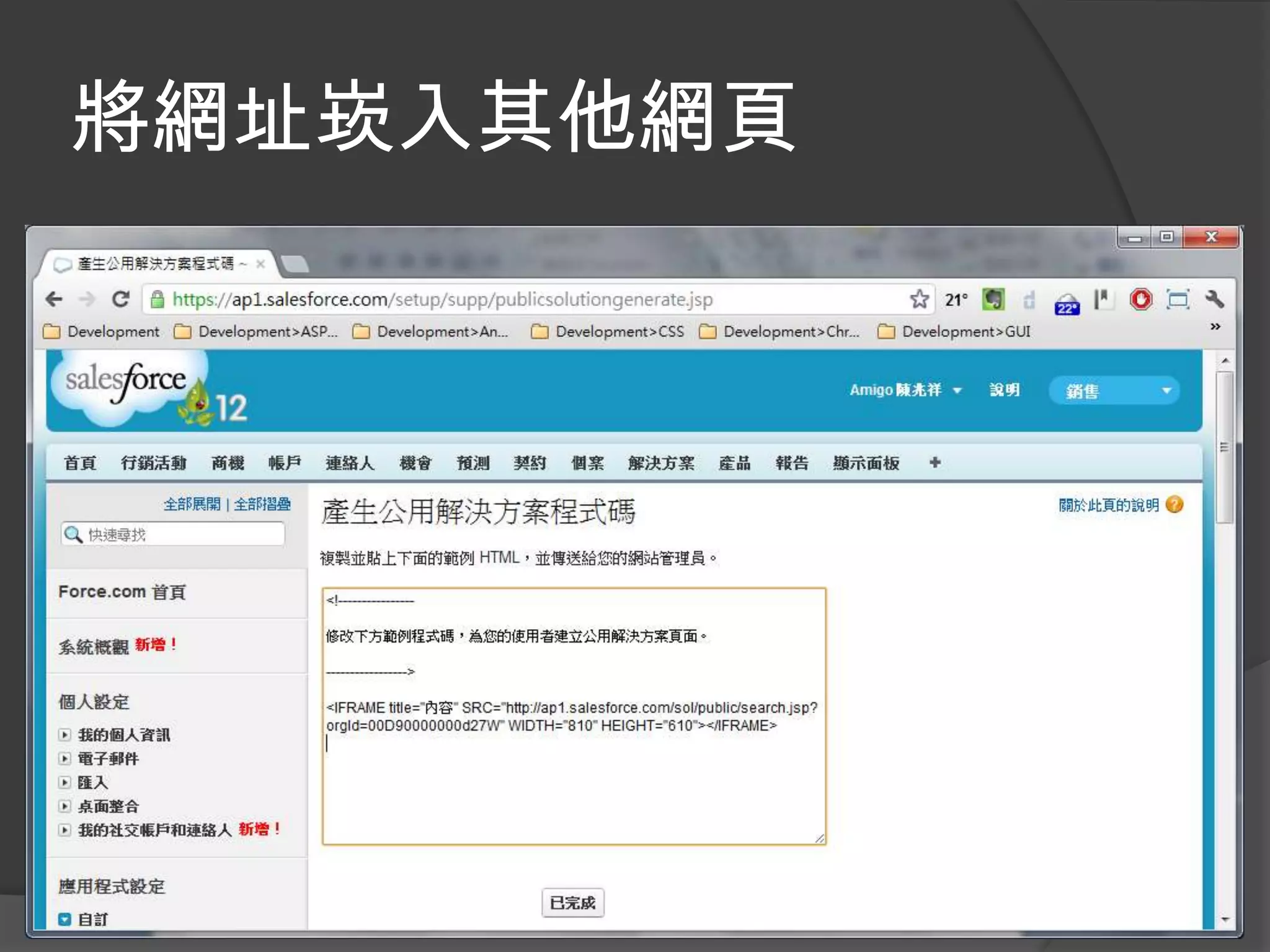
將網址崁入其他網頁
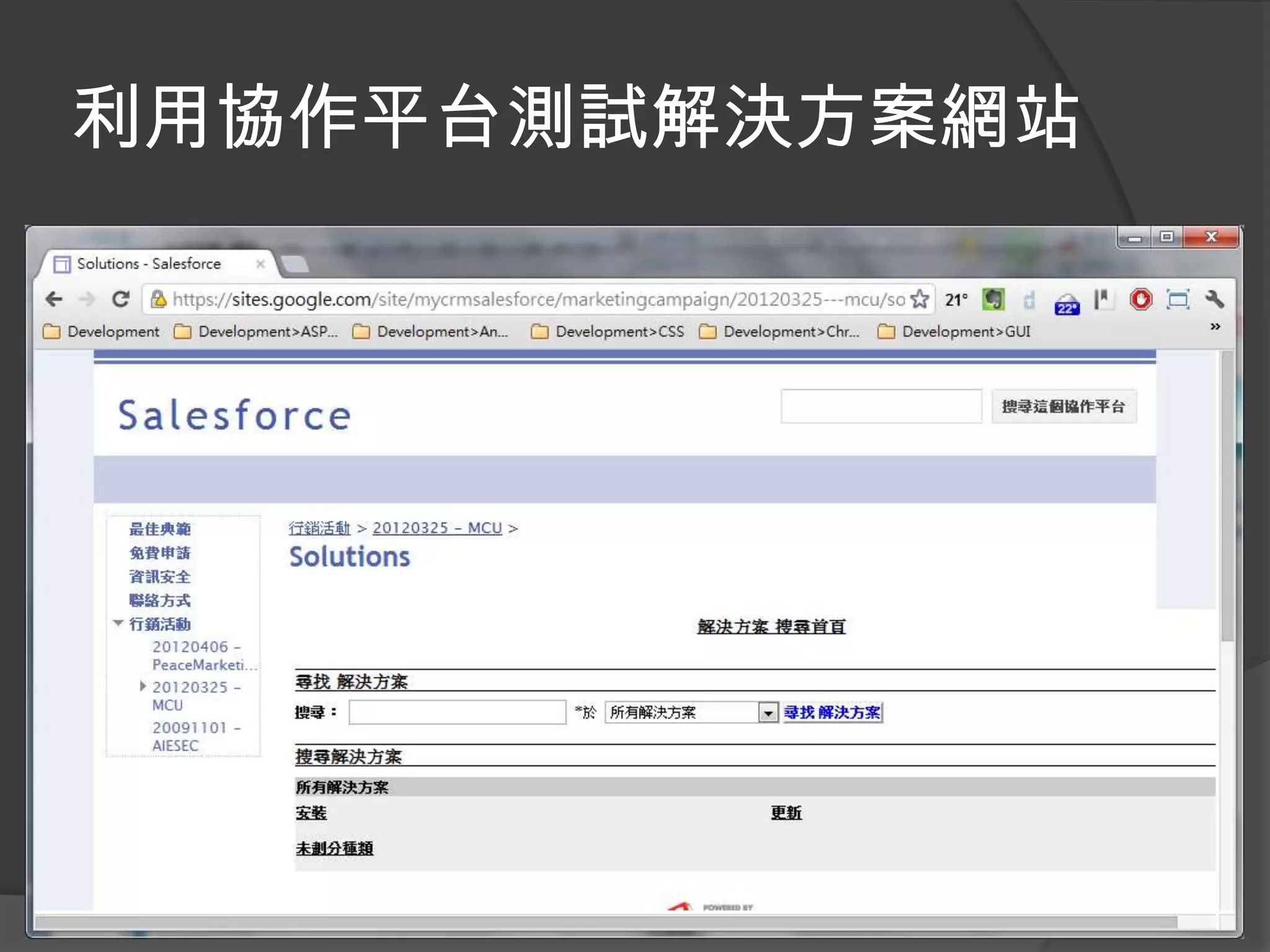
利用協作平台測試解決方案網站
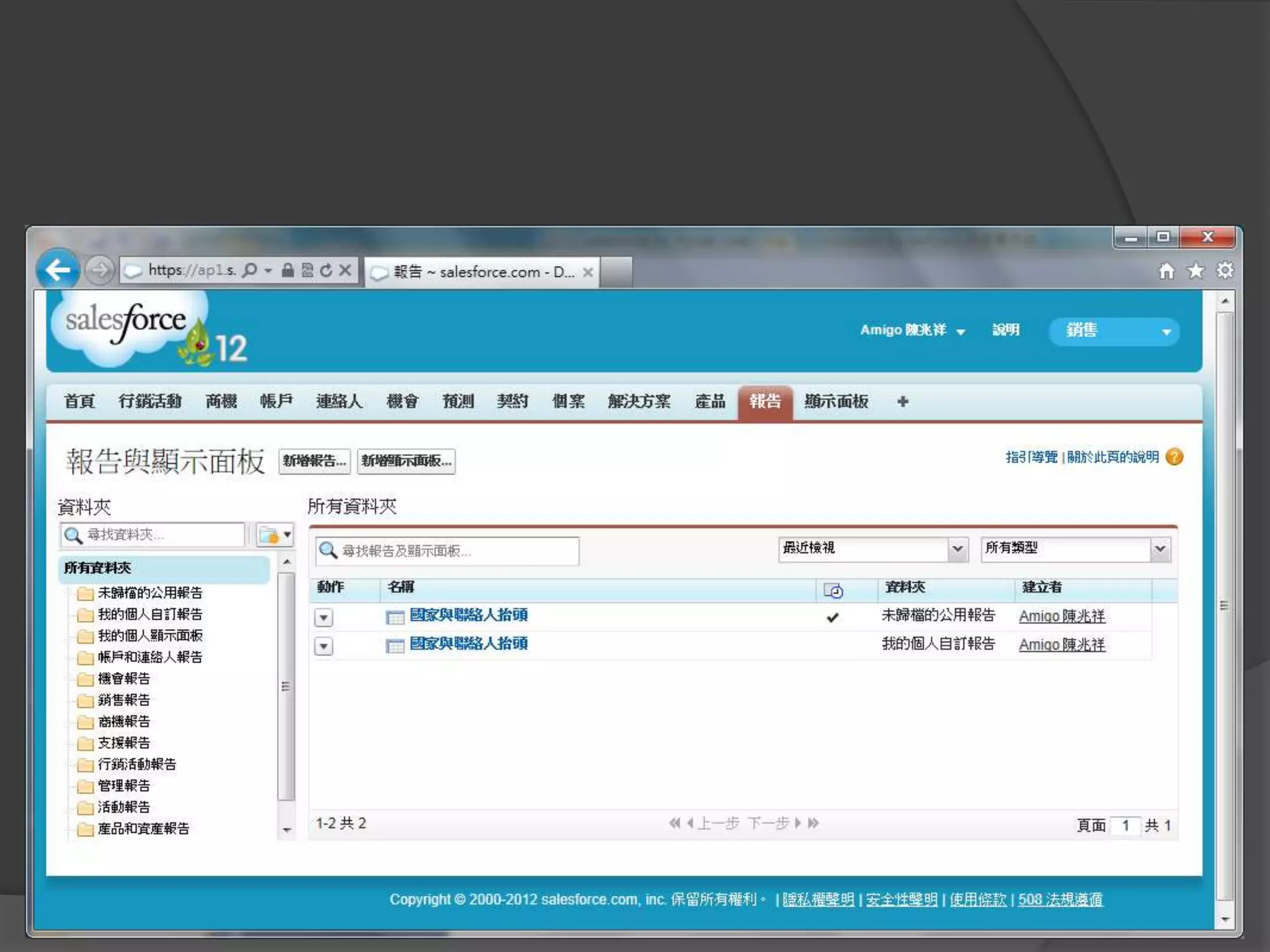
Report and Dashboard
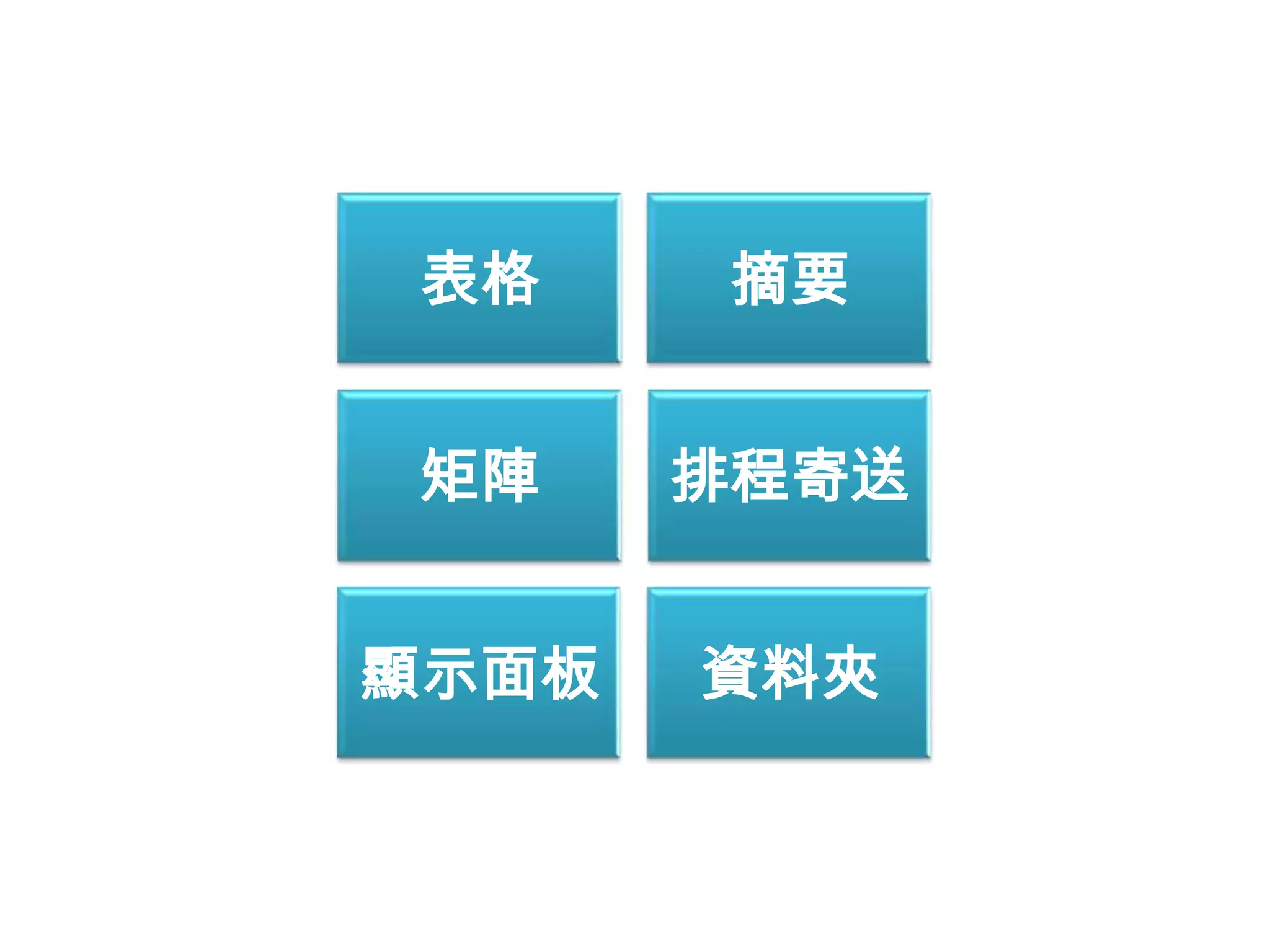
表格     摘要


 矩陣    排程寄送


顯示面板   資料夾
表格
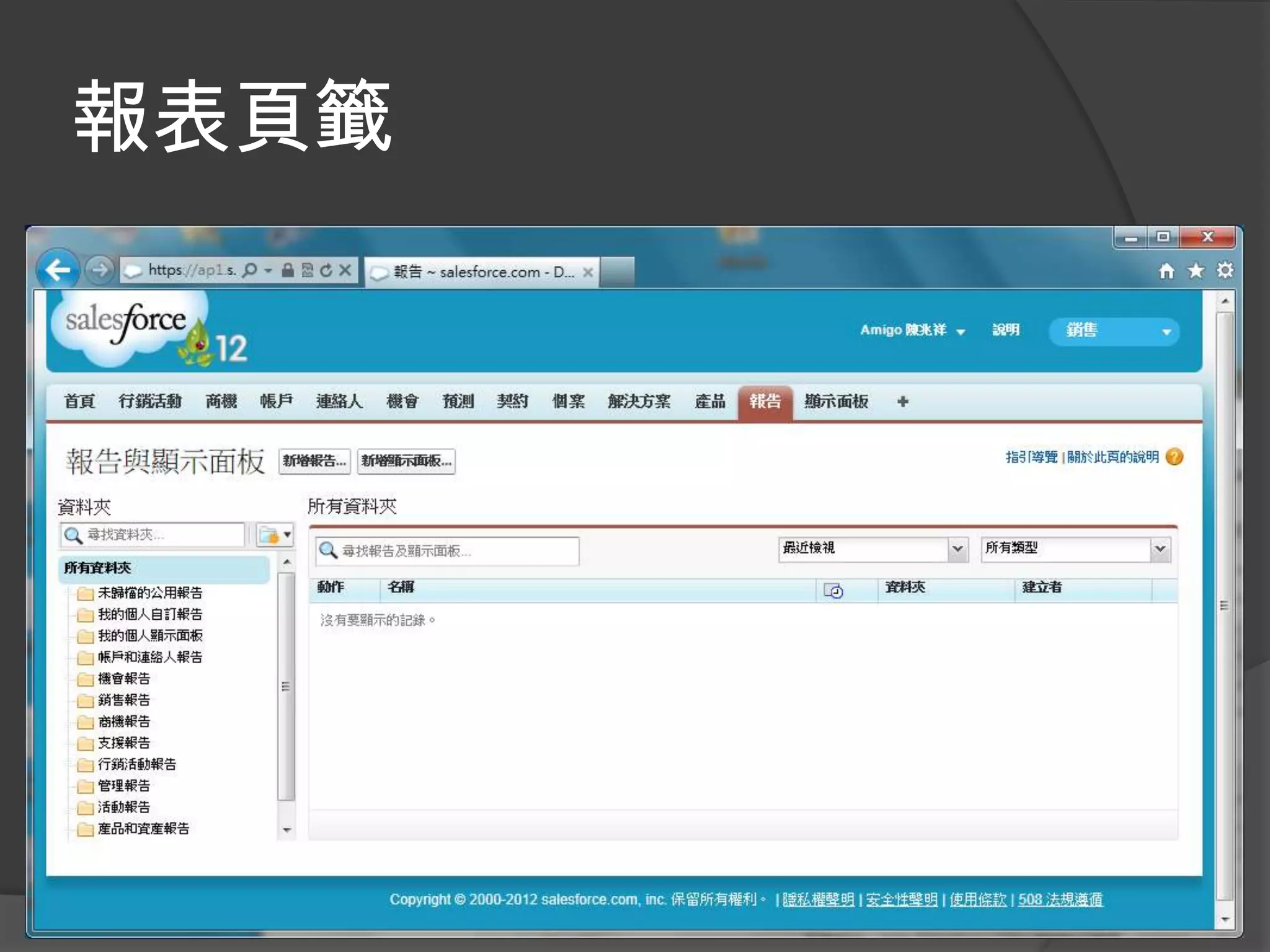
報表頁籤
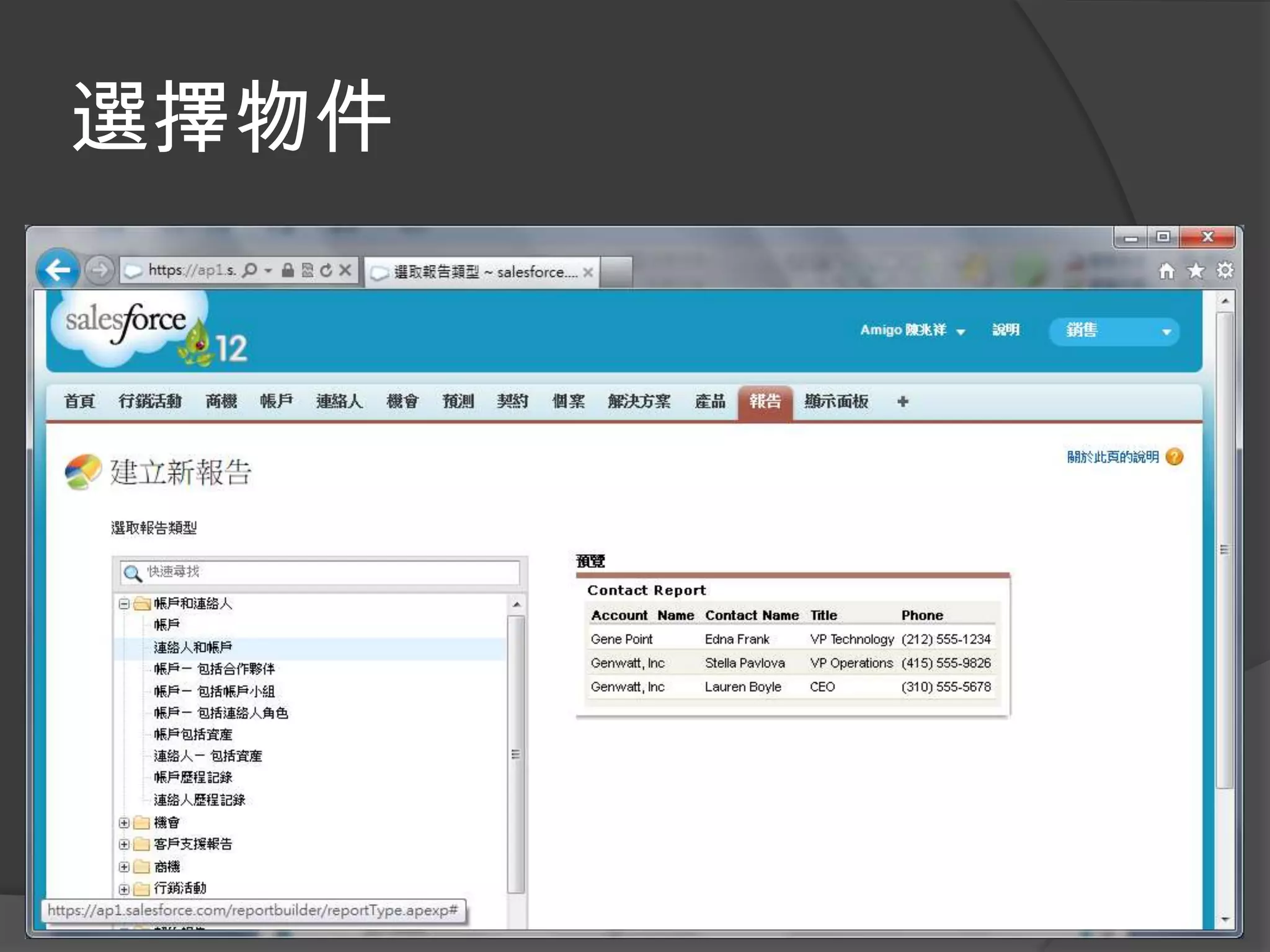
選擇物件
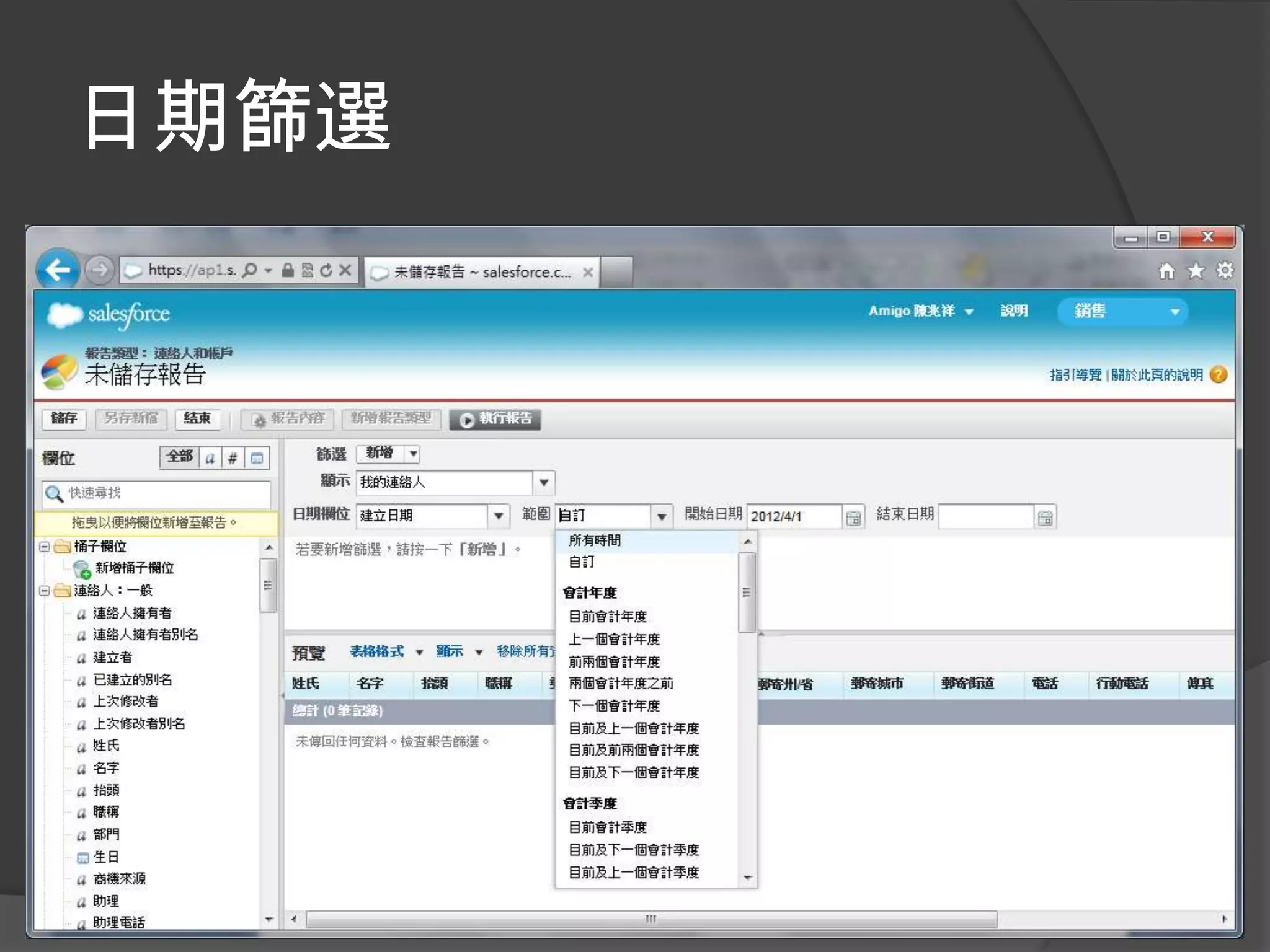
日期篩選
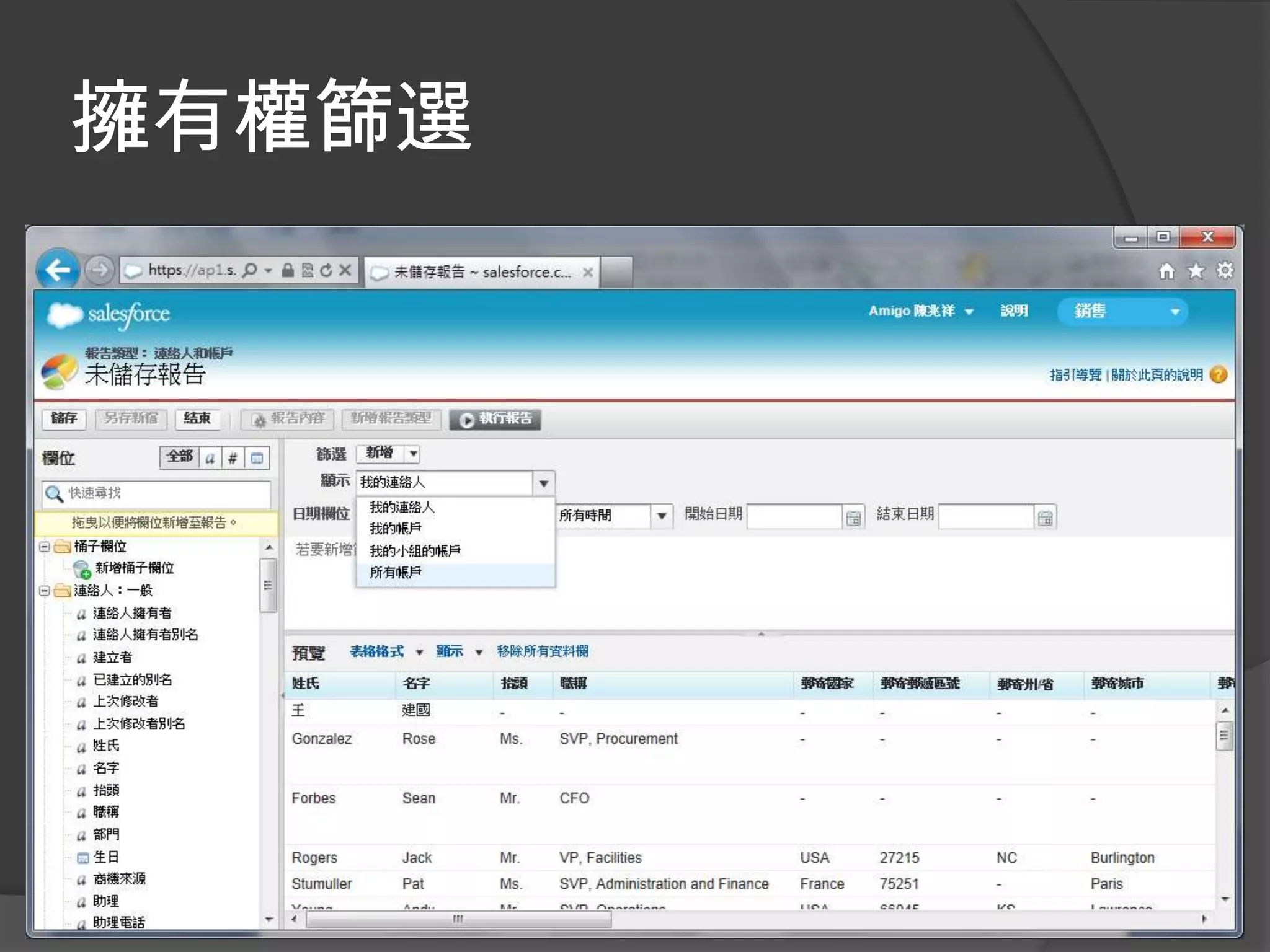
擁有權篩選
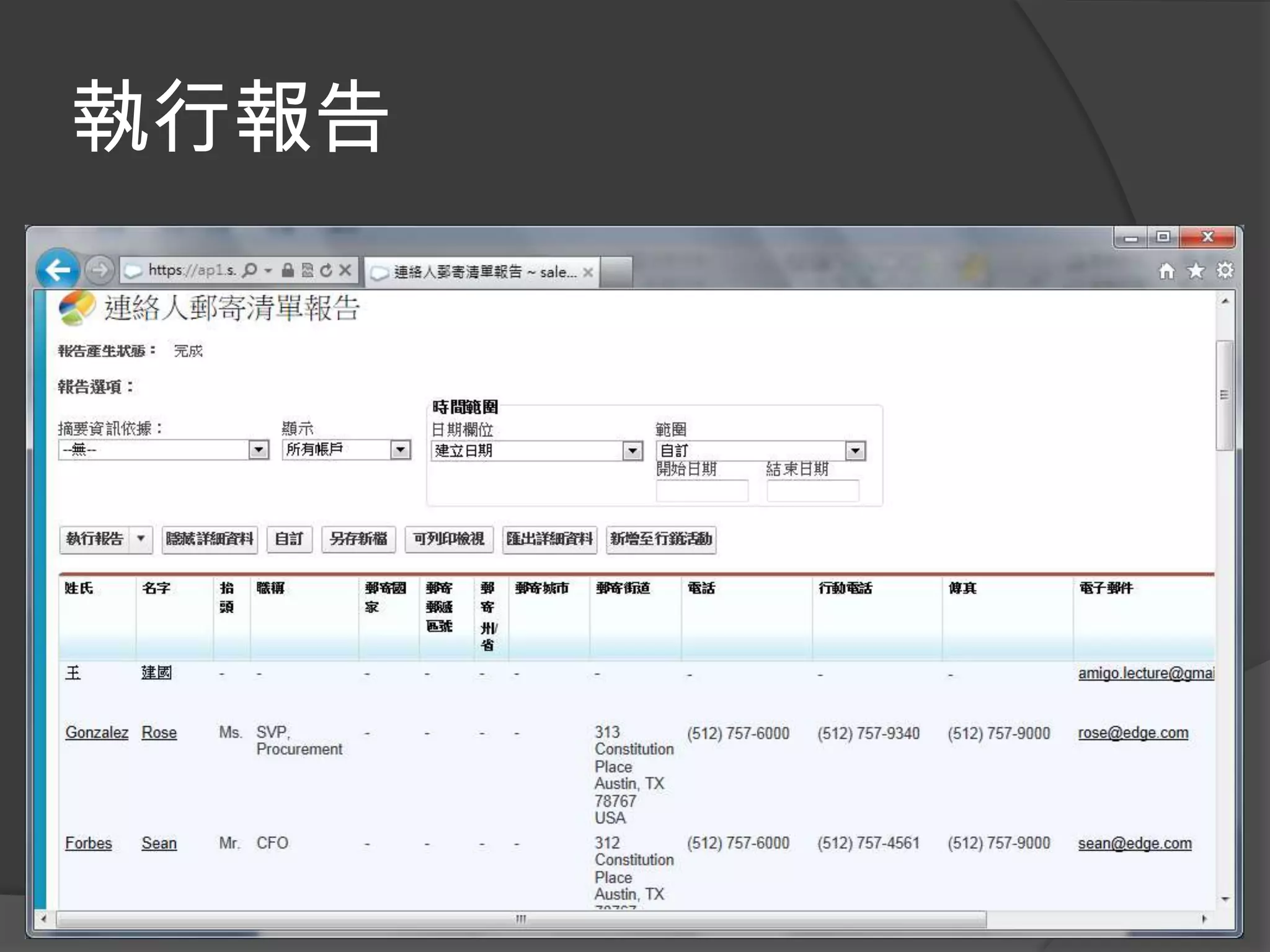
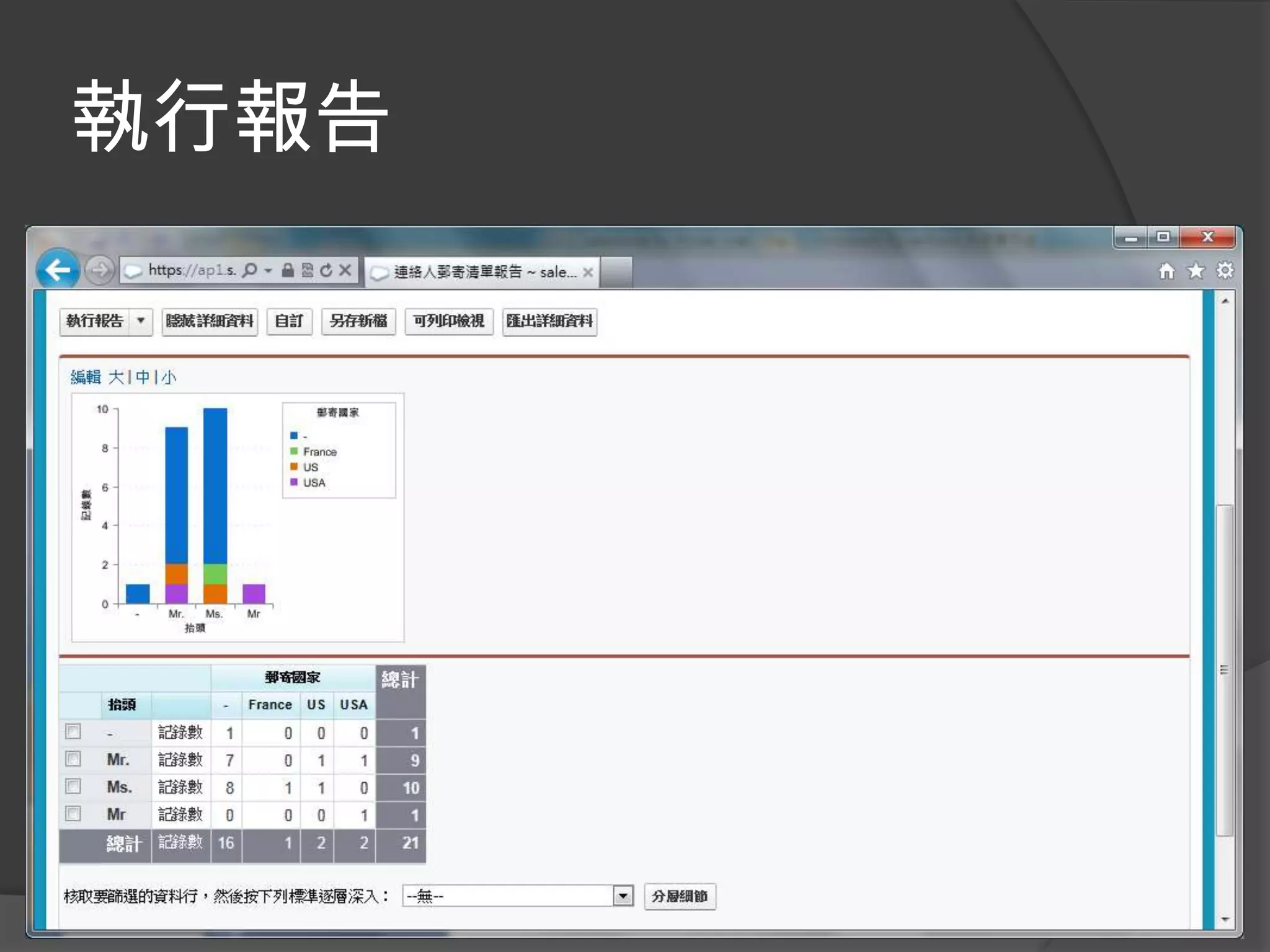
執行報告
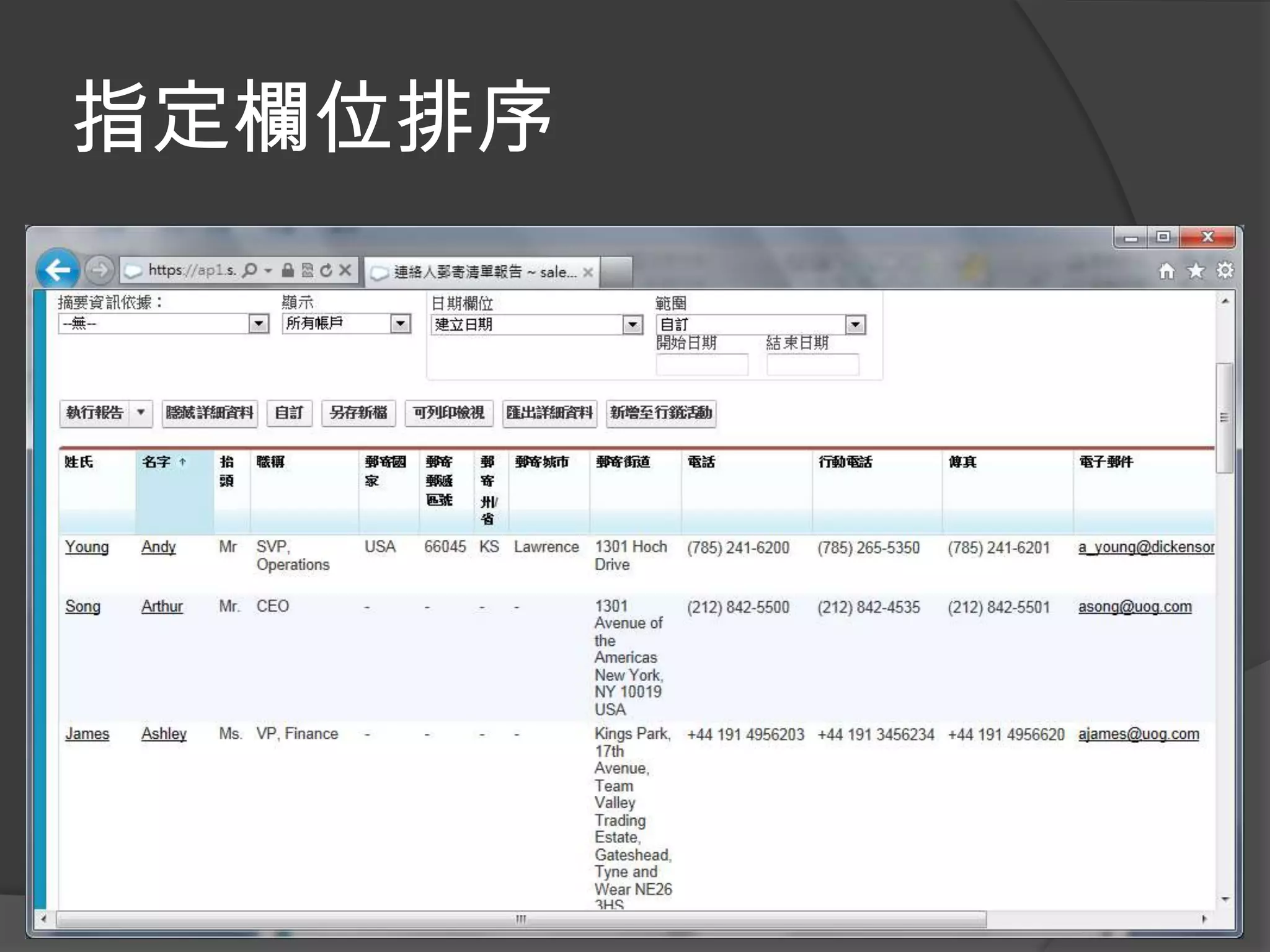
指定欄位排序
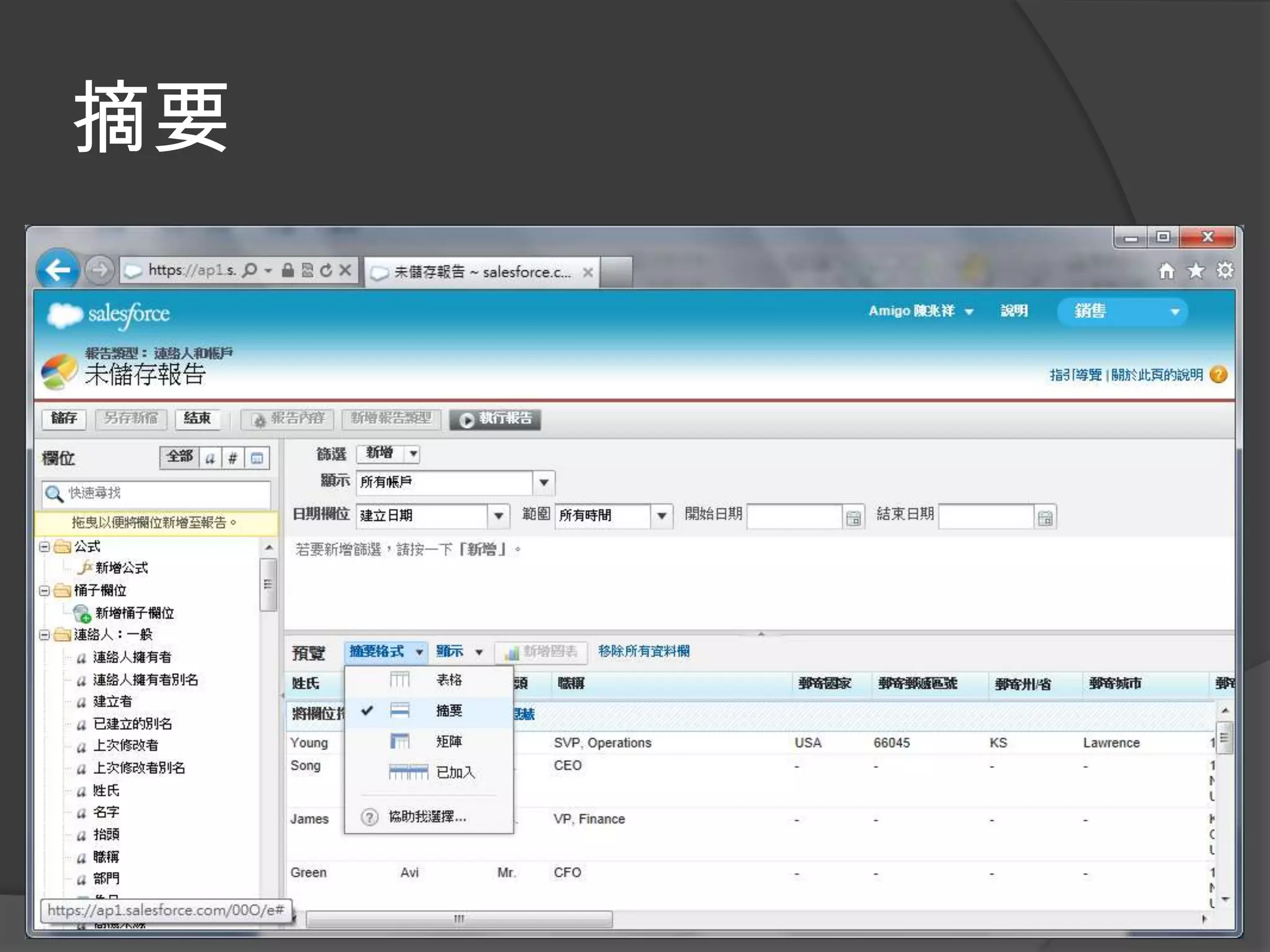
摘要
摘要
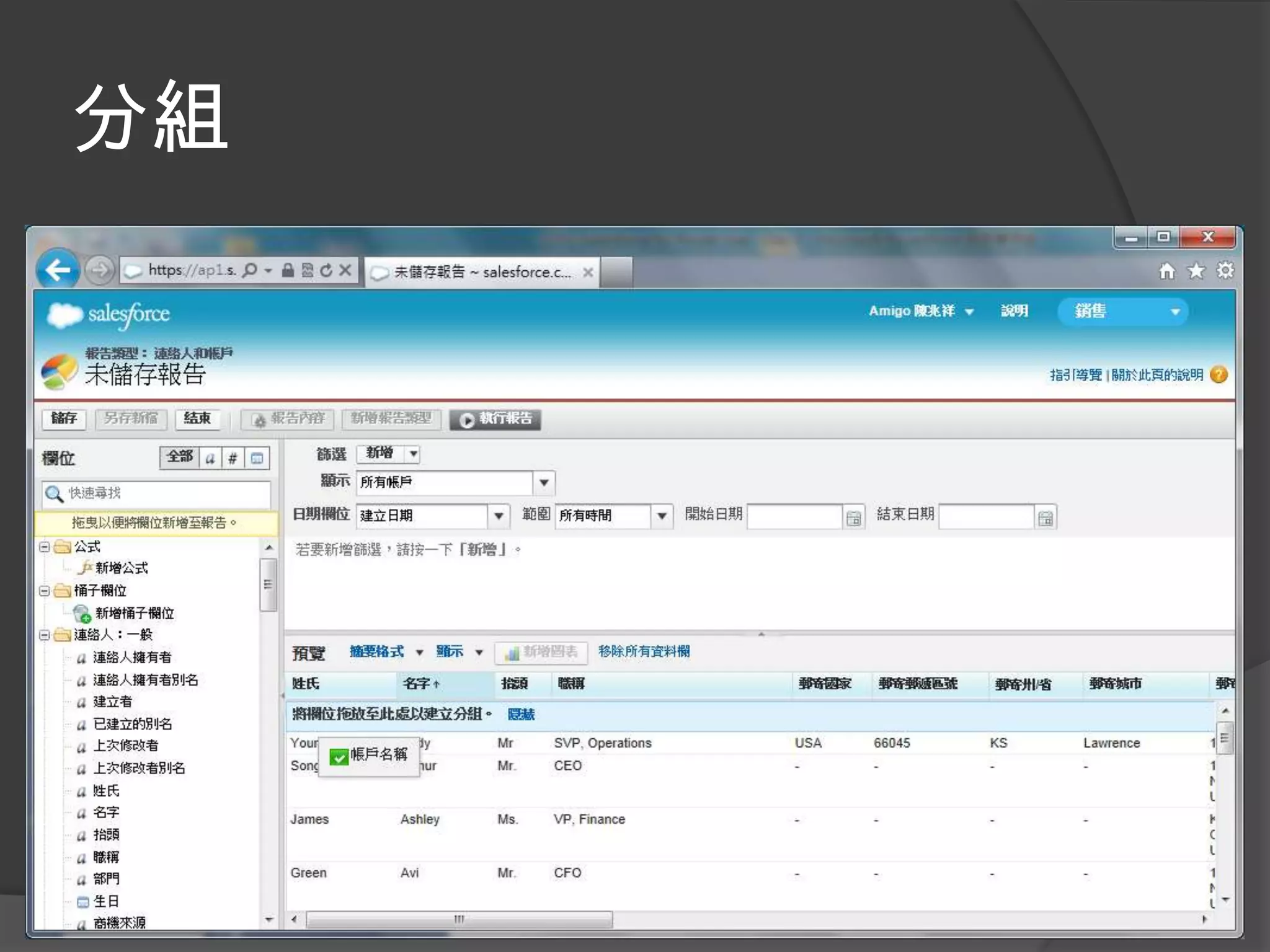
分組
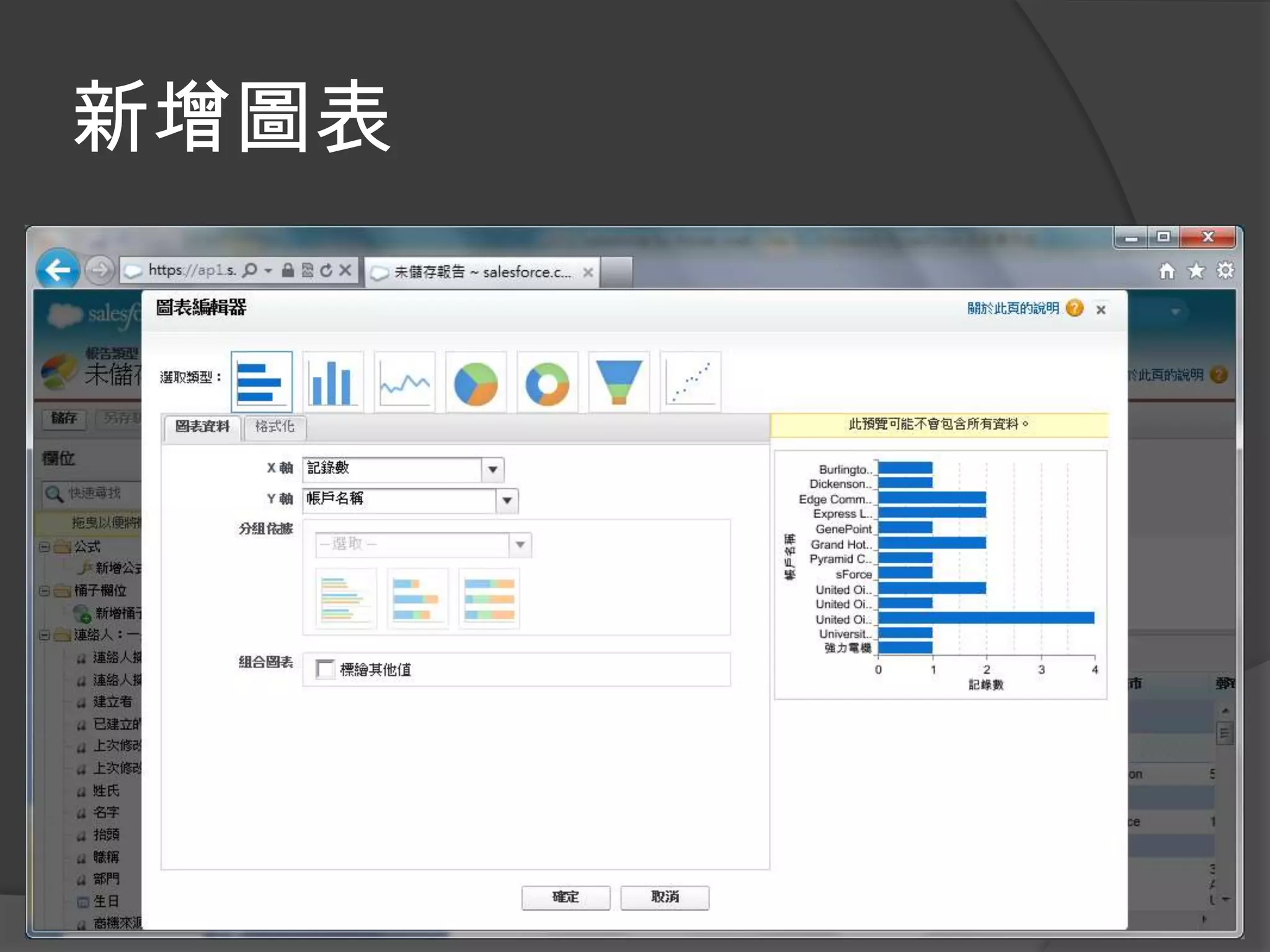
新增圖表
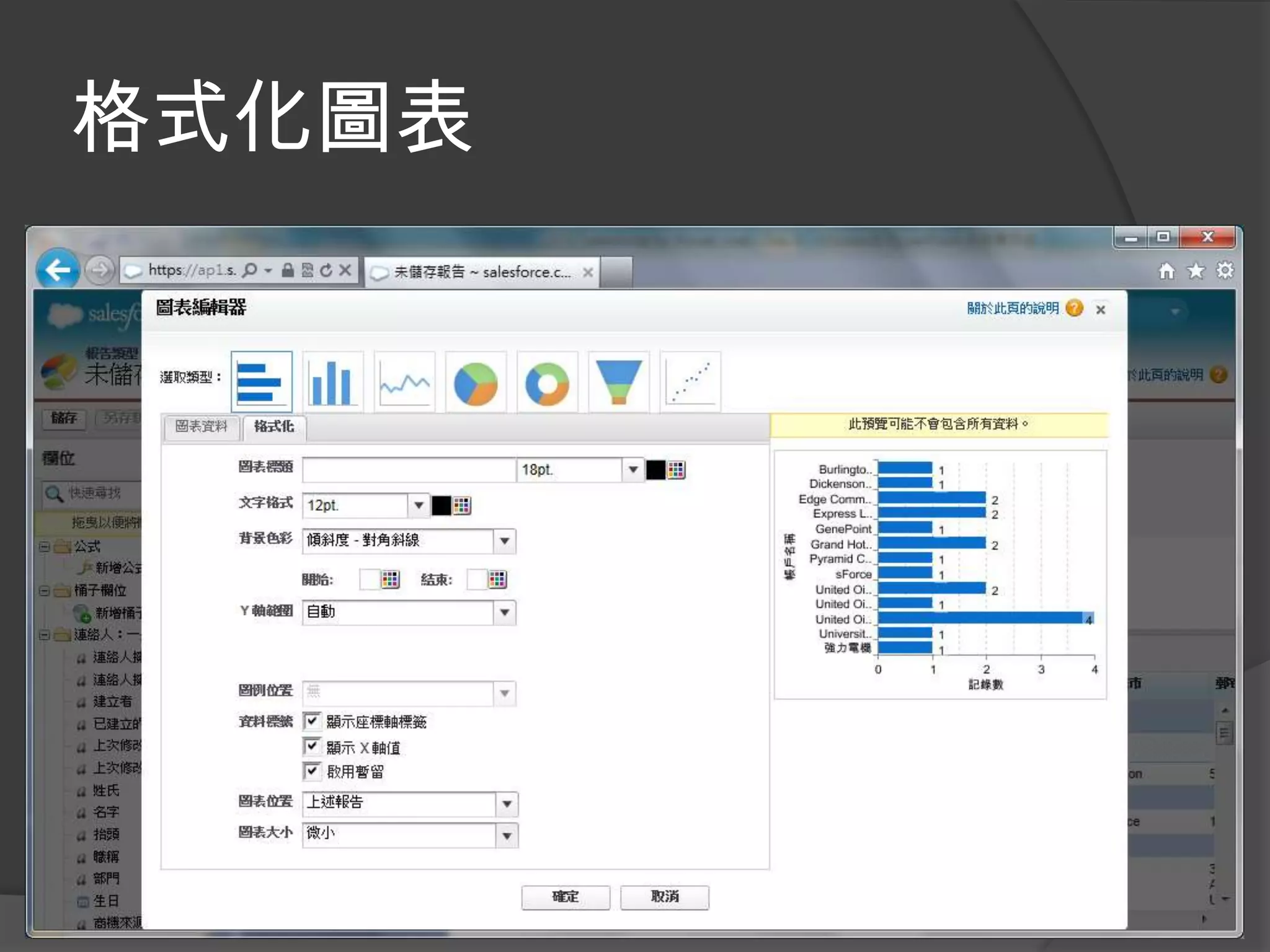
格式化圖表
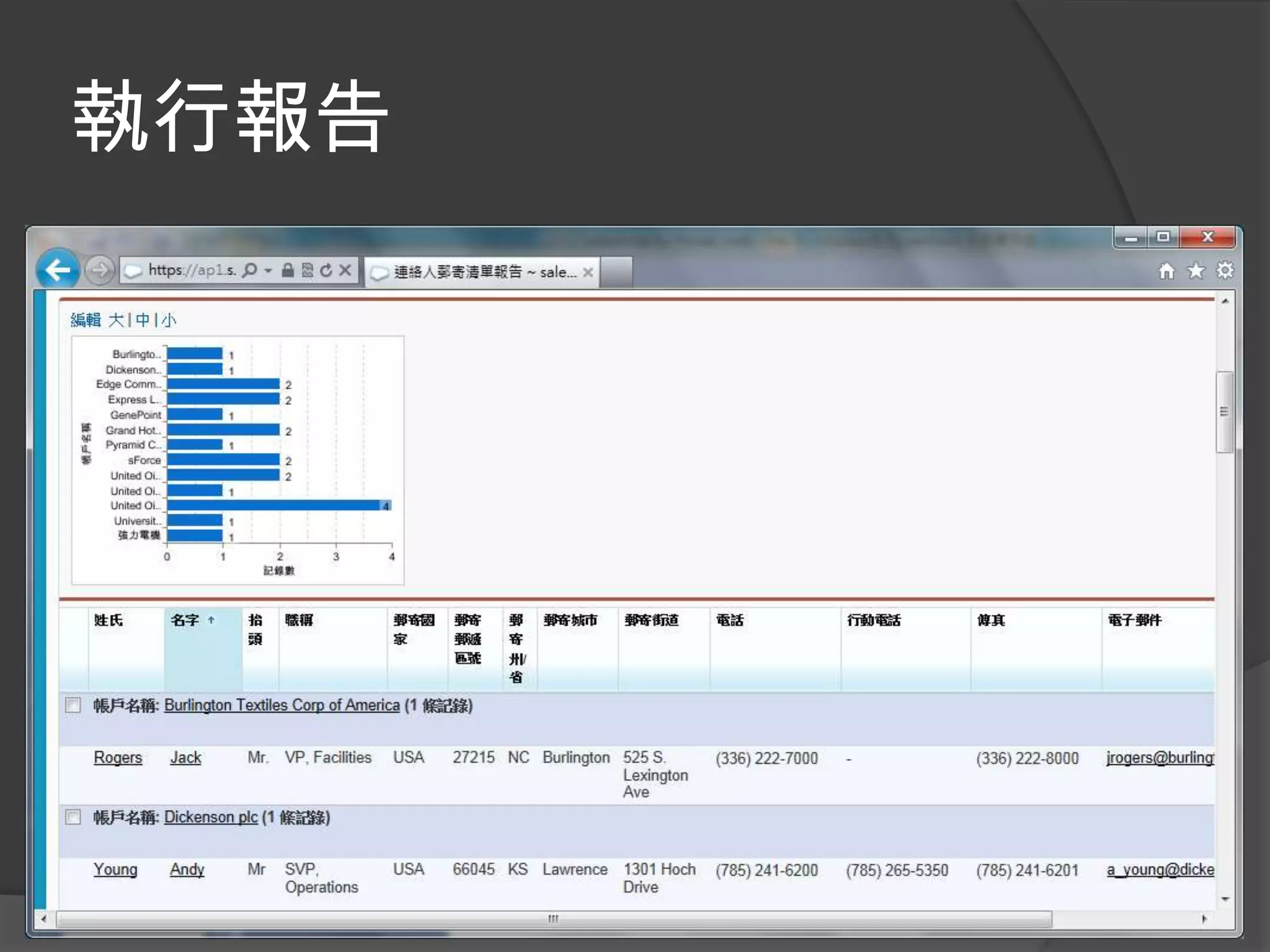
執行報告
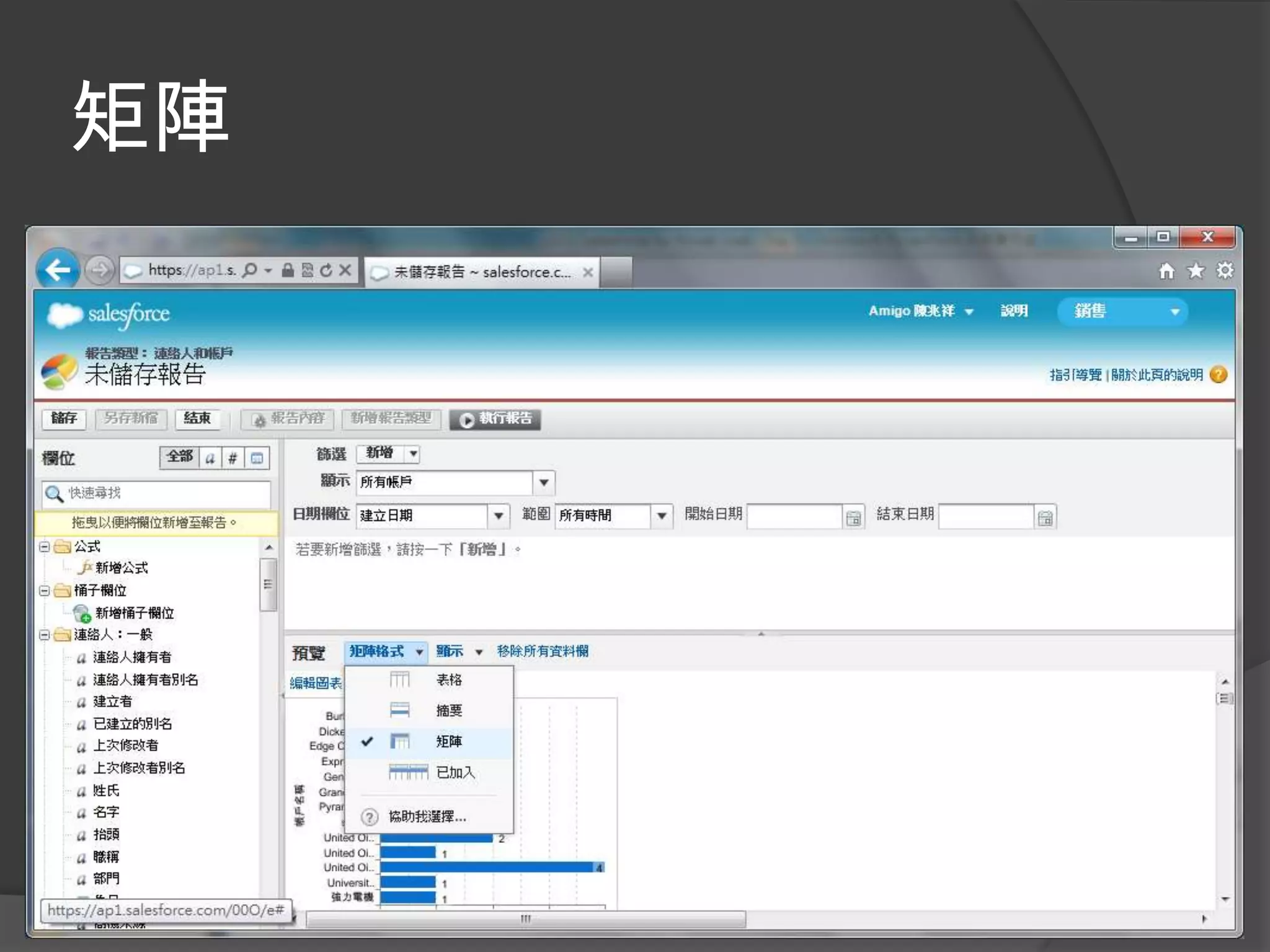
矩陣
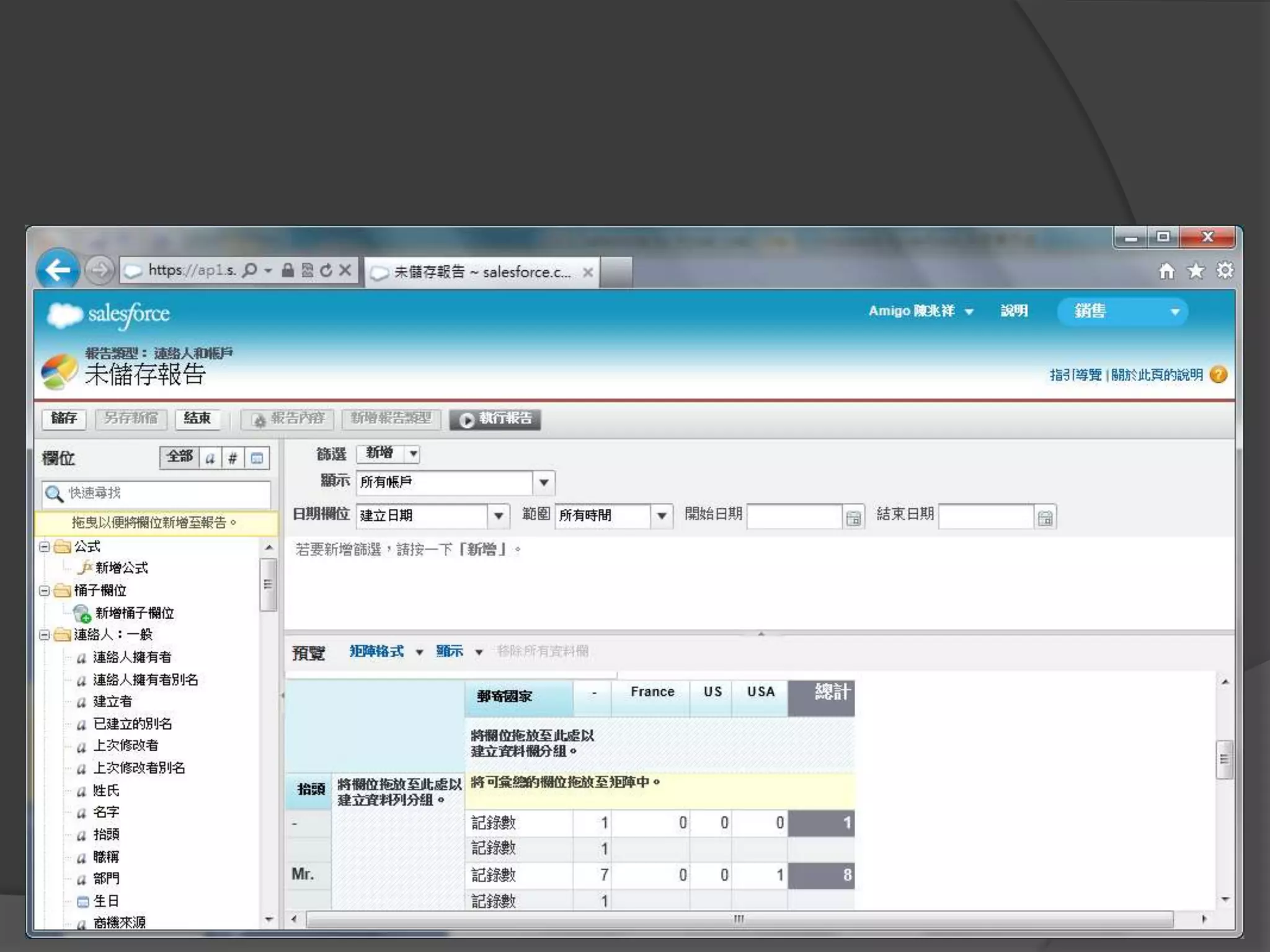
矩陣
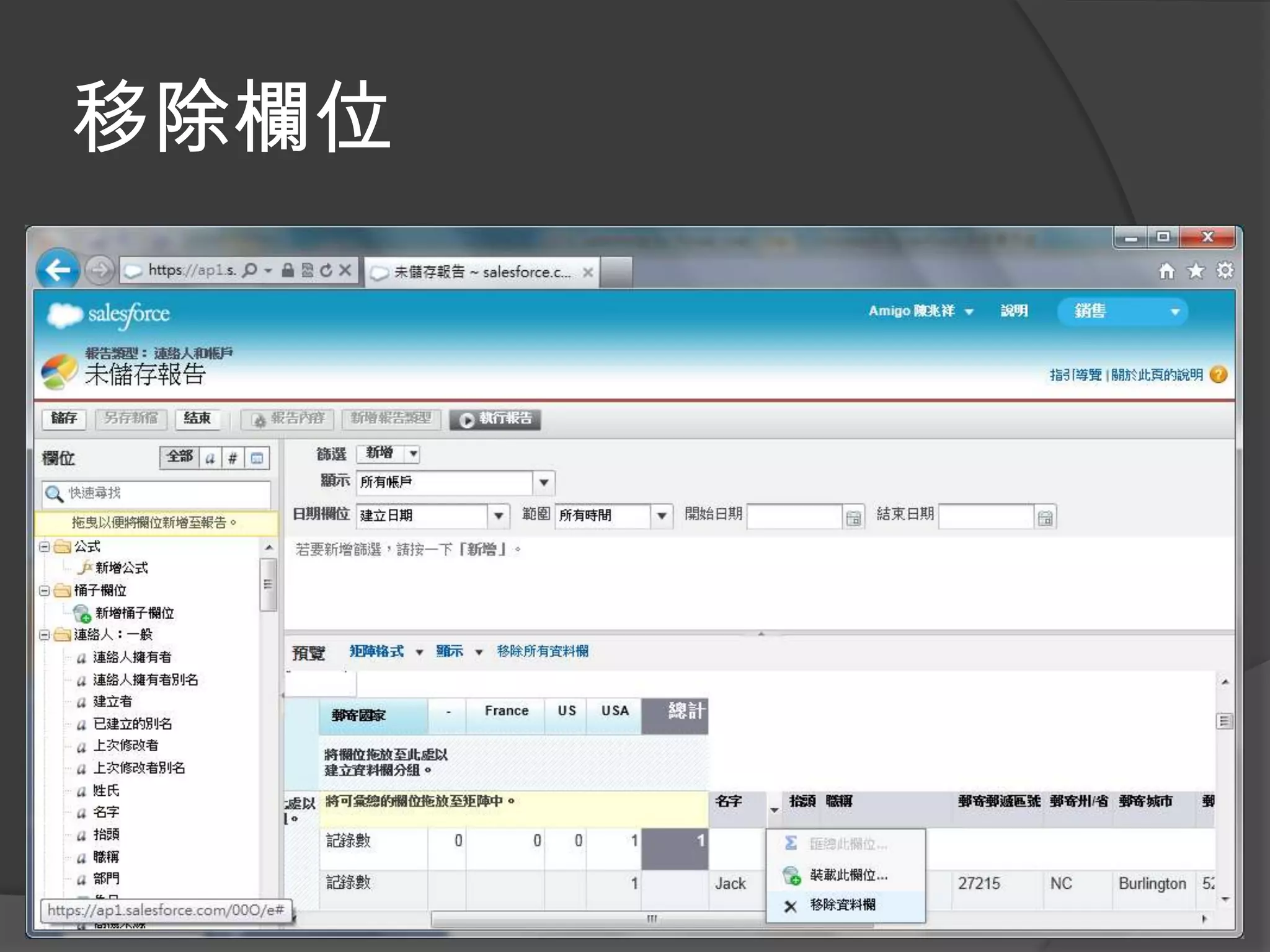
移除欄位
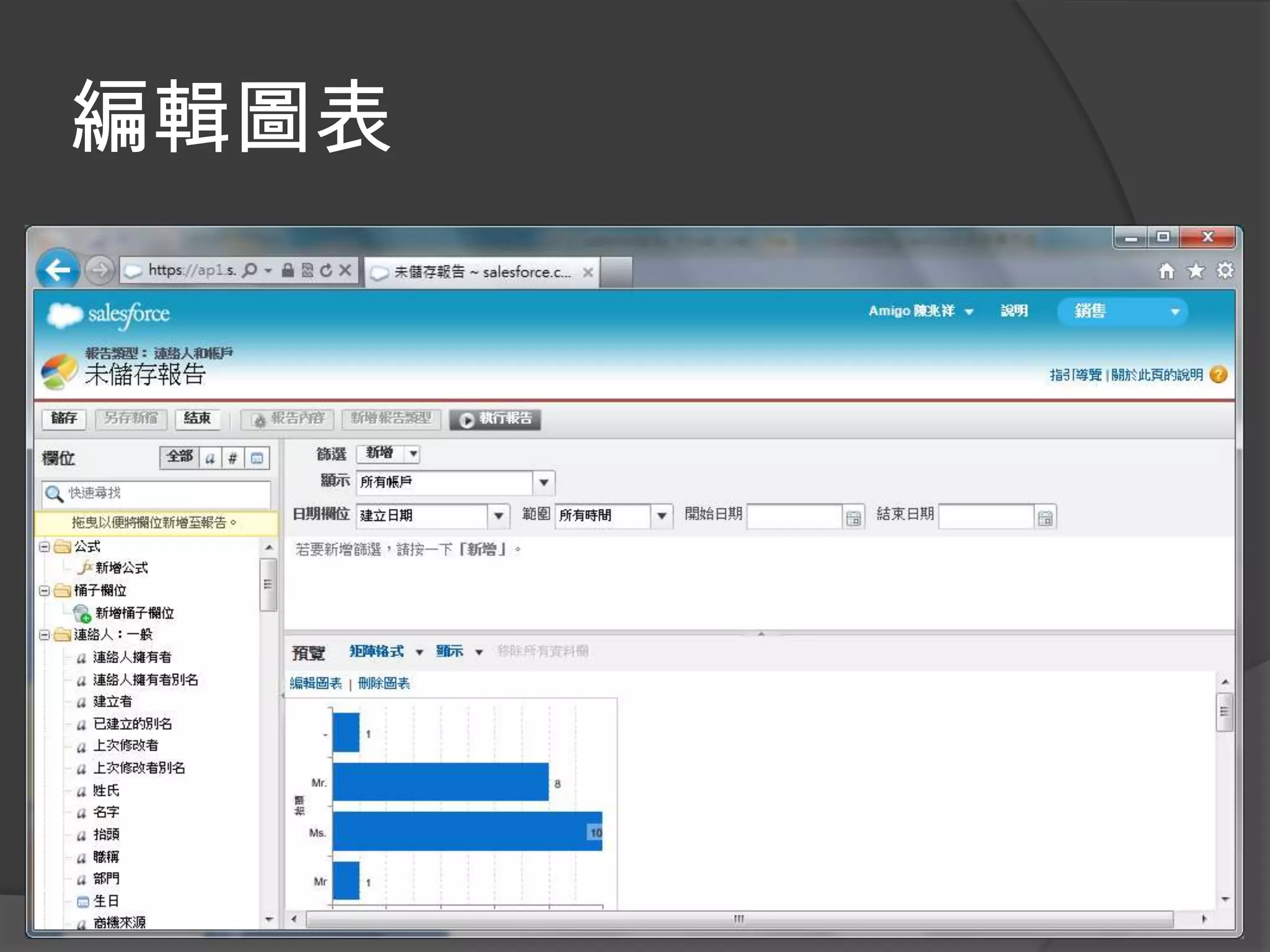
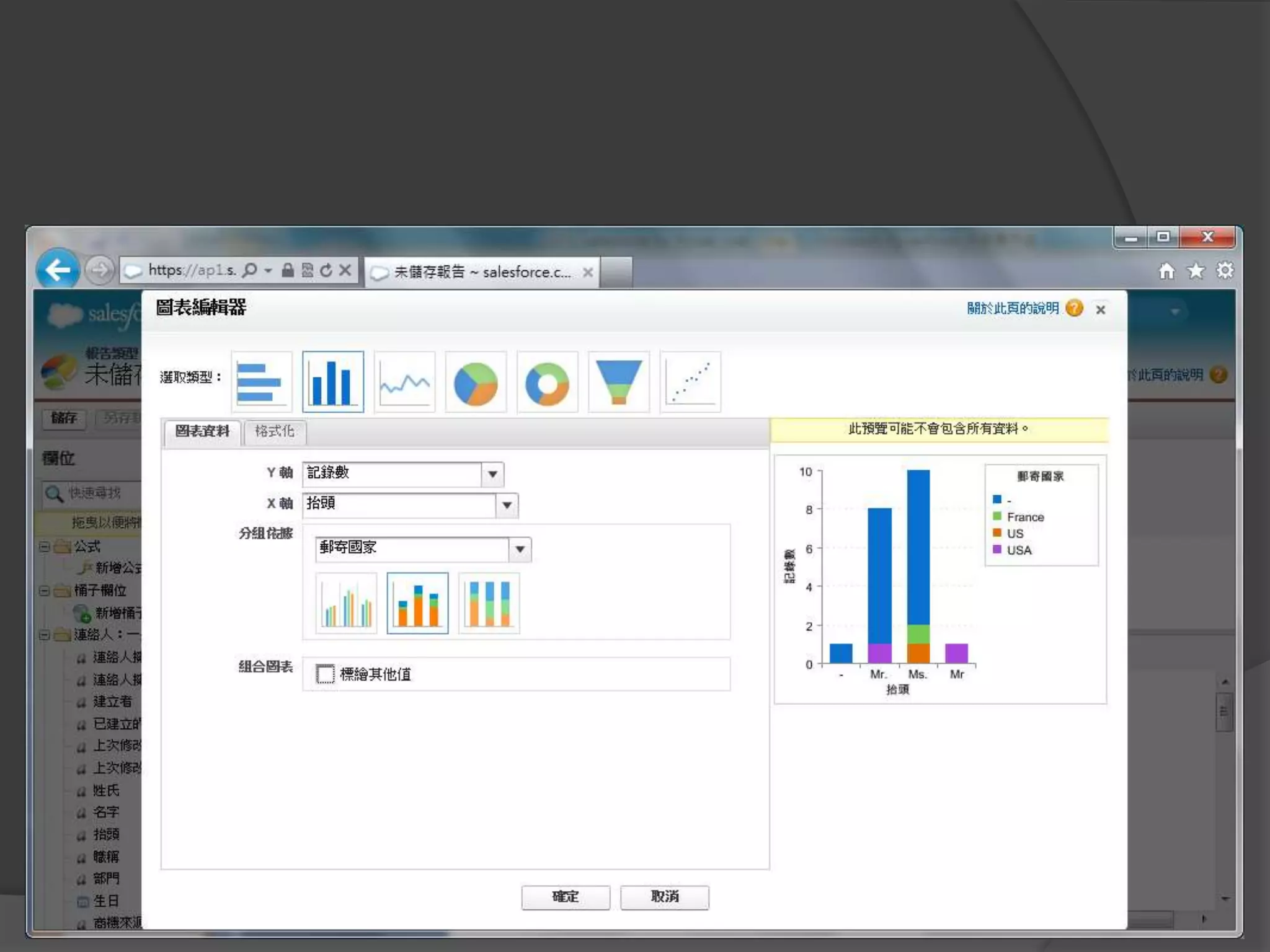
編輯圖表
執行報告
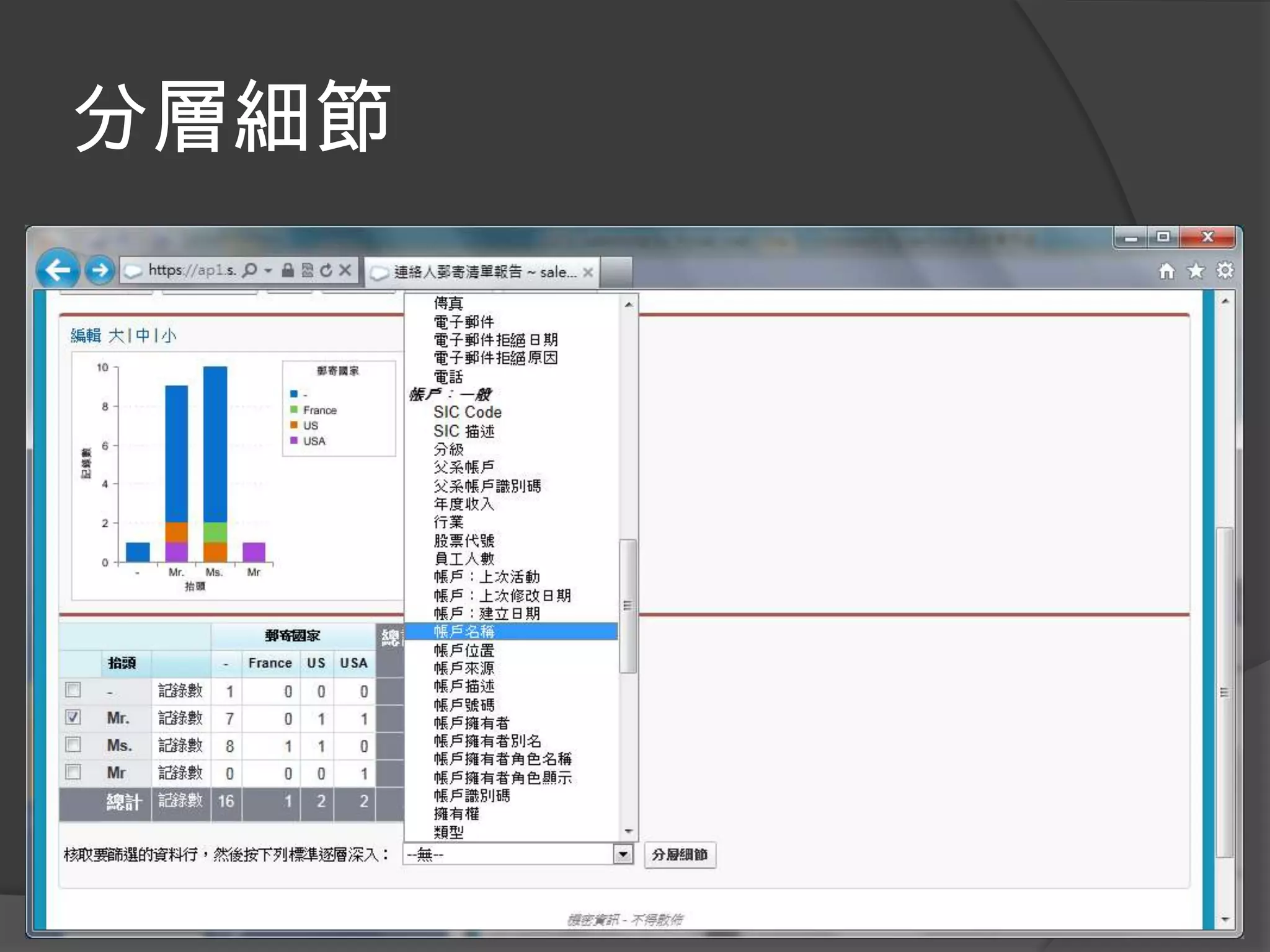
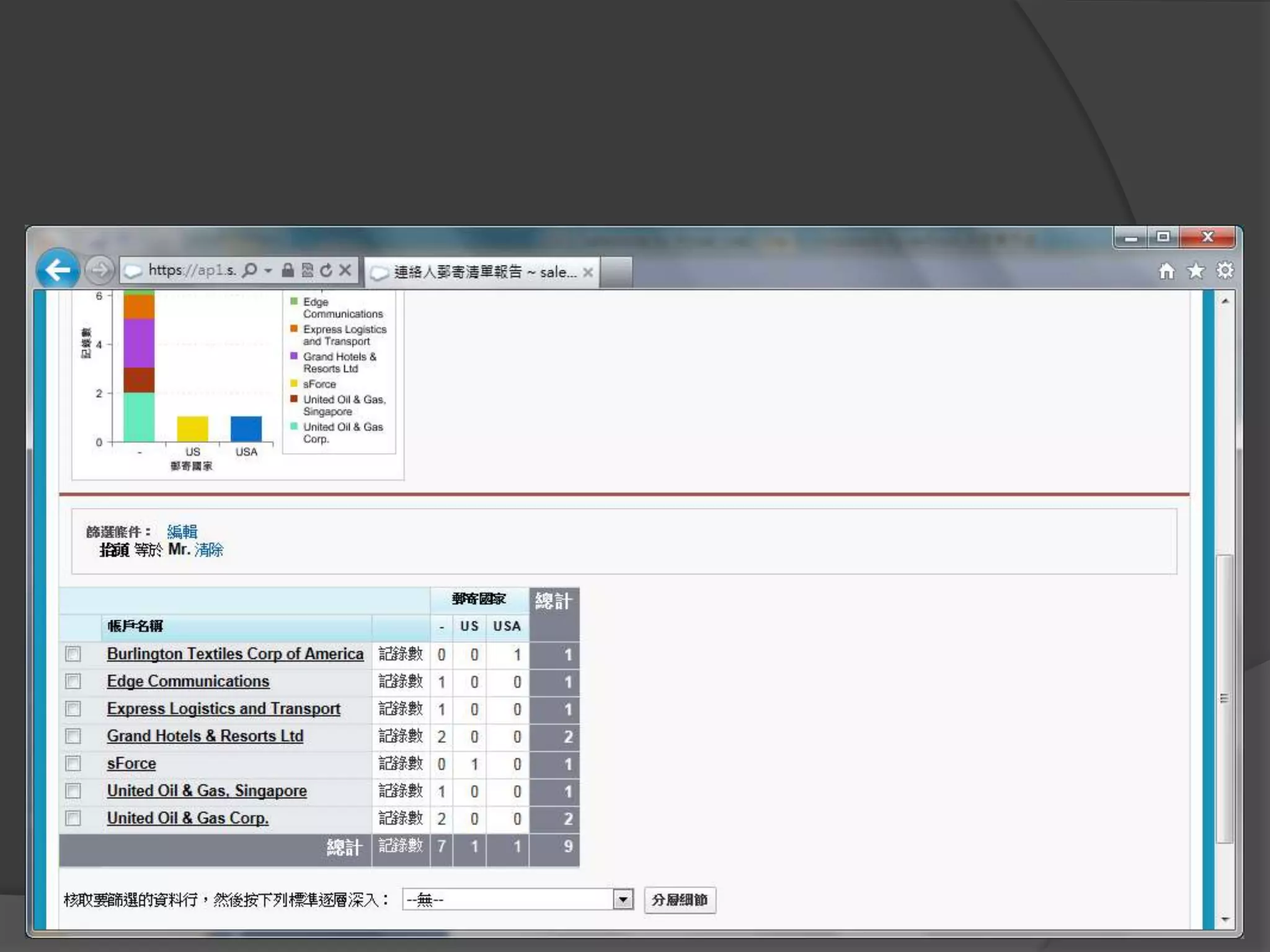
分層細節
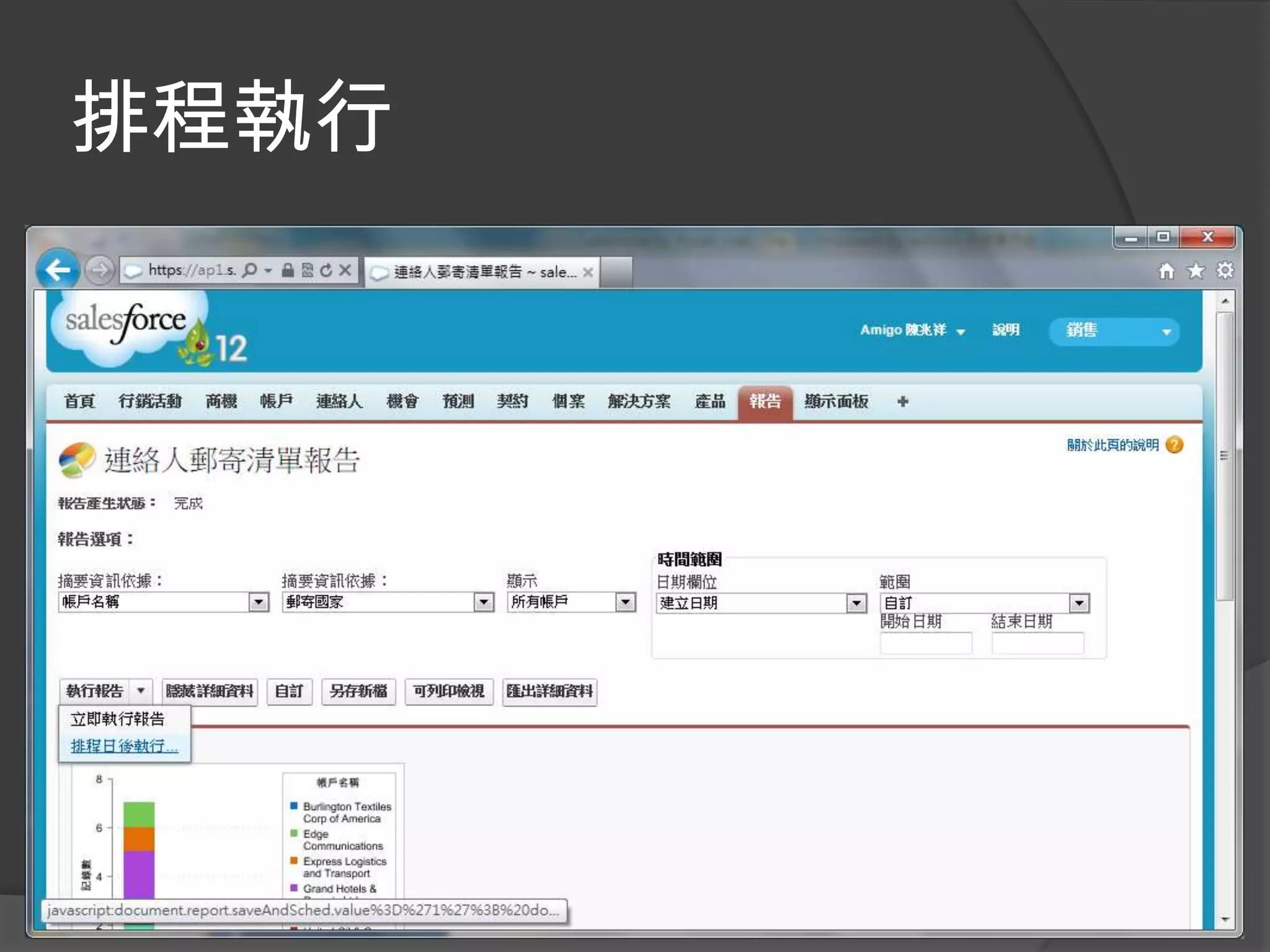
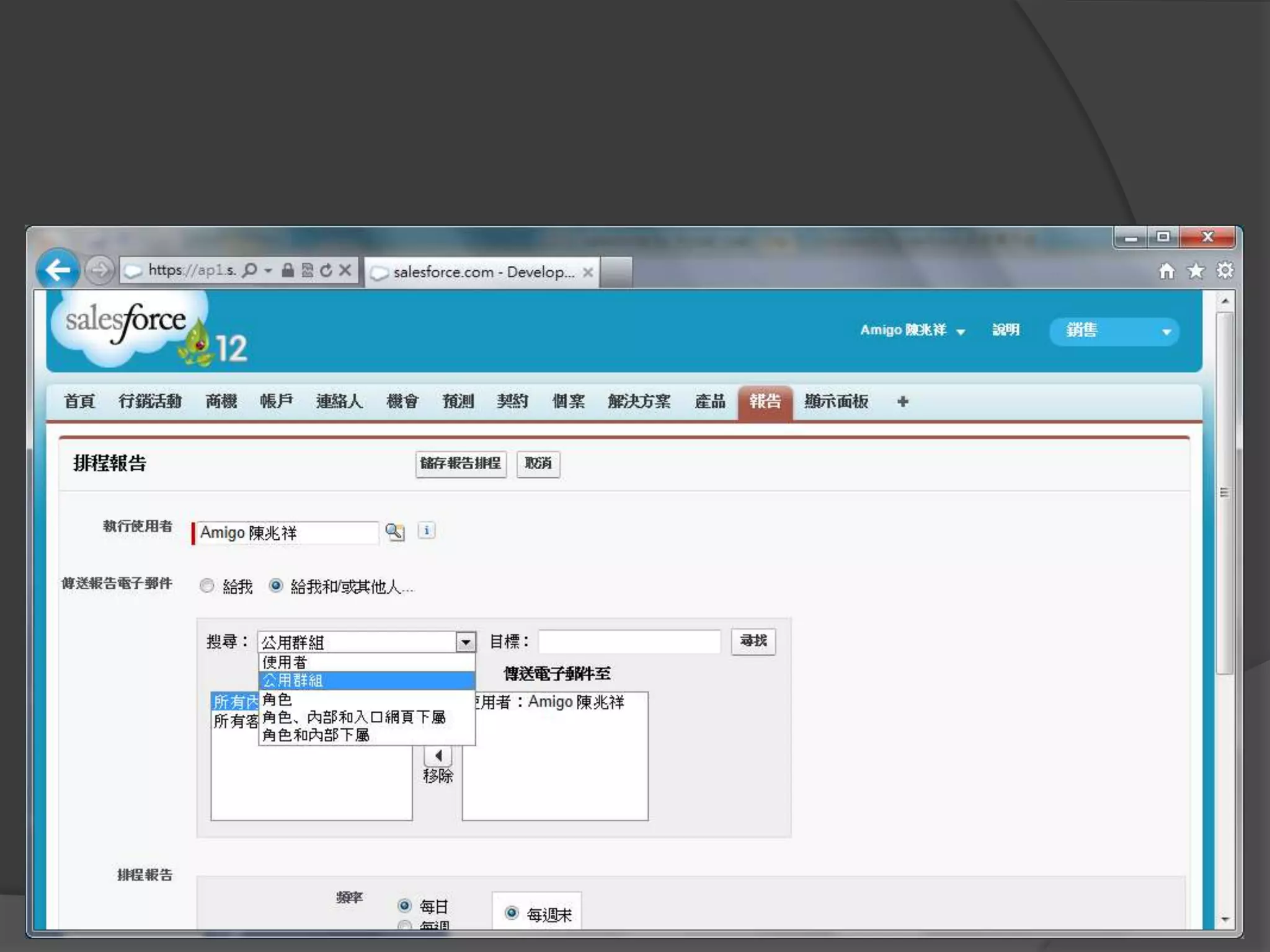
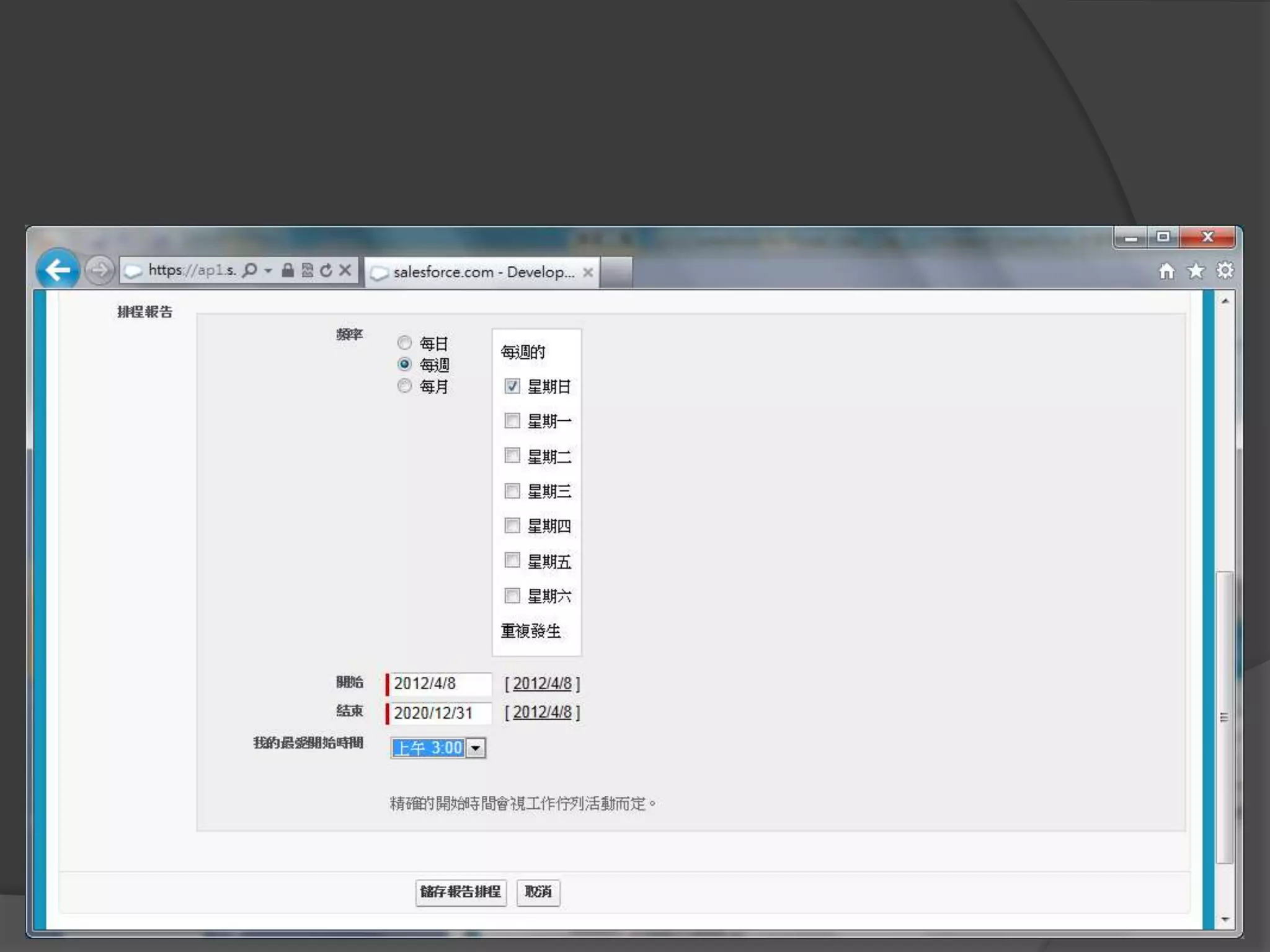
排程寄送
排程執行
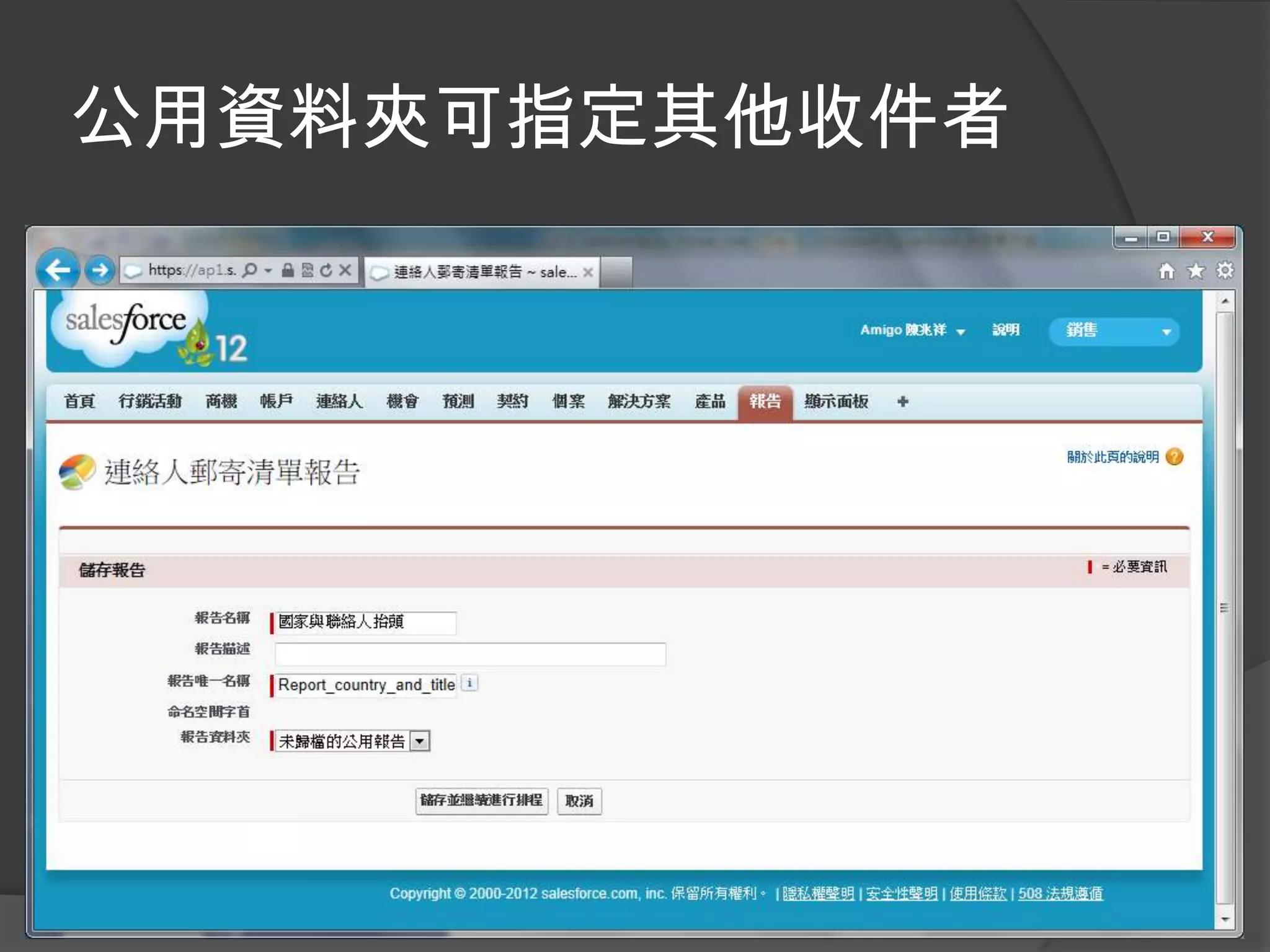
公用資料夾可指定其他收件者
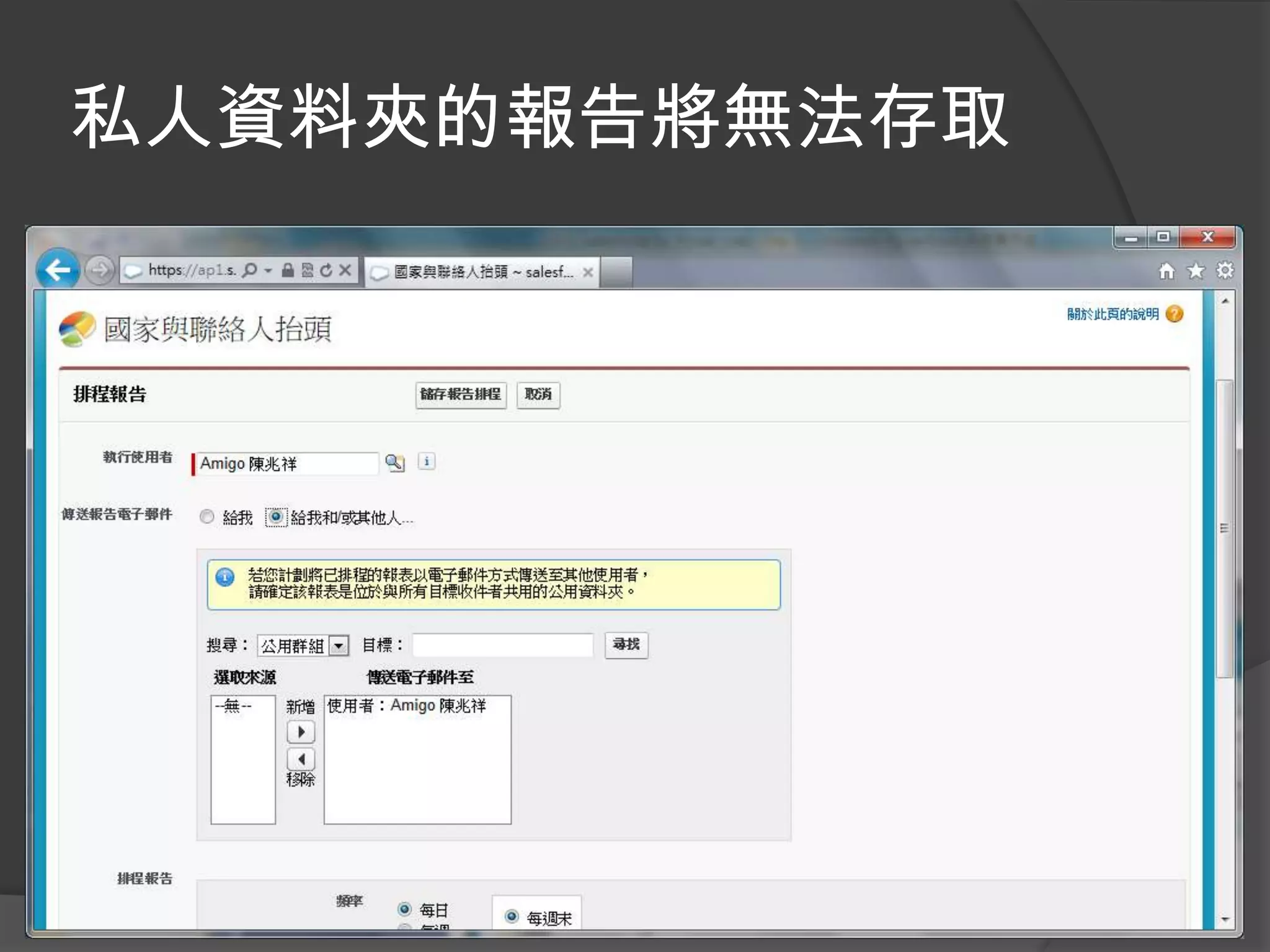
私人資料夾的報告將無法存取
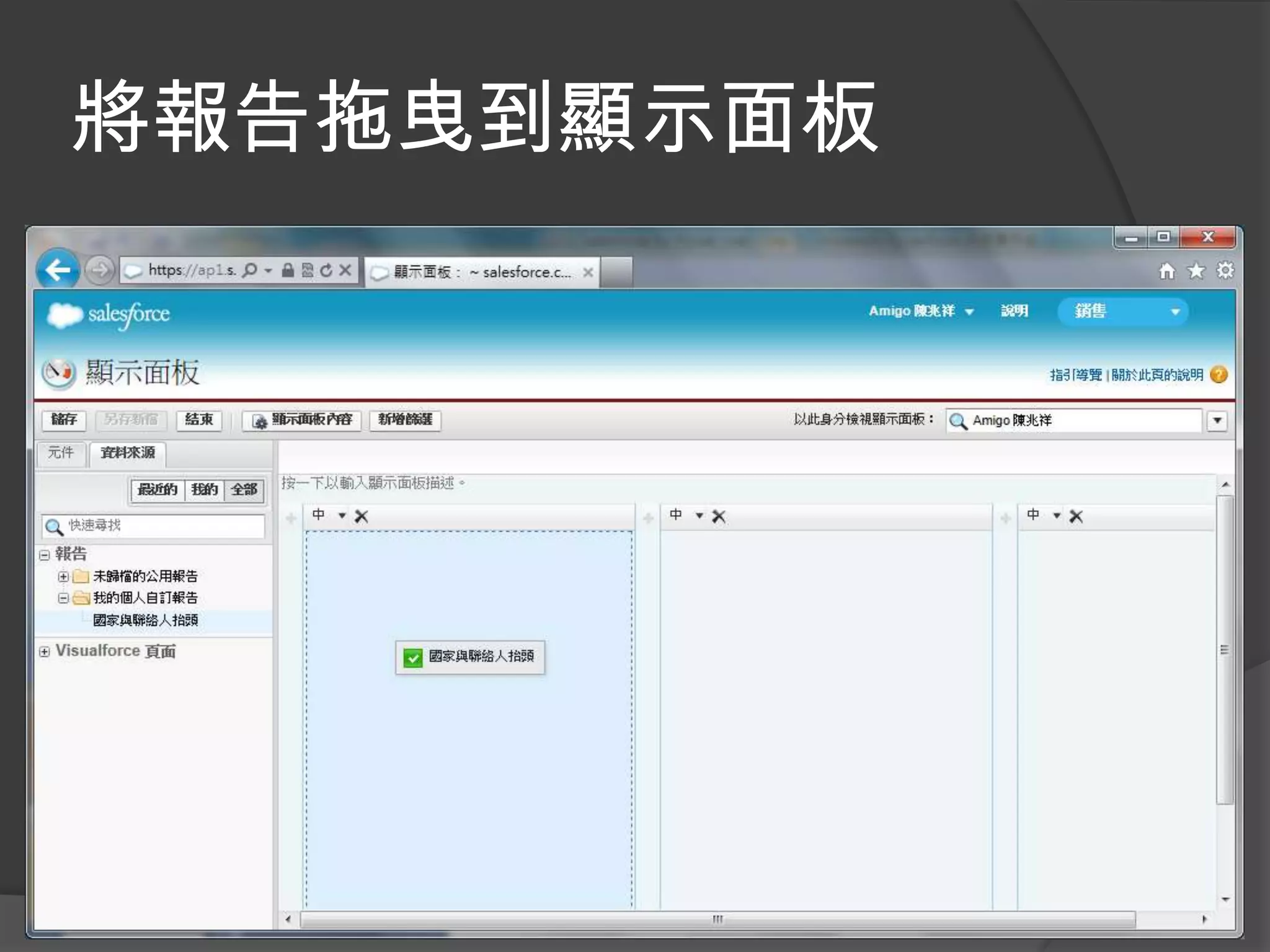
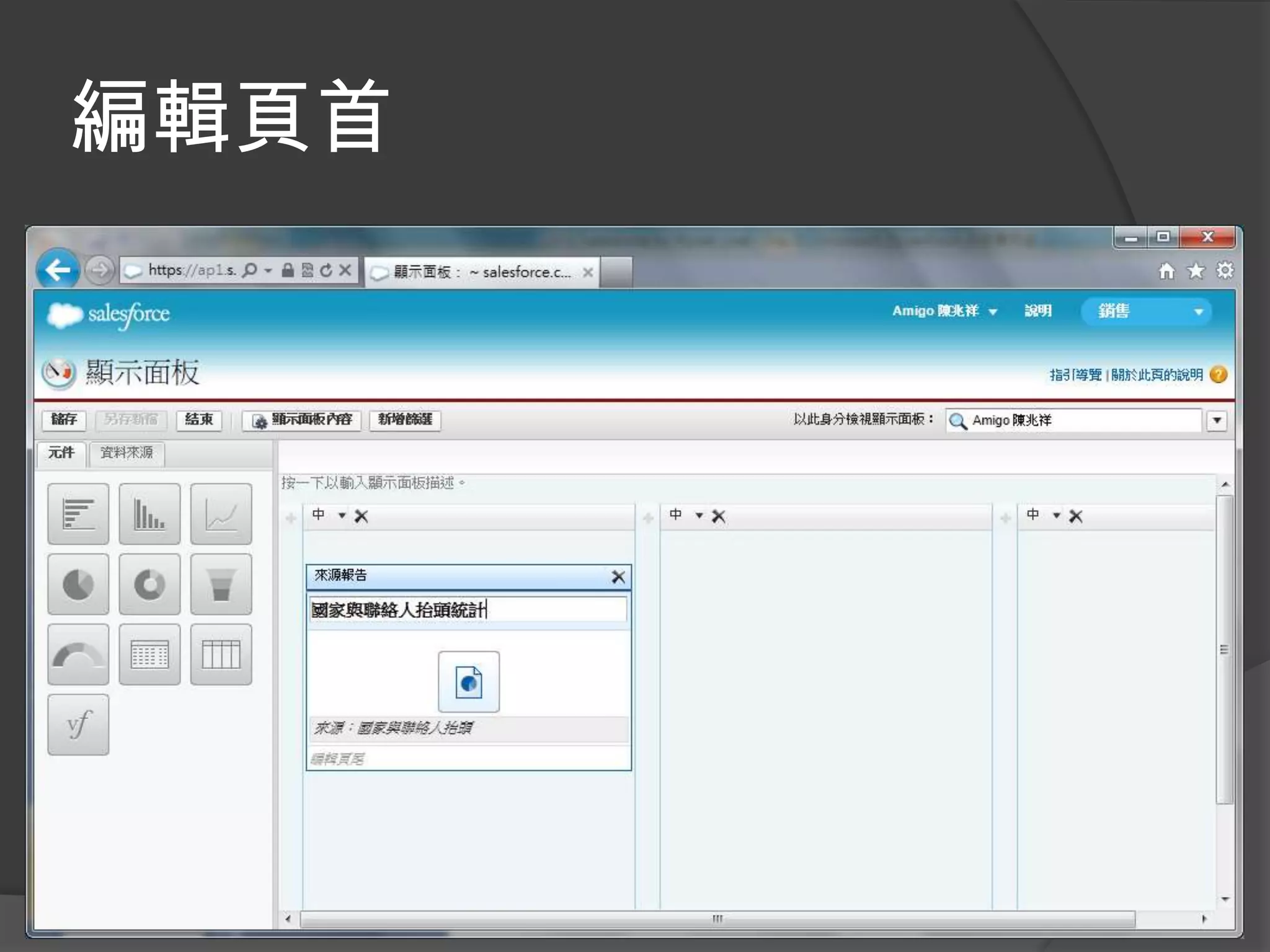
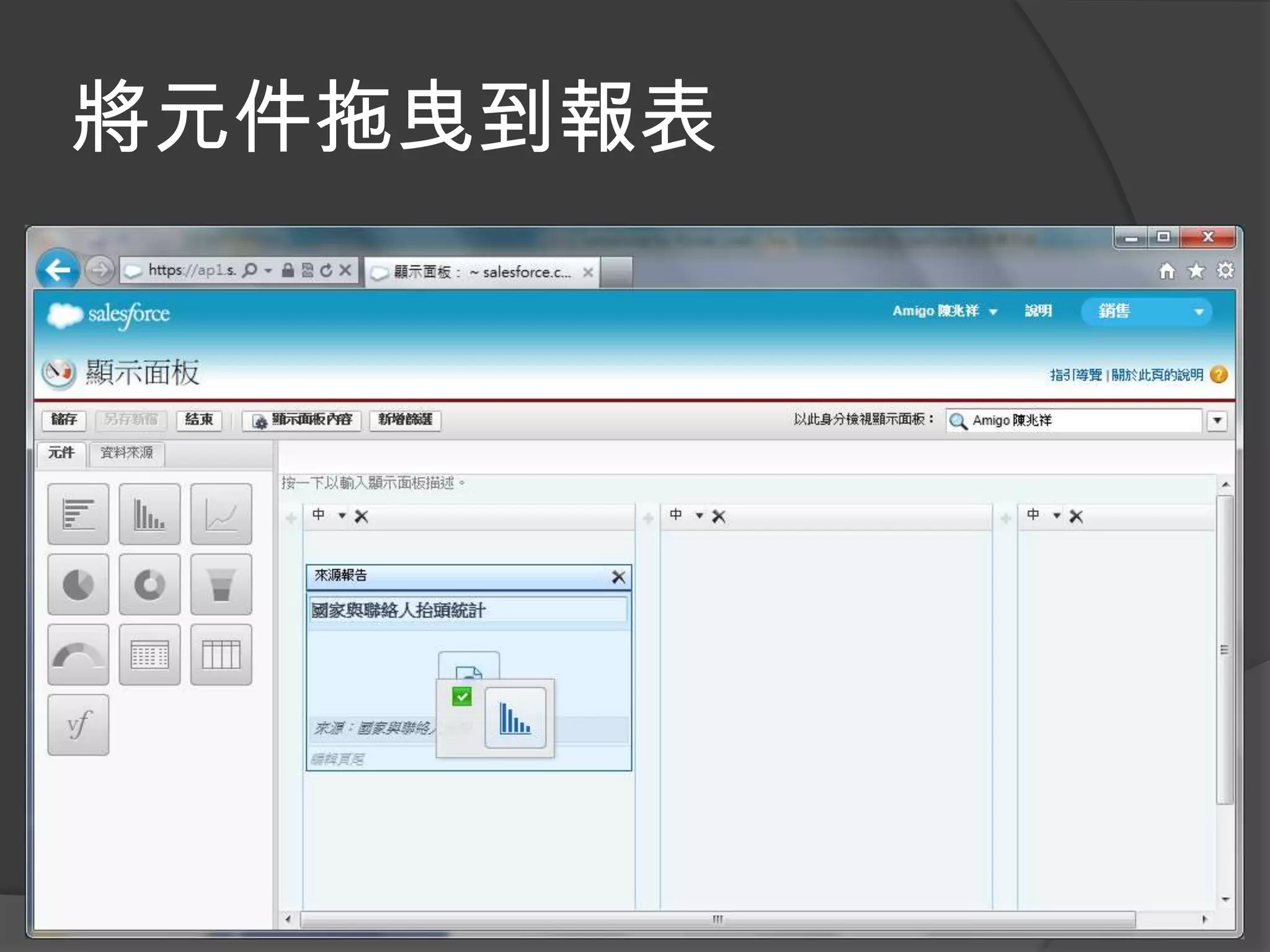
顯示面板
將報告拖曳到顯示面板
編輯頁首
將元件拖曳到報表
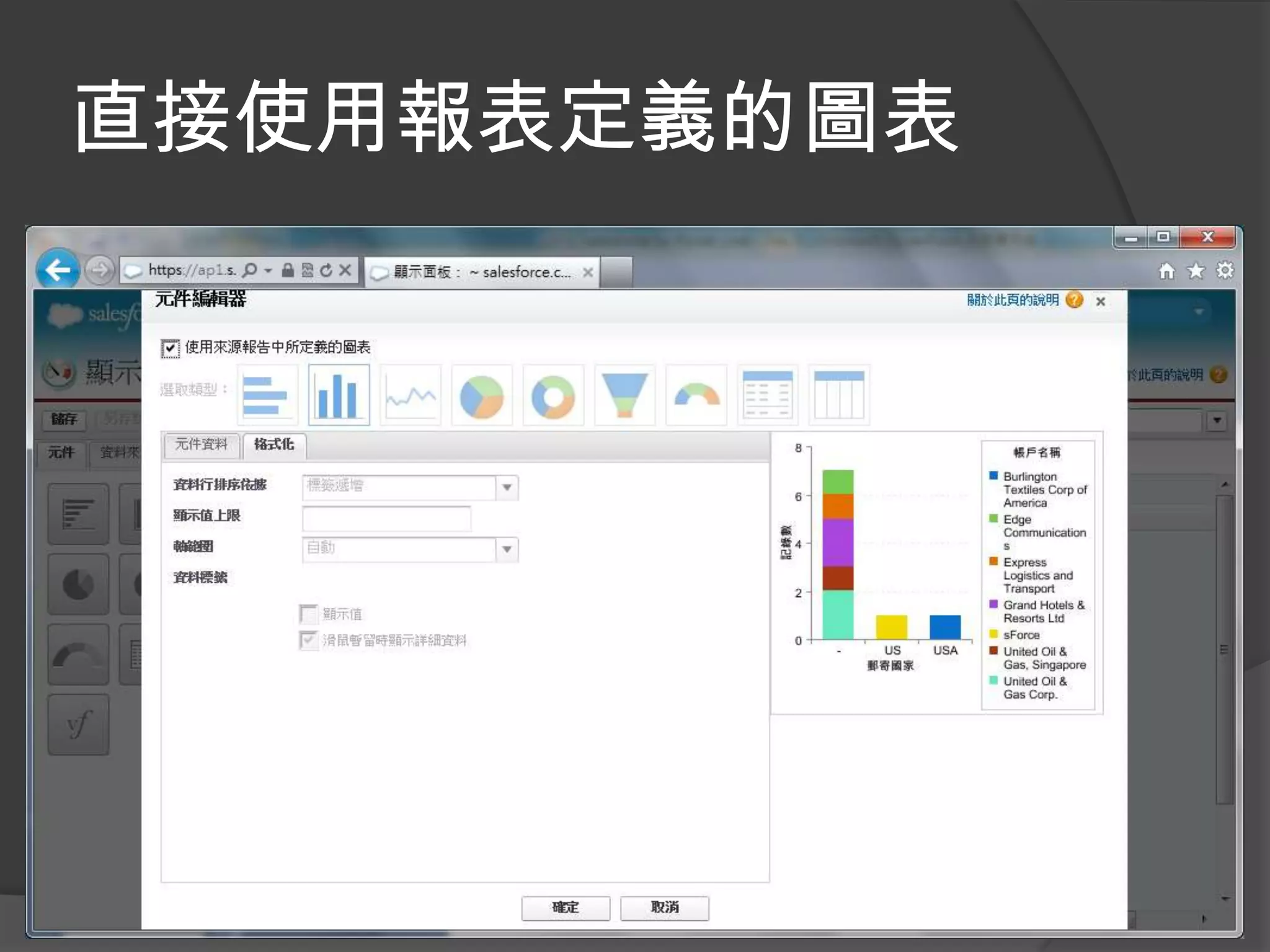
直接使用報表定義的圖表
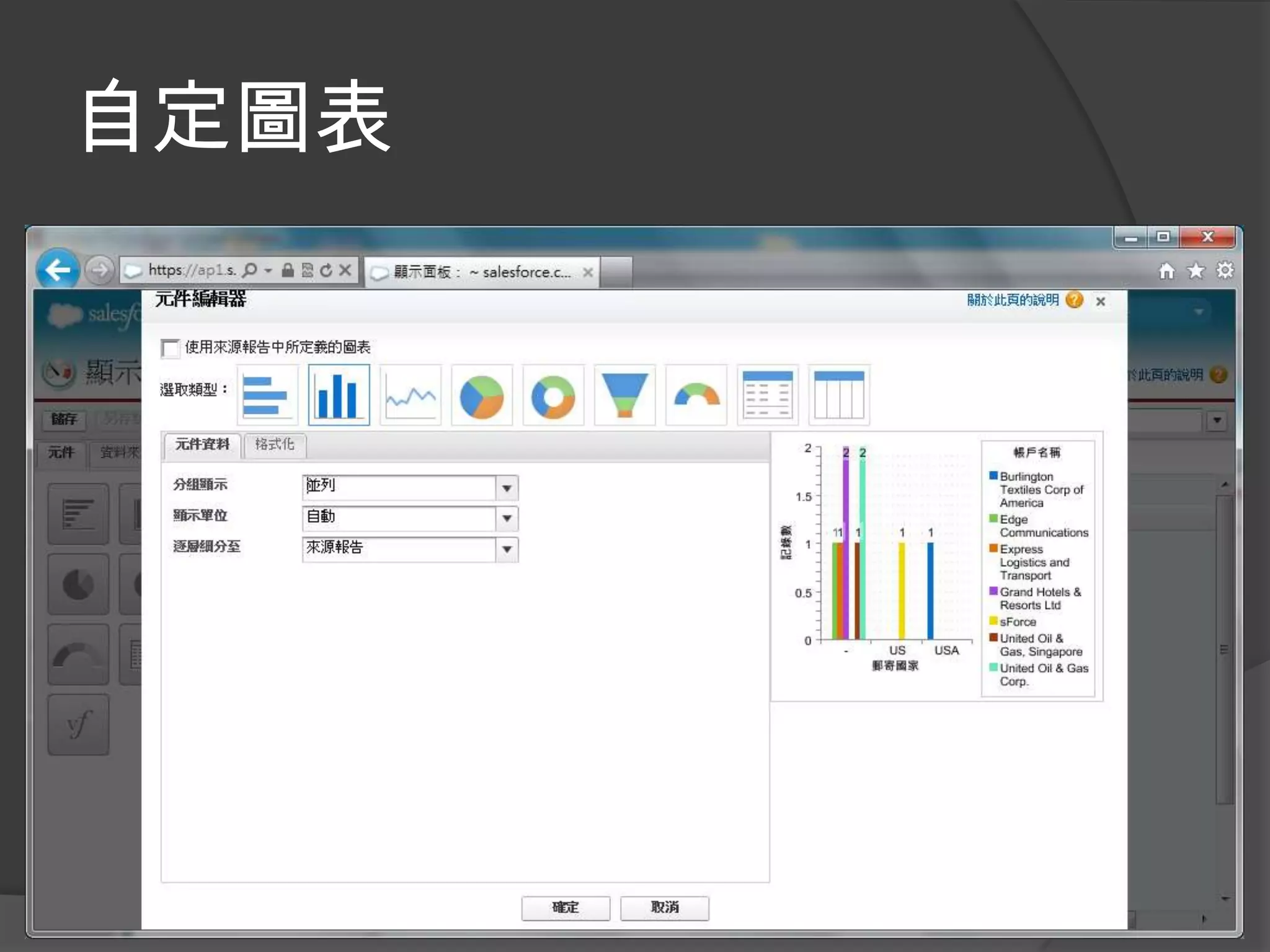
自定圖表
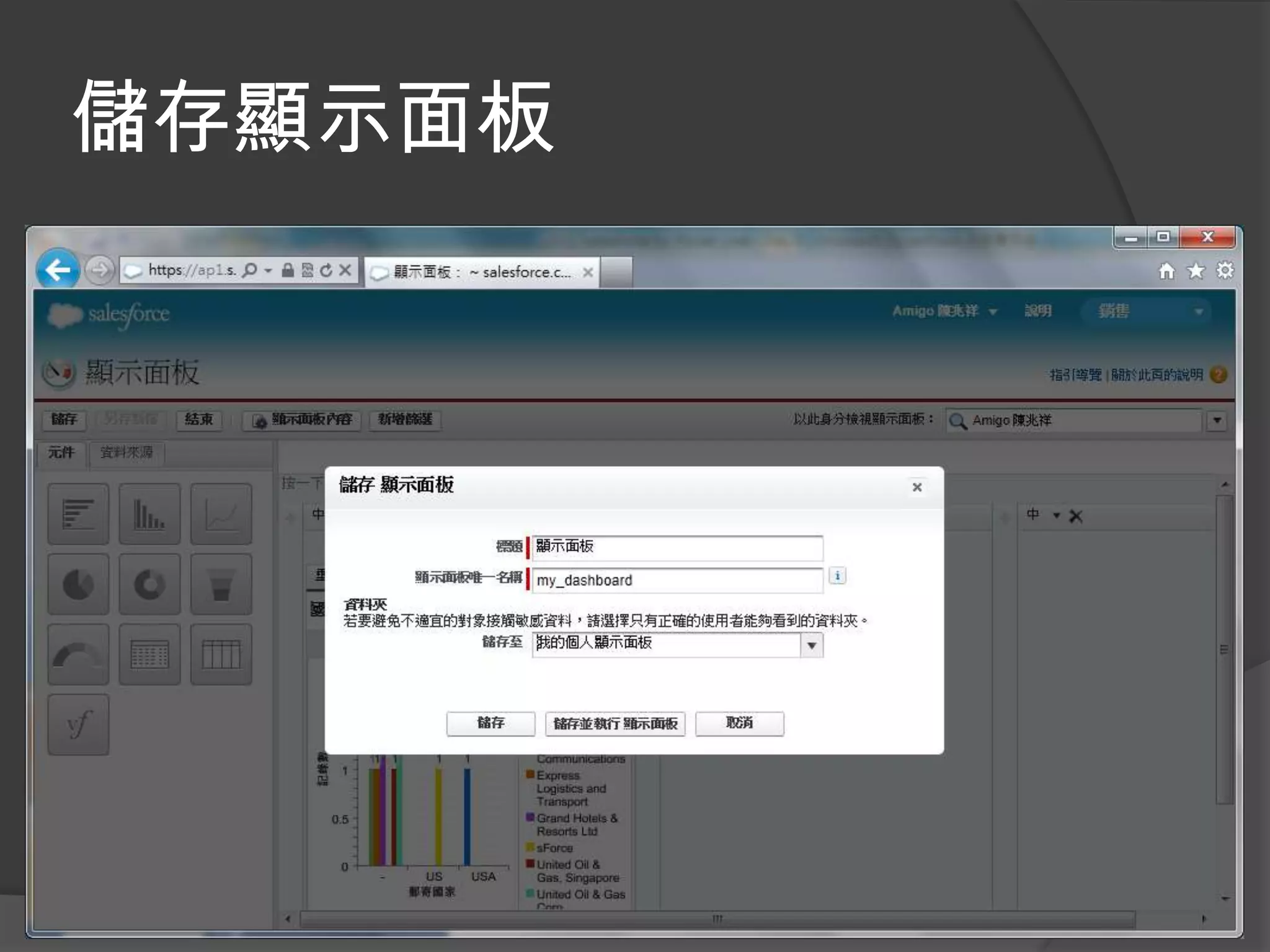
儲存顯示面板
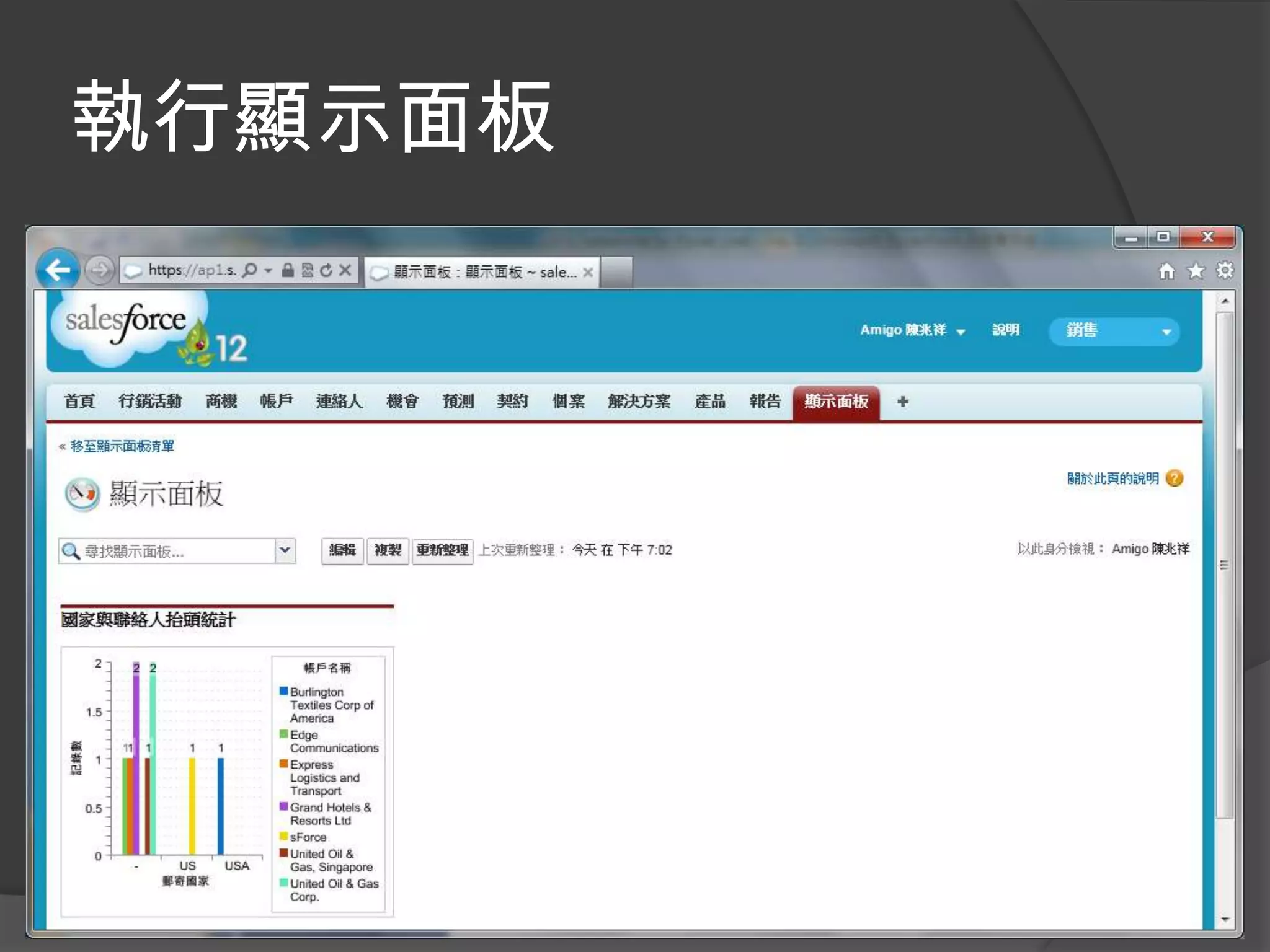
執行顯示面板
資料夾
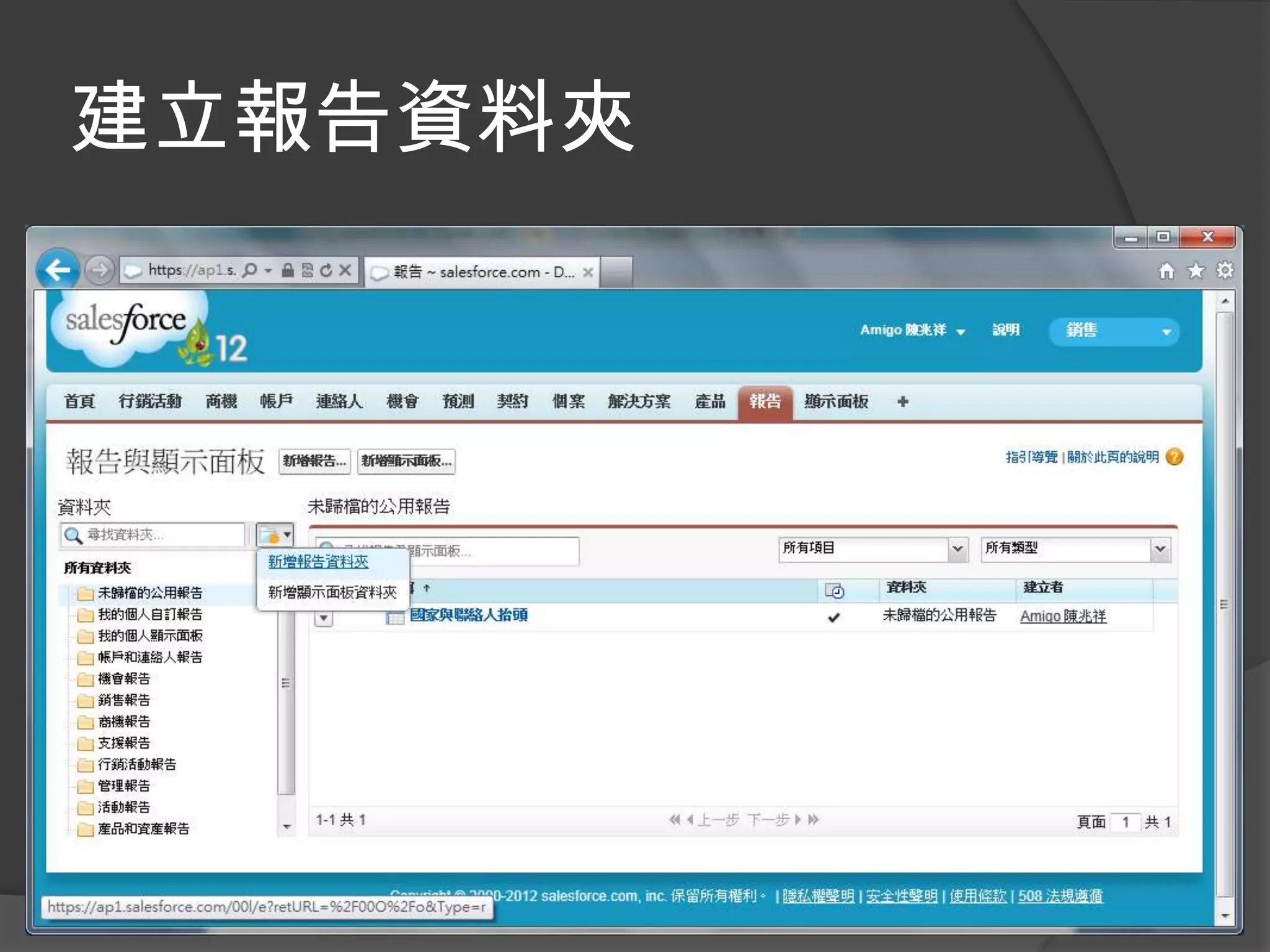
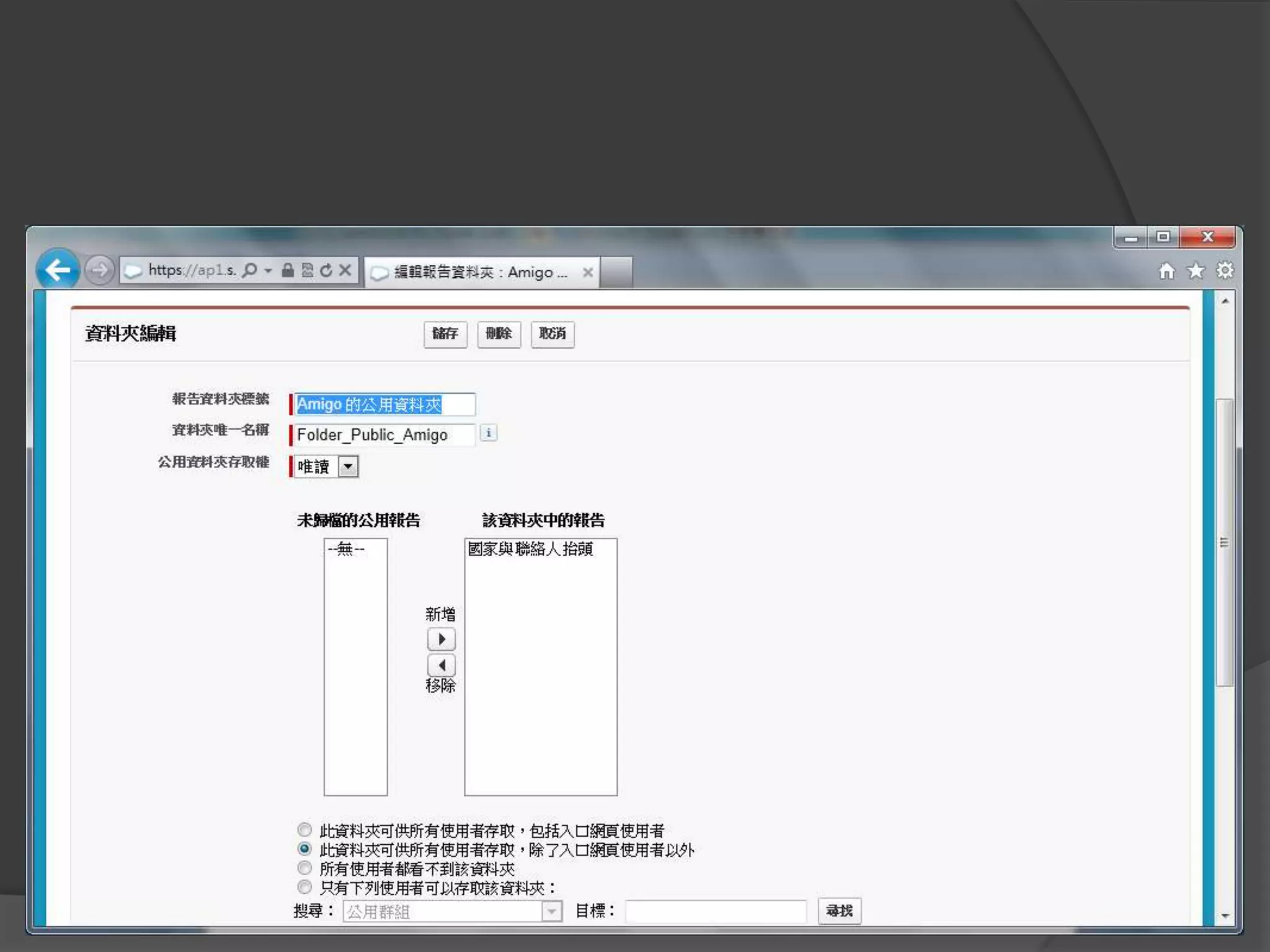
建立報告資料夾
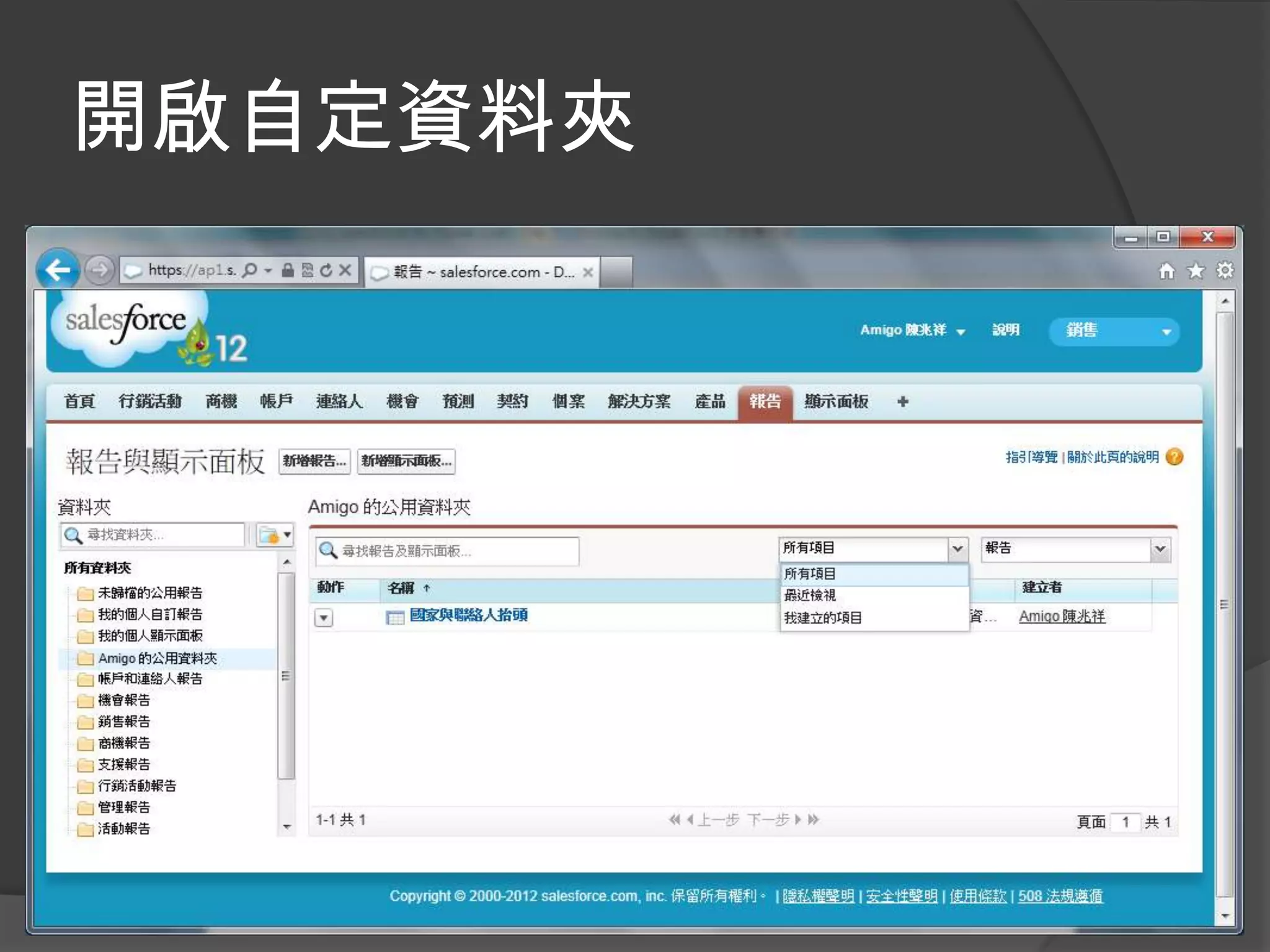
開啟自定資料夾
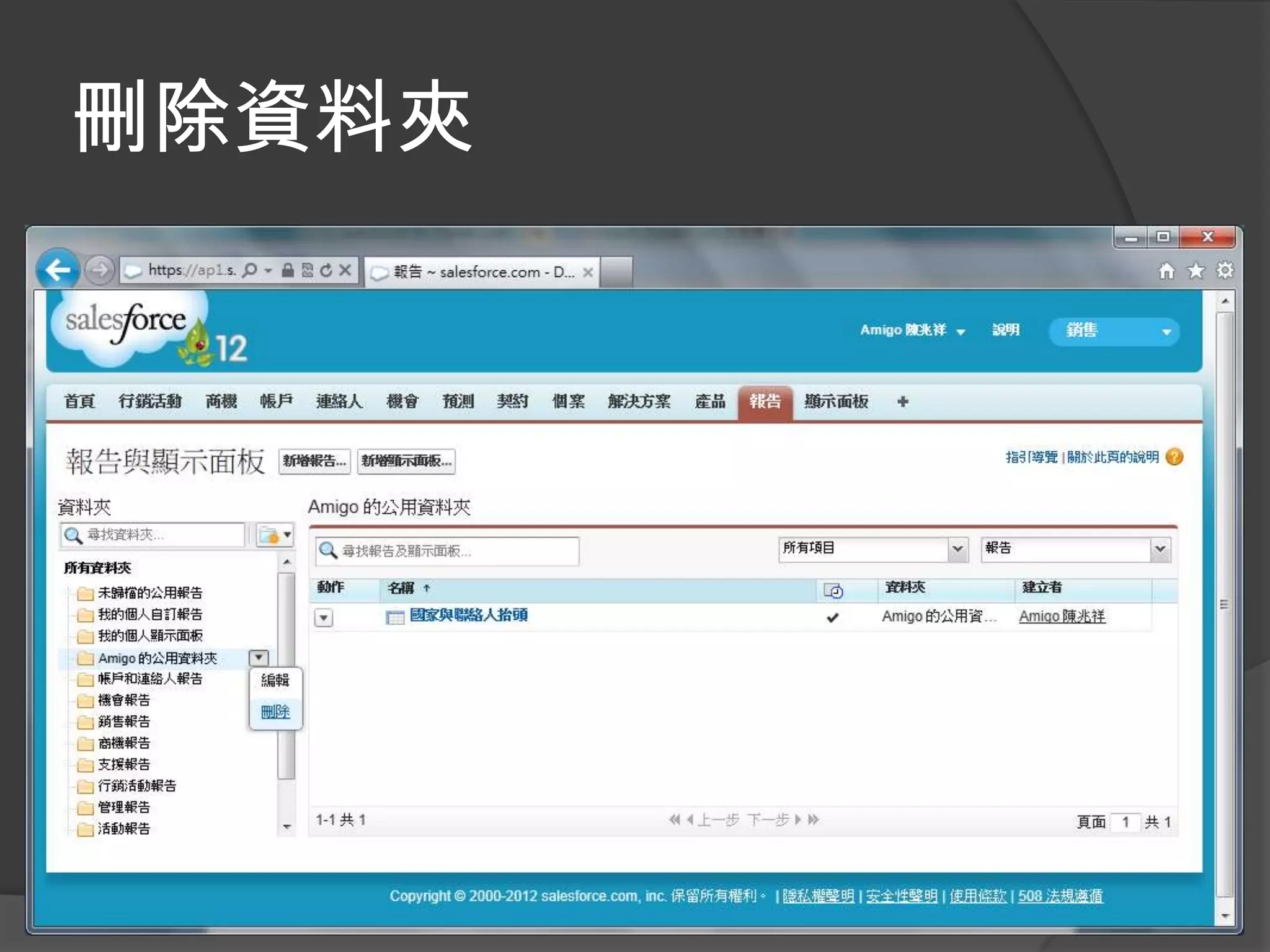
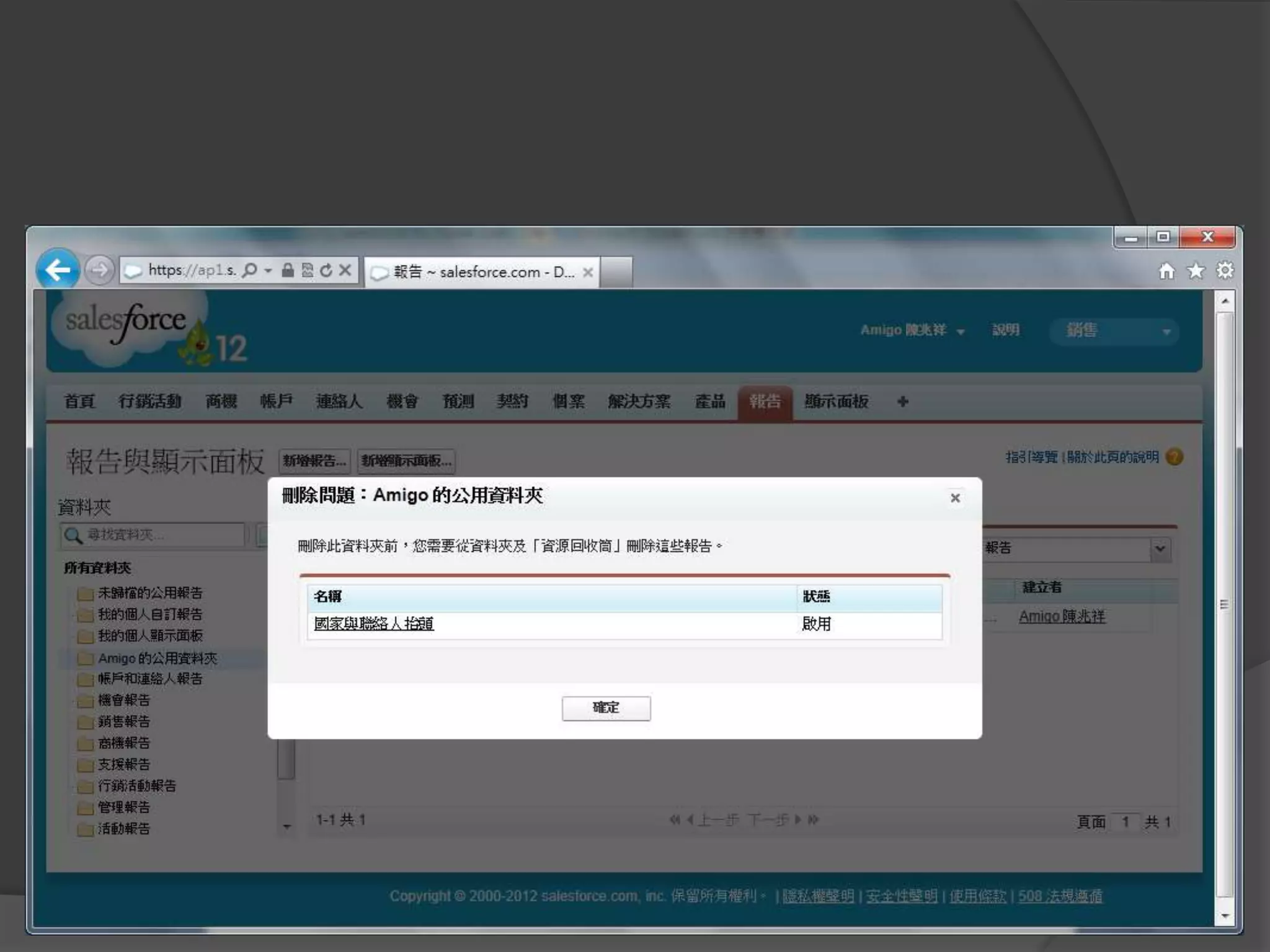
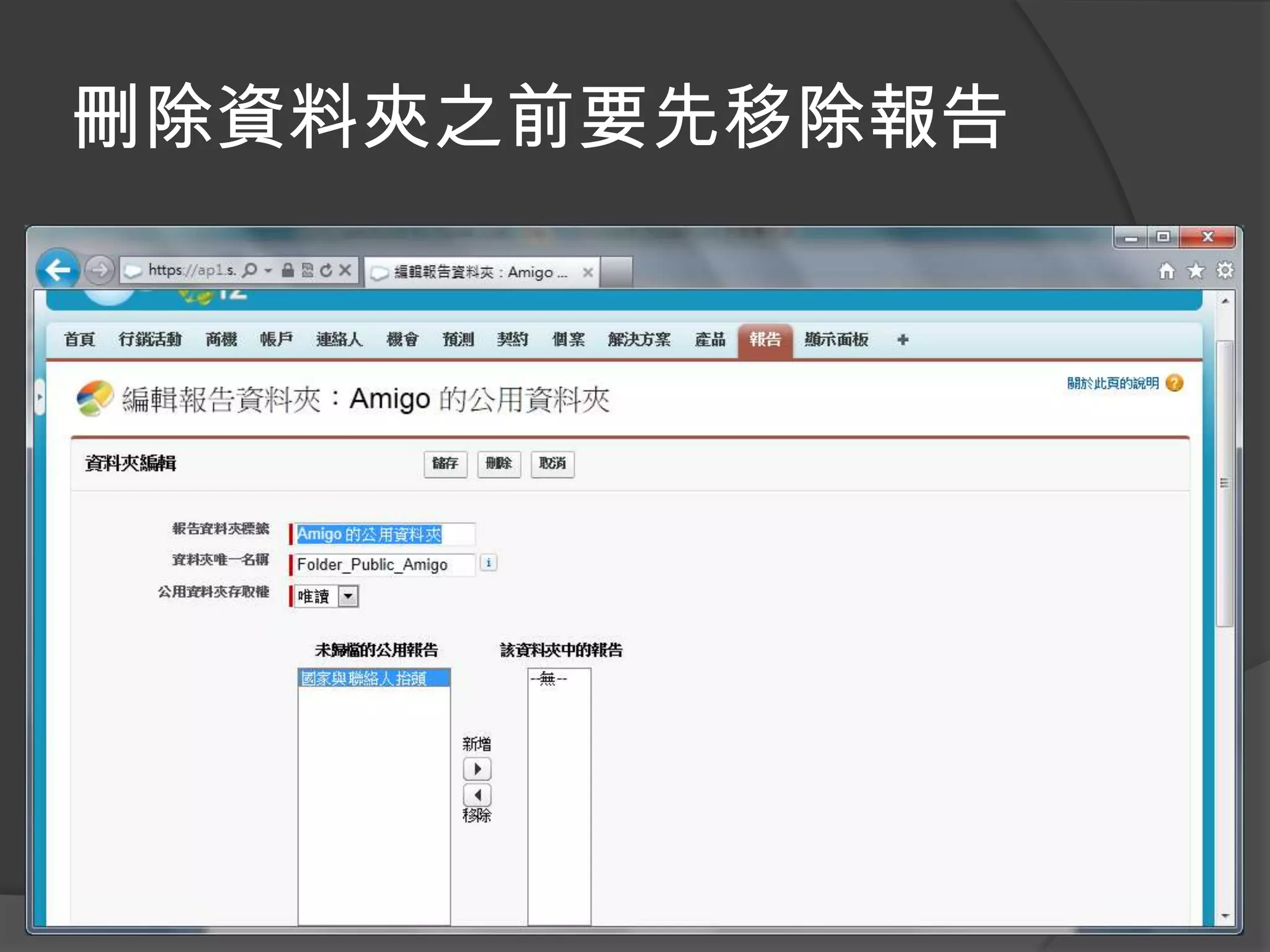
刪除資料夾
刪除資料夾之前要先移除報告
第三天課程結束~

[201] salesforce for power user day 3