20 tips for a good
presentation
T8T Team
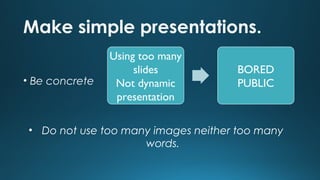
Make simple presentations.
• Be concrete

Using too many
slides
Not dynamic
presentation

BORED
PUBLIC

• Do not use too many images neither too many
words.
Contrast in colors
• Use colors that contrast between them

• The audience will not damage their eyes
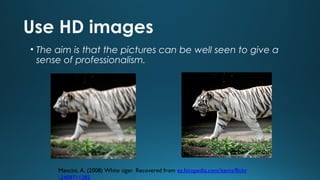
Use HD images
• The aim is that the pictures can be well seen to give a
sense of professionalism.

Mancini, A. (2008) White tiger. Recovered from es.fotopedia.com/items/flickr
-2409711282
Do not use too many animation
• The audience may not pay
attention to your
presentation.

Teaching & Learning Centre, (2011, June 6)
Prezi Tutorial. Retrieved February, 26,
2014, from http://www.youtube.com/watch?
v=wmMGX0_HBwQ
The most important slide at the end
• If you put the best picture at the beginning, the
audience will not pay attention to the rest of the
presentation.

• In this slide you must show the message that you want
your audience to remember.
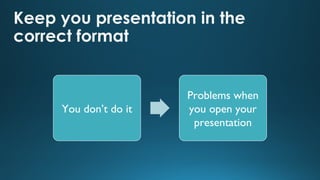
Keep you presentation in the
correct format

You don’t do it

Problems when
you open your
presentation
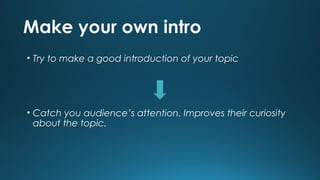
Make your own intro
• Try to make a good introduction of your topic

• Catch you audience’s attention. Improves their curiosity
about the topic.
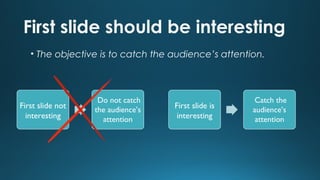
First slide should be interesting
• The objective is to catch the audience’s attention.

First slide not
interesting

Do not catch
the audience’s
attention

First slide is
interesting

Catch the
audience’s
attention
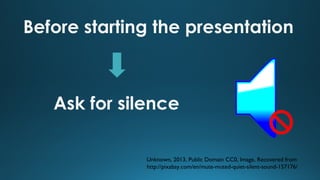
Before starting the presentation

Ask for silence
Unknown, 2013, Public Domain CC0, Image, Recovered from
http://pixabay.com/en/mute-muted-quiet-silent-sound-157176/
Keep eye contact with the audience
• If you look to the audience you will maintain their
attention

• If you don’t look at the audience you will give a bad
image about yourself (shy…) and they probably won’t
pay attention
Try not to repeat yourself
• Give your audience credit for being intelligent and
attentive.

They will appreciate it.
During the first seconds…
It is very important to have a nice
attitude and capture people’s attention
Never give your own opinion
• The audience has to create their own opinion about the
topic

YOU SHOULD NEVER TELL YOUR OPINION BECAUSE IT CAN
INFLUENCE THE AUDIENCE’S
Speak the language
• You don’t have to be perfect but you do have to speak
fluently.

REMEMBER: THE AUDIENCE HAS TO GET YOUR MESSAGE
CLEARLY
Do not learn by heart
• Perform it
• Do not read
• If you learn it by heart, you probably forget some
information or you probably get confused.
• Learnt by heart = (normally) you don’t understand what
your explaining.
Ideas organized by numbers
• So it is easier to understand for everybody.
• You will get a better understanding of the topic.

1.
2.
3
Change the type of letter
• The important things should be highlighted
• Color and font-size to emphasize key words.
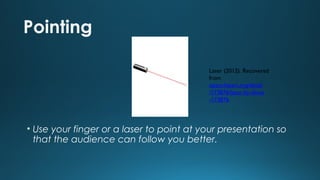
Pointing
Laser (2012). Recovered
from
openchipart.org/detail
/173876/laser-by-tlines
-173876

• Use your finger or a laser to point at your presentation so
that the audience can follow you better.
Make questions
It’s a good way to
maintain the attention of
the audience
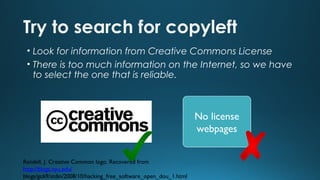
Try to search for copyleft
• Look for information from Creative Commons License
• There is too much information on the Internet, so we have
to select the one that is reliable.

No license
webpages
Randell, J. Creative Common logo. Recovered from
http://blogs.nyu.edu/
blogs/gc69/stdin/2008/10/hacking_free_software_open_dou_1.html
20 TIPS FOR A GOOD PRESENTATION

20 TIPS FOR A GOOD PRESENTATION

  • 1.
    20 tips fora good presentation T8T Team
  • 2.
    Make simple presentations. •Be concrete Using too many slides Not dynamic presentation BORED PUBLIC • Do not use too many images neither too many words.
  • 3.
    Contrast in colors •Use colors that contrast between them • The audience will not damage their eyes
  • 4.
    Use HD images •The aim is that the pictures can be well seen to give a sense of professionalism. Mancini, A. (2008) White tiger. Recovered from es.fotopedia.com/items/flickr -2409711282
  • 5.
    Do not usetoo many animation • The audience may not pay attention to your presentation. Teaching & Learning Centre, (2011, June 6) Prezi Tutorial. Retrieved February, 26, 2014, from http://www.youtube.com/watch? v=wmMGX0_HBwQ
  • 6.
    The most importantslide at the end • If you put the best picture at the beginning, the audience will not pay attention to the rest of the presentation. • In this slide you must show the message that you want your audience to remember.
  • 7.
    Keep you presentationin the correct format You don’t do it Problems when you open your presentation
  • 8.
    Make your ownintro • Try to make a good introduction of your topic • Catch you audience’s attention. Improves their curiosity about the topic.
  • 9.
    First slide shouldbe interesting • The objective is to catch the audience’s attention. First slide not interesting Do not catch the audience’s attention First slide is interesting Catch the audience’s attention
  • 10.
    Before starting thepresentation Ask for silence Unknown, 2013, Public Domain CC0, Image, Recovered from http://pixabay.com/en/mute-muted-quiet-silent-sound-157176/
  • 11.
    Keep eye contactwith the audience • If you look to the audience you will maintain their attention • If you don’t look at the audience you will give a bad image about yourself (shy…) and they probably won’t pay attention
  • 12.
    Try not torepeat yourself • Give your audience credit for being intelligent and attentive. They will appreciate it.
  • 13.
    During the firstseconds… It is very important to have a nice attitude and capture people’s attention
  • 14.
    Never give yourown opinion • The audience has to create their own opinion about the topic YOU SHOULD NEVER TELL YOUR OPINION BECAUSE IT CAN INFLUENCE THE AUDIENCE’S
  • 15.
    Speak the language •You don’t have to be perfect but you do have to speak fluently. REMEMBER: THE AUDIENCE HAS TO GET YOUR MESSAGE CLEARLY
  • 16.
    Do not learnby heart • Perform it • Do not read • If you learn it by heart, you probably forget some information or you probably get confused. • Learnt by heart = (normally) you don’t understand what your explaining.
  • 17.
    Ideas organized bynumbers • So it is easier to understand for everybody. • You will get a better understanding of the topic. 1. 2. 3
  • 18.
    Change the typeof letter • The important things should be highlighted • Color and font-size to emphasize key words.
  • 19.
    Pointing Laser (2012). Recovered from openchipart.org/detail /173876/laser-by-tlines -173876 •Use your finger or a laser to point at your presentation so that the audience can follow you better.
  • 20.
    Make questions It’s agood way to maintain the attention of the audience
  • 21.
    Try to searchfor copyleft • Look for information from Creative Commons License • There is too much information on the Internet, so we have to select the one that is reliable. No license webpages Randell, J. Creative Common logo. Recovered from http://blogs.nyu.edu/ blogs/gc69/stdin/2008/10/hacking_free_software_open_dou_1.html