UNLOCK YOUR DATA
Stream.Analyze.React
Marios Andreopoulos - Leading DevOps Giannis Polyzos - Software Engineer
Kafka® is used for building real-time data pipelines and streaming apps. It is
horizontally scalable, fault-tolerant, wicked fast, and runs in production in
thousands of companies.
What Kafka is?
What Kafka is?
Kafka is a pub-sub system.
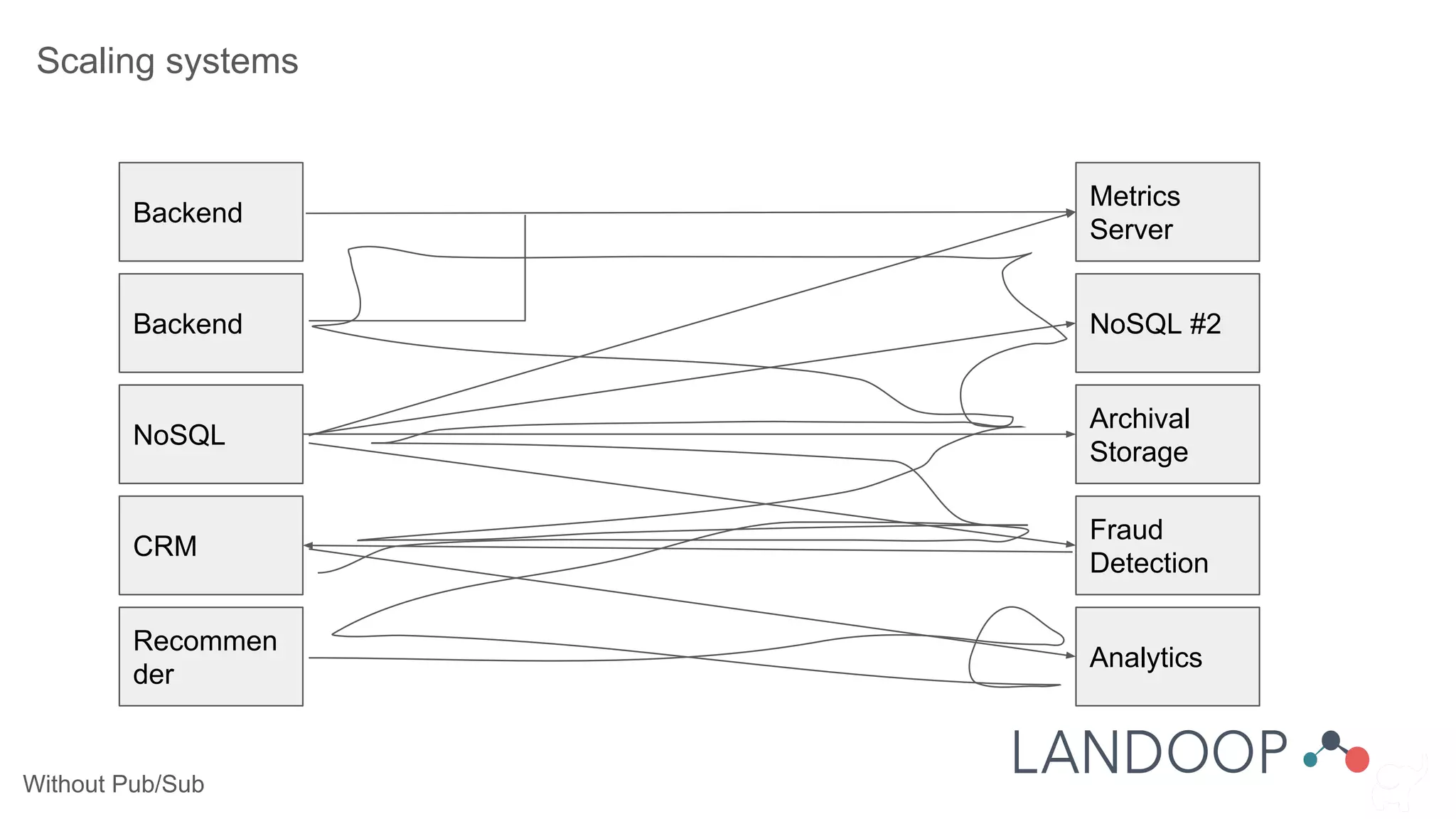
Without Pub/Sub
Scaling systems
Backend
Metrics
Server
Backend
NoSQL
CRM
Recommen
der
NoSQL #2
Archival
Storage
Fraud
Detection
Analytics
Without Pub/Sub
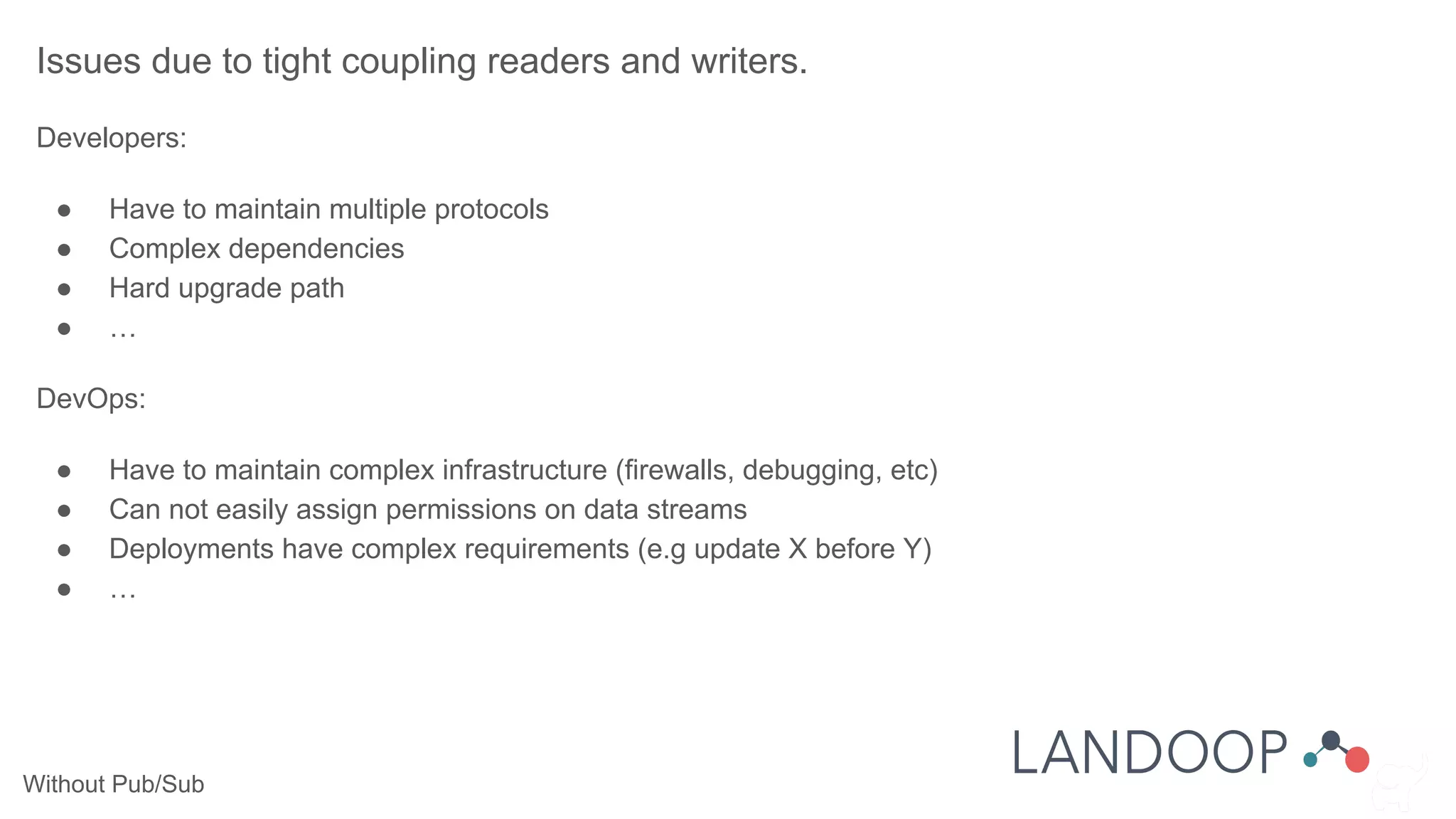
Issues due to tight coupling readers and writers.
Developers:
● Have to maintain multiple protocols
● Complex dependencies
● Hard upgrade path
● …
DevOps:
● Have to maintain complex infrastructure (firewalls, debugging, etc)
● Can not easily assign permissions on data streams
● Deployments have complex requirements (e.g update X before Y)
● …
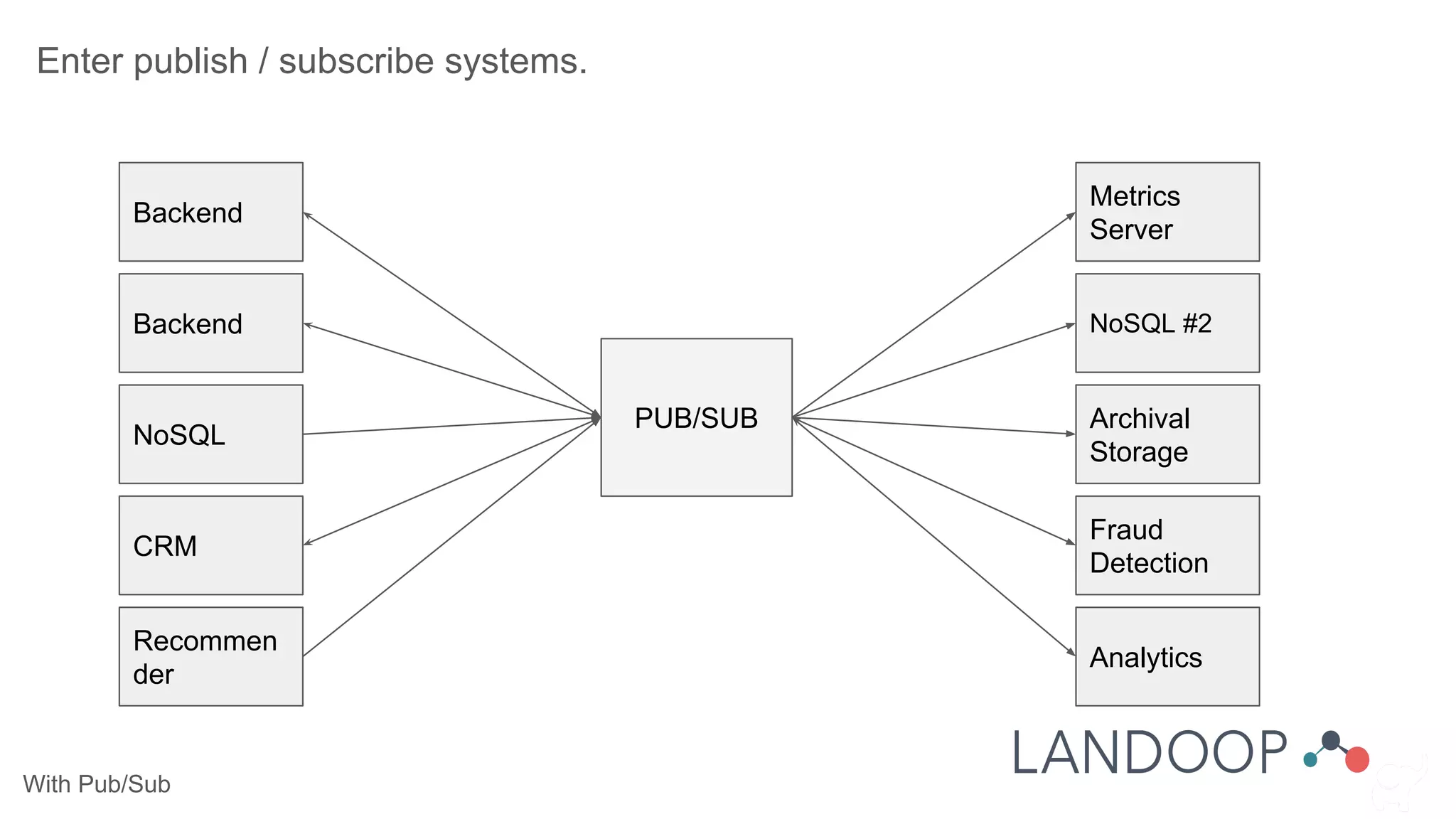
With Pub/Sub
Enter publish / subscribe systems.
Backend
Metrics
Server
Backend
NoSQL
CRM
Recommen
der
NoSQL #2
Archival
Storage
Fraud
Detection
Analytics
PUB/SUB
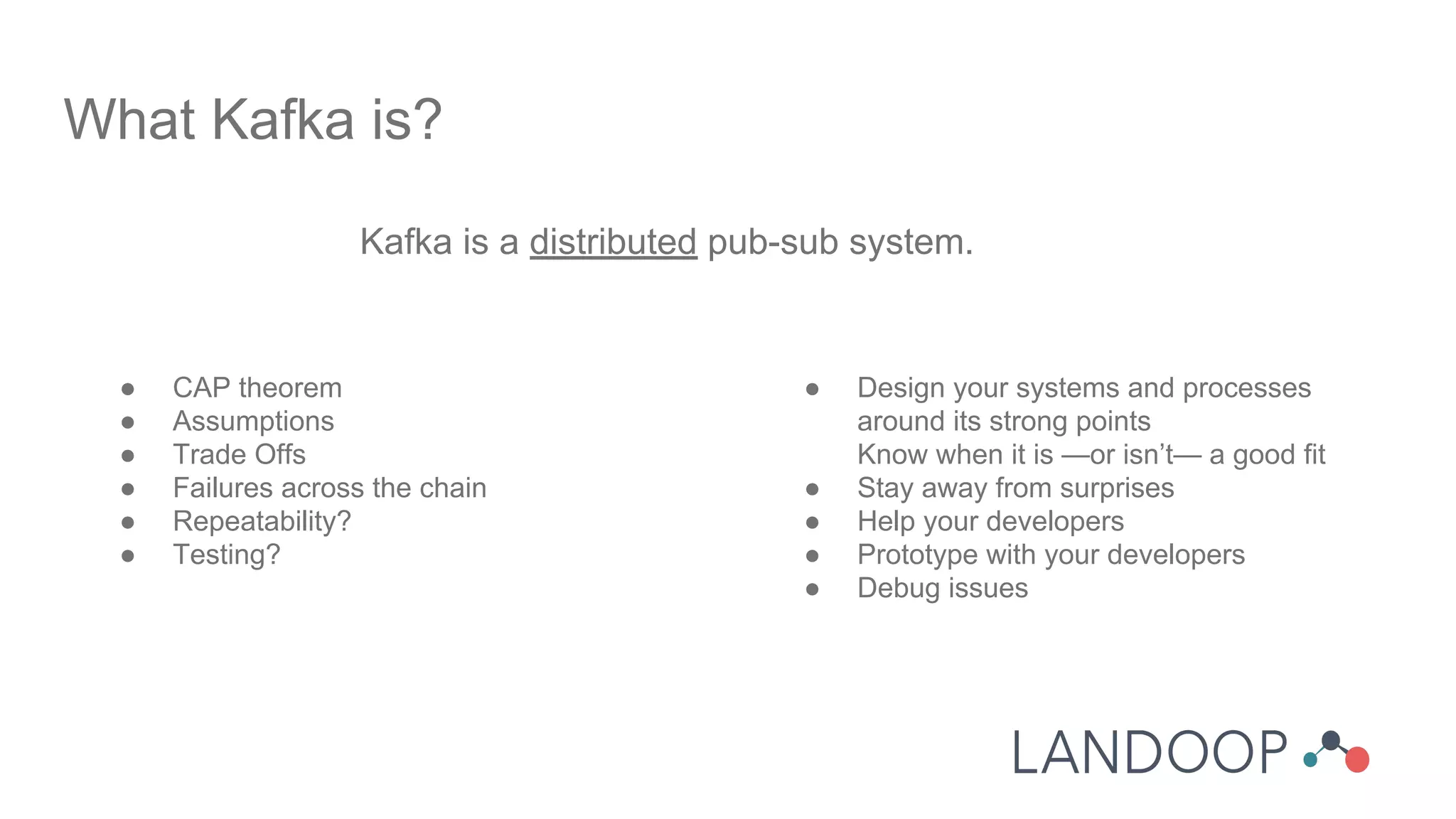
Kafka is a distributed pub-sub system.
What Kafka is?
● CAP theorem
● Assumptions
● Trade Offs
● Failures across the chain
● Repeatability?
● Testing?
● Design your systems and processes
around its strong points
Know when it is —or isn’t— a good fit
● Stay away from surprises
● Help your developers
● Prototype with your developers
● Debug issues
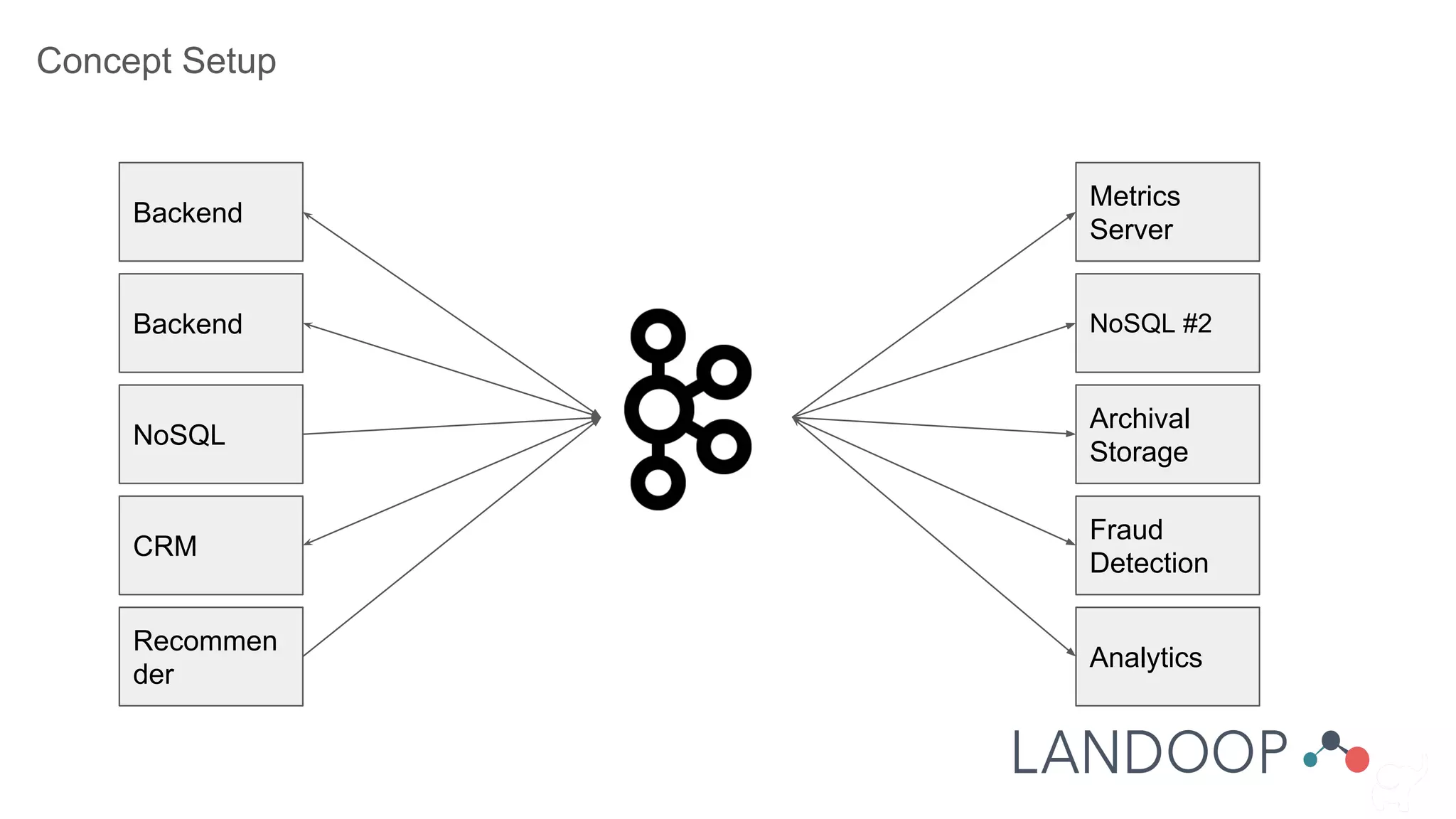
Concept Setup
Backend
Metrics
Server
Backend
NoSQL
CRM
Recommen
der
NoSQL #2
Archival
Storage
Fraud
Detection
Analytics
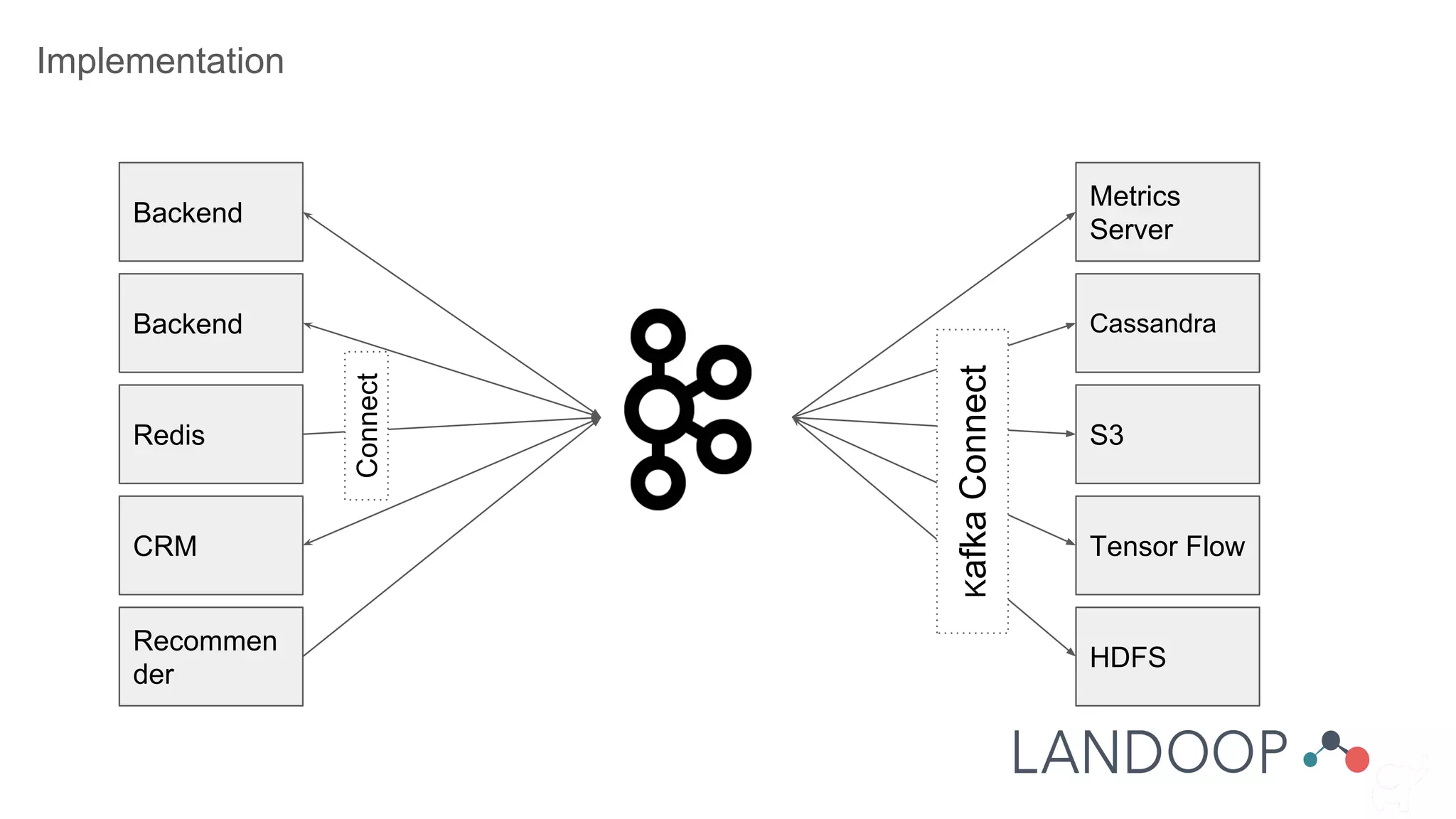
Implementation
Backend
Metrics
Server
Backend
Redis
CRM
Recommen
der
Cassandra
S3
Tensor Flow
HDFS
KafkaConnect
Connect
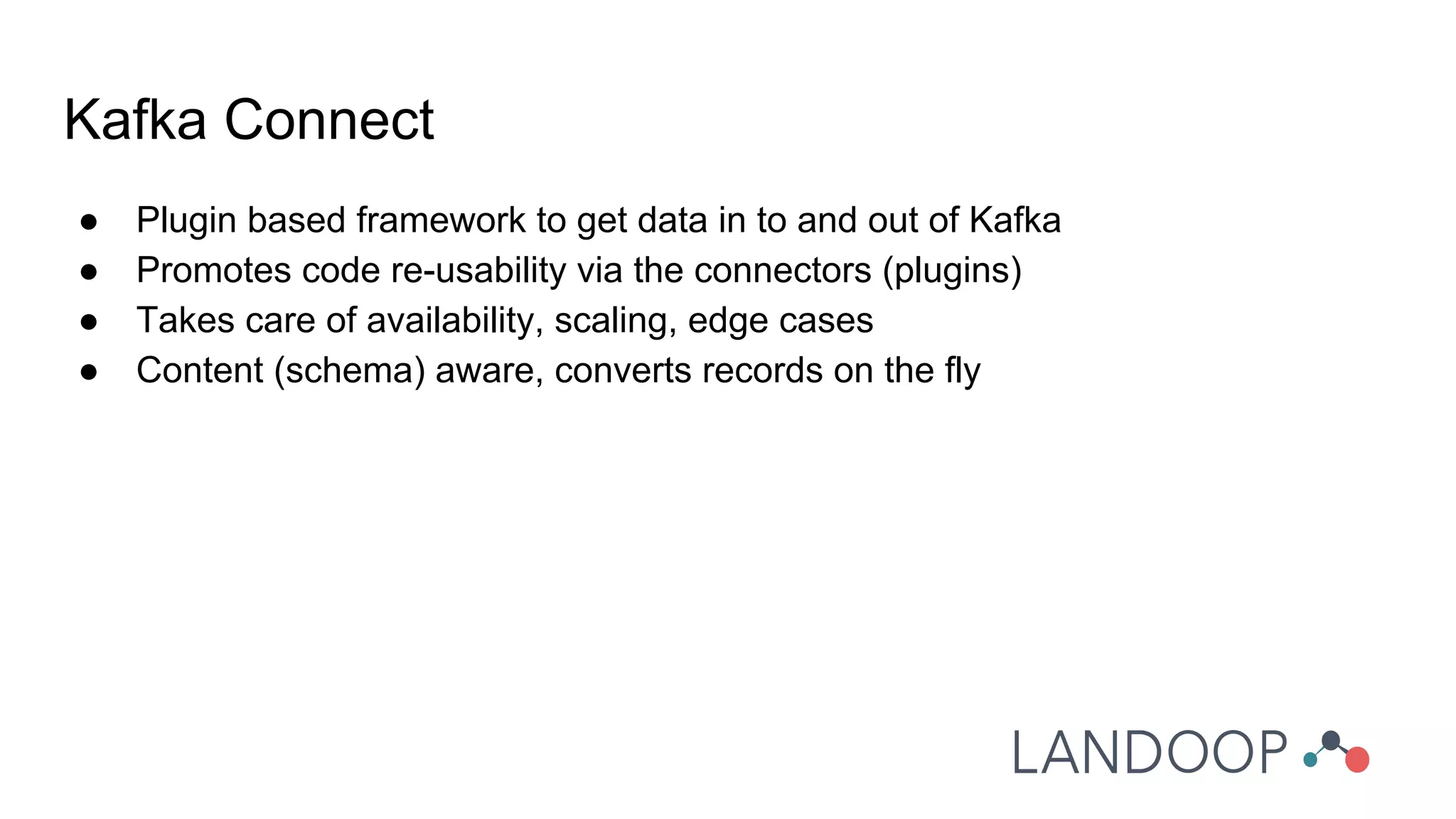
● Plugin based framework to get data in to and out of Kafka
● Promotes code re-usability via the connectors (plugins)
● Takes care of availability, scaling, edge cases
● Content (schema) aware, converts records on the fly
Kafka Connect
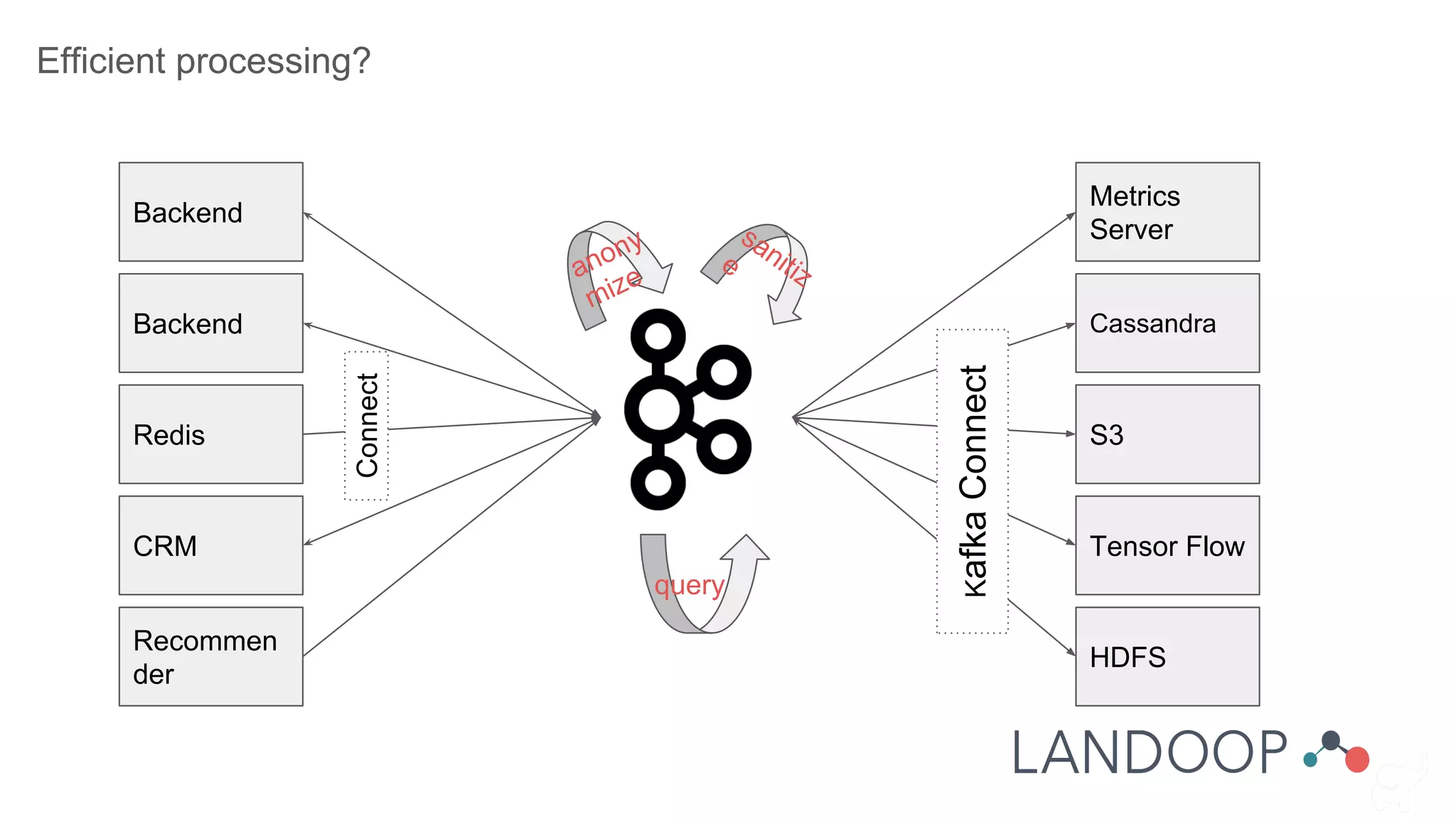
Efficient processing?
Backend
Metrics
Server
Backend
Redis
CRM
Recommen
der
Cassandra
S3
Tensor Flow
HDFS
KafkaConnect
Connect
anony
mize
sanitize
query
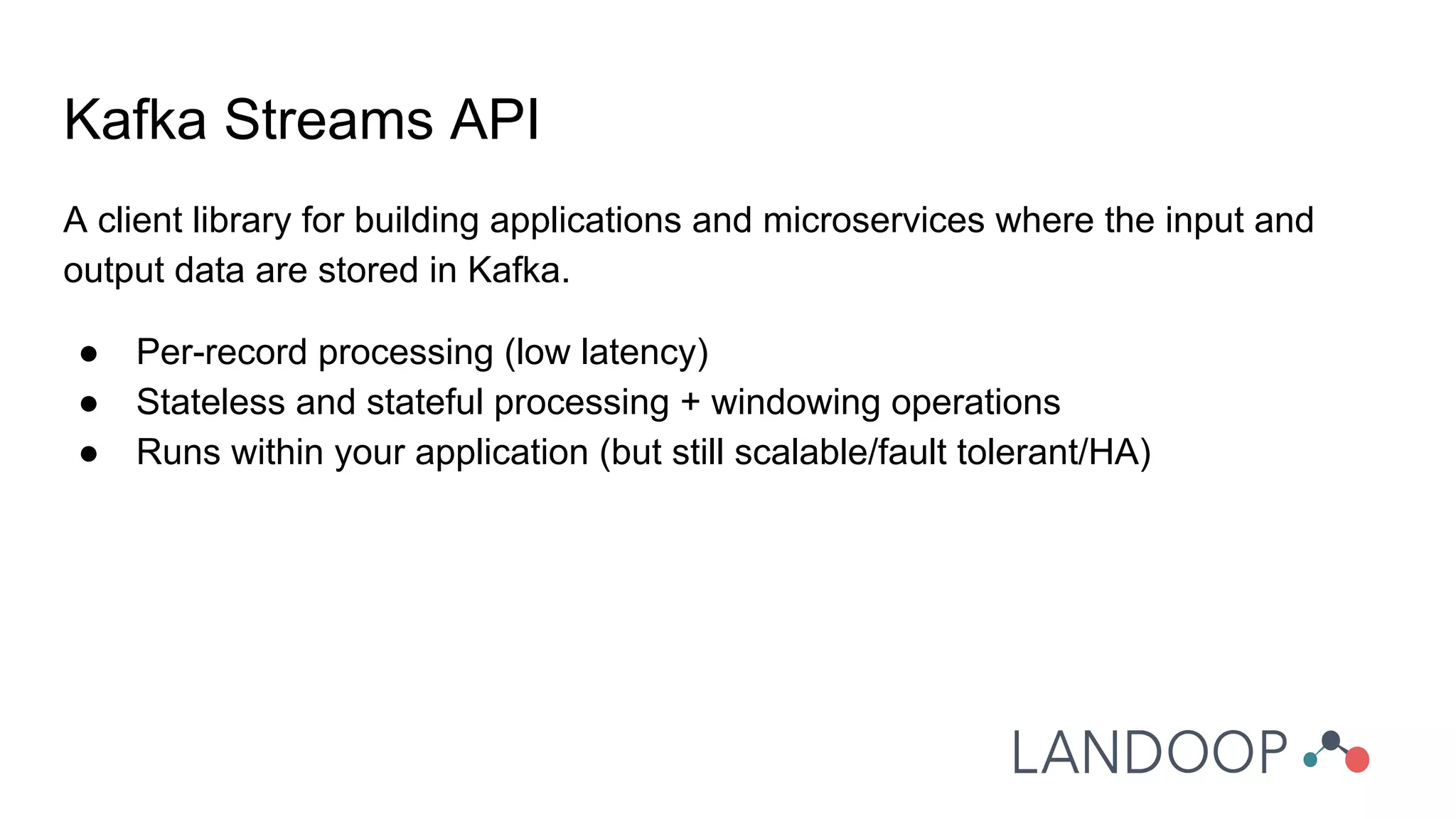
A client library for building applications and microservices where the input and
output data are stored in Kafka.
● Per-record processing (low latency)
● Stateless and stateful processing + windowing operations
● Runs within your application (but still scalable/fault tolerant/HA)
Kafka Streams API
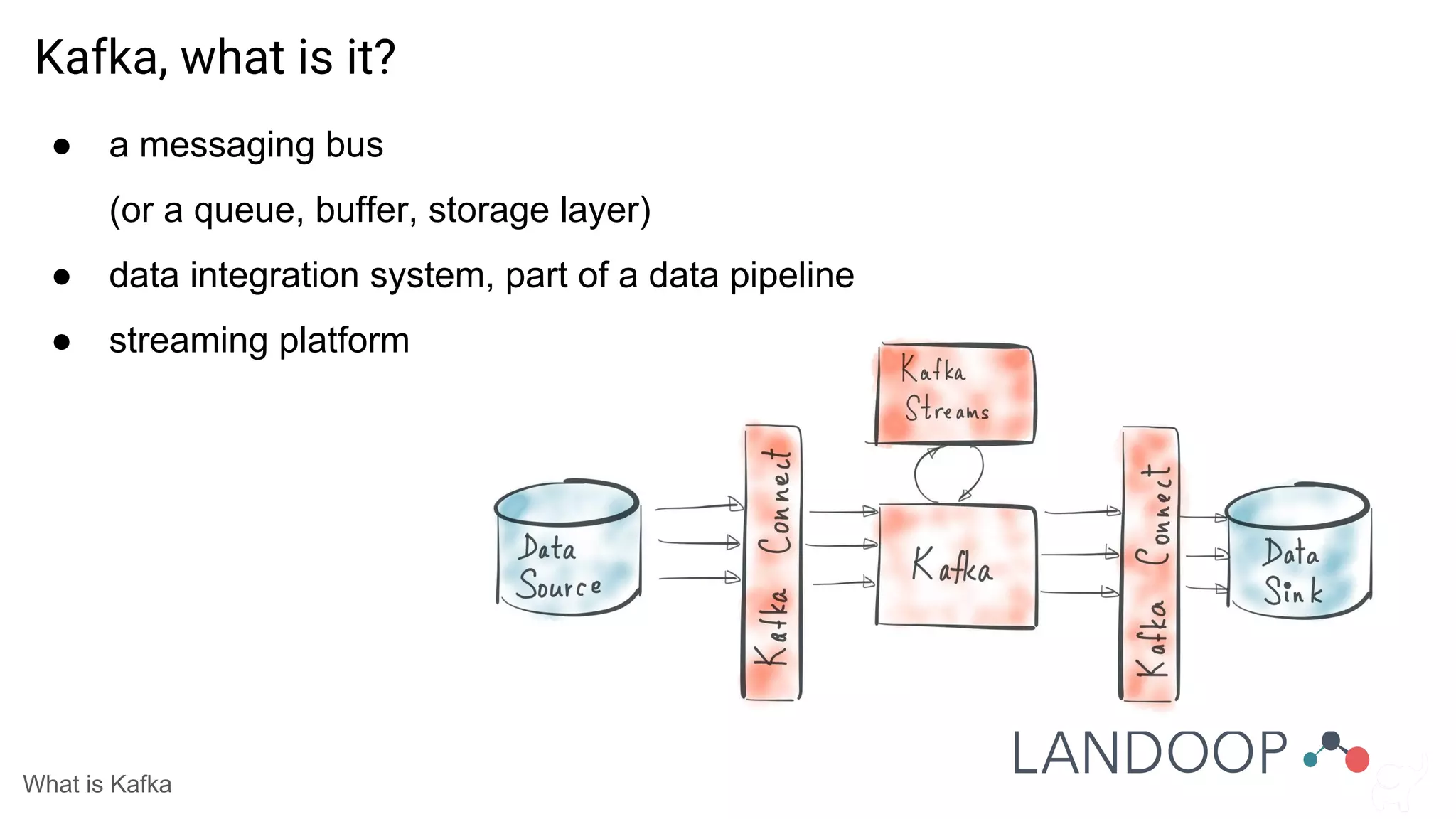
● a messaging bus
(or a queue, buffer, storage layer)
● data integration system, part of a data pipeline
● streaming platform
What is Kafka
Kafka, what is it?
Let’s learn to speak Kafka
Core Kafka
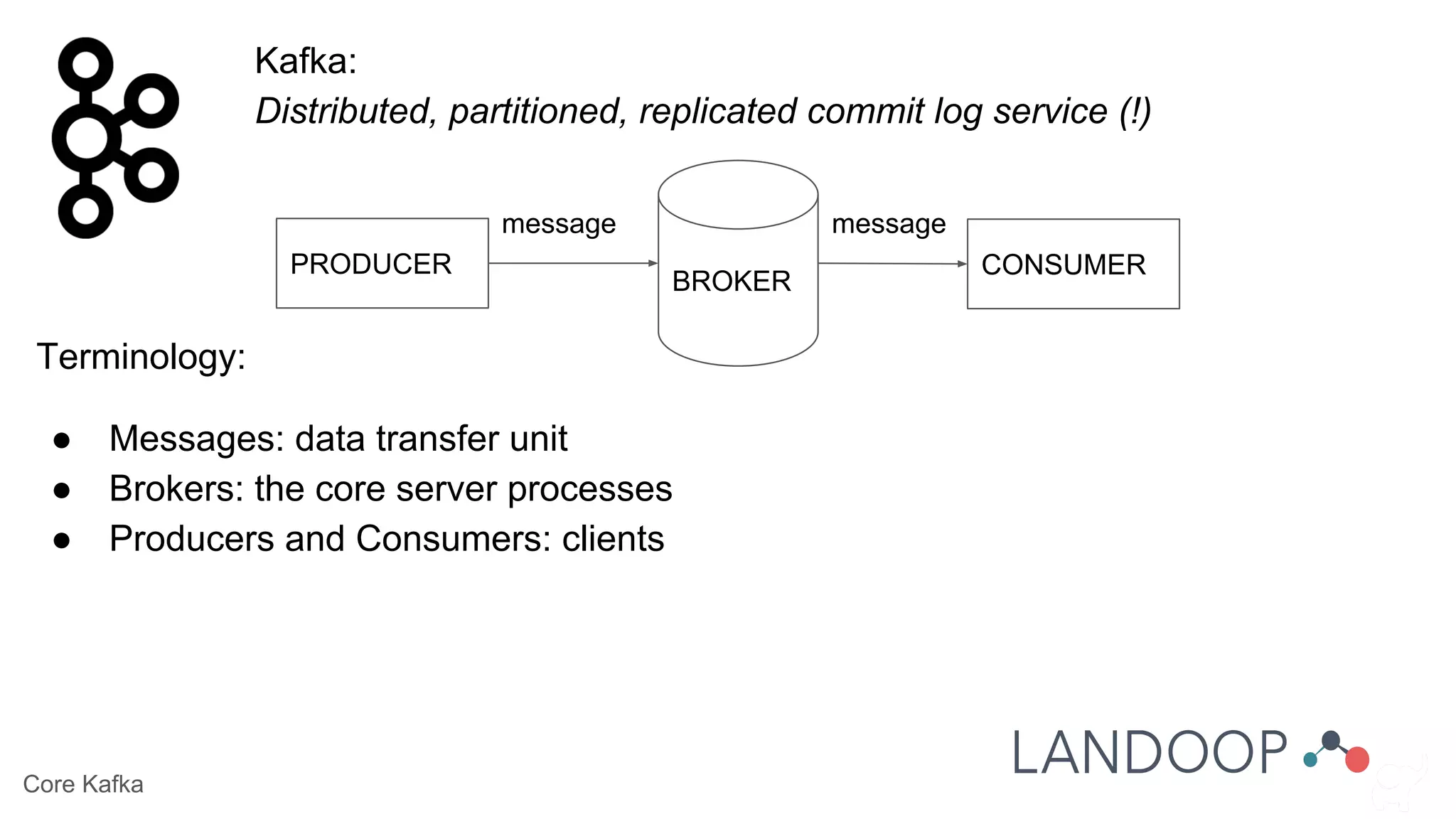
Kafka:
Distributed, partitioned, replicated commit log service (!)
Terminology:
● Messages: data transfer unit
● Brokers: the core server processes
● Producers and Consumers: clients
BROKER
PRODUCER CONSUMER
message message
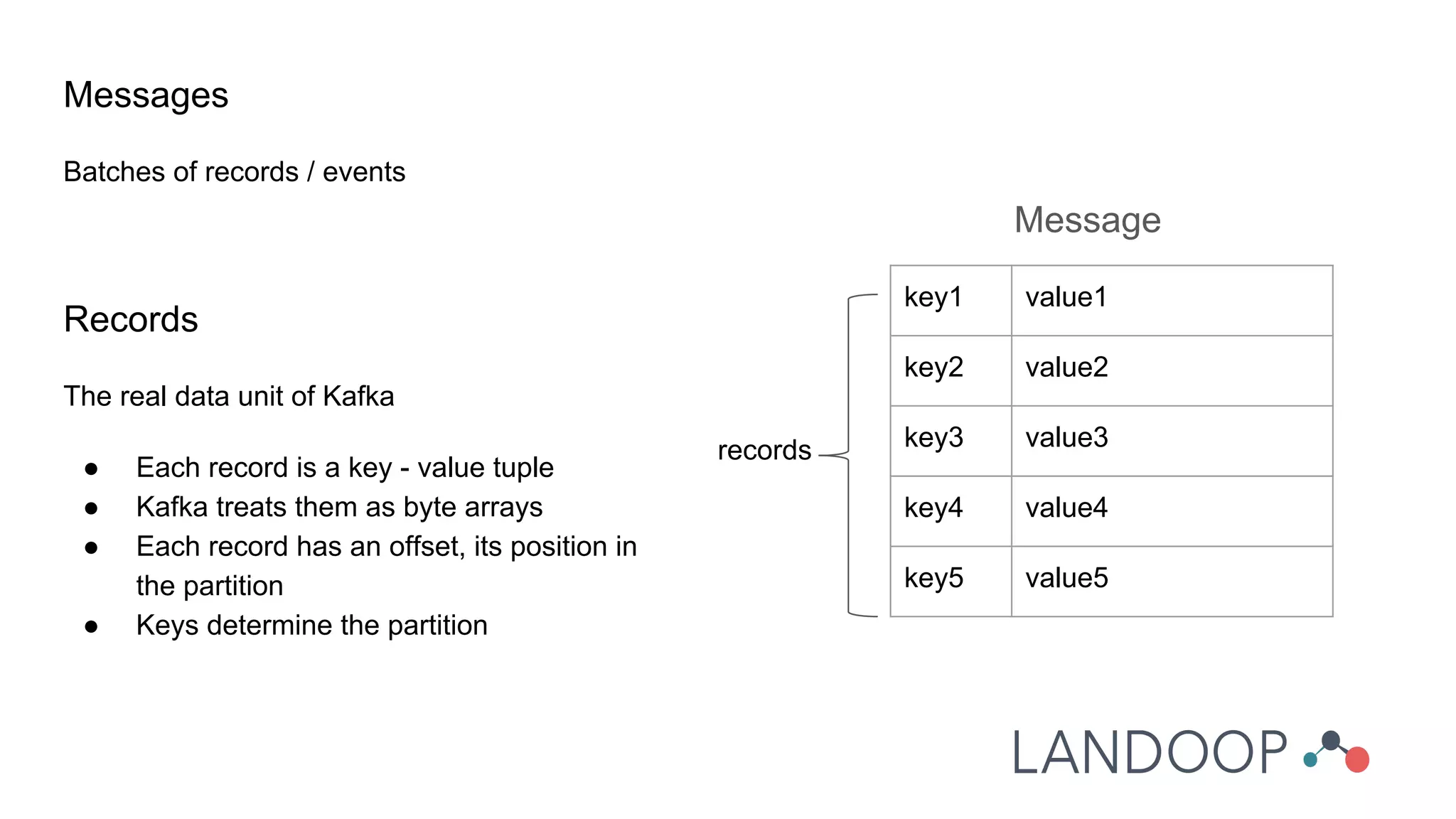
Messages
Batches of records / events
Records
The real data unit of Kafka
● Each record is a key - value tuple
● Kafka treats them as byte arrays
● Each record has an offset, its position in
the partition
● Keys determine the partition
Message
key1 value1
key2 value2
key3 value3
key4 value4
key5 value5
records
Topics
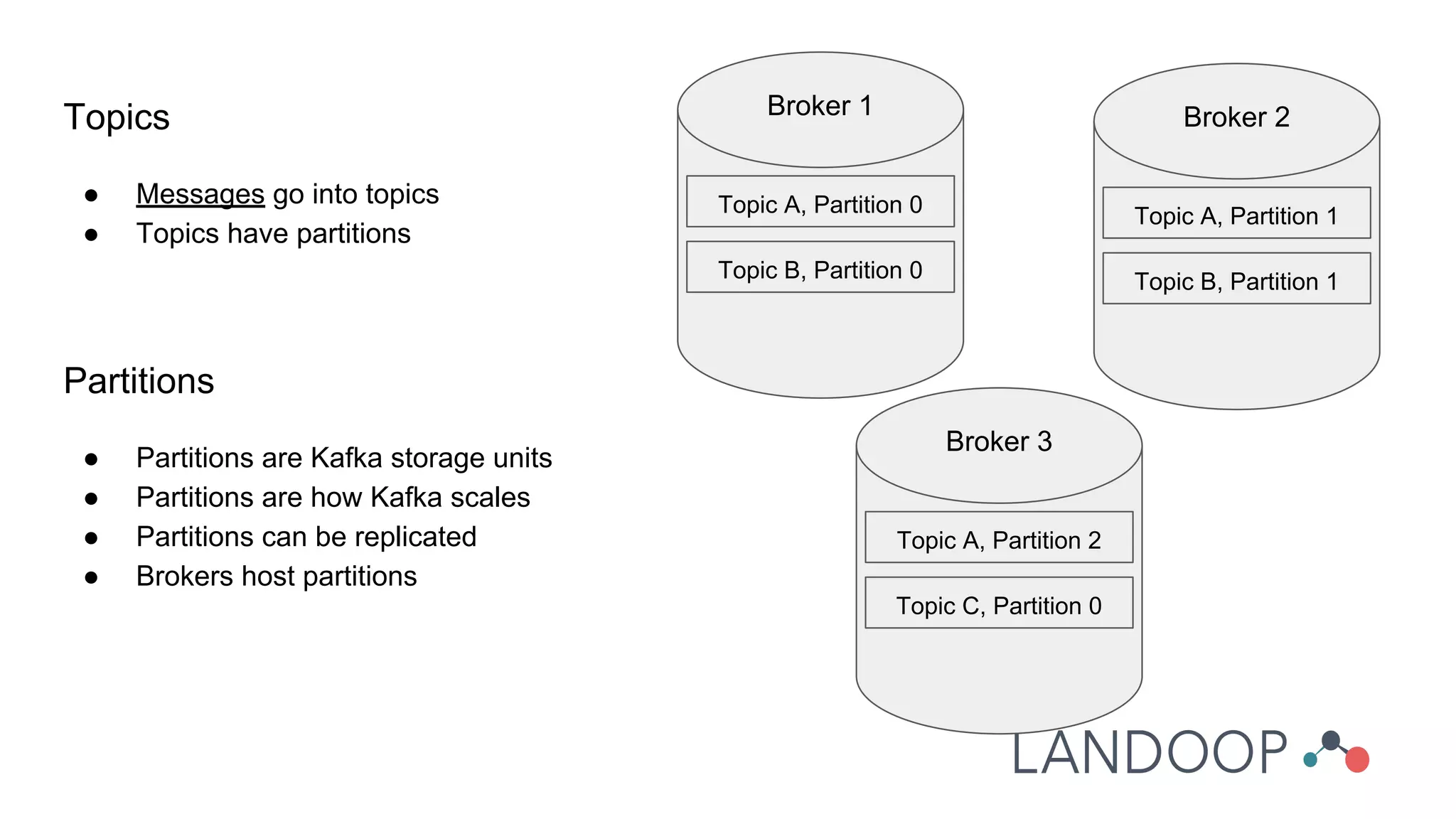
● Messages go into topics
● Topics have partitions
Partitions
● Partitions are Kafka storage units
● Partitions are how Kafka scales
● Partitions can be replicated
● Brokers host partitions
Topic A, Partition 0
Topic B, Partition 0
Broker 1
Topic A, Partition 1
Topic B, Partition 1
Broker 2
Topic A, Partition 2
Topic C, Partition 0
Broker 3
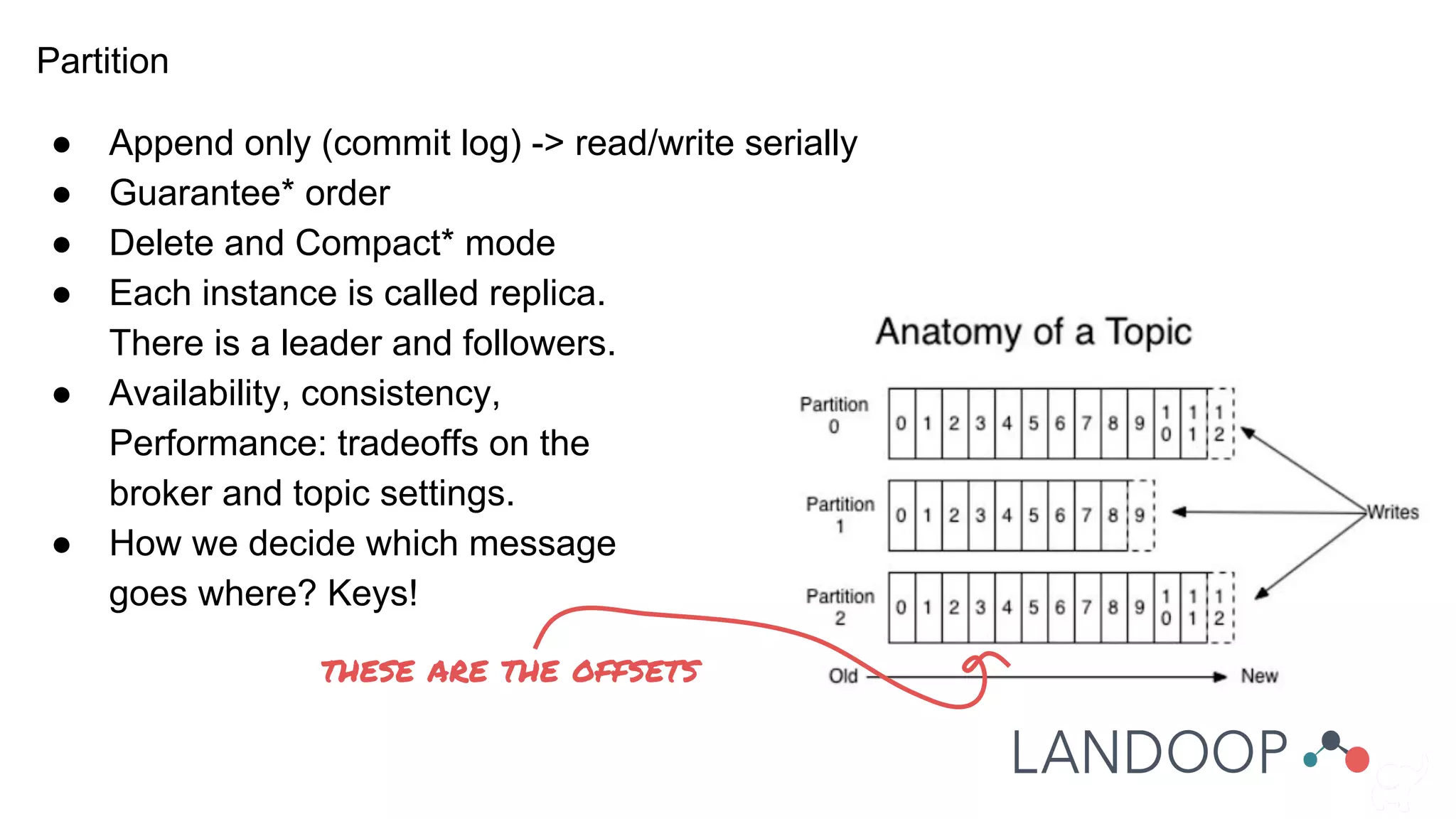
Partition
● Append only (commit log) -> read/write serially
● Guarantee* order
● Delete and Compact* mode
● Each instance is called replica.
There is a leader and followers.
● Availability, consistency,
Performance: tradeoffs on the
broker and topic settings.
● How we decide which message
goes where? Keys!
these are the offsets
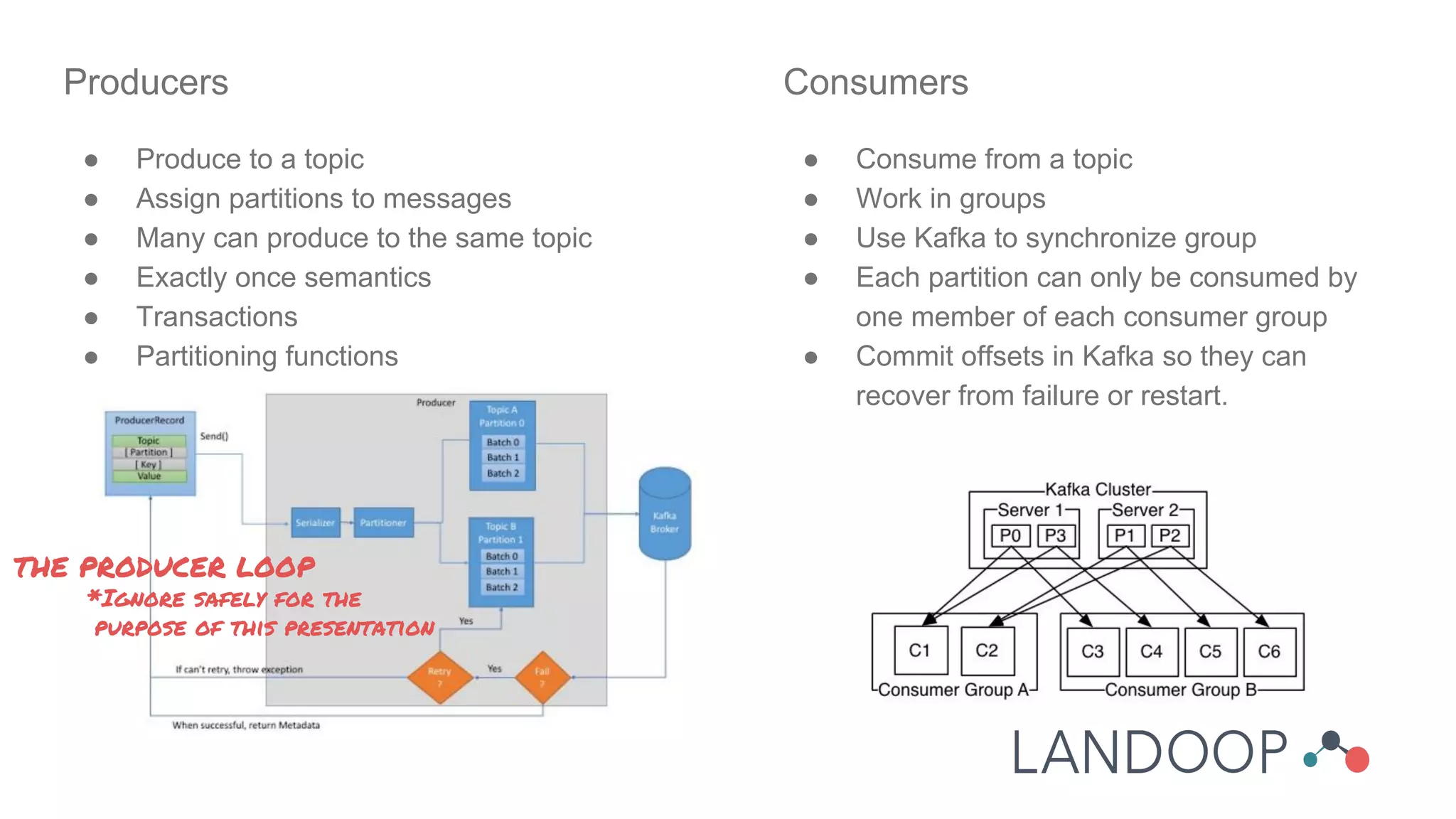
Producers
● Produce to a topic
● Assign partitions to messages
● Many can produce to the same topic
● Exactly once semantics
● Transactions
● Partitioning functions
Consumers
● Consume from a topic
● Work in groups
● Use Kafka to synchronize group
● Each partition can only be consumed by
one member of each consumer group
● Commit offsets in Kafka so they can
recover from failure or restart.
THE PRODUCER LOOP
*Ignore safely for the
purpose of this presentation
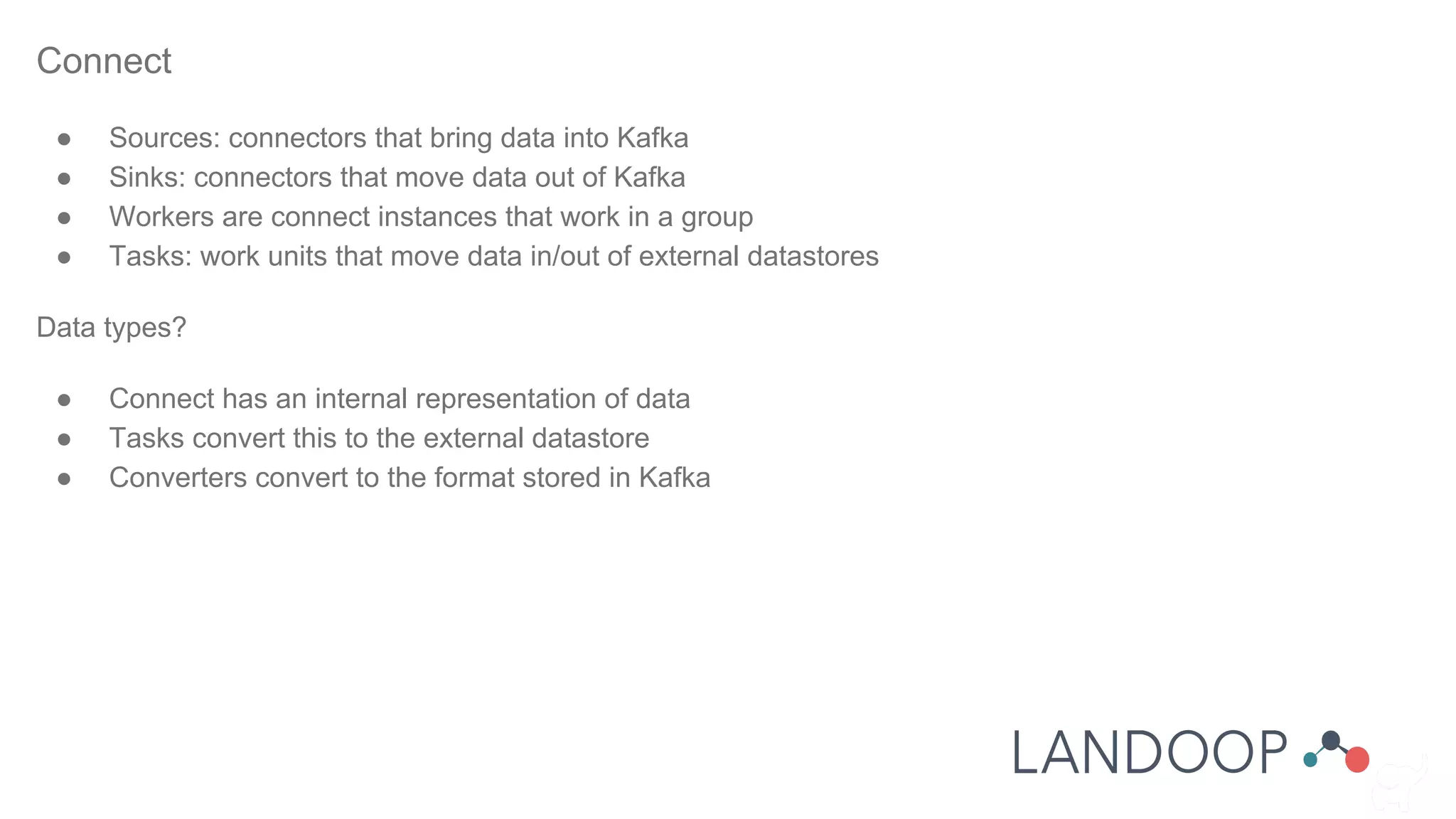
Connect
● Sources: connectors that bring data into Kafka
● Sinks: connectors that move data out of Kafka
● Workers are connect instances that work in a group
● Tasks: work units that move data in/out of external datastores
Data types?
● Connect has an internal representation of data
● Tasks convert this to the external datastore
● Converters convert to the format stored in Kafka
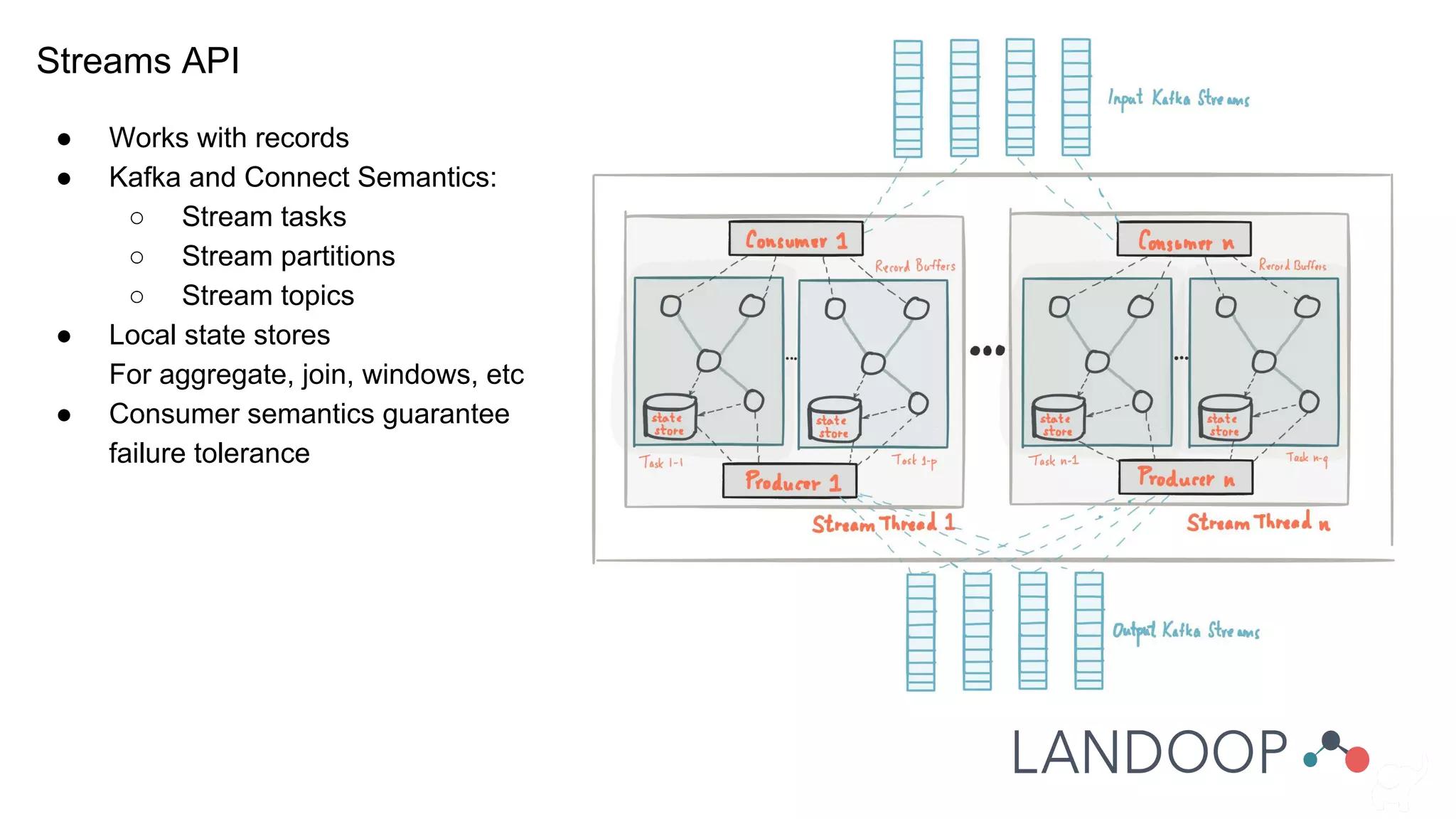
Streams API
● Works with records
● Kafka and Connect Semantics:
○ Stream tasks
○ Stream partitions
○ Stream topics
● Local state stores
For aggregate, join, windows, etc
● Consumer semantics guarantee
failure tolerance
Kafka Lab Time
● Brokers
● Zookeeper: Synchronization and distributed configuration framework
● Schema Registry: Store AVRO schemas for data
● Connect Distributed
● Lenses (or worse): Software that may extent, manage, monitor, orchestrate Kafka
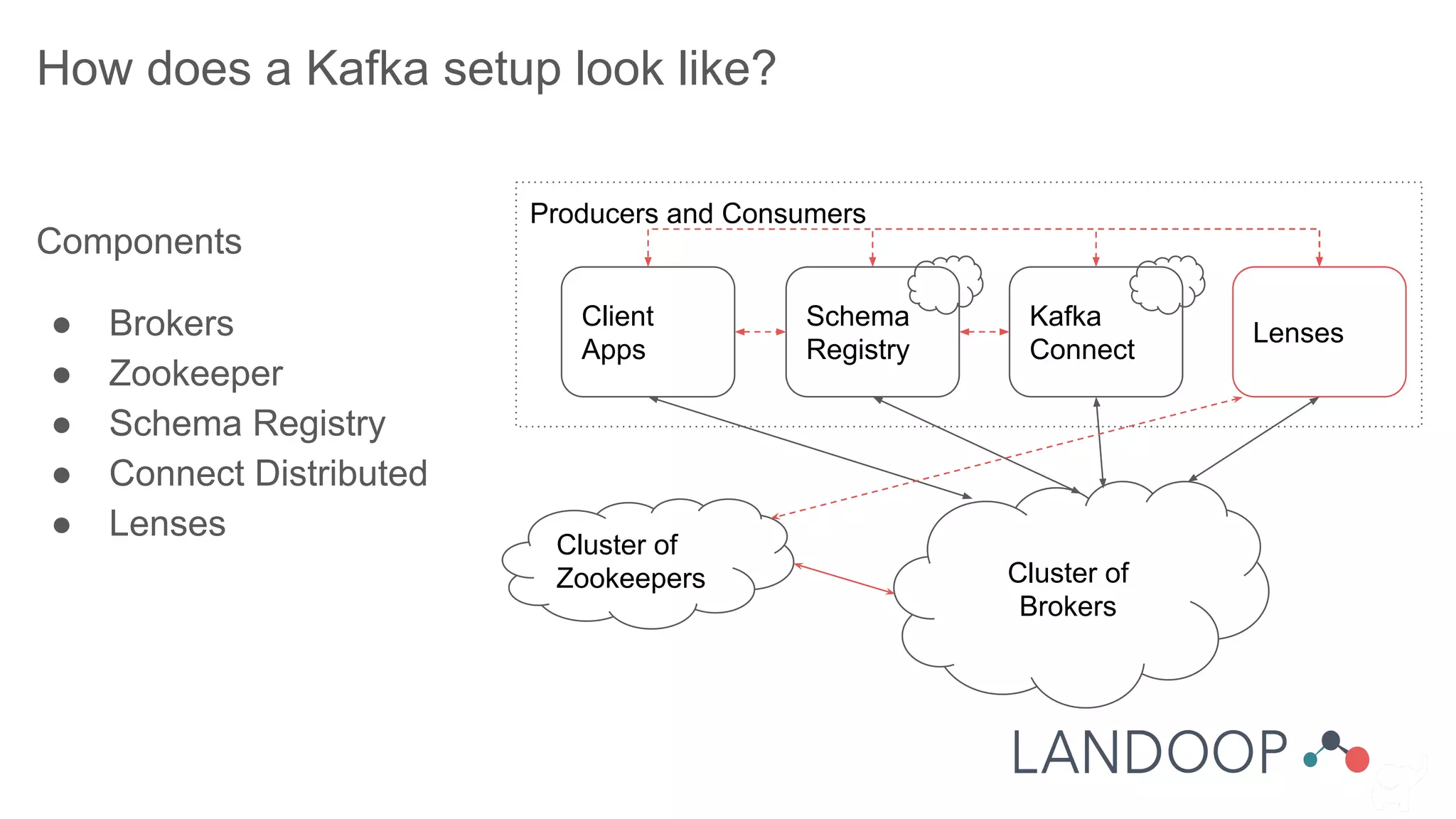
How does a Kafka setup look like?
Components
● Brokers
● Zookeeper
● Schema Registry
● Connect Distributed
● Lenses
Cluster of
Brokers
Producers and Consumers
Client
Apps
Schema
Registry
Kafka
Connect
Cluster of
Zookeepers
Lenses
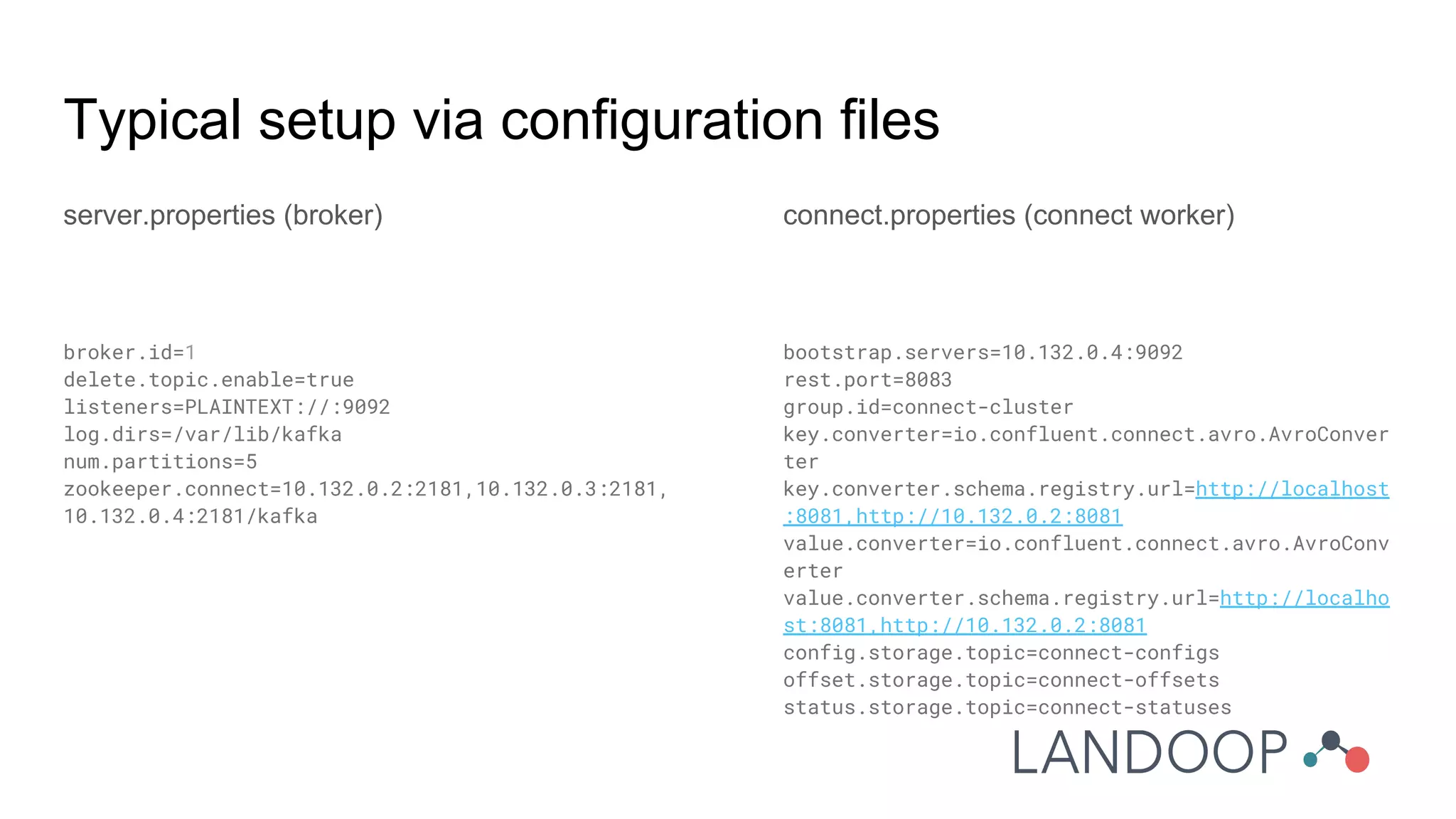
Typical setup via configuration files
server.properties (broker)
broker.id=1
delete.topic.enable=true
listeners=PLAINTEXT://:9092
log.dirs=/var/lib/kafka
num.partitions=5
zookeeper.connect=10.132.0.2:2181,10.132.0.3:2181,
10.132.0.4:2181/kafka
connect.properties (connect worker)
bootstrap.servers=10.132.0.4:9092
rest.port=8083
group.id=connect-cluster
key.converter=io.confluent.connect.avro.AvroConver
ter
key.converter.schema.registry.url=http://localhost
:8081,http://10.132.0.2:8081
value.converter=io.confluent.connect.avro.AvroConv
erter
value.converter.schema.registry.url=http://localho
st:8081,http://10.132.0.2:8081
config.storage.topic=connect-configs
offset.storage.topic=connect-offsets
status.storage.topic=connect-statuses
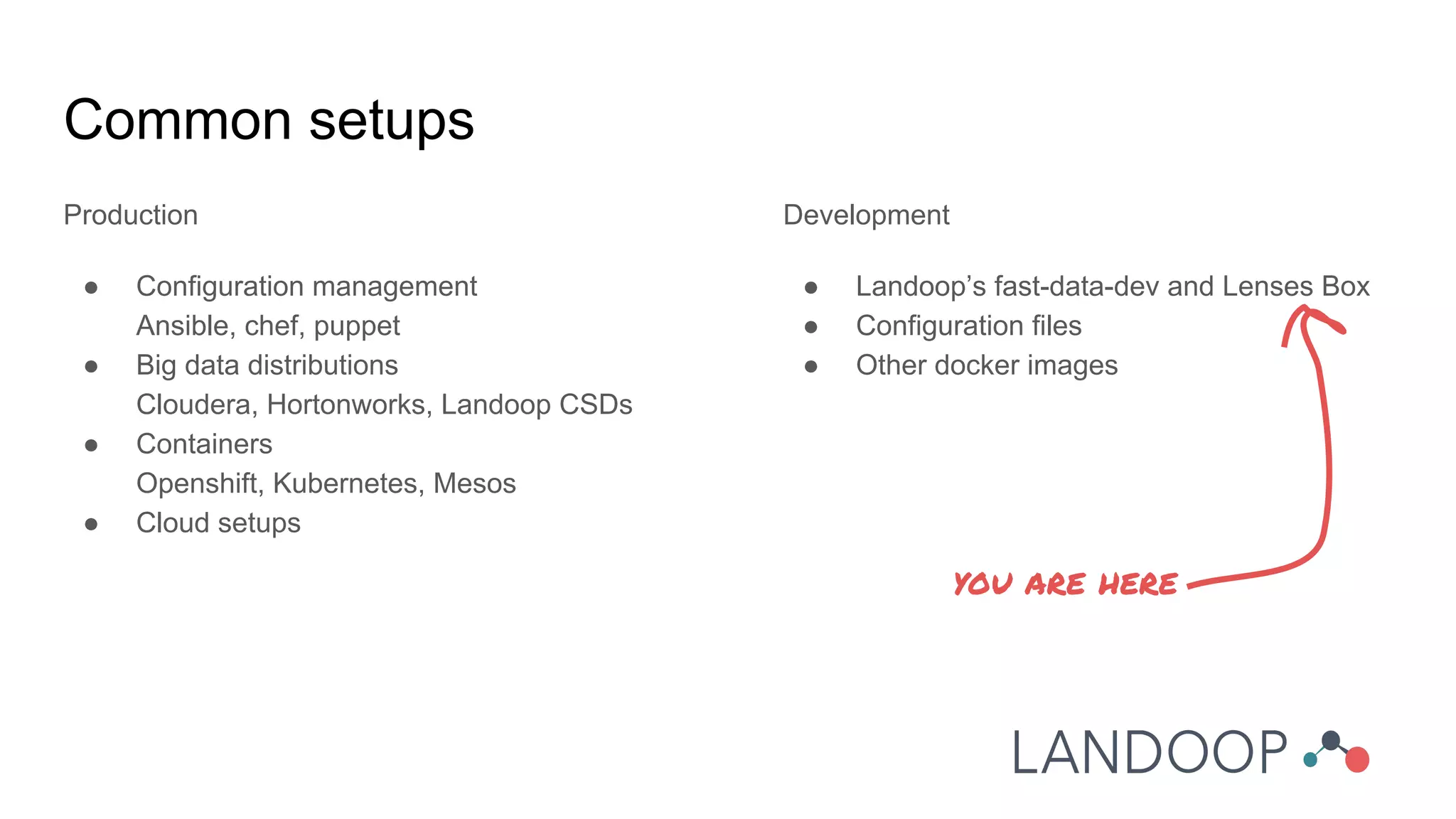
Common setups
Production
● Configuration management
Ansible, chef, puppet
● Big data distributions
Cloudera, Hortonworks, Landoop CSDs
● Containers
Openshift, Kubernetes, Mesos
● Cloud setups
Development
● Landoop’s fast-data-dev and Lenses Box
● Configuration files
● Other docker images
you are here
What are we gonna do?
● Setup Lenses Box
● Play around with Kafka in the command line and within Lenses
● Setup Elasticsearch and Kibana
● Move data from Kafka to Elasticsearch via Kafka Connect
● Run LSQL queries against our streams
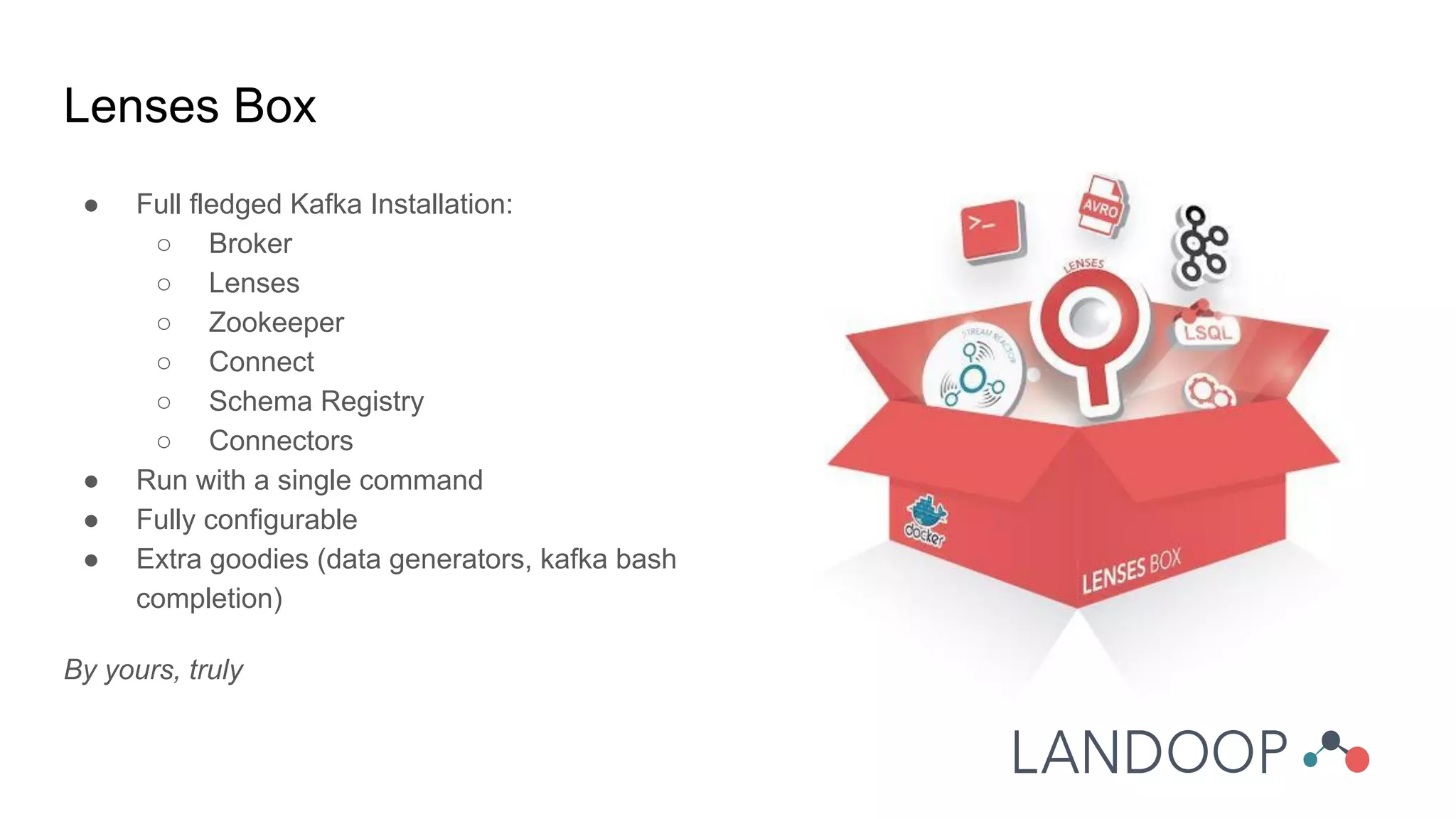
Lenses Box
● Full fledged Kafka Installation:
○ Broker
○ Lenses
○ Zookeeper
○ Connect
○ Schema Registry
○ Connectors
● Run with a single command
● Fully configurable
● Extra goodies (data generators, kafka bash
completion)
By yours, truly
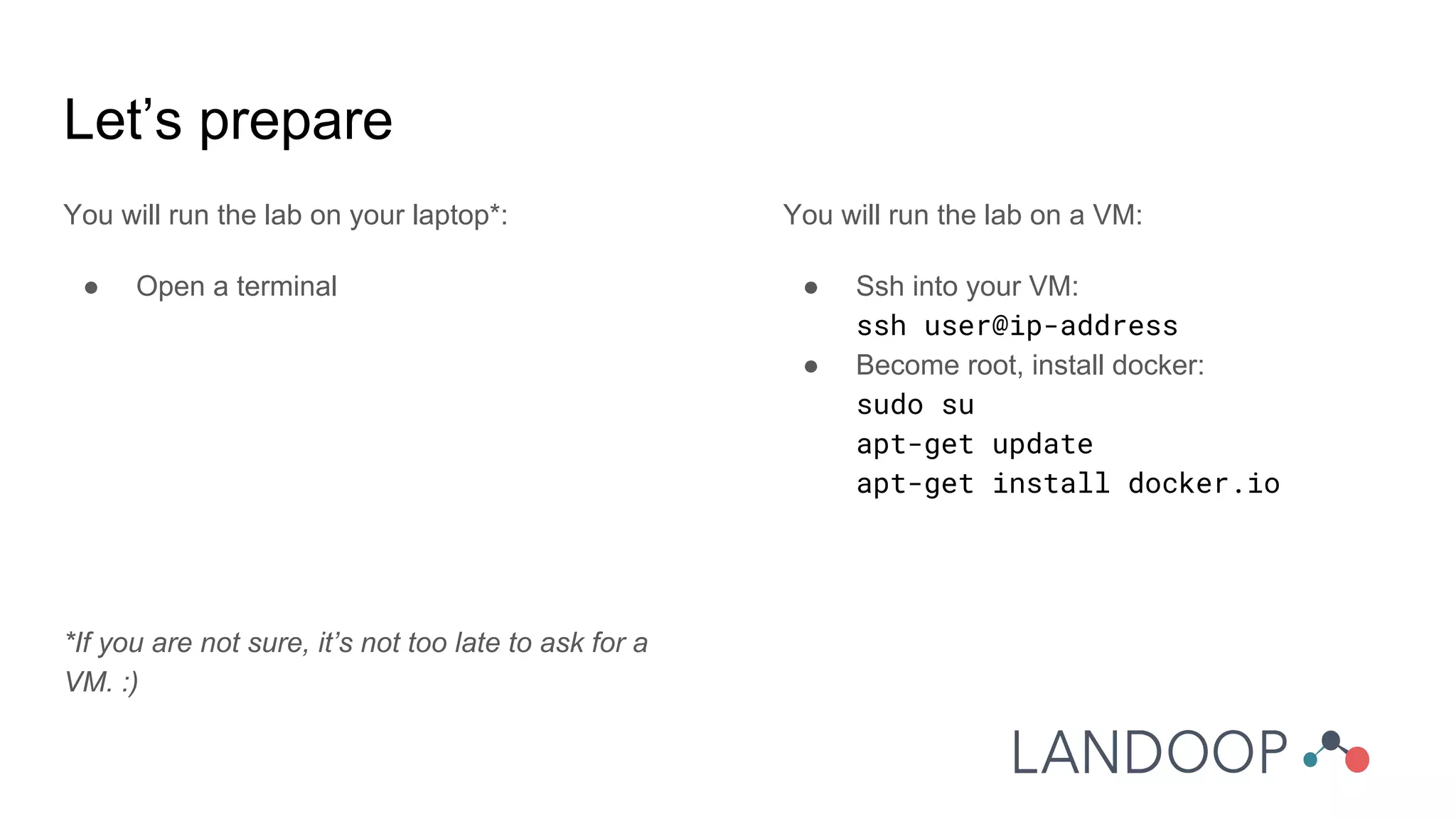
Let’s prepare
You will run the lab on your laptop*:
● Open a terminal
*If you are not sure, it’s not too late to ask for a
VM. :)
You will run the lab on a VM:
● Ssh into your VM:
ssh user@ip-address
● Become root, install docker:
sudo su
apt-get update
apt-get install docker.io
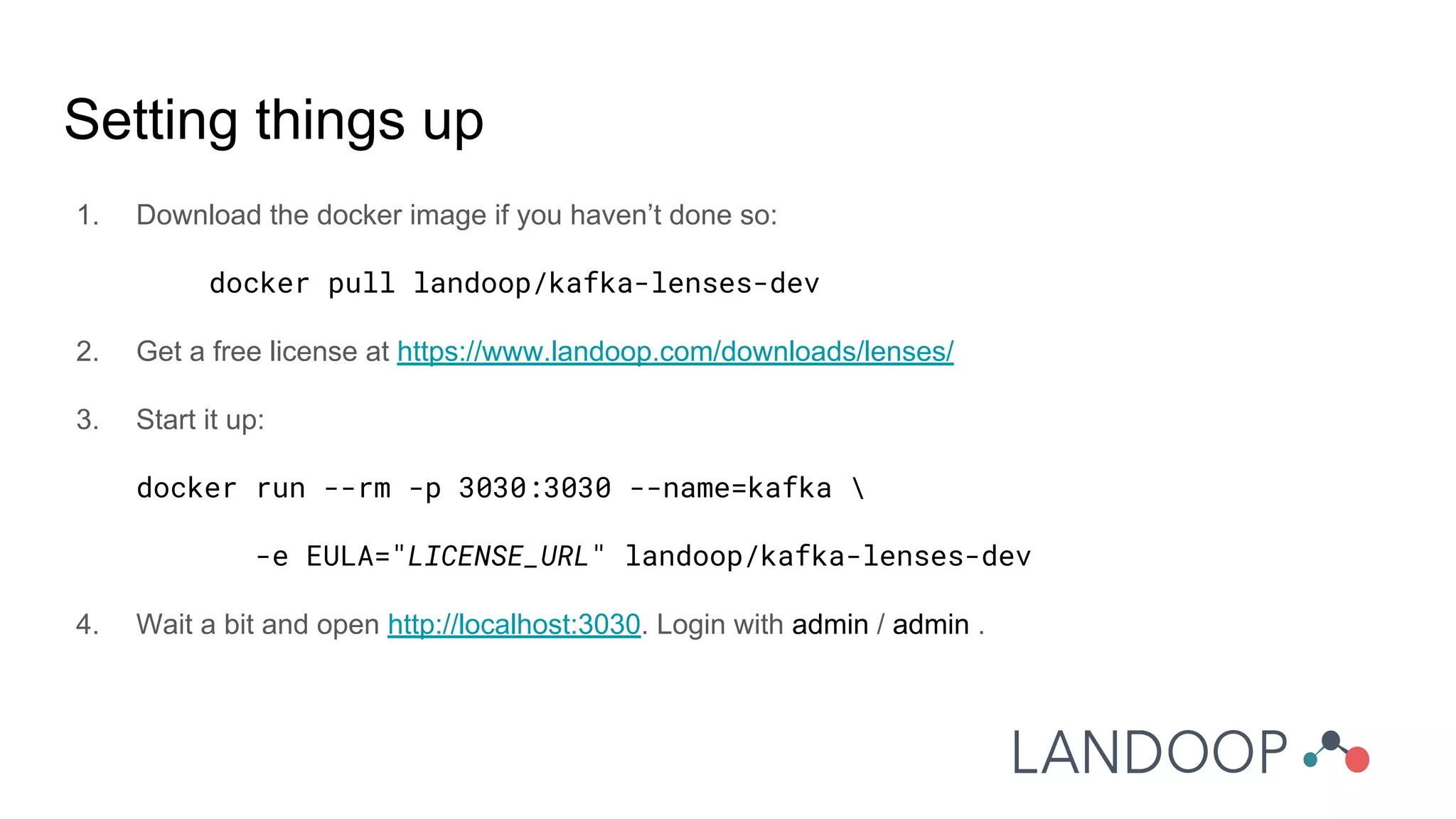
Setting things up
1. Download the docker image if you haven’t done so:
docker pull landoop/kafka-lenses-dev
2. Get a free license at https://www.landoop.com/downloads/lenses/
3. Start it up:
docker run --rm -p 3030:3030 --name=kafka 
-e EULA="LICENSE_URL" landoop/kafka-lenses-dev
4. Wait a bit and open http://localhost:3030. Login with admin / admin .
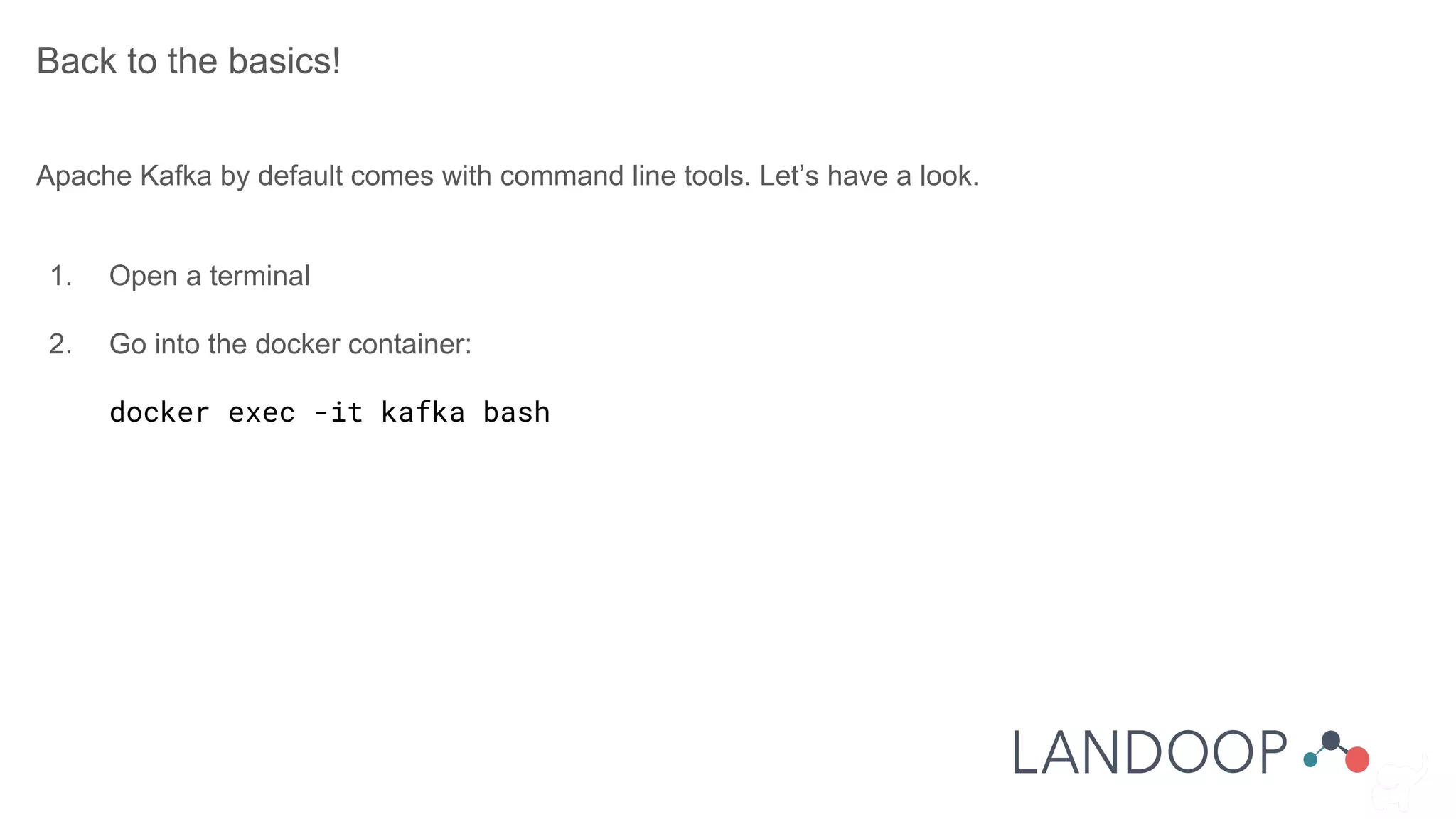
Back to the basics!
Apache Kafka by default comes with command line tools. Let’s have a look.
1. Open a terminal
2. Go into the docker container:
docker exec -it kafka bash
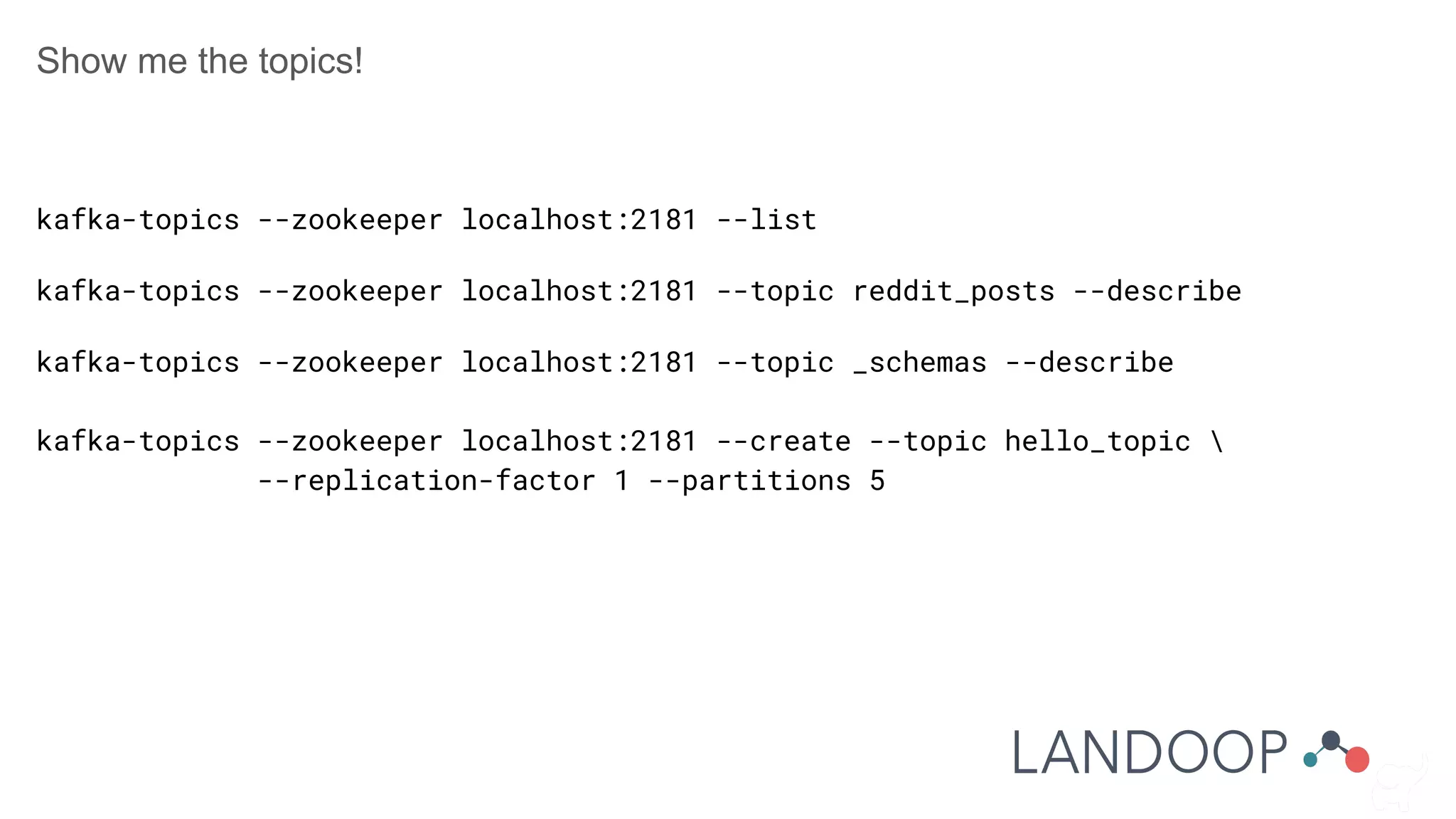
Show me the topics!
kafka-topics --zookeeper localhost:2181 --list
kafka-topics --zookeeper localhost:2181 --topic reddit_posts --describe
kafka-topics --zookeeper localhost:2181 --topic _schemas --describe
kafka-topics --zookeeper localhost:2181 --create --topic hello_topic 
--replication-factor 1 --partitions 5
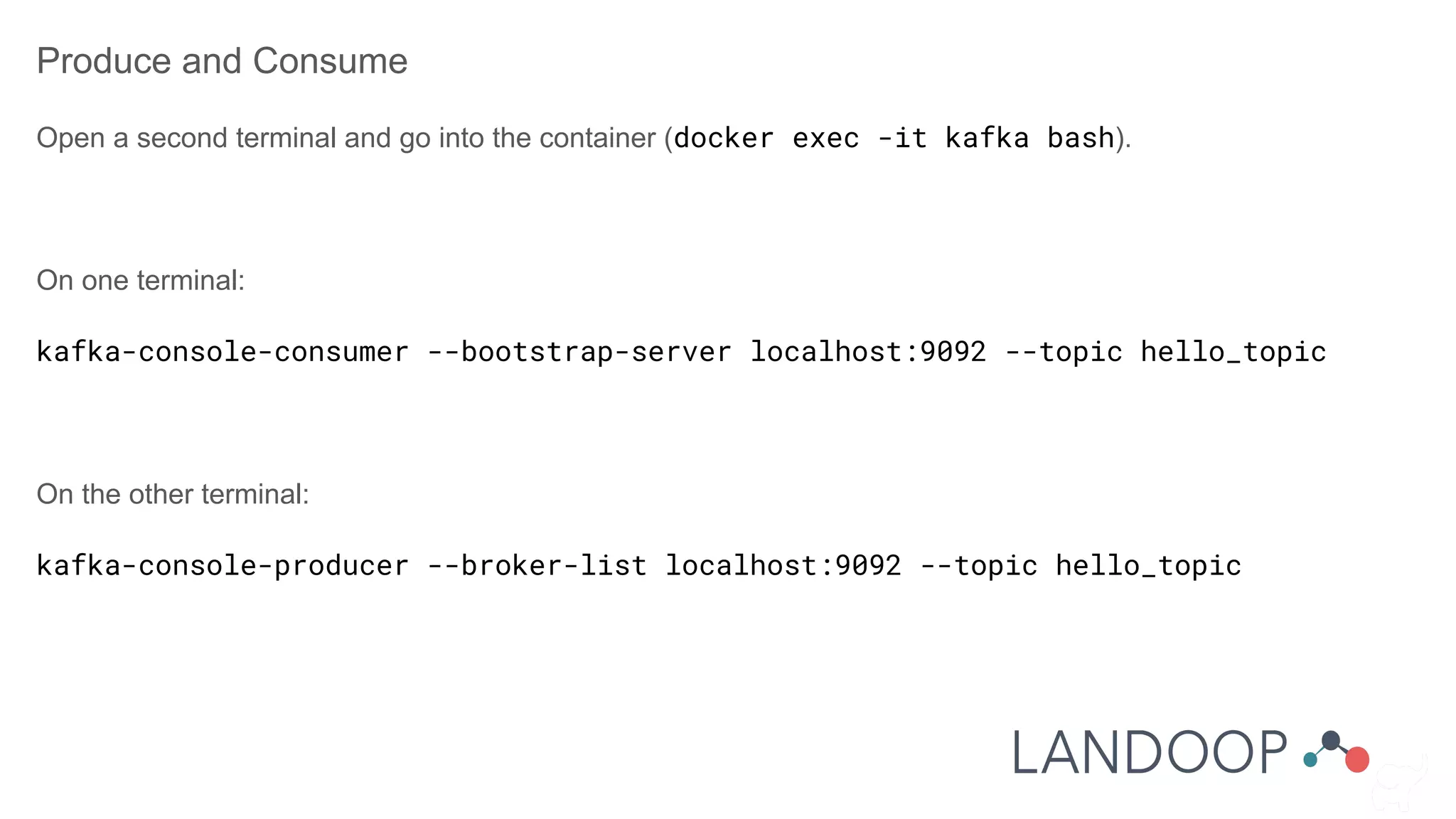
Produce and Consume
Open a second terminal and go into the container (docker exec -it kafka bash).
On one terminal:
kafka-console-consumer --bootstrap-server localhost:9092 --topic hello_topic
On the other terminal:
kafka-console-producer --broker-list localhost:9092 --topic hello_topic
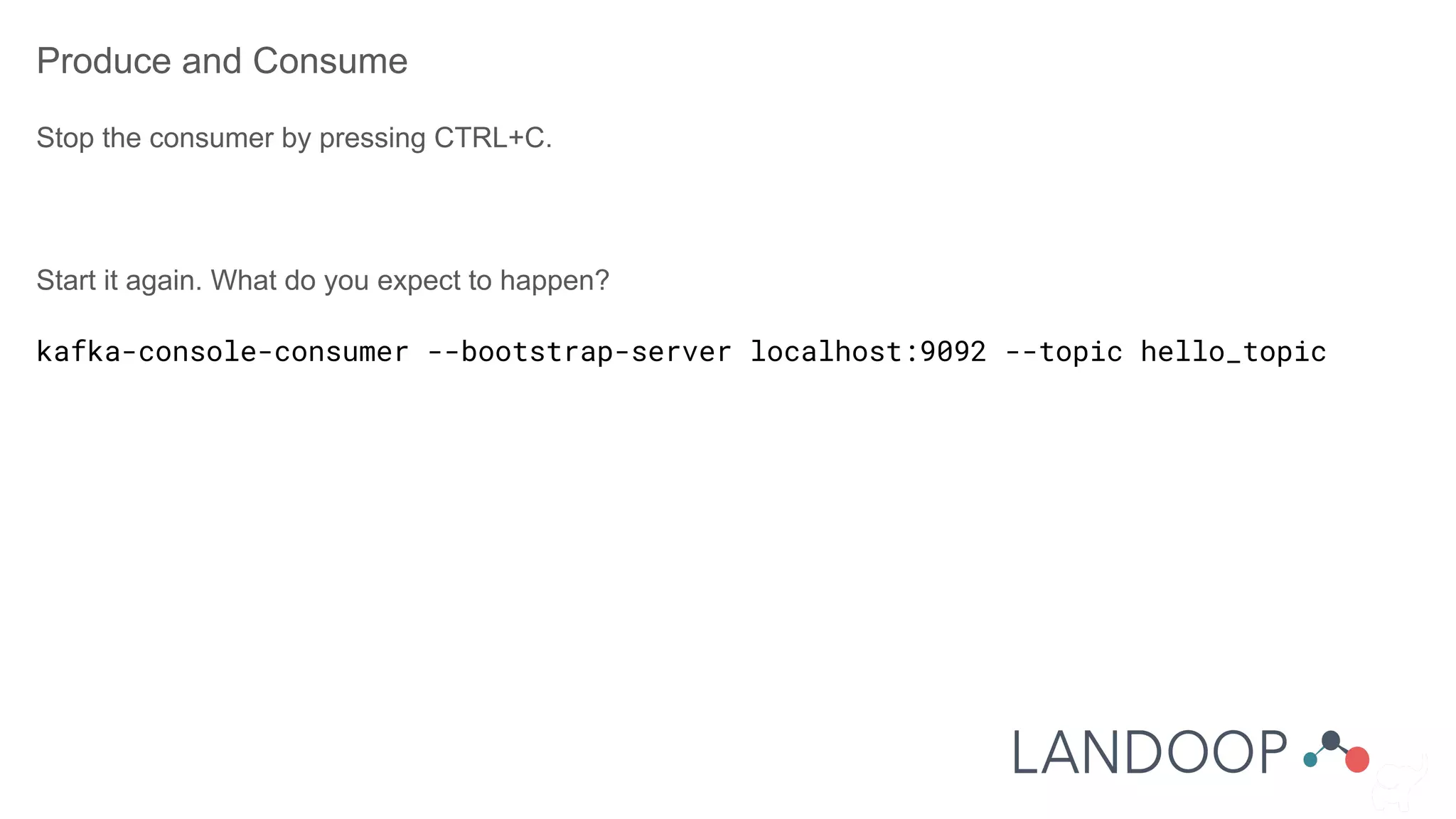
Produce and Consume
Stop the consumer by pressing CTRL+C.
Start it again. What do you expect to happen?
kafka-console-consumer --bootstrap-server localhost:9092 --topic hello_topic
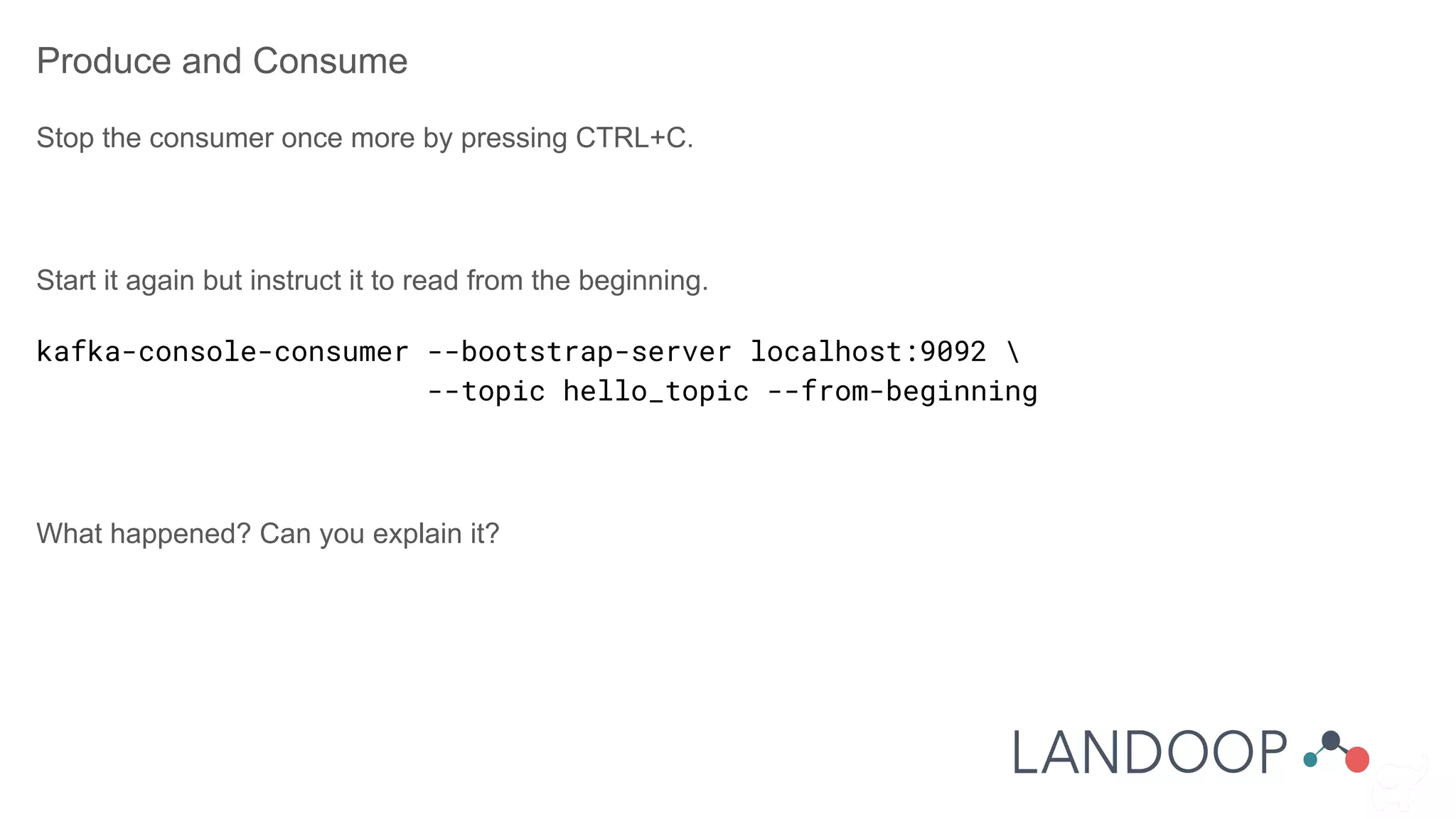
Produce and Consume
Stop the consumer once more by pressing CTRL+C.
Start it again but instruct it to read from the beginning.
kafka-console-consumer --bootstrap-server localhost:9092 
--topic hello_topic --from-beginning
What happened? Can you explain it?
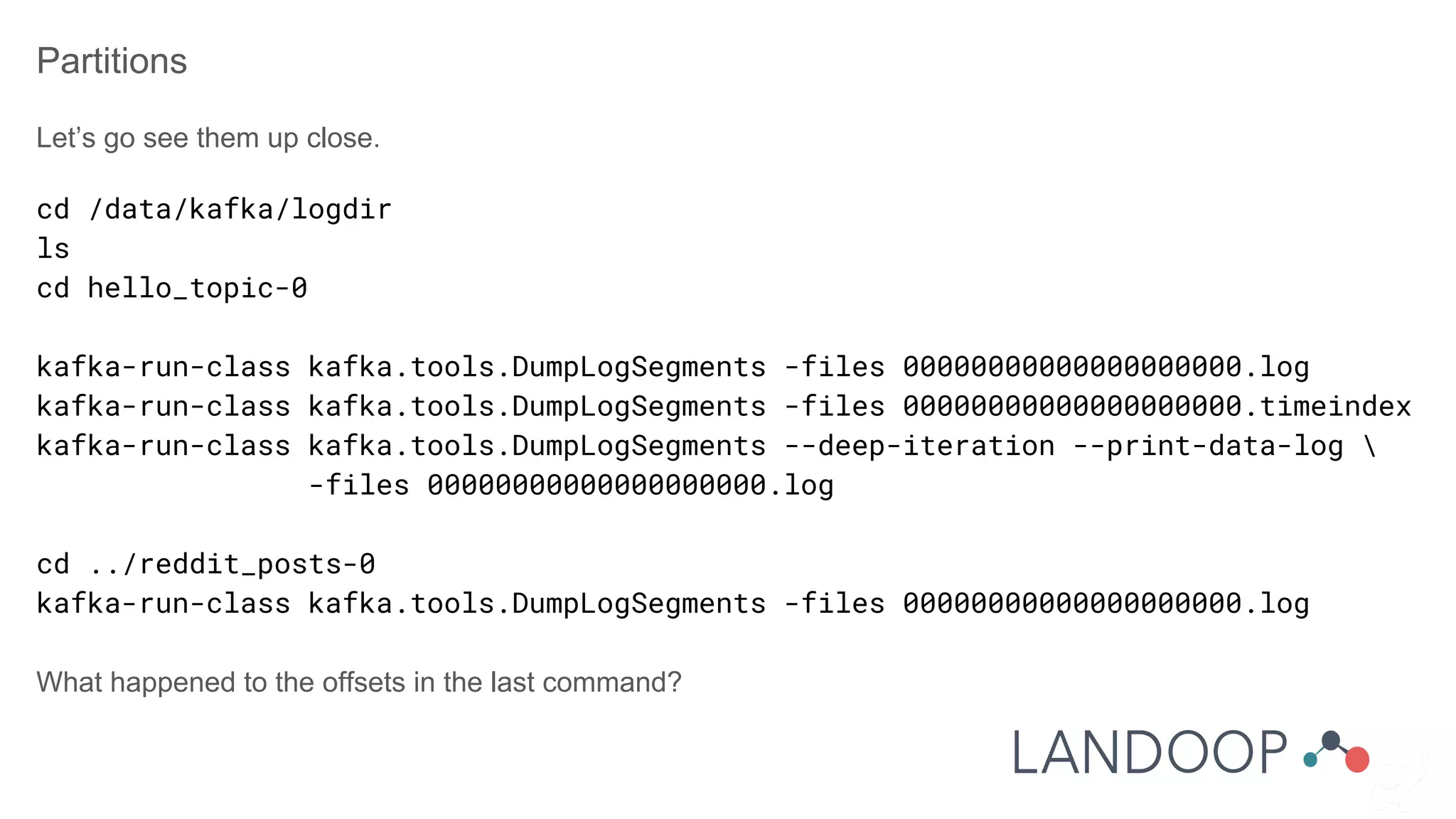
Partitions
Let’s go see them up close.
cd /data/kafka/logdir
ls
cd hello_topic-0
kafka-run-class kafka.tools.DumpLogSegments -files 00000000000000000000.log
kafka-run-class kafka.tools.DumpLogSegments -files 00000000000000000000.timeindex
kafka-run-class kafka.tools.DumpLogSegments --deep-iteration --print-data-log 
-files 00000000000000000000.log
cd ../reddit_posts-0
kafka-run-class kafka.tools.DumpLogSegments -files 00000000000000000000.log
What happened to the offsets in the last command?
There are more commands
Feel free to explore on your own:
● kafka-configs
● kafka-acls
● kafka-producer-perf-test
● kafka-consumer-groups
● kafka-reassign-partitions
● kafka-preferred-replica-election
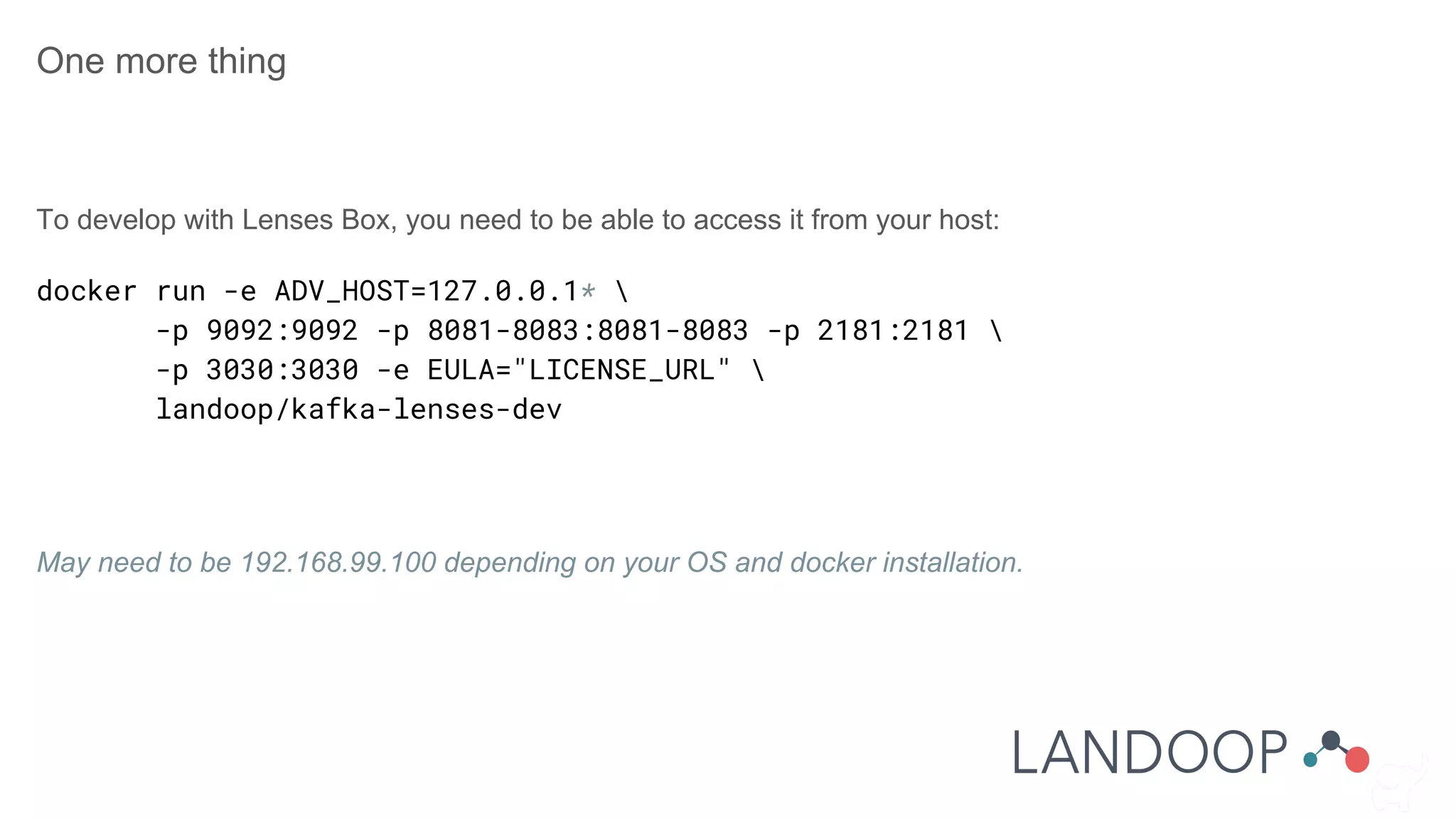
One more thing
To develop with Lenses Box, you need to be able to access it from your host:
docker run -e ADV_HOST=127.0.0.1* 
-p 9092:9092 -p 8081-8083:8081-8083 -p 2181:2181 
-p 3030:3030 -e EULA="LICENSE_URL" 
landoop/kafka-lenses-dev
May need to be 192.168.99.100 depending on your OS and docker installation.
Back to Lenses!
Familiarising with the low level tools is important.
Now let’s check how Lenses offers a new view into Kafka.
Visit http://localhost:3030
Consistency - Availability
Pick one.
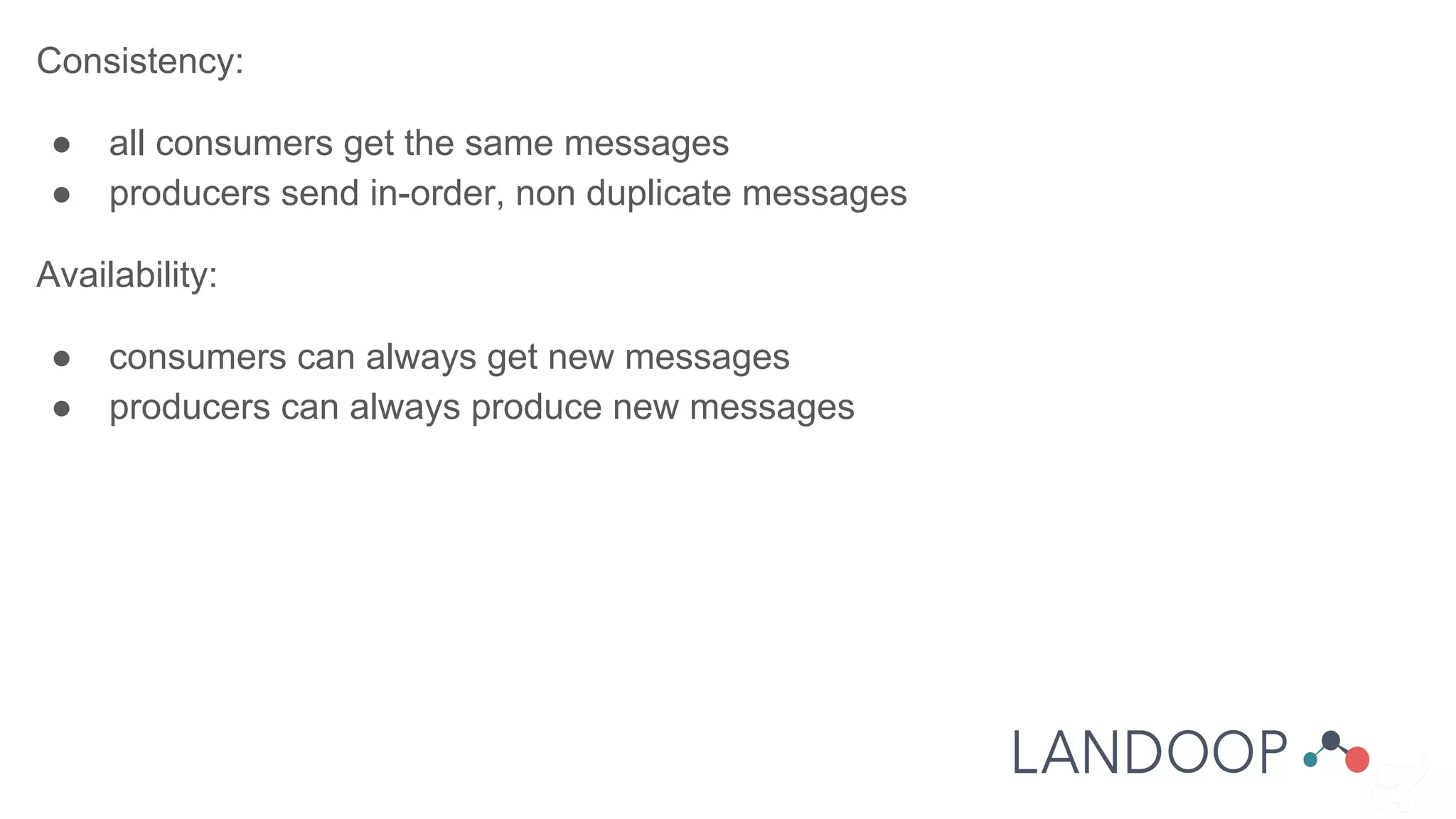
Consistency:
● all consumers get the same messages
● producers send in-order, non duplicate messages
Availability:
● consumers can always get new messages
● producers can always produce new messages
Consistency:
● Set replication
● Set min.isr > 1
● Disable unclean.leader.election
● Set max.in.flight.requests = 1 (producer)
● Manage consumer offsets (consumer)
Availability is the opposite!
Some Hazards:
● Consumer reads before
replication
● Producer writes before
previous write is finished
● Consumer reads the same data
● Producer writes the same data
Performance
Set for availability, create with many partitions.
Kafka scales linearly for brokers, producers and consumers!
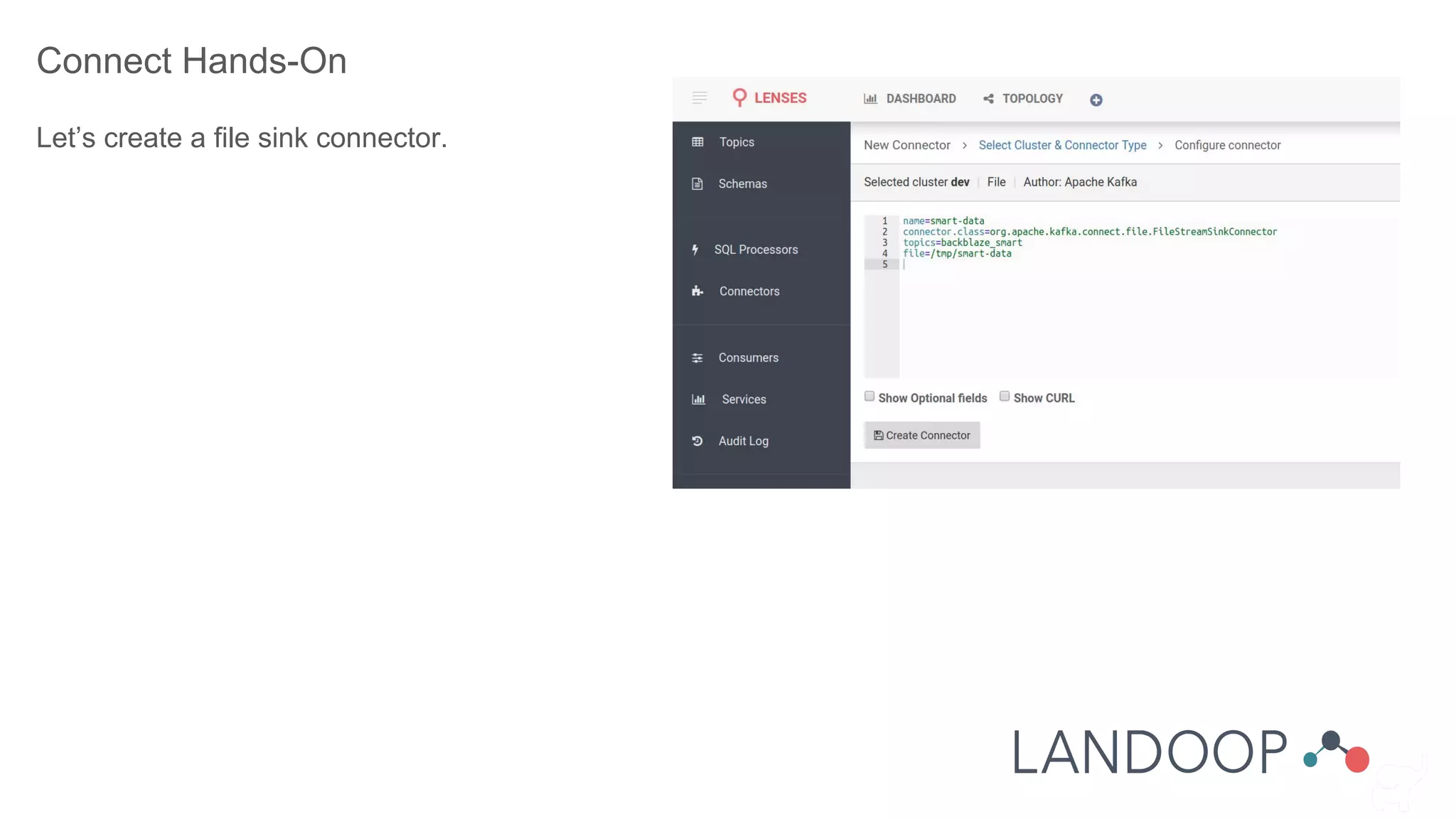
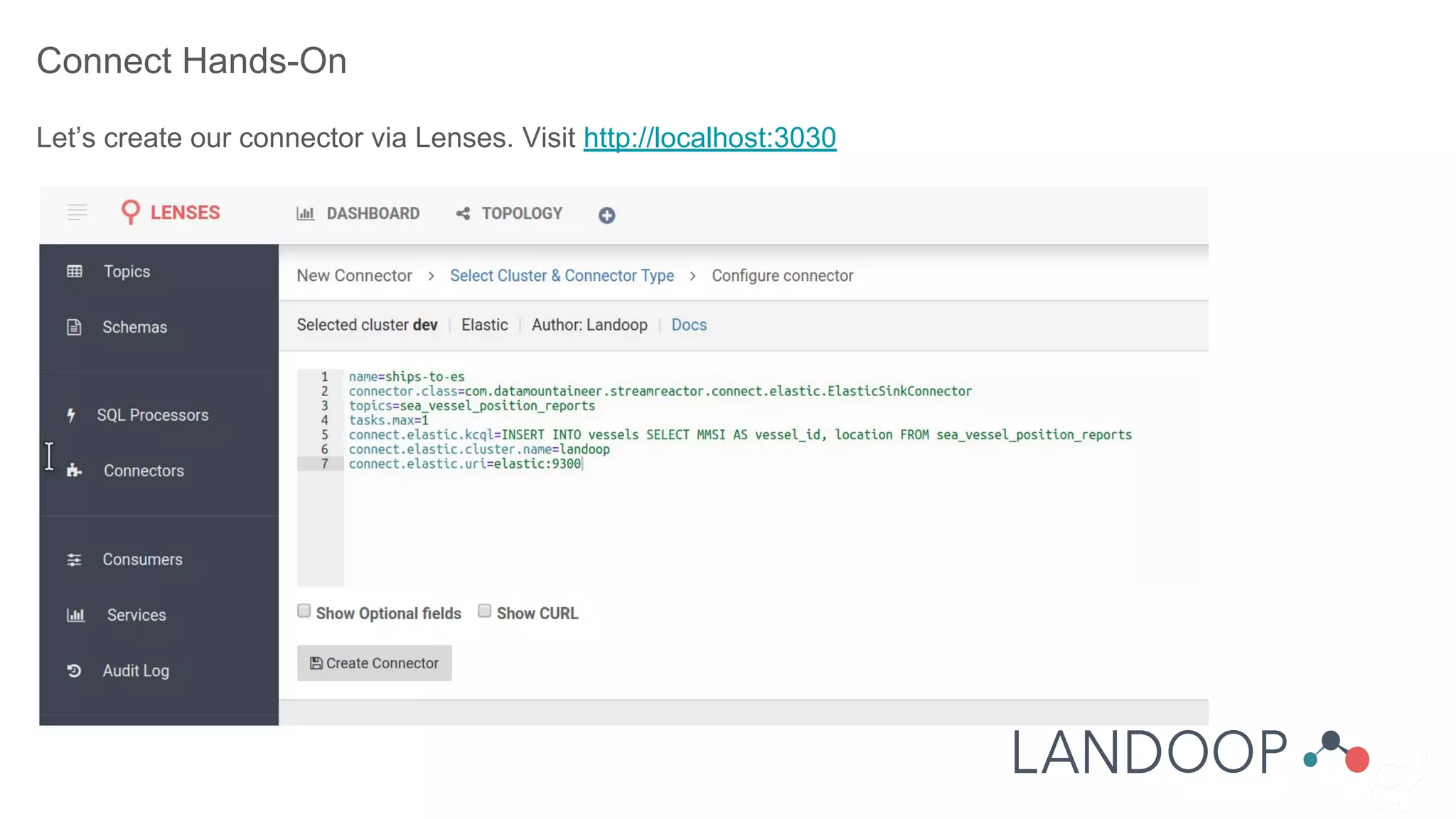
Connect Hands-On
Let’s create a file sink connector.
Connect Hands-On
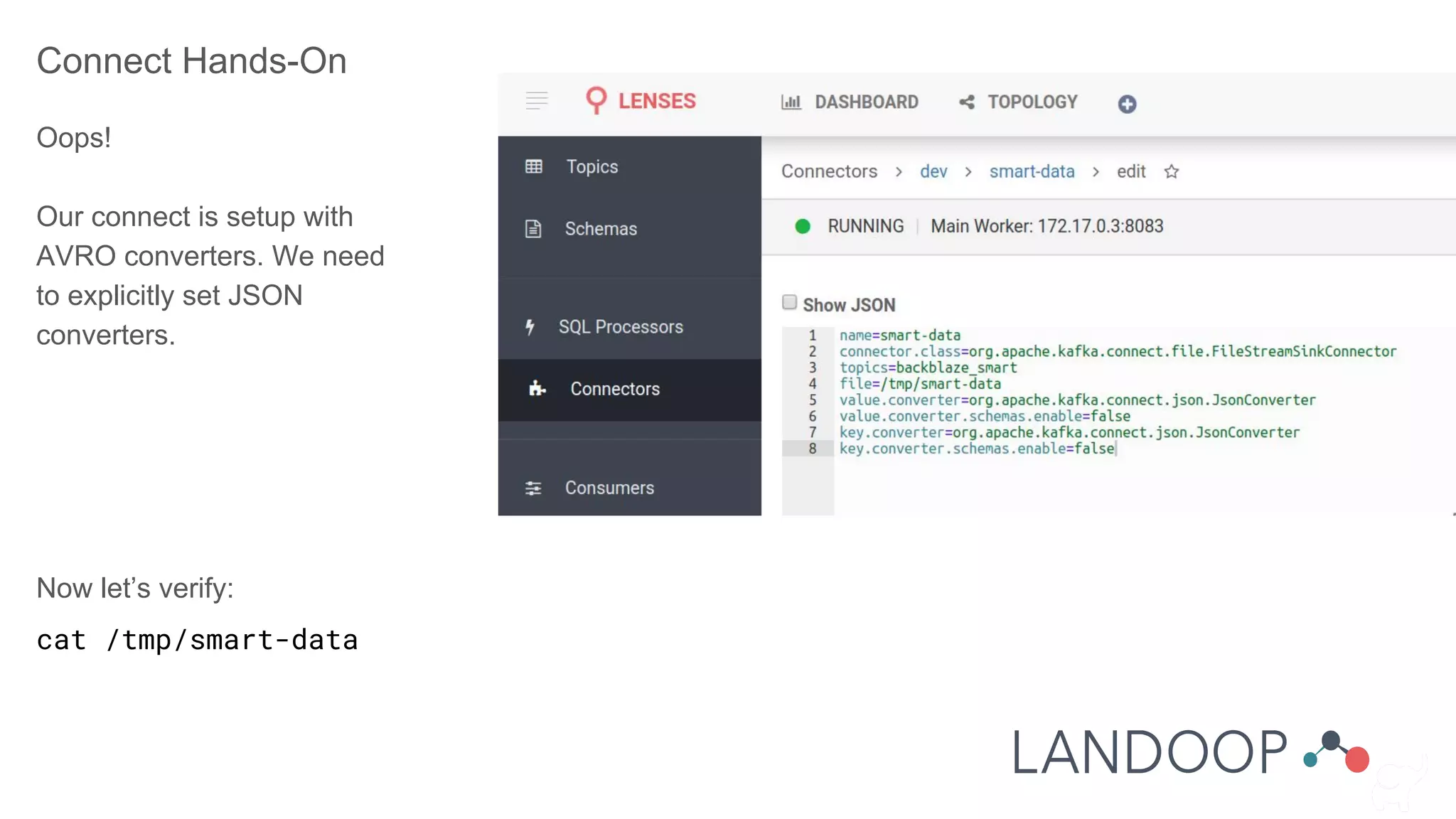
Oops!
Our connect is setup with
AVRO converters. We need
to explicitly set JSON
converters.
Now let’s verify:
cat /tmp/smart-data
Connect Hands-On
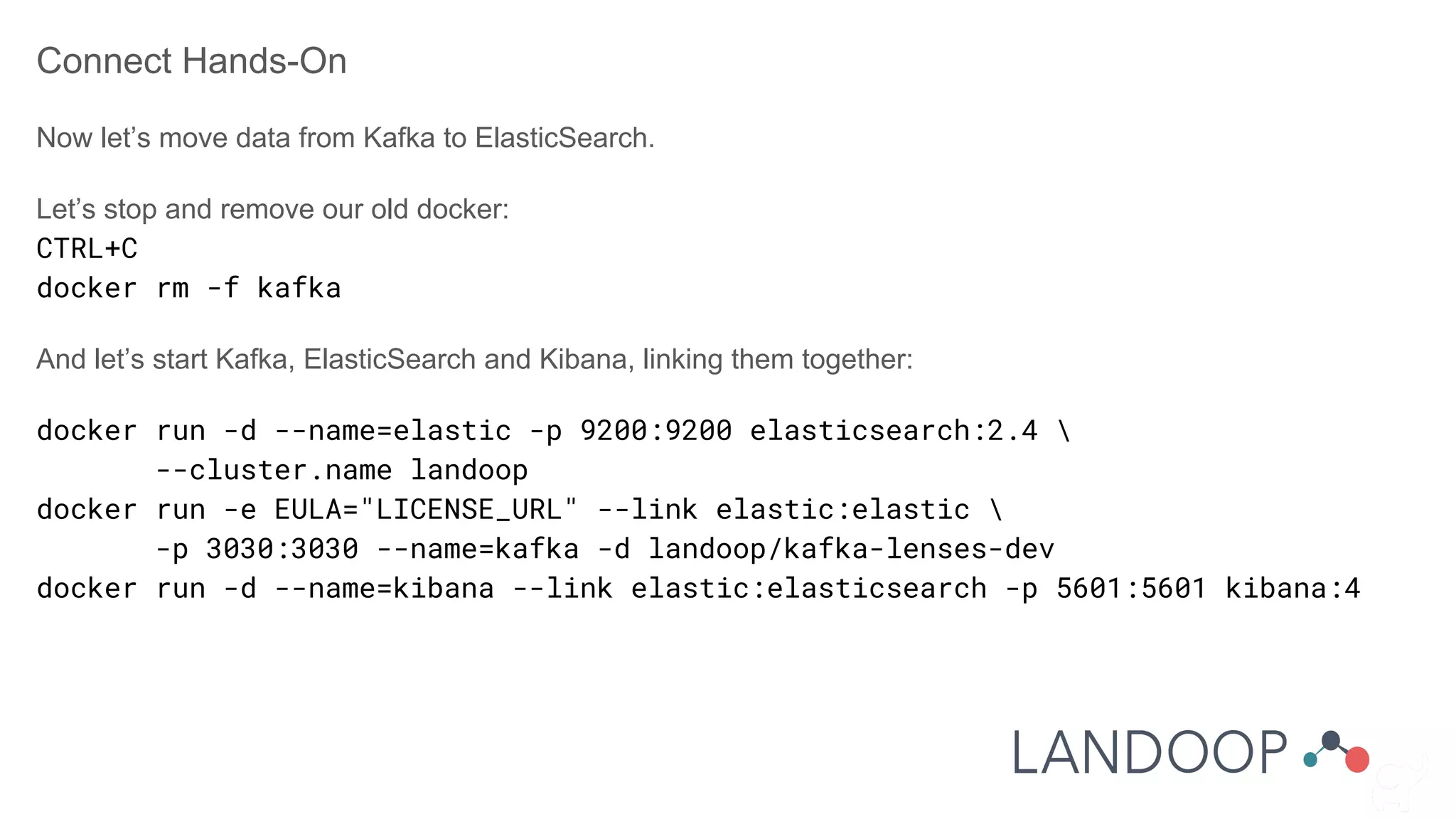
Now let’s move data from Kafka to ElasticSearch.
Let’s stop and remove our old docker:
CTRL+C
docker rm -f kafka
And let’s start Kafka, ElasticSearch and Kibana, linking them together:
docker run -d --name=elastic -p 9200:9200 elasticsearch:2.4 
--cluster.name landoop
docker run -e EULA="LICENSE_URL" --link elastic:elastic 
-p 3030:3030 --name=kafka -d landoop/kafka-lenses-dev
docker run -d --name=kibana --link elastic:elasticsearch -p 5601:5601 kibana:4
Connect Hands-On
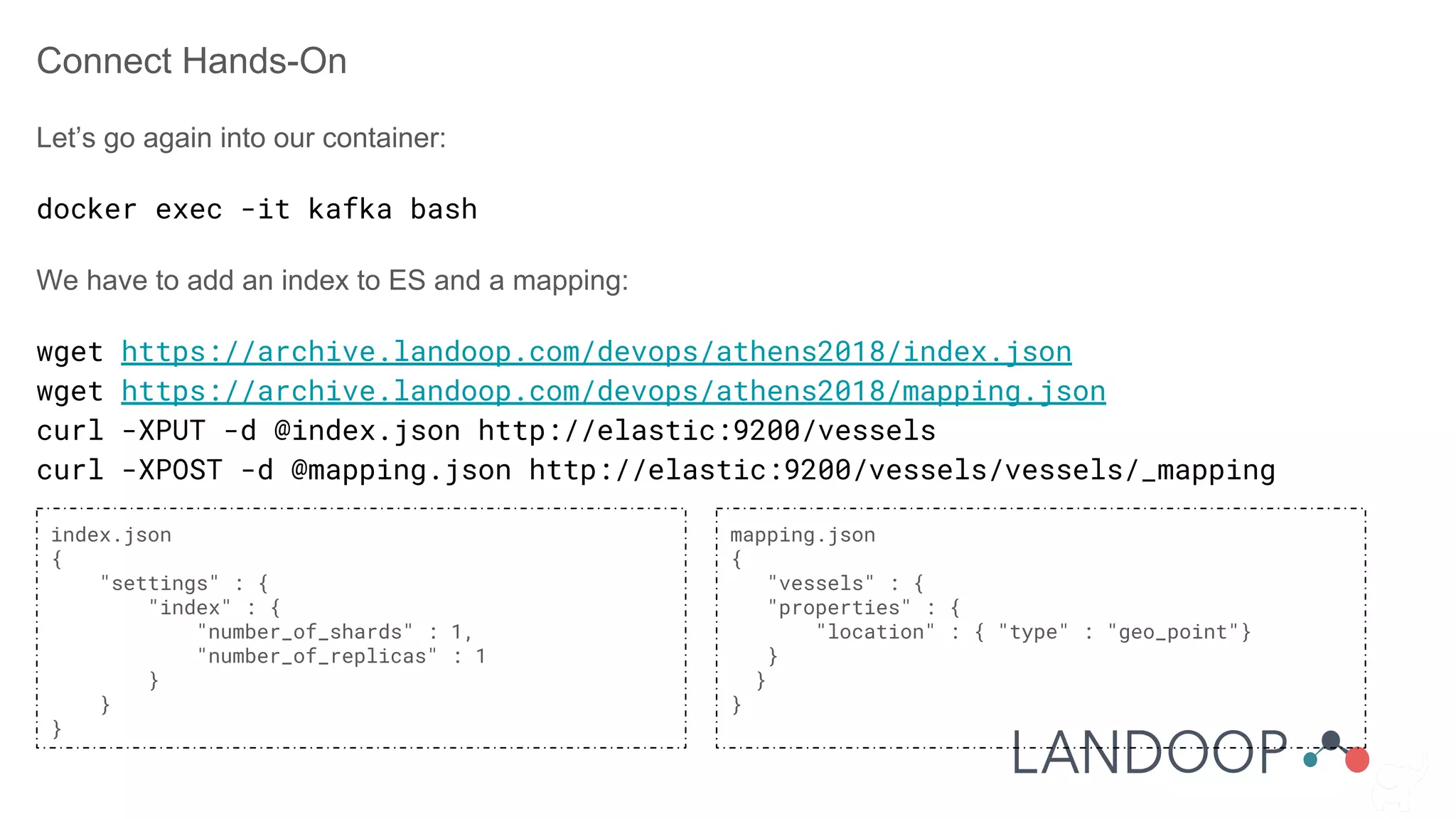
Let’s go again into our container:
docker exec -it kafka bash
We have to add an index to ES and a mapping:
wget https://archive.landoop.com/devops/athens2018/index.json
wget https://archive.landoop.com/devops/athens2018/mapping.json
curl -XPUT -d @index.json http://elastic:9200/vessels
curl -XPOST -d @mapping.json http://elastic:9200/vessels/vessels/_mapping
index.json
{
"settings" : {
"index" : {
"number_of_shards" : 1,
"number_of_replicas" : 1
}
}
}
mapping.json
{
"vessels" : {
"properties" : {
"location" : { "type" : "geo_point"}
}
}
}
Connect Hands-On
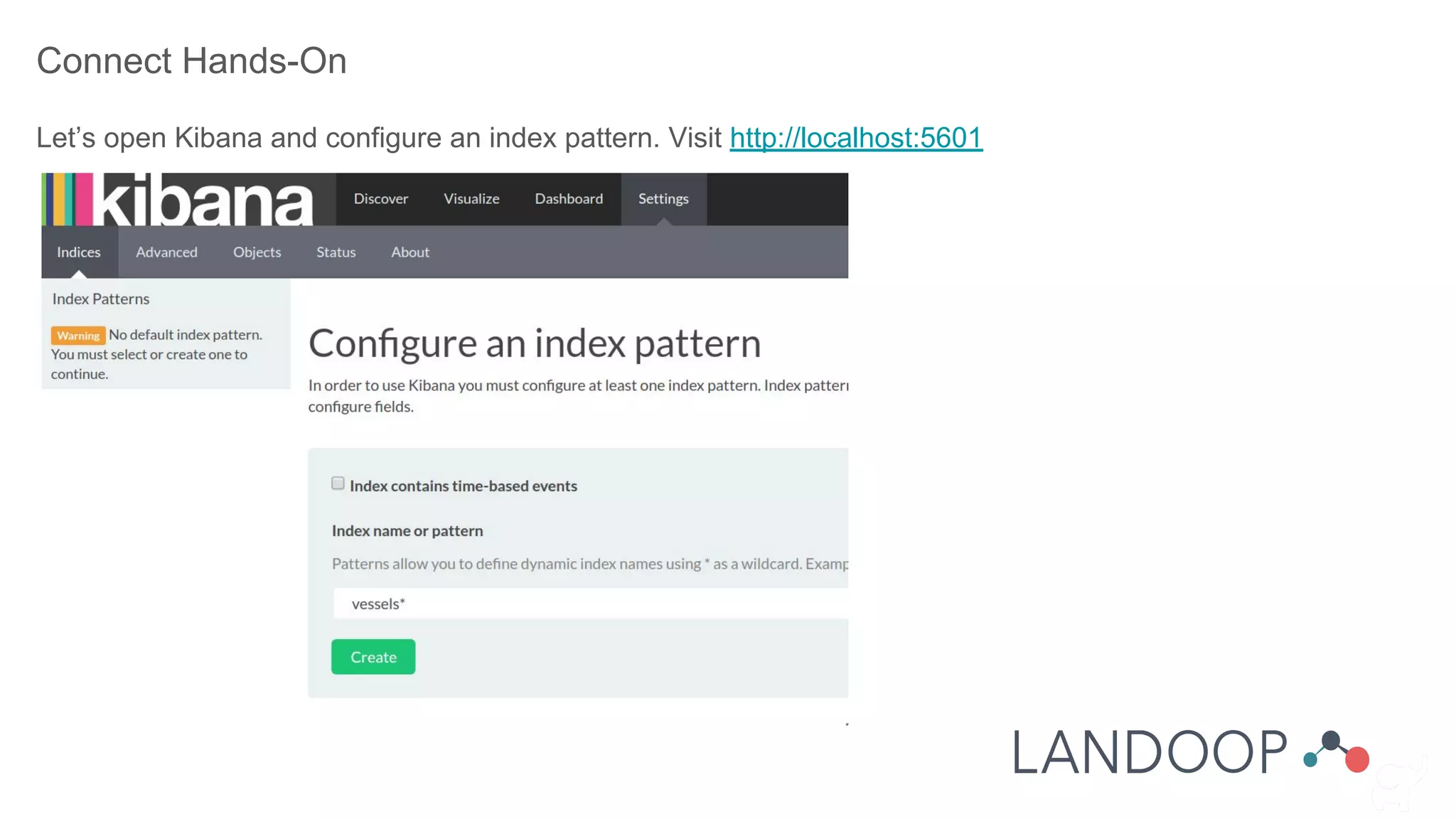
Let’s open Kibana and configure an index pattern. Visit http://localhost:5601
Connect Hands-On
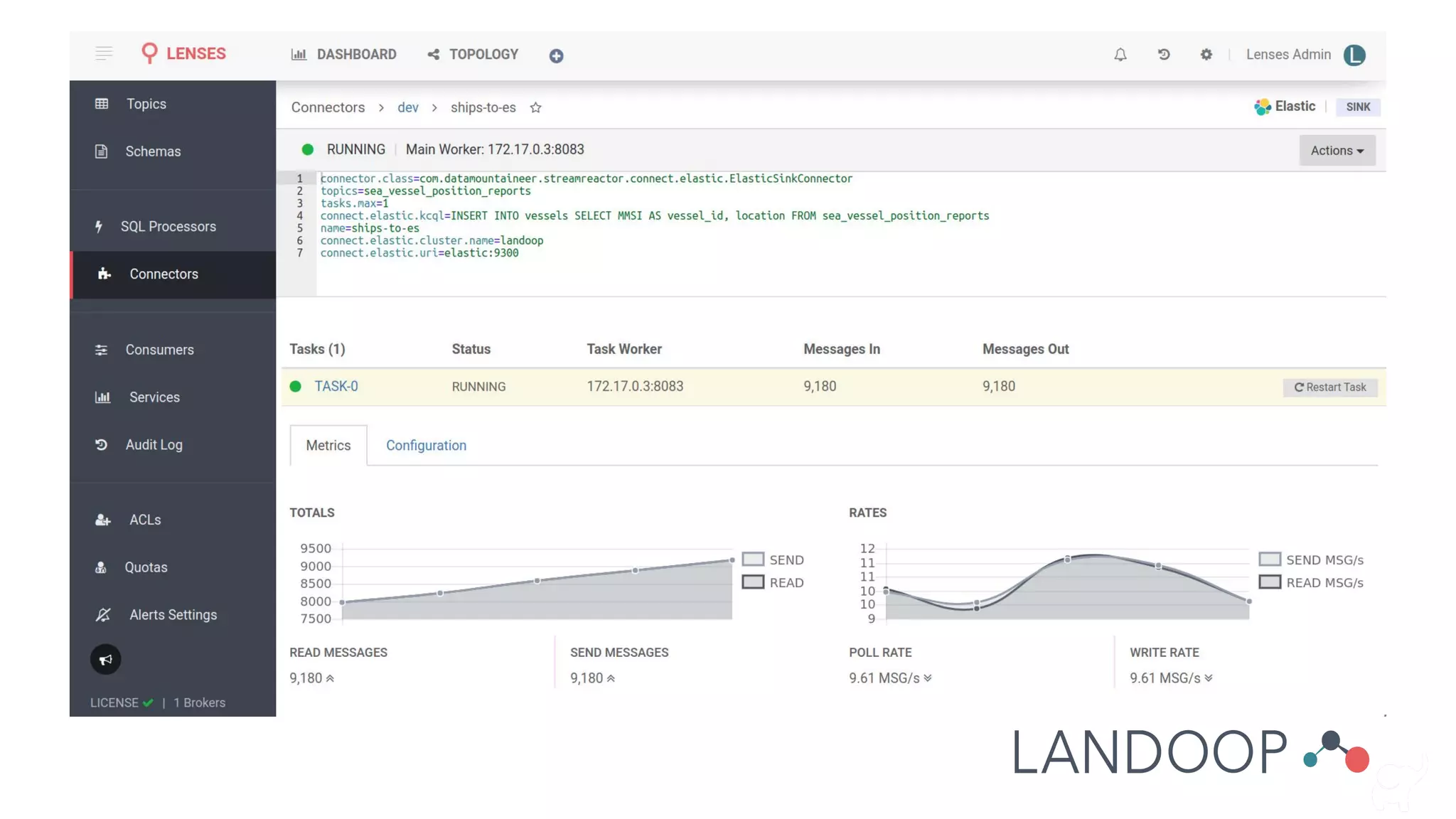
Let’s create our connector via Lenses. Visit http://localhost:3030
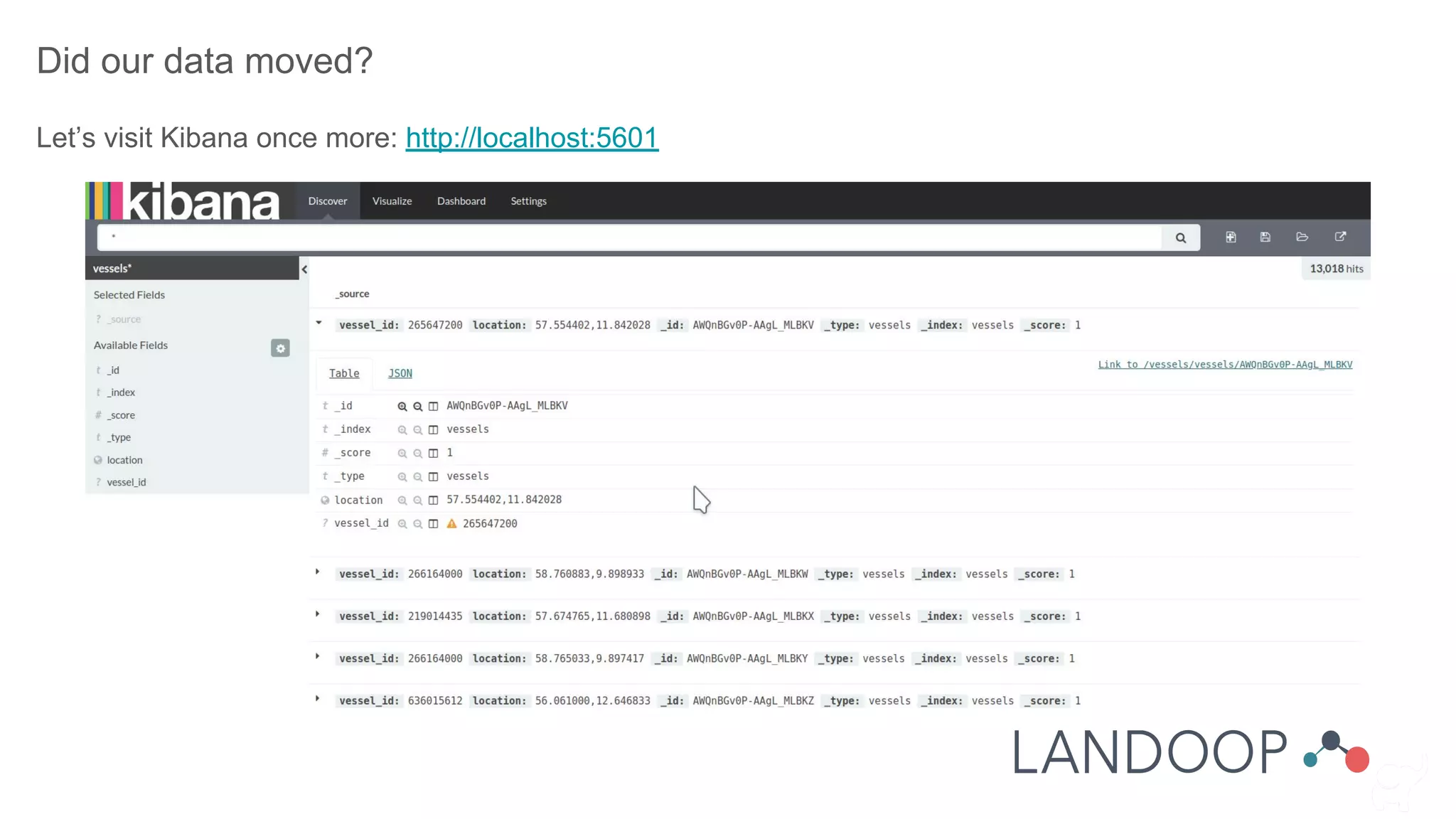
Did our data moved?
Let’s visit Kibana once more: http://localhost:5601
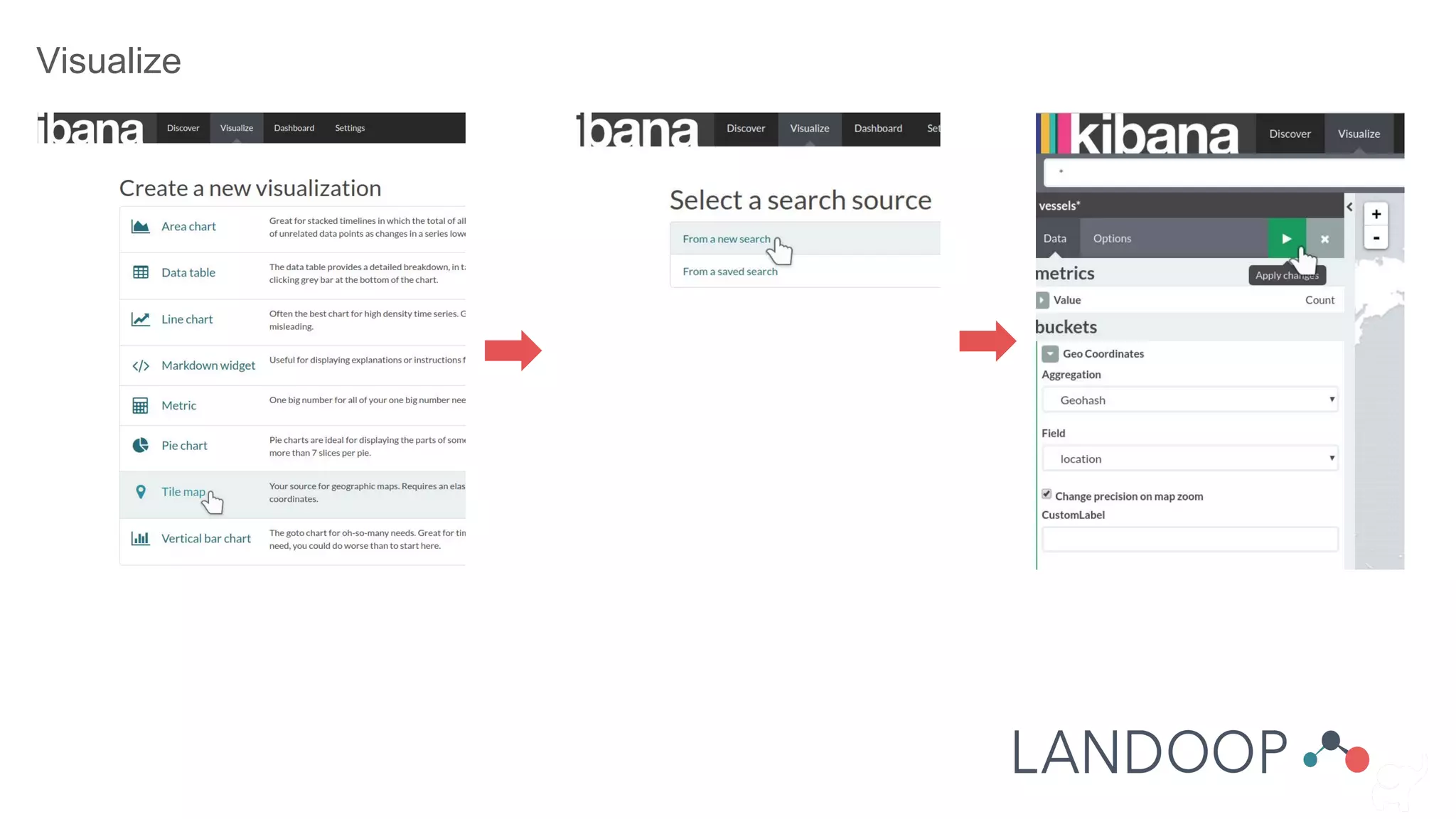
Visualize
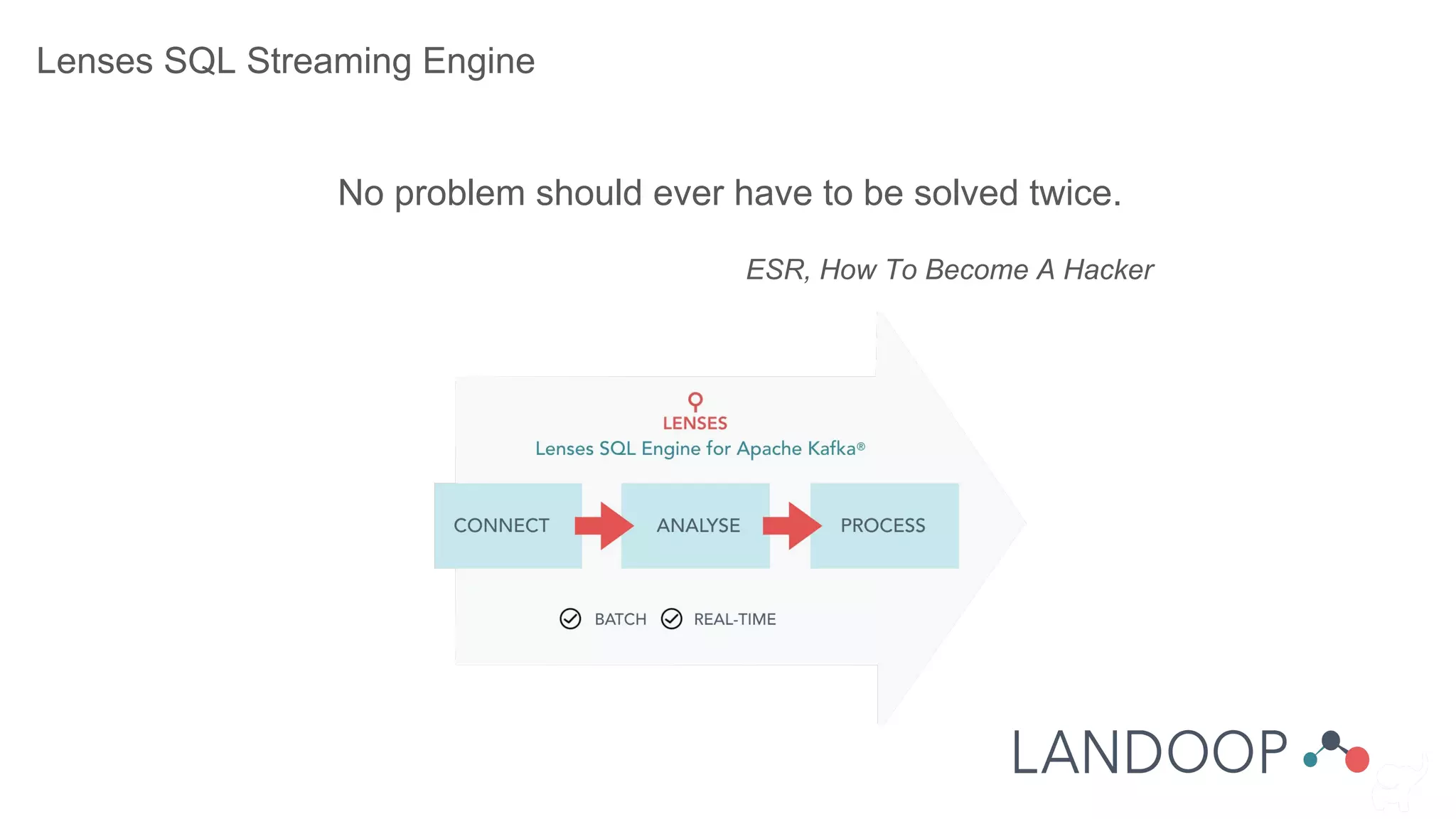
Lenses SQL Streaming Engine
No problem should ever have to be solved twice.
ESR, How To Become A Hacker
Lenses SQL Streaming Engine
Run SQL queries on your streams:
● For data browsing
● For filtering, transforming, running aggregations, etc
Instead of writing a KStream application, a LSQL query is all that needed. Lenses will turn that into a KStream
app and run it in one of 3 run modes:
● In process
● Connect (scalable)
● Kubernetes (ultra scalable)
LSQL works not only with values (data), but with keys and metadata and offers numerous functions.
Lenses SQL Streaming Engine
Makes possible to access the data you need from various sources:
● Kafka (obviously)
● Javascript / REST api
● Python
● Go
● JDBC Driver
Lenses SQL Streaming Engine
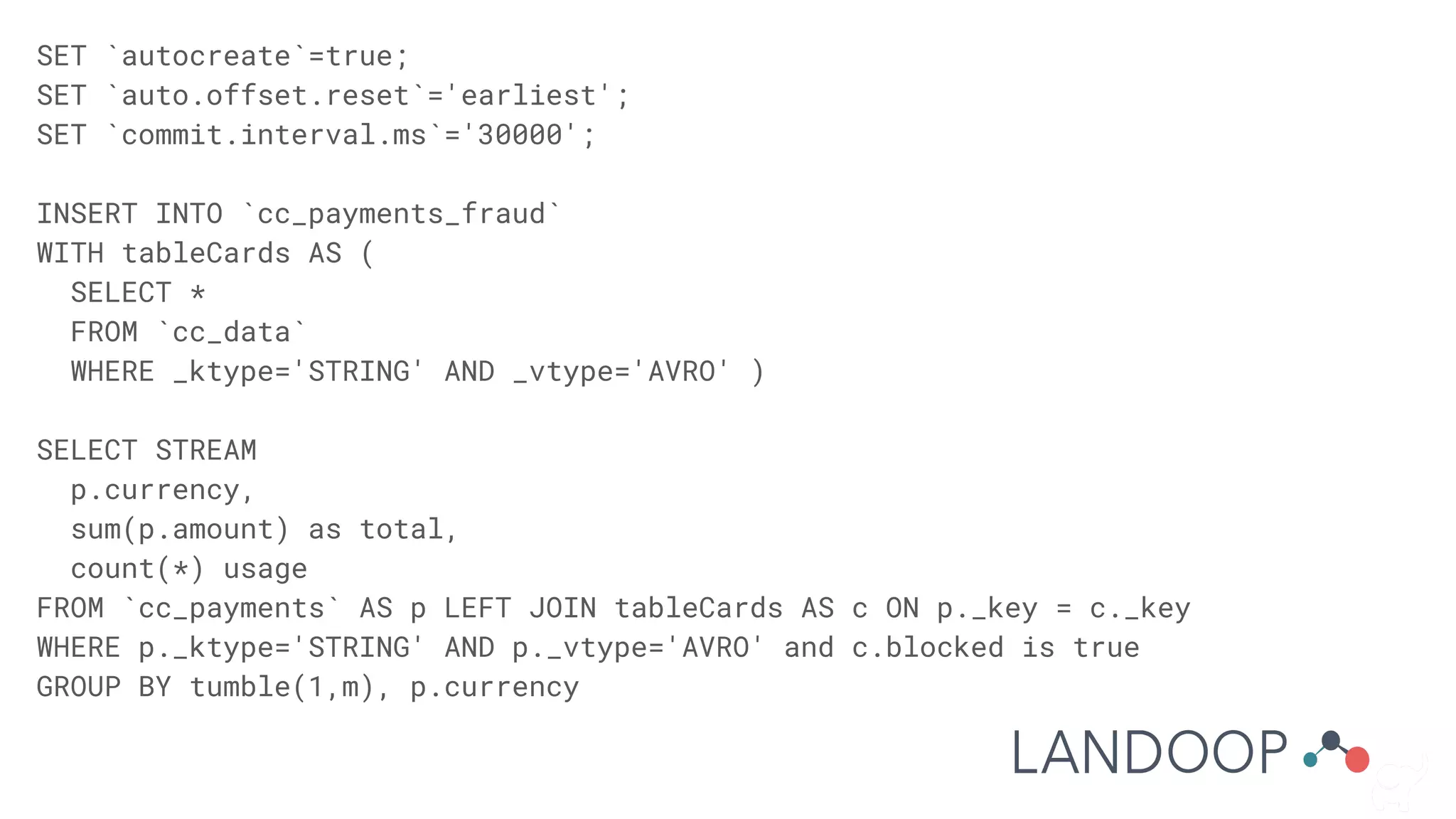
SET `autocreate`=true;
SET `auto.offset.reset`='earliest';
SET `commit.interval.ms`='30000';
INSERT INTO `cc_payments_fraud`
WITH tableCards AS (
SELECT *
FROM `cc_data`
WHERE _ktype='STRING' AND _vtype='AVRO' )
SELECT STREAM
p.currency,
sum(p.amount) as total,
count(*) usage
FROM `cc_payments` AS p LEFT JOIN tableCards AS c ON p._key = c._key
WHERE p._ktype='STRING' AND p._vtype='AVRO' and c.blocked is true
GROUP BY tumble(1,m), p.currency
Advanced Administration
● Security
● Monitoring
● Upgrades
● Scaling
● Cluster Replication
Security
● Authentication
● Authorization
● Encryption on the Wire
● Encryption at rest
● User defined security
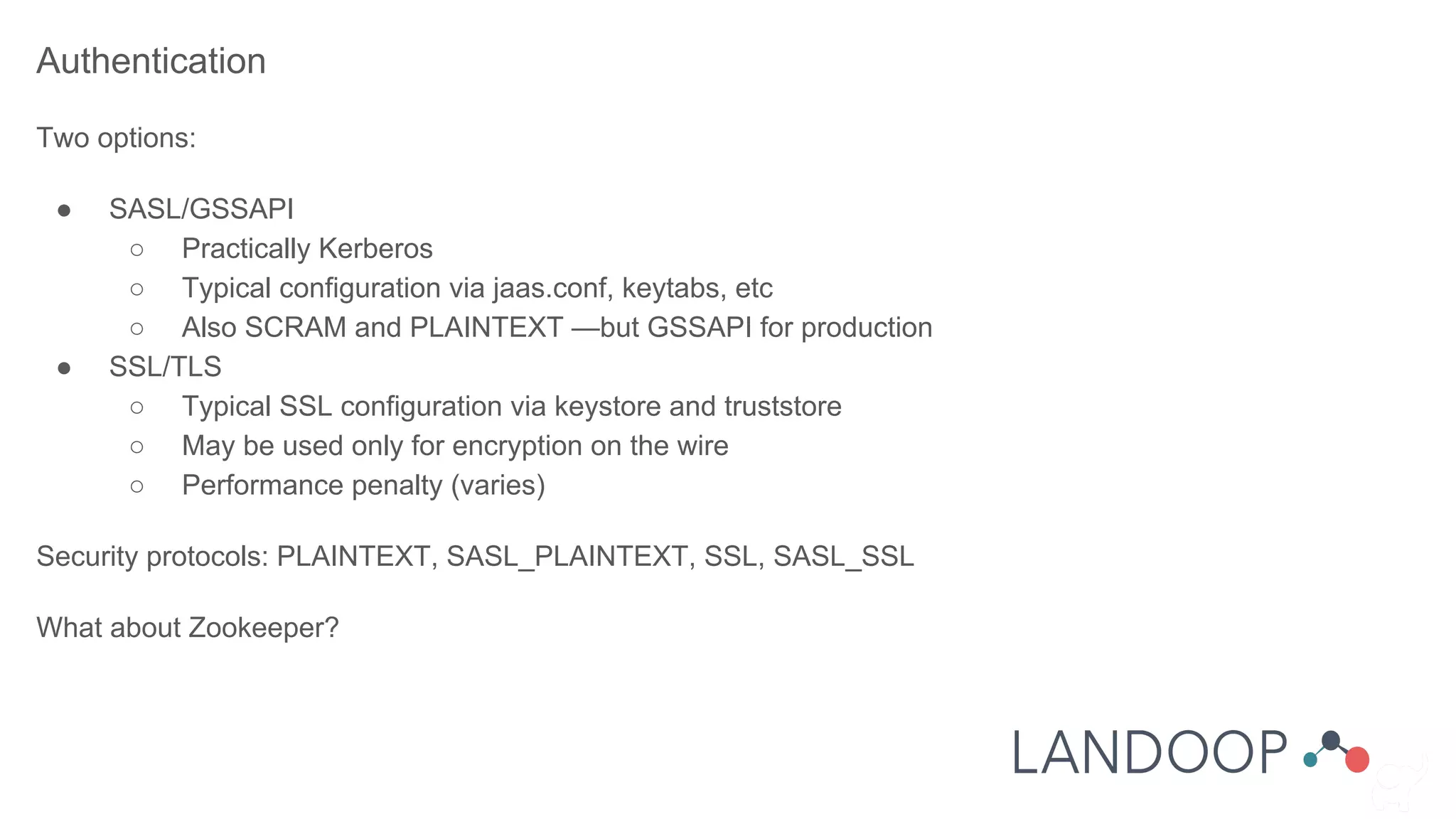
Authentication
Two options:
● SASL/GSSAPI
○ Practically Kerberos
○ Typical configuration via jaas.conf, keytabs, etc
○ Also SCRAM and PLAINTEXT —but GSSAPI for production
● SSL/TLS
○ Typical SSL configuration via keystore and truststore
○ May be used only for encryption on the wire
○ Performance penalty (varies)
Security protocols: PLAINTEXT, SASL_PLAINTEXT, SSL, SASL_SSL
What about Zookeeper?
Authorization
Implemented via ACLs in the form of:
Principal P is [Allowed/Denied] Operation O From Host H On Resource R
● Resources are: topic, consumer group, cluster
● Operations depend on resource: read, write, describe, create, cluster_action
● Principal and host must be an exact match or a wildcard (*)!
Important to know:
● The authorizer is pluggable. The default stores ACLs in zookeeper.
● A principal builder class may be desired.
● Brokers’ principals should be set as super.users.
● Mixed setups are hard to maintain.
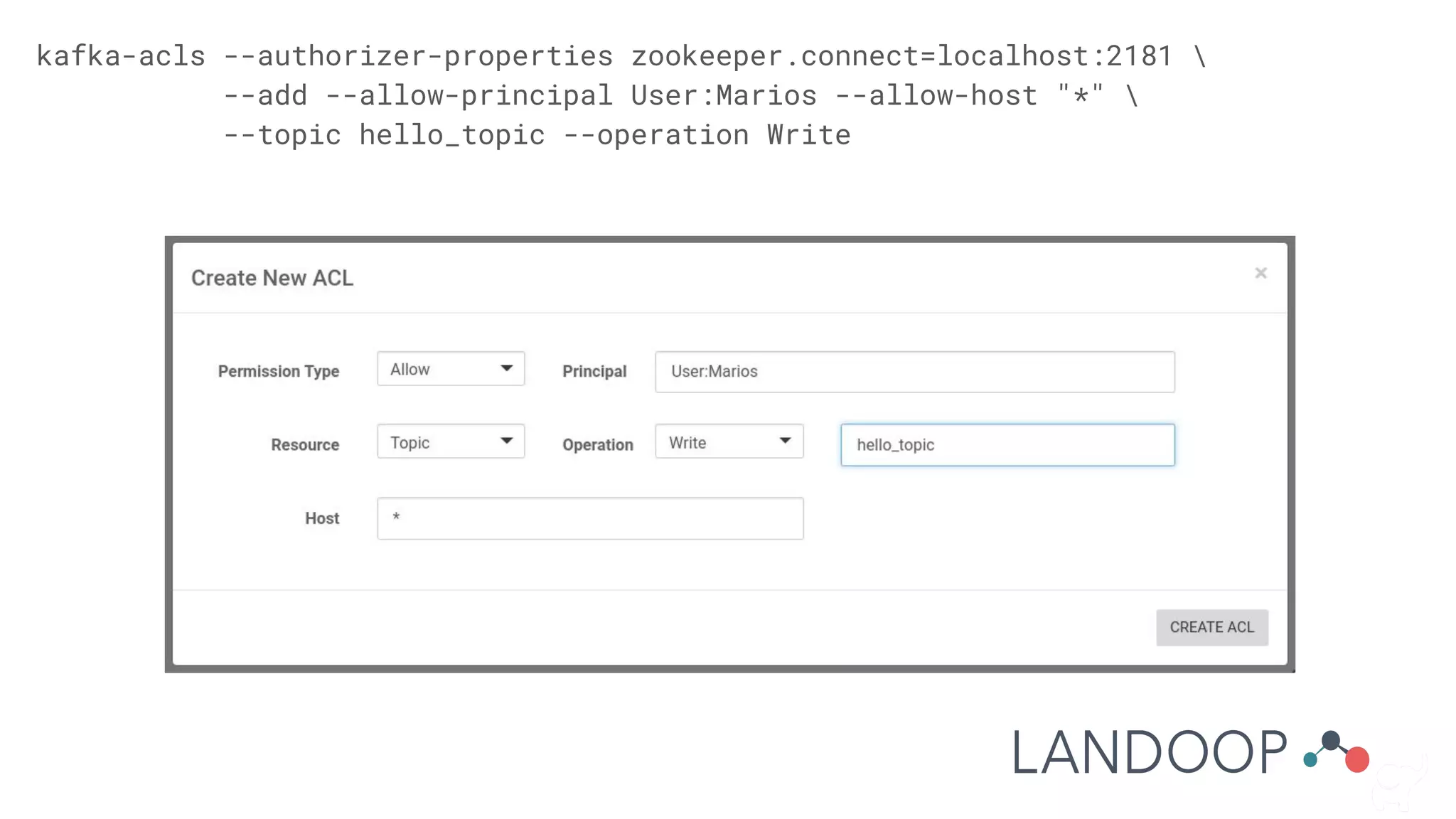
kafka-acls --authorizer-properties zookeeper.connect=localhost:2181 
--add --allow-principal User:Marios --allow-host "*" 
--topic hello_topic --operation Write
Operational Awareness
Metrics
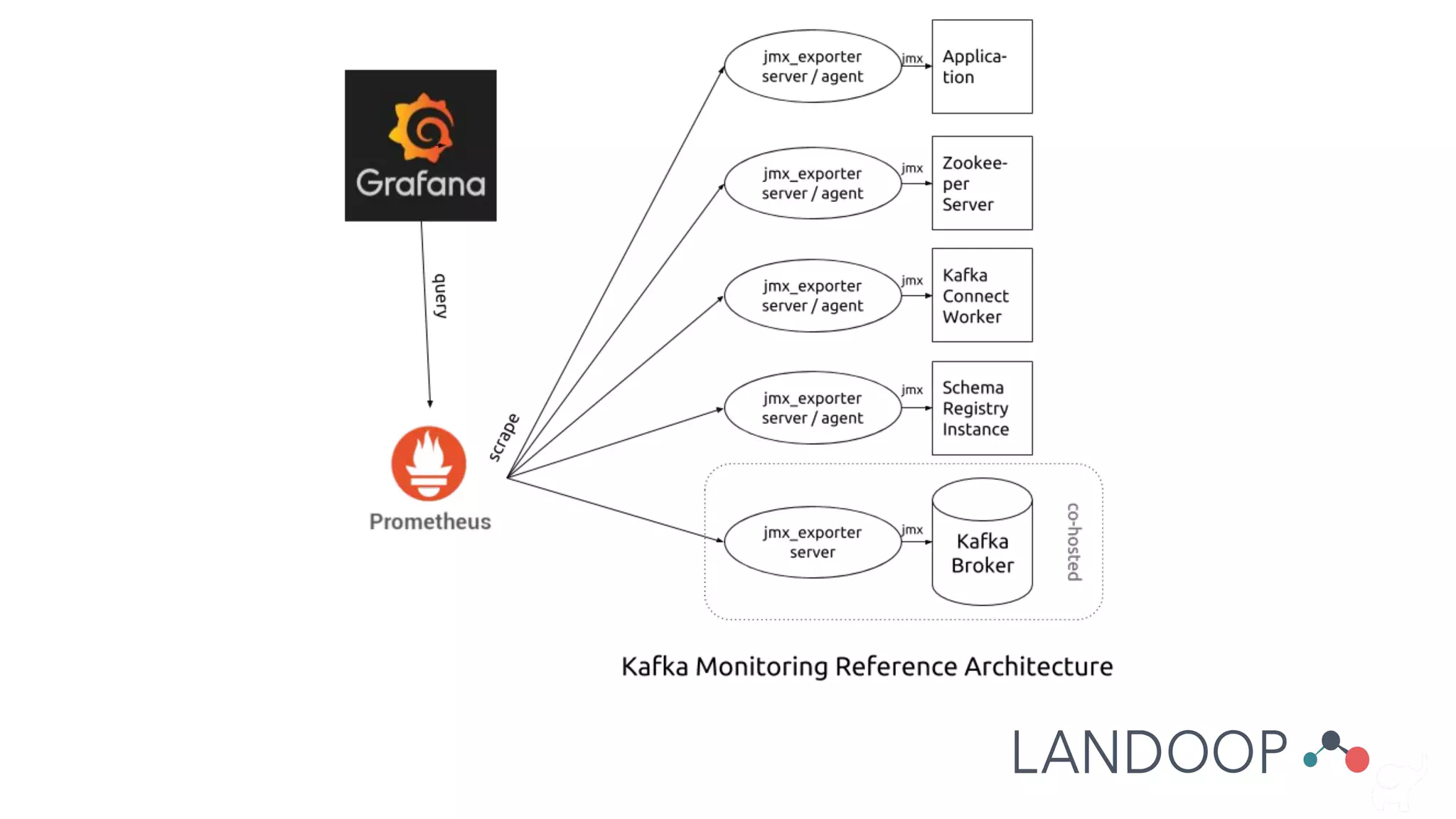
Kafka Brokers and Kafka Clients offer a multitude of operational metrics via JMX.
Monitoring
The process of reading the metrics and optionally storing them into a timeseries datastore, such as
prometheus or graphite.
Alerting
Setting conditions on metrics’ values and other operational details (e.g if a service is online) and triggering
an alert when conditions are met.
Notifications
Make people aware of the alerts depending on the urgency and hierarchy of each.
What about logs?
You should keep an eye to the logs. Kafka is good at hiding issues.
Log management?
Upgrades
Rolling upgrades are the norm.
Between upgrades, only the message format version
and inter broker protocol need care.
baseOffset: int64
batchLength: int32
partitionLeaderEpoch: int32
magic: int8 (current magic value is 2)
crc: int32
attributes: int16
bit 0~2:
0: no compression
1: gzip
2: snappy
3: lz4
bit 3: timestampType
bit 4: isTransactional (0 means not
transactional)
bit 5: isControlBatch (0 means not a control
batch)
bit 6~15: unused
lastOffsetDelta: int32
firstTimestamp: int64
maxTimestamp: int64
producerId: int64
producerEpoch: int16
baseSequence: int32
records: [Record]
Scaling
● Cluster
Manual process
○ add brokers -> move partitions
○ move partitions -> remove brokers
● Topics
You can add partitions but it is a bad idea. Why?
● Producers
Add more, or remove some
● Consumers
Add more members to the group or remove some. Is there a practical limit?
Disaster Mitigation
Extra hard problem
● No simple failover
● You can copy data, what about metadata?
○ Offsets
○ Commit offsets
You can also reach us at:
www.landoop.com
github.com/landoop
twitter.com/landoop
marios@landoop.com
Thank you!
Pizza Time :)

14th Athens Big Data Meetup - Landoop Workshop - Apache Kafka Entering The Streaming World Via Lenses

  • 1.
  • 2.
    Marios Andreopoulos -Leading DevOps Giannis Polyzos - Software Engineer
  • 3.
    Kafka® is usedfor building real-time data pipelines and streaming apps. It is horizontally scalable, fault-tolerant, wicked fast, and runs in production in thousands of companies. What Kafka is?
  • 4.
    What Kafka is? Kafkais a pub-sub system.
  • 5.
  • 6.
    Without Pub/Sub Issues dueto tight coupling readers and writers. Developers: ● Have to maintain multiple protocols ● Complex dependencies ● Hard upgrade path ● … DevOps: ● Have to maintain complex infrastructure (firewalls, debugging, etc) ● Can not easily assign permissions on data streams ● Deployments have complex requirements (e.g update X before Y) ● …
  • 7.
    With Pub/Sub Enter publish/ subscribe systems. Backend Metrics Server Backend NoSQL CRM Recommen der NoSQL #2 Archival Storage Fraud Detection Analytics PUB/SUB
  • 8.
    Kafka is adistributed pub-sub system. What Kafka is? ● CAP theorem ● Assumptions ● Trade Offs ● Failures across the chain ● Repeatability? ● Testing? ● Design your systems and processes around its strong points Know when it is —or isn’t— a good fit ● Stay away from surprises ● Help your developers ● Prototype with your developers ● Debug issues
  • 9.
  • 10.
  • 11.
    ● Plugin basedframework to get data in to and out of Kafka ● Promotes code re-usability via the connectors (plugins) ● Takes care of availability, scaling, edge cases ● Content (schema) aware, converts records on the fly Kafka Connect
  • 12.
  • 13.
    A client libraryfor building applications and microservices where the input and output data are stored in Kafka. ● Per-record processing (low latency) ● Stateless and stateful processing + windowing operations ● Runs within your application (but still scalable/fault tolerant/HA) Kafka Streams API
  • 14.
    ● a messagingbus (or a queue, buffer, storage layer) ● data integration system, part of a data pipeline ● streaming platform What is Kafka Kafka, what is it?
  • 15.
    Let’s learn tospeak Kafka
  • 16.
    Core Kafka Kafka: Distributed, partitioned,replicated commit log service (!) Terminology: ● Messages: data transfer unit ● Brokers: the core server processes ● Producers and Consumers: clients BROKER PRODUCER CONSUMER message message
  • 17.
    Messages Batches of records/ events Records The real data unit of Kafka ● Each record is a key - value tuple ● Kafka treats them as byte arrays ● Each record has an offset, its position in the partition ● Keys determine the partition Message key1 value1 key2 value2 key3 value3 key4 value4 key5 value5 records
  • 18.
    Topics ● Messages gointo topics ● Topics have partitions Partitions ● Partitions are Kafka storage units ● Partitions are how Kafka scales ● Partitions can be replicated ● Brokers host partitions Topic A, Partition 0 Topic B, Partition 0 Broker 1 Topic A, Partition 1 Topic B, Partition 1 Broker 2 Topic A, Partition 2 Topic C, Partition 0 Broker 3
  • 19.
    Partition ● Append only(commit log) -> read/write serially ● Guarantee* order ● Delete and Compact* mode ● Each instance is called replica. There is a leader and followers. ● Availability, consistency, Performance: tradeoffs on the broker and topic settings. ● How we decide which message goes where? Keys! these are the offsets
  • 20.
    Producers ● Produce toa topic ● Assign partitions to messages ● Many can produce to the same topic ● Exactly once semantics ● Transactions ● Partitioning functions Consumers ● Consume from a topic ● Work in groups ● Use Kafka to synchronize group ● Each partition can only be consumed by one member of each consumer group ● Commit offsets in Kafka so they can recover from failure or restart. THE PRODUCER LOOP *Ignore safely for the purpose of this presentation
  • 21.
    Connect ● Sources: connectorsthat bring data into Kafka ● Sinks: connectors that move data out of Kafka ● Workers are connect instances that work in a group ● Tasks: work units that move data in/out of external datastores Data types? ● Connect has an internal representation of data ● Tasks convert this to the external datastore ● Converters convert to the format stored in Kafka
  • 22.
    Streams API ● Workswith records ● Kafka and Connect Semantics: ○ Stream tasks ○ Stream partitions ○ Stream topics ● Local state stores For aggregate, join, windows, etc ● Consumer semantics guarantee failure tolerance
  • 23.
  • 24.
    ● Brokers ● Zookeeper:Synchronization and distributed configuration framework ● Schema Registry: Store AVRO schemas for data ● Connect Distributed ● Lenses (or worse): Software that may extent, manage, monitor, orchestrate Kafka How does a Kafka setup look like?
  • 25.
    How does aKafka setup look like? Components ● Brokers ● Zookeeper ● Schema Registry ● Connect Distributed ● Lenses Cluster of Brokers Producers and Consumers Client Apps Schema Registry Kafka Connect Cluster of Zookeepers Lenses
  • 26.
    Typical setup viaconfiguration files server.properties (broker) broker.id=1 delete.topic.enable=true listeners=PLAINTEXT://:9092 log.dirs=/var/lib/kafka num.partitions=5 zookeeper.connect=10.132.0.2:2181,10.132.0.3:2181, 10.132.0.4:2181/kafka connect.properties (connect worker) bootstrap.servers=10.132.0.4:9092 rest.port=8083 group.id=connect-cluster key.converter=io.confluent.connect.avro.AvroConver ter key.converter.schema.registry.url=http://localhost :8081,http://10.132.0.2:8081 value.converter=io.confluent.connect.avro.AvroConv erter value.converter.schema.registry.url=http://localho st:8081,http://10.132.0.2:8081 config.storage.topic=connect-configs offset.storage.topic=connect-offsets status.storage.topic=connect-statuses
  • 27.
    Common setups Production ● Configurationmanagement Ansible, chef, puppet ● Big data distributions Cloudera, Hortonworks, Landoop CSDs ● Containers Openshift, Kubernetes, Mesos ● Cloud setups Development ● Landoop’s fast-data-dev and Lenses Box ● Configuration files ● Other docker images you are here
  • 28.
    What are wegonna do? ● Setup Lenses Box ● Play around with Kafka in the command line and within Lenses ● Setup Elasticsearch and Kibana ● Move data from Kafka to Elasticsearch via Kafka Connect ● Run LSQL queries against our streams
  • 29.
    Lenses Box ● Fullfledged Kafka Installation: ○ Broker ○ Lenses ○ Zookeeper ○ Connect ○ Schema Registry ○ Connectors ● Run with a single command ● Fully configurable ● Extra goodies (data generators, kafka bash completion) By yours, truly
  • 30.
    Let’s prepare You willrun the lab on your laptop*: ● Open a terminal *If you are not sure, it’s not too late to ask for a VM. :) You will run the lab on a VM: ● Ssh into your VM: ssh user@ip-address ● Become root, install docker: sudo su apt-get update apt-get install docker.io
  • 31.
    Setting things up 1.Download the docker image if you haven’t done so: docker pull landoop/kafka-lenses-dev 2. Get a free license at https://www.landoop.com/downloads/lenses/ 3. Start it up: docker run --rm -p 3030:3030 --name=kafka -e EULA="LICENSE_URL" landoop/kafka-lenses-dev 4. Wait a bit and open http://localhost:3030. Login with admin / admin .
  • 32.
    Back to thebasics! Apache Kafka by default comes with command line tools. Let’s have a look. 1. Open a terminal 2. Go into the docker container: docker exec -it kafka bash
  • 33.
    Show me thetopics! kafka-topics --zookeeper localhost:2181 --list kafka-topics --zookeeper localhost:2181 --topic reddit_posts --describe kafka-topics --zookeeper localhost:2181 --topic _schemas --describe kafka-topics --zookeeper localhost:2181 --create --topic hello_topic --replication-factor 1 --partitions 5
  • 34.
    Produce and Consume Opena second terminal and go into the container (docker exec -it kafka bash). On one terminal: kafka-console-consumer --bootstrap-server localhost:9092 --topic hello_topic On the other terminal: kafka-console-producer --broker-list localhost:9092 --topic hello_topic
  • 35.
    Produce and Consume Stopthe consumer by pressing CTRL+C. Start it again. What do you expect to happen? kafka-console-consumer --bootstrap-server localhost:9092 --topic hello_topic
  • 36.
    Produce and Consume Stopthe consumer once more by pressing CTRL+C. Start it again but instruct it to read from the beginning. kafka-console-consumer --bootstrap-server localhost:9092 --topic hello_topic --from-beginning What happened? Can you explain it?
  • 37.
    Partitions Let’s go seethem up close. cd /data/kafka/logdir ls cd hello_topic-0 kafka-run-class kafka.tools.DumpLogSegments -files 00000000000000000000.log kafka-run-class kafka.tools.DumpLogSegments -files 00000000000000000000.timeindex kafka-run-class kafka.tools.DumpLogSegments --deep-iteration --print-data-log -files 00000000000000000000.log cd ../reddit_posts-0 kafka-run-class kafka.tools.DumpLogSegments -files 00000000000000000000.log What happened to the offsets in the last command?
  • 38.
    There are morecommands Feel free to explore on your own: ● kafka-configs ● kafka-acls ● kafka-producer-perf-test ● kafka-consumer-groups ● kafka-reassign-partitions ● kafka-preferred-replica-election
  • 39.
    One more thing Todevelop with Lenses Box, you need to be able to access it from your host: docker run -e ADV_HOST=127.0.0.1* -p 9092:9092 -p 8081-8083:8081-8083 -p 2181:2181 -p 3030:3030 -e EULA="LICENSE_URL" landoop/kafka-lenses-dev May need to be 192.168.99.100 depending on your OS and docker installation.
  • 40.
    Back to Lenses! Familiarisingwith the low level tools is important. Now let’s check how Lenses offers a new view into Kafka. Visit http://localhost:3030
  • 41.
  • 42.
    Consistency: ● all consumersget the same messages ● producers send in-order, non duplicate messages Availability: ● consumers can always get new messages ● producers can always produce new messages
  • 43.
    Consistency: ● Set replication ●Set min.isr > 1 ● Disable unclean.leader.election ● Set max.in.flight.requests = 1 (producer) ● Manage consumer offsets (consumer) Availability is the opposite! Some Hazards: ● Consumer reads before replication ● Producer writes before previous write is finished ● Consumer reads the same data ● Producer writes the same data
  • 44.
    Performance Set for availability,create with many partitions. Kafka scales linearly for brokers, producers and consumers!
  • 45.
    Connect Hands-On Let’s createa file sink connector.
  • 46.
    Connect Hands-On Oops! Our connectis setup with AVRO converters. We need to explicitly set JSON converters. Now let’s verify: cat /tmp/smart-data
  • 47.
    Connect Hands-On Now let’smove data from Kafka to ElasticSearch. Let’s stop and remove our old docker: CTRL+C docker rm -f kafka And let’s start Kafka, ElasticSearch and Kibana, linking them together: docker run -d --name=elastic -p 9200:9200 elasticsearch:2.4 --cluster.name landoop docker run -e EULA="LICENSE_URL" --link elastic:elastic -p 3030:3030 --name=kafka -d landoop/kafka-lenses-dev docker run -d --name=kibana --link elastic:elasticsearch -p 5601:5601 kibana:4
  • 48.
    Connect Hands-On Let’s goagain into our container: docker exec -it kafka bash We have to add an index to ES and a mapping: wget https://archive.landoop.com/devops/athens2018/index.json wget https://archive.landoop.com/devops/athens2018/mapping.json curl -XPUT -d @index.json http://elastic:9200/vessels curl -XPOST -d @mapping.json http://elastic:9200/vessels/vessels/_mapping index.json { "settings" : { "index" : { "number_of_shards" : 1, "number_of_replicas" : 1 } } } mapping.json { "vessels" : { "properties" : { "location" : { "type" : "geo_point"} } } }
  • 49.
    Connect Hands-On Let’s openKibana and configure an index pattern. Visit http://localhost:5601
  • 50.
    Connect Hands-On Let’s createour connector via Lenses. Visit http://localhost:3030
  • 52.
    Did our datamoved? Let’s visit Kibana once more: http://localhost:5601
  • 53.
  • 54.
    Lenses SQL StreamingEngine No problem should ever have to be solved twice. ESR, How To Become A Hacker
  • 55.
    Lenses SQL StreamingEngine Run SQL queries on your streams: ● For data browsing ● For filtering, transforming, running aggregations, etc Instead of writing a KStream application, a LSQL query is all that needed. Lenses will turn that into a KStream app and run it in one of 3 run modes: ● In process ● Connect (scalable) ● Kubernetes (ultra scalable) LSQL works not only with values (data), but with keys and metadata and offers numerous functions.
  • 56.
    Lenses SQL StreamingEngine Makes possible to access the data you need from various sources: ● Kafka (obviously) ● Javascript / REST api ● Python ● Go ● JDBC Driver
  • 57.
  • 58.
    SET `autocreate`=true; SET `auto.offset.reset`='earliest'; SET`commit.interval.ms`='30000'; INSERT INTO `cc_payments_fraud` WITH tableCards AS ( SELECT * FROM `cc_data` WHERE _ktype='STRING' AND _vtype='AVRO' ) SELECT STREAM p.currency, sum(p.amount) as total, count(*) usage FROM `cc_payments` AS p LEFT JOIN tableCards AS c ON p._key = c._key WHERE p._ktype='STRING' AND p._vtype='AVRO' and c.blocked is true GROUP BY tumble(1,m), p.currency
  • 59.
    Advanced Administration ● Security ●Monitoring ● Upgrades ● Scaling ● Cluster Replication
  • 60.
    Security ● Authentication ● Authorization ●Encryption on the Wire ● Encryption at rest ● User defined security
  • 61.
    Authentication Two options: ● SASL/GSSAPI ○Practically Kerberos ○ Typical configuration via jaas.conf, keytabs, etc ○ Also SCRAM and PLAINTEXT —but GSSAPI for production ● SSL/TLS ○ Typical SSL configuration via keystore and truststore ○ May be used only for encryption on the wire ○ Performance penalty (varies) Security protocols: PLAINTEXT, SASL_PLAINTEXT, SSL, SASL_SSL What about Zookeeper?
  • 62.
    Authorization Implemented via ACLsin the form of: Principal P is [Allowed/Denied] Operation O From Host H On Resource R ● Resources are: topic, consumer group, cluster ● Operations depend on resource: read, write, describe, create, cluster_action ● Principal and host must be an exact match or a wildcard (*)! Important to know: ● The authorizer is pluggable. The default stores ACLs in zookeeper. ● A principal builder class may be desired. ● Brokers’ principals should be set as super.users. ● Mixed setups are hard to maintain.
  • 63.
    kafka-acls --authorizer-properties zookeeper.connect=localhost:2181 --add --allow-principal User:Marios --allow-host "*" --topic hello_topic --operation Write
  • 64.
    Operational Awareness Metrics Kafka Brokersand Kafka Clients offer a multitude of operational metrics via JMX. Monitoring The process of reading the metrics and optionally storing them into a timeseries datastore, such as prometheus or graphite. Alerting Setting conditions on metrics’ values and other operational details (e.g if a service is online) and triggering an alert when conditions are met. Notifications Make people aware of the alerts depending on the urgency and hierarchy of each.
  • 66.
    What about logs? Youshould keep an eye to the logs. Kafka is good at hiding issues. Log management?
  • 67.
    Upgrades Rolling upgrades arethe norm. Between upgrades, only the message format version and inter broker protocol need care. baseOffset: int64 batchLength: int32 partitionLeaderEpoch: int32 magic: int8 (current magic value is 2) crc: int32 attributes: int16 bit 0~2: 0: no compression 1: gzip 2: snappy 3: lz4 bit 3: timestampType bit 4: isTransactional (0 means not transactional) bit 5: isControlBatch (0 means not a control batch) bit 6~15: unused lastOffsetDelta: int32 firstTimestamp: int64 maxTimestamp: int64 producerId: int64 producerEpoch: int16 baseSequence: int32 records: [Record]
  • 68.
    Scaling ● Cluster Manual process ○add brokers -> move partitions ○ move partitions -> remove brokers ● Topics You can add partitions but it is a bad idea. Why? ● Producers Add more, or remove some ● Consumers Add more members to the group or remove some. Is there a practical limit?
  • 69.
    Disaster Mitigation Extra hardproblem ● No simple failover ● You can copy data, what about metadata? ○ Offsets ○ Commit offsets
  • 70.
    You can alsoreach us at: www.landoop.com github.com/landoop twitter.com/landoop marios@landoop.com
  • 71.