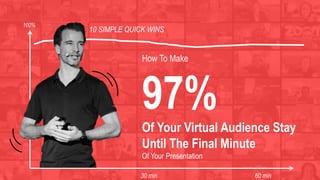
How To Make
97%
Of Your Virtual Audience Stay
Until The Final Minute
Of Your Presentation
10 SIMPLE QUICK WINS
30 min 60 min
100%
The very last tip is really the
one that makes the biggest
difference. Please make sure
you don’t miss it…
Spoiler Alert
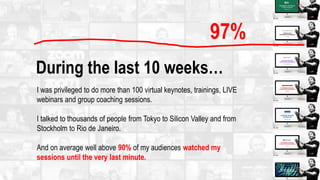
During the last 10 weeks…
I was privileged to do more than 100 virtual keynotes, trainings, LIVE
webinars and group coaching sessions.
I talked to thousands of people from Tokyo to Silicon Valley and from
Stockholm to Rio de Janeiro.
And on average well above 90% of my audiences watched my
sessions until the very last minute.
97%
On Screen Charisma
and the ability to inspire and engage people
virtually via camera is becoming an
increasingly important leadership skill.
Here are my 12 best tips that will help you
make your audience stay till the end of
your virtual sessions…
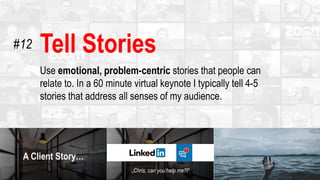
Tell Stories
Use emotional, problem-centric stories that people can
relate to. In a 60 minute virtual keynote I typically tell 4-5
stories that address all senses of my audience.
#12
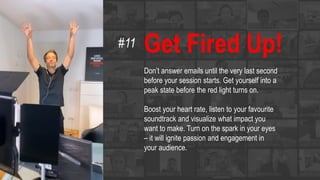
Get Fired Up!
Don’t answer emails until the very last second
before your session starts. Get yourself into a
peak state before the red light turns on.
Boost your heart rate, listen to your favourite
soundtrack and visualize what impact you
want to make. Turn on the spark in your eyes
– it will ignite passion and engagement in
your audience.
#11
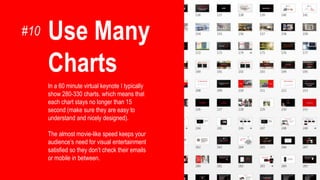
Use Many
Charts
In a 60 minute virtual keynote I typically
show 280-330 charts. which means that
each chart stays no longer than 15
second (make sure they are easy to
understand and nicely designed).
The almost movie-like speed keeps your
audience’s need for visual entertainment
satisfied so they don’t check their emails
or mobile in between.
#10
Give People A Reason
To Stay
At the beginning of every virtual session I highlight what additional value
people get when they stay to the very end. This could be a Q&A session in
which you answer every single question or leave your personal email
address for more questions; a special surprise or bonus or the most
important learning message.
In real life people don’t leave a conference room so easily (you have to be
really bad if they do!) but in the virtual space the exit is only one click away
and the distraction way stronger.
Curiosity and/or high value are key!
#9
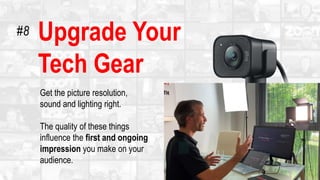
Upgrade Your
Tech Gear
Get the picture resolution,
sound and lighting right.
The quality of these things
influence the first and ongoing
impression you make on your
audience.
#8
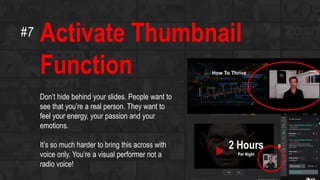
Activate Thumbnail
Function
Don’t hide behind your slides. People want to
see that you’re a real person. They want to
feel your energy, your passion and your
emotions.
It’s so much harder to bring this across with
voice only. You’re a visual performer not a
radio voice!
#7
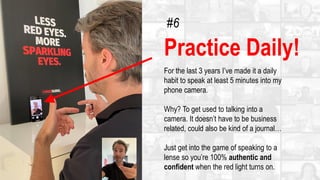
Practice Daily!
For the last 3 years I’ve made it a daily
habit to speak at least 5 minutes into my
phone camera.
Why? To get used to talking into a
camera. It doesn’t have to be business
related, could also be kind of a journal…
Just get into the game of speaking to a
lense so you’re 100% authentic and
confident when the red light turns on.
#6
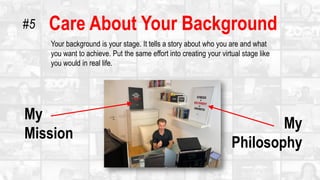
Care About Your Background
Your background is your stage. It tells a story about who you are and what
you want to achieve. Put the same effort into creating your virtual stage like
you would in real life.
My
Mission
My
Philosophy
#5
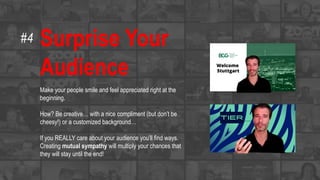
Surprise Your
Audience
Make your people smile and feel appreciated right at the
beginning.
How? Be creative… with a nice compliment (but don’t be
cheesy!) or a customized background…
If you REALLY care about your audience you’ll find ways.
Creating mutual sympathy will multiply your chances that
they will stay until the end!
#4
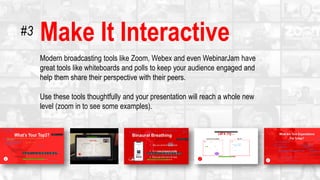
Make It Interactive
Modern broadcasting tools like Zoom, Webex and even WebinarJam have
great tools like whiteboards and polls to keep your audience engaged and
help them share their perspective with their peers.
Use these tools thoughtfully and your presentation will reach a whole new
level (zoom in to see some examples).
#3
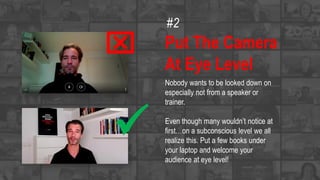
Put The Camera
At Eye Level
Nobody wants to be looked down on
especially not from a speaker or
trainer.
Even though many wouldn’t notice at
first…on a subconscious level we all
realize this. Put a few books under
your laptop and welcome your
audience at eye level!

x
#2
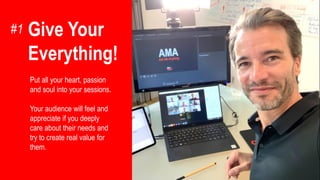
Give Your
Everything!
Put all your heart, passion
and soul into your sessions.
Your audience will feel and
appreciate if you deeply
care about their needs and
try to create real value for
them.
#1
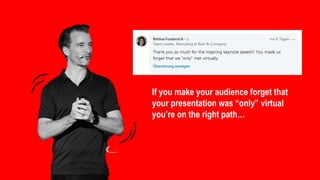
If you make your audience forget that
your presentation was “only” virtual
you’re on the right path…
Please share
with someone
who might find it
valuable.
Thank you
for your precious
attention!

12 Virtual Keynote Tipps

  • 1.
    How To Make 97% OfYour Virtual Audience Stay Until The Final Minute Of Your Presentation 10 SIMPLE QUICK WINS 30 min 60 min 100%
  • 2.
    The very lasttip is really the one that makes the biggest difference. Please make sure you don’t miss it… Spoiler Alert
  • 3.
    During the last10 weeks… I was privileged to do more than 100 virtual keynotes, trainings, LIVE webinars and group coaching sessions. I talked to thousands of people from Tokyo to Silicon Valley and from Stockholm to Rio de Janeiro. And on average well above 90% of my audiences watched my sessions until the very last minute. 97%
  • 4.
    On Screen Charisma andthe ability to inspire and engage people virtually via camera is becoming an increasingly important leadership skill. Here are my 12 best tips that will help you make your audience stay till the end of your virtual sessions…
  • 5.
    Tell Stories Use emotional,problem-centric stories that people can relate to. In a 60 minute virtual keynote I typically tell 4-5 stories that address all senses of my audience. #12
  • 6.
    Get Fired Up! Don’tanswer emails until the very last second before your session starts. Get yourself into a peak state before the red light turns on. Boost your heart rate, listen to your favourite soundtrack and visualize what impact you want to make. Turn on the spark in your eyes – it will ignite passion and engagement in your audience. #11
  • 7.
    Use Many Charts In a60 minute virtual keynote I typically show 280-330 charts. which means that each chart stays no longer than 15 second (make sure they are easy to understand and nicely designed). The almost movie-like speed keeps your audience’s need for visual entertainment satisfied so they don’t check their emails or mobile in between. #10
  • 8.
    Give People AReason To Stay At the beginning of every virtual session I highlight what additional value people get when they stay to the very end. This could be a Q&A session in which you answer every single question or leave your personal email address for more questions; a special surprise or bonus or the most important learning message. In real life people don’t leave a conference room so easily (you have to be really bad if they do!) but in the virtual space the exit is only one click away and the distraction way stronger. Curiosity and/or high value are key! #9
  • 9.
    Upgrade Your Tech Gear Getthe picture resolution, sound and lighting right. The quality of these things influence the first and ongoing impression you make on your audience. #8
  • 10.
    Activate Thumbnail Function Don’t hidebehind your slides. People want to see that you’re a real person. They want to feel your energy, your passion and your emotions. It’s so much harder to bring this across with voice only. You’re a visual performer not a radio voice! #7
  • 11.
    Practice Daily! For thelast 3 years I’ve made it a daily habit to speak at least 5 minutes into my phone camera. Why? To get used to talking into a camera. It doesn’t have to be business related, could also be kind of a journal… Just get into the game of speaking to a lense so you’re 100% authentic and confident when the red light turns on. #6
  • 12.
    Care About YourBackground Your background is your stage. It tells a story about who you are and what you want to achieve. Put the same effort into creating your virtual stage like you would in real life. My Mission My Philosophy #5
  • 13.
    Surprise Your Audience Make yourpeople smile and feel appreciated right at the beginning. How? Be creative… with a nice compliment (but don’t be cheesy!) or a customized background… If you REALLY care about your audience you’ll find ways. Creating mutual sympathy will multiply your chances that they will stay until the end! #4
  • 14.
    Make It Interactive Modernbroadcasting tools like Zoom, Webex and even WebinarJam have great tools like whiteboards and polls to keep your audience engaged and help them share their perspective with their peers. Use these tools thoughtfully and your presentation will reach a whole new level (zoom in to see some examples). #3
  • 15.
    Put The Camera AtEye Level Nobody wants to be looked down on especially not from a speaker or trainer. Even though many wouldn’t notice at first…on a subconscious level we all realize this. Put a few books under your laptop and welcome your audience at eye level!  x #2
  • 16.
    Give Your Everything! Put allyour heart, passion and soul into your sessions. Your audience will feel and appreciate if you deeply care about their needs and try to create real value for them. #1
  • 17.
    If you makeyour audience forget that your presentation was “only” virtual you’re on the right path…
  • 18.
    Please share with someone whomight find it valuable.
  • 19.
    Thank you for yourprecious attention!