Perl Programming
                 Course
       IO, Streams, Files and Directories


Krassimir Berov

I-can.eu
Contents
1. Input and output of scalar data
2. Filehandles
3. STDIN, STDOUT and STDERR
4. Input and output of complex data
5. Opening, closing, reading and writing files
6. File manipulations
7. Directory browsing and manipulations
8. File-test operators
IO of scalar data
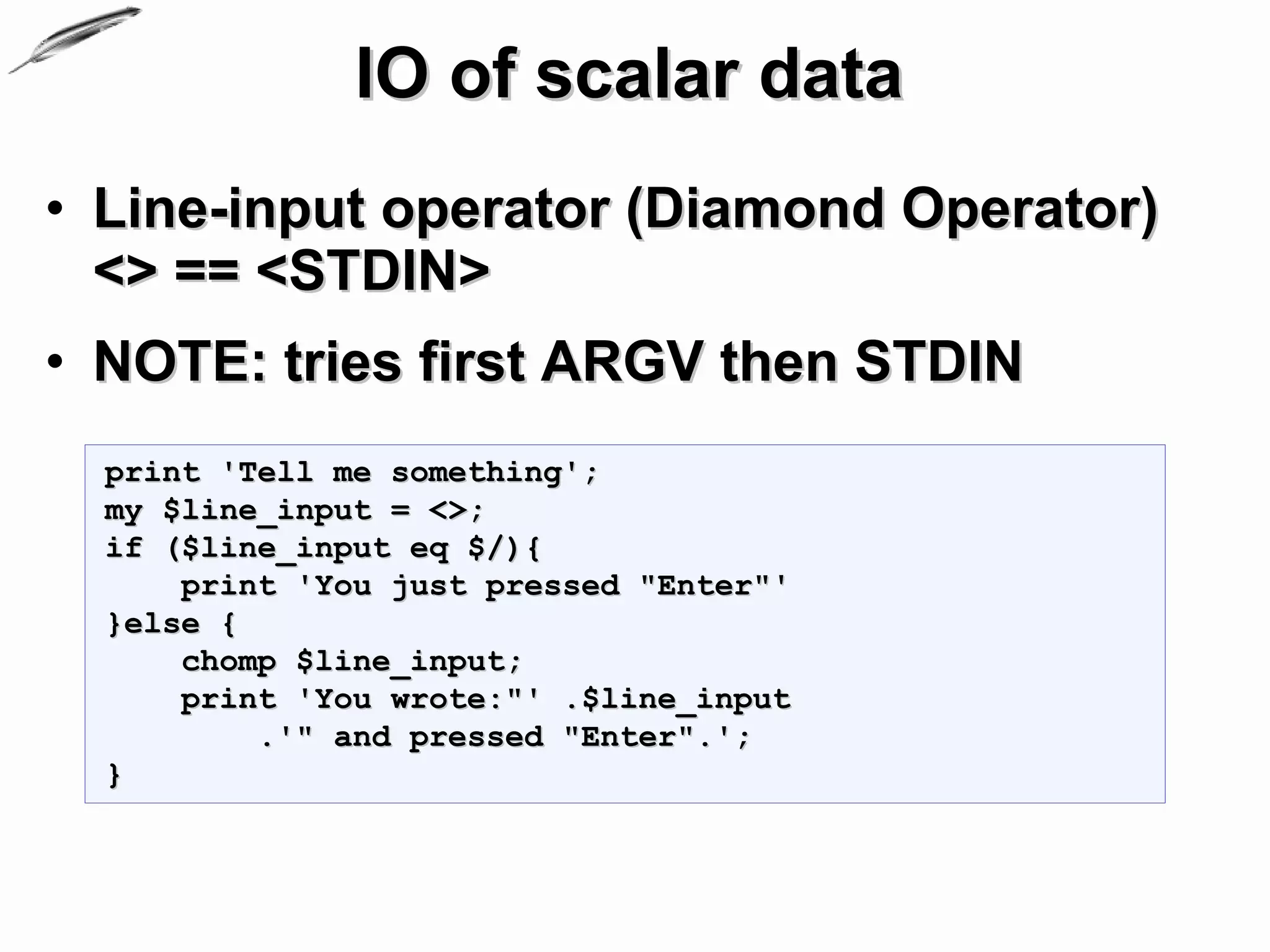
• Line-input operator (Diamond Operator)
  <> == <STDIN>
• NOTE: tries first ARGV then STDIN
  print 'Tell me something';
  my $line_input = <>;
  if ($line_input eq $/){
      print 'You just pressed "Enter"'
  }else {
      chomp $line_input;
      print 'You wrote:"' .$line_input
          .'" and pressed "Enter".';
  }
IO and scalar data
                                                            (2)
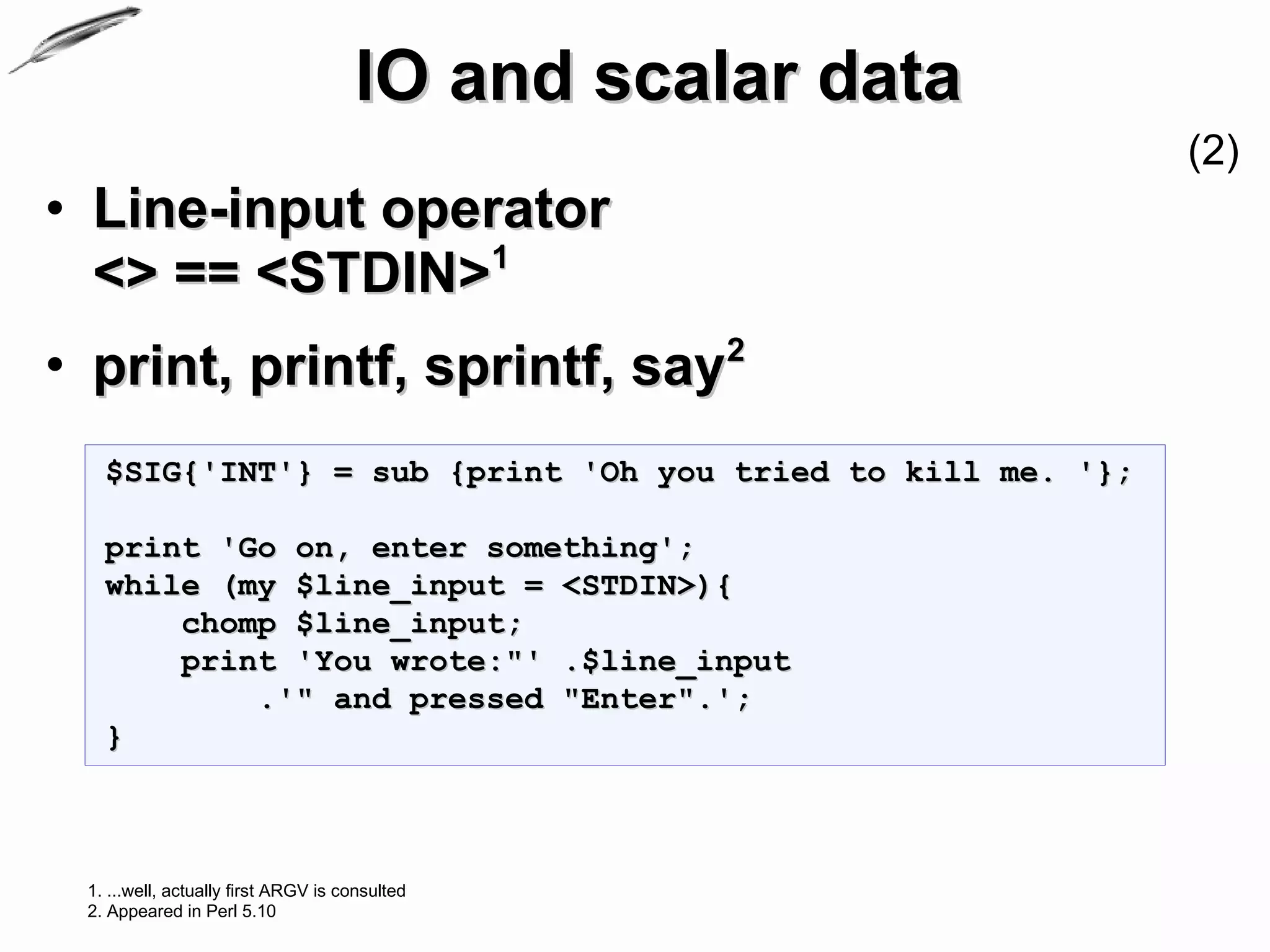
• Line-input operator
  <> == <STDIN>1
• print, printf, sprintf, say2
   $SIG{'INT'} = sub {print 'Oh you tried to kill me. '};

   print 'Go on, enter something';
   while (my $line_input = <STDIN>){
       chomp $line_input;
       print 'You wrote:"' .$line_input
           .'" and pressed "Enter".';
   }


 1. ...well, actually first ARGV is consulted
 2. Appeared in Perl 5.10
IO and scalar data
                                                                  (3)
• print, printf, sprintf, say
  #line_input2.pl
  $SIG{'INT'} = sub {print 'Oh you tried to kill me. '};

  print 'Go on, enter something';
  while (my $input = <STDIN>){
      chomp $input;
      print 'Go on, enter something' and next unless $input;
      printf( 'You wrote:"%s" and pressed "Enter"'.$/, $input);
      if($input =~ /d+/){
          $input =~ s/[^d]+//g;
          print sprintf('%d looks like number.', $input);
          print 'Enter some string';
      }else {
          printf $/
              .'"%s",Goood. now enter some number:', $input;
      }
  }
IO and scalar data
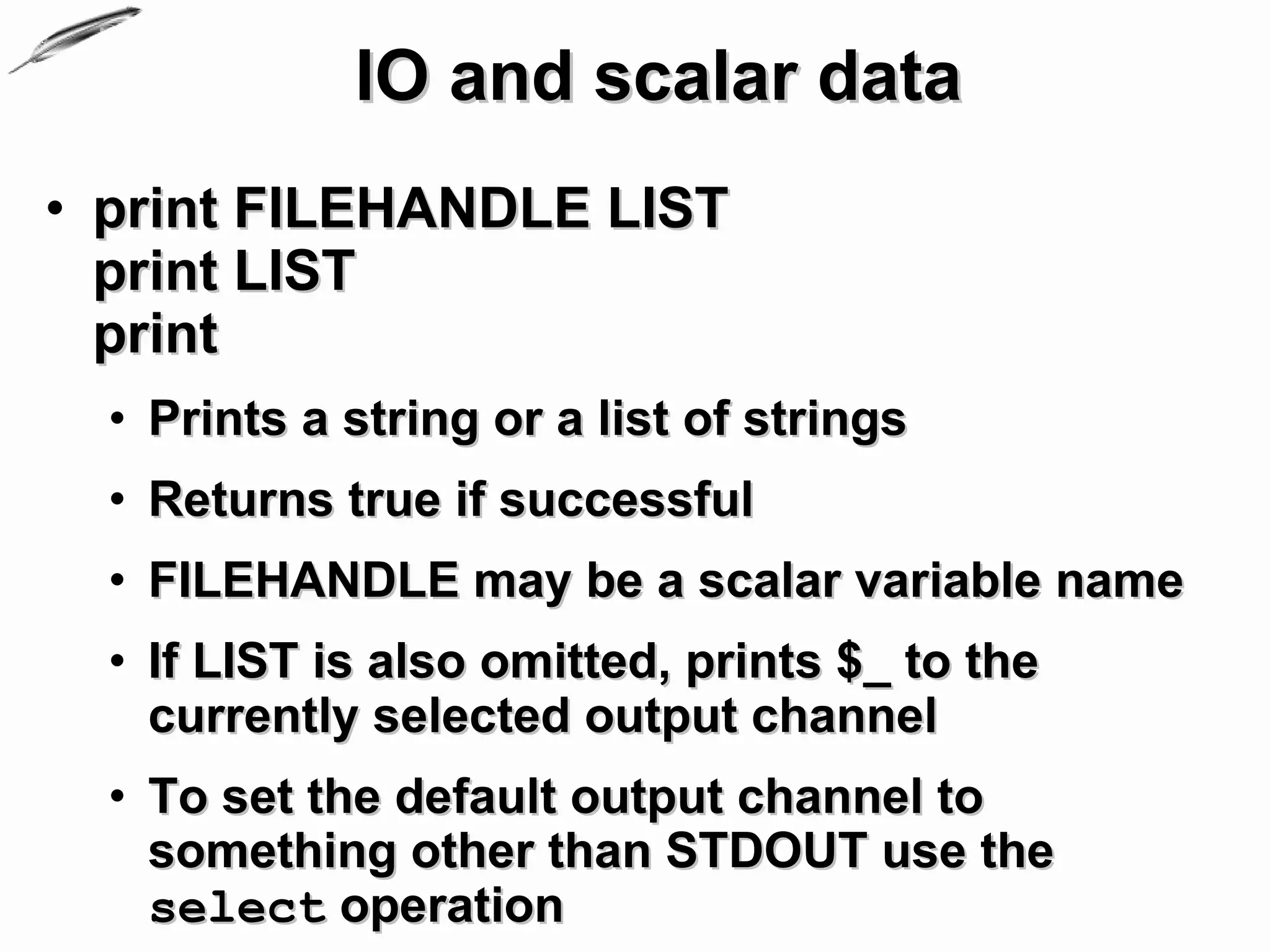
• print FILEHANDLE LIST
  print LIST
  print
  • Prints a string or a list of strings
  • Returns true if successful
  • FILEHANDLE may be a scalar variable name
  • If LIST is also omitted, prints $_ to the
    currently selected output channel
  • To set the default output channel to
    something other than STDOUT use the
    select operation
IO and scalar data
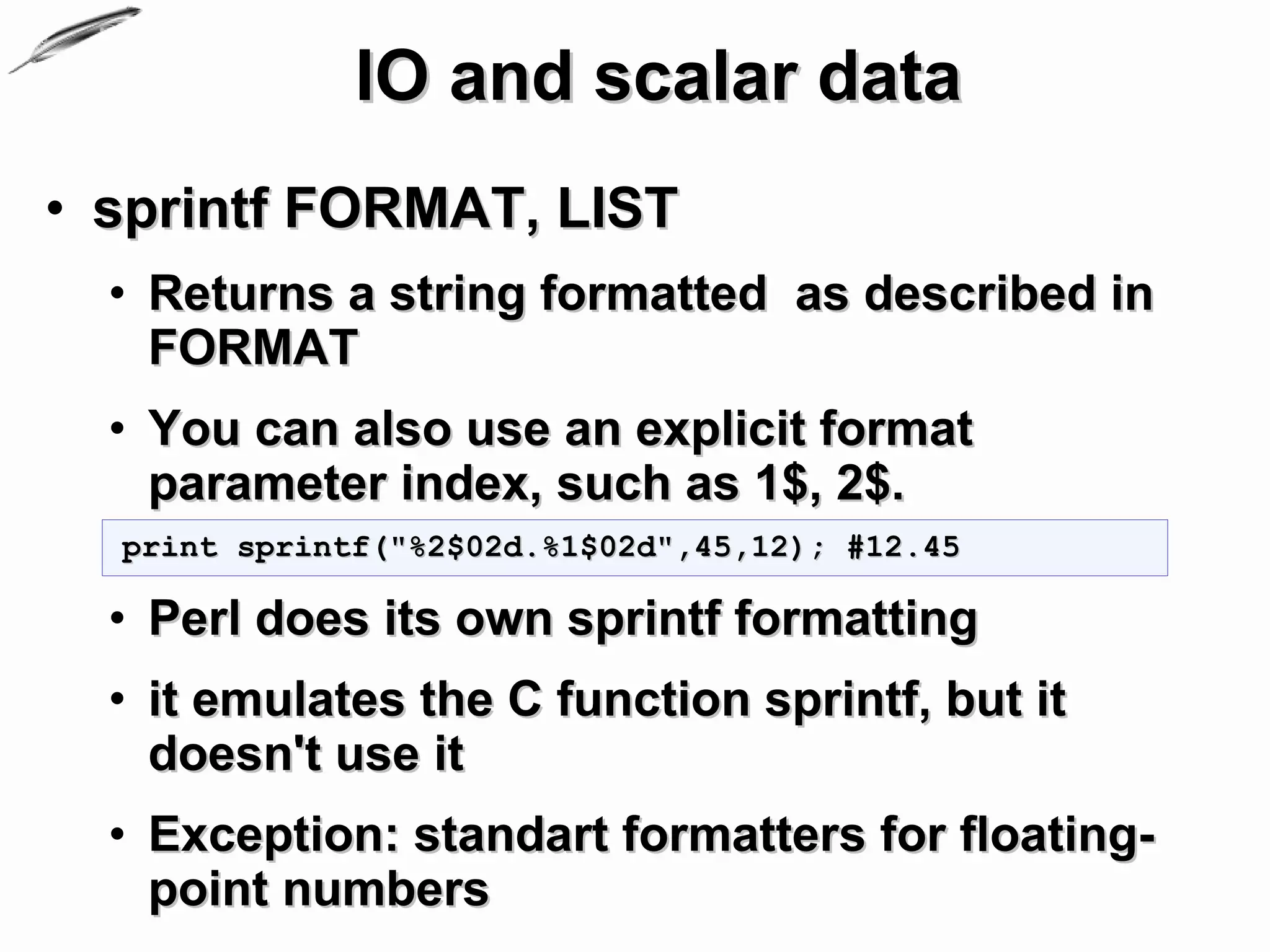
• sprintf FORMAT, LIST
  • Returns a string formatted as described in
    FORMAT
  • You can also use an explicit format
    parameter index, such as 1$, 2$.
  print sprintf("%2$02d.%1$02d",45,12); #12.45

  • Perl does its own sprintf formatting
  • it emulates the C function sprintf, but it
    doesn't use it
  • Exception: standart formatters for floating-
    point numbers
IO and scalar data
                                                            (2)
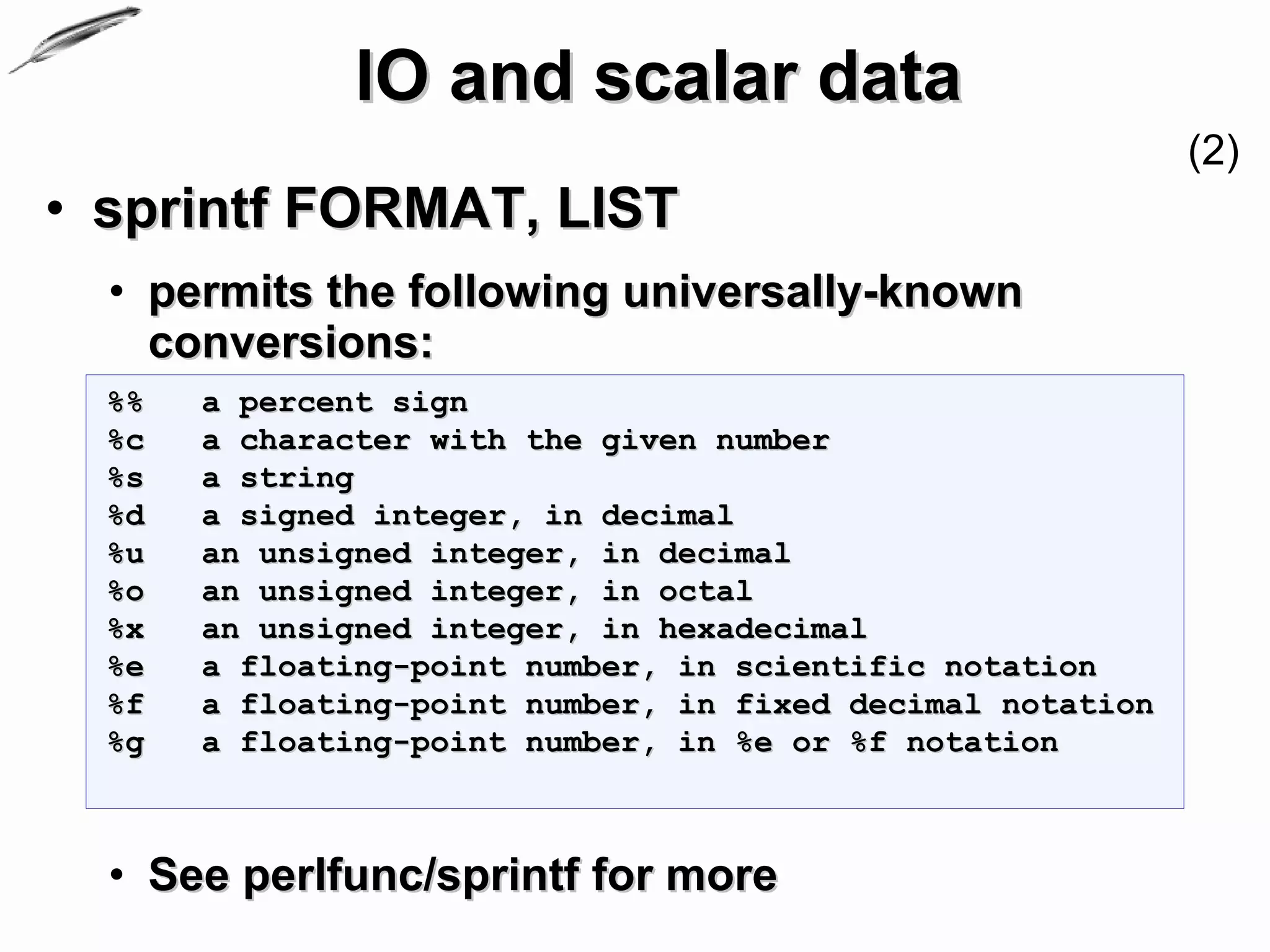
• sprintf FORMAT, LIST
  • permits the following universally-known
    conversions:
  %%   a percent sign
  %c   a character with the given number
  %s   a string
  %d   a signed integer, in decimal
  %u   an unsigned integer, in decimal
  %o   an unsigned integer, in octal
  %x   an unsigned integer, in hexadecimal
  %e   a floating-point number, in scientific notation
  %f   a floating-point number, in fixed decimal notation
  %g   a floating-point number, in %e or %f notation


  • See perlfunc/sprintf for more
IO and scalar data
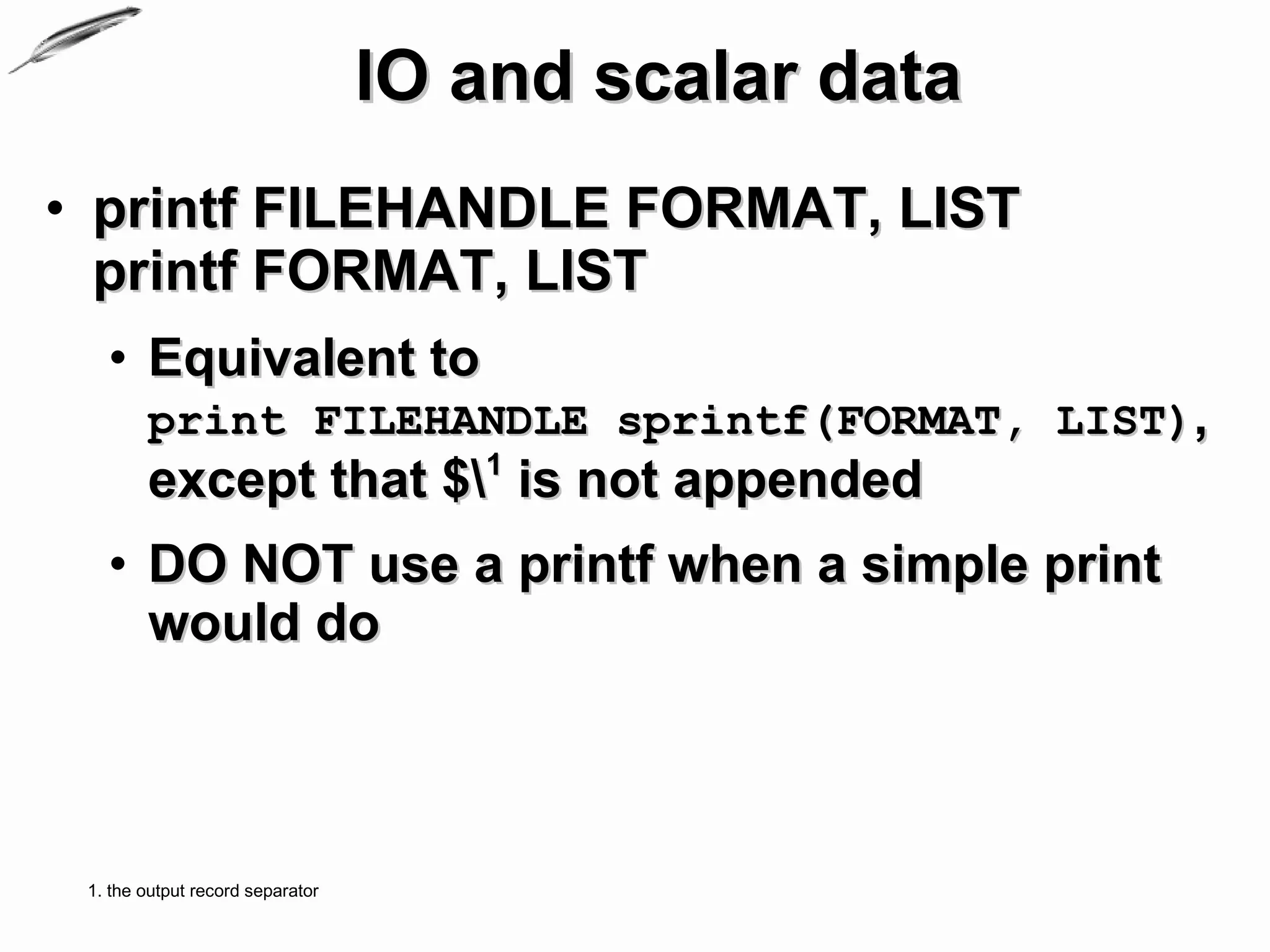
• printf FILEHANDLE FORMAT, LIST
  printf FORMAT, LIST
   • Equivalent to
        print FILEHANDLE sprintf(FORMAT, LIST),
        except that $1 is not appended
   • DO NOT use a printf when a simple print
     would do


 1. the output record separator
IO and scalar data
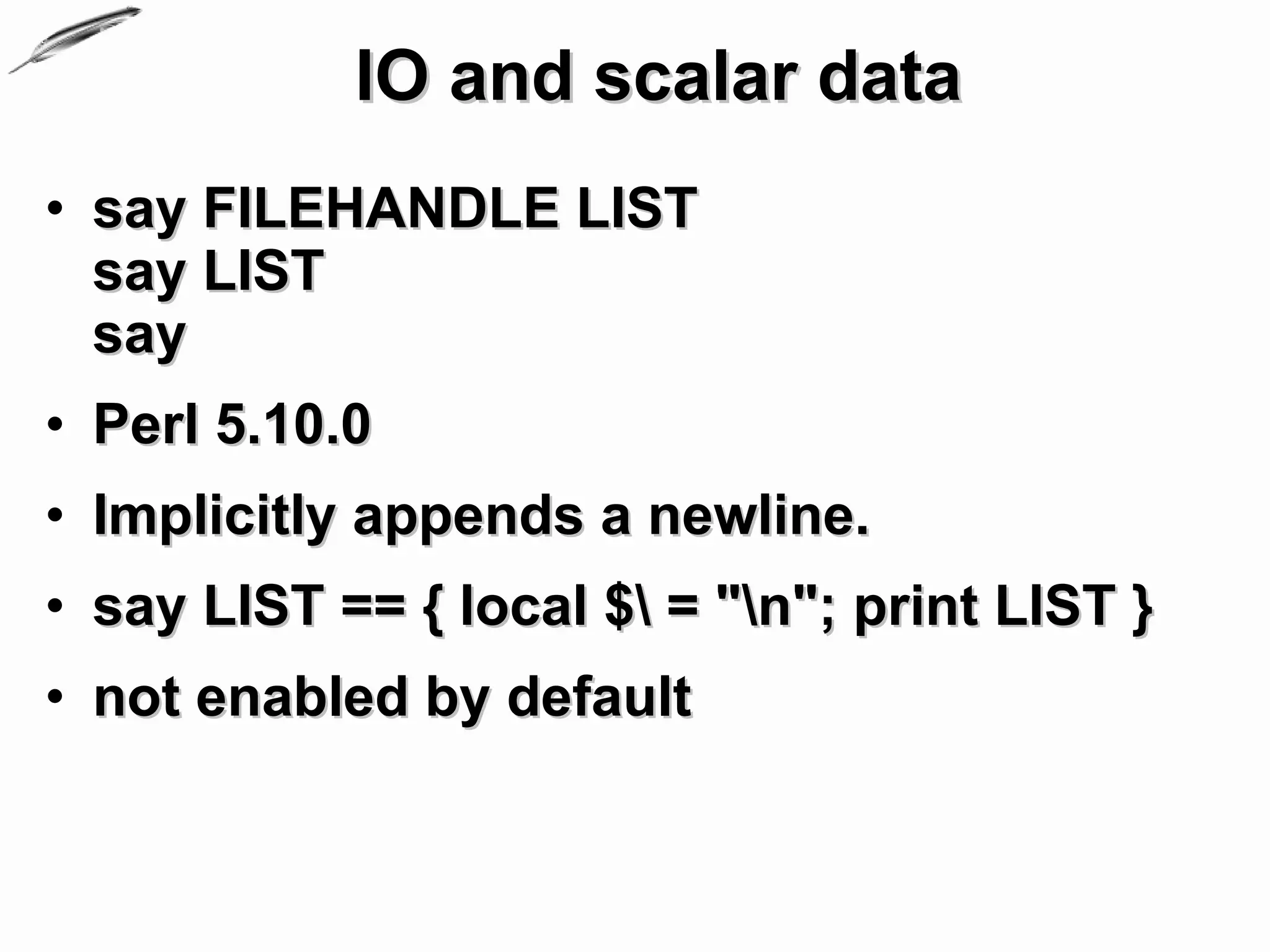
• say FILEHANDLE LIST
  say LIST
  say
• Perl 5.10.0
• Implicitly appends a newline.
• say LIST == { local $ = "n"; print LIST }
• not enabled by default
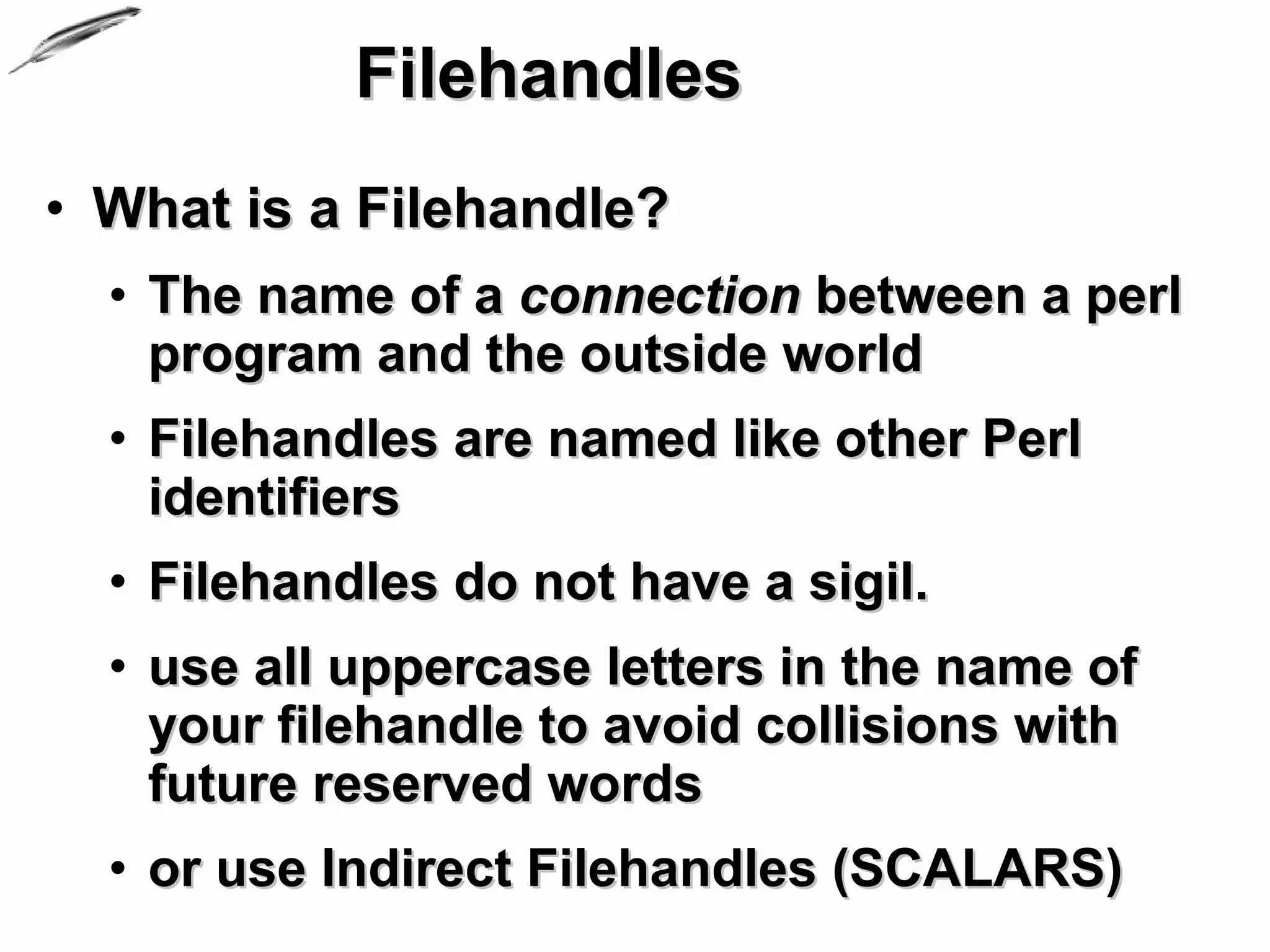
Filehandles
• What is a Filehandle?
  • The name of a connection between a perl
    program and the outside world
  • Filehandles are named like other Perl
    identifiers
  • Filehandles do not have a sigil.
  • use all uppercase letters in the name of
    your filehandle to avoid collisions with
    future reserved words
  • or use Indirect Filehandles (SCALARS)
Filehandles
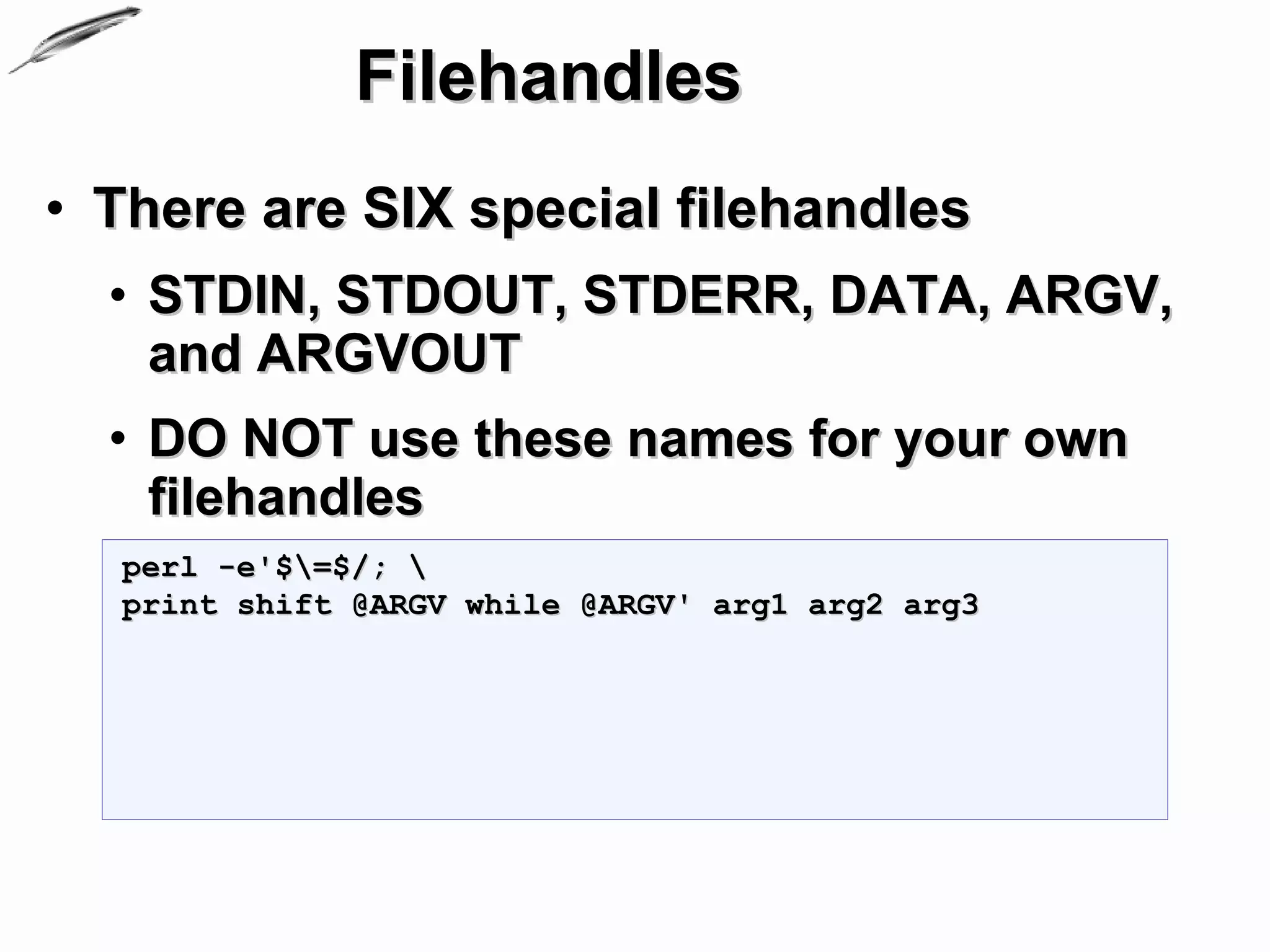
• There are SIX special filehandles
  • STDIN, STDOUT, STDERR, DATA, ARGV,
    and ARGVOUT
  • DO NOT use these names for your own
    filehandles
  perl -e'$=$/; 
  print shift @ARGV while @ARGV' arg1 arg2 arg3
STDIN, STDOUT and STDERR

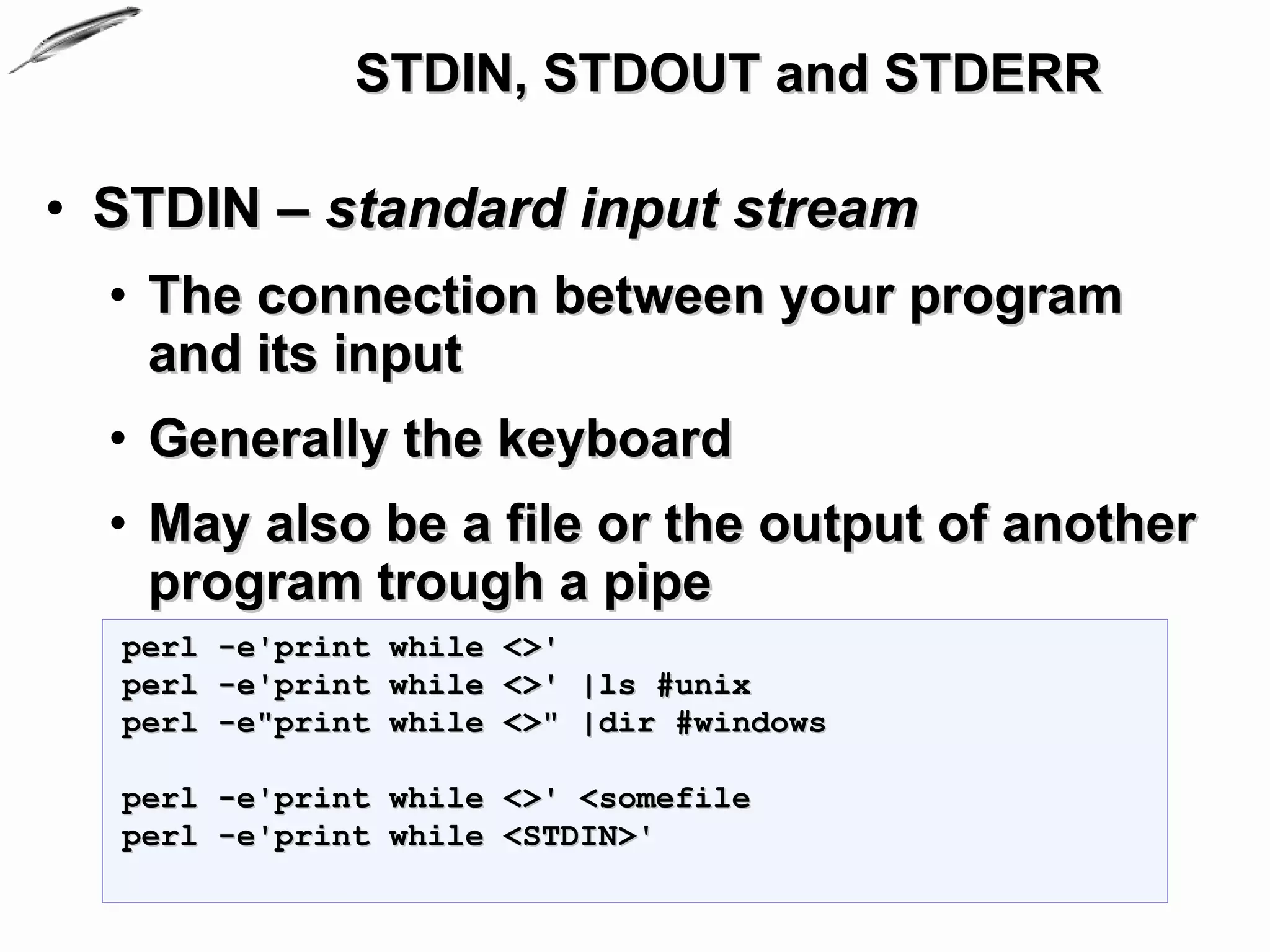
• STDIN – standard input stream
  • The connection between your program
    and its input
  • Generally the keyboard
  • May also be a file or the output of another
    program trough a pipe
  perl -e'print while <>'
  perl -e'print while <>' |ls #unix
  perl -e"print while <>" |dir #windows

  perl -e'print while <>' <somefile
  perl -e'print while <STDIN>'
STDIN, STDOUT and STDERR

• STDOUT – standard output stream
  • The screen by default
  • Can be redirected to a file or another
    program
  perl -e'print STDOUT while <STDIN>'
  perl -e'print while <>'
STDIN, STDOUT and STDERR

• STDERR – standard error stream
  • The screen by default
  • Can be redirected to a file or another
    program
STDIN, STDOUT and STDERR

• Example:
  $SIG{'INT'} = sub {warn 'Oh you tried to kill me. '};
  print STDERR 'Go on, enter something';
  while (my $input = <STDIN>){
      chomp $input;
      print STDERR 'Go on, enter something' and next unless
  $input;
      printf STDOUT ( 'You wrote:"%s" and pressed "Enter"'.$/,
  $input);
      if($input =~ /d+/){
           $input =~ s/[^d]+//g;
           print STDOUT sprintf('%d looks like number.',
  $input);
           print STDERR 'Enter some string';
      }else {
           printf STDOUT $/
               .'"%s",Goood.', $input;
           print STDERR 'Now enter some number:'
      }
  }
IO of complex data
• Parsing arguments to your program
  • ARGV – filehandle
    • iterates over command-line filenames in @ARGV
    • Usually written as the null filehandle in the
      diamond operator <>
  • $ARGV - contains the name of the current
    file when reading from <>
  • @ARGV command-line arguments
    intended for the script
  • use Getopt::Long;
IO of complex data
• Parsing arguments
  • Example:
  #sum.pl
  my $sum = 0;
  for(@ARGV){
      s/[D]+//g; #sanitize input
      $_ ||= 0;   #be sure we have a number
      print 'adding '. $_ . ' to ' . $sum if $sum;
      $sum += $_;
      print 'Result: ' . $sum;
  }
IO of complex data
• Parsing arguments (Advanced)
  • Getopt::Long - Extended processing of
    command line options
    • parses the options from the global array @ARGV
    • can be used to parse options from an arbitrary
      string
    • thread safe when using ithreads as of Perl 5.8
    • encourages the use of Pod::Usage to produce
      help messages
    • can be used in an object oriented way
IO of complex data
• Parsing arguments (Advanced)
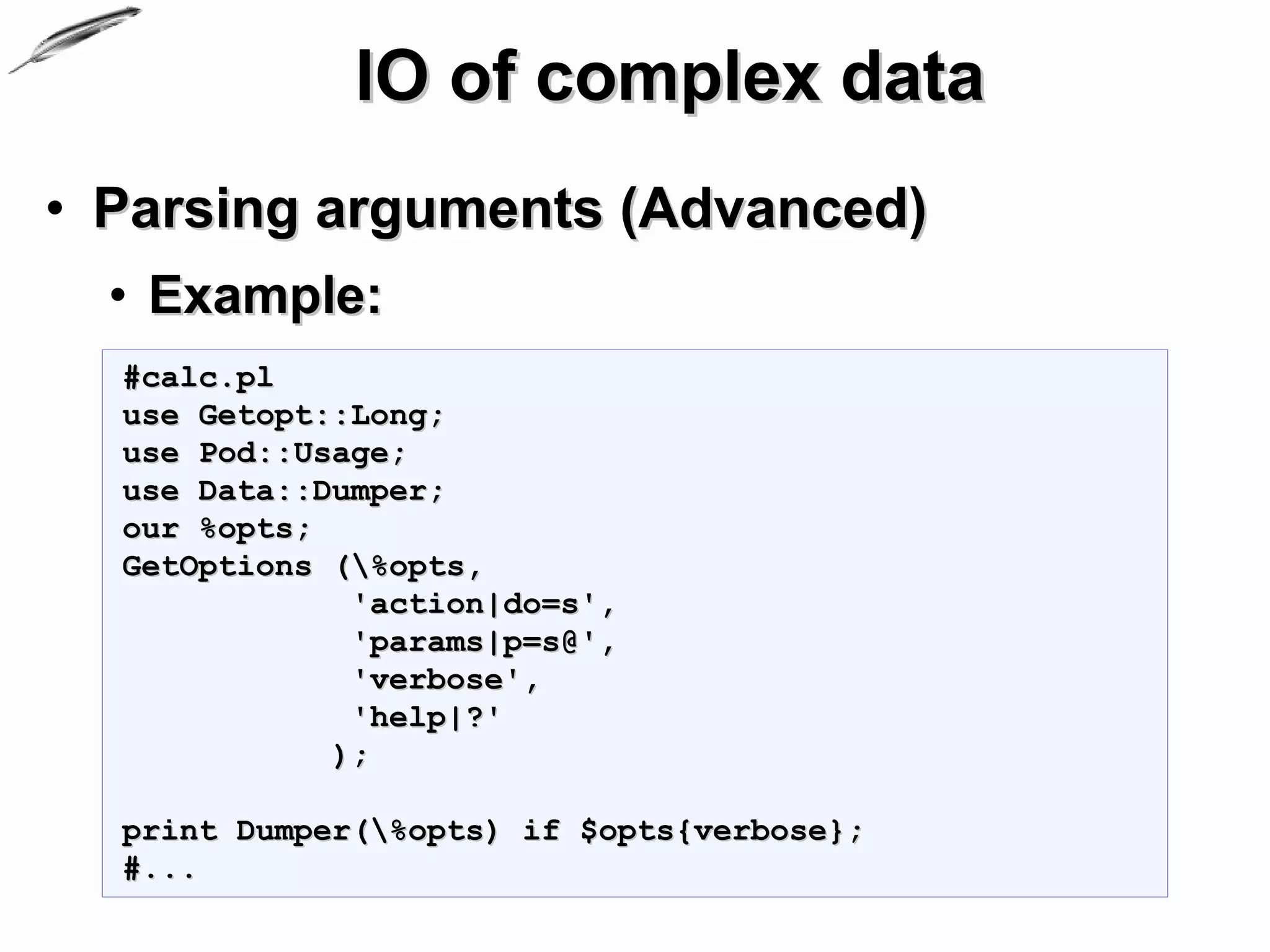
  • Example:
  #calc.pl
  use Getopt::Long;
  use Pod::Usage;
  use Data::Dumper;
  our %opts;
  GetOptions (%opts,
              'action|do=s',
              'params|p=s@',
              'verbose',
              'help|?'
             );

  print Dumper(%opts) if $opts{verbose};
  #...
IO of complex data
                                            (2)
• Parsing arguments (Advanced)
  • Example:
  #calc.pl continued
  pod2usage(2) if $opts{help};

  if($opts{action} eq 'sum') {
      sum()
  }
  elsif ($opts{action} eq 'subtract') {
      subtract();
  }
  else {
      print 'The action ' . $opts{action}
      .' is not implemented.';
  }
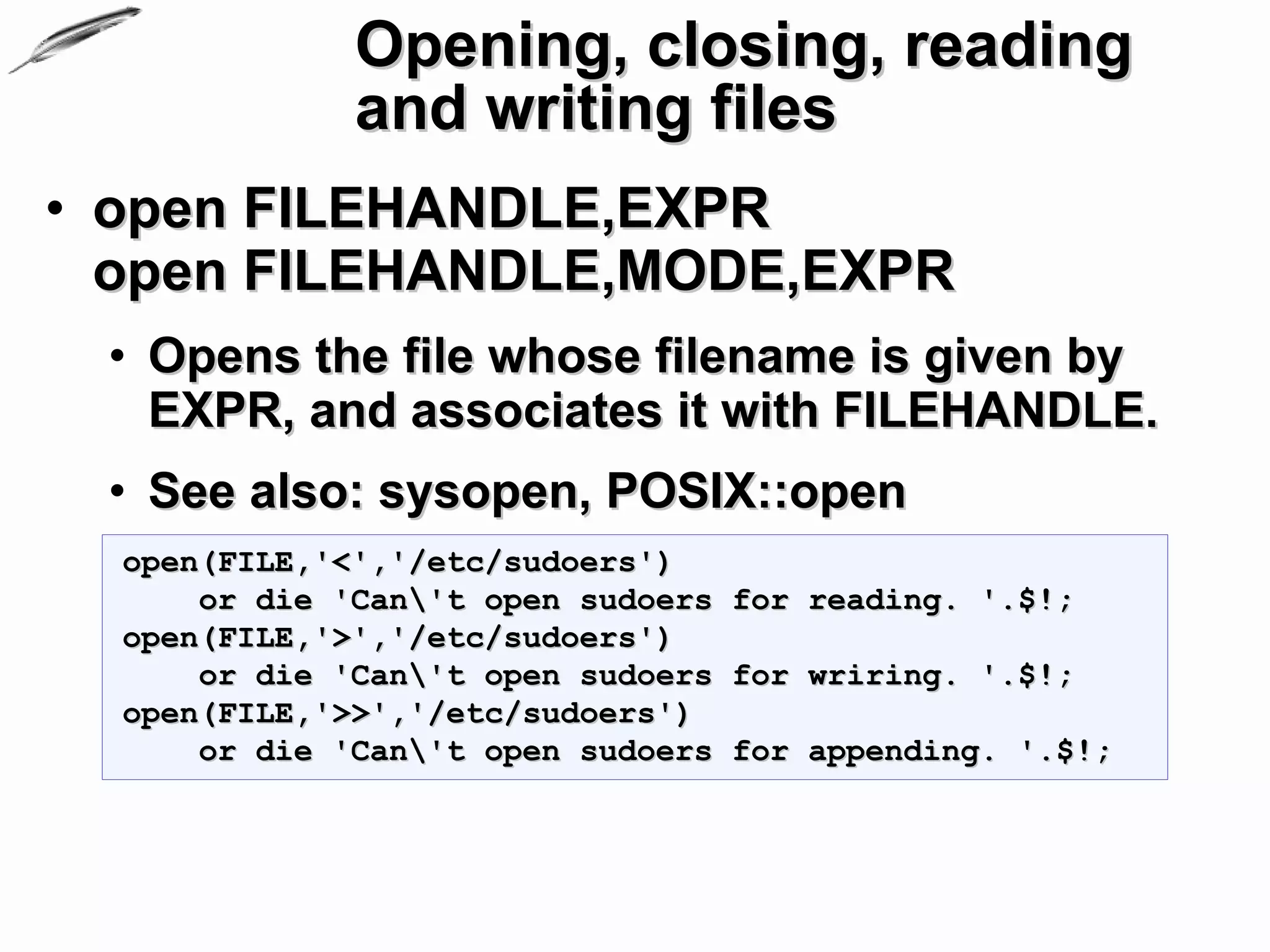
Opening, closing, reading
              and writing files
• open FILEHANDLE,EXPR
  open FILEHANDLE,MODE,EXPR
 • Opens the file whose filename is given by
   EXPR, and associates it with FILEHANDLE.
 • See also: sysopen, POSIX::open
  open(FILE,'<','/etc/sudoers')
      or die 'Can't open sudoers for reading. '.$!;
  open(FILE,'>','/etc/sudoers')
      or die 'Can't open sudoers for wriring. '.$!;
  open(FILE,'>>','/etc/sudoers')
      or die 'Can't open sudoers for appending. '.$!;
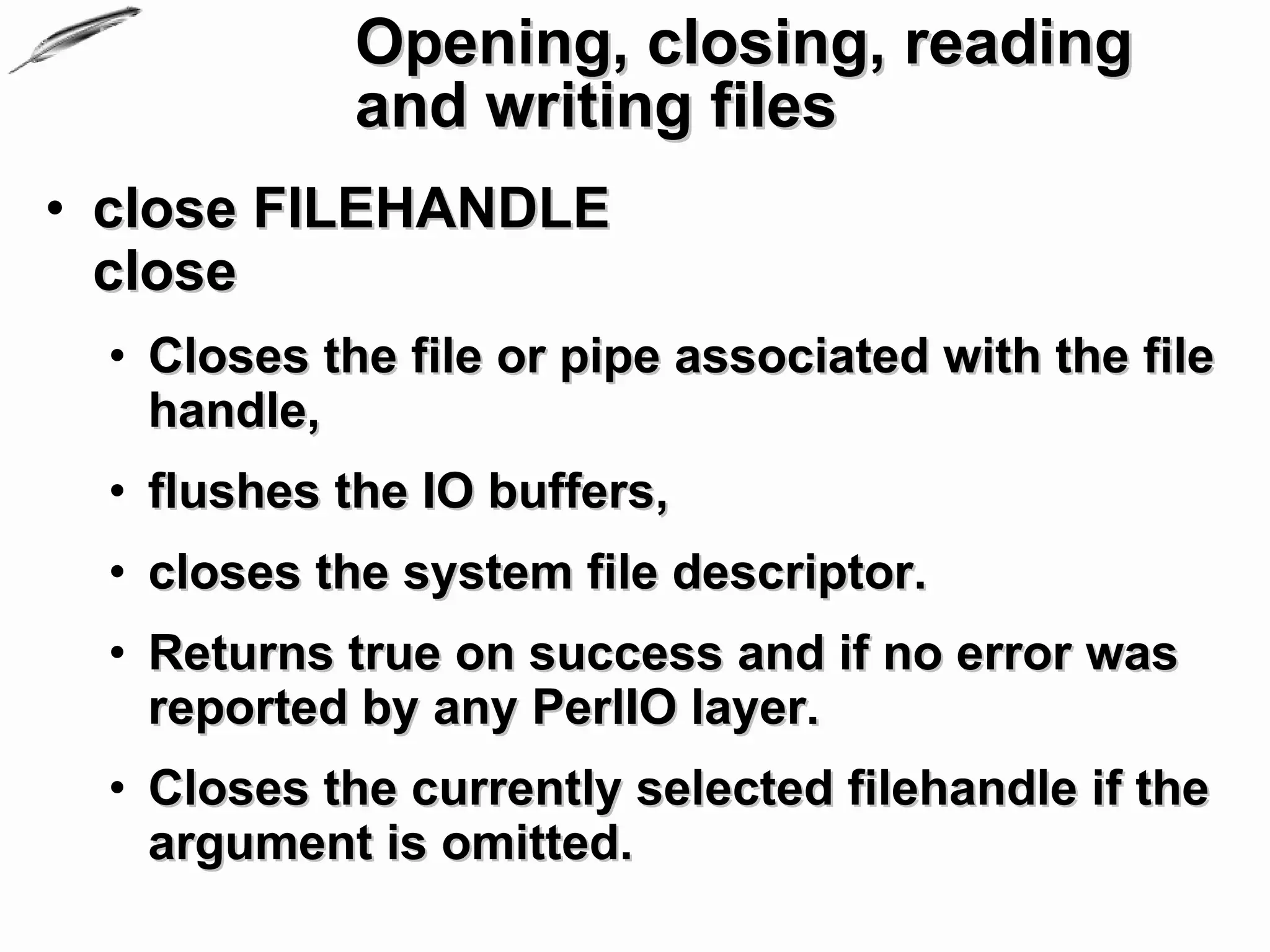
Opening, closing, reading
             and writing files
• close FILEHANDLE
  close
  • Closes the file or pipe associated with the file
    handle,
  • flushes the IO buffers,
  • closes the system file descriptor.
  • Returns true on success and if no error was
    reported by any PerlIO layer.
  • Closes the currently selected filehandle if the
    argument is omitted.
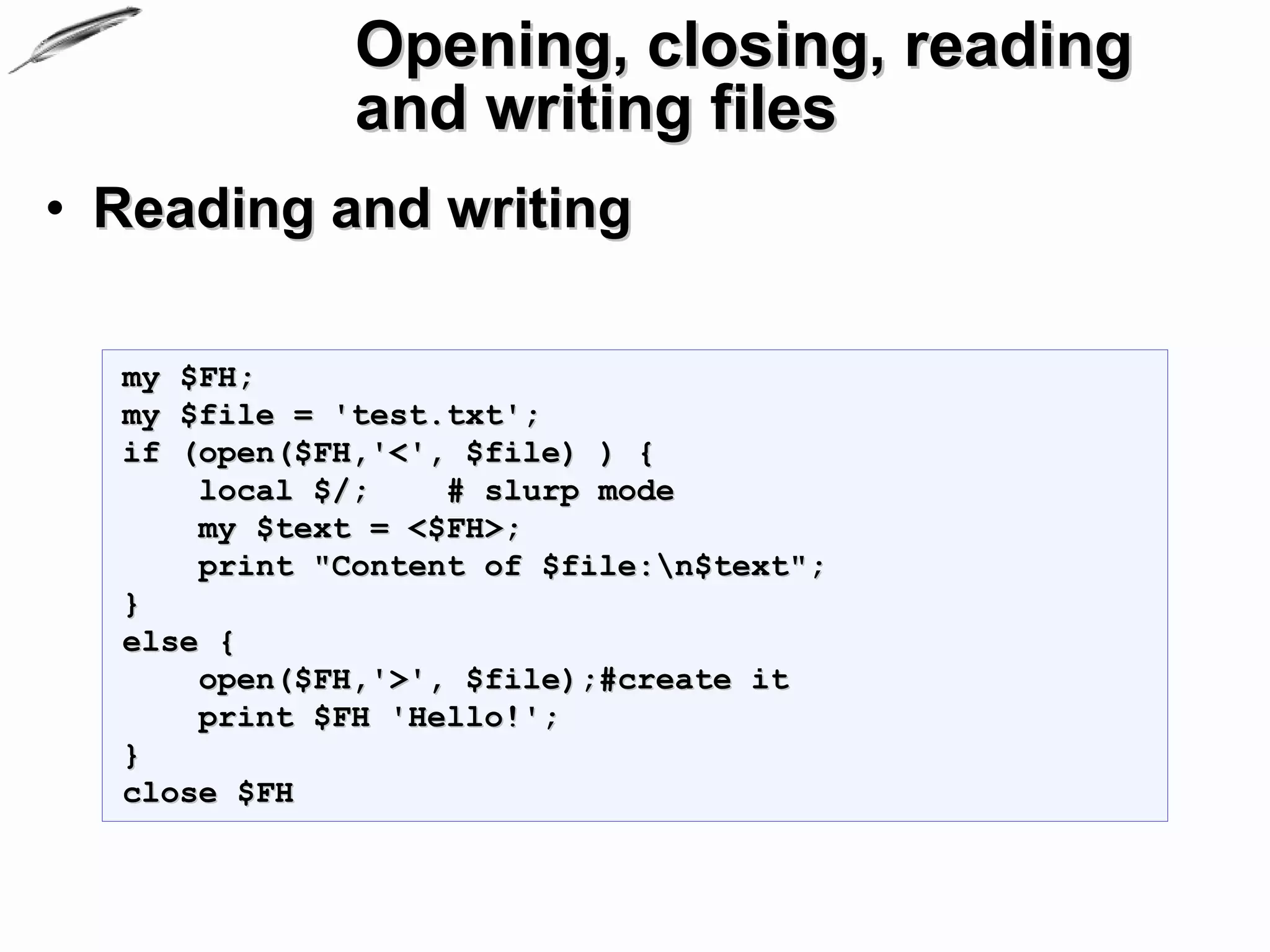
Opening, closing, reading
              and writing files
• Reading and writing

  my $FH;
  my $file = 'test.txt';
  if (open($FH,'<', $file) ) {
      local $/;    # slurp mode
      my $text = <$FH>;
      print "Content of $file:n$text";
  }
  else {
      open($FH,'>', $file);#create it
      print $FH 'Hello!';
  }
  close $FH
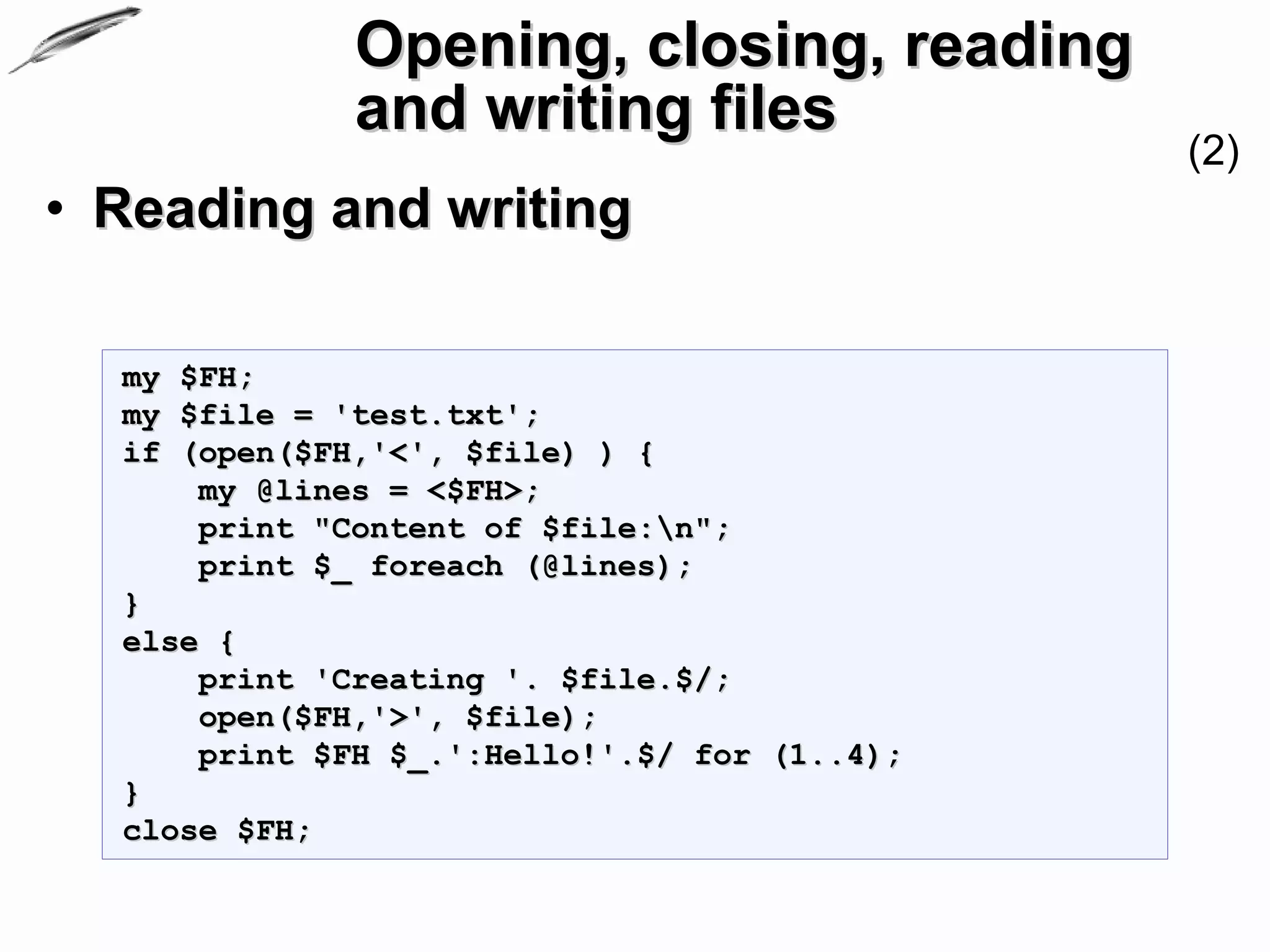
Opening, closing, reading
              and writing files
                                              (2)
• Reading and writing

  my $FH;
  my $file = 'test.txt';
  if (open($FH,'<', $file) ) {
      my @lines = <$FH>;
      print "Content of $file:n";
      print $_ foreach (@lines);
  }
  else {
      print 'Creating '. $file.$/;
      open($FH,'>', $file);
      print $FH $_.':Hello!'.$/ for (1..4);
  }
  close $FH;
Opening, closing, reading
              and writing files
                                          (3)
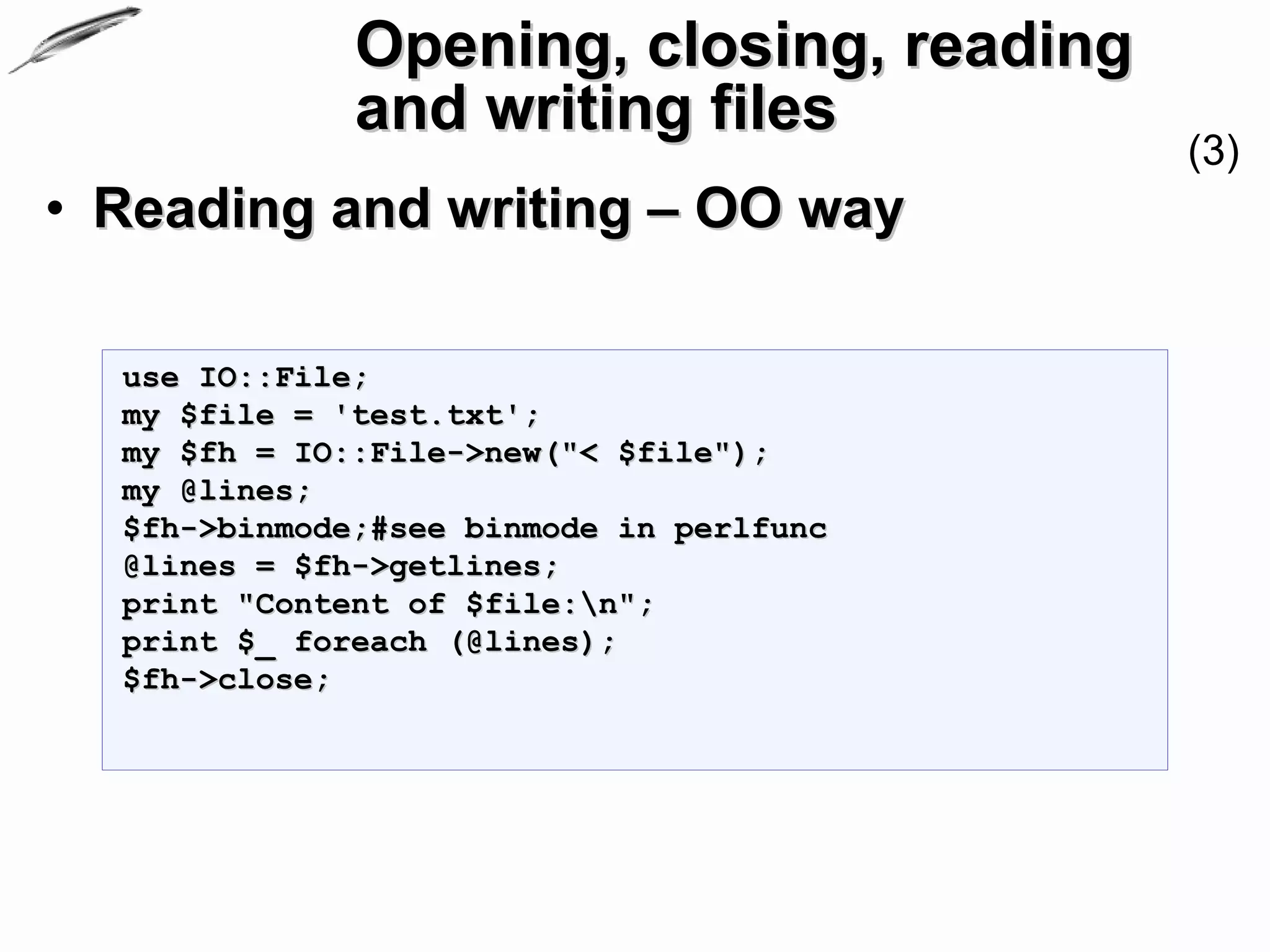
• Reading and writing – OO way

  use IO::File;
  my $file = 'test.txt';
  my $fh = IO::File->new("< $file");
  my @lines;
  $fh->binmode;#see binmode in perlfunc
  @lines = $fh->getlines;
  print "Content of $file:n";
  print $_ foreach (@lines);
  $fh->close;
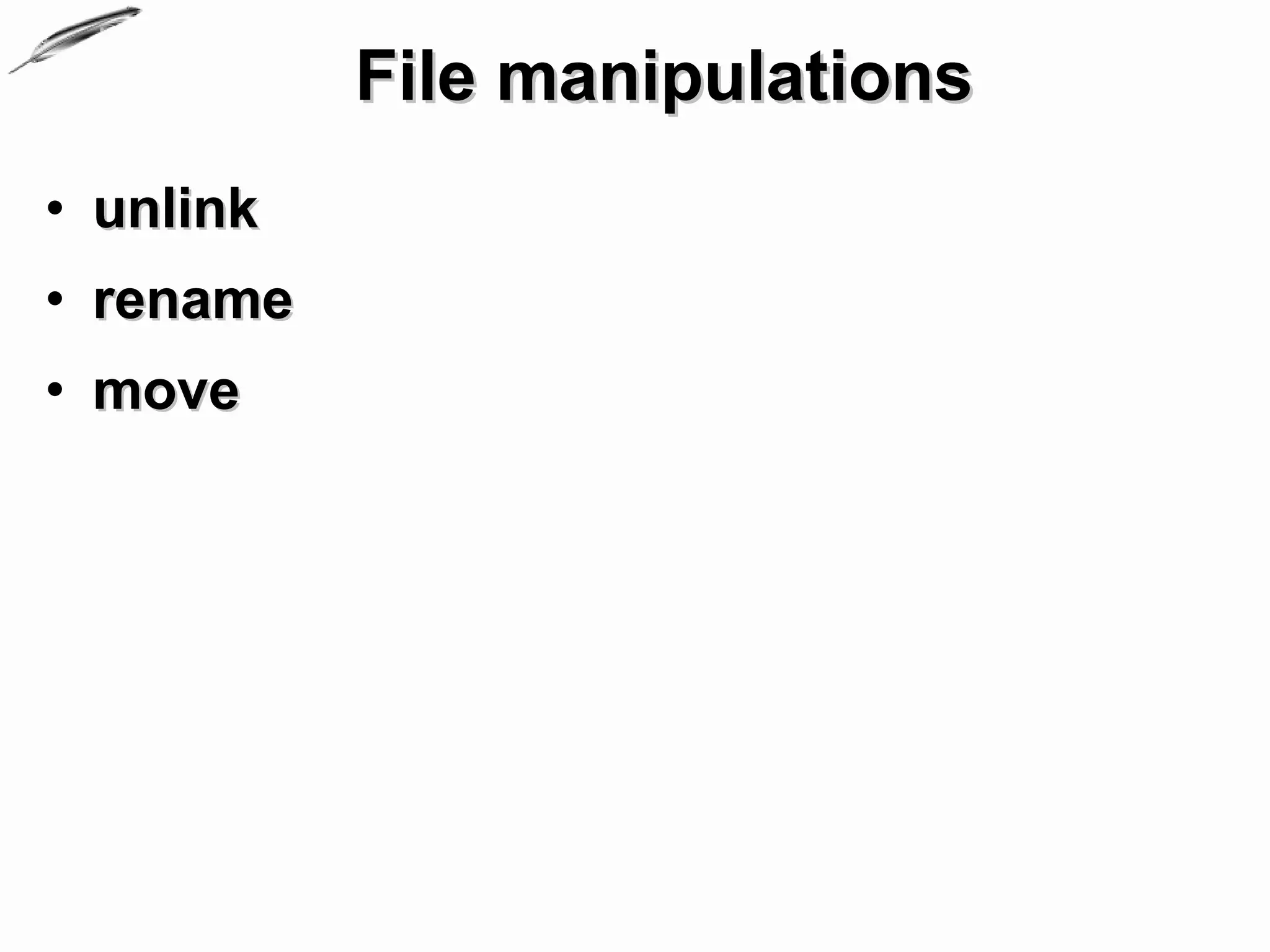
File manipulations
• unlink
• rename
• move
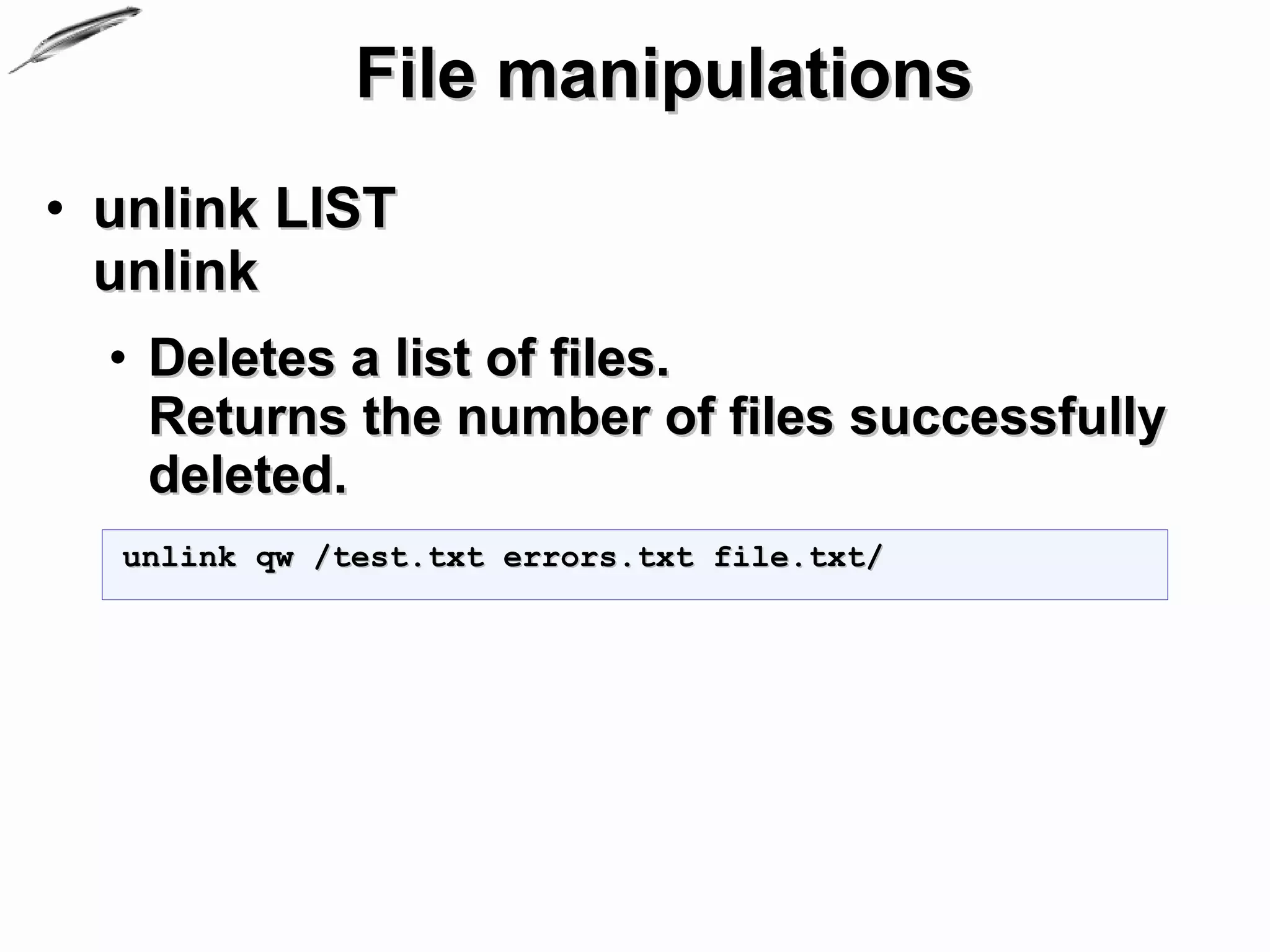
File manipulations
• unlink LIST
  unlink
  • Deletes a list of files.
    Returns the number of files successfully
    deleted.
  unlink qw /test.txt errors.txt file.txt/
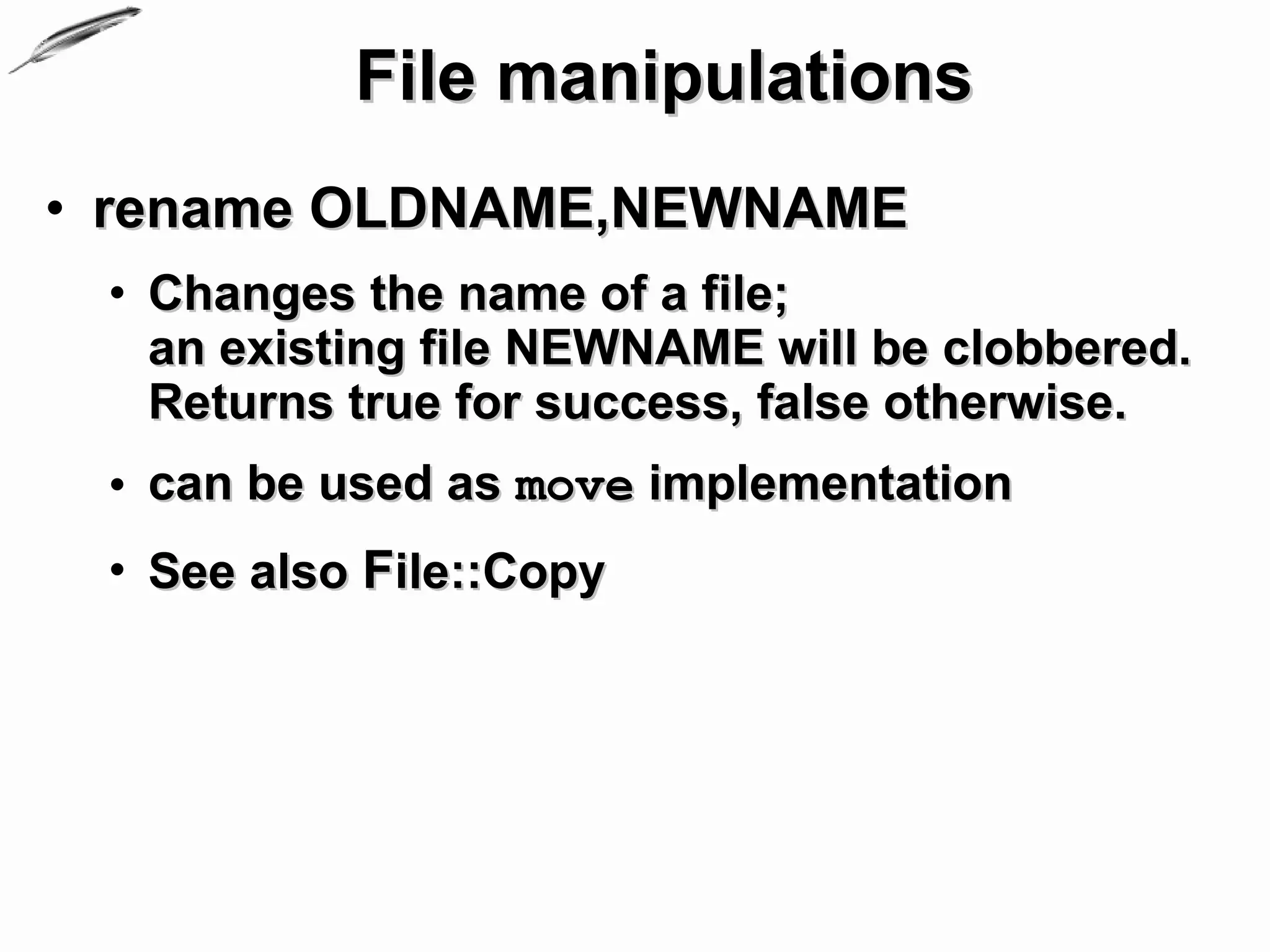
File manipulations
• rename OLDNAME,NEWNAME
 • Changes the name of a file;
   an existing file NEWNAME will be clobbered.
   Returns true for success, false otherwise.
 • can be used as move implementation
 • See also File::Copy
File manipulations
• move
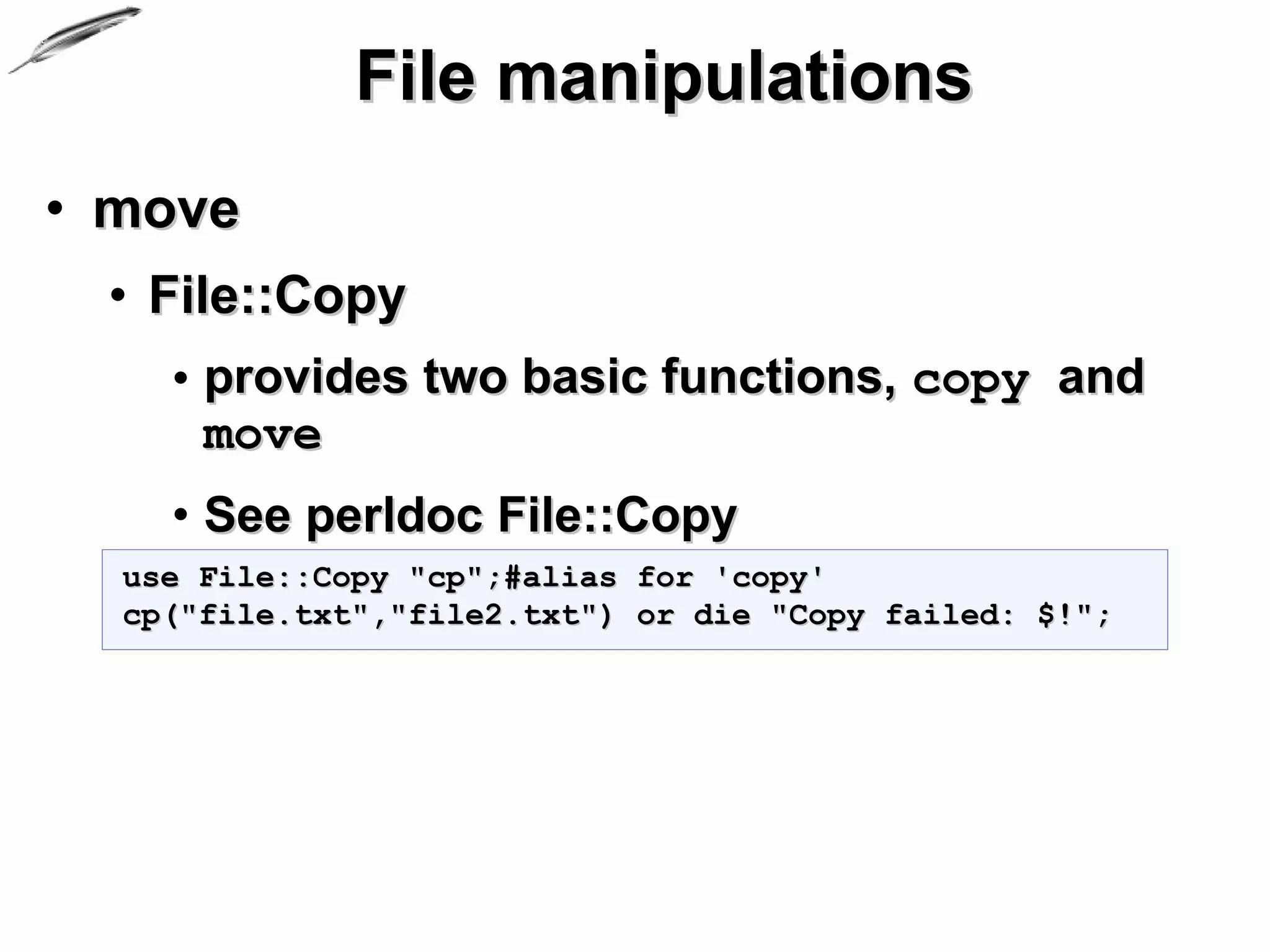
 • File::Copy
    • provides two basic functions, copy and
      move
    • See perldoc File::Copy
  use File::Copy "cp";#alias for 'copy'
  cp("file.txt","file2.txt") or die "Copy failed: $!";
Directory browsing
               and manipulations
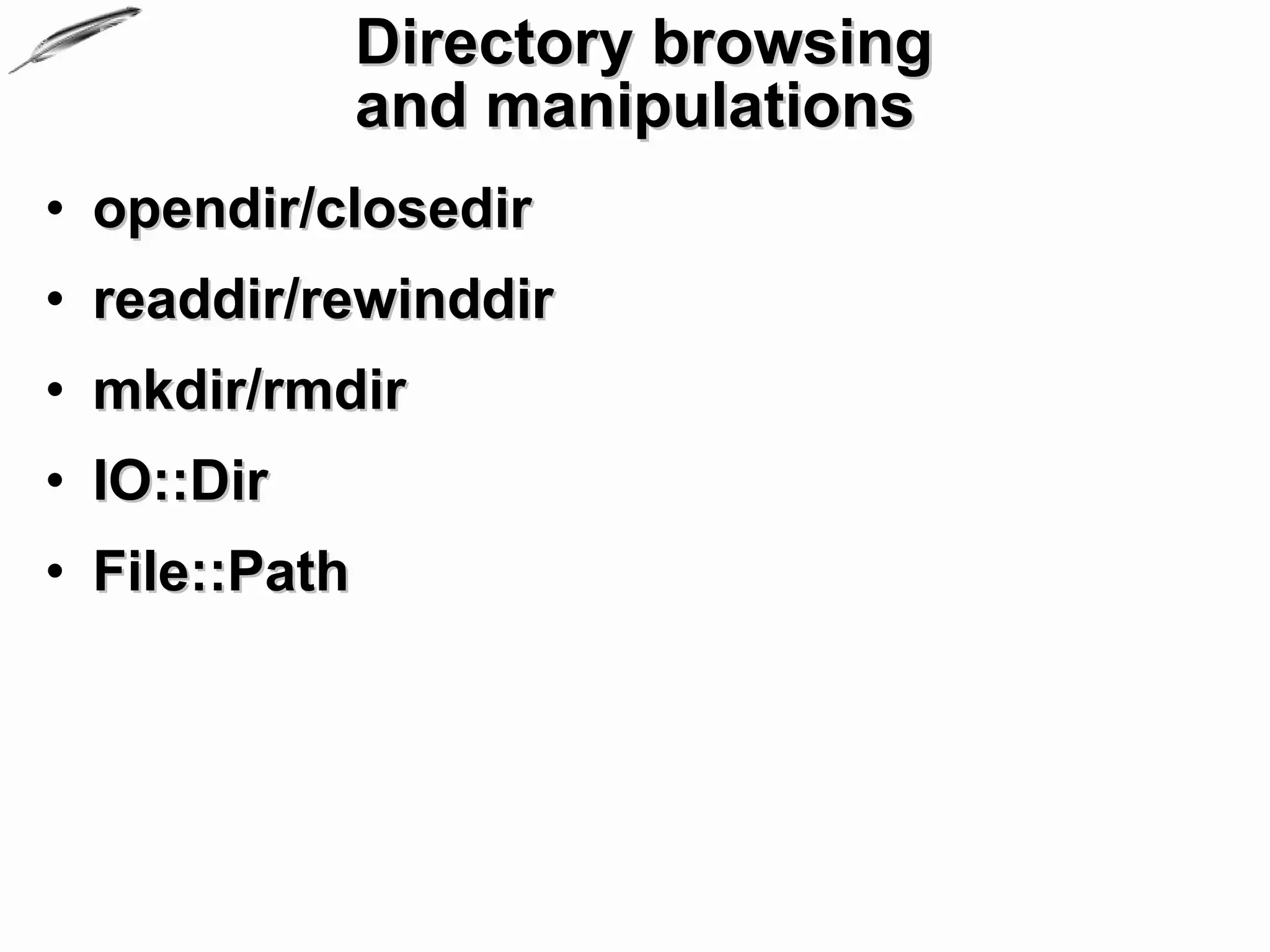
• opendir/closedir
• readdir/rewinddir
• mkdir/rmdir
• IO::Dir
• File::Path
Directory browsing
             and manipulations
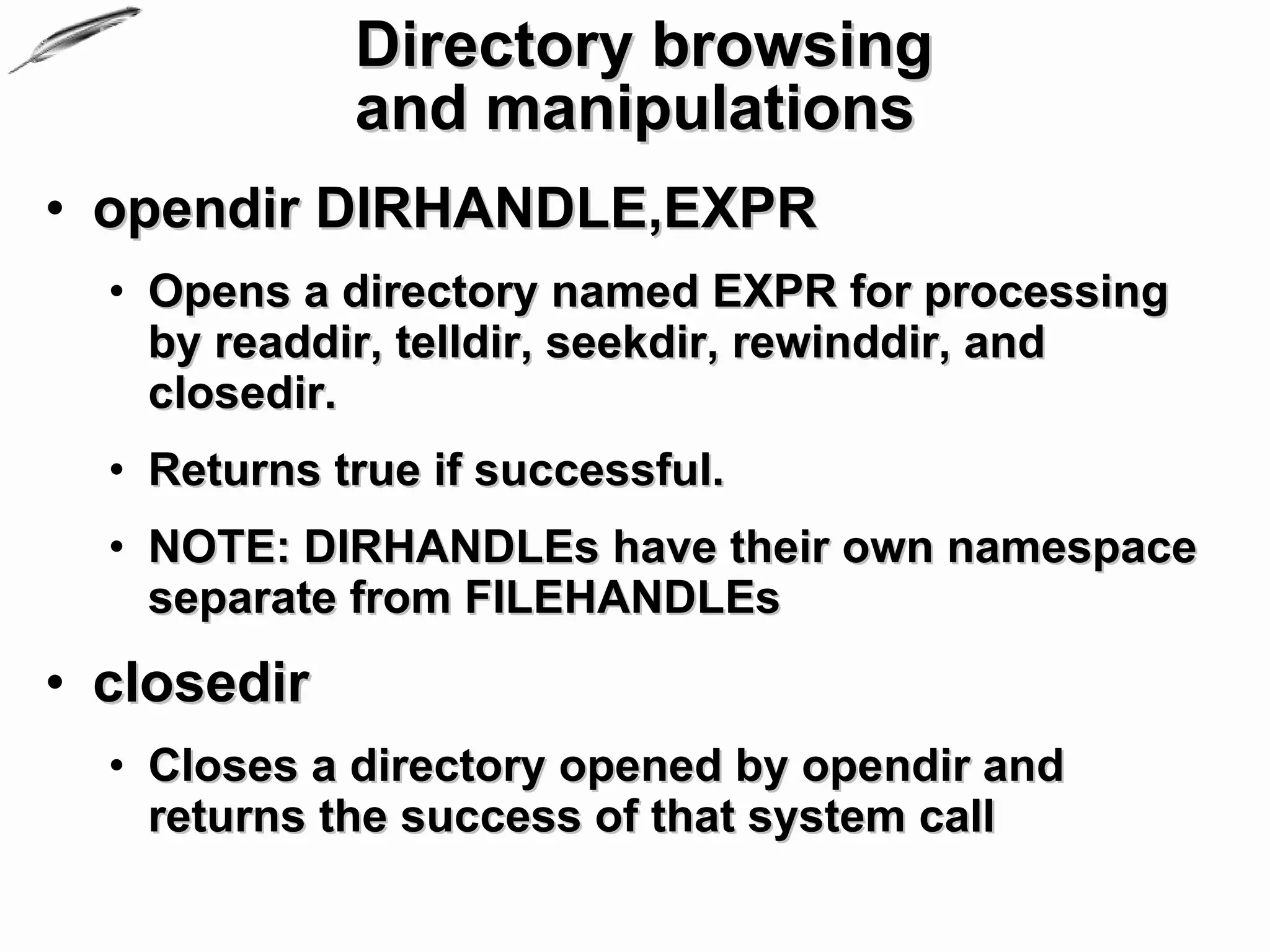
• opendir DIRHANDLE,EXPR
  • Opens a directory named EXPR for processing
    by readdir, telldir, seekdir, rewinddir, and
    closedir.
  • Returns true if successful.
  • NOTE: DIRHANDLEs have their own namespace
    separate from FILEHANDLEs
• closedir
  • Closes a directory opened by opendir and
    returns the success of that system call
Directory browsing
             and manipulations
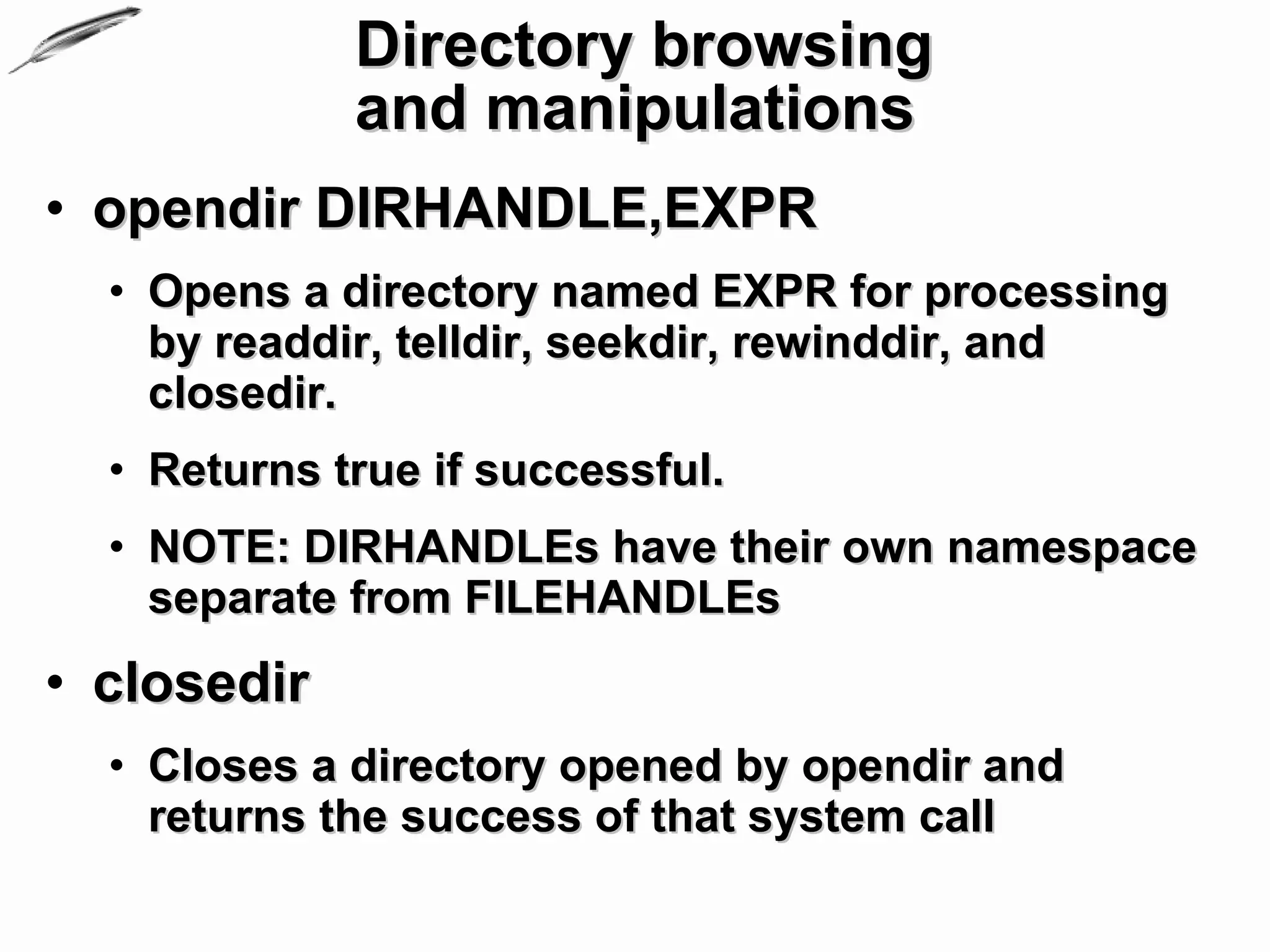
• opendir DIRHANDLE,EXPR
  • Opens a directory named EXPR for processing
    by readdir, telldir, seekdir, rewinddir, and
    closedir.
  • Returns true if successful.
  • NOTE: DIRHANDLEs have their own namespace
    separate from FILEHANDLEs
• closedir
  • Closes a directory opened by opendir and
    returns the success of that system call
Directory browsing
              and manipulations
• readdir DIRHANDLE
  • Returns the next directory entry for a directory
    opened by opendir.
  • In list context, returns all the rest of the entries
    in the directory.
  • If there are no more entries, returns an undefined
    value in scalar context or a null list in list
    context.
• rewinddir DIRHANDLE
  • Sets the current position to the beginning of the
    directory for the readdir routine on DIRHANDLE
Directory browsing
             and manipulations
• mkdir FILENAME,MASK
  mkdir FILENAME
  mkdir
  • Creates the directory specified by FILENAME,
    with permissions specified by MASK
    (as modified by umask).
  • On success returns true, otherwise returns false
    and sets $! (errno).
  • If omitted, MASK defaults to 0777.
  • If omitted, FILENAME defaults to $_.
Directory browsing
           and manipulations
• rmdir FILENAME
  rmdir
  • Deletes the directory specified by
    FILENAME if that directory is empty.
  • On success returns true, otherwise
    returns false and sets $! (errno).
  • If FILENAME is omitted, uses $_.
Directory browsing
            and manipulations
• File::Path and IO::Dir
  • File::Path – Create or remove directory
    trees
    • provides mkpath and rmtree to create, or
      remove, respectively whole directory paths
  • IO::Dir – supply object methods for
    directory handles
    • just wrappers around perl's built in
      directory reading routines
Directory browsing
              and manipulations
• Example:

  #see 06_io/directories.pl
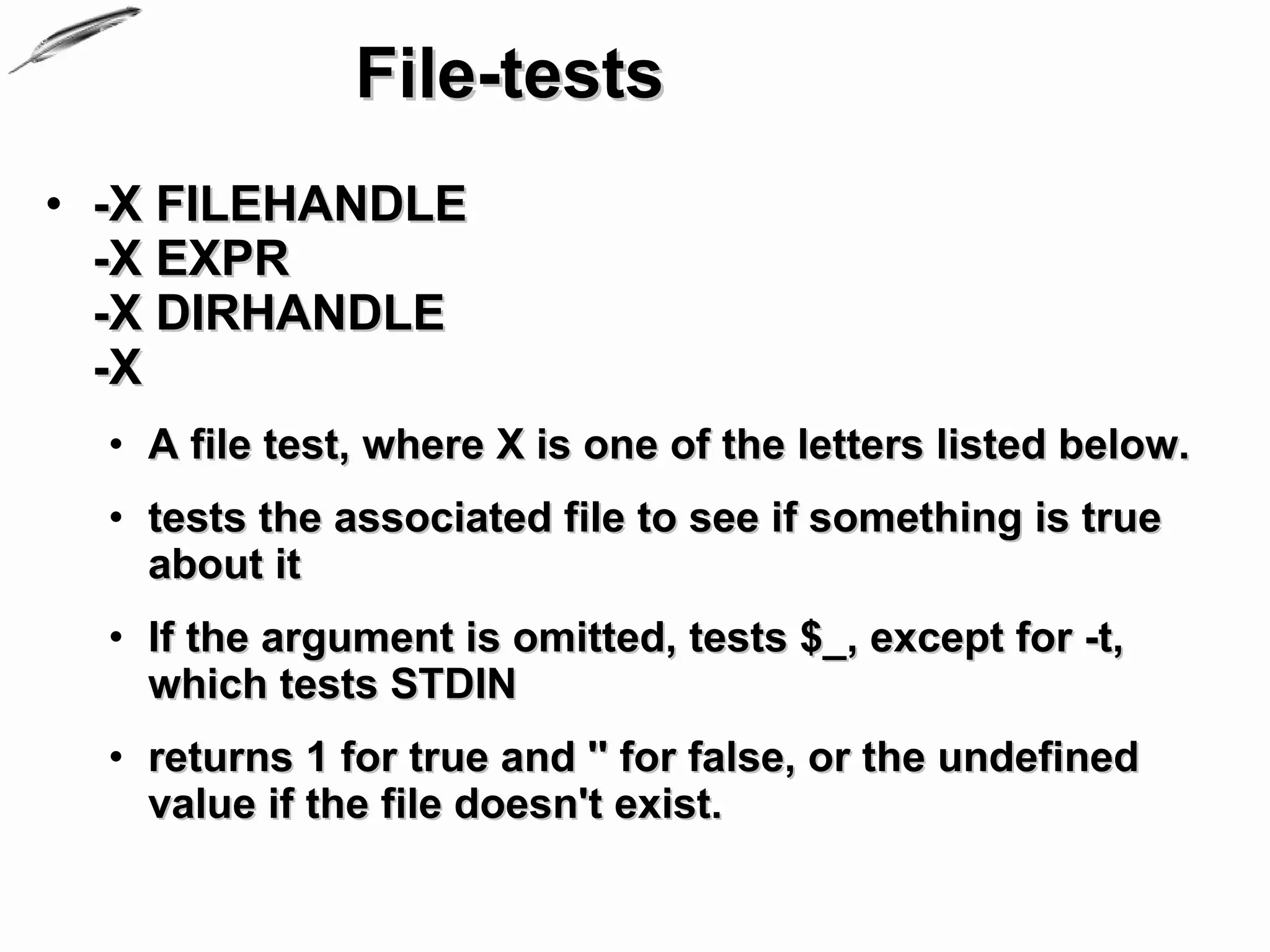
File-tests
• -X FILEHANDLE
  -X EXPR
  -X DIRHANDLE
  -X
  • A file test, where X is one of the letters listed below.
  • tests the associated file to see if something is true
    about it
  • If the argument is omitted, tests $_, except for -t,
    which tests STDIN
  • returns 1 for true and '' for false, or the undefined
    value if the file doesn't exist.
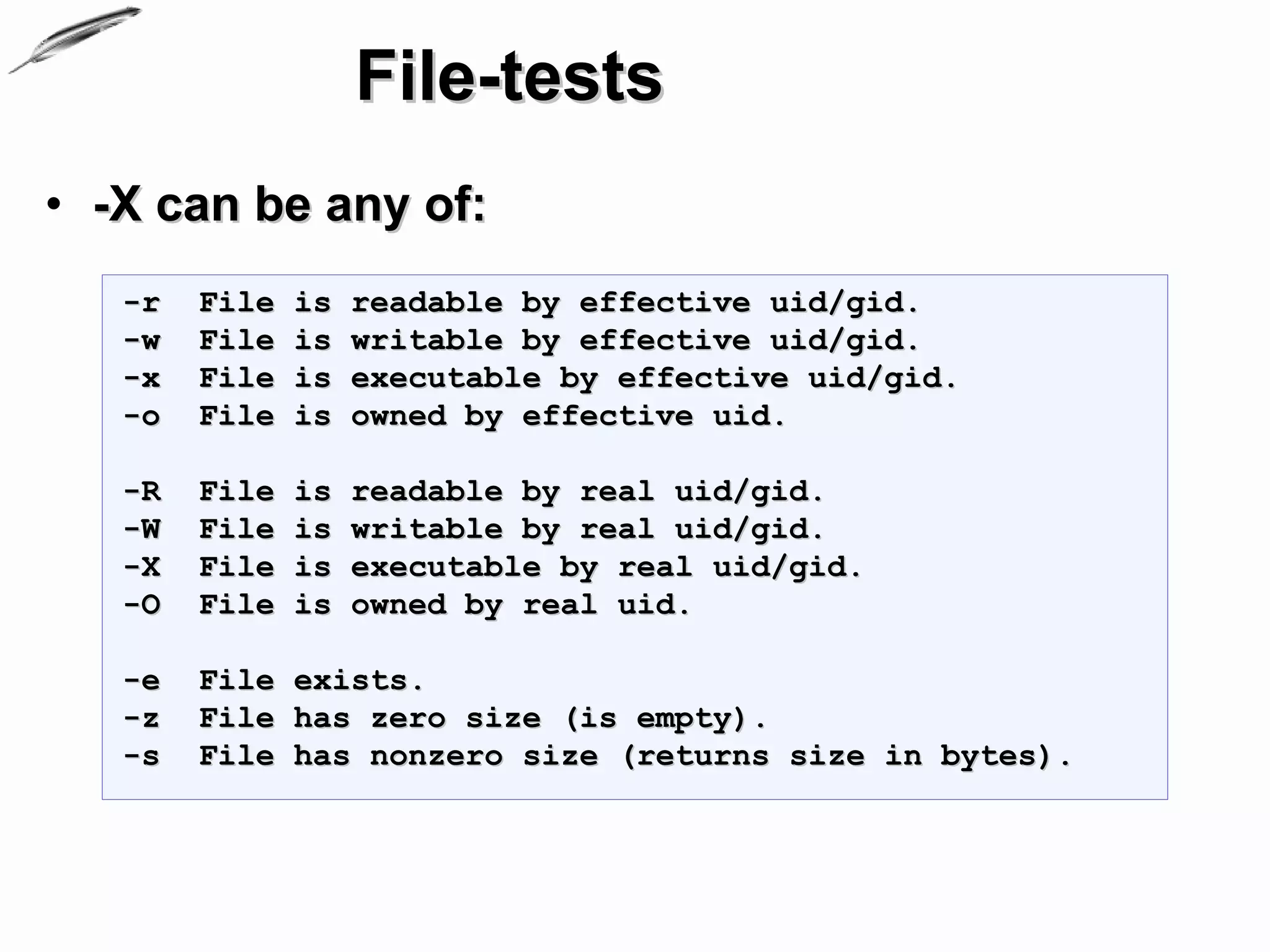
File-tests
• -X can be any of:
   -r   File   is   readable by effective uid/gid.
   -w   File   is   writable by effective uid/gid.
   -x   File   is   executable by effective uid/gid.
   -o   File   is   owned by effective uid.

   -R   File   is   readable by real uid/gid.
   -W   File   is   writable by real uid/gid.
   -X   File   is   executable by real uid/gid.
   -O   File   is   owned by real uid.

   -e   File exists.
   -z   File has zero size (is empty).
   -s   File has nonzero size (returns size in bytes).
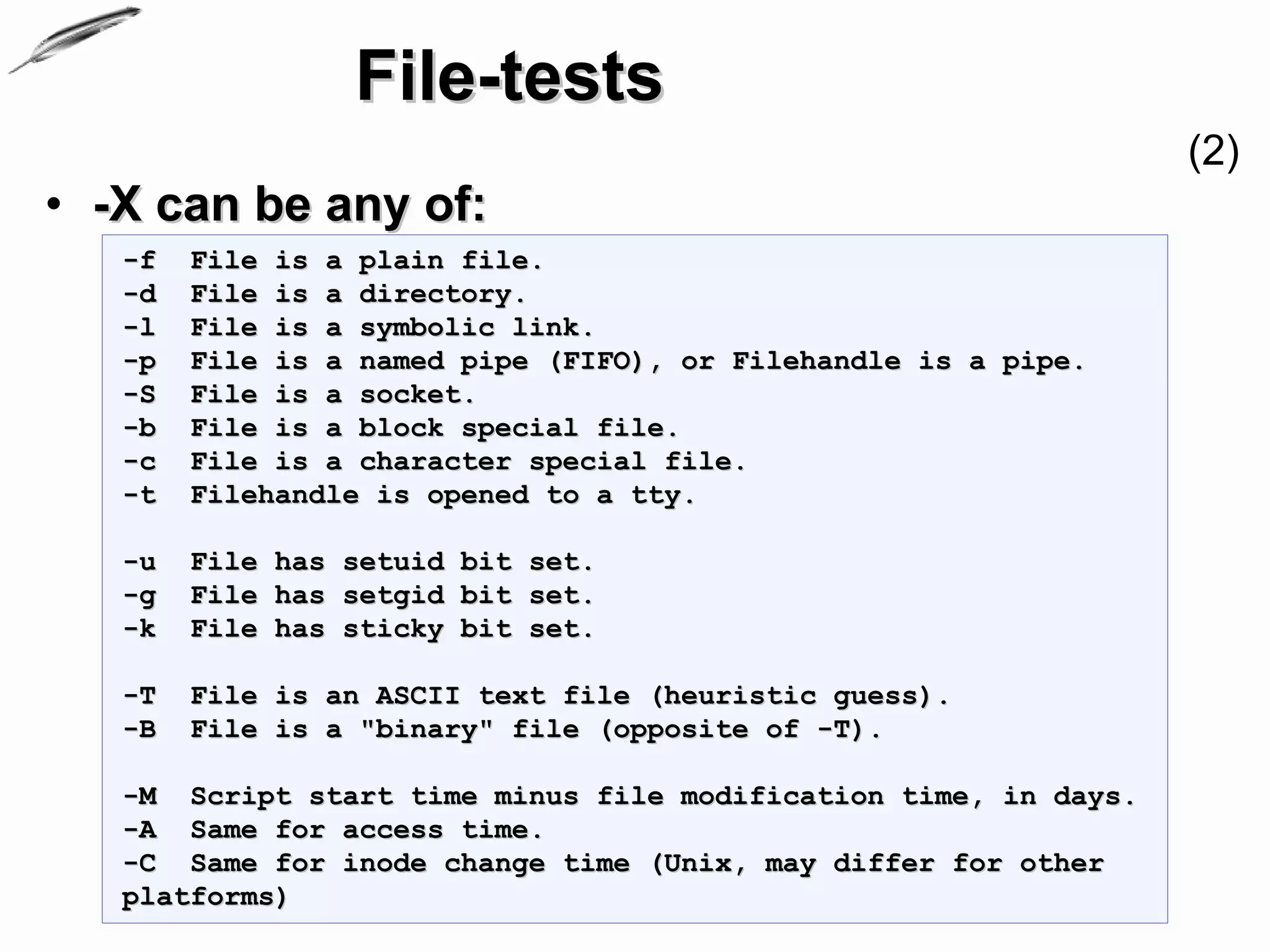
File-tests
                                                                 (2)
• -X can be any of:
   -f   File is a plain file.
   -d   File is a directory.
   -l   File is a symbolic link.
   -p   File is a named pipe (FIFO), or Filehandle is a pipe.
   -S   File is a socket.
   -b   File is a block special file.
   -c   File is a character special file.
   -t   Filehandle is opened to a tty.

   -u   File has setuid bit set.
   -g   File has setgid bit set.
   -k   File has sticky bit set.

   -T   File is an ASCII text file (heuristic guess).
   -B   File is a "binary" file (opposite of -T).

   -M Script start time minus file modification time, in days.
   -A Same for access time.
   -C Same for inode change time (Unix, may differ for other
   platforms)
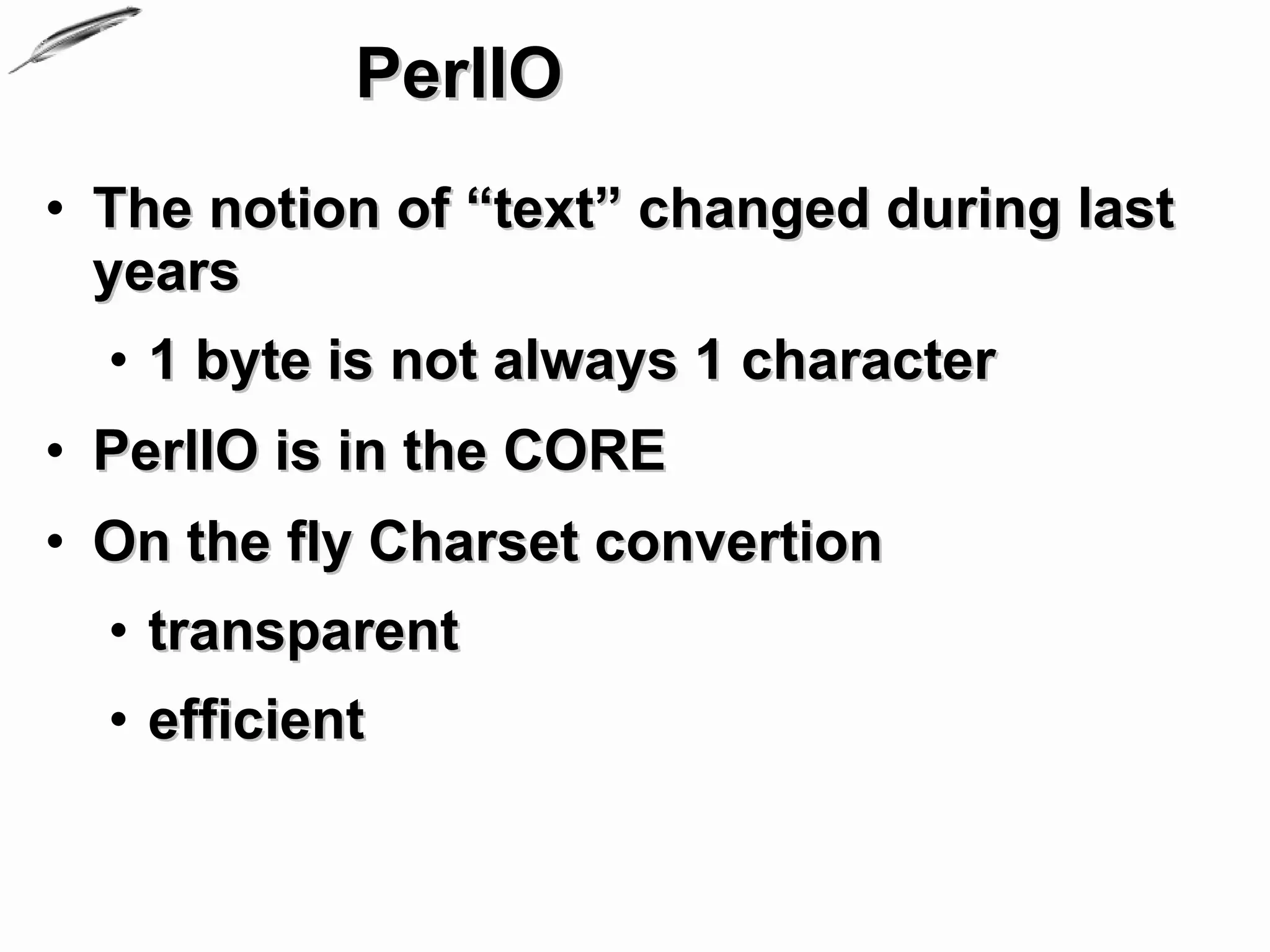
PerlIO
• The notion of “text” changed during last
  years
  • 1 byte is not always 1 character
• PerlIO is in the CORE
• On the fly Charset convertion
  • transparent
  • efficient
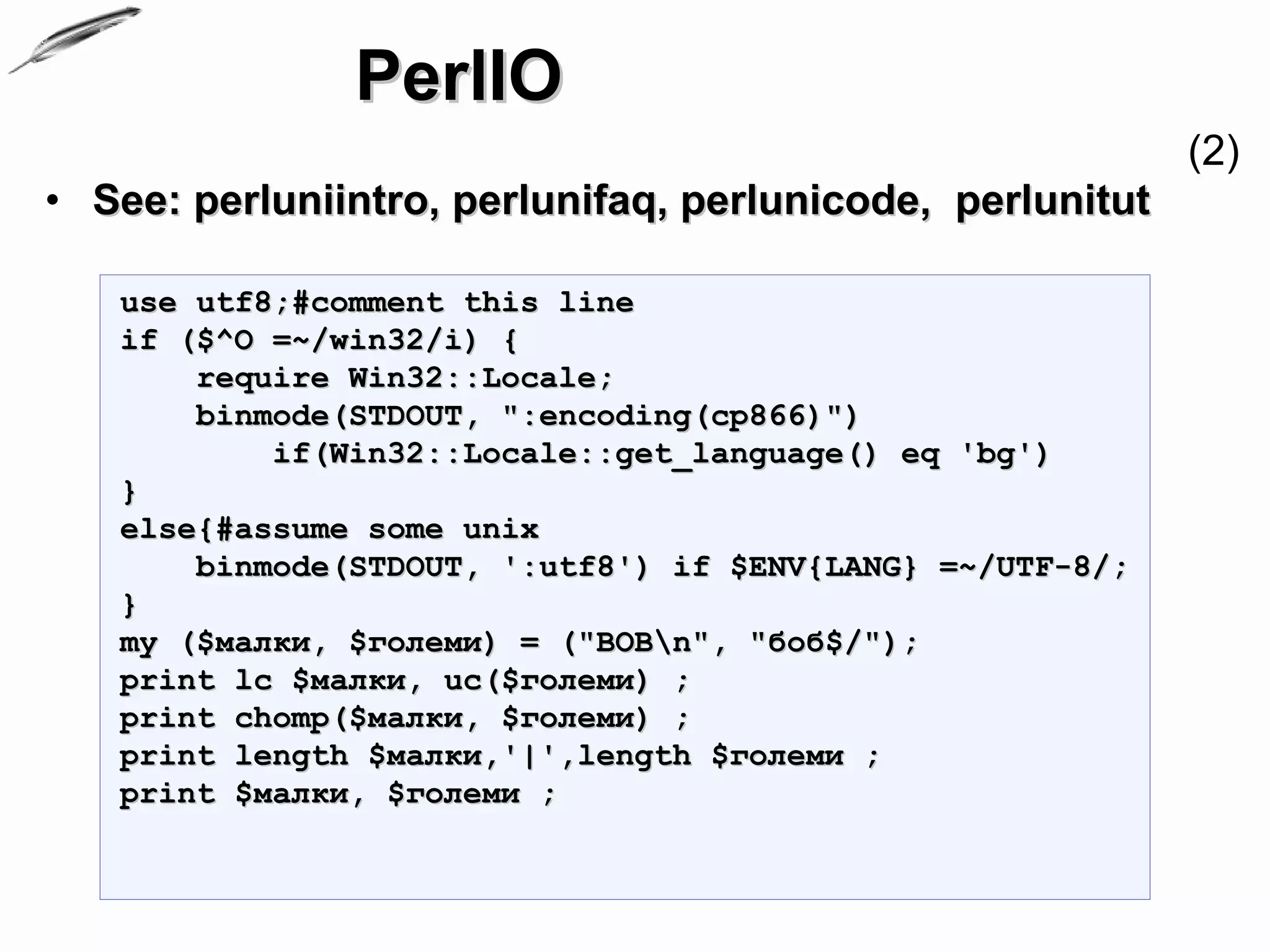
PerlIO
                                                           (2)
• See: perluniintro, perlunifaq, perlunicode, perlunitut

   use utf8;#comment this line
   if ($^O =~/win32/i) {
       require Win32::Locale;
       binmode(STDOUT, ":encoding(cp866)")
           if(Win32::Locale::get_language() eq 'bg')
   }
   else{#assume some unix
       binmode(STDOUT, ':utf8') if $ENV{LANG} =~/UTF-8/;
   }
   my ($малки, $големи) = ("BOBn", "боб$/");
   print lc $малки, uc($големи) ;
   print chomp($малки, $големи) ;
   print length $малки,'|',length $големи ;
   print $малки, $големи ;
IO, Streams,
Files and Directories


Questions?

IO Streams, Files and Directories

  • 1.
    Perl Programming Course IO, Streams, Files and Directories Krassimir Berov I-can.eu
  • 2.
    Contents 1. Input andoutput of scalar data 2. Filehandles 3. STDIN, STDOUT and STDERR 4. Input and output of complex data 5. Opening, closing, reading and writing files 6. File manipulations 7. Directory browsing and manipulations 8. File-test operators
  • 3.
    IO of scalardata • Line-input operator (Diamond Operator) <> == <STDIN> • NOTE: tries first ARGV then STDIN print 'Tell me something'; my $line_input = <>; if ($line_input eq $/){ print 'You just pressed "Enter"' }else { chomp $line_input; print 'You wrote:"' .$line_input .'" and pressed "Enter".'; }
  • 4.
    IO and scalardata (2) • Line-input operator <> == <STDIN>1 • print, printf, sprintf, say2 $SIG{'INT'} = sub {print 'Oh you tried to kill me. '}; print 'Go on, enter something'; while (my $line_input = <STDIN>){ chomp $line_input; print 'You wrote:"' .$line_input .'" and pressed "Enter".'; } 1. ...well, actually first ARGV is consulted 2. Appeared in Perl 5.10
  • 5.
    IO and scalardata (3) • print, printf, sprintf, say #line_input2.pl $SIG{'INT'} = sub {print 'Oh you tried to kill me. '}; print 'Go on, enter something'; while (my $input = <STDIN>){ chomp $input; print 'Go on, enter something' and next unless $input; printf( 'You wrote:"%s" and pressed "Enter"'.$/, $input); if($input =~ /d+/){ $input =~ s/[^d]+//g; print sprintf('%d looks like number.', $input); print 'Enter some string'; }else { printf $/ .'"%s",Goood. now enter some number:', $input; } }
  • 6.
    IO and scalardata • print FILEHANDLE LIST print LIST print • Prints a string or a list of strings • Returns true if successful • FILEHANDLE may be a scalar variable name • If LIST is also omitted, prints $_ to the currently selected output channel • To set the default output channel to something other than STDOUT use the select operation
  • 7.
    IO and scalardata • sprintf FORMAT, LIST • Returns a string formatted as described in FORMAT • You can also use an explicit format parameter index, such as 1$, 2$. print sprintf("%2$02d.%1$02d",45,12); #12.45 • Perl does its own sprintf formatting • it emulates the C function sprintf, but it doesn't use it • Exception: standart formatters for floating- point numbers
  • 8.
    IO and scalardata (2) • sprintf FORMAT, LIST • permits the following universally-known conversions: %% a percent sign %c a character with the given number %s a string %d a signed integer, in decimal %u an unsigned integer, in decimal %o an unsigned integer, in octal %x an unsigned integer, in hexadecimal %e a floating-point number, in scientific notation %f a floating-point number, in fixed decimal notation %g a floating-point number, in %e or %f notation • See perlfunc/sprintf for more
  • 9.
    IO and scalardata • printf FILEHANDLE FORMAT, LIST printf FORMAT, LIST • Equivalent to print FILEHANDLE sprintf(FORMAT, LIST), except that $1 is not appended • DO NOT use a printf when a simple print would do 1. the output record separator
  • 10.
    IO and scalardata • say FILEHANDLE LIST say LIST say • Perl 5.10.0 • Implicitly appends a newline. • say LIST == { local $ = "n"; print LIST } • not enabled by default
  • 11.
    Filehandles • What isa Filehandle? • The name of a connection between a perl program and the outside world • Filehandles are named like other Perl identifiers • Filehandles do not have a sigil. • use all uppercase letters in the name of your filehandle to avoid collisions with future reserved words • or use Indirect Filehandles (SCALARS)
  • 12.
    Filehandles • There areSIX special filehandles • STDIN, STDOUT, STDERR, DATA, ARGV, and ARGVOUT • DO NOT use these names for your own filehandles perl -e'$=$/; print shift @ARGV while @ARGV' arg1 arg2 arg3
  • 13.
    STDIN, STDOUT andSTDERR • STDIN – standard input stream • The connection between your program and its input • Generally the keyboard • May also be a file or the output of another program trough a pipe perl -e'print while <>' perl -e'print while <>' |ls #unix perl -e"print while <>" |dir #windows perl -e'print while <>' <somefile perl -e'print while <STDIN>'
  • 14.
    STDIN, STDOUT andSTDERR • STDOUT – standard output stream • The screen by default • Can be redirected to a file or another program perl -e'print STDOUT while <STDIN>' perl -e'print while <>'
  • 15.
    STDIN, STDOUT andSTDERR • STDERR – standard error stream • The screen by default • Can be redirected to a file or another program
  • 16.
    STDIN, STDOUT andSTDERR • Example: $SIG{'INT'} = sub {warn 'Oh you tried to kill me. '}; print STDERR 'Go on, enter something'; while (my $input = <STDIN>){ chomp $input; print STDERR 'Go on, enter something' and next unless $input; printf STDOUT ( 'You wrote:"%s" and pressed "Enter"'.$/, $input); if($input =~ /d+/){ $input =~ s/[^d]+//g; print STDOUT sprintf('%d looks like number.', $input); print STDERR 'Enter some string'; }else { printf STDOUT $/ .'"%s",Goood.', $input; print STDERR 'Now enter some number:' } }
  • 17.
    IO of complexdata • Parsing arguments to your program • ARGV – filehandle • iterates over command-line filenames in @ARGV • Usually written as the null filehandle in the diamond operator <> • $ARGV - contains the name of the current file when reading from <> • @ARGV command-line arguments intended for the script • use Getopt::Long;
  • 18.
    IO of complexdata • Parsing arguments • Example: #sum.pl my $sum = 0; for(@ARGV){ s/[D]+//g; #sanitize input $_ ||= 0; #be sure we have a number print 'adding '. $_ . ' to ' . $sum if $sum; $sum += $_; print 'Result: ' . $sum; }
  • 19.
    IO of complexdata • Parsing arguments (Advanced) • Getopt::Long - Extended processing of command line options • parses the options from the global array @ARGV • can be used to parse options from an arbitrary string • thread safe when using ithreads as of Perl 5.8 • encourages the use of Pod::Usage to produce help messages • can be used in an object oriented way
  • 20.
    IO of complexdata • Parsing arguments (Advanced) • Example: #calc.pl use Getopt::Long; use Pod::Usage; use Data::Dumper; our %opts; GetOptions (%opts, 'action|do=s', 'params|p=s@', 'verbose', 'help|?' ); print Dumper(%opts) if $opts{verbose}; #...
  • 21.
    IO of complexdata (2) • Parsing arguments (Advanced) • Example: #calc.pl continued pod2usage(2) if $opts{help}; if($opts{action} eq 'sum') { sum() } elsif ($opts{action} eq 'subtract') { subtract(); } else { print 'The action ' . $opts{action} .' is not implemented.'; }
  • 22.
    Opening, closing, reading and writing files • open FILEHANDLE,EXPR open FILEHANDLE,MODE,EXPR • Opens the file whose filename is given by EXPR, and associates it with FILEHANDLE. • See also: sysopen, POSIX::open open(FILE,'<','/etc/sudoers') or die 'Can't open sudoers for reading. '.$!; open(FILE,'>','/etc/sudoers') or die 'Can't open sudoers for wriring. '.$!; open(FILE,'>>','/etc/sudoers') or die 'Can't open sudoers for appending. '.$!;
  • 23.
    Opening, closing, reading and writing files • close FILEHANDLE close • Closes the file or pipe associated with the file handle, • flushes the IO buffers, • closes the system file descriptor. • Returns true on success and if no error was reported by any PerlIO layer. • Closes the currently selected filehandle if the argument is omitted.
  • 24.
    Opening, closing, reading and writing files • Reading and writing my $FH; my $file = 'test.txt'; if (open($FH,'<', $file) ) { local $/; # slurp mode my $text = <$FH>; print "Content of $file:n$text"; } else { open($FH,'>', $file);#create it print $FH 'Hello!'; } close $FH
  • 25.
    Opening, closing, reading and writing files (2) • Reading and writing my $FH; my $file = 'test.txt'; if (open($FH,'<', $file) ) { my @lines = <$FH>; print "Content of $file:n"; print $_ foreach (@lines); } else { print 'Creating '. $file.$/; open($FH,'>', $file); print $FH $_.':Hello!'.$/ for (1..4); } close $FH;
  • 26.
    Opening, closing, reading and writing files (3) • Reading and writing – OO way use IO::File; my $file = 'test.txt'; my $fh = IO::File->new("< $file"); my @lines; $fh->binmode;#see binmode in perlfunc @lines = $fh->getlines; print "Content of $file:n"; print $_ foreach (@lines); $fh->close;
  • 27.
  • 28.
    File manipulations • unlinkLIST unlink • Deletes a list of files. Returns the number of files successfully deleted. unlink qw /test.txt errors.txt file.txt/
  • 29.
    File manipulations • renameOLDNAME,NEWNAME • Changes the name of a file; an existing file NEWNAME will be clobbered. Returns true for success, false otherwise. • can be used as move implementation • See also File::Copy
  • 30.
    File manipulations • move • File::Copy • provides two basic functions, copy and move • See perldoc File::Copy use File::Copy "cp";#alias for 'copy' cp("file.txt","file2.txt") or die "Copy failed: $!";
  • 31.
    Directory browsing and manipulations • opendir/closedir • readdir/rewinddir • mkdir/rmdir • IO::Dir • File::Path
  • 32.
    Directory browsing and manipulations • opendir DIRHANDLE,EXPR • Opens a directory named EXPR for processing by readdir, telldir, seekdir, rewinddir, and closedir. • Returns true if successful. • NOTE: DIRHANDLEs have their own namespace separate from FILEHANDLEs • closedir • Closes a directory opened by opendir and returns the success of that system call
  • 33.
    Directory browsing and manipulations • opendir DIRHANDLE,EXPR • Opens a directory named EXPR for processing by readdir, telldir, seekdir, rewinddir, and closedir. • Returns true if successful. • NOTE: DIRHANDLEs have their own namespace separate from FILEHANDLEs • closedir • Closes a directory opened by opendir and returns the success of that system call
  • 34.
    Directory browsing and manipulations • readdir DIRHANDLE • Returns the next directory entry for a directory opened by opendir. • In list context, returns all the rest of the entries in the directory. • If there are no more entries, returns an undefined value in scalar context or a null list in list context. • rewinddir DIRHANDLE • Sets the current position to the beginning of the directory for the readdir routine on DIRHANDLE
  • 35.
    Directory browsing and manipulations • mkdir FILENAME,MASK mkdir FILENAME mkdir • Creates the directory specified by FILENAME, with permissions specified by MASK (as modified by umask). • On success returns true, otherwise returns false and sets $! (errno). • If omitted, MASK defaults to 0777. • If omitted, FILENAME defaults to $_.
  • 36.
    Directory browsing and manipulations • rmdir FILENAME rmdir • Deletes the directory specified by FILENAME if that directory is empty. • On success returns true, otherwise returns false and sets $! (errno). • If FILENAME is omitted, uses $_.
  • 37.
    Directory browsing and manipulations • File::Path and IO::Dir • File::Path – Create or remove directory trees • provides mkpath and rmtree to create, or remove, respectively whole directory paths • IO::Dir – supply object methods for directory handles • just wrappers around perl's built in directory reading routines
  • 38.
    Directory browsing and manipulations • Example: #see 06_io/directories.pl
  • 39.
    File-tests • -X FILEHANDLE -X EXPR -X DIRHANDLE -X • A file test, where X is one of the letters listed below. • tests the associated file to see if something is true about it • If the argument is omitted, tests $_, except for -t, which tests STDIN • returns 1 for true and '' for false, or the undefined value if the file doesn't exist.
  • 40.
    File-tests • -X canbe any of: -r File is readable by effective uid/gid. -w File is writable by effective uid/gid. -x File is executable by effective uid/gid. -o File is owned by effective uid. -R File is readable by real uid/gid. -W File is writable by real uid/gid. -X File is executable by real uid/gid. -O File is owned by real uid. -e File exists. -z File has zero size (is empty). -s File has nonzero size (returns size in bytes).
  • 41.
    File-tests (2) • -X can be any of: -f File is a plain file. -d File is a directory. -l File is a symbolic link. -p File is a named pipe (FIFO), or Filehandle is a pipe. -S File is a socket. -b File is a block special file. -c File is a character special file. -t Filehandle is opened to a tty. -u File has setuid bit set. -g File has setgid bit set. -k File has sticky bit set. -T File is an ASCII text file (heuristic guess). -B File is a "binary" file (opposite of -T). -M Script start time minus file modification time, in days. -A Same for access time. -C Same for inode change time (Unix, may differ for other platforms)
  • 42.
    PerlIO • The notionof “text” changed during last years • 1 byte is not always 1 character • PerlIO is in the CORE • On the fly Charset convertion • transparent • efficient
  • 43.
    PerlIO (2) • See: perluniintro, perlunifaq, perlunicode, perlunitut use utf8;#comment this line if ($^O =~/win32/i) { require Win32::Locale; binmode(STDOUT, ":encoding(cp866)") if(Win32::Locale::get_language() eq 'bg') } else{#assume some unix binmode(STDOUT, ':utf8') if $ENV{LANG} =~/UTF-8/; } my ($малки, $големи) = ("BOBn", "боб$/"); print lc $малки, uc($големи) ; print chomp($малки, $големи) ; print length $малки,'|',length $големи ; print $малки, $големи ;
  • 44.
    IO, Streams, Files andDirectories Questions?