PERL
(PRACTICAL REPORT AND EXTRACTION
LANGUAGE)
Session-1
INTRODUCTION
What is PERL?
* Practical extraction and report language.
* It is an interpreted language, optimized
for scanning arbitrary text files, extracting
information from them, and printing reports
based on that information.
* Very powerful string handling features.
* Available on all platforms.
ADVANTAGES
*Speed:-As it is an interpretive
language;no need of compiler.Only we
enter the program in the text file and just
run it.
*The regular expressions of Perl are
extremely powerful.
*Uses sophisticated pattern matching
techniques to scan large amounts of data
very quickly.
*Portability:-Perl is a standard
language and is available on all
platforms.
-Free versions are available
on the internet.
*Editing Perl programs:-No
sophiticated editing tool is needed.
-Any simple text editor
like notepad or vi will do.
*Flexibility:-Perl does not limit
the size of your data.
-If memory is available
,Perl can handle the whole file as
a single string.
-Allows one to write
simple programs to perform
complex tasks.
How to run Perl?
*Perl can be downloaded from the internet.
*Available on almost all platforms.
Assumptions:-
*For windows operating system,we can run Perl
program from command prompt.
-Rum "cmd" to get command prompt window.
*For Unix/Linux,we can run directly from the shell
prompt.
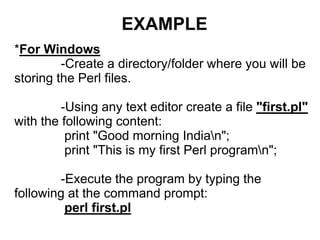
EXAMPLE
*For Windows
-Create a directory/folder where you will be
storing the Perl files.
-Using any text editor create a file "first.pl"
with the following content:
print "Good morning Indian";
print "This is my first Perl programn";
-Execute the program by typing the
following at the command prompt:
perl first.pl
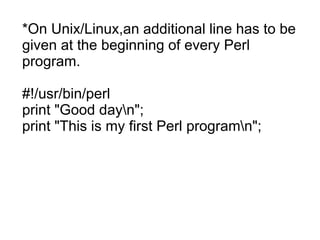
*On Unix/Linux,an additional line has to be
given at the beginning of every Perl
program.
#!/usr/bin/perl
print "Good dayn";
print "This is my first Perl programn";
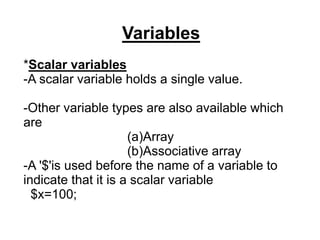
Variables
*Scalar variables
-A scalar variable holds a single value.
-Other variable types are also available which
are
(a)Array
(b)Associative array
-A '$'is used before the name of a variable to
indicate that it is a scalar variable
$x=100;
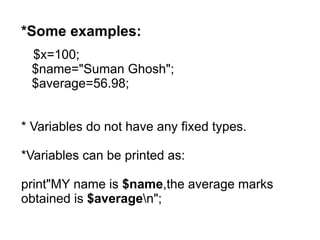
*Some examples:
$x=100;
$name="Suman Ghosh";
$average=56.98;
* Variables do not have any fixed types.
*Variables can be printed as:
print"MY name is $name,the average marks
obtained is $averagen";
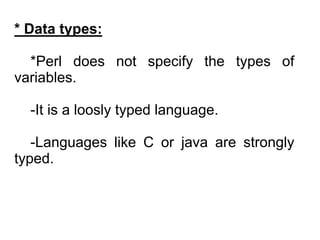
* Data types:
*Perl does not specify the types of
variables.
-It is a loosly typed language.
-Languages like C or java are strongly
typed.
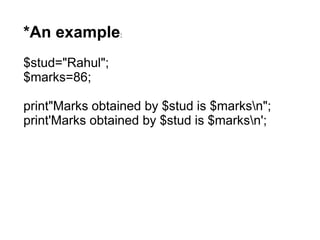
*An example:
$stud="Rahul";
$marks=86;
print"Marks obtained by $stud is $marksn";
print'Marks obtained by $stud is $marksn';
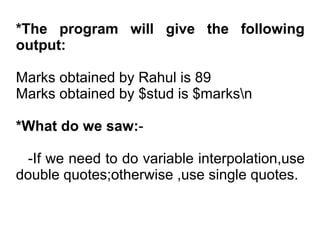
*The program will give the following
output:
Marks obtained by Rahul is 89
Marks obtained by $stud is $marksn
*What do we saw:-
-If we need to do variable interpolation,use
double quotes;otherwise ,use single quotes.
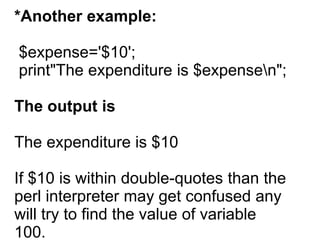
*Another example:
$expense='$10';
print"The expenditure is $expensen";
The output is
The expenditure is $10
If $10 is within double-quotes than the
perl interpreter may get confused any
will try to find the value of variable
100.
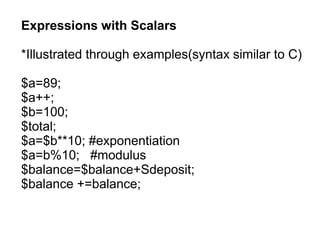
Expressions with Scalars
*Illustrated through examples(syntax similar to C)
$a=89;
$a++;
$b=100;
$total;
$a=$b**10; #exponentiation
$a=b%10; #modulus
$balance=$balance+Sdeposit;
$balance +=balance;
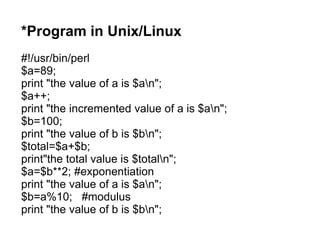
*Program in Unix/Linux
#!/usr/bin/perl
$a=89;
print "the value of a is $an";
$a++;
print "the incremented value of a is $an";
$b=100;
print "the value of b is $bn";
$total=$a+$b;
print"the total value is $totaln";
$a=$b**2; #exponentiation
print "the value of a is $an";
$b=a%10; #modulus
print "the value of b is $bn";
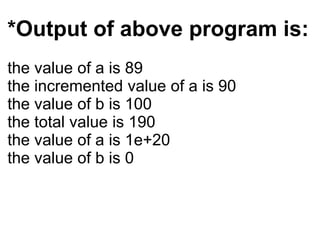
*Output of above program is:
the value of a is 89
the incremented value of a is 90
the value of b is 100
the total value is 190
the value of a is 1e+20
the value of b is 0
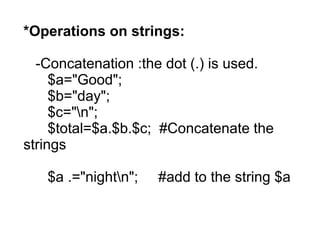
*Operations on strings:
-Concatenation :the dot (.) is used.
$a="Good";
$b="day";
$c="n";
$total=$a.$b.$c; #Concatenate the
strings
$a .="nightn"; #add to the string $a
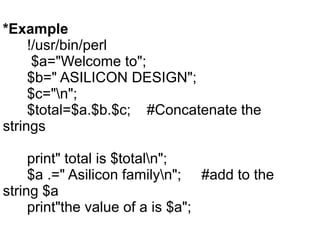
*Example
!/usr/bin/perl
$a="Welcome to";
$b=" ASILICON DESIGN";
$c="n";
$total=$a.$b.$c; #Concatenate the
strings
print" total is $totaln";
$a .=" Asilicon familyn"; #add to the
string $a
print"the value of a is $a";
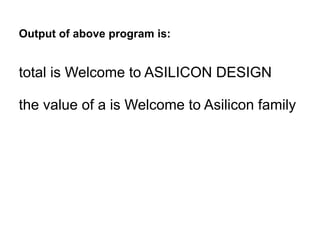
Output of above program is:
total is Welcome to ASILICON DESIGN
the value of a is Welcome to Asilicon family
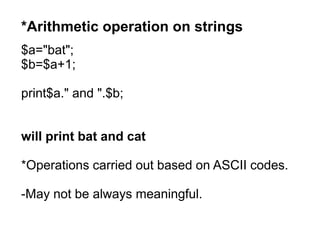
*Arithmetic operation on strings
$a="bat";
$b=$a+1;
print$a." and ".$b;
will print bat and cat
*Operations carried out based on ASCII codes.
-May not be always meaningful.
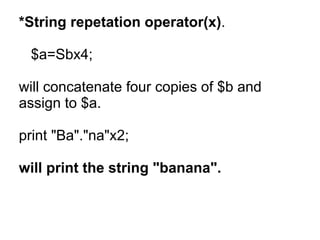
*String repetation operator(x).
$a=Sbx4;
will concatenate four copies of $b and
assign to $a.
print "Ba"."na"x2;
will print the string "banana".
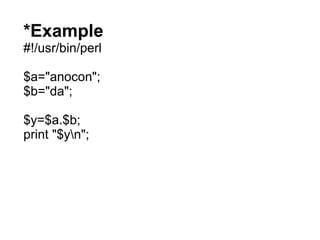
*Example
#!/usr/bin/perl
$a="anocon";
$b="da";
$y=$a.$b;
print "$yn";
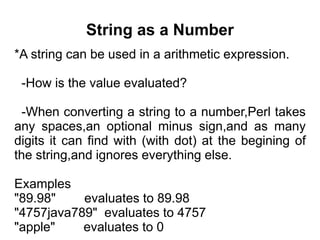
String as a Number
*A string can be used in a arithmetic expression.
-How is the value evaluated?
-When converting a string to a number,Perl takes
any spaces,an optional minus sign,and as many
digits it can find with (with dot) at the begining of
the string,and ignores everything else.
Examples
"89.98" evaluates to 89.98
"4757java789" evaluates to 4757
"apple" evaluates to 0
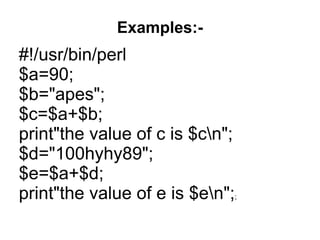
Examples:-
#!/usr/bin/perl
$a=90;
$b="apes";
$c=$a+$b;
print"the value of c is $cn";
$d="100hyhy89";
$e=$a+$d;
print"the value of e is $en";;
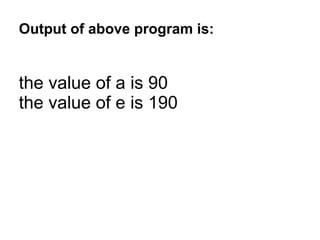
Output of above program is:
the value of a is 90
the value of e is 190
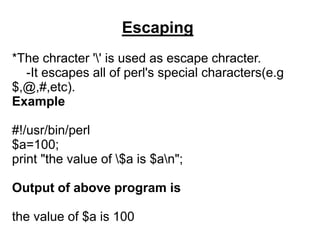
Escaping
*The chracter '' is used as escape chracter.
-It escapes all of perl's special characters(e.g
$,@,#,etc).
Example
#!/usr/bin/perl
$a=100;
print "the value of $a is $an";
Output of above program is
the value of $a is 100
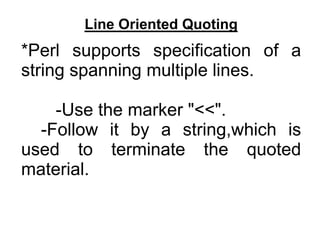
Line Oriented Quoting
*Perl supports specification of a
string spanning multiple lines.
-Use the marker "<<".
-Follow it by a string,which is
used to terminate the quoted
material.
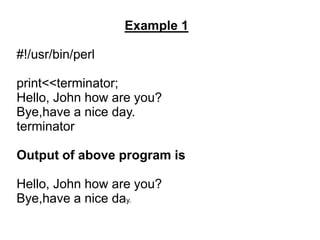
Example 1
#!/usr/bin/perl
print<<terminator;
Hello, John how are you?
Bye,have a nice day.
terminator
Output of above program is
Hello, John how are you?
Bye,have a nice day.
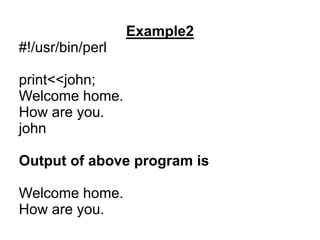
Example2
#!/usr/bin/perl
print<<john;
Welcome home.
How are you.
john
Output of above program is
Welcome home.
How are you.
Lists and Arrays
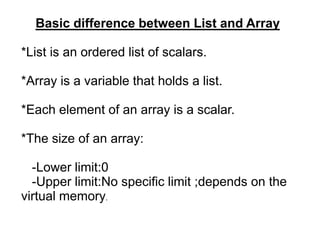
Basic difference between List and Array
*List is an ordered list of scalars.
*Array is a variable that holds a list.
*Each element of an array is a scalar.
*The size of an array:
-Lower limit:0
-Upper limit:No specific limit ;depends on the
virtual memory.
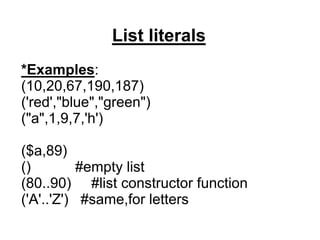
List literals
*Examples:
(10,20,67,190,187)
('red',"blue","green")
("a",1,9,7,'h')
($a,89)
() #empty list
(80..90) #list constructor function
('A'..'Z') #same,for letters
Specifying Array Variable
*we use the special character '@'.
@day #denotes an array
@x #denotes an array
The individual elements of the array are
scalars,and can be referred to as:
@day[0] #first element of @day
@day[1] #second element of @day
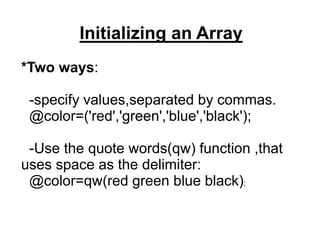
Initializing an Array
*Two ways:
-specify values,separated by commas.
@color=('red','green','blue','black');
-Use the quote words(qw) function ,that
uses space as the delimiter:
@color=qw(red green blue black);
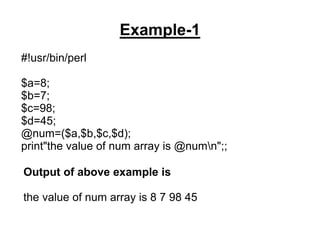
Example-1
#!usr/bin/perl
$a=8;
$b=7;
$c=98;
$d=45;
@num=($a,$b,$c,$d);
print"the value of num array is @numn";;
Output of above example is
the value of num array is 8 7 98 45
Example 2
#!/usr/bin/perl
@color=qw(red green yellow black);
print "the value of first element is @color[0]n";
print "the value of second element is @color[1]n";
print "the value of third element is @color[2]n";
print "the value of fourth element is @color[3]n";
print"the value of color array is @colorn";
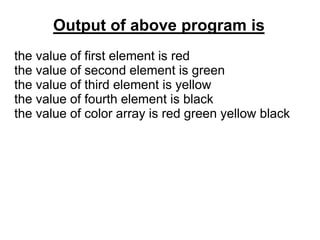
Output of above program is
the value of first element is red
the value of second element is green
the value of third element is yellow
the value of fourth element is black
the value of color array is red green yellow black
Thank You

PERL.ppt

  • 1.
    PERL (PRACTICAL REPORT ANDEXTRACTION LANGUAGE) Session-1
  • 2.
    INTRODUCTION What is PERL? *Practical extraction and report language. * It is an interpreted language, optimized for scanning arbitrary text files, extracting information from them, and printing reports based on that information. * Very powerful string handling features. * Available on all platforms.
  • 3.
    ADVANTAGES *Speed:-As it isan interpretive language;no need of compiler.Only we enter the program in the text file and just run it. *The regular expressions of Perl are extremely powerful. *Uses sophisticated pattern matching techniques to scan large amounts of data very quickly.
  • 4.
    *Portability:-Perl is astandard language and is available on all platforms. -Free versions are available on the internet. *Editing Perl programs:-No sophiticated editing tool is needed. -Any simple text editor like notepad or vi will do.
  • 5.
    *Flexibility:-Perl does notlimit the size of your data. -If memory is available ,Perl can handle the whole file as a single string. -Allows one to write simple programs to perform complex tasks.
  • 6.
    How to runPerl? *Perl can be downloaded from the internet. *Available on almost all platforms. Assumptions:- *For windows operating system,we can run Perl program from command prompt. -Rum "cmd" to get command prompt window. *For Unix/Linux,we can run directly from the shell prompt.
  • 7.
    EXAMPLE *For Windows -Create adirectory/folder where you will be storing the Perl files. -Using any text editor create a file "first.pl" with the following content: print "Good morning Indian"; print "This is my first Perl programn"; -Execute the program by typing the following at the command prompt: perl first.pl
  • 8.
    *On Unix/Linux,an additionalline has to be given at the beginning of every Perl program. #!/usr/bin/perl print "Good dayn"; print "This is my first Perl programn";
  • 9.
    Variables *Scalar variables -A scalarvariable holds a single value. -Other variable types are also available which are (a)Array (b)Associative array -A '$'is used before the name of a variable to indicate that it is a scalar variable $x=100;
  • 10.
    *Some examples: $x=100; $name="Suman Ghosh"; $average=56.98; *Variables do not have any fixed types. *Variables can be printed as: print"MY name is $name,the average marks obtained is $averagen";
  • 11.
    * Data types: *Perldoes not specify the types of variables. -It is a loosly typed language. -Languages like C or java are strongly typed.
  • 12.
    *An example: $stud="Rahul"; $marks=86; print"Marks obtainedby $stud is $marksn"; print'Marks obtained by $stud is $marksn';
  • 13.
    *The program willgive the following output: Marks obtained by Rahul is 89 Marks obtained by $stud is $marksn *What do we saw:- -If we need to do variable interpolation,use double quotes;otherwise ,use single quotes.
  • 14.
    *Another example: $expense='$10'; print"The expenditureis $expensen"; The output is The expenditure is $10 If $10 is within double-quotes than the perl interpreter may get confused any will try to find the value of variable 100.
  • 15.
    Expressions with Scalars *Illustratedthrough examples(syntax similar to C) $a=89; $a++; $b=100; $total; $a=$b**10; #exponentiation $a=b%10; #modulus $balance=$balance+Sdeposit; $balance +=balance;
  • 16.
    *Program in Unix/Linux #!/usr/bin/perl $a=89; print"the value of a is $an"; $a++; print "the incremented value of a is $an"; $b=100; print "the value of b is $bn"; $total=$a+$b; print"the total value is $totaln"; $a=$b**2; #exponentiation print "the value of a is $an"; $b=a%10; #modulus print "the value of b is $bn";
  • 17.
    *Output of aboveprogram is: the value of a is 89 the incremented value of a is 90 the value of b is 100 the total value is 190 the value of a is 1e+20 the value of b is 0
  • 18.
    *Operations on strings: -Concatenation:the dot (.) is used. $a="Good"; $b="day"; $c="n"; $total=$a.$b.$c; #Concatenate the strings $a .="nightn"; #add to the string $a
  • 19.
    *Example !/usr/bin/perl $a="Welcome to"; $b=" ASILICONDESIGN"; $c="n"; $total=$a.$b.$c; #Concatenate the strings print" total is $totaln"; $a .=" Asilicon familyn"; #add to the string $a print"the value of a is $a";
  • 20.
    Output of aboveprogram is: total is Welcome to ASILICON DESIGN the value of a is Welcome to Asilicon family
  • 21.
    *Arithmetic operation onstrings $a="bat"; $b=$a+1; print$a." and ".$b; will print bat and cat *Operations carried out based on ASCII codes. -May not be always meaningful.
  • 22.
    *String repetation operator(x). $a=Sbx4; willconcatenate four copies of $b and assign to $a. print "Ba"."na"x2; will print the string "banana".
  • 23.
  • 24.
    String as aNumber *A string can be used in a arithmetic expression. -How is the value evaluated? -When converting a string to a number,Perl takes any spaces,an optional minus sign,and as many digits it can find with (with dot) at the begining of the string,and ignores everything else. Examples "89.98" evaluates to 89.98 "4757java789" evaluates to 4757 "apple" evaluates to 0
  • 25.
    Examples:- #!/usr/bin/perl $a=90; $b="apes"; $c=$a+$b; print"the value ofc is $cn"; $d="100hyhy89"; $e=$a+$d; print"the value of e is $en";;
  • 26.
    Output of aboveprogram is: the value of a is 90 the value of e is 190
  • 27.
    Escaping *The chracter ''is used as escape chracter. -It escapes all of perl's special characters(e.g $,@,#,etc). Example #!/usr/bin/perl $a=100; print "the value of $a is $an"; Output of above program is the value of $a is 100
  • 28.
    Line Oriented Quoting *Perlsupports specification of a string spanning multiple lines. -Use the marker "<<". -Follow it by a string,which is used to terminate the quoted material.
  • 29.
    Example 1 #!/usr/bin/perl print<<terminator; Hello, Johnhow are you? Bye,have a nice day. terminator Output of above program is Hello, John how are you? Bye,have a nice day.
  • 30.
    Example2 #!/usr/bin/perl print<<john; Welcome home. How areyou. john Output of above program is Welcome home. How are you.
  • 31.
  • 32.
    Basic difference betweenList and Array *List is an ordered list of scalars. *Array is a variable that holds a list. *Each element of an array is a scalar. *The size of an array: -Lower limit:0 -Upper limit:No specific limit ;depends on the virtual memory.
  • 33.
    List literals *Examples: (10,20,67,190,187) ('red',"blue","green") ("a",1,9,7,'h') ($a,89) () #emptylist (80..90) #list constructor function ('A'..'Z') #same,for letters
  • 34.
    Specifying Array Variable *weuse the special character '@'. @day #denotes an array @x #denotes an array The individual elements of the array are scalars,and can be referred to as: @day[0] #first element of @day @day[1] #second element of @day
  • 35.
    Initializing an Array *Twoways: -specify values,separated by commas. @color=('red','green','blue','black'); -Use the quote words(qw) function ,that uses space as the delimiter: @color=qw(red green blue black);
  • 36.
    Example-1 #!usr/bin/perl $a=8; $b=7; $c=98; $d=45; @num=($a,$b,$c,$d); print"the value ofnum array is @numn";; Output of above example is the value of num array is 8 7 98 45
  • 37.
    Example 2 #!/usr/bin/perl @color=qw(red greenyellow black); print "the value of first element is @color[0]n"; print "the value of second element is @color[1]n"; print "the value of third element is @color[2]n"; print "the value of fourth element is @color[3]n"; print"the value of color array is @colorn";
  • 38.
    Output of aboveprogram is the value of first element is red the value of second element is green the value of third element is yellow the value of fourth element is black the value of color array is red green yellow black
  • 39.