Downloaded 15 times
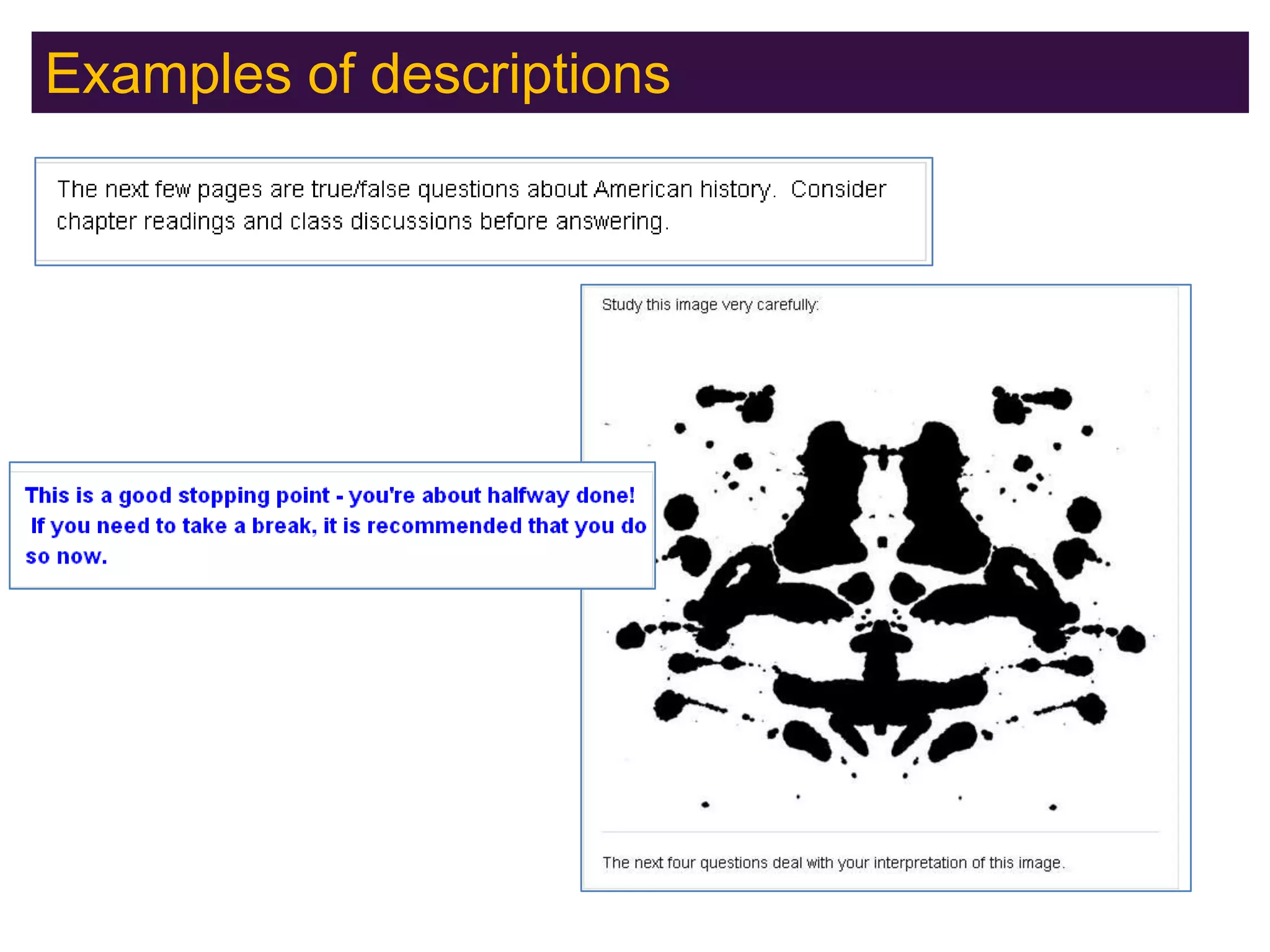
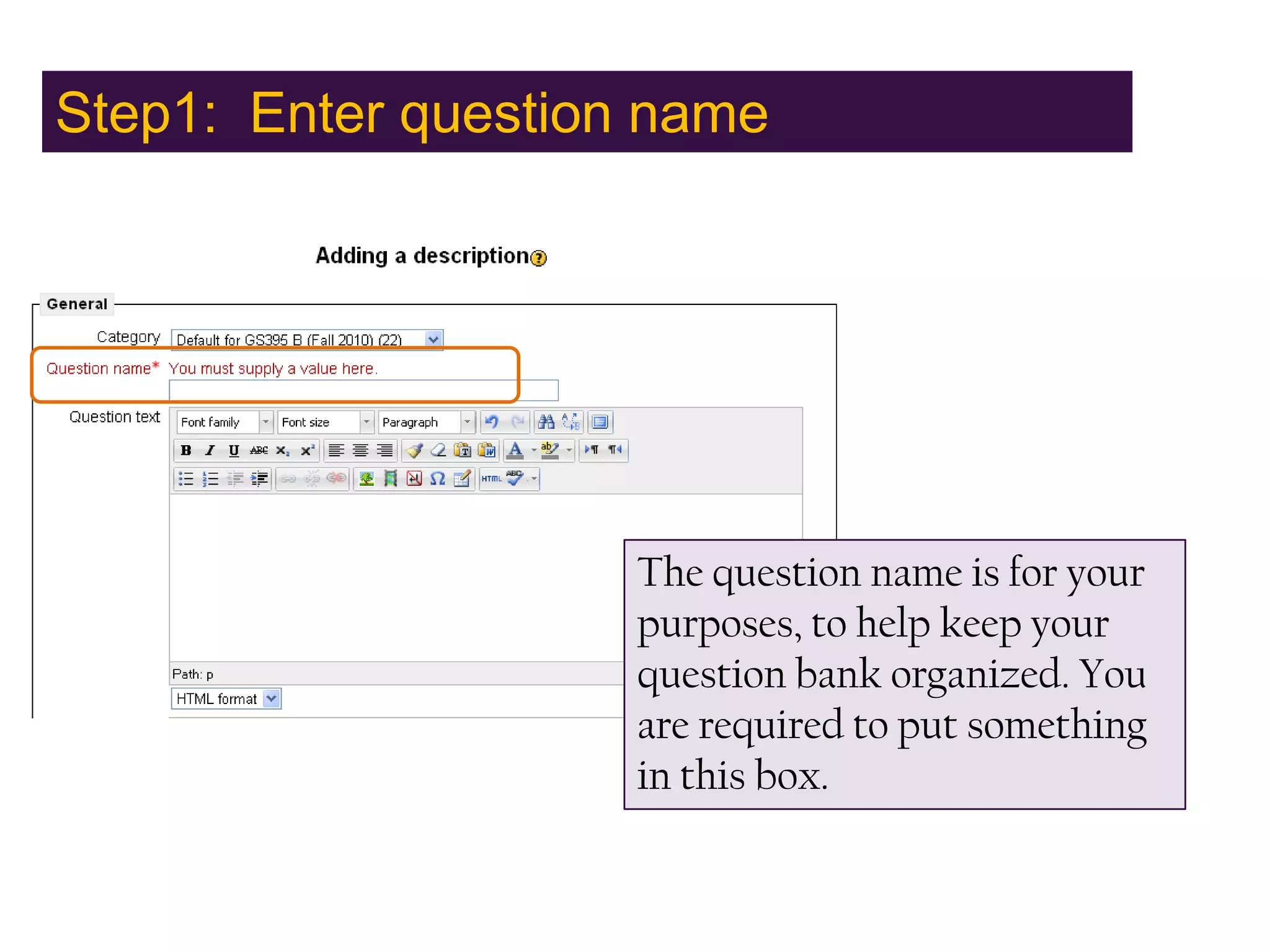
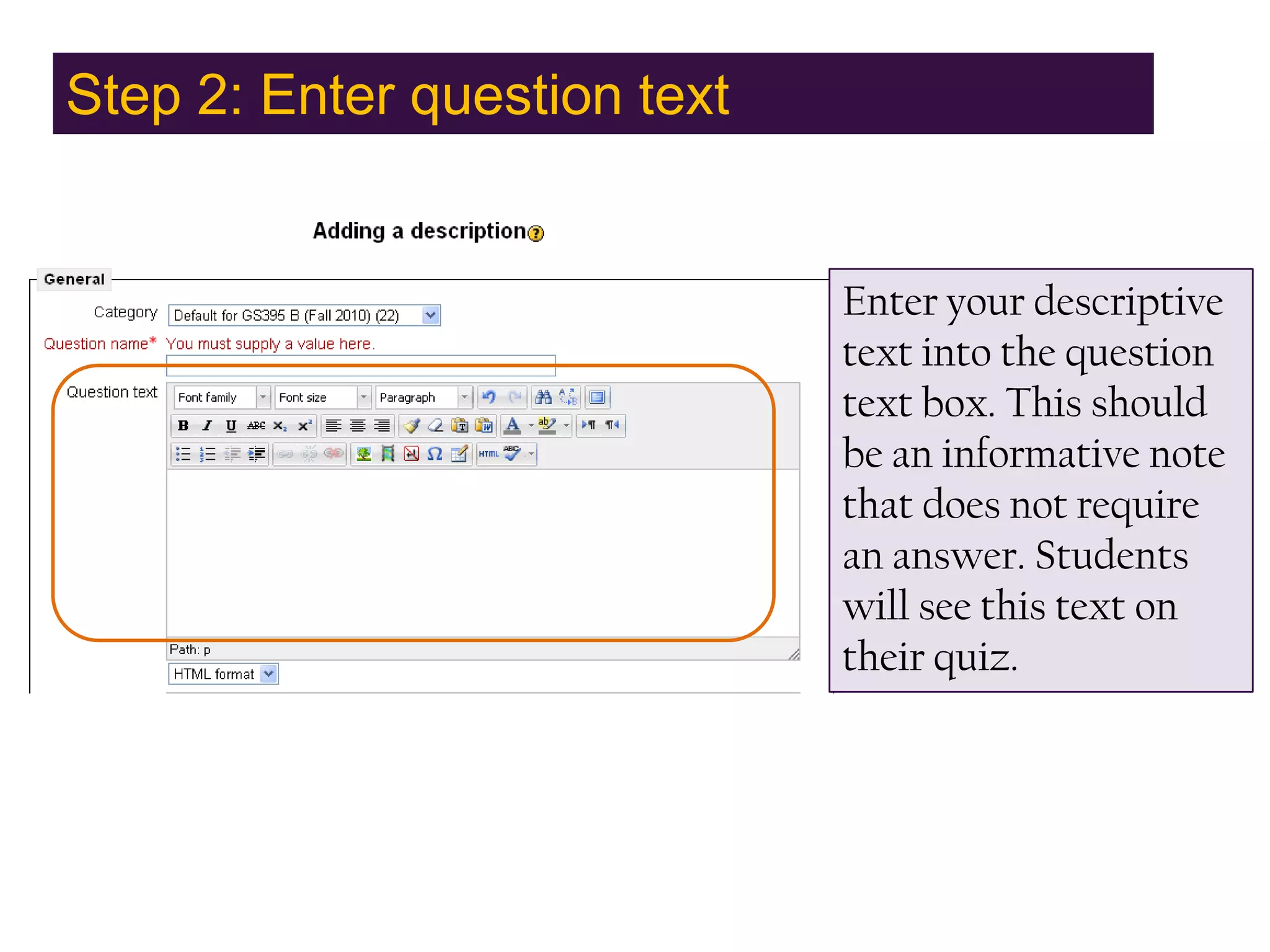
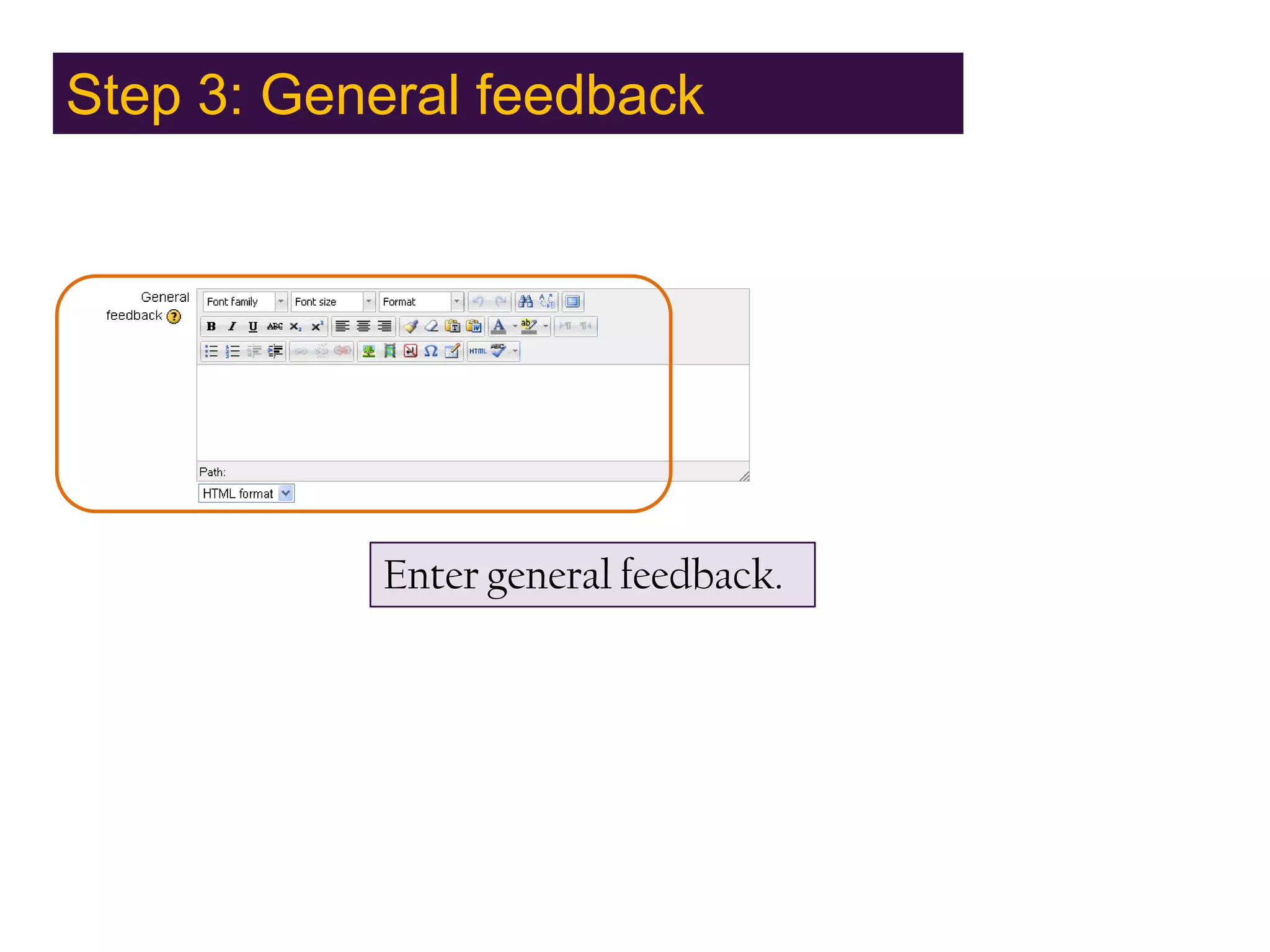
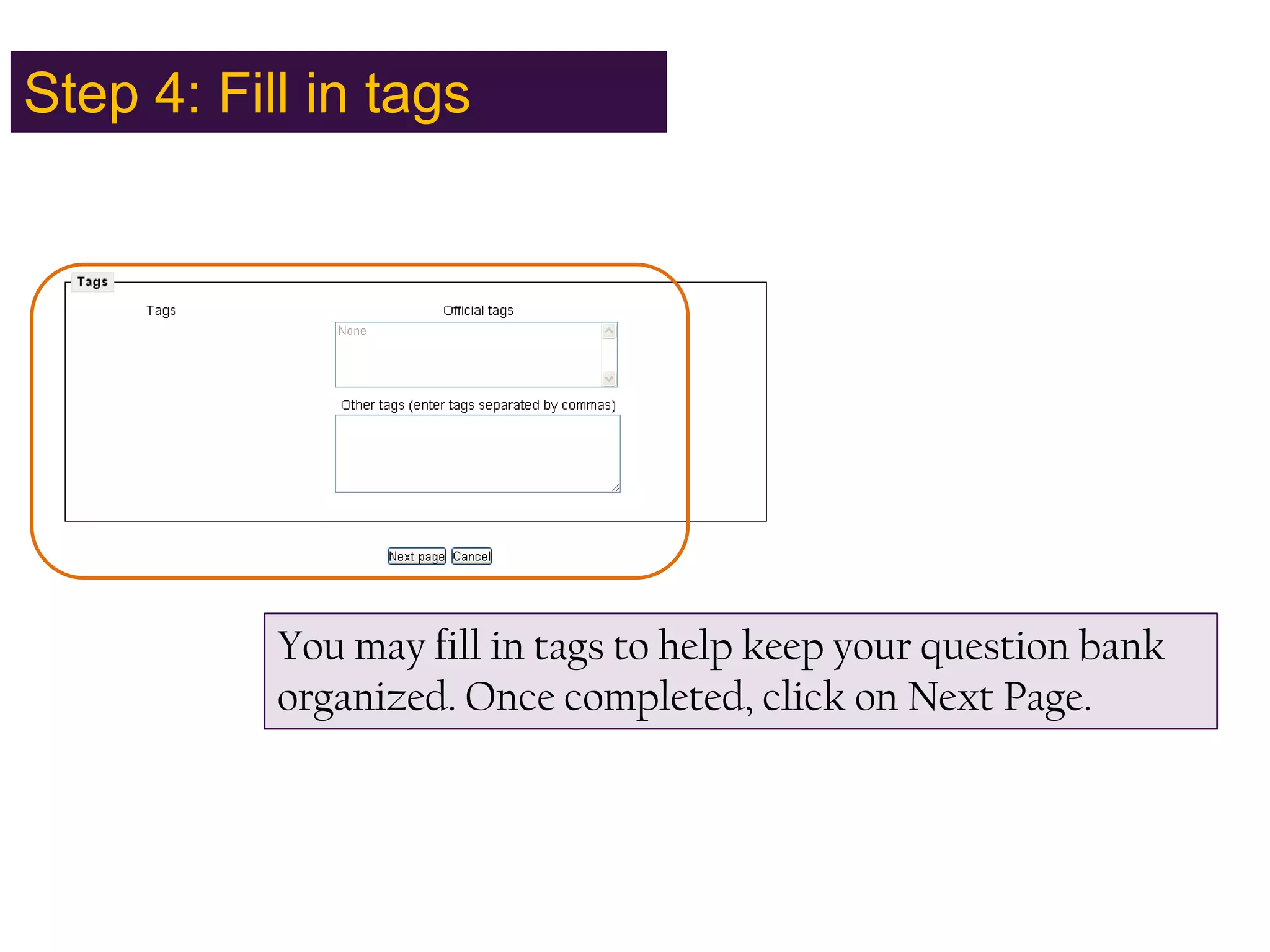
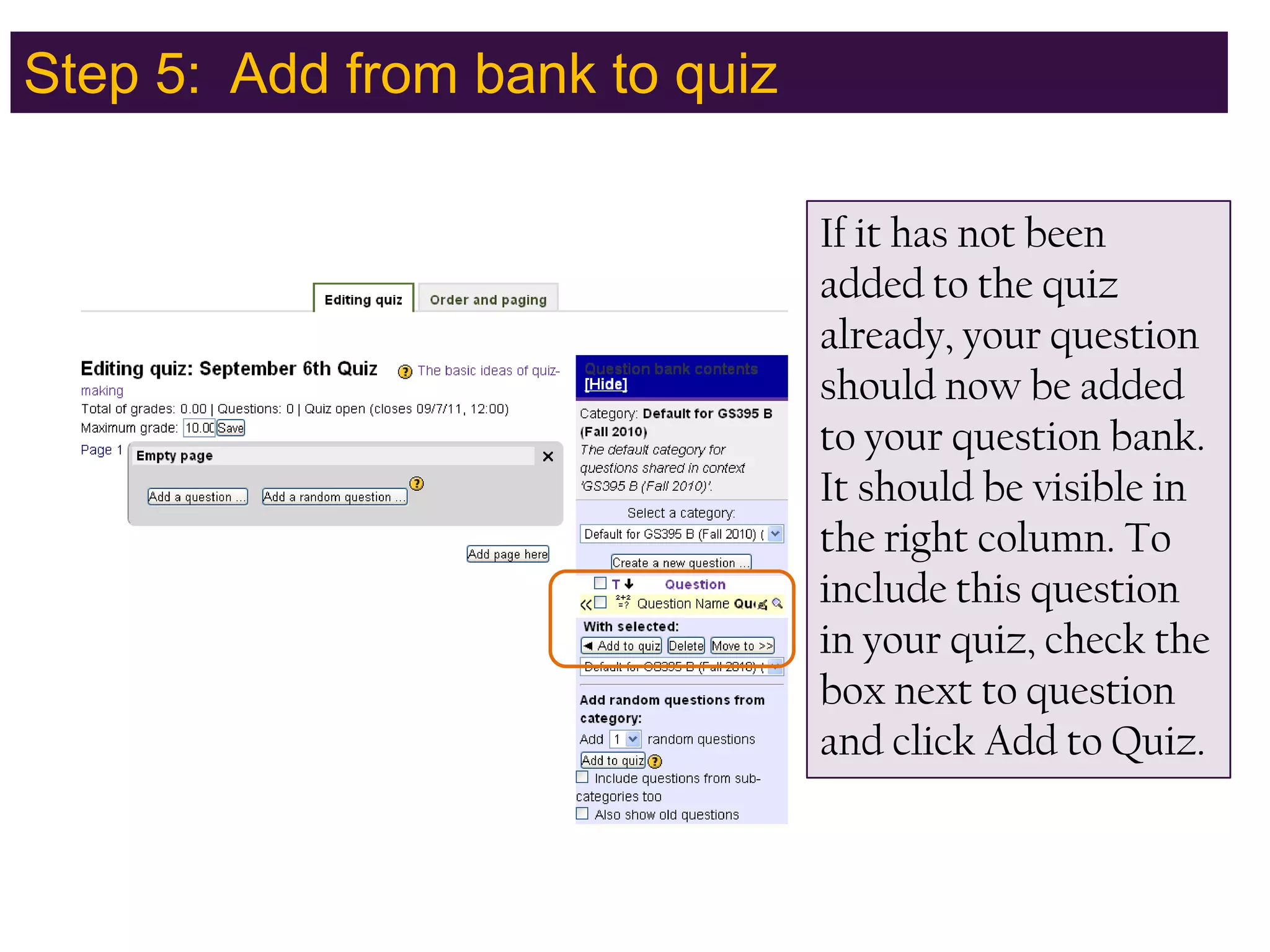

Description quiz options allow instructors to add instructions, rubrics, or other content to quizzes without requiring a student response. They function similarly to course page labels. The document provides examples of how to use description quiz options, including entering a question name and text, adding general feedback, filling in organizational tags, and including the description in a quiz from the question bank. Students will see the provided descriptive text but no answer is expected. Instructors can add further context to quizzes without using a traditional question format.


![Email etiquette [advanced level]](https://cdn.slidesharecdn.com/ss_thumbnails/emailetiquetteadvancedlevel-180705054408-thumbnail.jpg?width=640&height=640&fit=bounds)


