To create an effective website, the designer of
the web must instill a number of pointers.
It should be an eye catching.
Visitors in your site should be curious in the
information you presented.
DESIGN PRINCIPLES AND ELEM
1. PURPOSE
 Terms of the goal it aims to fulfill.
 Website can be categorized into different types
and functions depending on the purpose they
serve the user.
 Websites visitors may want to look for the information, be
entertained, play games, socialize or transaction business.
 It should define first the purpose to determine the theme of
the website.
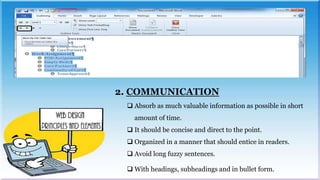
2. COMMUNICATION
 Absorb as much valuable information as possible in short
amount of time.
 It should be concise and direct to the point.
 Organized in a manner that should entice in readers.
 Avoid long fuzzy sentences.
 With headings, subheadings and in bullet form.
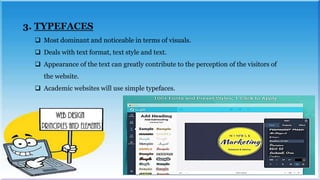
3. TYPEFACES
 Most dominant and noticeable in terms of visuals.
 Deals with text format, text style and text.
 Appearance of the text can greatly contribute to the perception of the visitors of
the website.
 Academic websites will use simple typefaces.
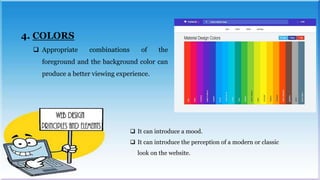
4. COLORS
 Appropriate combinations of the
foreground and the background color can
produce a better viewing experience.
 It can introduce a mood.
 It can introduce the perception of a modern or classic
look on the website.
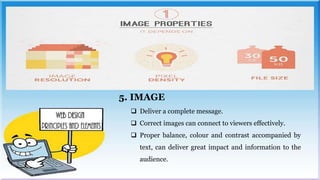
5. IMAGE
 Deliver a complete message.
 Correct images can connect to viewers effectively.
 Proper balance, colour and contrast accompanied by
text, can deliver great impact and information to the
audience.
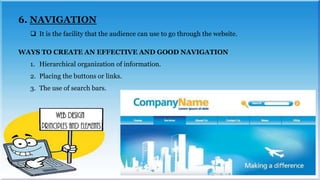
6. NAVIGATION
 It is the facility that the audience can use to go through the website.
WAYS TO CREATE AN EFFECTIVE AND GOOD NAVIGATION
1. Hierarchical organization of information.
2. Placing the buttons or links.
3. The use of search bars.
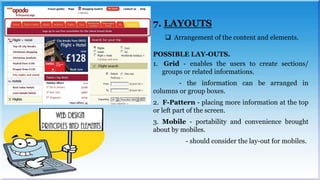
7. LAYOUTS
 Arrangement of the content and elements.
POSSIBLE LAY-OUTS.
1. Grid - enables the users to create sections/
groups or related informations.
- the information can be arranged in
columns or group boxes.
2. F-Pattern - placing more information at the top
or left part of the screen.
3. Mobile - portability and convenience brought
about by mobiles.
- should consider the lay-out for mobiles.
8. LOAD TIME
 The time that the website will load or appear
onto the viewers’ display device.
METHODS:
1. Minimize the elements in a web page.
2. Optimize the size and resolution of the
images.
Submitted by:
Alagar, Ruth Ann M.
Barrientos, Danelyn C.
Danque, Airah
Martin, Charmaine P.
GRADE 12 – GAS
EMPOWERMENT technology

Web Design Principles and Elements

  • 2.
    To create aneffective website, the designer of the web must instill a number of pointers. It should be an eye catching. Visitors in your site should be curious in the information you presented. DESIGN PRINCIPLES AND ELEM
  • 3.
    1. PURPOSE  Termsof the goal it aims to fulfill.  Website can be categorized into different types and functions depending on the purpose they serve the user.  Websites visitors may want to look for the information, be entertained, play games, socialize or transaction business.  It should define first the purpose to determine the theme of the website.
  • 4.
    2. COMMUNICATION  Absorbas much valuable information as possible in short amount of time.  It should be concise and direct to the point.  Organized in a manner that should entice in readers.  Avoid long fuzzy sentences.  With headings, subheadings and in bullet form.
  • 5.
    3. TYPEFACES  Mostdominant and noticeable in terms of visuals.  Deals with text format, text style and text.  Appearance of the text can greatly contribute to the perception of the visitors of the website.  Academic websites will use simple typefaces.
  • 6.
    4. COLORS  Appropriatecombinations of the foreground and the background color can produce a better viewing experience.  It can introduce a mood.  It can introduce the perception of a modern or classic look on the website.
  • 7.
    5. IMAGE  Delivera complete message.  Correct images can connect to viewers effectively.  Proper balance, colour and contrast accompanied by text, can deliver great impact and information to the audience.
  • 8.
    6. NAVIGATION  Itis the facility that the audience can use to go through the website. WAYS TO CREATE AN EFFECTIVE AND GOOD NAVIGATION 1. Hierarchical organization of information. 2. Placing the buttons or links. 3. The use of search bars.
  • 9.
    7. LAYOUTS  Arrangementof the content and elements. POSSIBLE LAY-OUTS. 1. Grid - enables the users to create sections/ groups or related informations. - the information can be arranged in columns or group boxes. 2. F-Pattern - placing more information at the top or left part of the screen. 3. Mobile - portability and convenience brought about by mobiles. - should consider the lay-out for mobiles.
  • 10.
    8. LOAD TIME The time that the website will load or appear onto the viewers’ display device. METHODS: 1. Minimize the elements in a web page. 2. Optimize the size and resolution of the images.
  • 11.
    Submitted by: Alagar, RuthAnn M. Barrientos, Danelyn C. Danque, Airah Martin, Charmaine P. GRADE 12 – GAS EMPOWERMENT technology