如何使用 iframe 製作一個易於更新及更安
全的前端套件
Kewang
Kewang
● 王慕羣 Kewang
● Java / JavaScript
● HBase / PostgreSQL / MongoDB / ElasticSearch
● Git / DevOps
●
熱愛開源
LinkedinLinkedin kewangtwkewangtw
SlideShareSlideShare kewangkewang
GmailGmail cpckewangcpckewang
FacebookFacebook Kewang 的資訊進化論Kewang 的資訊進化論
devopsday taipeidevopsday taipei '17'17
hadoopconhadoopcon '14 '15'14 '15
mopconmopcon '14'14
jcconfjcconf '16 '17 '18'16 '17 '18
modernwebmodernweb '18 '19 '20'18 '19 '20
GitHubGitHub kewangkewang
FunlidayFunliday kewangkewang
coscupcoscup '20'20
3
六年前
4
6
Keyword
● iframe
● Expressjs
● CORS
● HSTS
7
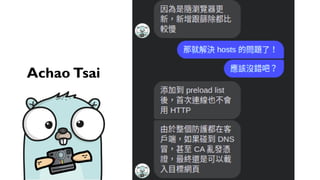
這年頭,內容產出記得要附 reference
8
Achao Tsai
9
回到正題
10
先看看應用端
11
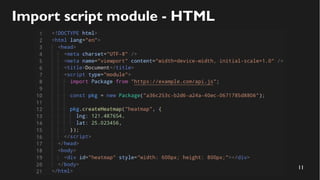
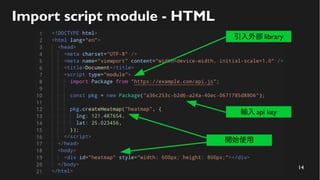
Import script module - HTML
12
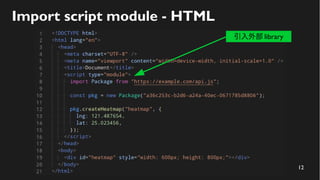
Import script module - HTML
引入外部 library
13
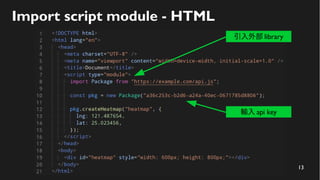
Import script module - HTML
引入外部 library
輸入 api key
14
Import script module - HTML
引入外部 library
輸入 api key
開始使用
15
再看看開發端 - 前端
16
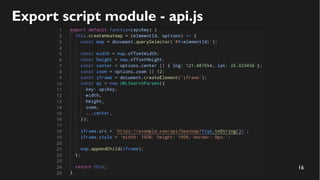
Export script module - api.js
17
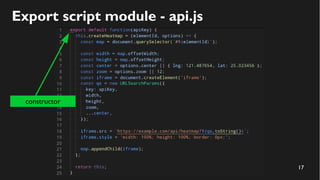
Export script module - api.js
constructor
18
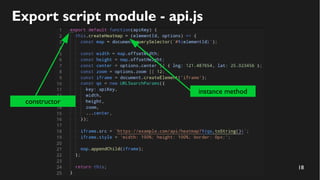
Export script module - api.js
constructor
instance method
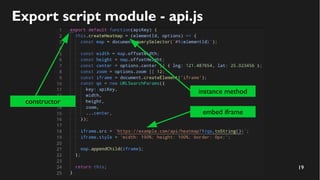
19
Export script module - api.js
constructor
instance method
embed iframe
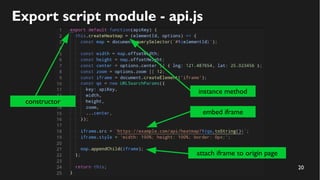
20
Export script module - api.js
constructor
instance method
embed iframe
attach iframe to origin page
21
module 講太少?
22
去聽聽早上 Kuro 的 Vite
23
vite: Make web dev fast again.
24
再看看開發端 - 後端
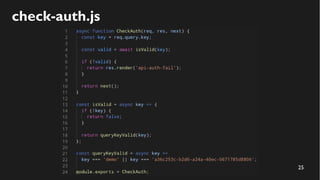
25
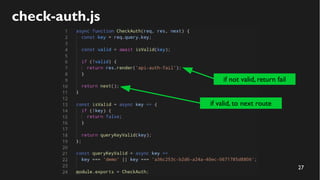
check-auth.js
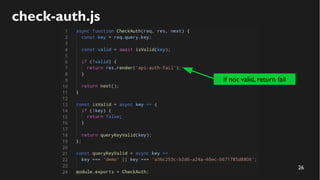
26
check-auth.js
if not valid, return fail
27
check-auth.js
if not valid, return fail
if valid, to next route
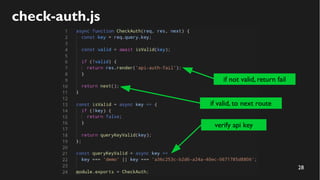
28
check-auth.js
verify api key
if not valid, return fail
if valid, to next route
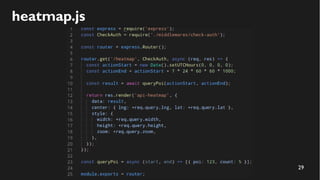
29
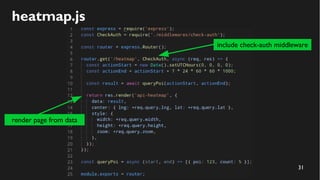
heatmap.js
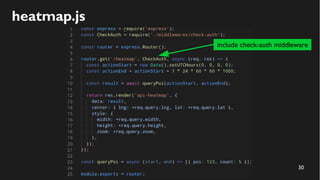
30
heatmap.js
include check-auth middleware
31
heatmap.js
include check-auth middleware
render page from data
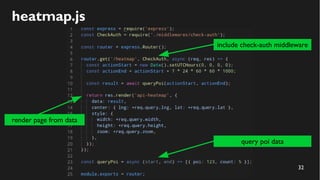
32
heatmap.js
include check-auth middleware
query poi data
render page from data
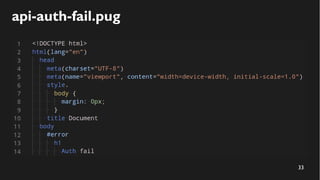
33
api-auth-fail.pug
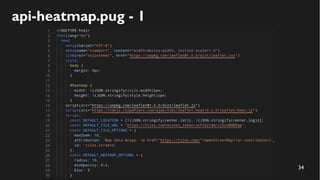
34
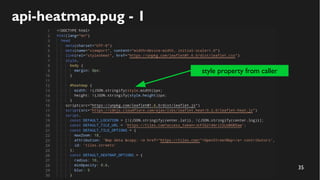
api-heatmap.pug - 1
35
api-heatmap.pug - 1
style property from caller
36
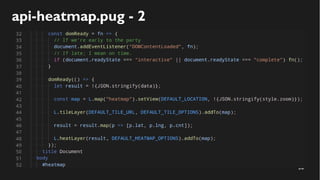
api-heatmap.pug - 2
37
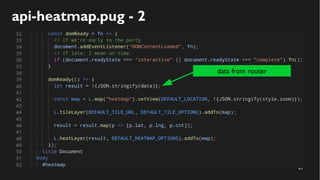
api-heatmap.pug - 2
data from router
38
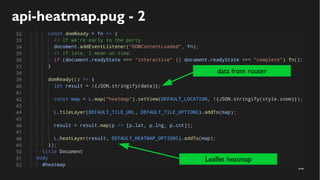
api-heatmap.pug - 2
data from router
Leaflet heatmap
39
密集注意!!!
40
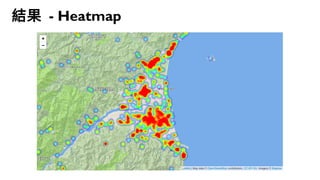
結果 - Heatmap
41
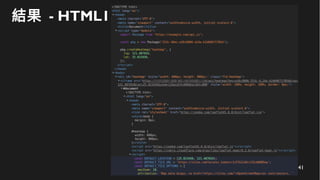
結果 - HTML1
42
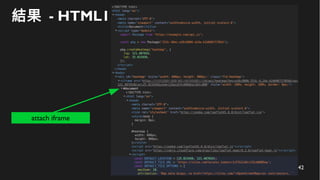
結果 - HTML1
attach iframe
43
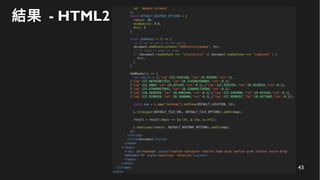
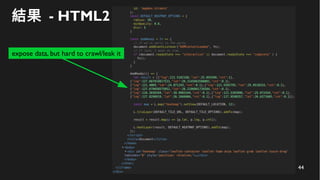
結果 - HTML2
44
結果 - HTML2
expose data, but hard to crawl/leak it
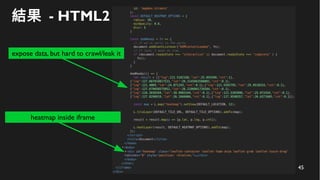
45
結果 - HTML2
expose data, but hard to crawl/leak it
heatmap inside iframe
46
但是!!!
47
事情沒有你想的這麼簡單
48
CORS
49
50
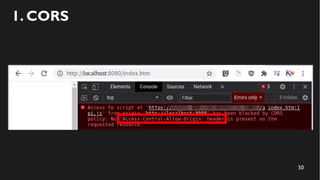
1. CORS
51
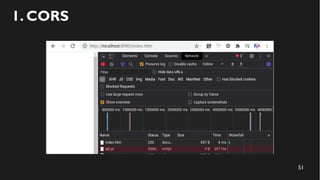
1. CORS
52
CORS 讓使用你 library 的網站無法連線
53
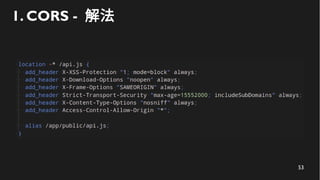
1. CORS - 解法
54
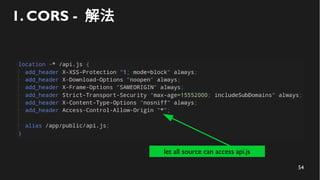
1. CORS - 解法
let all source can access api.js
55
api key 外流
56
57
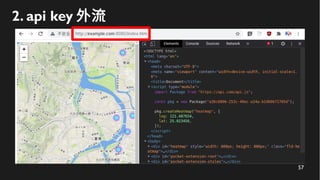
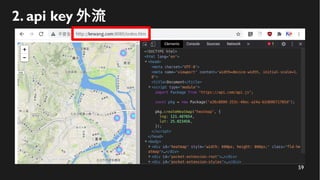
2. api key 外流
58
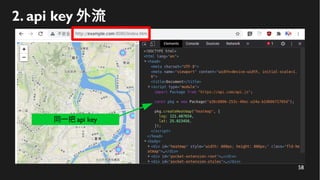
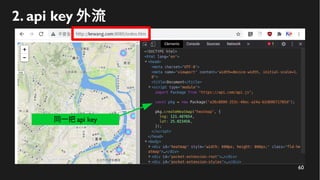
2. api key 外流
同一把 api key
59
2. api key 外流
60
2. api key 外流
同一把 api key
61
api key 外流影響到原始網站,花了一堆冤枉錢
62
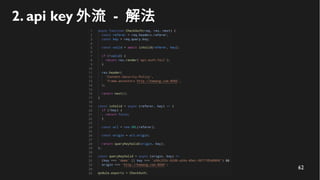
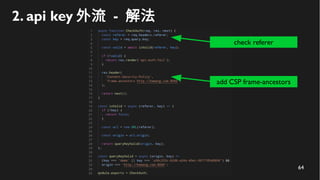
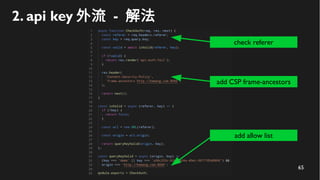
2. api key 外流 - 解法
63
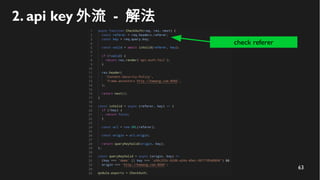
2. api key 外流 - 解法
check referer
64
2. api key 外流 - 解法
add CSP frame-ancestors
check referer
65
2. api key 外流 - 解法
add allow list
add CSP frame-ancestors
check referer
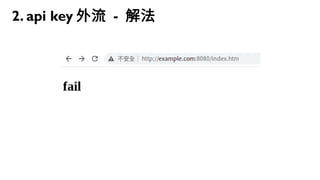
66
2. api key 外流 - 解法
67
HTTP 網域偽造
68
69
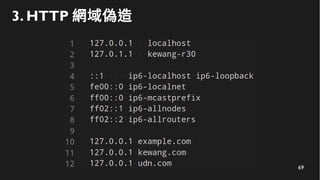
3. HTTP 網域偽造
70
3. HTTP 網域偽造
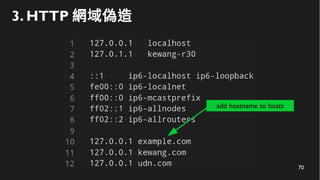
add hostname to hosts
71
3. HTTP 網域偽造
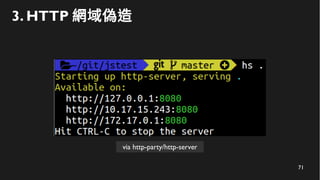
via http-party/http-server
72
3. HTTP 網域偽造
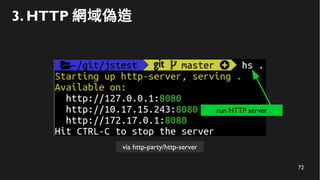
via http-party/http-server
run HTTP server
73
3. HTTP 網域偽造
74
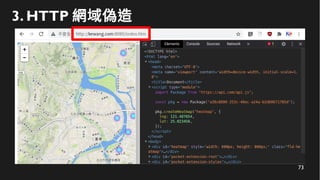
HTTP 網域偽造影響到原始網站,花了一堆冤枉錢
75
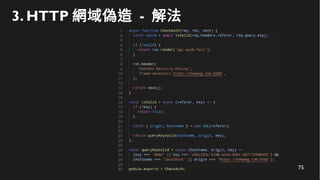
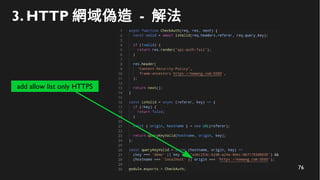
3. HTTP 網域偽造 - 解法
76
3. HTTP 網域偽造 - 解法
add allow list only HTTPS
77
HTTPS 網域偽造
78
79
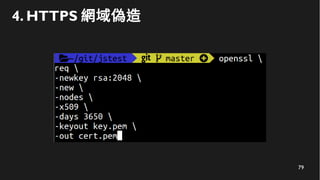
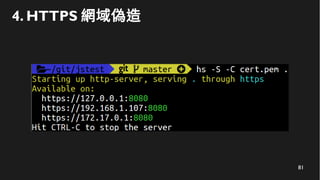
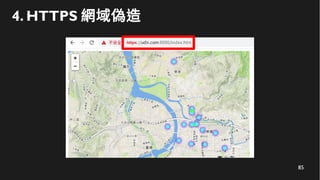
4. HTTPS 網域偽造
80
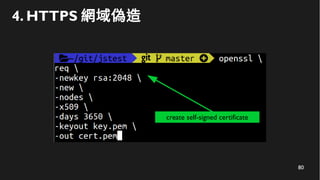
4. HTTPS 網域偽造
create self-signed certificate
81
4. HTTPS 網域偽造
82
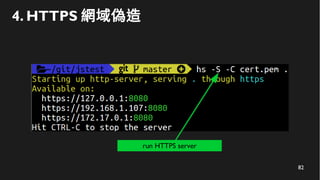
4. HTTPS 網域偽造
run HTTPS server
83
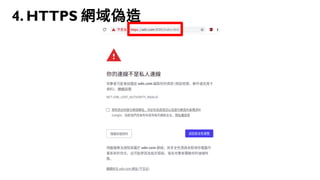
4. HTTPS 網域偽造
84
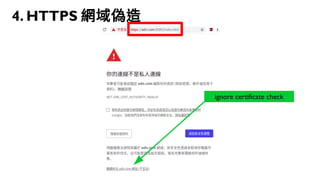
4. HTTPS 網域偽造
ignore certificate check
85
4. HTTPS 網域偽造
86
HTTPS 網域偽造影響到原始網站,花了一堆冤枉錢
87
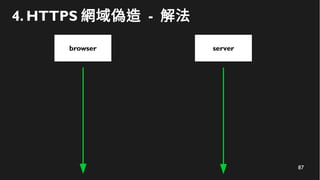
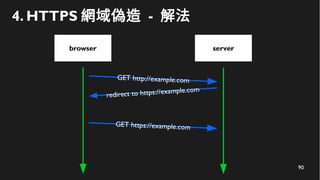
4. HTTPS 網域偽造 - 解法
browser server
88
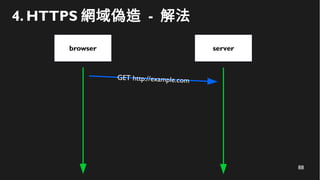
4. HTTPS 網域偽造 - 解法
browser
GET http://example.com
server
89
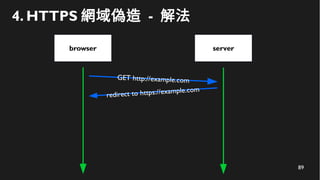
4. HTTPS 網域偽造 - 解法
browser
redirect to https://example.com
GET http://example.com
server
90
4. HTTPS 網域偽造 - 解法
browser
redirect to https://example.com
GET http://example.com
server
GET https://example.com
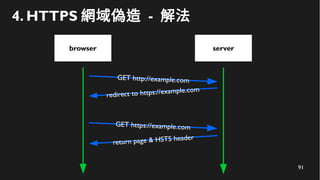
91
4. HTTPS 網域偽造 - 解法
browser
redirect to https://example.com
GET http://example.com
server
GET https://example.com
return page & HSTS header
92
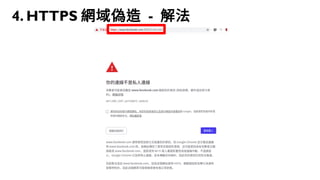
4. HTTPS 網域偽造 - 解法
93
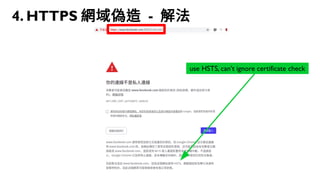
4. HTTPS 網域偽造 - 解法
use HSTS, can’t ignore certificate check
94
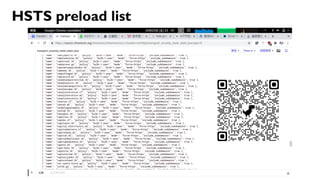
HSTS preload list
95
HSTS preload list
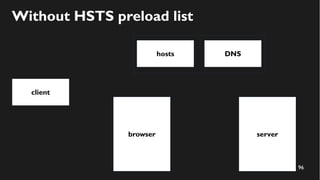
96
client
serverbrowser
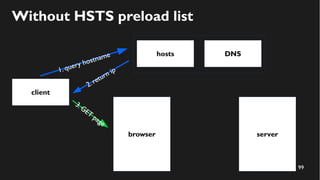
Without HSTS preload list
hosts DNS
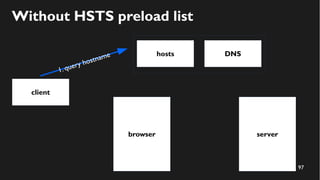
97
client
server
1. query hostname
browser
Without HSTS preload list
hosts DNS
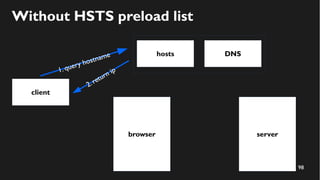
98
client
server
1. query hostname
browser
Without HSTS preload list
hosts DNS
2.return ip
99
client
server
1. query hostname
browser
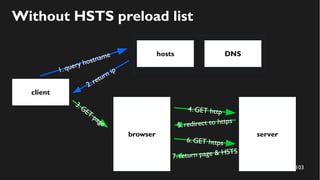
3.GET
page
Without HSTS preload list
hosts DNS
2.return ip
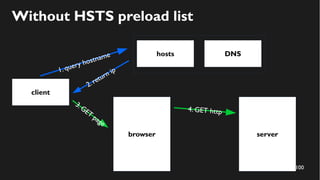
100
client
server
1. query hostname
browser
3.GET
page
Without HSTS preload list
hosts DNS
2.return ip
4. GET http
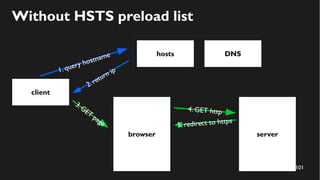
101
client
server
1. query hostname
browser
3.GET
page
Without HSTS preload list
hosts DNS
2.return ip
4. GET http
5. redirect to https
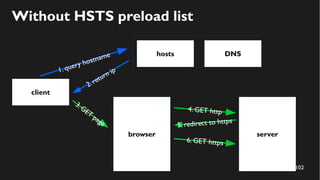
102
client
server
1. query hostname
browser
3.GET
page
Without HSTS preload list
hosts DNS
2.return ip
4. GET http
5. redirect to https
6. GET https
103
client
server
1. query hostname
browser
3.GET
page
Without HSTS preload list
hosts DNS
2.return ip
4. GET http
5. redirect to https
6. GET https
7. return page & HSTS
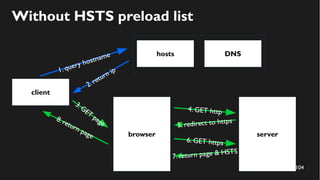
104
client
server
1. query hostname
browser
3.GET
page
Without HSTS preload list
hosts DNS
2.return ip
4. GET http
5. redirect to https
6. GET https
7. return page & HSTS
8. return page
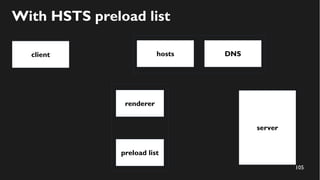
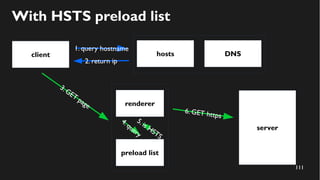
105
client
server
With HSTS preload list
hosts DNS
preload list
renderer
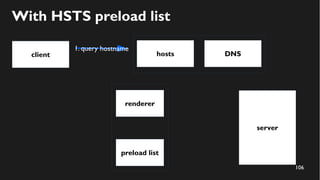
106
client
server
1. query hostname
With HSTS preload list
hosts DNS
preload list
renderer
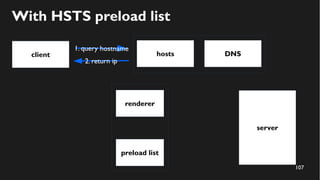
107
client
server
1. query hostname
With HSTS preload list
hosts DNS
2. return ip
preload list
renderer
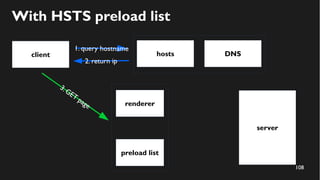
108
client
server
1. query hostname
With HSTS preload list
hosts DNS
2. return ip
preload list
renderer
3.GET
page
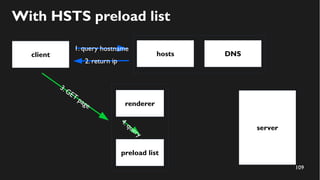
109
client
server
1. query hostname
With HSTS preload list
hosts DNS
2. return ip
preload list
renderer
3.GET
page
4.query
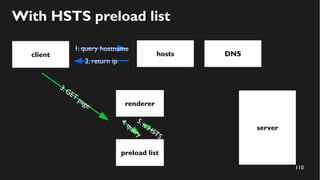
110
client
server
1. query hostname
With HSTS preload list
hosts DNS
2. return ip
preload list
renderer
3.GET
page
5.is HSTS
4.query
111
client
server
1. query hostname
With HSTS preload list
hosts DNS
2. return ip
6. GET https
preload list
renderer
3.GET
page
5.is HSTS
4.query
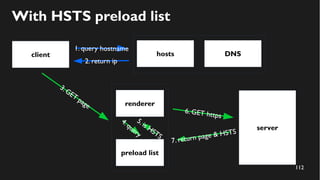
112
client
server
1. query hostname
With HSTS preload list
hosts DNS
2. return ip
6. GET https
7. return page & HSTS
preload list
renderer
3.GET
page
5.is HSTS
4.query
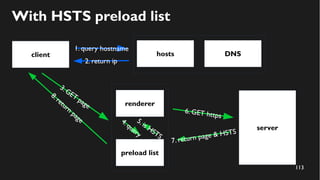
113
client
server
1. query hostname
With HSTS preload list
hosts DNS
2. return ip
6. GET https
7. return page & HSTS
preload list
renderer
3.GET
page
5.is HSTS
8.return
page 4.query
114
HSTS Preload List Submission
115
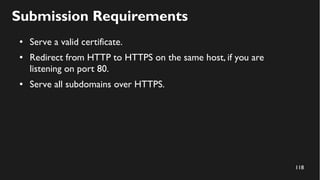
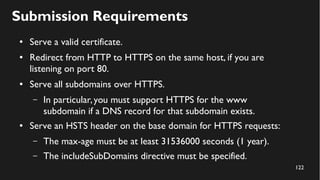
Submission Requirements
116
Submission Requirements
● Serve a valid certificate.
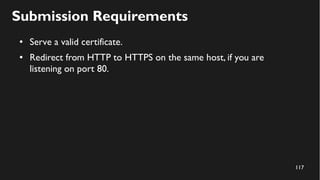
117
Submission Requirements
● Serve a valid certificate.
● Redirect from HTTP to HTTPS on the same host, if you are
listening on port 80.
118
Submission Requirements
● Serve a valid certificate.
● Redirect from HTTP to HTTPS on the same host, if you are
listening on port 80.
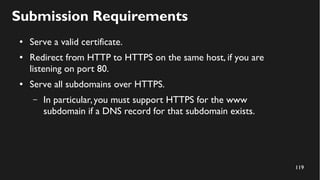
● Serve all subdomains over HTTPS.
119
Submission Requirements
● Serve a valid certificate.
● Redirect from HTTP to HTTPS on the same host, if you are
listening on port 80.
● Serve all subdomains over HTTPS.
– In particular,you must support HTTPS for the www
subdomain if a DNS record for that subdomain exists.
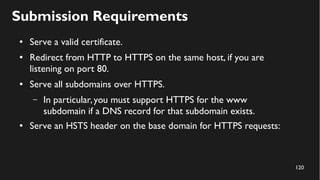
120
Submission Requirements
● Serve a valid certificate.
● Redirect from HTTP to HTTPS on the same host, if you are
listening on port 80.
● Serve all subdomains over HTTPS.
– In particular,you must support HTTPS for the www
subdomain if a DNS record for that subdomain exists.
● Serve an HSTS header on the base domain for HTTPS requests:
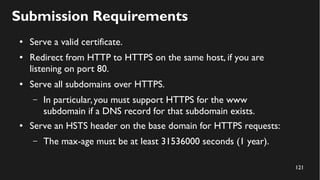
121
Submission Requirements
● Serve a valid certificate.
● Redirect from HTTP to HTTPS on the same host, if you are
listening on port 80.
● Serve all subdomains over HTTPS.
– In particular,you must support HTTPS for the www
subdomain if a DNS record for that subdomain exists.
● Serve an HSTS header on the base domain for HTTPS requests:
– The max-age must be at least 31536000 seconds (1 year).
122
Submission Requirements
● Serve a valid certificate.
● Redirect from HTTP to HTTPS on the same host, if you are
listening on port 80.
● Serve all subdomains over HTTPS.
– In particular,you must support HTTPS for the www
subdomain if a DNS record for that subdomain exists.
● Serve an HSTS header on the base domain for HTTPS requests:
– The max-age must be at least 31536000 seconds (1 year).
– The includeSubDomains directive must be specified.
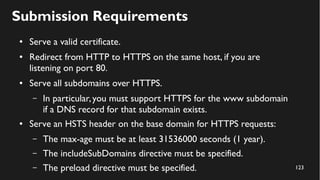
123
Submission Requirements
● Serve a valid certificate.
● Redirect from HTTP to HTTPS on the same host, if you are
listening on port 80.
● Serve all subdomains over HTTPS.
– In particular,you must support HTTPS for the www subdomain
if a DNS record for that subdomain exists.
● Serve an HSTS header on the base domain for HTTPS requests:
– The max-age must be at least 31536000 seconds (1 year).
– The includeSubDomains directive must be specified.
– The preload directive must be specified.
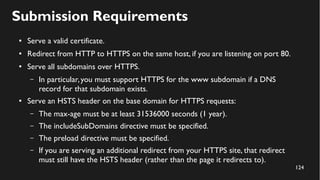
124
Submission Requirements
● Serve a valid certificate.
● Redirect from HTTP to HTTPS on the same host, if you are listening on port 80.
● Serve all subdomains over HTTPS.
– In particular,you must support HTTPS for the www subdomain if a DNS
record for that subdomain exists.
● Serve an HSTS header on the base domain for HTTPS requests:
– The max-age must be at least 31536000 seconds (1 year).
– The includeSubDomains directive must be specified.
– The preload directive must be specified.
– If you are serving an additional redirect from your HTTPS site, that redirect
must still have the HSTS header (rather than the page it redirects to).
125
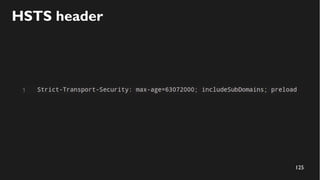
HSTS header
126
Live DEMO
127
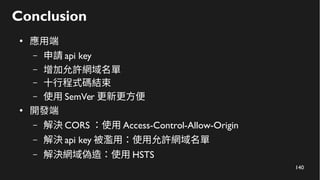
Conclusion
128
Conclusion
129
Conclusion
●
應用端
130
Conclusion
●
應用端
– 申請 api key
131
Conclusion
●
應用端
– 申請 api key
– 增加允許網域名單
132
Conclusion
●
應用端
– 申請 api key
– 增加允許網域名單
– 十行程式碼結束
133
Conclusion
●
應用端
– 申請 api key
– 增加允許網域名單
– 十行程式碼結束
– 使用 SemVer 更新更方便
134
Conclusion
●
應用端
– 申請 api key
– 增加允許網域名單
– 十行程式碼結束
– 使用 SemVer 更新更方便
●
開發端
135
Conclusion
●
應用端
– 申請 api key
– 增加允許網域名單
– 十行程式碼結束
– 使用 SemVer 更新更方便
●
開發端
– 解決 CORS
136
Conclusion
●
應用端
– 申請 api key
– 增加允許網域名單
– 十行程式碼結束
– 使用 SemVer 更新更方便
●
開發端
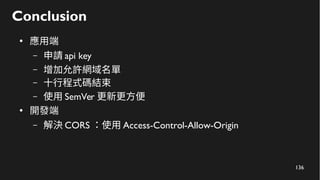
– 解決 CORS :使用 Access-Control-Allow-Origin
137
Conclusion
●
應用端
– 申請 api key
– 增加允許網域名單
– 十行程式碼結束
– 使用 SemVer 更新更方便
●
開發端
– 解決 CORS :使用 Access-Control-Allow-Origin
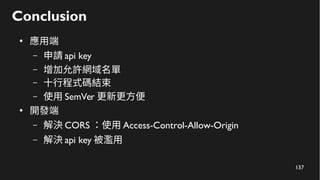
– 解決 api key 被濫用
138
Conclusion
●
應用端
– 申請 api key
– 增加允許網域名單
– 十行程式碼結束
– 使用 SemVer 更新更方便
●
開發端
– 解決 CORS :使用 Access-Control-Allow-Origin
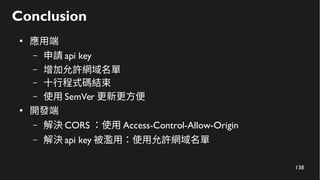
– 解決 api key 被濫用:使用允許網域名單
139
Conclusion
●
應用端
– 申請 api key
– 增加允許網域名單
– 十行程式碼結束
– 使用 SemVer 更新更方便
●
開發端
– 解決 CORS :使用 Access-Control-Allow-Origin
– 解決 api key 被濫用:使用允許網域名單
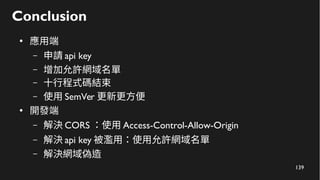
– 解決網域偽造
140
Conclusion
●
應用端
– 申請 api key
– 增加允許網域名單
– 十行程式碼結束
– 使用 SemVer 更新更方便
●
開發端
– 解決 CORS :使用 Access-Control-Allow-Origin
– 解決 api key 被濫用:使用允許網域名單
– 解決網域偽造:使用 HSTS
141
One more thing
142
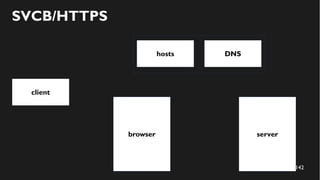
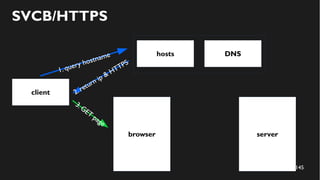
client
serverbrowser
SVCB/HTTPS
hosts DNS
143
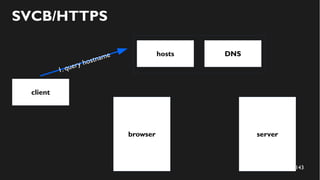
client
server
1. query hostname
browser
SVCB/HTTPS
hosts DNS
144
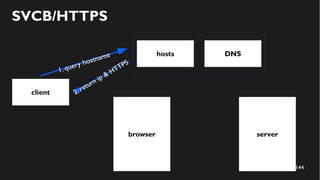
client
server
1. query hostname
browser
SVCB/HTTPS
hosts DNS
2. return ip & HTTPS
145
client
server
1. query hostname
browser
3.GET
page
SVCB/HTTPS
hosts DNS
2. return ip & HTTPS
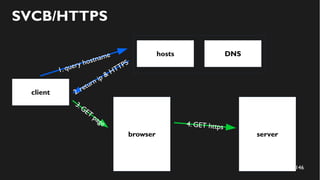
146
client
server
1. query hostname
browser
3.GET
page
SVCB/HTTPS
hosts DNS
2. return ip & HTTPS
4. GET https
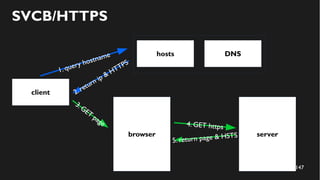
147
client
server
1. query hostname
browser
3.GET
page
SVCB/HTTPS
hosts DNS
2. return ip & HTTPS
4. GET https
5. return page & HSTS
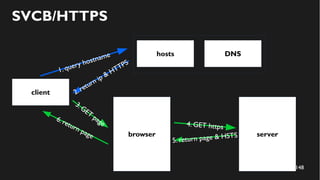
148
client
server
1. query hostname
browser
3.GET
page
SVCB/HTTPS
hosts DNS
2. return ip & HTTPS
4. GET https
5. return page & HSTS
6. return page
149
References
● 我與 Achao Tsai 的對話記錄 ( 無連結 )
● Leaflet.heat
●
跨來源資源共用(CORS) - HTTP | MDN
● JavaScript modules - JavaScript | MDN
● CSP: frame-ancestors - HTTP | MDN
● Strict-Transport-Security - HTTP | MDN
● transport_security_state_static.json - Chromium Code Search
● HSTS Preload List Submission
●
讓瀏覽器直接連 HTTPS 的 SVCB/HTTPS
150

如何使用 iframe 製作一個易於更新及更安全的前端套件