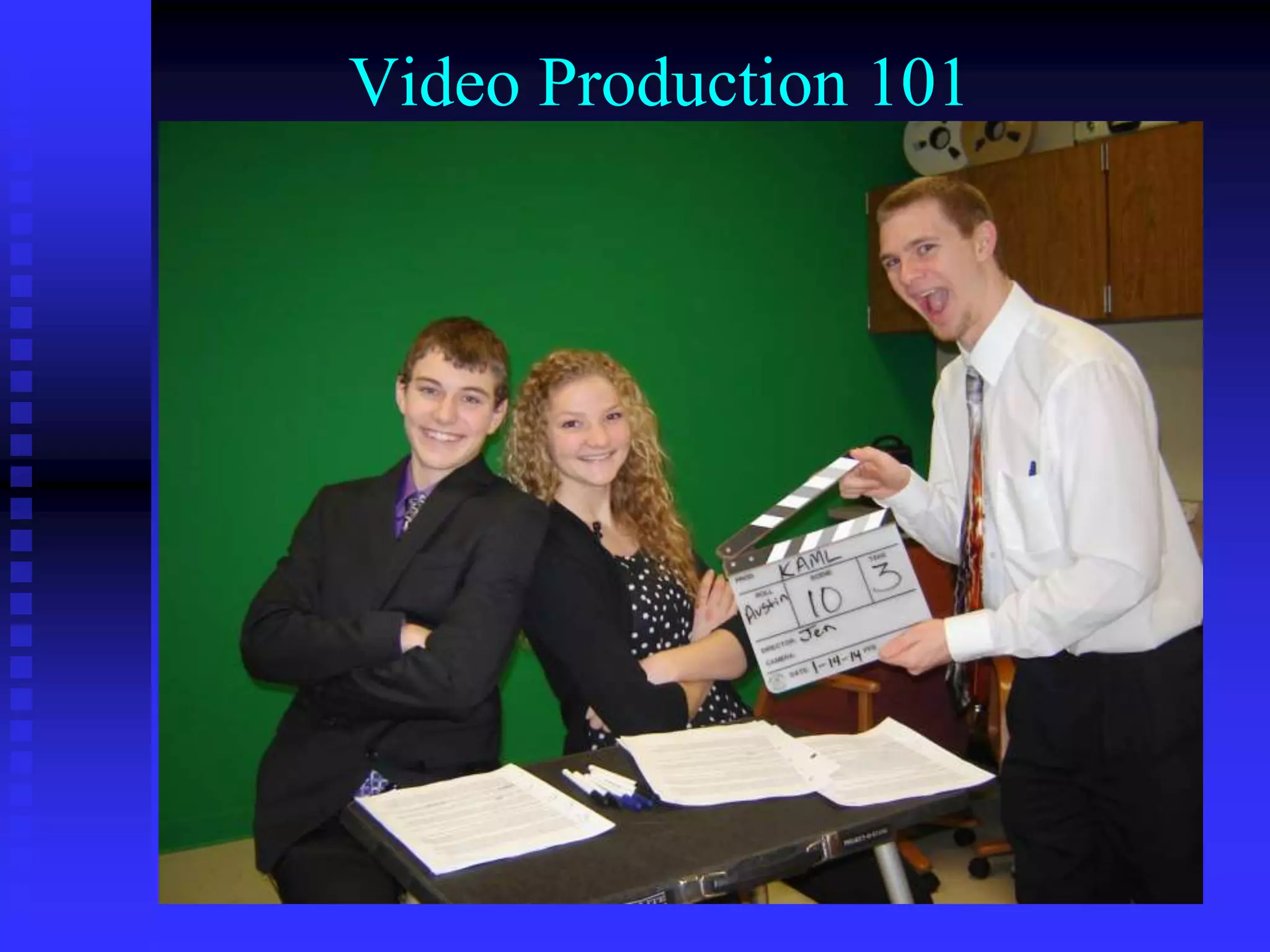
Video Production 101
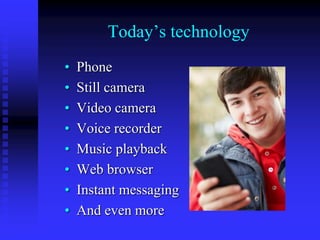
Today’s technology
• Phone
• Still camera
• Video camera
• Voice recorder
• Music playback
• Web browser
• Instant messaging
• And even more
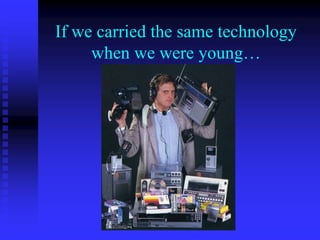
If we carried the same technology
when we were young…
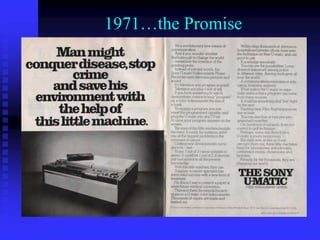
1971…the Promise
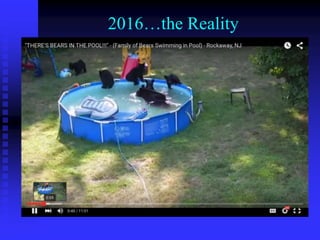
2016…the Reality
We can use media to reach people
where they live
Using original media productions for…
• Training/instructional videos
• Sharing information
• Project based learning
• Student productions
• Everyone has a story
Many different platforms for
shooting, editing & delivering video
Shooting: Flip camera, iPad, iPhone,
Android phone, removable memory
camcorder, DSLR
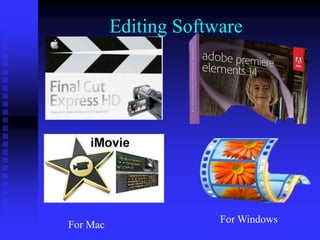
Editing: iMovie, Movie Maker,
Adobe Premiere Elements, FCP
Delivery: Online, DVD, USB drive
Common denominators?
Planning before you shoot
Shooting techniques
Editing techniques
Delivery devices, both physical and
in the cloud
Workflow
Planning
to
Shooting
to
Editing
to
Delivery
Two kinds of projects
Recording an event
Scripted video
Two kinds of projects
Recording an event (live shoot)
1. You have one chance to capture what
happens
2. No retakes
3. No control over the event if a phone
rings or a baby cries
4. You point and shoot and hope for the
best
Two kinds of projects
Scripted video
1. You have control.
2. You plan it, script it, shoot it, edit it
3. Do retakes if needed.
4. Shoot out of order if needed.
5. Give direction to talent if needed
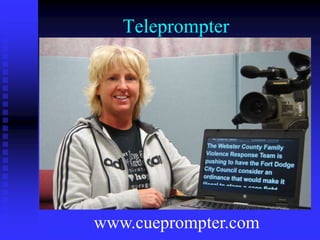
6. Use teleprompter if needed
(cueprompter.com)
Two kinds of projects
Planning is essential for both!
1. The finished product is determined by
your planning. Do not “shoot first and
ask questions later”
2. Is video the best way to share this
information?
3. What pictures & sound will tell your
story?
Planning for a live shoot
1. What is the event?
2. How long is the event?
3. Where should you place the camera?
Get closer
4. Charge the batteries
5. Clear the memory card
6. Find a tripod
7. Watch the lighting
8. Frame the shot. Rule of thirds
Planning for a scripted shoot
1. What is the video about?
2. Three things you want audience to
remember?
3. Who is target audience?
4. How will you tell your story?
5. When is it due?
6. How much will it cost?
7. Deadline and budget determine how
complex the project will be.
8. Write a script
1. What is the video about?
2. Three things you want audience to
remember?
3. Who is target audience?
4. How will you tell your story?
5. When is it due?
6. How much will it cost?
7. Deadline and budget determine how
complex the project will be.
8. Write a script
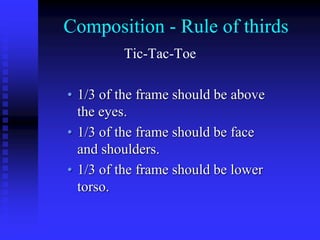
Composition - Rule of thirds
Tic-Tac-Toe
• 1/3 of the frame should be above
the eyes.
• 1/3 of the frame should be face
and shoulders.
• 1/3 of the frame should be lower
torso.
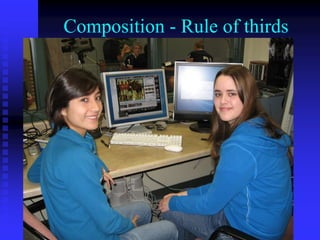
Composition - Rule of thirds
• 1/3 of the frame should be above
the eyes.
• 1/3 of the frame should be face
and shoulders.
• 1/3 of the frame should be lower
torso.
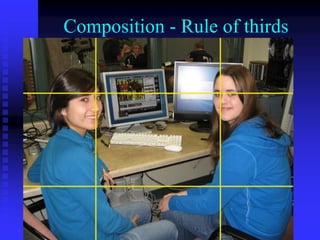
Composition - Rule of thirds
• 1/3 of the frame should be above
the eyes.
• 1/3 of the frame should be face
and shoulders.
• 1/3 of the frame should be lower
torso.
Pre & Post Roll
1. Start shooting early
2. Stop shooting a few seconds after
the event ends
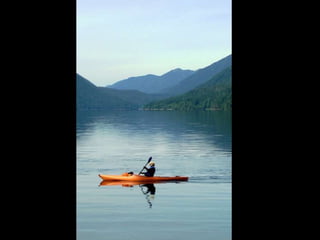
3. And by the way, shoot horizontal
(landscape) and not vertical
(portrait)
Vertical Video
Syndrome
Vertical Video
Syndrome
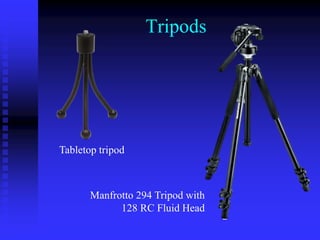
Tripods
Tabletop tripod
Manfrotto 294 Tripod with
128 RC Fluid Head
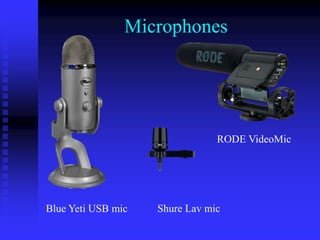
Microphones
Blue Yeti USB mic Shure Lav mic
RODE VideoMic
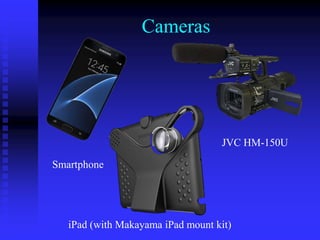
Cameras
Smartphone
iPad (with Makayama iPad mount kit)
JVC HM-150U
Editing Software
For Windows
For Mac
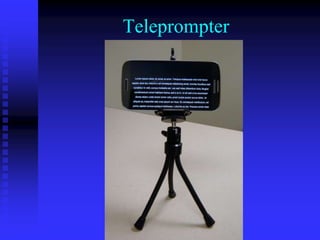
Teleprompter
www.cueprompter.com
Teleprompter
Gear
Forget about expensive gear and
“bigger is better.”
Instead, focus on telling a story,
getting your shots, composition, and
being unique.
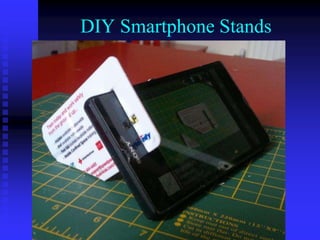
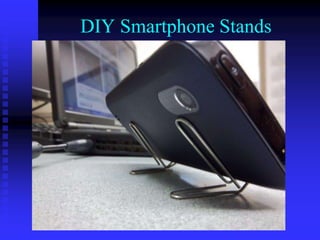
DIY Smartphone Stands
Workflow
Camera
to
Video Editor
to
Delivery Device
What can you do in editing?
Put several clips together
Trim footage off beginning and end of clips
Add transitions
Add titles
Turn volume up or down
Multiple video and audio tracks
What CAN’T you do in editing?
Fix out of focus shot
Fix bad lighting
Remove camera motion
Remove background noise
To make a good finished video, start with good
raw footage
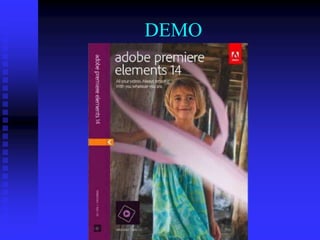
DEMO
Workflow
Camera
to
Video Editor
to
Delivery Device
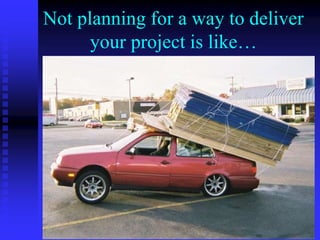
Not planning for a way to deliver
your project is like…
Where will you deliver it?
Your Blog
YouTube
Dropbox account (2 GB)
Google account (15 GB)
PLAEA-TV
https://aea8.eduvision.tv
This PowerPoint is on my blog
“From The Video Suite”
http://videosuite.blogspot.com
Twitter: EdZimmerle
Contact info:
• Ed Zimmerle
• Pocahontas Prairie Lakes AEA office
• ezimmerle@plaea.org
• http://videosuite.blogspot.com/

Video Production 101

  • 1.
  • 2.
    Today’s technology • Phone •Still camera • Video camera • Voice recorder • Music playback • Web browser • Instant messaging • And even more
  • 3.
    If we carriedthe same technology when we were young…
  • 4.
  • 5.
  • 6.
    We can usemedia to reach people where they live Using original media productions for… • Training/instructional videos • Sharing information • Project based learning • Student productions • Everyone has a story
  • 7.
    Many different platformsfor shooting, editing & delivering video Shooting: Flip camera, iPad, iPhone, Android phone, removable memory camcorder, DSLR Editing: iMovie, Movie Maker, Adobe Premiere Elements, FCP Delivery: Online, DVD, USB drive
  • 8.
    Common denominators? Planning beforeyou shoot Shooting techniques Editing techniques Delivery devices, both physical and in the cloud
  • 9.
  • 10.
    Two kinds ofprojects Recording an event Scripted video
  • 11.
    Two kinds ofprojects Recording an event (live shoot) 1. You have one chance to capture what happens 2. No retakes 3. No control over the event if a phone rings or a baby cries 4. You point and shoot and hope for the best
  • 12.
    Two kinds ofprojects Scripted video 1. You have control. 2. You plan it, script it, shoot it, edit it 3. Do retakes if needed. 4. Shoot out of order if needed. 5. Give direction to talent if needed 6. Use teleprompter if needed (cueprompter.com)
  • 13.
    Two kinds ofprojects Planning is essential for both! 1. The finished product is determined by your planning. Do not “shoot first and ask questions later” 2. Is video the best way to share this information? 3. What pictures & sound will tell your story?
  • 14.
    Planning for alive shoot 1. What is the event? 2. How long is the event? 3. Where should you place the camera? Get closer 4. Charge the batteries 5. Clear the memory card 6. Find a tripod 7. Watch the lighting 8. Frame the shot. Rule of thirds
  • 15.
    Planning for ascripted shoot 1. What is the video about? 2. Three things you want audience to remember? 3. Who is target audience? 4. How will you tell your story? 5. When is it due? 6. How much will it cost? 7. Deadline and budget determine how complex the project will be. 8. Write a script
  • 16.
    1. What isthe video about? 2. Three things you want audience to remember? 3. Who is target audience? 4. How will you tell your story? 5. When is it due? 6. How much will it cost? 7. Deadline and budget determine how complex the project will be. 8. Write a script
  • 17.
    Composition - Ruleof thirds Tic-Tac-Toe • 1/3 of the frame should be above the eyes. • 1/3 of the frame should be face and shoulders. • 1/3 of the frame should be lower torso.
  • 18.
    Composition - Ruleof thirds • 1/3 of the frame should be above the eyes. • 1/3 of the frame should be face and shoulders. • 1/3 of the frame should be lower torso.
  • 19.
    Composition - Ruleof thirds • 1/3 of the frame should be above the eyes. • 1/3 of the frame should be face and shoulders. • 1/3 of the frame should be lower torso.
  • 20.
    Pre & PostRoll 1. Start shooting early 2. Stop shooting a few seconds after the event ends 3. And by the way, shoot horizontal (landscape) and not vertical (portrait)
  • 21.
  • 22.
  • 23.
    Tripods Tabletop tripod Manfrotto 294Tripod with 128 RC Fluid Head
  • 24.
    Microphones Blue Yeti USBmic Shure Lav mic RODE VideoMic
  • 25.
    Cameras Smartphone iPad (with MakayamaiPad mount kit) JVC HM-150U
  • 26.
  • 27.
  • 28.
  • 29.
    Gear Forget about expensivegear and “bigger is better.” Instead, focus on telling a story, getting your shots, composition, and being unique.
  • 30.
  • 31.
  • 32.
  • 33.
    What can youdo in editing? Put several clips together Trim footage off beginning and end of clips Add transitions Add titles Turn volume up or down Multiple video and audio tracks
  • 34.
    What CAN’T youdo in editing? Fix out of focus shot Fix bad lighting Remove camera motion Remove background noise To make a good finished video, start with good raw footage
  • 35.
  • 36.
  • 37.
    Not planning fora way to deliver your project is like…
  • 38.
    Where will youdeliver it? Your Blog YouTube Dropbox account (2 GB) Google account (15 GB)
  • 39.
  • 40.
    This PowerPoint ison my blog “From The Video Suite” http://videosuite.blogspot.com Twitter: EdZimmerle
  • 41.
    Contact info: • EdZimmerle • Pocahontas Prairie Lakes AEA office • ezimmerle@plaea.org • http://videosuite.blogspot.com/