‘Fourth International and 40th Annual
ELTAI Conference’
Date: 7-9 August 2009
Venue: J.B.A.S. College for Women, Chennai
Theme: "Managing Mixed-Ability Classes“
Presenters:
Kalyan Chattopadhyay (West Bengal)
Dilip Barad (Gujarat)
Language Laboratory: A Platform
to Synergise Various Web 2.0 Tools
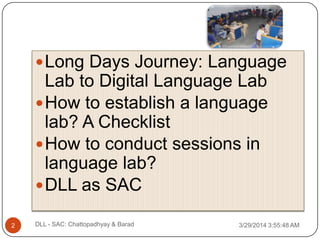
Long Days Journey: Language
Lab to Digital Language Lab
How to establish a language
lab? A Checklist
How to conduct sessions in
language lab?
DLL as SAC
3/29/2014 3:55:48 AM2 DLL - SAC: Chattopadhyay & Barad
Definition of DLL:
3/29/2014 3:55:48 AMDLL - SAC: Chattopadhyay & Barad3
 “A network of computers along with appropriate
software which provides most of the functions of
a conventional language lab together with
integration of video, word processor and other
computer application.”
 www.languages-ict.org.uk
 Before DLL evolved to this definition, it passed
through these stages…
 1877: Edison‟s invention of tin foil phonograph
 1920s: Radio – foreign language instruction
 1950s: Tape recorders – learning linguistic
units–mastered through mechanical process of
repetitive drills
Keating, Lorge, Hutchinson – study on the merits
of audio-lingual skills).
 1970s: Rejection of LLs – language acquisition
theories changed towards
‘communicative fluency’ rather than
‘linguistic accuracy’
 1980s: Revival period began – digital
technologies aided linguistic learning
theories - DLL
3/29/2014 3:55:48 AM4 DLL - SAC: Chattopadhyay & Barad
Long Days Journey:
3/29/2014 3:55:48 AMDLL - SAC: Chattopadhyay & Barad5
 e-naissance: Period of last score and a half
 1980s: OHP, VCP/R – progressive teaching
tool to DLLs: 2000s
 Along with changes in tools comes the
challenges of learning how to integrate new
technology into our teaching methods
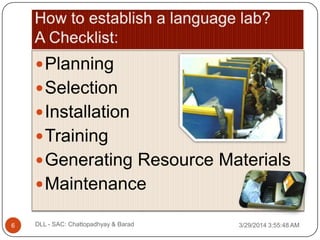
Planning
Selection
Installation
Training
Generating Resource Materials
Maintenance
3/29/2014 3:55:48 AM6 DLL - SAC: Chattopadhyay & Barad
 Room Space: 36x20
 Electrification: Professional Electrician/UPS
 LAN: Cat 6 cable & switch port
 Furniture: Space to keep note-book on desk –
drawer/monitor position
 Layout: Cubicles in circular‟E‟, „O‟, „C‟ or „U‟
Shape
3/29/2014 3:55:48 AM7 DLL - SAC: Chattopadhyay & Barad
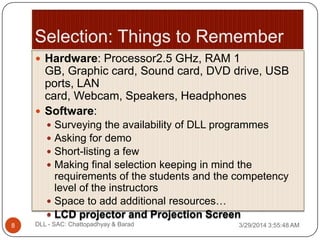
 Hardware: Processor2.5 GHz, RAM 1
GB, Graphic card, Sound card, DVD drive, USB
ports, LAN
card, Webcam, Speakers, Headphones
 Software:
 Surveying the availability of DLL programmes
 Asking for demo
 Short-listing a few
 Making final selection keeping in mind the
requirements of the students and the competency
level of the instructors
 Space to add additional resources…
 LCD projector and Projection Screen
3/29/2014 3:55:48 AM8 DLL - SAC: Chattopadhyay & Barad
 Instructor / computer assistant must
„see‟ the installation
 Check where source & back up files are
saved in server PC
 Learn how to install student console
from server back up files
 Learn to protect & restore passwords
 Practice operating teacher/student
console
3/29/2014 3:55:48 AM9 DLL - SAC: Chattopadhyay & Barad
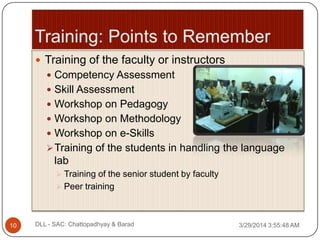
 Training of the faculty or instructors
 Competency Assessment
 Skill Assessment
 Workshop on Pedagogy
 Workshop on Methodology
 Workshop on e-Skills
Training of the students in handling the language
lab
 Training of the senior student by faculty
 Peer training
3/29/2014 3:55:48 AM10 DLL - SAC: Chattopadhyay & Barad
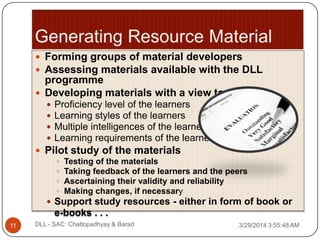
 Forming groups of material developers
 Assessing materials available with the DLL
programme
 Developing materials with a view to:
 Proficiency level of the learners
 Learning styles of the learners
 Multiple intelligences of the learners
 Learning requirements of the learners
 Pilot study of the materials
 Testing of the materials
 Taking feedback of the learners and the peers
 Ascertaining their validity and reliability
 Making changes, if necessary
 Support study resources - either in form of book or
e-books . . .
3/29/2014 3:55:48 AM11 DLL - SAC: Chattopadhyay & Barad
 Regular check up by technicians of the
hardware and software
 Cleaning: dust & water proof
 Regular Stock verification of materials being
used
 Replacing damaged or ineffective
components of hardware and software
 Regular virus update and scanning
 Regular maintenance of the server
 Regular back up of students’ file
 Voltage stabilizers / UPS / ACs
3/29/2014 3:55:48 AM12 DLL - SAC: Chattopadhyay & Barad
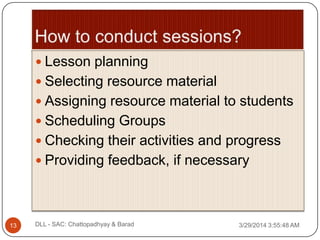
 Lesson planning
 Selecting resource material
 Assigning resource material to students
 Scheduling Groups
 Checking their activities and progress
 Providing feedback, if necessary
3/29/2014 3:55:48 AM13 DLL - SAC: Chattopadhyay & Barad
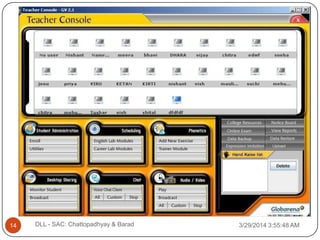
3/29/2014 3:55:48 AMDLL - SAC: Chattopadhyay & Barad14
3/29/2014 3:55:49 AMDLL - SAC: Chattopadhyay & Barad15
3/29/2014 3:55:49 AMDLL - SAC: Chattopadhyay & Barad16
3/29/2014 3:55:49 AMDLL - SAC: Chattopadhyay & Barad17
3/29/2014 3:55:49 AMDLL - SAC: Chattopadhyay & Barad18
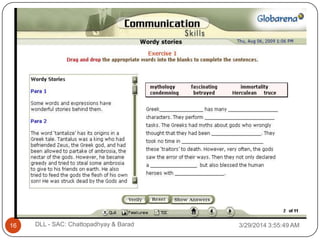
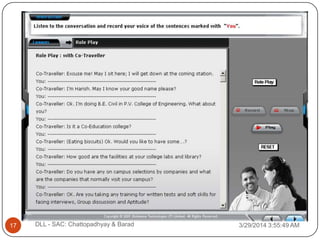
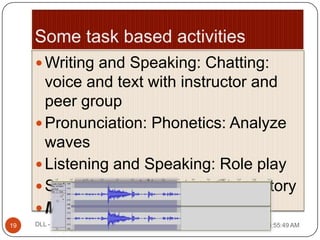
 Writing and Speaking: Chatting:
voice and text with instructor and
peer group
 Pronunciation: Phonetics: Analyze
waves
 Listening and Speaking: Role play
 Speaking and listening: Ghost story
 Murder in the lab
3/29/2014 3:55:49 AM19 DLL - SAC: Chattopadhyay & Barad
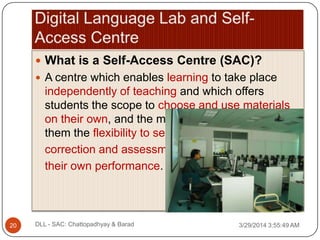
 What is a Self-Access Centre (SAC)?
 A centre which enables learning to take place
independently of teaching and which offers
students the scope to choose and use materials
on their own, and the materials they use offer
them the flexibility to seek
correction and assessment of
their own performance.
3/29/2014 3:55:49 AM20 DLL - SAC: Chattopadhyay & Barad
 What kind of equipment and facilities, and
therefore financing, would it require?
 What method/way/system of Self-access
language leaning (SALL) would be most
suitable for a particular institution/school?
 Where would they need to integrate SALL?
 In classroom lessons?
 In project work?
 In self-access centre (SAC) which would
encourage leaner autonomy inside and outside of
the classroom?
3/29/2014 3:55:49 AM21 DLL - SAC: Chattopadhyay & Barad
 A self-access centre can be set up even within a
language lab and can be created in any kind of
school/college, with materials and objectives that are
different and geared to the specific needs.
 The main idea is to create a space where students
can work independently, at their own pace, with
materials that are varied, according to their needs,
preference and learning styles.
 It can be created within the classroom, or in a room
specially equipped for this aim, and used during or
outside the lessons.
 The centre can then be improved along the years,
adding equipment and materials according to the
3/29/2014 3:55:49 AM22 DLL - SAC: Chattopadhyay & Barad
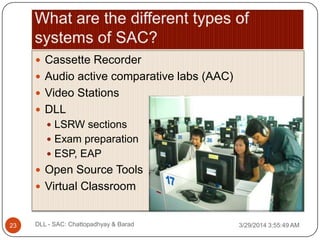
 Cassette Recorder
 Audio active comparative labs (AAC)
 Video Stations
 DLL
 LSRW sections
 Exam preparation
 ESP, EAP
 Open Source Tools
 Virtual Classroom
3/29/2014 3:55:49 AM23 DLL - SAC: Chattopadhyay & Barad
 What are the benefits of learning through
SAC?
 learn independently of teacher
 learn to work at their own pace
 learn in their own way
 choose and use self-access material on their own
 assume responsibility for and direct their own
learning
 learn to help and encourage everyone to take
responsibility for learning
 students may use the SAC in open-access time as
frequently as they wish
3/29/2014 3:55:49 AM24 DLL - SAC: Chattopadhyay & Barad
 Would you need or prefer to use Lontent
management System (LMS) like Moodle?
 Or would you need or prefer to use Open Source
content authoring application like eXe to assist
teachers and academics in the publishing of their
content in different formats?
 Would you prefer to allow your learners to interact
with PEOPLE asynchronously through
forum, blogs?
 Would you prefer to allow your learners to interact
with PEOPLE in real-time through virtual
classroom, instant messaging, second life etc.?
3/29/2014 3:55:49 AM25 DLL - SAC: Chattopadhyay & Barad
 Planning a piece of work
 Undertaking the work
 Reviewing the success or effectiveness of
the work done
 Seeking or making explanations or
theoretical explanations for the success or
otherwise of the work, leading to
guidelines on how to make the next piece
of work in some sense better.
3/29/2014 3:55:49 AM26 DLL - SAC: Chattopadhyay & Barad
 Have I identified a need to undertake the
activity?
 What is the aim of the activity?
 Have I selected materials of a suitable
level?
 Am I using appropriate resources?
 Noting unfamiliar grammar points
 Noting new vocabulary
 Noting whole phrases
 Repeating pronunciation
 Summarising audio or written text3/29/2014 3:55:49 AM27 DLL - SAC: Chattopadhyay & Barad
 Did the activity achieve all or any of the stated
aims?
 What did I gain from the activity?
 Did I enjoy the activity?
 Can I devise an appropriate follow-up activity?
 Did I try to achieve too much/ too little in the time
available?
 Was the proportion of time devoted to different
activities right?
Were the chosen materials appropriate to the
aims of the task?
 Would I do the same activity again?
3/29/2014 3:55:49 AM28 DLL - SAC: Chattopadhyay & Barad
 Providing Information guides
 What hours is the Open Access Centre open?
 When is the Language Support Officer
available?
 How many rooms does the Open Access
Centre have?
 What help can the Language Support Officer
offer?
 Can students borrow materials to take home?
 Face to face induction sessions with a
learning advisor/ tutor
 Providing Interactive induction materials
 Portfolio building 3/29/2014 3:55:49 AM29 DLL - SAC: Chattopadhyay & Barad
 How do we rate the success and efficiency of
SAC in different institutions?
 What are the important factors for the successful
transition of DLL to SAC or successful
implementation of SAC?
 Now what do you think are the advantages of
having a self-access centre for EFL teaching at
your institution?
 What do you think are the disadvantages of
having a self-access centre for EFL teaching at
your institution?
 What role would you finally identify for yourself for3/29/2014 3:55:49 AM30 DLL - SAC: Chattopadhyay & Barad
Kalyan Chattopadhyay
 profkalyan@gmail.com
 www.kalyanchattopadhyay.info
 www.theenglishlive.com
Dilip Barad
 dilipbarad@gmail.com
 www.dilipbarad.com
3/29/2014 3:55:49 AM31 DLL - SAC: Chattopadhyay & Barad

Digital Language Lab - Self Access Center

  • 1.
    ‘Fourth International and40th Annual ELTAI Conference’ Date: 7-9 August 2009 Venue: J.B.A.S. College for Women, Chennai Theme: "Managing Mixed-Ability Classes“ Presenters: Kalyan Chattopadhyay (West Bengal) Dilip Barad (Gujarat) Language Laboratory: A Platform to Synergise Various Web 2.0 Tools
  • 2.
    Long Days Journey:Language Lab to Digital Language Lab How to establish a language lab? A Checklist How to conduct sessions in language lab? DLL as SAC 3/29/2014 3:55:48 AM2 DLL - SAC: Chattopadhyay & Barad
  • 3.
    Definition of DLL: 3/29/20143:55:48 AMDLL - SAC: Chattopadhyay & Barad3  “A network of computers along with appropriate software which provides most of the functions of a conventional language lab together with integration of video, word processor and other computer application.”  www.languages-ict.org.uk  Before DLL evolved to this definition, it passed through these stages…
  • 4.
     1877: Edison‟sinvention of tin foil phonograph  1920s: Radio – foreign language instruction  1950s: Tape recorders – learning linguistic units–mastered through mechanical process of repetitive drills Keating, Lorge, Hutchinson – study on the merits of audio-lingual skills).  1970s: Rejection of LLs – language acquisition theories changed towards ‘communicative fluency’ rather than ‘linguistic accuracy’  1980s: Revival period began – digital technologies aided linguistic learning theories - DLL 3/29/2014 3:55:48 AM4 DLL - SAC: Chattopadhyay & Barad
  • 5.
    Long Days Journey: 3/29/20143:55:48 AMDLL - SAC: Chattopadhyay & Barad5  e-naissance: Period of last score and a half  1980s: OHP, VCP/R – progressive teaching tool to DLLs: 2000s  Along with changes in tools comes the challenges of learning how to integrate new technology into our teaching methods
  • 6.
  • 7.
     Room Space:36x20  Electrification: Professional Electrician/UPS  LAN: Cat 6 cable & switch port  Furniture: Space to keep note-book on desk – drawer/monitor position  Layout: Cubicles in circular‟E‟, „O‟, „C‟ or „U‟ Shape 3/29/2014 3:55:48 AM7 DLL - SAC: Chattopadhyay & Barad
  • 8.
     Hardware: Processor2.5GHz, RAM 1 GB, Graphic card, Sound card, DVD drive, USB ports, LAN card, Webcam, Speakers, Headphones  Software:  Surveying the availability of DLL programmes  Asking for demo  Short-listing a few  Making final selection keeping in mind the requirements of the students and the competency level of the instructors  Space to add additional resources…  LCD projector and Projection Screen 3/29/2014 3:55:48 AM8 DLL - SAC: Chattopadhyay & Barad
  • 9.
     Instructor /computer assistant must „see‟ the installation  Check where source & back up files are saved in server PC  Learn how to install student console from server back up files  Learn to protect & restore passwords  Practice operating teacher/student console 3/29/2014 3:55:48 AM9 DLL - SAC: Chattopadhyay & Barad
  • 10.
     Training ofthe faculty or instructors  Competency Assessment  Skill Assessment  Workshop on Pedagogy  Workshop on Methodology  Workshop on e-Skills Training of the students in handling the language lab  Training of the senior student by faculty  Peer training 3/29/2014 3:55:48 AM10 DLL - SAC: Chattopadhyay & Barad
  • 11.
     Forming groupsof material developers  Assessing materials available with the DLL programme  Developing materials with a view to:  Proficiency level of the learners  Learning styles of the learners  Multiple intelligences of the learners  Learning requirements of the learners  Pilot study of the materials  Testing of the materials  Taking feedback of the learners and the peers  Ascertaining their validity and reliability  Making changes, if necessary  Support study resources - either in form of book or e-books . . . 3/29/2014 3:55:48 AM11 DLL - SAC: Chattopadhyay & Barad
  • 12.
     Regular checkup by technicians of the hardware and software  Cleaning: dust & water proof  Regular Stock verification of materials being used  Replacing damaged or ineffective components of hardware and software  Regular virus update and scanning  Regular maintenance of the server  Regular back up of students’ file  Voltage stabilizers / UPS / ACs 3/29/2014 3:55:48 AM12 DLL - SAC: Chattopadhyay & Barad
  • 13.
     Lesson planning Selecting resource material  Assigning resource material to students  Scheduling Groups  Checking their activities and progress  Providing feedback, if necessary 3/29/2014 3:55:48 AM13 DLL - SAC: Chattopadhyay & Barad
  • 14.
    3/29/2014 3:55:48 AMDLL- SAC: Chattopadhyay & Barad14
  • 15.
    3/29/2014 3:55:49 AMDLL- SAC: Chattopadhyay & Barad15
  • 16.
    3/29/2014 3:55:49 AMDLL- SAC: Chattopadhyay & Barad16
  • 17.
    3/29/2014 3:55:49 AMDLL- SAC: Chattopadhyay & Barad17
  • 18.
    3/29/2014 3:55:49 AMDLL- SAC: Chattopadhyay & Barad18
  • 19.
     Writing andSpeaking: Chatting: voice and text with instructor and peer group  Pronunciation: Phonetics: Analyze waves  Listening and Speaking: Role play  Speaking and listening: Ghost story  Murder in the lab 3/29/2014 3:55:49 AM19 DLL - SAC: Chattopadhyay & Barad
  • 20.
     What isa Self-Access Centre (SAC)?  A centre which enables learning to take place independently of teaching and which offers students the scope to choose and use materials on their own, and the materials they use offer them the flexibility to seek correction and assessment of their own performance. 3/29/2014 3:55:49 AM20 DLL - SAC: Chattopadhyay & Barad
  • 21.
     What kindof equipment and facilities, and therefore financing, would it require?  What method/way/system of Self-access language leaning (SALL) would be most suitable for a particular institution/school?  Where would they need to integrate SALL?  In classroom lessons?  In project work?  In self-access centre (SAC) which would encourage leaner autonomy inside and outside of the classroom? 3/29/2014 3:55:49 AM21 DLL - SAC: Chattopadhyay & Barad
  • 22.
     A self-accesscentre can be set up even within a language lab and can be created in any kind of school/college, with materials and objectives that are different and geared to the specific needs.  The main idea is to create a space where students can work independently, at their own pace, with materials that are varied, according to their needs, preference and learning styles.  It can be created within the classroom, or in a room specially equipped for this aim, and used during or outside the lessons.  The centre can then be improved along the years, adding equipment and materials according to the 3/29/2014 3:55:49 AM22 DLL - SAC: Chattopadhyay & Barad
  • 23.
     Cassette Recorder Audio active comparative labs (AAC)  Video Stations  DLL  LSRW sections  Exam preparation  ESP, EAP  Open Source Tools  Virtual Classroom 3/29/2014 3:55:49 AM23 DLL - SAC: Chattopadhyay & Barad
  • 24.
     What arethe benefits of learning through SAC?  learn independently of teacher  learn to work at their own pace  learn in their own way  choose and use self-access material on their own  assume responsibility for and direct their own learning  learn to help and encourage everyone to take responsibility for learning  students may use the SAC in open-access time as frequently as they wish 3/29/2014 3:55:49 AM24 DLL - SAC: Chattopadhyay & Barad
  • 25.
     Would youneed or prefer to use Lontent management System (LMS) like Moodle?  Or would you need or prefer to use Open Source content authoring application like eXe to assist teachers and academics in the publishing of their content in different formats?  Would you prefer to allow your learners to interact with PEOPLE asynchronously through forum, blogs?  Would you prefer to allow your learners to interact with PEOPLE in real-time through virtual classroom, instant messaging, second life etc.? 3/29/2014 3:55:49 AM25 DLL - SAC: Chattopadhyay & Barad
  • 26.
     Planning apiece of work  Undertaking the work  Reviewing the success or effectiveness of the work done  Seeking or making explanations or theoretical explanations for the success or otherwise of the work, leading to guidelines on how to make the next piece of work in some sense better. 3/29/2014 3:55:49 AM26 DLL - SAC: Chattopadhyay & Barad
  • 27.
     Have Iidentified a need to undertake the activity?  What is the aim of the activity?  Have I selected materials of a suitable level?  Am I using appropriate resources?  Noting unfamiliar grammar points  Noting new vocabulary  Noting whole phrases  Repeating pronunciation  Summarising audio or written text3/29/2014 3:55:49 AM27 DLL - SAC: Chattopadhyay & Barad
  • 28.
     Did theactivity achieve all or any of the stated aims?  What did I gain from the activity?  Did I enjoy the activity?  Can I devise an appropriate follow-up activity?  Did I try to achieve too much/ too little in the time available?  Was the proportion of time devoted to different activities right? Were the chosen materials appropriate to the aims of the task?  Would I do the same activity again? 3/29/2014 3:55:49 AM28 DLL - SAC: Chattopadhyay & Barad
  • 29.
     Providing Informationguides  What hours is the Open Access Centre open?  When is the Language Support Officer available?  How many rooms does the Open Access Centre have?  What help can the Language Support Officer offer?  Can students borrow materials to take home?  Face to face induction sessions with a learning advisor/ tutor  Providing Interactive induction materials  Portfolio building 3/29/2014 3:55:49 AM29 DLL - SAC: Chattopadhyay & Barad
  • 30.
     How dowe rate the success and efficiency of SAC in different institutions?  What are the important factors for the successful transition of DLL to SAC or successful implementation of SAC?  Now what do you think are the advantages of having a self-access centre for EFL teaching at your institution?  What do you think are the disadvantages of having a self-access centre for EFL teaching at your institution?  What role would you finally identify for yourself for3/29/2014 3:55:49 AM30 DLL - SAC: Chattopadhyay & Barad
  • 31.
    Kalyan Chattopadhyay  profkalyan@gmail.com www.kalyanchattopadhyay.info  www.theenglishlive.com Dilip Barad  dilipbarad@gmail.com  www.dilipbarad.com 3/29/2014 3:55:49 AM31 DLL - SAC: Chattopadhyay & Barad