Archival Technologies
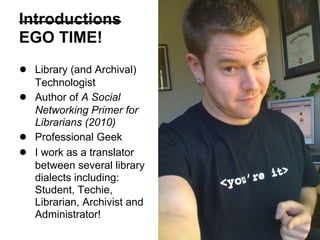
Cliff Landis
Web Services Librarian
Georgia State University
46th Annual Georgia Archives Institute
June 10 – 21, 2013.
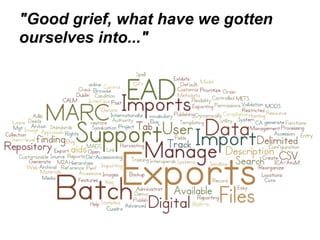
"Good grief, what have we gotten
ourselves into..."
Learning Objectives
● Identify existing and emerging areas of
archival technology development.
● Learn about the capabilities, pros, and cons
of major archival management tools, such as
Archon and Archivists' Toolkit.
● Learn about the capabilities, pros, and cons
of major digital collection management tools,
such as CONTENTdm and Islandora.
● Discover resources for further professional
development in archival technology areas
such as software, hardware, and standards.
Introductions
EGO TIME!
● Library (and Archival)
Technologist
● Author of A Social
Networking Primer for
Librarians (2010)
● Professional Geek
● I work as a translator
between several library
dialects including:
Student, Techie,
Librarian, Archivist and
Administrator!
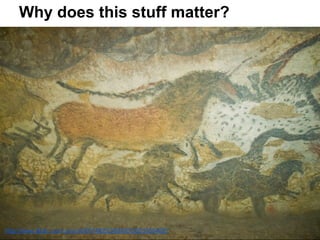
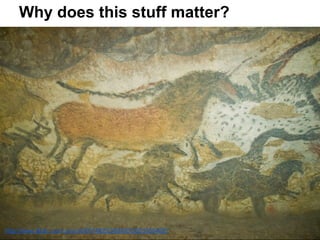
Why does this stuff matter?
http://www.flickr.com/photos/80749232@N00/2563365462/
Two questions
1) What one thing do you hope to learn
today?
2) What one thing do you hope to do with
archival technology?
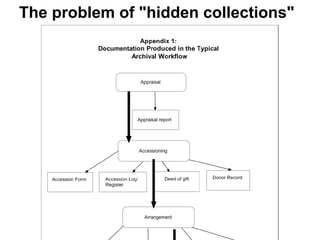
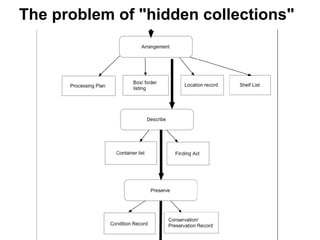
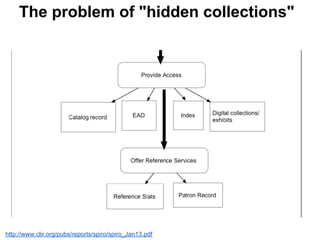
The problem of "hidden collections"
http://www.clir.org/pubs/reports/spiro/spiro_Jan13.pdf
http://www.flickr.com/photos/31333486@N00/1977134004/
It's all about using the right tool for
the job...
http://www.flickr.com/photos/takomabibelot/4355506368/
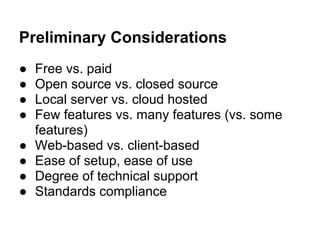
Preliminary Considerations
● Free vs. paid
● Open source vs. closed source
● Local server vs. cloud hosted
● Few features vs. many features (vs. some
features)
● Web-based vs. client-based
● Ease of setup, ease of use
● Degree of technical support
● Standards compliance
Archival management
software
aka, "What's all this old stuff, where did we
put it, and what can we do with it?"
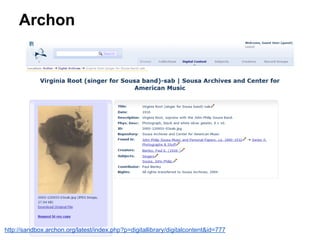
Archon
http://sandbox.archon.org/latest/index.php?p=digitallibrary/digitalcontent&id=777
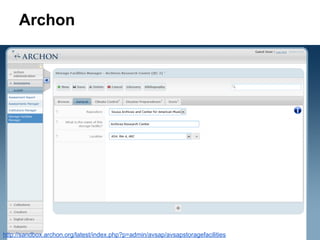
Archon
http://sandbox.archon.org/latest/index.php?p=admin/avsap/avsapstoragefacilities
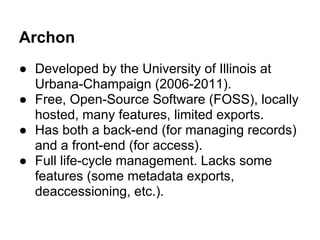
Archon
● Developed by the University of Illinois at
Urbana-Champaign (2006-2011).
● Free, Open-Source Software (FOSS), locally
hosted, many features, limited exports.
● Has both a back-end (for managing records)
and a front-end (for access).
● Full life-cycle management. Lacks some
features (some metadata exports,
deaccessioning, etc.).
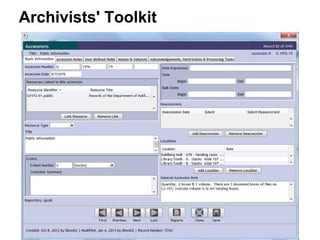
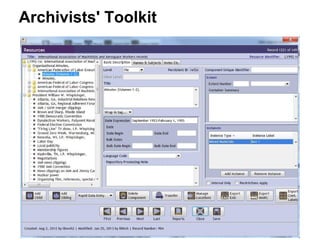
Archivists' Toolkit
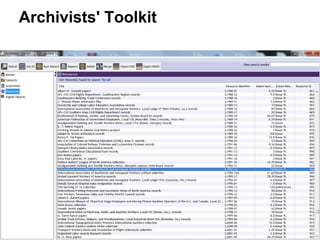
Archivists' Toolkit
Archivists' Toolkit
Archivists' Toolkit
● Developed with a Mellon Foundation grant and
continued by Five Colleges, Inc., New York University
Libraries, and the UC San Diego Libraries (2006-2009).
● Free, Open-Source Software (FOSS), locally hosted,
many features, exports in many standards/formats.
● Server and client software
● Has a back-end (for managing records). No web
publishing available.
● Full life-cycle management. Lacks some features
(backup/restore, publishing finding aids, etc.)
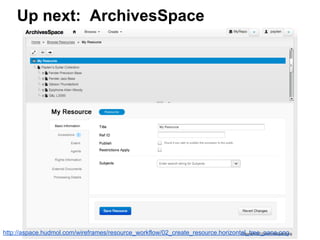
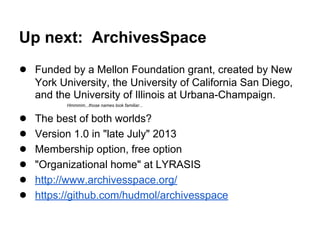
Up next: ArchivesSpace
http://aspace.hudmol.com/wireframes/resource_workflow/02_create_resource.horizontal_tree_pane.png
Up next: ArchivesSpace
● Funded by a Mellon Foundation grant, created by New
York University, the University of California San Diego,
and the University of Illinois at Urbana-Champaign.
Hmmmm...those names look familiar...
● The best of both worlds?
● Version 1.0 in "late July" 2013
● Membership option, free option
● "Organizational home" at LYRASIS
● http://www.archivesspace.org/
● https://github.com/hudmol/archivesspace
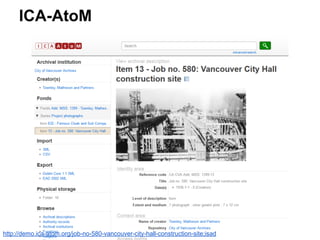
ICA-AtoM
http://demo.ica-atom.org/job-no-580-vancouver-city-hall-construction-site;isad
ICA-AtoM
● ICA-AtoM is web-based archival description software
that is based on International Council on Archives
('ICA') standards. 'AtoM' is an acronym for 'Access to
Memory' (2008-2013).
● Developed by Artefactual Systems in collaboration with
the ICA Program Commission (PCOM) and a growing
network of international partners.
● Free, Open-Source Software (FOSS). Web-based, so
requires server or virtual appliance setup.
Others
● Adlib Archive
● Calm for Archives
● Cuadra STAR / Archives
● Eloquent Archives
● MINISIS M2A
● Collective Access
● PastPerfect
...and many more
Digital collections/asset
management software
aka, "Isn't all that old stuff online by now?"
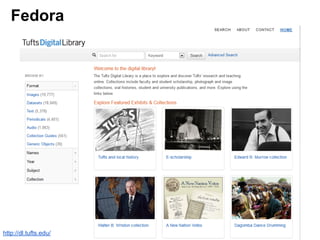
Fedora
http://dl.tufts.edu/
Fedora
● NOT the Linux operating system....
● aka: Fedora Repository / Fedora Commons
● Developed by Cornell University and the University of
Virginia Library, currently supported by DuraSpace
● FOSS, server-side.
● Flexible architecture, allowing you to customize it (add
on components) to meet local needs. Requires more
work.
● Ingest, management, and basic delivery -- not a full-
fledged system for managing digital assets.
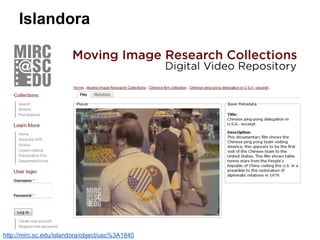
Islandora
http://mirc.sc.edu/islandora/object/usc%3A1840
Islandora
● Fedora (asset management), Drupal (website
functionality) and Solr (search). Additional "Solution
Packs" of software to manage particular data types
(books, PDFs, large images, etc.).
● Developed by Prince Edward Island University.
● FOSS, server-side. Has to be assembled by
programmers / systems folks. Requires a LOT of work
and maintenance at this point. Not a "download and
double-click" software.
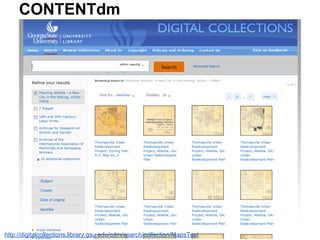
CONTENTdm
http://digitalcollections.library.gsu.edu/cdm/search/collection/MapsTest
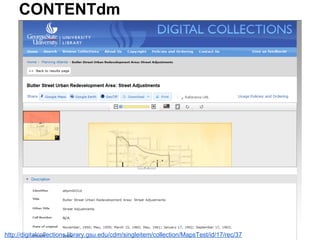
CONTENTdm
http://digitalcollections.library.gsu.edu/cdm/singleitem/collection/MapsTest/id/17/rec/37
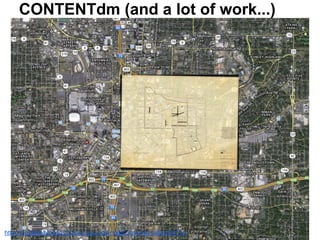
CONTENTdm (and a lot of work...)
http://digitalcollections.library.gsu.edu/maps/?overlay=atlpm0031e
CONTENTdm
● Closed source, OCLC, and paid (expensive!).
● A full system for managing digital collections. Can be
hosted by OCLC or run on your own servers (hosted
version limits customization).
● Server-side software, web interface and project client
software. Lots of moving pieces to get to work together
with limited documentation and slow technical support
response time.
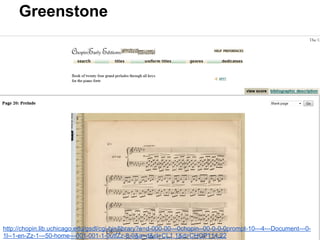
Greenstone
http://chopin.lib.uchicago.edu/gsdl/cgi-bin/library?e=d-000-00---0chopin--00-0-0-0prompt-10---4---Document---0-
1l--1-en-Zz-1---50-home---001-001-1-0utfZz-8-0&a=d&cl=CL1.1&d=CHOP114.22
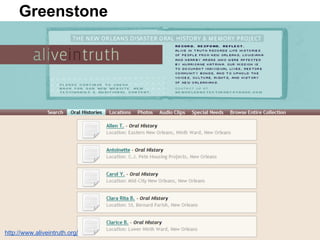
Greenstone
http://www.aliveintruth.org/
Greenstone
● Developed by New Zealand Digital Library Project at the
University of Waikato, with support from UNESCO.
● FOSS, server-side.
● Multi-lingual and multi-national.
● Unsure how active the development community is, as I
haven't seen much work on it since 2012.
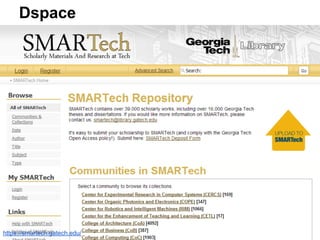
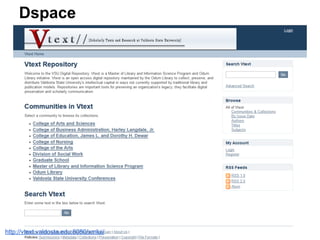
Dspace
https://smartech.gatech.edu/
Dspace
http://vtext.valdosta.edu:8080/xmlui/
Dspace
● Developed by the MIT Libraries and Hewlett-Pckard
Labs
● FOSS, server-side. Hosted option available
(DSpaceDirect)
● Manakin add-on for improved user interface
● Not easy to set up or customize, but effective
Others
● Tripod2 (Duke University, in-house)
● Keystone (Index Data)
● EPrints (University of Southampton)
● and many more...
Display and Access
aka, "All this old stuff can tell a story..."
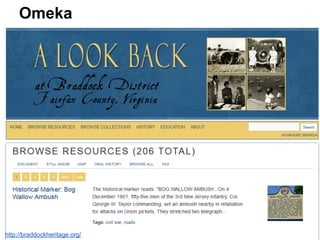
Omeka
http://braddockheritage.org/
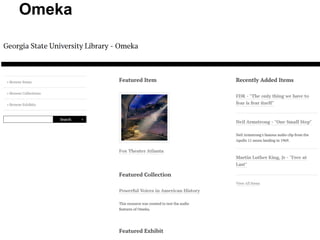
Omeka
Omeka
● Web publishing of narratives around digital collections.
● Center for History and New Media (CHNM) at George
Mason University
● FOSS, server-side. Hosted versions also available.
● Designed to be relatively easy to use for non-technical
folks.
● Has plugins available for additional functionality (OAI-
PMH, CSV import, Dublin Core, etc.)
Others
● Collective Access
● Virtual Exhibit (for Past Perfect)
● Internet Archive
● Picasa/Flickr
● Blogs/Websites
● and many more...
OTHER STUFF!
Cliff says "hang on to your brain..."
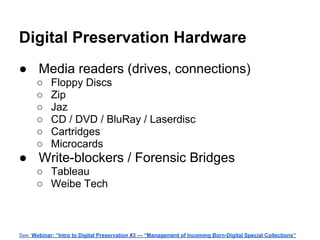
Digital Preservation Hardware
● Media readers (drives, connections)
○ Floppy Discs
○ Zip
○ Jaz
○ CD / DVD / BluRay / Laserdisc
○ Cartridges
○ Microcards
● Write-blockers / Forensic Bridges
○ Tableau
○ Weibe Tech
See: Webinar: “Intro to Digital Preservation #3 — “Management of Incoming Born-Digital Special Collections”
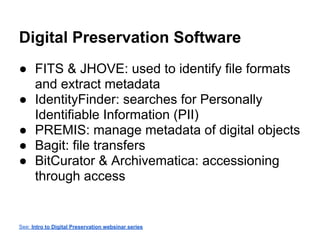
Digital Preservation Software
● FITS & JHOVE: used to identify file formats
and extract metadata
● IdentityFinder: searches for Personally
Identifiable Information (PII)
● PREMIS: manage metadata of digital objects
● Bagit: file transfers
● BitCurator & Archivematica: accessioning
through access
See: Intro to Digital Preservation websinar series
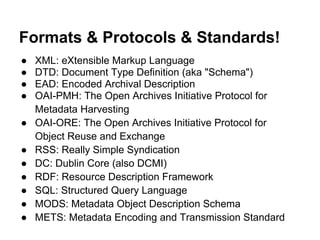
Formats & Protocols & Standards!
● XML: eXtensible Markup Language
● DTD: Document Type Definition (aka "Schema")
● EAD: Encoded Archival Description
● OAI-PMH: The Open Archives Initiative Protocol for
Metadata Harvesting
● OAI-ORE: The Open Archives Initiative Protocol for
Object Reuse and Exchange
● RSS: Really Simple Syndication
● DC: Dublin Core (also DCMI)
● RDF: Resource Description Framework
● SQL: Structured Query Language
● MODS: Metadata Object Description Schema
● METS: Metadata Encoding and Transmission Standard
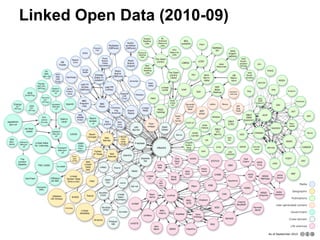
Linked Open Data (2010-09)
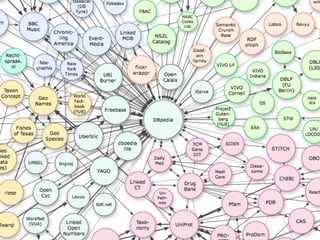
Linked Open Data
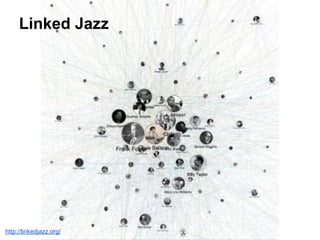
Linked Jazz
http://linkedjazz.org/
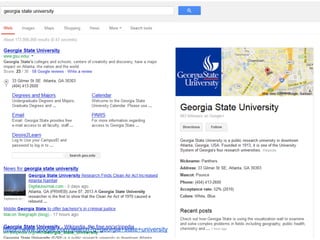
https://www.google.com/search?q=georgia+state+university
Semantic Web
BUT WHAT DOES IT ALL MEAN?!?!!
● Microformats: a way of adding human- and machine-
readable metadata into existing HTML webpages.
○ COinS: ContextObjects in Spans. Allows users to
embed machine-readable bibliographic metadata in
HTML webpages.
● RDFa Lite: Resource Description Framework in
attributes - another way of adding human- and machine-
readable metadata into existing HTML pages.
Why does this stuff matter?
http://www.flickr.com/photos/80749232@N00/2563365462/
Resources:
● Spiro, Lisa (2009). Archival Management Software: A
Report for the Council on Library and Information
Resources. http://www.clir.
org/pubs/reports/spiro/spiro_Jan13.pdf and http:
//archivalsoftware.pbworks.com
● Bean, Carol (2010). Comparing Digital Library Systems
(BeanWorks). http://beanworks.clbean.
com/2010/04/comparing-digital-library-systems/
● Association of Southeastern Research Libraries.
Archived Webinars / Materials. http://aserl.org/archive
● Digital Preservation - Tools Showcase. http://www.
digitalpreservation.gov/tools/
● W3C Schools. http://www.w3schools.com/
Not that it has to be said, but...
Disclaimer!
All images and excerpts included are being
used under the auspices of Fair Use for the
purposes of nonprofit education, criticism, and
comment as outlined in 17 U.S.C. § 107.
Questions?
Cliff Landis
Web Services Librarian
Georgia State University
46th Annual Georgia Archives Institute
June 10 – 21, 2013.

Archival Technologies