Digitization at the AUC Robert W.
Woodruff Library - A Case Study
Cliff Landis
Digital Initiatives Librarian
HBCU Library Alliance
2017-10-18
Introductions!
● Digital Initiatives Librarian
● Maintain digital collections and software
● Joined AUC RWWL in March 2017
● Former Reference Librarian, Web Services Librarian,
Taxonomist and Metadata Manager
● Recovering Perfectionist and Archivaholic
● Aspiring Systems Thinker (ala Gregory Bateson & Peter
Senge)
● Obsession of the moment: Hügelkultur!
Challenging Materials:
Gammon Composites
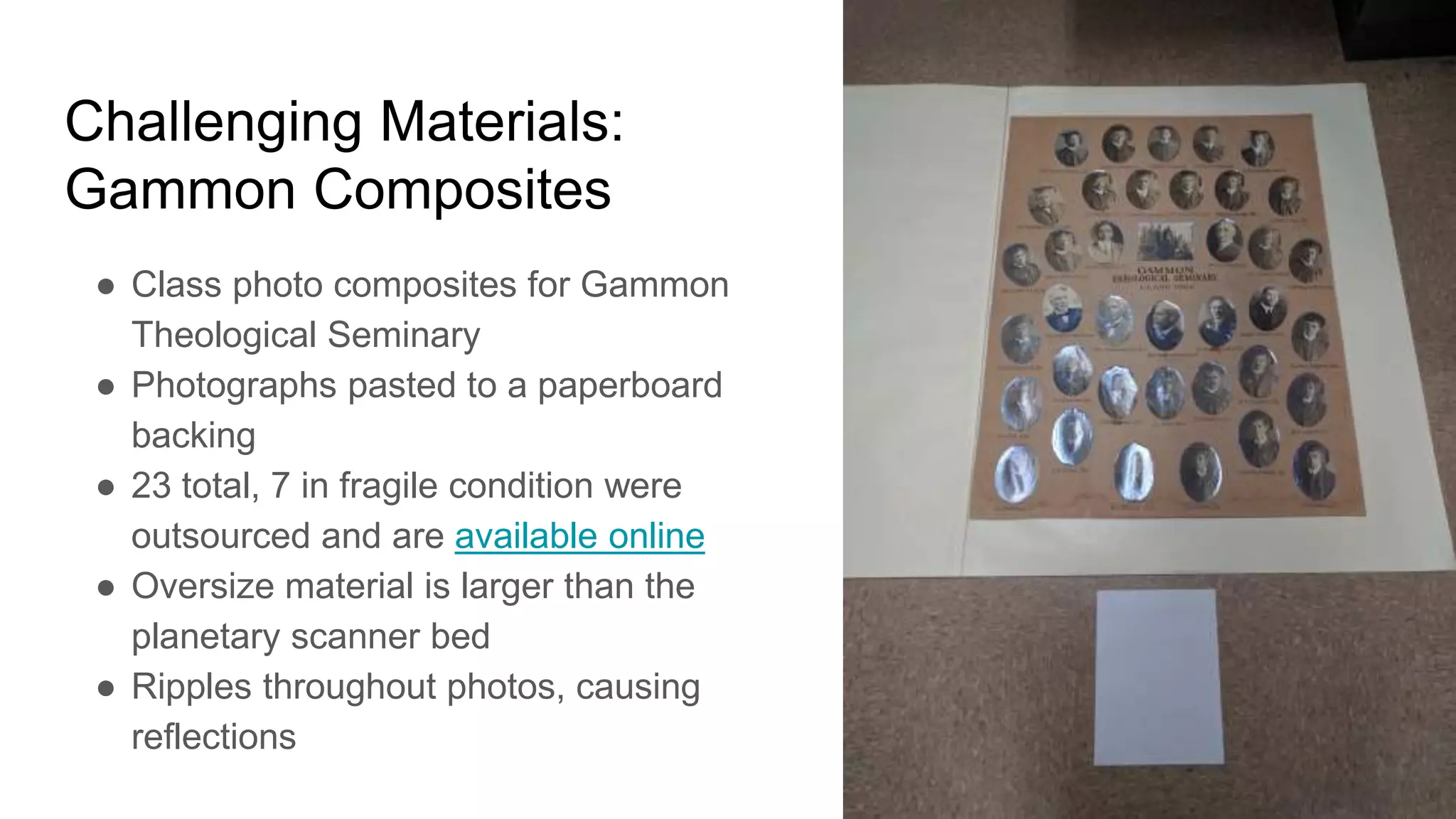
● Class photo composites for Gammon
Theological Seminary
● Photographs pasted to a paperboard
backing
● 23 total, 7 in fragile condition were
outsourced and are available online
● Oversize material is larger than the
planetary scanner bed
● Ripples throughout photos, causing
reflections
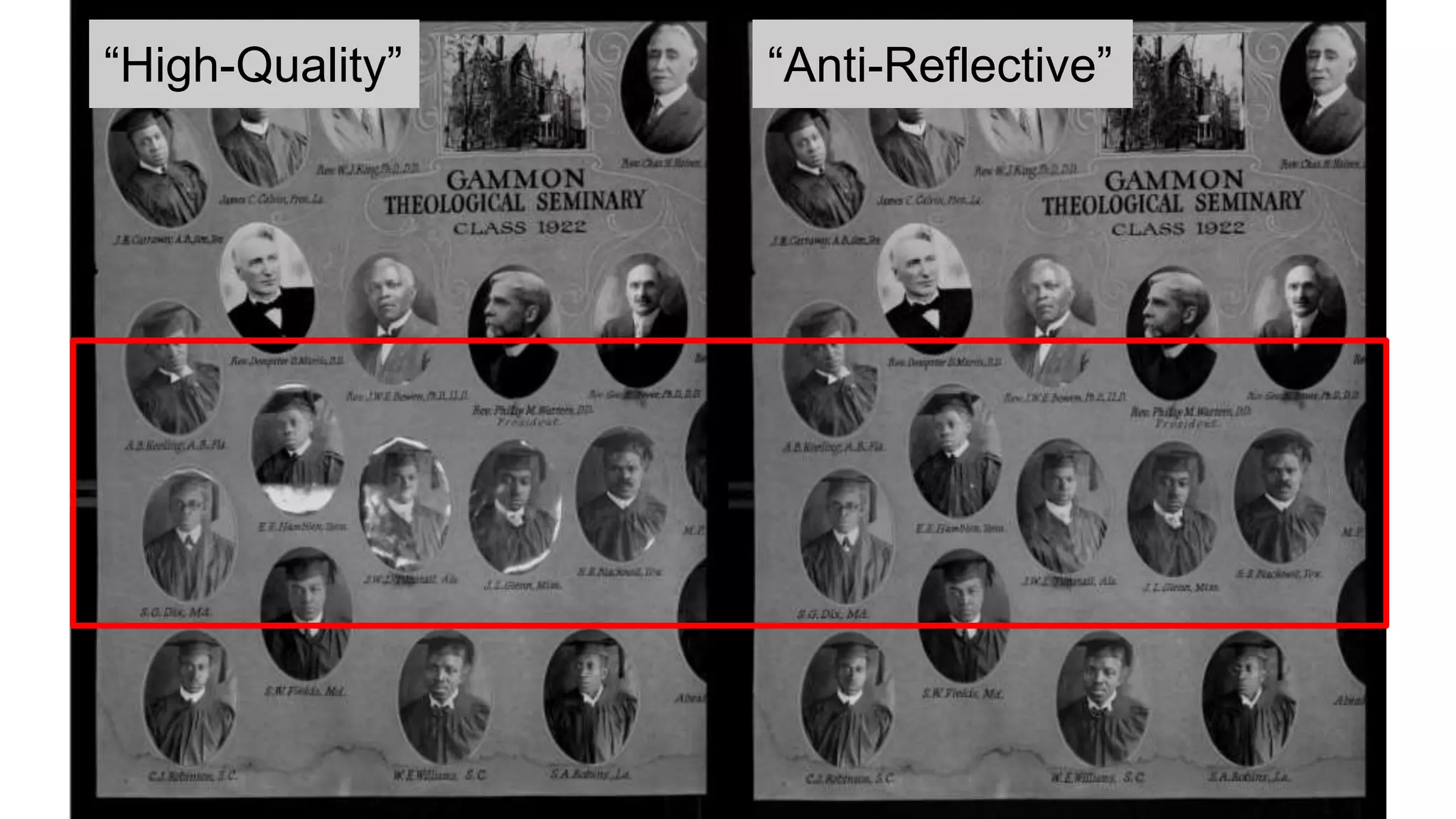
“High-Quality” “Anti-Reflective”
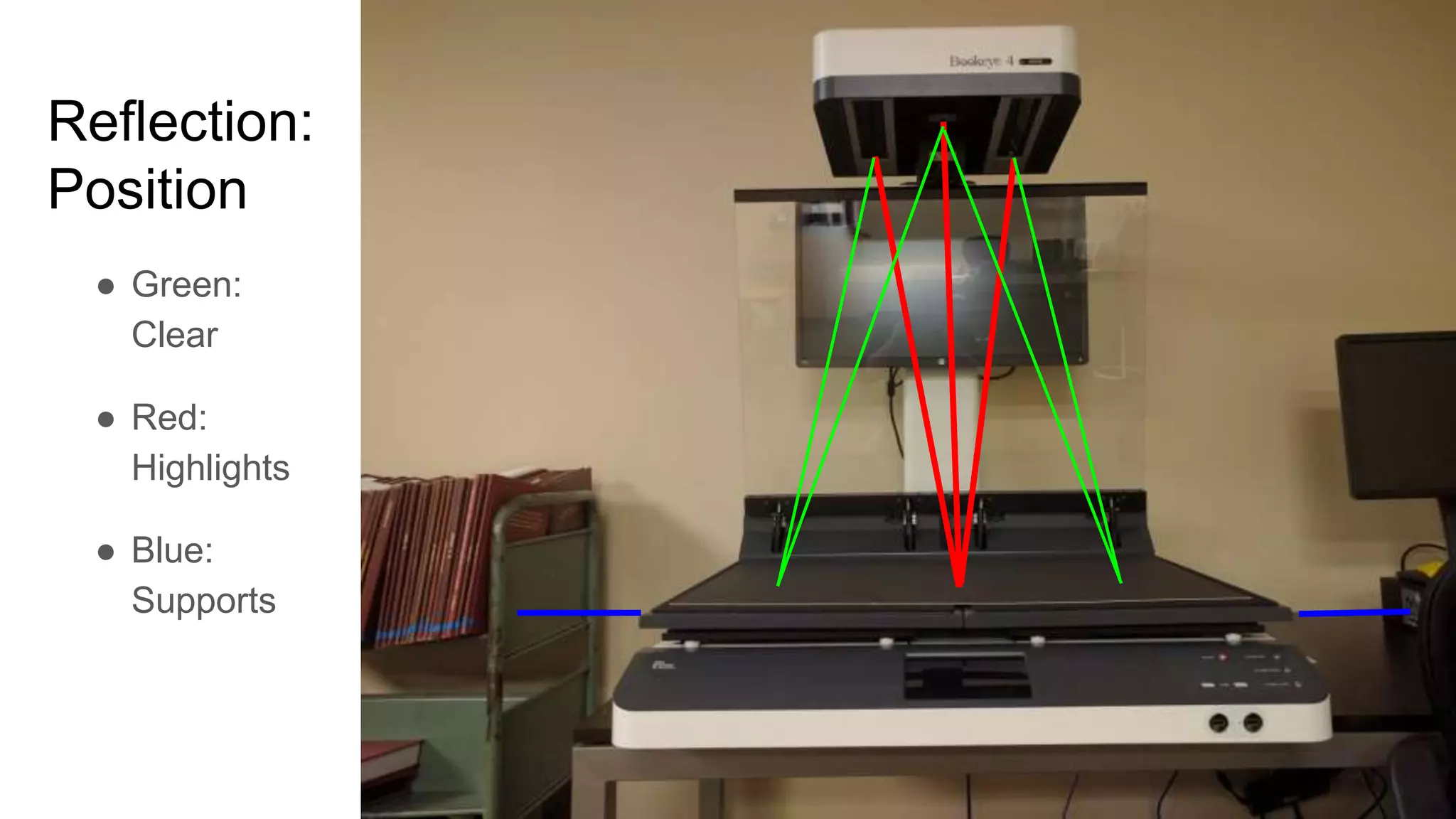
Reflection:
Position
● Green:
Clear
● Red:
Highlights
● Blue:
Supports
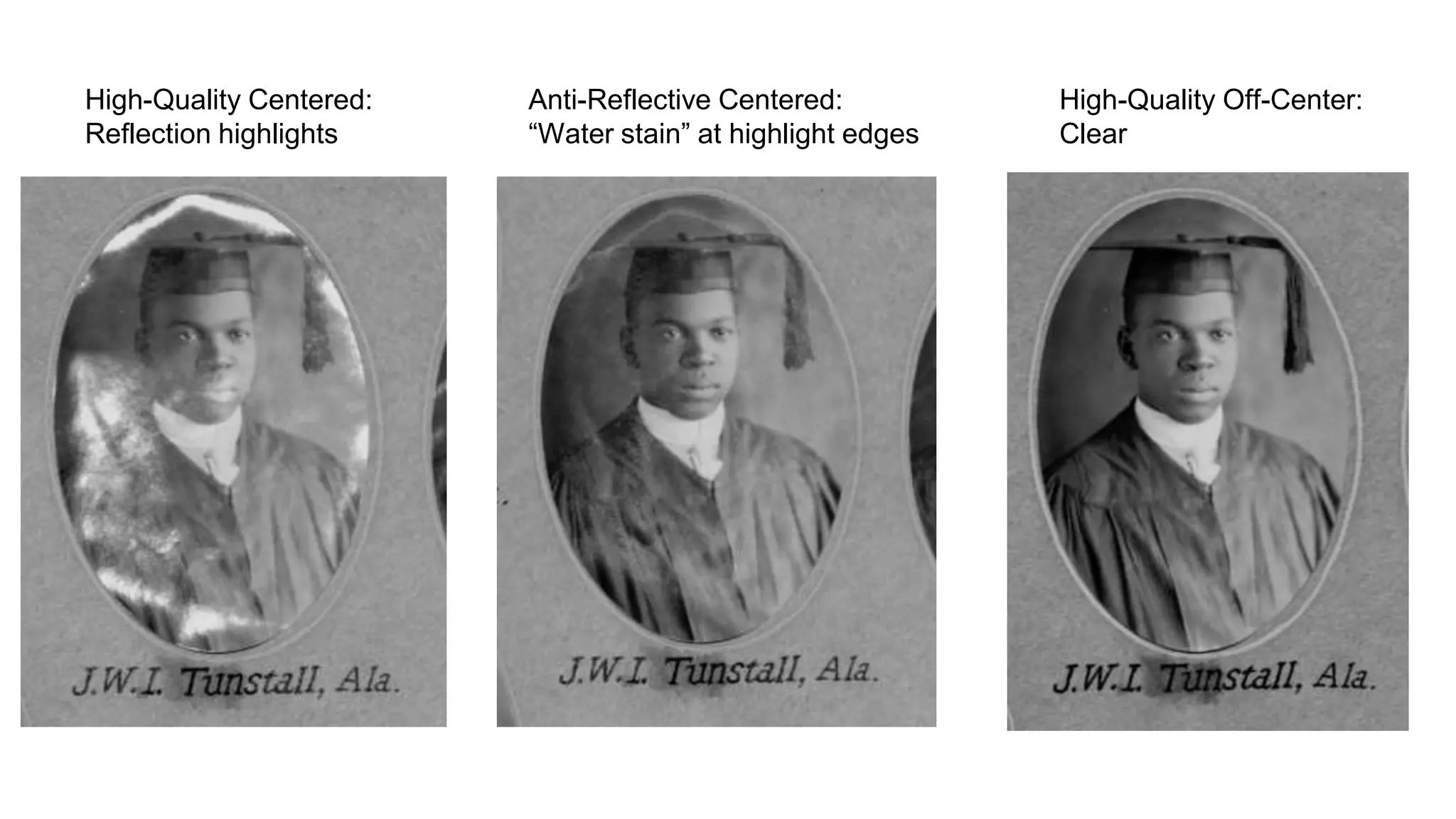
High-Quality Centered:
Reflection highlights
Anti-Reflective Centered:
“Water stain” at highlight edges
High-Quality Off-Center:
Clear
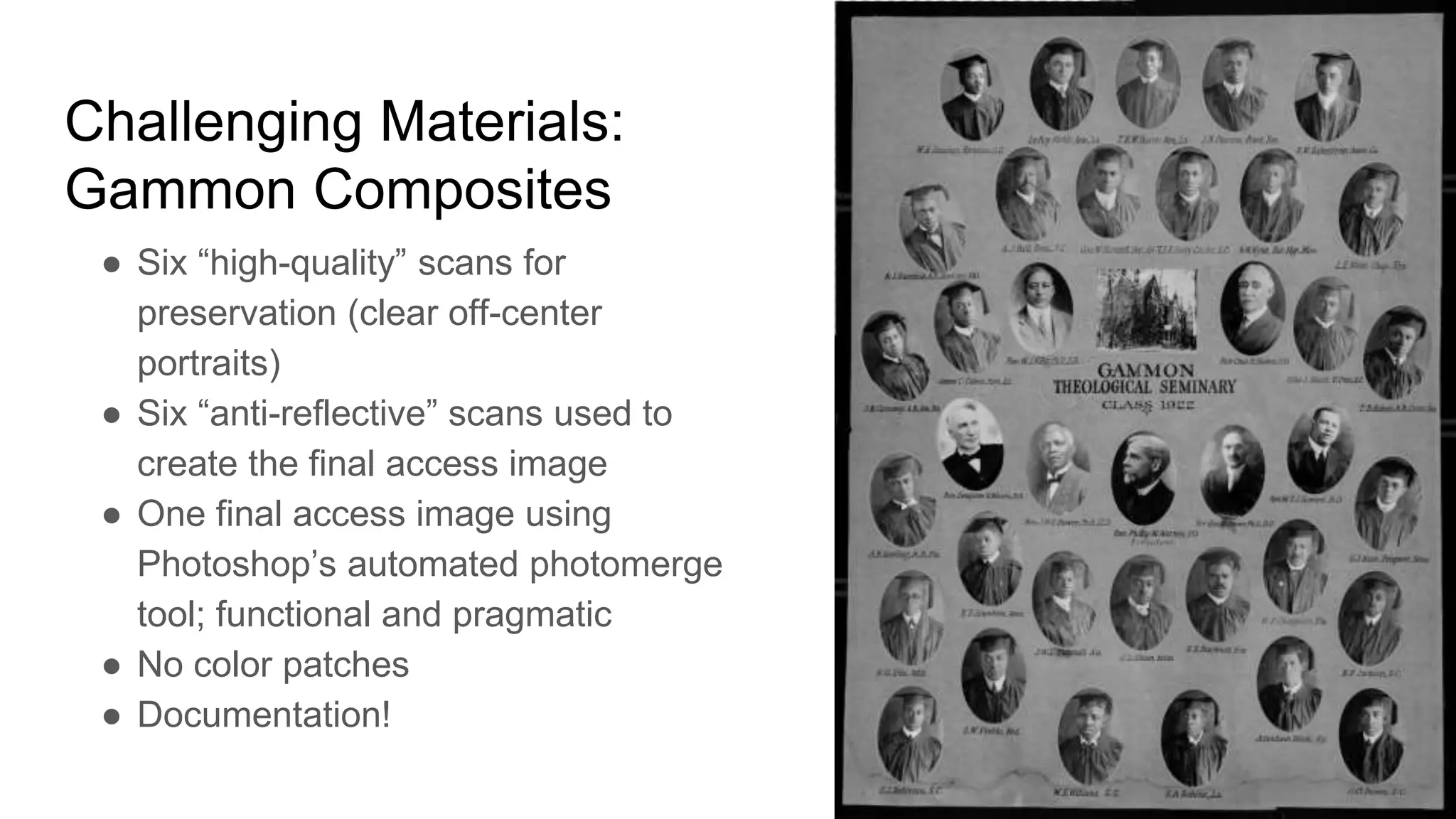
Challenging Materials:
Gammon Composites
● Six “high-quality” scans for
preservation (clear off-center
portraits)
● Six “anti-reflective” scans used to
create the final access image
● One final access image using
Photoshop’s automated photomerge
tool; functional and pragmatic
● No color patches
● Documentation!
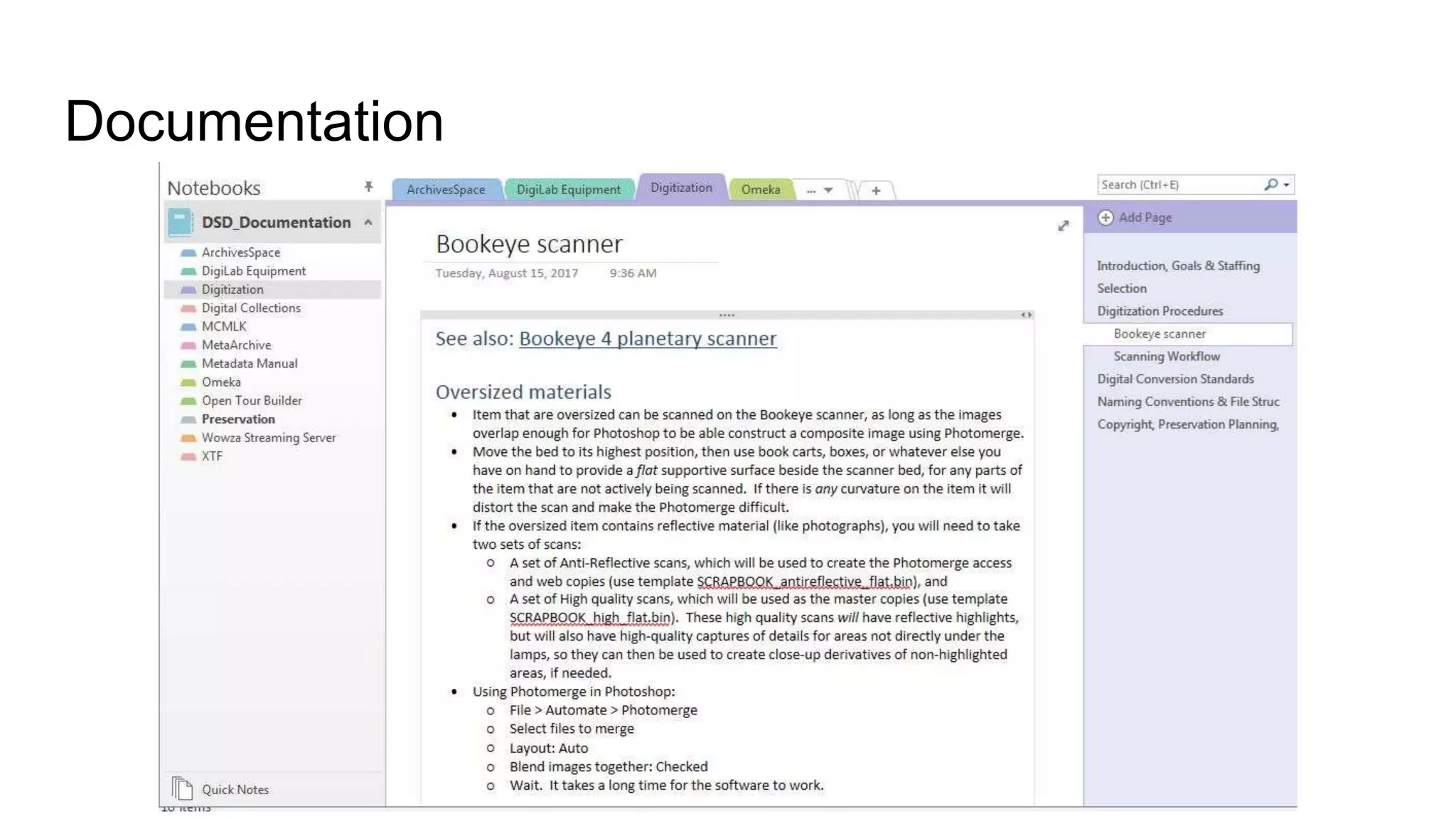
Documentation
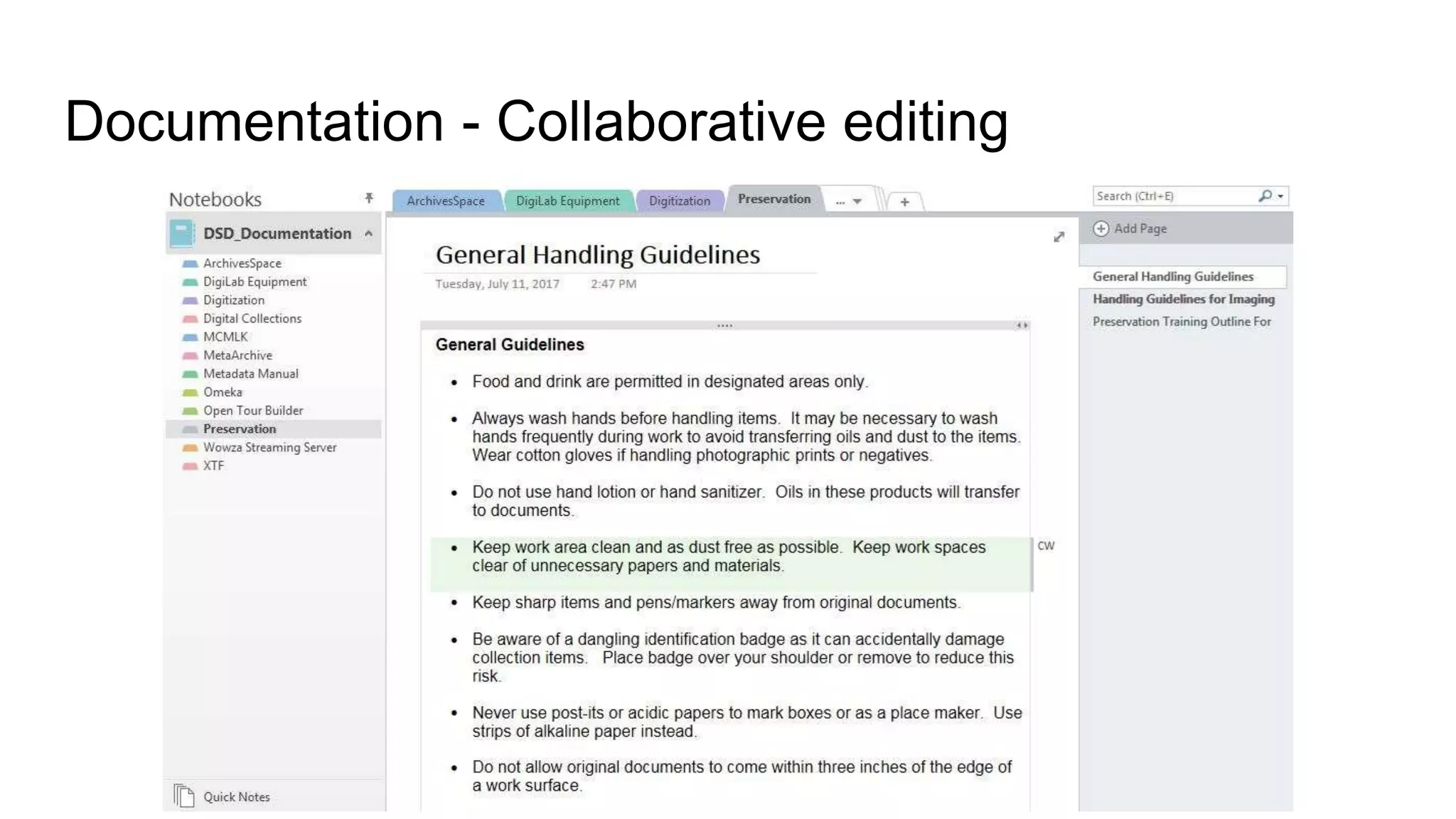
Documentation - Collaborative editing
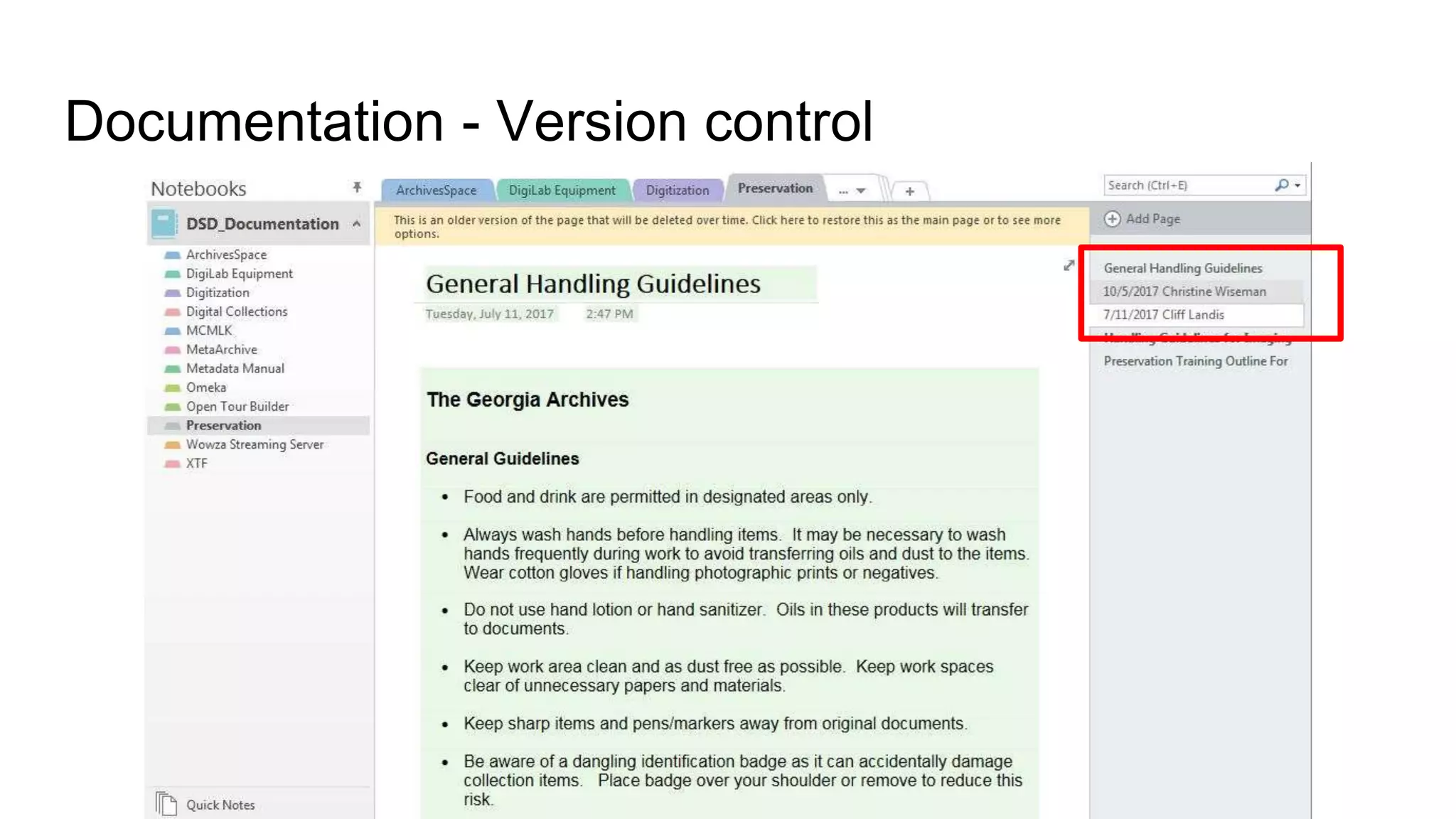
Documentation - Version control
Documentation - Troubleshooting
Quick Quiz! Philosophy
Which quote best represents your organization’s
digitization philosophy?
❏"If you haven’t got the time to do it right,
when will you find time to do it over?"
❏"More product, less process"
❏"Something is better than nothing"
❏[Wordless scream]
https://pixabay.com/p-443127/
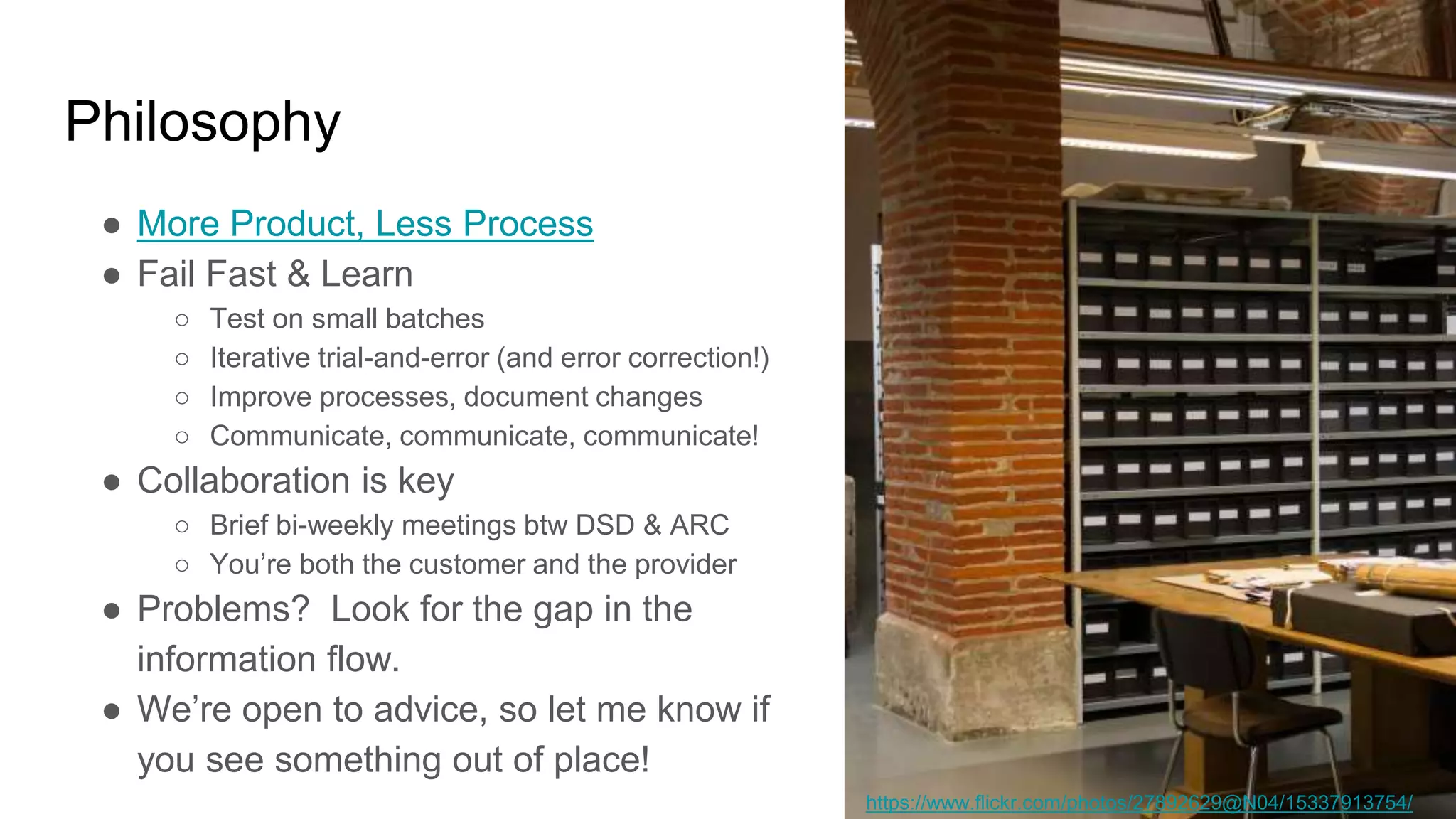
Philosophy
● More Product, Less Process
● Fail Fast & Learn
○ Test on small batches
○ Iterative trial-and-error (and error correction!)
○ Improve processes, document changes
○ Communicate, communicate, communicate!
● Collaboration is key
○ Brief bi-weekly meetings btw DSD & ARC
○ You’re both the customer and the provider
● Problems? Look for the gap in the
information flow.
● We’re open to advice, so let me know if
you see something out of place!
https://www.flickr.com/photos/27892629@N04/15337913754/
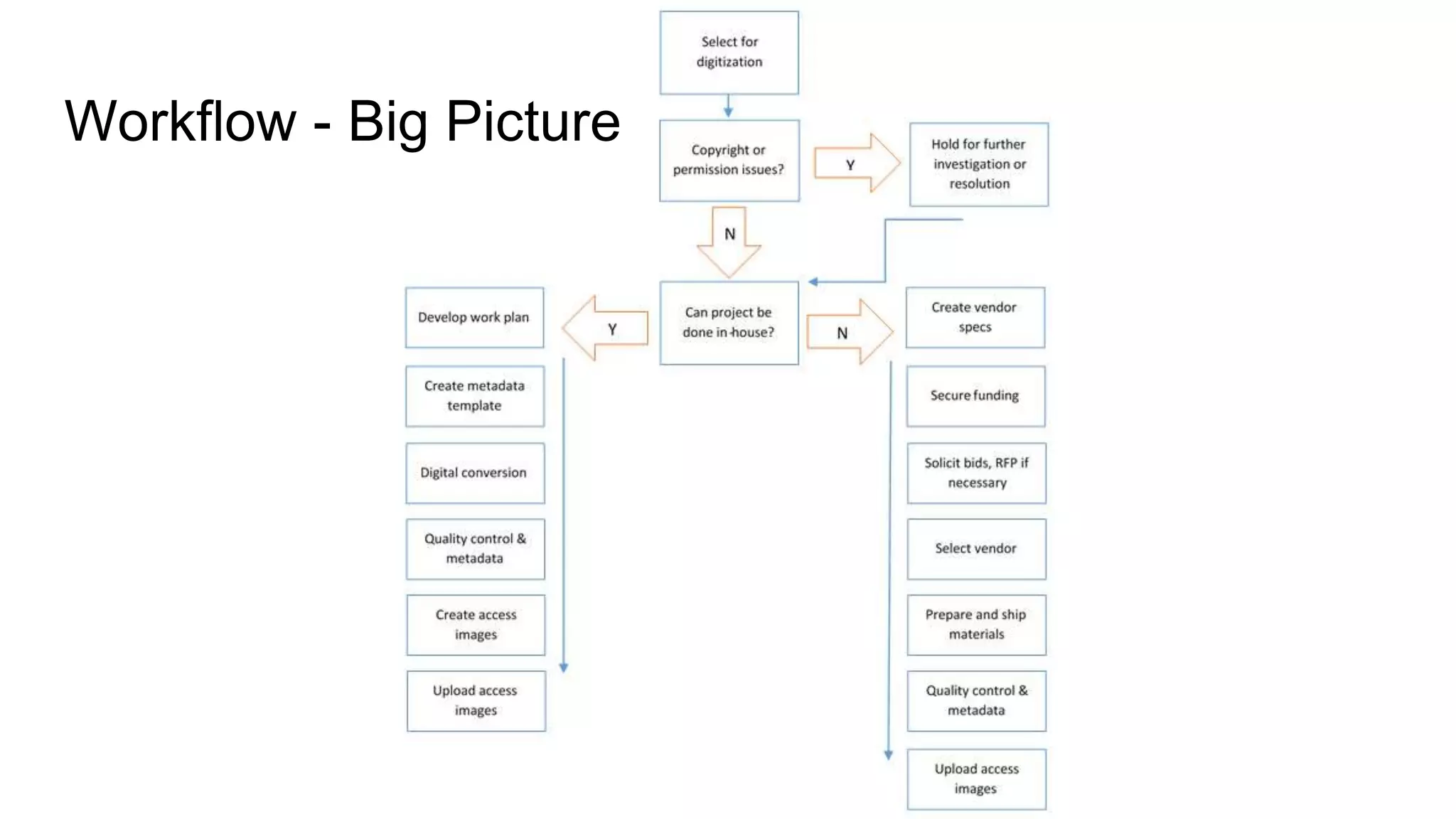
Workflow - Big Picture
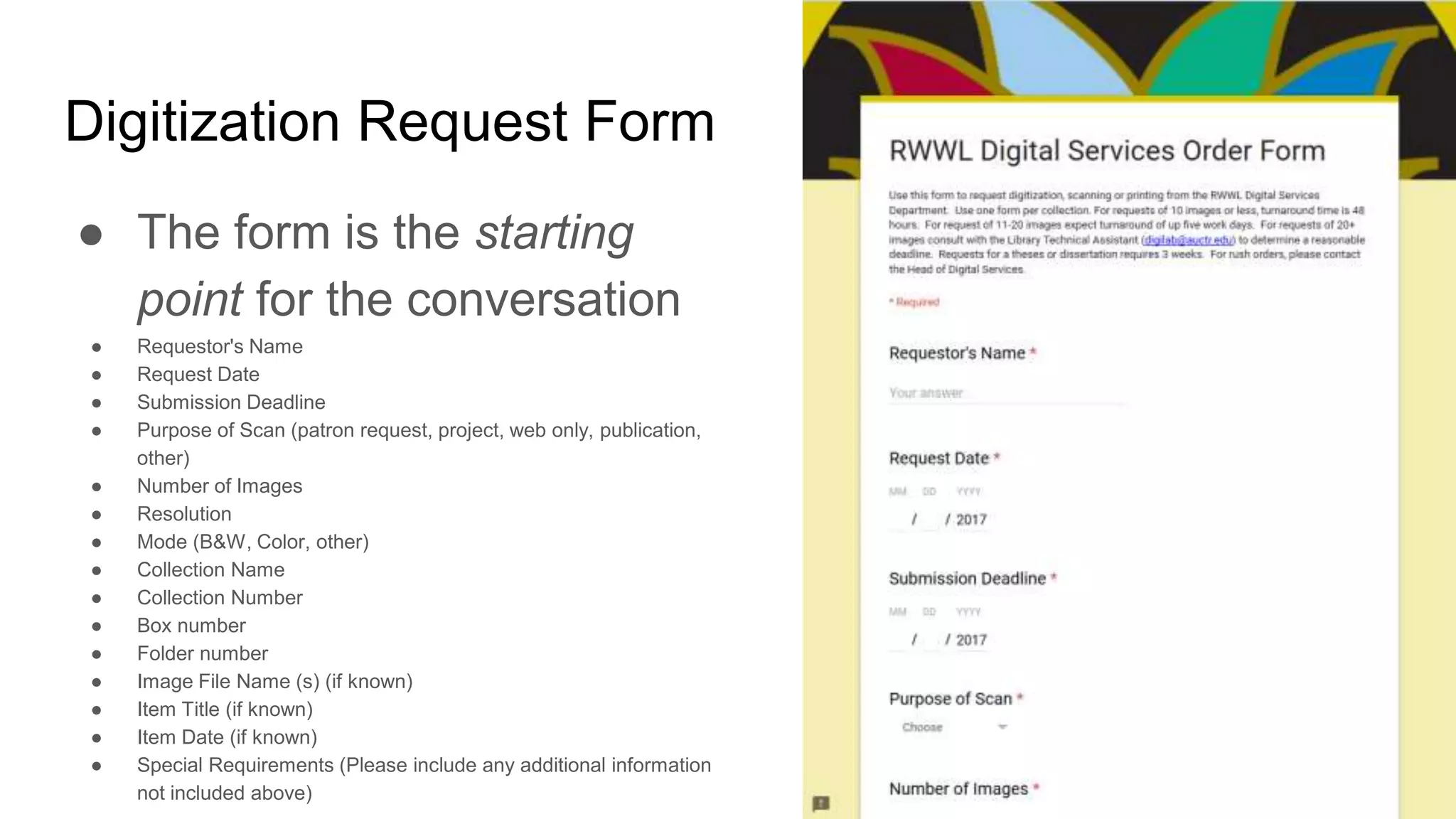
Digitization Request Form
● The form is the starting
point for the conversation
● Requestor's Name
● Request Date
● Submission Deadline
● Purpose of Scan (patron request, project, web only, publication,
other)
● Number of Images
● Resolution
● Mode (B&W, Color, other)
● Collection Name
● Collection Number
● Box number
● Folder number
● Image File Name (s) (if known)
● Item Title (if known)
● Item Date (if known)
● Special Requirements (Please include any additional information
not included above)
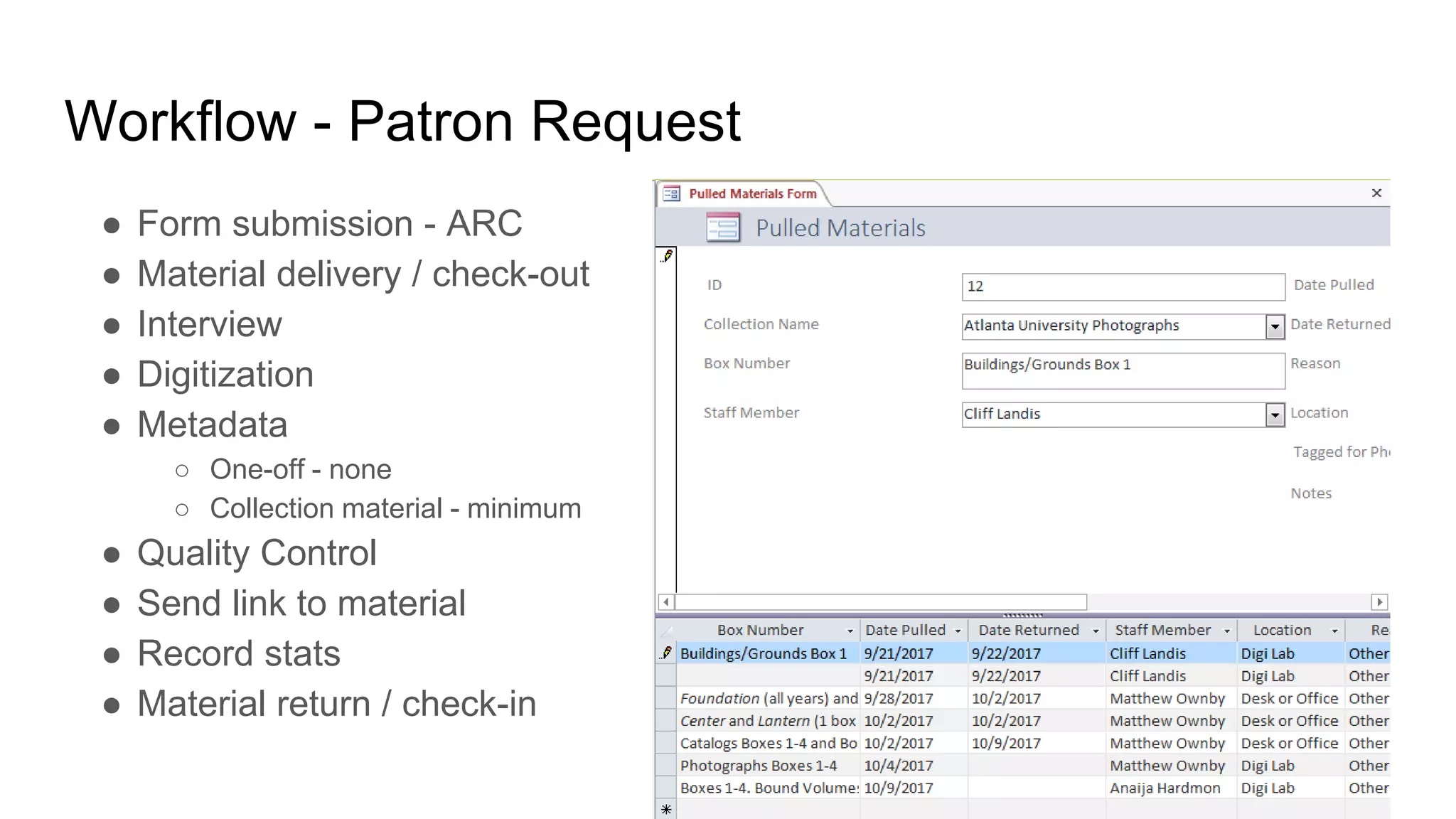
Workflow - Patron Request
● Form submission - ARC
● Material delivery / check-out
● Interview
● Digitization
● Metadata
○ One-off - none
○ Collection material - minimum
● Quality Control
● Send link to material
● Record stats
● Material return / check-in
Workflow - Project
● Conversation
● Form submission - ARC, DSD, Admin, Grant Project Managers
● Material delivery / check-out
● Interview
○ Special requirements for digitization, metadata or storage
● Digitization
○ Sample set sent to requestor for review/QC
○ Progress reports
● Metadata
○ Collection material - minimum or as needed
○ A/V materials require more detail, such as creating time indexes
● Quality Control
● Send link to material
● Record stats
● Material return / check-in
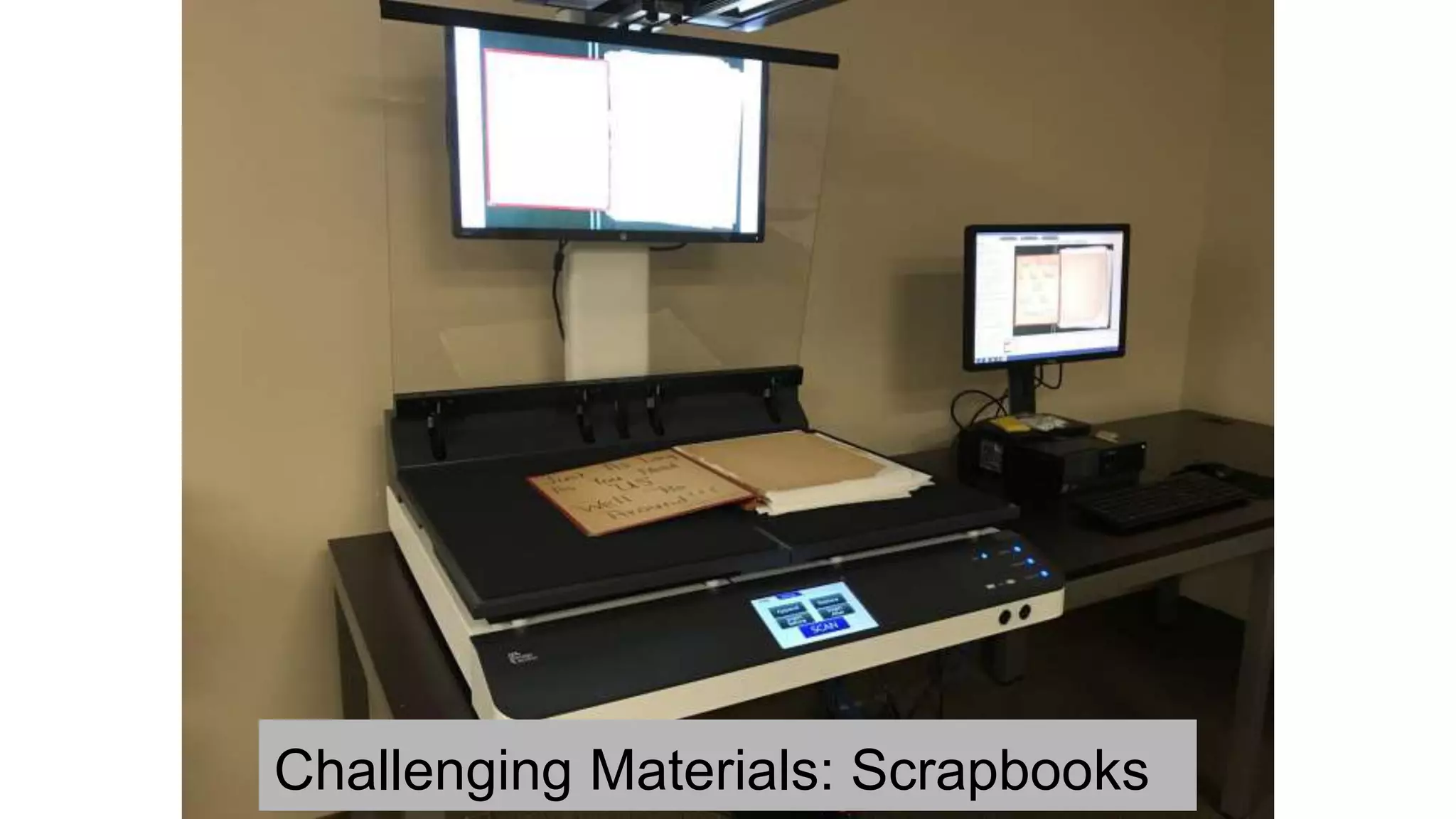
Challenging Materials: Scrapbooks
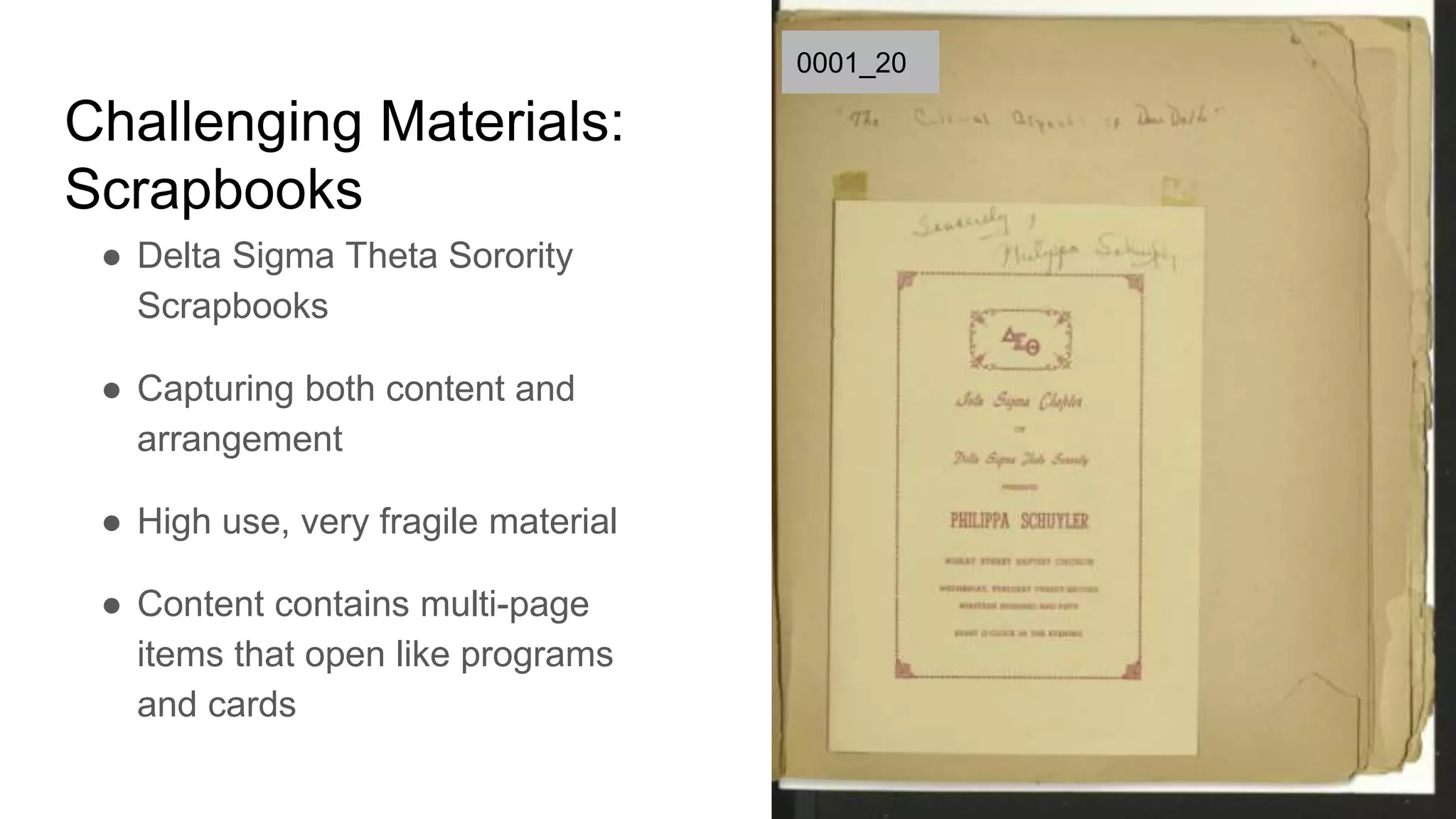
Challenging Materials:
Scrapbooks
● Delta Sigma Theta Sorority
Scrapbooks
● Capturing both content and
arrangement
● High use, very fragile material
● Content contains multi-page
items that open like programs
and cards
0001_20
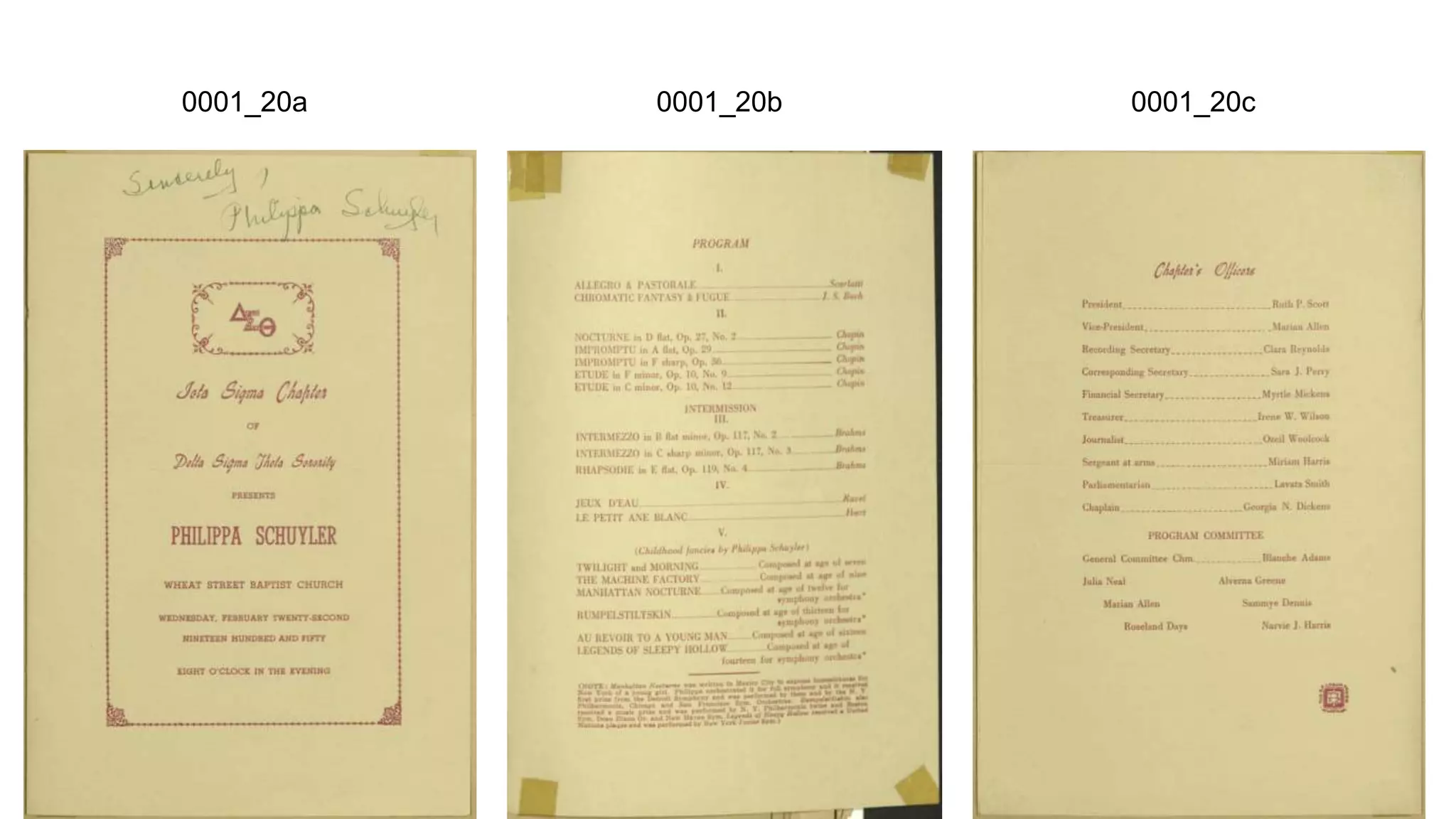
0001_20a 0001_20b 0001_20c
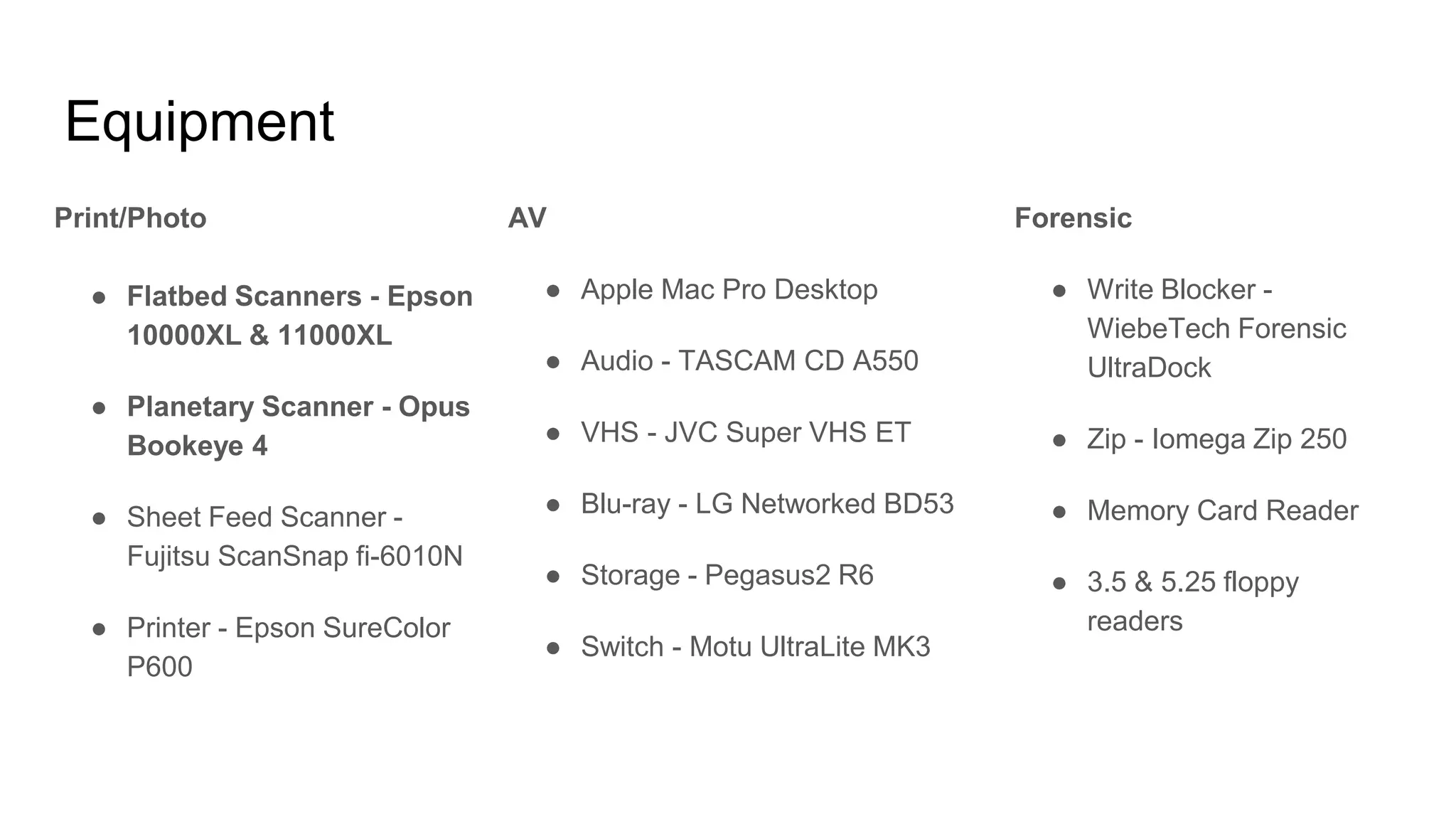
Equipment
Print/Photo
● Flatbed Scanners - Epson
10000XL & 11000XL
● Planetary Scanner - Opus
Bookeye 4
● Sheet Feed Scanner -
Fujitsu ScanSnap fi-6010N
● Printer - Epson SureColor
P600
AV
● Apple Mac Pro Desktop
● Audio - TASCAM CD A550
● VHS - JVC Super VHS ET
● Blu-ray - LG Networked BD53
● Storage - Pegasus2 R6
● Switch - Motu UltraLite MK3
Forensic
● Write Blocker -
WiebeTech Forensic
UltraDock
● Zip - Iomega Zip 250
● Memory Card Reader
● 3.5 & 5.25 floppy
readers
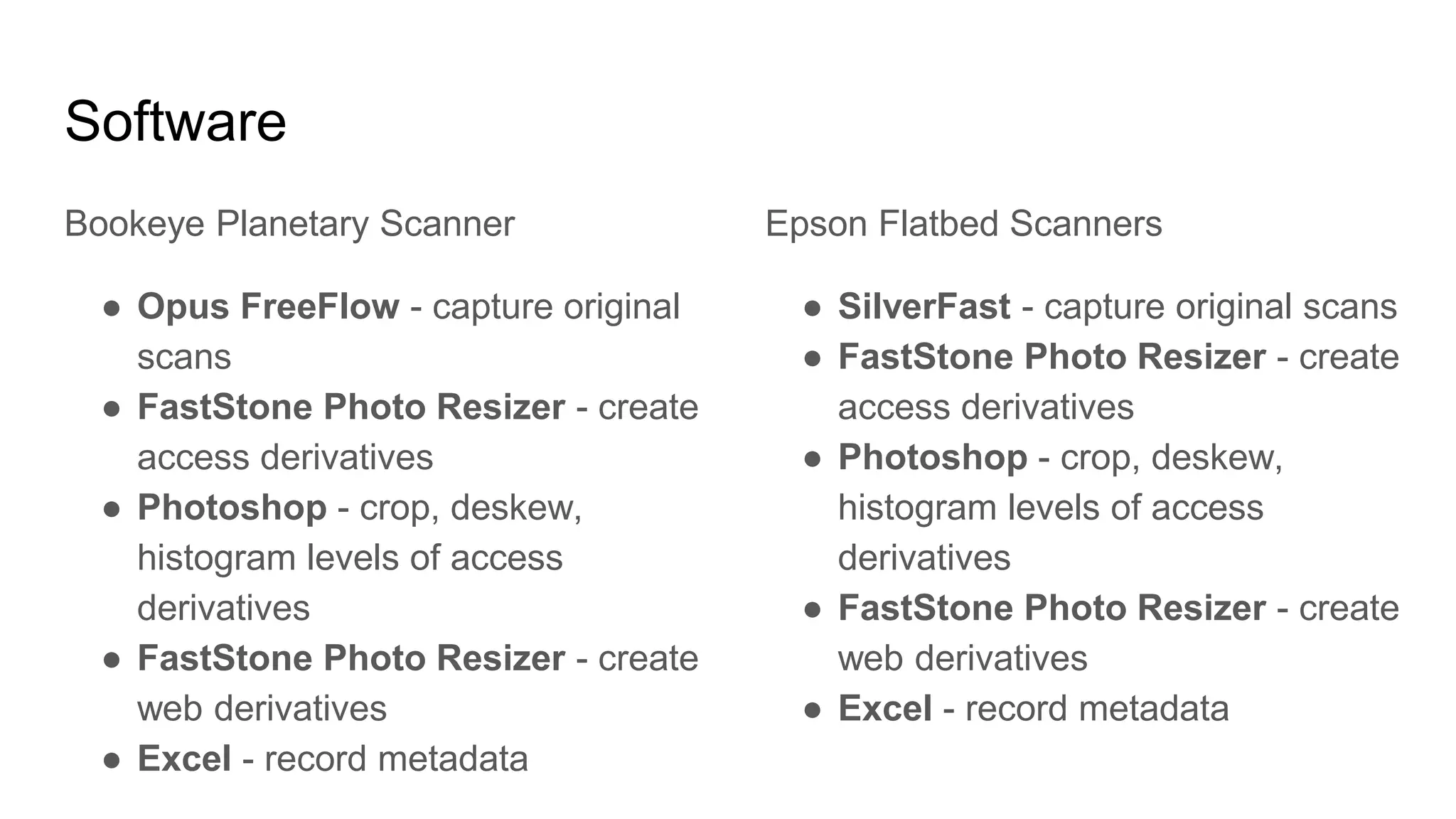
Software
Bookeye Planetary Scanner
● Opus FreeFlow - capture original
scans
● FastStone Photo Resizer - create
access derivatives
● Photoshop - crop, deskew,
histogram levels of access
derivatives
● FastStone Photo Resizer - create
web derivatives
● Excel - record metadata
Epson Flatbed Scanners
● SilverFast - capture original scans
● FastStone Photo Resizer - create
access derivatives
● Photoshop - crop, deskew,
histogram levels of access
derivatives
● FastStone Photo Resizer - create
web derivatives
● Excel - record metadata
Quick Quiz! Materials Selection
How do you prioritize materials selection for
your digitization program?
❏Fragile materials first
❏Rare materials first
❏Heavily used materials first
❏High research value materials first
❏Requested materials first
❏Whatever the Dean/Department
Head/Boss wants right now...
https://pixabay.com/p-443127/
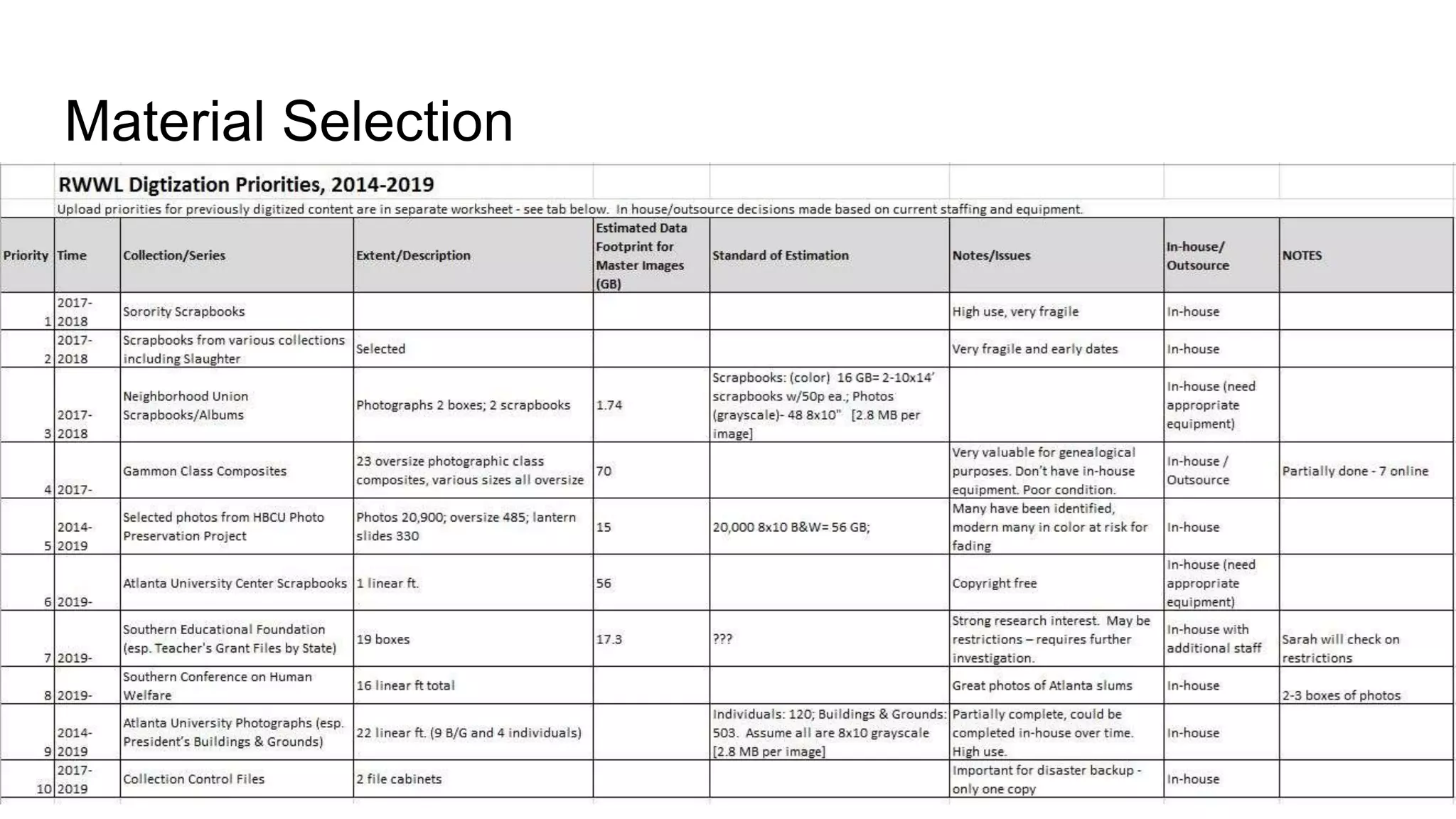
Material Selection
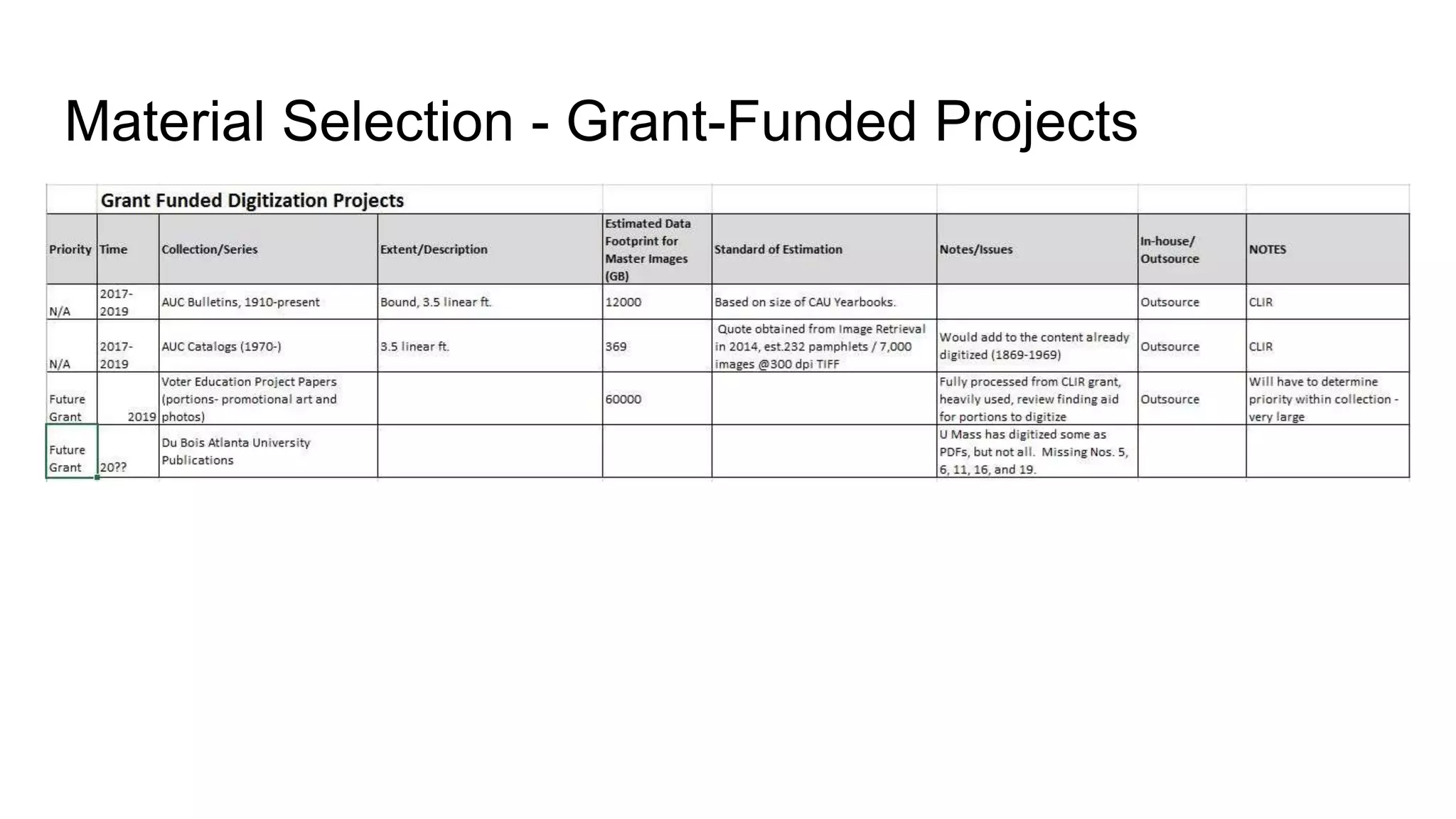
Material Selection - Grant-Funded Projects
Collaboration
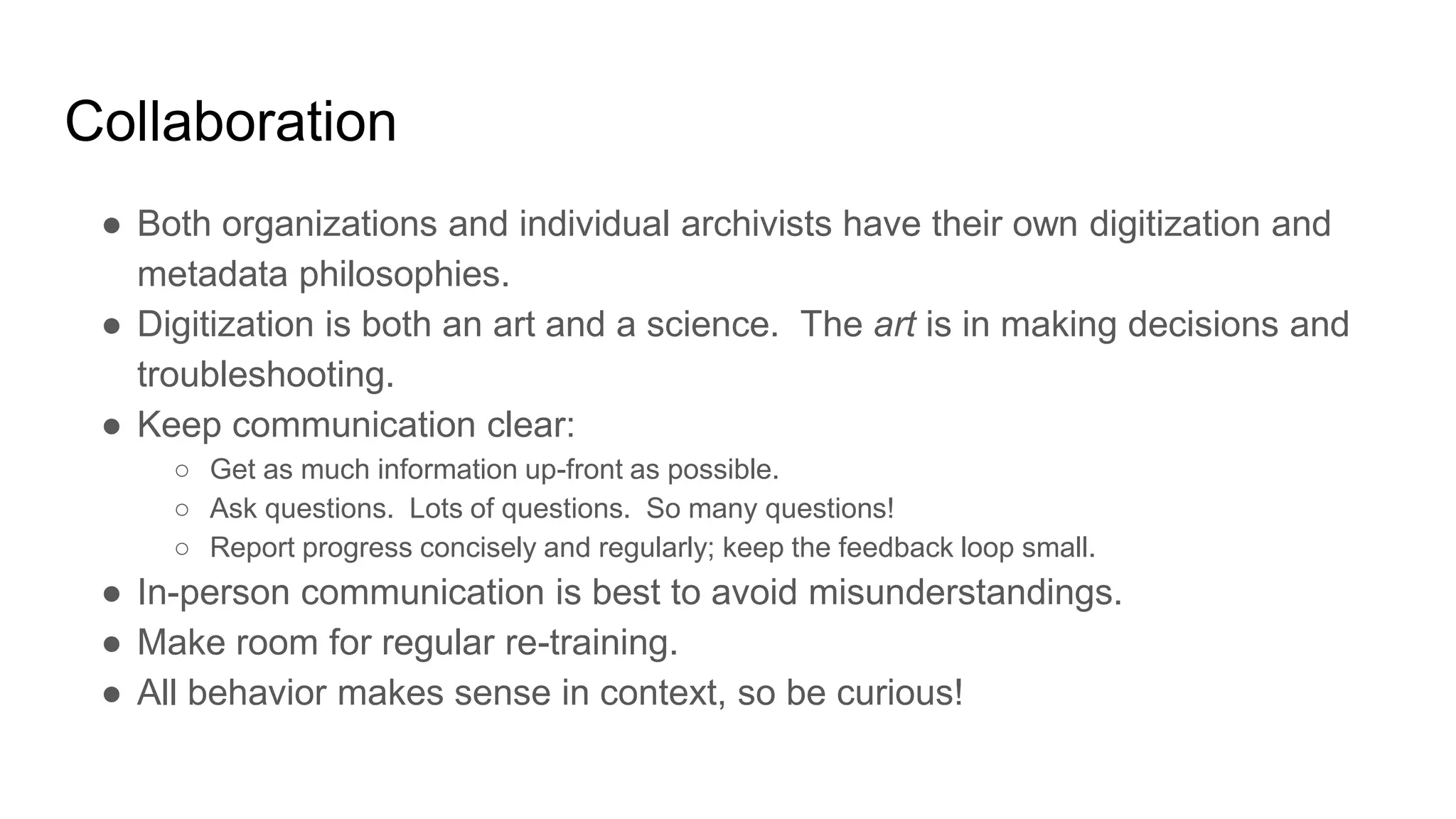
● Both organizations and individual archivists have their own digitization and
metadata philosophies.
● Digitization is both an art and a science. The art is in making decisions and
troubleshooting.
● Keep communication clear:
○ Get as much information up-front as possible.
○ Ask questions. Lots of questions. So many questions!
○ Report progress concisely and regularly; keep the feedback loop small.
● In-person communication is best to avoid misunderstandings.
● Make room for regular re-training.
● All behavior makes sense in context, so be curious!
Questions?
Cliff Landis
jlandis@auctr.edu
Please join us again on
Wednesday, November 1, 2:00pm
Josh Hogan, Metadata at AUCRWWL
https://pixabay.com/en/thank-you-paper-message-note-391055/

Digitization at the AUC Robert W. Woodruff Library - A Case Study

  • 1.
    Digitization at theAUC Robert W. Woodruff Library - A Case Study Cliff Landis Digital Initiatives Librarian HBCU Library Alliance 2017-10-18
  • 2.
    Introductions! ● Digital InitiativesLibrarian ● Maintain digital collections and software ● Joined AUC RWWL in March 2017 ● Former Reference Librarian, Web Services Librarian, Taxonomist and Metadata Manager ● Recovering Perfectionist and Archivaholic ● Aspiring Systems Thinker (ala Gregory Bateson & Peter Senge) ● Obsession of the moment: Hügelkultur!
  • 3.
    Challenging Materials: Gammon Composites ●Class photo composites for Gammon Theological Seminary ● Photographs pasted to a paperboard backing ● 23 total, 7 in fragile condition were outsourced and are available online ● Oversize material is larger than the planetary scanner bed ● Ripples throughout photos, causing reflections
  • 4.
  • 5.
  • 6.
    High-Quality Centered: Reflection highlights Anti-ReflectiveCentered: “Water stain” at highlight edges High-Quality Off-Center: Clear
  • 7.
    Challenging Materials: Gammon Composites ●Six “high-quality” scans for preservation (clear off-center portraits) ● Six “anti-reflective” scans used to create the final access image ● One final access image using Photoshop’s automated photomerge tool; functional and pragmatic ● No color patches ● Documentation!
  • 8.
  • 9.
  • 10.
  • 11.
  • 12.
    Quick Quiz! Philosophy Whichquote best represents your organization’s digitization philosophy? ❏"If you haven’t got the time to do it right, when will you find time to do it over?" ❏"More product, less process" ❏"Something is better than nothing" ❏[Wordless scream] https://pixabay.com/p-443127/
  • 13.
    Philosophy ● More Product,Less Process ● Fail Fast & Learn ○ Test on small batches ○ Iterative trial-and-error (and error correction!) ○ Improve processes, document changes ○ Communicate, communicate, communicate! ● Collaboration is key ○ Brief bi-weekly meetings btw DSD & ARC ○ You’re both the customer and the provider ● Problems? Look for the gap in the information flow. ● We’re open to advice, so let me know if you see something out of place! https://www.flickr.com/photos/27892629@N04/15337913754/
  • 14.
  • 15.
    Digitization Request Form ●The form is the starting point for the conversation ● Requestor's Name ● Request Date ● Submission Deadline ● Purpose of Scan (patron request, project, web only, publication, other) ● Number of Images ● Resolution ● Mode (B&W, Color, other) ● Collection Name ● Collection Number ● Box number ● Folder number ● Image File Name (s) (if known) ● Item Title (if known) ● Item Date (if known) ● Special Requirements (Please include any additional information not included above)
  • 16.
    Workflow - PatronRequest ● Form submission - ARC ● Material delivery / check-out ● Interview ● Digitization ● Metadata ○ One-off - none ○ Collection material - minimum ● Quality Control ● Send link to material ● Record stats ● Material return / check-in
  • 17.
    Workflow - Project ●Conversation ● Form submission - ARC, DSD, Admin, Grant Project Managers ● Material delivery / check-out ● Interview ○ Special requirements for digitization, metadata or storage ● Digitization ○ Sample set sent to requestor for review/QC ○ Progress reports ● Metadata ○ Collection material - minimum or as needed ○ A/V materials require more detail, such as creating time indexes ● Quality Control ● Send link to material ● Record stats ● Material return / check-in
  • 18.
  • 19.
    Challenging Materials: Scrapbooks ● DeltaSigma Theta Sorority Scrapbooks ● Capturing both content and arrangement ● High use, very fragile material ● Content contains multi-page items that open like programs and cards 0001_20
  • 20.
  • 21.
    Equipment Print/Photo ● Flatbed Scanners- Epson 10000XL & 11000XL ● Planetary Scanner - Opus Bookeye 4 ● Sheet Feed Scanner - Fujitsu ScanSnap fi-6010N ● Printer - Epson SureColor P600 AV ● Apple Mac Pro Desktop ● Audio - TASCAM CD A550 ● VHS - JVC Super VHS ET ● Blu-ray - LG Networked BD53 ● Storage - Pegasus2 R6 ● Switch - Motu UltraLite MK3 Forensic ● Write Blocker - WiebeTech Forensic UltraDock ● Zip - Iomega Zip 250 ● Memory Card Reader ● 3.5 & 5.25 floppy readers
  • 22.
    Software Bookeye Planetary Scanner ●Opus FreeFlow - capture original scans ● FastStone Photo Resizer - create access derivatives ● Photoshop - crop, deskew, histogram levels of access derivatives ● FastStone Photo Resizer - create web derivatives ● Excel - record metadata Epson Flatbed Scanners ● SilverFast - capture original scans ● FastStone Photo Resizer - create access derivatives ● Photoshop - crop, deskew, histogram levels of access derivatives ● FastStone Photo Resizer - create web derivatives ● Excel - record metadata
  • 23.
    Quick Quiz! MaterialsSelection How do you prioritize materials selection for your digitization program? ❏Fragile materials first ❏Rare materials first ❏Heavily used materials first ❏High research value materials first ❏Requested materials first ❏Whatever the Dean/Department Head/Boss wants right now... https://pixabay.com/p-443127/
  • 24.
  • 25.
    Material Selection -Grant-Funded Projects
  • 26.
    Collaboration ● Both organizationsand individual archivists have their own digitization and metadata philosophies. ● Digitization is both an art and a science. The art is in making decisions and troubleshooting. ● Keep communication clear: ○ Get as much information up-front as possible. ○ Ask questions. Lots of questions. So many questions! ○ Report progress concisely and regularly; keep the feedback loop small. ● In-person communication is best to avoid misunderstandings. ● Make room for regular re-training. ● All behavior makes sense in context, so be curious!
  • 27.
    Questions? Cliff Landis jlandis@auctr.edu Please joinus again on Wednesday, November 1, 2:00pm Josh Hogan, Metadata at AUCRWWL https://pixabay.com/en/thank-you-paper-message-note-391055/

Editor's Notes

  • #2 Abstract: Presentations on digitization often focus on following best practices and standards, but rarely give you the "behind the scenes" view that many of us crave. See how the rubber meets the road at the AUC Robert W. Woodruff Library in this two-part case study series on digitization and metadata. In this session we'll discuss our equipment setup, material selection process, detailed workflows, and solutions for dealing with challenging materials. Additionally, you'll learn how our methods of documentation, collaboration, and philosophy keep the digitization machine running smoothly! Learning Outcomes: Discover how documentation and collaboration have averted digitization disasters. Document work quickly and easily in OneNote, and share it with colleagues effortlessly. Explore how workflows can be customized to match context. Learn about the "fail fast and learn" approach and how to put it into practice.
  • #3 You’re going to hear not just about what we’re doing, but also what we’re planning to change
  • #4 I’m going to start by telling a story of one of our challenging materials, to provide context for the more abstract parts of this talk.
  • #5 It’s called a Bookeye scanner, not a giant paperboard scanner
  • #9 We’re using a single OneNote notebook on a shared drive for our Digital Services Department documentation
  • #10 OneNote tracks changes that I haven’t seen yet by bolding the section and page, and highlighting the additions It tracks the initials of the person who made the changes Notebook has been shared with Archives Research Center staff so they can access it
  • #13 If You Haven't Got the Time to Do It Right, When Will You Find the Time to Do It is a time management book by Jeffrey J. Mayer, 1991
  • #21 If the booklet can easily be removed, we'll scan it on the book eye off the page (but immediately after it). If the booklet cannot be easily removed but can easily open, we'll scan it on page on the book eye. If the booklet cannot be easily opened or removed, we don't risk damaging it/the scrapbook.