Master the New Lightning
Report Builder
July 2018
Liz Skaates
Sr. Product Manager
Salesforce
@LizSkaates
Today’s Speakers
Marc Baizman
Admin Evangelist
Salesforce
@mbaizman
This presentation may contain forward-looking statements that involve risks, uncertainties, and assumptions. If any such uncertainties materialize or if
any of the assumptions proves incorrect, the results of salesforce.com, inc. could differ materially from the results expressed or implied by the
forward-looking statements we make. All statements other than statements of historical fact could be deemed forward-looking, including any
projections of product or service availability, subscriber growth, earnings, revenues, or other financial items and any statements regarding
strategies or plans of management for future operations, statements of belief, any statements concerning new, planned, or upgraded services or
technology developments and customer contracts or use of our services.
The risks and uncertainties referred to above include – but are not limited to – risks associated with developing and delivering new functionality for
our service, new products and services, our new business model, our past operating losses, possible fluctuations in our operating results and rate of
growth, interruptions or delays in our Web hosting, breach of our security measures, the outcome of any litigation, risks associated with completed
and any possible mergers and acquisitions, the immature market in which we operate, our relatively limited operating history, our ability to
expand, retain, and motivate our employees and manage our growth, new releases of our service and successful customer deployment, our limited
history reselling non-salesforce.com products, and utilization and selling to larger enterprise customers. Further information on potential factors
that could affect the financial results of salesforce.com, inc. is included in our annual report on Form 10-K for the most recent fiscal year and in our
quarterly report on Form 10-Q for the most recent fiscal quarter. These documents and others containing important disclosures are available on
the SEC Filings section of the Investor Information section of our Web site.
Any unreleased services or features referenced in this or other presentations, press releases or public statements are not currently available and may
not be delivered on time or at all. Customers who purchase our services should make the purchase decisions based upon features that are
currently available. Salesforce.com, inc. assumes no obligation and does not intend to update these forward-looking statements.
Forward-Looking Statement
Statement under the Private Securities Litigation Reform Act of 1995
Connect with Us!
@SalesforceAdmns
#AwesomeAdmin
Salesforce Admins
Salesforce Admins
Salesforce Admins
admin.salesforce.com
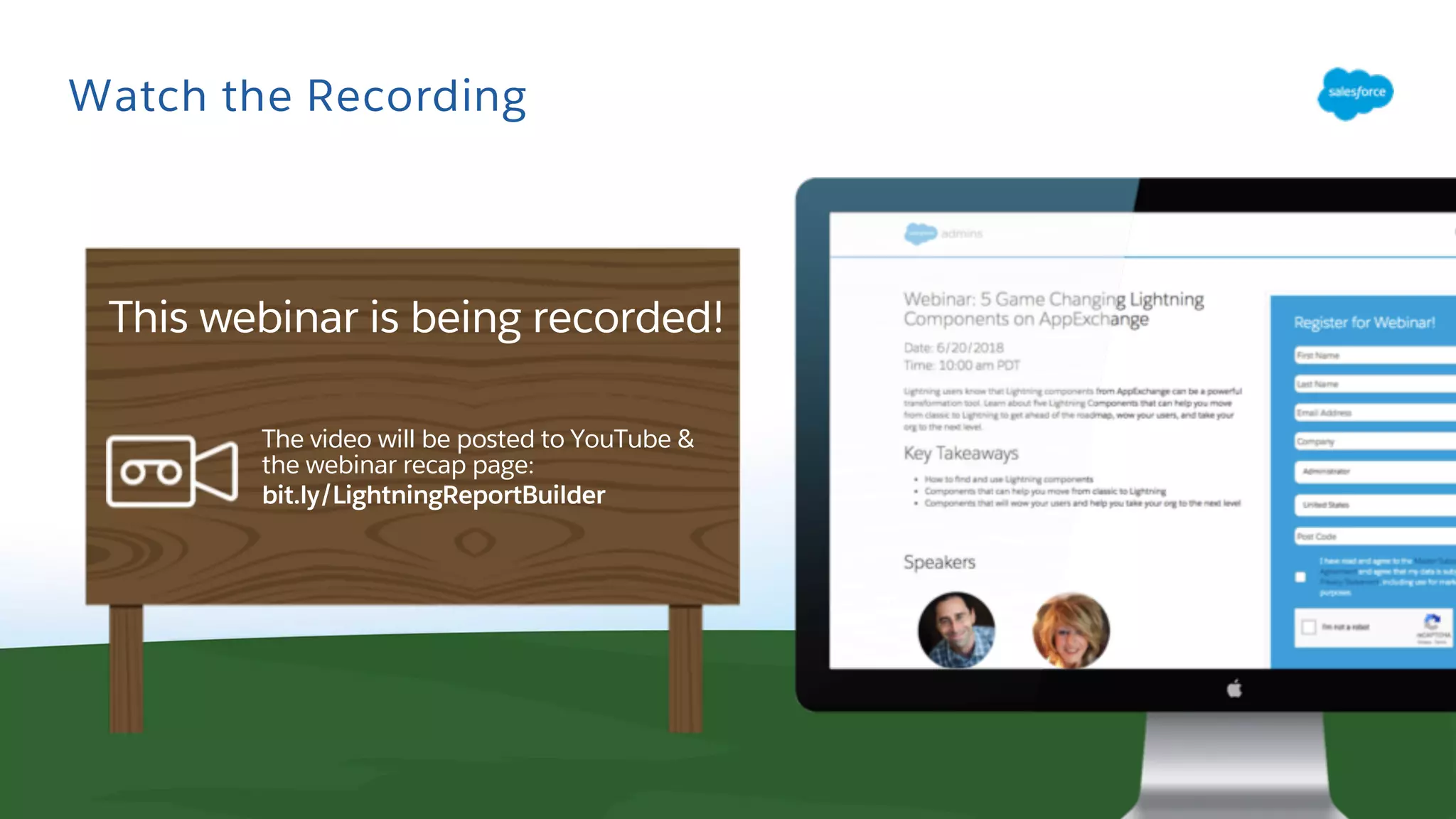
Watch the Recording
The video will be posted to YouTube &
the webinar recap page:
bit.ly/LightningReportBuilder
This webinar is being recorded!
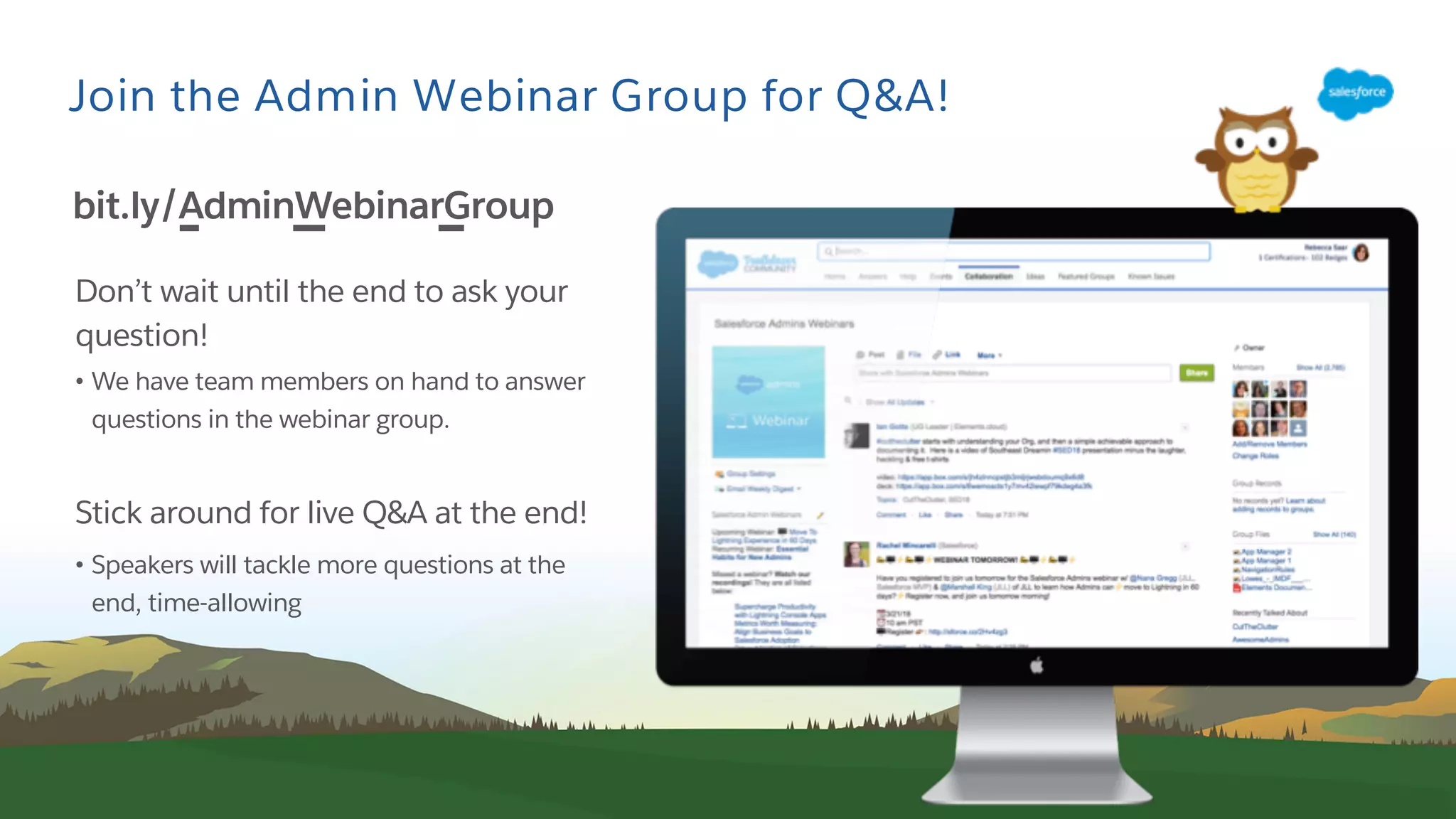
Join the Admin Webinar Group for Q&A!
Don’t wait until the end to ask your
question!
• We have team members on hand to answer
questions in the webinar group.
Stick around for live Q&A at the end!
• Speakers will tackle more questions at the
end, time-allowing
bit.ly/AdminWebinarGroup
Today’s Agenda
● Understand the new Lightning Report Builder
● Build Reports and Dashboards
● Live Demo
● Resources
● Q&A
Understand the New
Lightning Report Builder
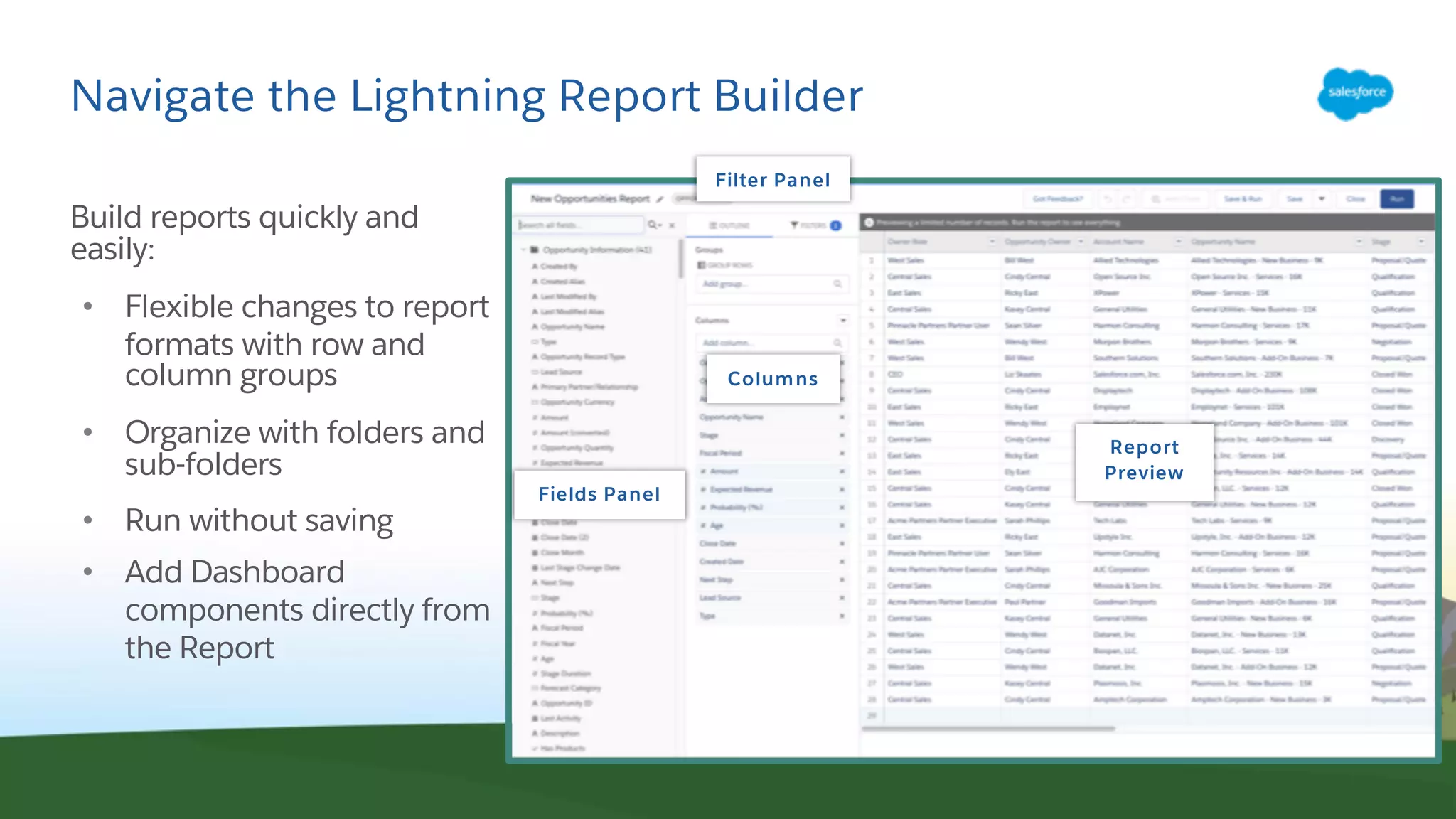
Navigate the Lightning Report Builder
Build reports quickly and
easily:
• Flexible changes to report
formats with row and
column groups
• Organize with folders and
sub-folders
• Run without saving
• Add Dashboard
components directly from
the Report
Fields Panel
Columns
Report
Preview
Filter Panel
Build Reports and Dashboards
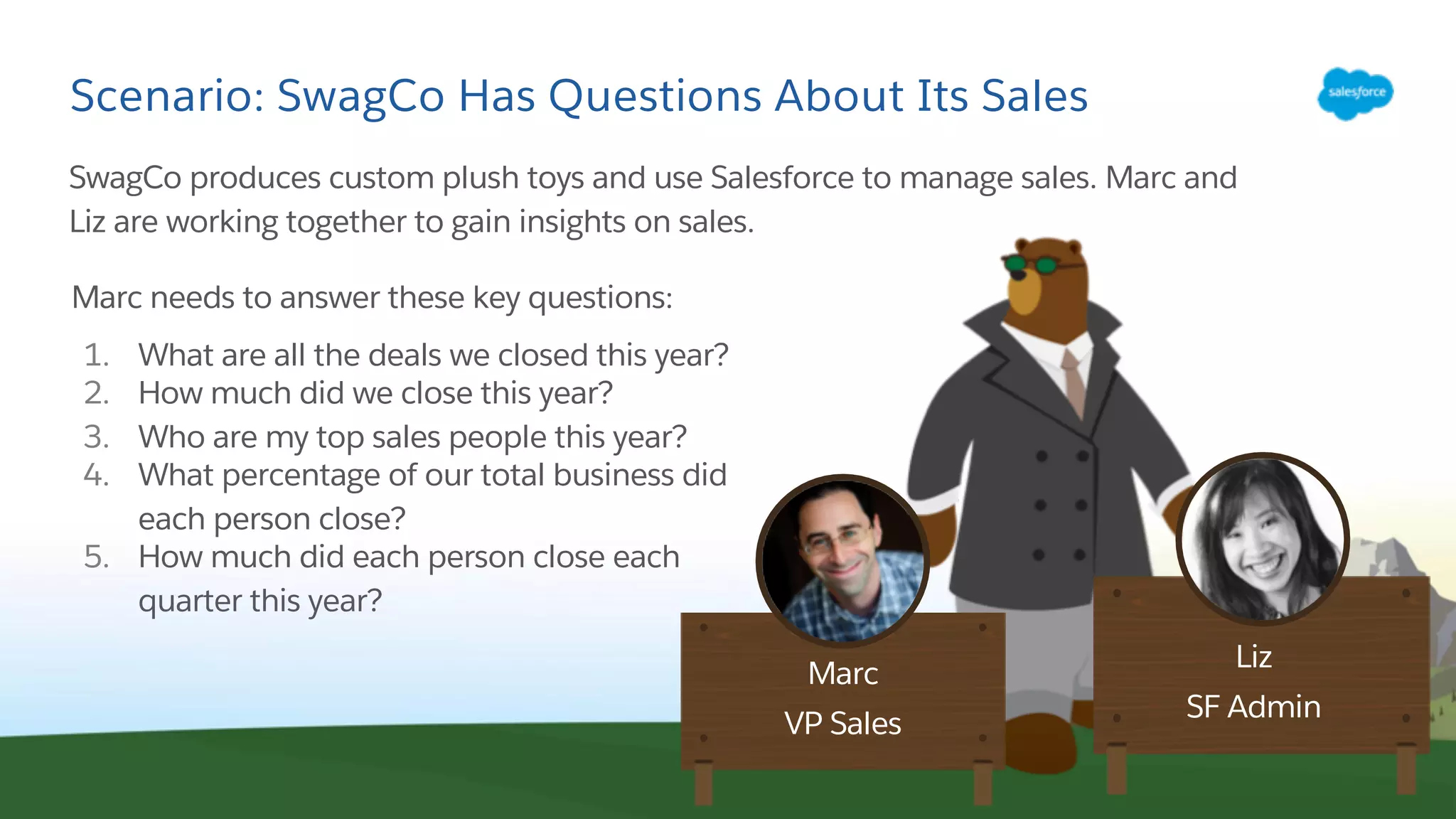
Scenario: SwagCo Has Questions About Its Sales
SwagCo produces custom plush toys and use Salesforce to manage sales. Marc and
Liz are working together to gain insights on sales.
Liz
SF Admin
Marc
VP Sales
Marc needs to answer these key questions:
1. What are all the deals we closed this year?
2. How much did we close this year?
3. Who are my top sales people this year?
4. What percentage of our total business did
each person close?
5. How much did each person close each
quarter this year?
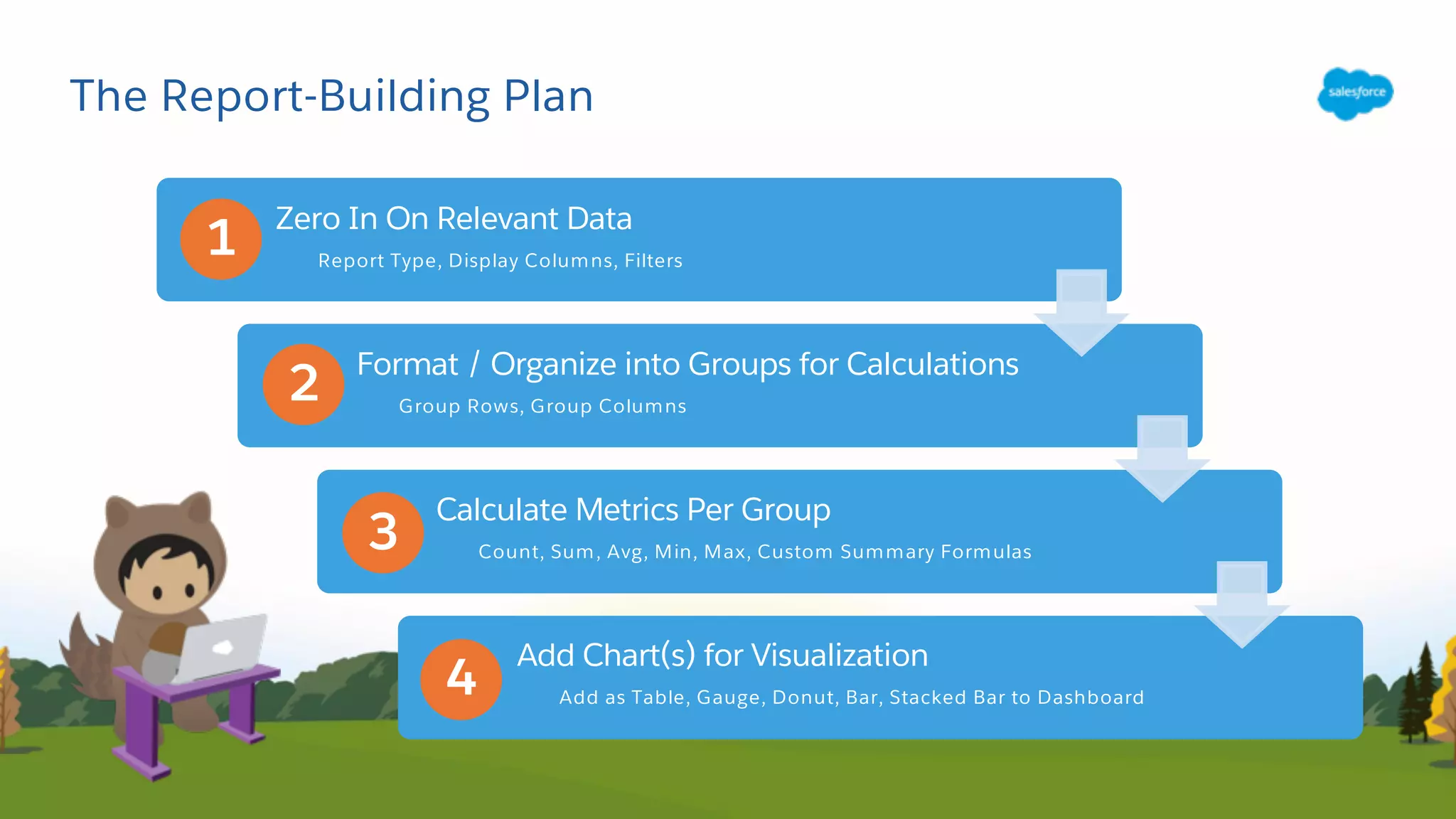
The Report-Building Plan
Zero In On Relevant Data
Report Type, Display Columns, Filters
Format / Organize into Groups for Calculations
Group Rows, Group Columns
Calculate Metrics Per Group
Count, Sum, Avg, Min, Max, Custom Summary Formulas
Add Chart(s) for Visualization
Add as Table, Gauge, Donut, Bar, Stacked Bar to Dashboard
1
2
3
4
What Data Is Relevant For The Report?
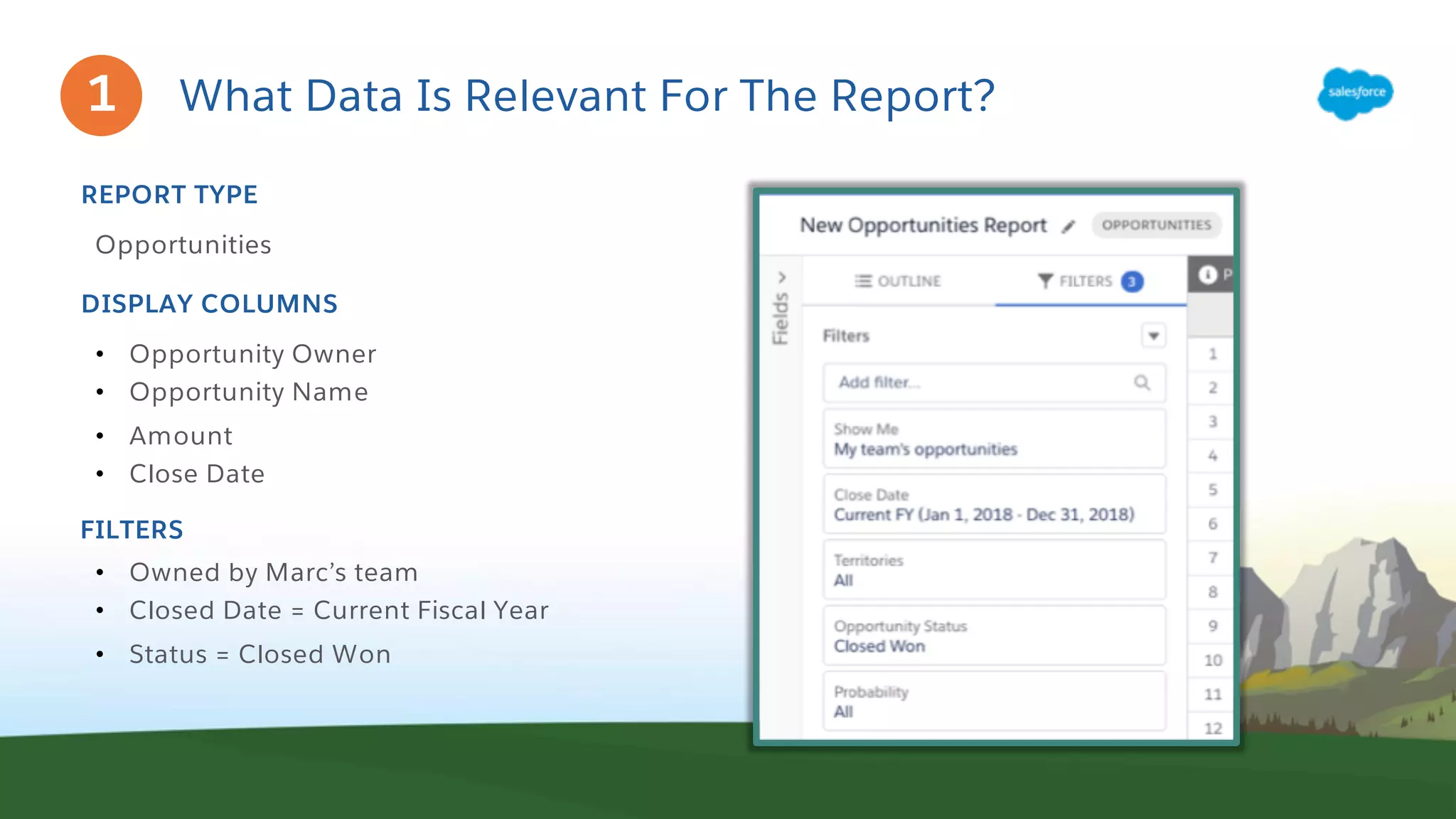
Opportunities
REPORT TYPE
• Opportunity Owner
• Opportunity Name
• Amount
• Close Date
DISPLAY COLUMNS
FILTERS
• Owned by Marc’s team
• Closed Date = Current Fiscal Year
• Status = Closed Won
1
Which Format Supports The Needed Calculations?
BUSINESS QUESTIONS
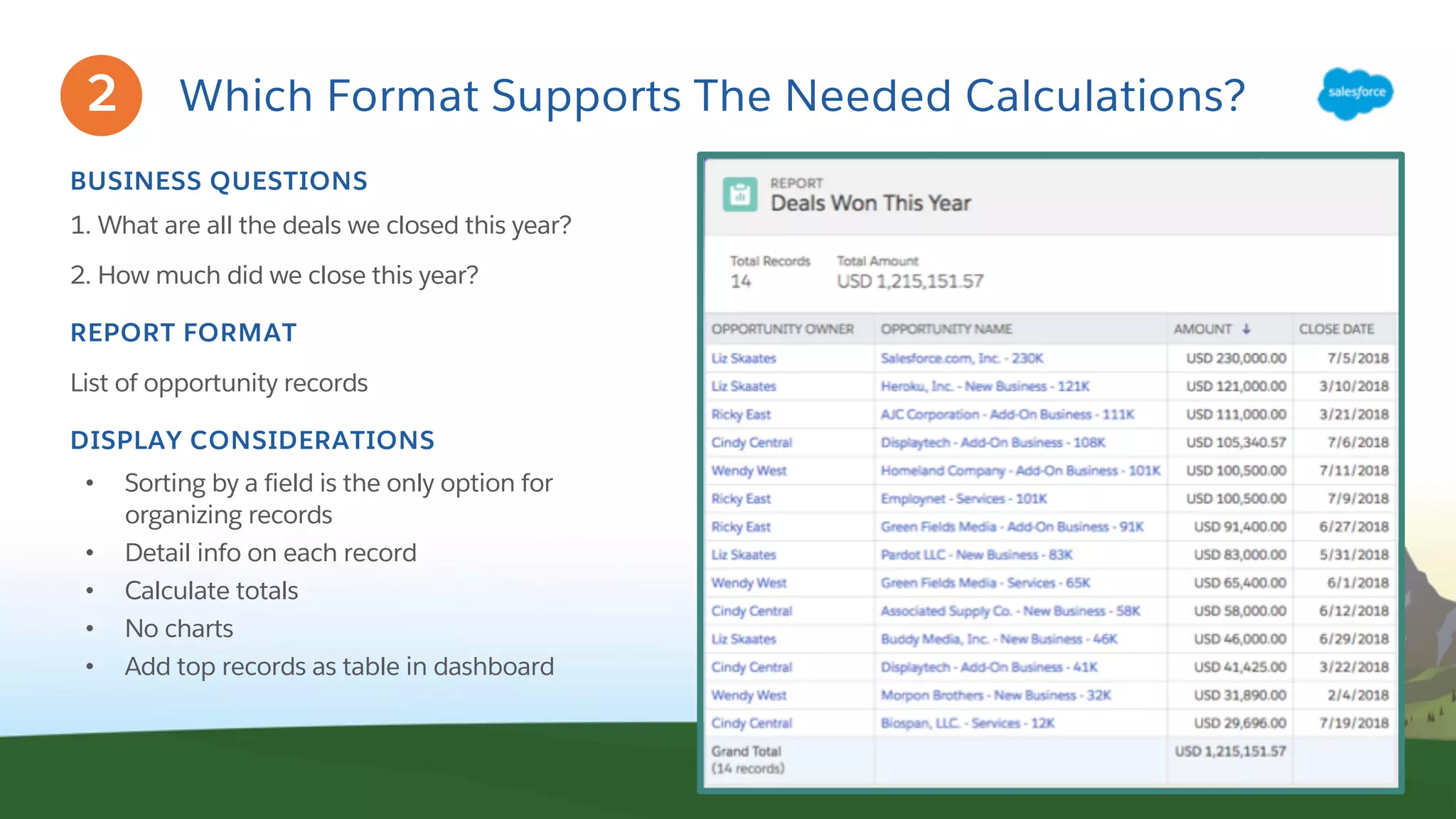
1. What are all the deals we closed this year?
2. How much did we close this year?
REPORT FORMAT
List of opportunity records
DISPLAY CONSIDERATIONS
• Sorting by a field is the only option for
organizing records
• Detail info on each record
• Calculate totals
• No charts
• Add top records as table in dashboard
2
Which Format Supports The Needed Calculations?
BUSINESS QUESTIONS
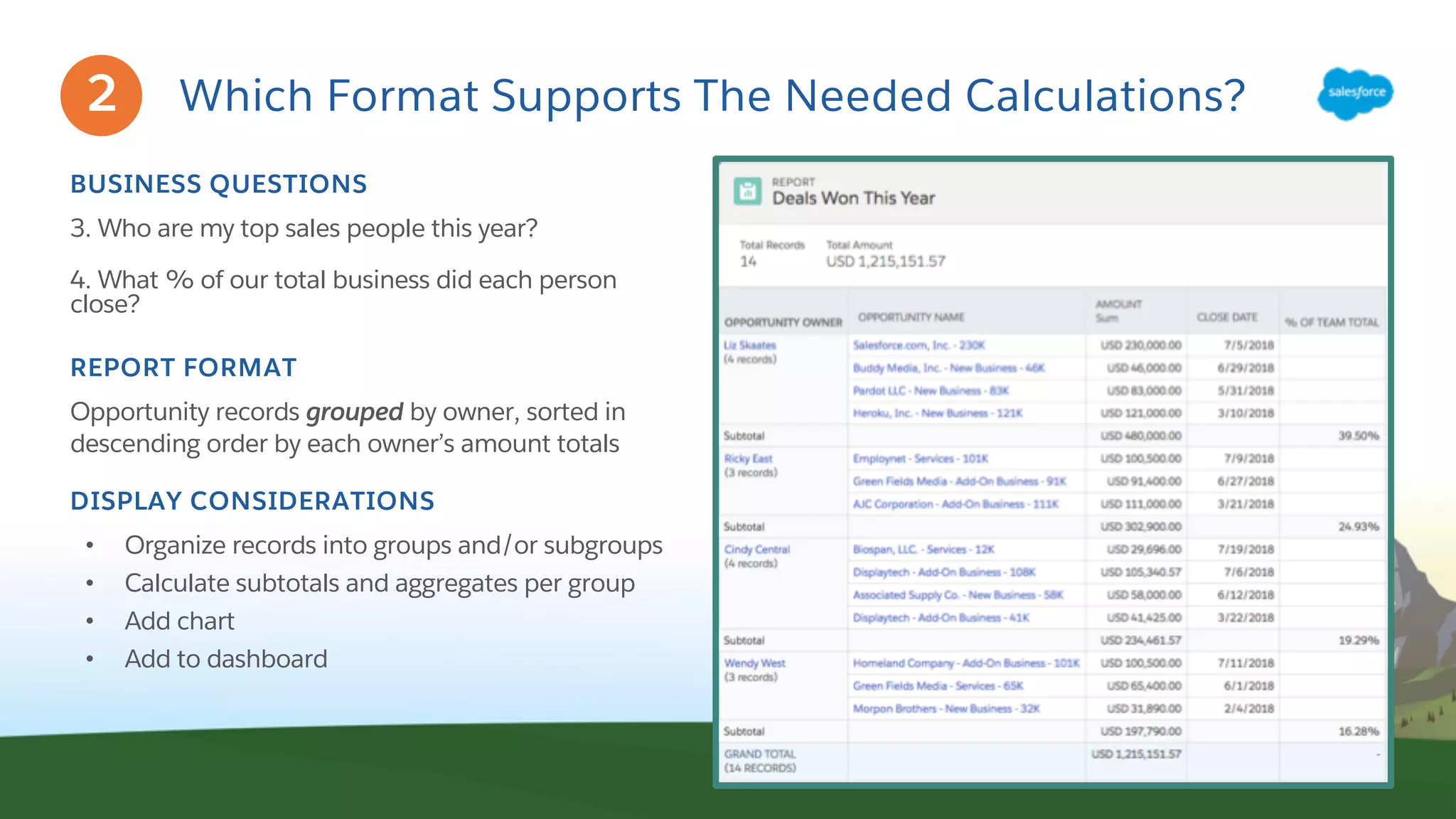
3. Who are my top sales people this year?
4. What % of our total business did each person
close?
REPORT FORMAT
Opportunity records grouped by owner, sorted in
descending order by each owner’s amount totals
DISPLAY CONSIDERATIONS
• Organize records into groups and/or subgroups
• Calculate subtotals and aggregates per group
• Add chart
• Add to dashboard
2
Which Format Supports The Needed Calculations?
BUSINESS QUESTION
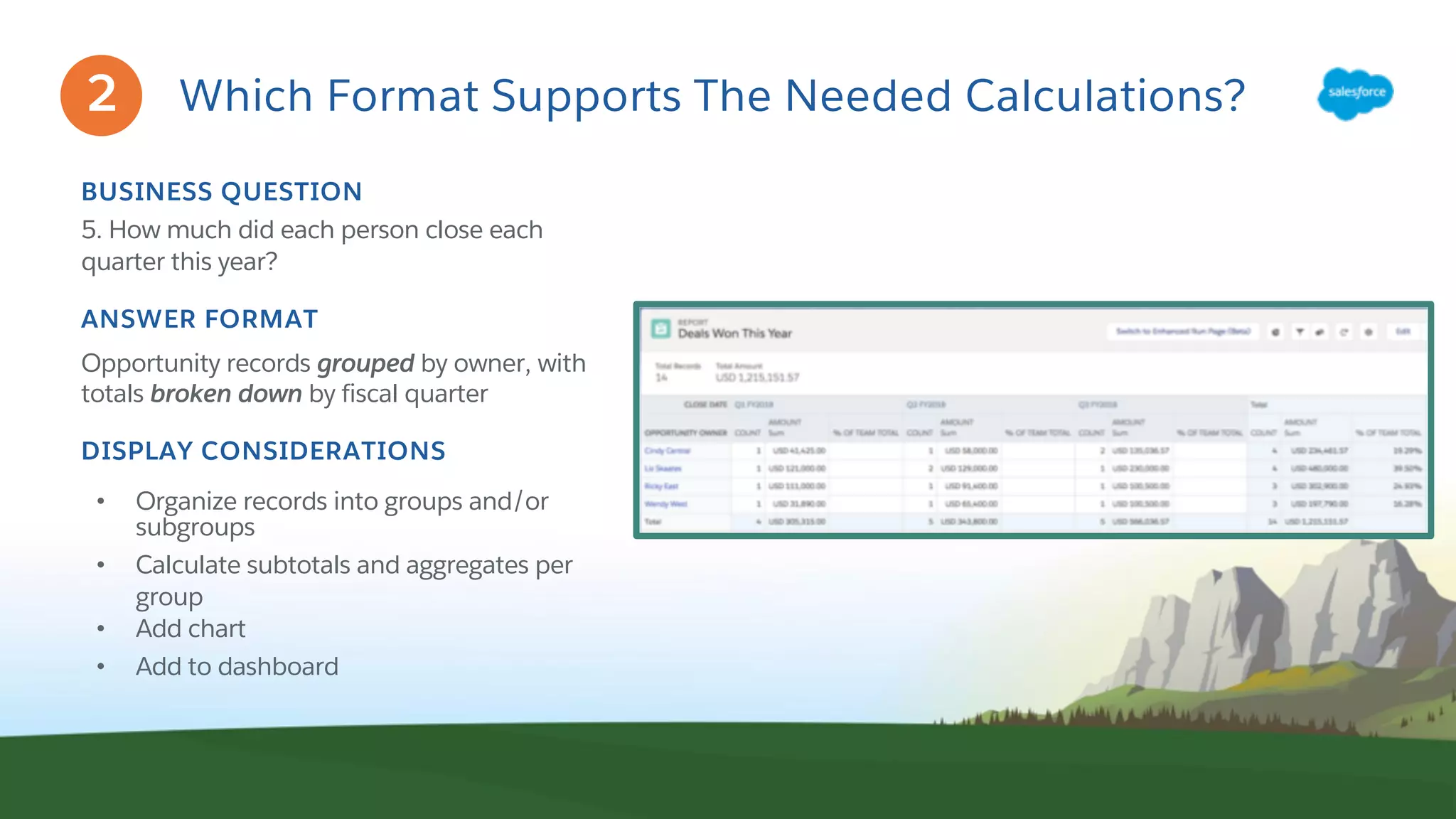
5. How much did each person close each
quarter this year?
ANSWER FORMAT
Opportunity records grouped by owner, with
totals broken down by fiscal quarter
DISPLAY CONSIDERATIONS
• Organize records into groups and/or
subgroups
• Calculate subtotals and aggregates per
group
• Add chart
• Add to dashboard
2
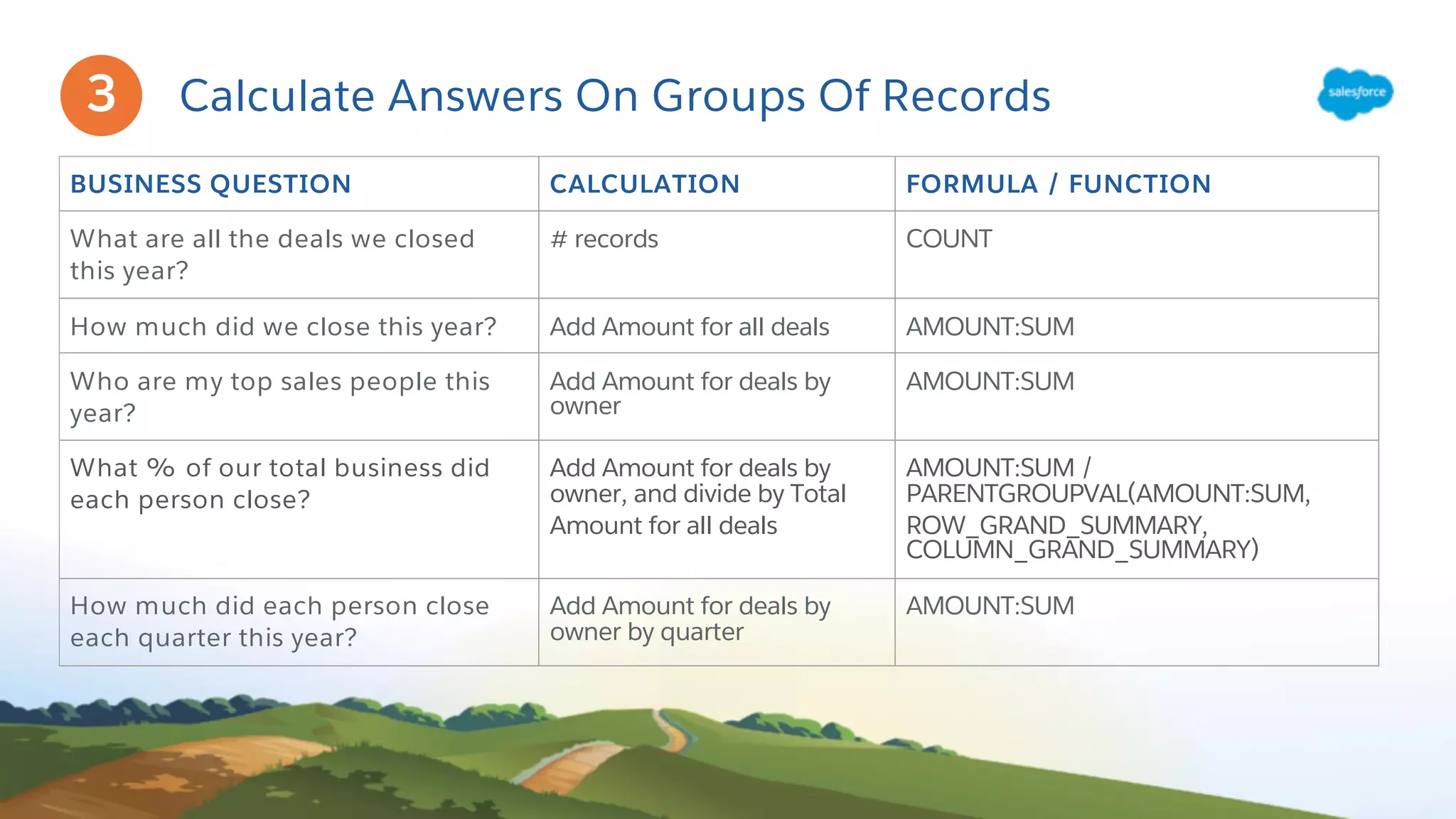
Calculate Answers On Groups Of Records
BUSINESS QUESTION CALCULATION FORMULA / FUNCTION
What are all the deals we closed
this year?
# records COUNT
How much did we close this year? Add Amount for all deals AMOUNT:SUM
Who are my top sales people this
year?
Add Amount for deals by
owner
AMOUNT:SUM
What % of our total business did
each person close?
Add Amount for deals by
owner, and divide by Total
Amount for all deals
AMOUNT:SUM /
PARENTGROUPVAL(AMOUNT:SUM,
ROW_GRAND_SUMMARY,
COLUMN_GRAND_SUMMARY)
How much did each person close
each quarter this year?
Add Amount for deals by
owner by quarter
AMOUNT:SUM
3
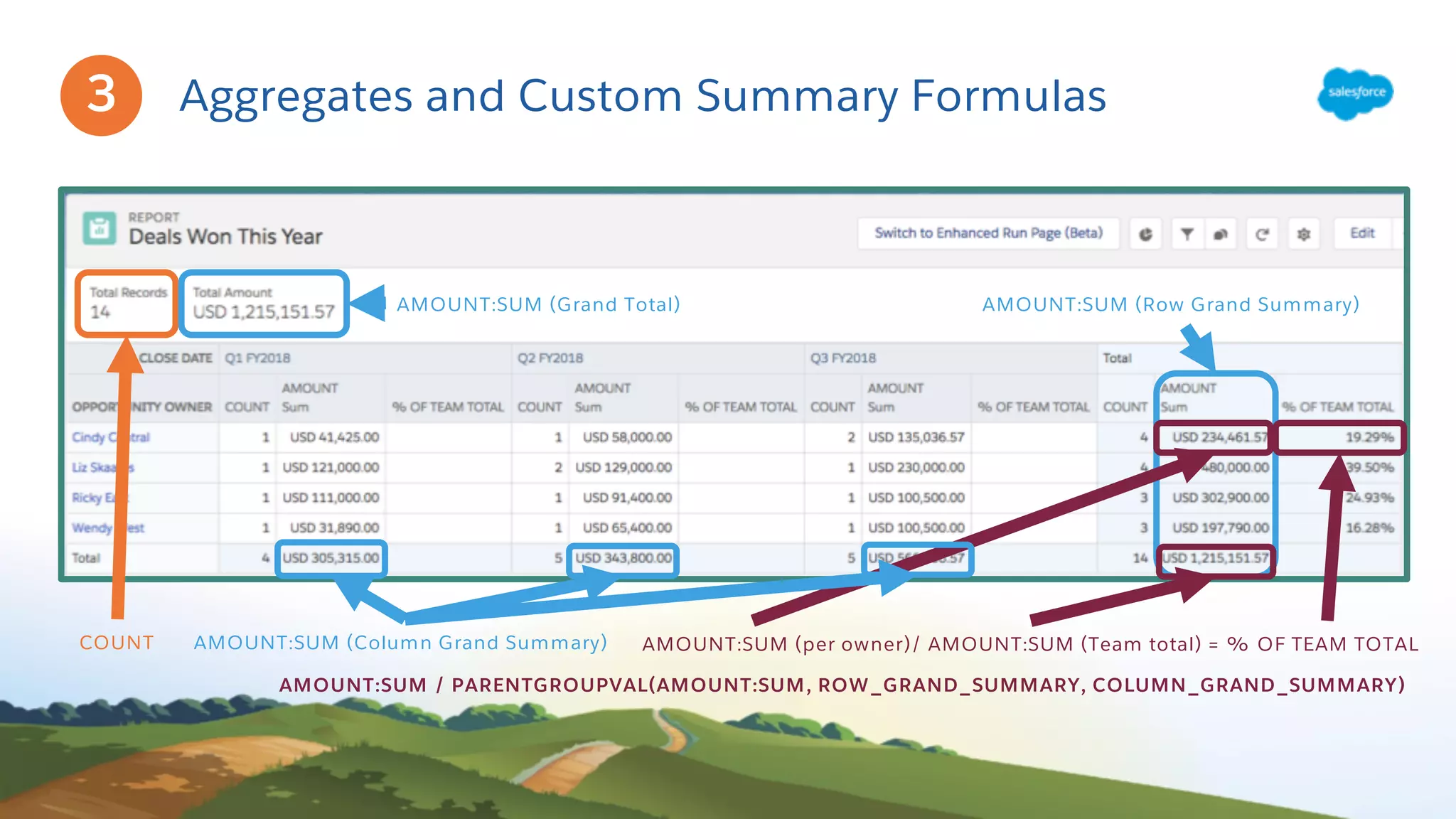
Aggregates and Custom Summary Formulas
COUNT
AMOUNT:SUM (Grand Total)
AMOUNT:SUM (per owner)/ AMOUNT:SUM (Team total) = % OF TEAM TOTAL
AMOUNT:SUM / PARENTGROUPVAL(AMOUNT:SUM, ROW_GRAND_SUMMARY, COLUMN_GRAND_SUMMARY)
3
AMOUNT:SUM (Row Grand Summary)
AMOUNT:SUM (Column Grand Summary)
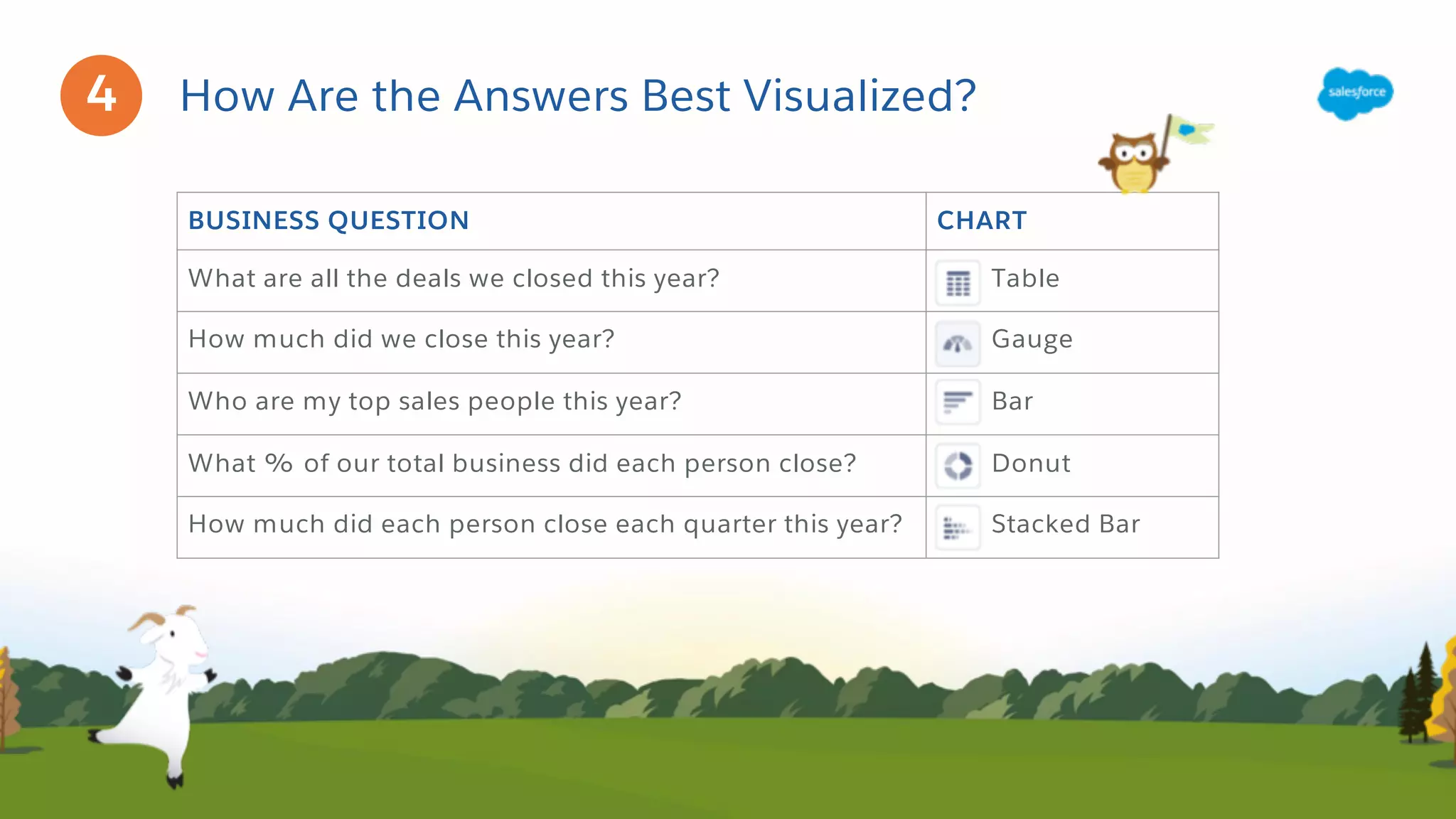
BUSINESS QUESTION CHART
What are all the deals we closed this year? Table
How much did we close this year? Gauge
Who are my top sales people this year? Bar
What % of our total business did each person close? Donut
How much did each person close each quarter this year? Stacked Bar
How Are the Answers Best Visualized?4
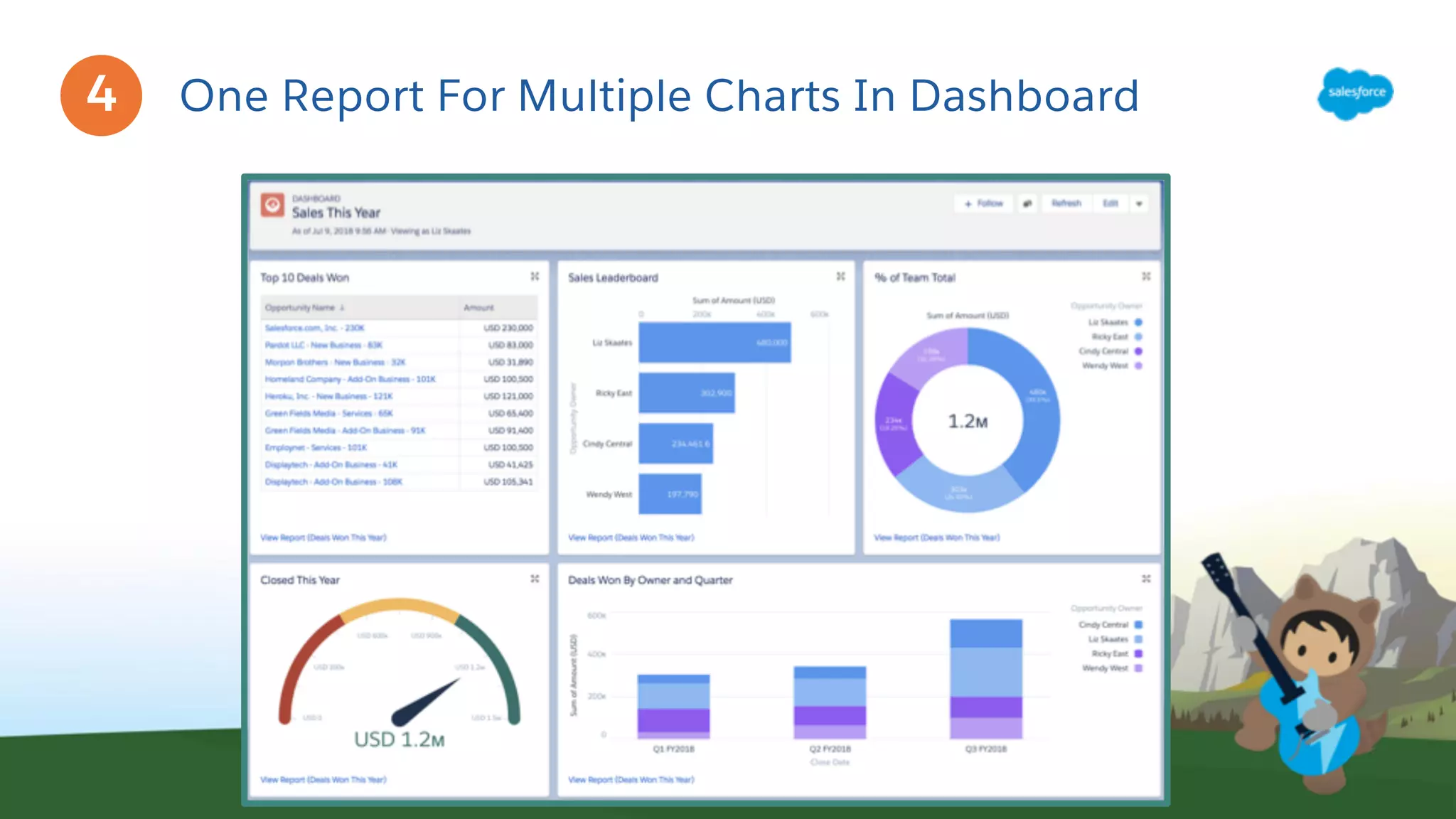
One Report For Multiple Charts In Dashboard4
Live Demo
Summary
Tools
• Lightning Report Builder
• Dashboard Builder
Best Practices
• One Report To Rule Them All
Concepts
• Grouping Rows
• Grouping Columns
• Aggregates
• Custom Summary Formulas
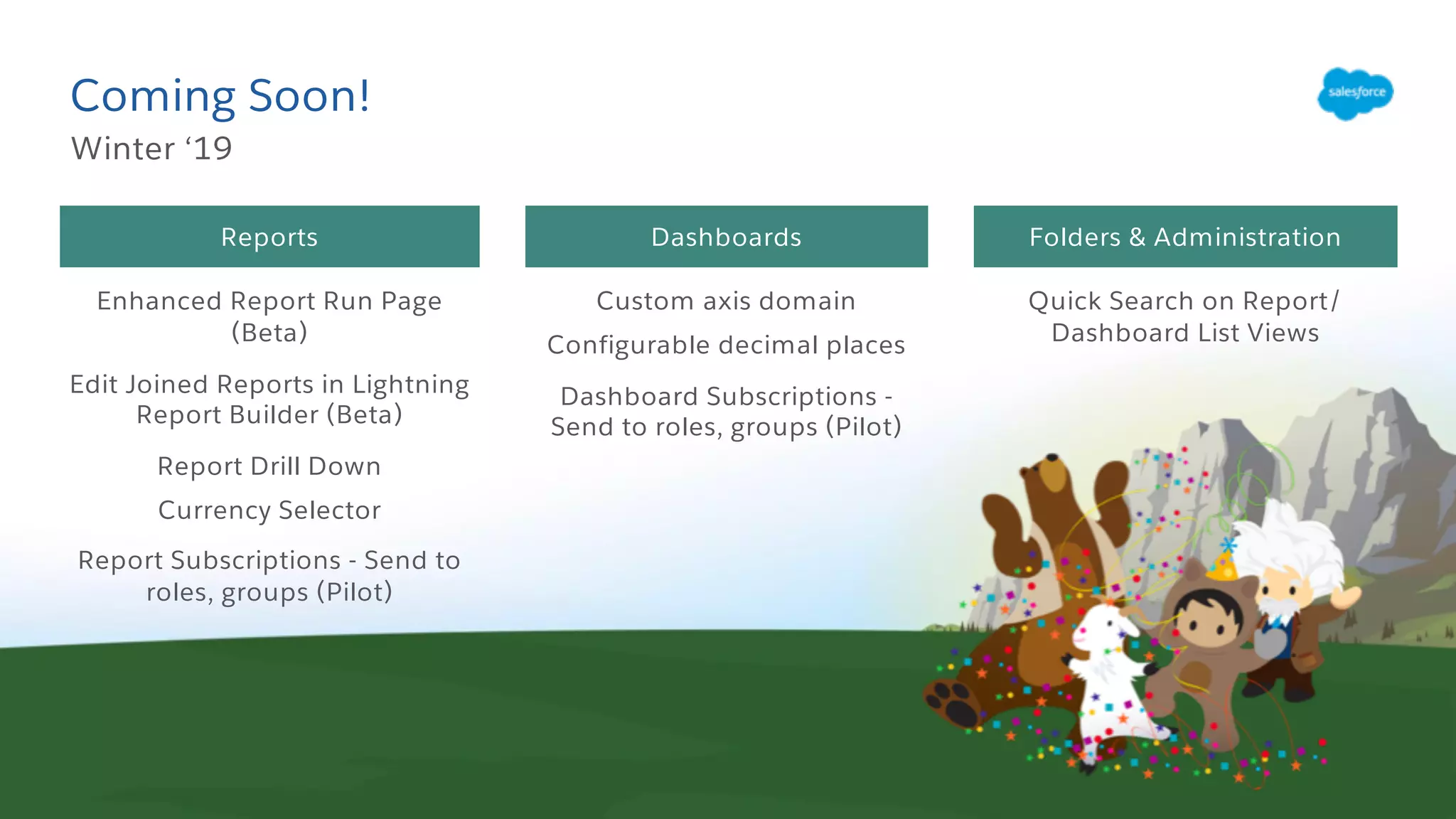
Coming Soon!
Winter ‘19
Folders & AdministrationReports Dashboards
Enhanced Report Run Page
(Beta)
Edit Joined Reports in Lightning
Report Builder (Beta)
Report Drill Down
Currency Selector
Report Subscriptions - Send to
roles, groups (Pilot)
Custom axis domain
Configurable decimal places
Dashboard Subscriptions -
Send to roles, groups (Pilot)
Quick Search on Report/
Dashboard List Views
Resources
Lightning Reports and
Dashboards Module
Sales Reports for Lightning
Experience
Reports and Dashboards
Specialist Superbadge
Trailhead Badges & Superbadges Help and Training
Get the Most Out of
Summary Formulas
bit.ly/SummaryFormulas
Salesforce Analytics
Overview Help Article
bit.ly/SalesforceAnalytics
Overview
Build and share your
dashboard
#OneReportToRuleEmAll
Q&A
bit.ly/AdminWebinarGroup
Slides
bit.ly/LightningReportBuilder
Wrapping Up
Survey
Please complete
GoToWebinar survey
Master the New Lightning Report Builder

Master the New Lightning Report Builder

  • 1.
    Master the NewLightning Report Builder July 2018
  • 2.
    Liz Skaates Sr. ProductManager Salesforce @LizSkaates Today’s Speakers Marc Baizman Admin Evangelist Salesforce @mbaizman
  • 3.
    This presentation maycontain forward-looking statements that involve risks, uncertainties, and assumptions. If any such uncertainties materialize or if any of the assumptions proves incorrect, the results of salesforce.com, inc. could differ materially from the results expressed or implied by the forward-looking statements we make. All statements other than statements of historical fact could be deemed forward-looking, including any projections of product or service availability, subscriber growth, earnings, revenues, or other financial items and any statements regarding strategies or plans of management for future operations, statements of belief, any statements concerning new, planned, or upgraded services or technology developments and customer contracts or use of our services. The risks and uncertainties referred to above include – but are not limited to – risks associated with developing and delivering new functionality for our service, new products and services, our new business model, our past operating losses, possible fluctuations in our operating results and rate of growth, interruptions or delays in our Web hosting, breach of our security measures, the outcome of any litigation, risks associated with completed and any possible mergers and acquisitions, the immature market in which we operate, our relatively limited operating history, our ability to expand, retain, and motivate our employees and manage our growth, new releases of our service and successful customer deployment, our limited history reselling non-salesforce.com products, and utilization and selling to larger enterprise customers. Further information on potential factors that could affect the financial results of salesforce.com, inc. is included in our annual report on Form 10-K for the most recent fiscal year and in our quarterly report on Form 10-Q for the most recent fiscal quarter. These documents and others containing important disclosures are available on the SEC Filings section of the Investor Information section of our Web site. Any unreleased services or features referenced in this or other presentations, press releases or public statements are not currently available and may not be delivered on time or at all. Customers who purchase our services should make the purchase decisions based upon features that are currently available. Salesforce.com, inc. assumes no obligation and does not intend to update these forward-looking statements. Forward-Looking Statement Statement under the Private Securities Litigation Reform Act of 1995
  • 4.
    Connect with Us! @SalesforceAdmns #AwesomeAdmin SalesforceAdmins Salesforce Admins Salesforce Admins admin.salesforce.com
  • 5.
    Watch the Recording Thevideo will be posted to YouTube & the webinar recap page: bit.ly/LightningReportBuilder This webinar is being recorded!
  • 6.
    Join the AdminWebinar Group for Q&A! Don’t wait until the end to ask your question! • We have team members on hand to answer questions in the webinar group. Stick around for live Q&A at the end! • Speakers will tackle more questions at the end, time-allowing bit.ly/AdminWebinarGroup
  • 7.
    Today’s Agenda ● Understandthe new Lightning Report Builder ● Build Reports and Dashboards ● Live Demo ● Resources ● Q&A
  • 8.
  • 9.
    Navigate the LightningReport Builder Build reports quickly and easily: • Flexible changes to report formats with row and column groups • Organize with folders and sub-folders • Run without saving • Add Dashboard components directly from the Report Fields Panel Columns Report Preview Filter Panel
  • 10.
  • 11.
    Scenario: SwagCo HasQuestions About Its Sales SwagCo produces custom plush toys and use Salesforce to manage sales. Marc and Liz are working together to gain insights on sales. Liz SF Admin Marc VP Sales Marc needs to answer these key questions: 1. What are all the deals we closed this year? 2. How much did we close this year? 3. Who are my top sales people this year? 4. What percentage of our total business did each person close? 5. How much did each person close each quarter this year?
  • 12.
    The Report-Building Plan ZeroIn On Relevant Data Report Type, Display Columns, Filters Format / Organize into Groups for Calculations Group Rows, Group Columns Calculate Metrics Per Group Count, Sum, Avg, Min, Max, Custom Summary Formulas Add Chart(s) for Visualization Add as Table, Gauge, Donut, Bar, Stacked Bar to Dashboard 1 2 3 4
  • 13.
    What Data IsRelevant For The Report? Opportunities REPORT TYPE • Opportunity Owner • Opportunity Name • Amount • Close Date DISPLAY COLUMNS FILTERS • Owned by Marc’s team • Closed Date = Current Fiscal Year • Status = Closed Won 1
  • 14.
    Which Format SupportsThe Needed Calculations? BUSINESS QUESTIONS 1. What are all the deals we closed this year? 2. How much did we close this year? REPORT FORMAT List of opportunity records DISPLAY CONSIDERATIONS • Sorting by a field is the only option for organizing records • Detail info on each record • Calculate totals • No charts • Add top records as table in dashboard 2
  • 15.
    Which Format SupportsThe Needed Calculations? BUSINESS QUESTIONS 3. Who are my top sales people this year? 4. What % of our total business did each person close? REPORT FORMAT Opportunity records grouped by owner, sorted in descending order by each owner’s amount totals DISPLAY CONSIDERATIONS • Organize records into groups and/or subgroups • Calculate subtotals and aggregates per group • Add chart • Add to dashboard 2
  • 16.
    Which Format SupportsThe Needed Calculations? BUSINESS QUESTION 5. How much did each person close each quarter this year? ANSWER FORMAT Opportunity records grouped by owner, with totals broken down by fiscal quarter DISPLAY CONSIDERATIONS • Organize records into groups and/or subgroups • Calculate subtotals and aggregates per group • Add chart • Add to dashboard 2
  • 17.
    Calculate Answers OnGroups Of Records BUSINESS QUESTION CALCULATION FORMULA / FUNCTION What are all the deals we closed this year? # records COUNT How much did we close this year? Add Amount for all deals AMOUNT:SUM Who are my top sales people this year? Add Amount for deals by owner AMOUNT:SUM What % of our total business did each person close? Add Amount for deals by owner, and divide by Total Amount for all deals AMOUNT:SUM / PARENTGROUPVAL(AMOUNT:SUM, ROW_GRAND_SUMMARY, COLUMN_GRAND_SUMMARY) How much did each person close each quarter this year? Add Amount for deals by owner by quarter AMOUNT:SUM 3
  • 18.
    Aggregates and CustomSummary Formulas COUNT AMOUNT:SUM (Grand Total) AMOUNT:SUM (per owner)/ AMOUNT:SUM (Team total) = % OF TEAM TOTAL AMOUNT:SUM / PARENTGROUPVAL(AMOUNT:SUM, ROW_GRAND_SUMMARY, COLUMN_GRAND_SUMMARY) 3 AMOUNT:SUM (Row Grand Summary) AMOUNT:SUM (Column Grand Summary)
  • 19.
    BUSINESS QUESTION CHART Whatare all the deals we closed this year? Table How much did we close this year? Gauge Who are my top sales people this year? Bar What % of our total business did each person close? Donut How much did each person close each quarter this year? Stacked Bar How Are the Answers Best Visualized?4
  • 20.
    One Report ForMultiple Charts In Dashboard4
  • 21.
  • 22.
    Summary Tools • Lightning ReportBuilder • Dashboard Builder Best Practices • One Report To Rule Them All Concepts • Grouping Rows • Grouping Columns • Aggregates • Custom Summary Formulas
  • 23.
    Coming Soon! Winter ‘19 Folders& AdministrationReports Dashboards Enhanced Report Run Page (Beta) Edit Joined Reports in Lightning Report Builder (Beta) Report Drill Down Currency Selector Report Subscriptions - Send to roles, groups (Pilot) Custom axis domain Configurable decimal places Dashboard Subscriptions - Send to roles, groups (Pilot) Quick Search on Report/ Dashboard List Views
  • 24.
    Resources Lightning Reports and DashboardsModule Sales Reports for Lightning Experience Reports and Dashboards Specialist Superbadge Trailhead Badges & Superbadges Help and Training Get the Most Out of Summary Formulas bit.ly/SummaryFormulas Salesforce Analytics Overview Help Article bit.ly/SalesforceAnalytics Overview Build and share your dashboard #OneReportToRuleEmAll
  • 25.