


How to make effective
final demo presentation?
Pravin Hanchinal
Co-founder & CEO
INSPIRE- groups
presentations
Goal

To help students to make effective
presentations on their final demo.
Example

This slide is example of
Gradient background
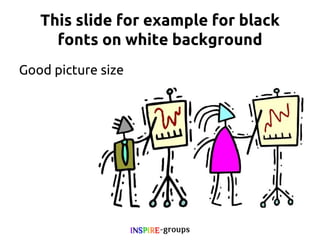
This slide for example for black
fonts on white background
Good picture size
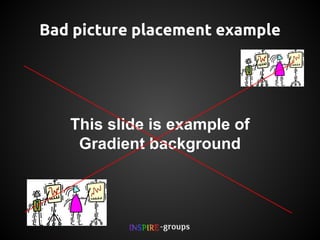
Bad picture placement example

This slide is example of
Gradient background
Don't keep slides like this!
I often come across students fearing about their final
presentation in their academics. So, I thought to write
about it to help them to excel in final project demo
and gain more marks.
Let me share a funny example I gave to my students
when they asked about 'How external examiners
treat them?' My answer was simple. It is like you put
down different types of crackers around you and
examiners will burst whichever they like the most ;)
Some tips on your slide design:
1. Keep it simple
2. Keep font big (30 px onward is preferable)
3. Use pictures appropriately.
4. Don't mention more than 6 points
5. Add one those points which you are good at.
6. Don't use too much animations.
7. Don't use sound effects.
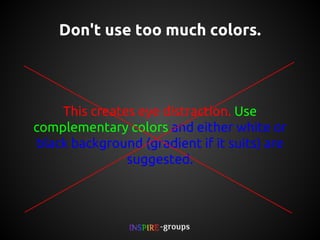
Don't use too much colors.

This creates eye distraction. Use
complementary colors and either white or
black background (gradient if it suits) are
suggested.
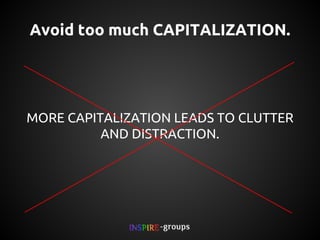
Avoid too much CAPITALIZATION.

MORE CAPITALIZATION LEADS TO CLUTTER
AND DISTRACTION.
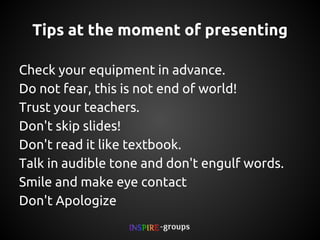
Tips at the moment of presenting
Check your equipment in advance.
Do not fear, this is not end of world!
Trust your teachers.
Don't skip slides!
Don't read it like textbook.
Talk in audible tone and don't engulf words.
Smile and make eye contact
Don't Apologize
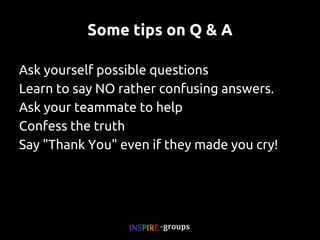
Some tips on Q & A
Ask yourself possible questions
Learn to say NO rather confusing answers.
Ask your teammate to help
Confess the truth
Say "Thank You" even if they made you cry!
Thank you
more presentation at

inspiregroups.co.in/presentations/
Got questions?

mail to askinspire@live.com
Stay connected

pravinhanchinal.com
What Next?

Go through this presentation again
Explore more
Read Documentations
Experiment
Sample presentations
http://inspiregroups.co.in/presentations/

How to give final year project presentation?

  • 1.
    How to makeeffective final demo presentation? Pravin Hanchinal Co-founder & CEO INSPIRE- groups
  • 2.
  • 3.
    Goal To help studentsto make effective presentations on their final demo.
  • 4.
    Example This slide isexample of Gradient background
  • 5.
    This slide forexample for black fonts on white background Good picture size
  • 6.
    Bad picture placementexample This slide is example of Gradient background
  • 7.
    Don't keep slideslike this! I often come across students fearing about their final presentation in their academics. So, I thought to write about it to help them to excel in final project demo and gain more marks. Let me share a funny example I gave to my students when they asked about 'How external examiners treat them?' My answer was simple. It is like you put down different types of crackers around you and examiners will burst whichever they like the most ;)
  • 8.
    Some tips onyour slide design: 1. Keep it simple 2. Keep font big (30 px onward is preferable) 3. Use pictures appropriately. 4. Don't mention more than 6 points 5. Add one those points which you are good at. 6. Don't use too much animations. 7. Don't use sound effects.
  • 9.
    Don't use toomuch colors. This creates eye distraction. Use complementary colors and either white or black background (gradient if it suits) are suggested.
  • 10.
    Avoid too muchCAPITALIZATION. MORE CAPITALIZATION LEADS TO CLUTTER AND DISTRACTION.
  • 11.
    Tips at themoment of presenting Check your equipment in advance. Do not fear, this is not end of world! Trust your teachers. Don't skip slides! Don't read it like textbook. Talk in audible tone and don't engulf words. Smile and make eye contact Don't Apologize
  • 12.
    Some tips onQ & A Ask yourself possible questions Learn to say NO rather confusing answers. Ask your teammate to help Confess the truth Say "Thank You" even if they made you cry!
  • 13.
    Thank you more presentationat inspiregroups.co.in/presentations/
  • 14.
    Got questions? mail toaskinspire@live.com
  • 15.
  • 16.
    What Next? Go throughthis presentation again Explore more Read Documentations Experiment
  • 17.