This document provides information on arrays and functions in Java. It discusses how to declare, initialize, access elements of arrays including multi-dimensional arrays. It also covers passing arguments to functions by value and reference, copying arrays, sorting arrays, and anonymous arrays. Functions can modify arguments passed by reference like arrays but not primitive types or object references passed by value.
![Arrays
Step1 : Create a reference. Cannot mention
the size.
◦ Datatype [ ] arrname;
◦ Datatype arrname[ ]; Valid – not recommended
Step 2 : Reserve memory
◦ arrname = new datatype[SIZE];
Step3 : Access elements
Array index begins from 0.
int [] a = {5 , 8 , 10}; //Valid (decl + def).
mohammed.sikander@cranessoftware.
com 2](https://image.slidesharecdn.com/java-arrays-161019114750/75/Java-arrays-2-2048.jpg)
![Arrays
int [] a , b;
int c [ ] , d;
a and b; both are arrays
c is array and d is not a array](https://image.slidesharecdn.com/java-arrays-161019114750/75/Java-arrays-3-2048.jpg)
![Arrays
To know the number of elements
Arr.length
int [ ] arr1 = {3 , 9 , 1, 4 , 7 };
System.out.println(arr1.length);
int [ ] arr2;
System.out.println(arr2.length);
int [ ] arr3;
arr3 = new int[10];
System.out.println(arr3.length);](https://image.slidesharecdn.com/java-arrays-161019114750/75/Java-arrays-4-2048.jpg)
![Array - Accessing elements
Method 1 :
Find Length : arr.length
for(int index = 0; index < arr.length ; index++)
System.out.println(arr[index]);
Method 2:
for(int x : arr)
System.out.println(x);
mohammed.sikander@cranessoftware.
com 5](https://image.slidesharecdn.com/java-arrays-161019114750/75/Java-arrays-5-2048.jpg)
![int [ ] arr = {3 , 9 , 1, 4 , 7 };
for(int val : arr)
System.out.println(val);
float [ ] arr = {3 , 9 , 1, 4 , 7 };
for(float val : arr)
System.out.println(val);
int [ ] arr = {3 , 9 , 1, 4 , 7 };
int val;
for(val : arr)
System.out.println(val);](https://image.slidesharecdn.com/java-arrays-161019114750/75/Java-arrays-6-2048.jpg)
![Can we use == to compare
arrays?
int [] arr1 = {7 , 5 , 2 , 8};
int [] arr2 = {7 , 5 , 2 , 8};
if(arr1 == arr2)
System.out.println("Equal");
else
System.out.println("Not Equal");](https://image.slidesharecdn.com/java-arrays-161019114750/75/Java-arrays-7-2048.jpg)
![1. int [] arr1 = {7 , 5 , 2 , 8};
2. int [] arr2 ;
3. arr2 = arr1;
4. if(arr1 == arr2)
5. System.out.println("Equal");
6. else
7. System.out.println("Not
Equal");
Can we use == to compare
arrays?](https://image.slidesharecdn.com/java-arrays-161019114750/75/Java-arrays-8-2048.jpg)
![Can we assign character variable to
integer?
1. char c = 'A';
2. int x = c;
Can we assign from character array to
integer array?
3. char [] carr = {'S','I','K'};
4. int [] iarr = carr;](https://image.slidesharecdn.com/java-arrays-161019114750/75/Java-arrays-9-2048.jpg)
![ int [] arr;
arr = new int[5];
arr[0] = 12;
arr[1] = 23;
arr[2] = 34;
for(int i = 0 ; i < arr.length ; i++)
System.out.println(arr[i]);](https://image.slidesharecdn.com/java-arrays-161019114750/75/Java-arrays-10-2048.jpg)
![Multi-dimensional Array
int [] [] marks;
int row = 3;
int col = 4;
marks = new int[row][col];
for(int i = 0 ; i < row ; i++)
for(int j = 0 ; j < col ; j++)
marks[i][j] = i + j;](https://image.slidesharecdn.com/java-arrays-161019114750/75/Java-arrays-11-2048.jpg)
![Multi-dimensional Arrays
Method1 : Declare and initialise
int [][] a = { {1 , 2 , 3 , 4} , {5,6,7} , {8}};
1st row has 4 col, 3rd row has 1 col.
System.out.println("No. of Rows = " + a.length);
for(int x = 0 ; x < a.length ; x++)
System.out.println("No. of Columns in " + x + " = " +
a[x].length);
for(int r = 0 ; r < a.length ; r++)
{
for(int c = 0 ; c < a[r].length ; c++)
System.out.print(a[r][c] + " ");
} mohammed.sikander@cranessoftware.
com 12](https://image.slidesharecdn.com/java-arrays-161019114750/75/Java-arrays-12-2048.jpg)
![ int [] [] marks;
int row = 3;
int col = 4;
marks = new int[row][];
for(int i = 0 ; i < row ; i++)
for(int j = 0 ; j < col ; j++)
marks[i][j] = i + j;
for(int i = 0 ; i < row ; i++)
marks[i] = new int[col];
Multi-dimensional Array](https://image.slidesharecdn.com/java-arrays-161019114750/75/Java-arrays-13-2048.jpg)
![Multi-Dimensional Array
int [][] mat = {{5 , 8 , 9 } , {2 , 4 } , {6}};
mat[0][0]
mat[0][1]
mat[0][2]
mat[1][0]
mat[1][1]
mat[1][2]
mat[2][0]
mat[2][1]
mat[2][2]
mat[0][0]
mat[0][1]
mat[0][2]
mat[1][0]
mat[1][1]
mat[1][2]
mat[2][0]
mat[2][1]
mat[2][2]](https://image.slidesharecdn.com/java-arrays-161019114750/75/Java-arrays-14-2048.jpg)
![Copying Arrays
int [] arr1 = {5 ,8 , 10, 15, 20};
int [] arr2;
arr2 = arr1;
for(int x: arr2)
System.out.println(x);
arr1[0] = 2; arr1[1] = 4;
for(int x: arr2)
System.out.println(x);](https://image.slidesharecdn.com/java-arrays-161019114750/75/Java-arrays-15-2048.jpg)
![ System.arraycopy(src Array, src pos,
destination Array, dest pos, length);
int [] arr1 = {5 ,8 , 10, 15, 20};
int [] arr2 = new int[5];
System.arraycopy(arr1, 0, arr2, 0, 5);](https://image.slidesharecdn.com/java-arrays-161019114750/75/Java-arrays-16-2048.jpg)
![int [] arr1 = {5 ,8 , 10, 15, 20};
int [] arr2 = Arrays.copyOf(arr1, 5);
for(int x: arr2)
System.out.println(x);](https://image.slidesharecdn.com/java-arrays-161019114750/75/Java-arrays-17-2048.jpg)
![Sorting of Array
Arrays.sort(Type [] arr);
Arrays.sort(Type [], int fromIndex, int toIndex);
int arr[] = {5,2,9,1,2,8};
Arrays.sort(arr); OR
Arrays.sort(arr,0,6);
Output : 1 2 2 5 8 9
int arr[] = {5,2,9,1,2,8};
Arrays.sort(arr,1,5);
Output : 5 1 2 2 9 8](https://image.slidesharecdn.com/java-arrays-161019114750/75/Java-arrays-18-2048.jpg)
![Anonymous Arrays
public static void printArray(int [] x)
{
for(int i : x)
System.out.println(x);
}
public static void main(String [] args)
{
int [] marks = {3,6,4,7};
1. printArray(marks);
2. printArray(1 ,3 ,5 ,7);
3. printArray([]{1 ,3 ,4 ,5});
4. printArray(new int []{1 ,3 ,4 ,5});
}
Identify the valid calls to
printArray?](https://image.slidesharecdn.com/java-arrays-161019114750/75/Java-arrays-19-2048.jpg)
![Argument Passing
public static void function(int x)
{
x = 20;
System.out.println("Function " + x);
}
public static void main(String [] args)
{
int x = 5;
function(x);
System.out.println("Main " + x);
}](https://image.slidesharecdn.com/java-arrays-161019114750/75/Java-arrays-21-2048.jpg)
![Passing Array to Function
public class ArgumentPassingArray {
public static void function(int [] arr)
{
arr[0] = 20;
}
public static void main(String [] args)
{
int [] arr = {5,8,10};
function(arr);
System.out.println("Main " + arr[0]);
}
}](https://image.slidesharecdn.com/java-arrays-161019114750/75/Java-arrays-22-2048.jpg)
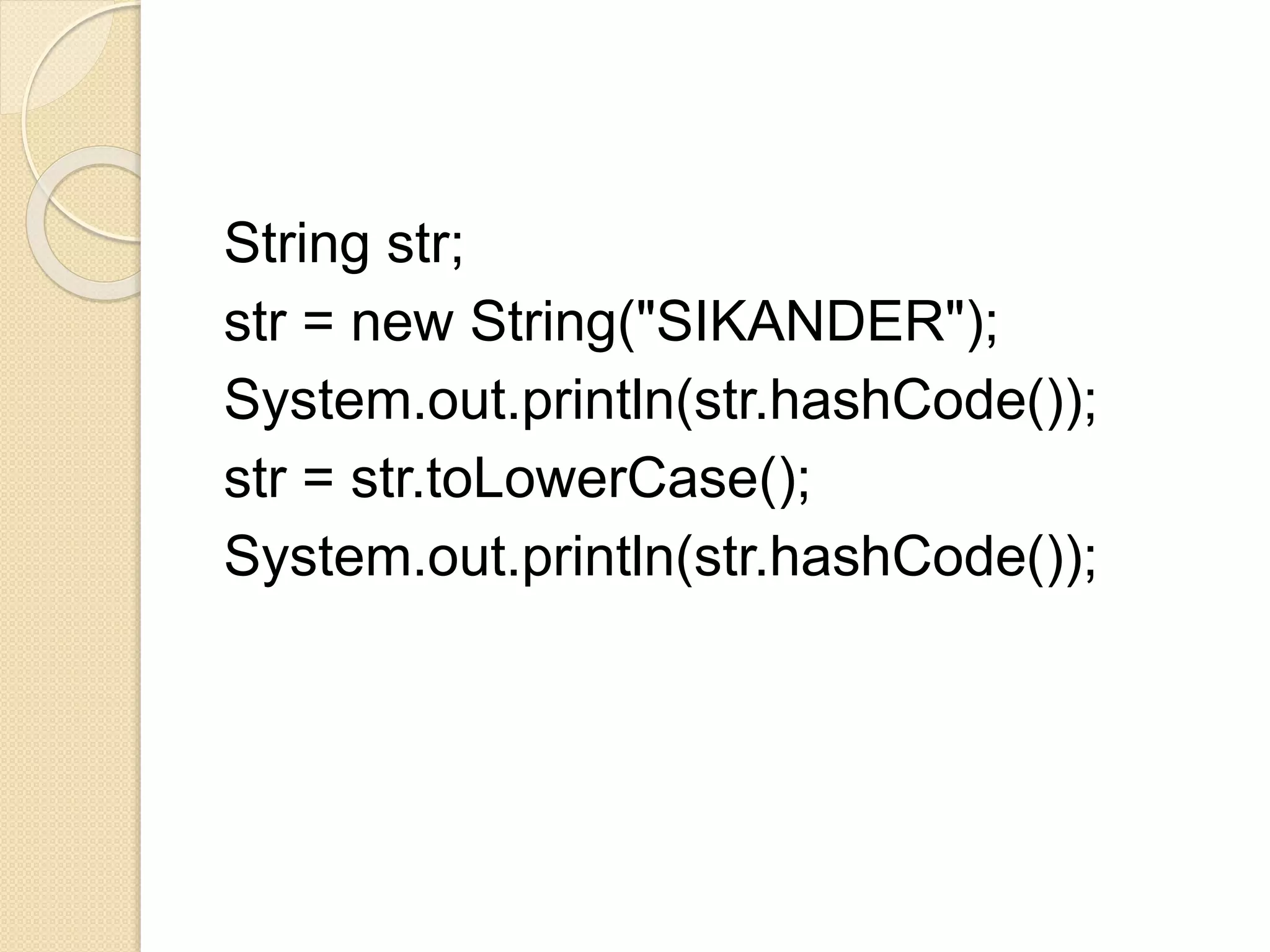
![Argument Passing to Function
class Rectangle {
int length ;
int breadth;
Rectangle(int l , int b) {
length = l ;
breadth = b;
}
}
public class FunctionDemo {
public static void function(Rectangle x)
{
x.length = 20;
System.out.println("Function " + x.length + " " + x.breadth);
}
public static void main(String [] args)
{
Rectangle obj = new Rectangle(4 ,5 );
function(obj);
System.out.println("Main " + obj.length + " " + obj.breadth);
}
}](https://image.slidesharecdn.com/java-arrays-161019114750/75/Java-arrays-24-2048.jpg)
![class Rectangle {
int length ;
int breadth;
Rectangle(int l , int b) {
length = l ;
breadth = b;
}
}
public class FunctionDemo {
public static void function(Rectangle x)
{
x = new Rectangle( 7 , 9);
System.out.println("Function " + x.length + " " + x.breadth);
}
public static void main(String [] args)
{
Rectangle obj = new Rectangle(4 ,5 );
function(obj);
System.out.println("Main " + obj.length + " " + obj.breadth);
}
}](https://image.slidesharecdn.com/java-arrays-161019114750/75/Java-arrays-25-2048.jpg)


