REDHAT HA CLUSTER WITH
PACEMAKER
Indika Dias
REDHAT CLUSTER MODE
 Storage
 High Availability
 Load Balancing
 High Performance
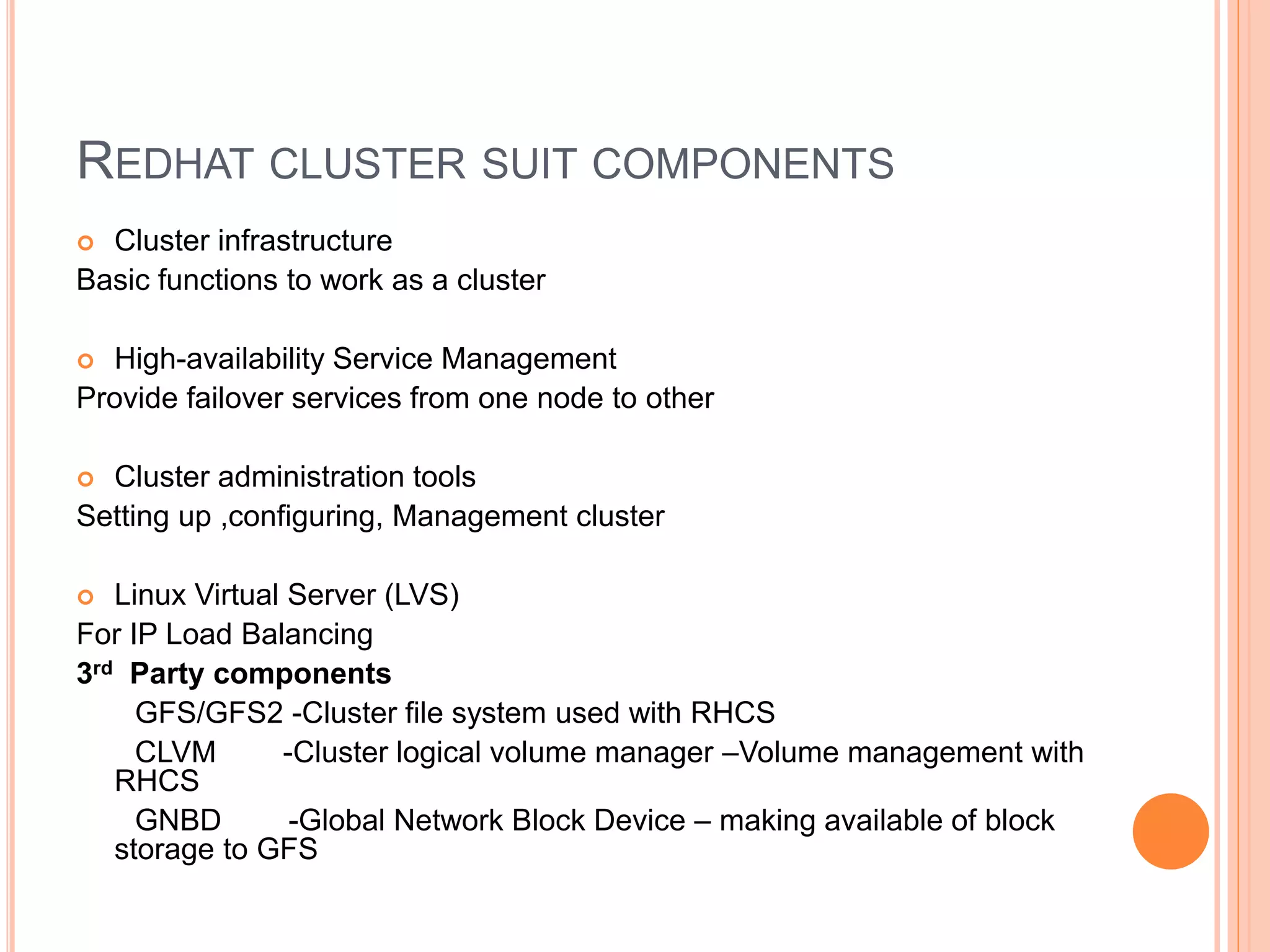
REDHAT CLUSTER SUIT COMPONENTS
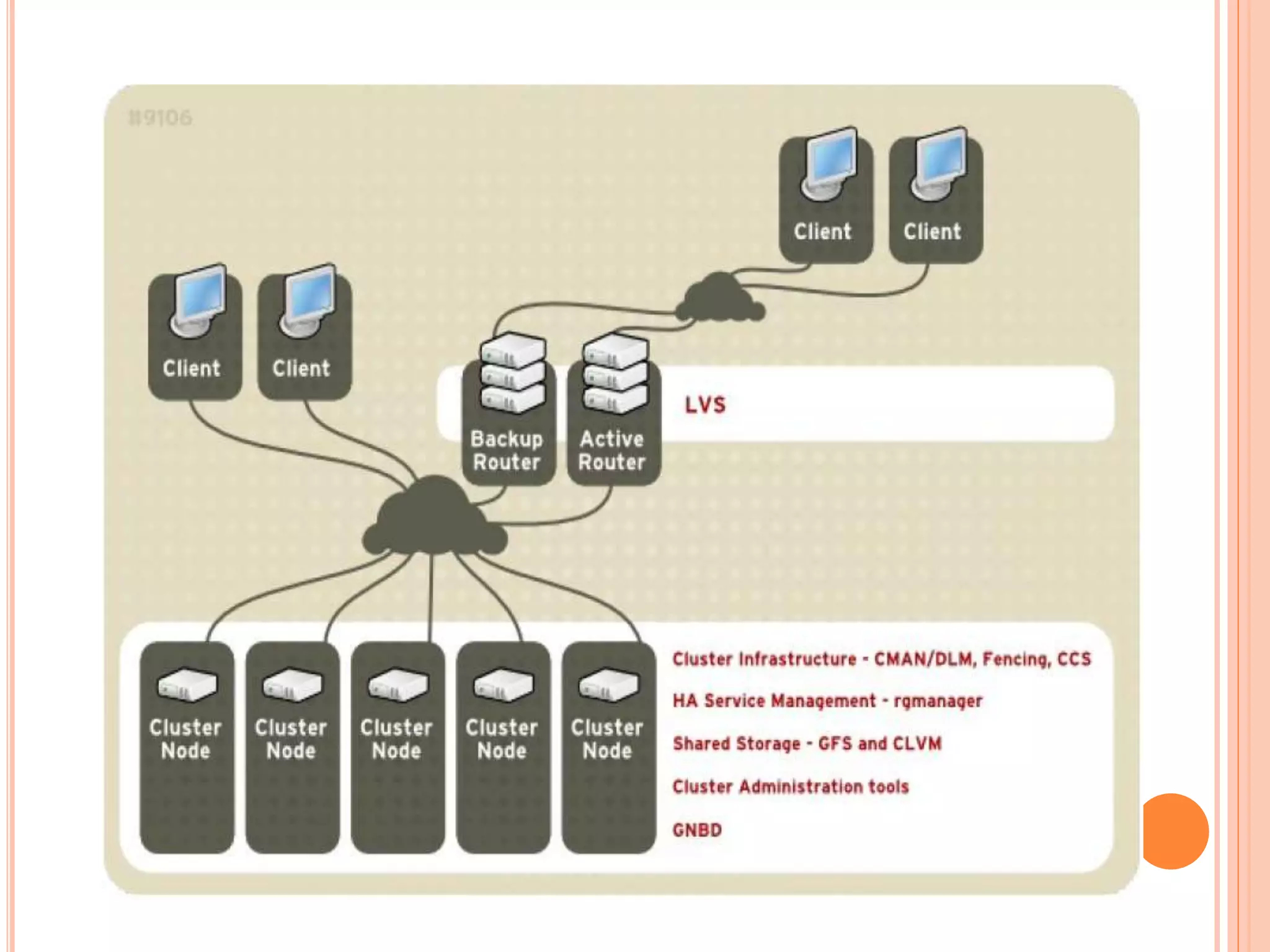
 Cluster infrastructure
Basic functions to work as a cluster
 High-availability Service Management
Provide failover services from one node to other
 Cluster administration tools
Setting up ,configuring, Management cluster
 Linux Virtual Server (LVS)
For IP Load Balancing
3rd Party components
GFS/GFS2 -Cluster file system used with RHCS
CLVM -Cluster logical volume manager –Volume management with
RHCS
GNBD -Global Network Block Device – making available of block
storage to GFS
CLUSTER INFRASTRUCTURE
 Cluster Management
 Lock Management
 Fencing
 Cluster configuration Management
CLUSTER MANAGEMENT
 Manage cluster quorum & cluster management
 CMAN distributed in all nodes
 Cluster quorum prevent stopping of services if half
or fewer nodes are active by allowing cluster
instances to access resources without other
instances involvement
LOCK MANAGEMENT
 To synchronize cluster nodes access to shared
resources.
GFS - synchronize access to file meta data
CLVM- synchronize update to LVM
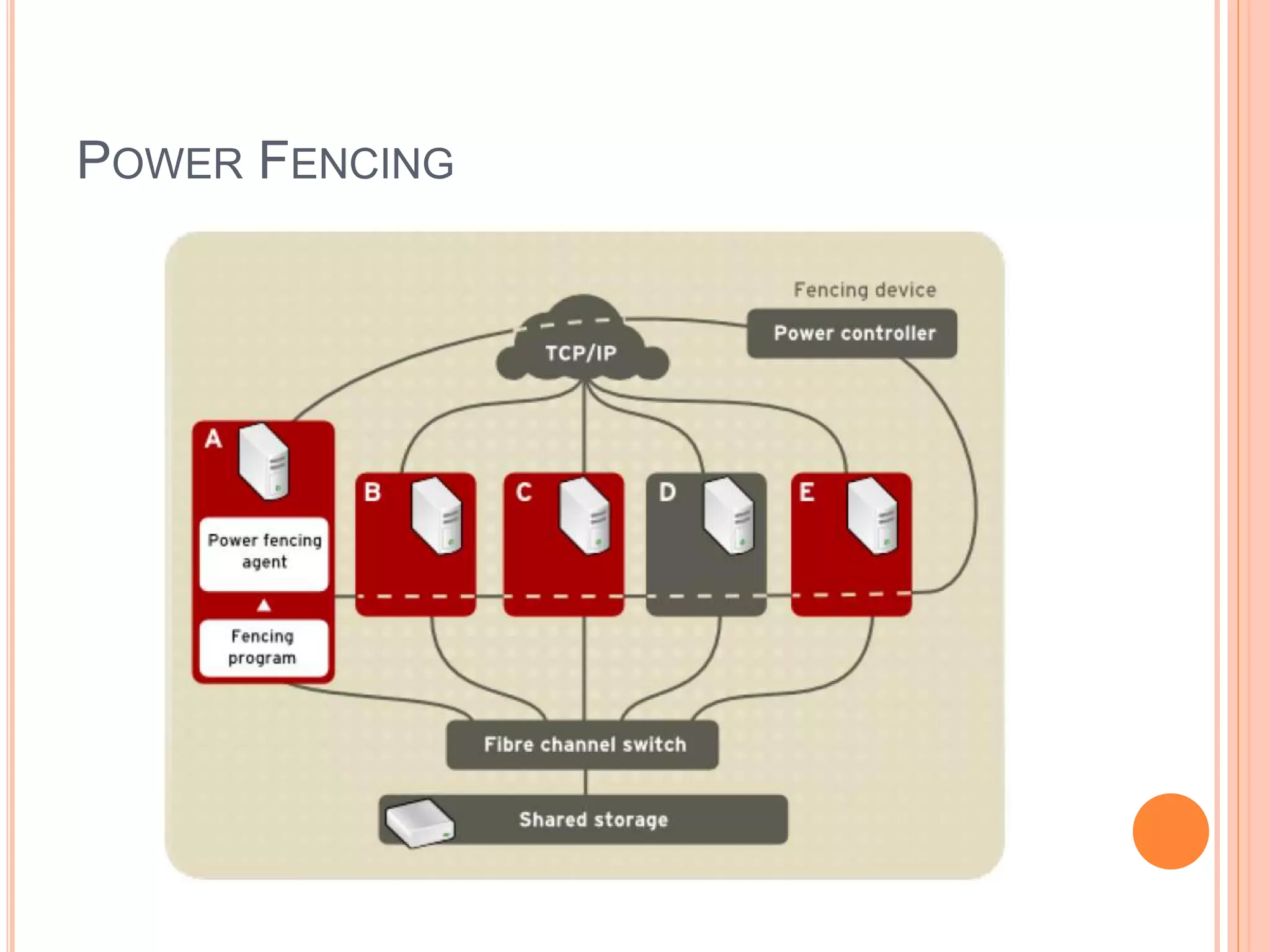
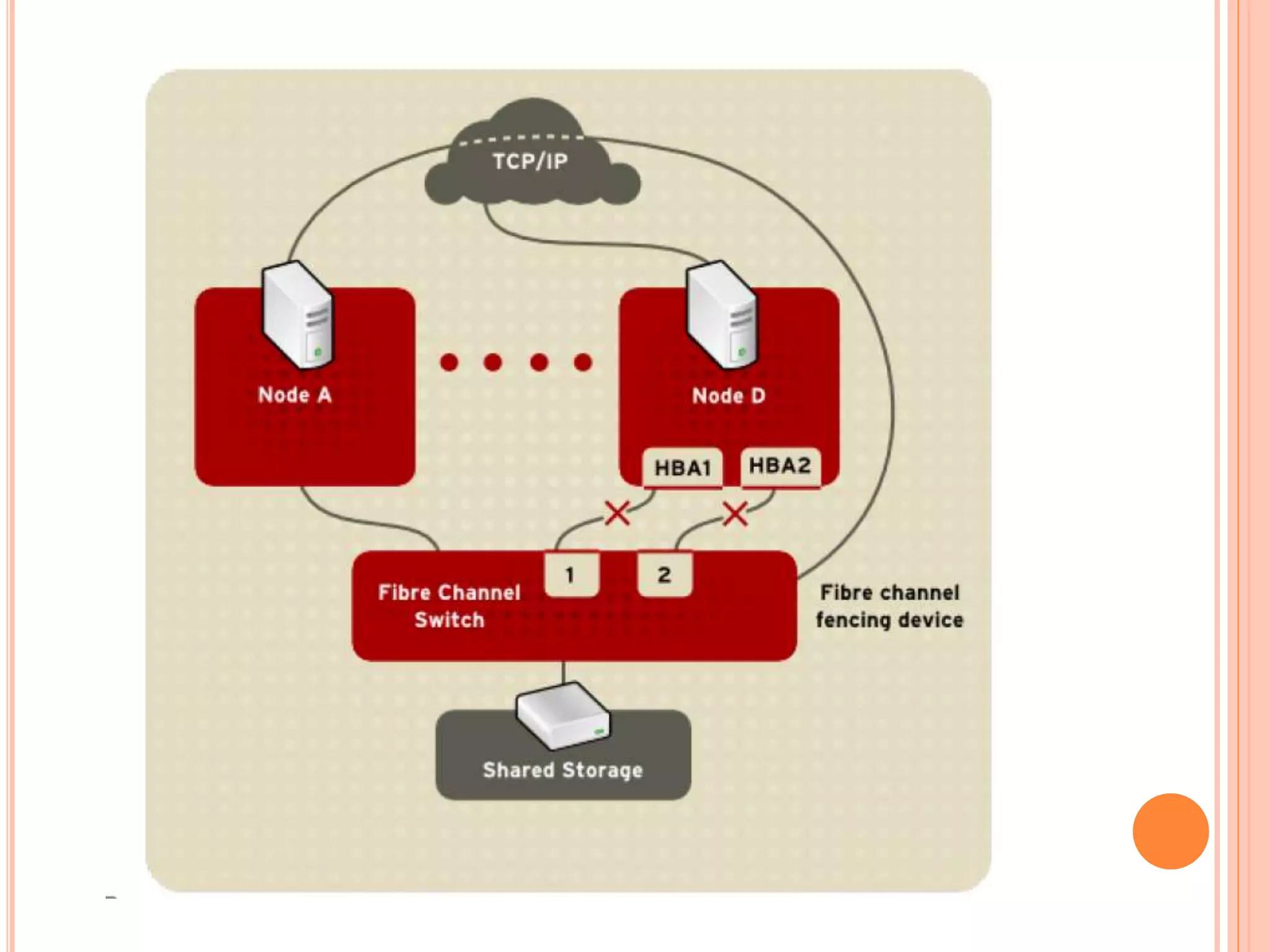
FENCING
 Disconnection of node from cluster’s shared
storage
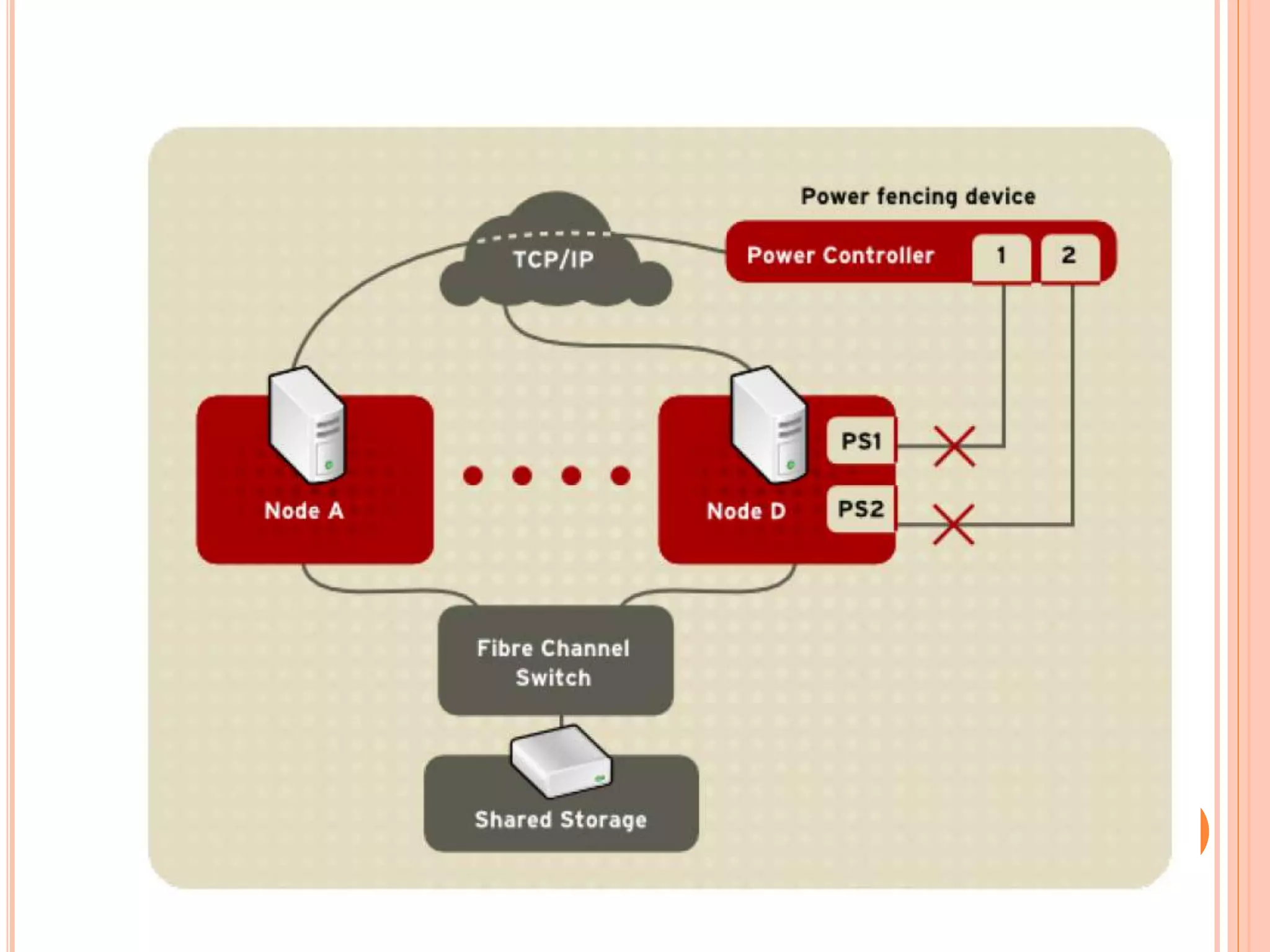
o Power fencing
integrate
HP ilo,DRAC/MC,Blade centers
external
WTI power controllers
o SCSI3 Persistent Reservation Fencing
o Fiber Channel switch fencing
o GNBD Fencing
POWER FENCING
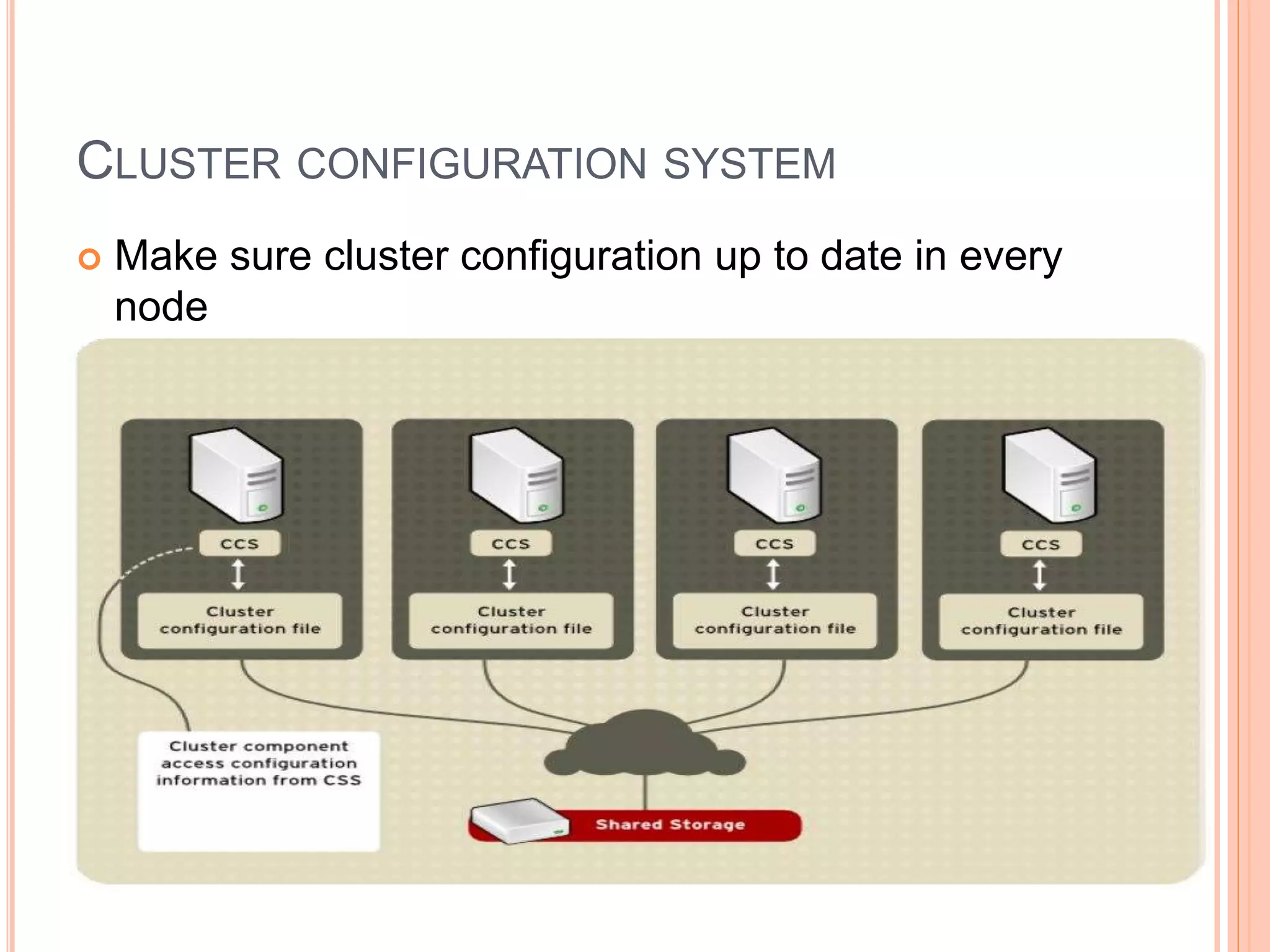
CLUSTER CONFIGURATION SYSTEM
 Make sure cluster configuration up to date in every
node
CLUSTER CREATION WITH PCS
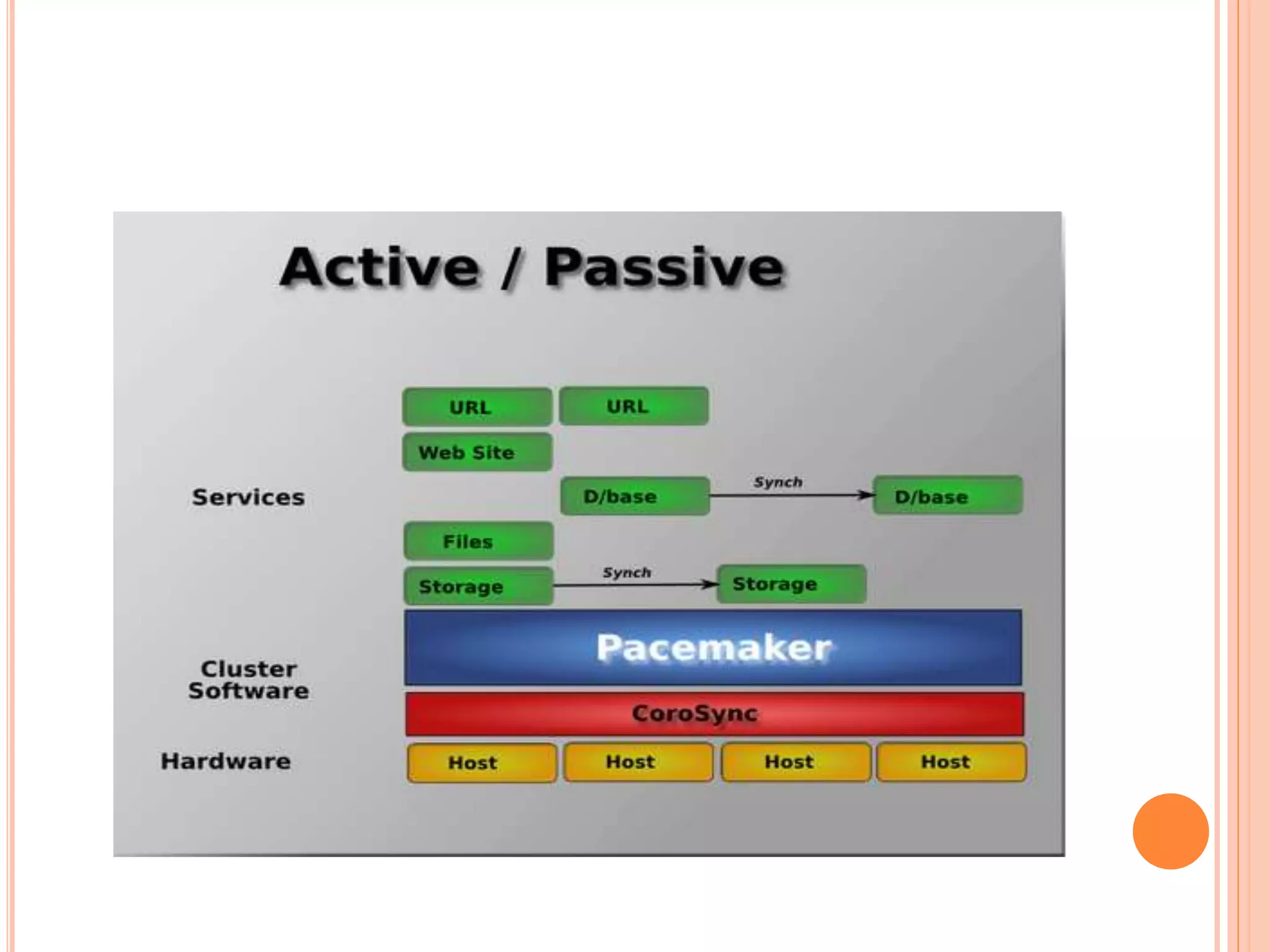
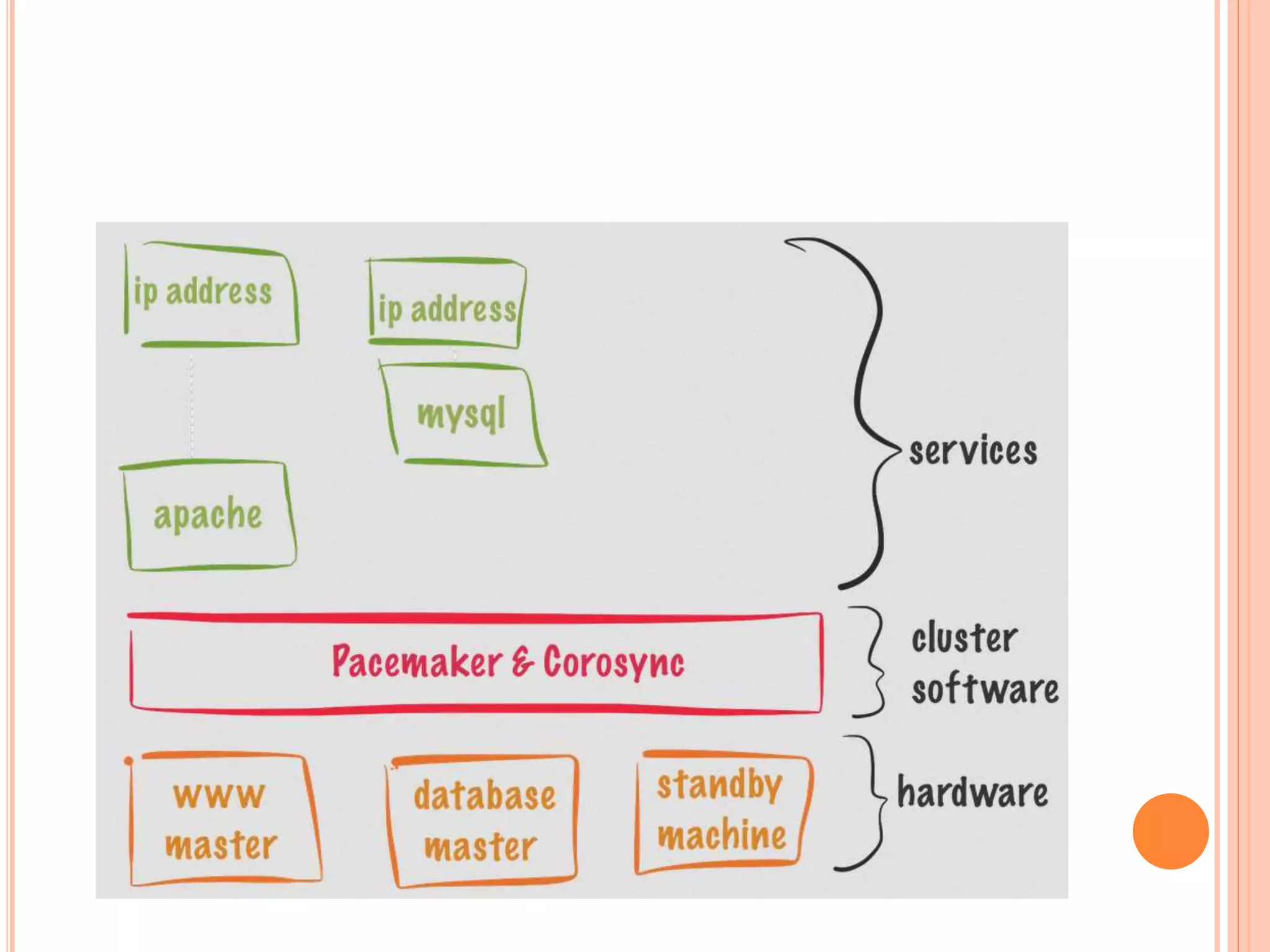
 Pacemaker is cluster resource manager
detection of services-level or node failure &
recovery
No requirement of shared storage
Support quorate & resource driven clusters
support service types
Clones : service should up in multiple
nodes
Multi-state service with multi-mode
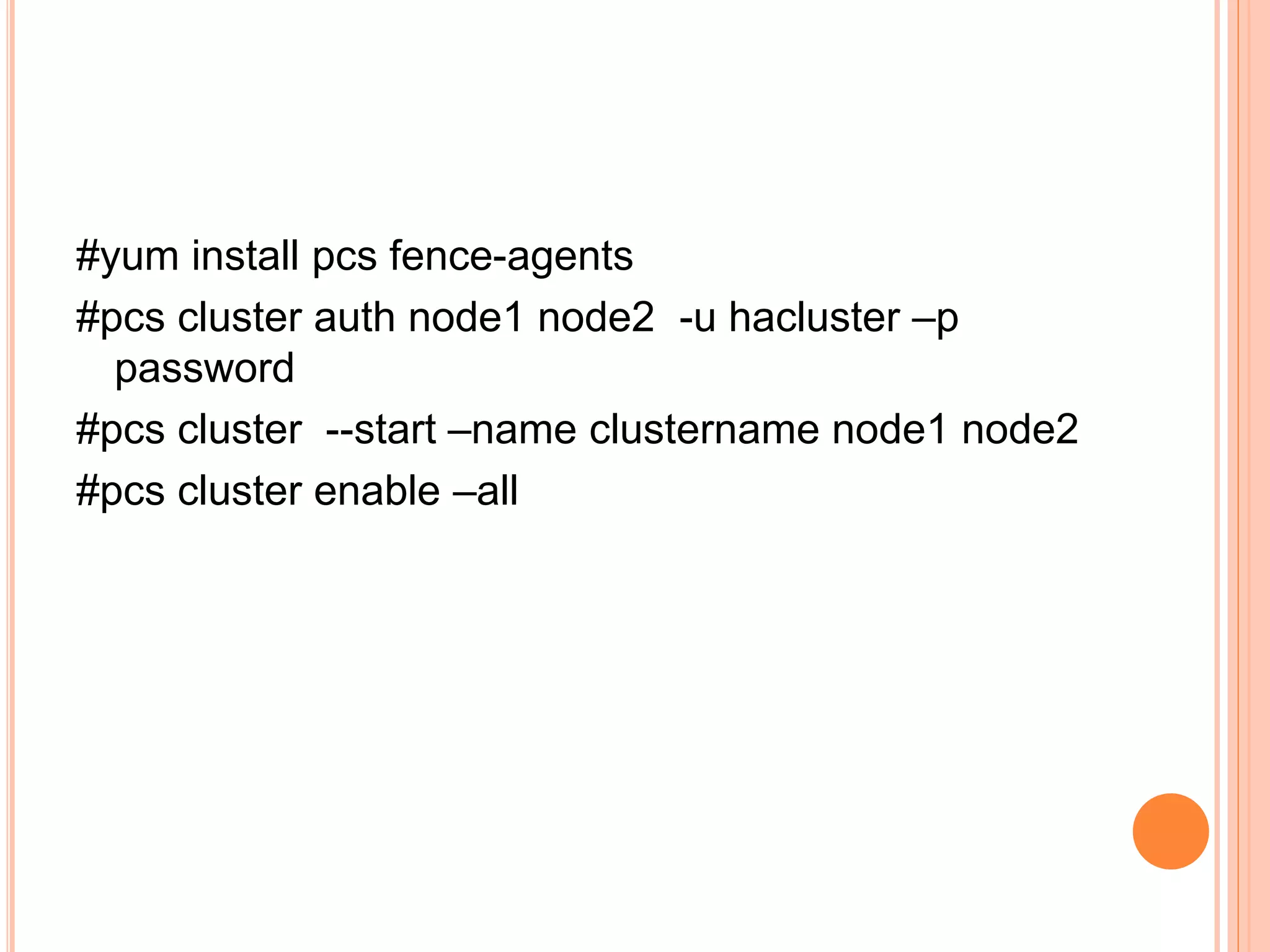
#yum install pcs fence-agents
#pcs cluster auth node1 node2 -u hacluster –p
password
#pcs cluster --start –name clustername node1 node2
#pcs cluster enable –all
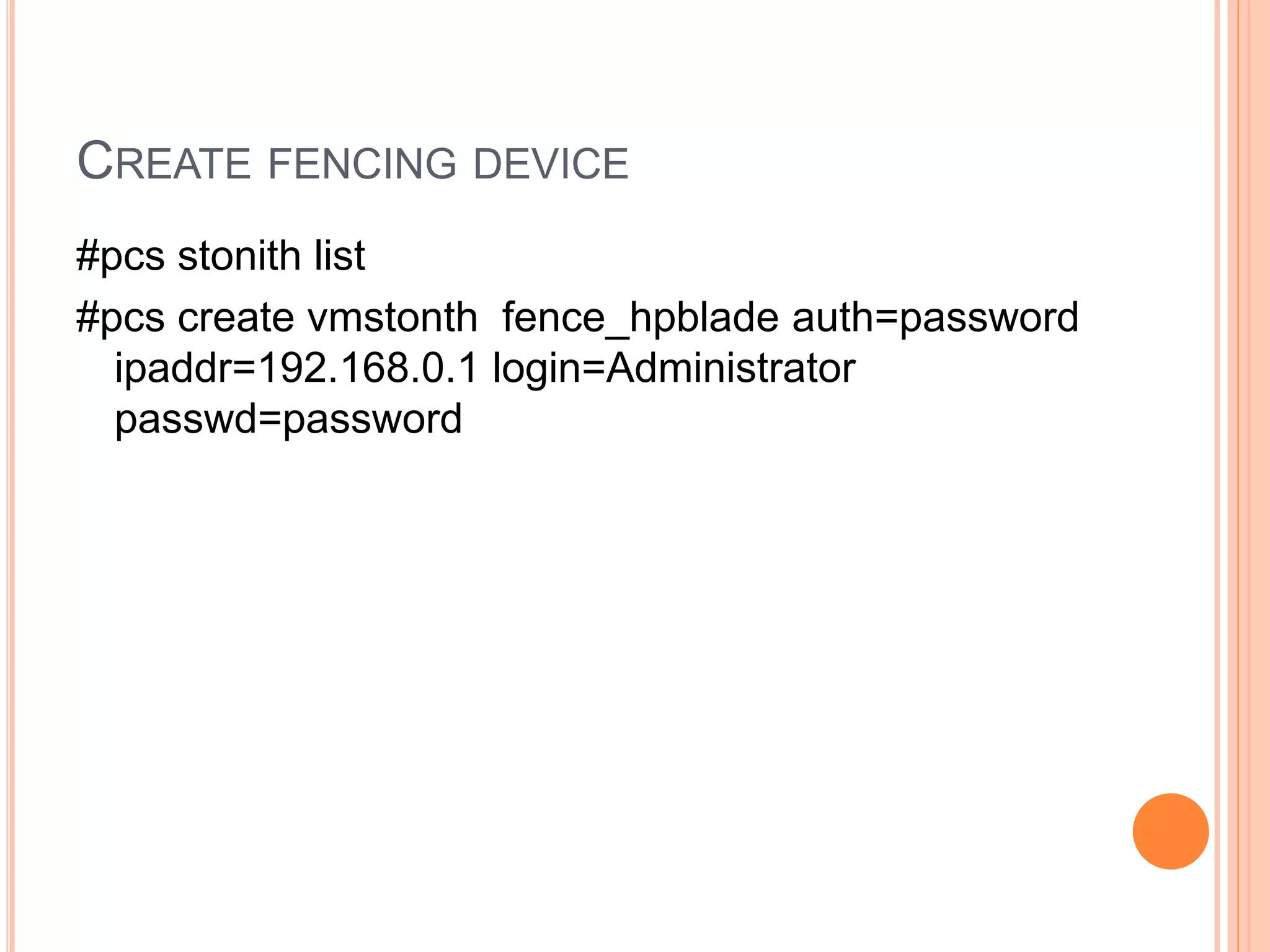
CREATE FENCING DEVICE
#pcs stonith list
#pcs create vmstonth fence_hpblade auth=password
ipaddr=192.168.0.1 login=Administrator
passwd=password
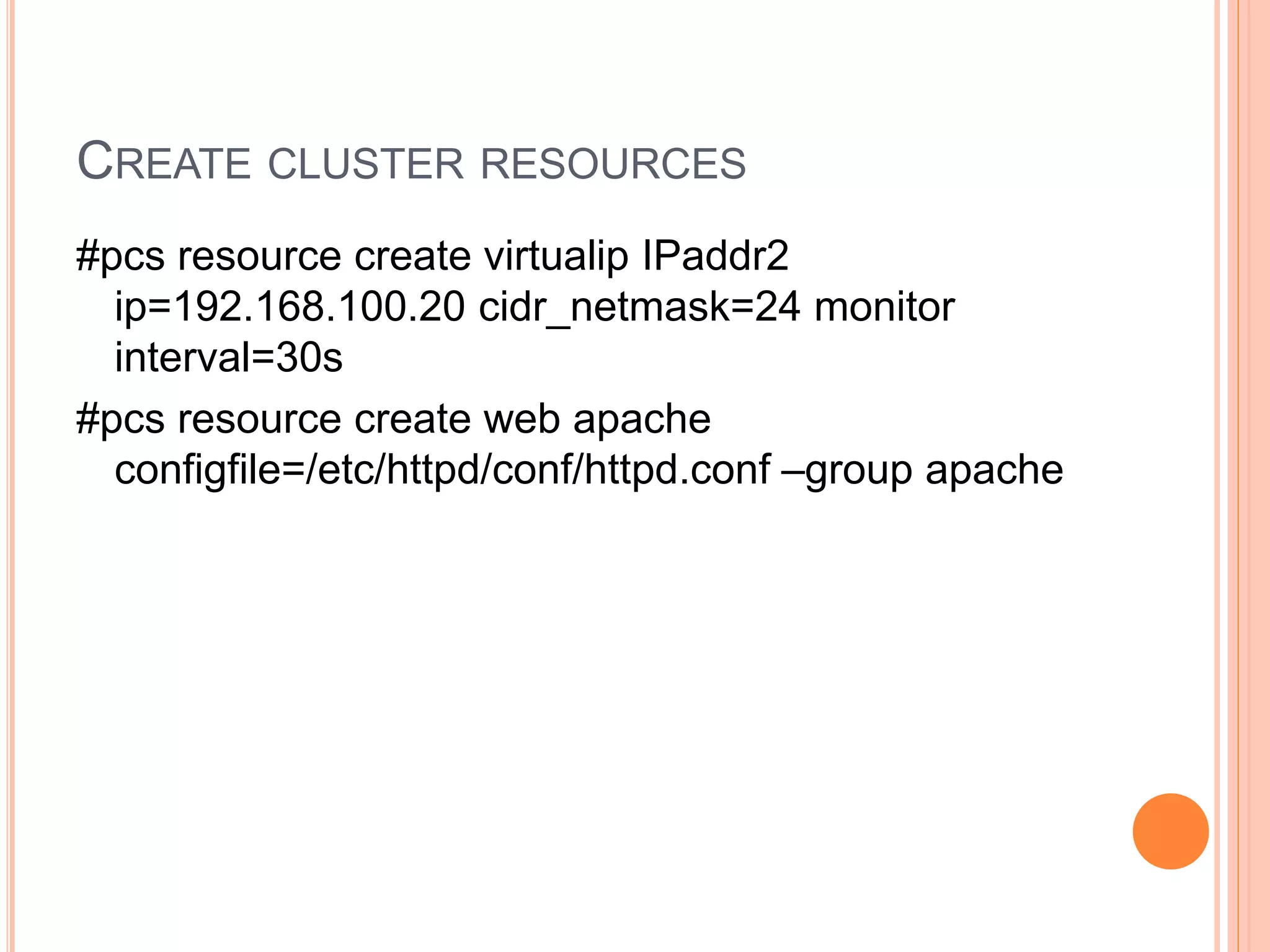
CREATE CLUSTER RESOURCES
#pcs resource create virtualip IPaddr2
ip=192.168.100.20 cidr_netmask=24 monitor
interval=30s
#pcs resource create web apache
configfile=/etc/httpd/conf/httpd.conf –group apache
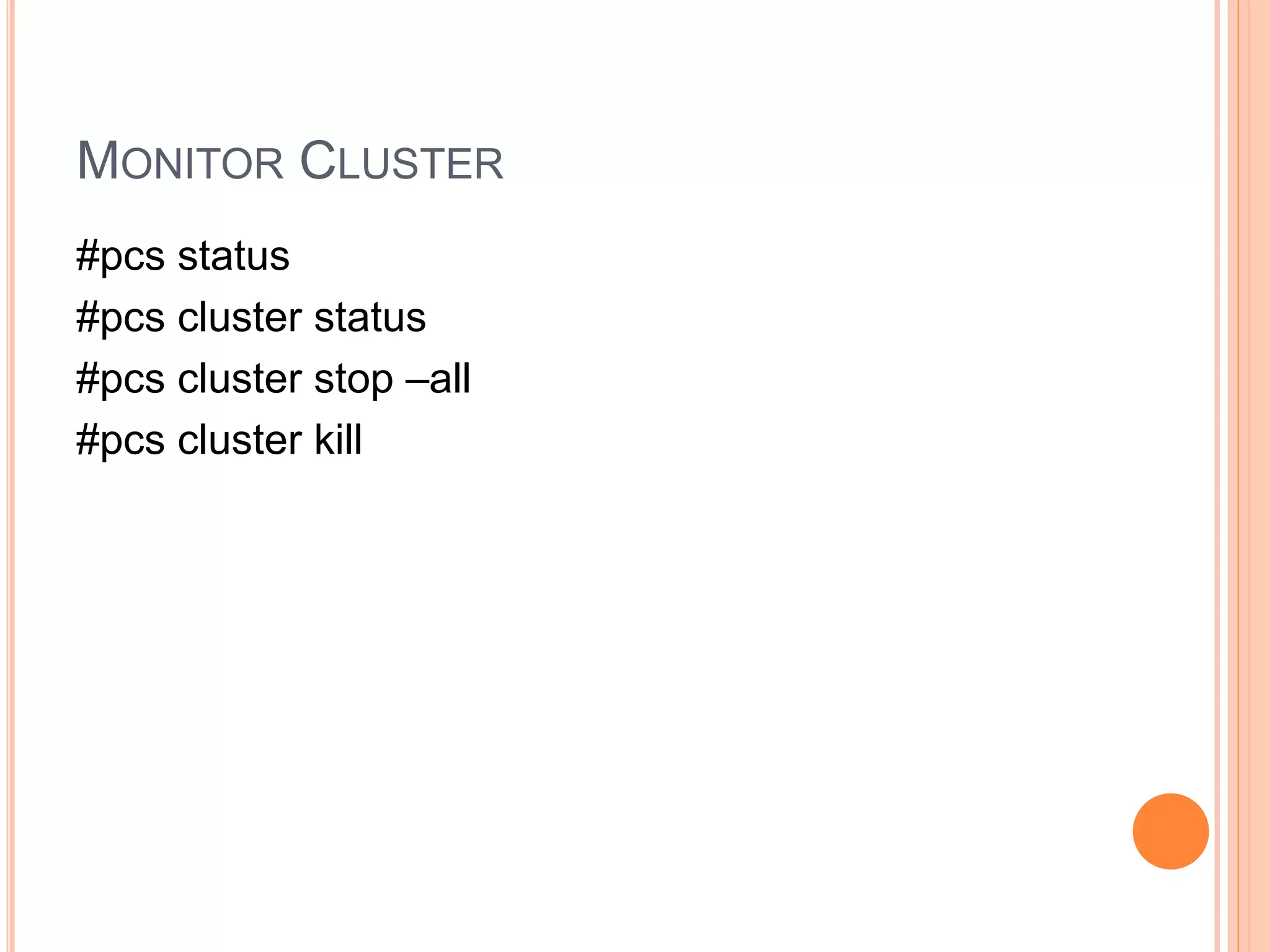
MONITOR CLUSTER
#pcs status
#pcs cluster status
#pcs cluster stop –all
#pcs cluster kill

Redhat ha cluster with pacemaker

  • 1.
    REDHAT HA CLUSTERWITH PACEMAKER Indika Dias
  • 2.
    REDHAT CLUSTER MODE Storage  High Availability  Load Balancing  High Performance
  • 3.
    REDHAT CLUSTER SUITCOMPONENTS  Cluster infrastructure Basic functions to work as a cluster  High-availability Service Management Provide failover services from one node to other  Cluster administration tools Setting up ,configuring, Management cluster  Linux Virtual Server (LVS) For IP Load Balancing 3rd Party components GFS/GFS2 -Cluster file system used with RHCS CLVM -Cluster logical volume manager –Volume management with RHCS GNBD -Global Network Block Device – making available of block storage to GFS
  • 5.
    CLUSTER INFRASTRUCTURE  ClusterManagement  Lock Management  Fencing  Cluster configuration Management
  • 6.
    CLUSTER MANAGEMENT  Managecluster quorum & cluster management  CMAN distributed in all nodes  Cluster quorum prevent stopping of services if half or fewer nodes are active by allowing cluster instances to access resources without other instances involvement
  • 7.
    LOCK MANAGEMENT  Tosynchronize cluster nodes access to shared resources. GFS - synchronize access to file meta data CLVM- synchronize update to LVM
  • 8.
    FENCING  Disconnection ofnode from cluster’s shared storage o Power fencing integrate HP ilo,DRAC/MC,Blade centers external WTI power controllers o SCSI3 Persistent Reservation Fencing o Fiber Channel switch fencing o GNBD Fencing
  • 9.
  • 12.
    CLUSTER CONFIGURATION SYSTEM Make sure cluster configuration up to date in every node
  • 13.
    CLUSTER CREATION WITHPCS  Pacemaker is cluster resource manager detection of services-level or node failure & recovery No requirement of shared storage Support quorate & resource driven clusters support service types Clones : service should up in multiple nodes Multi-state service with multi-mode
  • 16.
    #yum install pcsfence-agents #pcs cluster auth node1 node2 -u hacluster –p password #pcs cluster --start –name clustername node1 node2 #pcs cluster enable –all
  • 17.
    CREATE FENCING DEVICE #pcsstonith list #pcs create vmstonth fence_hpblade auth=password ipaddr=192.168.0.1 login=Administrator passwd=password
  • 18.
    CREATE CLUSTER RESOURCES #pcsresource create virtualip IPaddr2 ip=192.168.100.20 cidr_netmask=24 monitor interval=30s #pcs resource create web apache configfile=/etc/httpd/conf/httpd.conf –group apache
  • 19.
    MONITOR CLUSTER #pcs status #pcscluster status #pcs cluster stop –all #pcs cluster kill