BTEC National in ICT: Unit 3 - Data Flow Diagrams Introduction
This document provides an overview of data flow diagrams (DFDs) and structured analysis. It defines DFDs as tools that model how information flows through a system and is processed. The document outlines the basic symbols used in DFDs, including external entities, data flows, data stores, and processes. It also explains how to draw context diagrams at the highest level and then refine them to more detailed lower levels through decomposition. The goal of DFDs is to hierarchically break down a system into independent, understandable components.
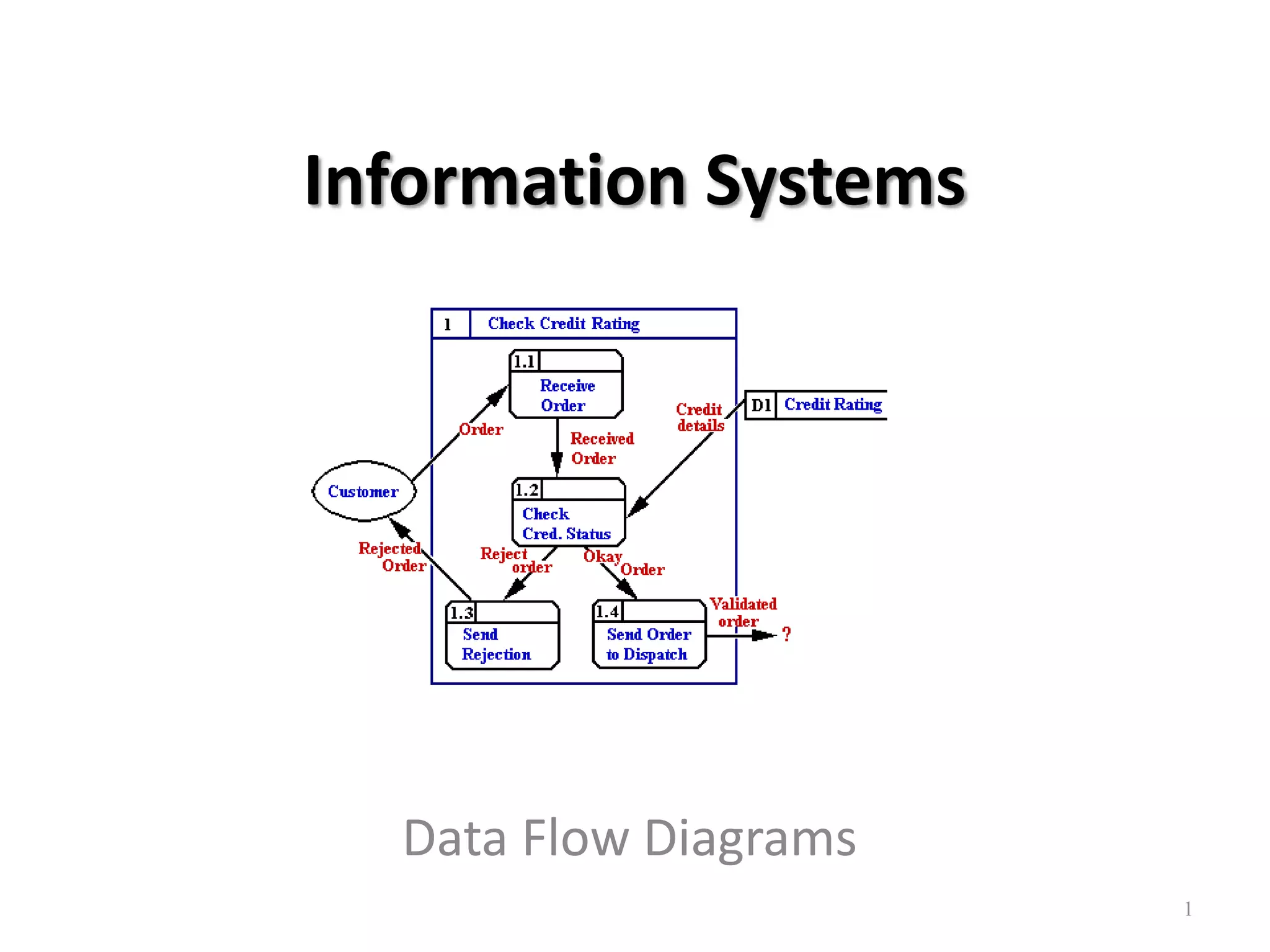
Introduction to Information Systems and objectives of Data Flow Diagrams (DFD) including defining structured analysis.
Structured analysis as a method for defining system inputs, processes, and outputs, and the hierarchical nature of DFDs.
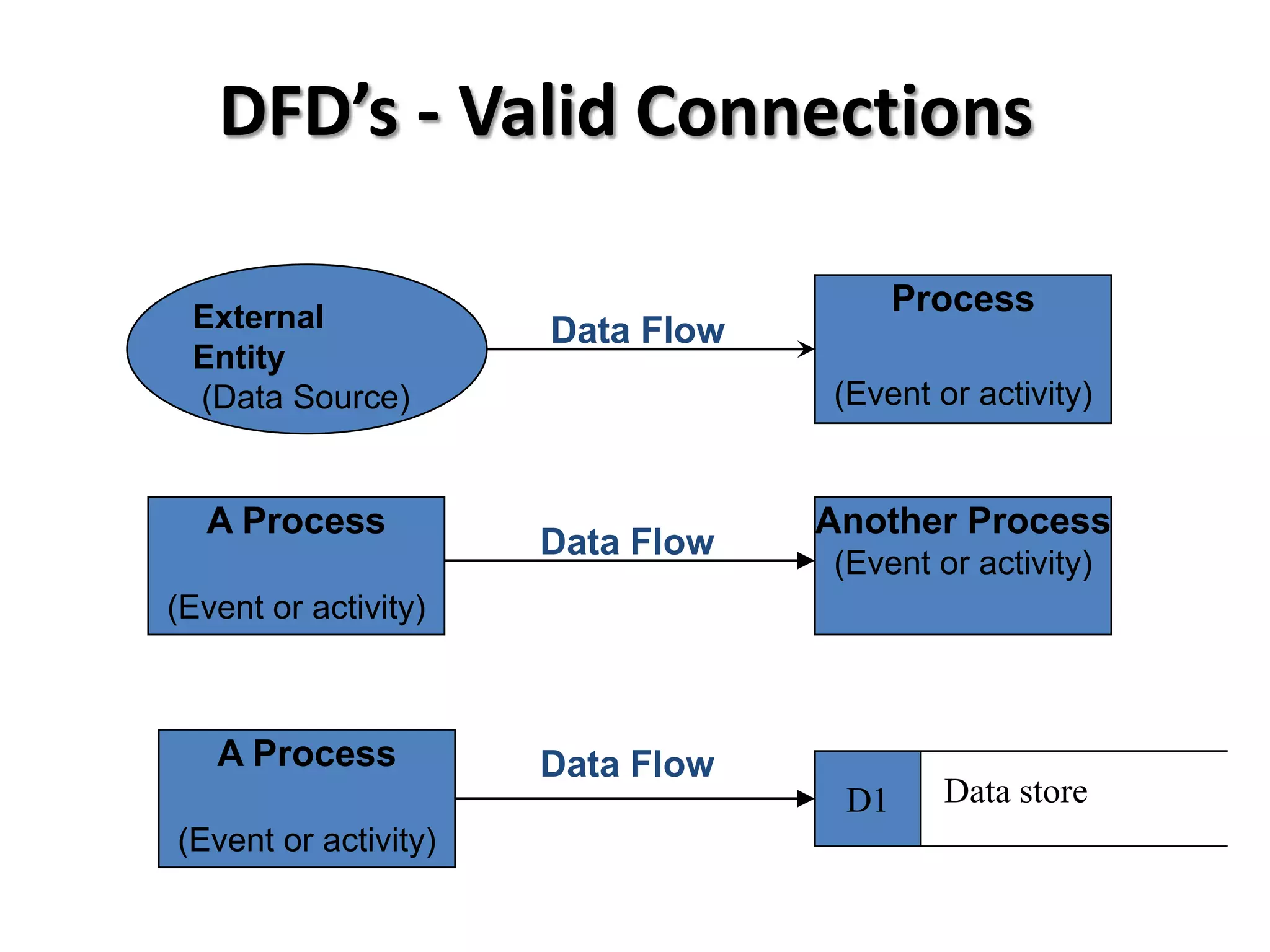
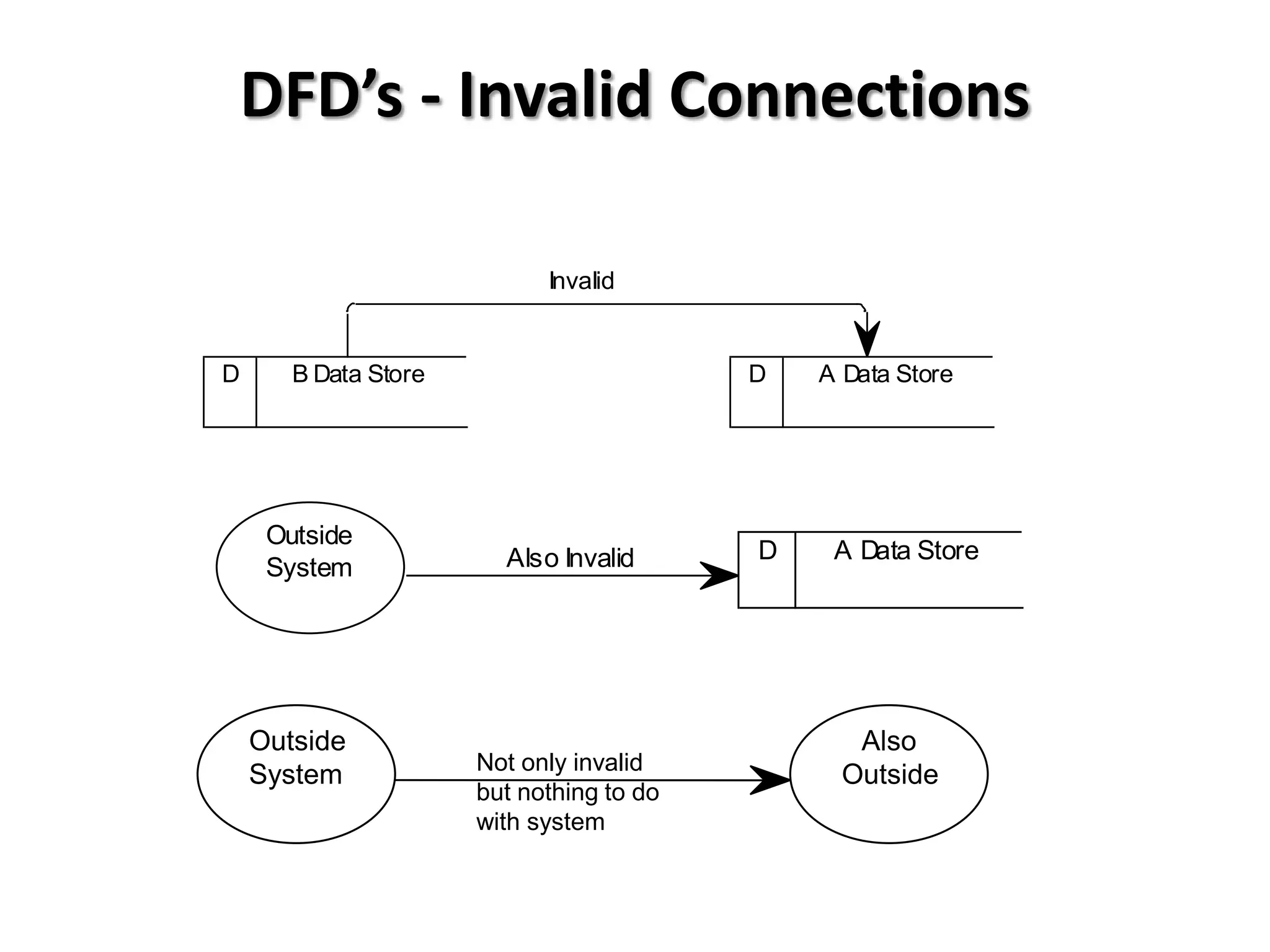
Guidelines for drawing DFDs, including necessary tools and common symbols for external entities, data flows, data stores, and processes.Explanation of valid and invalid connections in DFDs including how processes relate to data sources and stores.
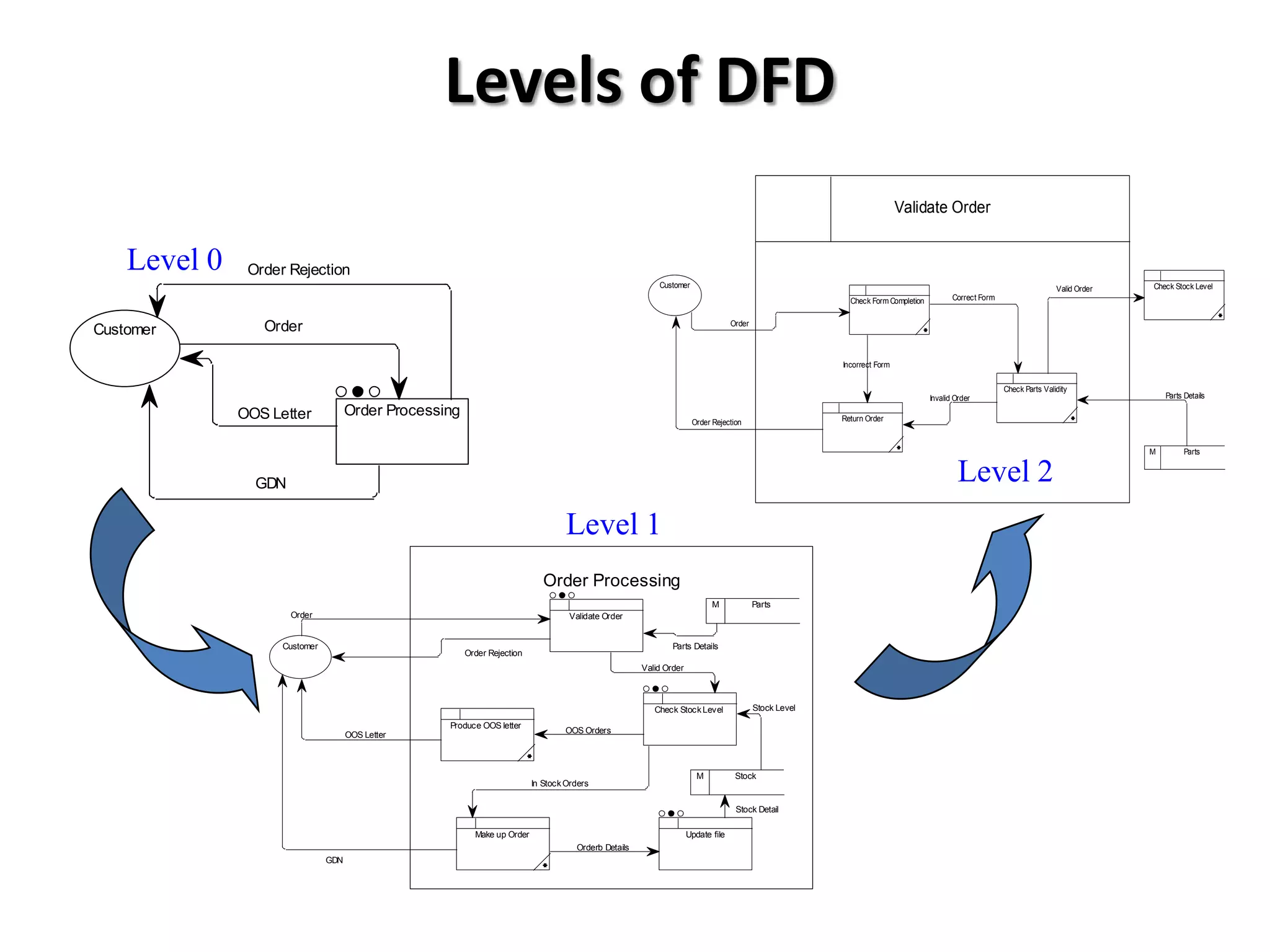
Detailing levels of DFDs from context diagrams to level 1 and 2 diagrams, illustrating order processing and examples.
Data Flow Diagrams
Objectives:
•To define what is meant by structured analysis
• To define the symbols used in a Data Flow
Diagram (DFD)
• To draw a context diagram (Level 0 DFD) for a
given scenario
• To refine a DFD to a more detailed (lower-
level) view
3.
Structured Analysis
• Awidely-used top-down method for defining system
inputs, processes and outputs.
• It shows how information flows through a system, using
several diagrams showing progressively more and more
detail at each level.
• The primary tool of structured analysis is the Data Flow
Diagram (DFD).
4.
Data Flow Diagrams
•Data Flow Diagrams
– Model how information flows around a system, how it
is processed and stored
– Partition a system into independent units of more
manageable size that is verifiable, concise and easily
understood
– Hierarchical
5.
Drawing Data FlowDiagrams
• Cannot be achieved without
– Paper or Computer
– Cross-checking at every stage
– Pain and Confusion!
• Eventually
– Allow understanding of New System
– Produce Invaluable Document
• Steps are for Guideline purposes only!
6.
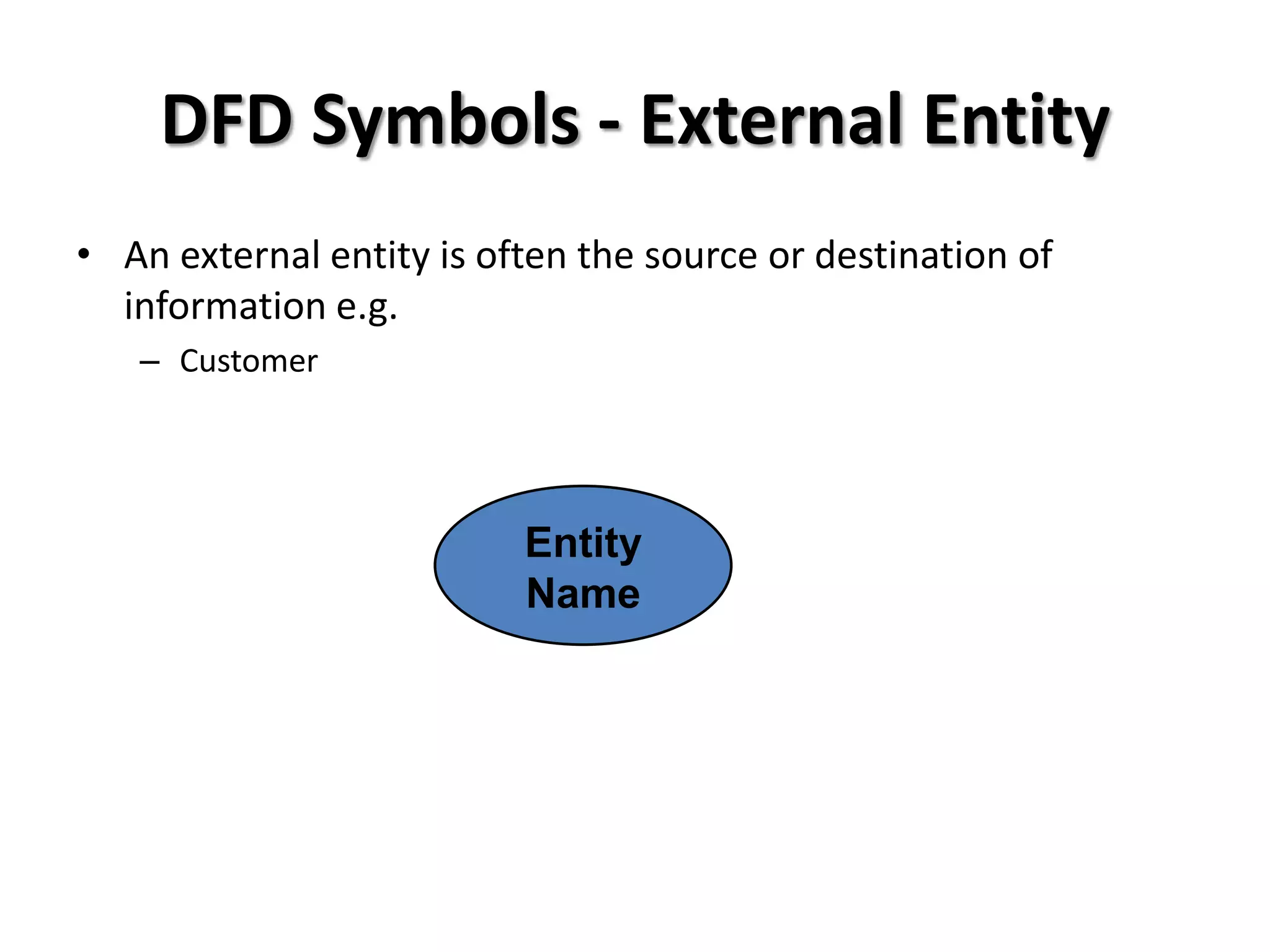
DFD Symbols -External Entity
• An external entity is often the source or destination of
information e.g.
– Customer
Entity
Name
7.
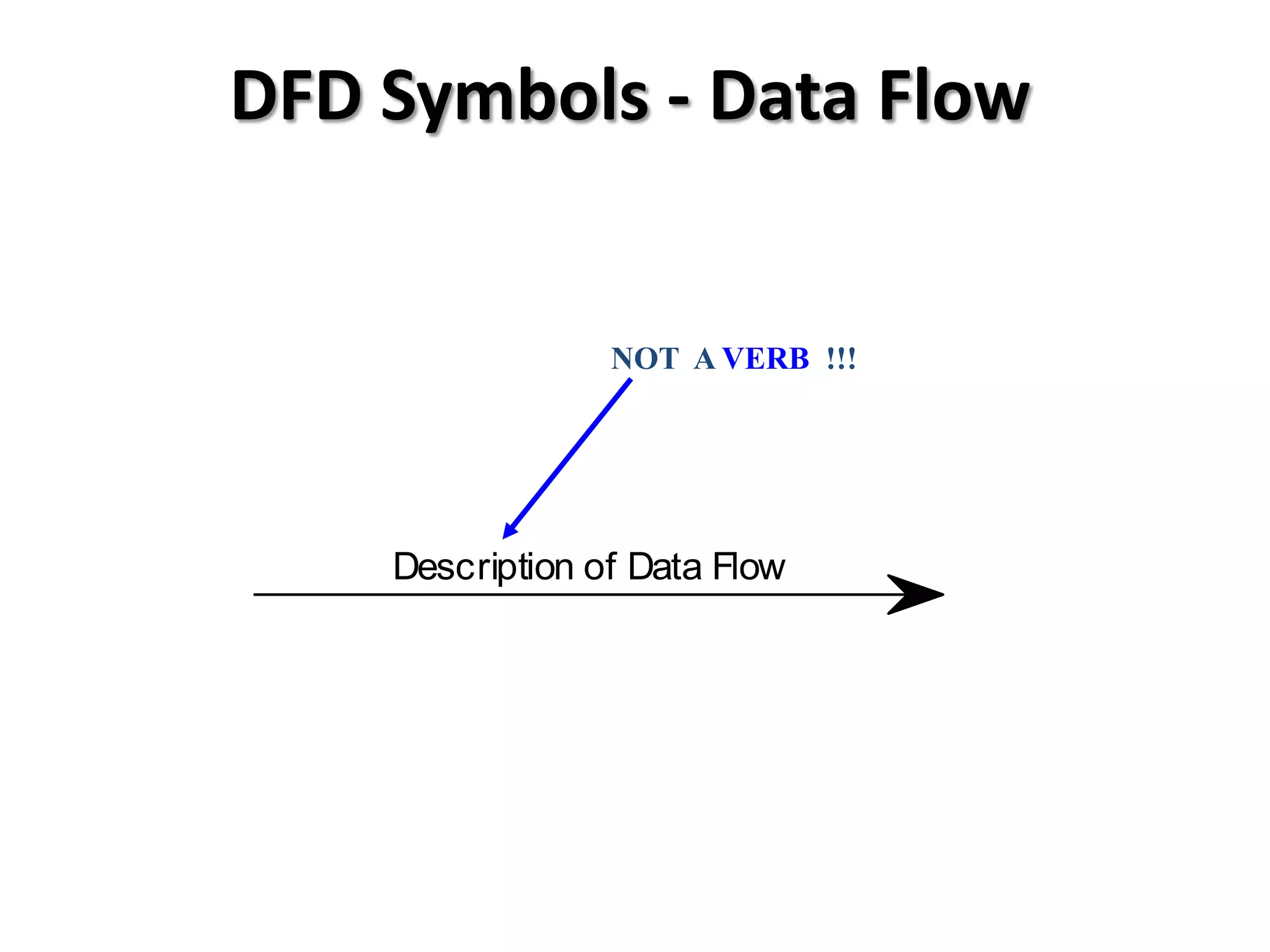
DFD Symbols -Data Flow
NOT A VERB !!!
Description of Data Flow
8.
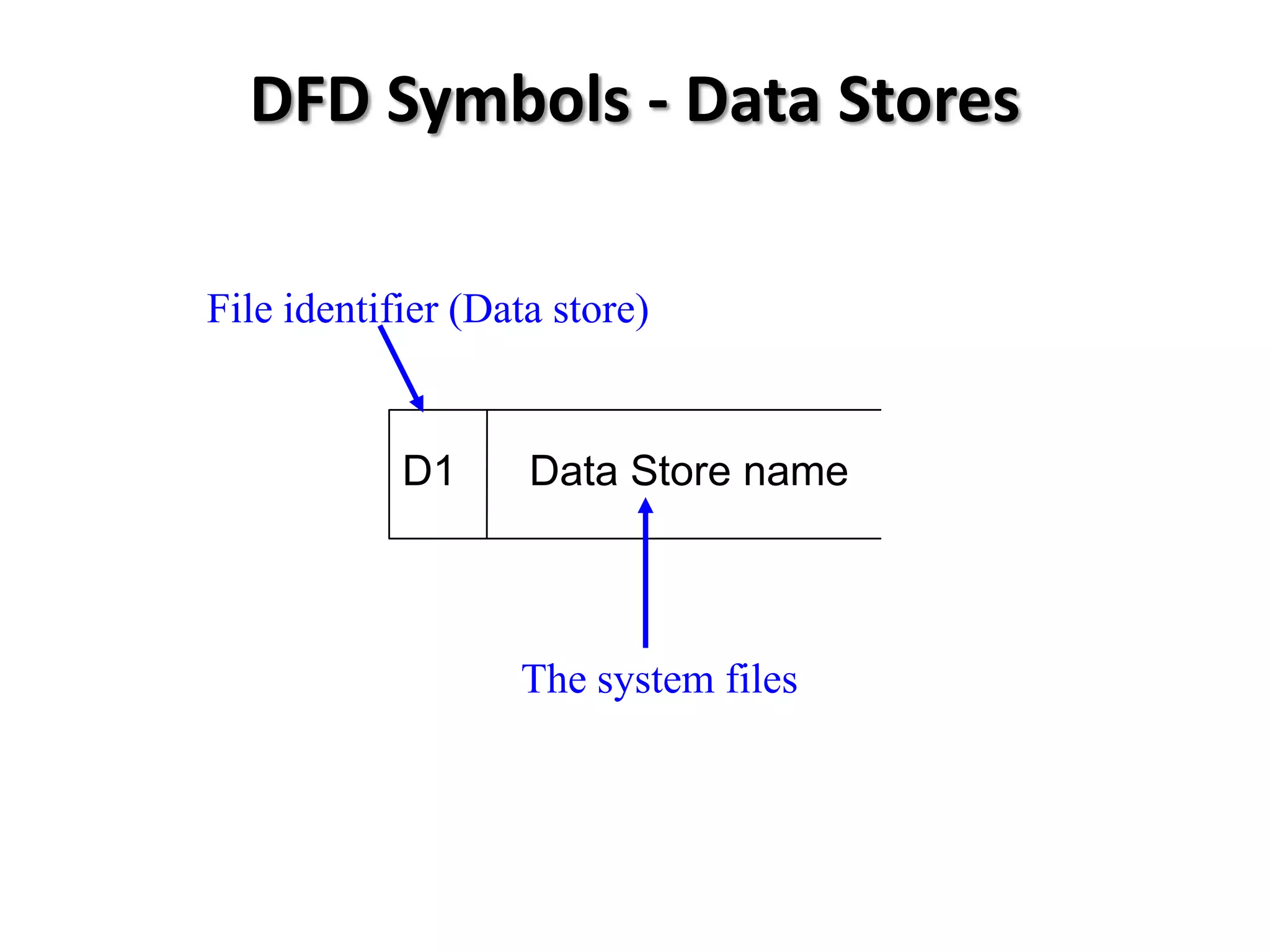
DFD Symbols -Data Stores
File identifier (Data store)
D1 Data Store name
The system files
9.
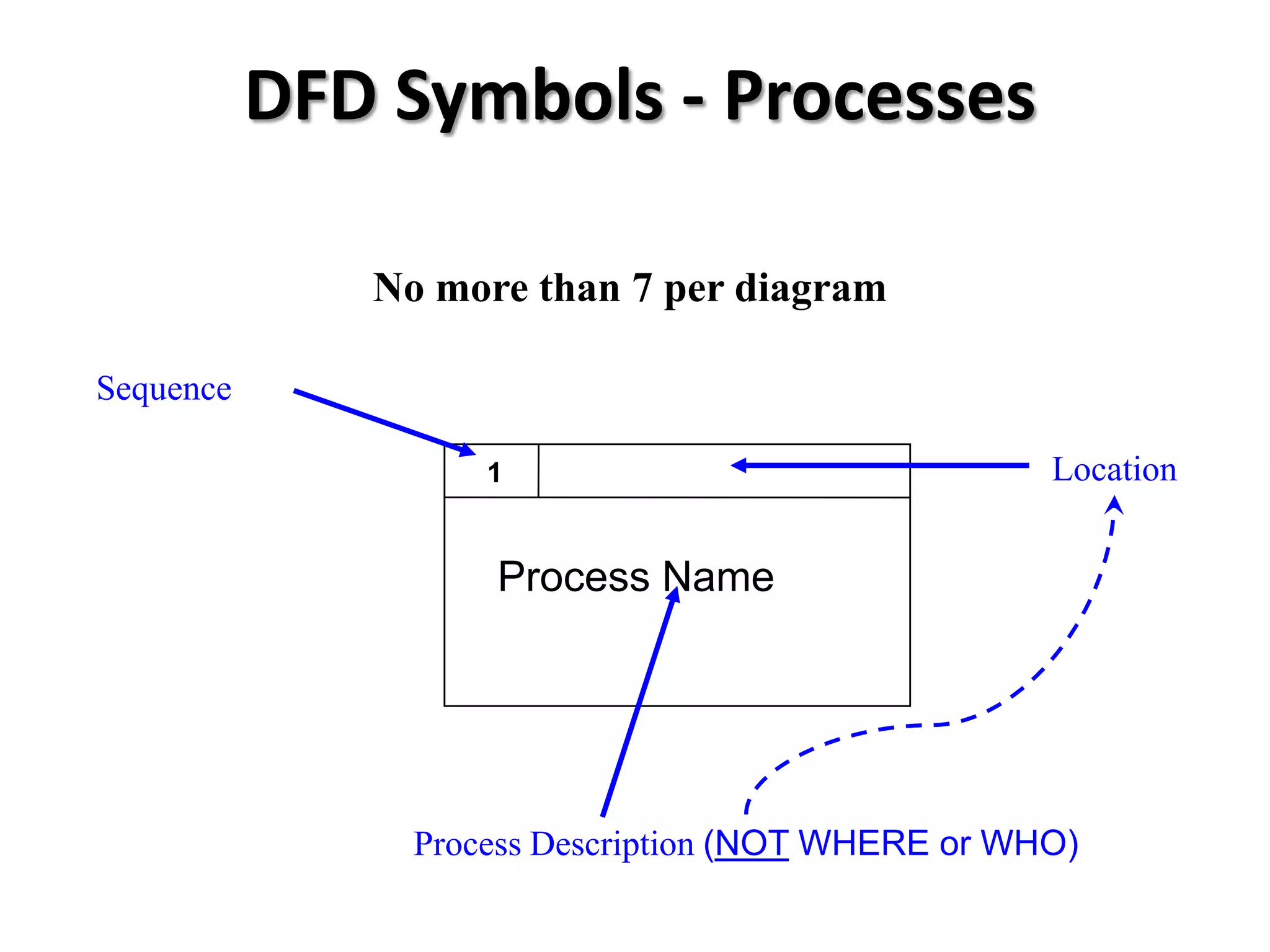
DFD Symbols -Processes
No more than 7 per diagram
Sequence
1 Location
Process Name
Process Description (NOT WHERE or WHO)
10.
DFD’s - ValidConnections
External
Process
Data Flow
Entity
(Data Source) (Event or activity)
A Process Another Process
Data Flow
(Event or activity)
(Event or activity)
A Process Data Flow
D1 Data store
(Event or activity)
11.
DFD’s - InvalidConnections
Invalid
D B Data Store D A Data Store
Outside
Also Invalid D A Data Store
System
Outside Also
Not only invalid
System Outside
but nothing to do
with system
12.
Levels of DFD
Validate Order
Level 0 Order Rejection
Customer Valid Order Check Stock Level
Check Form Completion Correct Form
Customer Order Order
Incorrect Form
Check Parts Validity
Invalid Order Parts Details
OOS Letter Order Processing Return Order
Order Rejection
M Parts
GDN Level 2
Level 1
Order Processing
M Parts
Order Validate Order
Customer Parts Details
Order Rejection
Valid Order
Check Stock Level Stock Level
Produce OOS letter
OOS Letter OOS Orders
M Stock
In Stock Orders
Stock Detail
Make up Order Update file
Orderb Details
GDN
13.
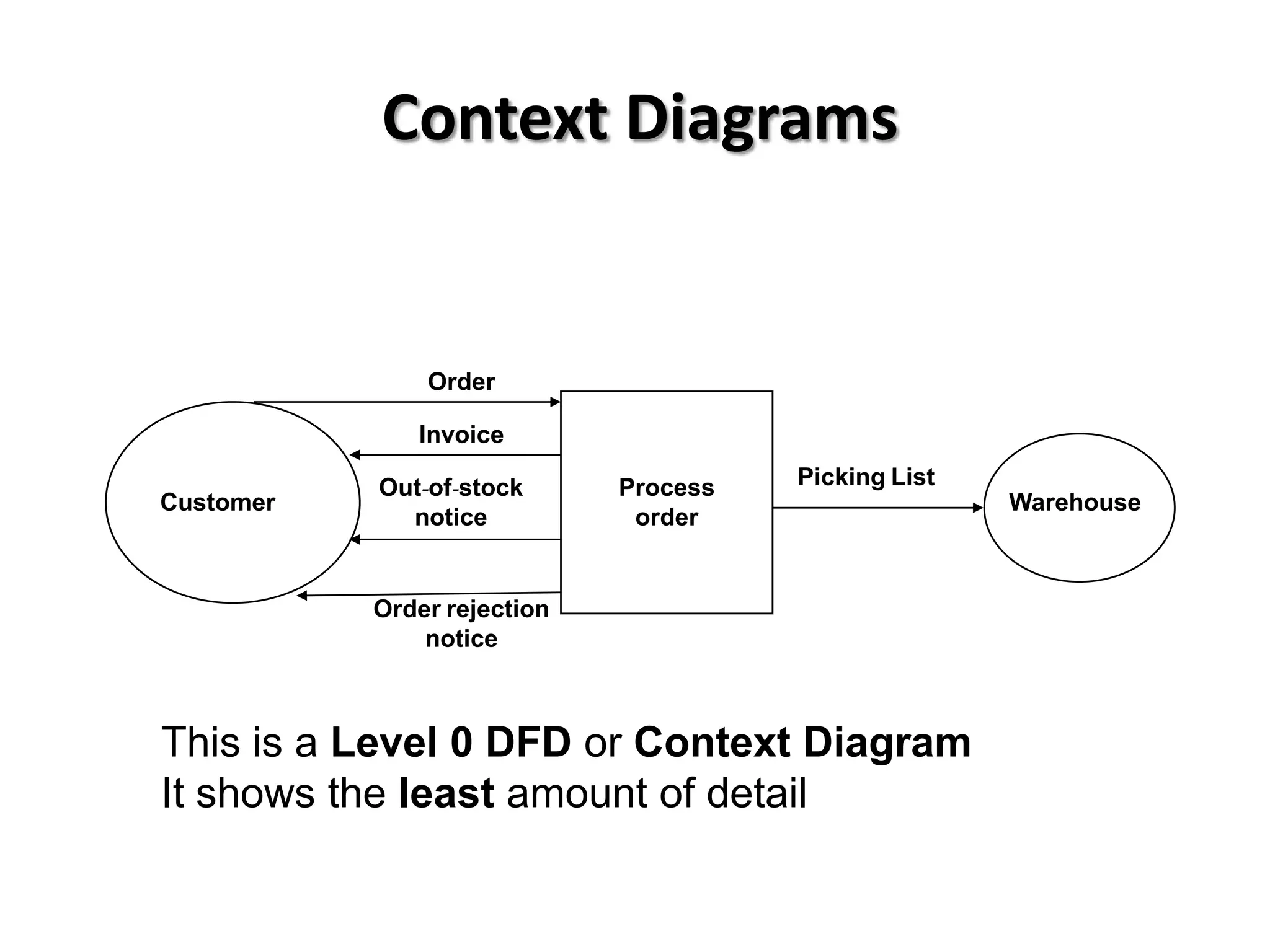
Context Diagrams
Order
Invoice
Out-of-stock Process Picking List
Customer Warehouse
notice order
Order rejection
notice
This is a Level 0 DFD or Context Diagram
It shows the least amount of detail
14.
Creating a ContextDiagram – step 1
• Producing Context Diagram ( Level 0)
– Identify External Entities
– Identify Inputs
• Data Flows
– Identify Outputs
• Data Flow
– Draw Context Diagram
• Possibly combine data flows at this stage
• e.g. Orders = Phone Orders and Mail Orders
15.
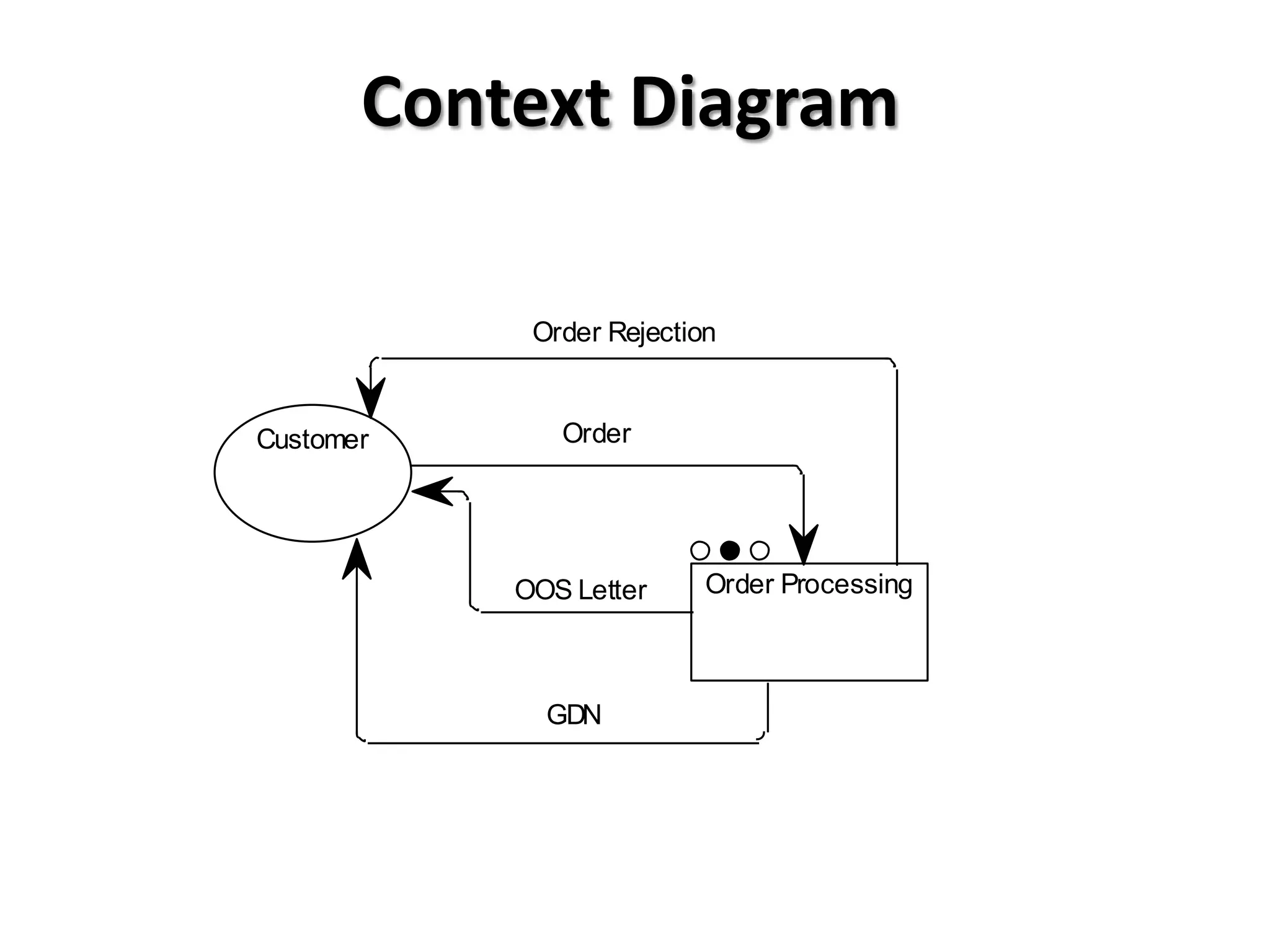
Context Diagram
Order Rejection
Customer Order
OOS Letter Order Processing
GDN
16.
Step 2
• ProducingLevel 1 Diagram
– Identify up to seven major processes
• Draw a Level 1 DFD
– Associate data flows and external entities from Context
Diagram
• Update Level 1 DFD
– Identify the data flows that link the identified processes
• Update Level 1 DFD
– Identify files associated with identified processes
• Update Level 1 DFD
– Check Level 1 DFD
• You will have made a mistake !!
– Possibly correct Level 1 DFD and Context Diagram
17.
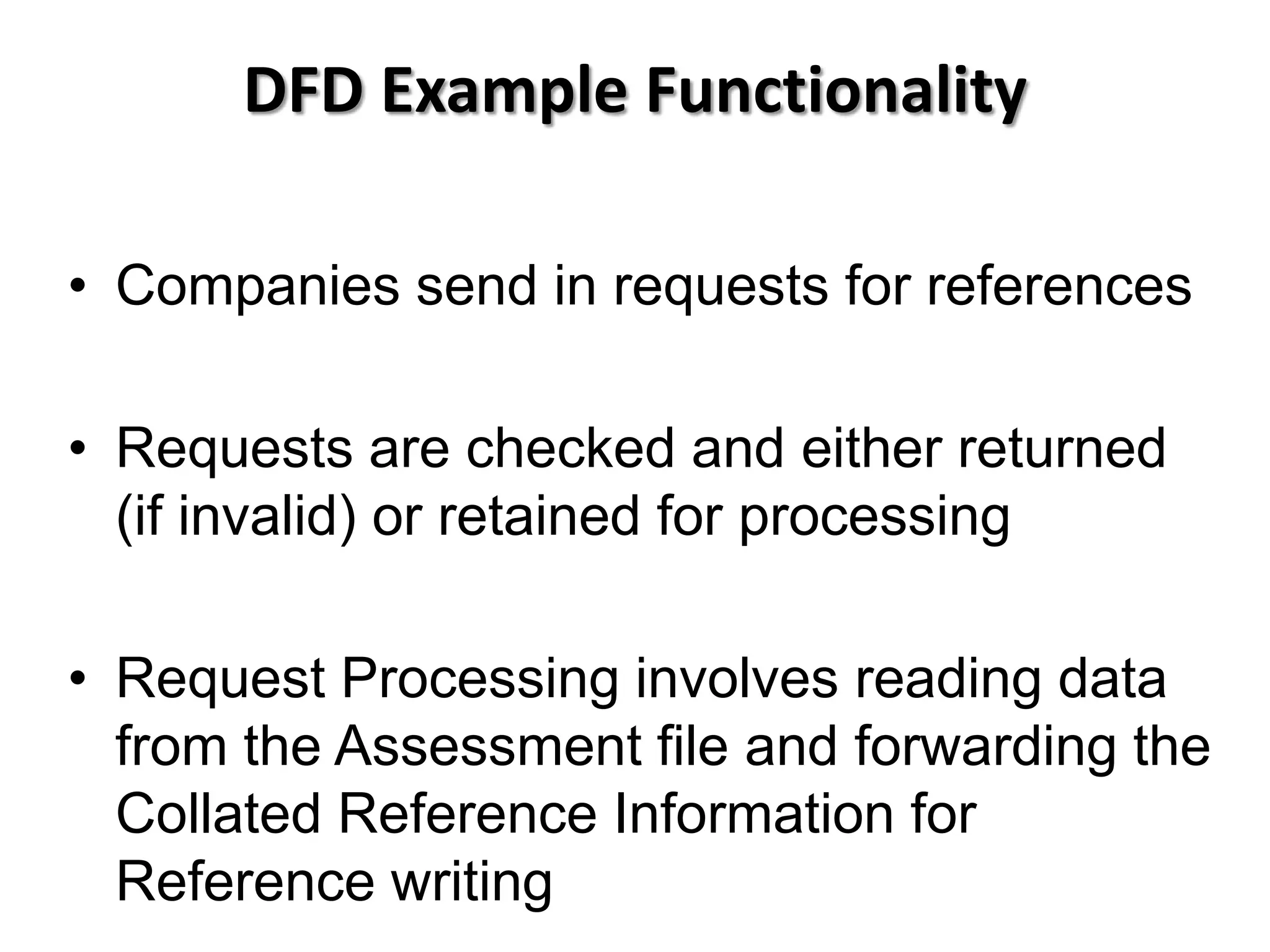
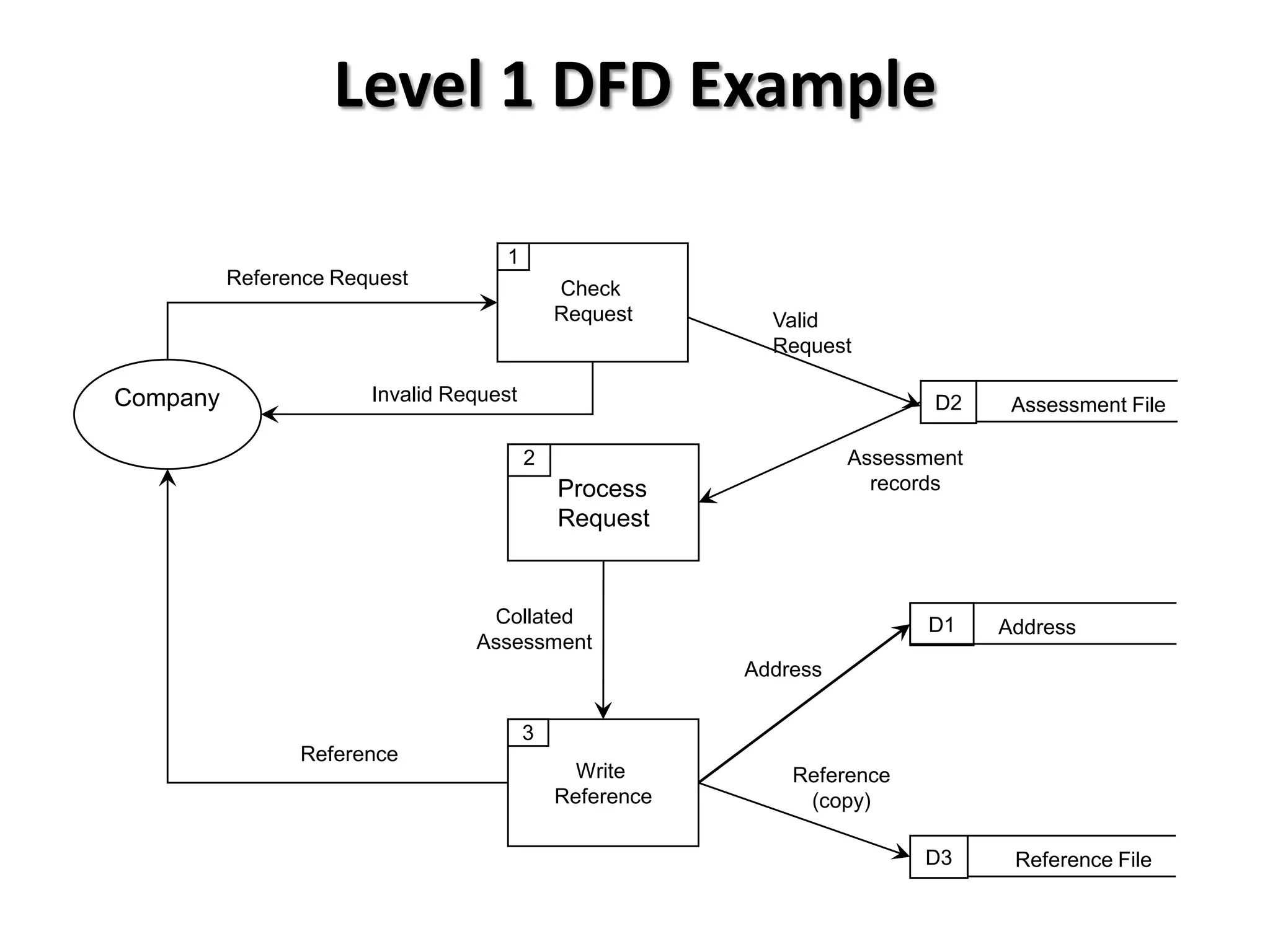
DFD Example Functionality
•Companies send in requests for references
• Requests are checked and either returned
(if invalid) or retained for processing
• Request Processing involves reading data
from the Assessment file and forwarding the
Collated Reference Information for
Reference writing
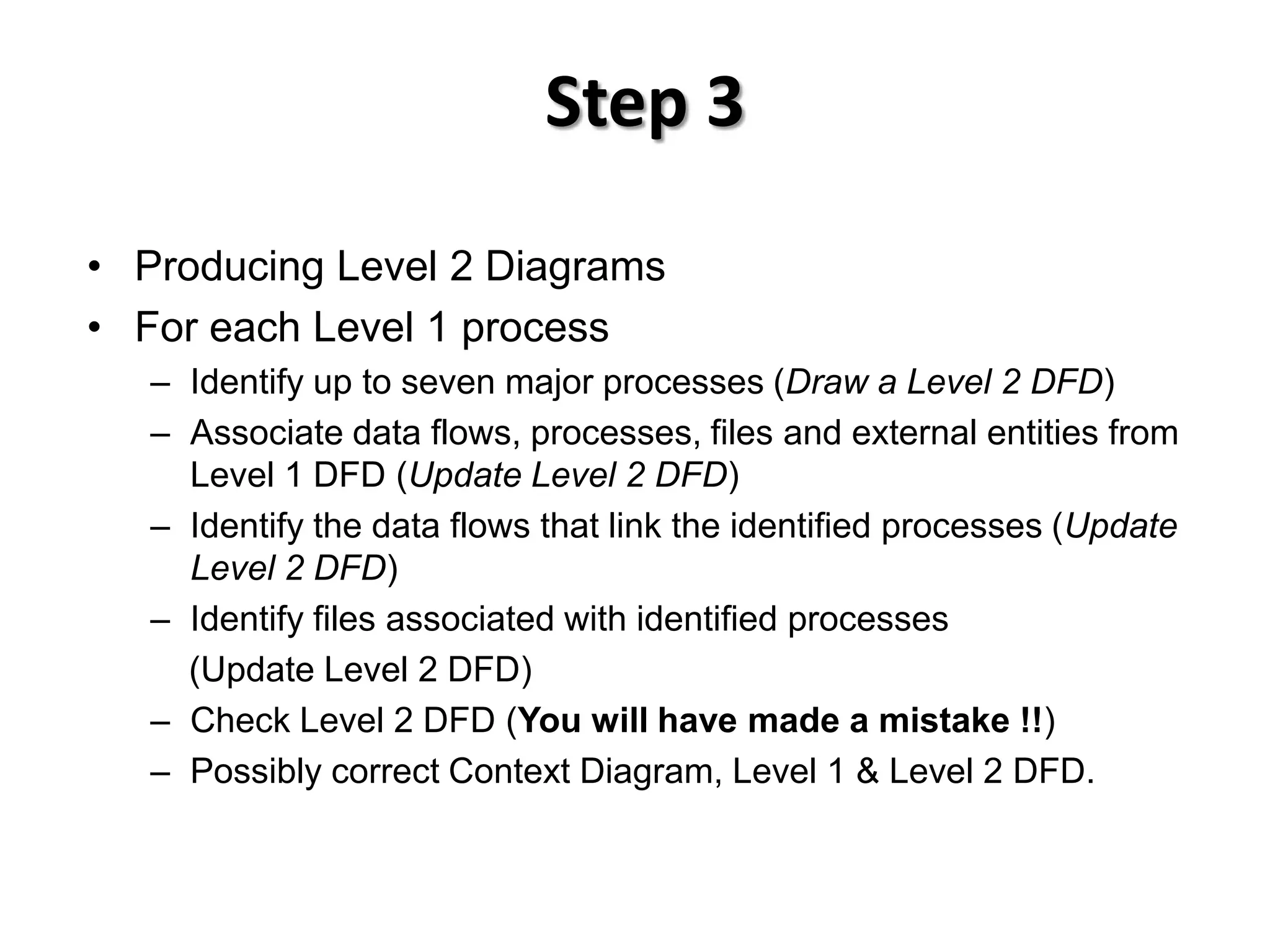
Step 3
• ProducingLevel 2 Diagrams
• For each Level 1 process
– Identify up to seven major processes (Draw a Level 2 DFD)
– Associate data flows, processes, files and external entities from
Level 1 DFD (Update Level 2 DFD)
– Identify the data flows that link the identified processes (Update
Level 2 DFD)
– Identify files associated with identified processes
(Update Level 2 DFD)
– Check Level 2 DFD (You will have made a mistake !!)
– Possibly correct Context Diagram, Level 1 & Level 2 DFD.
21.
DFD Exercise
• Drawa Level 1 DFD for the following scenario
– Customers send in orders. The orders are validated by
the Sales Department using information from the Parts
file. Invalid orders are returned to customers. Valid
orders are passed to Despatch Dept, where the orders
are made up and forwarded to the customer
• Now have a go at the DFD scenarios worksheet
22.
DFD Levels -Summary
• Level 0 or context diagram shows a system as a
single process with inputs and outputs flowing to
or from external entities.
• Level 1 DFD will split up that single process into
subsystems and show more detail about the data
flows and data stores.
• Level 2 DFD may decompose a single subsystem
even further.