EndNote in Minutes (X5)


                                                                         Lissa Lord
                                                                         llord@ku.edu
                                                                         January 2012       1
http://www.lib.ku.edu/presentations/Lissa/EndNoteClass/EndNoteKwik.ppt   The No-NonsenseVersion
Begin research with
                   EndNote
• Use EndNote for bibliographies and citations

• EndNote organizes citations from journals,
  books, government sources, websites,
  databases and whatever you need to cite.


• EndNote software is free for graduate students,
  faculty and staff at KU
                                                    2
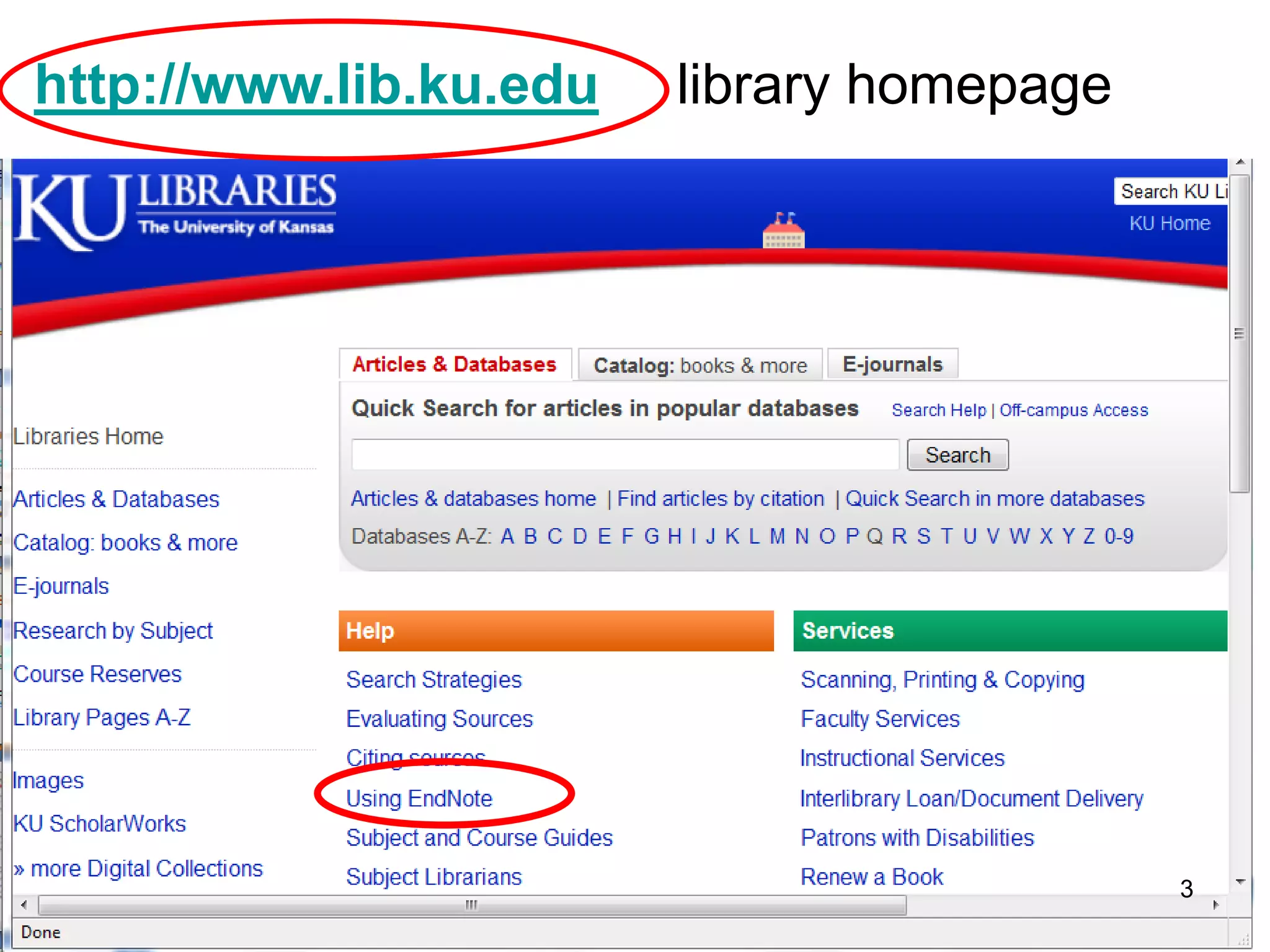
http://www.lib.ku.edu   library homepage


                                           3
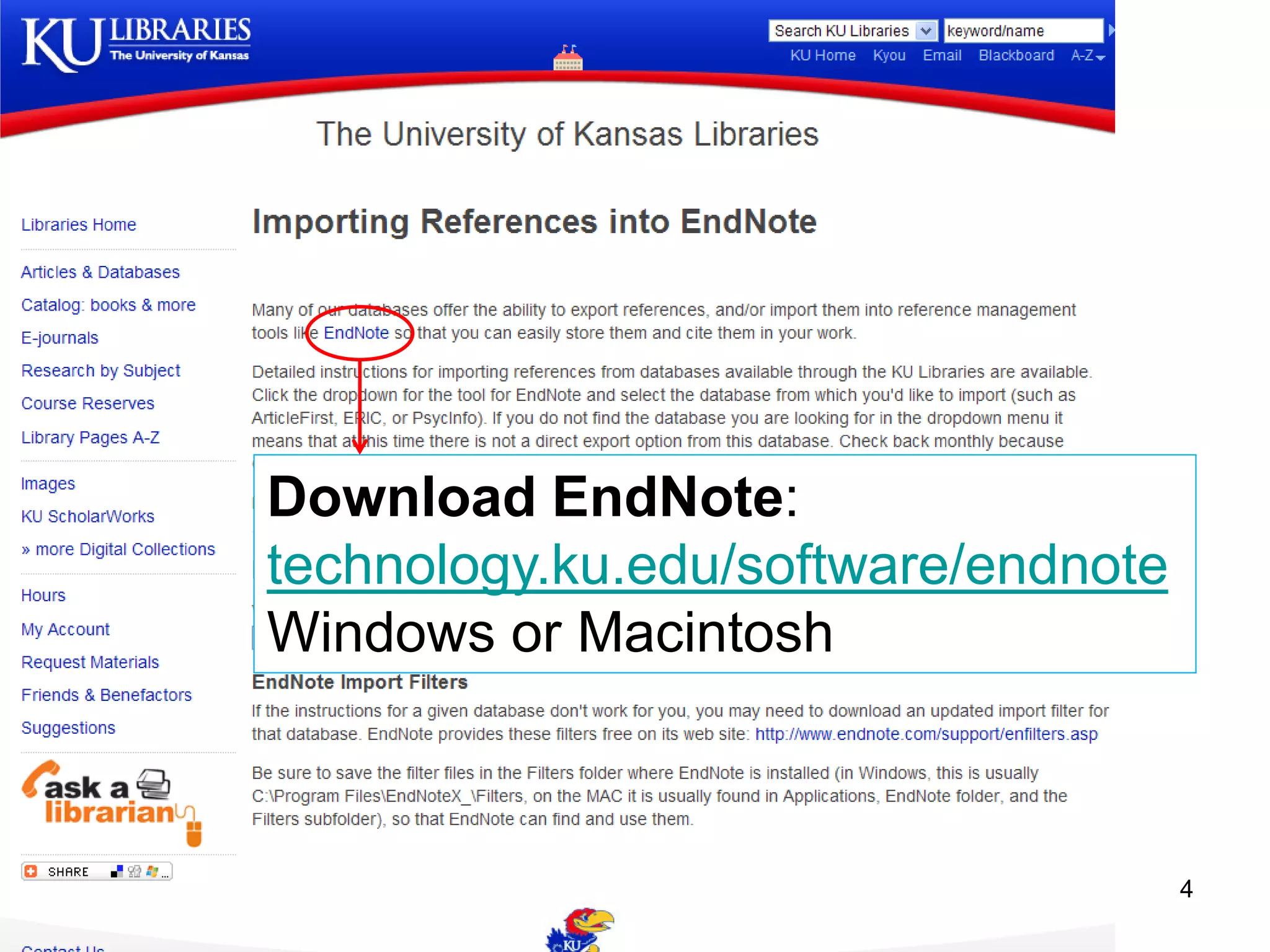
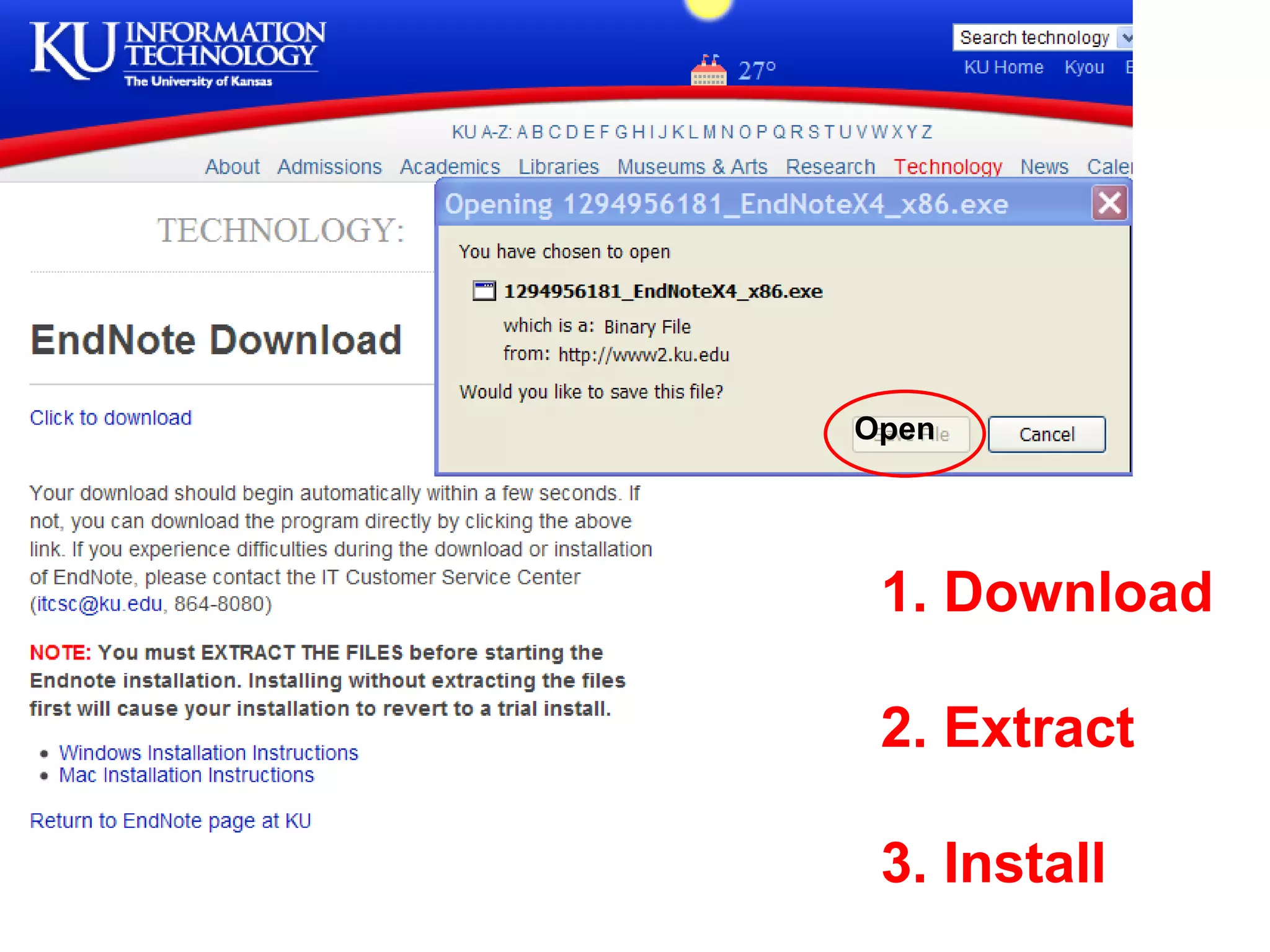
Download EndNote:
technology.ku.edu/software/endnote
Windows or Macintosh


                                     4
Open


 1. Download

 2. Extract

 3. Install   5
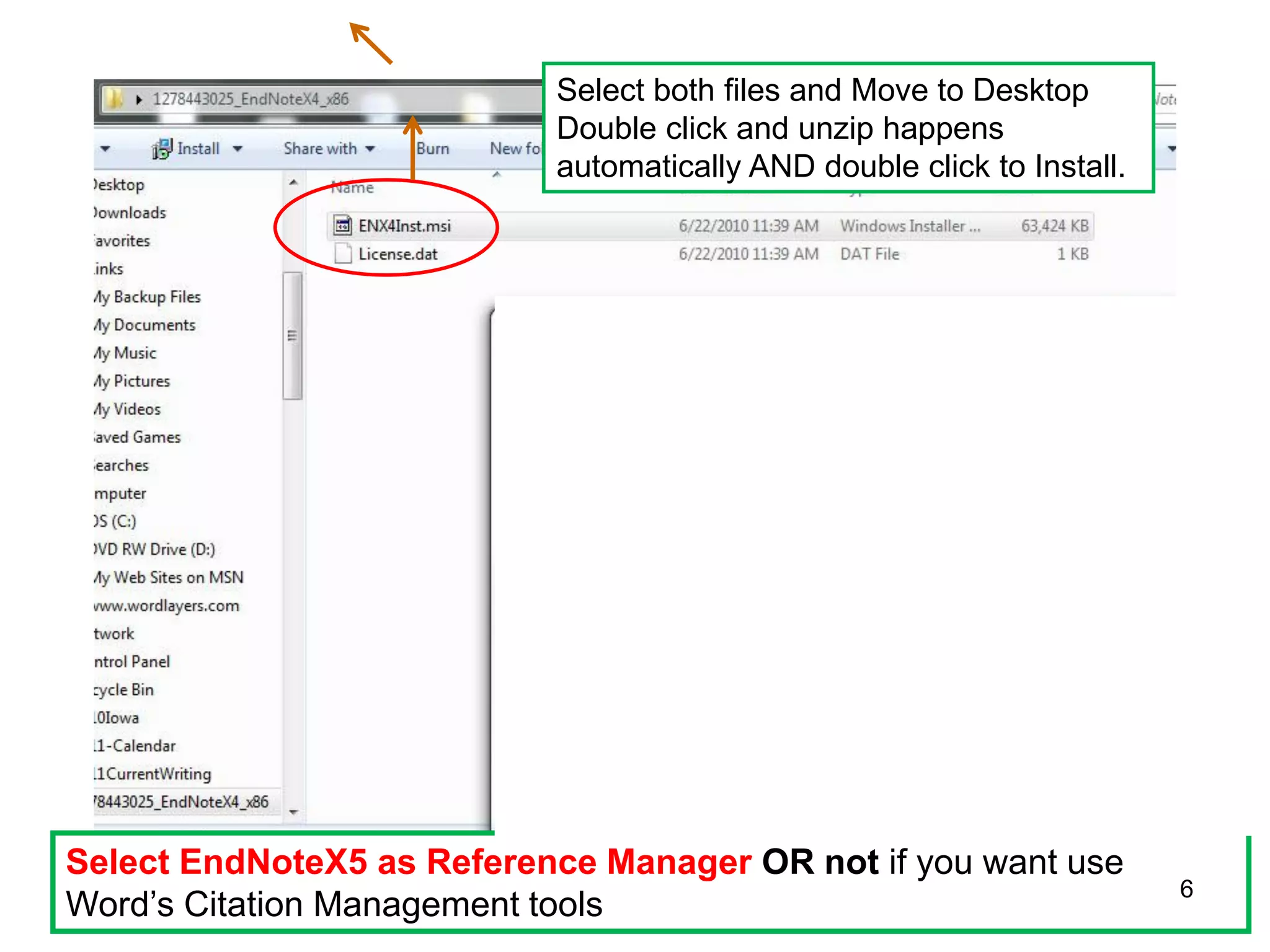
Select both files and Move to Desktop
                           Double click and unzip happens
                           automatically AND double click to Install.


Select EndNoteX5 as Reference Manager OR not if you want use
                                                                        6
Word’s Citation Management tools
Trouble with the EndNote installation?
The IT helpdesk helped me out, big time!

IT Customer Service Center
itcsc@ku.edu
864-8080


                                           7
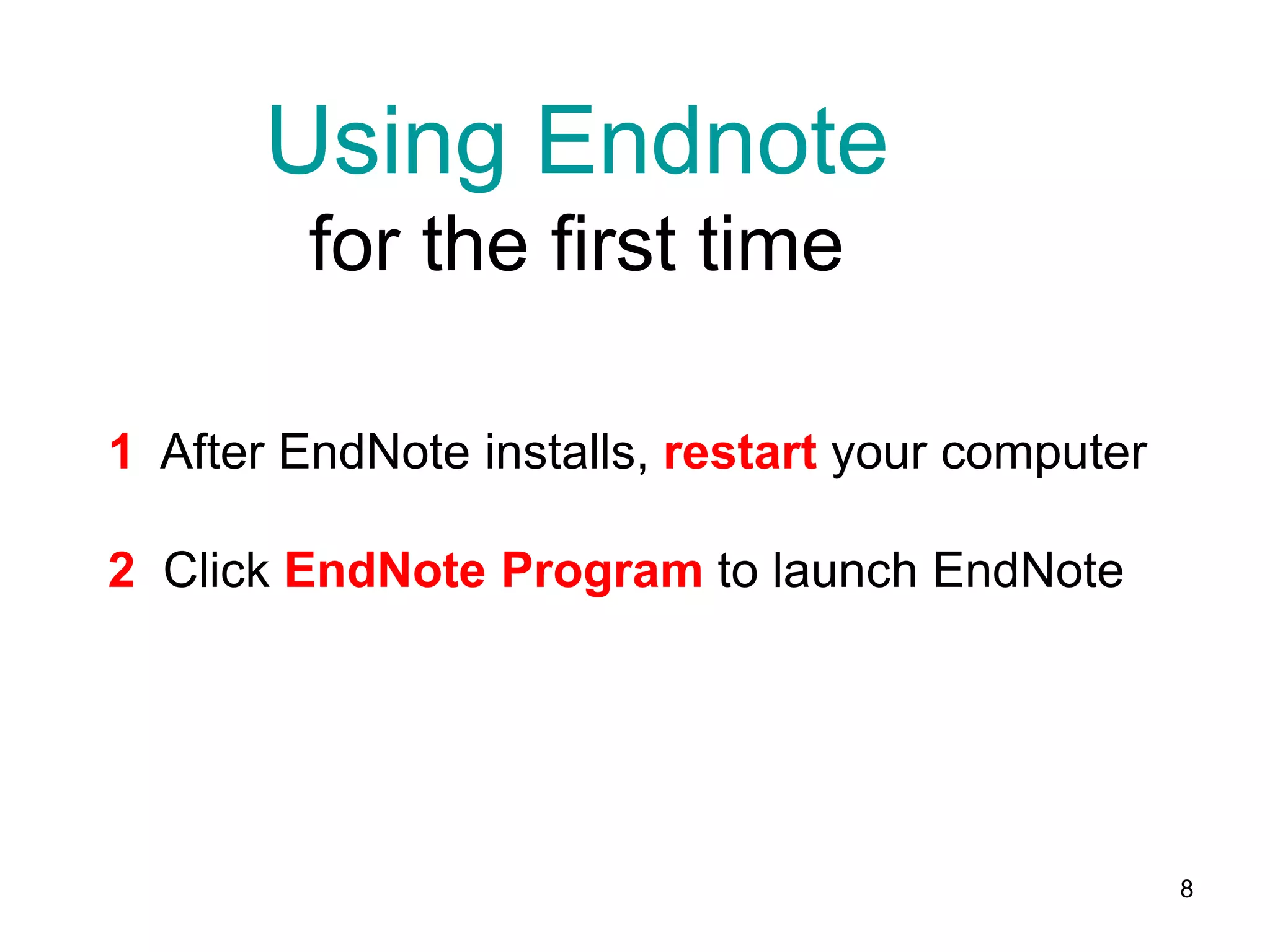
Using Endnote
         for the first time

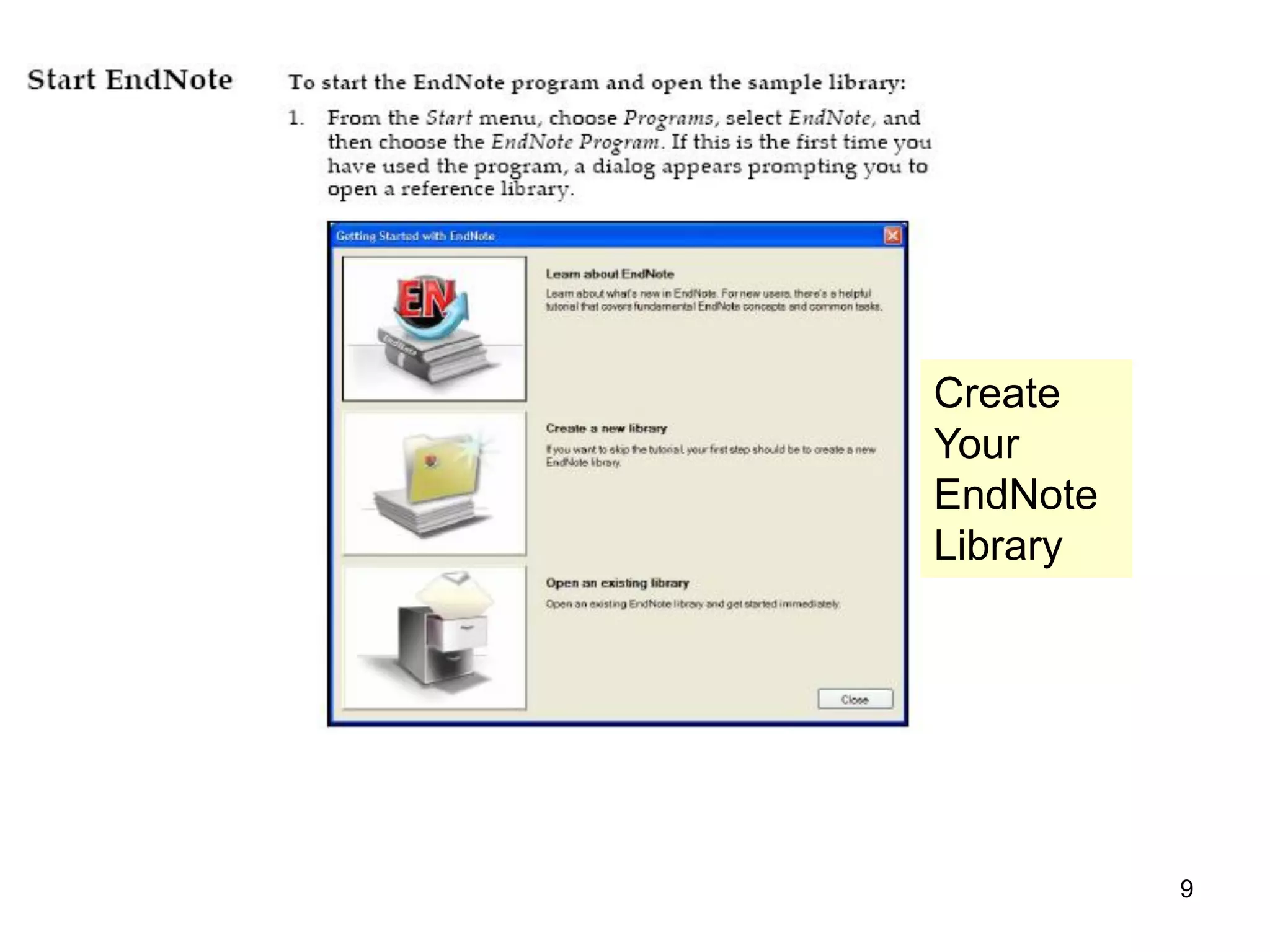
1 After EndNote installs, restart your computer

2 Click EndNote Program to launch EndNote


                                                  8
Create
Your
EndNote
Library


          9
6


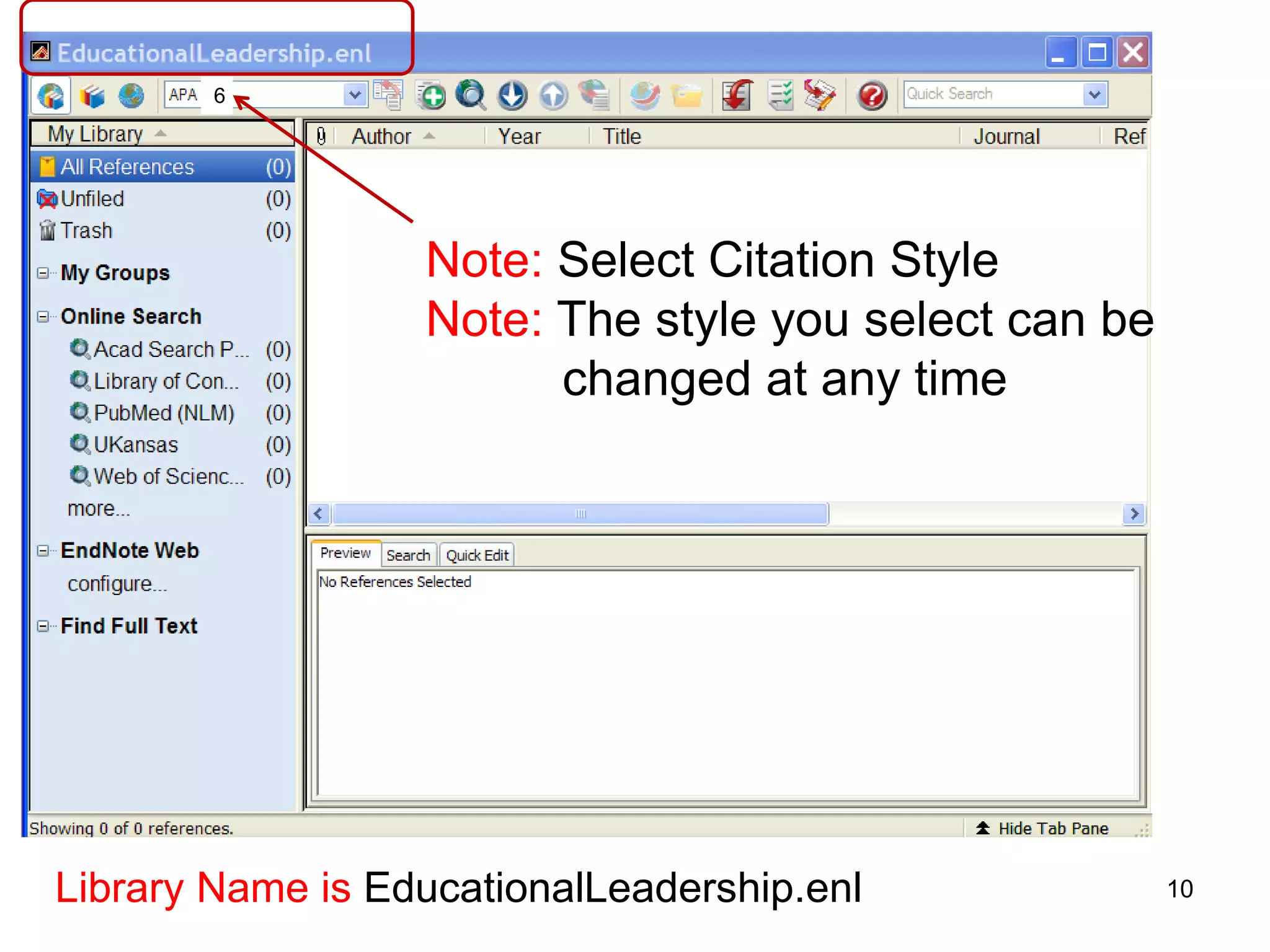
                  Note: Select Citation Style
                  Note: The style you select can be
                        changed at any time


Library Name is EducationalLeadership.enl             10
Importing References
    from Database


                       11
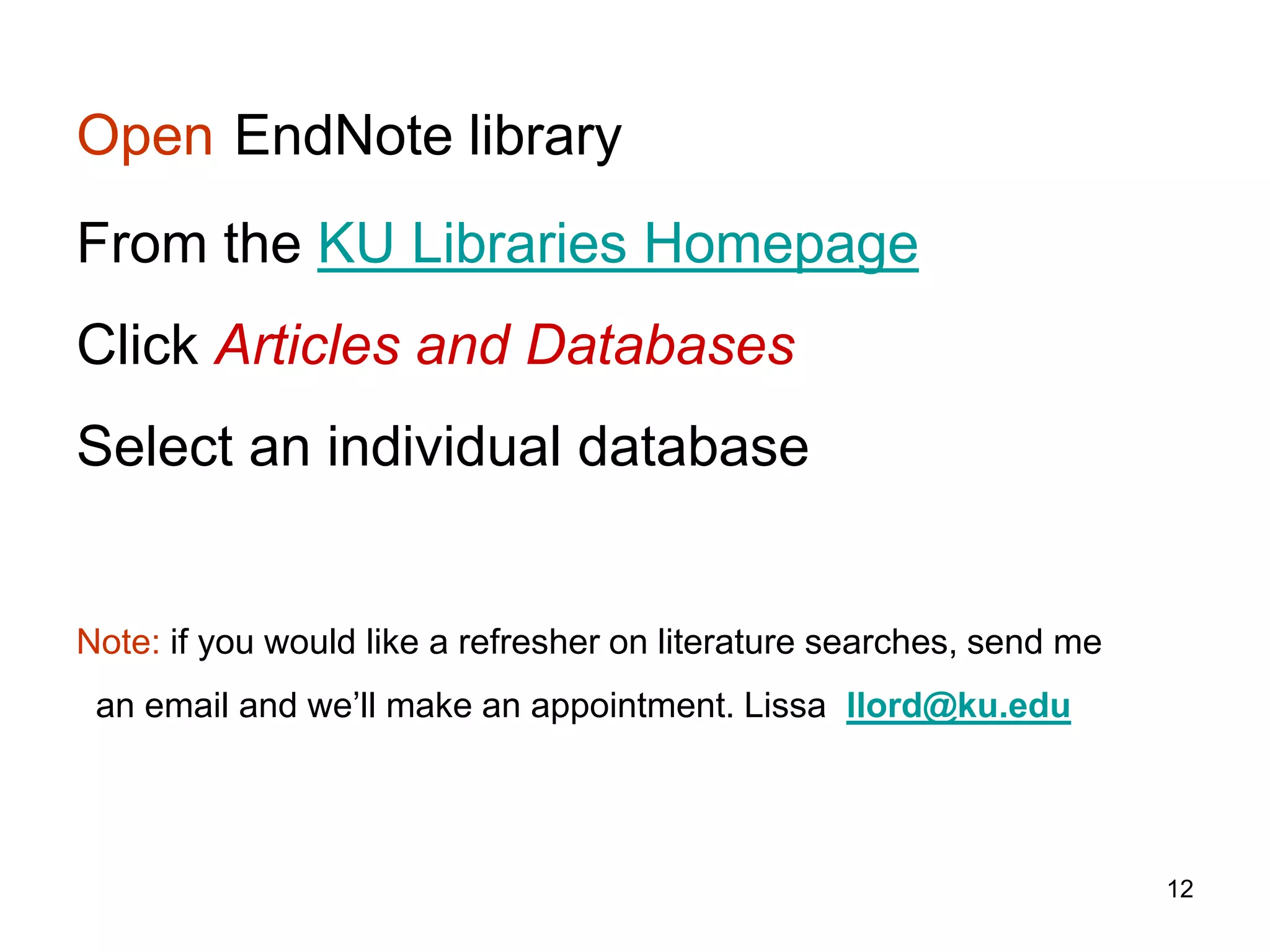
Open EndNote library
From the KU Libraries Homepage
Click Articles and Databases
Select an individual database


Note: if you would like a refresher on literature searches, send me
 an email and we’ll make an appointment. Lissa llord@ku.edu


                                                                      12
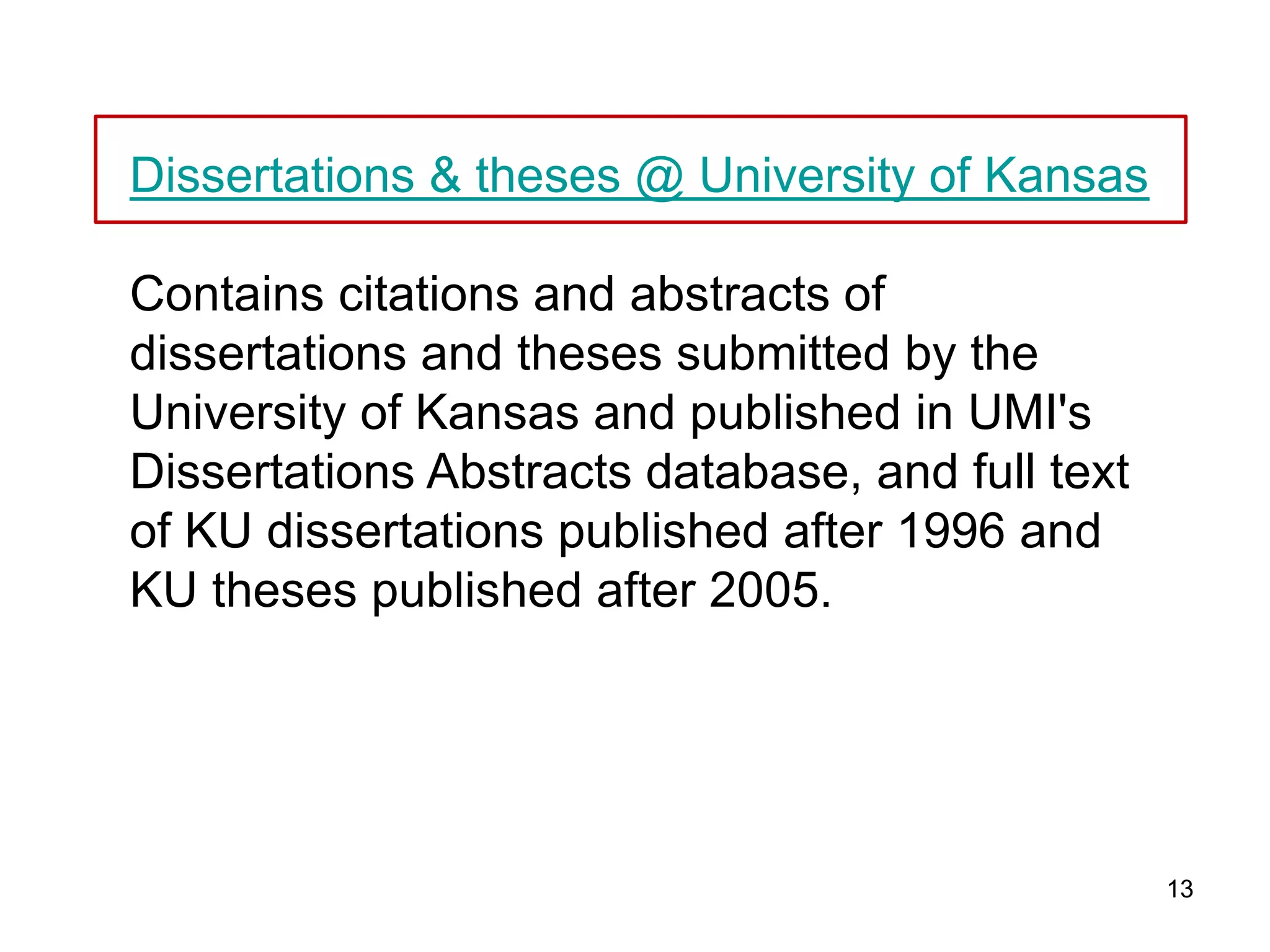
Dissertations & theses @ University of Kansas

Contains citations and abstracts of
dissertations and theses submitted by the
University of Kansas and published in UMI's
Dissertations Abstracts database, and full text
of KU dissertations published after 1996 and
KU theses published after 2005.


                                                  13
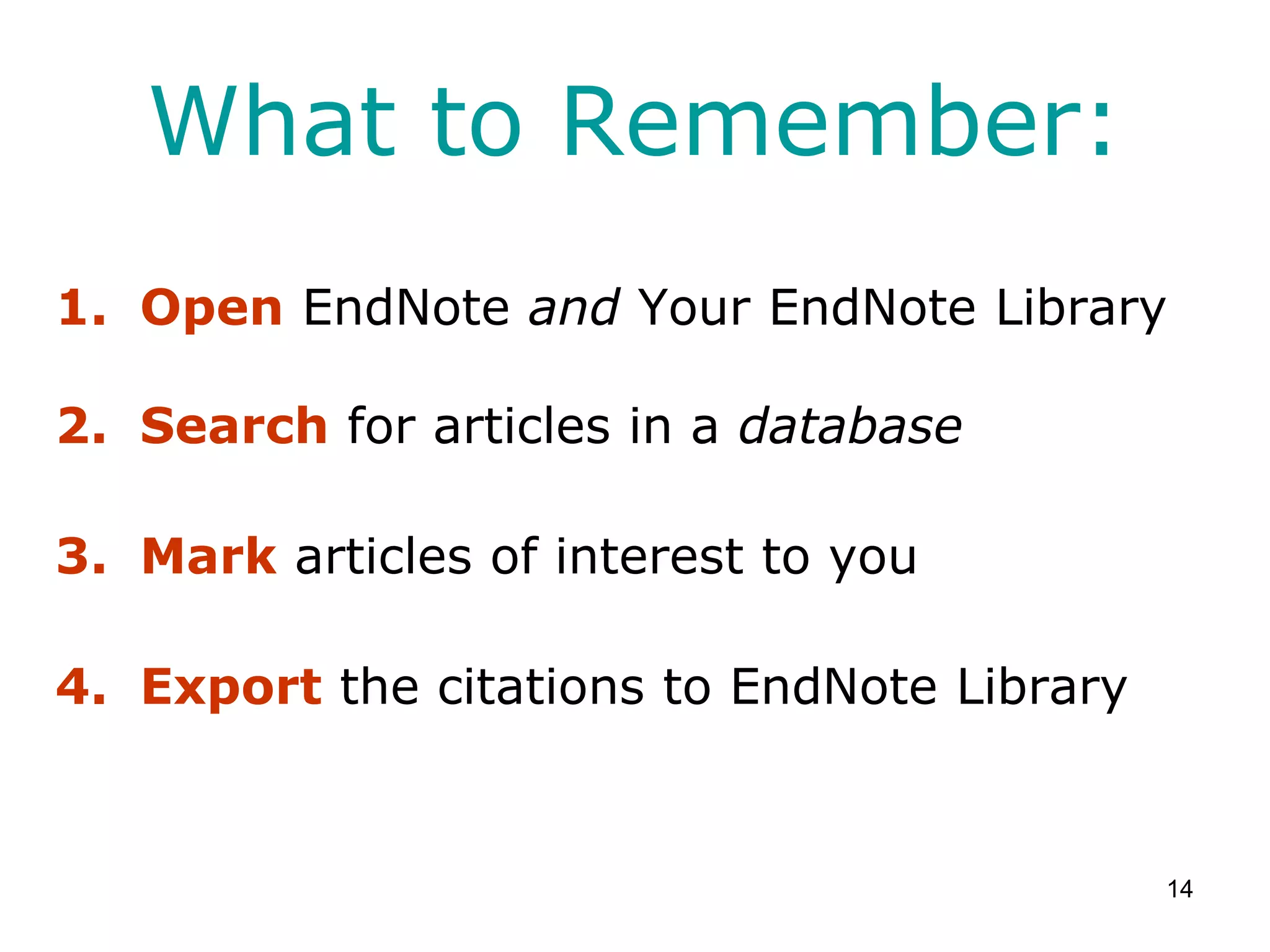
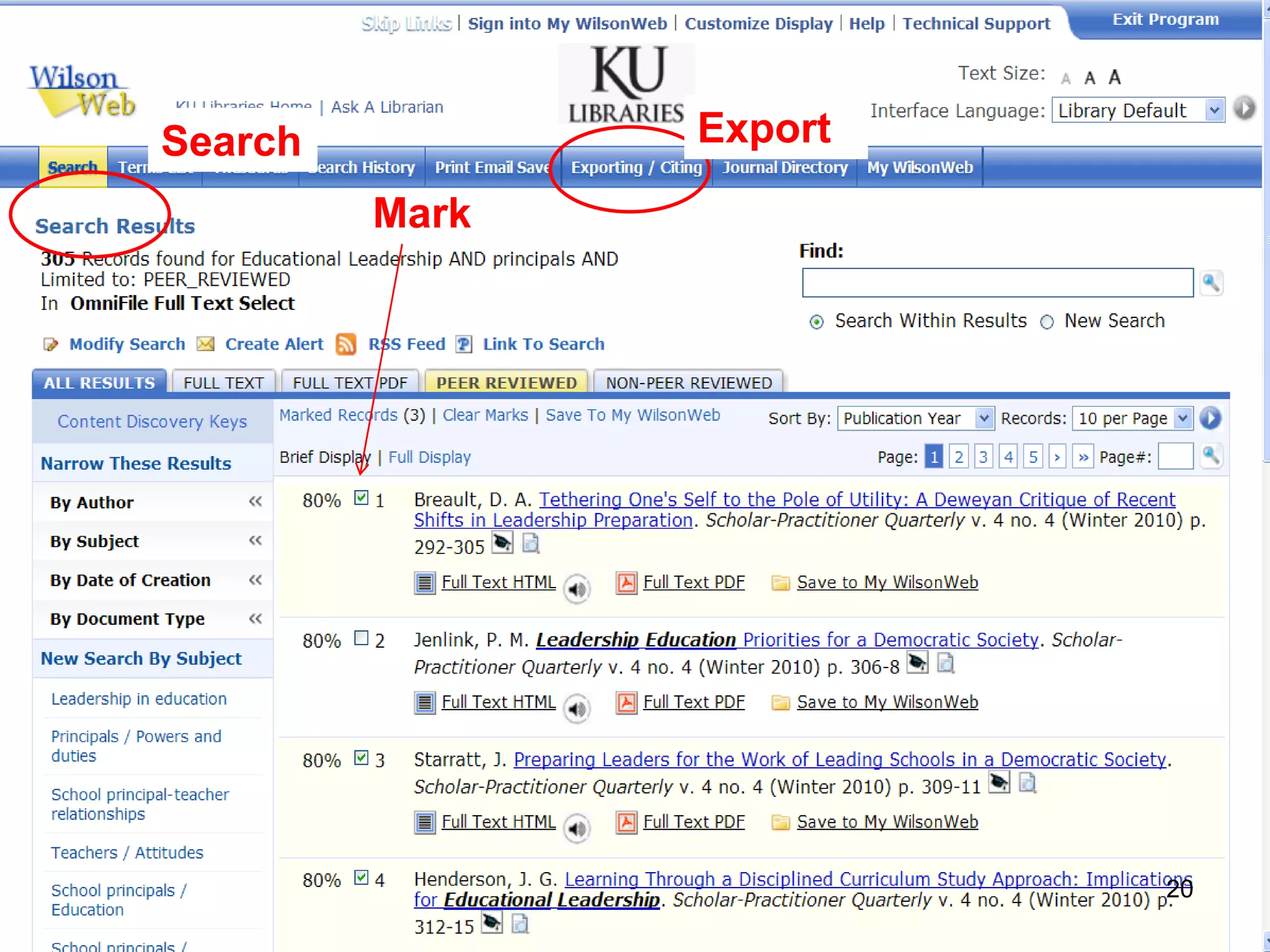
What to Remember:
1. Open EndNote and Your EndNote Library

2. Search for articles in a database

3. Mark articles of interest to you

4. Export the citations to EndNote Library


                                             14
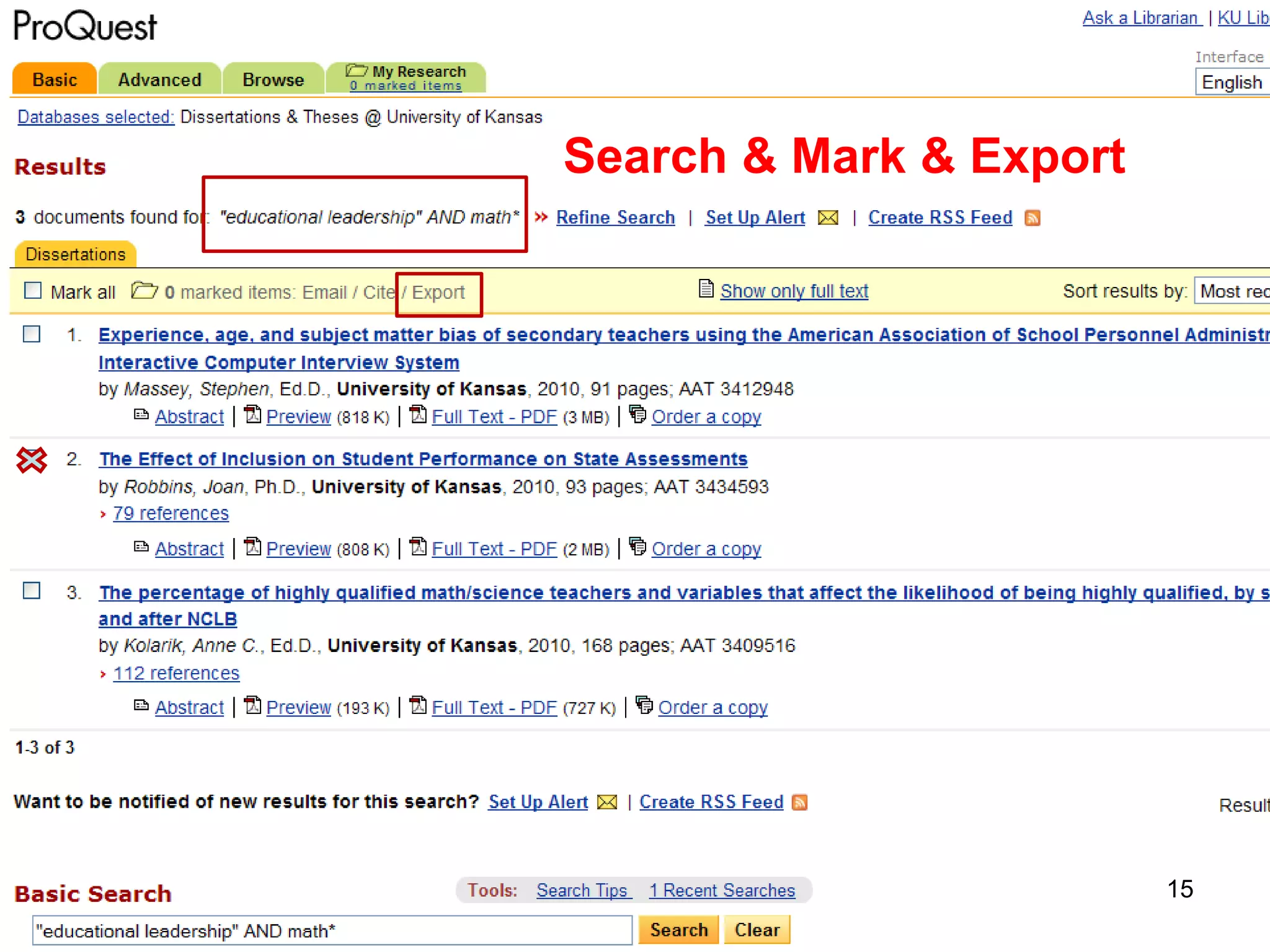
Search & Mark & Export


                         15
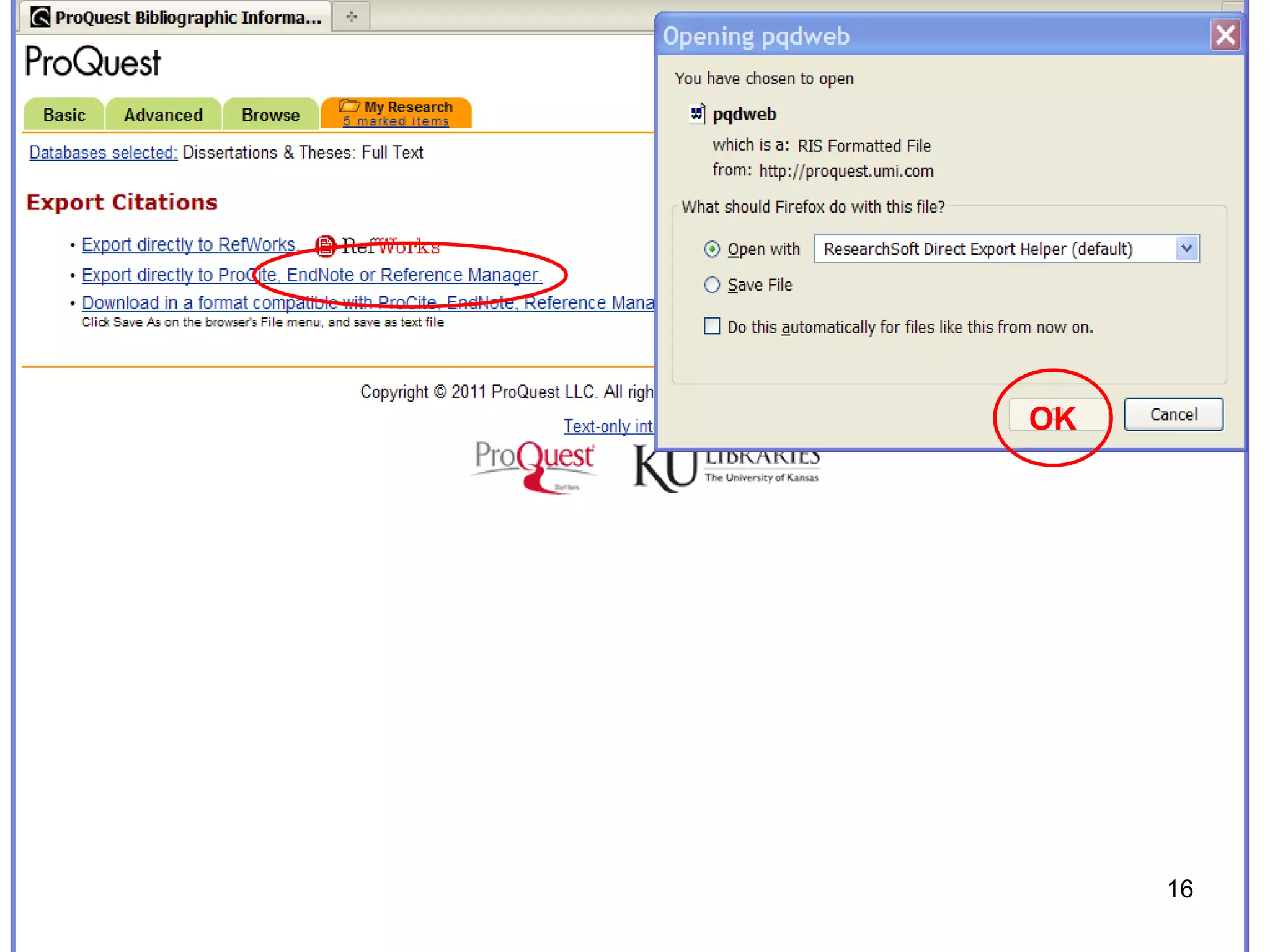
OK


     16
17
These citations can

be used as your initial bibliography

be inserted into a Word document

be saved as part of your growing research
 library


                                         18
Wilson OmniFile
A multidisciplinary database with
full-text articles


                                19
Search          Export

         Mark


                         20
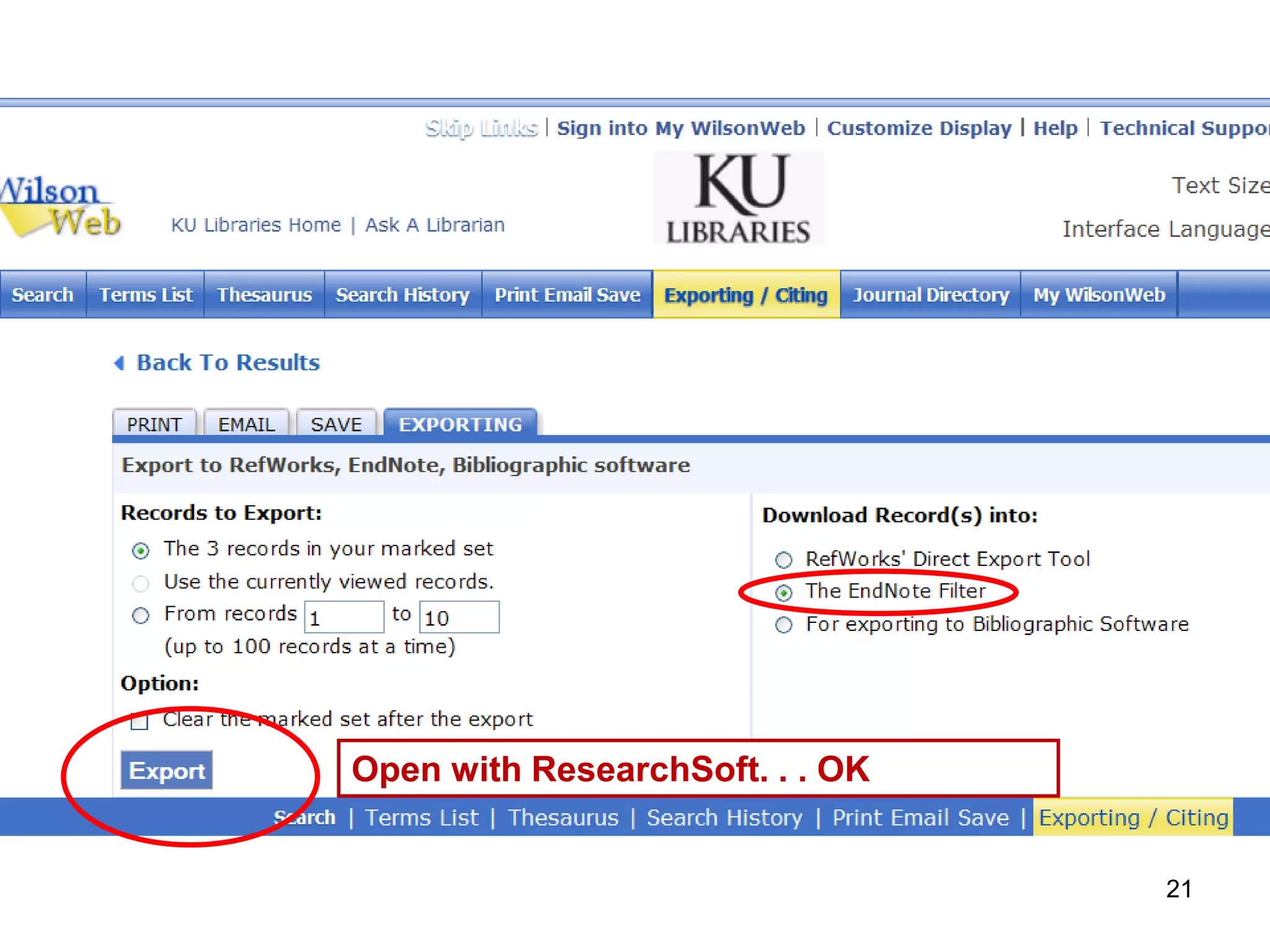
Open with ResearchSoft. . . OK


                                 21
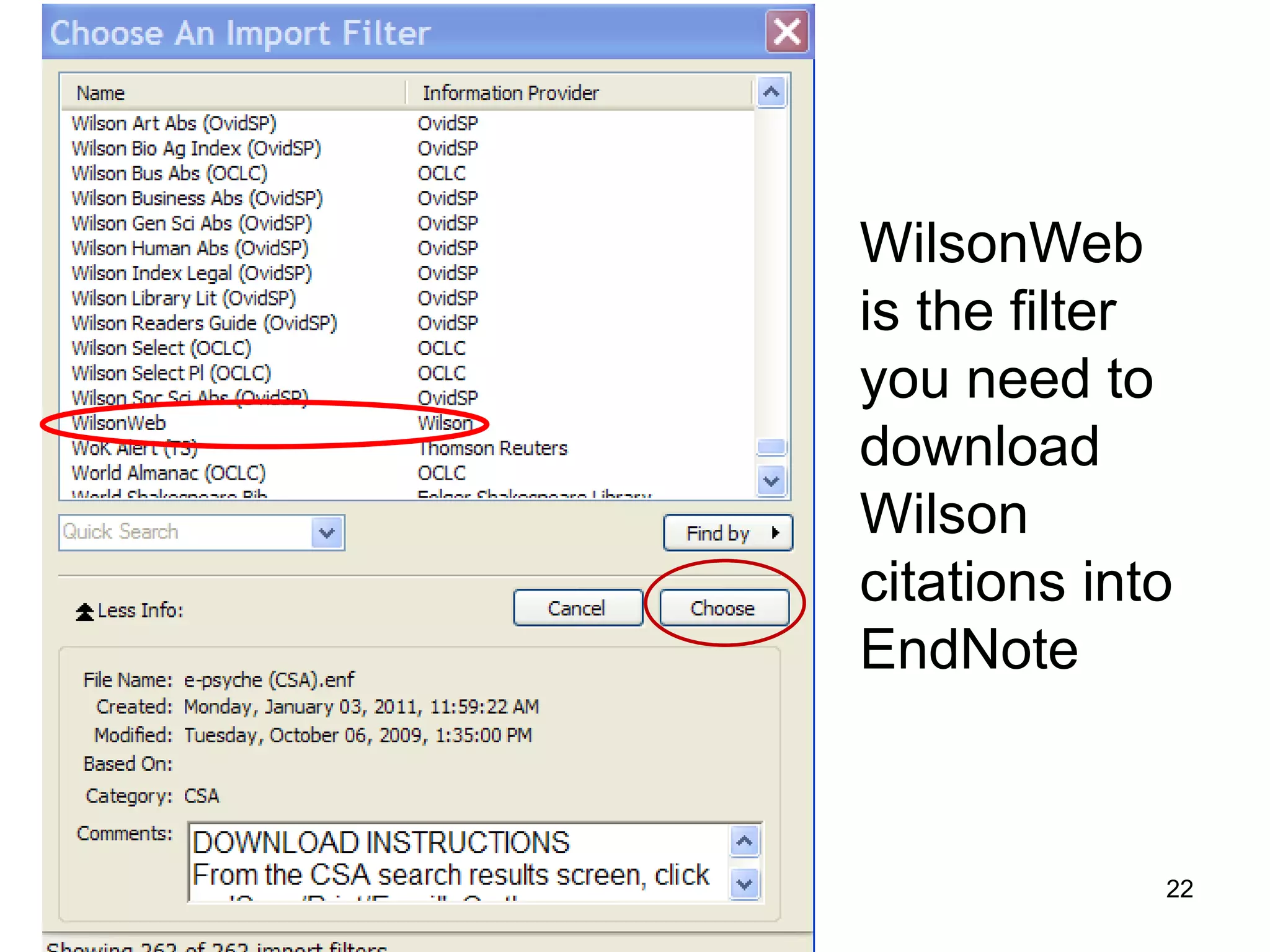
WilsonWeb
is the filter
you need to
download
Wilson
citations into
EndNote


             22
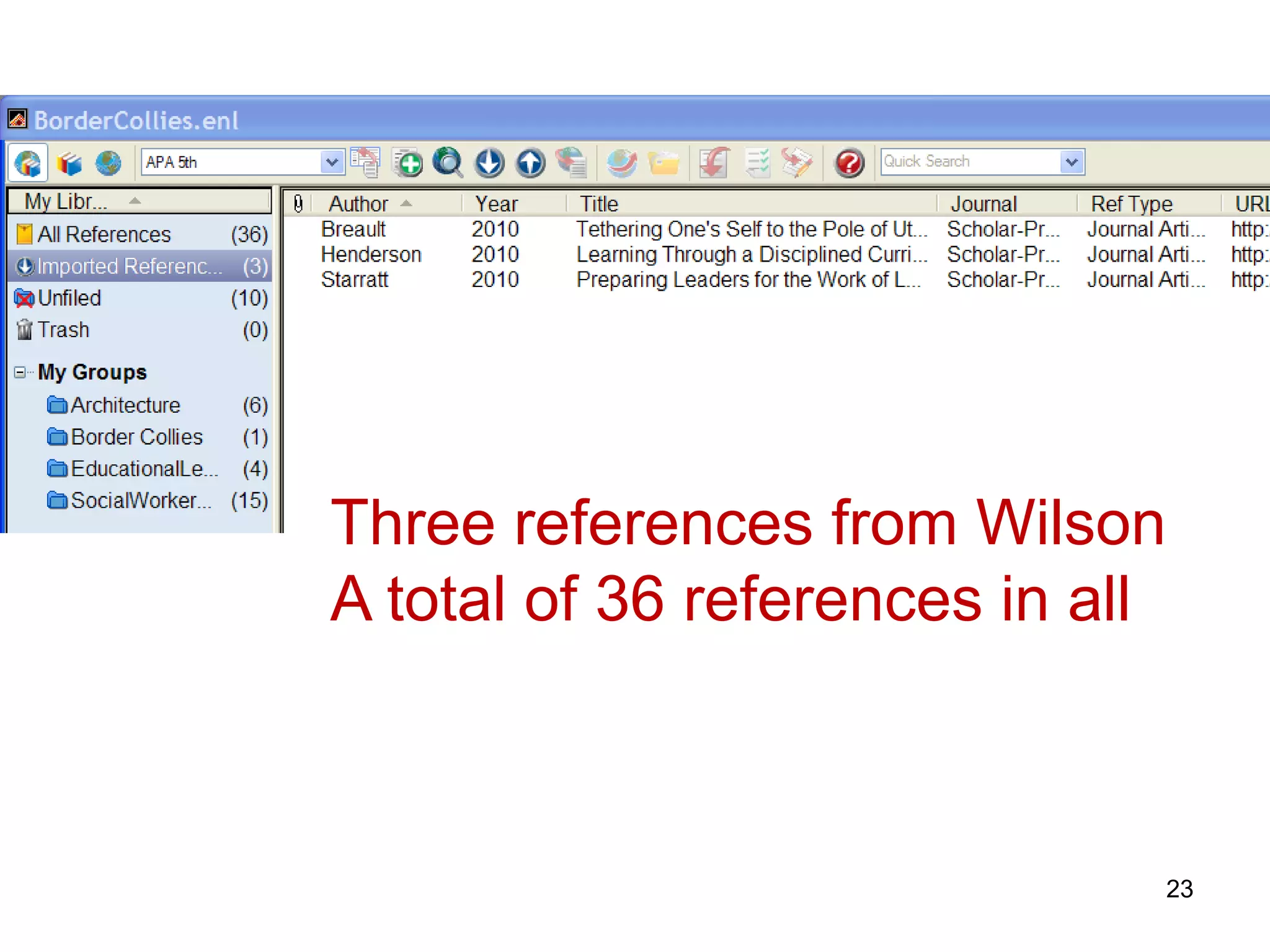
Three references from Wilson
A total of 36 references in all


                              23
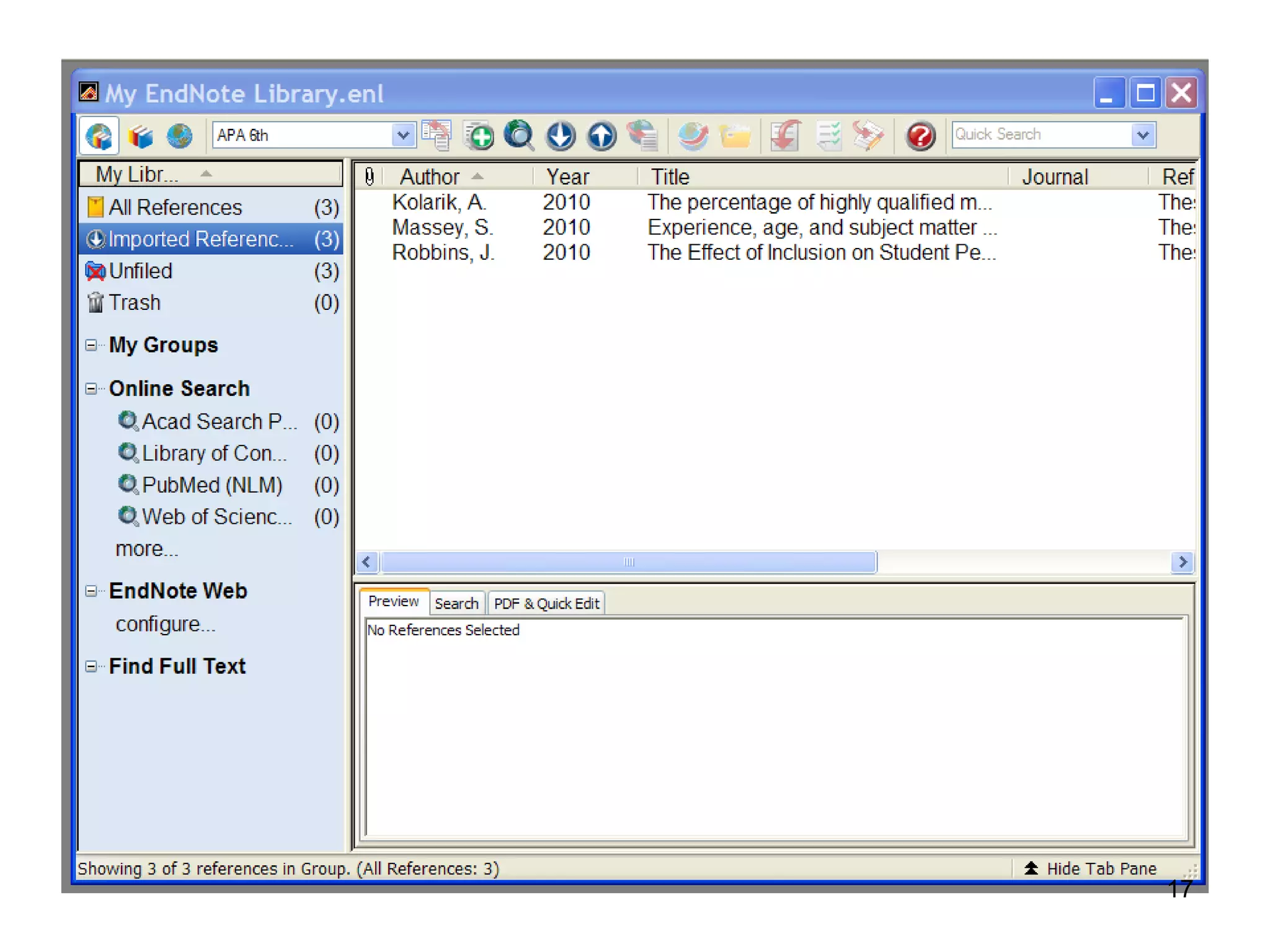
All References
• Click on All References in the left hand
  column of the EndNote Library screen and
  the recently imported references and the
  earlier references will be put into one list
  on your screen


                                             24
Use Google Scholar
with
EndNote


                     25
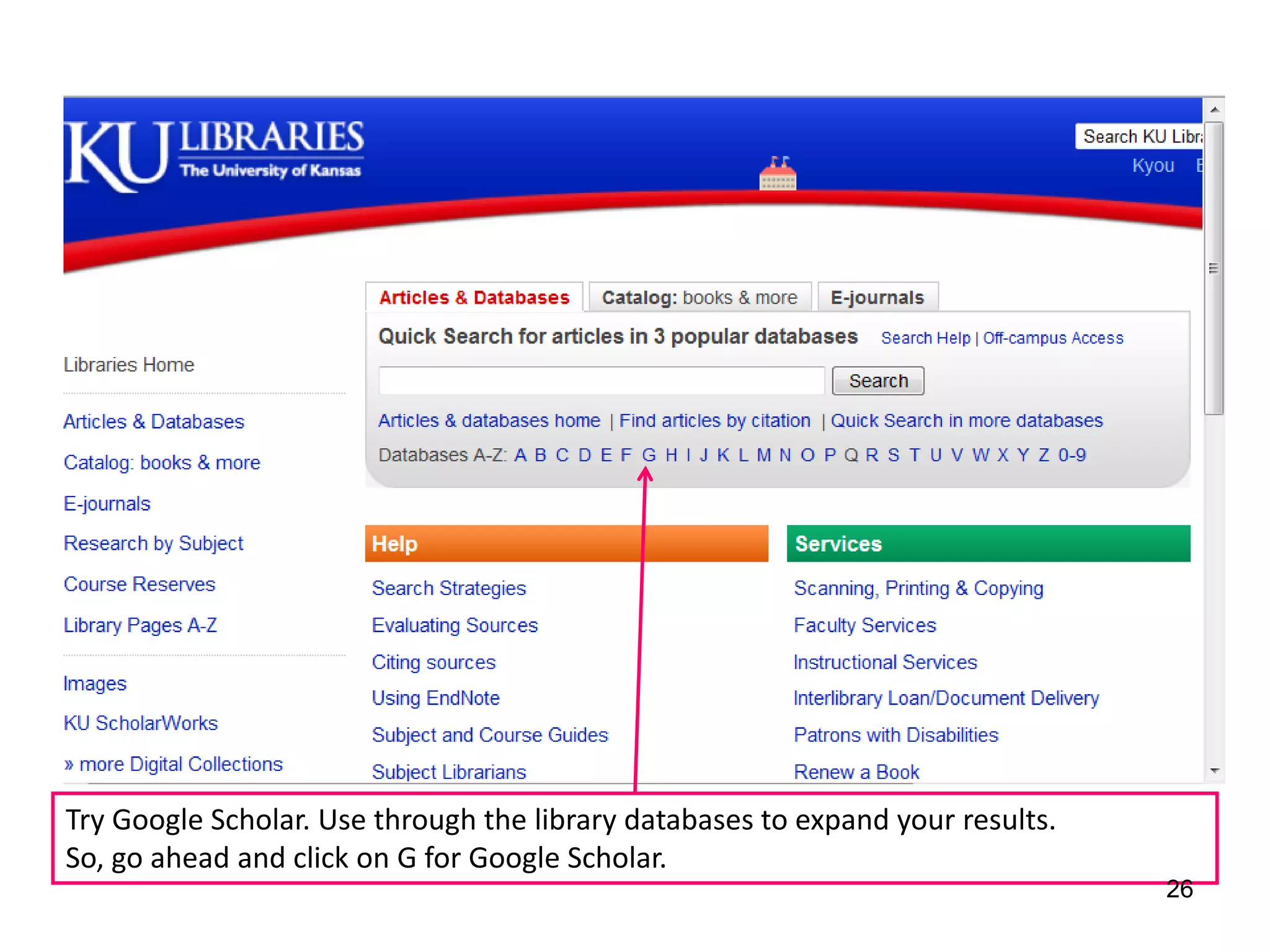
Try Google Scholar. Use through the library databases to expand your results.
So, go ahead and click on G for Google Scholar.
                                                                                26
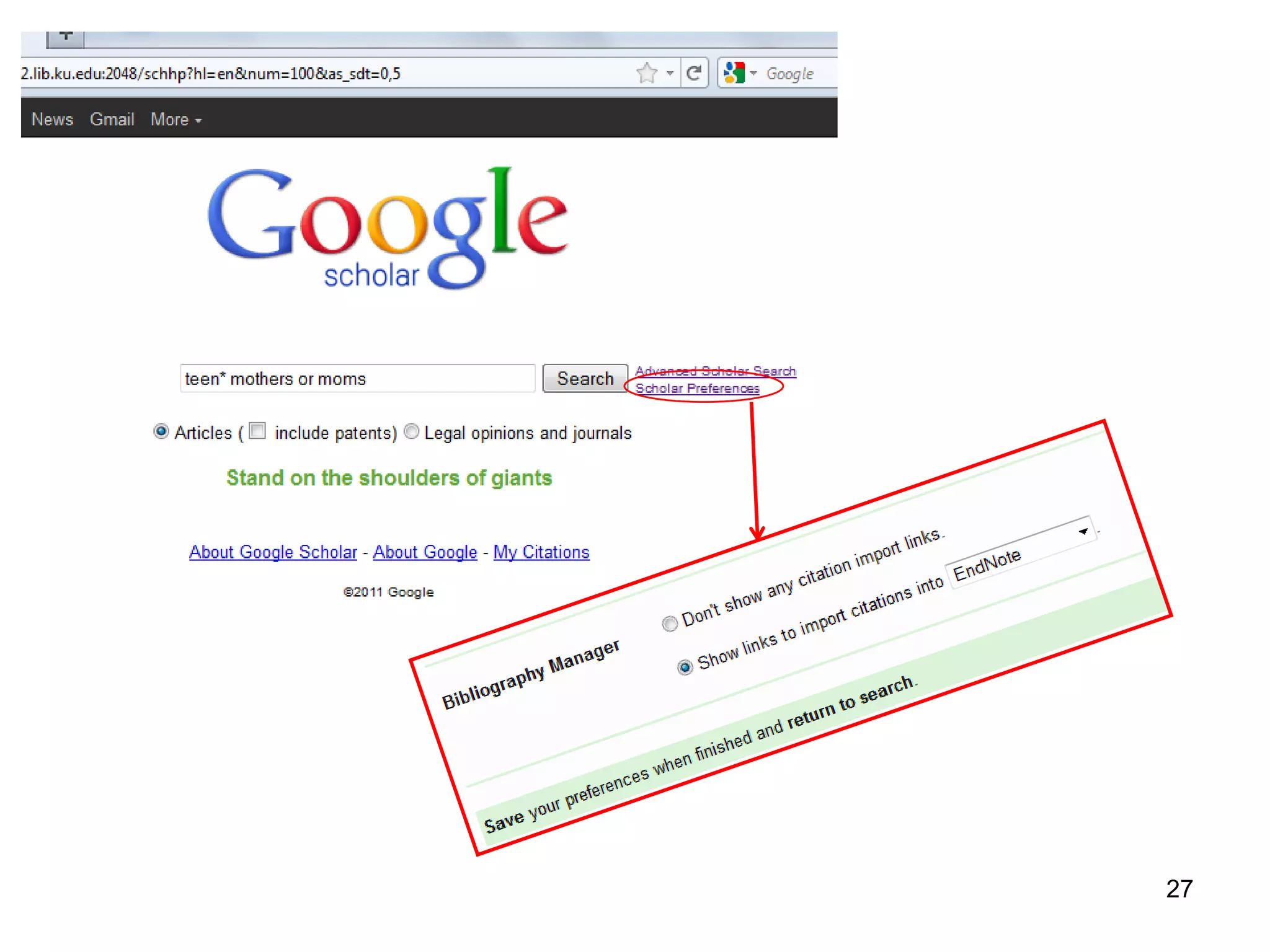
27
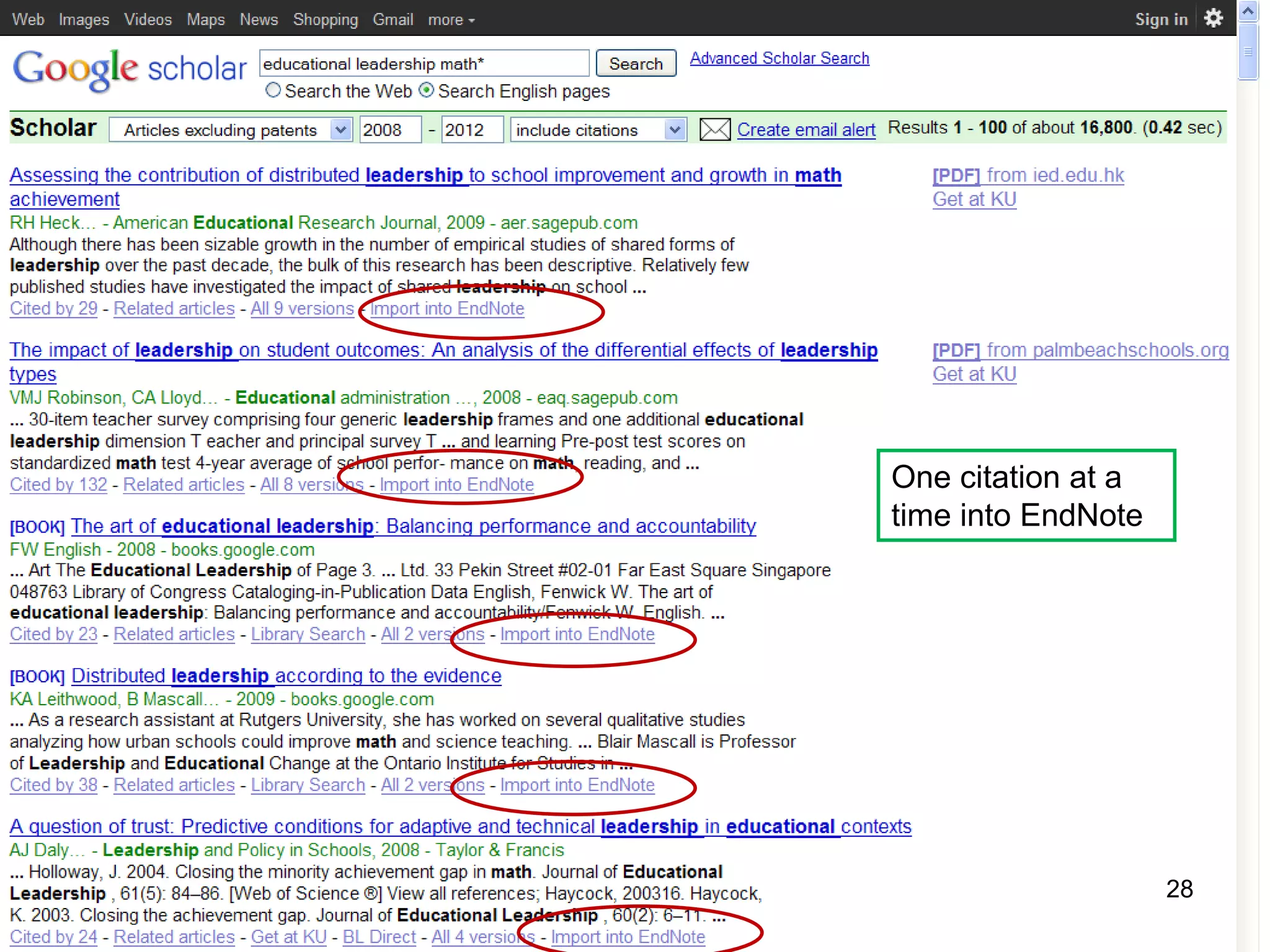
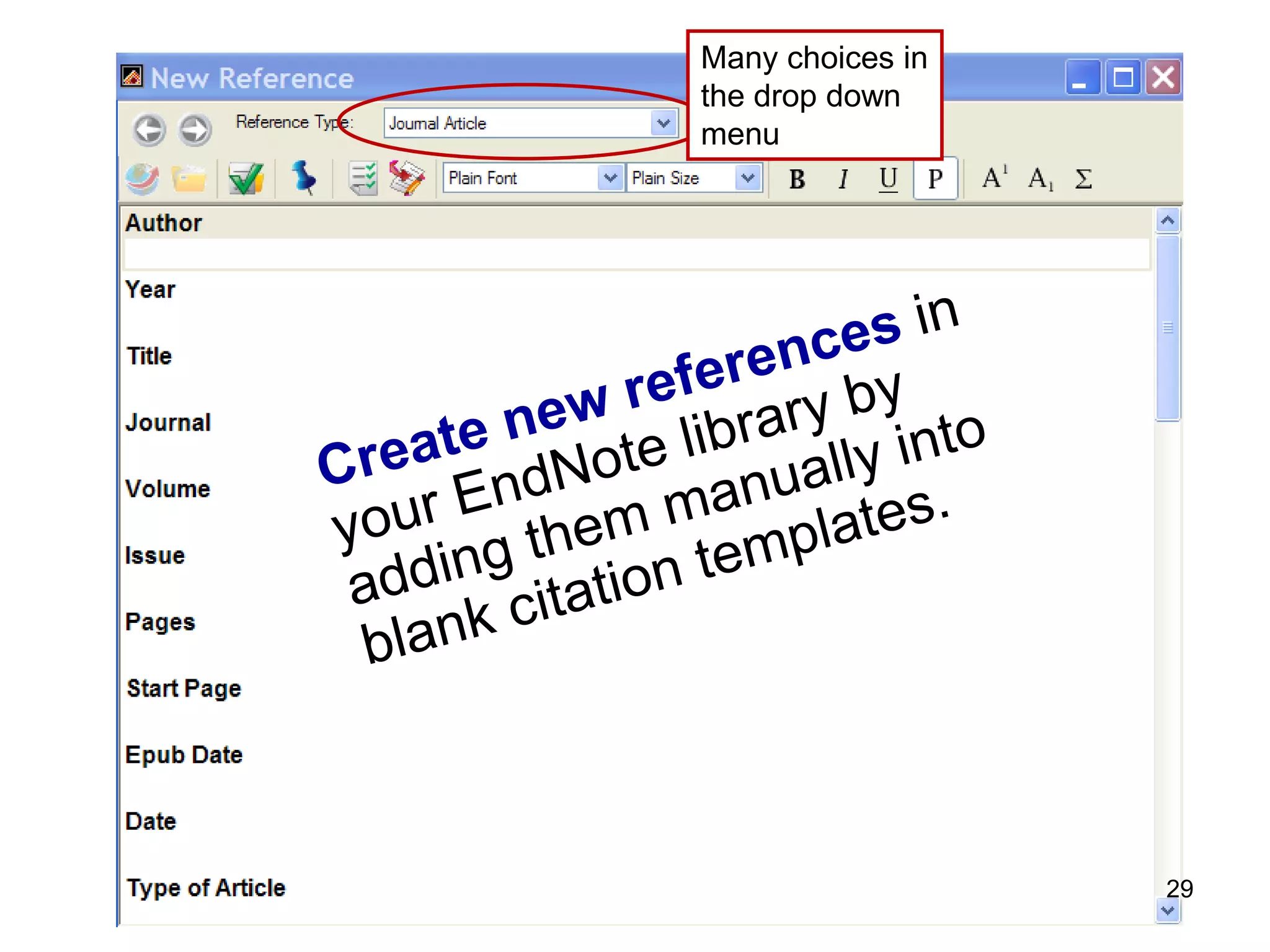
One citation at a
time into EndNote


                    28
Many choices in
the drop down
menu


                  29
Using EndNote
     with Word
Cite While You Write
      (CWYW)


                       30
1. Open Word
2. Open EndNote
3. See the EndNote toolbar form Word


                                       31
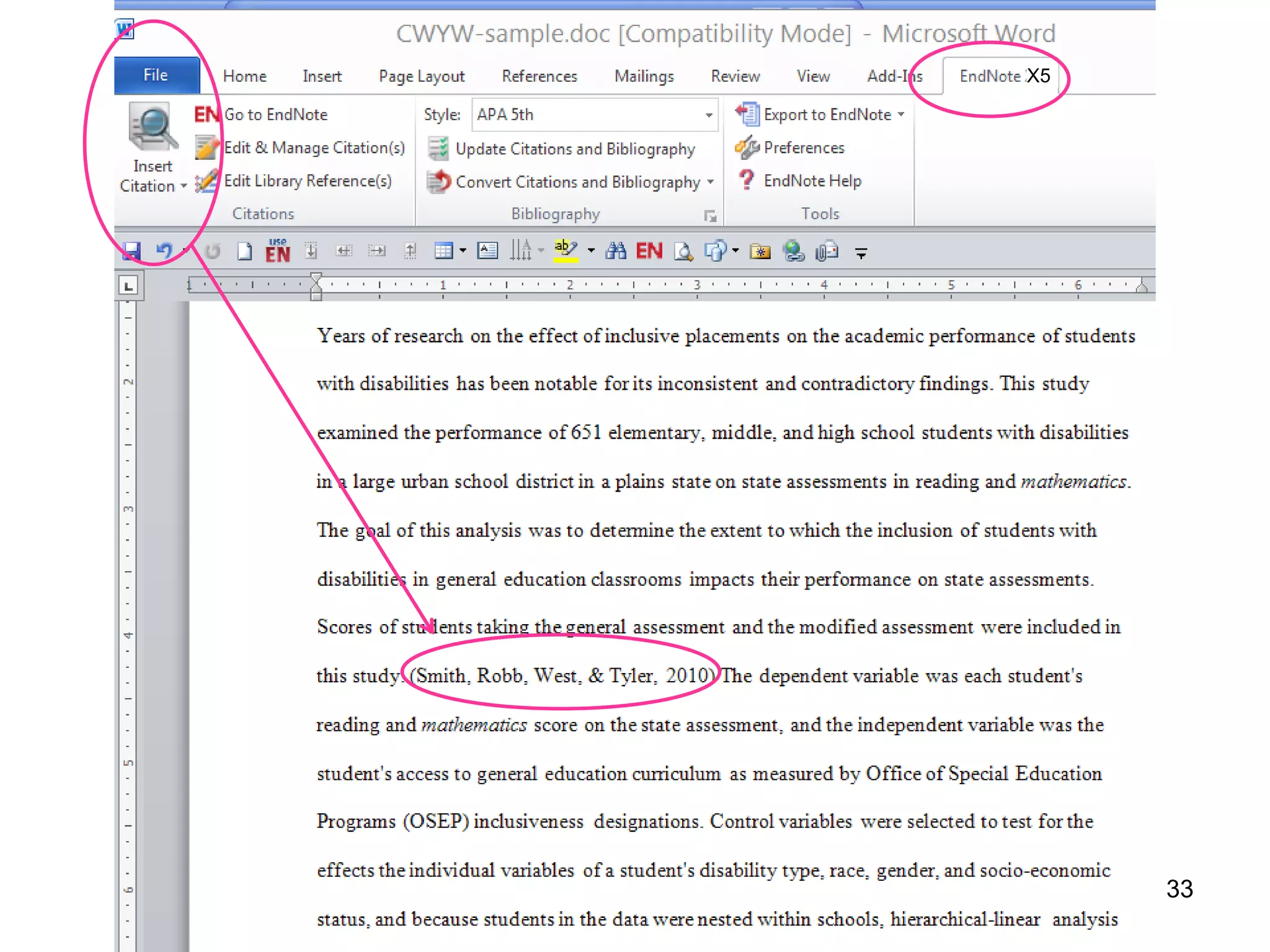
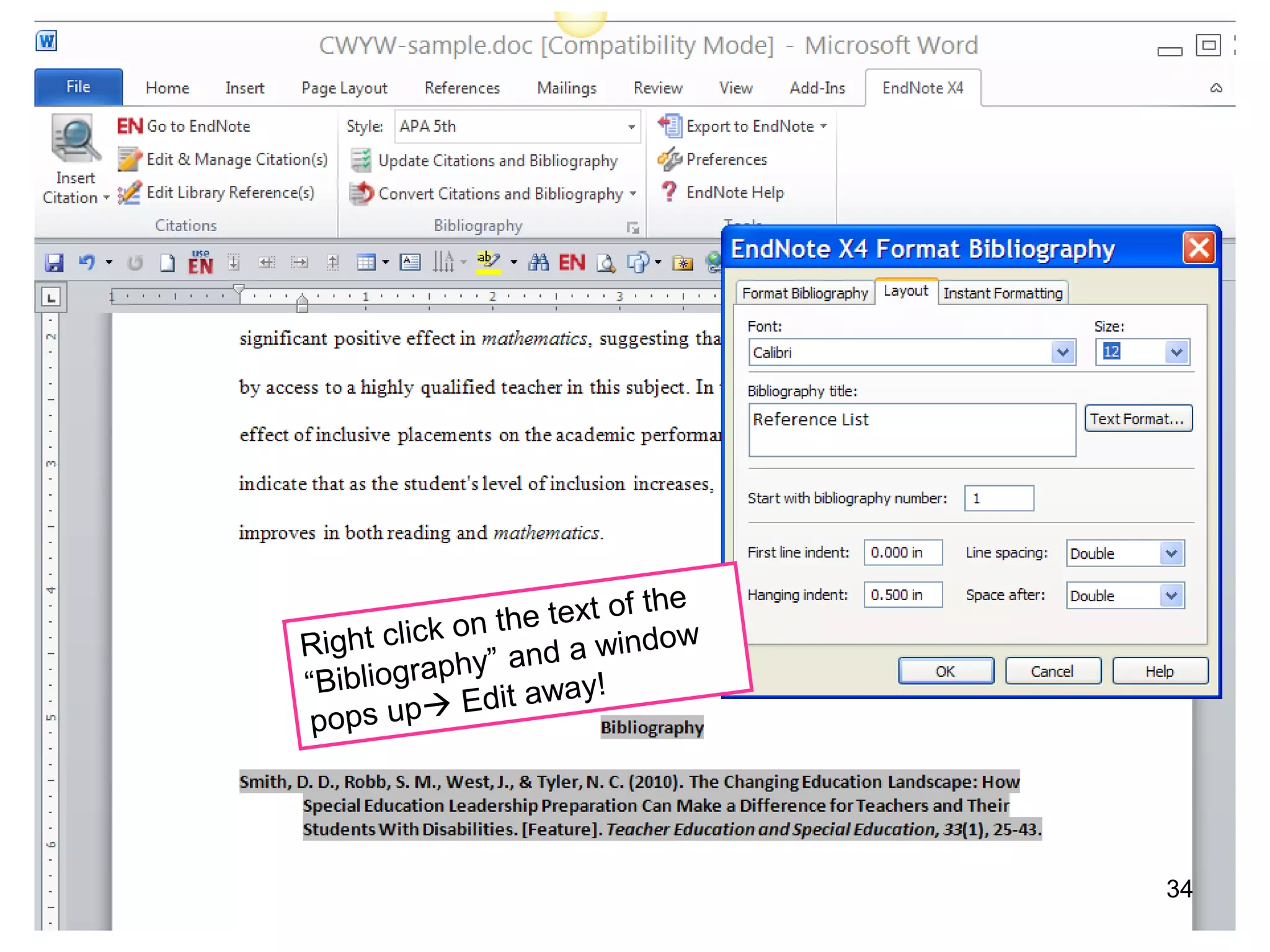
Inserting an EndNote reference citation
into a Word document (example APA style)
1. Select a reference from within EndNote and now in Word
   put the cursor where you want the in-text reference
2. Select “Insert Citation” from the EndNote toolbar in Word
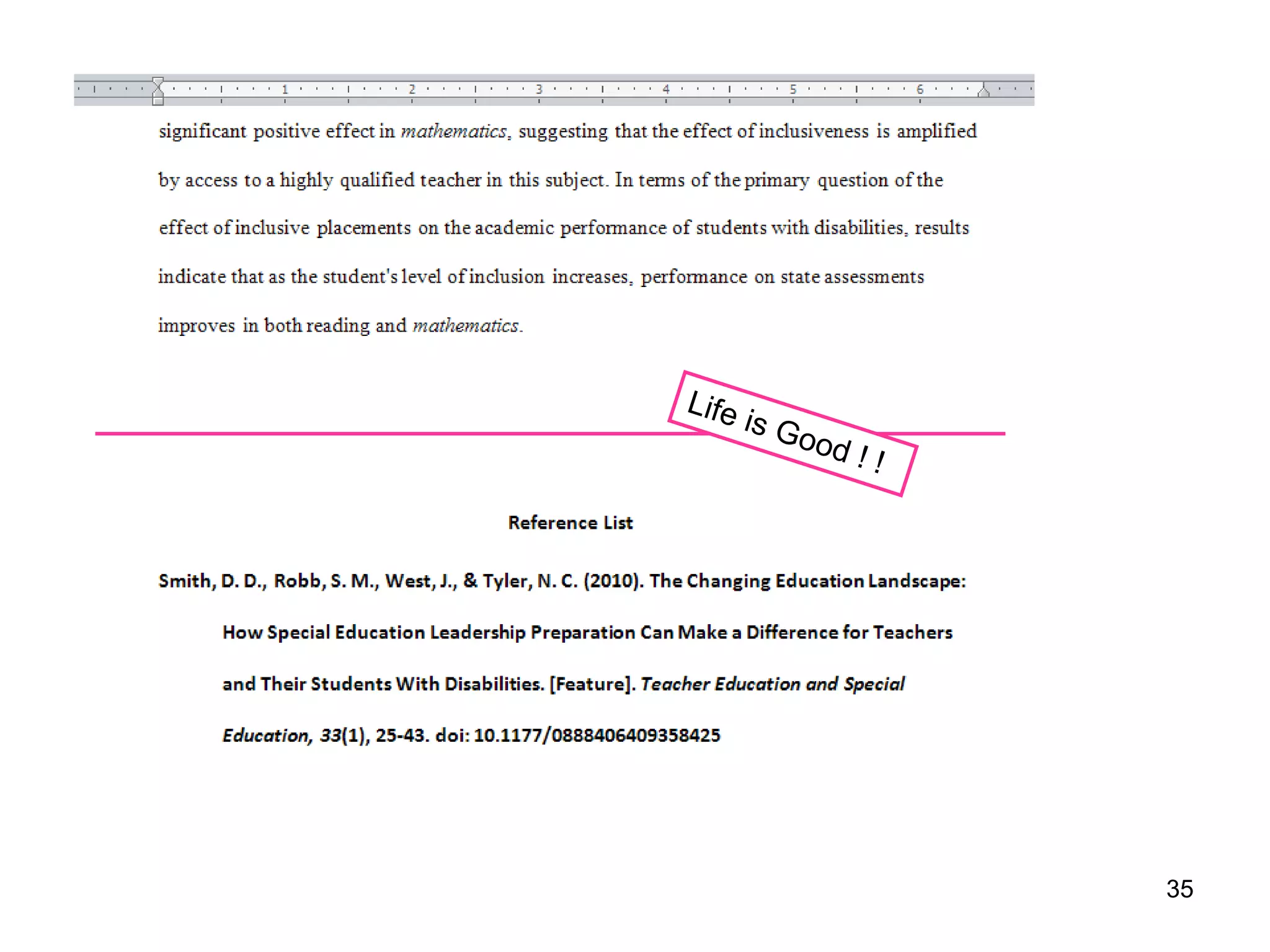
3. The in-text reference will be automatically placed AND . . .
   take a look at the Reference List at the end of your
   document

PS

A screen may come up asking you to search for the citation. Simply type in a
word or author connected with the citation you want inserted. I don’t know
why this happens sometimes.
                                                                       32
X5


     33
34
35
Edit from Word to EndNote or from EndNote
to Word.

It is worth the effort of a sharp but short
learning curve.

This system is flexible and adaptable AND
you’re going to love it !


                                              36
All done now.

Questions? Please, ask the Librarian

Lissa Lord
llord@ku.edu


                                       37

EndNote (Really Quick)

  • 1.
    EndNote in Minutes(X5) Lissa Lord llord@ku.edu January 2012 1 http://www.lib.ku.edu/presentations/Lissa/EndNoteClass/EndNoteKwik.ppt The No-NonsenseVersion
  • 2.
    Begin research with EndNote • Use EndNote for bibliographies and citations • EndNote organizes citations from journals, books, government sources, websites, databases and whatever you need to cite. • EndNote software is free for graduate students, faculty and staff at KU 2
  • 3.
    http://www.lib.ku.edu library homepage 3
  • 4.
  • 5.
    Open 1. Download 2. Extract 3. Install 5
  • 6.
    Select both filesand Move to Desktop Double click and unzip happens automatically AND double click to Install. Select EndNoteX5 as Reference Manager OR not if you want use 6 Word’s Citation Management tools
  • 7.
    Trouble with theEndNote installation? The IT helpdesk helped me out, big time! IT Customer Service Center itcsc@ku.edu 864-8080 7
  • 8.
    Using Endnote for the first time 1 After EndNote installs, restart your computer 2 Click EndNote Program to launch EndNote 8
  • 9.
  • 10.
    6 Note: Select Citation Style Note: The style you select can be changed at any time Library Name is EducationalLeadership.enl 10
  • 11.
    Importing References from Database 11
  • 12.
    Open EndNote library Fromthe KU Libraries Homepage Click Articles and Databases Select an individual database Note: if you would like a refresher on literature searches, send me an email and we’ll make an appointment. Lissa llord@ku.edu 12
  • 13.
    Dissertations & theses@ University of Kansas Contains citations and abstracts of dissertations and theses submitted by the University of Kansas and published in UMI's Dissertations Abstracts database, and full text of KU dissertations published after 1996 and KU theses published after 2005. 13
  • 14.
    What to Remember: 1.Open EndNote and Your EndNote Library 2. Search for articles in a database 3. Mark articles of interest to you 4. Export the citations to EndNote Library 14
  • 15.
    Search & Mark& Export 15
  • 16.
    OK 16
  • 17.
  • 18.
    These citations can beused as your initial bibliography be inserted into a Word document be saved as part of your growing research library 18
  • 19.
    Wilson OmniFile A multidisciplinarydatabase with full-text articles 19
  • 20.
    Search Export Mark 20
  • 21.
  • 22.
    WilsonWeb is the filter youneed to download Wilson citations into EndNote 22
  • 23.
    Three references fromWilson A total of 36 references in all 23
  • 24.
    All References • Clickon All References in the left hand column of the EndNote Library screen and the recently imported references and the earlier references will be put into one list on your screen 24
  • 25.
  • 26.
    Try Google Scholar.Use through the library databases to expand your results. So, go ahead and click on G for Google Scholar. 26
  • 27.
  • 28.
    One citation ata time into EndNote 28
  • 29.
    Many choices in thedrop down menu 29
  • 30.
    Using EndNote with Word Cite While You Write (CWYW) 30
  • 31.
    1. Open Word 2.Open EndNote 3. See the EndNote toolbar form Word 31
  • 32.
    Inserting an EndNotereference citation into a Word document (example APA style) 1. Select a reference from within EndNote and now in Word put the cursor where you want the in-text reference 2. Select “Insert Citation” from the EndNote toolbar in Word 3. The in-text reference will be automatically placed AND . . . take a look at the Reference List at the end of your document PS A screen may come up asking you to search for the citation. Simply type in a word or author connected with the citation you want inserted. I don’t know why this happens sometimes. 32
  • 33.
    X5 33
  • 34.
  • 35.
  • 36.
    Edit from Wordto EndNote or from EndNote to Word. It is worth the effort of a sharp but short learning curve. This system is flexible and adaptable AND you’re going to love it ! 36
  • 37.
    All done now. Questions?Please, ask the Librarian Lissa Lord llord@ku.edu 37