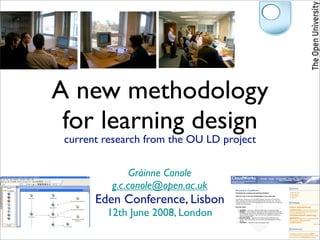
1. A new methodology
for learning design
current research from the OU LD project
Gráinne Conole
g.c.conole@open.ac.uk
Eden Conference, Lisbon
12th June 2008, London
4. What is learning design?
Shift of focus from
content to activity
Designing for learning
5. What is learning design?
Shift of focus from Guiding the design
content to activity of learning activities
Designing for learning
6. What is learning design?
Shift of focus from Guiding the design
content to activity of learning activities
Designing for learning
A means of describing
and representing
learning activities
7. What is learning design?
Shift of focus from Guiding the design
content to activity of learning activities
Designing for learning
A means of describing
A means of
and representing
sharing learning activities
learning activities
9. Why is it useful?
New technologies offer
new pedagogical
opportunities
10. Why is it useful?
New technologies offer
Potential for reuse with
new pedagogical
Open Educational Resources
opportunities
11. Why is it useful?
New technologies offer
Potential for reuse with
new pedagogical
Open Educational Resources
opportunities
New ways of
thinking and
innovating
12. Why is it useful?
New technologies offer
Potential for reuse with
new pedagogical
Open Educational Resources
opportunities
New ways of
To enhance the
thinking and
learner experience
innovating
14. Key questions
How can we design
learning activities
which make
effective use of tools
and pedagogy?
15. Key questions
How can we design
learning activities
which make
effective use of tools
and pedagogy?
How can we
capture and share practice?
scaffold and support the design process?
22. The OU LD project
Visualizing
design
Understanding
design
Guiding Sharing
design design
23. The OU LD project
Visualizing
design
CompendiumLD
Understanding
design
Guiding Sharing
design design
24. The OU LD project
Visualizing
design
CompendiumLD CLouDworks
Understanding
design
Guiding Sharing
design design
25. The OU Learning Design project
Andrew Brasher, Paul Clark, Simon Cross, Martin Weller, Juliette White
26. The OU Learning Design project
Fact finding & user requirements
Phase 1: User consultation, case studies, LD workshops
Phase 2: Interviews, course evaluation, focus groups/workshops
Tool and resource development
Phase 1: Compendium, external resources
Phase 2: CompendiumLD, CLouDworks
Andrew Brasher, Paul Clark, Simon Cross, Martin Weller, Juliette White
27. The OU Learning Design project
44 case 8 faculty
studies workshops
Fact finding & user requirements
Phase 1: User consultation, case studies, LD workshops
Phase 2: Interviews, course evaluation, focus groups/workshops
15 design Tool and resource development
interviews & 2 in- Workshops &
Phase 1: Compendium, external resources
depth course focus groups
Phase 2: CompendiumLD, CLouDworks
evaluation
Andrew Brasher, Paul Clark, Simon Cross, Martin Weller, Juliette White
28. The OU Learning Design project
44 case 8 faculty
studies workshops
Fact finding & user requirements
Phase 1: User consultation, case studies, LD workshops
Phase 2: Interviews, course evaluation, focus groups/workshops
Tool
Resource identification:
development:
tools, case studies, ways
Compendium,
of thinking about design
CLouDworks
15 design Tool and resource development
interviews & 2 in- Workshops &
Phase 1: Compendium, external resources
depth course focus groups
Phase 2: CompendiumLD, CLouDworks
evaluation
Andrew Brasher, Paul Clark, Simon Cross, Martin Weller, Juliette White
40. Interviews
Process Constraints ‘From the heart’
Tacit nature
Support
The ‘big’ idea
Representation Sum greater than parts
Interactive
design Barriers
Shared vision
Evaluation
Serendipity
Link to
assessment
42. Findings to date
Design process creative,
messy, iterative
Serendipitous routes
to support Sharing and reuse difficult,
but valuable
No one perfect design tool
or approach
Different aspects to design -
focus and level of granularity
Compendium easy to use and makes
design more explicit
Text, visual, models of
designs all have pros and cons
43. Design strategies
How do teachers/designers
currently design?
How do they get new ideas?
What resources and support do they use?
What issues do new
technologies raise?
45. Design strategies
Learning outcomes:
What do you want the Pedagogy:
students to achieve? What pedagogical principles
do you want to emphasis?
Activities:
What do you want
the students to do? Assessment:
What do you want
Tools: to assess and how?
What tools do
you want to use? Resources:
What resources do
Problem: you want to use?
What specific problem
do you want to address?
53. An Inquiry activity
Educational scenario
to use technology
across formal and
informal contexts to
promote an inquiry-
based approach
54. An Inquiry activity
• Teacher poses question, prompts debate
• Handhelds linked to projector, initial
results displayed
Educational scenario • Teams based on differences, challenge is to
to use technology move to agreement through inquiry &
across formal and debate
informal contexts to • Choice of methods of inquiry (‘debate
promote an inquiry- with expert’, ‘experiment’)
based approach • Software provides resources & tools to
support to guide between locations and
store/share results
• Results presented in class and discussed
73. Interview snapshots
I was building a sense of what the Holistic One of the difficulties is mapping the
new course might be … we must whole process I have tried to approach
remember to do x, or a url of relevance approach course design using a holistic approach
74. Interview snapshots
I was building a sense of what the Holistic One of the difficulties is mapping the
new course might be … we must whole process I have tried to approach
remember to do x, or a url of relevance approach course design using a holistic approach
Its in words, not diagrams a
dumping ground for thoughts –
Scrapbooks & List of words clustered into blocks,
arrows...can you have clusters
[to] capture thoughts doodle maps link to TMAs [Assignments]
75. Interview snapshots
I was building a sense of what the Holistic One of the difficulties is mapping the
new course might be … we must whole process I have tried to approach
remember to do x, or a url of relevance approach course design using a holistic approach
Its in words, not diagrams a
dumping ground for thoughts –
Scrapbooks & List of words clustered into blocks,
arrows...can you have clusters
[to] capture thoughts doodle maps link to TMAs [Assignments]
I tend to sit and doodle a map -
Start from assessment
strategies and learning
Mapping will draw the logic and flow of
the course on paper and then
outcomes and get an alignment elements go to compendium.
Then the problem is sharing it
80. Contradictions
Design as
Capturing the
process vs. Process implicit
artifact
Demand for case
Variety of
influences Representations studies but
underused
81. Contradictions
Design as
Capturing the
process vs. Process implicit
artifact
Demand for case
Variety of
influences Representations studies but
underused
Support
82. Contradictions
Design as
Capturing the
process vs. Process implicit
artifact
Demand for case
Variety of
influences Representations studies but
underused
Variety: text, Changing
visual,, etc Support representations
85. Forms of representation
Case
Lesson study Pedagogical
plan pattern
UML
Learning
Model
diagram Activities
Schema Vocabulary
Mind
map
86. Forms of representation
Case
Lesson study Pedagogical
plan pattern
Learning
Teacher UML
Model
diagram Activities
Schema Vocabulary
“Designer view” Mind
map
87. Forms of representation
Case
Lesson study Pedagogical
plan pattern
Learning
Teacher UML
Model Learner
diagram Activities
Schema Vocabulary
“Designer view” Mind “Learner view”
map
96. From existing practice
(resources & case studies)
Learning design
Guiding design
tools
By scaffolding
(templates & contextual help)
97. From existing practice
(resources & case studies)
New ways Learning design
of thinking Guiding design
tools
By scaffolding
(templates & contextual help)
140. Visualizing design:
CompendiumLD
• Work in groups represent a learning
activity you have developed
• Explore the in-situ help
• Keep a note of what you like and dislike
• Think about how you might use this
individually or as a team
148. Blog as
Mapping pedagogy
Blog collective
reflective diary class resource
149. Blog as
Mapping pedagogy Blog collective
reflective diary class resource
Conole, G., Dyke, M., Oliver, M. and Seale, J. (2004). 'Mapping pedagogy and tools for effective learning
design', Computers and Education, 43 (1-2), 17-33
150. Blog as
Mapping pedagogy Blog collective
reflective diary Individual class resource
Social
Conole, G., Dyke, M., Oliver, M. and Seale, J. (2004). 'Mapping pedagogy and tools for effective learning
design', Computers and Education, 43 (1-2), 17-33
151. Blog as
Mapping pedagogy Blog collective
reflective diary Individual class resource
Passive Active
Social
Conole, G., Dyke, M., Oliver, M. and Seale, J. (2004). 'Mapping pedagogy and tools for effective learning
design', Computers and Education, 43 (1-2), 17-33
152. Blog as
Mapping pedagogy Blog collective
reflective diary Individual class resource
Information
Passive Active
Experience
Social
Conole, G., Dyke, M., Oliver, M. and Seale, J. (2004). 'Mapping pedagogy and tools for effective learning
design', Computers and Education, 43 (1-2), 17-33
153. Blog as
Mapping pedagogy Blog collective
reflective diary Individual class resource
Information
Passive Active
Experience
Social
Conole, G., Dyke, M., Oliver, M. and Seale, J. (2004). 'Mapping pedagogy and tools for effective learning
design', Computers and Education, 43 (1-2), 17-33
154. Blog as
Mapping pedagogy Blog collective
reflective diary Individual class resource
Information
Passive Active
Experience
Social
Conole, G., Dyke, M., Oliver, M. and Seale, J. (2004). 'Mapping pedagogy and tools for effective learning
design', Computers and Education, 43 (1-2), 17-33
155. Blog as
Mapping pedagogy Blog collective
reflective diary Individual class resource
Information
Passive Active
Experience
Social
Conole, G., Dyke, M., Oliver, M. and Seale, J. (2004). 'Mapping pedagogy and tools for effective learning
design', Computers and Education, 43 (1-2), 17-33
156. Blog as
Mapping pedagogy Blog collective
reflective diary Individual class resource
Information
Passive Active
Experience
Social
Conole, G., Dyke, M., Oliver, M. and Seale, J. (2004). 'Mapping pedagogy and tools for effective learning
design', Computers and Education, 43 (1-2), 17-33
157. Blog as
Mapping pedagogy Blog collective
reflective diary Individual class resource
Information
Passive Active
Experience
Social
Conole, G., Dyke, M., Oliver, M. and Seale, J. (2004). 'Mapping pedagogy and tools for effective learning
design', Computers and Education, 43 (1-2), 17-33
158. Blog as
Mapping pedagogy Blog collective
reflective diary Individual class resource
Information
Passive Active
Experience
Social
Conole, G., Dyke, M., Oliver, M. and Seale, J. (2004). 'Mapping pedagogy and tools for effective learning
design', Computers and Education, 43 (1-2), 17-33
159. Affordances
Conole, G. and Dyke, M., (2004), ‘What are the inherent affordances of Information and
Communication Technologies?’, ALT-J, 12.2, 113-124.
160. Affordances
+ve and -ve
affordances of
tools and tasks
Conole, G. and Dyke, M., (2004), ‘What are the inherent affordances of Information and
Communication Technologies?’, ALT-J, 12.2, 113-124.
161. Affordances
Organisation
Creativity
Dialogue
Collaboration +ve and -ve
Reflection affordances of
Interaction
Inquiry tools and tasks
Authenticity
Positives
Conole, G. and Dyke, M., (2004), ‘What are the inherent affordances of Information and
Communication Technologies?’, ALT-J, 12.2, 113-124.
162. Affordances
Organisation Time consuming
Creativity Support issues
Dialogue Assessment issues
Collaboration +ve and -ve Expensive
Reflection affordances of Lack of interaction
Interaction Difficult to manage
Inquiry tools and tasks New skills required
Authenticity Uninspiring
Positives Negatives
Conole, G. and Dyke, M., (2004), ‘What are the inherent affordances of Information and
Communication Technologies?’, ALT-J, 12.2, 113-124.
166. Tools
Organisation E-portofolio, blog,
Time consuming
Creativity wiki, RSS feed, Support issues
Dialogue etc... Tasks Assessment issues
Collaboration Search, discuss, Expensive
collate, present,
Reflection etc
Lack of interaction
Interaction Difficult to manage
Inquiry New skills required
Authenticity Uninspiring
Positives Negatives
167. Tools
Organisation E-portofolio, blog,
Time consuming
Creativity wiki, RSS feed, Support issues
Dialogue etc... Tasks Assessment issues
Collaboration Search, discuss, Expensive
collate, present,
Reflection etc
Lack of interaction
Interaction Difficult to manage
Inquiry New skills required
Authenticity Uninspiring
Positives Negatives
Assessment by Blog
portfolio reflection on
Group report in practice
Group
a wiki
resources via
RSS
177. CLoudworks
Find and share designs
Web 2.0 principles:
tagging, profiles, user generated
178. CLoudworks
Find and share designs
Cloudlets
Web 2.0 principles:
tagging, profiles, user generated
179. CLoudworks
Find and share designs
Cloudlets
Designs
Web 2.0 principles:
tagging, profiles, user generated
180. CLoudworks
Find and share designs
Cloudlets Resources
Designs
Web 2.0 principles:
tagging, profiles, user generated
181. CLoudworks
Find and share designs
Cloudlets Resources
Designs Tools
Web 2.0 principles:
tagging, profiles, user generated
182. Create & explore
• Put in a cloudlet describing an interesting
learning activity/teaching innovation
• Complete your own user profile
• Browse cloudlets, designs, resources and tools
• Any of interest?
• Is the level of detail ok, too little, too much?
184. Why is it useful?
Means of eliciting design - common language/
understanding of learning activities
185. Why is it useful?
Means of eliciting design - common language/
understanding of learning activities
Makes process more
explicit, aids reflection
186. Why is it useful?
Means of eliciting design - common language/
understanding of learning activities
Makes process more Sharing/reuse of designs
explicit, aids reflection not just content
187. Why is it useful?
Means of eliciting design - common language/
understanding of learning activities
Makes process more Sharing/reuse of designs
explicit, aids reflection not just content
Provides guidance on the design process
188. Why is it useful?
Means of eliciting design - common language/
understanding of learning activities
Makes process more Sharing/reuse of designs
explicit, aids reflection not just content
Provides guidance on the design process
Creates an
audit trail
189. Why is it useful?
Means of eliciting design - common language/
understanding of learning activities
Makes process more Sharing/reuse of designs
explicit, aids reflection not just content
Provides guidance on the design process
Creates an Highlights policy
audit trail implications
190. Why is it useful?
Means of eliciting design - common language/
understanding of learning activities
Makes process more Sharing/reuse of designs
explicit, aids reflection not just content
Provides guidance on the design process
Creates an Highlights policy
audit trail implications
Guides learner through activities sequences
192. Issues
Adopting a Learning Design mindset
Degree of control
between tools and user
Integration of help
at the right time and level
Forms of representation
and levels of granularity
Sustainable user-generated
activities
Roll out and support:
research vs. practice