


Clip and Ship: MapServer for  Data Distribution   Frank Warmerdam, Google, Inc. Michael Smith, US Army Corps of Engineers
Clip and Ship Interactively: visualization layer selection spatial drill down    Deliver Data: file format coordinate system raw data  bundled up (zip, etc) immediate delivery  
OGC Web Protocols All are HTTP web service protocols   WMS (Web Map Service)  portrayal/visualization oriented  Returns PNG/JPEG/GIF  WFS (Web Feature Service) Raw GIS vector feature access. Defaults to returning GML.   WCS (Web Coverage Service) Raw Raster data access. Returns GeoTIFF, etc.  
MapServer and GDAL/OGR GDAL/OGR  multi format raster/vector data access  multi format raster/vector data writing http://www.gdal.org/  MapServer Web map server Supports WMS, WFS and WCS protocols Uses GDAL/OGR for some data access and encoding http://www.mapserver.org/  
CorpsMap MapServer  OpenLayers  GeoExt     
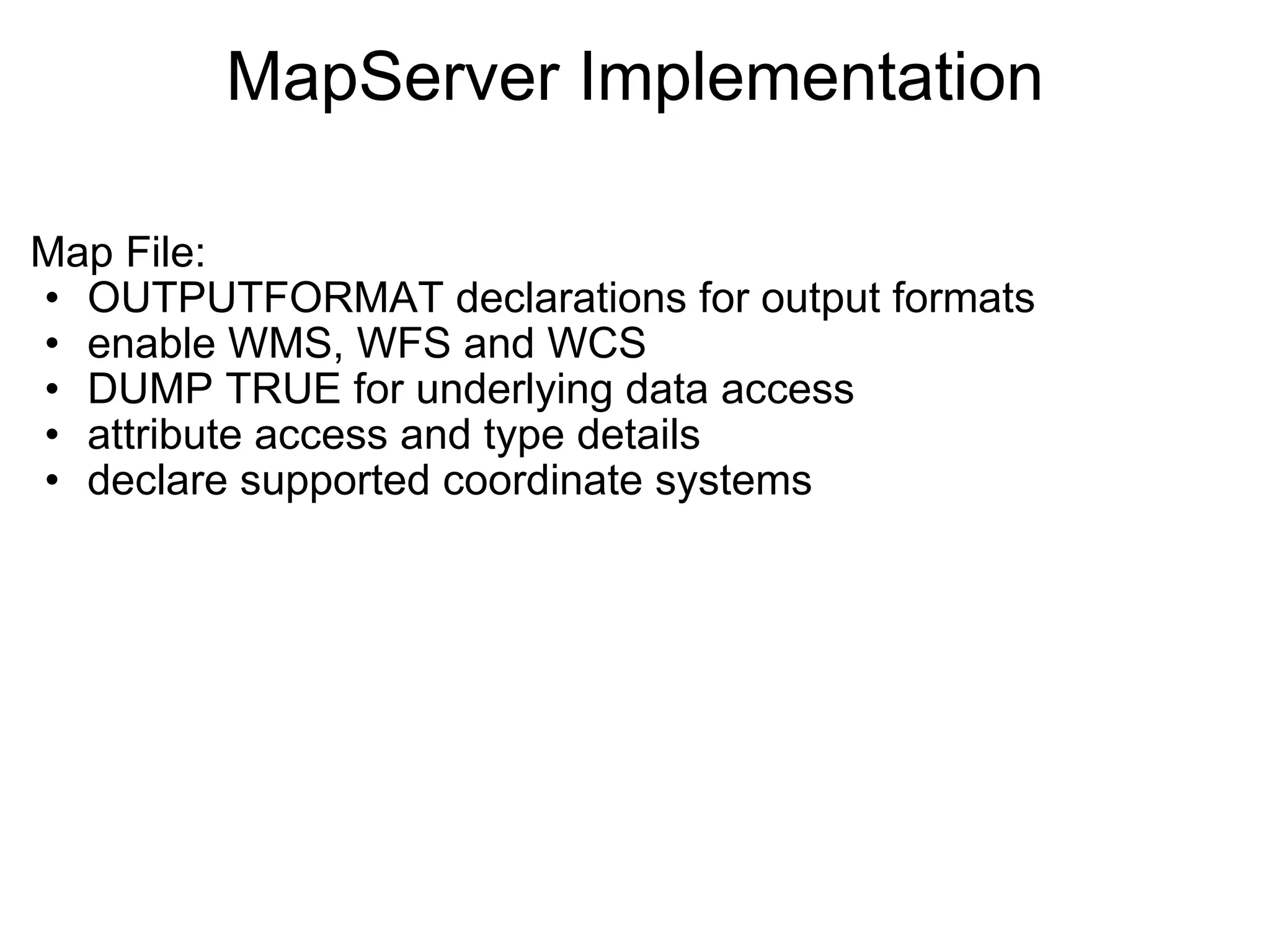
MapServer Implementation Map File:  OUTPUTFORMAT declarations for output formats enable WMS, WFS and WCS  DUMP TRUE for underlying data access attribute access and type details  declare supported coordinate systems  
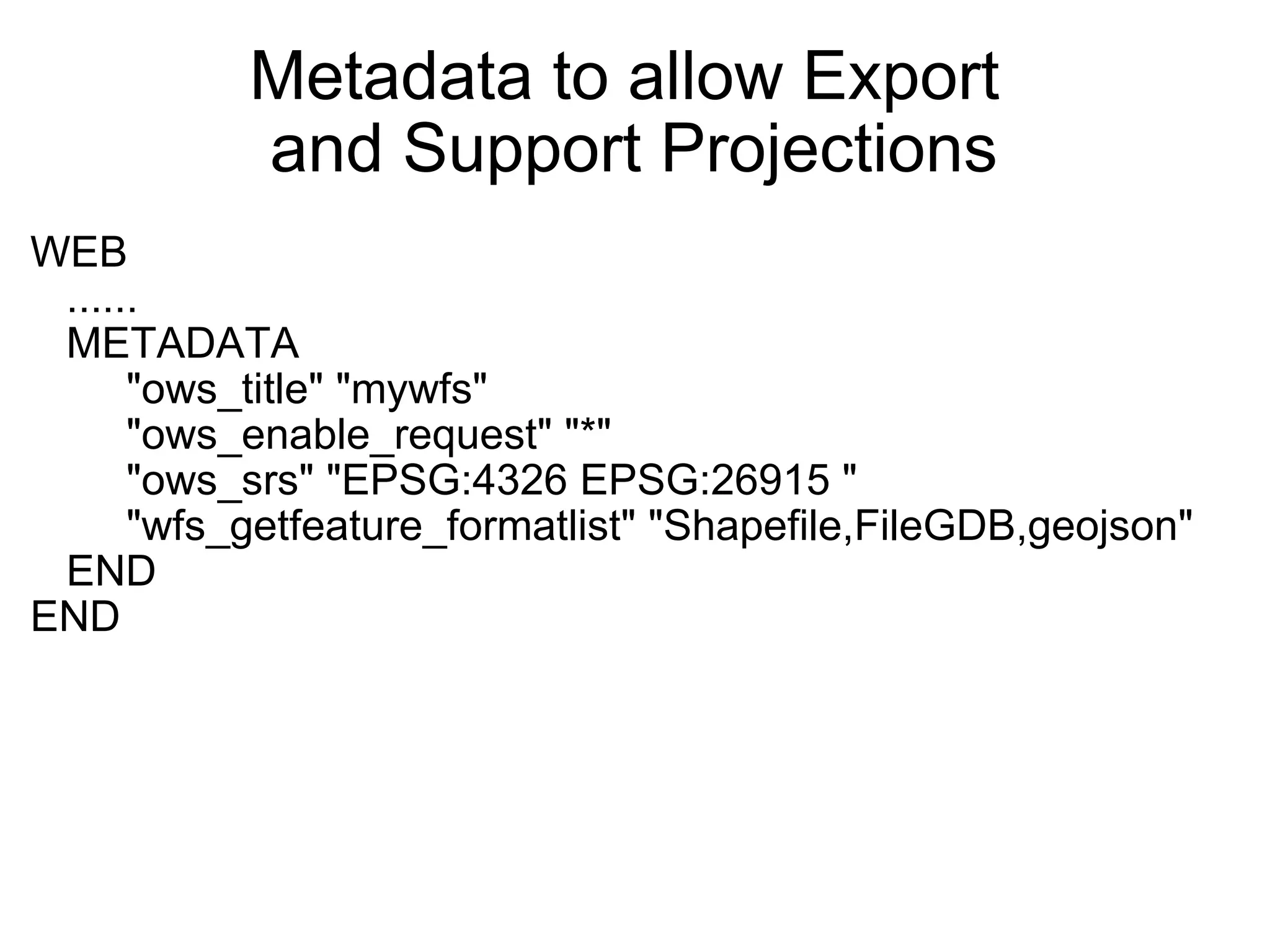
Metadata to allow Export  and Support Projections WEB     ......     METADATA          "ows_title" "mywfs"          "ows_enable_request" "*"          "ows_srs" "EPSG:4326 EPSG:26915 "          "wfs_getfeature_formatlist" "Shapefile,FileGDB,geojson"     END END  
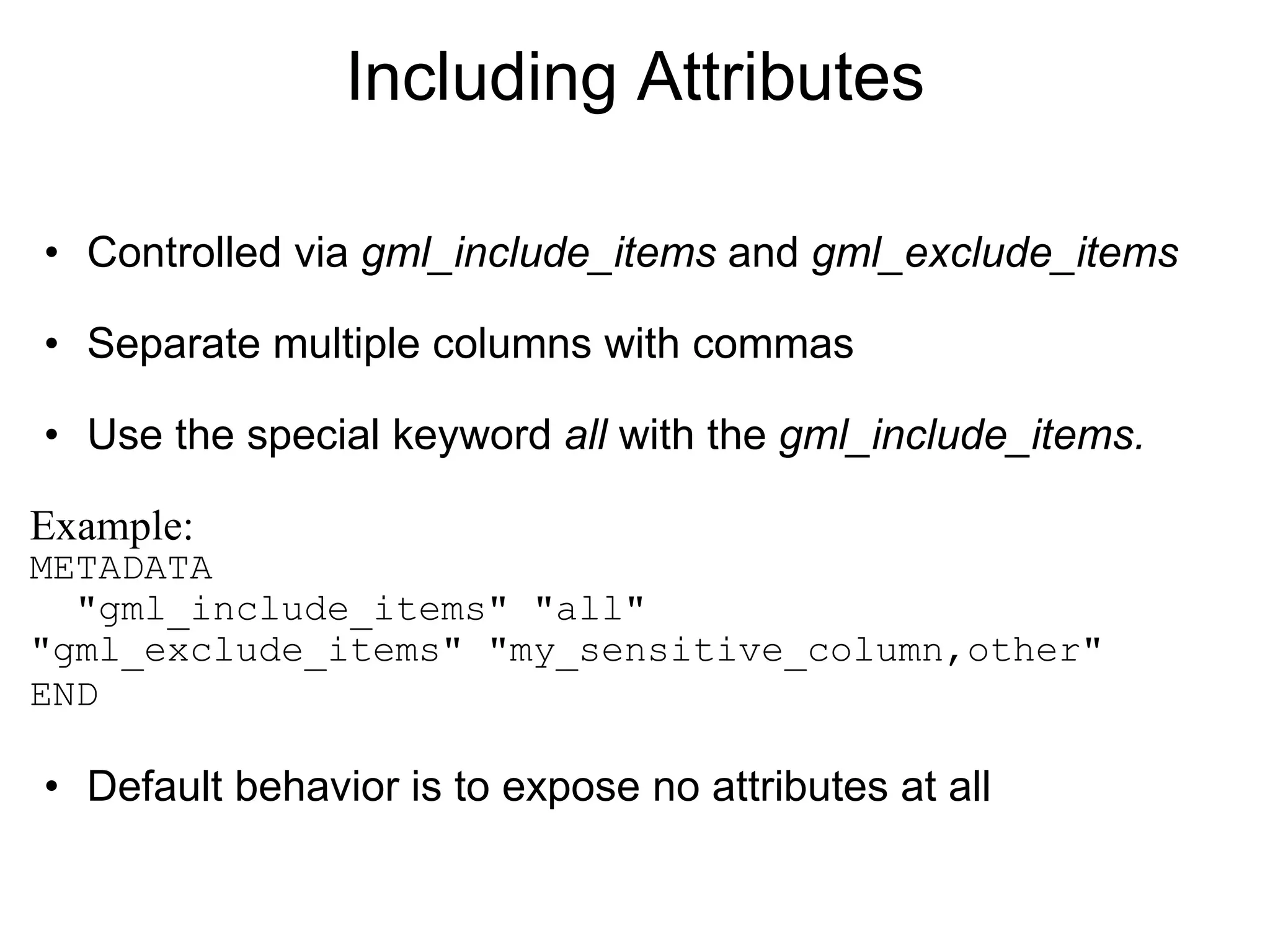
Including Attributes Controlled via  gml_include_items  and  gml_exclude_items Separate multiple columns with commas Use the special keyword  all  with the  gml_include_items.  Example: METADATA   "gml_include_items" "all"    "gml_exclude_items" "my_sensitive_column,other"    END   Default behavior is to expose no attributes at all
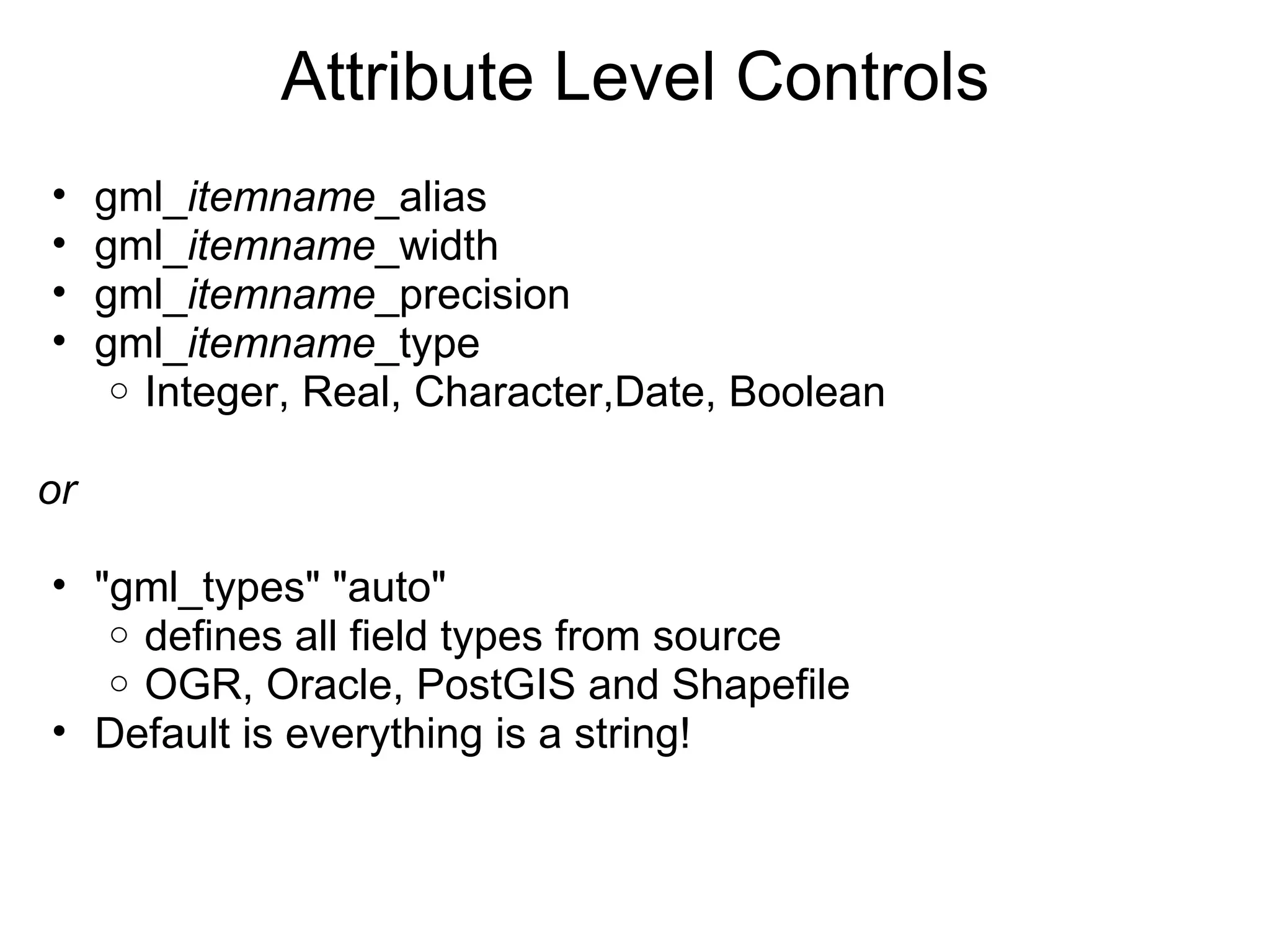
Attribute Level Controls gml_ itemname _alias gml_ itemname _width gml_ itemname _precision gml_ itemname _type  Integer, Real, Character,Date, Boolean   or "gml_types" "auto" defines all field types from source OGR, Oracle, PostGIS and Shapefile Default is everything is a string!
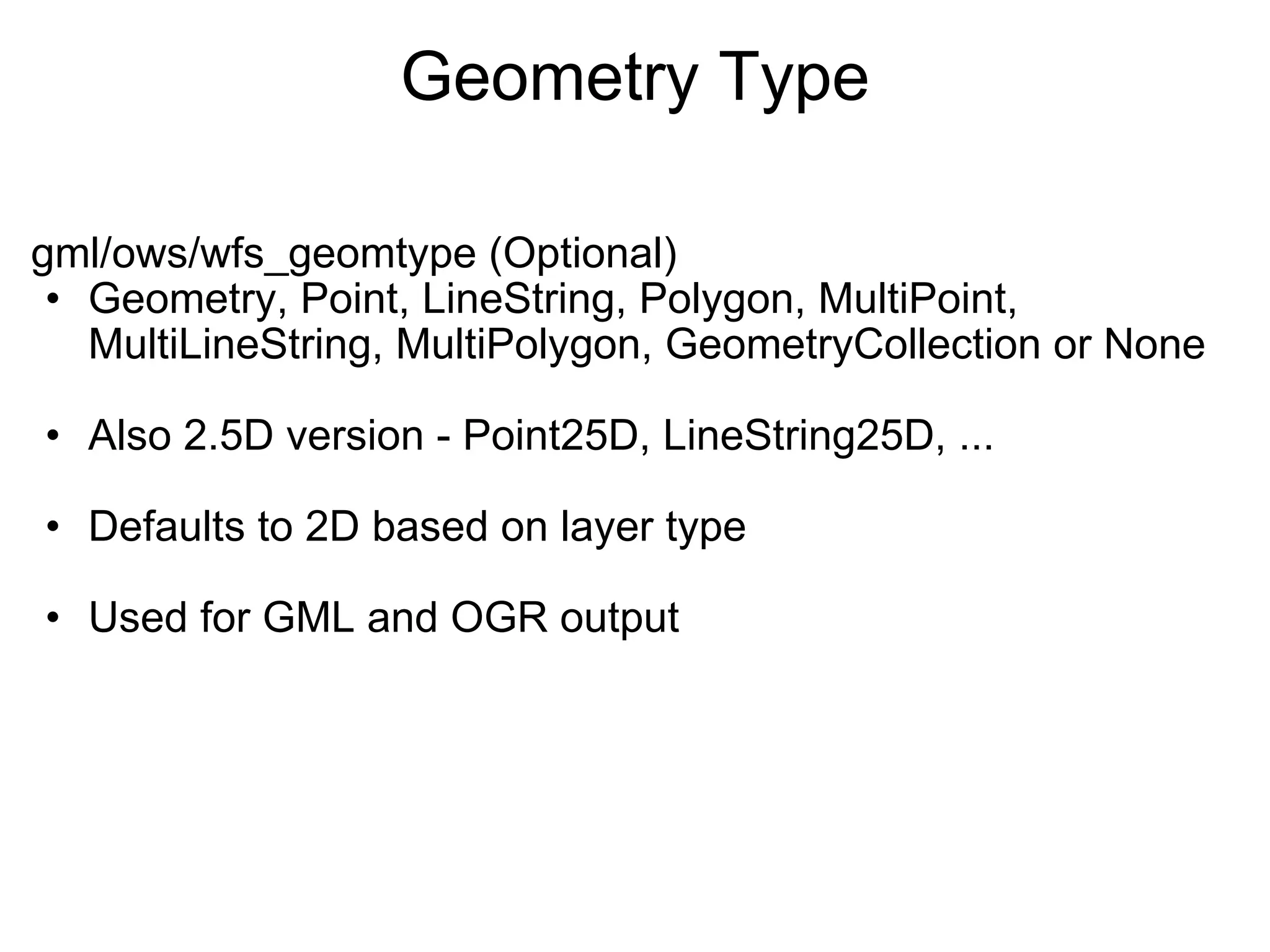
Geometry Type gml/ows/wfs_geomtype (Optional) Geometry, Point, LineString, Polygon, MultiPoint, MultiLineString, MultiPolygon, GeometryCollection or None Also 2.5D version - Point25D, LineString25D, ... Defaults to 2D based on layer type Used for GML and OGR output
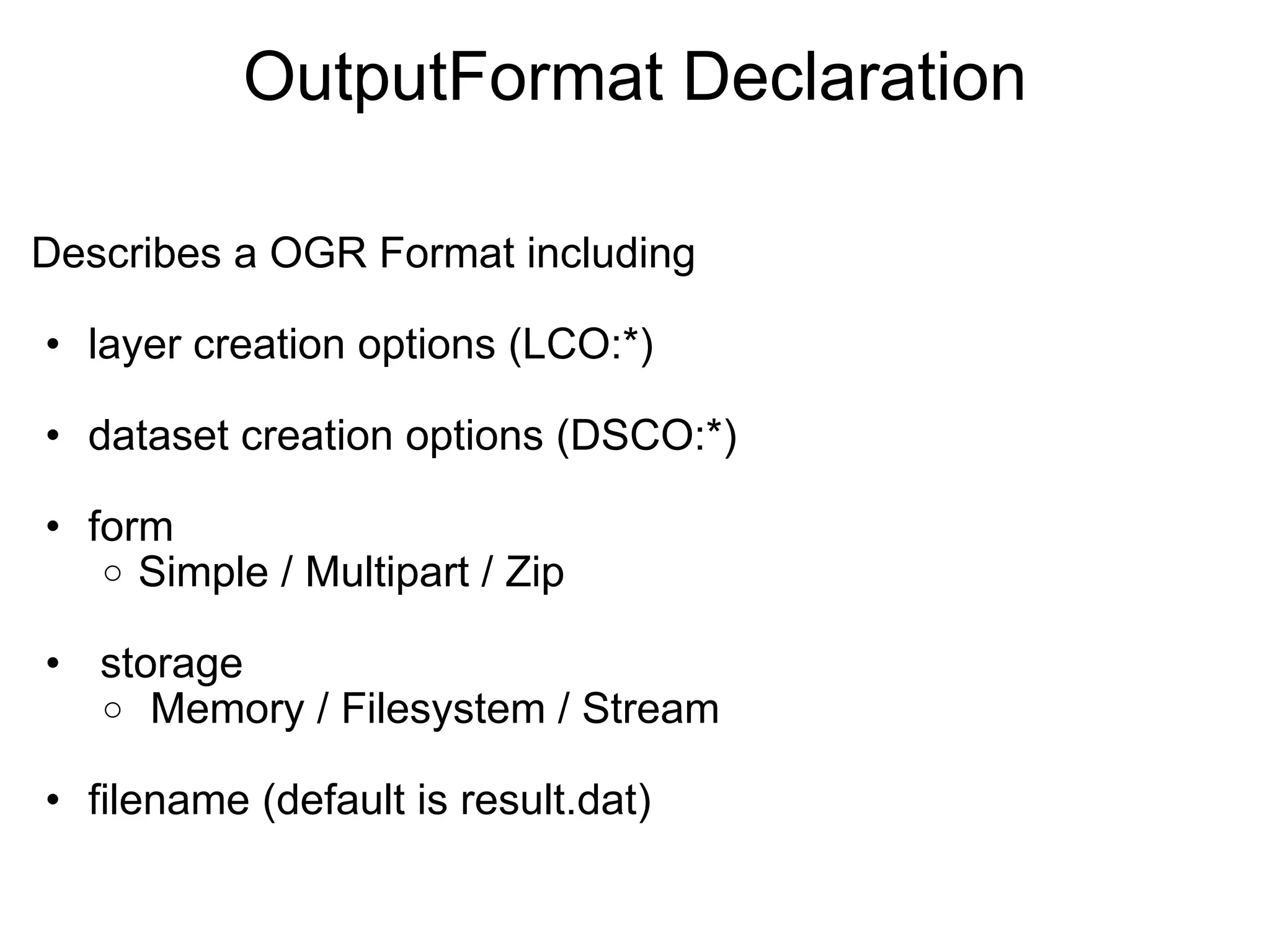
OutputFormat Declaration Describes a OGR Format including layer creation options (LCO:*) dataset creation options (DSCO:*) form Simple / Multipart / Zip   storage   Memory / Filesystem / Stream filename (default is result.dat)
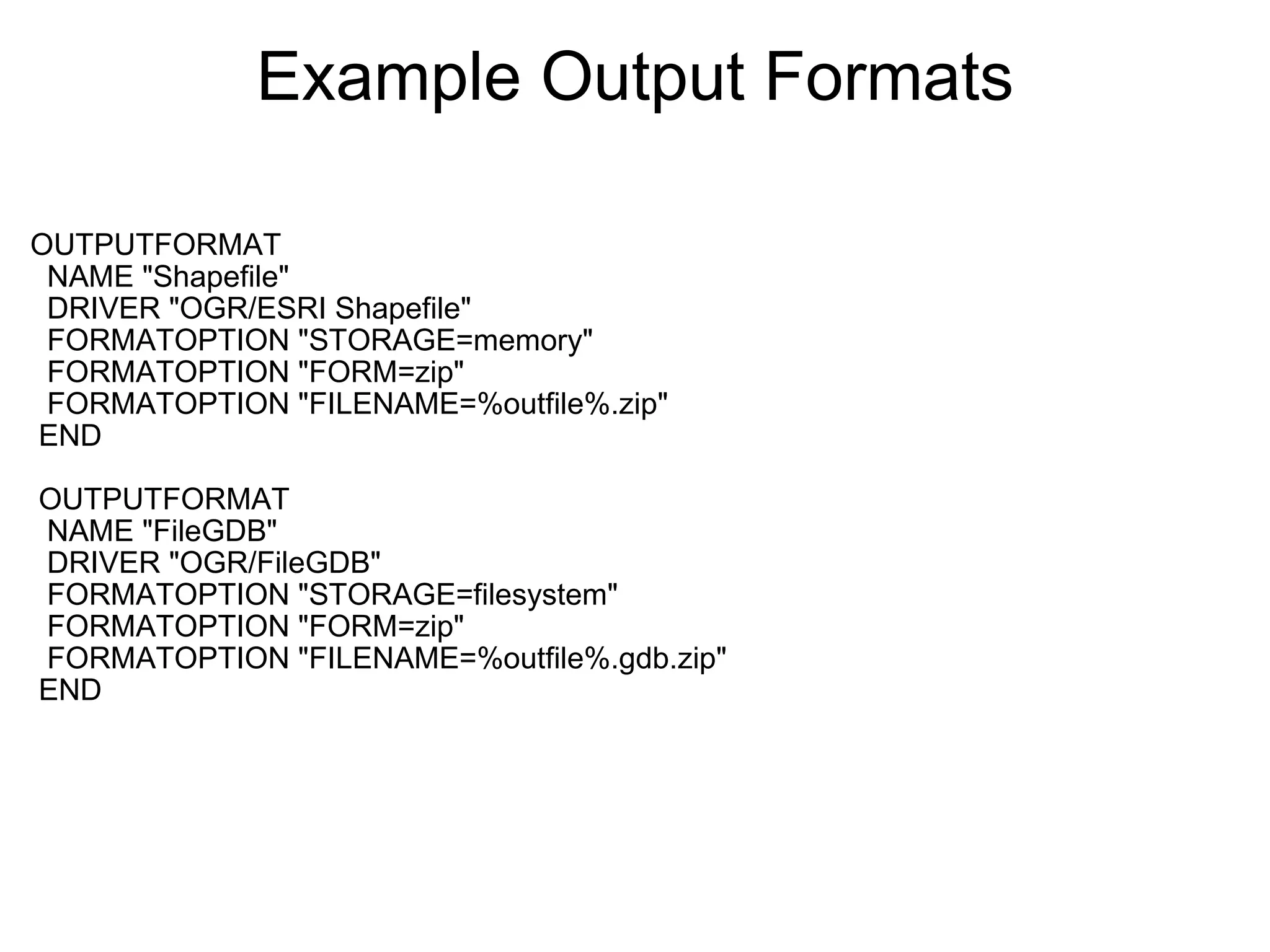
Example Output Formats OUTPUTFORMAT    NAME "Shapefile"    DRIVER "OGR/ESRI Shapefile"    FORMATOPTION "STORAGE=memory"    FORMATOPTION "FORM=zip"    FORMATOPTION "FILENAME=%outfile%.zip"   END     OUTPUTFORMAT    NAME "FileGDB"    DRIVER "OGR/FileGDB"    FORMATOPTION "STORAGE=filesystem"    FORMATOPTION "FORM=zip"    FORMATOPTION "FILENAME=%outfile%.gdb.zip"   END  
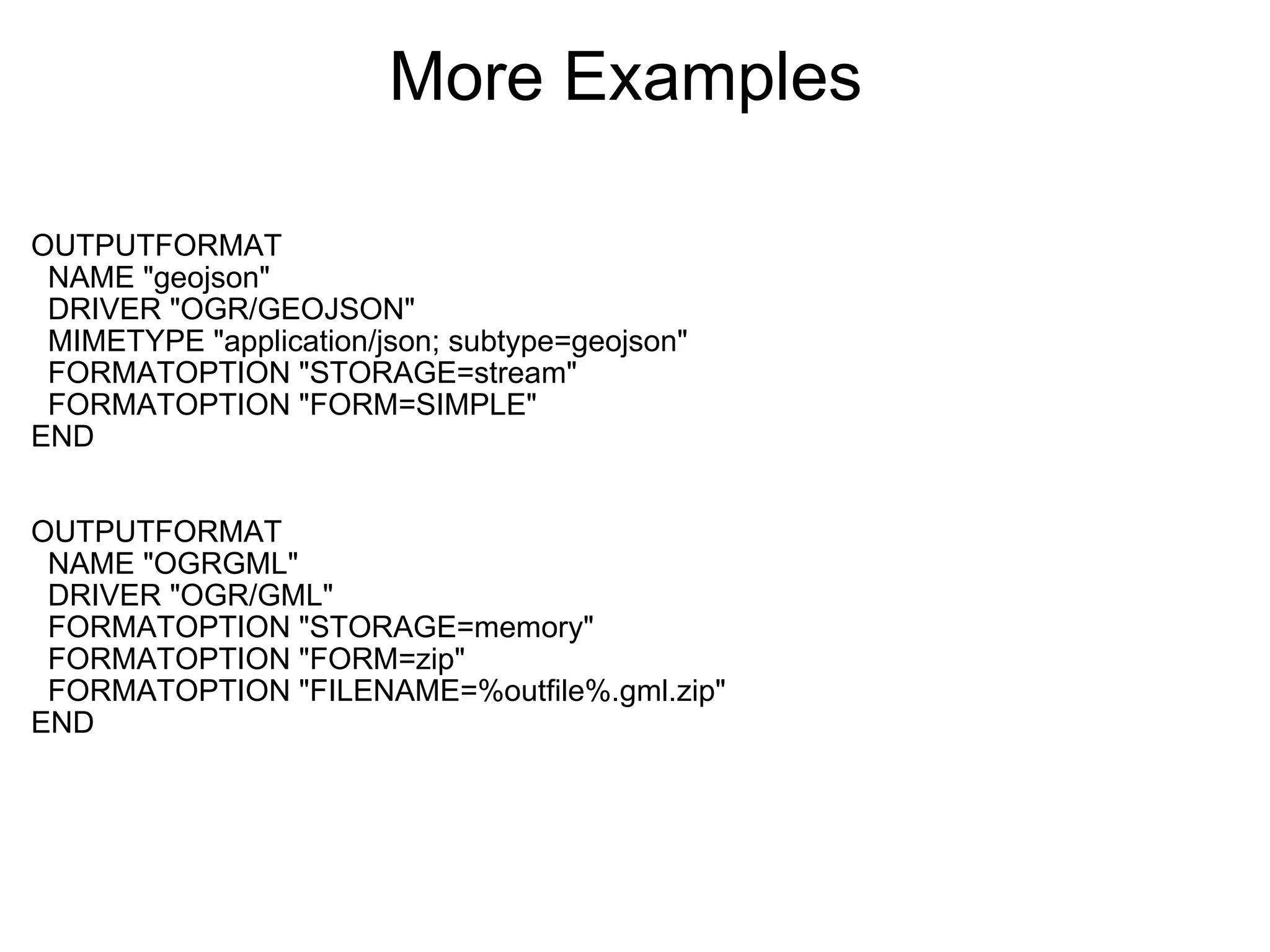
More Examples  OUTPUTFORMAT    NAME "geojson"    DRIVER "OGR/GEOJSON"    MIMETYPE "application/json; subtype=geojson"    FORMATOPTION "STORAGE=stream"    FORMATOPTION "FORM=SIMPLE" END OUTPUTFORMAT    NAME "OGRGML"    DRIVER "OGR/GML"    FORMATOPTION "STORAGE=memory"    FORMATOPTION "FORM=zip"    FORMATOPTION "FILENAME=%outfile%.gml.zip" END
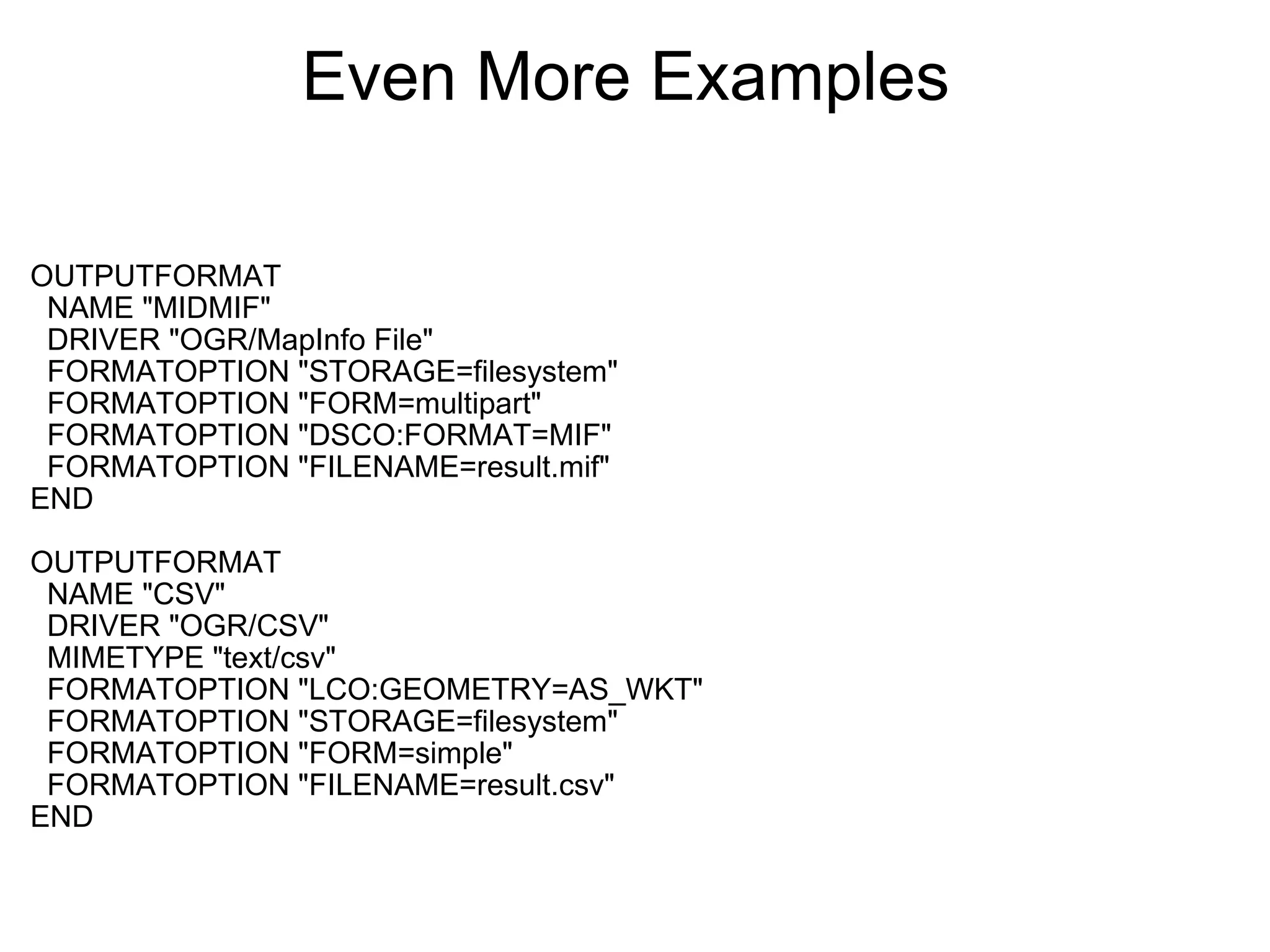
Even More Examples  OUTPUTFORMAT    NAME "MIDMIF"    DRIVER "OGR/MapInfo File"    FORMATOPTION "STORAGE=filesystem"    FORMATOPTION "FORM=multipart"    FORMATOPTION "DSCO:FORMAT=MIF"    FORMATOPTION "FILENAME=result.mif" END OUTPUTFORMAT    NAME "CSV"    DRIVER "OGR/CSV"    MIMETYPE "text/csv"    FORMATOPTION "LCO:GEOMETRY=AS_WKT"    FORMATOPTION "STORAGE=filesystem"    FORMATOPTION "FORM=simple"    FORMATOPTION "FILENAME=result.csv" END
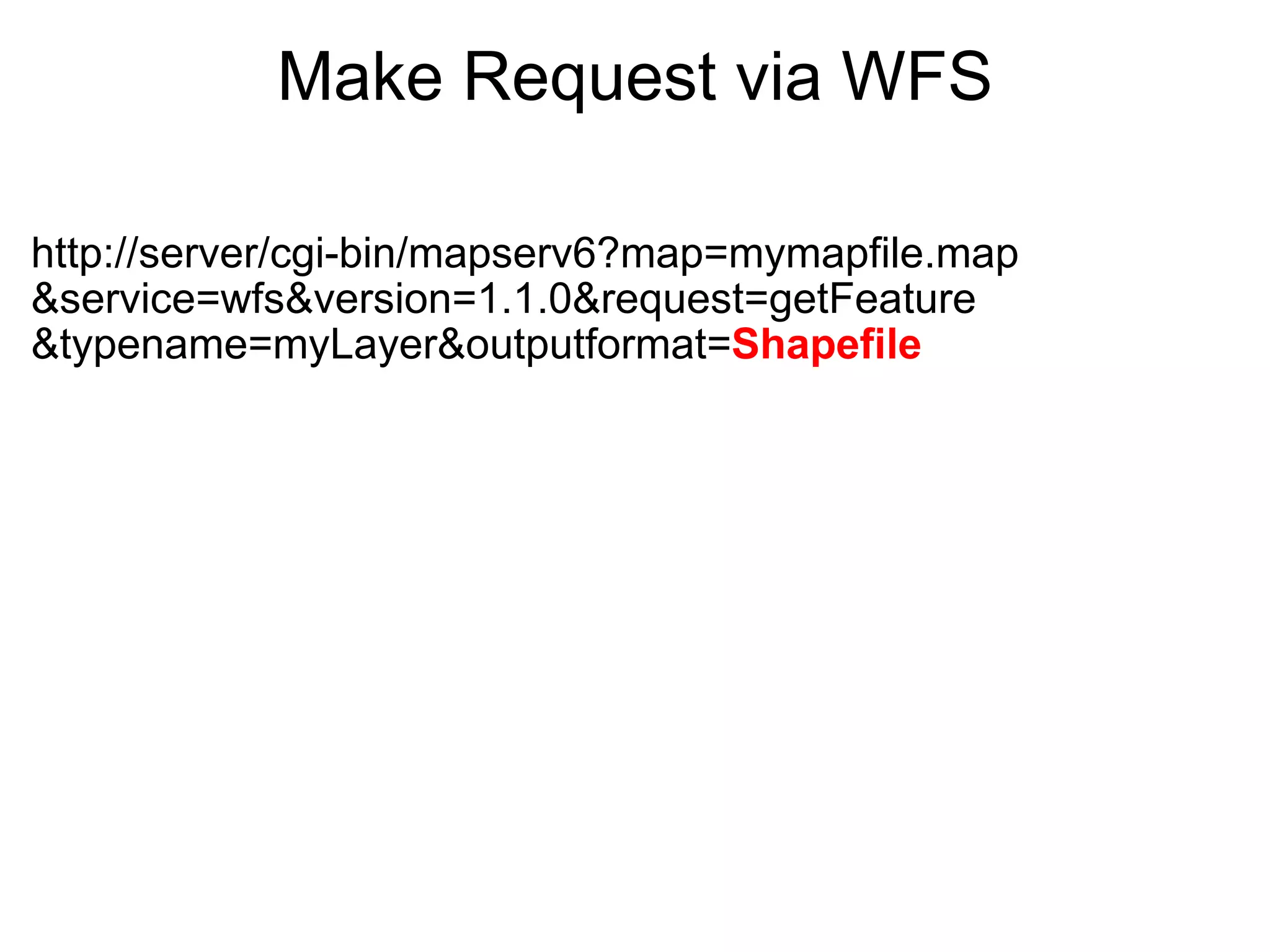
Make Request via WFS http://server/cgi-bin/mapserv6?map=mymapfile.map &service=wfs&version=1.1.0&request=getFeature &typename=myLayer&outputformat= Shapefile
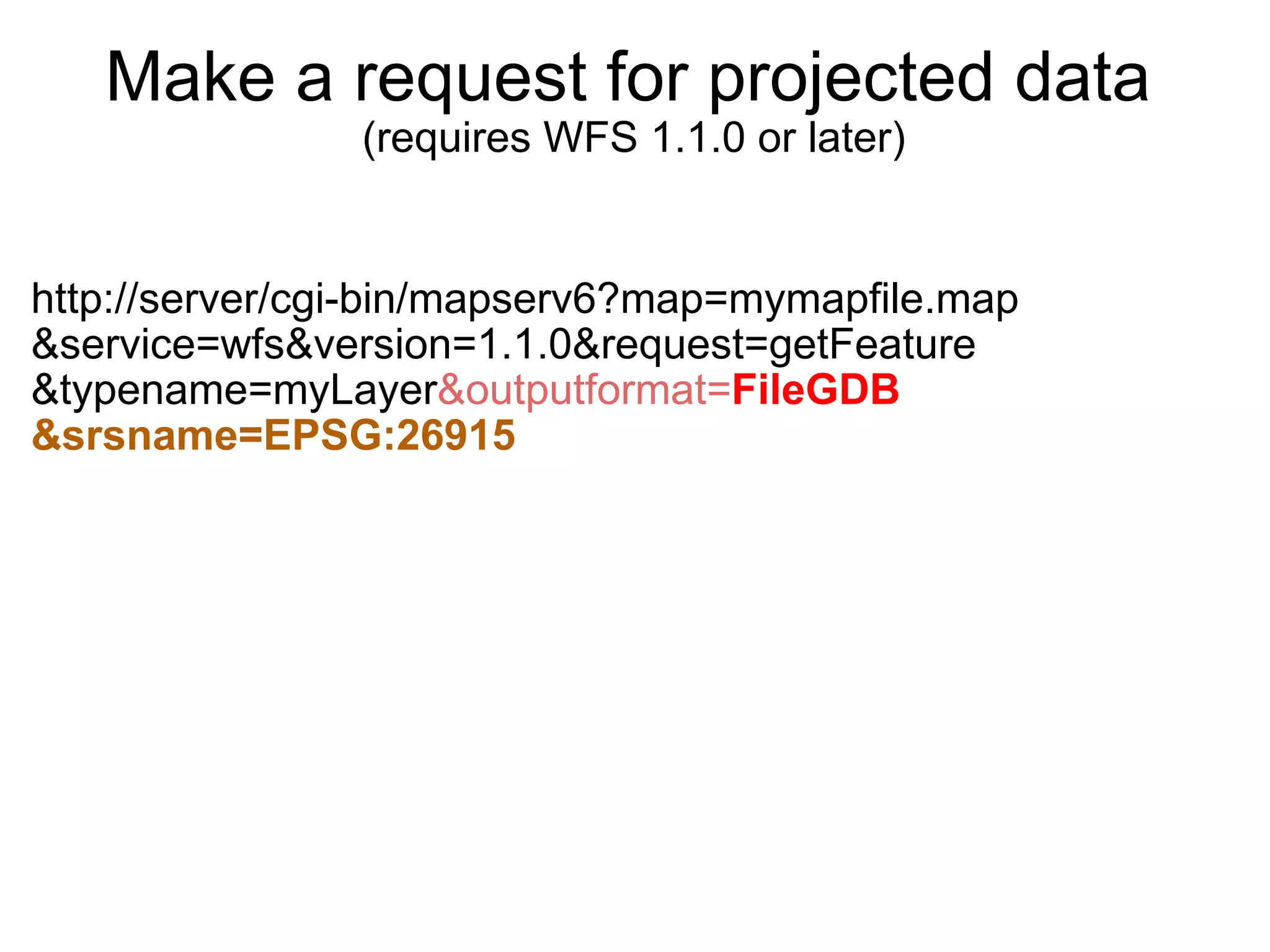
Make a request for projected data   (requires WFS 1.1.0 or later) http://server/cgi-bin/mapserv6?map=mymapfile.map &service=wfs&version=1.1.0&request=getFeature &typename=myLayer &outputformat= FileGDB &srsname=EPSG:26915
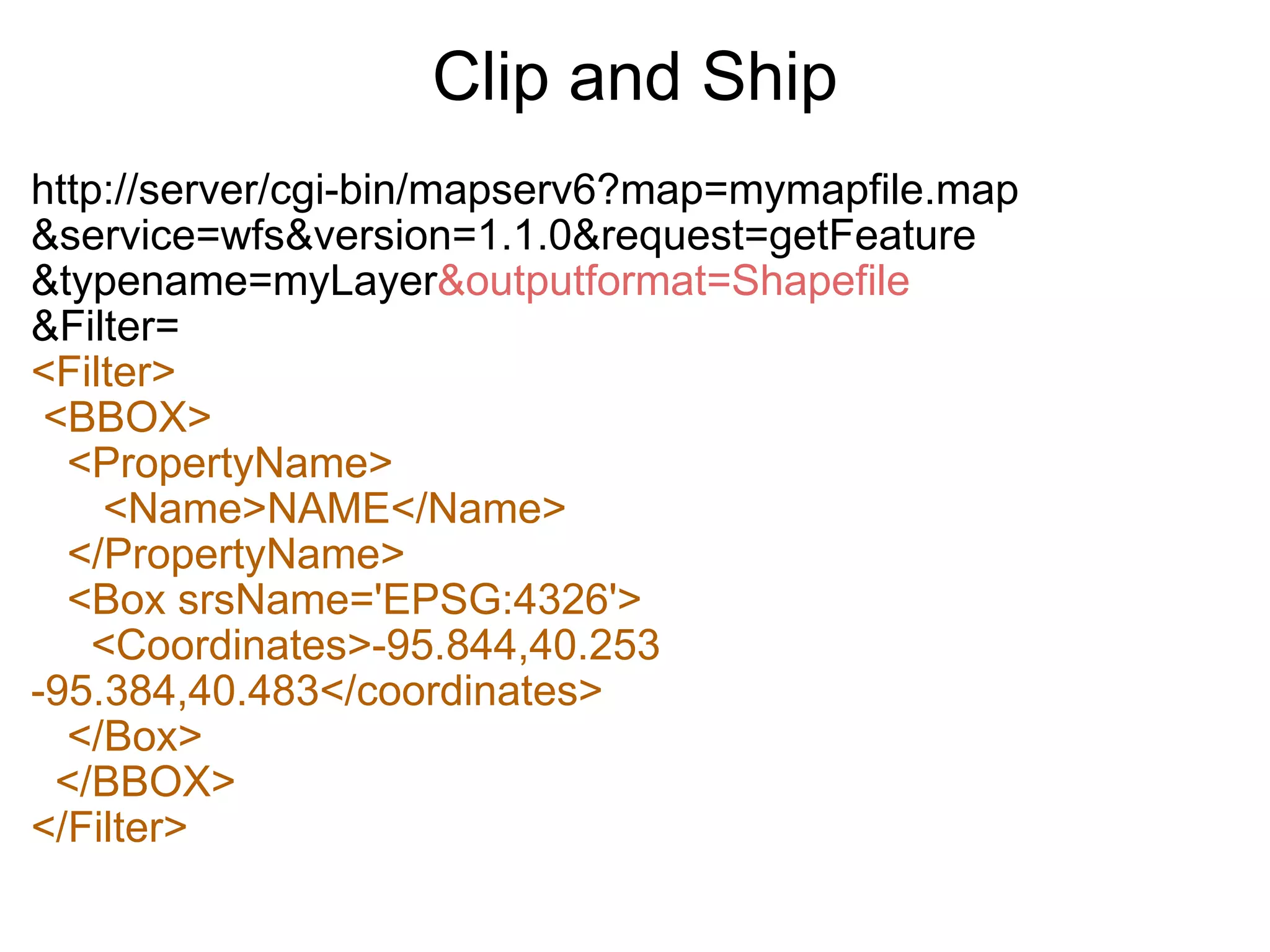
Clip and Ship http://server/cgi-bin/mapserv6?map=mymapfile.map &service=wfs&version=1.1.0&request=getFeature &typename=myLayer &outputformat=Shapefile &Filter= <Filter>   <BBOX>     <PropertyName>        <Name>NAME</Name>     </PropertyName>     <Box srsName='EPSG:4326'>       <Coordinates>-95.844,40.253 -95.384,40.483</coordinates>     </Box>    </BBOX> </Filter>
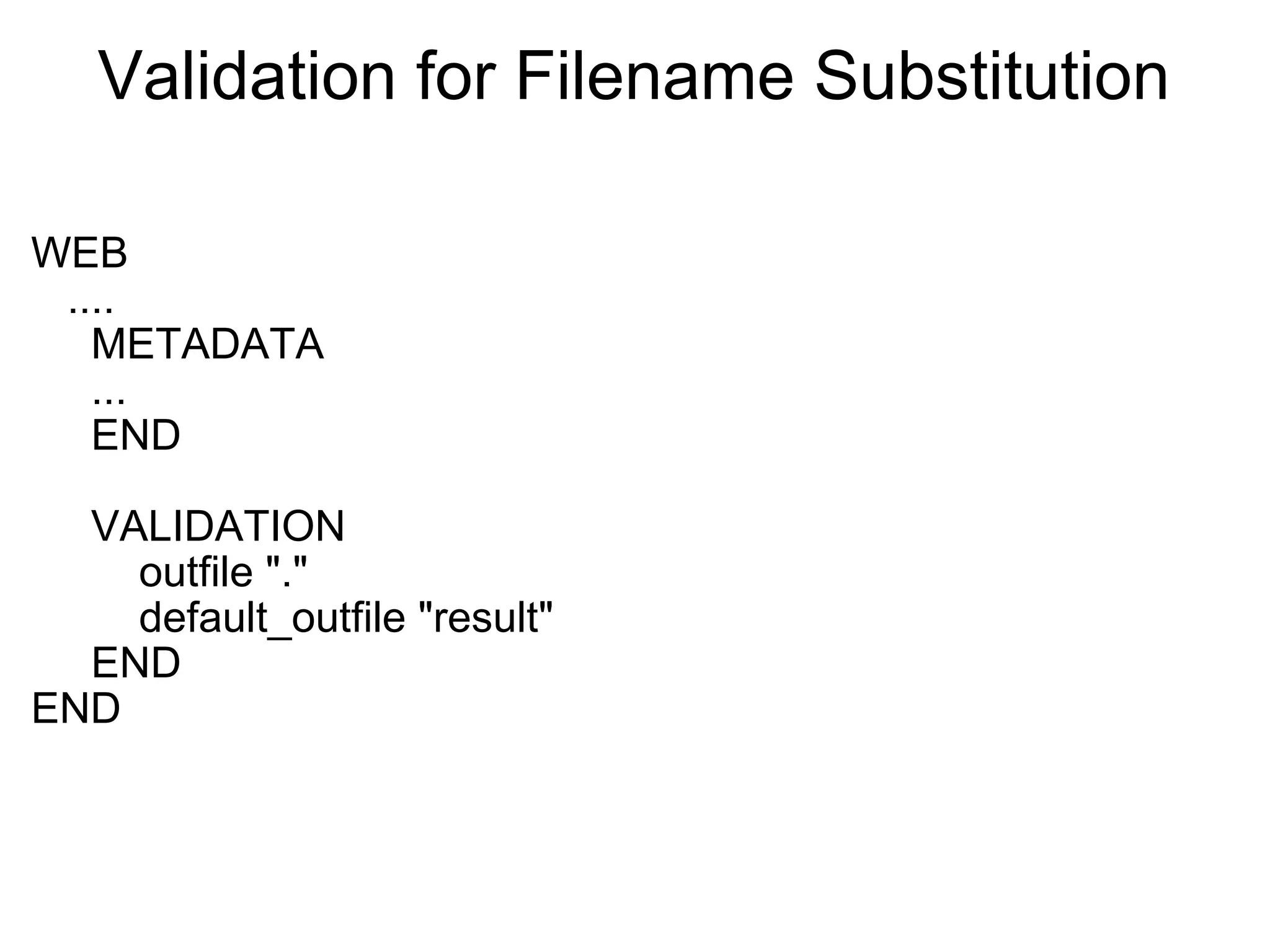
Validation for Filename Substitution WEB     ....       METADATA       ...       END             VALIDATION           outfile &quot;.&quot;           default_outfile &quot;result&quot;       END END
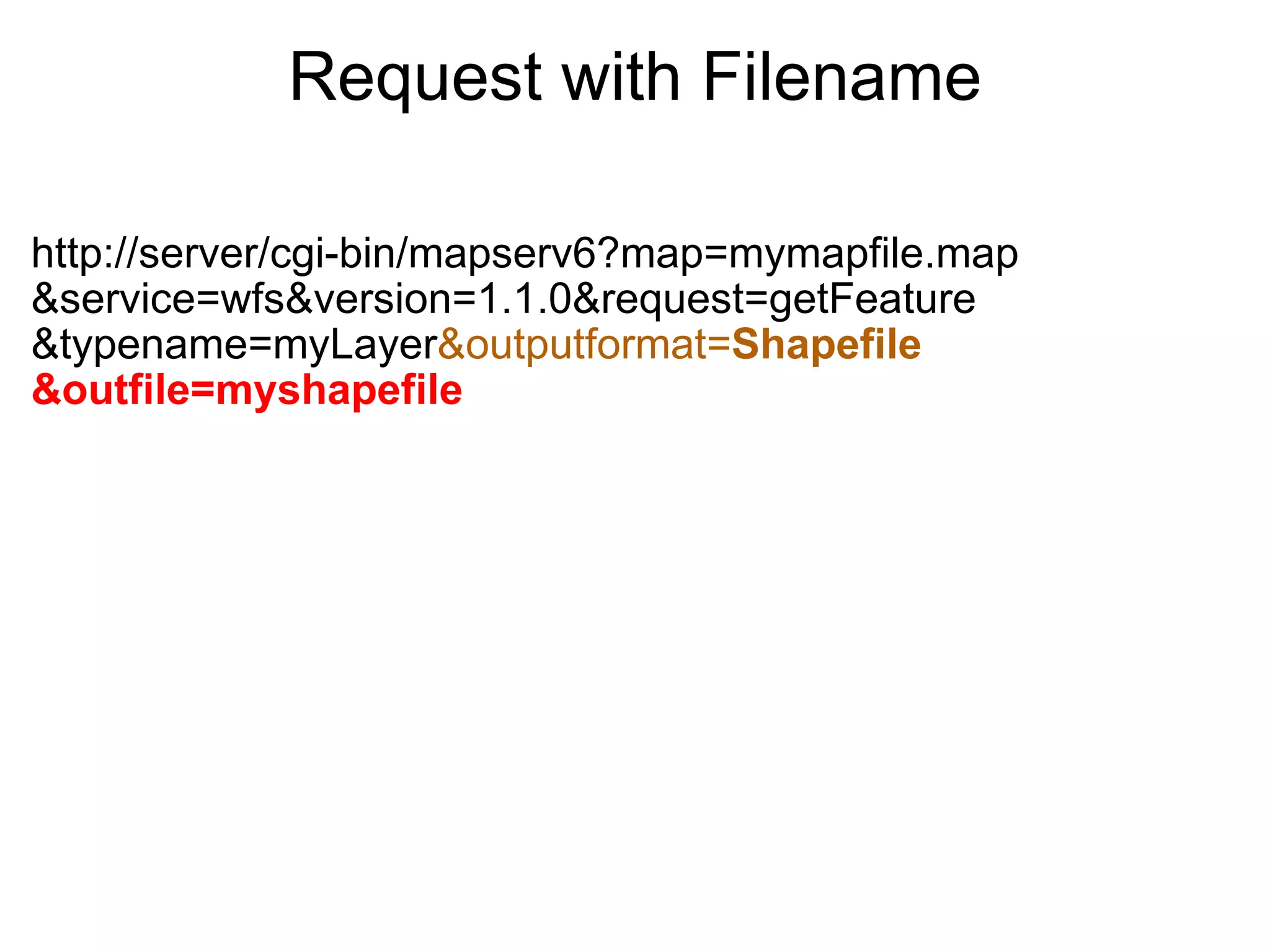
Request with Filename http://server/cgi-bin/mapserv6?map=mymapfile.map &service=wfs&version=1.1.0&request=getFeature &typename=myLayer &outputformat= Shapefile &outfile=myshapefile
Other Clip and Ship Options GeoServer has roughly similar WFS output extensions Suggestions from audience?
Lessons Learned No temporary files (for some formats)  Only method to limit download size is maxfeatures No method to limit extent of data download Every SRS supported for download needs to be enumerated
Conclusion Docs are available at  OGR Output - http://mapserver.org/output/ogr_output.html WFS Server - http://mapserver.org/ogc/wfs_server.html Supported by MapGears                www.mapgears.com US Army Corps of Engineers 
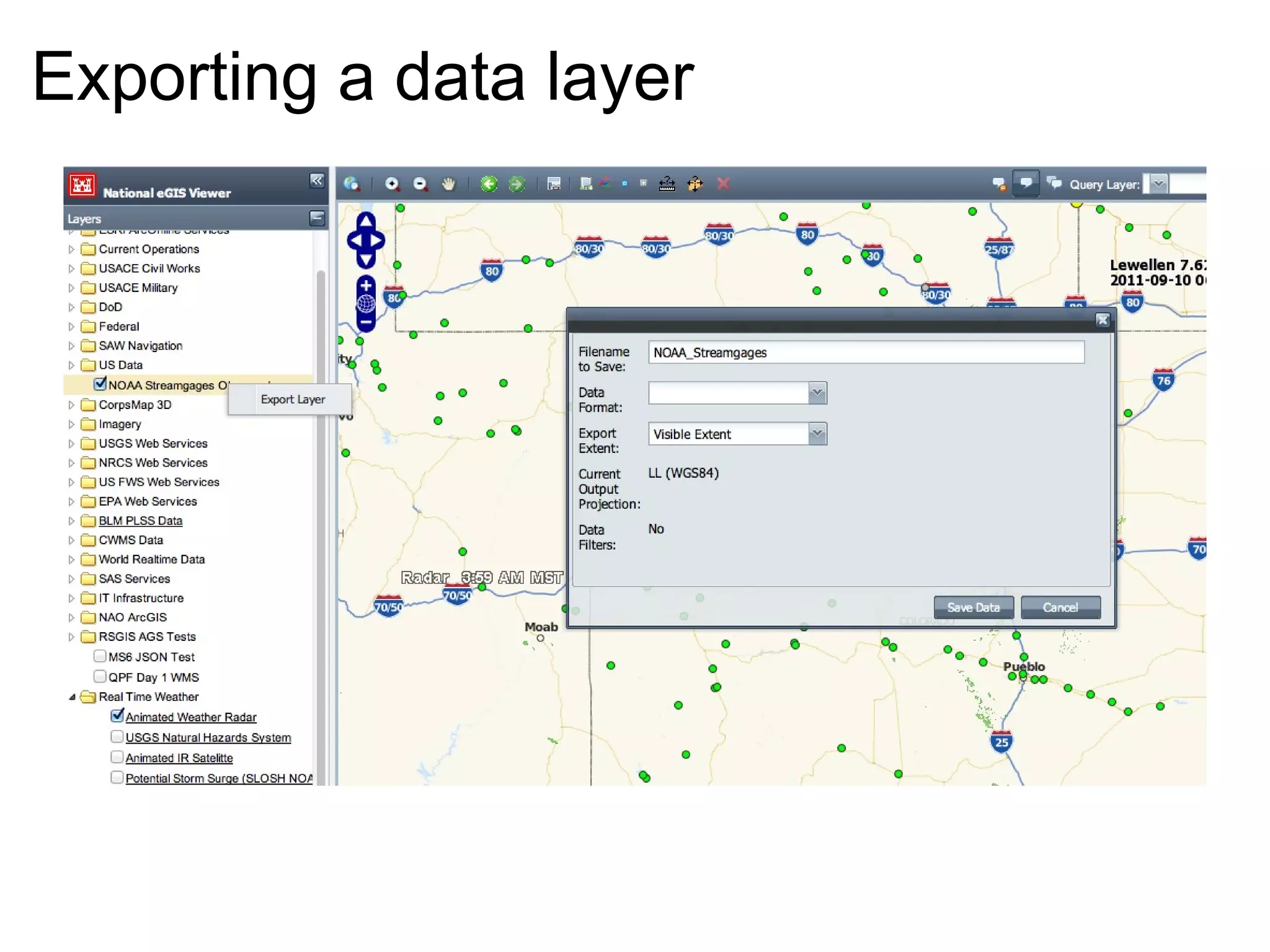
CorpsMap Viewer  OpenLayers / GeoExt / MapServer 6 / Oracle based Web Viewer
Exporting a data layer
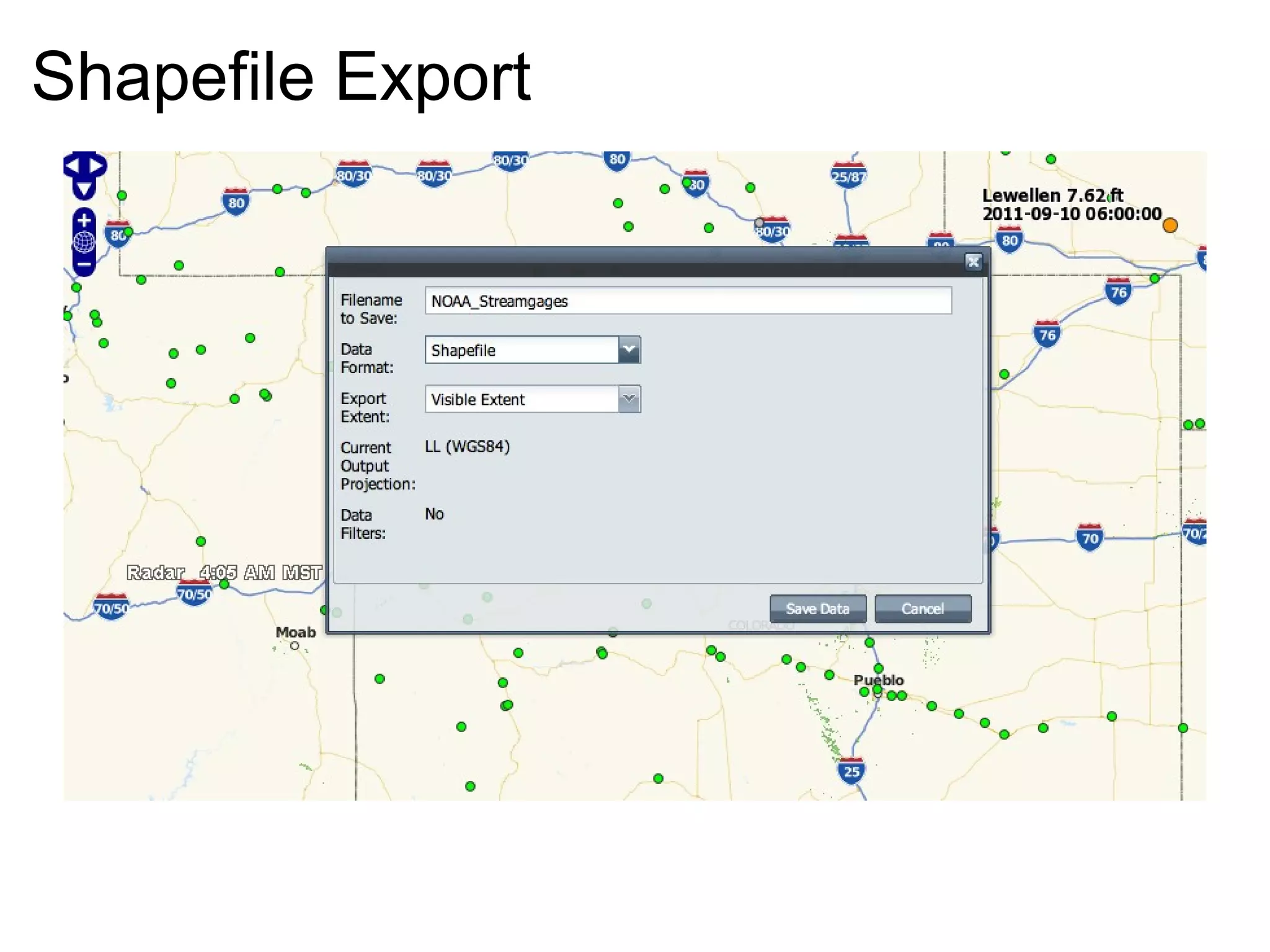
Shapefile Export
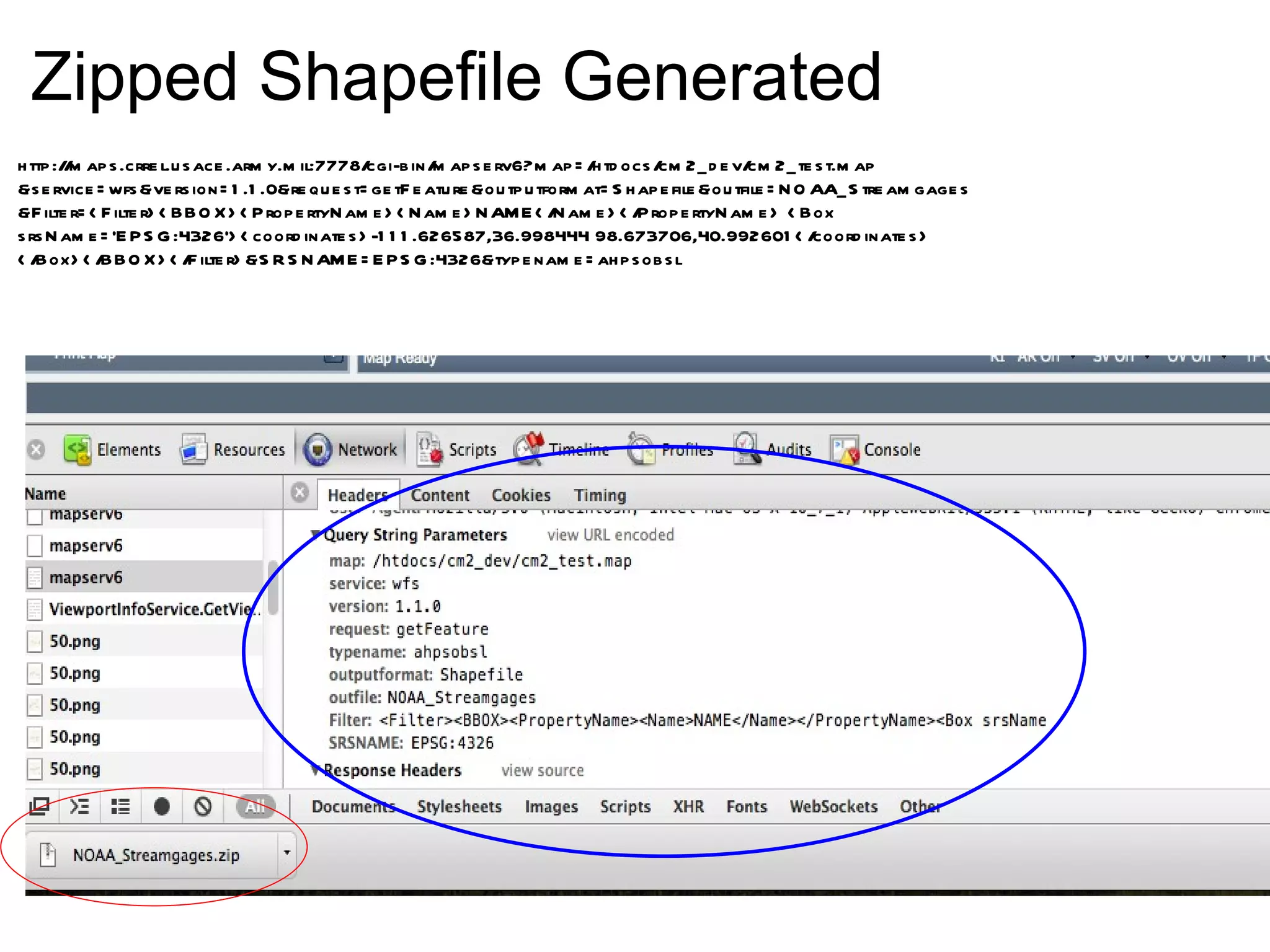
Zipped Shapefile Generated http://maps.crrel.usace.army.mil:7778/cgi-bin/mapserv6?map=/htdocs/cm2_dev/cm2_test.map &service=wfs&version=1.1.0&request=getFeature&outputformat=Shapefile&outfile=NOAA_Streamgages &Filter=<Filter><BBOX><PropertyName><Name>NAME</Name></PropertyName> <Box srsName='EPSG:4326'><coordinates>-111.626587,36.998444 98.673706,40.992601</coordinates> </Box></BBOX></Filter>&SRSNAME=EPSG:4326&typename=ahpsobsl

Clip and Ship: MapServer for Data Distribution

  • 1.
    Clip and Ship: MapServerfor  Data Distribution   Frank Warmerdam, Google, Inc. Michael Smith, US Army Corps of Engineers
  • 2.
    Clip and ShipInteractively: visualization layer selection spatial drill down   Deliver Data: file format coordinate system raw data  bundled up (zip, etc) immediate delivery  
  • 3.
    OGC Web ProtocolsAll are HTTP web service protocols   WMS (Web Map Service) portrayal/visualization oriented  Returns PNG/JPEG/GIF WFS (Web Feature Service) Raw GIS vector feature access. Defaults to returning GML.   WCS (Web Coverage Service) Raw Raster data access. Returns GeoTIFF, etc.  
  • 4.
    MapServer and GDAL/OGRGDAL/OGR multi format raster/vector data access multi format raster/vector data writing http://www.gdal.org/ MapServer Web map server Supports WMS, WFS and WCS protocols Uses GDAL/OGR for some data access and encoding http://www.mapserver.org/  
  • 5.
  • 6.
    MapServer Implementation MapFile: OUTPUTFORMAT declarations for output formats enable WMS, WFS and WCS  DUMP TRUE for underlying data access attribute access and type details declare supported coordinate systems  
  • 7.
    Metadata to allowExport  and Support Projections WEB     ......     METADATA         &quot;ows_title&quot; &quot;mywfs&quot;         &quot;ows_enable_request&quot; &quot;*&quot;         &quot;ows_srs&quot; &quot;EPSG:4326 EPSG:26915 &quot;         &quot;wfs_getfeature_formatlist&quot; &quot;Shapefile,FileGDB,geojson&quot;     END END  
  • 8.
    Including Attributes Controlledvia gml_include_items and gml_exclude_items Separate multiple columns with commas Use the special keyword all with the gml_include_items. Example: METADATA   &quot;gml_include_items&quot; &quot;all&quot;    &quot;gml_exclude_items&quot; &quot;my_sensitive_column,other&quot;    END Default behavior is to expose no attributes at all
  • 9.
    Attribute Level Controlsgml_ itemname _alias gml_ itemname _width gml_ itemname _precision gml_ itemname _type Integer, Real, Character,Date, Boolean   or &quot;gml_types&quot; &quot;auto&quot; defines all field types from source OGR, Oracle, PostGIS and Shapefile Default is everything is a string!
  • 10.
    Geometry Type gml/ows/wfs_geomtype(Optional) Geometry, Point, LineString, Polygon, MultiPoint, MultiLineString, MultiPolygon, GeometryCollection or None Also 2.5D version - Point25D, LineString25D, ... Defaults to 2D based on layer type Used for GML and OGR output
  • 11.
    OutputFormat Declaration Describesa OGR Format including layer creation options (LCO:*) dataset creation options (DSCO:*) form Simple / Multipart / Zip   storage   Memory / Filesystem / Stream filename (default is result.dat)
  • 12.
    Example Output FormatsOUTPUTFORMAT   NAME &quot;Shapefile&quot;   DRIVER &quot;OGR/ESRI Shapefile&quot;   FORMATOPTION &quot;STORAGE=memory&quot;   FORMATOPTION &quot;FORM=zip&quot;   FORMATOPTION &quot;FILENAME=%outfile%.zip&quot;   END     OUTPUTFORMAT   NAME &quot;FileGDB&quot;   DRIVER &quot;OGR/FileGDB&quot;   FORMATOPTION &quot;STORAGE=filesystem&quot;   FORMATOPTION &quot;FORM=zip&quot;   FORMATOPTION &quot;FILENAME=%outfile%.gdb.zip&quot;   END  
  • 13.
    More Examples  OUTPUTFORMAT  NAME &quot;geojson&quot;   DRIVER &quot;OGR/GEOJSON&quot;   MIMETYPE &quot;application/json; subtype=geojson&quot;   FORMATOPTION &quot;STORAGE=stream&quot;   FORMATOPTION &quot;FORM=SIMPLE&quot; END OUTPUTFORMAT   NAME &quot;OGRGML&quot;   DRIVER &quot;OGR/GML&quot;   FORMATOPTION &quot;STORAGE=memory&quot;   FORMATOPTION &quot;FORM=zip&quot;   FORMATOPTION &quot;FILENAME=%outfile%.gml.zip&quot; END
  • 14.
    Even More Examples OUTPUTFORMAT   NAME &quot;MIDMIF&quot;   DRIVER &quot;OGR/MapInfo File&quot;   FORMATOPTION &quot;STORAGE=filesystem&quot;   FORMATOPTION &quot;FORM=multipart&quot;   FORMATOPTION &quot;DSCO:FORMAT=MIF&quot;   FORMATOPTION &quot;FILENAME=result.mif&quot; END OUTPUTFORMAT   NAME &quot;CSV&quot;   DRIVER &quot;OGR/CSV&quot;   MIMETYPE &quot;text/csv&quot;   FORMATOPTION &quot;LCO:GEOMETRY=AS_WKT&quot;   FORMATOPTION &quot;STORAGE=filesystem&quot;   FORMATOPTION &quot;FORM=simple&quot;   FORMATOPTION &quot;FILENAME=result.csv&quot; END
  • 15.
    Make Request viaWFS http://server/cgi-bin/mapserv6?map=mymapfile.map &service=wfs&version=1.1.0&request=getFeature &typename=myLayer&outputformat= Shapefile
  • 16.
    Make a requestfor projected data   (requires WFS 1.1.0 or later) http://server/cgi-bin/mapserv6?map=mymapfile.map &service=wfs&version=1.1.0&request=getFeature &typename=myLayer &outputformat= FileGDB &srsname=EPSG:26915
  • 17.
    Clip and Shiphttp://server/cgi-bin/mapserv6?map=mymapfile.map &service=wfs&version=1.1.0&request=getFeature &typename=myLayer &outputformat=Shapefile &Filter= <Filter>   <BBOX>     <PropertyName>       <Name>NAME</Name>     </PropertyName>     <Box srsName='EPSG:4326'>       <Coordinates>-95.844,40.253 -95.384,40.483</coordinates>     </Box>   </BBOX> </Filter>
  • 18.
    Validation for FilenameSubstitution WEB     ....       METADATA       ...       END             VALIDATION           outfile &quot;.&quot;           default_outfile &quot;result&quot;       END END
  • 19.
    Request with Filenamehttp://server/cgi-bin/mapserv6?map=mymapfile.map &service=wfs&version=1.1.0&request=getFeature &typename=myLayer &outputformat= Shapefile &outfile=myshapefile
  • 20.
    Other Clip andShip Options GeoServer has roughly similar WFS output extensions Suggestions from audience?
  • 21.
    Lessons Learned Notemporary files (for some formats) Only method to limit download size is maxfeatures No method to limit extent of data download Every SRS supported for download needs to be enumerated
  • 22.
    Conclusion Docs areavailable at  OGR Output - http://mapserver.org/output/ogr_output.html WFS Server - http://mapserver.org/ogc/wfs_server.html Supported by MapGears                www.mapgears.com US Army Corps of Engineers 
  • 23.
    CorpsMap Viewer  OpenLayers/ GeoExt / MapServer 6 / Oracle based Web Viewer
  • 24.
  • 25.
  • 26.
    Zipped Shapefile Generatedhttp://maps.crrel.usace.army.mil:7778/cgi-bin/mapserv6?map=/htdocs/cm2_dev/cm2_test.map &service=wfs&version=1.1.0&request=getFeature&outputformat=Shapefile&outfile=NOAA_Streamgages &Filter=<Filter><BBOX><PropertyName><Name>NAME</Name></PropertyName> <Box srsName='EPSG:4326'><coordinates>-111.626587,36.998444 98.673706,40.992601</coordinates> </Box></BBOX></Filter>&SRSNAME=EPSG:4326&typename=ahpsobsl