The Project Cycle Part 2 Session 8
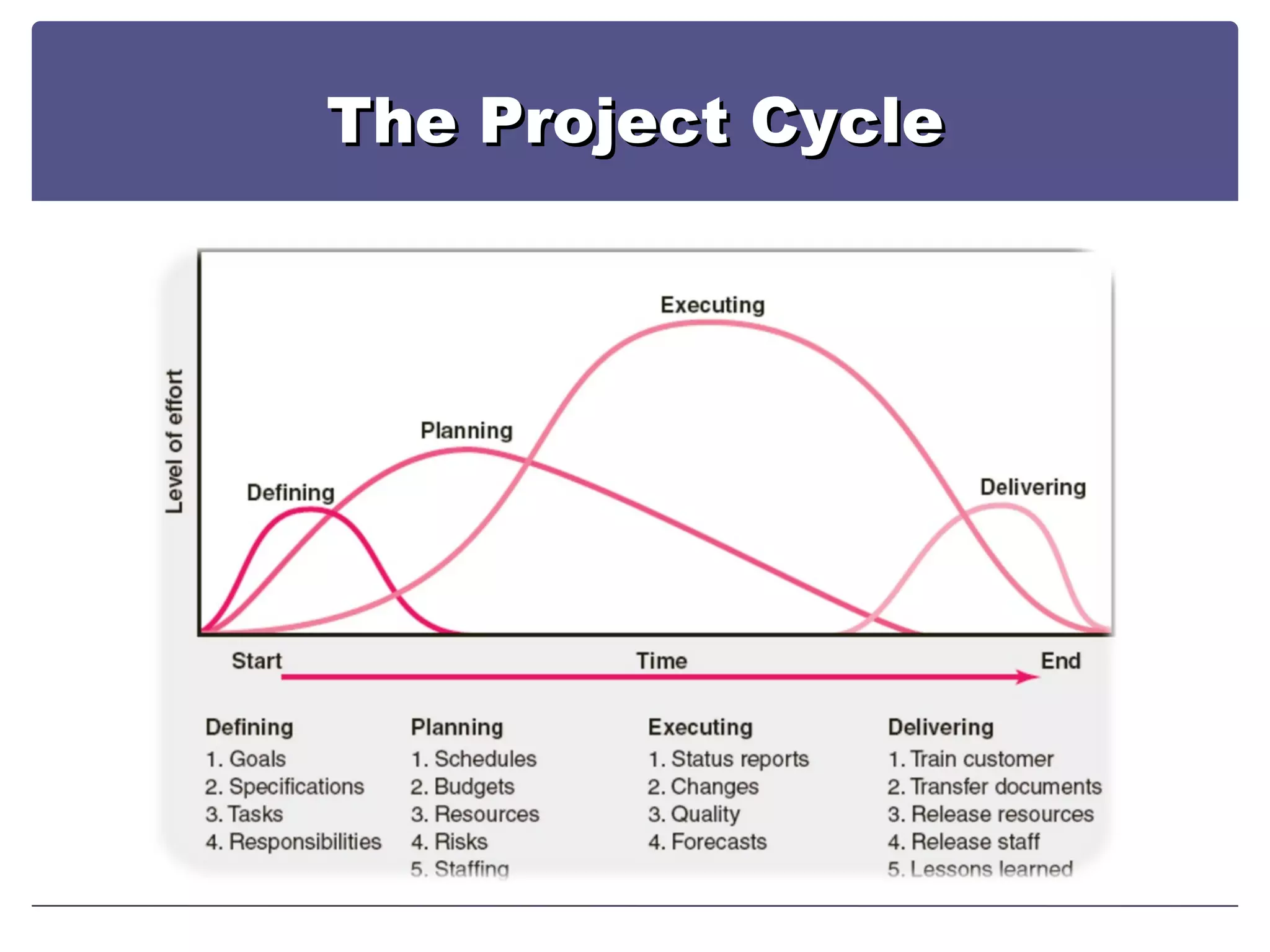
The Project Cycle
The Project Cycle To Get to a Plan….You Need a Network Diagram
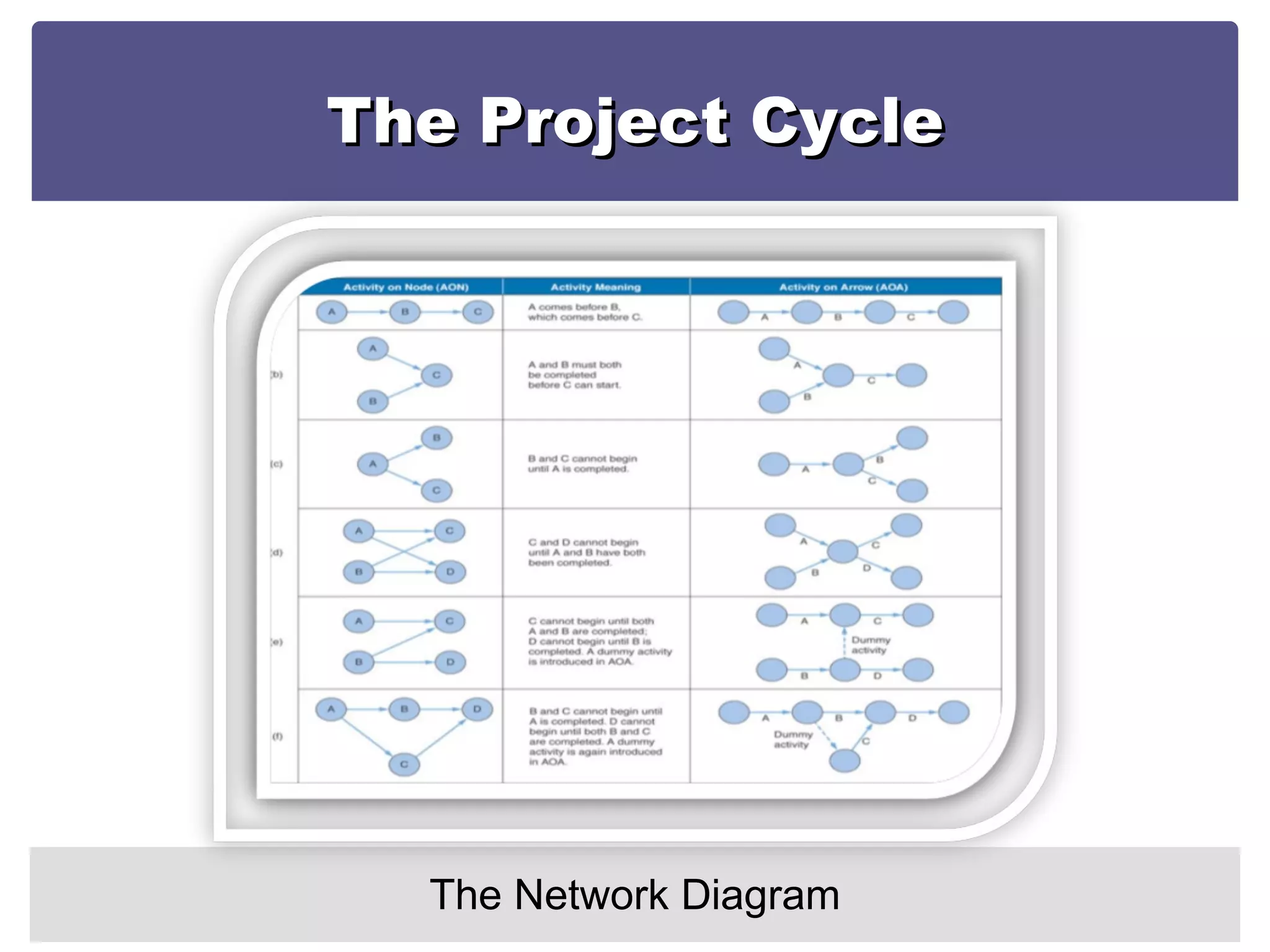
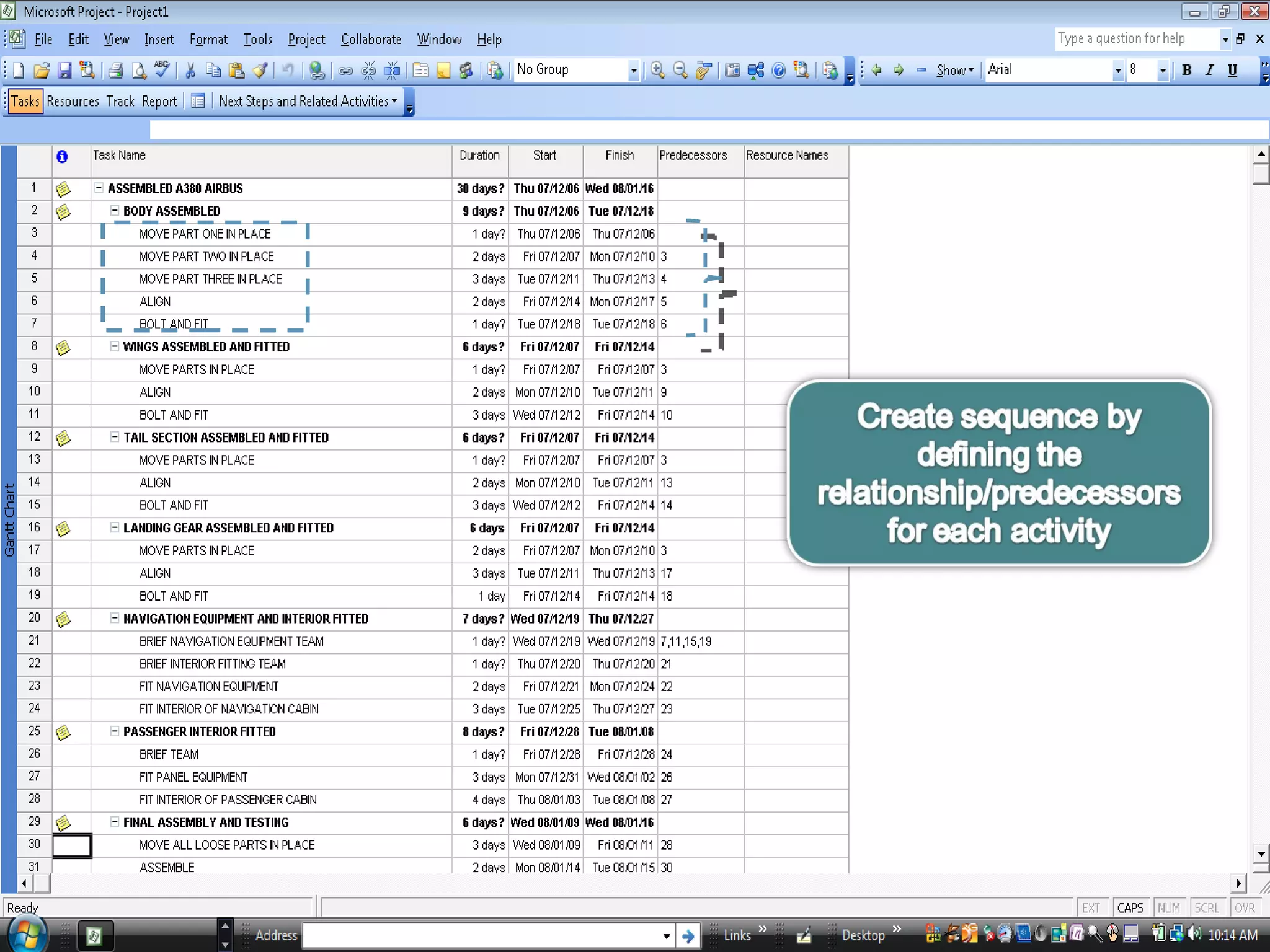
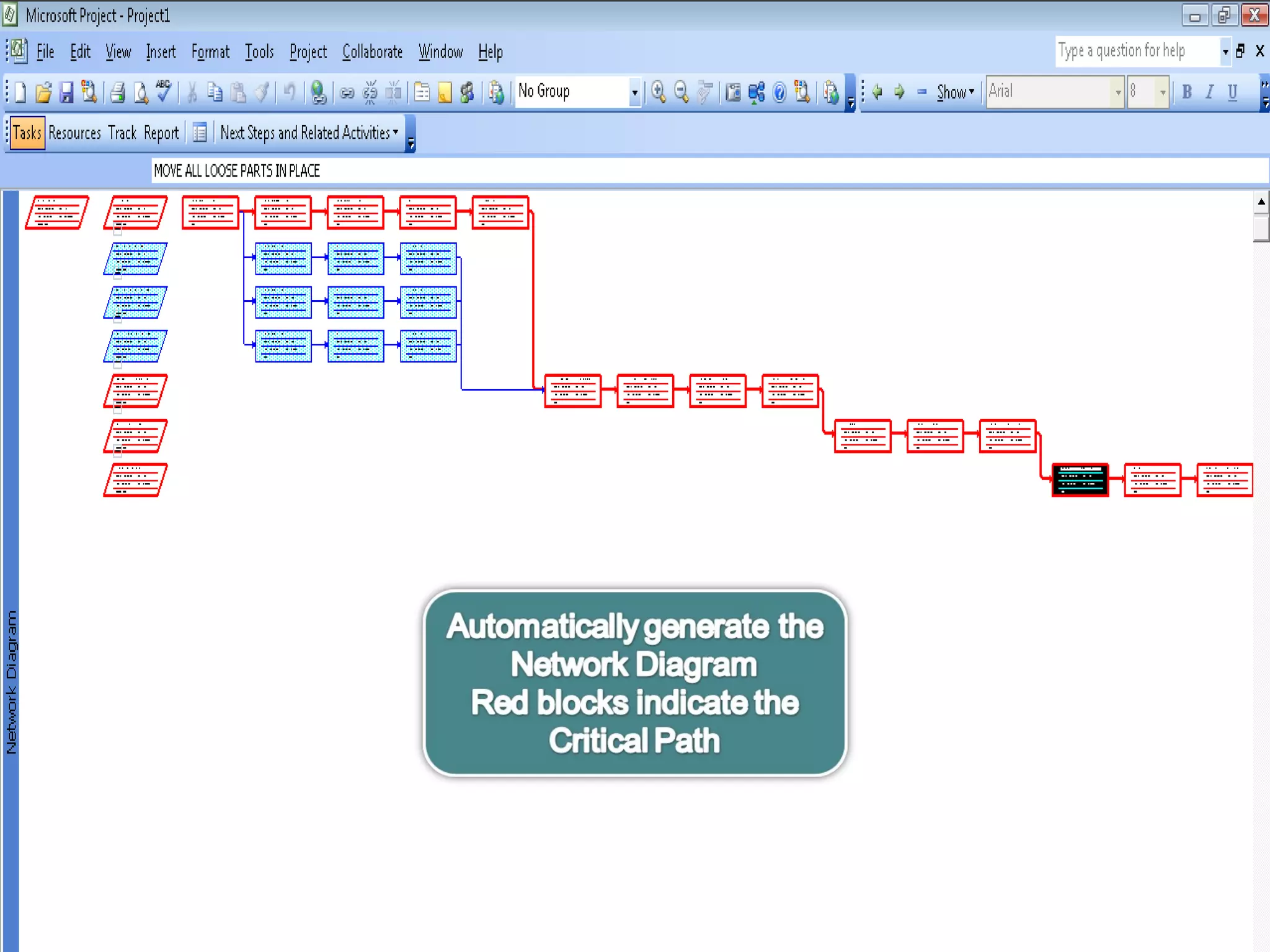
The Project Cycle The Network Diagram Essentially the  sequencing of activities A tool for  planning, scheduling and monitoring project progress Developed from the WBS A  chart that graphically depicts the sequence, interdependencies,  and start and finish times of the project job plan of activities that is the critical path through the network
The Project Cycle The Network Diagram Provides the  basis for scheduling labor and equipment Enhances communication among project participants Provides an  estimate of the project’s duration Provides a  basis for budgeting cash flow Highlights  activities that are “critical” and cannot be delayed Help managers get and stay on plan.
The Project Cycle The Network Diagram
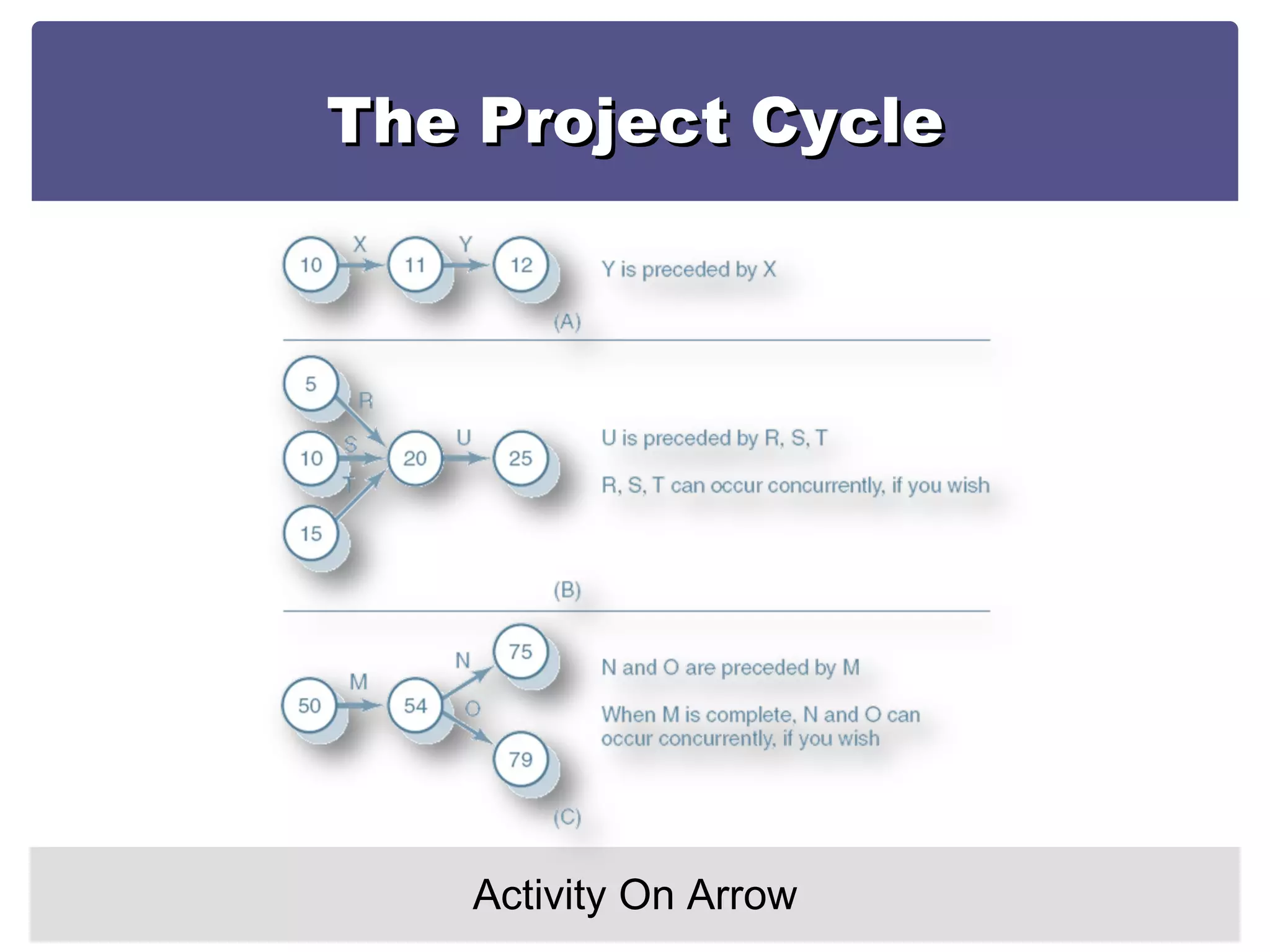
The Project Cycle Activity On Arrow
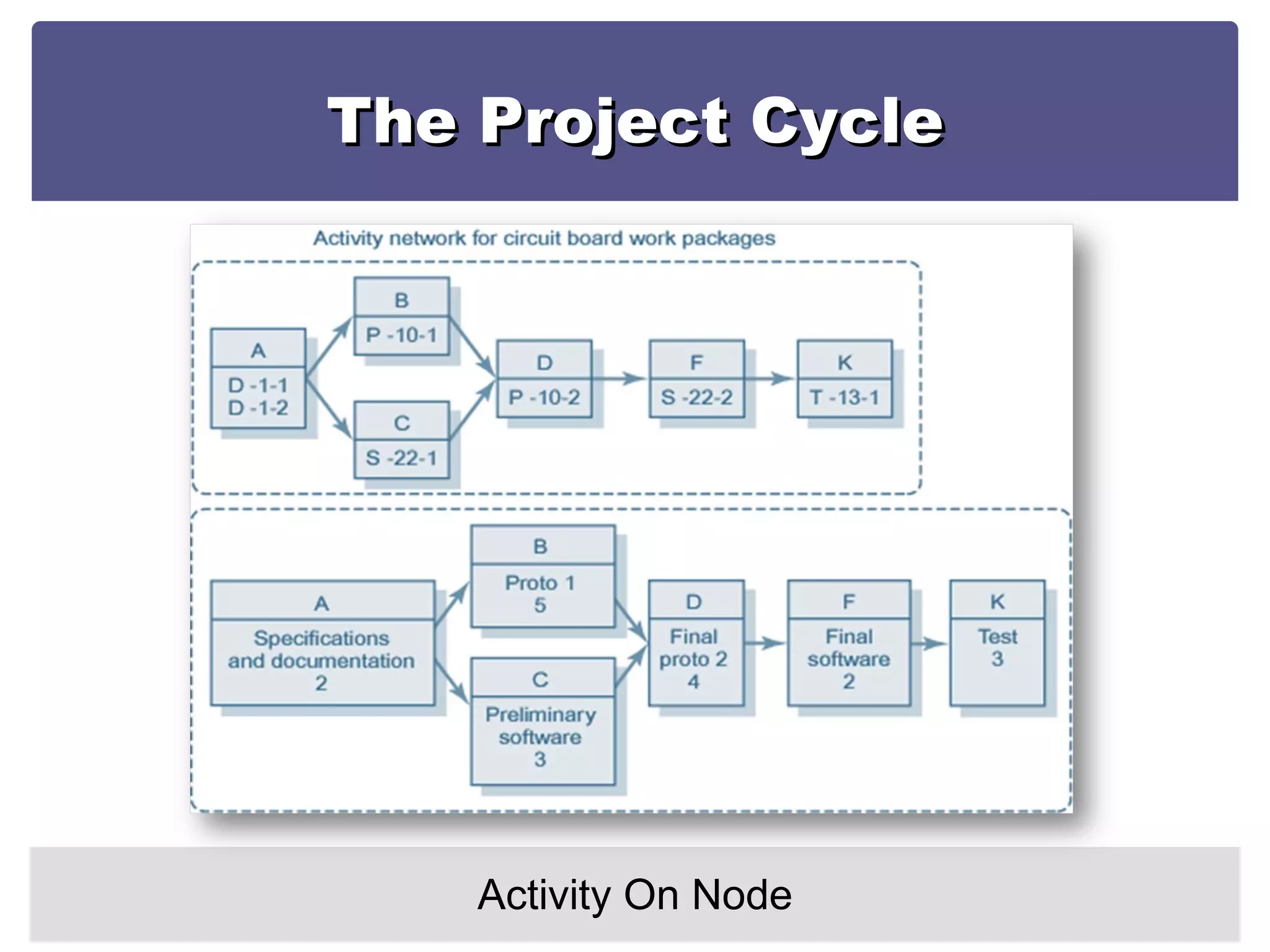
The Project Cycle Activity On Node
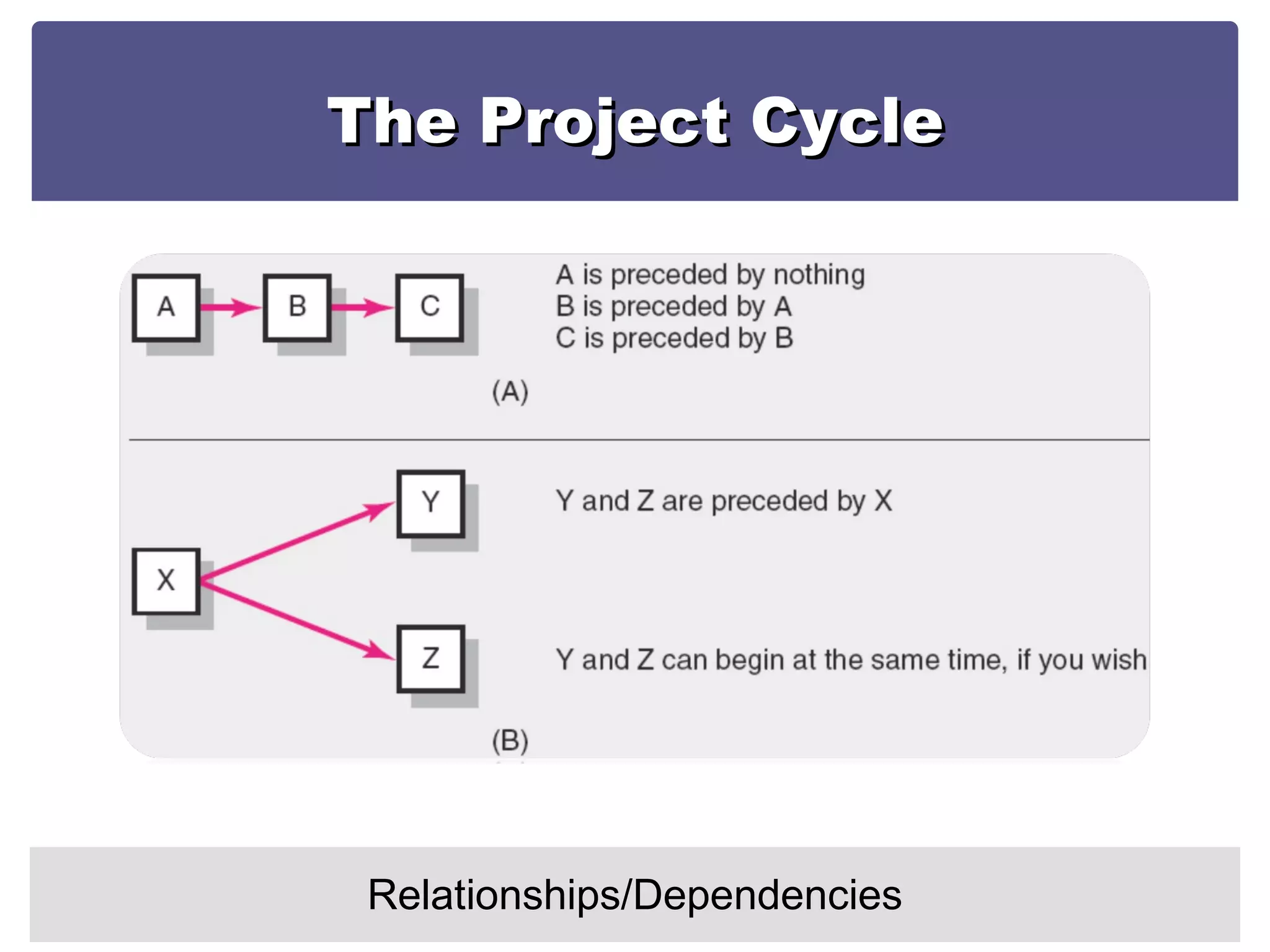
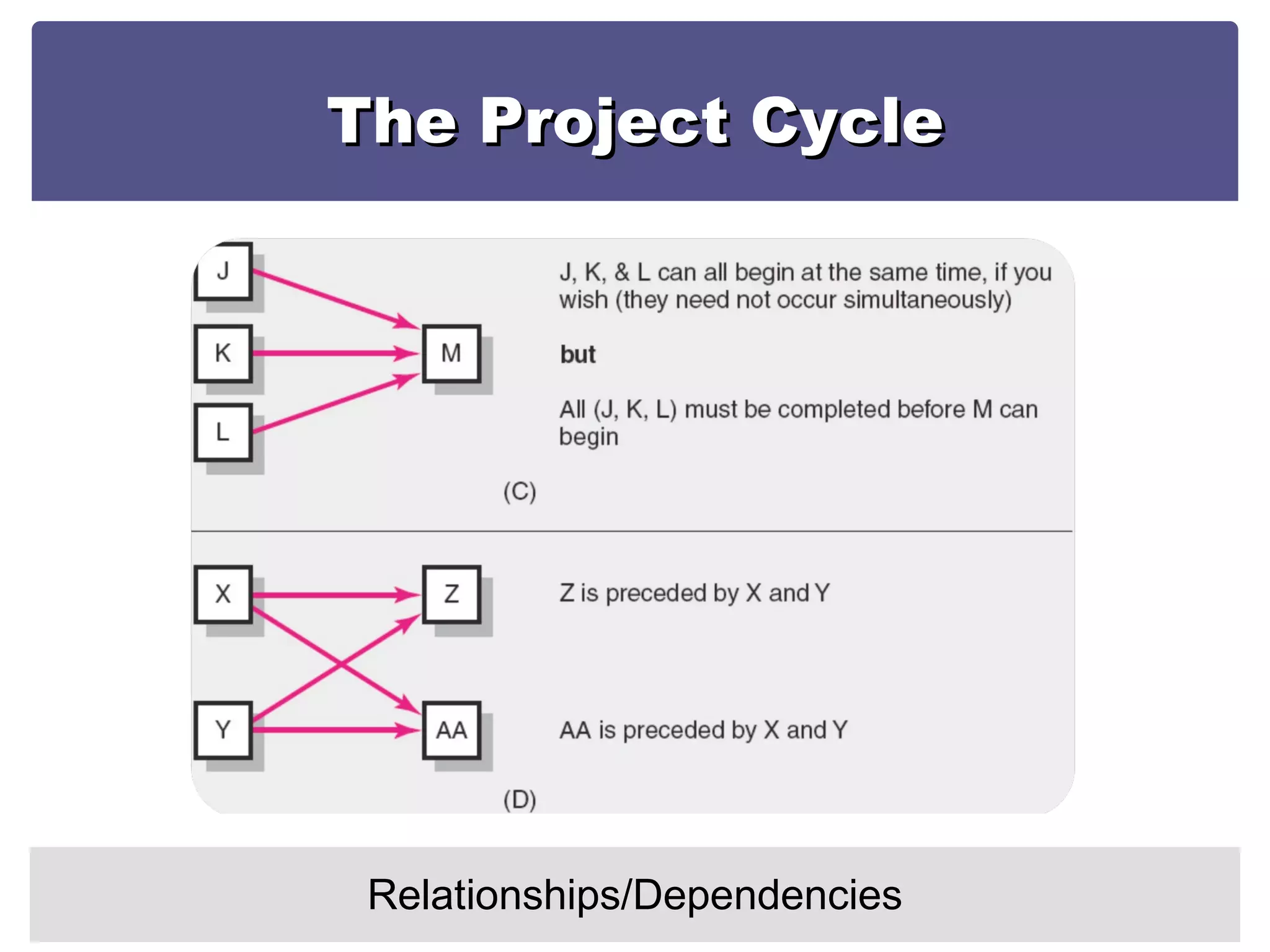
The Project Cycle Relationships/Dependencies
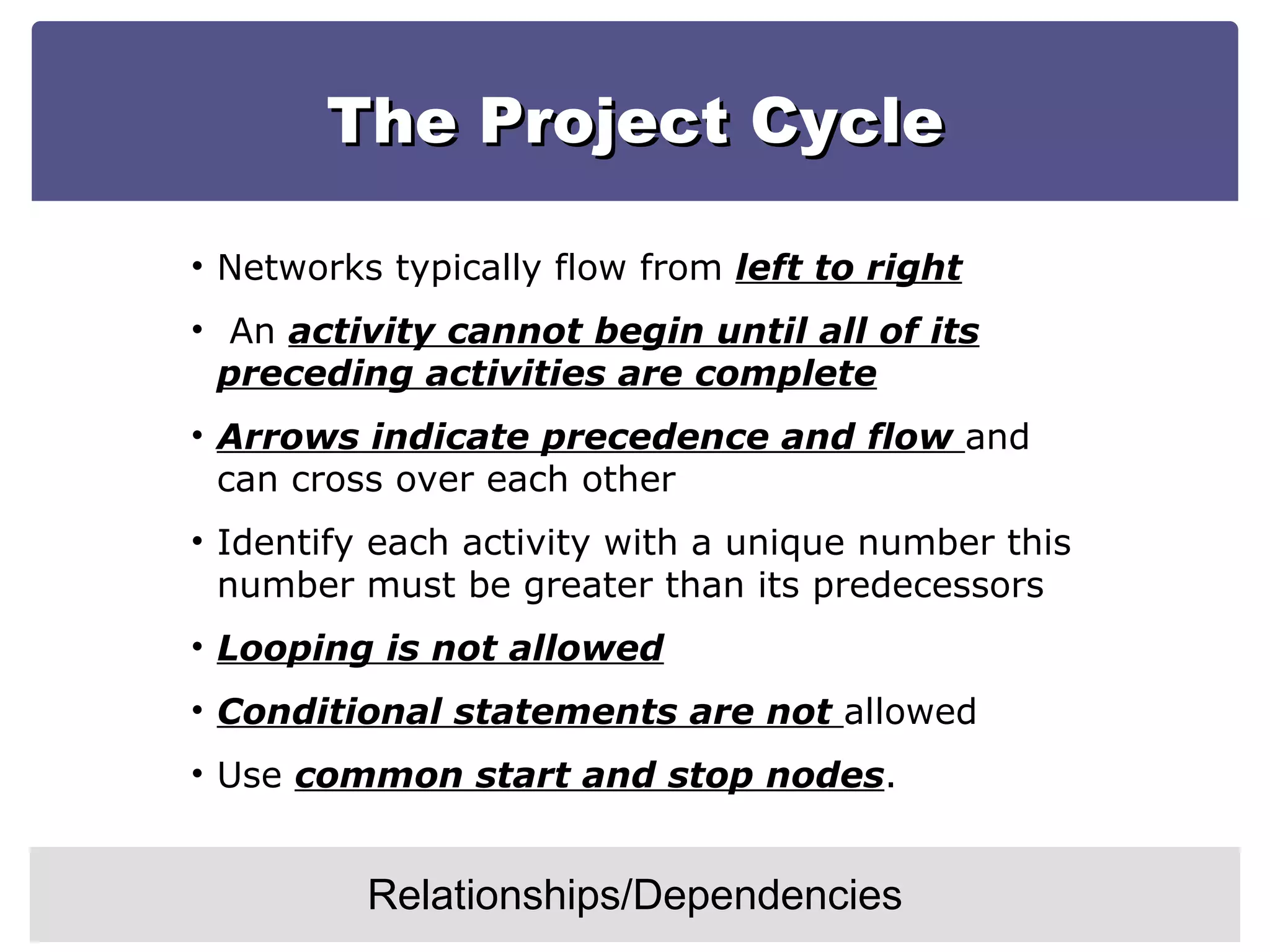
The Project Cycle Relationships/Dependencies Networks typically flow from  left to right An  activity cannot begin until all of its preceding activities are complete Arrows indicate precedence and flow  and can cross over each other Identify each activity with a unique number this number must be greater than its predecessors Looping is not allowed Conditional statements are not  allowed Use  common start and stop nodes .
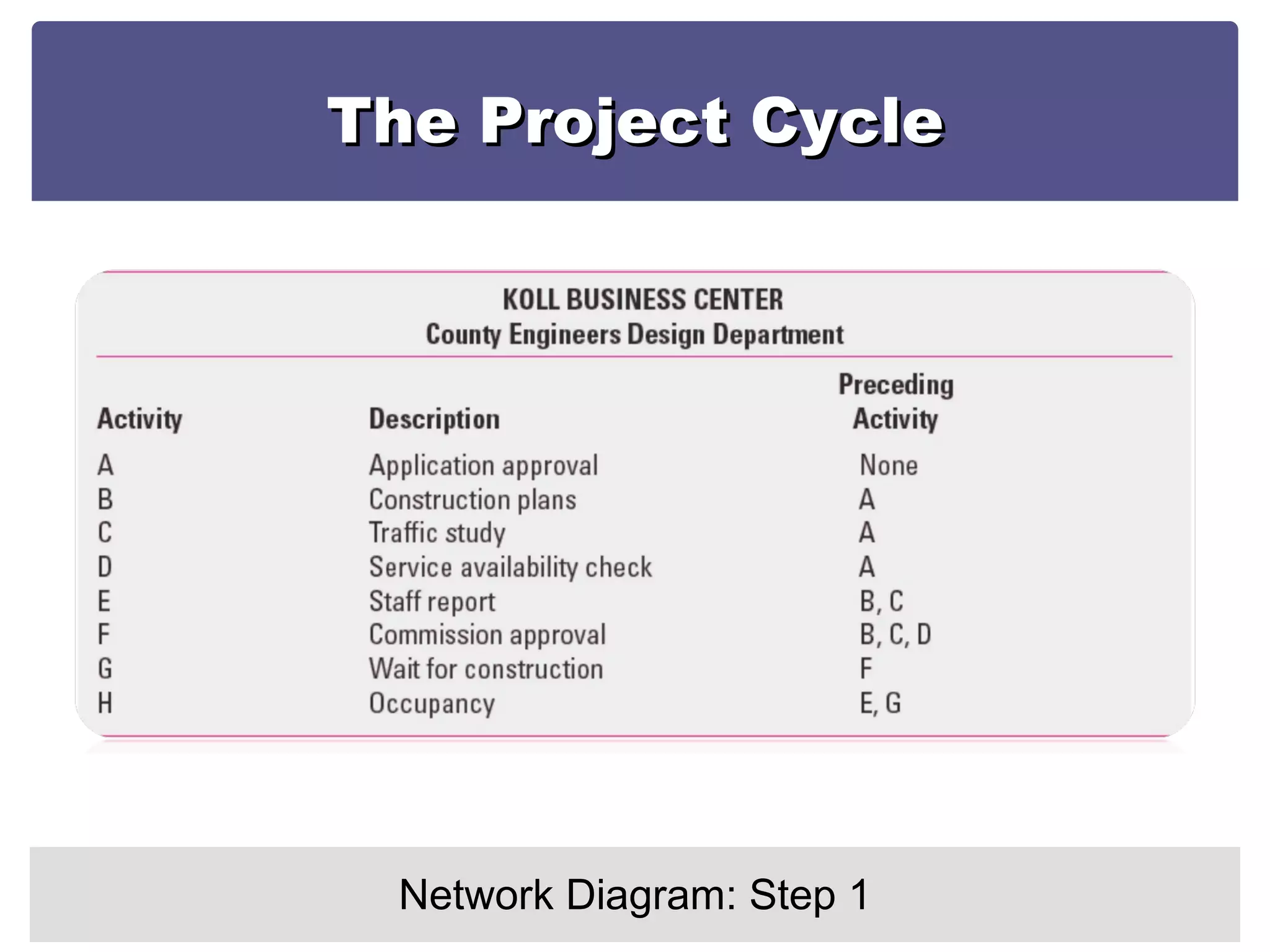
The Project Cycle Network Diagram: Step 1
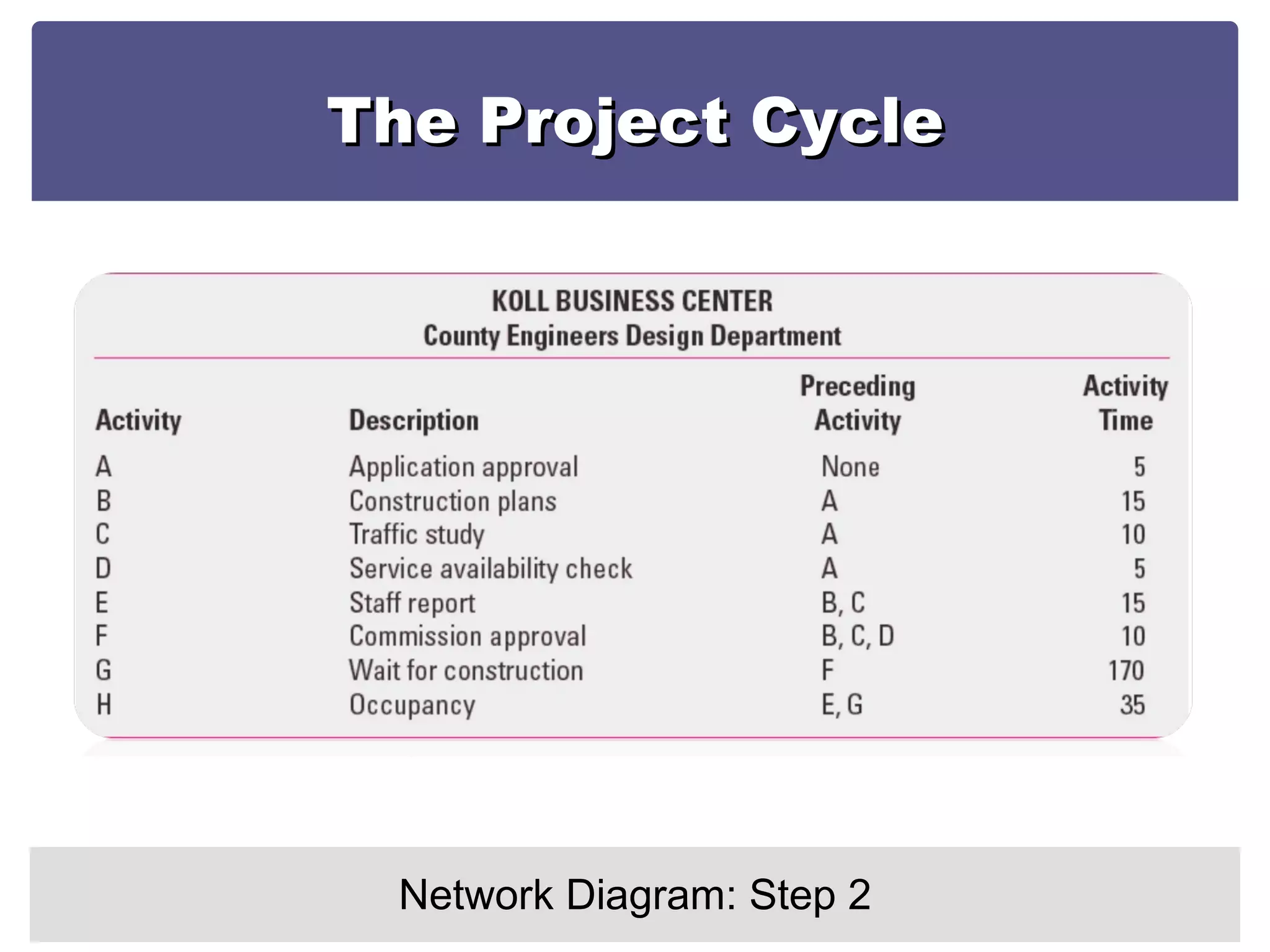
The Project Cycle Network Diagram: Step 2
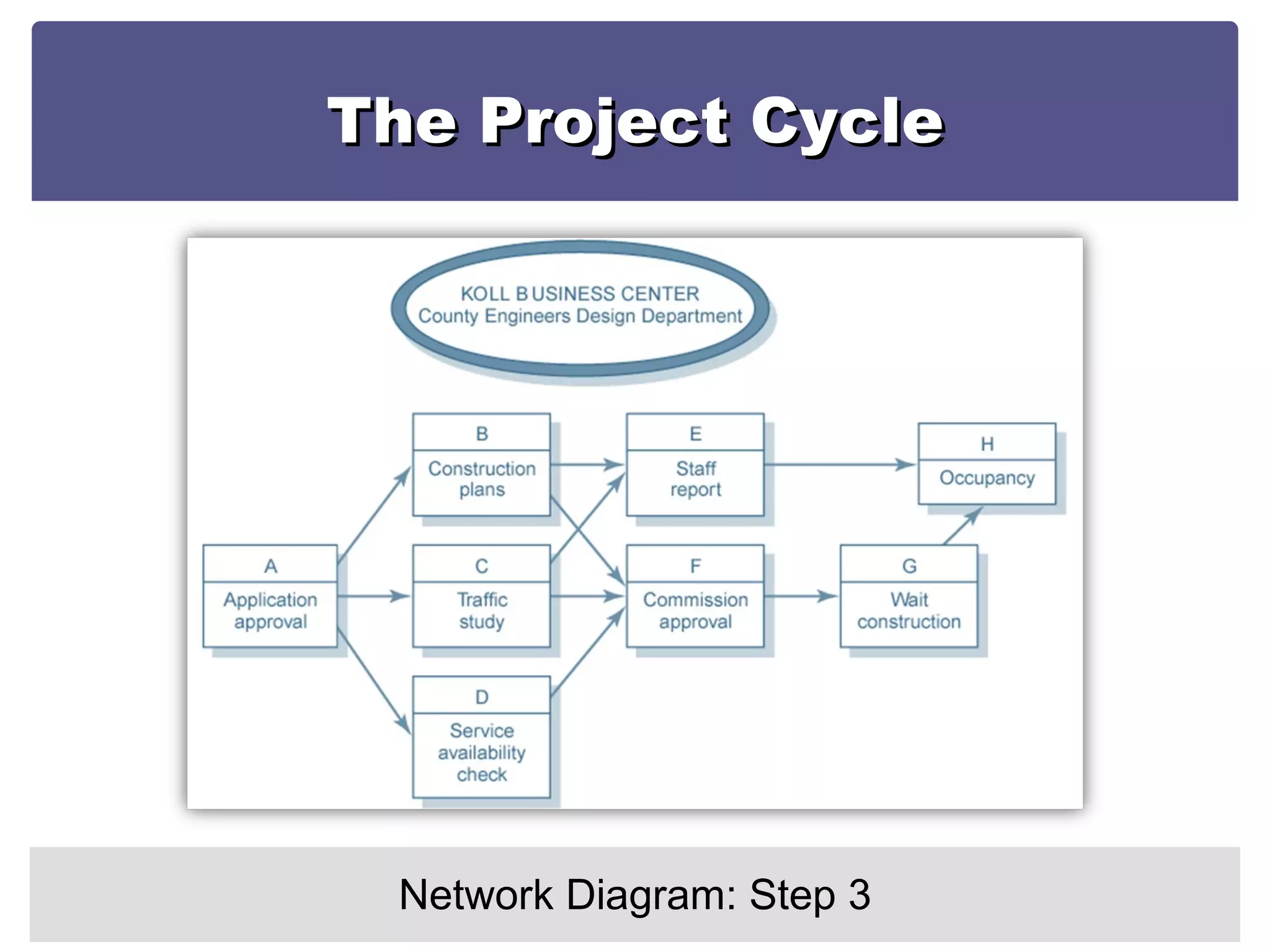
The Project Cycle Network Diagram: Step 3
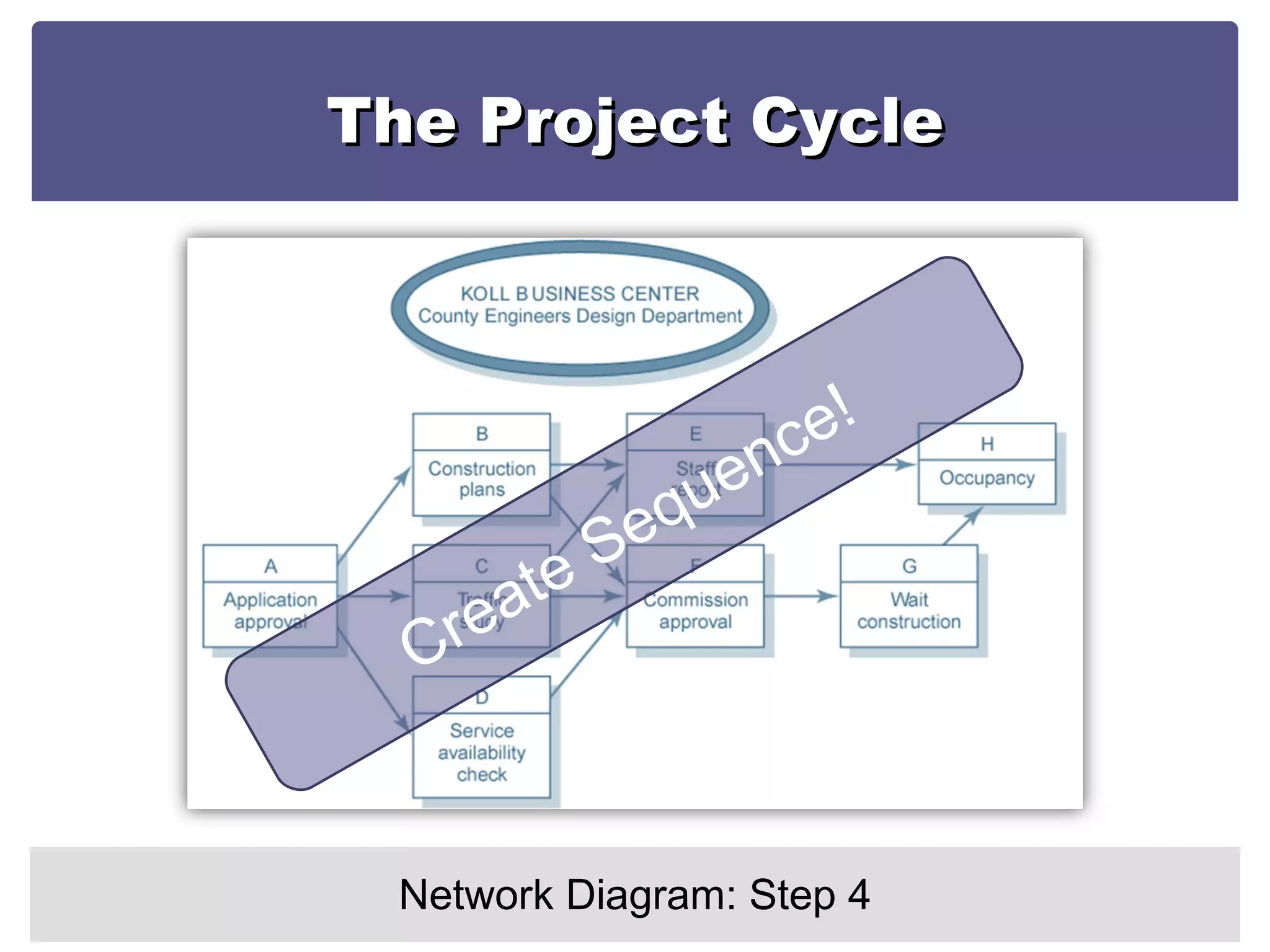
The Project Cycle Network Diagram: Step 4 Create Sequence!
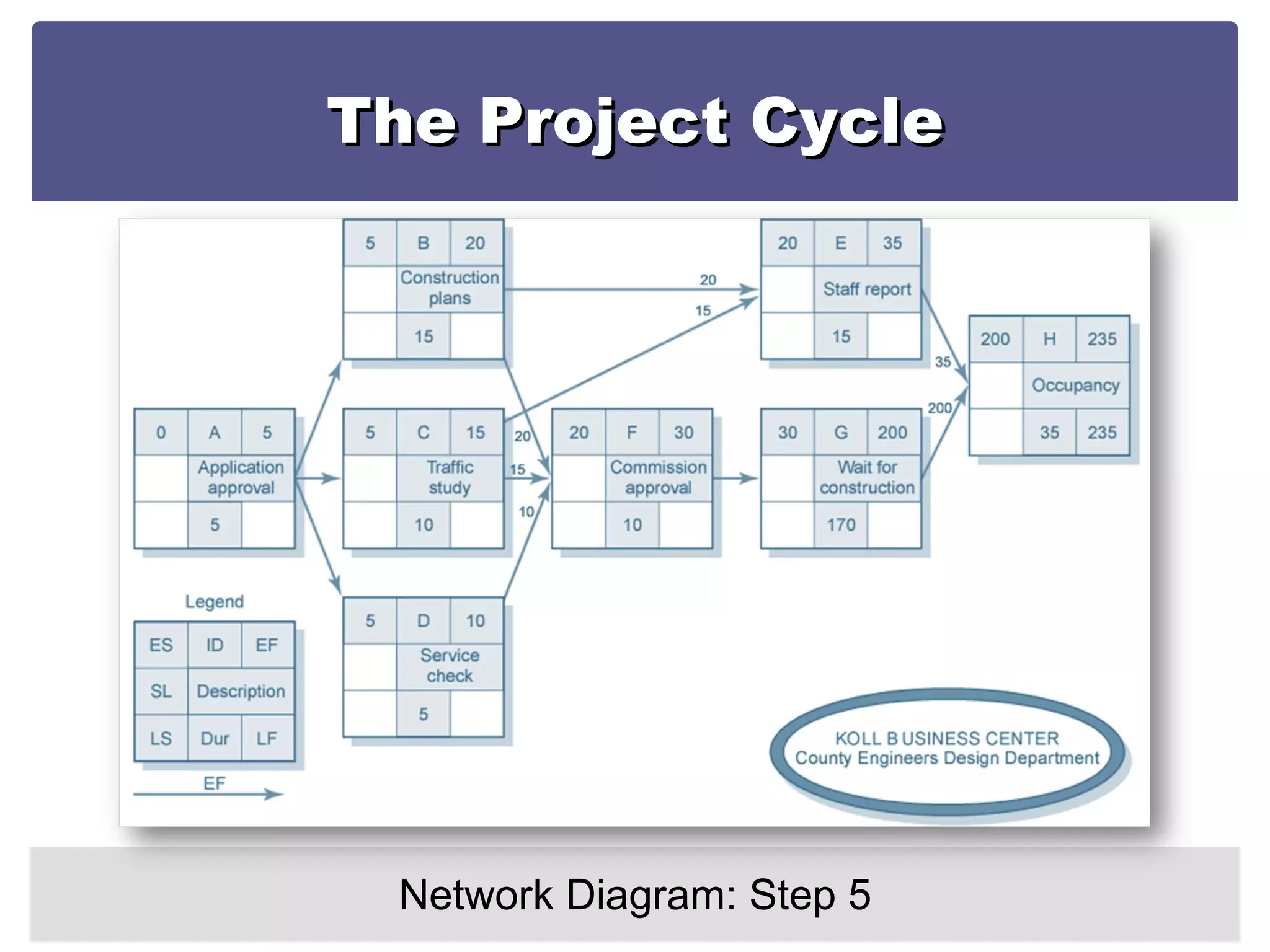
The Project Cycle Network Diagram: Step 5 A  Forward Pass through the network determines the earliest times each activity can start and finish Forward Pass: How soon can the activity start? (early start—ES) How soon can the activity finish? (early finish—EF)
The Project Cycle Network Diagram: Step 5 Add activity times along each path in the network  (ES + Duration = EF) Carry the early finish ( EF) to the next activity where it becomes its early start (ES) unless… The next succeeding activity is a merge activity, in which case the largest EF of all preceding activities is selected.
The Project Cycle Network Diagram: Step 5
The Project Cycle Network Diagram: Step 6 A  Backward Pass  through the network determines  the latest times each activity can start and finish without delaying completion of the project Backward Pass : How late can the activity start? (late start—LS) How late can the activity finish? (late finish—LF)
The Project Cycle Network Diagram: Step 6 Subtract activity durations along each path in the network  (LF - Duration = LS) Carry the  late start (LS) to the next activity where it becomes its late finish (LF) unless… The activity is a merger activity, in which case the smallest LS of the previous activities is selected.
The Project Cycle Network Diagram: Step 6
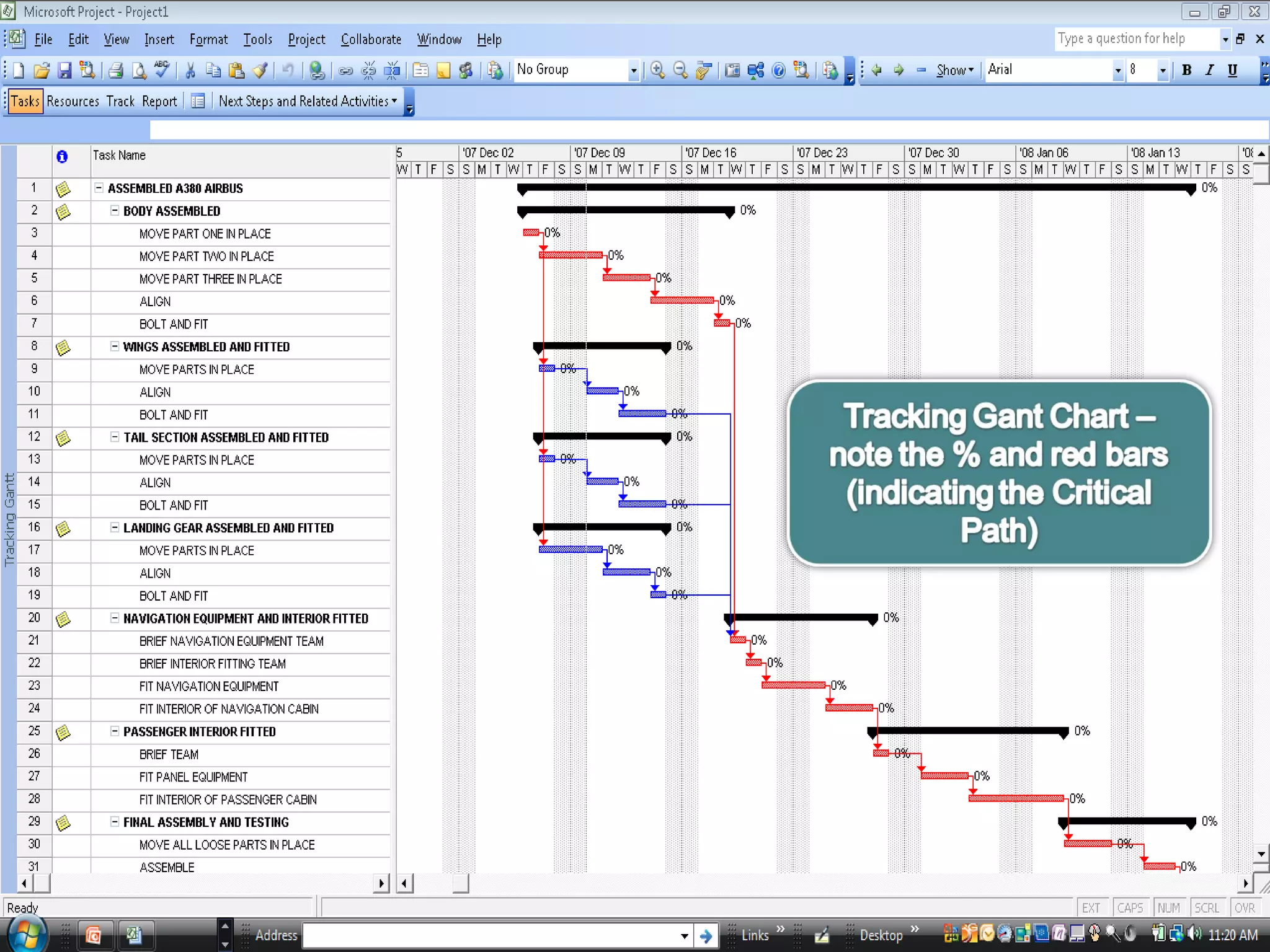
The Project Cycle Important Concepts Slack (or Float): The duration an activity can be delayed after the start of a longer parallel activity or activities Total slack: The duration an activity can be delayed without delaying the entire project The critical path is the network path(s) that has (have) the least slack in common- normally Zero.
The Project Cycle Important Concepts Utilization of Slack: If slack in an activity on a path is used, the ES of all activities that follow in that chain will be delayed  and their slack reduced. Use of total slack should therefore be coordinated with all participants in the activities that follow in that chain
The Project Cycle Important Concepts Free slack: Free slack, however is unique because the activity can be delayed without delaying the ES of activities following it. Free slack is defined as the difference between the EF of an activity and the ES of the activity that follows. Only activities where that occur at the end of a chain of activities (usually where you have a merge activity) can have free slack –  Free slack does not affect the activities following it.
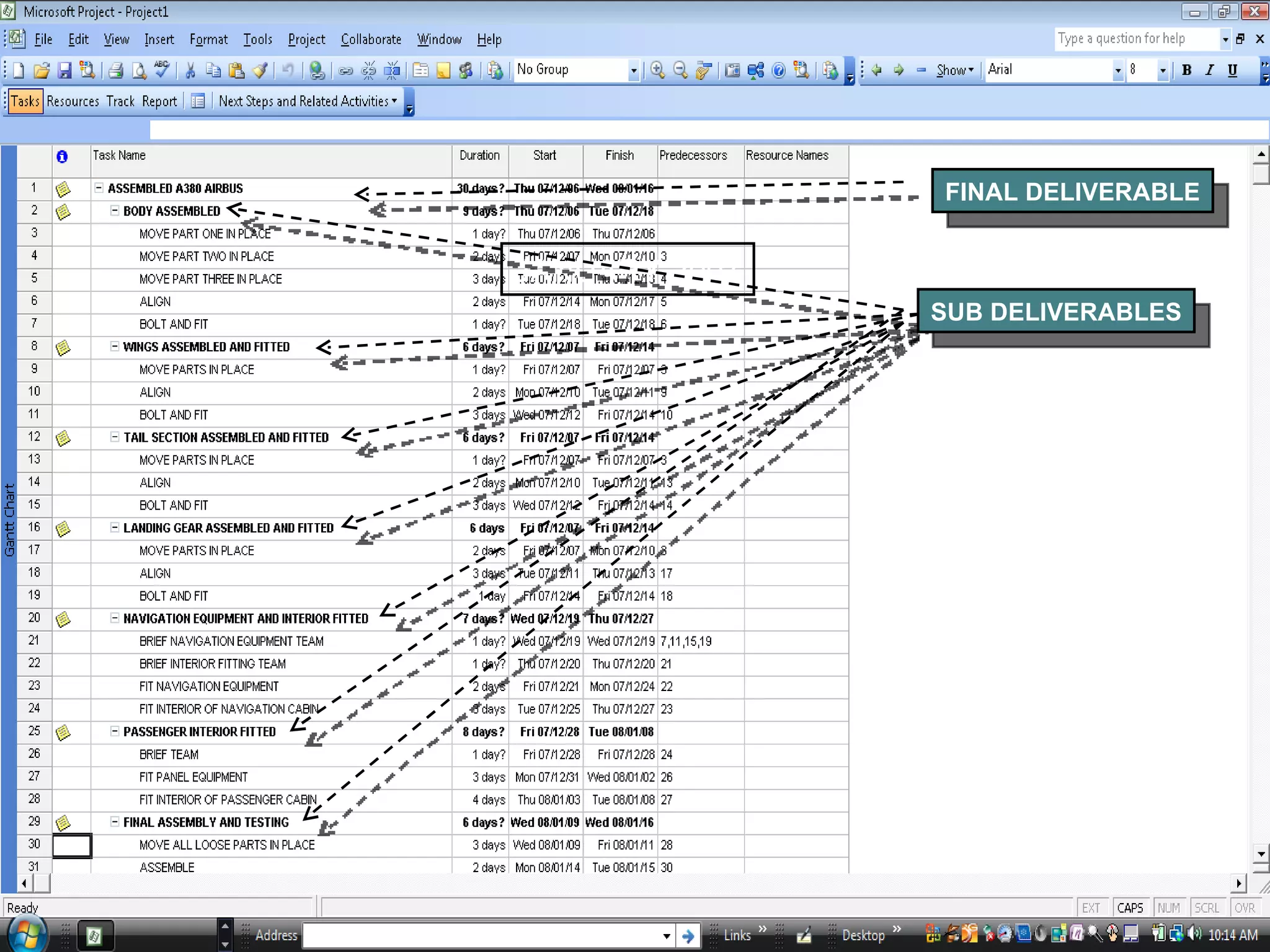
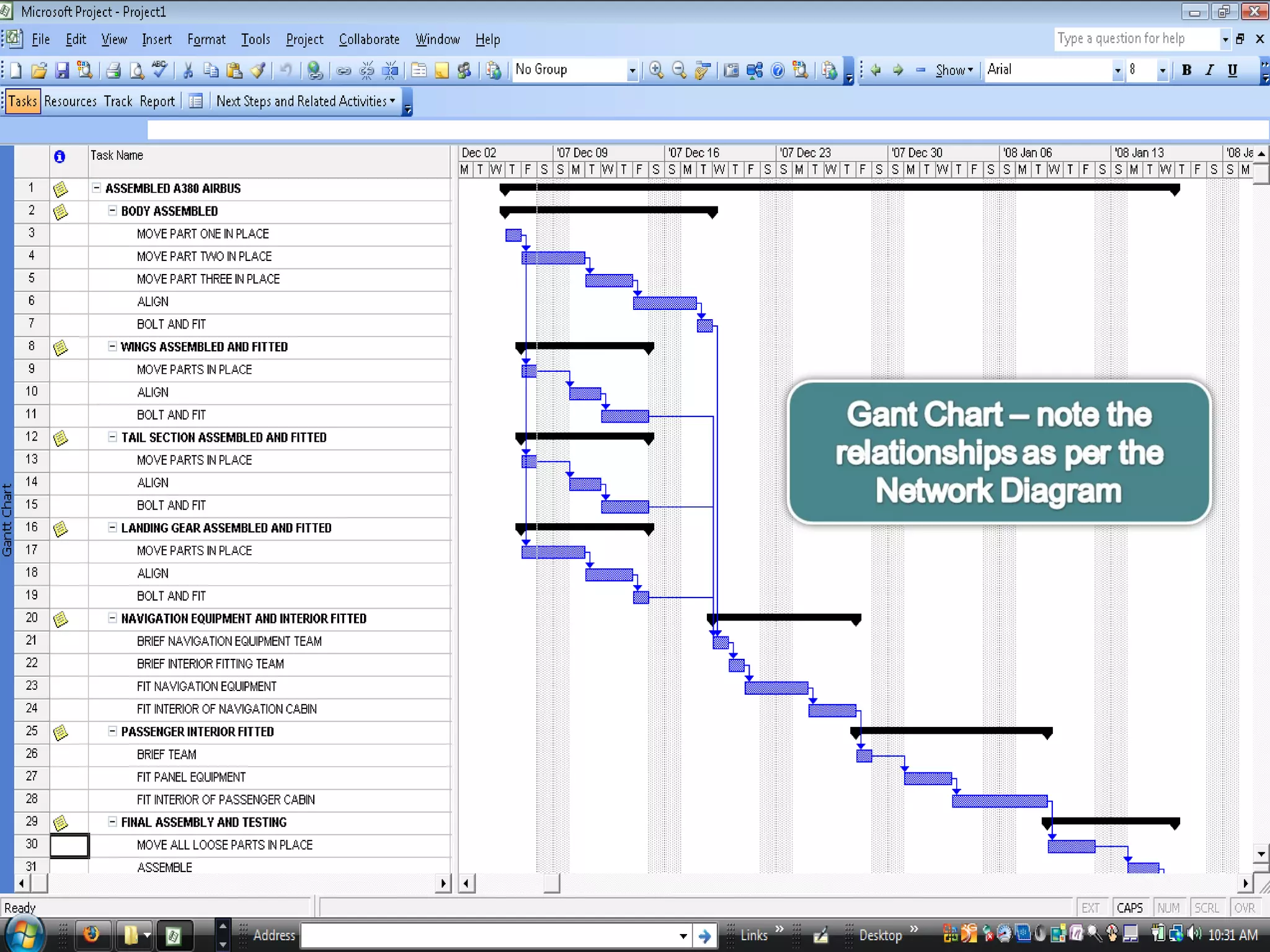
The Project Cycle The Network Diagram In MS Project
JANUARY 2007 FINAL DELIVERABLE SUB DELIVERABLES


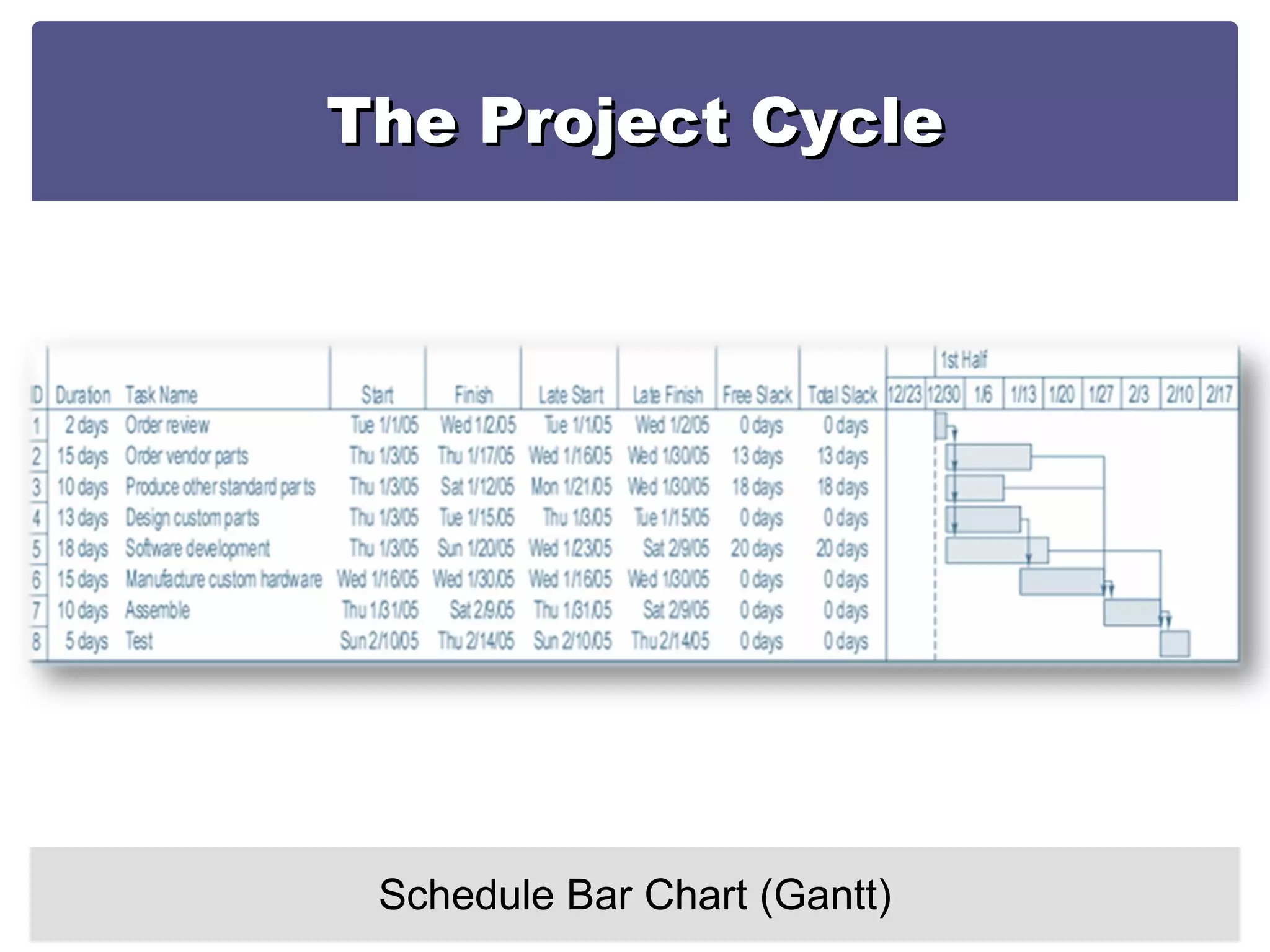
The Project Cycle Schedule Bar Chart (Gantt)
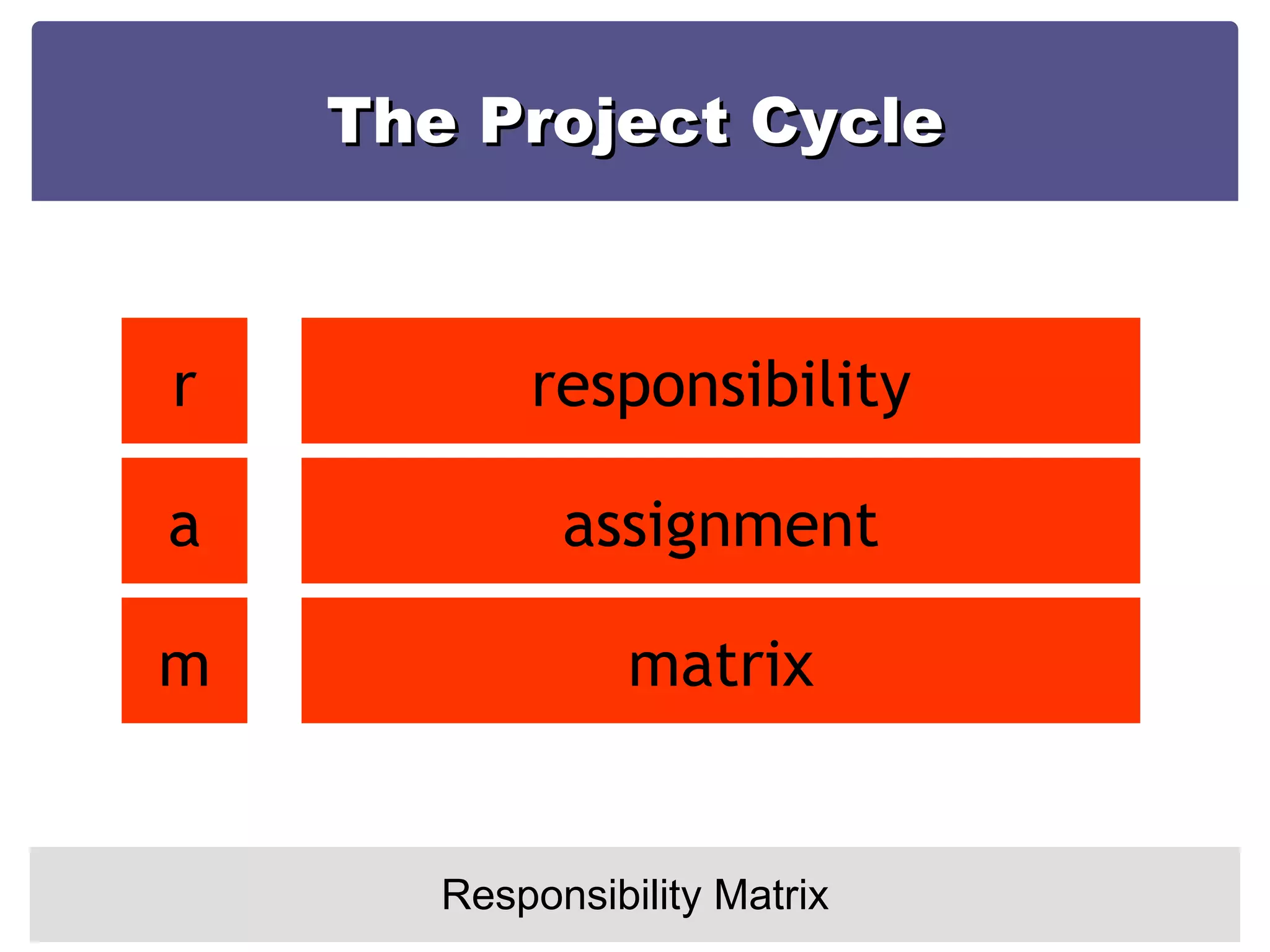
The Project Cycle Responsibility Matrix r a m responsibility assignment matrix
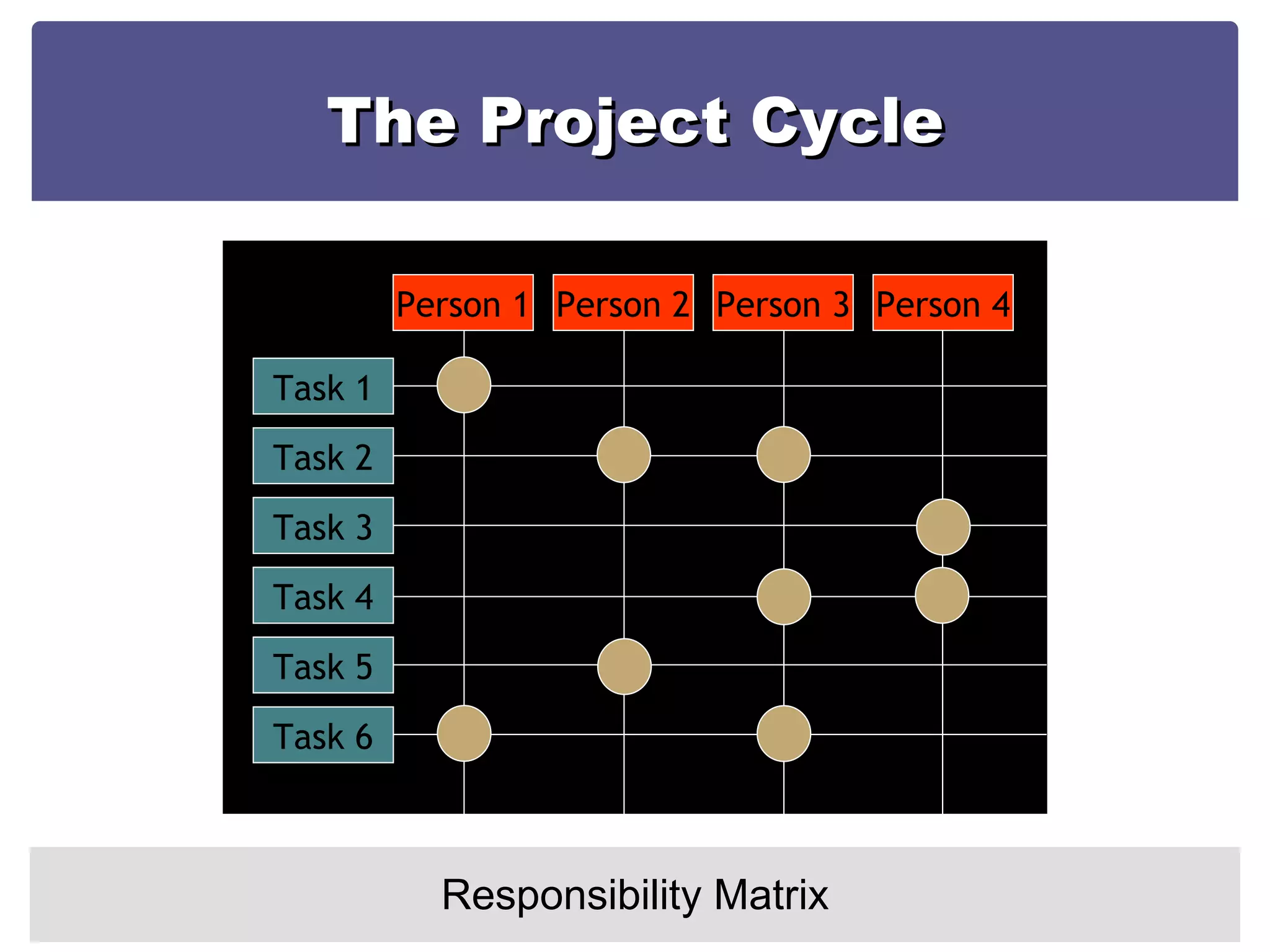
The Project Cycle Responsibility Matrix Task 1 Task 2 Task 3 Task 4 Task 5 Task 6 Person 1 Person 2 Person 3 Person 4
The Project Cycle Responsibility Matrix
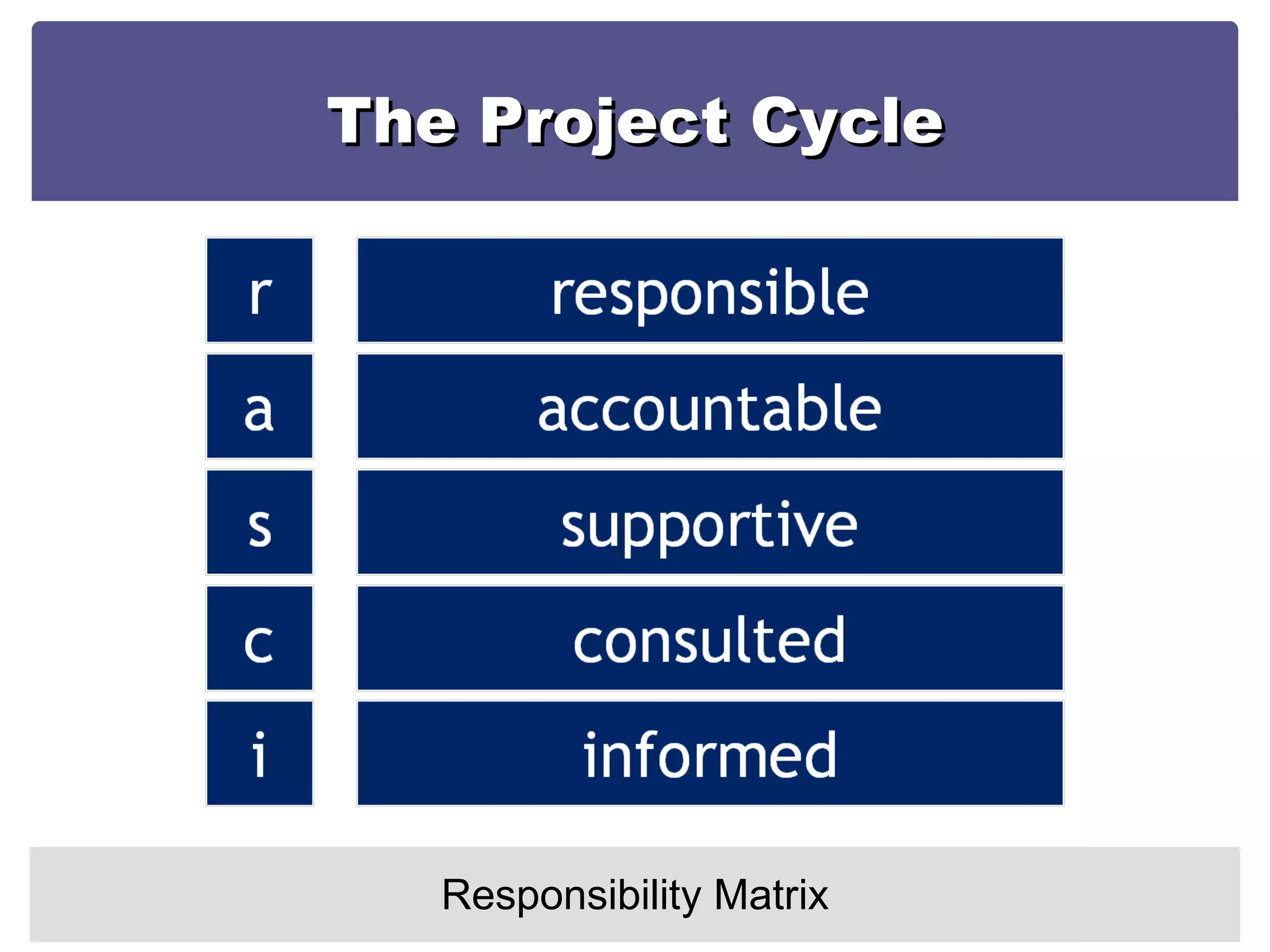
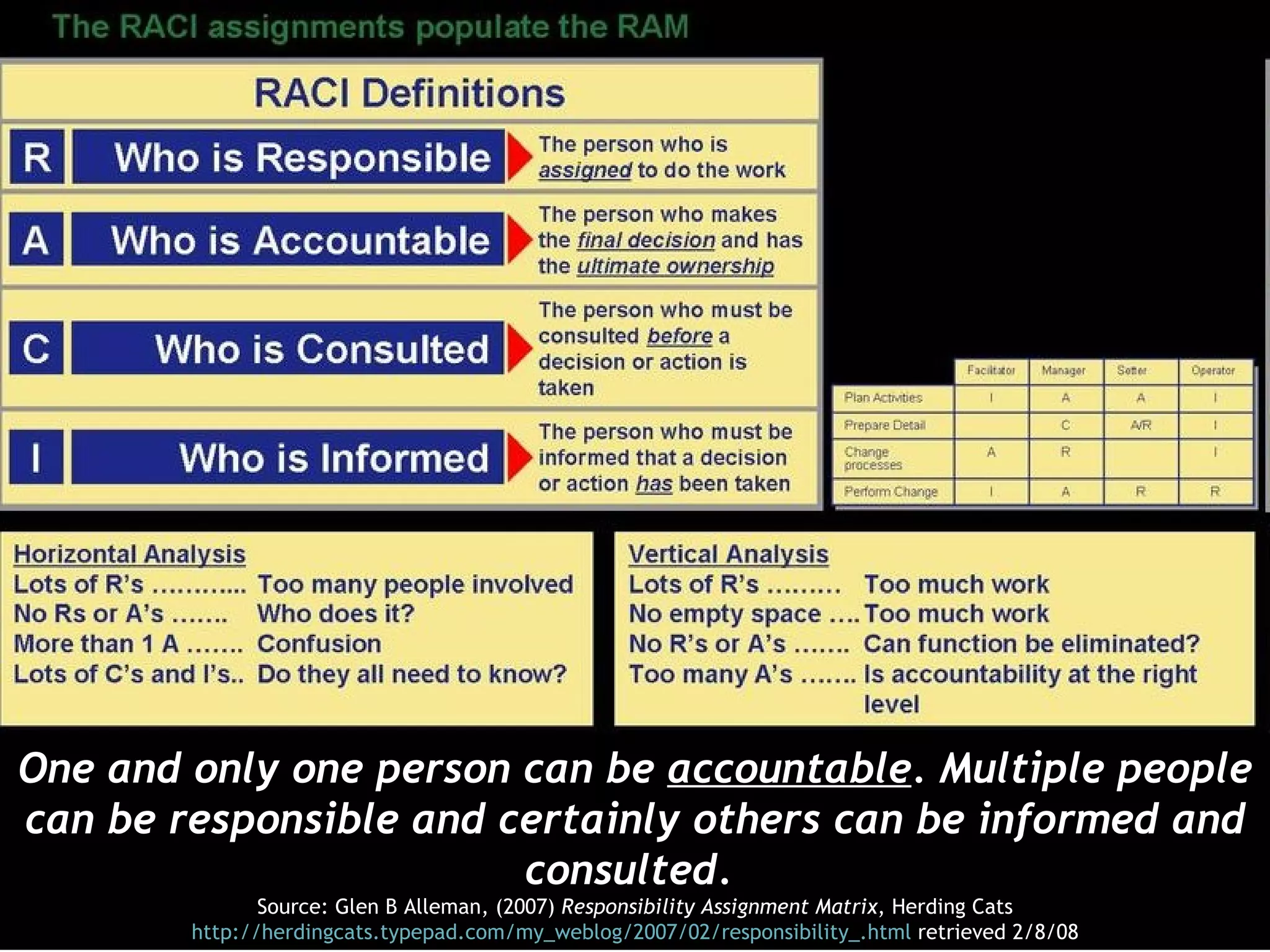
One and only one person can be  accountable . Multiple people can be responsible and certainly others can be informed and consulted.  Source: Glen B Alleman, (2007)  Responsibility Assignment Matrix , Herding Cats http://herdingcats.typepad.com/my_weblog/2007/02/responsibility_.html  retrieved 2/8/08
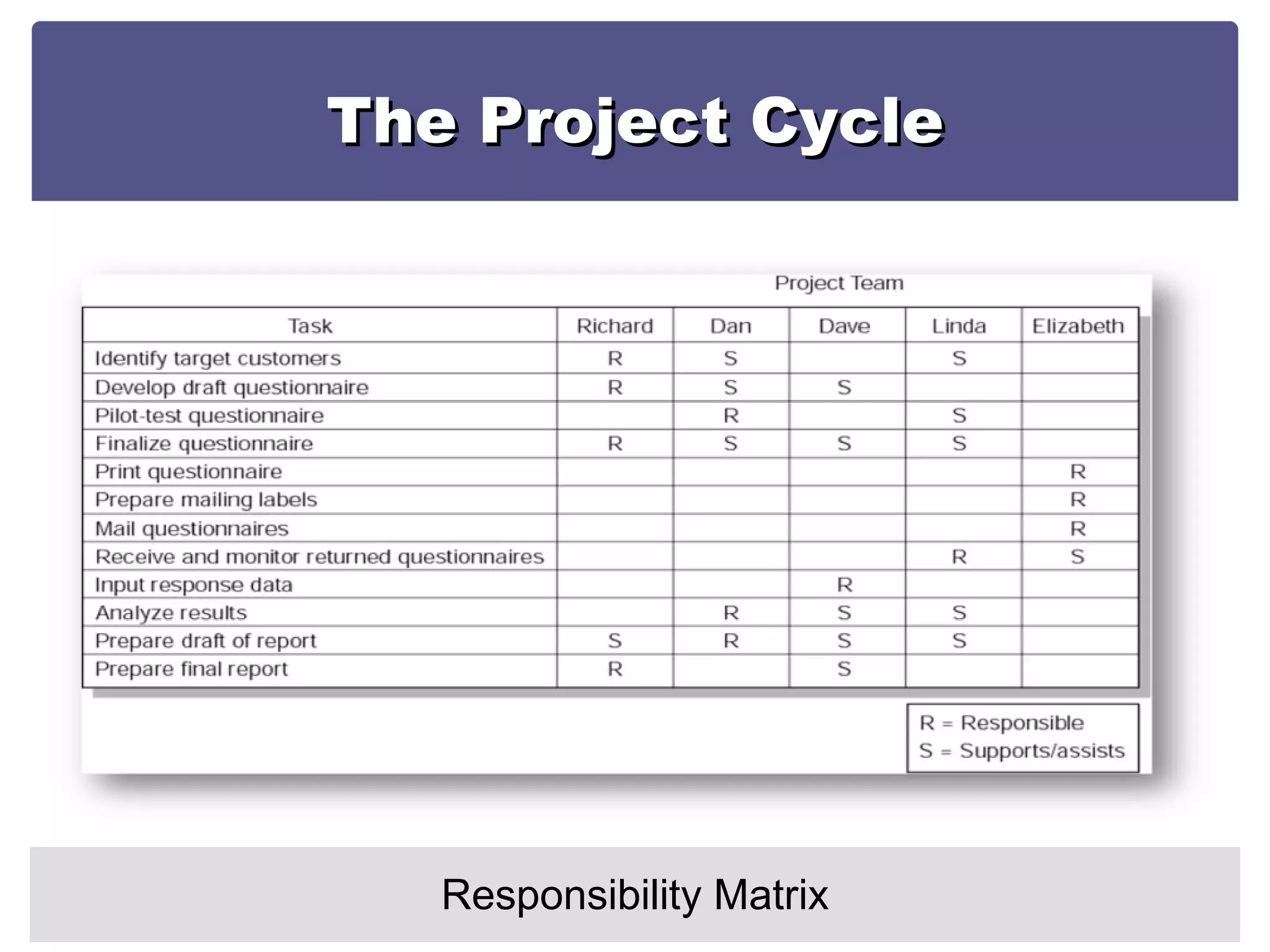
The Project Cycle Responsibility Matrix
 

Focus on CPM and Resp Matrix

  • 1.
    The Project CyclePart 2 Session 8
  • 2.
  • 3.
    The Project CycleTo Get to a Plan….You Need a Network Diagram
  • 4.
    The Project CycleThe Network Diagram Essentially the sequencing of activities A tool for planning, scheduling and monitoring project progress Developed from the WBS A chart that graphically depicts the sequence, interdependencies, and start and finish times of the project job plan of activities that is the critical path through the network
  • 5.
    The Project CycleThe Network Diagram Provides the basis for scheduling labor and equipment Enhances communication among project participants Provides an estimate of the project’s duration Provides a basis for budgeting cash flow Highlights activities that are “critical” and cannot be delayed Help managers get and stay on plan.
  • 6.
    The Project CycleThe Network Diagram
  • 7.
    The Project CycleActivity On Arrow
  • 8.
    The Project CycleActivity On Node
  • 9.
    The Project CycleRelationships/Dependencies
  • 10.
    The Project CycleRelationships/Dependencies
  • 11.
    The Project CycleRelationships/Dependencies Networks typically flow from left to right An activity cannot begin until all of its preceding activities are complete Arrows indicate precedence and flow and can cross over each other Identify each activity with a unique number this number must be greater than its predecessors Looping is not allowed Conditional statements are not allowed Use common start and stop nodes .
  • 12.
    The Project CycleNetwork Diagram: Step 1
  • 13.
    The Project CycleNetwork Diagram: Step 2
  • 14.
    The Project CycleNetwork Diagram: Step 3
  • 15.
    The Project CycleNetwork Diagram: Step 4 Create Sequence!
  • 16.
    The Project CycleNetwork Diagram: Step 5 A Forward Pass through the network determines the earliest times each activity can start and finish Forward Pass: How soon can the activity start? (early start—ES) How soon can the activity finish? (early finish—EF)
  • 17.
    The Project CycleNetwork Diagram: Step 5 Add activity times along each path in the network (ES + Duration = EF) Carry the early finish ( EF) to the next activity where it becomes its early start (ES) unless… The next succeeding activity is a merge activity, in which case the largest EF of all preceding activities is selected.
  • 18.
    The Project CycleNetwork Diagram: Step 5
  • 19.
    The Project CycleNetwork Diagram: Step 6 A Backward Pass through the network determines the latest times each activity can start and finish without delaying completion of the project Backward Pass : How late can the activity start? (late start—LS) How late can the activity finish? (late finish—LF)
  • 20.
    The Project CycleNetwork Diagram: Step 6 Subtract activity durations along each path in the network (LF - Duration = LS) Carry the late start (LS) to the next activity where it becomes its late finish (LF) unless… The activity is a merger activity, in which case the smallest LS of the previous activities is selected.
  • 21.
    The Project CycleNetwork Diagram: Step 6
  • 22.
    The Project CycleImportant Concepts Slack (or Float): The duration an activity can be delayed after the start of a longer parallel activity or activities Total slack: The duration an activity can be delayed without delaying the entire project The critical path is the network path(s) that has (have) the least slack in common- normally Zero.
  • 23.
    The Project CycleImportant Concepts Utilization of Slack: If slack in an activity on a path is used, the ES of all activities that follow in that chain will be delayed and their slack reduced. Use of total slack should therefore be coordinated with all participants in the activities that follow in that chain
  • 24.
    The Project CycleImportant Concepts Free slack: Free slack, however is unique because the activity can be delayed without delaying the ES of activities following it. Free slack is defined as the difference between the EF of an activity and the ES of the activity that follows. Only activities where that occur at the end of a chain of activities (usually where you have a merge activity) can have free slack – Free slack does not affect the activities following it.
  • 25.
    The Project CycleThe Network Diagram In MS Project
  • 26.
    JANUARY 2007 FINALDELIVERABLE SUB DELIVERABLES
  • 27.
  • 28.
  • 29.
  • 30.
  • 31.
    The Project CycleSchedule Bar Chart (Gantt)
  • 32.
    The Project CycleResponsibility Matrix r a m responsibility assignment matrix
  • 33.
    The Project CycleResponsibility Matrix Task 1 Task 2 Task 3 Task 4 Task 5 Task 6 Person 1 Person 2 Person 3 Person 4
  • 34.
    The Project CycleResponsibility Matrix
  • 35.
    One and onlyone person can be accountable . Multiple people can be responsible and certainly others can be informed and consulted. Source: Glen B Alleman, (2007) Responsibility Assignment Matrix , Herding Cats http://herdingcats.typepad.com/my_weblog/2007/02/responsibility_.html retrieved 2/8/08
  • 36.
    The Project CycleResponsibility Matrix
  • 37.