SOCIAL BOOKMARKING & ANNOTATION WITH DIIGO Jennifer Carrier Dorman http://jdorman.wikispaces.com/socialbookmarking
Social Bookmarking in Plain English http://snipurl.com/delicioustutorial
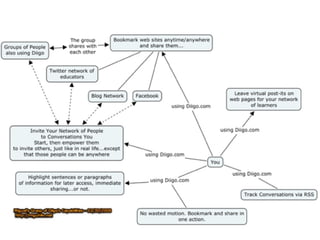
Diigo Diigo =  D igest of  I nternet  I nformation,  G roups and  O ther stuff   Diigo is two services in one  it is a research and collaborative research tool on the one hand, and a knowledge-sharing community and social content site on the other. http://www.diigo.com/
Social Bookmarking Evolved - Diigo
Get the Most Out of Diigo Introduction to Diigo http://snipurl.com/diigointro   Diigo Tutorials (text & video) http://snipurl.com/diigotutorial Help Center http://help.diigo.com/

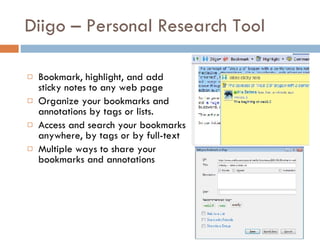
Diigo – Personal Research Tool Bookmark, highlight, and add sticky notes to any web page  Organize your bookmarks and annotations by tags or lists.  Access and search your bookmarks anywhere, by tags or by full-text  Multiple ways to share your bookmarks and annotations
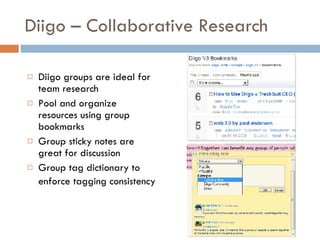
Diigo – Collaborative Research Diigo groups are ideal for team research  Pool and organize resources using group bookmarks  Group sticky notes are great for discussion  Group tag dictionary to enforce tagging consistency
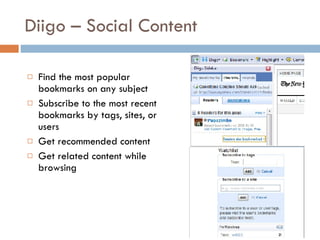
Diigo – Social Content Find the most popular bookmarks on any subject  Subscribe to the most recent bookmarks by tags, sites, or users  Get recommended content  Get related content while browsing
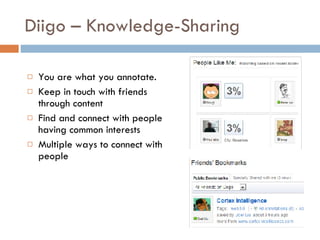
Diigo – Knowledge-Sharing  You are what you annotate.  Keep in touch with friends through content  Find and connect with people having common interests  Multiple ways to connect with people
 
REGISTERING FOR DIIGO Creating Your Account
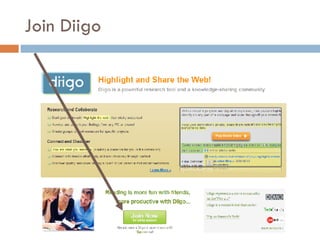
Join Diigo
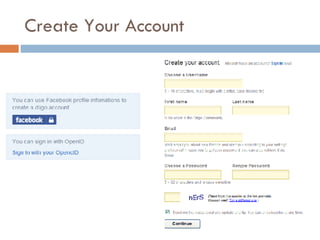
Create Your Account
Use the Gmail Trick  Create a legitimate gmail account at  http://mail.google.com/ . (e.g.  [email_address] ).  Then, you can use that base account to "trick" web applications that require e-mail address to create user accounts.  The way it works is that you add a + and a student name/alias after the gmail user name (e.g.  [email_address] , etc.) For instructions visit: http://snipurl.com/googletricks
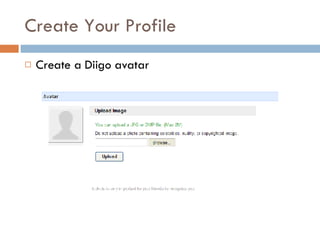
Create Your Profile Create a Diigo avatar
Avatar Options for Students http://www.befunky.com/ http://www.mrpicassohead.com/ http://www.myoats.com/ http://www.picnik.com/ http://www.buildyourwildself.com / http://www.dumpr.net/
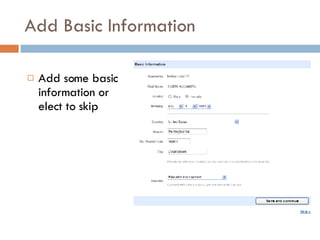
Add Basic Information Add some basic information or elect to skip
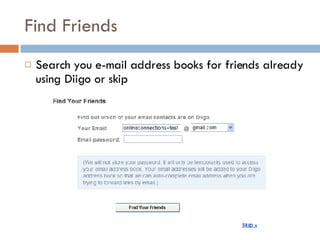
Find Friends  Search you e-mail address books for friends already using Diigo or skip
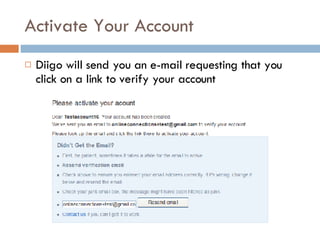
Activate Your Account Diigo will send you an e-mail requesting that you click on a link to verify your account
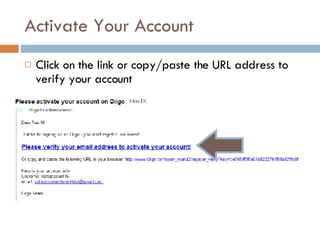
Activate Your Account Click on the link or copy/paste the URL address to verify your account
GETTING STARTED WITH DIIGO
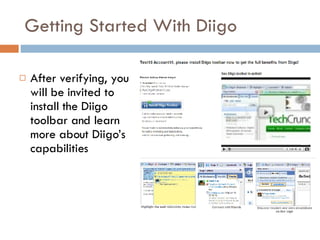
Getting Started With Diigo After verifying, you will be invited to install the Diigo toolbar and learn more about Diigo’s capabilities
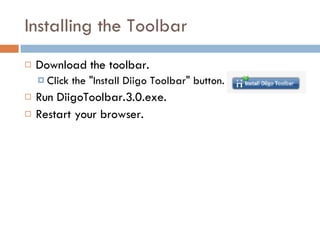
Installing the Toolbar Download the toolbar.  Click the "Install Diigo Toolbar" button. Run DiigoToolbar.3.0.exe. Restart your browser.
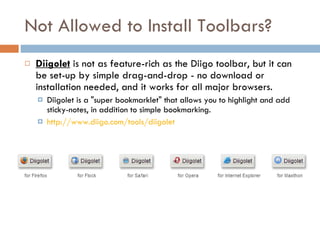
Not Allowed to Install Toolbars? Diigolet  is not as feature-rich as the Diigo toolbar, but it can be set-up by simple drag-and-drop - no download or installation needed, and it works for all major browsers.  Diigolet is a "super bookmarklet" that allows you to highlight and add sticky-notes, in addition to simple bookmarking. http://www.diigo.com/tools/diigolet
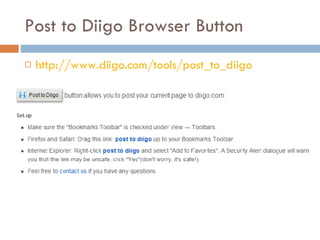
Post to Diigo Browser Button http://www.diigo.com/tools/post_to_diigo
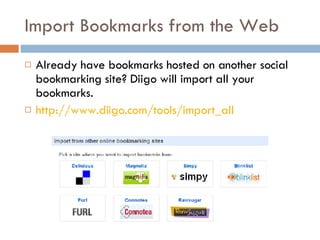
Import Bookmarks from the Web Already have bookmarks hosted on another social bookmarking site? Diigo will import all your bookmarks. http://www.diigo.com/tools/import_all
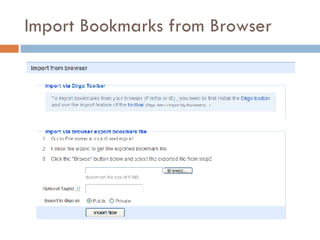
Import Bookmarks from Browser
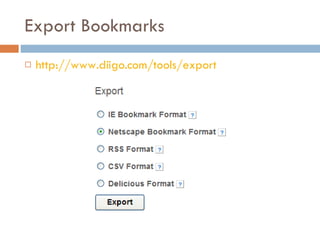
Export Bookmarks http://www.diigo.com/tools/export
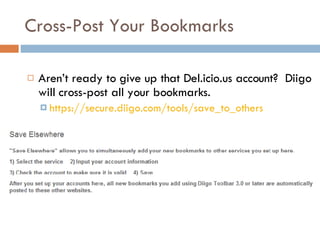
Cross-Post Your Bookmarks Aren’t ready to give up that Del.icio.us account?  Diigo will cross-post all your bookmarks. https://secure.diigo.com/tools/save_to_others
BOOKMARKING AND ANNOTATING CONTENT WITH DIIGO Processing the Web
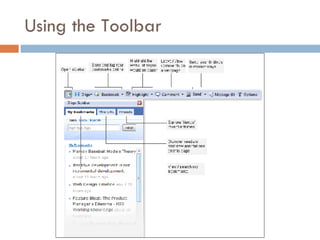
Using the Toolbar
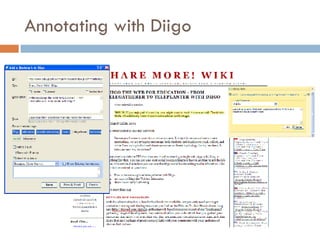
Annotating with Diigo
PUBLISH YOUR BOOKMARKS Share Your Research Across the Web
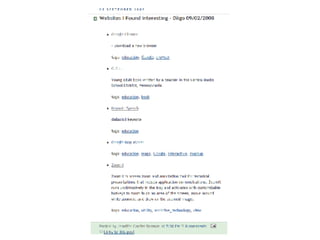
Daily Blog Post  enables you automatically post entries to your blog(s) every day containing your latest Diigo annotated bookmarks http://www.diigo.com/blog_this/daily_blog
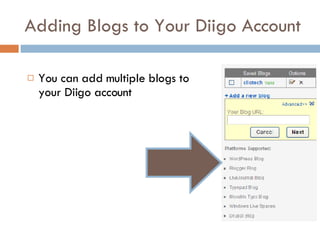
Adding Blogs to Your Diigo Account You can add multiple blogs to your Diigo account
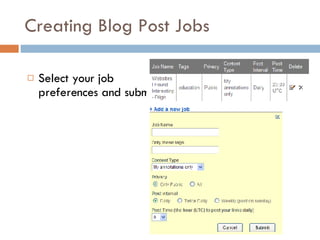
Creating Blog Post Jobs Select your job preferences and submit
 
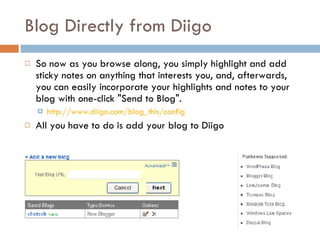
Blog Directly from Diigo So now as you browse along, you simply highlight and add sticky notes on anything that interests you, and, afterwards, you can easily incorporate your highlights and notes to your blog with one-click "Send to Blog".  http://www.diigo.com/blog_this/config All you have to do is add your blog to Diigo
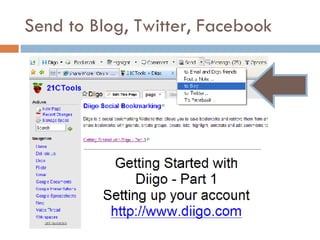
Send to Blog, Twitter, Facebook
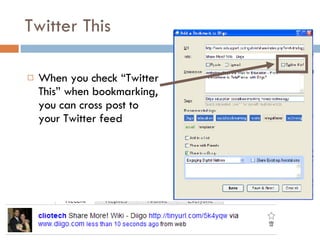
Twitter This When you check “Twitter This” when bookmarking, you can cross post to your Twitter feed
Widgetize Your Diigo Diigo has built-in widgets to broadcast your Diigo Tags and Links
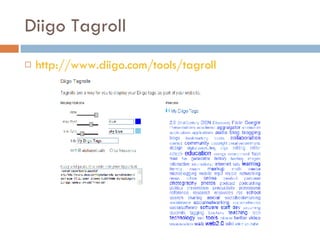
Diigo Tagroll http://www.diigo.com/tools/tagroll
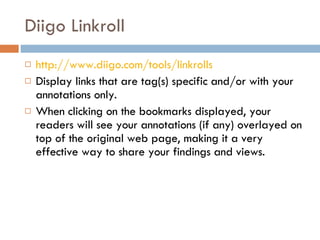
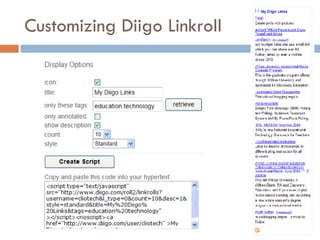
Diigo Linkroll http://www.diigo.com/tools/linkrolls Display links that are tag(s) specific and/or with your annotations only.  When clicking on the bookmarks displayed, your readers will see your annotations (if any) overlayed on top of the original web page, making it a very effective way to share your findings and views.
Customizing Diigo Linkroll
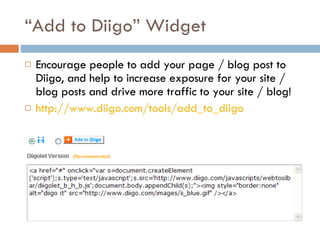
“ Add to Diigo” Widget Encourage people to add your page / blog post to Diigo, and help to increase exposure for your site / blog posts and drive more traffic to your site / blog!  http://www.diigo.com/tools/add_to_diigo
DIIGO FEATURES Tag & Site Communities, Searching
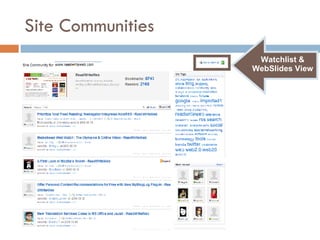
Site Communities http://www.diigo.com/community/sites Aggregate users who annotate the same website & build meaningful reader communities  Discover and connect with other readers interested in the same site.
Site Communities Watchlist & WebSlides View
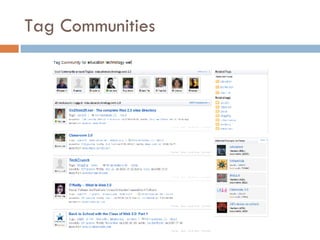
Tag Communities http://www.diigo.com/community/tag Aggregate users who annotate sites with the same tags Discover and connect with other readers interested in the same site and explore related tags and groups
Tag Communities
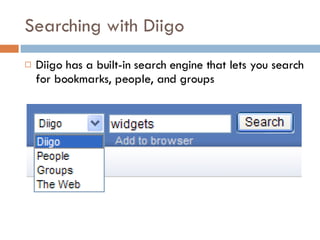
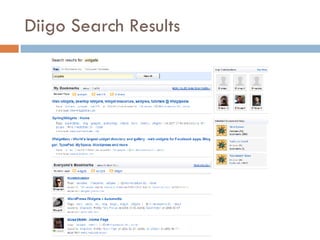
Searching with Diigo Diigo has a built-in search engine that lets you search for bookmarks, people, and groups
Diigo Search Results
DIIGO FEATURES Contacts, Contact Lists, & Messages
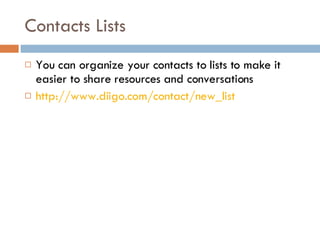
Contacts Lists You can organize your contacts to lists to make it easier to share resources and conversations http://www.diigo.com/contact/new_list
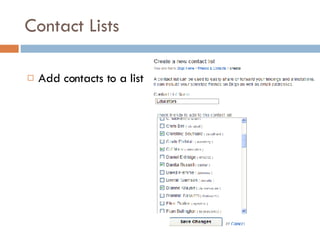
Contact Lists Add contacts to a list
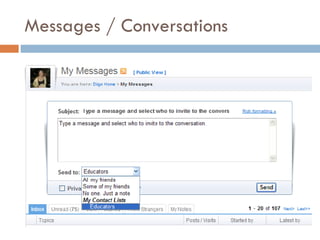
Messages / Conversations
DIIGO FEATURES Discover New Learning
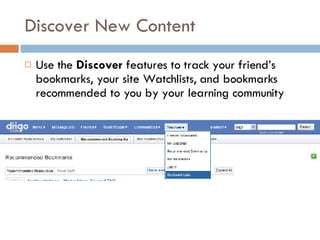
Discover New Content Use the  Discover  features to track your friend’s bookmarks, your site Watchlists, and bookmarks recommended to you by your learning community
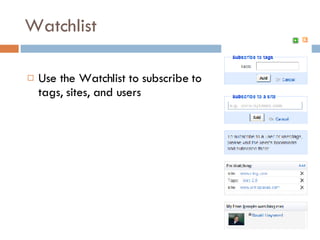
Watchlist Use the Watchlist to subscribe to tags, sites, and users
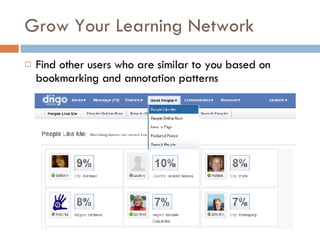
Grow Your Learning Network Find other users who are similar to you based on bookmarking and annotation patterns
DIIGO FEATURES Lists and Groups
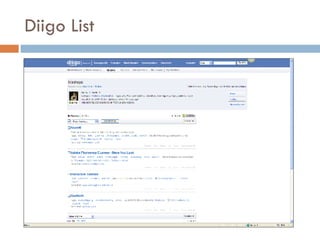
Diigo List
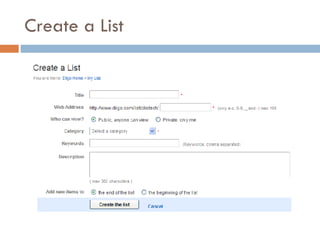
Create a List
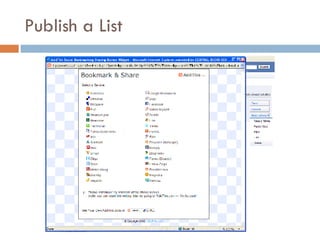
Publish a List
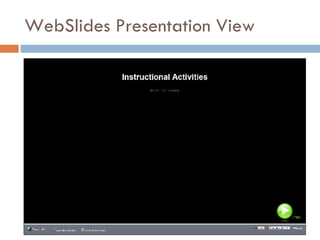
WebSlides Presentation View
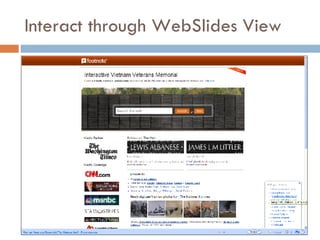
Interact through WebSlides View
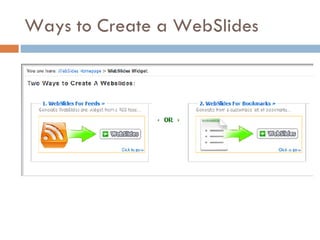
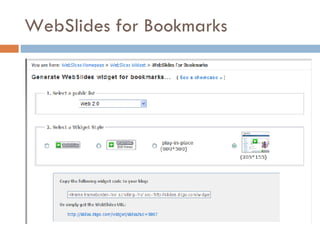
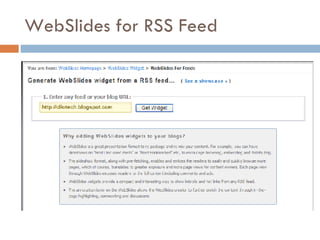
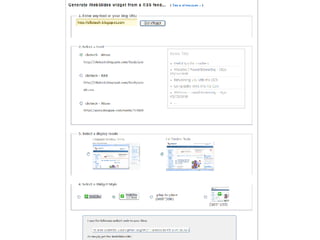
Create a WebSlides Presentation http://slides.diigo.com/   To create WebSlides, users simply enter a feed or list of bookmarks and add background music or voice narration.  By clicking  button, the list transforms into a slideshow, bringing Web pages and user comments to life.  All you and your reader need is just a web browser.
Ways to Create a WebSlides
WebSlides for Bookmarks
WebSlides for RSS Feed
 
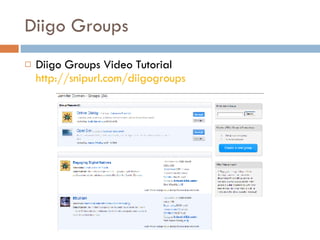
Diigo Groups Diigo Groups Video Tutorial  http://snipurl.com/diigogroups
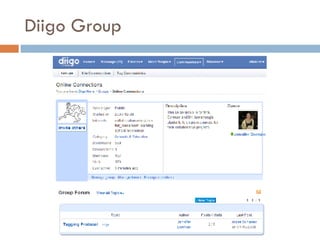
Diigo Group
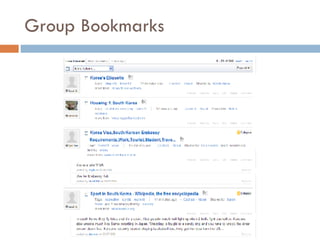
Group Bookmarks
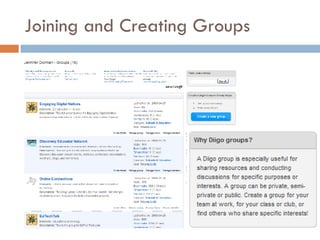
Joining and Creating Groups
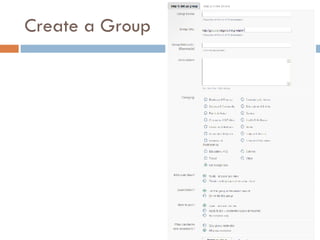
Create a Group
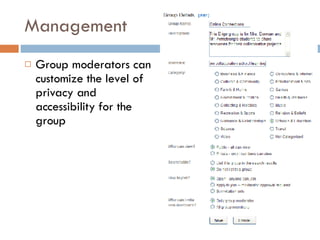
Management Group moderators can customize the level of privacy and accessibility for the group
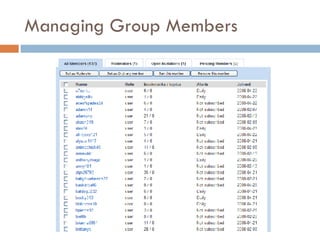
Managing Group Members
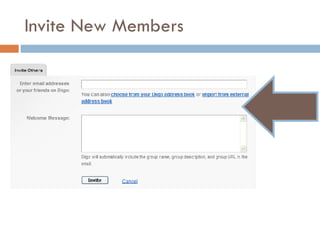
Invite New Members
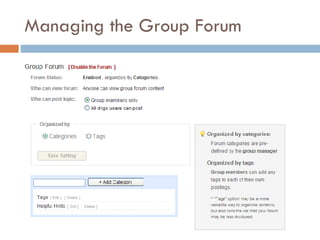
Managing the Group Forum
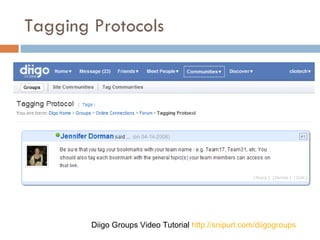
Tagging Protocols Diigo Groups Video Tutorial  http://snipurl.com/diigogroups
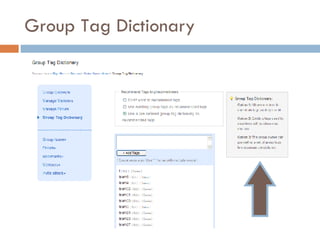
Group Tag Dictionary
DIIGO TEACHER CONSOLE Security Features for Teachers and Students
Teacher Console http://www.diigo.com/teacher_entry/console
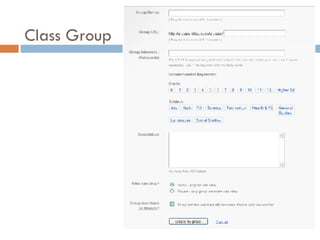
Class Group
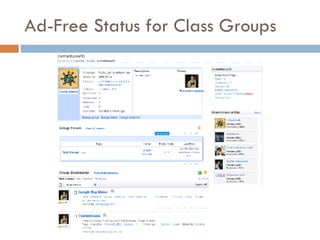
Ad-Free Status for Class Groups
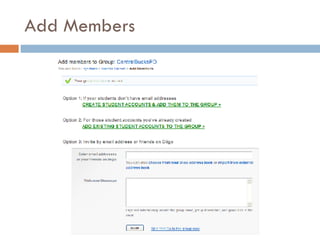
Add Members
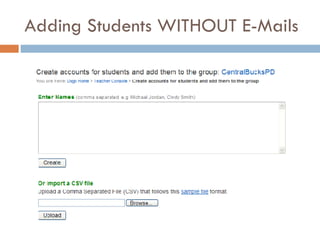
Adding Students WITHOUT E-Mails
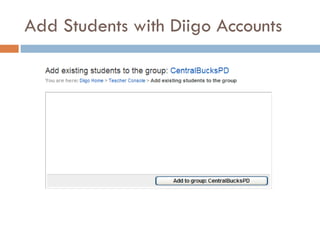
Add Students with Diigo Accounts
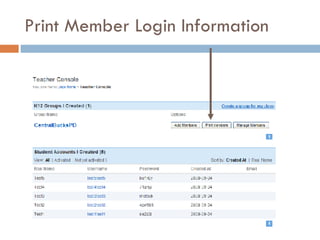
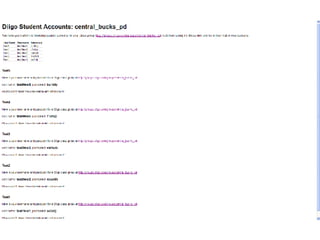
Print Member Login Information
 
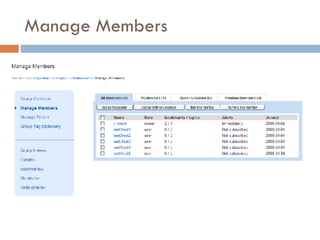
Manage Members
Student Account Security Settings Students added to a class group by the teacher automatically become friends to each other No one else (except their friends) is allowed to send a friend request or message to them  essentially Diigo presets the privacy setting at  http://www.diigo.com/profile/edit/other  for these student accounts Although each student account has a profile,  the top portion (about me / info) won't be shown.  The teacher can instruct students to mark everything private (only shareable by the group)
How Are Educators Using Diigo? Annotate curriculum documents and add stickies to show where tech integration is happening and could happen. That could be annotated for a group of curriculum writers.  Annotate state education agency memos for your administrators. Among a team, share the implications of the ideas in the memo, the most important points, and so on.  Create a slideshow of clickable web sites grabbed from your bookmarks.  Publish your annotations/comments to your blogs or embed linkrolls and tagrolls onto a wiki or website. See  http://tinyurl.com/5k4yqw  for more integration ideas
What’s Coming Up with Diigo? Educational domain for Diigo Reviewed and approved teacher-plus accounts separate from the main Diigo site Only students invited by teachers will be able to join EduDiigo groups

Diigo Tutorial

  • 1.
    SOCIAL BOOKMARKING &ANNOTATION WITH DIIGO Jennifer Carrier Dorman http://jdorman.wikispaces.com/socialbookmarking
  • 2.
    Social Bookmarking inPlain English http://snipurl.com/delicioustutorial
  • 3.
    Diigo Diigo = D igest of I nternet I nformation, G roups and O ther stuff Diigo is two services in one it is a research and collaborative research tool on the one hand, and a knowledge-sharing community and social content site on the other. http://www.diigo.com/
  • 4.
  • 5.
    Get the MostOut of Diigo Introduction to Diigo http://snipurl.com/diigointro Diigo Tutorials (text & video) http://snipurl.com/diigotutorial Help Center http://help.diigo.com/
  • 6.
    Diigo – PersonalResearch Tool Bookmark, highlight, and add sticky notes to any web page Organize your bookmarks and annotations by tags or lists. Access and search your bookmarks anywhere, by tags or by full-text Multiple ways to share your bookmarks and annotations
  • 7.
    Diigo – CollaborativeResearch Diigo groups are ideal for team research Pool and organize resources using group bookmarks Group sticky notes are great for discussion Group tag dictionary to enforce tagging consistency
  • 8.
    Diigo – SocialContent Find the most popular bookmarks on any subject Subscribe to the most recent bookmarks by tags, sites, or users Get recommended content Get related content while browsing
  • 9.
    Diigo – Knowledge-Sharing You are what you annotate. Keep in touch with friends through content Find and connect with people having common interests Multiple ways to connect with people
  • 10.
  • 11.
    REGISTERING FOR DIIGOCreating Your Account
  • 12.
  • 13.
  • 14.
    Use the GmailTrick Create a legitimate gmail account at http://mail.google.com/ . (e.g. [email_address] ). Then, you can use that base account to "trick" web applications that require e-mail address to create user accounts. The way it works is that you add a + and a student name/alias after the gmail user name (e.g. [email_address] , etc.) For instructions visit: http://snipurl.com/googletricks
  • 15.
    Create Your ProfileCreate a Diigo avatar
  • 16.
    Avatar Options forStudents http://www.befunky.com/ http://www.mrpicassohead.com/ http://www.myoats.com/ http://www.picnik.com/ http://www.buildyourwildself.com / http://www.dumpr.net/
  • 17.
    Add Basic InformationAdd some basic information or elect to skip
  • 18.
    Find Friends Search you e-mail address books for friends already using Diigo or skip
  • 19.
    Activate Your AccountDiigo will send you an e-mail requesting that you click on a link to verify your account
  • 20.
    Activate Your AccountClick on the link or copy/paste the URL address to verify your account
  • 21.
  • 22.
    Getting Started WithDiigo After verifying, you will be invited to install the Diigo toolbar and learn more about Diigo’s capabilities
  • 23.
    Installing the ToolbarDownload the toolbar. Click the "Install Diigo Toolbar" button. Run DiigoToolbar.3.0.exe. Restart your browser.
  • 24.
    Not Allowed toInstall Toolbars? Diigolet is not as feature-rich as the Diigo toolbar, but it can be set-up by simple drag-and-drop - no download or installation needed, and it works for all major browsers. Diigolet is a "super bookmarklet" that allows you to highlight and add sticky-notes, in addition to simple bookmarking. http://www.diigo.com/tools/diigolet
  • 25.
    Post to DiigoBrowser Button http://www.diigo.com/tools/post_to_diigo
  • 26.
    Import Bookmarks fromthe Web Already have bookmarks hosted on another social bookmarking site? Diigo will import all your bookmarks. http://www.diigo.com/tools/import_all
  • 27.
  • 28.
  • 29.
    Cross-Post Your BookmarksAren’t ready to give up that Del.icio.us account? Diigo will cross-post all your bookmarks. https://secure.diigo.com/tools/save_to_others
  • 30.
    BOOKMARKING AND ANNOTATINGCONTENT WITH DIIGO Processing the Web
  • 31.
  • 32.
  • 33.
    PUBLISH YOUR BOOKMARKSShare Your Research Across the Web
  • 34.
    Daily Blog Post enables you automatically post entries to your blog(s) every day containing your latest Diigo annotated bookmarks http://www.diigo.com/blog_this/daily_blog
  • 35.
    Adding Blogs toYour Diigo Account You can add multiple blogs to your Diigo account
  • 36.
    Creating Blog PostJobs Select your job preferences and submit
  • 37.
  • 38.
    Blog Directly fromDiigo So now as you browse along, you simply highlight and add sticky notes on anything that interests you, and, afterwards, you can easily incorporate your highlights and notes to your blog with one-click "Send to Blog". http://www.diigo.com/blog_this/config All you have to do is add your blog to Diigo
  • 39.
    Send to Blog,Twitter, Facebook
  • 40.
    Twitter This Whenyou check “Twitter This” when bookmarking, you can cross post to your Twitter feed
  • 41.
    Widgetize Your DiigoDiigo has built-in widgets to broadcast your Diigo Tags and Links
  • 42.
  • 43.
    Diigo Linkroll http://www.diigo.com/tools/linkrollsDisplay links that are tag(s) specific and/or with your annotations only. When clicking on the bookmarks displayed, your readers will see your annotations (if any) overlayed on top of the original web page, making it a very effective way to share your findings and views.
  • 44.
  • 45.
    “ Add toDiigo” Widget Encourage people to add your page / blog post to Diigo, and help to increase exposure for your site / blog posts and drive more traffic to your site / blog! http://www.diigo.com/tools/add_to_diigo
  • 46.
    DIIGO FEATURES Tag& Site Communities, Searching
  • 47.
    Site Communities http://www.diigo.com/community/sitesAggregate users who annotate the same website & build meaningful reader communities Discover and connect with other readers interested in the same site.
  • 48.
  • 49.
    Tag Communities http://www.diigo.com/community/tagAggregate users who annotate sites with the same tags Discover and connect with other readers interested in the same site and explore related tags and groups
  • 50.
  • 51.
    Searching with DiigoDiigo has a built-in search engine that lets you search for bookmarks, people, and groups
  • 52.
  • 53.
    DIIGO FEATURES Contacts,Contact Lists, & Messages
  • 54.
    Contacts Lists Youcan organize your contacts to lists to make it easier to share resources and conversations http://www.diigo.com/contact/new_list
  • 55.
    Contact Lists Addcontacts to a list
  • 56.
  • 57.
  • 58.
    Discover New ContentUse the Discover features to track your friend’s bookmarks, your site Watchlists, and bookmarks recommended to you by your learning community
  • 59.
    Watchlist Use theWatchlist to subscribe to tags, sites, and users
  • 60.
    Grow Your LearningNetwork Find other users who are similar to you based on bookmarking and annotation patterns
  • 61.
  • 62.
  • 63.
  • 64.
  • 65.
  • 66.
  • 67.
    Create a WebSlidesPresentation http://slides.diigo.com/ To create WebSlides, users simply enter a feed or list of bookmarks and add background music or voice narration. By clicking button, the list transforms into a slideshow, bringing Web pages and user comments to life. All you and your reader need is just a web browser.
  • 68.
    Ways to Createa WebSlides
  • 69.
  • 70.
  • 71.
  • 72.
    Diigo Groups DiigoGroups Video Tutorial http://snipurl.com/diigogroups
  • 73.
  • 74.
  • 75.
  • 76.
  • 77.
    Management Group moderatorscan customize the level of privacy and accessibility for the group
  • 78.
  • 79.
  • 80.
  • 81.
    Tagging Protocols DiigoGroups Video Tutorial http://snipurl.com/diigogroups
  • 82.
  • 83.
    DIIGO TEACHER CONSOLESecurity Features for Teachers and Students
  • 84.
  • 85.
  • 86.
    Ad-Free Status forClass Groups
  • 87.
  • 88.
  • 89.
    Add Students withDiigo Accounts
  • 90.
    Print Member LoginInformation
  • 91.
  • 92.
  • 93.
    Student Account SecuritySettings Students added to a class group by the teacher automatically become friends to each other No one else (except their friends) is allowed to send a friend request or message to them essentially Diigo presets the privacy setting at http://www.diigo.com/profile/edit/other for these student accounts Although each student account has a profile, the top portion (about me / info) won't be shown. The teacher can instruct students to mark everything private (only shareable by the group)
  • 94.
    How Are EducatorsUsing Diigo? Annotate curriculum documents and add stickies to show where tech integration is happening and could happen. That could be annotated for a group of curriculum writers. Annotate state education agency memos for your administrators. Among a team, share the implications of the ideas in the memo, the most important points, and so on. Create a slideshow of clickable web sites grabbed from your bookmarks. Publish your annotations/comments to your blogs or embed linkrolls and tagrolls onto a wiki or website. See http://tinyurl.com/5k4yqw for more integration ideas
  • 95.
    What’s Coming Upwith Diigo? Educational domain for Diigo Reviewed and approved teacher-plus accounts separate from the main Diigo site Only students invited by teachers will be able to join EduDiigo groups